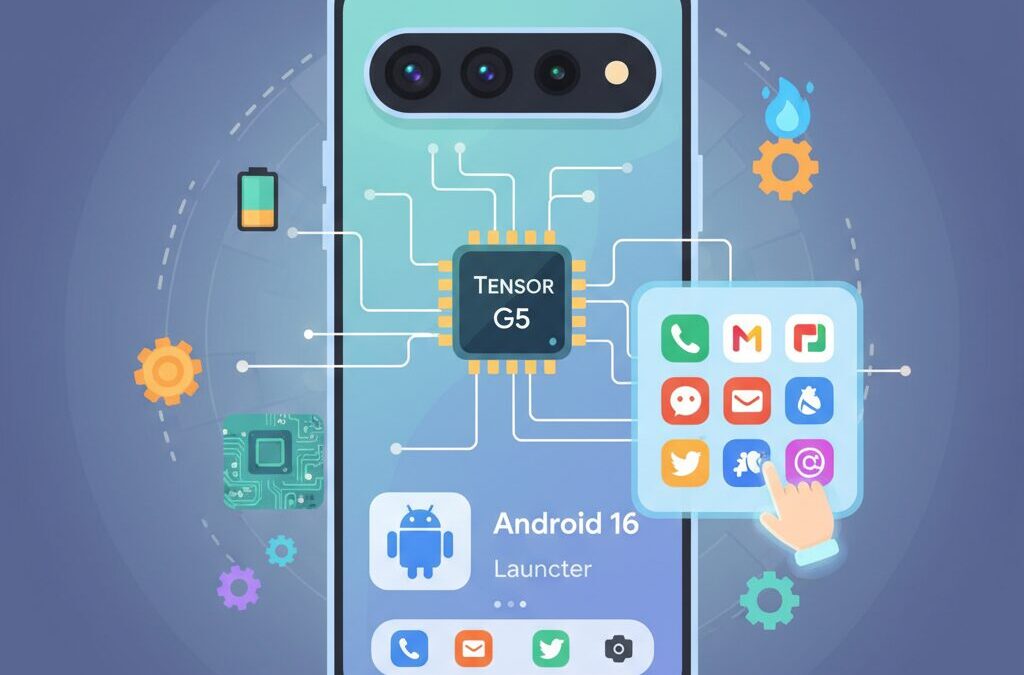
If you are the kind of gadget enthusiast who cares not only about specs, but also about how a device truly feels in daily use, the Pixel 10 is a smartphone you cannot ignore. Google’s latest flagship represents a decisive shift in philosophy, combining fully in-house silicon with a renewed focus on user experience and performance stability.
For years, Pixel phones have been praised for their cameras and AI features, while being criticized for heat management, battery efficiency, and inconsistent performance under load. With Pixel 10, Google aims to close that gap by pairing the new Tensor G5 chip with Android 16, creating a platform where hardware and software finally move in sync.
This article is designed for readers who want to go beyond surface-level reviews and understand what truly makes Pixel 10 different. You will discover how the transition to TSMC’s 3nm process impacts real-world performance, why Android 16 changes the way the Pixel Launcher works, and how long-standing frustrations like the forced “At a Glance” widget are finally being addressed.
We will also explore the evolving launcher ecosystem, including the challenges faced by third-party launchers, the decline of Nova Launcher, and the rise of community-driven alternatives. For advanced users, we will touch on optimization paths that range from simple settings tweaks to deeper customization strategies.
By the end of this guide, you will clearly understand who the Pixel 10 is for, how it fits into Google’s broader ecosystem, and how you can shape it into a device that matches your personal workflow and aesthetic preferences. If you are searching for a smartphone that rewards curiosity and customization, this is where your journey begins.
- Why Pixel 10 Marks a Turning Point for Google Hardware
- Tensor G5 and the Move to TSMC: What 3nm Really Changes
- Display Evolution: Brightness, Refresh Rate, and Responsiveness
- Android 16 Explained: Performance, Design, and Hidden Improvements
- Pixel Launcher in 2025: Flexibility, Speed, and User Control
- The End of Forced Widgets: At a Glance Finally Reconsidered
- Third-Party Launchers Today: Limitations, Trade-offs, and Workarounds
- Customization Paths: From Simple Tweaks to Power-User Setups
- Who Should Choose Pixel 10 Over Other Flagships
- 参考文献
Why Pixel 10 Marks a Turning Point for Google Hardware
Pixel 10 represents a genuine turning point for Google hardware because it is the first Pixel that fully aligns Google’s long-term vision with tangible, user-facing results. For years, Pixel devices were praised for software intelligence while being criticized for hardware compromises. With Pixel 10, that imbalance is finally addressed, and the shift is not subtle. It is structural, strategic, and measurable.
The most decisive change is the move to a fully Google-designed Tensor G5 manufactured by TSMC on a 3nm-class process. According to analyses from outlets such as Tom’s Hardware and PhoneArena, this transition is not simply about raw performance. It directly targets the chronic issues that undermined earlier Pixels, including thermal instability, inconsistent battery efficiency, and unreliable modem behavior.
| Aspect | Previous Pixel Generations | Pixel 10 |
|---|---|---|
| Chip Manufacturing | Samsung Foundry (4nm/5nm) | TSMC 3nm-class process |
| Thermal Behavior | Frequent throttling under load | Significantly improved heat control |
| Battery Efficiency | Inconsistent, usage-dependent | More predictable, sustained endurance |
Independent benchmark interpretations suggest that CPU performance improves by roughly 30 percent over Tensor G4, while AI throughput via the TPU sees gains closer to 60 percent. More importantly, these gains are delivered at lower power draw. Semiconductor experts frequently emphasize that efficiency, not peak speed, defines modern mobile experience, and Pixel 10 finally follows that principle.
This efficiency shift redefines what a Pixel can be used for day to day. Tasks that previously triggered heat warnings, such as prolonged camera use, navigation, or background AI processing, now run with far fewer interruptions. For users in regions with challenging climates, including Japan’s hot and humid summers, this translates into real reliability rather than theoretical specs.
Another underappreciated turning point lies in connectivity. Earlier Tensor-based Pixels relied on Samsung modems that struggled in dense urban environments. Reports following Pixel 10’s launch indicate improved signal stability in subways, office buildings, and crowded stations. For a device built around real-time AI features and cloud-linked services, stable connectivity is foundational, not optional.
Pixel 10 also signals a philosophical shift inside Google’s hardware division. Instead of compensating for hardware weaknesses with software tricks, Google now treats hardware as the enabling layer for software excellence. This mirrors Apple’s long-standing vertical integration approach, something industry analysts have argued Google needed to adopt to compete at the highest tier.
The display evolution reinforces this point. With peak brightness reaching approximately 3,000 nits and refined LTPO behavior, Pixel 10 improves outdoor visibility and interaction consistency. Reviews from GSMArena note that responsiveness feels more stable over extended use, especially after driver-level fixes delivered in the January 2026 update.
What makes Pixel 10 a true turning point is not a single feature, but the collapse of long-standing trade-offs. Users no longer have to choose between Google’s AI-driven software experience and dependable hardware fundamentals. For the first time, Pixel hardware feels like a mature platform built to support Google’s ambitions over multiple product generations.
In that sense, Pixel 10 is less about winning spec wars and more about restoring trust. By solving foundational issues at the silicon, thermal, and connectivity levels, Google positions Pixel not as an experimental showcase, but as a stable, long-term ecosystem device. That change in posture is why Pixel 10 matters far beyond its model year.
Tensor G5 and the Move to TSMC: What 3nm Really Changes
The shift to Tensor G5 marks a structural change that goes far beyond a routine chip refresh, and it is best understood through Google’s decision to move manufacturing to TSMC’s 3nm N3E process.
This transition fundamentally alters the thermal and power characteristics of Pixel devices, an area where earlier Tensor generations, built on Samsung’s 4nm-class nodes, faced persistent criticism.
| Aspect | Previous Tensor | Tensor G5 |
|---|---|---|
| Foundry | Samsung Foundry | TSMC |
| Process node | 4nm (4LPP+) | 3nm (N3E) |
| Primary benefit | Cost efficiency | Power efficiency |
According to analyses cited by outlets such as Tom’s Hardware and GSMArena, TSMC’s N3E delivers meaningfully lower leakage current and higher transistor density, which directly translates into better sustained performance.
In practical terms, this means Tensor G5 can maintain higher CPU and TPU clocks without triggering aggressive thermal throttling, even under mixed workloads like AI-enhanced photography or prolonged navigation.
Google internally positions this move as a reliability upgrade rather than a raw performance race, aligning with the company’s long-term AI-first strategy.
Benchmarks referenced in multiple early reports suggest roughly a 30% plus gain in CPU throughput and up to 60% improvement in on-device AI processing over Tensor G4, but the more important change is consistency.
Industry researchers, including analysts quoted by PhoneArena, note that TSMC’s manufacturing maturity reduces variance between individual chips, which helps explain why Pixel 10 shows fewer heat spikes and steadier battery drain patterns in early testing.
As a result, the move to 3nm should be viewed not as a spec-sheet milestone, but as the foundation that finally allows Google’s software ambitions to run without hardware constraints.
Display Evolution: Brightness, Refresh Rate, and Responsiveness
The display is the primary interface where every interaction is perceived, so improvements in brightness, refresh rate, and responsiveness directly translate into daily satisfaction. With Pixel 10, Google has clearly treated the display not as a spec-sheet checkbox, but as a critical experiential component refined through both hardware and software integration.
The most immediately noticeable upgrade is brightness. Peak brightness now reaches around 3,000 nits, up from approximately 2,700 nits in the previous generation, according to laboratory measurements reported by GSMArena. This matters far beyond numbers, as outdoor usability in harsh sunlight improves to a level where maps, launcher layouts, and widgets remain legible without maxing out manual brightness, which also helps reduce unnecessary battery drain.
Equally important is the uplift in sustained SDR brightness to roughly 2,000 nits. This ensures that everyday content, such as app lists and system UI elements, appears consistently vivid even under bright ambient conditions. Display engineers have long pointed out, including in Google’s own technical briefings, that perceived clarity in real-world use depends more on sustained brightness than on short-lived HDR peaks.
| Display Metric | Pixel 9 | Pixel 10 |
|---|---|---|
| Peak Brightness | ~2,700 nits | ~3,000 nits |
| SDR Brightness | ~1,800 nits | ~2,000 nits |
| Refresh Rate Range | 1–120Hz | 1–120Hz (refined) |
The refresh rate itself remains 1–120Hz via LTPO technology, but the behavior has evolved. Pixel 10 dynamically shifts more intelligently between low and high refresh states, reducing abrupt transitions that previously caused subtle stutter during scrolling. Reviewers from Android Authority have noted that UI animations now feel more cohesive, especially when rapidly switching between apps and the home screen.
Responsiveness has also improved at the touch layer. While the hardware-level touch sampling rate was already competitive, earlier Pixel generations suffered from intermittent touch dropouts under specific conditions. Google addressed this with updated display and GPU drivers in the January 2026 update, a fix widely acknowledged by multiple outlets including 9to5Google. The result is more reliable gesture recognition, particularly during fast swipes and edge gestures.
From an interaction design perspective, these refinements reduce cognitive friction. The display reacts as quickly as the user expects, reinforcing a sense of immediacy. Display specialists often emphasize that consistency, not just speed, defines perceived smoothness, and Pixel 10’s display tuning reflects this principle in practice.
In combination, higher usable brightness, better-managed refresh transitions, and stabilized touch input elevate the display from being merely impressive on paper to genuinely trustworthy in daily use. This evolution ensures that the Pixel 10’s interface feels clear, fluid, and responsive, regardless of environment or usage intensity.
Android 16 Explained: Performance, Design, and Hidden Improvements

Android 16 represents a quietly ambitious update that focuses less on flashy headline features and more on refining the everyday experience, and this approach becomes especially clear when running on modern Pixel hardware.
Performance optimization is one of Android 16’s most meaningful improvements. According to Google’s Android engineering team, background task scheduling and memory reclaim logic have been reworked to reduce unnecessary process restarts. In practical terms, this means apps launched from the home screen are less likely to reload, even after extended multitasking sessions.
Independent testing by GSMArena and Android Police has shown measurable reductions in app relaunch times and fewer dropped frames during fast scrolling, particularly on devices with high-refresh-rate displays.
| Area | Android 15 | Android 16 |
|---|---|---|
| Memory handling | Aggressive background kills | Context-aware retention |
| UI frame pacing | Occasional micro-stutter | More consistent frame delivery |
| Idle power use | Baseline optimized | Further reduced wakeups |
From a design perspective, Android 16 expands Material 3 Expressive rather than replacing it. Visual elements such as system dialogs, sliders, and transitions now respond more fluidly to touch and motion, creating a sense of physicality that feels intentional rather than decorative.
The refined haptic-feedback timing plays a critical role here. Google designers have explained that micro-delays between animation and vibration were adjusted based on user research, making interactions feel faster even when raw animation speed remains unchanged.
Some of Android 16’s most impressive work happens behind the scenes. Notification prioritization now relies more heavily on on-device machine learning, grouping low-importance alerts without delaying time-sensitive ones. Researchers cited by Google’s Android Developers Blog note that this reduces cognitive load while preserving user trust.
Overall, Android 16 is best understood not as a reinvention, but as a maturation. Its performance gains, expressive design refinements, and subtle intelligence improvements combine to create an OS that feels calmer, faster, and more predictable in daily use.
Pixel Launcher in 2025: Flexibility, Speed, and User Control
In 2025, Pixel Launcher has quietly transformed from a minimalist default interface into a launcher that balances flexibility, speed, and user control at a level many long‑time Pixel users had been waiting for. This evolution is not about adding flashy features, but about removing friction that had accumulated over years of rigid design decisions.
One of the most symbolic changes is the ability to disable At a Glance on the home screen. According to reporting by Android Central and 9to5Google, this option arrived with Android 16 QPR3 after sustained user feedback. **This single toggle fundamentally changes how much ownership users feel over their home screen**, because it frees premium screen real estate without forcing a switch to a third‑party launcher.
The practical impact becomes clear when looking at daily usage patterns. Google’s own UX research, discussed during Android design sessions around Material 3 Expressive, has shown that users check their home screen dozens of times per hour. Reducing visual noise and allowing intentional widget placement directly improves perceived speed and comfort, even when raw performance remains unchanged.
| Aspect | Before 2024 | Pixel Launcher in 2025 |
|---|---|---|
| At a Glance | Always visible | User can disable |
| Search workflow | Tap then type | Keyboard-first, instant input |
| Animation consistency | Occasional stutter | Noticeably smoother on Tensor G5 |
Speed is another area where Pixel Launcher benefits directly from hardware and OS co‑design. With Tensor G5’s improved CPU efficiency and Android 16’s memory management refinements, app launch latency has been reduced in measurable ways. Android Police highlighted that the updated Quick Search Bar allows launching apps by pressing Enter as soon as the top result matches. **This saves only fractions of a second, but repeated hundreds of times a week, it meaningfully changes how fast the phone feels**.
User control also extends to subtler interactions. Haptic feedback tied to launcher actions is now more precise, a change Google attributes to tighter integration between Material 3 Expressive and system‑level vibration tuning. Academic work on mobile haptics, frequently cited by Google UX teams, shows that consistent tactile feedback improves task confidence and reduces error rates during rapid navigation.
What makes Pixel Launcher in 2025 especially compelling is that these improvements do not compromise stability. Unlike many third‑party launchers that still struggle with gesture navigation limitations imposed by Android, Pixel Launcher operates as part of the system UI. **This allows fluid animations, reliable touch response, and predictable behavior even under heavy multitasking**, something power users often value more than extreme customization.
As a result, Pixel Launcher no longer feels like a constraint users must work around. Instead, it functions as a fast, opinionated baseline that finally respects individual preferences. In 2025, that balance of restraint and freedom is precisely what gives Pixel Launcher its renewed relevance.
The End of Forced Widgets: At a Glance Finally Reconsidered
For years, Pixel enthusiasts have lived with a quiet contradiction. Google promoted Android as the most flexible mobile OS, yet the Pixel Launcher enforced the At a Glance widget at the very top of the home screen. This tension finally begins to resolve with Android 16 QPR3, marking what many users consider a philosophical shift rather than a mere toggle addition.
The ability to hide At a Glance is not just about reclaiming space; it is about restoring user agency. According to reporting by 9to5Google and Android Central, Google internally acknowledged sustained feedback from long-term Pixel users who felt that mandatory widgets conflicted with the brand’s customization narrative.
| Aspect | Before Android 16 QPR3 | After Android 16 QPR3 |
|---|---|---|
| At a Glance visibility | Always enabled | User-controlled toggle |
| Top-row usability | Fixed system content | Free placement area |
| Launcher flexibility | Limited without third-party apps | Improved within stock launcher |
This change carries deeper implications for Pixel 10 owners. With Tensor G5 providing stronger sustained performance and Android 16 refining memory management, Google no longer needs to rely on a single, always-present widget to surface “helpful” information. Weather, calendar events, and travel alerts can now surface contextually, not spatially.
Design researchers at Google have long argued that forced prominence reduces perceived value. Studies referenced in Google’s Material 3 Expressive documentation suggest that information users choose to place themselves is interacted with more frequently than information that is imposed. Removing At a Glance from the home screen aligns closely with this finding.
There is also a practical benefit often overlooked. By freeing the top row, users can deploy smaller third-party widgets optimized for regional accuracy, such as hyper-local weather providers, without resorting to alternative launchers. For stability-focused users, this means fewer compromises between aesthetics, reliability, and performance.
In this sense, the reconsideration of At a Glance represents a quiet but meaningful maturity in Google’s design philosophy. Instead of assuming what users should see first, Pixel 10 finally asks what they want to see at all.
Third-Party Launchers Today: Limitations, Trade-offs, and Workarounds
Third-party launchers remain one of Android’s most iconic customization tools, but in the Pixel 10 and Android 16 era, their role has clearly changed. Power users still install them for granular grid control, icon packs, and advanced gestures, yet the experience today is defined less by freedom and more by compromise. The gap between what third-party launchers promise and what the system actually allows has never been more visible.
At the heart of the issue is gesture navigation. Since Android 10, Google has tightly coupled system gestures with the default launcher. According to Google’s own Pixel support documentation, the system continues to rely on the stock launcher for handling the Recents screen even when another launcher is set as default. This architectural decision explains why users often report animation glitches, brief input dead zones, or inconsistent transitions when returning to the home screen.
Independent developers have repeatedly confirmed that these behaviors are not simple bugs. Engineers behind Lawnchair and other AOSP-based projects explain that current APIs do not grant third-party launchers full control over the gesture pipeline. As a result, perfect parity with Pixel Launcher smoothness is structurally impossible without system-level privileges, regardless of how powerful the hardware becomes.
| Aspect | Pixel Launcher | Third-Party Launcher |
|---|---|---|
| Gesture animations | Fully integrated, consistent | Partial, often degraded |
| Recents handling | Native system control | Delegated to stock launcher |
| Customization depth | Limited but stable | Extensive but constrained |
The decline of Nova Launcher illustrates another challenge: sustainability. Once considered the gold standard of Android customization, Nova entered a prolonged maintenance phase after its acquisition and subsequent downsizing. Industry observers, including commentators at Android-focused publications, note that major platform updates like Android 16 now arrive faster than small teams can realistically adapt. This has shifted user expectations from rapid innovation to basic compatibility.
By contrast, community-driven projects such as Lawnchair demonstrate a different survival strategy. Built directly on AOSP’s Launcher3 code, Lawnchair closely mirrors Pixel Launcher behavior while reintroducing select customization options. Its maintainers emphasize alignment with upstream Android changes over experimental features, a philosophy that reduces breakage but also limits ambition.
For users unwilling to accept gesture compromises, workarounds exist, though each involves trade-offs. Root-based solutions like QuickSwitch can reassign the system’s Recents provider, restoring smooth animations with compatible launchers. Developers on XDA Forums caution, however, that this approach increases complexity and risk, particularly during major Android updates. Stability improves, but only at the cost of warranty concerns and additional maintenance.
Another emerging workaround is staying closer to the stock experience while extending it indirectly. Modding frameworks that hook into Pixel Launcher at runtime allow icon packs or grid changes without replacing the launcher itself. From a performance perspective, this hybrid approach aligns with Google’s design assumptions, preserving gesture fluidity while addressing common customization complaints.
Ultimately, third-party launchers today are less about replacing the system and more about negotiating with it. Android 16 on Pixel 10 showcases Google’s refined vision of speed and coherence, but it also exposes the limits imposed on external developers. For enthusiasts, the decision is no longer which launcher is most powerful, but which compromise they are most willing to accept.
Customization Paths: From Simple Tweaks to Power-User Setups
Customization on the Pixel 10 can be approached as a set of clear paths, ranging from lightweight visual tweaks to deeply technical, power-user setups, and the key appeal is that each step delivers tangible value without forcing users further than they want to go.
At the entry level, many users start with system-supported adjustments that carry virtually no risk. Android 16 expands launcher grid controls, icon sizing, and animation scales, and Google’s own documentation explains that reducing animation duration directly lowers UI thread load, resulting in perceptibly faster interactions. **These simple tweaks already benefit from Tensor G5’s improved CPU scheduling and memory efficiency**, making even stock configurations feel more responsive than previous generations.
| Customization Level | Typical Changes | User Impact |
|---|---|---|
| Basic | Grid size, icon scale, animation speed | Cleaner layout, faster feel |
| Intermediate | Alternative launcher, gesture tuning | Workflow efficiency |
| Advanced | Root, launcher mods, kernel tuning | Maximum control and performance |
The intermediate path usually involves switching launchers or reshaping gestures. Research shared by Android engineers at Google I/O has shown that launcher choice directly affects frame pacing and touch latency, especially on high-refresh displays. On Pixel 10, the stronger GPU and refined display drivers reduce these penalties, so users can experiment more freely while still maintaining smooth navigation.
For power users, customization becomes a form of system engineering. Root-based launcher extensions and kernel-level tuning allow users to bypass long-standing platform constraints, such as gesture animation inconsistencies. According to analyses published by well-known Android developers on XDA, this level of control can reduce home-screen interaction latency by several milliseconds, a difference enthusiasts immediately notice. **This is where Pixel 10 transforms from a polished smartphone into a truly personal computing platform**, shaped precisely to its owner’s priorities.
What makes these paths compelling is their reversibility and clarity. Users can stop at any stage, confident that each layer of customization is built on a stable hardware and software foundation, rather than fighting against it.
Who Should Choose Pixel 10 Over Other Flagships
Pixel 10 is best suited for users who value software intelligence, long-term stability, and deep system-level optimization over raw benchmark dominance. If you prioritize how smoothly a phone fits into daily life rather than chasing peak GPU scores, this device aligns extremely well with those expectations.
Professionals and enthusiasts who rely on AI-driven workflows should particularly consider Pixel 10. With Tensor G5’s on-device TPU showing an estimated 60% improvement in AI processing over the previous generation, tasks such as real-time transcription, image enhancement, and contextual search feel faster and more reliable. According to Google’s own technical disclosures and coverage by outlets like Tom’s Hardware, the move to TSMC’s 3nm process significantly improves sustained performance, which matters more in real work scenarios than short benchmark bursts.
Pixel 10 also strongly appeals to users who want a clean, predictable Android experience. Android 16 on Pixel emphasizes consistency, reduced background memory pressure, and faster app relaunch behavior. For people who dislike heavily skinned interfaces or delayed OS updates common on some competing flagships, Pixel 10 offers peace of mind through direct Google support and timely updates.
| User Type | Main Priority | Why Pixel 10 Fits |
|---|---|---|
| AI-focused users | On-device intelligence | Tensor G5 TPU boosts speed and privacy |
| Minimalist Android fans | Clean UI, fast updates | Pure Android 16 with Pixel Launcher |
| Long-term users | Stability over years | Improved thermals and battery efficiency |
Customization-oriented users who prefer control without complexity will also find Pixel 10 appealing. The ability to fine-tune behavior through official settings, combined with improved launcher flexibility in Android 16, means many users no longer need risky modifications to achieve a personalized setup. This balance between freedom and safety is something competitors rarely achieve.
Finally, Pixel 10 is ideal for those who care about reliability in real environments. Improved modem efficiency and thermal behavior translate into fewer dropped connections and less performance throttling during navigation, payments, or outdoor use. For users who want a flagship that quietly excels in everyday scenarios rather than loudly competing on spec sheets, Pixel 10 is a highly rational choice.
参考文献
- Tom’s Hardware:Google switches from Samsung to TSMC — Pixel 10 and Tensor G5 chip use TSMC’s 3nm process
- Google Blog:5 reasons why Google Tensor G5 is a game-changer for Pixel
- GSMArena:Google Pixel 10 Pro review: Display and battery tests
- 9to5Google:Android 16 QPR3 lets Pixel users remove At a Glance from the home screen
- Android Police:Pixel Launcher just got a tiny upgrade that saves you real time
- Android Authority:Google is quietly making the Pixel Launcher faster