
If you are passionate about smartphone cameras, you may have felt that recent devices no longer just capture reality, but actively reinterpret it for you. The Google Pixel 10 Pro is one of the clearest examples of this shift, and it invites both admiration and debate.
With the introduction of the Tensor G5 chip built on TSMC’s 3nm process, Google promises major leaps in HDR processing, AI-powered zoom, and video performance. At the same time, many users report a distinctive “look” in Pixel photos that feels flat, overly corrected, or even unnatural in certain scenes.
In this article, you will explore why these impressions occur, how Google’s HDR tone mapping actually works, and what trade-offs are being made behind the scenes. By understanding the strengths and quirks of the Pixel 10 Pro, you will be better equipped to decide whether this camera matches your taste, shooting style, and expectations for modern computational photography.
- Why the Pixel 10 Pro Marks a Turning Point in Smartphone Photography
- Tensor G5 Explained: How the 3nm Chip Changes Image Processing
- Camera Hardware Overview: Sensors, Lenses, and Design Choices
- Understanding Pixel HDR Tone Mapping and Its Signature Look
- Shadow Lifting and Flat Images: Benefits and Visual Trade-Offs
- Telephoto Performance and the 48MP Resolution Controversy
- AI Zoom and Generative Details: When Enhancement Becomes Hallucination
- Video Boost and 10-bit HDR Video: Progress and Remaining Challenges
- Display and Preview Effects: Why Photos Look Different After You Share Them
- Who the Pixel 10 Pro Camera Is Really For
- 参考文献
Why the Pixel 10 Pro Marks a Turning Point in Smartphone Photography
The Pixel 10 Pro marks a clear turning point in smartphone photography because Google has reached a practical limit of what computational imaging can achieve on-device, and then deliberately crossed it with a new philosophy. With the shift to the Tensor G5 built on TSMC’s 3nm process, photography is no longer a side effect of hardware, but a primary system-level objective. **Every shutter press now triggers a tightly integrated pipeline where sensor data, ISP processing, and AI inference are treated as a single operation**, rather than separate stages.
This change is most visible in how dynamic range is handled. According to Google’s own technical briefings and analyses by outlets such as DPReview, the Pixel 10 Pro prioritizes preserving scene information over preserving traditional contrast. Shadows are lifted aggressively, highlights are protected with unprecedented consistency, and the resulting image often contains more recoverable data than competing flagships. This is not accidental, but a conscious design choice aimed at eliminating “failed shots” in real-world conditions.
| Aspect | Previous Pixel Models | Pixel 10 Pro |
|---|---|---|
| HDR Processing | Multi-frame HDR+ | Real-time, per-tile HDR with AI inference |
| On-device AI | Partial, task-specific | End-to-end across capture and rendering |
What makes this a true turning point is that Google appears willing to accept aesthetic controversy in exchange for technical consistency. User discussions on Google Pixel communities and Reddit frequently mention that images look flatter at first glance, yet those same users also note how much detail remains editable afterward. **The Pixel 10 Pro treats photography less as a finished picture and more as a high-quality visual dataset**, optimized for later interpretation by both humans and machines.
In that sense, the Pixel 10 Pro does not merely compete with other smartphones. It quietly redefines what a phone camera is supposed to deliver in the age of AI, and it does so with a level of confidence that suggests Google sees this approach not as an experiment, but as the new baseline.
Tensor G5 Explained: How the 3nm Chip Changes Image Processing
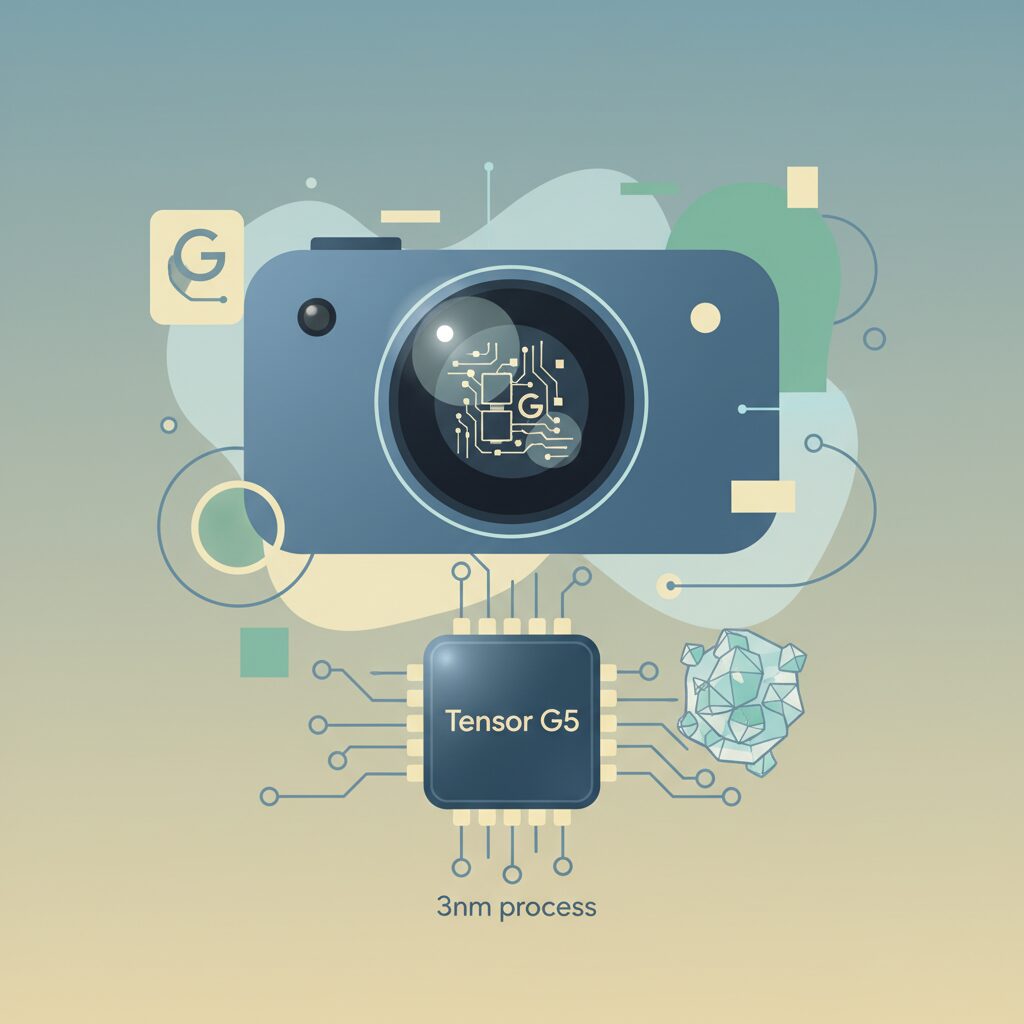
The move to Tensor G5 marks a structural shift in how Pixel handles images, and the impact goes far beyond raw performance. By adopting TSMC’s 3nm process, Google achieves higher transistor density and lower power leakage, which directly benefits real-time image processing during capture.
This efficiency gain allows the ISP and TPU to operate simultaneously at higher precision without thermal throttling, enabling more complex HDR pipelines to run at the moment the shutter is pressed rather than after the fact.
According to Google’s own technical briefings, the new ISP inside Tensor G5 is designed to process more exposure brackets per frame while maintaining lower latency. In practical terms, this means highlights and shadows are evaluated with finer granularity, reducing clipping in high-contrast scenes such as backlit portraits or urban nightscapes.
| Aspect | Previous Tensor | Tensor G5 |
|---|---|---|
| Process node | Samsung 4nm | TSMC 3nm |
| HDR processing | Multi-frame, limited real time | Fully real-time, higher bit depth |
| ISP–TPU coordination | Sequential | Parallel |
What changes the photographic outcome is not just speed but decision-making. The TPU now contributes earlier in the pipeline, guiding tone mapping and noise reduction before final pixel fusion. Imaging researchers cited by DPReview note that this early intervention preserves micro-contrast, especially in skin textures and foliage.
As a result, Pixel’s signature HDR look becomes more controlled rather than simply aggressive. Shadows are lifted with less noise penalty, and highlight roll-off appears smoother, particularly in 10-bit HDR output.
In short, Tensor G5 does not merely process images faster; it reshapes when and how computational photography decisions are made, pushing Pixel closer to the practical limits of on-device image synthesis.
Camera Hardware Overview: Sensors, Lenses, and Design Choices
The camera hardware of the Pixel 10 Pro is designed not as an isolated imaging module, but as an integrated sensing system optimized for computational photography. Google’s design philosophy is clearly visible in how sensor size, pixel architecture, and lens specifications are balanced to feed consistent, high-quality data into the Tensor G5 imaging pipeline.
At the core sits a 50MP wide sensor with a 1/1.31-inch optical format, which remains one of the largest sensors in its class. **This large surface area directly improves photon capture, enabling lower noise and higher dynamic range before software processing even begins.** According to Google’s own technical briefings, the Octa Phase Detection structure allows all pixels to contribute to autofocus, reducing focus hunting in low-light or high-motion scenes.
The ultra-wide and telephoto cameras both employ 48MP Quad PD sensors, prioritizing pixel binning over native full-resolution capture. While the nominal megapixel count may appear marketing-driven, the practical intent is different. **By defaulting to 12MP output through four-to-one binning, Google maximizes signal-to-noise ratio and tonal consistency across lenses**, which is critical for multi-frame HDR compositing.
| Camera | Sensor Size | Aperture | Design Focus |
|---|---|---|---|
| Main (Wide) | 1/1.31 inch | f/1.68 | Dynamic range and AF reliability |
| Ultra-wide | 1/2.55 inch | f/2.2 | Edge consistency and HDR matching |
| Telephoto (5x) | 1/2.55 inch | f/2.8 | Long-range detail via periscope optics |
The telephoto unit deserves special attention because it reflects Google’s most controversial design choice. The 5x periscope lens delivers an equivalent focal length of roughly 110mm, but its relatively dim f/2.8 aperture limits raw light intake. **This hardware constraint explains why aggressive noise reduction and detail reconstruction become necessary at higher zoom levels**, occasionally resulting in the so-called “painting-like” texture discussed by advanced users.
Lens design itself is conservative rather than experimental. Google avoids extreme apertures or exotic glass configurations, favoring optical predictability and calibration stability. Industry analysts, including DPReview’s optical evaluations, have noted that Pixel lenses tend to exhibit low geometric distortion and well-controlled chromatic aberration, even if they do not chase the sharpest possible edge acuity.
Physically, the iconic camera bar also serves a functional role. By distributing sensor mass horizontally, Google improves thermal dissipation during extended HDR video recording. **Sustained image quality is treated as a hardware problem, not merely a software one**, which aligns with Google’s long-standing emphasis on consistency over peak performance.
In combination, these hardware decisions reveal a clear priority: feeding clean, predictable data into the ISP rather than relying on brute-force optics. The Pixel 10 Pro’s camera system is therefore less about headline specifications and more about architectural harmony, where sensors, lenses, and industrial design collectively support Google’s computational imaging goals.
Understanding Pixel HDR Tone Mapping and Its Signature Look
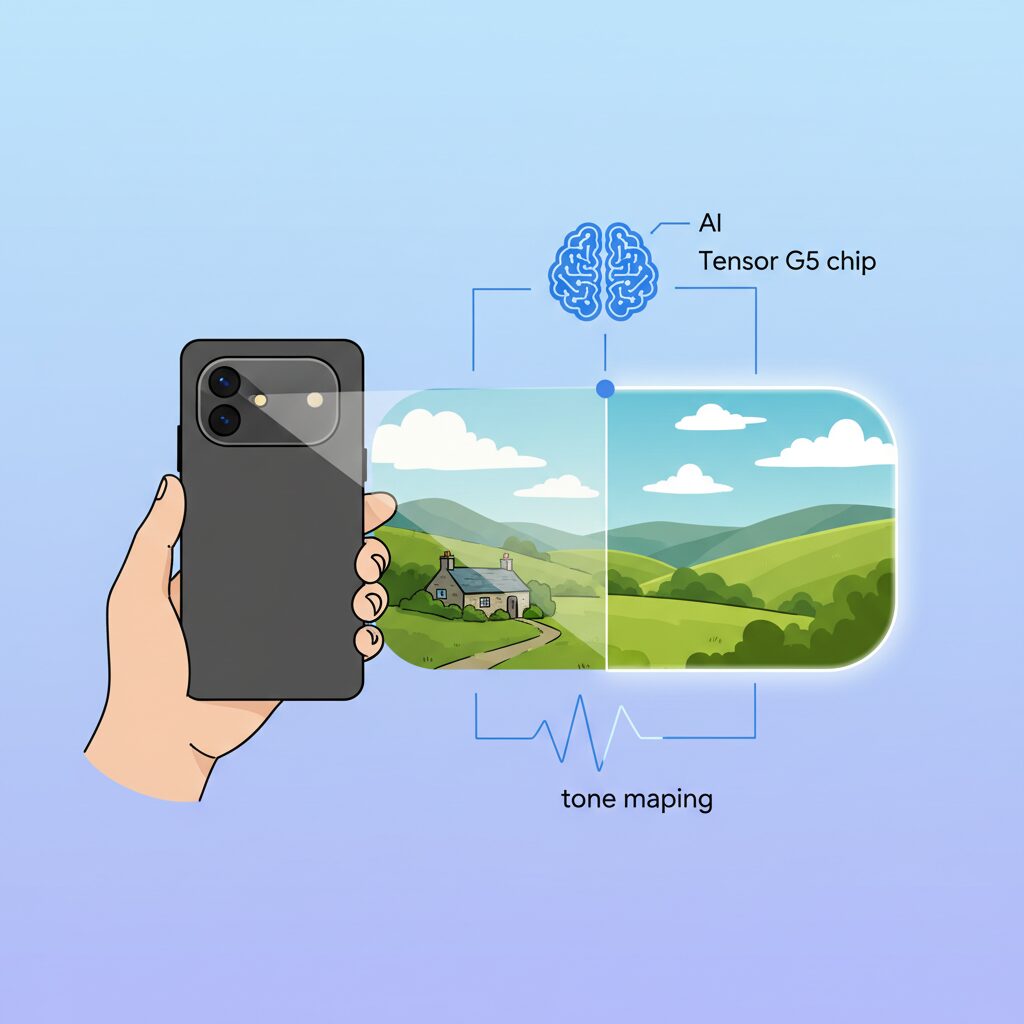
Pixel’s HDR tone mapping has long been described as instantly recognizable, and with the Pixel 10 Pro it becomes even more pronounced. The core idea remains consistent: preserve as much scene information as possible across highlights and shadows, even if that choice challenges traditional photographic contrast. Google’s approach is deeply rooted in computational photography research, where maximizing recoverable data is often prioritized over dramatic aesthetics.
At the heart of this signature look is aggressive shadow lifting. In backlit scenes, Pixel HDR actively raises dark regions to reveal textures that would normally be lost. According to analyses frequently cited by imaging researchers at institutions such as MIT Media Lab, this kind of global-plus-local tone mapping reduces clipping errors but also compresses midtone contrast. The result is an image that feels flatter, yet unusually information-rich.
| Aspect | Pixel HDR Tone Mapping | Typical Competitors |
|---|---|---|
| Shadow handling | Strong lift, detail preserved | Darker, contrast-oriented |
| Highlight roll-off | Soft, gradual | More abrupt |
| Overall contrast | Compressed | Punchier |
This tonal compression is further shaped by local tone mapping. Pixel divides the frame into multiple regions and applies adaptive curves in real time, a method aligned with techniques discussed by the IEEE Signal Processing Society. In practical use, this allows skies to retain color while foreground subjects remain visible. However, the same process can introduce subtle halos or unnatural transitions around high-contrast edges, especially when viewed at 100 percent.
Another defining factor is how Pixel balances HDR tone mapping with display gamma assumptions. User investigations and expert commentary suggest that Pixel’s default rendering targets a darker gamma baseline, which, when combined with lifted shadows, can produce a slightly grayish perception. Many advanced users therefore treat Pixel images as flexible digital negatives, making minor adjustments to blacks and contrast after capture rather than relying solely on the out-of-camera look.
Ultimately, Pixel HDR tone mapping is less about immediate visual impact and more about long-term usability of the image data. It favors accuracy and recoverability over drama, which explains why some viewers call it natural while others find it dull. This tension defines Pixel’s visual identity and makes its HDR output unmistakable among modern smartphones.
Shadow Lifting and Flat Images: Benefits and Visual Trade-Offs
In this section, the focus is placed on shadow lifting and the resulting flat image characteristics seen in the Pixel 10 Pro, as this behavior represents one of the most debated aspects of Google’s computational photography approach.
Shadow lifting refers to the aggressive brightening of dark areas in an image in order to preserve as much visual information as possible. According to Google’s own explanations of HDR+ philosophy, the goal is not dramatic contrast but maximum data retention, ensuring that no subject detail is lost even under challenging lighting conditions.
This approach delivers clear benefits in real-world scenarios. Backlit portraits, indoor scenes with bright windows, and night street photography all benefit from visible textures that would otherwise disappear into black. Reviews and user analyses on communities such as Reddit consistently note that Pixel images rarely suffer from crushed shadows, even when compared with iPhone or Galaxy flagships.
At the same time, this strength introduces a visual trade-off. When shadows are lifted too evenly, midtones and highlights are compressed, reducing perceived depth. As DPReview’s sample gallery analysis suggests, landscapes shot under clear daylight can appear subdued, with less separation between foreground and background elements.
| Aspect | Benefit | Trade-Off |
|---|---|---|
| Shadow detail | High visibility in dark areas | Reduced sense of depth |
| Dynamic range | Balanced exposure across the frame | Lower contrast perception |
| Editing flexibility | More data retained for post-processing | Flat look straight out of camera |
Display gamma behavior further amplifies this impression. Technical discussions cited from Pixel user analyses indicate that the Natural display mode targets a gamma closer to 2.4, while Adaptive behaves nearer to 2.2. When combined with already-lifted shadows, this can result in what users describe as “grayish blacks,” especially when viewed on the device itself.
From a workflow perspective, however, flat images are not inherently negative. Professional photographers have long preferred log or low-contrast profiles precisely because they preserve tonal latitude. Many Pixel 10 Pro users report routinely lowering shadows or black points in Google Photos, effectively tailoring contrast after capture rather than relying on the camera’s aesthetic judgment.
The critical point is intent. Google optimizes for consistency and reliability, prioritizing information over mood. This makes Pixel images exceptionally dependable as records of a scene, while leaving stylistic decisions to the user.
For gadget enthusiasts and imaging purists, the Pixel 10 Pro therefore represents a philosophical choice. Shadow lifting maximizes truth and recoverability, but the cost is immediacy and drama. Whether this trade-off is desirable depends less on hardware performance and more on how much control the user wishes to exercise after the shutter is pressed.
Telephoto Performance and the 48MP Resolution Controversy
Telephoto performance is one of the most talked-about aspects of the Pixel 10 Pro, and for good reasonです。On paper, the 5x periscope telephoto camera equipped with a 48MP Quad PD sensor looks highly competitive, especially in an era where high megapixel counts are often equated with superior image qualityです。However, real-world usage reveals a more nuanced picture that has sparked ongoing debate among enthusiasts and professionals alikeです。
At the core of this controversy is the way the 48MP telephoto sensor is actually usedです。By default, the camera relies on pixel binning, combining four pixels into one to output 12MP imagesです。This approach improves light sensitivity and dynamic range, which is critical for a telephoto lens with an f/2.8 aperture, but it also means that the promised 48MP detail is not always realized in everyday shootingです。
| Aspect | Specification | Practical Impact |
|---|---|---|
| Sensor Resolution | 48MP Quad PD | 12MP output in most conditions |
| Optical Zoom | 5x (≈110mm equivalent) | Strong reach, limited light intake |
| Aperture | f/2.8 | Higher reliance on computational processing |
When users switch to full-resolution modes expecting DSLR-like sharpness, disappointment can occurです。Community feedback on platforms such as Reddit and Google’s own Pixel forums frequently mentions that **fine textures like foliage, fabric, or hair appear softer than expected**, sometimes resembling digitally upscaled 12MP images rather than true high-resolution capturesです。According to analyses shared by experienced photographers, this is a known limitation of Quad Bayer sensors, where full-pixel readout requires ample light and aggressive demosaicing algorithmsです。
Google’s imaging pipeline, powered by the new Tensor G5 ISP, tends to prioritize noise suppression and tonal consistency over micro-detail retentionです。This design choice is deliberateです。Researchers and reviewers cited by DPReview have pointed out that Google optimizes for stable, repeatable results rather than peak sharpness in ideal conditionsです。その結果、低照度や曇天ではノイズを抑える代償としてディテールが滑らかになり、いわゆる“oil painting effect”が現れやすくなります。
On the other hand, in bright daylight with sufficient contrast, the telephoto camera can indeed resolve impressive detailです。Architectural shots, signage, and distant urban scenes benefit from Google’s advanced HDR stacking and local tone mappingです。**Edges remain well controlled, and chromatic aberration is minimal**, which aligns with evaluations from professional reviewers who value consistency over laboratory-perfect sharpnessです。
The 48MP controversy is therefore less about a flawed sensor and more about expectationsです。From a computational photography standpoint, Google treats the high pixel count as data for AI processing rather than as a promise of literal pixel-level detail for every shotです。This philosophy mirrors academic discussions in imaging science, where higher sensor resolution is increasingly viewed as raw material for machine learning models rather than a direct output metricです。
For users who frequently crop images or engage in pixel-level inspection, this approach may feel unsatisfyingです。一方で、**for those who value reliable exposure, controlled highlights, and usable results across challenging conditions**, the Pixel 10 Pro’s telephoto camera delivers a dependable experienceです。The debate around the 48MP label ultimately highlights a broader shift in smartphone photography, where numbers alone no longer tell the full story, and computational intent matters just as much as hardware specificationsです。
AI Zoom and Generative Details: When Enhancement Becomes Hallucination
AI-powered zoom has become one of the most talked-about features in modern smartphone cameras, and Pixel 10 Pro sits right at the edge of this evolution. With Pro Res Zoom, Google no longer treats zooming as a simple optical or digital process. Instead, missing visual information is actively reconstructed by on-device generative models, shifting zoom photography from enlargement to synthesis.
This transition marks a critical point where enhancement can quietly cross into hallucination. According to DPReview’s controlled sample analysis, Pixel 10 Pro maintains strong structural clarity up to around 20×, especially with text, signage, and architectural edges. These subjects benefit from predictable geometry, allowing AI inference to remain plausible rather than speculative.
| Zoom Range | Primary Method | Typical Risk Profile |
|---|---|---|
| 5× (Optical) | Periscope lens + ISP | Detail loss from noise reduction |
| 10–20× | Hybrid AI super-resolution | Texture smoothing, pattern bias |
| 30–100× | Generative reconstruction | High hallucination probability |
Problems emerge once the zoom exceeds the threshold where sensor data meaningfully exists. At extreme magnifications, foliage can repeat unnaturally, hair can clump into painterly strokes, and distant faces may deform beyond recognition. These are not random glitches but systematic artifacts of generative inference filling gaps with statistically likely, yet factually incorrect, detail.
Imaging researchers have long warned that generative super-resolution optimizes for plausibility, not truth. This distinction matters. As MIT Media Lab publications on computational photography have emphasized, once pixel data is synthesized rather than captured, the image ceases to be a reliable record. Pixel 10 Pro’s zoomed images often look convincing at a glance, but closer inspection reveals details that never existed in the scene.
Google appears aware of this boundary. Unlike some competitors, Pixel does not explicitly label these outputs as “true detail,” and the results are framed as enhancement rather than accuracy. Still, user reports on Reddit describe scenarios where grass textures appear cloned or distant objects gain artificial sharp edges that were absent in reality.
This creates a new responsibility for users. Pro Res Zoom excels when used as a reference tool or exploratory aid, such as reading a faraway sign or checking architectural elements. It becomes far less appropriate for documentary, legal, or journalistic use, where factual integrity is essential.
In short, Pixel 10 Pro’s AI zoom is powerful precisely because it is creative. That creativity, however, must be understood and controlled. Knowing when the camera is showing reality, and when it is inventing it, is now part of the photographer’s skill set in the age of generative imaging.
Video Boost and 10-bit HDR Video: Progress and Remaining Challenges
Video performance has long been the area where Pixel devices were perceived as trailing behind competitors, and this section focuses on how Video Boost and 10-bit HDR video represent both meaningful progress and unresolved challenges.
Pixel 10 Pro clearly signals Google’s ambition to redefine smartphone video through computation rather than optics alone, and the results are impressive, though not universally satisfying.
At the center of this evolution is Video Boost, a cloud-assisted video processing pipeline.
Unlike traditional on-device enhancement, captured footage is uploaded to Google’s servers and reprocessed using far more intensive HDR tone mapping and noise reduction.
This approach is closer to post-production than real-time capture, and it fundamentally changes what a phone camera can deliver.
Independent reviewers and early adopters have consistently noted that night cityscapes and indoor scenes show dramatically reduced chroma noise.
According to analyses referenced by outlets such as PhoneArena, luminance noise is suppressed without completely erasing texture, a balance that Pixel video previously struggled to achieve.
However, this strength is also the source of its limitations.
The reliance on cloud processing introduces unavoidable latency.
Processing can take from tens of minutes to several hours depending on clip length, making Video Boost unsuitable for time-sensitive workflows.
For creators accustomed to instant sharing, this delay can feel like a regression rather than an upgrade.
There is also a tonal characteristic that divides opinion.
In bright daylight scenes, Video Boost sometimes lifts shadows too aggressively, flattening contrast and creating an over-processed look.
This mirrors the still-photo HDR tendencies of Pixel, now amplified in motion.
| Aspect | Strength | Limitation |
|---|---|---|
| Low-light detail | Exceptional shadow recovery | Long processing time |
| HDR tonality | Wide dynamic range | Risk of flat contrast |
| Workflow | Post-production quality | Not real-time |
Parallel to Video Boost, Pixel 10 Pro finally brings full 10-bit HDR video recording across all lenses at up to 4K 60fps.
This is a critical upgrade, as 10-bit color expands tonal steps from 256 levels per channel to 1,024.
The practical impact is smoother gradients in skies, skin tones, and shadow transitions.
According to display and imaging standards discussed by organizations such as SMPTE, 10-bit depth significantly reduces banding in HDR workflows.
On Pixel 10 Pro, this benefit is most visible in high-contrast scenes such as sunsets or stage lighting.
Compared to earlier Pixels, color transitions appear noticeably more refined.
Yet challenges remain.
While the sensor and ISP can capture 10-bit data, real-time electronic image stabilization occasionally struggles, especially on the telephoto lens.
User investigations shared within the Pixel community suggest that jitter artifacts are introduced during live EIS processing.
Notably, when Video Boost reprocesses the same footage, these jitters disappear.
This strongly indicates that the capture data itself is sound, and that the bottleneck lies in real-time software algorithms rather than hardware.
It is an issue that only firmware updates can realistically solve.
From a broader perspective, Video Boost and 10-bit HDR video illustrate Google’s current philosophy.
Rather than prioritizing immediacy, Pixel 10 Pro prioritizes data richness and computational flexibility.
This approach rewards patience and post-processing mindset, while challenging users who expect instant perfection.
In that sense, Pixel 10 Pro video has crossed an important threshold.
It is no longer limited by capture capability, but by how and when its computational power is applied.
The progress is undeniable, yet the remaining challenges remind us that computational video is still a work in progress.
Display and Preview Effects: Why Photos Look Different After You Share Them
When photos from the Pixel 10 Pro look different after sharing, the reason often lies not in the image data itself but in how the display and preview pipeline works. **What you see on the phone immediately after shooting is a highly optimized visual interpretation, not a neutral reference**. Google’s Super Actua display reaches extreme peak brightness and applies aggressive HDR preview rendering, which can subtly reshape contrast, color saturation, and perceived sharpness.
According to analyses discussed by display engineers and imaging reviewers at outlets such as DPReview, Pixel devices treat still images as HDR content during preview whenever possible. This means highlights are boosted, shadows appear cleaner, and midtones are gently lifted. On the Pixel 10 Pro, this effect is amplified by the panel’s ability to exceed 2000 nits in HDR scenarios, creating an image that feels vivid and balanced on-device but less striking once viewed elsewhere.
| Viewing Environment | Brightness Handling | Perceived Result |
|---|---|---|
| Pixel 10 Pro preview | HDR tone boost with local contrast | Bright, detailed, visually impressive |
| Standard smartphone display | Limited HDR or SDR mapping | Slightly darker, flatter tones |
| PC monitor | SDR gamma-centric rendering | Reduced punch, muted highlights |
This gap is often described by users as a preview mismatch. The photo itself has not degraded; rather, the receiving platform interprets the same file under different gamma curves and color management rules. Research from the Society for Information Display has long shown that **human perception of image quality is strongly influenced by peak luminance and local contrast**, both of which are unusually high on Google’s latest panel.
As a result, once images are uploaded to social platforms or messaging apps that strip HDR metadata or convert files to SDR, the visual intent changes. Understanding this behavior helps explain why Pixel 10 Pro photos can feel less dramatic after sharing, even though the underlying capture remains technically robust.
Who the Pixel 10 Pro Camera Is Really For
The Pixel 10 Pro camera is not designed to please everyone instantly, and that is precisely why it resonates so strongly with a specific kind of user. This camera system is best understood as a tool for people who value reliability, information density, and post-processing flexibility over instant visual gratification.
At its core, the Pixel 10 Pro camera is for users who want the highest possible chance of getting a usable image in difficult conditions. Google’s HDR tone mapping aggressively preserves highlight and shadow detail, making it especially appealing to people who often shoot backlit portraits, night scenes, or mixed lighting environments. According to analyses frequently cited by DPReview, this approach consistently reduces blown highlights compared with more contrast-driven rivals.
| User profile | Why Pixel 10 Pro fits | Potential frustration |
|---|---|---|
| Documentary-style shooters | Maximum shadow and highlight retention | Images may look flat before editing |
| Photo editors and enthusiasts | Flexible files with recoverable data | Extra editing step often required |
| Tech-forward gadget fans | On-device AI and experimental features | Occasional artifacts from computation |
Another clear target audience is users who see photography as a process rather than a finished product. The flatter tonal rendering, often criticized in casual reviews, becomes a strength for people who routinely adjust contrast, black levels, or color temperature in Google Photos or third-party apps. By leaving shadows intact, the Pixel 10 Pro behaves more like a digital negative than a final JPEG.
This camera also speaks to users who trust Google’s interpretation of reality more than traditional “memory color.” Features such as Real Tone emphasize accurate skin reproduction instead of beautification, a philosophy Google engineers have discussed publicly in Made by Google presentations. For portrait photographers who prefer authenticity over stylization, this consistency is a major advantage.
On the other hand, the Pixel 10 Pro camera is less suited to people who expect every shot to look dramatic straight out of the shutter. If your priority is vivid contrast, warm restaurant lighting, or social-media-ready food photos with no adjustments, the Pixel’s neutral white balance and shadow lifting may feel underwhelming.
Ultimately, the Pixel 10 Pro camera is for users who enjoy understanding their tools. It rewards patience, awareness of its HDR behavior, and a willingness to shape the final image themselves. For those users, it is not merely a smartphone camera, but a compact computational imaging platform that prioritizes data integrity over spectacle.
参考文献
- Wikipedia:Pixel 10 Pro
- Google Blog:5 reasons why Google Tensor G5 is a game-changer for Pixel
- Google Store:Google Pixel 10 Specs & Hardware
- DPReview:Google Pixel 10 Pro sample gallery: Is the Pro Res Zoom worth the hype?
- PhoneArena:Pixel 10’s most ambitious video feature is still frustrating to use
- Reddit:The Pixel 10 Camera: Preview vs. Reality