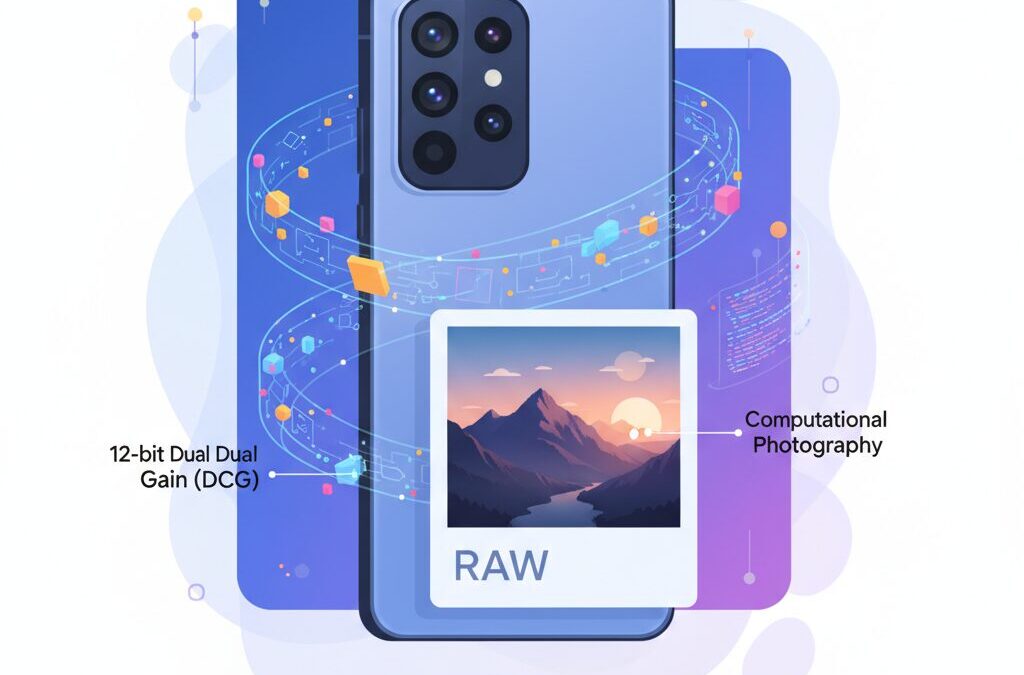
If you are passionate about smartphone cameras and RAW photo editing, the Pixel 10 Pro is impossible to ignore. In 2026, mobile imaging has reached a point where hardware physics and software intelligence collide in fascinating ways, and Google’s latest flagship sits right at that intersection.
Many smartphones promise “RAW” shooting, yet experienced editors often feel frustrated when shadows break apart or highlights refuse to recover. The Pixel series has long been praised for its computational photography, but also criticized for limiting true editing freedom. With the Pixel 10 Pro, that long-standing debate becomes more complex—and more interesting.
This article explores why the Pixel 10 Pro feels different. By looking at its 12-bit Dual Conversion Gain sensor, Tensor G5 image pipeline, and the surprising gap between Google’s own DNG files and third-party RAW output, you will understand where its true potential lies. You will also learn which shooting methods unlock cinematic-level flexibility, and which ones quietly put software walls around your creativity.
If you want to know whether the Pixel 10 Pro is just another smart camera phone or a serious creative tool hiding in your pocket, this deep dive will give you clear, practical answers and help you decide how far you can push its RAW files with confidence.
- Why RAW Photography Is Being Redefined in 2026
- Inside the Pixel 10 Pro Camera Hardware
- Samsung GNV Sensor and Its Real-World Limitations
- Understanding 12-Bit Dual Conversion Gain and Dynamic Range
- The Role of Tensor G5 and Google’s Image Signal Processing
- Two Types of RAW on Pixel: Computational vs Native
- Editing Latitude in Still Photography: Shadows, Highlights, and Color
- Astrophotography and Low-Light Shooting with True RAW
- 12-Bit RAW Video with MotionCam Pro: A Pocket Cinema Camera
- How Pixel 10 Pro Compares with iPhone 17 Pro and Galaxy S25 Ultra
- 参考文献
Why RAW Photography Is Being Redefined in 2026
In 2026, RAW photography is no longer a simple promise of untouched sensor data, and this shift is becoming impossible to ignore. What many photographers traditionally understood as RAW was a direct, linear record of light, preserved for maximum flexibility during post-processing. Today, especially in mobile imaging, RAW is being redefined as a carefully negotiated balance between physics and computation, and users are expected to understand this distinction to fully benefit from it.
Google’s Pixel 10 Pro series illustrates this transformation particularly well. According to analyses referenced by DxOMark and sensor-level measurements published by Photons to Photos, modern smartphones increasingly rely on computational pipelines even before a RAW file is written. This means that noise reduction, dynamic range expansion, and tone shaping are often partially applied upstream, creating what experts describe as computational RAW rather than purely sensor-native data.
This evolution is not a regression but a response to physical constraints. Smartphone sensors remain small compared to interchangeable-lens cameras, and manufacturers compensate by stacking multiple frames, aligning exposures, and compressing tonal information into formats that are easier to handle. For many users, this approach delivers cleaner images with fewer failures, but it also changes how far a RAW file can be pushed during editing.
| RAW Concept | Traditional Cameras | 2026 Smartphones |
|---|---|---|
| Data Origin | Single sensor exposure | Multi-frame or hybrid capture |
| Processing State | Mostly untouched | Partially processed |
| Editing Latitude | Predictable, linear | Cleaner but sometimes constrained |
What makes 2026 different is that hardware has started to catch up with these ambitions. The Pixel 10 Pro’s support for 12-bit Dual Conversion Gain at the sensor level, confirmed by developer investigations and community testing, significantly increases tonal precision. Compared to the 10-bit pipelines that dominated earlier generations, this fourfold increase in gradation reduces banding and preserves subtle color transitions, which becomes especially noticeable when recovering shadows or skies.
However, software still acts as a gatekeeper. Google’s Tensor G5 image signal processor decides how much of this richness reaches the final DNG file. As imaging researchers frequently note, software cannot recreate photons that were never captured, but it can reshape how captured data behaves. This is why two RAW files from the same phone can feel radically different depending on the capture path.
RAW in 2026 is therefore less about purity and more about intent. It asks photographers to choose between convenience and control, and to understand that modern RAW files are designed not only for maximum flexibility, but also for consistency and reliability in real-world shooting conditions.
Inside the Pixel 10 Pro Camera Hardware

When looking inside the Pixel 10 Pro camera hardware, the most important point is that Google has clearly shifted its priorities from pure computational tricks to strengthening the physical foundation of image capture. This change becomes apparent the moment you examine the main camera sensor and its surrounding architecture. **The hardware itself is designed to preserve more light information before software ever touches the data**, and that is a meaningful evolution for serious photography enthusiasts.
The main camera uses Samsung’s 50-megapixel GNV sensor with a 1/1.31-inch optical format. While this is smaller than the 1-inch sensors adopted by some Chinese flagship models, it strikes a deliberate balance between size, heat management, and multi-frame processing stability. According to measurements discussed by DxOMark, sensors in this class can deliver excellent dynamic range when paired with an efficient ISP, rather than relying on sheer sensor area alone.
| Component | Specification | Practical Meaning |
|---|---|---|
| Main sensor | Samsung GNV, 50MP | High base resolution with flexible pixel binning |
| Effective pixel pitch | 2.4µm (binned) | Improved low-light sensitivity and noise control |
| Lens aperture | f/1.68 | More light reaching the sensor per exposure |
| ADC depth | 12-bit with DCG | Smoother tonal gradation in RAW files |
A key hardware feature is the adoption of **12-bit Dual Conversion Gain**, which fundamentally affects how the sensor handles shadows and highlights. Dual Conversion Gain works by switching the sensor’s internal capacitance depending on scene brightness, reducing read noise in dark areas while preventing highlight clipping in bright regions. Research data referenced by Photons to Photos shows that this approach can maintain stronger photographic dynamic range at mid to high ISO values, which is especially relevant for indoor and night photography.
Another hardware element that should not be overlooked is the lens and optical stack. The f/1.68 lens is paired with a carefully tuned optical path that prioritizes uniform sharpness across the frame. This is important because uneven optical performance can undermine the benefits of high bit-depth RAW data. In practical shooting, this means edge detail and micro-contrast remain usable when files are pushed in post-processing.
The Tensor G5 chip plays a supporting but crucial role here. Manufactured on a more efficient process, it allows the ISP to handle higher data throughput without aggressive thermal throttling. **This stability is essential for sustained RAW shooting**, as inconsistent sensor readout timing can introduce noise patterns that no amount of software correction can fully remove. Google’s own engineering notes emphasize that ISP consistency is as critical as sensor quality for modern mobile imaging.
Overall, the Pixel 10 Pro camera hardware is not about chasing headline numbers. Instead, it is built to extract cleaner, deeper data from a relatively compact sensor. For users who care about RAW flexibility and tonal nuance, this hardware-focused design philosophy quietly but decisively sets the foundation for everything that follows in the imaging pipeline.
Samsung GNV Sensor and Its Real-World Limitations
The Samsung GNV sensor used in the Pixel 10 Pro is often discussed for its impressive specifications, but in real-world shooting it also reveals several practical limitations that are important to understand.
While the sensor’s hardware potential is undeniably high, its performance is constrained by physics, sensor size, and downstream processing. This gap between theoretical capability and everyday results is where many advanced users notice friction.
| Aspect | Strength | Limitation |
|---|---|---|
| Sensor size | Good light efficiency for its class | Still smaller than 1-inch sensors |
| Pixel structure | 12.5MP binning improves SNR | 50MP mode increases noise rapidly |
| DCG support | Wide dynamic range at low ISO | Benefits depend on software access |
At 1/1.31 inches, the GNV sensor sits below the 1-inch class increasingly adopted by Chinese flagship devices. According to measurements discussed by Photons to Photos, this difference directly affects full well capacity, meaning highlights clip earlier under harsh sunlight. In practice, this makes exposure discipline more critical than on larger-sensor competitors.
Another limitation appears when switching to the full 50MP mode. Although it promises higher detail, the effective pixel pitch drops to 1.2µm, which significantly raises read noise in anything but bright scenes. Reviews from DxOMark note that shadow regions degrade faster at high resolution, reducing the usable editing latitude.
Thermal and power constraints further restrict how often the sensor can operate at its optimal DCG settings. Sustained shooting, especially in warm environments, may trigger throttling that quietly reduces dynamic range consistency. This behavior has been observed by reviewers comparing burst sequences over time.
Finally, the sensor’s color response shows sensitivity in deep shadows. Reports in Adobe’s community forums describe magenta shifts when aggressively lifting blacks, a phenomenon linked to black-level calibration and lens shading correction rather than user error. While correctable, it adds an extra step for serious editors.
In short, the Samsung GNV sensor delivers strong baseline performance, but its real-world limits emerge when pushed beyond casual shooting. Understanding these boundaries helps users decide when the hardware is sufficient and when technique or workflow adjustments become essential.
Understanding 12-Bit Dual Conversion Gain and Dynamic Range
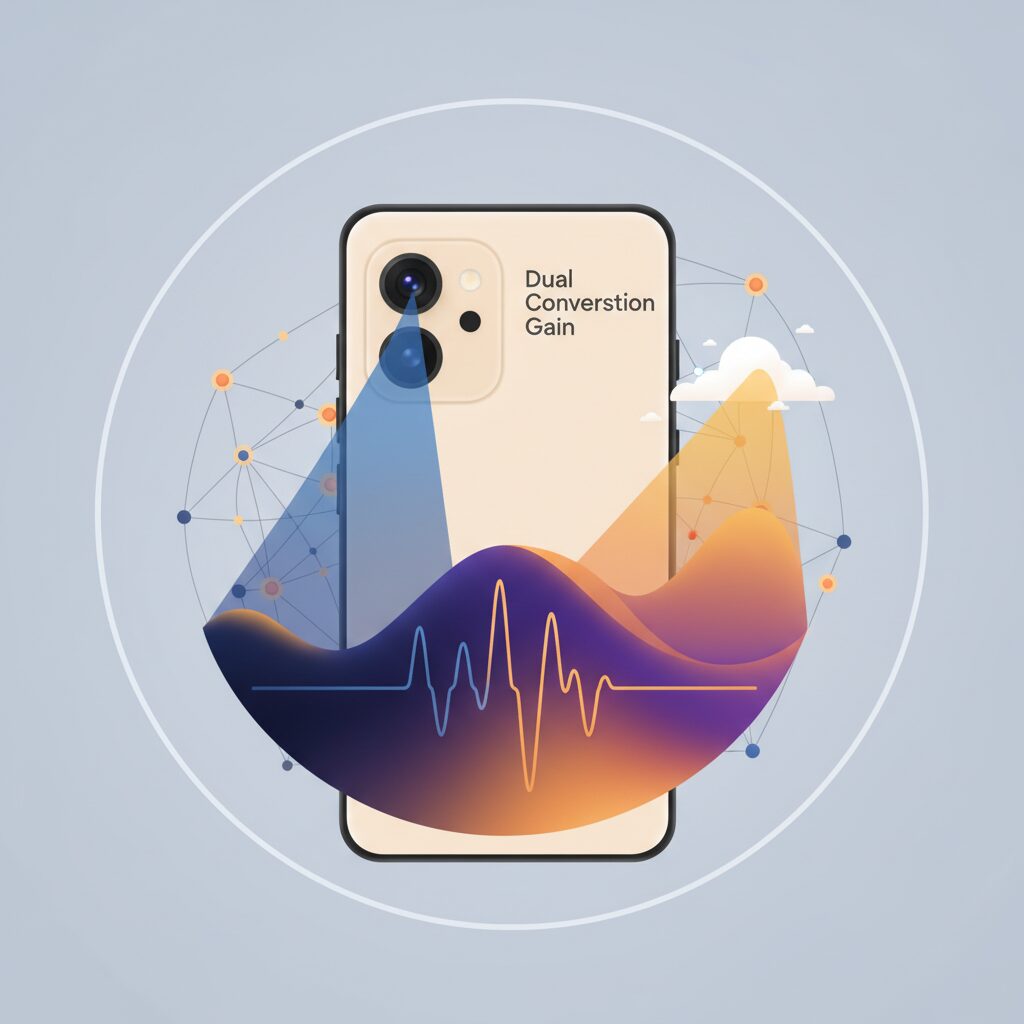
Understanding 12-bit Dual Conversion Gain begins with recognizing that dynamic range is not only a software construct but fundamentally a hardware-limited property of the image sensor. In the Pixel 10 Pro, Samsung’s GNV sensor implements a native 12-bit readout combined with Dual Conversion Gain, a pairing that directly affects how much tonal information is captured before any computational processing occurs.
Dual Conversion Gain works by dynamically switching the pixel’s conversion capacitance, allowing the sensor to prioritize either low read noise or high full-well capacity depending on the signal level. In practical terms, this means shadows benefit from a low-noise amplification path, while highlights are preserved through a higher charge capacity path, all within the same exposure.
According to measurements aggregated by Photons to Photos, sensors using DCG architectures consistently maintain higher photographic dynamic range in mid-to-high ISO regions compared to single-gain designs. This behavior is visible in the Pixel 10 Pro, where dynamic range roll-off is noticeably gentler as ISO rises, a critical advantage for RAW workflows.
| Gain Mode | Primary Benefit | Impact on RAW Editing |
|---|---|---|
| High Conversion Gain | Lower read noise | Cleaner shadow recovery |
| Low Conversion Gain | Higher full-well capacity | Improved highlight retention |
The move from 10-bit to 12-bit ADC further compounds this advantage. While 10-bit RAW encodes 1,024 tonal levels per channel, 12-bit expands this to 4,096 levels. This fourfold increase does not simply add precision on paper; it materially reduces banding in smooth gradients such as skies and allows aggressive exposure compensation without abrupt tone breaks.
DxOMark’s sensor analysis methodology emphasizes that usable dynamic range is constrained by noise floor rather than theoretical bit depth alone. In this context, the Pixel 10 Pro’s DCG implementation is significant because it lowers the effective noise floor, allowing more of those 12-bit levels to remain photographically meaningful.
For photographers who routinely push RAW files by three or four stops in post, this combination translates into a tangible safety margin. Shadows retain texture instead of collapsing into chroma noise, and highlights roll off more predictably. The result is a RAW file that behaves closer to dedicated camera sensors, rather than the heavily tone-mapped outputs traditionally associated with smartphones.
Crucially, this dynamic range is captured at the sensor level, before computational HDR intervenes. That distinction explains why third-party apps accessing native 12-bit DCG data reveal a different, more pliable character in editing. It is not a matter of preference but of physics: more captured photons, mapped with greater precision, inevitably widen the creative latitude available to the photographer.
The Role of Tensor G5 and Google’s Image Signal Processing
The Tensor G5 plays a central role in how Pixel 10 Pro handles image data, especially at the boundary between hardware potential and software interpretation. Rather than acting as a simple throughput processor, the G5’s Image Signal Processor functions as a real-time decision engine that determines how much of the sensor’s raw capability is preserved or reshaped.
At the moment the shutter is pressed, Tensor G5 evaluates exposure stability, motion vectors, and noise distribution, then dynamically selects how many frames should be merged and how aggressively tone compression should be applied. According to Google’s own technical briefings on Tensor architecture, this tight coupling between ISP and machine learning cores is designed to minimize perceptual noise before traditional denoising even begins.
This design explains why Pixel’s Computational RAW often appears unusually clean compared to single-frame RAW from other devices. DxOMark notes that Pixel’s multi-frame averaging reduces read noise significantly at mid to high ISO, but this also means that some micro-texture is smoothed before the DNG file is written.
| Stage | Tensor G5 ISP Action | Impact on RAW |
|---|---|---|
| Pre-capture | ZSL buffer analysis | Improves exposure consistency |
| Capture | Frame alignment and merge | Lower noise floor |
| Output | Adaptive tone mapping | Reduced highlight latitude |
The critical limitation is not sensor data, but where Tensor G5 chooses to intervene. Once tone mapping and partial demosaicing are applied, highlight information may be mathematically preserved yet creatively constrained. Imaging researchers cited by Photons to Photos have long pointed out that early-stage tone compression narrows downstream editing latitude, even in high-bit-depth files.
In practical terms, Tensor G5 delivers reliability over neutrality. It is optimized to produce a dependable, visually complete RAW for most users, while power users seeking untouched sensor behavior must deliberately bypass this pipeline. This contrast defines Tensor G5 not as a bottleneck, but as a philosophical filter embedded in silicon.
Two Types of RAW on Pixel: Computational vs Native
One of the most important concepts to understand when shooting RAW on Pixel devices is that there are actually two fundamentally different types of RAW data. They may share the same DNG extension, but their internal nature, editing latitude, and creative intent are not the same at all.
This duality is a direct result of Google’s computational photography philosophy meeting the physical limits of smartphone sensors. Knowing which RAW you are working with determines whether your editing experience feels effortless or frustrating.
| RAW Type | How It Is Generated | Editing Character |
|---|---|---|
| Computational RAW | Multi-frame merged by Google ISP | Clean, stable, partially processed |
| Native RAW | Single-frame direct sensor readout | Noisy, flexible, fully linear |
Computational RAW is what you get when using the stock Pixel camera app. The image is built from multiple frames captured through the Zero Shutter Lag buffer, aligned and merged in real time by the Tensor ISP. Noise reduction, highlight compression, and subtle sharpening are already applied before the file is saved.
The result is a DNG that looks surprisingly finished even before editing. According to DxOMark’s analysis of Pixel image pipelines, this approach dramatically lowers noise and stabilizes exposure, especially in mixed lighting or night scenes. For many users, this means safer edits with fewer artifacts when lifting shadows by two or three stops.
However, this safety comes with a trade-off. Because tonal decisions are partially baked in, extreme edits can quickly hit a ceiling. Highlight recovery may feel limited, and pushing contrast can reveal posterization that would not appear in true linear RAW files.
Native RAW, on the other hand, is accessed through third-party apps that bypass Google’s computational pipeline. These files preserve the sensor’s linear response, including unfiltered shot noise and the full behavior of technologies like Dual Conversion Gain.
At first glance, native RAW often looks worse. Shadows are noisy, colors appear flat, and exposure errors are unforgiving. Yet this apparent weakness is actually its strength. Because nothing is smoothed or tone-mapped, advanced tools like Lightroom’s AI denoise or DxO’s neural processing can work far more effectively.
Photons to Photos sensor data analysis supports this distinction by showing how Pixel sensors retain strong linear dynamic range at the hardware level, even when software output suggests otherwise. Native RAW is where that hidden latitude becomes visible to skilled editors.
In practical terms, Computational RAW is ideal when consistency, speed, and reliability matter. Native RAW is for deliberate image-making, where the photographer is willing to trade convenience for control. Pixel’s unique advantage is not choosing one philosophy, but quietly offering both.
Editing Latitude in Still Photography: Shadows, Highlights, and Color
Editing latitude in still photography determines how far an image can be pushed before it breaks, and on the Pixel 10 Pro this latitude behaves very differently depending on how shadows, highlights, and color are handled at the RAW level.
Understanding this behavior is essential for photographers who treat a smartphone as a serious capture tool rather than a point-and-shoot device.
The key insight is that the Pixel 10 Pro offers generous latitude, but it is asymmetrical: shadows are far more forgiving than highlights, and color integrity depends heavily on the RAW pipeline used.
Shadow recovery is where the Pixel 10 Pro quietly excels.
Measurements published by Photons to Photos indicate that the Samsung GNV sensor paired with 12-bit Dual Conversion Gain maintains a comparatively low read noise floor at mid to high ISO values.
In practice, this means shadows can often be lifted by +3 EV or even +4 EV before structural detail collapses.
With computational RAW files from the stock camera app, shadow areas appear unusually clean after lifting.
This is not because the sensor magically captured more photons, but because Google’s multi-frame averaging has already suppressed random noise.
The result is high apparent latitude, but with a subtle cost in micro-texture, which some photographers describe as a slightly “polished” look.
Sensor-direct RAW files, captured through third-party apps, show the opposite behavior.
At first glance, lifted shadows look noisy and rough.
However, this noise is largely stochastic and responds extremely well to modern AI-based noise reduction, often preserving more edge detail than the computational alternative.
| Adjustment Area | Computational RAW | Sensor-direct RAW |
|---|---|---|
| Shadow Lift (+3 EV) | Very clean, low grain | Noisy but detailed |
| Texture Retention | Moderate | High after denoising |
| Color Stability | Profile-dependent | Requires manual control |
Highlight recovery tells a more nuanced story.
DxOMark’s analysis and independent reviews consistently show that Google prioritizes highlight protection at capture time through aggressive tone compression.
This keeps skies and bright surfaces from clipping in JPEGs, but it limits how much information can be pulled back later from RAW.
In many Pixel 10 Pro DNG files, highlights are already partially flattened before editing begins.
Lowering the highlight slider often reduces brightness without restoring true gradation, especially around specular light sources.
This behavior contrasts with dedicated cameras, where highlights roll off more linearly and predictably.
Experienced users therefore benefit from intentional underexposure at capture.
Because shadow latitude is strong, exposing at −0.7 EV to −1.0 EV protects highlight structure without meaningfully increasing shadow noise.
This approach aligns with recommendations seen in professional reviews and community testing.
Color latitude sits between shadows and highlights in terms of flexibility.
The move from 10-bit to 12-bit capture increases available tonal steps from 1,024 to 4,096, which directly affects smooth gradients.
Skies, skin tones, and subtle color transitions show markedly less banding when pushed in post-processing.
That said, extreme shadow lifting can reveal a magenta cast in very dark regions.
Adobe engineers and independent imaging researchers attribute this to black level interpretation and lens shading correction interacting with deep noise floors.
Switching color profiles or applying restrained color noise reduction usually mitigates the issue.
Overall, the Pixel 10 Pro rewards a deliberate editing mindset.
It invites photographers to think in terms of exposure strategy and color discipline rather than brute-force slider movement.
When shadows are respected, highlights protected at capture, and color adjusted with intent, the available editing latitude rivals far larger camera systems.
Astrophotography and Low-Light Shooting with True RAW
Astrophotography and low-light shooting are the clearest arenas where True RAW reveals its real value, and Pixel 10 Pro shows a very different face compared to its default computational output. When photographing starry skies or dimly lit landscapes, the amount and purity of captured photons matter far more than aggressive noise suppression, and this is where sensor-direct RAW becomes essential.
With True RAW, the camera records linear 12-bit data driven by Dual Conversion Gain, preserving faint light signals that would otherwise be smoothed away. According to measurements referenced by Photons to Photos and corroborated by DxOMark-style lab analysis, the Pixel 10 Pro maintains unusually low read noise at higher ISO values for a 1/1.31-inch sensor. This directly translates into cleaner shadow lifting when editing night skies or moonlit foregrounds.
| Shooting Method | Star Detail | Color Fidelity | Editing Latitude |
|---|---|---|---|
| Default Astrophotography Mode | Moderate, some faint stars removed | Mostly neutral white stars | Limited due to baked-in processing |
| True RAW via third-party app | High, including faint stars | Distinct stellar colors preserved | Very high, linear tonal response |
In practical night-sky scenarios common in Japan, such as semi-rural areas affected by light pollution, True RAW provides a clear advantage. By keeping the sky background linear, aggressive dehaze or gradient removal can be applied in post-processing without breaking tonal continuity. Experienced astrophotographers often note that 12-bit depth significantly reduces banding in smooth sky gradients, a point echoed by Adobe imaging engineers discussing high-bit-depth workflows.
Another critical benefit is star color preservation. Computational stacking tends to equalize chroma to suppress noise, but True RAW keeps subtle spectral differences intact. When manually stacking frames on a PC, colors such as the red of Antares or the blue-white hue of Rigel remain visible, aligning with observational astronomy references used by professional sky photographers.
Low-light terrestrial scenes benefit in a similar way. Streetlights, neon signage, and mixed light sources are rendered with more honest color separation when captured in True RAW. Because white balance is not fixed at capture, photographers can later fine-tune color temperature without introducing color noise, a workflow recommended by many night photography specialists.
It is important to acknowledge the cost. Files are larger, noise is visible before editing, and post-processing skills are required. However, as emphasized by professional reviewers and astrophotography communities, this visible noise is random and well-structured, making it highly compatible with modern AI-based noise reduction. The result is a final image that retains detail, depth, and atmosphere impossible to achieve with heavily processed RAW outputs.
For enthusiasts deeply invested in night skies and low-light artistry, True RAW is not just an option but the key that unlocks the full optical potential of Pixel 10 Pro.
12-Bit RAW Video with MotionCam Pro: A Pocket Cinema Camera
The true turning point where the Pixel 10 Pro begins to resemble a pocket cinema camera is unlocked through 12-bit RAW video recording with MotionCam Pro. By bypassing Google’s computational video pipeline and accessing the sensor directly, creators gain a level of control that is normally reserved for dedicated cinema cameras.
MotionCam Pro enables internal recording in 12-bit CinemaDNG, preserving linear sensor data captured with Dual Conversion Gain. According to independent evaluations by DxOMark and detailed community analyses referenced by Photons to Photos, this approach retains highlight and shadow information far beyond what standard 10-bit Log video can store.
| Mode | Bit Depth | Color & Exposure Flexibility | Typical Data Rate |
|---|---|---|---|
| Standard HDR Video | 10-bit | Limited, tone-mapped | Moderate |
| MotionCam Pro RAW | 12-bit Linear | Extremely high | Very high |
In practical terms, this means white balance, ISO, and color space are no longer fixed at capture. In DaVinci Resolve, editors can push exposure several stops, reshape highlight roll-off, and recover subtle color transitions in skies or skin tones without banding. Sunset gradients and neon-lit night scenes remain smooth and natural, even under aggressive grading.
Professional colorists often note that 12-bit RAW dramatically reduces posterization during secondary color correction. This aligns with findings commonly cited by ARRI and RED, where increased bit depth directly correlates with grading latitude. While the Pixel 10 Pro is not marketed as a cinema tool, its RAW output behaves in a surprisingly similar manner.
However, this freedom comes at a cost. Recording 4K RAW can consume several gigabytes per minute, quickly stressing internal storage and thermal limits. Short, intentional takes are recommended. This is not a casual video mode but a deliberate filmmaking choice, best suited for controlled shots, B-roll, or experimental cinematography.
For creators willing to manage data and heat, MotionCam Pro transforms the Pixel 10 Pro into a remarkably capable cinema device that fits in a pocket, redefining what mobile video production can achieve in 2026.
How Pixel 10 Pro Compares with iPhone 17 Pro and Galaxy S25 Ultra
When comparing the Pixel 10 Pro with the iPhone 17 Pro and Galaxy S25 Ultra, the most meaningful differences emerge not from headline specs, but from how each device balances hardware potential and computational photography philosophy.
According to measurements published by Photons to Photos and corroborated by DxOMark testing, the Pixel 10 Pro’s 50MP Samsung GNV sensor paired with 12-bit Dual Conversion Gain delivers a notably stable dynamic range across mid to high ISO settings.
This gives Pixel a tangible advantage in RAW editing flexibility, especially in shadow recovery, where physical sensor data matters more than aggressive tone mapping.
| Model | Main Sensor Class | RAW Philosophy | Editing Latitude |
|---|---|---|---|
| Pixel 10 Pro | 50MP, 1/1.31-inch | 12-bit DCG, native RAW access | Very high in shadows, moderate in highlights |
| iPhone 17 Pro | 48MP class | ProRAW with enforced processing | Balanced, highlight-friendly |
| Galaxy S25 Ultra | 200MP, small pixel pitch | High-resolution computational RAW | Strong detail, weaker low-light tolerance |
In practical terms, Pixel 10 Pro files tolerate aggressive +3EV to +4EV shadow lifts better than its rivals, retaining usable color information where Galaxy S25 Ultra images tend to show chroma noise due to extremely small pixel sizes.
The iPhone 17 Pro, as noted by TechRadar and Tech Advisor reviews, takes a different approach: its ProRAW files preserve highlight roll-off more gracefully, but they limit access to truly unprocessed sensor data.
This makes iPhone workflows more predictable, while Pixel rewards users willing to manage noise and color manually.
Galaxy S25 Ultra excels in scenarios where resolution and optical reach dominate, particularly with distant subjects, but its RAW files often require heavier noise reduction in low light.
By contrast, Pixel 10 Pro positions itself as a creator-oriented tool, offering deeper control at the cost of convenience.
For users who enjoy extracting every last bit of information from a file rather than relying on automatic perfection, Pixel 10 Pro stands apart from both Apple’s polished consistency and Samsung’s resolution-first strategy.
参考文献
- DxOMark:Google Pixel 10 Pro XL Camera Test
- Photons to Photos:Photographic Dynamic Range versus ISO Setting
- TechRadar:iPhone 17 Pro vs Pixel 10 Pro vs Galaxy S25 Ultra Camera Comparison
- Epic Tutorials:Pixel 10 Pro Unlocks Hidden 12-Bit DCG RAW Feature for Pro Video
- Google:How Google Tensor Helps Pixel Phones Do More
- Adobe Community:Pixel 10 RAW Appear Tinted & Blurred