Tablets in 2026 are no longer simple content consumption devices. They are evolving into intelligent thinking partners that combine desktop-class processing power with deeply integrated generative AI, transforming how students and professionals capture, process, and retain information.
With devices such as the M5-powered iPad Pro and the Samsung Galaxy Tab S11 Ultra delivering performance that rivals laptops, users can now record lectures, transcribe speech in real time, and generate AI summaries simultaneously without lag. At the same time, note-taking apps like Goodnotes and Notability are embedding AI assistants that restructure, summarize, and even test your understanding automatically.
This article explores how next-generation hardware, AI-native note applications, cognitive science research, and evolving copyright frameworks are converging to redefine productivity and learning efficiency in 2026. If you are passionate about gadgets and curious about how technology is reshaping education and business worldwide, you will discover practical insights and data-driven analysis that go far beyond surface-level specs.
- Why 2026 Marks a Turning Point for AI-Integrated Tablets
- M5 iPad Pro: Desktop-Class Performance in a 5.1mm Body
- Tandem OLED and Display Engineering for High-Visibility Learning Environments
- Samsung Galaxy Tab S11 Ultra: Large-Format Productivity and DeX Workflow
- Apple vs Samsung: Ecosystem Precision or Expandable Versatility?
- Goodnotes AI: Real-Time Transcription, Live Summaries, and Math Assistance
- Notability 15+: AI Flashcards, Audio Sync, and Interactive Study Tools
- Microsoft OneNote and Copilot: Semantic Search Across Years of Notes
- Tablet Market Growth and the Impact of Large-Scale Device Refresh Cycles
- Copyright Compliance in Digital Classrooms: Key Operational Guidelines
- Handwriting vs Typing: What Large-Scale Cognitive Studies Reveal
- Video Review and Reflective Practice: Evidence from Medical and Higher Education
- The Optimal 2026 Workflow: Combining AI Summaries with Active Reflection
- Essential Accessories and Setup for a High-Performance Study Environment
- Balancing Automation and Human Cognition in the Next Era of Learning
- 参考文献
Why 2026 Marks a Turning Point for AI-Integrated Tablets
In 2026, AI-integrated tablets are no longer experimental devices for early adopters. They have become core productivity and learning platforms that redefine how we think, record, and refine information in real time.
The shift is not driven by marketing hype but by measurable upgrades in hardware architecture, software intelligence, and institutional adoption. For gadget enthusiasts, this is the first year when the ecosystem finally feels mature.
Flagship Hardware Reaches Laptop-Class Performance
Devices such as the iPad Pro with Apple’s M5 chip and the Galaxy Tab S11 Ultra powered by MediaTek Dimensity 9400+ deliver processing capabilities that rival traditional notebooks. According to PCMag’s review of the M5 iPad Pro, the performance leap enables demanding multitasking such as simultaneous screen recording, AI transcription, and live summarization without perceptible lag.
This level of compute density inside a 5.1mm chassis changes expectations. Tablets are no longer consumption-first devices. They are now capable of handling AI inference locally while maintaining all-day mobility.
| Device | Chipset | Display Technology | Key Strength |
|---|---|---|---|
| iPad Pro (M5) | Apple M5 (10-core CPU/GPU) | Tandem OLED (Ultra Retina XDR) | High compute density + color accuracy |
| Galaxy Tab S11 Ultra | Dimensity 9400+ | Dynamic AMOLED 2X (14.6″) | Large multitasking workspace |
The integration of landscape-centered front cameras across both ecosystems also signals optimization for video conferencing and hybrid workflows. This subtle hardware redesign reflects how tablets are increasingly used as primary collaboration tools.
AI-Native Software Becomes the Default
2026 marks the year when AI features are no longer add-ons but deeply embedded layers. Goodnotes and Notability now offer real-time transcription, automated summaries, AI-generated flashcards, and contextual search across handwritten notes.
Microsoft’s integration of Copilot into OneNote extends this further. Semantic search across years of notes enables natural-language retrieval of concepts without manual tagging. This transforms tablets into searchable cognitive archives.
Institutional Demand Accelerates Replacement Cycles
Market data reinforces the shift. According to MM Research Institute, Japan’s tablet shipments reached 3.71 million units in the first half of fiscal 2025, a 22.8% year-over-year increase, driven largely by GIGA School device replacements.
Procurement standards have evolved as well. In the second phase of deployment, performance specifications such as minimum 8GB RAM and AI-capable processors are increasingly emphasized. Institutions are no longer buying tablets merely for browsing digital textbooks; they are preparing for AI-driven applications as standard practice.
This convergence of hardware maturity, AI-native applications, and systemic adoption makes 2026 a structural inflection point. Tablets have crossed the threshold from smart screens to intelligent thinking companions, fundamentally reshaping how high-engagement users work and learn.
M5 iPad Pro: Desktop-Class Performance in a 5.1mm Body
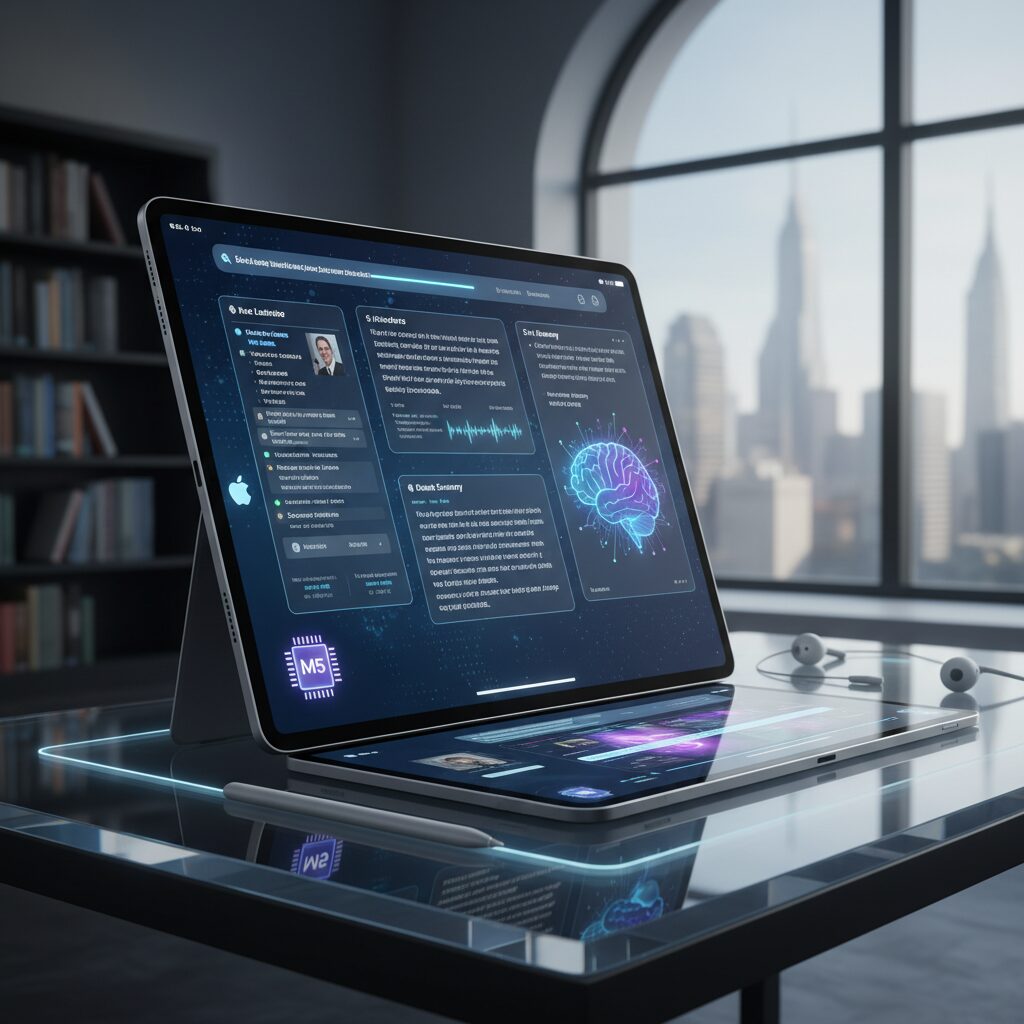
The M5 iPad Pro pushes tablet engineering into territory once reserved for high-end desktops. Powered by Apple’s M5 chip, built on an advanced 3nm process, it delivers a level of computational density that fundamentally redefines what a 5.1mm device can achieve.
According to benchmark data referenced by PCMag and leading reviewers, the M5 achieves desktop-class single-core and multi-core scores, placing it closer to performance laptops than traditional tablets. This translates into real-world power: recording a 4K lecture, running live AI transcription, and generating summaries simultaneously without perceptible lag.
The 13-inch model encapsulates this philosophy perfectly. Despite measuring just 5.1mm thick and weighing approximately 579g, it houses a 10-core CPU and 10-core GPU configuration, paired with a 39Wh battery and iPadOS 26 deeply integrated with Apple Intelligence.
| Specification | 13-inch iPad Pro (M5) |
|---|---|
| Chip | Apple M5 (10-core CPU / 10-core GPU) |
| Thickness | 5.1mm |
| Weight | Approx. 579g |
| Battery | 39Wh |
| Display | Ultra Retina XDR (Tandem OLED) |
What makes this engineering feat even more impressive is thermal and power efficiency. Packing desktop-grade silicon into such a thin enclosure requires not only process shrink advantages but also architectural optimization. Reviewers have noted that performance remains stable under sustained creative workloads such as video rendering and layered illustration editing.
The Tandem OLED Ultra Retina XDR display further reinforces the “desktop-class” claim. By stacking two OLED layers, Apple achieves significantly higher brightness and improved longevity compared to conventional single-layer OLED panels. In HDR scenarios, peak brightness reaches levels that dramatically enhance contrast and color depth.
With 264 ppi pixel density and exceptional color accuracy, the M5 iPad Pro is not merely fast—it is visually precise. For photographers and designers, this means editing high-resolution assets directly on the device without relying on external monitors.
Another overlooked aspect of desktop-class performance is AI acceleration. The M5 architecture is optimized for on-device machine learning tasks, enabling real-time voice transcription, semantic search across large notebooks, and AI-assisted content generation without constant cloud dependency. This reduces latency and enhances privacy.
Perhaps the most remarkable achievement is the balance between portability and capability. At 5.1mm thin, the device feels almost impossibly light in hand, yet it competes with laptops in creative throughput. It demonstrates that performance per millimeter—not just performance per watt—has become a defining metric of modern computing.
In practical terms, the M5 iPad Pro behaves less like a tablet supplement and more like a primary workstation. Complex multitasking, AI-driven workflows, and professional-grade rendering all coexist within a body thinner than many magazines. That convergence is what truly earns its “desktop-class” designation.
Tandem OLED and Display Engineering for High-Visibility Learning Environments
In high-visibility learning environments such as brightly lit classrooms, lecture halls with large windows, and hybrid studios with strong spot lighting, display performance directly affects comprehension and cognitive load. Tandem OLED technology, adopted in the latest Ultra Retina XDR panels, is specifically engineered to solve this challenge.
By stacking two organic light-emitting layers, Tandem OLED achieves both higher sustained brightness and improved longevity compared to conventional single-layer OLED. According to hardware evaluations reported by PCMag and other reviewers, peak HDR brightness can approach 1,600 nits, while SDR brightness exceeds 500 nits in real-world measurements. This matters in classrooms where ambient light often washes out traditional displays.
| Display Type | Layer Structure | Brightness Characteristics | Educational Impact |
|---|---|---|---|
| Single-layer OLED | 1 emissive layer | High contrast, limited sustained peak | May struggle in strong daylight |
| Tandem OLED | 2 stacked emissive layers | Higher peak and sustained brightness | Improved legibility in bright rooms |
The engineering advantage is not only about brightness. Because each OLED layer shares the load, pixel degradation is reduced, contributing to longer panel lifespan. In institutional deployments such as Japan’s GIGA School replacement cycle, durability over multi-year usage is a procurement priority, especially when devices are used daily for note-taking, annotation, and video playback.
Pixel density also plays a critical role. At 264 ppi on a 13-inch panel, fine typography in digital textbooks remains crisp even when students zoom out to view full-page layouts. This reduces the need for constant pinch-to-zoom gestures, allowing learners to maintain visual context while annotating. In cognitive terms, preserving spatial layout supports deeper encoding of information.
High contrast ratios inherent to OLED further enhance diagram visibility. In STEM subjects where color differentiation in graphs or layered illustrations is essential, accurate color reproduction prevents misinterpretation. Review data comparing flagship tablets shows that color accuracy and luminance uniformity have reached professional-grade standards, narrowing the gap between tablets and calibrated desktop monitors.
Another often overlooked engineering detail is panel thinness. With chassis thickness around 5.1 mm in recent flagship models, manufacturers optimize internal space for thermal management and battery efficiency without sacrificing display integrity. Efficient heat dissipation ensures consistent brightness during extended HDR playback, such as recorded lectures reviewed over long study sessions.
In hybrid classrooms, front-facing cameras positioned along the landscape edge complement display engineering. When students participate in video discussions, eye alignment appears more natural, reducing visual fatigue during long sessions. Combined with high-brightness OLED panels, this creates a more immersive and equitable visual environment for both in-person and remote participants.
As educational content becomes increasingly multimedia-driven, from HDR science simulations to AI-annotated lecture replays, display engineering determines whether information is merely shown or truly seen. Tandem OLED ensures that even in the brightest classrooms, clarity remains uncompromised, empowering students to focus on analysis rather than visibility adjustments.
Samsung Galaxy Tab S11 Ultra: Large-Format Productivity and DeX Workflow
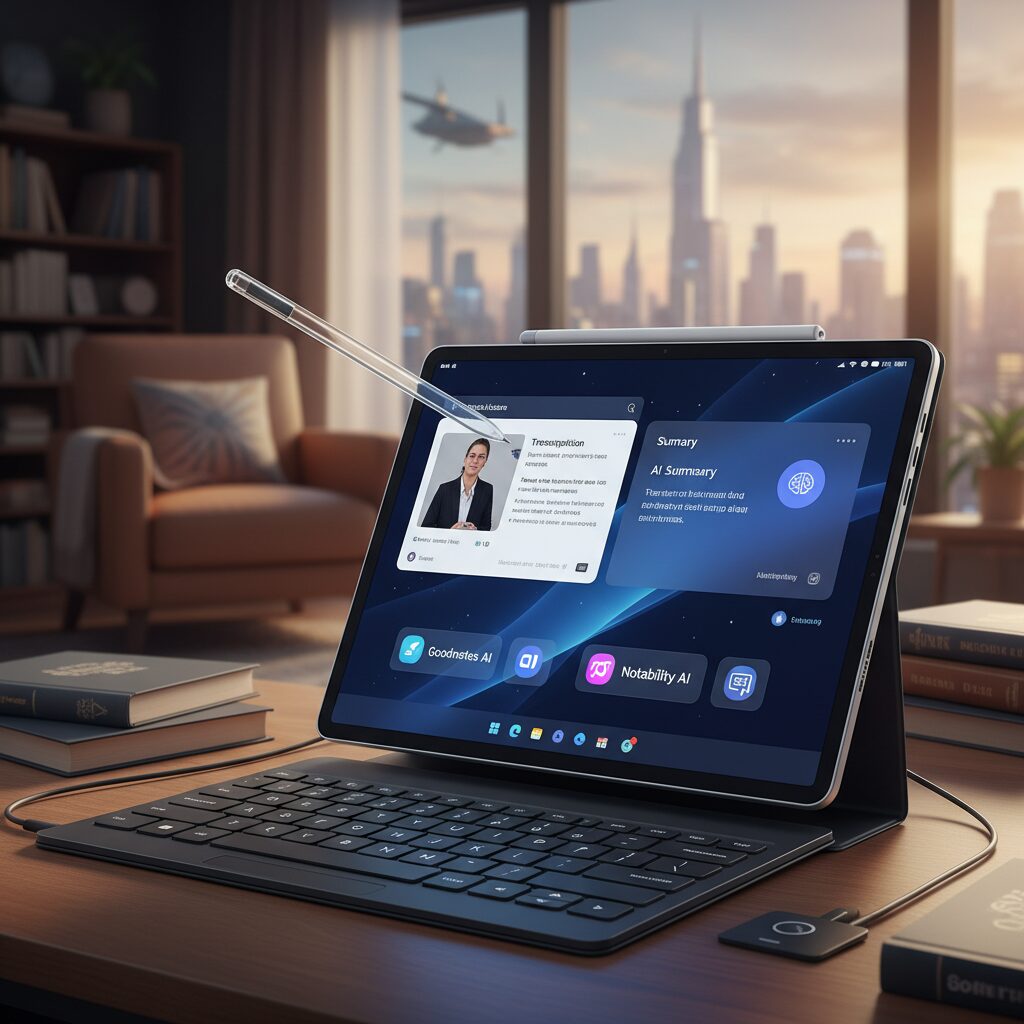
The Galaxy Tab S11 Ultra is built for users who treat a tablet as a primary workstation rather than a companion device. With its expansive 14.6-inch Dynamic AMOLED 2X display and 16:10 aspect ratio, it creates a canvas that feels closer to a lightweight laptop than a traditional slate.
According to comparative testing by Mark Ellis Reviews and Tom’s Guide, the combination of a high-resolution 2960 × 1848 panel and MediaTek’s Dimensity 9400+ enables smooth multi-window workflows, even under heavy multitasking loads. This matters when you are running video conferencing, browser research, and AI-powered note apps simultaneously.
The defining advantage, however, is how naturally the large-format display integrates with Samsung DeX.
| Feature | Galaxy Tab S11 Ultra | Productivity Impact |
|---|---|---|
| Display | 14.6-inch, 16:10 | True side-by-side app layout |
| Processor | Dimensity 9400+ | Stable high-load multitasking |
| DeX Mode | Desktop-style UI | Laptop-like workflow |
| Storage Expansion | microSD up to 2TB | Large local project archives |
DeX transforms Android into a windowed desktop environment, complete with resizable app windows, a taskbar, and keyboard shortcuts. When paired with a keyboard cover and mouse, the experience closely mirrors a conventional PC. For business users handling spreadsheets, slide decks, and browser-based SaaS tools, this shift dramatically reduces context switching.
The 16:10 aspect ratio is particularly impactful. In practical terms, you can place a video call on the left, a document editor in the center, and a reference PDF floating on the right without feeling cramped. Reviewers consistently note that this horizontal space is more efficient for multitasking than squarer formats.
This spatial flexibility is not cosmetic; it directly improves cognitive flow by keeping related information visible at once.
Performance under load is equally critical. Running AI-assisted note apps, cloud storage sync, and high-resolution media playback at the same time demands sustained processing power. The Dimensity 9400+ platform is positioned as one of the highest-performing chips in the Android tablet ecosystem, with particular strength in graphics and AI acceleration, enabling smooth DeX sessions without noticeable lag.
Another strategic differentiator is storage flexibility. With microSD expansion up to 2TB, the Tab S11 Ultra supports large video archives, offline datasets, and project libraries without forcing users into constant cloud dependency. For researchers and content creators managing gigabytes of lecture recordings or design assets, this is a tangible operational advantage.
Durability also supports real-world productivity. With IP68-rated dust and water resistance, the device tolerates travel, fieldwork, and hybrid office environments better than many premium tablets. This resilience aligns with a workflow that extends beyond a desk.
In essence, the Galaxy Tab S11 Ultra does not merely scale up screen size. It scales up workflow architecture. By combining a large AMOLED canvas, desktop-grade DeX interface, expandable storage, and high-end processing, it positions itself as a serious large-format productivity machine for professionals who want laptop-level structure within a tablet form factor.
Apple vs Samsung: Ecosystem Precision or Expandable Versatility?
When choosing between Apple and Samsung in 2026, the real question is not which device is more powerful. It is whether you value ecosystem precision or expandable versatility in your daily workflow.
The iPad Pro with M5 and the Galaxy Tab S11 Ultra represent two mature philosophies. Both deliver desktop-class performance, but the surrounding ecosystem defines the long-term experience far more than raw benchmarks.
Core Ecosystem Differences
| Aspect | Apple Ecosystem | Samsung Ecosystem |
|---|---|---|
| System Integration | Deep integration with iPadOS 26, Apple Intelligence, iCloud | Android flexibility with One UI and Google services |
| Hardware Expansion | No external storage expansion | microSD support up to 2TB |
| Desktop Mode | Stage Manager workflow | Samsung DeX desktop interface |
| Stylus | Apple Pencil (sold separately) | S Pen included |
Apple’s strength lies in tight vertical control. As PCMag notes in its M5 iPad Pro review, Apple optimizes silicon, OS, and AI features such as Apple Intelligence as a unified stack. This results in extremely stable performance when running AI-assisted note apps, real-time transcription, and 4K screen recording simultaneously.
The advantage is predictability. AirDrop transfers, iCloud sync, Handoff between Mac and iPad, and centralized device management through MDM create a frictionless environment, especially in education settings where Apple holds over 60% market share in Japan according to MM Research Institute.
Samsung, by contrast, emphasizes adaptability. The Galaxy Tab S11 Ultra supports microSD expansion up to 2TB, a decisive factor for users handling large volumes of lecture recordings or research media. Storage scalability reduces long-term cost pressure and extends device lifespan.
Samsung DeX further shifts the equation. By transforming the tablet into a desktop-like environment with resizable windows and external monitor support, it appeals to users who want laptop-style multitasking without leaving Android’s open ecosystem.
Display philosophy also reflects ecosystem thinking. Apple’s 4:3 aspect ratio and high 264 ppi density on the 13-inch model prioritize document editing and precision drawing. Samsung’s 16:10 14.6-inch panel, as highlighted by Tom’s Guide, favors split-screen video learning and cinematic content consumption.
One optimizes for creative accuracy; the other maximizes spatial flexibility.
Accessory strategy reveals another difference. Apple separates premium hardware and accessories, positioning Apple Pencil as an add-on. Samsung bundles the S Pen, reinforcing immediate productivity. For institutions or budget-conscious buyers, this affects total cost of ownership.
Ultimately, Apple delivers a tightly curated environment where hardware, AI tools, and cloud services function as a single organism. Samsung provides modular freedom, hardware expandability, and desktop-style adaptability.
The decision is less about specifications and more about philosophy. Do you prefer a perfectly calibrated ecosystem that minimizes friction, or a versatile platform that expands with your needs?
Goodnotes AI: Real-Time Transcription, Live Summaries, and Math Assistance
Goodnotes AI has evolved from a smart note app into a real-time cognitive partner that actively supports how you listen, think, and solve problems.
By combining a vector-based handwriting engine with large language models, it enables transcription, live summaries, and math assistance to run simultaneously during lectures or meetings.
This shift fundamentally reduces the gap between capturing information and understanding it.
Real-Time Transcription and Speaker Recognition
With AI Meeting Assistant, Goodnotes can record audio, identify speakers, and generate live transcripts as the session unfolds.
Instead of reviewing raw recordings later, you see structured text appear in real time, synchronized with your handwritten notes.
This synchronization transforms passive recording into searchable, structured knowledge.
| Feature | What It Does | Learning Impact |
|---|---|---|
| Live Transcription | Converts speech to text instantly | Prevents information loss during fast lectures |
| Speaker Identification | Distinguishes multiple voices | Clarifies Q&A sessions and discussions |
| Note Sync | Links handwriting with audio timestamps | Enables pinpoint review of key moments |
According to Goodnotes’ official updates, the system is designed to support meetings and classrooms where multitasking is unavoidable.
If your attention briefly drops, the transcript fills the gap, allowing immediate recovery without replaying the entire session.
This is particularly powerful in technical lectures where missing one definition can derail understanding.
Live Summaries That Reduce Cognitive Overload
The Live Summary function automatically extracts key points while the lecture is still ongoing.
Instead of waiting until the end, you receive condensed highlights that surface major arguments and conclusions.
This reduces cognitive overload by filtering signal from noise in real time.
Educational research published in journals such as those indexed by Taylor & Francis emphasizes that structured feedback enhances comprehension and reflection.
Live summaries act as micro-feedback loops, helping learners confirm whether they grasp the central message before moving forward.
Used strategically, they serve as scaffolding rather than shortcuts.
Best practice: Use AI summaries to identify weak spots, then revisit the exact audio-linked note segment for deeper review instead of relying solely on condensed text.
Interactive Math Assistance for STEM Precision
Goodnotes AI also introduces an interactive math assistant tailored for STEM learners.
It recognizes handwritten equations, checks for computational errors, and provides step-by-step solution guidance.
This shifts math support from answer-checking to process-oriented coaching.
Rather than simply displaying the correct result, the assistant explains intermediate steps, reinforcing procedural understanding.
This aligns with findings in higher education research that emphasize reflective correction over passive solution exposure.
Students can compare their reasoning with the AI-generated steps, strengthening metacognitive awareness.
For advanced users, the optional AI Pass subscription unlocks expanded AI processing capacity, enabling more intensive real-time analysis.
In high-density environments such as engineering lectures or quantitative business meetings, this ensures transcription, summarization, and equation parsing operate without lag.
The result is a seamless workflow where recording, understanding, and correcting happen simultaneously within a single interface.
In practice, Goodnotes AI does not replace active thinking.
It augments it by handling mechanical tasks—capturing, transcribing, calculating—so that you can focus on synthesis and insight.
When used intentionally, it becomes a real-time extension of your analytical capacity rather than a passive automation tool.
Notability 15+: AI Flashcards, Audio Sync, and Interactive Study Tools
Notability 15+ pushes note-taking beyond passive recording and turns your tablet into an active study engine. By tightly integrating AI flashcards, enhanced audio sync, and interactive review tools, it transforms raw lecture data into structured, test-ready knowledge within minutes.
What makes this evolution significant is not automation alone, but how seamlessly it connects capture, comprehension, and recall in a single workflow. According to the latest App Store release notes and independent 2026 comparisons, the focus is clearly on accelerating exam preparation without sacrificing depth of understanding.
Core AI Study Features in Notability 15+
| Feature | What It Does | Study Impact |
|---|---|---|
| AI Flashcards | Generates Q&A cards from handwritten or typed notes | Speeds up spaced repetition prep |
| Advanced Audio Sync | Links handwriting strokes to exact audio timestamps | Enables precision review |
| Digital Tape Tool | Hides selected content for active recall | Turns notes into interactive quizzes |
The AI-powered flashcard system is the headline feature. Instead of manually extracting key concepts, Notability analyzes your notes and identifies high-value terms, definitions, and relationships. It then converts them into structured question-and-answer pairs. This dramatically reduces preparation friction before midterms or certification exams.
Research on retrieval practice consistently shows that active recall improves long-term retention more effectively than passive rereading. Studies summarized in higher education reviews published in 2025 emphasize that structured self-testing strengthens metacognition. Notability’s AI flashcards operationalize this science directly inside your notebook.
Unlike generic flashcard apps, the cards remain context-aware. Because they are generated from your own lecture notes, terminology and phrasing align with your professor’s framing. This contextual coherence is critical in fields like law, medicine, or economics where subtle wording differences matter.
The upgraded audio sync system remains one of Notability’s defining advantages. Every handwritten stroke is mapped to the exact moment in the recording when it was written. Tapping a word instantly replays the corresponding explanation. This creates what can be described as “time-indexed cognition.”
In practice, this means you no longer scrub through hour-long recordings. If a formula looks unfamiliar during revision, you simply tap it and hear the professor’s explanation from that precise second. This precision reduces cognitive load and shortens review cycles.
Educational research on video feedback and reflective learning, including analyses published in Frontiers in Education, indicates that targeted replay improves error detection and conceptual refinement. Notability’s audio sync enables exactly this kind of pinpoint reflection, without overwhelming the learner.
The digital tape tool further enhances active engagement. You can cover definitions, steps in a process, or translation equivalents with a tap, then reveal them to check accuracy. Instead of exporting notes into a separate quiz system, your original document becomes a dynamic testing interface.
This design aligns with cognitive science findings that emphasize the importance of “desirable difficulty.” When learners struggle briefly to recall hidden information, memory traces strengthen. By embedding this mechanism directly into the page layout, Notability encourages deliberate practice rather than passive scrolling.
Multitasking capabilities also play a strategic role. With Split View in iPadOS, you can compare two notes simultaneously—such as lecture notes and textbook annotations—while maintaining synchronized audio playback. For research-heavy disciplines, this side-by-side structure supports synthesis rather than isolated memorization.
Another important dimension is workflow efficiency. Instead of juggling a voice recorder, a flashcard app, and a PDF annotator, Notability 15+ consolidates everything. The reduction of app-switching friction may seem minor, but over a semester it compounds into measurable time savings.
For gadget enthusiasts, the synergy with modern hardware is equally compelling. On high-performance tablets with advanced processors, AI flashcard generation happens almost instantly, even with lengthy lecture files. This immediacy encourages same-day review, which learning science consistently associates with stronger consolidation.
Ultimately, Notability 15+ does not attempt to replace thinking. Instead, it automates the mechanical layer—card creation, timestamp indexing, content hiding—so that learners can focus on synthesis and understanding. In 2026’s AI-enhanced study environment, that shift from recording to reasoning is where true productivity gains emerge.
Microsoft OneNote and Copilot: Semantic Search Across Years of Notes
Microsoft OneNote, deeply integrated with Copilot in Microsoft 365, transforms years of accumulated notes into a searchable knowledge base that understands meaning, not just keywords.
In 2026, this semantic search capability allows users to retrieve insights from vast archives of handwritten and typed notes with natural, conversational prompts.
Instead of remembering exact phrases, you can search by intent, context, or vague memory.
For example, a query such as “Summarize what the professor said last autumn about environmental economics case studies” no longer requires manual scrolling.
Copilot analyzes timestamps, recognized handwriting, typed text, and contextual signals across notebooks stored in OneDrive.
It then reconstructs a structured answer, often highlighting the original sections for verification.
| Traditional Search | Semantic Search with Copilot |
|---|---|
| Keyword-based matching | Intent and context-based understanding |
| Requires exact wording | Handles vague or incomplete prompts |
| Returns document list | Generates synthesized summaries |
This shift is particularly powerful for long-term learners and researchers.
Under Japan’s GIGA School renewal phase, where devices now commonly feature 8GB or more memory and AI-ready processors, students accumulate multi-year digital notebooks.
Copilot turns that archive into an active intellectual partner rather than a passive storage folder.
Microsoft has positioned Copilot as a cross-application assistant, meaning insights from OneNote can connect with Word drafts, Excel data, or Teams meeting transcripts.
In practice, this enables workflows such as asking Copilot to draft a report in Word based on scattered brainstorming notes taken over several semesters.
The semantic layer bridges fragmentation that traditionally slowed knowledge reuse.
Authoritative guidance from Microsoft emphasizes that Copilot responses are grounded in the user’s own Microsoft Graph data, respecting organizational permissions.
This is critical in educational institutions operating under strict data governance and copyright frameworks.
Access control ensures that semantic search surfaces only materials the user is authorized to view.
From a productivity standpoint, the benefit is cumulative.
The more consistently you store lecture notes, meeting memos, and research annotations in OneNote, the more valuable semantic retrieval becomes.
Years of fragmented insights evolve into a coherent, queryable knowledge system.
For gadget enthusiasts and productivity power users, this represents a fundamental upgrade.
High-performance tablets like the latest iPad Pro or Galaxy Tab models handle real-time handwriting recognition and cloud sync effortlessly.
Copilot then layers intelligence on top, redefining what it means to “search your notes” across time.
In an era where digital information grows exponentially, the ability to retrieve meaning rather than mere text becomes a decisive advantage.
OneNote and Copilot together offer exactly that: a system where your past thinking remains accessible, structured, and ready to fuel your next idea.
Tablet Market Growth and the Impact of Large-Scale Device Refresh Cycles
The tablet market in 2026 is expanding not merely because of incremental innovation, but because of large-scale device refresh cycles that are structurally reshaping demand. In Japan in particular, the replacement phase of the first GIGA School deployments has triggered a synchronized procurement wave across municipalities. According to MM Research Institute (MM総研), domestic tablet shipments reached 3.71 million units in the first half of fiscal 2025, marking a 22.8% year-over-year increase, with full-year shipments projected to reach 8.64 million units, up 29.9%.
This surge is not consumer-driven in the traditional sense. It is policy-driven, lifecycle-driven, and specification-driven. Devices deployed around 2020 are reaching their five-year replacement window, creating a predictable but massive demand spike that benefits vendors capable of meeting updated performance requirements.
| Metric | FY2025 H1 | FY2025 Forecast |
|---|---|---|
| Domestic Shipments (Japan) | 3.71M units | 8.64M units |
| Year-over-Year Growth | +22.8% | +29.9% |
| Leading Vendor Share | Apple 61.7% | 16 consecutive terms lead |
What makes this refresh cycle different from the initial rollout is the change in procurement criteria. During the first phase, cost efficiency and basic operability were prioritized to ensure rapid distribution. In 2026, however, specifications increasingly mandate higher CPU performance, expanded memory (often 8GB or more), and low-latency stylus support to handle AI-driven applications and multimedia workloads.
The refresh cycle is therefore accelerating market value, not just shipment volume. Schools and institutions are no longer purchasing viewing terminals; they are investing in computational platforms capable of real-time transcription, AI summarization, and high-resolution screen recording.
Globally, similar patterns are emerging in enterprise environments. Corporate fleets that standardized tablets during remote-work expansion in 2020–2021 are now entering coordinated upgrade windows. These synchronized replacement cycles create temporary but powerful revenue surges for manufacturers with vertically integrated ecosystems.
Apple’s continued dominance in Japan, holding over 60% share according to MM総研, reflects not only hardware preference but accumulated operational know-how. Device management frameworks, educator training resources, and established workflows reduce switching incentives during refresh decisions. Once an ecosystem becomes embedded at scale, replacement cycles tend to reinforce incumbent advantage.
At the same time, vendors such as Samsung leverage differentiation strategies—large displays, bundled stylus support, expandable storage—to capture segments requiring multitasking and media-heavy usage. In refresh-driven markets, feature alignment with institutional needs often outweighs brand switching barriers.
Large-scale refresh cycles act as market amplifiers. They compress several years of incremental purchasing into concentrated fiscal periods, intensifying competition, accelerating technological standard upgrades, and redefining baseline expectations for performance.
For investors and industry observers, the key insight is that tablet market growth in 2026 is cyclical but structurally meaningful. While shipment spikes may normalize after peak replacement phases, the elevated specification baseline persists. Each refresh cycle raises the technological floor, ensuring that subsequent software innovation—particularly AI-native applications—has a more capable hardware foundation.
In this way, large-scale device renewal is not merely a logistical necessity. It is a catalytic force that reshapes vendor strategy, ecosystem lock-in dynamics, and long-term platform evolution across education and enterprise sectors.
Copyright Compliance in Digital Classrooms: Key Operational Guidelines
As high-performance tablets and AI note tools become standard in classrooms, copyright compliance is no longer a legal afterthought but a daily operational discipline. In Japan, Article 35 of the Copyright Act provides a critical foundation, allowing certain uses of published works without individual permission when they occur “in the course of classes” and within a “necessary extent.” However, practical compliance in 2026 requires more than simply knowing the rule.
The key is translating legal principles into device-level and workflow-level controls. According to the Ministry of Education, Culture, Sports, Science and Technology (MEXT), eligibility hinges on purpose, scope, audience limitation, and proportionality. When tablets can record, duplicate, and distribute content instantly, operational clarity becomes essential.
| Operational Axis | Compliant Practice | High-Risk Practice |
|---|---|---|
| Purpose | Use strictly tied to a specific class session | Reuse for promotional or non-teaching events |
| Access Control | LMS access limited to enrolled students | Open YouTube or public website uploads |
| Extent | Partial excerpts for explanation | Full reproduction of commercially sold drill books |
| Duration | Available only during course period | Indefinite archive access beyond course completion |
For example, screen-recording a short excerpt of a broadcast program for classroom analysis may fall within Article 35, but scanning and distributing an entire workbook that students are expected to purchase typically exceeds the “necessary extent.” The Agency for Cultural Affairs has repeatedly emphasized that uses must not “unreasonably prejudice the interests of the copyright holder.”
In AI-enhanced environments, new edge cases emerge. When a note app transcribes a lecture that includes copyrighted slides, or when an AI summary incorporates textbook excerpts, the underlying act remains a reproduction or public transmission. Automation does not eliminate responsibility; it only accelerates the act. Therefore, institutions must configure default storage visibility, retention periods, and sharing permissions at the MDM or LMS level.
The compensation system administered by SARTRAS also plays a structural role. By paying blanket remuneration for public transmission for instructional purposes, schools can lawfully distribute recorded lessons through closed systems. Yet this does not authorize unrestricted redistribution. Technical safeguards such as download restrictions, watermarking, and automatic expiration settings are increasingly treated as best practice rather than optional enhancements.
Another overlooked guideline concerns software itself. Recording a brief interface demonstration for teaching is generally distinct from copying and distributing the software program. As clarified in prefectural operational guidelines aligned with Article 35, duplicating software for student installation without license remains outside the exception.
Ultimately, compliance in digital classrooms in 2026 depends on three integrated layers: legal literacy, technical configuration, and behavioral norms. When high-performance tablets make copying effortless, governance must be frictionless as well. Institutions that align policy, platform settings, and faculty training create an environment where innovation in AI-powered learning can proceed without exposing educators or students to avoidable legal risk.
In this sense, operational discipline becomes a competitive advantage. Schools that master these guidelines can confidently deploy screen recording, AI summaries, and hybrid delivery models—while maintaining respect for creators and the legal frameworks that sustain educational ecosystems.
Handwriting vs Typing: What Large-Scale Cognitive Studies Reveal
Large-scale cognitive studies over the past few years have reignited the debate between handwriting and typing, especially in tech-rich classrooms filled with AI-powered tablets.
According to a 2024 study involving approximately 3,000 university students, researchers found that students who took notes by hand demonstrated significantly better conceptual understanding and delayed recall than those who typed verbatim transcripts.
The difference was not about speed, but about depth of processing.
Cognitive Mechanisms Identified in Large Cohort Studies
| Factor | Handwriting | Typing |
|---|---|---|
| Processing style | Paraphrasing and summarizing | Verbatim transcription |
| Memory encoding | Deeper semantic encoding | Shallower lexical encoding |
| Spatial organization | Diagrams and layout cues | Linear text stream |
The research explains that handwriting forces cognitive compression. Because writing by hand is slower, students must select key ideas and rephrase them. This generative process strengthens semantic encoding in long-term memory.
Typing, by contrast, often leads to rapid transcription. While this increases volume, it reduces the need to reinterpret information. As cognitive scientists cited in higher education reviews note, transcription without transformation limits durable learning.
In other words, the brain learns more from effortful reconstruction than from efficient capture.
Another important finding involves spatial memory. Handwritten notes tend to include arrows, boxes, sketches, and variable spacing. These visual anchors create what researchers describe as “spatial indexing,” helping learners recall not just what was written, but where it was placed on the page.
Large datasets also show that performance gaps become clearer in conceptual exams rather than factual quizzes. Students who typed performed similarly on short-term factual recall, but those who wrote by hand outperformed peers on synthesis and application tasks.
However, the same body of research does not conclude that typing is inherently inferior. When structured digital tools encourage summarization instead of transcription, the gap narrows. The key variable is not the device, but the cognitive behavior it promotes.
This nuance is critical in 2026, where stylus-enabled tablets blur the boundary between analog and digital. When learners handwrite on tablets, they preserve the generative and spatial benefits identified in large-scale studies while gaining searchability and AI support.
For gadget enthusiasts and productivity-focused learners, the implication is clear: optimize for cognitive engagement, not input speed. Whether using paper, keyboard, or stylus, the method that forces you to think, compress, and reorganize information will consistently deliver stronger long-term retention.
Video Review and Reflective Practice: Evidence from Medical and Higher Education
Video review has evolved from a simple recording method into a powerful engine for reflective practice in both medical and higher education. In 2026, high-performance tablets and AI-assisted note tools make it possible to capture, analyze, and revisit complex performances with unprecedented precision.
In medical education, the impact is particularly well documented. A scoping review published on PubMed Central in 2025 examining orthopaedic education reports that simulation combined with structured video feedback significantly enhances clinical reasoning and decision-making. Learners who reviewed their own recorded procedures were better able to identify technical errors and cognitive biases.
One frequently cited study within this domain found that integrating VR simulation with video feedback reduced task completion time by 42.7% compared with traditional instruction alone. This is not merely a gain in speed, but a measurable improvement in procedural efficiency and metacognitive awareness.
| Context | Intervention | Observed Effect |
|---|---|---|
| Orthopaedic training | Simulation + video feedback | Improved decision-making and error detection |
| VR surgical practice | Recorded performance review | 42.7% reduction in task time |
| Higher education assessment | Structured reflective review | Stronger oral performance and self-regulation |
The mechanism behind these gains is reflective practice. By watching their own performance, students externalize their actions. According to systematic reviews in higher education published by Taylor & Francis in 2025, structured reflection—especially when guided by prompts or rubrics—strengthens self-regulation and critical thinking.
In psychology and communication training, research in Frontiers in Education demonstrates that simulation combined with video feedback accelerates linguistic skill development. Learners become more aware of tone, pacing, and nonverbal cues that are nearly impossible to evaluate in real time.
Video creates cognitive distance. That distance allows learners to move from “doing” to “analyzing,” a shift that is essential for expertise development. Instead of relying on memory—which is often biased and incomplete—students confront objective evidence of their own behavior.
In higher education more broadly, video-supported reflection improves oral assessments, presentations, and teaching practicums. When students review recorded presentations alongside AI-generated transcripts, they can pinpoint filler words, logical gaps, or weak transitions. The combination of visual playback and text-based analysis amplifies insight.
However, evidence also suggests that unstructured replay is less effective. The strongest outcomes appear when video review is paired with guided reflection questions, peer discussion, or instructor feedback. Technology alone does not guarantee improvement; pedagogy determines impact.
For gadget-oriented learners, this is where modern tablets become transformative. High-resolution recording, synchronized stylus annotations, and instant AI transcription enable precise timestamp navigation. Students can jump directly to the moment a clinical error occurred or a presentation faltered, rather than scrubbing blindly through footage.
Medical schools and universities increasingly embed these workflows into curricula because the evidence base is growing stronger each year. Video review is no longer an optional enhancement—it is an evidence-backed method for accelerating expertise. When combined with structured reflection and AI-assisted analysis, it turns every recorded session into a personalized performance laboratory.
The Optimal 2026 Workflow: Combining AI Summaries with Active Reflection
In 2026, the most effective learners do not choose between AI automation and human effort. They design a workflow where AI summaries accelerate comprehension, while active reflection secures retention. With flagship tablets such as the M5-equipped iPad Pro and Galaxy Tab S11 Ultra handling real-time recording, transcription, and processing, the bottleneck is no longer capture. It is cognition.
The optimal workflow begins immediately after a lecture or meeting ends. AI-powered note apps such as Goodnotes AI and Notability generate structured summaries within seconds, extracting key concepts, tagging terminology, and aligning handwritten notes with audio timestamps. This instant overview reduces cognitive overload and allows learners to see the structural map of the session before details fade.
Research cited by Georgia Southern University in 2024, involving approximately 3,000 students, shows that handwritten processing leads to stronger conceptual retention than verbatim transcription. The implication for 2026 workflows is clear: if AI already captures everything, the learner is free to focus on paraphrasing, diagramming, and questioning rather than copying.
The practical sequence looks like this. First, review the AI-generated summary within 10 minutes of the session. This rapid pass strengthens short-term consolidation. Second, identify unclear sections and tap directly into synchronized audio or screen recordings. Both Goodnotes and Notability support precise timestamp playback, enabling what can be described as “precision review.” Third, rewrite or sketch the concept in your own structure.
| Stage | AI Role | Learner Role |
|---|---|---|
| Immediate Post-Lecture | Generate structured summary and keywords | Scan for gaps and mark confusion points |
| Focused Review | Provide timestamped playback | Rewatch selectively and annotate |
| Consolidation | Create flashcards or prompts | Self-test and rephrase concepts |
This hybrid structure aligns with findings from medical and professional education research. A 2025 meta-analysis in clinical training contexts reported that combining video review with guided feedback significantly improved task efficiency, in some cases reducing completion time by over 40 percent. The improvement was attributed to enhanced metacognition. Learners identified subtle errors only after observing themselves. The same principle applies academically: reflection amplifies awareness.
However, there is a critical risk in 2026. When AI summaries are too convenient, learners may substitute reading for thinking. Educational researchers discussing reflective practice emphasize that feedback tools are catalysts, not replacements. If you only consume AI output passively, cognitive depth declines. Therefore, the workflow must deliberately introduce friction.
One effective technique is structured re-encoding. After reviewing the AI summary, close it. Then reconstruct the core argument from memory using handwritten diagrams. Because modern tablets offer ultra-low latency stylus input and high-resolution OLED displays, the tactile and visual fidelity encourages deeper engagement. The act of spatial organization activates visual and motor encoding pathways that typing alone does not fully stimulate.
Another refinement involves AI-generated flashcards. Notability’s automatic card creation transforms notes into testable prompts. Yet instead of simply flipping through them, advanced users edit the questions. By rewriting prompts into application-based scenarios, you shift from recognition memory to retrieval practice. Cognitive science consistently shows that retrieval strengthens long-term retention more effectively than rereading.
Hardware performance also matters in sustaining this loop. Devices powered by chips such as Apple’s M5 or high-end Android processors can simultaneously record 4K video, transcribe speech, and render AI summaries without lag. According to PCMag’s performance review of the M5 iPad Pro, desktop-class single-core capabilities enable seamless multitasking. This eliminates friction during review, which is essential because delayed playback discourages reflection.
Environmental optimization further enhances results. Many advanced learners in 2026 use detachable paper-like magnetic screen films during annotation and remove them during video playback to benefit from OLED clarity. Some connect directional USB-C microphones to improve transcription accuracy, ensuring AI summaries are based on clean input. Cleaner input leads to more reliable compression, which strengthens the entire workflow.
The most sophisticated users extend reflection across devices. Notes captured on a tablet synchronize via iCloud, Google Drive, or OneDrive, allowing reorganization on a desktop display later. The change in screen size itself can reveal structural weaknesses in logic or organization. Revisiting the same content in a different visual context supports cognitive flexibility.
Ultimately, the optimal 2026 workflow is not about minimizing effort. It is about reallocating effort. AI reduces mechanical strain by automating transcription and summarization. In return, learners invest saved time into interpretation, visualization, and retrieval. Efficiency is achieved not by thinking less, but by thinking more deliberately.
When AI summaries and active reflection operate together, technology becomes an amplifier of cognition rather than a shortcut around it. That balance defines high-performance learning in 2026.
Essential Accessories and Setup for a High-Performance Study Environment
Building a truly high-performance study environment in 2026 is no longer just about owning a flagship tablet. It is about carefully selecting accessories and configuring your setup so that hardware, AI tools, and cognitive science work together. When done correctly, your device becomes a seamless extension of your thinking process rather than a source of friction.
The goal is to reduce cognitive load caused by the environment so that mental energy is reserved for understanding and reflection. Research on note-taking and multimedia learning suggests that small environmental frictions—poor audio, glare, latency—can significantly affect comprehension and retention.
Core Accessories That Directly Impact Learning Quality
| Accessory | Why It Matters | Learning Impact |
|---|---|---|
| Magnetic paperlike film | Improves tactile resistance for stylus input | Enhances structured handwritten notes |
| Directional USB-C microphone | Captures lecturer voice with less ambient noise | Boosts AI transcription accuracy |
| Adjustable tablet stand | Optimizes viewing angle and posture | Reduces fatigue during long sessions |
| Cloud sync setup | Real-time multi-device access | Enables deep review on larger screens |
The rise of magnetic, detachable paperlike films reflects an important insight from cognitive research. Studies comparing handwriting and typing show that the physical act of writing promotes deeper processing. By attaching the film only when taking notes and removing it for HDR video review, you balance tactile feedback with display clarity.
A directional USB-C microphone may seem excessive, but it directly affects AI-powered transcription tools such as Goodnotes AI or Notability’s audio sync. Cleaner audio input leads to more accurate summaries and searchable transcripts. In noisy classrooms, this can dramatically reduce correction time later.
Ergonomics also deserves serious attention. An adjustable stand that positions the tablet at eye level reduces neck strain during extended review sessions. According to educational ergonomics guidelines referenced in higher education research, posture-related fatigue can lower sustained attention over time.
Finally, proper cloud synchronization—whether via iCloud, Google Drive, or OneDrive—transforms your workflow. Capture and annotate on your tablet during class, then reorganize and expand ideas on a desktop display at home. This multi-stage interaction aligns with reflective learning practices identified in recent systematic reviews on video feedback and metacognition.
When accessories and setup are intentionally chosen, your study space becomes frictionless. Instead of fighting glare, poor audio, or scattered files, you focus entirely on thinking, questioning, and synthesizing information.
Balancing Automation and Human Cognition in the Next Era of Learning
As AI-powered tablets and note applications become deeply embedded in classrooms and workplaces, the central question is no longer what can be automated, but what should remain human. In 2026, learning efficiency is being redefined not by replacing cognition, but by carefully orchestrating the relationship between machine intelligence and human thought.
Research in cognitive science consistently shows that effortful processing strengthens memory. A large-scale study involving approximately 3,000 students, reported in 2024, found that handwritten note-takers demonstrated stronger conceptual retention than those who typed verbatim transcripts. The reason was not nostalgia for paper, but the cognitive transformation required to summarize and restructure information.
At the same time, AI transcription and summarization tools embedded in apps such as Goodnotes and Notability now capture nearly every spoken word in a lecture. This creates a paradox. When everything is recorded automatically, learners risk disengaging from active processing.
According to multimedia learning theory discussed in NIH-hosted educational research, combining auditory and visual inputs can enhance comprehension when designed properly. However, passive exposure does not guarantee understanding. The learner must integrate, question, and reorganize the material.
This is where balance becomes critical. Instead of using AI summaries as replacements for thinking, high-performing students increasingly use them as diagnostic tools. They scan the AI-generated outline, identify gaps in their own notes, and then return to specific timestamps in synchronized recordings for targeted review.
| Function | Automated by AI | Human Cognitive Role |
|---|---|---|
| Lecture Capture | Real-time transcription & tagging | Identify conceptual relationships |
| Summarization | Instant structured outlines | Evaluate accuracy & nuance |
| Flashcard Generation | Auto-created Q&A sets | Active retrieval practice |
Video feedback research in medical and professional education further reinforces this principle. Studies summarized in 2025 reviews show measurable performance improvements when learners actively reflect on recorded sessions. The improvement was not caused by recording alone, but by structured self-assessment.
In practical terms, the next era of learning demands intentional friction. Writing diagrams by hand on an M5-powered iPad Pro or annotating slides with an S Pen introduces productive cognitive load. The device handles storage, indexing, and search. The learner handles meaning.
There is also a metacognitive dimension. When AI answers every question instantly, students may develop what some researchers describe as cognitive offloading dependency. The skill of problem framing—deciding what to ask and why—remains fundamentally human.
The competitive advantage in 2026 is not speed of information capture, but depth of interpretation. Learners who consciously alternate between automation and reflection build stronger mental models than those who rely exclusively on either.
Ultimately, the most effective educational environments treat AI as an amplifier of cognition, not a substitute for it. Tablets record flawlessly. Algorithms summarize instantly. But insight still emerges from struggle, reinterpretation, and deliberate review. Balancing these forces defines the next era of learning.
参考文献
- PCMag:Apple iPad Pro (M5, 2025) Review: Same Look, Next-Level Power
- Tom’s Guide:Samsung Galaxy Tab S11 Ultra vs. iPad Pro M5 — which tablet should you buy?
- Goodnotes Blog:Meet the New Generation of Goodnotes: Whiteboards, Text Documents, and AI Superpowers
- DX Magazine:Why Did Domestic Tablet Shipments Increase by 22.8% in the First Half of FY2025?
- Ministry of Education, Culture, Sports, Science and Technology (MEXT):Reproduction or Internet Transmission in School Classes (Article 35)
- ITmedia:Handwriting vs. Typing: Which Method Leads to Better Academic Performance?
- PubMed Central (PMC):From Classroom to Clinic: A Scoping Review of Critical Thinking and Decision-Making in Orthopaedic Education