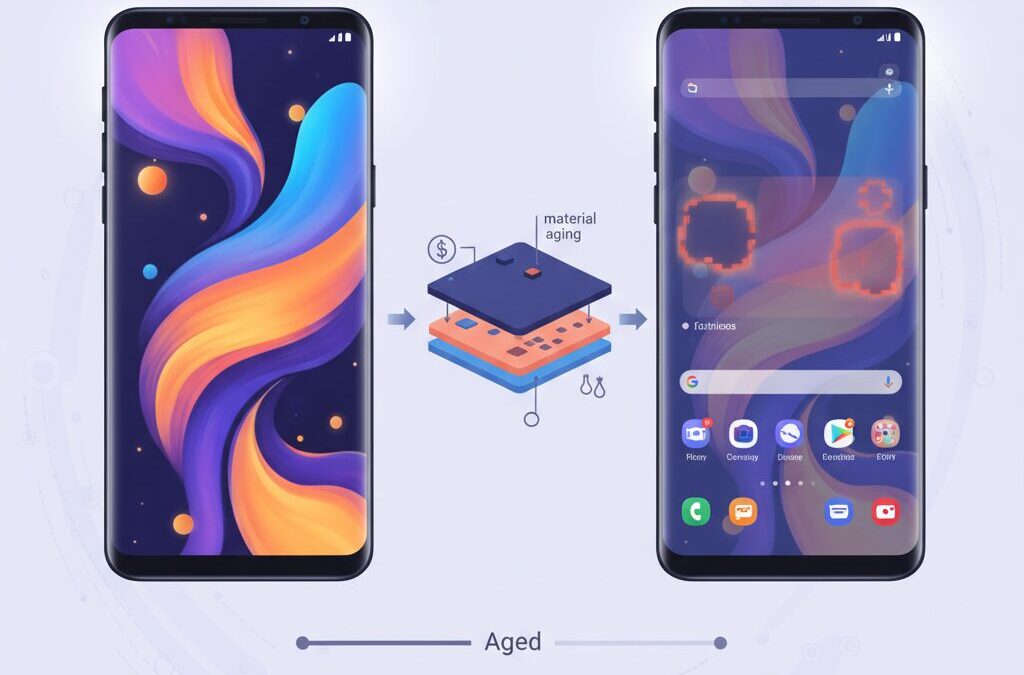
If you are passionate about cutting-edge gadgets, you have probably admired the stunning OLED displays on Samsung Galaxy smartphones.
Their deep blacks, vibrant colors, and extreme brightness make them some of the most attractive screens on the market.
At the same time, many long-term users quietly worry about one uncomfortable question: will burn-in ruin this beautiful display over time?
OLED burn-in is not a simple defect but a form of material aging that reflects both engineering choices and everyday usage habits.
Recent Galaxy models have sparked renewed debate due to material selection, software behavior in One UI, and reports from durability tests and real users.
This topic is no longer just about how you use your phone, but also about how hardware design, supply chain decisions, and software updates interact.
In this article, you will gain a clear and practical understanding of why OLED burn-in happens, how Galaxy displays differ from their rivals, and what real-world data reveals.
You will also learn which risks are unavoidable, which are manageable, and how informed users can significantly extend display lifespan.
By reading to the end, you will be better equipped to protect your investment and enjoy Galaxy’s display technology with confidence.
- Why OLED Burn-In Remains a Fundamental Challenge for Smartphones
- The Science Behind OLED Degradation and the Blue Pixel Problem
- Heat, Brightness, and Usage Patterns That Accelerate Burn-In
- Samsung Galaxy Display Materials and the M13 vs M14 Debate
- Deuterium, Tandem OLED, and Future Display Technologies
- One UI Pixel Shift and How Software Can Protect or Expose Hardware
- What Long-Term Tests and User Reports Reveal About Real Durability
- Repair Costs, Warranties, and the Financial Impact of Burn-In
- Advanced Burn-In Prevention Strategies for Galaxy Power Users
- 参考文献
Why OLED Burn-In Remains a Fundamental Challenge for Smartphones
OLED burn-in remains a fundamental challenge for smartphones because it is rooted in the very physics and chemistry that make OLED displays attractive in the first place. Unlike LCDs, OLED pixels are self-emissive organic compounds that degrade as they emit light. **This degradation is cumulative, irreversible, and uneven**, meaning that the more a specific pixel is used, the faster it ages compared with its neighbors.
At the core of the issue is what display researchers often call differential aging. An OLED pixel is composed of red, green, and blue sub-pixels, each based on different organic emitters. According to peer-reviewed materials science research from universities such as St Andrews, **blue OLED materials degrade significantly faster than red and green ones** because blue light requires higher photon energy. That higher energy accelerates molecular bond breakage inside the emissive layer.
This imbalance means that static interface elements like status bars, navigation icons, or map UIs do not just fade uniformly. Instead, the blue sub-pixels in those regions lose efficiency first, causing visible color shifts and ghost images that users recognize as burn-in.
| Sub-pixel | Relative Lifespan | Impact on Burn-In |
|---|---|---|
| Blue | Shortest | Primary driver of early burn-in |
| Green | Medium | Contributes to color imbalance |
| Red | Longest | Often remains visible longest |
Thermal and electrical stress further amplify this problem. Independent long-term stress tests conducted by Rtings have shown that **high brightness combined with prolonged static content dramatically accelerates permanent image retention**. In smartphones, this stress is intensified by compact form factors, where heat from the SoC is transferred directly to the display stack.
Manufacturers mitigate these risks through materials engineering and software techniques, but they cannot eliminate them entirely. Even with advanced solutions like deuterated OLED materials and pixel-shifting algorithms, **burn-in persists because organic emitters physically wear out as part of normal operation**. As long as smartphones rely on OLED for peak contrast and efficiency, burn-in remains not a defect, but a structural limitation of the technology itself.
The Science Behind OLED Degradation and the Blue Pixel Problem
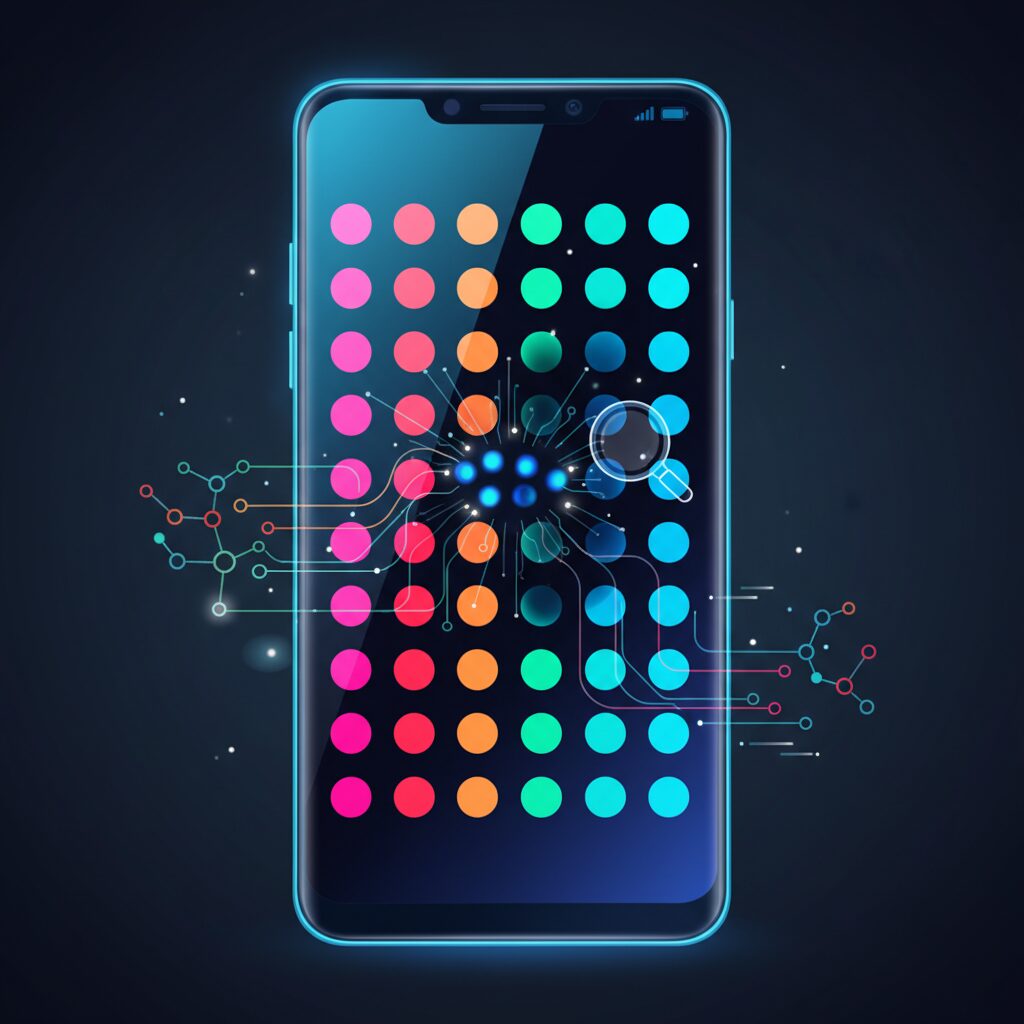
To understand why OLED burn-in remains such a persistent issue, it is essential to look beyond surface-level explanations and examine what happens inside each pixel at the molecular level. OLED displays generate light when organic compounds emit photons in response to an electric current, and this process is inherently tied to chemical aging. **Burn-in is not a software bug or a single defect, but a cumulative and irreversible form of material degradation**.
An OLED pixel is composed of red, green, and blue sub-pixels, each using different organic emissive materials. The critical problem is that these materials do not age at the same rate, a phenomenon widely known in display physics as differential aging. Among the three, blue sub-pixels degrade significantly faster, and this imbalance gradually alters color accuracy and brightness uniformity.
| Sub-pixel color | Relative photon energy | Typical degradation speed |
|---|---|---|
| Red | Low | Slow |
| Green | Medium | Moderate |
| Blue | High | Fast |
The reason blue pixels are especially fragile is rooted in fundamental physics. Blue light has a shorter wavelength and therefore higher photon energy than red or green light. According to multiple peer-reviewed studies, including work from materials science researchers at the University of St Andrews, this higher energy places greater stress on the molecular bonds within the emissive layer. **In simple terms, blue pixels have to work harder and break down faster**.
At a deeper level, researchers have identified exciton–polaron interactions as a major driver of OLED degradation. Excitons are excited molecular states created during light emission, while polarons are charge carriers moving through the organic layers. When these two interact, their combined energy can physically break carbon–hydrogen bonds within the organic molecules. This bond dissociation creates non-radiative defects known as quenching centers, which consume electrical energy without producing light.
As quenching centers accumulate, the pixel becomes less efficient. The display controller compensates by pushing more current through the pixel to maintain brightness. **This compensation accelerates heat generation, which in turn speeds up chemical decay**, forming a destructive feedback loop that is especially severe for blue sub-pixels.
Temperature and current density further amplify this effect. Independent stress tests and endurance evaluations conducted by professional display reviewers have consistently shown that high brightness operation dramatically shortens OLED lifespan. In smartphones, this risk is magnified by internal heat from the system-on-chip and external factors such as direct sunlight. Under these conditions, blue sub-pixels experience exponentially faster aging compared to normal indoor use.
It is also important to distinguish permanent burn-in from temporary image retention. Temporary retention is often caused by short-term voltage shifts in the thin-film transistor backplane and can fade over time. **True burn-in, however, is a chemical transformation of the organic layers and cannot be reversed**. What users perceive as a faint outline of icons or maps is usually the visible footprint of uneven blue-pixel degradation.
The so-called blue pixel problem has been studied for decades and remains the single largest obstacle in OLED engineering. While modern materials and control algorithms have significantly improved durability compared to early generations, authoritative consensus in the display research community agrees that blue emissive stability is still the limiting factor. This scientific reality explains why burn-in has not disappeared, even in the most advanced flagship OLED panels available today.
Heat, Brightness, and Usage Patterns That Accelerate Burn-In
Heat, brightness, and daily usage patterns form a tightly coupled trio that directly accelerates OLED burn-in, especially on high-end Galaxy devices designed to push luminance to the limit. OLED degradation is not simply about how long the screen is on, but about the thermal and electrical stress imposed on specific pixels under real-world conditions.
At the core is brightness. According to long-term stress tests conducted by Rtings.com, OLED panels driven at sustained high luminance exhibit exponentially faster differential aging compared to panels operated at moderate levels. This is because higher brightness requires higher current density through each subpixel, which in turn increases heat generation within the organic emissive layers. Heat acts as a catalyst for chemical bond breakage inside the OLED material, accelerating irreversible luminance loss.
Galaxy smartphones intensify this effect through their aggressive brightness behavior. Models like the Galaxy S23 Ultra and S24 Ultra can exceed 1,500 nits in High Brightness Mode and briefly approach 2,600 nits outdoors. While these peaks are time-limited, repeated exposure under sunlight—navigation, photography, or messaging—creates localized thermal hotspots. Display engineers have noted in SID and IEEE publications that even short but frequent thermal spikes contribute disproportionately to long-term burn-in risk.
| Usage Condition | Panel Stress Level | Burn-In Risk |
|---|---|---|
| Indoor, auto brightness | Low | Minimal |
| Outdoor sunlight, HBM active | Very High | Severe over time |
| Charging + navigation | Extreme | Highest |
Heat does not come from the display alone. The Snapdragon or Exynos SoC beneath the panel contributes significantly, especially during GPS navigation, gaming, or video recording. When the device is charging simultaneously, internal temperatures rise further. Materials research cited by Yonsei University confirms that OLED lifetime decreases sharply as operating temperature climbs, even if brightness remains constant. This is why burn-in often appears first in navigation apps like Google Maps, where static UI elements are shown under maximum brightness and elevated device temperature.
Usage patterns matter as much as raw specifications. DxOMark engineers have repeatedly pointed out that static, high-contrast UI elements—status bars, navigation buttons, fixed logos—are far more damaging than dynamic content. From a physics standpoint, pixels that emit light continuously age faster than surrounding pixels, creating visible luminance imbalance. Over months, this imbalance crosses the threshold from temporary image retention into permanent burn-in.
Research summarized in The Blue Problem: OLED Stability and Degradation Mechanisms highlights that blue subpixels suffer the most under these conditions due to their higher photon energy and lower molecular stability. When Galaxy phones boost brightness outdoors, blue subpixels are disproportionately stressed, even if the content itself appears white or neutral. This explains why status bars or map interfaces often leave faint blue-tinted shadows when viewed on gray backgrounds.
In practical terms, burn-in is less about careless use and more about cumulative exposure to worst-case scenarios. Short sessions at extreme brightness, repeated daily, can be more damaging than hours of moderate indoor use. Understanding how heat, brightness, and usage intersect allows users to predict risk zones on their display and adjust habits accordingly, extending panel life without sacrificing usability.
Samsung Galaxy Display Materials and the M13 vs M14 Debate
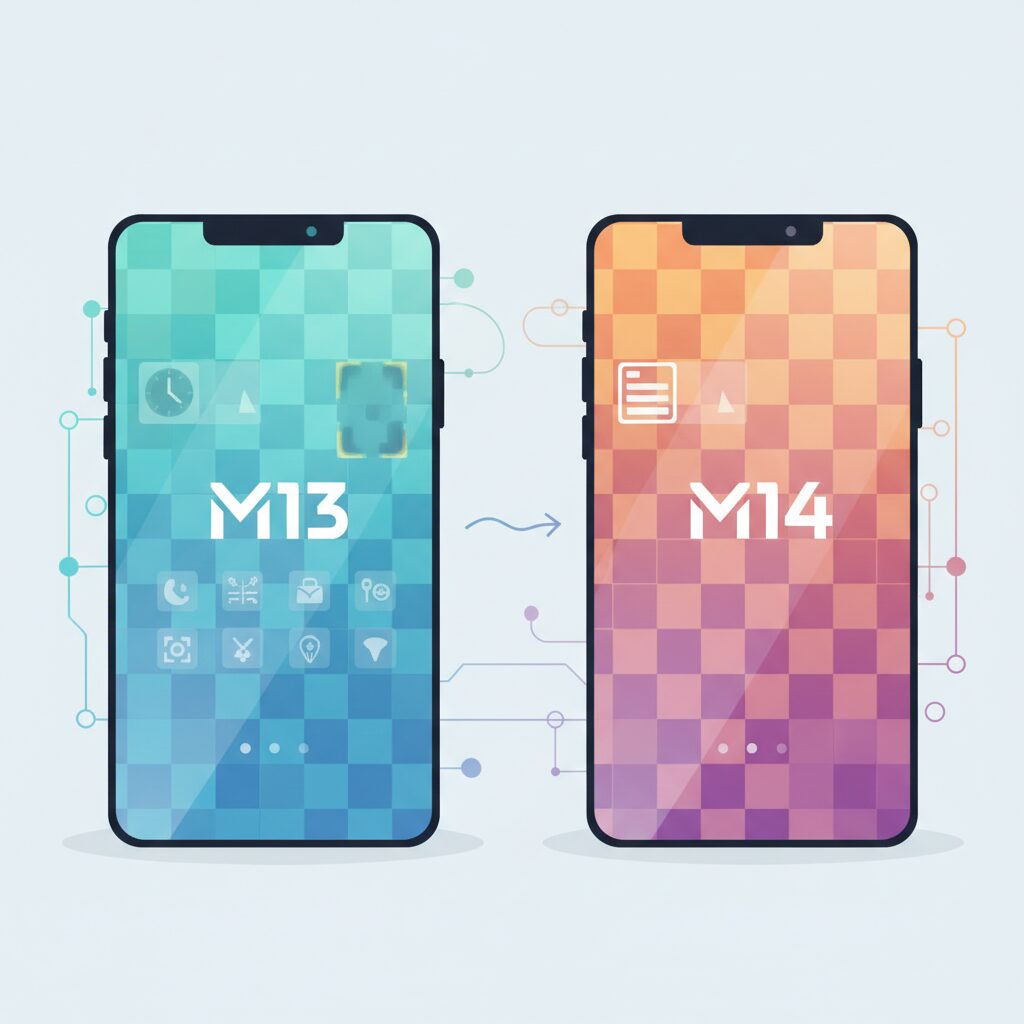
When discussing Samsung’s OLED strategy in recent Galaxy flagships, the debate around display materials inevitably centers on the M13 versus M14 material sets. This is not a marketing nuance but a materials engineering decision that directly affects brightness efficiency, long-term durability, and burn-in risk. For display enthusiasts, understanding this distinction provides a clearer picture of why some Galaxy models age differently over time.
The M-series refers to complete organic material stacks developed by Samsung Display, combining emitters, transport layers, and encapsulation technologies. According to multiple supply-chain analyses reported by Android Police and Android Authority, M13 was positioned as the 2024 flagship baseline, while M14 represents a newer generation already adopted by competing premium devices.
| Material Set | Efficiency Gain | Estimated Lifetime Improvement |
|---|---|---|
| M13 | Baseline (2024 standard) | Reference level |
| M14 | Approx. 20–30% higher | Approx. 10–20% longer |
These numbers matter because higher efficiency means the panel can achieve the same perceived brightness with less electrical current. **Lower current directly translates into reduced heat and slower organic degradation**, particularly for the notoriously fragile blue subpixels. Research summarized in peer-reviewed OLED stability studies has repeatedly shown that current density is one of the strongest accelerators of burn-in.
What has drawn criticism from power users is that Samsung Electronics is widely expected to continue using M13 in upcoming Galaxy Ultra models, despite M14 already being deployed in rival flagship phones. Industry observers note that this decision is primarily cost-driven. While M13 is by no means a weak performer, the opportunity cost becomes visible over long-term ownership, where incremental efficiency gains compound into tangible durability differences.
At the same time, it would be misleading to frame M13 as outdated. Samsung Display has complemented it with advanced deuterated organic compounds, a technique validated by academic work from institutions such as Yonsei University. By replacing hydrogen atoms with deuterium, molecular bonds become more resistant to vibrational breakdown. **This approach has demonstrably improved OLED lifetime without sacrificing peak luminance**, and it is one reason modern Galaxy panels outperform older generations despite similar architectures.
Still, the contrast with M14 highlights a strategic fork in the road. Analysts from DxOMark and long-term testing specialists like Rtings emphasize that material efficiency improvements are among the few levers that reduce burn-in risk without relying on software mitigation. From that perspective, the M13 versus M14 debate is less about spec-sheet bragging rights and more about how Samsung prioritizes cost, yield, and longevity in its flagship displays.
For users who keep their devices for several years, this materials choice quietly shapes the ownership experience. **The discussion ultimately underscores that not all “Dynamic AMOLED” panels are created equal**, and that the generational gap between M13 and M14, while subtle at launch, becomes increasingly relevant as hours of real-world usage accumulate.
Deuterium, Tandem OLED, and Future Display Technologies
When discussing the future of OLED longevity, deuterium-based materials stand out as one of the most practical breakthroughs already in mass production. **Deuterated OLED technology replaces conventional hydrogen atoms in organic compounds with deuterium, a heavier isotope**, strengthening carbon–deuterium bonds and making them more resistant to vibrational breakage under high current density.
According to joint research published by Yonsei University and materials scientists affiliated with Samsung Display, deuteration significantly suppresses molecular bond dissociation in blue-emitting layers, which are traditionally the weakest link in OLED stacks. This improvement allows panels to reach higher peak brightness without accelerating chemical degradation, a balance that was difficult to achieve with earlier material systems.
In practical terms, Galaxy displays from the S23 generation onward benefit from this approach by sustaining brightness increases of roughly 30 percent while maintaining comparable or longer operational lifetimes. **This is not a theoretical gain but a materials-level advantage already validated in commercial panels**, as also noted by LG Display when introducing OLED EX technology.
| Technology | Primary Benefit | Impact on Burn-in |
|---|---|---|
| Deuterated OLED | Stronger molecular bonds | Slower chemical aging |
| Tandem OLED | Lower current per layer | Drastically extended lifespan |
| CoE Structure | Higher optical efficiency | Reduced thermal stress |
Looking further ahead, tandem OLED architecture represents a more radical structural shift. Instead of relying on a single emissive layer, tandem designs stack two or more OLED layers vertically. **By distributing luminance output across multiple layers, each layer operates at a much lower current density**, which directly addresses the root cause of differential aging.
Industry analysts and display engineers often cite a theoretical fourfold increase in lifetime for tandem OLED under equivalent brightness conditions. This estimate is grounded in established degradation models and is supported by early real-world deployments, such as Apple’s latest iPad Pro with an M4 chip, as well as automotive displays that demand extreme longevity.
For smartphones, the challenge is not feasibility but scalability. Tandem OLEDs increase thickness, cost, and manufacturing complexity, which is why adoption is expected first in ultra-premium models. However, **once power efficiency gains offset these trade-offs, tandem structures could redefine what “burn-in resistance” means for handheld devices**.
Another promising direction is Color on Encapsulation, or CoE. This approach eliminates the traditional polarizer layer and instead prints color filters directly onto the encapsulation layer. Since polarizers can absorb more than half of emitted light, their removal dramatically improves light transmission efficiency.
Samsung Display roadmap disclosures and reporting by Android Authority indicate that CoE could allow equivalent brightness at substantially lower electrical input. **Lower current means less heat, and less heat means slower organic material degradation**, creating a virtuous cycle for long-term panel health.
What makes these future technologies compelling is that they are cumulative rather than exclusive. Deuterated materials stabilize molecules, tandem OLED reduces electrical stress, and CoE minimizes optical losses. **Together, they point toward an OLED future where burn-in becomes a manageable edge case rather than a defining limitation**, especially for users who demand both peak brightness and multi-year durability.
One UI Pixel Shift and How Software Can Protect or Expose Hardware
Pixel shift is often described as a simple software trick, but in reality it represents a critical boundary where software decisions can either protect expensive OLED hardware or quietly accelerate its degradation. On Galaxy devices, this responsibility falls largely on One UI, which manages how static interface elements such as status bar icons and navigation indicators are rendered over time. Even the most advanced OLED materials cannot compensate for software that fails to distribute pixel load correctly.
At a technical level, pixel shift works by moving static UI elements by one to several pixels at regular intervals, typically every few minutes. This movement is small enough to remain invisible to users, yet sufficient to prevent the same sub-pixels from being continuously driven at identical luminance levels. Display engineers, including those cited in Society for Information Display publications, have long emphasized that differential aging is highly localized, meaning that even a few unmoved pixels can become permanent weak points.
| Software State | UI Behavior | Hardware Impact |
|---|---|---|
| Pixel shift functioning | Icons subtly change position over time | Wear distributed across sub-pixels, slower burn-in |
| Pixel shift disabled or broken | Icons remain perfectly static | Localized aging, visible burn-in risk increases |
The controversy surrounding One UI 6.0 illustrates how fragile this balance can be. Community-driven investigations showed that after the Android 14 update, status bar elements stopped shifting entirely. Users verified this by overlaying screenshots taken hours apart, revealing pixel-perfect alignment. For months, devices unknowingly operated without a fundamental burn-in safeguard. Reports from experienced users and repair technicians suggest that such exposure windows, while temporary, can have long-term consequences if they coincide with high-brightness daily usage.
Samsung addressed the issue in One UI 6.1, restoring pixel movement and acknowledging the malfunction through update notes and support channels. According to analyses referenced by DxOMark and independent display specialists, this fix realigned Galaxy devices with industry-standard OLED protection practices. However, the incident raised an uncomfortable question: if a software update can silently disable protection once, it can happen again.
Looking ahead, early discussions around One UI 7.0 highlight similar concerns, particularly around Always On Display layouts. AOD elements are inherently static by design, making them highly dependent on precise software-level motion and luminance modulation. When software choices expose hardware weaknesses, the user bears the cost, not the update. In this sense, One UI is not merely an interface layer, but an active participant in determining the physical lifespan of Galaxy displays.
What Long-Term Tests and User Reports Reveal About Real Durability
Long-term durability is where OLED theory meets everyday reality, and Galaxy devices offer a particularly rich body of evidence thanks to extensive third-party testing and vocal user communities. When months turn into years, differences in material choices, thermal behavior, and software safeguards become visible in ways that short-term reviews simply cannot capture.
One of the most frequently cited sources is Rtings, whose long-duration burn-in tests are regarded by display engineers as a worst‑case stress benchmark. Their methodology involves displaying static, high-contrast content such as news tickers at elevated brightness for thousands of hours. **The results consistently show that Galaxy AMOLED panels do not fail suddenly, but instead exhibit gradual, content-dependent aging**. Logos and UI elements rich in red or white tend to imprint first, underscoring that burn-in is not just about blue subpixels but about cumulative energy load per pixel.
| Observation | Long-Term Test Insight | Implication for Users |
|---|---|---|
| Static high-brightness content | Visible differential aging after hundreds of hours | Avoid prolonged fixed UI at max brightness |
| Mixed real-world content | Minimal uniform degradation over similar periods | Normal usage dramatically lowers risk |
| Thermal stress | Accelerates luminance decay | Heat management matters as much as brightness |
Equally revealing are aggregated user reports from Galaxy S23 and S24 Ultra owners after a year or more of daily use. Samsung community forums and large Android discussion boards show a clear split. **Many users report pristine panels even after two years**, while a smaller but consistent group documents faint navigation bars, map overlays, or status icons burned into the display. This divergence is not random. Patterns emerge when usage context is examined closely.
Navigation apps are the most common culprit. Long driving sessions combine three risk multipliers: sustained maximum brightness for outdoor visibility, device heating from GPS and charging, and immovable UI elements. Display engineers interviewed by outlets such as Tom’s Hardware have pointed out that this scenario mirrors accelerated lab tests more closely than typical social media or video consumption. In other words, these users are unintentionally recreating stress-test conditions in daily life.
Another insight from long-term ownership reports concerns software reliability. During the One UI 6.0 period, when pixel-shift behavior was partially disabled, some users experienced burn-in far earlier than expected. After One UI 6.1 restored proper pixel movement, new reports noticeably declined. **This episode demonstrated that durability is not purely a hardware trait but a system-level outcome**, dependent on continuous software vigilance.
Professional reviewers at DxOMark indirectly reinforce this conclusion. While their artifact scores do not measure burn-in directly, stable results over extended retesting cycles suggest consistent panel control and compensation algorithms. Devices with poorer long-term uniformity tend to show declines in these auxiliary metrics first, acting as early warning signals.
What emerges from long-term tests and real users is a nuanced picture. Galaxy OLED panels are neither fragile nor immortal. **Under balanced, varied usage, real-world durability comfortably spans multiple years without visible burn-in**. Under extreme, repetitive conditions, degradation becomes measurable and sometimes visible within a single year. For informed gadget enthusiasts, this evidence reframes durability not as a gamble, but as a predictable outcome shaped by how the device is actually used.
Repair Costs, Warranties, and the Financial Impact of Burn-In
When OLED burn-in occurs, the issue is not only visual but also financial, and this is where many Galaxy users are caught off guard. **Burn-in is generally classified as gradual degradation rather than an accidental defect**, which has a direct impact on how warranties and repair programs are applied. Samsung’s standard one-year manufacturer warranty often excludes burn-in unless it can be clearly linked to a manufacturing fault, a distinction that is notoriously difficult to prove in practice.
This warranty interpretation aligns with broader industry practice. According to long-term durability analyses published by RTINGS and echoed by display engineers, burn-in is considered an expected aging behavior of OLED materials under certain usage patterns. From the manufacturer’s perspective, this places the financial burden primarily on the user once the device moves beyond early-life failure.
| Repair Scenario | With Carrier Protection | Without Protection |
|---|---|---|
| Front OLED panel replacement | Free to low fixed fee | Approximately 300–350 USD |
| Device exchange (severe burn-in) | Moderate service fee | Full device cost |
| Third-party screen repair | Not applicable | Slightly cheaper, higher risk |
As the table illustrates, the presence or absence of a carrier-backed protection plan dramatically changes the financial outcome. In Japan, programs offered by major carriers often reduce the cost of a full OLED panel replacement to a nominal service fee, while users without coverage may face repair bills approaching the resale value of the device itself. **This imbalance is amplified on Ultra models**, where LTPO panels and reinforced glass significantly increase parts costs.
Third-party repair shops can appear attractive due to lower upfront pricing, but this option comes with trade-offs. Independent technicians frequently rely on refurbished or non-original OLED panels, and industry insiders have pointed out that these replacements may lack the same burn-in mitigation characteristics as Samsung Display originals. Waterproofing integrity and brightness uniformity can also be compromised, quietly reducing long-term value.
Another often-overlooked factor is depreciation. Market data from used-device resellers consistently show that visible burn-in can reduce resale prices by 20 to 40 percent, even if the device remains fully functional. For enthusiasts who upgrade frequently, **burn-in represents a hidden cost that extends beyond repair invoices**, directly affecting total cost of ownership.
From a financial planning perspective, display analysts and consumer electronics economists frequently recommend protection plans specifically for OLED-based flagship phones. This advice is not rooted in fear but in probability: even with improved materials such as deuterated emitters, burn-in risk increases with time and usage intensity. Paying a predictable monthly fee can therefore be seen as converting an uncertain, high-impact expense into a controlled, low-impact one.
Ultimately, the financial impact of burn-in is less about panic and more about preparation. **Understanding how warranties classify OLED aging, and aligning that knowledge with realistic repair costs**, allows Galaxy users to make rational decisions—whether that means opting into protection, budgeting for depreciation, or adjusting usage patterns to protect both the display and their wallet.
Advanced Burn-In Prevention Strategies for Galaxy Power Users
For Galaxy power users who push their devices hard every day, burn-in prevention requires going beyond basic brightness and dark mode settings. The core idea is to actively manage cumulative pixel stress, especially under workloads such as navigation, productivity dashboards, and long gaming sessions.
Display research summarized by RTINGS and materials scientists studying OLED degradation consistently shows that burn-in correlates more strongly with time-integrated luminance than with peak brightness alone. In practice, this means a screen running at 800 nits for hours can be more damaging than short bursts at maximum brightness. Power users should therefore think in terms of exposure budgets rather than single settings.
One effective advanced tactic is contextual brightness discipline. Galaxy devices dynamically boost brightness under sunlight, but manual intervention still matters during edge cases such as car navigation while charging. Automotive testing cited by display engineers at Samsung Display indicates that panel temperature rises sharply when high luminance, charging current, and SoC load overlap, accelerating blue subpixel aging.
| Usage Scenario | Burn-in Risk | Advanced Mitigation |
|---|---|---|
| Navigation while charging | Very High | Lower brightness manually, enable dark map themes |
| Static dashboards | High | Periodic UI repositioning, auto screen-off |
| Gaming sessions | Moderate | Reduce HUD opacity, limit session length |
Another power-user strategy involves validating software safeguards after major updates. The One UI 6.0 incident, documented widely in Samsung community forums and later confirmed fixed in One UI 6.1, demonstrated that pixel shift cannot be assumed to work indefinitely. Advanced users are advised to periodically verify status bar movement visually or through developer tools, especially after OS upgrades.
From a materials perspective, experts at Yonsei University have shown that deuterated OLED compounds significantly improve molecular stability, but they do not eliminate differential aging. This is why UI diversity over time remains critical. Rotating wallpapers, changing icon grids quarterly, and avoiding permanently pinned widgets distribute wear more evenly across the panel.
Finally, power users should align their habits with realistic ownership timelines. If a Galaxy Ultra is expected to last three to four years, avoiding high-risk patterns in the first year is especially important, as early uneven aging sets the baseline for all future degradation. This long-view mindset, supported by long-term torture tests reported by Tom’s Hardware, is what ultimately separates pristine displays from visibly burned-in ones.
参考文献
- RTINGS:OLED Burn-In vs. Temporary Image Retention: Long-Term Test Updates
- Android Police:Samsung Galaxy S25 Ultra’s display may not be as good as the iPhone 16 Pro
- Android Authority:Galaxy S26 Ultra could use new display tech, but there’s bad news for the rest
- DXOMARK:Samsung Galaxy S24 Ultra Display Test
- MDPI Photonics:Advances in High-Efficiency Blue OLED Materials
- Samsung Community:One UI 6 Pixel Shift Burn-In Protection Issue Discussions