If you are passionate about gadgets, displays, or gaming, you have probably encountered the endless debate around 120Hz and 144Hz screens. At first glance, the difference looks trivial—just 24Hz, or about 1.39 milliseconds per frame.
However, behind this small numerical gap lies a surprisingly deep story that connects human visual perception, neuroscience, film and broadcast history, PC hardware evolution, and modern gaming culture. Understanding this story helps you avoid marketing hype and make smarter buying decisions that truly improve your daily experience.
In this article, you will learn why 120Hz became a scientific and cinematic baseline, how 144Hz emerged from PC hardware limitations, and what real-world studies say about what your eyes and brain can actually perceive. By the end, you will clearly understand which refresh rate makes sense for gaming, content consumption, consoles, smartphones, and future-proof setups in 2025 and beyond.
- Why 120Hz and 144Hz Became the Most Debated Refresh Rates
- How Human Vision Really Perceives Motion and Frame Rates
- Scientific Evidence Behind the 120Hz Perception Threshold
- Diminishing Returns: Can People Actually See the Difference Between 120Hz and 144Hz?
- The Historical Origins of 120Hz in Film, TV, and Broadcast Standards
- Why 144Hz Exists: PC Interfaces, Bandwidth Limits, and Gaming Culture
- Motion Blur, Black Frame Insertion, and Why 120Hz Can Look Clearer
- Input Lag and Competitive Gaming: Milliseconds That Decide Wins
- Console Gaming Limits: PS5, PS5 Pro, and the 120Hz Ceiling
- Smartphones and Tablets: Battery Life vs High Refresh Rate UX
- 2025 Market Trends: From 144Hz to 180Hz and Beyond
- Choosing the Right Refresh Rate Based on Your Usage
- 参考文献
Why 120Hz and 144Hz Became the Most Debated Refresh Rates
The debate around 120Hz and 144Hz did not emerge simply because one number is larger than the other. It became controversial because these two refresh rates represent different philosophies that collided at the exact moment high-refresh displays reached mainstream consumers. **What looks like a small numerical gap of 24Hz actually exposed a deeper tension between human perception, legacy video standards, and PC-centric performance culture**.
From a perceptual standpoint, the discussion gained traction when users began moving en masse from 60Hz to higher refresh rates. Vision science has long shown that the jump from 60Hz to 120Hz halves frame time from 16.7ms to 8.3ms, a change most people can immediately feel as smoother motion and reduced blur. Research published via the U.S. National Center for Biotechnology Information demonstrates that visual evoked potentials become significantly stronger at and above 120Hz, indicating that the brain processes motion more efficiently at this threshold. **This positioned 120Hz as a biologically meaningful baseline rather than a marketing figure**.
| Refresh Rate | Frame Time | Perceptual Impact |
|---|---|---|
| 60Hz | 16.7ms | Noticeable motion blur |
| 120Hz | 8.3ms | Major smoothness improvement |
| 144Hz | 6.9ms | Marginal visual gain |
However, the controversy intensified because 144Hz did not originate from human vision research or film standards. It was born from PC hardware constraints, specifically the bandwidth ceiling of dual-link DVI connections. Manufacturers discovered that 1080p panels could be pushed to around 144Hz, and the gaming industry embraced it as a competitive differentiator. **This made 144Hz feel faster and more “hardcore,” even though the visual difference from 120Hz amounts to just 1.39ms per frame**.
The result was a split narrative. Home theater experts and console ecosystems favored 120Hz for its perfect mathematical compatibility with 24fps films and 60fps games, eliminating judder entirely. PC gamers, influenced by esports culture and benchmark-driven thinking, gravitated toward 144Hz as proof of superior responsiveness. According to analyses frequently cited by display specialists such as Blur Busters, most users struggle to reliably distinguish 120Hz from 144Hz in blind tests, yet the symbolic value of “more frames” kept the argument alive.
This clash turned a minor numerical difference into one of the most discussed topics in display technology, setting the stage for ongoing confusion and passionate opinions among gadget enthusiasts.
How Human Vision Really Perceives Motion and Frame Rates
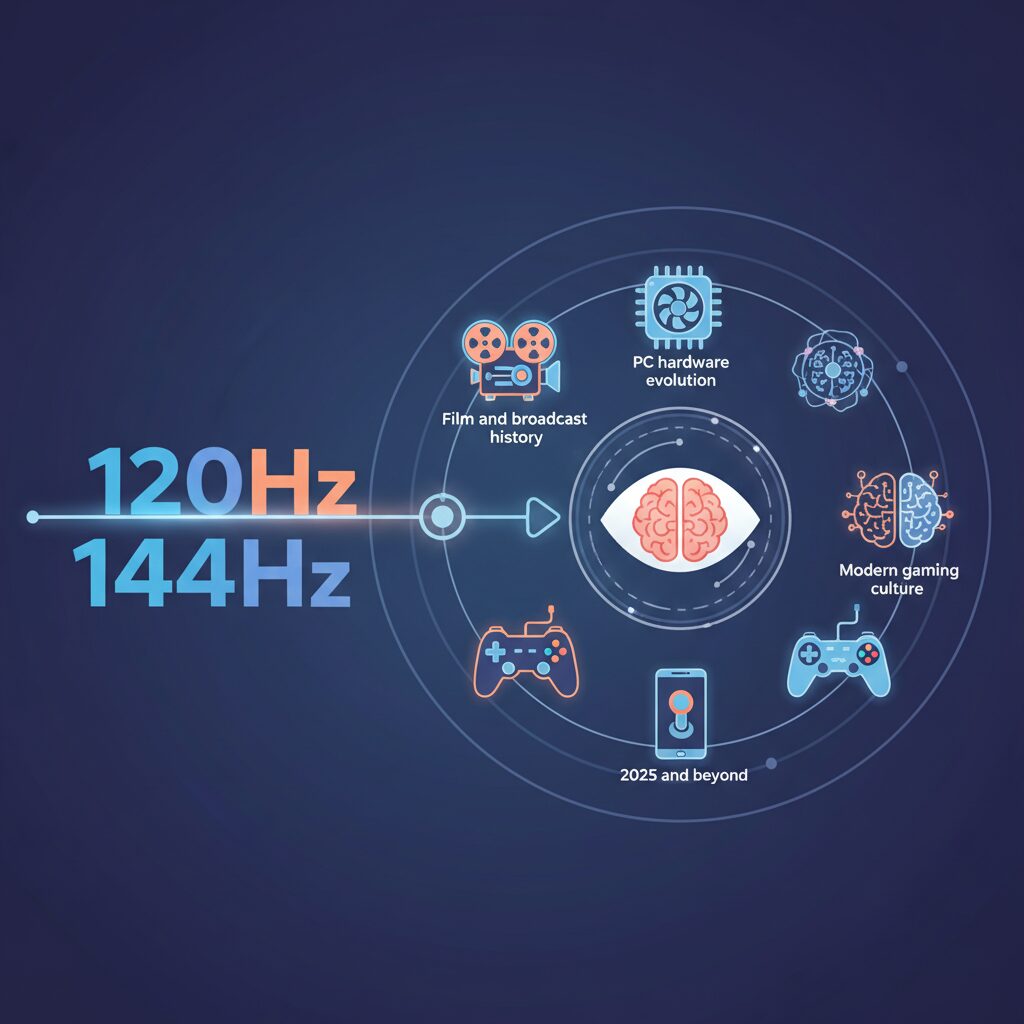
When discussing frame rates, many people still rely on oversimplified ideas such as “the human eye cannot see beyond 60 frames per second.” Modern vision science clearly shows that this belief is inaccurate. **Human visual perception is not governed by a single hard limit**, but by multiple mechanisms that respond differently to light flicker, motion, and context.
To understand why higher refresh rates matter, it is crucial to separate flicker perception from motion perception. Flicker perception refers to the point at which a blinking light appears continuous, while motion perception concerns how smoothly moving objects are tracked. According to research summarized by institutions such as the National Center for Biotechnology Information, these two processes operate on different temporal scales.
The table below illustrates this distinction in a simplified way.
| Visual Process | Typical Sensitivity Range | What the Viewer Experiences |
|---|---|---|
| Flicker fusion | Around 60–90 Hz | Light appears steady instead of blinking |
| Motion perception | Well above 120 Hz in some conditions | Smoother motion and clearer object tracking |
This explains why a display can look free of flicker at 60 Hz, yet still feel noticeably smoother at 120 Hz or higher. **The absence of flicker does not mean the brain has reached its motion-processing limit**. Motion-sensitive neurons continue to benefit from shorter frame intervals, especially when objects move quickly across the visual field.
Evidence from applied research further supports this view. Experiments involving trained observers, such as military pilots, have shown recognition of visual information presented for extremely brief durations, corresponding to refresh rates far beyond consumer displays. These findings suggest that the visual system evolved to prioritize motion detection as a survival function, granting it a much finer time resolution than commonly assumed.
More recent neuroscience studies have measured brain responses directly. Using visual evoked potentials, researchers observed that higher refresh rates produce stronger and more stable neural responses during motion stimuli. One peer-reviewed study hosted by the NCBI concluded that **120 Hz represents a meaningful baseline at which the brain processes motion more naturally and with less strain**, rather than a mere marketing milestone.
This also clarifies why the perceptual gains diminish beyond a certain point. The jump from 60 Hz to 120 Hz halves frame time and produces a dramatic improvement that almost everyone can feel. By contrast, the difference between 120 Hz and 144 Hz is only about 1.4 milliseconds per frame. For most users, the brain already receives sufficiently dense motion information at 120 Hz, making further increases harder to notice.
However, this does not mean higher frame rates are useless. **Perception gradually saturates, not abruptly stops**. Highly trained players, fast-paced competitive scenarios, or tasks requiring extreme temporal precision can still extract value from those extra milliseconds, even if the improvement feels subtle rather than transformative.
Ultimately, human vision perceives motion as a continuous flow reconstructed by the brain, not as a sequence of discrete frames. Refresh rates like 120 Hz align closely with the biological sweet spot where motion feels convincingly real, while higher values refine that experience rather than redefine it.
Scientific Evidence Behind the 120Hz Perception Threshold
Understanding why 120Hz is often described as a perceptual threshold requires separating popular myths from reproducible scientific findings. **Human vision does not operate with a fixed “maximum FPS,” but with multiple temporal processing layers**, each responding differently to flicker, motion, and contrast. This distinction is central to interpreting refresh-rate research correctly.
Vision science differentiates between the Critical Flicker Fusion threshold and motion perception. According to long-established psychophysics research summarized by institutions such as the American Academy of Ophthalmology, flicker typically fuses into continuous light around 60–90Hz under normal luminance. However, this only indicates when blinking light stops being perceived as blinking, not when motion stops improving.
More recent neuroscience work indexed by the U.S. National Center for Biotechnology Information has directly measured brain responses using steady-state motion visual evoked potentials. These studies show that **as refresh rate increases, cortical responses related to motion processing become significantly stronger up to around 120Hz**, after which gains begin to taper under standard viewing conditions.
| Refresh Range | Measured Effect | Scientific Interpretation |
|---|---|---|
| 60–90Hz | Flicker largely disappears | Lower bound of temporal comfort |
| 90–120Hz | Motion VEP amplitude rises | Improved neural motion tracking |
| 120Hz+ | Diminishing response gains | Perceptual saturation for most users |
In practical terms, this explains why the jump from 60Hz to 120Hz feels transformative to almost everyone, while the jump from 120Hz to 144Hz is subtle. The frame-time difference shrinks to roughly 1.4 milliseconds, approaching the noise floor of everyday visual processing. **Only in edge cases, such as elite pilot training or professional esports, do higher temporal resolutions show consistent advantages**, as demonstrated in military and aviation perception studies.
From a scientific perspective, 120Hz emerges not as a marketing invention but as a biologically meaningful baseline. It aligns with how the visual cortex integrates motion into a stable, continuous experience, making it a rational threshold where perceptual benefits are maximized before diminishing returns dominate.
Diminishing Returns: Can People Actually See the Difference Between 120Hz and 144Hz?

When comparing 120Hz and 144Hz, the discussion inevitably enters the territory of diminishing returns. On paper, the difference looks meaningful, but in actual human perception, the gap becomes surprisingly subtle. The numerical delta is only 24Hz, and when translated into frame time, the improvement is just about 1.39 milliseconds per frame. For most people, this is where perception begins to saturate.
Vision science helps explain why this happens. Research in visual neuroscience, including studies indexed by the U.S. National Center for Biotechnology Information, shows that **around 120Hz marks a practical baseline where motion perception becomes highly continuous for the human brain**. Beyond that point, improvements still exist, but they are no longer dramatic or universally noticeable.
To put this into perspective, the contrast between 60Hz and 120Hz is transformative. Cursor movement, scrolling, and camera panning feel instantly smoother to almost everyone. However, moving from 120Hz to 144Hz reduces frame persistence by a margin so small that it often falls below everyday perceptual thresholds.
| Refresh Rate | Frame Time | Perceptual Impact |
|---|---|---|
| 60Hz | 16.67 ms | Clearly segmented motion |
| 120Hz | 8.33 ms | Major smoothness improvement |
| 144Hz | 6.94 ms | Subtle refinement |
Community-driven blind tests discussed in PC hardware circles consistently reflect this reality. Many participants report that once adaptive sync is enabled and frame pacing is stable, **they struggle to reliably identify whether a display is running at 120Hz or 144Hz without checking settings**. This does not mean the difference is imaginary, but rather that it is highly context-dependent.
The people who tend to notice the gap are a very specific group. Professional esports players, or users with exceptionally trained motion sensitivity, may perceive slightly tighter motion clarity or responsiveness at 144Hz. Even then, these advantages usually emerge in controlled scenarios such as high-speed flick shots or tracking fast-moving targets.
For typical gaming, productivity, or media consumption, the brain often prioritizes consistency over raw frequency. Stable frame delivery, low stutter, and well-tuned motion handling contribute far more to perceived smoothness than an extra 24 refresh cycles per second. This is why **120Hz is often described by vision researchers as a perceptual sweet spot rather than a compromise**.
In practical terms, the jump from 120Hz to 144Hz should be understood as refinement, not revelation. It may matter to those chasing marginal gains, but for most users, the visual experience feels effectively complete once 120Hz is reached.
The Historical Origins of 120Hz in Film, TV, and Broadcast Standards
The historical roots of 120Hz are deeply tied to the mathematical compromises of early film and broadcast technology, rather than to gaming or modern displays. **120Hz emerged as a solution to reconcile incompatible frame rates that coexisted for nearly a century**. This origin story explains why 120Hz still carries unique significance in film, television, and professional broadcast environments today.
Traditional motion picture film standardized on 24 frames per second in the late 1920s, a choice driven by film stock cost, mechanical stability, and later reinforced by audio synchronization requirements. According to documentation preserved by SMPTE, 24fps became the global cinematic baseline because it balanced visual continuity with economic feasibility. Television, however, evolved under entirely different constraints.
In North America and Japan, analog NTSC television synchronized its field rate to the 60Hz AC power grid to minimize electrical interference. This resulted in a 60Hz-based display system that could not evenly display 24fps film content. The workaround, known as 3:2 pulldown, introduced uneven frame repetition and caused motion judder, particularly noticeable during camera pans.
| Source Frame Rate | 60Hz TV | 120Hz Display |
|---|---|---|
| 24fps (Film) | Uneven (3:2 pulldown) | 5× even repetition |
| 30fps (TV) | 2× repetition | 4× even repetition |
| 60fps (Video) | 1× native | 2× even repetition |
By contrast, **120Hz is mathematically divisible by 24, 30, and 60**, allowing perfectly uniform frame pacing. Broadcast engineers and display researchers, including those cited in SMPTE journals, have long recognized 120Hz as an ideal least common multiple for mixed-content environments. This made it especially attractive for studio monitors, high-end televisions, and later digital cinema projection pipelines.
The rise of 120Hz-capable panels in the 2000s was further accelerated by active-shutter 3D television. To deliver 60Hz per eye without flicker, panels had to refresh at 120Hz. Manufacturers such as Sony and Panasonic adopted this rate not for marketing reasons, but because it aligned cleanly with existing broadcast standards and human perceptual comfort thresholds, as noted in industry white papers.
As a result, **120Hz became a culturally embedded engineering standard**, representing continuity with film heritage and broadcast logic. Even in the era of streaming and variable refresh rates, this historical alignment explains why 120Hz remains the default ceiling for consoles, TVs, and professional video workflows, long after its original constraints have faded.
Why 144Hz Exists: PC Interfaces, Bandwidth Limits, and Gaming Culture
At first glance, 144Hz looks like an oddly specific number, especially when 120Hz feels mathematically cleaner and culturally familiar. However, 144Hz did not emerge from human vision science or video content standards. It exists because of very concrete limitations and opportunities in early PC display interfaces, combined with the values of PC gaming culture.
The technical origin of 144Hz can be traced back to the era when DVI Dual Link was the dominant high-end monitor interface. According to analyses widely cited by display engineers and confirmed by manufacturers such as ASUS and BenQ, DVI Dual Link had a fixed maximum bandwidth. When that bandwidth was fully utilized at 1920×1080 resolution, the highest stable refresh rate landed at approximately 144Hz.
In other words, 144Hz was the fastest number that reliably fit inside the cable. It was not chosen because it aligned with film frame rates or broadcast standards, but because it represented the practical ceiling of the interface.
| Factor | 120Hz | 144Hz |
|---|---|---|
| Origin | Video and broadcast math | PC interface bandwidth |
| Primary use case | Movies, consoles, TVs | PC gaming monitors |
| Design philosophy | Frame-rate harmony | Maximum frames per second |
This distinction explains why 144Hz took hold specifically in PC gaming. PC gamers historically prioritize responsiveness, frame throughput, and competitive advantage over cinematic consistency. Communities documented on platforms like Reddit and technical forums show that even a 1.39ms reduction in frame time was perceived as meaningful, not visually, but psychologically and competitively.
Industry observers such as Blur Busters have also pointed out that once 144Hz monitors became commercially viable, they quickly turned into a badge of seriousness. Owning a 144Hz display signaled that the user cared about performance, even if the perceptual gains over 120Hz were marginal for most people.
Thus, 144Hz exists not because humans needed it, but because PC hardware allowed it and gaming culture demanded it. It is a standard born from cables, GPUs, and competitive identity rather than biology or media tradition.
Motion Blur, Black Frame Insertion, and Why 120Hz Can Look Clearer
Motion clarity is often misunderstood as a simple function of refresh rate, but in practice it is shaped by how displays handle time, darkness, and the human visual system. Even at high refresh rates, modern LCD and OLED panels rely on a sample-and-hold method, meaning each frame is continuously displayed until the next one arrives. This behavior causes motion blur when your eyes track moving objects, because the image persists on the retina longer than the motion itself.
This is why 120Hz can sometimes look clearer than 144Hz. The key factor is not the number of frames alone, but the duration each frame is held. At 120Hz, each frame is visible for about 8.3 milliseconds, while at 144Hz it is about 6.9 milliseconds. Although the difference seems small, it interacts critically with black frame insertion and strobing technologies.
| Mode | Frame Hold Time | Typical Motion Clarity |
|---|---|---|
| 120Hz + BFI | ~8.3 ms | Very high, low blur |
| 144Hz (no BFI) | ~6.9 ms | Moderate blur remains |
Black Frame Insertion briefly turns the backlight off between frames, mimicking the impulse-style behavior of CRT displays. According to evaluations by Blur Busters, this dramatically reduces perceived blur by resetting retinal persistence. However, many panels struggle to apply clean strobing at 144Hz due to insufficient blanking time, leading to double images or strobe crosstalk.
At 120Hz, display controllers have more temporal headroom, allowing strobing modes such as ULMB or DyAc to operate with fewer artifacts. As a result, fast-moving text or enemies in FPS games can appear sharper at 120Hz with BFI than at a higher unstrobbed refresh rate. This counterintuitive outcome shows that motion clarity depends on timing strategy, not just headline refresh numbers, and explains why 120Hz remains a practical sweet spot for clarity-focused users.
Input Lag and Competitive Gaming: Milliseconds That Decide Wins
In competitive gaming, input lag is not an abstract specification but a decisive factor that directly affects win rates. Even when two displays look equally smooth to the human eye, differences measured in single-digit milliseconds can determine whether a reaction succeeds or fails.
Input lag refers to the total time between a player’s physical action and the corresponding visual feedback appearing on screen. This includes controller or mouse latency, CPU and GPU processing, and finally the display’s own scanout delay.
| Refresh Rate | Scanout Time | Latency Impact |
|---|---|---|
| 60Hz | 16.6 ms | Noticeable delay in fast reactions |
| 120Hz | 8.3 ms | Significant reduction, competitive baseline |
| 144Hz | 6.9 ms | Marginal but measurable advantage |
| 240Hz | 4.2 ms | Elite-level competitive edge |
At first glance, the 1.39 ms difference between 120Hz and 144Hz appears negligible. However, research and field testing cited by organizations such as Blur Busters and Digital Foundry indicate that lower scanout time consistently reduces worst-case input latency, especially in high-frame-rate PC environments.
This advantage becomes clearer in genres where reaction windows are extremely tight. In fighting games, for example, successful defensive techniques often require inputs within a few frames. Testing on titles such as Street Fighter 6 has shown that even at a fixed 60 fps game engine, higher refresh rate displays deliver the most recent frame to the player’s eyes sooner.
The result is an effectively wider reaction window, despite identical in-game frame rates. Professional players frequently report that certain attacks feel “reactable” on 240Hz monitors but not on 60Hz displays.
First-person shooters magnify this effect further. Faster scanout means opponents appear fractionally earlier during peeks, and crosshair feedback updates sooner during flick shots. According to analyses referenced by NVIDIA and esports monitor manufacturers, these small timing advantages accumulate over hundreds of engagements in a match.
It is also important to note that input lag benefits are cumulative. A 144Hz monitor paired with low-latency peripherals and optimized GPU pipelines can outperform a higher-Hz display in a poorly tuned system. Refresh rate is a critical component, but it works best as part of a latency-focused setup.
For competitive players, this explains why refresh rate discussions extend beyond visual smoothness. The milliseconds shaved off at 120Hz, 144Hz, and beyond are not about comfort but about probability—slightly higher odds of landing the shot, blocking the attack, or winning the round.
Console Gaming Limits: PS5, PS5 Pro, and the 120Hz Ceiling
When discussing high refresh rates on consoles, it is important to understand that PlayStation hardware operates under a clearly defined ceiling. Both the PlayStation 5 and the newer PS5 Pro are designed with a maximum output of 120Hz, regardless of how capable the connected display may be.
This limitation is not accidental. According to Sony’s official technical documentation and coverage by outlets such as PCMag, the video pipeline of the PS5 family is optimized around HDMI 2.1 profiles that prioritize stability, HDR accuracy, and VRR behavior rather than extreme refresh rates.
| Console | Max Refresh Rate | Practical Impact |
|---|---|---|
| PS5 | 120Hz | Higher-rate monitors downclock |
| PS5 Pro | 120Hz | No native 144Hz output |
In practical terms, connecting a 144Hz or 165Hz gaming monitor does not unlock additional smoothness. The console negotiates a 120Hz signal, and the display simply adapts. The extra 24Hz remains unused, even in performance-focused titles such as Call of Duty or Fortnite.
From a user-experience standpoint, this design choice aligns well with visual science. Research indexed by the NCBI suggests that 120Hz already crosses a meaningful neurological threshold for motion perception, while gains beyond that show diminishing perceptual returns for most players.
Recent 2025 system updates have further strengthened this approach. Sony quietly resolved long-standing VRR stuttering issues, as reported by PlayStation LifeStyle, making 120Hz gameplay notably smoother and more consistent than before. As a result, for console gamers, the real bottleneck is no longer the display, but the deliberate and balanced limits of the hardware itself.
Smartphones and Tablets: Battery Life vs High Refresh Rate UX
On smartphones and tablets, high refresh rate displays create a constant tension between visual delight and battery endurance. Unlike monitors that draw power from the wall, mobile devices must balance every extra frame against limited battery capacity and thermal headroom. **This makes the jump from 60Hz to 120Hz meaningful, while the step beyond 120Hz far more controversial**.
Multiple controlled tests on commercial smartphones have shown that moving from 60Hz to 120Hz typically increases power consumption during common tasks such as scrolling or email reading by around 10 percent. According to measurements summarized by ViserMark, this increase is already noticeable over a full day of mixed use. Pushing the panel further to 144Hz or higher, however, can raise consumption by up to 30 percent during web browsing, primarily because both the GPU and display controller must remain active at higher duty cycles.
| Refresh Rate | Typical Use Case | Relative Battery Impact |
|---|---|---|
| 60Hz | Static content, video playback | Baseline |
| 120Hz | Scrolling, UI animations | Approx. +10% |
| 144Hz | High-speed scrolling, gaming | Up to +30% |
The key issue is that **human perception on small, handheld screens saturates quickly**. Vision science research referenced by NCBI suggests that 120Hz already exceeds the threshold at which motion perception feels continuous and responsive for most users. On a 6 to 11 inch display, the additional 24Hz difference translates into a frame time reduction of just 1.39 milliseconds, a change that is extremely difficult to perceive during everyday interactions such as reading timelines or switching apps.
This is why Apple’s ProMotion strategy has remained capped at 120Hz, focusing instead on adaptive control. By dynamically shifting between 1Hz and 120Hz using LTPO backplanes, iPhones and iPads minimize unnecessary redraws when content is static. Android manufacturers that advertise 144Hz or 165Hz panels often rely on similar adaptive techniques, because running at peak refresh continuously would lead to rapid battery drain and increased surface temperatures.
User reports consistently highlight this trade-off. Many owners of high-refresh Android phones note that while 144Hz feels impressive during short demos, they revert to 120Hz or even 60Hz to preserve battery life on travel days. **In practice, perceived smoothness depends more on touch sampling rates and OS animation tuning than on headline refresh numbers**. This explains why 120Hz iOS devices are frequently described as smoother than higher-Hz Android competitors.
For tablets, the equation tilts slightly toward efficiency. Larger batteries help offset higher refresh costs, but tablets are also used heavily for reading and video, where refresh rates above 60Hz offer limited benefits. As a result, 120Hz has emerged as the practical ceiling for premium mobile UX in 2025, delivering fluid interaction without imposing the steep energy penalty associated with 144Hz-class operation.
2025 Market Trends: From 144Hz to 180Hz and Beyond
As we move through 2025, the monitor market is clearly shifting beyond the long‑standing 144Hz benchmark, and this transition is not driven by hype alone. **144Hz has become a baseline rather than a premium feature**, especially in the Japanese market where price competition is intense and product cycles are fast.
Industry shipment data and retail listings show that many entry‑to‑midrange gaming monitors now start at 165Hz or 180Hz, often without a significant price increase compared to older 144Hz models. According to analyses frequently cited by Display Supply Chain Consultants, panel yields for high‑refresh Fast IPS have improved enough that 180Hz operation no longer carries a manufacturing penalty.
This market reality explains why brands popular in Japan, such as Pixio, I‑O DATA’s GigaCrysta line, and JAPANNEXT, are aggressively positioning 180Hz as the new sweet spot. **For consumers, the psychological upgrade matters as much as the technical one**, because 180Hz clearly signals “next‑generation” even if perceptual gains over 144Hz are modest.
| Refresh Tier | Typical Panel | 2025 Market Position |
|---|---|---|
| 144Hz | IPS / VA | Entry standard |
| 165–180Hz | Fast IPS | Mainstream focus |
| 240Hz+ | Fast IPS / OLED | Competitive niche |
Another important trend is that refresh rate is no longer marketed in isolation. Monitor makers increasingly bundle higher Hz with faster response tuning, improved overdrive presets, and factory‑calibrated motion clarity. Blur Busters has repeatedly pointed out that real‑world motion performance depends on the full system, not the Hz number alone, and manufacturers are clearly responding to that narrative.
At the high end, OLED is redefining expectations. While OLED gaming monitors often start at 240Hz, their near‑instant pixel response makes even 180Hz LCDs feel conservative by comparison. **This contrast is pushing LCD vendors to raise refresh rates simply to stay competitive in perception**, not because users demanded more Hz outright.
Looking ahead, analysts expect 180Hz to follow the same path 144Hz did a few years ago: rapid commoditization. When that happens, the market conversation will shift again, likely toward 240Hz as the mainstream PC gaming target. In that sense, 2025 is best understood as a transitional year, where moving beyond 144Hz is less about seeing more frames and more about keeping pace with a fast‑evolving competitive landscape.
Choosing the Right Refresh Rate Based on Your Usage
Choosing the right refresh rate is not about chasing the highest number on a spec sheet, but about aligning the display’s behavior with how you actually use your device. **A refresh rate only delivers value when it matches your content, hardware, and priorities**, and beyond a certain point the benefits shift from visible smoothness to more subtle gains such as latency reduction.
From a perceptual standpoint, visual science provides a useful baseline. Research published via the U.S. National Center for Biotechnology Information shows that motion-related visual evoked potentials increase significantly up to around 120Hz, after which the response begins to plateau. This is why **120Hz is often described as a biological “comfort threshold”**, where motion appears convincingly continuous for most users during scrolling, camera pans, and general interaction.
However, usage patterns vary widely, and the optimal refresh rate changes accordingly. Video consumption is a clear example. Movies are typically mastered at 24fps, and a 120Hz panel can display each frame evenly five times, eliminating cadence irregularities and judder. In contrast, 144Hz offers no mathematical advantage for film playback, meaning the extra frames do not translate into a better cinematic experience.
| Primary Usage | Effective Refresh Rate | Why It Makes Sense |
|---|---|---|
| Movies & streaming | 120Hz | Perfect alignment with 24fps and 60fps sources |
| Console gaming | 120Hz | Matches current console output limits and VRR behavior |
| PC competitive gaming | 144Hz+ | Lower scanout time and reduced input latency |
For console gamers, this distinction is especially important. PlayStation 5 and Xbox Series consoles are capped at 120Hz output, even when connected to higher-refresh monitors. In practical terms, **a well-tuned 120Hz display delivers the full experience without wasted overhead**, while higher refresh rates remain unused. Industry analysts and display engineers frequently note that resolution stability, HDR quality, and VRR support have a larger impact on perceived quality in console environments than exceeding 120Hz.
PC users face a different equation. Competitive players benefit from refresh rates above 120Hz not because motion suddenly looks smoother, but because the display updates more frequently with the latest rendered frame. The difference between 120Hz and 144Hz is only about 1.39 milliseconds per frame, yet studies cited by Blur Busters and similar measurement-focused outlets show that **even small reductions in scanout time can improve hit consistency and reaction timing** in fast-paced shooters.
Everyday productivity and mixed-use scenarios fall somewhere in between. Web browsing, office work, and casual gaming already feel dramatically better at 120Hz compared to 60Hz, while moving to 144Hz often produces diminishing returns. Power consumption also increases with higher refresh rates, a factor highlighted in smartphone and laptop testing where battery life drops noticeably when pushing panels beyond 120Hz.
Ultimately, the “right” refresh rate is the one that disappears from your awareness. When chosen correctly, the display feels responsive without unnecessary strain on hardware, power, or budget. **For most users in 2025, 120Hz represents the optimal balance**, while 144Hz and above remain specialized tools for those who can fully exploit their advantages.
参考文献
- AWOL Vision:How Many Frames Per Second Can the Human Eye See? (The Real Answer)
- National Center for Biotechnology Information (NCBI):Assessing the Effect of the Refresh Rate of a Device on Various Motion Stimulation Frequencies
- Blur Busters:Motion Blur Comparison Graph
- PCMag:PS5 System Update Unlocks Native 1440p Output
- PlayStation LifeStyle:Latest PS5, PS5 Pro Update Quietly Fixed a Major Issue
- ViserMark:The Impact of Screen Refresh Rate on Smartphone Battery Life