
If you are deeply interested in gadgets, you have probably noticed that choosing a tablet for learning is no longer a simple iPad-versus-everything-else decision. Students, professionals, and lifelong learners are now asking a more fundamental question: which device truly supports deep focus, long study sessions, and efficient knowledge retention?
In recent years, Galaxy tablets have started to attract serious attention from tech-savvy users who care about how hardware and software shape learning behavior. Features such as pen technology, display characteristics, multitasking systems, and automation tools are no longer just specs on a sheet, but elements that directly influence concentration, memory, and daily study habits.
This article explores why Galaxy tablets are being re-evaluated as powerful learning companions from multiple angles, including cognitive science, display engineering, software design, and cost efficiency. By understanding these factors, you will gain clear criteria for deciding whether a Galaxy tablet can help you study smarter, protect your eyes, and build a distraction-free environment that lasts.
- The Global Shift in Learning Devices After the One-Tablet-Per-Student Era
- Why Handwriting Still Matters in the Age of Digital Learning
- S Pen Technology Explained: EMR, Precision, and Long Study Sessions
- Display Technology and Eye Health: AMOLED, LCD, and Real-World Risks
- Managing Screen Flicker and Visual Fatigue on Modern Tablets
- Building a Distraction-Free Study Environment with One UI Automation
- Multitasking, Split Screens, and DeX for Serious Learners
- The Current State of Learning and Note-Taking Apps on Android Tablets
- Total Cost of Ownership: Galaxy Tablets vs iPad for Long-Term Learning
- 参考文献
The Global Shift in Learning Devices After the One-Tablet-Per-Student Era
The global learning landscape has entered a clear transition phase after the rapid expansion of one-tablet-per-student policies. In the early 2020s, many countries prioritized speed and uniformity, focusing on deploying a single standardized device to every student as quickly as possible. Today, however, education systems are reassessing those decisions, shifting from simple distribution to long-term sustainability, manageability, and learning outcomes.
This change is visible in operating system trends. According to recent market analyses and education ICT reports, ChromeOS-based devices now dominate public education deployments in multiple regions, including Japan and parts of Europe. The reason is not brand preference but operational logic: centralized device management, lower procurement costs, and easier replacement cycles have become more important than premium hardware appeal.
The post–one-tablet era is defined by optimization rather than expansion. Ministries of education and school districts are asking how devices fit into curricula, teacher workloads, and budget planning over five to seven years, instead of how fast they can be handed out. Research organizations and policy advisors increasingly emphasize total cost of ownership, software update longevity, and repair logistics as core decision factors.
| Phase | Main Objective | Device Selection Logic |
|---|---|---|
| Initial rollout | Rapid access equality | Single device, fast procurement |
| Post-rollout reassessment | Operational efficiency | Manageability and cost balance |
| Current transition | Learning quality optimization | Role-based device differentiation |
At the same time, a parallel shift is happening outside public procurement. In higher education, lifelong learning, and home study environments, learners are no longer satisfied with heavily restricted school-issued devices. Analysts and educational researchers note a growing gap between institution-controlled tablets and personally owned devices used for deeper, self-directed study.
This is where the global conversation changes tone. Instead of asking which tablet every student should use, stakeholders are asking which devices best support different learning contexts. International education technology forums and university-level studies increasingly frame tablets as personal cognitive tools rather than standardized infrastructure.
The end of the one-tablet-per-student mindset does not mean fewer devices, but smarter allocation. Schools continue to rely on centrally managed platforms, while motivated learners supplement them with flexible personal hardware. This dual-structure model reflects a broader understanding, shared by policy researchers and learning scientists, that effective digital education depends not on uniformity, but on alignment between device capabilities and learning intent.
Why Handwriting Still Matters in the Age of Digital Learning
Even in an era dominated by cloud platforms, AI tutors, and instant search, handwriting continues to play a critical role in how people actually learn, and this point is increasingly supported by cognitive science. Writing by hand is not merely a slower form of input. It is a fundamentally different mental activity that engages the brain more deeply and more broadly, which is why it still matters in digital learning environments.
According to peer-reviewed neuroscience research published in recent years, handwriting activates a wide network of brain regions simultaneously, including the motor cortex, visual cortex, and higher-order cognitive areas responsible for meaning and memory formation. In contrast, typing relies on repetitive and uniform finger movements, resulting in more limited neural engagement. Researchers writing in academic journals hosted by the U.S. National Institutes of Health have described handwriting as an “active” cognitive process, while typing is often categorized as comparatively passive.
This difference has measurable consequences for learning outcomes. A controlled study conducted at Kochi University of Technology in Japan found that students who copied material by hand achieved significantly higher memory test scores than those who typed the same content, with a statistically meaningful margin. Similar conclusions have been echoed by learning scientists in Europe and North America, who link handwriting to stronger retention and better conceptual understanding rather than surface-level recall.
One reason handwriting is so effective lies in spatial memory. When learners write notes, they unconsciously remember where information sits on a page, such as a diagram in the margin or a keyword written higher up. Cognitive psychologists refer to these cues as visual landmarks, and they act as powerful hooks when recalling information later. Fixed-page digital handwriting, unlike endlessly scrolling text, preserves this spatial structure and supports the same memory mechanisms long associated with paper notebooks.
| Input Method | Brain Engagement | Memory Characteristics |
|---|---|---|
| Handwriting | Motor, visual, and cognitive areas | Strong retention with spatial cues |
| Typing | Limited, repetitive motor patterns | Efficient but weaker long-term recall |
For learners surrounded by digital tools, this evidence does not suggest rejecting technology. Instead, it highlights the importance of preserving handwriting within digital systems. Educational psychologists increasingly argue that the most effective digital learning environments are those that respect how the human brain evolved to process information. Handwriting remains one of the few proven methods that consistently strengthens understanding, not just speed.
S Pen Technology Explained: EMR, Precision, and Long Study Sessions
The S Pen is often described as a simple stylus, but its underlying technology is far more sophisticated, especially for users who engage in long and demanding study sessions. At the core of the S Pen experience is EMR, or Electro-Magnetic Resonance, a technology originally developed by Wacom and widely used in professional pen tablets.
Unlike active styluses that rely on internal batteries, EMR allows the pen to draw power wirelessly from the tablet’s digitizer layer. This means the S Pen does not require charging for basic writing tasks, which is a critical advantage during extended study periods where interruptions can break concentration.
| Aspect | EMR-based S Pen | Battery-powered Stylus |
|---|---|---|
| Power source | No battery required for writing | Internal battery needed |
| Initial activation force | Extremely low | Generally higher |
| Long-session reliability | Consistent, no power anxiety | Risk of sudden power loss |
From a precision standpoint, EMR excels in detecting very subtle pressure changes from the moment the pen tip touches the screen. **This low initial activation force reduces hand fatigue**, which is especially beneficial for students who write continuously for hours, such as during exam preparation or intensive note-taking.
Neuroscience research published in peer-reviewed journals has shown that handwriting activates broader brain regions than typing, including motor and visual areas. When the input tool responds instantly and predictably, cognitive load is reduced, allowing the brain to focus on understanding rather than compensating for input lag or inaccuracy.
Another often overlooked factor is tactile feedback. The S Pen’s tip material introduces mild friction against the glass surface, closer to pen-on-paper resistance. This subtle resistance enhances sensory feedback, which learning science researchers associate with improved memory encoding and spatial recall.
According to evaluations by professional digital artists and academic users alike, the combination of EMR precision and natural friction creates a writing experience that remains stable over time. For learners who depend on handwriting as a thinking tool rather than mere input, this stability becomes a foundation for deep, uninterrupted study.
Display Technology and Eye Health: AMOLED, LCD, and Real-World Risks
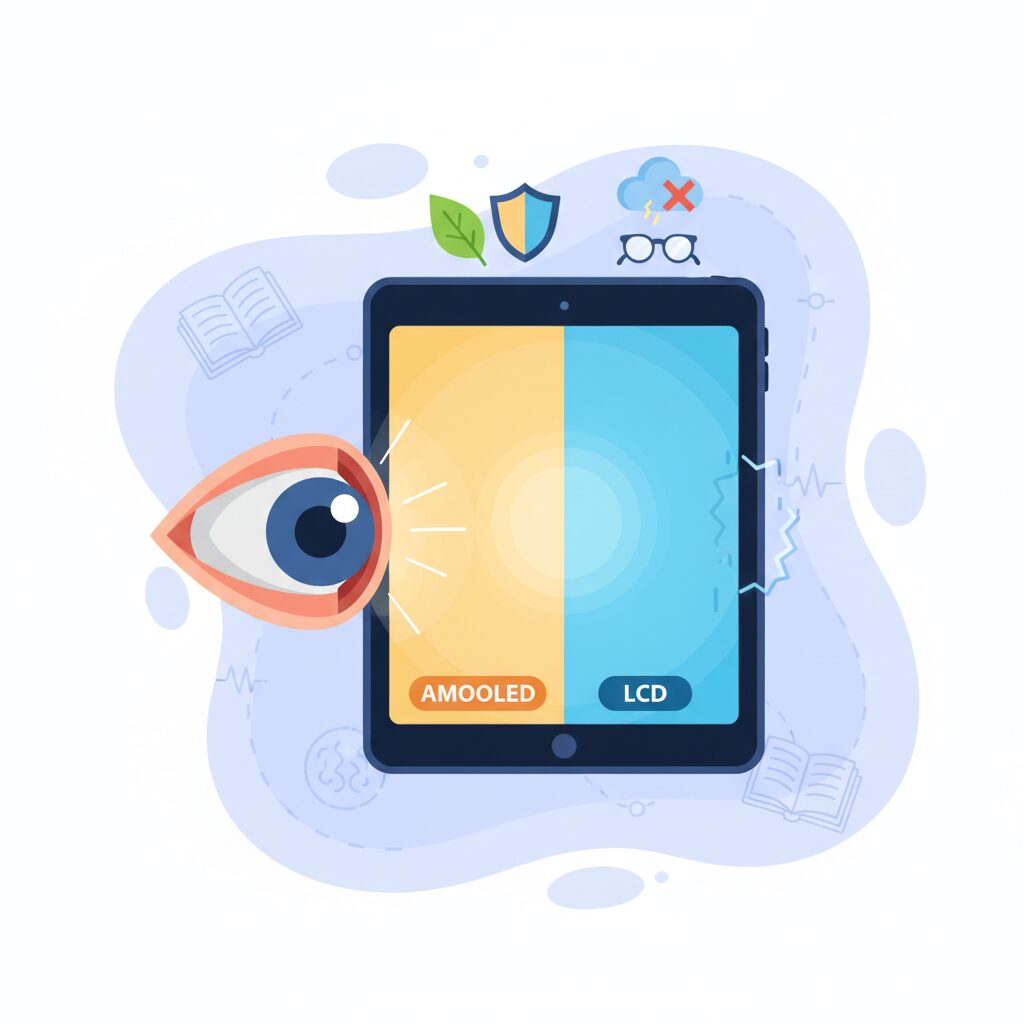
When a tablet is used for learning or research over several hours, display technology stops being a matter of image quality and becomes a matter of eye health. AMOLED and LCD panels behave very differently at a physical level, and understanding those differences helps explain why some users feel comfortable for long sessions while others report fatigue or headaches.
AMOLED displays, widely adopted in premium tablets, are self-emissive, meaning each pixel produces its own light. According to certifications issued by SGS, Samsung’s recent AMOLED panels emit significantly less high-energy blue light than conventional LCDs, even without software filters. This reduction matters because ophthalmological research has consistently linked excessive blue light exposure to retinal stress and disruptions of circadian rhythm, particularly during evening use.
Another key advantage of AMOLED is contrast. Because black pixels can be completely turned off, text remains crisp at lower brightness levels. In practical terms, users do not need to push brightness as high to maintain readability, which indirectly reduces eye strain during prolonged reading of PDFs, textbooks, or academic papers.
| Aspect | AMOLED | LCD |
|---|---|---|
| Light emission | Self-emissive pixels | Backlight-based |
| Typical blue light level | Lower by panel design | Higher without filters |
| Contrast at low brightness | Very high | Limited by backlight |
However, AMOLED is not without real-world risks. Brightness control on many OLED-based panels relies on PWM, or pulse-width modulation. This technique rapidly turns pixels on and off to simulate lower brightness. While most users do not consciously perceive this flicker, display engineering studies and reports summarized by Android Central note that a subset of users are sensitive to low-frequency PWM, experiencing eye strain, headaches, or nausea.
Measured data for recent AMOLED tablets indicates PWM frequencies around 240 Hz at low brightness. In comparison, some newer displays from other manufacturers operate above 2000 Hz, a range generally considered less problematic. Community discussions and user reports on Samsung’s own forums suggest that this sensitivity is not hypothetical, but affects a small yet consistent group of users during extended reading sessions.
LCD panels approach brightness control differently. Many rely on DC dimming or extremely high-frequency modulation, making perceptible flicker far less likely. For users who read dense text for hours, or for children whose visual systems are still developing, this stability can translate into greater comfort, even if absolute contrast and color depth are lower than AMOLED.
Research from Harvard Medical School comparing E Ink and LCD displays further reinforces the importance of flicker and luminance stability. While E Ink remains the gold standard for eye comfort, it cannot handle video or color-rich materials. In that context, a well-calibrated LCD, combined with software-based eye comfort modes and moderate brightness, represents a pragmatic compromise grounded in visual science rather than marketing claims.
Ultimately, the healthiest display is not defined solely by technology labels. Matching panel characteristics to individual sensitivity, usage duration, and ambient lighting conditions is what determines real comfort. AMOLED offers measurable optical advantages, but LCD remains a safer choice for users who prioritize long, uninterrupted study sessions without visual side effects.
Managing Screen Flicker and Visual Fatigue on Modern Tablets
Managing screen flicker and visual fatigue has become a critical topic for modern tablets, especially for users who spend long hours reading, writing, or studying on a single device. While high-resolution displays and vivid colors are often highlighted in marketing, **the way brightness is controlled can have a far greater impact on eye comfort over time**.
On many premium tablets, including OLED-based models, brightness is adjusted using a technique called Pulse Width Modulation, commonly referred to as PWM dimming. According to analyses summarized by Android Central and similar display-technology reviews, PWM works by rapidly turning pixels on and off to simulate lower brightness. Although this flicker is usually invisible, **some users experience eye strain, headaches, or nausea during extended sessions**, particularly at low brightness levels.
Measured data shared by display researchers and enthusiast communities indicates that several modern OLED tablets operate at PWM frequencies around 200 to 300 Hz when brightness is reduced. From a physiological perspective, vision science research suggests that lower-frequency flicker is more likely to interact with micro eye movements, increasing visual fatigue during tasks such as reading dense text or annotating documents.
| Display Type | Typical Brightness Control | Long-Session Eye Comfort |
|---|---|---|
| OLED (AMOLED) | PWM dimming at low brightness | High contrast but flicker-sensitive users may feel fatigue |
| LCD | DC dimming or very high-frequency PWM | More stable perception during long reading sessions |
Interestingly, this does not mean that OLED tablets are inherently harmful. Samsung Display, for example, has received certifications from organizations such as SGS for reduced blue light emission, which is known to affect circadian rhythm. **Blue light reduction helps with sleep quality, while flicker management affects short-term comfort**, and these are separate variables that users should understand independently.
For practical use, specialists often recommend avoiding extremely low brightness levels on OLED tablets. Keeping brightness moderately high increases the duty cycle of the pixels, effectively reducing perceived flicker. In well-lit rooms, this simple adjustment alone can significantly lower eye strain, as noted in user reports aggregated on technical forums and peer discussions.
Another effective approach is software-based visual tuning. Features such as eye comfort modes, warmer color temperatures, or grayscale display settings can reduce visual stimulation without relying solely on brightness reduction. Human–computer interaction studies referenced by academic institutions, including Harvard-affiliated research on visual load, suggest that **lower color saturation and contrast variation can decrease cognitive and ocular stress during prolonged reading tasks**.
For users who are particularly sensitive to flicker, choosing an LCD-based tablet remains a rational option. LCD panels typically rely on voltage-based dimming and therefore exhibit far less low-frequency flicker. While they may lack the deep blacks of OLED, **their visual stability can be better suited for marathon study sessions or professional note-taking**, where comfort outweighs cinematic image quality.
Ultimately, managing screen flicker is less about chasing the highest display specifications and more about aligning hardware characteristics with personal visual tolerance. By understanding how flicker works and adjusting both hardware choices and software settings, modern tablet users can create a viewing environment that supports focus, endurance, and long-term eye health.
Building a Distraction-Free Study Environment with One UI Automation
Building a distraction-free study environment is not about willpower but about system design, and this is where One UI automation truly excels. **Samsung’s One UI allows learners to externalize self-control into the operating system itself**, reducing cognitive load before study even begins. Behavioral psychology has long shown that decision fatigue degrades focus, and researchers at Stanford University have pointed out that even passive notifications measurably reduce working memory capacity. One UI’s automation directly addresses this problem at the root.
At the core is the Modes and Routines feature, which operates as a rule-based engine deeply integrated into the system layer. Unlike simple Do Not Disturb toggles, routines can change multiple parameters simultaneously based on context such as time, location, or app usage. When a study routine activates, the device can silently reshape itself into a single-purpose learning tool, without requiring conscious user intervention.
| Trigger Context | Automated System Changes | Cognitive Effect |
|---|---|---|
| Specific study location | All notifications muted, media volume set to zero | Eliminates attention residue |
| Launching a note app | Screen timeout extended, eye comfort enabled | Prevents micro-interruptions |
| Late-night hours | Grayscale mode, entertainment apps locked | Reduces dopamine-driven distraction |
What makes this approach powerful is that it aligns with findings popularized by productivity researchers such as Cal Newport, who argues that deep work requires environments where distraction is structurally impossible. **By desaturating the screen and disabling visually stimulating apps, One UI reduces the reward signal that normally pulls attention away from study**, a technique also supported by research in habit formation and behavioral design.
Over time, these automated transitions create a strong mental association between context and concentration. Entering a library or opening a study app immediately signals the brain that it is time to focus. This consistency transforms the Galaxy tablet into more than a device; it becomes a conditioned learning environment, quietly enforcing discipline so that cognitive resources can be spent entirely on understanding, not resisting temptation.
Multitasking, Split Screens, and DeX for Serious Learners
For serious learners who constantly move between reading, watching, writing, and researching, multitasking is not a luxury but a core requirement. Galaxy tablets are designed with this reality in mind, and One UI’s multitasking framework turns a large display into an active learning workspace rather than a passive screen. **The key point is that multitasking on Galaxy is not about doing more things at once, but about reducing cognitive friction between learning steps.**
Split Screen is the foundation of this experience. With a simple gesture, two or even three apps can coexist in fixed positions, allowing the learner’s eyes and hands to stay in one continuous flow. Educational psychology has long suggested that excessive app switching increases cognitive load and disrupts working memory, as summarized by research groups associated with the American Psychological Association. By keeping reference material and note-taking visible at the same time, Galaxy tablets help minimize this hidden cost of digital learning.
| Learning Scenario | Screen Layout | Practical Benefit |
|---|---|---|
| Online lecture with notes | Video app + Notes app | Real-time transcription without pausing playback |
| Textbook-based study | PDF reader + Handwritten notes | Immediate summarization improves retention |
| Problem solving | Problem set + Solution + Scratch pad | Reduces back-and-forth scrolling |
Another important detail is that Galaxy’s Split Screen windows are persistent and predictable. Once arranged, the layout remains stable, which supports spatial memory similar to physical desks. **This consistency matters because learners subconsciously remember where information is located on the screen**, a mechanism widely discussed in cognitive science literature on spatial cues and learning efficiency.
Floating windows further refine this setup. Tools such as dictionaries, calculators, or quick web searches can appear temporarily and then fade away without breaking concentration. Unlike full app switching, this approach keeps the learner anchored in the main task, which is particularly valuable during language study or STEM exercises that require frequent but brief lookups.
When the learning task evolves from consumption to production, Samsung DeX becomes the decisive advantage. DeX transforms the tablet interface into a desktop-like environment with resizable windows, a taskbar, and familiar file operations. According to Samsung’s own developer documentation and education-oriented briefings, DeX is intended to bridge tablet mobility with PC-style productivity, and in practice it succeeds remarkably well.
In DeX mode, learners can research in a browser, draft reports in a document app, and preview reference materials side by side, closely mirroring a traditional computer workflow. **This is especially effective for higher education and lifelong learners who must submit reports or presentations**, as it reduces the mental gap between “tablet learning” and “PC work.” Educational technology experts often emphasize that transferable digital skills are learned implicitly through such environments, not through instruction alone.
What ultimately sets Galaxy tablets apart is the seamless transition between these modes. Split Screen for focused study, floating windows for quick support, and DeX for serious output are not separate tools but parts of one continuous system. For learners who value efficiency and depth, this flexibility creates a learning environment that adapts to the task, rather than forcing the task to adapt to the device.
The Current State of Learning and Note-Taking Apps on Android Tablets
The current landscape of learning and note-taking apps on Android tablets has changed significantly over the past few years, and it is no longer accurate to describe it as immature or insufficient. From the perspective of users who actively study, annotate, and manage large volumes of information, Android tablets now offer a practical and increasingly competitive environment.
One of the most symbolic shifts is the arrival of major cross-platform note-taking apps. The release of Goodnotes for Android marked a turning point, as it allowed students to share notebooks seamlessly with iPad users in collaborative or classroom settings. While the Android version still differs in implementation, its core value lies in interoperability rather than feature parity, which many learners prioritize.
| App | Strength on Android Tablets | Learning Use Case |
|---|---|---|
| Samsung Notes | Deep OS integration and S Pen optimization | Lecture notes with handwriting and audio sync |
| Goodnotes | Cross-platform notebook sharing | Joint study with iPad users |
| Studyplus | Automatic learning time tracking | Motivation and habit formation |
Among preinstalled solutions, Samsung Notes deserves particular attention. It supports handwriting, PDF annotation, and synchronized audio recording, a feature often cited by educational technologists as highly effective for review-based learning. According to cognitive science discussions summarized by organizations such as The Learning Scientists, the ability to revisit contextual audio alongside handwritten notes significantly reinforces comprehension.
Another important aspect of the current Android ecosystem is compatibility with education services. Many Japanese learning platforms, including video-based and test-preparation apps, are optimized for Android because their own dedicated tablets are Android-based. This creates a form of practical standardization that benefits Android tablet users in real study environments.
Overall, **the present state of learning and note-taking apps on Android tablets can be described as functionally sufficient and strategically evolving**. Rather than competing on exclusivity, Android’s strength lies in flexibility, cross-platform access, and tight hardware-software integration, which increasingly aligns with how modern learners actually study.
Total Cost of Ownership: Galaxy Tablets vs iPad for Long-Term Learning
When evaluating a tablet for long-term learning, the purchase price alone does not tell the full story. What truly matters is the Total Cost of Ownership, which includes initial accessories, maintenance risks, upgrade flexibility, and how smoothly the device supports years of daily study. From this perspective, the differences between Galaxy tablets and iPads become clearer over a multi-year horizon.
At the starting line, both platforms often appear similarly priced, but the structure of costs quickly diverges. Galaxy tablets in the S-series are shipped with the S Pen included, while iPads require a separate Apple Pencil purchase. According to widely cited market pricing and consumer analyses referenced by MM Research Institute and Apple’s own product listings, this difference alone can add a non-trivial premium to the iPad learning setup.
| Cost Element | Galaxy Tablet | iPad |
|---|---|---|
| Stylus | Included (S Pen) | Sold separately |
| Storage Expansion | microSD supported | Not supported |
| Water Resistance | IP68 on select models | Not supported |
| Repair Risk | Lower exposure to liquid damage | Higher exposure to liquid damage |
**For students who rely on handwritten notes every day, the bundled S Pen significantly lowers long-term costs.** There is no charging cycle to manage and no replacement battery to consider, which reduces both financial and cognitive friction over time. In contrast, Apple Pencil charging issues or loss are frequently cited in higher education forums as unexpected interruptions and expenses.
Storage strategy is another often-overlooked factor in TCO. Learning today involves recorded lectures, PDF textbooks, and offline video content. Galaxy tablets allow inexpensive microSD expansion, which can extend the usable life of the device without upgrading to a higher internal storage tier. iPads require users to commit to larger internal storage upfront, a choice that increases initial cost and limits flexibility later.
From a durability standpoint, Galaxy tablets gain an advantage in real-world learning environments. Samsung’s decision to offer IP68-rated water and dust resistance on models such as the Tab S9 FE reduces the probability of catastrophic failure. Education technology studies frequently note that liquid damage is among the most common causes of device replacement in student use. **Reducing failure risk directly translates into lower ownership cost over several academic years.**
It is also important to acknowledge resale value. Analysts from major secondhand electronics markets consistently report that iPads retain higher resale prices. However, for a learning device intended to be used intensively until the end of its service life, resale value becomes less influential than day-to-day efficiency and risk mitigation. In this usage model, operational savings and uninterrupted study time often outweigh potential resale gains.
In long-term learning scenarios, Total Cost of Ownership favors predictability and resilience. Galaxy tablets reduce hidden costs through included tools, expandable resources, and physical robustness. iPads, while strong in ecosystem value, tend to front-load or externalize costs that accumulate quietly over time. **For learners planning to study daily for several years, this structural difference can meaningfully affect both budgets and outcomes.**
参考文献
- Samsung Newsroom:Samsung Galaxy Tab S9 Sets the New Standard To Bring Galaxy’s Premium Experience to a Tablet
- PMC (PubMed Central):The Neuroscience Behind Writing: Handwriting vs. Typing—Who Wins the Battle?
- Android Central:What is PWM dimming, and what are the alternatives?
- Samsung Display:SGS Certifies Exceptional Performance of Samsung QD-Display
- Goodnotes:Goodnotes for Android
- E Ink:Harvard Study Shows E Ink ePaper Is Three Times Healthier for Your Eyes Than LCD