
Have you ever felt your tablet slowing down right after a major OS update, even though you barely installed new apps? In 2026, this frustration is no longer a coincidence but a structural shift in how modern tablets are built and used.
Today’s tablets run on-device AI, handle console-quality games exceeding 30GB, and process 4K video workflows once reserved for laptops. At the same time, operating systems such as iPadOS 26 and Android 16 consume dramatically more space for AI agents, security layers, and reserved update partitions.
As a result, the long-standing 64GB base model has crossed a critical threshold. In this article, you will discover why 64GB is becoming obsolete, how AI models and system data silently eat your storage, what market data and resale trends reveal, and what capacity you should realistically choose in 2026 to future-proof your digital life.
- The 2026 Tablet Revolution: From Content Consumption to AI Computing Hub
- How Modern Operating Systems Quietly Consume 20GB or More
- System Data and Cache Bloat: The Hidden Storage Crisis Users Cannot Control
- On-Device LLMs and AI Agents: Why 3–8GB Disappears Instantly
- Storage Speed Matters: UFS 4.0, NVMe, and AI Performance Bottlenecks
- The 30GB Mobile Game Era: Zenless Zone Zero, Genshin Impact, and Beyond
- 4K Video, Digital Art, and Pro Workflows: When Creativity Hits the 64GB Wall
- Education at Scale: Chromebook Dominance and the 64GB Budget Dilemma
- Resale Value Collapse: Why 64GB Models Depreciate Faster in 2026
- Why MicroSD and Cloud Storage Cannot Fully Replace Internal Capacity
- Manufacturers Are Phasing Out 64GB: Apple, Samsung, and the 128GB Baseline
- Choosing the Right Capacity in 2026: 128GB as Minimum, 256GB as Realistic Standard
- 参考文献
The 2026 Tablet Revolution: From Content Consumption to AI Computing Hub
In 2026, tablets are no longer passive screens for streaming and scrolling. They have evolved into AI computing hubs that execute local inference, manage desktop-class workflows, and power professional-grade creativity. This structural shift is redefining what “minimum specs” truly mean.
According to reports from Apple Support Communities and coverage by The Mac Observer, iPadOS 26 alone can occupy 15GB to 25GB in its base installation. Add reserved update space and system data growth, and entry-level storage quickly becomes a structural limitation rather than a budget choice.
The transformation is most visible in how storage is consumed at the system level.
| Category | Typical Usage in 2026 | Impact on 64GB Devices |
|---|---|---|
| OS Core + Reserved Space | 15GB–25GB + 2GB–5GB | Up to 50% unavailable from day one |
| System Data (Caches/Logs) | 10GB–30GB | Unpredictable growth |
| On-device AI Models | 3GB–8GB | Permanent allocation |
The rise of on-device AI marks the clearest departure from the “content consumption” era. As SiliconFlow and Micro Center explain in their 2026 analyses of lightweight LLMs, even quantized 7B–9B models require several gigabytes of local storage. These models are not optional add-ons—they are increasingly embedded into operating systems as default assistants.
This means storage is no longer just for apps and media. It now functions as a persistent AI inference layer. Vector databases, personalization indexes, and multimodal extensions accumulate silently over time, consuming space that users cannot easily manage.
Entertainment workloads amplify the shift. HoYoverse confirms that titles such as Zenless Zone Zero require 20GB–27GB on mobile at installation, with additional buffer space for updates. A single AAA game can realistically occupy over half of a 64GB device, before accounting for OS overhead.
Creative workflows tell the same story. As noted by iMore’s 2026 storage guidance, high-resolution Procreate files and 4K video projects can each consume gigabytes per project. Temporary render caches remain on internal storage even when exporting to external drives.
The tablet has effectively absorbed functions once reserved for laptops. Desktop-style multitasking, AI-assisted document generation, and real-time media editing are no longer premium exceptions—they are baseline expectations.
Market behavior reflects this paradigm shift. Apple’s 11th-generation iPad raised the base storage to 128GB, a move widely interpreted as preparation for Apple Intelligence deployment. Meanwhile, Samsung’s Galaxy Tab S11 lineup standardizes higher-capacity UFS 4.0 storage to sustain AI and media performance.
In practical terms, 64GB devices are not failing because users suddenly store more photos. They are failing because the computational model of tablets has changed. Storage now underpins AI reasoning, high-bandwidth media processing, and continuous system intelligence.
The 2026 tablet revolution is therefore not about thinner bezels or brighter displays. It is about a fundamental architectural transition: from passive consumption devices to autonomous, AI-native computing platforms that demand storage as infrastructure, not convenience.
How Modern Operating Systems Quietly Consume 20GB or More
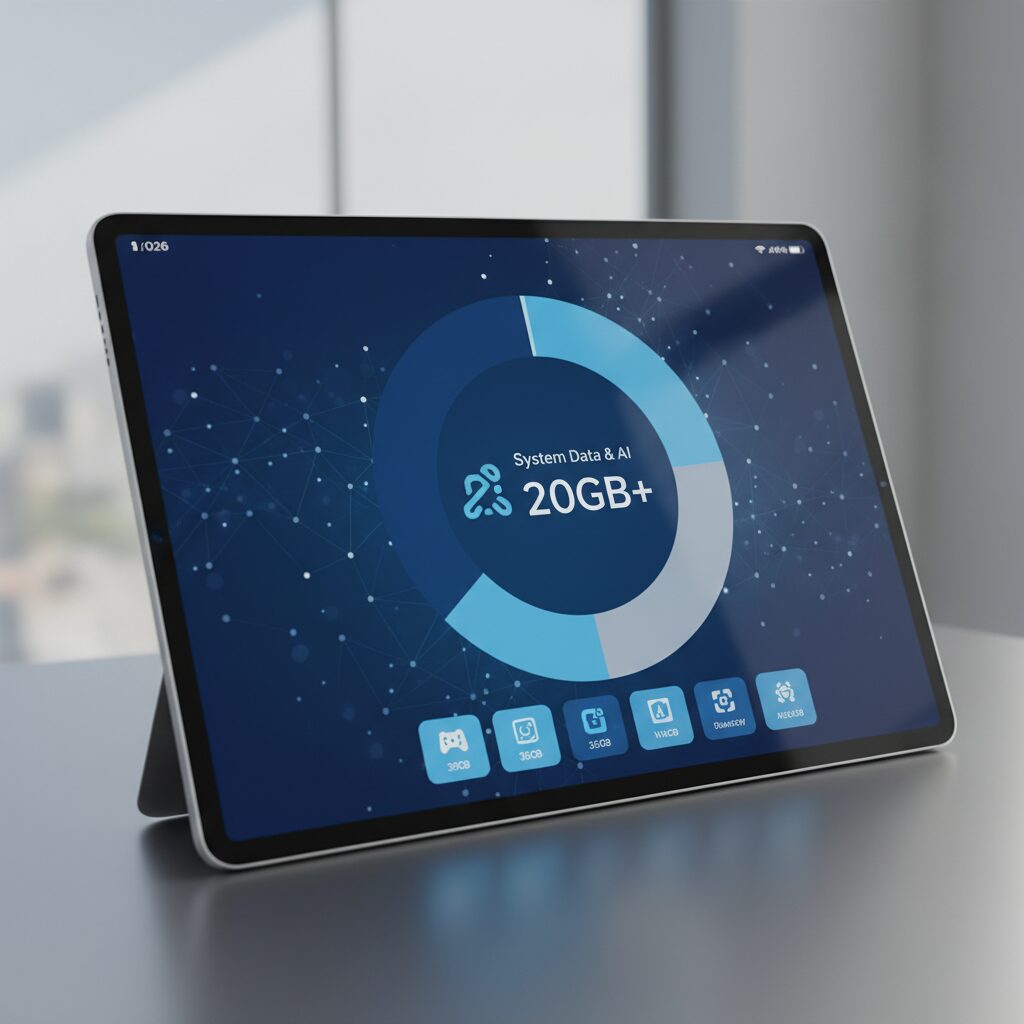
Modern tablets and smartphones no longer lose storage space only to your apps and photos. In 2026, the operating system itself has become one of the largest “apps” on the device, silently occupying 20GB or more before you install anything.
According to user reports cited by The Mac Observer and discussions on Apple Support Communities, a fresh installation of iPadOS 26 can consume roughly 15GB to 25GB for the core system alone. Android 16 devices show a similar upward trend as AI services and security layers expand in the background.
On a 64GB model, this means nearly half of the total capacity may be unavailable from day one.
| Category | Approx. 2021 | Approx. 2026 |
|---|---|---|
| Core OS | 5–8GB | 15–25GB |
| System Data (Cache/Logs) | 3–7GB | 10–30GB |
| Reserved Update Space | Minimal | 2–5GB |
The growth is structural, not accidental. Modern operating systems embed AI agents, on-device language models, advanced encryption stacks, and real-time threat detection. These components are not optional add-ons; they are deeply integrated into the kernel and system frameworks.
Apple has also introduced dedicated “reserved space” for automatic updates. This ensures smoother major upgrades, but it permanently withholds several gigabytes from user control. Technically, the system needs temporary working space to unpack and verify update packages, which explains this hidden allocation.
Another invisible drain is “System Data,” previously labeled as “Other.” This includes browser caches, streaming buffers, temporary render files, logs, and AI indexing data. As reported in large Reddit communities, some users see this category expand beyond 20GB after extended use.
The problem is not just size, but unpredictability. Even though iPadOS and Android attempt to purge unnecessary cache when storage runs low, AI-driven personalization complicates the decision about what is safe to delete. Data that seems temporary may still be referenced by search indexes or recommendation engines.
Performance guidelines further tighten the squeeze. Apple Support discussions indicate that several gigabytes of free space—often 4GB to 6GB—should remain available to maintain stability during updates and background operations. Without that buffer, devices may fail to install major OS releases.
In practical terms, a 64GB tablet in 2026 can start with less than 30GB of truly usable space after accounting for the OS, system data, reserved update storage, and recommended free capacity. That figure shrinks even more over time as logs, caches, and AI-related assets accumulate.
Operating systems no longer merely “run” your device. They continuously learn, index, cache, secure, and optimize in the background. That intelligence comes at a storage cost, and it is paid upfront—long before you download your first app.
System Data and Cache Bloat: The Hidden Storage Crisis Users Cannot Control
One of the most frustrating realities of a 64GB tablet in 2026 is not apps, games, or photos. It is the silent expansion of “System Data” and cache files that users cannot meaningfully control.
Even if you carefully manage every download, the operating system continues to consume space in the background. This creates a hidden storage crisis that feels both invisible and unavoidable.
How System Storage Quietly Expands
| Category | 2021 Avg. | 2026 Avg. | User Control |
|---|---|---|---|
| Core OS | 5–8GB | 15–25GB | None |
| System Data (Cache/Logs) | 3–7GB | 10–30GB | Very Limited |
| Update Reserved Space | 0GB | 2–5GB | None |
According to reports following the release of iPadOS 26, the base system alone can occupy up to 25GB on certain models. In addition, Apple now allocates reserved space for seamless updates, meaning several gigabytes are permanently set aside before you install a single app.
Technical guidance from Apple Support Communities indicates that 4GB to 6GB of free space should remain available for stable system operation. On a 64GB device, this reduces practical user storage to well under half of the advertised capacity.
The most controversial category is “System Data.” This includes browser caches, streaming buffers, temporary AI resources, and diagnostic logs. Multiple user discussions on Reddit and coverage by The Mac Observer highlight cases where this category alone expands beyond 20GB or even 30GB after updates.
Users cannot directly clear most of this data. While the OS claims to purge unnecessary files automatically when space runs low, personalization engines and AI-driven indexing complicate what the system considers “safe to delete.”
This leads to what many users describe as cache zombification. Files that were meant to be temporary remain indefinitely because the system predicts future reuse. The more you use the device, the more intelligent it becomes—and paradoxically, the more storage it hoards.
In practical terms, a 64GB tablet may show 50GB used even when personal apps and media account for only 20GB. The remaining 30GB sits in categories the user cannot meaningfully optimize.
From a marketing perspective, this gap between advertised storage and usable storage erodes trust. Consumers assume they are buying 64GB of freedom. In reality, they are buying perhaps 25–30GB of controllable space in 2026 conditions.
For power users and enthusiasts, this is not a minor inconvenience. It fundamentally limits experimentation with new apps, AI features, or creative workflows because the system itself competes for storage in ways that are opaque and non-negotiable.
The hidden crisis is not that storage fills up. It is that it fills up with data you cannot see, cannot manage, and cannot permanently remove. In an era where operating systems act as intelligent platforms rather than static software layers, system data growth has become the most restrictive bottleneck for low-capacity devices.
On-Device LLMs and AI Agents: Why 3–8GB Disappears Instantly

On-device LLMs and AI agents have fundamentally changed how tablet storage is consumed in 2026.
Unlike cloud-based assistants, these systems require model weights, runtime libraries, and indexing data to reside locally. The moment you activate advanced AI features, several gigabytes disappear without installing a single “app” in the traditional sense.
This is why 3–8GB vanishes almost instantly on modern AI-ready tablets.
Typical Local AI Storage Footprint (2026)
| Component | Typical Size | Why It’s Required |
|---|---|---|
| 7B–9B LLM (4-bit quantized) | 3GB–5GB | Core text reasoning model |
| Vision / multilingual layers | 1GB–2GB | Image + cross-language tasks |
| Local vector index | 0.5GB–1GB+ | Search + personalization |
According to SiliconFlow’s 2026 guide to lightweight mobile LLMs, even aggressively quantized 7B–8B models still occupy several gigabytes after deployment. That figure reflects compressed weights only. Once unpacked and integrated with system-level AI frameworks, total reserved storage expands further.
And that is just the baseline. When a device integrates multimodal models such as Qwen3-8B or Meta Llama 3.1 8B variants, additional layers for visual understanding and multilingual alignment add more persistent data blocks.
AI agents also generate their own data over time.
To deliver contextual search, writing suggestions, or cross-app summaries, the system builds local embeddings and behavioral indexes. These vector databases quietly grow as your files, messages, and notes increase. Unlike cache files that can be safely purged, these indexes are part of the intelligence layer itself.
Hardware constraints make this even more demanding. As Micro Center’s 2026 local LLM performance testing shows, efficient inference depends on fast storage pipelines to stream weights into memory. That is why modern AI tablets rely on NVMe or UFS 4.0. Slower storage not only limits performance but can also increase temporary working data size during inference cycles.
In practical terms, activating a built-in AI suite may reserve:
3–5GB for the base model
1–2GB for multimodal extensions
Up to 1GB for personalization data within months of use
That is how 64GB devices lose nearly 10% of total capacity to intelligence alone.
The shift is structural. Storage is no longer just for photos, games, or documents. It now houses a reasoning engine. And reasoning engines are heavy.
If your tablet is marketed as “AI-powered,” assume several gigabytes are permanently spoken for before you download anything else.
This is not bloat. It is the cost of running private, low-latency, offline-capable intelligence directly on your device.
In 2026, intelligence itself occupies storage space, and that reality redefines what “entry-level capacity” truly means.
Storage Speed Matters: UFS 4.0, NVMe, and AI Performance Bottlenecks
When discussing storage in 2026, capacity alone is no longer the full story. The speed and architecture of storage directly influence AI responsiveness, multitasking stability, and even system update reliability.
On-device AI, especially lightweight 7B–9B class LLMs highlighted by SiliconFlow and Micro Center, constantly streams model weights and intermediate tensors between storage and RAM. If that pipeline slows down, the entire inference experience degrades.
UFS 4.0 vs NVMe vs Legacy Storage
| Storage Type | Typical Use in 2026 Tablets | AI Workload Suitability |
|---|---|---|
| NVMe (custom, Apple) | iPad 11th Gen and above | Excellent sustained throughput, low latency |
| UFS 4.0 | Galaxy Tab S11, Xiaomi Pad 7 Pro | High bandwidth, optimized for parallel reads |
| UFS 2.2 / eMMC | Entry-level / 64GB models | Potential bottleneck under AI + game loads |
Modern LLM inference is I/O intensive during model loading and context expansion. Even a 4-bit quantized 8B model can occupy 3–5GB permanently. When the system must frequently swap memory due to limited RAM, fast sequential and random read performance becomes critical.
If storage latency spikes, token generation speed drops, UI stutters increase, and background tasks such as indexing or system updates compete for bandwidth. This is not theoretical. Community reports after major OS updates show that low-capacity devices with older storage standards experience slower AI feature initialization and longer cold-start times.
UFS 4.0 significantly improves parallelism and power efficiency compared to UFS 2.x generations. That matters because AI inference does not read one large file once. It repeatedly accesses fragmented model shards, vector databases, and cache layers.
NVMe-based architectures, such as those used in recent iPads, benefit from deeper queue depths and lower command latency. For AI-assisted photo editing or real-time language translation, this translates into faster model warm-up and smoother batch processing.
Gaming further amplifies the issue. Titles like Zenless Zone Zero require large asset streaming pipelines. When a device simultaneously handles high-resolution textures and background AI indexing, slower storage can trigger frame pacing instability.
External storage does not solve this bottleneck. As Android 16 tightens execution controls and iPadOS treats external drives as separate volumes, AI models and active app assets must reside internally. Latency-sensitive workloads cannot rely on slower removable media.
For enthusiasts evaluating tablets this year, the takeaway is clear. Choosing 128GB or 256GB is important, but choosing UFS 4.0 or NVMe over legacy eMMC may have an even greater impact on real-world AI performance.
In an era where tablets function as inference machines rather than passive viewers, storage throughput defines whether AI feels instantaneous or frustratingly delayed.
The 30GB Mobile Game Era: Zenless Zone Zero, Genshin Impact, and Beyond
The scale of today’s flagship mobile games has quietly redefined what “entry-level storage” means. Titles like Zenless Zone Zero and Genshin Impact are no longer lightweight apps you install casually. They are persistent, ever-expanding platforms that treat your tablet like a console.
According to HoYoverse’s official support documentation, Zenless Zone Zero on mobile requires roughly 20GB to 27GB at initial installation, with additional free space recommended for decompression and future patches. Community reports on Reddit and HoYoLAB consistently show total footprints exceeding 30GB after updates.
This effectively marks the arrival of the 30GB mobile game era. On a 64GB tablet running a modern OS that already consumes around 15GB to 25GB, a single AAA game can dominate the remaining usable space.
| Title | Initial Install (Mobile) | Post-Update Reality |
|---|---|---|
| Zenless Zone Zero | 20GB–27GB | 30GB+ with patches |
| Genshin Impact | 20GB+ (varies by region) | 30GB+ over time |
Eurogamer’s system requirement breakdown for Zenless Zone Zero highlights how even PC builds demand massive storage once decompression and asset streaming are factored in. Mobile versions are optimized, but structurally similar: high-resolution textures, voiced story content, live-service events, and preloaded assets for seamless exploration.
What makes this shift more dramatic is the live-service model. These games are not static downloads. Seasonal events, new regions, additional voice packs, and limited-time assets accumulate over months. Even when developers provide optional resource deletion for completed quests, long-term cache growth often erodes the gains.
A 30GB game is not a peak—it is a baseline that trends upward.
For a 64GB device, the math becomes unforgiving. After reserving space for the OS, system data, and recommended free capacity for stable updates, users may be left with roughly 30GB of practical storage. Installing one flagship game can consume nearly all of it, leaving no room for 4K video clips, creative apps, or even major OS upgrades.
This constraint directly affects user behavior. Players delay system updates to preserve space. They uninstall and reinstall titles around major patches. Some report update failures due to insufficient temporary storage during pre-download phases, a requirement frequently discussed in community forums.
From a performance standpoint, large open-world or instance-based action games also rely heavily on fast internal storage. Asset streaming during combat or city traversal assumes low-latency access. Running close to full capacity can degrade write speeds and impact patch stability, particularly on lower-tier storage standards.
The broader implication is cultural as much as technical. Mobile gaming has crossed into console territory in scope and ambition. Cinematic storytelling, fully voiced cutscenes, and real-time 3D combat engines are no longer exceptional—they are expected.
In this environment, storage is not just about quantity. It is about sustaining an evolving entertainment ecosystem.
As flagship titles normalize 30GB footprints and beyond, the definition of a “viable gaming tablet” shifts upward. What once supported dozens of casual apps now struggles to host a single premium universe. For enthusiasts who see their tablet as a primary gaming device, 128GB increasingly feels like the new floor rather than a luxury upgrade.
4K Video, Digital Art, and Pro Workflows: When Creativity Hits the 64GB Wall
When you move from content consumption to creation, 64GB stops being a number and starts becoming a hard limit. In 2026, tablets are routinely used for 4K video editing, multilayer digital illustration, and even AI-assisted production. In these workflows, storage is not just a container for files; it is an active workspace.
According to iMore, a single 10-minute 4K/60fps video can occupy roughly 4GB to 6GB, depending on codec and bitrate. That means importing just 30 minutes of raw footage may instantly consume 15GB or more before you even begin editing.
On a 64GB device where the OS and system data already take around 30GB, creative headroom disappears almost immediately.
| Creative Asset | Typical Size (2026) | Impact on 64GB Model |
|---|---|---|
| 4K/60fps video (10 min) | 4GB–6GB | Up to 20% of free space |
| AAA mobile game | 25GB–40GB | Consumes majority of usable storage |
| Lightweight on-device LLM | 3GB–5GB | Permanent system allocation |
| High-res illustration project | 500MB–2GB+ | Multiplies with versions and exports |
Digital artists face a similar constraint. Apps like Procreate and Adobe Fresco allow massive canvas sizes and dozens, sometimes hundreds, of layers. As reported in storage guidance for 2026 iPads, complex illustration files can easily reach several gigabytes when high DPI, time-lapse data, and embedded textures are included.
Unlike photos, these are not static assets. Each duplicate, version history, or exported PSD compounds the footprint. Creative iteration itself becomes storage-intensive.
Video editing makes the situation even more severe because of render caches. Even if you record to an external SSD on supported models, temporary render files and preview caches are still generated internally. During color grading or applying AI-based upscaling, the system may create additional gigabytes of transient data.
If free space drops below the 4GB to 6GB buffer recommended in Apple Support Communities for stable updates and operation, performance degradation is not theoretical. Timeline scrubbing slows down, exports fail, and apps may force-close.
Professional workflows also increasingly integrate on-device AI. Lightweight 7B to 9B parameter models, even when 4-bit quantized as described by SiliconFlow and Micro Center analyses, require roughly 3GB to 5GB of storage. When these models coexist with 4K assets, the device is effectively juggling multiple “heavy” workloads.
This tension changes user behavior. Instead of focusing on storytelling, composition, or client deadlines, creators are forced into constant file triage: deleting old renders, offloading drafts, compressing source material. The friction interrupts flow state, which is critical in professional and artistic contexts.
In practical terms, 128GB becomes the minimum viable baseline for serious 4K or illustration work in 2026, while 256GB or more provides breathing room for multi-project pipelines. Without that margin, the 64GB wall is not a minor inconvenience. It is a structural barrier that reshapes what kind of creative ambition your tablet can realistically sustain.
Education at Scale: Chromebook Dominance and the 64GB Budget Dilemma
In 2026, education is where the 64GB debate becomes painfully real. As large-scale device deployments accelerate, schools are forced to balance tight budgets with rapidly expanding digital demands. The result is a structural tension between Chromebook dominance and the growing inadequacy of entry-level storage.
According to MM Research Institute, Chromebook accounts for roughly 60% of device procurement in Japan’s second phase of the GIGA School initiative (2025–2026). This dominance is not accidental. ChromeOS was designed around cloud-first principles, reducing reliance on local storage and simplifying fleet management.
| Phase | Main OS Share | Key Selection Factor |
|---|---|---|
| GIGA Phase 1 | Three-way balance | Initial rollout speed |
| GIGA Phase 2 | Google ~60% | Operational simplicity |
However, the budget ceiling of ¥55,000 per device creates a serious constraint. With inflation and semiconductor costs rising, municipalities must choose between upgrading to 128GB storage or preserving CPU performance, durability, and support cycles. In many cases, 64GB remains the only way to stay within subsidy limits.
This is where the dilemma emerges. While ChromeOS is lighter than Windows, educational usage in 2026 is no longer limited to browser-based worksheets. Offline digital textbooks, video assignments, coding environments, and AI-assisted tools increasingly require local caching and persistent data storage.
Teachers on the ground report that even Chromebooks begin to struggle when system updates, student-created videos, and cached learning materials accumulate. Unlike the early cloud-only model, modern classrooms demand hybrid functionality. Offline access during connectivity disruptions is not optional; it is essential for instructional continuity.
Windows devices illustrate the risk even more clearly. MM Research notes Windows share dropping to around 10% in Phase 2. The reason is operational friction: large OS updates and background processes frequently failed on low-capacity 64GB models, disrupting lessons and increasing IT management burden.
From an administrative perspective, storage shortages translate into hidden costs. IT staff must manually clear devices, reimage systems, or manage update scheduling to avoid classroom downtime. What appears to be a small hardware savings can evolve into ongoing maintenance overhead.
At scale, even minor inefficiencies multiply dramatically. When thousands of units are deployed, each gigabyte constraint compounds across an entire district.
The paradox is clear. Chromebooks dominate because they are easier to operate under constrained budgets. Yet as educational software becomes richer and AI-assisted learning expands, 64GB increasingly contradicts the five-year lifecycle schools expect from these devices.
Education at scale exposes what individual consumers might tolerate: storage is no longer a marginal spec. In large deployments, it becomes infrastructure. And infrastructure decisions made under budget pressure today will shape the digital learning experience for years to come.
Resale Value Collapse: Why 64GB Models Depreciate Faster in 2026
In 2026, resale value is no longer determined by brand alone. Storage capacity has become the decisive factor, and 64GB models are depreciating at a visibly faster pace in secondary markets.
The reason is structural. Modern operating systems such as iPadOS 26 already consume 15GB to 25GB at the core level, and system data can expand to 20GB or more, as reported by The Mac Observer and widely discussed in Apple Support Communities. That leaves dramatically less usable space on a 64GB device from day one.
Buyers in the used market understand this reality. As a result, they discount 64GB units aggressively to compensate for the limited remaining lifecycle.
| Model Tier | Launch Price Gap | 2026 Resale Gap |
|---|---|---|
| 64GB vs 128GB (same gen) | Modest difference at retail | Significantly wider spread in buyback pricing |
| Older 64GB gen | Entry positioning | Sharp demand decline |
Data from Japanese resale platforms such as イオシス and buyback comparison services featured by おいくら show that capacity tiers now influence valuation more than cosmetic condition in many listings. The price gap between 64GB and 128GB models often exceeds the original retail upgrade cost.
This happens because second-hand buyers factor in future OS updates, AI model storage requirements, and large app footprints. Lightweight mobile LLMs alone can require 3GB to 5GB of persistent storage, according to industry analyses of mobile AI deployments. Installing even one AAA mobile game, which frequently exceeds 25GB, can push a 64GB device into chronic low-storage warnings.
In resale economics, predictability equals value. A 128GB device offers headroom for updates and AI features. A 64GB device signals risk.
There is also a supply-side issue. After major OS updates, users experiencing storage instability are more likely to sell their 64GB units. This creates oversupply in the used market. When supply rises while informed demand falls, price erosion accelerates.
Meanwhile, newer base models such as the 128GB iPad (11th generation) have reset buyer expectations. Once manufacturers standardize higher capacities, the previous entry tier becomes psychologically obsolete. What was “enough” two years ago now feels constrained.
The depreciation curve therefore shortens. Instead of a typical three-to-five-year value retention cycle, many 64GB tablets effectively enter steep decline after two years, when OS growth and AI integration outpace storage limits.
For buyers focused on total cost of ownership, this shift is critical. The initial savings of choosing 64GB are frequently offset by lower resale recovery and earlier replacement. In 2026, the market treats 64GB not as an entry advantage, but as a lifecycle liability.
Why MicroSD and Cloud Storage Cannot Fully Replace Internal Capacity
At first glance, microSD cards and cloud storage seem like convenient escape routes when internal capacity runs out. They are inexpensive, widely available, and heavily marketed as flexible solutions. However, in the 2026 tablet environment shaped by on-device AI and massive applications, they function only as supplements, not substitutes.
The core limitation is architectural. Modern operating systems are designed to treat internal storage as the primary execution layer for apps, AI models, and system data. External or remote storage sits outside that performance and security boundary, which creates structural constraints that users cannot override.
| Storage Type | App Installation | AI Model Execution | Latency Profile |
|---|---|---|---|
| Internal (NVMe / UFS 4.0) | Fully supported | Fully supported | Ultra-low |
| microSD | Restricted in Android 16+ | Not suitable | Higher, variable |
| Cloud Storage | Streaming only | Not possible offline | Network dependent |
With Android 16, Google has tightened restrictions on installing and executing applications from external storage, prioritizing security and AI stability. As reported by Gadget Hacks, sideloading remains possible for power users, but execution environments increasingly favor protected internal partitions. This means large games and AI-heavy apps must reside internally to function reliably.
Latency is another decisive factor. Lightweight mobile LLMs in the 7B–9B class still occupy several gigabytes even after quantization, and they continuously stream weights into RAM during inference. According to SiliconFlow’s 2026 mobile LLM guide, stable local inference depends on fast storage pipelines. microSD cards, especially those bundled with entry-level tablets, cannot match NVMe or UFS 4.0 throughput, leading to stalls or crashes.
Cloud storage introduces a different dependency: connectivity. While services such as iCloud and Google Drive offer “optimized storage,” access speed is bound to network quality. Even in countries with strong 5G coverage, underground transit, school networks, and data caps create unpredictable bottlenecks. Internal storage guarantees instant, offline access. Cloud storage never does.
There is also a cost illusion at play. A 200GB cloud plan paid monthly over several years can exceed the upfront price difference between 64GB and 128GB models. What appears cheaper initially becomes more expensive over the device lifecycle.
External SSDs improve speed but introduce usability friction. On iPadOS 26, external drives are mounted as separate volumes within the Files app, not merged into the system partition. Applications cannot freely designate them as working directories for core processes, and power draw increases during sustained transfers. As discussed in Apple Support Communities, even OS updates may fail when sufficient internal space is unavailable, regardless of external capacity.
Ultimately, microSD cards and cloud services excel at archiving photos or backing up finished projects. They do not solve the real constraint: operating systems, AI engines, and high-end apps demand fast, always-available internal space. In the 2026 computing paradigm, internal storage is not just capacity—it is infrastructure.
For power users who rely on generative AI, AAA mobile games, or creative workflows, treating external solutions as replacements rather than complements inevitably leads to performance compromises and workflow interruptions.
Manufacturers Are Phasing Out 64GB: Apple, Samsung, and the 128GB Baseline
In 2026, leading manufacturers are no longer treating 64GB as a viable baseline. Instead, 128GB has effectively become the new entry standard, especially among global brands such as Apple and Samsung.
This shift is not cosmetic. It reflects structural changes in operating systems, AI integration, and content size that make 64GB increasingly impractical for mainstream users.
| Manufacturer | 2026 Main Model | Minimum Storage | Storage Standard |
|---|---|---|---|
| Apple | iPad (11th Gen) | 128GB | NVMe (Custom) |
| Samsung | Galaxy Tab S11 | 256GB | UFS 4.0 |
| Xiaomi | Pad 7 Pro | 128GB | UFS 4.0 |
Apple made a decisive move with the iPad (11th generation), raising the base configuration to 128GB. According to product coverage and specification breakdowns, this change aligns with the company’s broader rollout of on-device AI features. A 64GB base simply cannot sustain modern system data, AI models, and user apps simultaneously without compromising experience.
Samsung has gone even further in the premium segment. The Galaxy Tab S11 series starts at 256GB with UFS 4.0 storage, reflecting the expectation that users will install large creative apps, AI features, and high-resolution media. Industry roundups such as CNET’s 2026 tablet recommendations highlight how mid-to-high-tier Android tablets now treat 128GB as the minimum, not the upgrade.
This transition is also about performance tiering. Entry-level 64GB models have often been paired with older eMMC or slower storage standards. In contrast, 128GB and above configurations increasingly ship with NVMe or UFS 4.0, ensuring faster data throughput required for AI inference and heavy multitasking. Capacity and speed are now strategically bundled.
As a result, 64GB devices are being repositioned rather than promoted. Some regional brands still offer them, but typically for narrow use cases such as browsing, streaming, or lightweight document work. They are no longer marketed as future-proof general-purpose tablets.
From a lifecycle perspective, manufacturers appear to acknowledge a new baseline reality: tablets are expected to remain functional for three to five years. Shipping a 64GB device in 2026 would almost guarantee storage pressure within a short time frame due to OS expansion and AI feature updates. Raising the baseline to 128GB reduces support friction, update failures, and customer dissatisfaction.
In other words, the phase-out of 64GB is not merely about upselling. It represents an ecosystem-level recalibration. Apple, Samsung, and other major players are standardizing around 128GB because the modern tablet is no longer a lightweight consumption device—it is an AI-enabled computing platform that demands breathing room.
Choosing the Right Capacity in 2026: 128GB as Minimum, 256GB as Realistic Standard
In 2026, choosing storage is no longer a minor spec decision. It directly determines how long your tablet will remain usable and how fully you can benefit from on-device AI, high-end apps, and large-scale content.
Based on current OS requirements, AI model sizes, and real-world app footprints, the practical baseline has shifted upward. 128GB is now the functional minimum, while 256GB has become the realistic standard for enthusiasts.
How Much Space Do You Really Control?
| Nominal Capacity | Usable After OS & System | Practical Outcome in 2026 |
|---|---|---|
| 64GB | Often under 30GB | Severe limitations |
| 128GB | 80–90GB range | Minimum viable |
| 256GB | 200GB+ range | Comfortable headroom |
With iPadOS 26 and Android 16, the operating system alone can consume 15GB to 25GB, and system data may grow into the 10GB to 30GB range over time, as reported by The Mac Observer and user discussions on Apple Support Communities. When you also reserve 4GB to 6GB of free space for stable updates, 64GB models leave shockingly little room for actual use.
That is why 128GB should be considered the entry point. It provides enough margin for one large game, several creative apps, and the local AI components that are now embedded in modern platforms.
Lightweight mobile LLMs in the 7B to 9B class, even when quantized, typically require several gigabytes of storage according to industry overviews such as SiliconFlow’s 2026 guide. Add vector indexes and AI-related caches, and a single feature set can quietly occupy 5GB or more.
On 128GB devices, this is manageable. On 64GB devices, it becomes suffocating.
However, if you are the type of reader deeply interested in gadgets, games, or creative workflows, 256GB is where the experience changes qualitatively.
AAA mobile titles like Zenless Zone Zero can exceed 20GB at installation and require additional free space for updates, as documented by HoYoverse’s official support materials. A couple of such titles, combined with 4K video clips that easily reach 4GB to 6GB per ten minutes, will quickly erode a 128GB configuration.
256GB is not about excess. It is about eliminating constant trade-offs. You no longer need to delete projects before a trip, offload a game before a major update, or micromanage AI features to avoid storage warnings.
There is also a strategic dimension. Apple has moved its base iPad to 128GB, and many midrange Android tablets now start at 128GB or 256GB. The market itself signals that 64GB belongs to a constrained, single-purpose tier.
For a device expected to last three to five years, storage should be selected with future OS growth and AI expansion in mind. In that context, 128GB keeps you in the game. 256GB keeps you comfortable throughout the lifecycle.
In 2026, capacity is no longer about how many photos you store. It is about whether your tablet can fully participate in the next generation of computing.
参考文献
- The Mac Observer:iPad Users Say ‘System Data’ Is Out of Control After iPadOS 26 Update
- Apple Support Communities:Insufficient storage for iPadOS 26 update on 64GB iPad Pro
- SiliconFlow:Ultimate Guide – The Best Lightweight LLMs for Mobile Devices in 2026
- HoYoverse Help Center:What are the storage requirements for Zenless Zone Zero
- iMore:Which iPad storage size should you get in 2026?
- Impress Watch (EDU Watch):GIGA端末の更新需要は2025年度と2026年度に分散、MM総研調査
- CNET:Best Tablets in 2026: Top Picks from Apple, Samsung and Amazon