Smartphone photography in 2026 is no longer just about tapping the shutter and sharing instantly on social media. It has evolved into a powerful creative workflow where RAW capture, AI processing, and desktop-class editing tools fit in your pocket.
Flagship devices like the iPhone 17 Pro Max, Galaxy S26 Ultra, Pixel 10 Pro, and Xperia 1 VII now offer 12-bit to 16-bit RAW pipelines, larger sensors close to 1-inch class, and 3nm chipsets capable of processing massive 48MP to 200MP files in real time. What was once reserved for DSLR and mirrorless cameras is now accessible to beginners who want true control over exposure, color, and dynamic range.
In this comprehensive guide, you will learn how mobile RAW works, how each major brand approaches AI and computational photography, what real-world user data reveals about shooting habits, and how to build an efficient workflow using tools like Lightroom Mobile. If you are serious about mobile imaging, this article will help you understand where the technology stands in 2026 and how to take full advantage of it.
- What RAW Photography Means on Smartphones in 2026
- Sensor Evolution: From 1/1.3-Inch to Near 1-Inch and 12–16-Bit Depth
- Apple’s ProRAW Strategy: Computational Photography Meets Linear DNG
- Samsung Galaxy S26 Ultra and Expert RAW: 200MP and AI Control
- Google Pixel 10 and the AI-First RAW Workflow with HDR+
- Sony Xperia 1 VII: Authentic Capture with Minimal AI Intervention
- The Tension Between AI Processing and Pure RAW Data
- User Data and Market Trends: What Real Surveys Reveal About Camera Usage
- Storage, Cloud, and the Economics of Shooting Large RAW Files
- Beginner Workflow: Exposure Control, Histograms, and Shooting Discipline
- Editing in 2026: Lightroom Mobile, AI Noise Reduction, and Masking
- Chipsets, Battery, and Display: Hardware That Shapes the RAW Experience
- Expert Opinions: Can Smartphones Rival Entry-Level Mirrorless Cameras?
- Accessories and Ecosystem: SSD Recording, ND Filters, and Cooling Systems
- Future Outlook: The Next Phase of RAW and AI Integration Beyond 2026
- 参考文献
What RAW Photography Means on Smartphones in 2026
In 2026, RAW photography on smartphones no longer means a niche feature hidden inside a “Pro” menu. It means capturing the unprocessed data straight from the image sensor, before irreversible steps such as demosaicing, noise reduction, sharpening, and white balance baking are finalized.
Instead of receiving a finished JPEG, you receive a digital negative—most commonly in DNG format—preserving 12-bit to 14-bit tonal information. This deeper bit depth allows you to adjust exposure and color with significantly less degradation than compressed formats.
The technical foundation behind this shift is equally important. Flagship devices in 2026 commonly feature large sensors ranging from 1/1.3-inch to nearly 1-inch class, combined with advanced designs such as Sony’s stacked CMOS technologies. These improvements expand dynamic range and reduce noise at the hardware level.
At the same time, 3nm-class chipsets such as Apple’s A19 Pro, Snapdragon 8 Elite, and Google’s Tensor G5 process massive RAW files without noticeable delay. According to device comparisons published by GSMArena and Android-focused industry reports, 48MP to 200MP RAW capture is now handled in real time on flagship models.
| Format | Processing Level | Editing Flexibility |
|---|---|---|
| JPEG | Fully processed in-camera | Limited recovery of highlights and shadows |
| Standard DNG RAW | Minimal irreversible processing | High latitude for exposure and color grading |
| Hybrid RAW (e.g., ProRAW) | Computational data embedded as metadata | High flexibility with AI-assisted baseline |
Another defining characteristic in 2026 is the coexistence of computational photography and RAW. Apple’s ProRAW, Samsung’s Expert RAW, and Google’s HDR+ based DNG files often include multi-frame data and tone mapping information while retaining editable latitude. As discussed in industry commentary from PhoneArena and developer insights from ProCamera, this hybrid approach attempts to balance authenticity and computational enhancement.
For users, this means RAW is no longer purely “untouched.” Instead, it represents a spectrum—from minimally processed sensor data to AI-assisted but fully editable files. Understanding where your device sits on that spectrum is now part of photographic literacy.
In practical terms, RAW photography on smartphones in 2026 means three things: greater dynamic range retention, deeper color grading control, and improved recovery of shadows in challenging scenes such as night cityscapes or indoor environments. These advantages directly address common user frustrations identified in Japanese market research by MMD Lab, particularly dissatisfaction with low-light quality.
Ultimately, RAW in 2026 is less about imitating DSLR workflows and more about transforming the smartphone into a portable digital darkroom. You are not just pressing a shutter—you are capturing flexible data designed for interpretation, refinement, and long-term creative control.
Sensor Evolution: From 1/1.3-Inch to Near 1-Inch and 12–16-Bit Depth
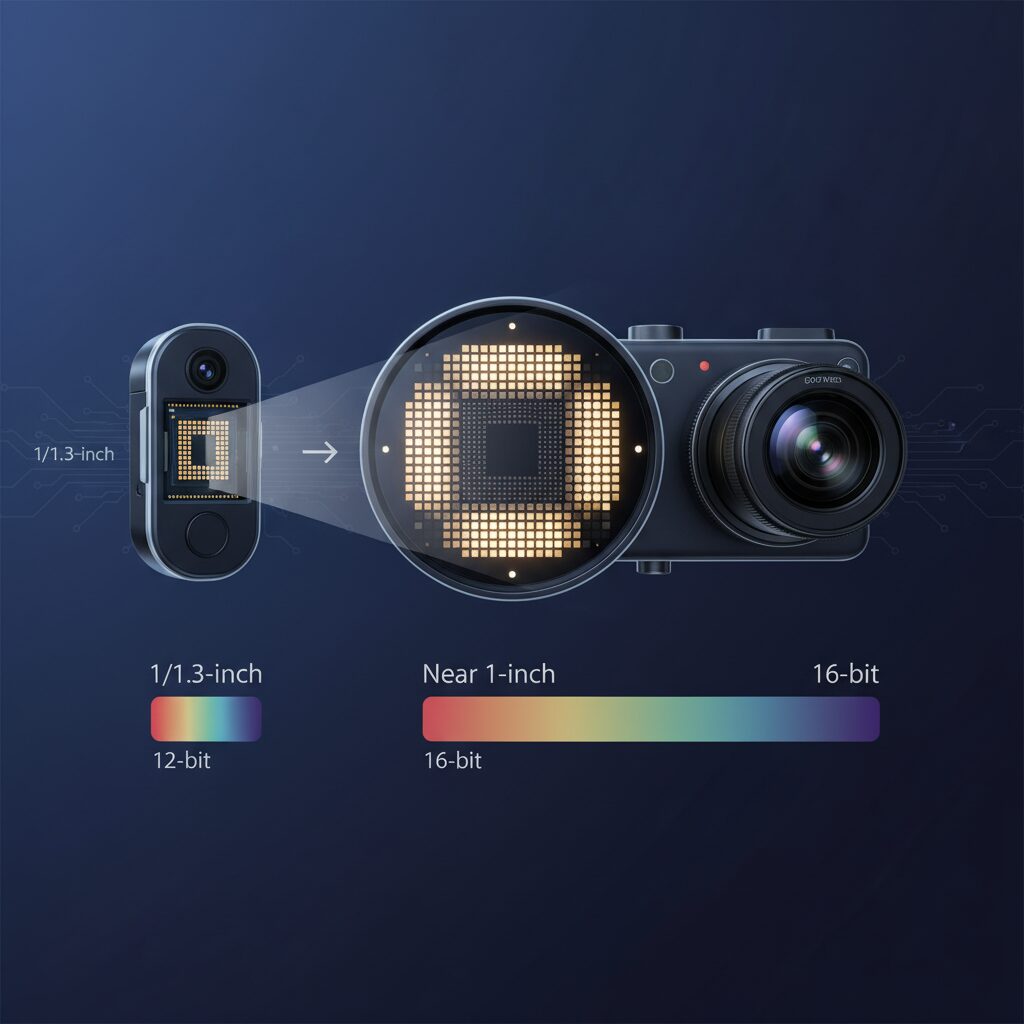
In 2026, smartphone camera evolution is defined not just by megapixels, but by a dramatic shift in sensor size and bit depth. The move from 1/1.3-inch class sensors toward near 1-inch territory fundamentally changes how much light each pixel can capture.
Light is the raw material of photography, and a larger sensor physically gathers more photons per exposure. That translates into lower noise, smoother tonal transitions, and greater flexibility when editing RAW files.
According to multiple device comparisons published in early 2026, flagship models such as the iPhone 17 Pro Max, Galaxy S26 Ultra, Pixel 10 Pro XL, and Xperia 1 VII now cluster between 1/1.35-inch and approximately 1/1.12-inch sensors, approaching the long-symbolic 1-inch benchmark.
| Model | Main Sensor Size | Max RAW Bit Depth |
|---|---|---|
| iPhone 17 Pro Max | 1/1.28-inch | 12-bit |
| Galaxy S26 Ultra | ~1/1.12-inch | Up to 16-bit (processing) |
| Pixel 10 Pro XL | 1/1.31-inch | 12-bit |
| Xperia 1 VII | 1/1.35-inch | 12-bit |
This gradual enlargement may look incremental on paper, but in practice it reshapes dynamic range performance. Sony’s Exmor T for mobile, a stacked CMOS design with a two-layer transistor structure, improves light efficiency within limited physical space. Reviews of the Xperia 1 VII highlight noticeable gains in shadow detail retention compared to earlier generations.
Bit depth is the second half of this evolution. A 12-bit RAW file can theoretically encode 4,096 tonal levels per channel, while 14-bit reaches 16,384 levels. Samsung’s 16-bit computational pipeline, used in its Expert RAW workflow, further expands tonal precision during processing.
More bits mean smoother gradients in skies, cleaner highlight roll-off, and greater latitude in exposure recovery. When lifting shadows by two or three stops in post, the difference between compressed 8-bit JPEG and 12–16-bit RAW becomes immediately visible.
Industry commentary and comparative testing in 2026 consistently show that dynamic range gains are no longer solely software-driven. Hardware foundations—sensor surface area and readout precision—now provide the baseline quality upon which computational methods operate.
For enthusiasts, this convergence of near 1-inch sensors and deeper bit pipelines marks a turning point. Smartphones are no longer compensating for small sensors purely with AI; they are capturing fundamentally richer data at the source. That richer data is what makes modern mobile RAW editing feel closer than ever to working with dedicated camera files.
Apple’s ProRAW Strategy: Computational Photography Meets Linear DNG
Apple’s ProRAW represents a deliberate hybrid strategy where computational photography is fused with a Linear DNG container, rather than replaced by it. Unlike traditional RAW that records minimally processed sensor data, ProRAW integrates the results of Smart HDR, Deep Fusion, and Night mode into metadata while preserving 12-bit tonal depth. According to discussions referenced by Reddit’s iPhoneography community and industry comparisons, this approach gives users wider editing latitude without discarding Apple’s multi-frame processing advantages.
At the hardware level, devices such as the iPhone 17 Pro Max pair a 48MP 1/1.28-inch sensor with the A19 Pro chip, enabling high-resolution ProRAW capture with minimal shutter lag. The ISP performs complex frame alignment and noise reduction before the file is written as Linear DNG, meaning the image retains demosaiced linear data rather than a heavily compressed JPEG. This balance allows beginners to access computational benefits while professionals maintain granular control in Lightroom Mobile.
| Aspect | Traditional RAW | Apple ProRAW |
|---|---|---|
| Processing | Minimal in-camera | Multi-frame + HDR applied |
| Bit Depth | 12–14-bit typical | 12-bit Linear DNG |
| Edit Flexibility | High | High with Apple tone mapping metadata |
Importantly, ProRAW does not “bake in” extreme color shifts but stores Apple’s tone decisions as adjustable parameters. As noted in workflow guides such as No Camera Bag’s Lightroom Mobile analysis, applying Apple-specific profiles recreates the intended look while allowing full exposure and white balance recovery. This design illustrates Apple’s core philosophy: computational intelligence should enhance RAW, not replace creative intent.
Samsung Galaxy S26 Ultra and Expert RAW: 200MP and AI Control

The Galaxy S26 Ultra approaches mobile RAW photography with a clear ambition: combine a 200MP sensor with deep AI control, while still giving users room to decide how much computation they want. In 2026, this balance has become a decisive factor for enthusiasts who care about texture, dynamic range, and post-processing flexibility.
At the heart of this system is a 200MP main camera paired with the Snapdragon 8 Elite. According to comparative hardware reports from GSMArena and Android-focused benchmarks, Samsung leverages a powerful image signal processor capable of handling extremely high-resolution RAW streams without perceptible shutter lag.
This means you are not just capturing more pixels—you are capturing more editable data per frame.
200MP Sensor and RAW Processing Architecture
| Feature | Galaxy S26 Ultra | Practical Impact |
|---|---|---|
| Main Resolution | 200MP | High-detail cropping flexibility |
| Sensor Size | Approx. 1/1.12 inch | Improved light gathering |
| RAW Depth (Processing) | Up to 16-bit (computational) | Expanded tonal gradation |
| Chipset | Snapdragon 8 Elite (3nm) | Faster multi-frame RAW fusion |
The 200MP count is not merely about marketing resolution. In Expert RAW mode, Samsung uses multi-frame stacking to enhance dynamic range before generating a DNG file. Industry commentary, including coverage by PhoneArena, notes that this hybrid approach aims to reduce noise while preserving highlight and shadow latitude.
For photographers who frequently crop wildlife, aircraft, or street details, the extra resolution functions almost like a secondary zoom tool. Even after significant cropping, the remaining file can retain enough detail for high-resolution social or print output.
The key advantage is compositional freedom after the shot, not just sharper images straight out of camera.
Expert RAW and AI Control
Samsung separates its standard camera app from the more advanced Expert RAW app. This two-layer structure allows casual users to rely on automatic optimization, while advanced users can adjust parameters more deliberately.
In the 2026 update, Expert RAW introduces finer control over AI-driven sharpening and HDR intensity. Reports from industry reviewers indicate that users can effectively move closer to an “AI-minimized” output, reducing the overly crisp or artificially vibrant look sometimes associated with computational photography.
This matters because high-resolution sensors amplify both strengths and flaws. Over-sharpening at 200MP can produce unnatural micro-contrast, while excessive HDR can flatten depth. The ability to moderate these effects gives creators more authority over tonal transitions and texture realism.
Another distinctive strength is S Pen integration. When editing 200MP DNG files in Lightroom Mobile, precise masking and localized adjustments become significantly easier. Fine-tuning aircraft fuselage reflections or selectively lifting shadow detail in architectural lines feels more tactile compared to finger-only editing.
In practical workflows, the S26 Ultra therefore becomes not only a capture device but a mobile digital darkroom. Combined with fast wired charging and efficient 3nm processing, extended RAW shooting sessions are more sustainable than previous generations.
Ultimately, the Galaxy S26 Ultra positions its 200MP sensor and Expert RAW app as a flexible ecosystem. You can lean into AI assistance for cleaner night shots, or deliberately reduce computational influence for authenticity. This adjustable balance between resolution and restraint defines Samsung’s 2026 RAW philosophy.
Google Pixel 10 and the AI-First RAW Workflow with HDR+
Google Pixel 10 takes a distinctly AI-first approach to RAW photography, centering its workflow around the evolution of HDR+. Rather than treating RAW as a completely untouched sensor dump, Pixel 10’s DNG files are deeply integrated with Google’s multi-frame computational pipeline. This design reflects Google’s long-standing philosophy: capture more data through intelligence, not just hardware size.
At the heart of this system is the Tensor G5 chip, built on a 3nm process and optimized for on-device AI acceleration. According to device comparisons reported by Android-focused industry media, Pixel 10 leverages this chip to execute complex HDR+ frame alignment and merging almost instantly, even before the user reviews the shot. This means that what you perceive as a single shutter press is actually the fusion of multiple exposures.
How HDR+ Shapes Pixel 10 RAW
| Component | Role in Workflow | User Impact |
|---|---|---|
| Multi-frame capture | Aligns and merges several short exposures | Reduced noise, cleaner shadows |
| HDR+ tone logic | Balances highlights and shadows | Higher dynamic range in DNG |
| Ultra HDR JPEG pairing | Generates display-optimized companion image | Seamless preview and cloud sync |
Unlike traditional “pure RAW” approaches, Pixel 10’s DNG output depends on this HDR+ stack to mitigate the inherent limitations of its 1/1.31-inch 50MP sensor. Small sensors typically struggle with shadow noise and highlight clipping, but by stacking multiple exposures, Google effectively increases usable dynamic range before you even open an editor.
Industry commentary has noted that Google’s RAW files are not free from computational influence. However, the practical benefit is clear: beginners gain a safety net without sacrificing editing latitude. Shadow recovery remains strong, and highlight detail is preserved more reliably than single-frame captures.
Another defining aspect in 2026 is the integration of Ultra HDR JPEG alongside RAW. When you shoot in RAW, Pixel 10 simultaneously creates an Ultra HDR image that syncs with Google Photos. This allows users to compare Google’s AI-optimized interpretation with their own manual adjustments. The transition between automated enhancement and manual control feels continuous rather than confrontational.
This AI-first RAW workflow also accelerates editing. Tensor G5 enhances on-device AI tools for selective adjustments and noise reduction, reducing reliance on cloud processing. As highlighted by ProCamera’s broader discussion on RAW and AI symbiosis, the industry trend is shifting from AI as a stylistic overlay to AI as an invisible enabler. Pixel 10 embodies this philosophy by embedding intelligence at capture rather than imposing it afterward.
For enthusiasts who prioritize authenticity, the computational depth may feel less transparent than Sony’s minimal-intervention approach. Yet for most advanced hobbyists, the Pixel 10 strikes a compelling balance. You receive a computationally stabilized foundation in DNG form, while retaining the flexibility to reinterpret color, exposure, and mood in post-production.
In practical use, this means fewer unusable frames in high-contrast or low-light scenes and a more forgiving editing curve. For gadget enthusiasts who value both innovation and efficiency, Pixel 10’s HDR+-driven RAW workflow represents a mature evolution of computational photography rather than a departure from it.
Sony Xperia 1 VII: Authentic Capture with Minimal AI Intervention
Sony positions the Xperia 1 VII as a device for creators who value fidelity over heavy-handed processing. While many competitors embrace hybrid RAW pipelines with baked-in HDR and aggressive tone mapping, Xperia takes a different route by keeping AI intervention to a minimum and prioritizing sensor data integrity.
The core of this philosophy lies in its 48MP 1/1.35-inch Exmor T for mobile sensor, paired with Snapdragon 8 Elite. According to multiple hands-on reviews in Japan, Sony applies significantly less automatic sharpening and tone manipulation in RAW output compared to rivals. The result is a file that feels closer to what the sensor actually captured, not what an algorithm decided it should look like.
| Aspect | Xperia 1 VII Approach | Typical Hybrid RAW |
|---|---|---|
| HDR Processing | Minimal, user-controlled | Multi-frame merged by default |
| Sharpening | Low pre-applied sharpening | AI-enhanced micro-contrast |
| Color Rendering | Neutral, alpha-inspired | Scene-optimized tone mapping |
This design philosophy is deeply connected to Sony’s alpha camera heritage. The Photography Pro app mirrors the interface logic of Sony’s interchangeable-lens cameras, encouraging deliberate control over shutter speed, ISO, and white balance. Instead of relying on computational rescue, you are invited to expose correctly from the start.
In 2026, debate around “AI look” has intensified. Industry commentary notes growing dissatisfaction among enthusiasts who feel skies are rendered too blue and skin overly smoothed by default algorithms. Xperia 1 VII responds to this sentiment by reducing invisible corrections at the RAW stage. You are not fighting the camera’s interpretation in post-processing; you are shaping the image from a clean foundation.
The advantage becomes clear during editing. When opening Xperia 1 VII DNG files in Lightroom Mobile, shadow regions retain natural noise texture instead of plasticky smoothing. Highlights roll off more organically because they have not been aggressively tone-mapped beforehand. This gives advanced users greater latitude in adjusting contrast curves and color grading without encountering artificial halos or edge artifacts.
Another distinctive point is consistency across lenses. By enabling 48MP RAW capture not only on the main camera but also on the ultra-wide, Sony ensures that your editing workflow remains coherent. Color science and tonal response align more predictably, which is especially valuable when building a visual series or professional portfolio.
Of course, minimal AI intervention means less automatic correction in difficult scenes. Low-light shots may show more visible grain before editing. However, this grain reflects genuine sensor data, which modern AI noise reduction tools can treat selectively later. Sony’s strategy assumes that creative control belongs at the editing stage, not at the capture stage.
For photography enthusiasts who want authenticity over automation, Xperia 1 VII offers something increasingly rare in the smartphone world: trust in the original light. It does not attempt to reinterpret reality on your behalf. Instead, it provides disciplined, transparent data that rewards skill, intention, and post-production craftsmanship.
The Tension Between AI Processing and Pure RAW Data
In 2026, one of the most heated debates in mobile photography centers on a simple but profound question: how much of what we call “RAW” is truly raw?
Modern smartphones no longer treat RAW as untouched sensor data alone. Instead, many devices apply multi-frame alignment, noise reduction, and tone mapping before the file is even written as a DNG.
This creates a structural tension between AI-optimized convenience and the philosophical purity of unprocessed light data.
| Approach | AI Intervention | User Control |
|---|---|---|
| Hybrid RAW (ProRAW, Expert RAW, Pixel RAW) | Multi-frame HDR, pre-noise reduction | Moderate, metadata-based flexibility |
| Near-Pure RAW (Sony, third-party apps) | Minimal computational processing | High, full tonal responsibility |
Apple’s ProRAW, for example, records Linear DNG files that already incorporate Smart HDR and Deep Fusion data as metadata. According to industry discussions referenced by PhoneArena and user analyses on Reddit, this means highlight roll-off and shadow noise characteristics are influenced before editing even begins.
Google’s HDR+ pipeline goes further by merging multiple frames at capture, solving small-sensor noise limitations but embedding computational decisions into the base file. Samsung’s Expert RAW similarly expands dynamic range through multi-frame stacking.
These systems dramatically improve usability, especially in low light. However, some photographers argue that once AI “bakes in” tonal preferences, the file ceases to be a neutral starting point.
Professional reviewers testing devices like the iPhone 17 Pro and Xperia 1 VII have noted a visible difference in texture rendering. Devices with heavier AI pipelines may exhibit smoother skies or skin tones even in RAW, while Sony’s more restrained processing preserves grain and micro-contrast.
The core conflict lies in authorship. If the tonal curve, noise profile, and local contrast are pre-shaped by algorithms, who is the true image maker—the user or the ISP?
This question resonates strongly in Japan, where MMD Research Institute data shows a high culture of image editing among younger users. For creators seeking authenticity, overly polished RAW files can feel limiting rather than liberating.
At the same time, AI-assisted RAW lowers the barrier to entry. Beginners gain cleaner shadows and expanded dynamic range without mastering exposure theory. As ProCamera’s development team describes it, the future may lie in “symbiosis” rather than opposition.
What we are witnessing is not a binary battle but a spectrum. On one end sits computational certainty; on the other, interpretive freedom.
The real innovation in 2026 is not simply better sensors, but the growing ability for users to decide where on that spectrum they want to stand.
User Data and Market Trends: What Real Surveys Reveal About Camera Usage
Understanding how people actually use their cameras in 2026 requires looking beyond specs and into real survey data. According to research conducted by MMD Labo in January 2026, 87.7% of users in Japan report that their primary device for taking photos is a smartphone. Among teenage girls, that number reaches 100%, showing that the smartphone camera is no longer a secondary option but the default visual tool of a generation.
This dominance directly shapes market trends. When nearly nine out of ten users rely on smartphones for photography, improvements in RAW capture, AI processing, and storage are not niche upgrades but responses to mass behavior.
| Survey Item (Japan, 2026) | Result |
|---|---|
| Primary device for photography | Smartphone: 87.7% |
| Teenage girls using smartphones for photos | 100% |
| Users who have edited photos | 33.4% overall |
| Teenage girls who have edited photos | 81.0% |
Another striking figure from MMD Labo shows that 33.4% of all users have edited photos on their smartphones. Among teenage girls, that jumps to 81.0%. This indicates that photo editing is not an advanced hobby but an everyday activity for younger demographics. The high editing rate among Gen Z users explains why RAW shooting is gaining attention even among beginners. When users expect to tweak exposure, color, or mood, having richer image data becomes a logical next step.
User dissatisfaction also reveals where the market is heading. Surveys highlight recurring complaints: insufficient image quality in low light, limitations in image stabilization, and degradation when zooming. These pain points align precisely with areas where RAW capture and AI-assisted post-processing can provide measurable improvements, particularly in recovering shadow detail and reducing noise.
Storage behavior further illustrates practical realities. According to related MMD findings reported by Mynavi News, 88% of users store photos directly on their device. At the same time, 32.6% selectively keep only the best shots, and 29.3% move data to the cloud when capacity becomes tight. As RAW files can exceed tens or even hundreds of megabytes per image, manufacturers have responded with 256GB to 2TB models and deeper integration with carrier-linked cloud ecosystems.
Real-world data shows that camera innovation is no longer driven solely by professionals but by everyday users who shoot, edit, curate, and share at scale. The market trend in 2026 is therefore clear: higher data depth, smarter processing, and flexible storage are not luxury features but necessary adaptations to documented user behavior.
When surveys, hardware evolution, and user frustration points are viewed together, they reveal a consistent pattern. People are not just taking more photos; they are demanding more control, better recovery in difficult scenes, and smoother workflows. The rise of smartphone RAW in 2026 is best understood not as a technical experiment, but as a direct response to statistically proven shifts in how people create and manage visual content.
Storage, Cloud, and the Economics of Shooting Large RAW Files
Shooting in RAW on a 48MP or 200MP smartphone dramatically changes the economics of photography. A single RAW file can range from several tens of megabytes to over 100MB depending on resolution and bit depth, as seen in current flagship devices supporting 12-bit to 16-bit processing. When you multiply that by hundreds of shots per session, storage quickly becomes a strategic decision rather than a technical afterthought.
According to surveys by MMD Research Institute, 88% of users still store their photos primarily on the device itself. However, 32.6% report selectively keeping only the best images to cope with capacity limits, and 29.3% actively move data to the cloud. This behavior reflects a shift: storage management is now part of the creative workflow.
| Scenario | Approx. RAW Size | Impact Over 1,000 Shots |
|---|---|---|
| 48MP ProRAW | ~50–75MB | 50–75GB |
| 200MP Expert RAW | ~80–100MB+ | 80–100GB+ |
On a 256GB device, a single intensive weekend shoot can realistically consume a third of total capacity. Even 1TB or 2TB models, increasingly available in 2026 flagships, are not “infinite” when you also account for 4K or ProRes RAW video. As demonstrated in comparisons covered by Android Headlines and GSMArena, hardware capabilities have outpaced the default storage habits of many users.
Cloud integration therefore becomes economically significant. Carrier-linked ecosystems in Japan, such as those highlighted in MMD’s broader consumer studies, show higher satisfaction when storage, connectivity, and billing are unified. This reduces psychological friction around upgrading plans for larger cloud tiers. Instead of deleting images, users preserve optionality—the ability to revisit and re-edit RAW files years later with improved AI tools.
There is also a hidden cost: time. Culling, uploading, syncing, and backing up hundreds of 80MB files requires bandwidth and disciplined organization. Yet the payoff is resilience. A local-only strategy risks catastrophic loss, while a hybrid model—on-device for speed, cloud for archive—balances performance and security.
For serious enthusiasts, the real question is not “Can my phone shoot RAW?” but “Can my storage strategy sustain my ambition?” In 2026, mastering large-file economics is as essential as mastering exposure.
Beginner Workflow: Exposure Control, Histograms, and Shooting Discipline
When you start shooting in RAW, exposure control becomes your most important skill. Unlike JPEG, RAW preserves 12-bit to 14-bit tonal information on most 2026 flagship smartphones, giving you far greater flexibility in post-processing. However, that flexibility is not unlimited, especially in highlights.
According to practical tests discussed in professional reviews of devices such as the iPhone 17 Pro and Xperia 1 VII, once highlights are clipped, even RAW cannot fully recover them. That is why beginners should prioritize protecting bright areas while trusting RAW’s strong shadow recovery.
In RAW shooting, it is generally safer to slightly underexpose than to overexpose. Shadow detail can often be recovered in editing, but blown highlights rarely return.
The most reliable tool for this is the histogram. Instead of judging exposure by the screen preview alone, which may be influenced by HDR simulation or display brightness, you should read the histogram as objective data.
A histogram shows tonal distribution from left (shadows) to right (highlights). If the graph is heavily pressed against the right edge, highlight clipping is likely. Many 2026 smartphones now offer real-time histograms in Pro modes, allowing immediate correction before pressing the shutter.
| Histogram Pattern | Meaning | Beginner Action |
|---|---|---|
| Graph clipped on right edge | Blown highlights | Lower exposure compensation |
| Graph clipped on left edge | Crushed shadows | Increase exposure slightly |
| Centered with no clipping | Balanced exposure | Good baseline for RAW editing |
Exposure compensation is often the fastest adjustment. By dialing in -0.3 to -1.0 EV in high-contrast scenes such as sunsets or night cityscapes, you protect highlight detail while keeping enough information in darker areas for later recovery in Lightroom Mobile.
Shooting discipline is the third pillar. RAW files are large, sometimes exceeding 50MB or even 100MB per image on high-resolution devices. MMD Research Institute reports that 88% of users store photos on-device, which makes careless burst shooting risky for storage management.
Discipline means shooting with intention. Before tapping the shutter, confirm focus, check the histogram, stabilize your posture, and consider whether the scene truly benefits from RAW. Not every casual snapshot requires it.
Stability is especially important because slight motion blur reduces the advantage of high-bit-depth data. Even with advanced stabilization, slower shutter speeds in low light demand steady hands or physical support. Clean, sharp source data maximizes the editing latitude that RAW promises.
Finally, review your images critically on location. Zoom into highlights and shadow areas to confirm detail retention. Modern high-brightness displays, such as those reaching up to 3000 nits on premium models, make outdoor evaluation more accurate than ever.
By combining careful exposure control, intelligent histogram reading, and intentional shooting discipline, you build a repeatable beginner workflow. This foundation ensures that your RAW files are not just flexible in theory, but genuinely powerful in practice.
Editing in 2026: Lightroom Mobile, AI Noise Reduction, and Masking
By 2026, mobile RAW editing has evolved from a niche workflow into a fully self‑contained creative environment on the smartphone itself. At the center of this shift is Lightroom Mobile, which has matured into a professional‑grade digital darkroom that no longer requires a desktop companion.
According to workflow analyses published by professional creators and app developers such as ProCamera, the combination of local AI processing and optimized device chips has dramatically reduced the friction between capture and edit. What once required cloud rendering and long export times can now be completed directly on a 3nm‑class smartphone SoC.
The practical impact is simple but profound: you shoot in RAW, you edit in RAW, and you publish—all on the same device.
Lightroom Mobile’s 2026 core strengths are built around three pillars: intelligent profiles, AI noise reduction, and semantic masking.
| Feature | What It Does | Why It Matters in RAW |
|---|---|---|
| Camera Profiles | Applies sensor‑optimized color science (e.g., ProRAW profiles) | Provides a neutral, high‑latitude starting point |
| AI Noise Reduction | Machine‑learning based detail reconstruction | Recovers shadow texture without plastic smoothing |
| AI Masking | Auto‑selects sky, subject, background, skin | Enables precise local adjustments in seconds |
Noise reduction is arguably the most transformative improvement. Japanese user surveys by MMD Research Institute consistently show dissatisfaction with low‑light quality and noise in night or indoor scenes. With 12‑bit and hybrid RAW files now common on flagship devices, Lightroom’s AI noise reduction leverages that deeper tonal data to suppress luminance noise while reconstructing edge detail.
Unlike traditional global noise sliders, the 2026 AI model analyzes texture patterns and distinguishes between grain and meaningful micro‑contrast. In high‑ISO smartphone shots—especially from smaller telephoto sensors—this results in clean shadows that still retain fabric weave, hair strands, and architectural texture.
Importantly, processing now runs locally on devices powered by chips such as Apple’s A19 Pro or Snapdragon 8 Elite. This eliminates prior dependency on cloud rendering and makes on‑the‑go editing practical even during travel or field shooting.
Masking has seen an equally dramatic leap. Earlier mobile workflows required manual brushing, which discouraged beginners from exploiting RAW’s flexibility. In 2026, semantic masking detects skies, subjects, and even facial regions instantly.
This means you can darken a blown sky by half a stop, lift only the subject’s exposure, and subtly reduce background clarity—all within seconds. The workflow mirrors desktop precision but fits within a touch interface.
For creators who shoot in formats like Apple ProRAW or Samsung Expert RAW, this precision matters because hybrid RAW files often include pre‑applied tone mapping. Masking allows you to rebalance those computational decisions rather than accept them as final.
Another subtle but critical shift is color management. Dedicated RAW profiles tailored to each device sensor provide a consistent baseline. As noted in professional workflow discussions, starting with the correct profile prevents over‑correction and preserves highlight latitude—especially important when editing Ultra HDR‑adjacent files.
The editing mindset has therefore changed. Instead of applying heavy global presets, photographers increasingly make targeted micro‑adjustments: selective texture boosts, controlled shadow recovery, and refined white balance shifts.
This approach aligns with a broader industry trend in 2026: using AI not to fabricate elements, but to extract cleaner, more faithful information from existing RAW data.
For enthusiasts deeply invested in gadget performance, the synergy between hardware and software is part of the appeal. High‑brightness displays such as 3000‑nit class OLED panels enable accurate highlight evaluation outdoors, while improved thermal management prevents throttling during batch edits.
The result is a workflow that feels immediate rather than technical. You see the histogram, adjust exposure to protect highlights, apply AI noise reduction, refine masks, and export—all within minutes of capture.
Editing in 2026 is no longer about fixing mistakes; it is about shaping intent. Lightroom Mobile, powered by AI noise reduction and intelligent masking, transforms smartphone RAW from a technical option into a creative advantage that fits in your pocket.
Chipsets, Battery, and Display: Hardware That Shapes the RAW Experience
When shooting in RAW, the real experience is shaped not only by the sensor, but by the chipset, battery, and display working behind the scenes. In 2026, these three components determine whether RAW feels fluid and empowering or slow and frustrating. For enthusiasts who care about control, this hardware foundation directly influences creative freedom.
The chipset is the invisible engine of modern RAW photography. With 3nm-class processors such as Apple’s A19 Pro, Snapdragon 8 Elite, and Google’s Tensor G5, smartphones can process 48MP to 200MP RAW data in real time. According to comparative reports from Android Headlines and GSMArena, these chips integrate increasingly powerful ISPs and AI accelerators, enabling multi-frame HDR fusion and high-bit-depth processing without noticeable shutter lag.
| Chipset | Process | RAW Experience Impact |
|---|---|---|
| Apple A19 Pro | 3nm | Fast 48MP ProRAW burst, smooth 12-bit Log handling |
| Snapdragon 8 Elite | 3nm | Handles 200MP RAW with advanced ISP pipelines |
| Tensor G5 | 3nm | Instant HDR+ multi-frame RAW processing |
This level of performance means that even beginners can shoot consecutive high-resolution RAW frames without buffering anxiety. The processing headroom also accelerates on-device AI noise reduction and masking, reducing dependence on desktop workflows.
Battery technology is equally critical. RAW capture and editing are power-intensive, especially when shooting in burst mode or applying AI denoise. Devices such as Galaxy S26 Ultra support up to 60W wired charging, while iPhone 17 Pro Max reaches 40W, as noted in multiple flagship comparisons. Fast charging transforms field shooting from a calculated risk into a sustainable workflow.
Energy efficiency improvements from 3nm fabrication also matter. Smaller transistors reduce heat and power draw during ISP and NPU workloads. This is particularly relevant for extended RAW video or long photo sessions, where thermal throttling once limited consistency.
Finally, the display defines how accurately you judge your RAW files on location. Samsung’s QHD+ AMOLED with enhanced anti-reflective coating improves visibility under harsh sunlight. Apple’s Super Retina XDR reaching peak brightness around 3000 nits allows clearer evaluation of highlight roll-off in HDR scenes. These advancements are not cosmetic—they directly affect exposure decisions.
If you cannot see subtle highlight clipping or shadow detail, you cannot fully leverage RAW’s latitude. High brightness, wide color gamut panels, and improved tone mapping ensure that what you preview aligns more closely with the file’s true dynamic range.
In 2026, the RAW experience is no longer defined solely by megapixels. It is the synergy of processing power, sustained battery performance, and reference-grade displays that determines whether your smartphone behaves like a pocket snapshot tool or a serious digital darkroom.
Expert Opinions: Can Smartphones Rival Entry-Level Mirrorless Cameras?
Can smartphones truly rival entry-level mirrorless cameras in 2026? According to multiple professional reviewers and industry analysts, the answer is nuanced rather than absolute.
Experts who tested devices such as the iPhone 17 Pro Max, Galaxy S26 Ultra, Pixel 10 Pro XL, and Xperia 1 VII consistently point out that the gap has narrowed dramatically in specific scenarios—especially with main cameras shooting in RAW.
However, parity depends heavily on shooting conditions, lens choice, and user intent.
| Scenario | Smartphone (2026 Flagship) | Entry-Level Mirrorless |
|---|---|---|
| Daylight, wide angle | Highly competitive in 12–14-bit RAW | Strong detail, larger sensor latitude |
| Low light | AI-assisted RAW improves shadows | Cleaner native high-ISO performance |
| Telephoto | Limited by optics and sensor size | Interchangeable lenses excel |
A Japanese professional photographer who conducted a two-day field test at Haneda Airport noted that the main camera on the iPhone 17 Pro can, in certain lighting, “surpass entry-level digital interchangeable-lens cameras” in perceived detail when shooting RAW.
This advantage stems from large 1/1.3-inch class sensors, stacked CMOS designs such as Sony’s Exmor T for mobile, and powerful 3nm chipsets that process high-resolution RAW files instantly.
In controlled daylight, dynamic range and color flexibility in ProRAW or Expert RAW can be remarkably close to APS-C entry models.
That said, specialists consistently emphasize physics.
Sensor size and interchangeable optics remain decisive advantages for mirrorless systems, particularly in telephoto reach and natural background separation.
Even 200MP sensors rely on computational fusion and smaller photosites, which cannot fully replicate the light-gathering capability of larger sensors.
Another critical dimension is workflow efficiency.
According to ProCamera’s development team, the future lies in the “symbiosis” of RAW and AI, where computational assistance enhances—but does not overwrite—sensor data.
This hybrid approach allows beginners to extract professional-grade results without mastering complex manual techniques.
Video further complicates the debate.
With ProRes RAW support and improved Log preview tools, some reviewers describe the iPhone 17 Pro as one of the strongest compact video tools available, occasionally serving as a professional B-camera.
Entry-level mirrorless models still offer greater codec flexibility and lens adaptability, but the performance gap has undeniably narrowed.
Ultimately, expert opinion converges on a conditional conclusion.
For travel, street, social content, and general-purpose photography, flagship smartphones shooting in RAW can rival—and sometimes outperform—entry-level mirrorless cameras in real-world usability.
For specialized genres such as wildlife, sports, or shallow-depth portraiture requiring optical precision, mirrorless systems retain a clear edge.
The rivalry, therefore, is no longer about raw image quality alone.
It is about portability, computational intelligence, and how much control the photographer wants over the final image.
In 2026, experts agree that smartphones have not eliminated entry-level mirrorless cameras—but they have permanently changed the competitive landscape.
Accessories and Ecosystem: SSD Recording, ND Filters, and Cooling Systems
As smartphone RAW capabilities have matured in 2026, the surrounding accessory ecosystem has evolved just as rapidly. For enthusiasts who push their devices beyond casual shooting, external SSD recording, magnetic ND filters, and advanced cooling systems are no longer niche tools but practical extensions of the camera itself.
These accessories directly address three real-world constraints: storage limits, exposure control in bright environments, and thermal throttling during high-load capture such as ProRes RAW video or continuous 48MP shooting.
External SSD Recording: Freedom from Internal Storage Limits
Modern flagship devices such as the iPhone 17 Pro series support direct recording to external SSDs via USB-C, enabling users to store large ProRes RAW files or high-resolution photo bursts without filling internal storage. According to device comparison data published by Android Headlines and GSMArena, these models combine high bit-depth capture with fast I/O pipelines, making sustained external recording practical in the field.
For creators shooting 4K or higher in ProRes RAW, file sizes can quickly scale into tens of gigabytes per session. Offloading directly to SSD not only prevents storage anxiety but also accelerates post-production workflows, since the drive can be connected straight to a laptop or desktop for editing.
| Use Case | Internal Storage | External SSD |
|---|---|---|
| 48MP RAW Burst | Fast but capacity-limited | Extended sessions possible |
| ProRes RAW Video | Rapid space consumption | Direct high-capacity recording |
| Workflow Transfer | Wireless/cloud required | Plug-and-edit convenience |
For serious RAW shooters, external SSD support transforms a smartphone into a modular production tool rather than a closed device.
Magnetic ND and CPL Filters: Optical Control Still Matters
Despite advances in computational photography, physical light control remains irreplaceable. In 2026, magnetic clip-on ND and CPL filters designed specifically for smartphone camera modules have become widely available. As noted in ProCamera’s official materials and related industry commentary, these filters enable creative effects that software alone cannot authentically replicate.
An ND filter allows slower shutter speeds in bright daylight, which is essential for cinematic motion blur in video or smooth water effects in long-exposure RAW photography. While digital simulation can approximate blur, it cannot reconstruct motion data that was never captured.
CPL filters, on the other hand, reduce reflections and enhance sky contrast before light reaches the sensor. This pre-capture optimization improves RAW flexibility by preserving highlight detail that might otherwise clip.
Cooling Systems: Sustained Performance Under Load
High-resolution RAW capture and AI-assisted processing place significant thermal demands on 3nm chipsets such as A19 Pro, Snapdragon 8 Elite, and Tensor G5. Reviews of devices like the Xperia 1 VII highlight enlarged vapor chamber designs intended to maintain stable performance during prolonged shooting sessions.
Thermal throttling can reduce frame rates, slow burst capture, or interrupt RAW video recording. To counter this, some manufacturers integrate larger internal heat dissipation systems, while third-party ecosystems now include attachable cooling fans derived from gaming accessories.
Stable thermal management directly impacts creative reliability. A device that maintains peak processing speeds ensures consistent exposure computation, uninterrupted recording, and predictable battery behavior during demanding shoots.
In combination, SSD expansion, optical filtration, and thermal control illustrate a broader trend: the smartphone camera in 2026 is no longer an isolated module. It exists within an expanding ecosystem where modular accessories unlock performance levels that were once reserved for dedicated camera systems.
Future Outlook: The Next Phase of RAW and AI Integration Beyond 2026
Beyond 2026, the integration of RAW and AI is expected to shift from simple image enhancement to context-aware data fusion. Current hybrid RAW formats already embed computational metadata, but the next phase will likely expand the depth and granularity of that information.
Industry discussions highlighted by ProCamera’s development team suggest that future RAW files may store richer environmental parameters such as light direction estimation, scene mapping data, and multi-frame depth references. This would allow editing software to reinterpret a single capture in ways that go far beyond exposure or white balance adjustments.
One plausible evolution is the structured expansion of metadata layers.
| Layer | Current State (2026) | Post-2026 Direction |
|---|---|---|
| Sensor Data | 12–14bit tonal data | Enhanced dynamic mapping |
| Computational Data | HDR merge metadata | Editable multi-frame stacks |
| Scene Intelligence | Basic subject tagging | Spatial & lighting models |
As semiconductor processes remain at 3nm and ISP performance continues to grow, real-time generation of such enriched RAW containers becomes technically feasible. According to coverage comparing A19 Pro, Snapdragon 8 Elite, and Tensor G5 platforms, processing headroom is already sufficient for complex HDR fusion at capture time.
Another frontier is longitudinal AI enhancement. With AI noise reduction and upscaling already improving older files, future systems may reinterpret 2026-era RAW archives using more advanced models, effectively “redeveloping” past images with higher fidelity. This concept of computational aging transforms RAW into a long-term creative asset rather than a static file.
Ultimately, RAW will evolve into a living dataset, where authenticity and AI coexist. The competitive edge will not lie in megapixels alone, but in how flexibly a device allows creators to revisit and reinterpret captured light years after the shutter was pressed.
参考文献
- PhoneArena:In 2026, Samsung, Google, and Apple need to do this
- ProCamera + HDR Blog:Diving Into the World of RAW and AI: Where Tech Meets Creativity
- Android Headlines:Phone Comparisons: Apple iPhone 17 Pro Max vs Google Pixel 10
- GSMArena:Compare Apple iPhone 17 Pro Max vs. Google Pixel 10 Pro XL
- Rokform Blog:iPhone 17 Pro Max vs Samsung S26 Ultra
- MMD Research Institute:Survey on Smartphone Camera Usage
- No Camera Bag:Lightroom Mobile RAW Workflow (incl. Apple ProRAW)