Digital handwriting on tablets has never been more popular, yet many users quietly abandon their note‑taking apps after just a few days. If you have ever bought a powerful tablet and stylus only to see it turn into a “digital graveyard,” you are not alone. The problem is not motivation — it is friction between human cognition and modern devices.
Recent university research shows that handwriting on paper can improve test scores by up to 20% compared to tablet use, and brain imaging studies reveal stronger hippocampal activation when writing by hand. At the same time, constant notifications, poor haptic feedback, and battery anxiety subtly train the brain to associate digital note‑taking with distraction and fatigue. These invisible barriers explain why even high‑performance gadgets often fail to build lasting habits.
In 2026, however, the game is changing. On‑device AI, advanced haptics like those in Apple Pencil Pro, ultra‑light 10,000mAh batteries, Bluetooth 5.4 connectivity, and foldable 10‑inch displays are reshaping the experience around how our brains actually work. In this article, you will discover the cognitive science behind digital handwriting burnout — and the exact hardware, ecosystem strategies, and habit frameworks that make digital notes sustainable, searchable, and genuinely enjoyable.
- The 2026 Digital Handwriting Boom — And the Hidden Drop‑Off Problem
- What Brain Science Says About Paper vs. Tablets
- Memory, Spatial Cues, and Why Flat Screens Feel Different
- Notification Overload and the Attention Economy Trap
- Battery Anxiety, Charging Friction, and Mobile Power Breakthroughs
- Haptic Feedback and Stylus Evolution: Closing the Sensory Gap
- Foldables, OLED Pen Displays, and the New Writing Surfaces of 2026
- The Cost‑Performance Formula: Why Cheap Styluses Often Cost More
- Ecosystem Thinking: Smartwatches, Sync, and Deep Work Environments
- AI as a Co‑Creator: Real‑Time Structuring, Search, and Weekly Review
- If‑Then Planning and the Neuroscience of Habit Formation
- Accessories That Remove Micro‑Friction: Gloves, Nibs, and Ergonomics
- A Practical 5‑Step Framework to Make Digital Handwriting Stick
- 参考文献
The 2026 Digital Handwriting Boom — And the Hidden Drop‑Off Problem
In 2026, digital handwriting has moved from niche productivity hack to mainstream workflow. From lecture halls to boardrooms, tablets with stylus support are now standard equipment. Yet behind this boom lies a quieter reality: many users abandon their digital notebooks within weeks.
This drop‑off is not a motivation problem. It is a systems problem. Cognitive friction, device limitations, and attention fragmentation combine to erode consistency, even among highly motivated gadget enthusiasts.
Research from Ritsumeikan University and Kokuyo reports that students using paper notebooks scored about 20% higher on tests than those using tablets. The University of Tokyo further found increased hippocampal activity when writing on paper, while Princeton University demonstrated that handwritten notes improve conceptual understanding compared to typed input. These findings suggest that when digital handwriting feels less memorable or less “real,” users subconsciously disengage.
| Institution | Key Finding | Implication |
|---|---|---|
| Ritsumeikan Univ. | Paper users scored ~20% higher | Stronger retention cues |
| Univ. of Tokyo | Higher hippocampal activation | Enhanced long‑term memory |
| Princeton Univ. | Handwriting improves understanding | Deeper cognitive processing |
Another critical factor is attention. Unlike paper, tablets are embedded in the attention economy. Notifications from messaging apps, social media, and news alerts interrupt deep work cycles. Productivity research consistently shows that even brief interruptions increase cognitive load and reduce task persistence. When writing sessions are repeatedly fragmented, the brain begins to associate digital note‑taking with inefficiency.
Hardware friction has historically compounded the issue. Dead batteries, stylus lag, slippery glass surfaces, and poor palm rejection subtly discourage daily use. Even small inconveniences accumulate into behavioral resistance.
The hidden drop‑off problem emerges when cognitive disappointment and environmental distraction reinforce each other. Users expect the best of both worlds—paper‑level memory benefits and digital‑level convenience. When either side underperforms, abandonment becomes statistically likely.
Understanding this dynamic reframes the conversation. The 2026 digital handwriting boom is real, but sustainable adoption depends on minimizing cognitive friction, protecting attention, and aligning device design with how the brain naturally encodes information.
What Brain Science Says About Paper vs. Tablets
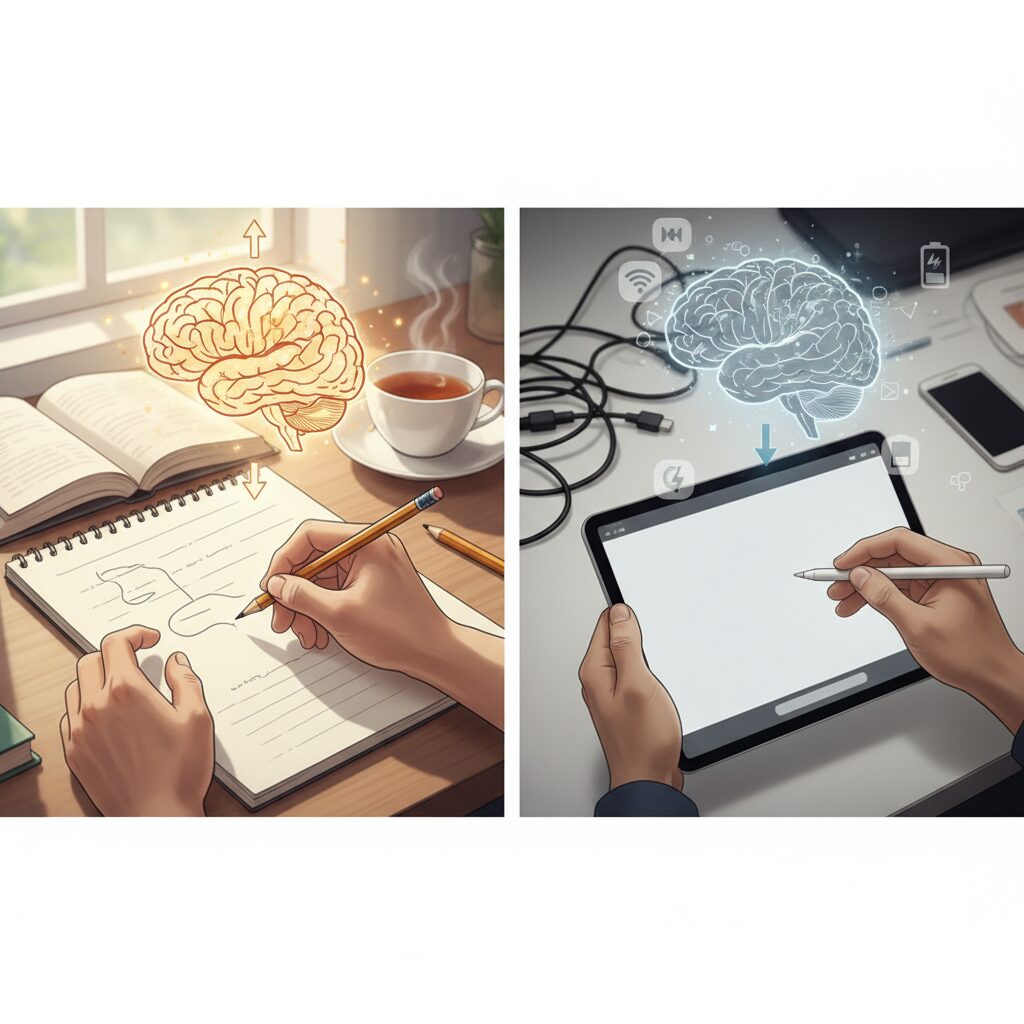
When we compare paper and tablets through the lens of neuroscience, the difference is not just emotional preference but measurable brain activity. Research from the University of Tokyo reports that writing on paper significantly activates the hippocampus, the region associated with memory consolidation. This suggests that the physical act of writing on paper strengthens long-term memory encoding in ways that many digital experiences are still trying to replicate.
A joint study by Ritsumeikan University and Kokuyo found that students who used paper notebooks scored about 20% higher on certain tests than those using tablets. Researchers attribute this gap to what they call “spatial cues”—the subtle memory anchors created by page position, paper thickness, and layout. On a tablet, by contrast, information is flattened into uniform screens, making it harder for the brain to build a mental map of where knowledge lives.
| Factor | Paper | Tablet |
|---|---|---|
| Hippocampal activation | Higher | Moderate |
| Spatial memory cues | Physical depth & layout | Screen-based, uniform |
| Note processing style | Summarization-focused | Often transcription-focused |
Princeton University researchers have also shown that handwritten notes tend to improve conceptual understanding compared with typing. The reason is cognitive friction. Because handwriting is slower, the brain is forced to summarize rather than transcribe. This summarization process itself becomes a powerful learning mechanism, stimulating deeper semantic processing.
However, the neuroscience story is not simply “paper good, tablet bad.” Digital handwriting with a stylus engages many of the same motor pathways as traditional pen and paper. The challenge lies in competing stimuli. Tablets are multifunctional devices, and notifications fragment attention. Cognitive scientists describe attention as a limited resource, and frequent interruptions reduce working memory efficiency even if they last only a few seconds.
Another overlooked element is tactile feedback. Paper provides resistance and texture, generating continuous sensory input to the somatosensory cortex. Many users report that glass surfaces feel “slippery,” which may subtly reduce the sense of motor control. Emerging haptic technologies aim to reintroduce micro‑vibrations and pressure simulation to narrow this sensory gap, reflecting a broader industry shift toward aligning hardware with human cognitive architecture.
Ultimately, brain science suggests that memory is embodied. It depends not only on information but on movement, space, and sensation. The closer a tablet experience comes to preserving these embodied cues while minimizing distraction, the closer it approaches the cognitive strengths of paper. For gadget enthusiasts, this is where neuroscience and device innovation intersect in a meaningful way.
Memory, Spatial Cues, and Why Flat Screens Feel Different
Why do notes written on paper often feel easier to remember than those written on a tablet? The answer lies in how our brains encode space. Memory is not only about words but also about where those words live in physical space.
Research from the University of Tokyo has shown that handwriting on paper activates the hippocampus more strongly than digital input. The hippocampus plays a central role in forming long-term memory. When you write on paper, your brain links the content with physical cues such as page position, margins, and even the thickness of the notebook.
According to a joint study by Ritsumeikan University and Kokuyo, students who studied using paper notebooks scored about 20% higher on tests than those using tablets. One key factor identified was the presence of “spatial information” embedded in paper-based notes.
| Medium | Spatial Cues | Memory Impact |
|---|---|---|
| Paper Notebook | Fixed layout, physical depth, page location | Stronger contextual encoding |
| Flat Screen | Uniform surface, scroll-based navigation | Weaker spatial indexing |
On paper, you might remember that a diagram was drawn on the top-left corner of a right-hand page near the middle of the notebook. These physical anchors create what cognitive scientists call spatial indexing. Your brain builds a mental map of the information.
In contrast, flat screens standardize everything. Whether you write today or next week, the surface feels identical. Scrolling replaces page turning, and content floats in a continuous vertical stream. This reduces the distinctiveness of each memory episode.
Princeton University researchers have also pointed out that handwriting encourages summarization rather than verbatim transcription. That cognitive effort deepens understanding. However, when the spatial environment itself lacks texture and variation, the reinforcement effect becomes weaker.
Another subtle factor is tactile feedback. Paper offers resistance, micro-friction, and sound. These sensory signals act as additional encoding channels. A glass display, even with a stylus, provides limited sensory differentiation unless enhanced by haptic technology.
Memory thrives on variation, friction, and physical context. Flat screens, by design, aim for smoothness and uniformity. While this improves efficiency and portability, it removes many of the environmental cues our brains evolved to rely on.
This does not mean digital handwriting cannot be effective. It means that without intentional design—such as structured layouts, visible page boundaries, or tactile simulation—the cognitive load increases. Users may feel that their notes are “slipping away” because the brain struggles to anchor them spatially.
For gadget enthusiasts, this insight is crucial. The difference is not nostalgia for paper but neuroscience. When spatial cues disappear, memory encoding changes. Understanding this gap explains why flat screens often feel different, even when the handwriting itself looks identical.
Notification Overload and the Attention Economy Trap
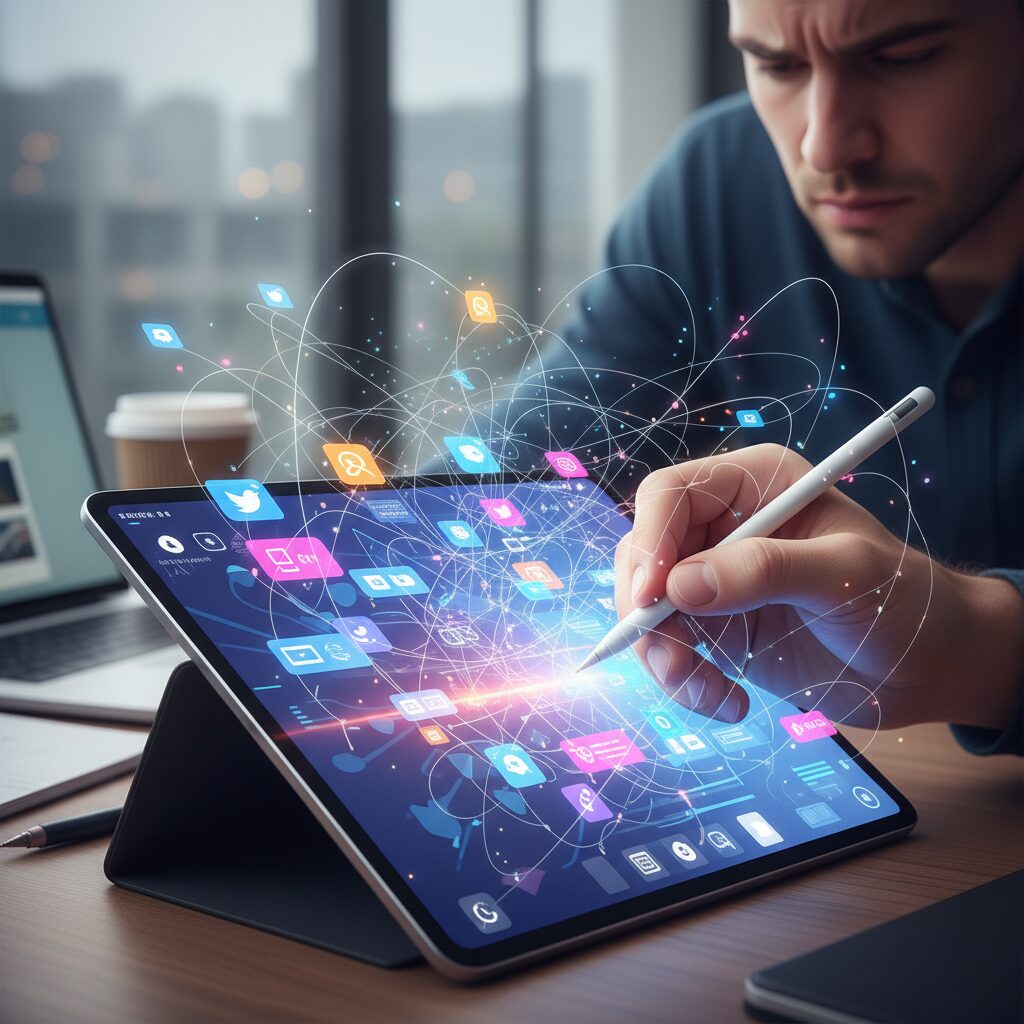
One of the most underestimated reasons digital handwritten notes fail to stick is notification overload. While tablets promise convenience and integration, they also operate inside the attention economy, where every app competes for cognitive bandwidth. Unlike paper, a connected device is never neutral. It is designed to call you back.
Research cited by the University of Tokyo and Princeton University highlights how handwriting activates broader neural networks related to memory and comprehension. However, that cognitive advantage depends on sustained focus. Frequent interruptions fragment the encoding process in the hippocampus, weakening long-term retention. Even a short vibration can reset the mental context required for deep thinking.
In 2026, notification management has become a core productivity concern rather than a minor setting tweak. Smartwatches, smartphones, and tablets operate as a synchronized ecosystem. If all notifications remain enabled, the user’s wrist, pocket, and screen become constant interruption channels. The result is not efficient multitasking but chronic task switching.
| Interruption Type | Cognitive Impact | Effect on Note-Taking |
|---|---|---|
| Social media alerts | Emotional arousal, curiosity spike | Breaks analytical flow |
| Messaging notifications | Anticipation and urgency bias | Reduces writing depth |
| News updates | Context switching | Interrupts memory consolidation |
According to productivity analyses referenced in 2026 gadget reports, many users misinterpret these micro-interruptions as harmless. In reality, each alert forces the brain to reorient. This reorientation consumes working memory resources, which are already limited. The hidden cost is not the seconds spent checking a notification, but the minutes required to rebuild concentration.
This is where the attention economy trap becomes evident. Platforms are optimized for engagement, not for your cognitive goals. When you open a tablet to take notes, you are entering an environment engineered to prolong screen time. Even if you resist opening social media, the mere presence of potential interruption creates anticipatory tension.
The Ministry of Health, Labour and Welfare recommends periodic movement, such as standing every 30 minutes, for physical well-being. However, involuntary interruptions differ fundamentally from intentional breaks. A planned pause supports rhythm and recovery. A random notification injects cognitive noise without restorative benefit.
For digital handwriting users, this leads to a dangerous feedback loop. You begin writing. A notification arrives. You lose focus. The writing session feels inefficient. Over time, your brain associates the device with distraction rather than clarity. Eventually, you conclude that “digital note-taking doesn’t work for me,” when the real issue is environmental design.
Smartwatch integration in 2026 has paradoxically amplified and solved this problem. On one hand, wearable devices multiply touchpoints. On the other, they allow advanced filtering. By limiting alerts to essential calls, primary messaging apps, and calendar reminders, users create a protective layer around their tablet sessions. Non-essential notifications such as social media, games, and news can be disabled entirely during writing blocks.
The shift from reactive to intentional notification control is the turning point. Instead of allowing every app equal access to your attention, you define a hierarchy aligned with your cognitive priorities.
Another overlooked factor is psychological safety. When users silence notifications completely, anxiety about missing something important can linger. Selective filtering resolves this tension. Critical communication remains visible, while noise is suppressed. This balance reduces the subconscious urge to “just check quickly,” which often derails momentum.
Deep work requires frictionless immersion. Paper notebooks naturally enforce this by being single-purpose tools. Tablets must simulate that simplicity through disciplined configuration. Focus modes, scheduled notification summaries, and device-level app restrictions are not optional optimizations. They are structural necessities.
In the broader context of digital handwriting continuity, notification overload is not merely an inconvenience. It is a systemic design challenge rooted in how modern platforms monetize attention. If handwriting strengthens cognition through sustained neural activation, then unmanaged notifications systematically erode that advantage.
For gadget enthusiasts, the lesson is clear: performance specifications alone do not guarantee productivity. A 10-inch foldable display or AI-enhanced stylus cannot compensate for fragmented attention. The real upgrade lies in reclaiming cognitive territory from the attention economy and transforming your device from an interruption hub into a dedicated thinking space.
Battery Anxiety, Charging Friction, and Mobile Power Breakthroughs
Battery anxiety remains one of the most underestimated friction points in digital handwriting workflows.
Even if a tablet offers excellent latency and pen precision, the simple fear of running out of power during a lecture or meeting subtly discourages users from relying on it.
When a device cannot be trusted to stay alive, the brain treats it as a risky tool.
According to 2026 gadget trend analyses cited by note and ITmedia, improvements in battery density and charging speed have directly reduced this psychological barrier.
The shift is not just about longer hours on paper, but about restoring cognitive confidence.
Users no longer need to constantly monitor battery percentages while trying to think deeply.
| Factor | 2026 Standard | Impact on Workflow |
|---|---|---|
| Mobile Battery Pack | 10,000mAh under 200g | Portable without mental burden |
| Fast Charging | 80% in 30 minutes | Short recovery breaks instead of long interruptions |
| Bluetooth 5.4 | Stable, low-latency sync | Seamless device continuity |
Fast charging in particular changes behavior.
When 30 minutes restores roughly 80% capacity, charging becomes a tactical pause rather than a productivity killer.
This reduces what behavioral researchers call “anticipatory friction”—the stress felt before a potential interruption even happens.
Charging friction also includes cable management, outlet dependency, and battery degradation over time.
Manufacturers now recommend storing devices at around 50% charge when unused to prevent over-discharge, extending long-term reliability.
Longevity equals trust, and trust supports habit formation.
Mobile power breakthroughs further enable location independence.
With sub-200g battery packs and efficient power management chips, users can write for extended sessions in transit, cafés, or outdoor settings without scanning walls for outlets.
This spatial freedom mirrors one of paper’s historical advantages: reliability anywhere.
Charging ecosystems have also matured.
Standardized high-speed USB-C implementations and stable wireless connectivity minimize setup time between tablet, stylus, and smartphone.
The fewer steps required before writing, the lower the activation energy.
For gadget enthusiasts who demand uninterrupted creative flow, power is no longer a background specification.
It is a core productivity variable that determines whether digital handwriting feels liberating or fragile.
In 2026, mobile power innovation is quietly transforming battery anxiety from a chronic concern into a manageable non-issue.
Haptic Feedback and Stylus Evolution: Closing the Sensory Gap
One of the most persistent reasons digital handwriting fails to stick is the subtle but powerful absence of tactile realism. When users say a tablet feels “too slippery” or “unnatural,” they are describing a sensory gap between glass and paper. According to joint research cited by Ritsumeikan University and the University of Tokyo, the act of physically writing activates broader neural networks, including the hippocampus, more intensely than typing. If the sensory feedback is weakened, the cognitive reward loop is also weakened.
In 2026, haptic feedback technology is finally addressing this issue at the hardware level. Rather than simply detecting pressure, advanced styluses now generate micro-vibrations and resistance simulations that correspond to stroke speed, tilt, and grip force. Apple Pencil Pro, for example, incorporates squeeze gestures and tactile responses that confirm tool changes without requiring visual attention. This reduces cognitive load and restores a sense of embodied interaction.
| Feature | Traditional Stylus | 2026 Haptic Stylus |
|---|---|---|
| Surface Feel | Smooth glass friction | Simulated texture feedback |
| Input Confirmation | Visual only | Tactile micro-response |
| Grip Interaction | Passive | Squeeze-sensitive controls |
These refinements may seem incremental, but their psychological impact is significant. Princeton University research has shown that handwriting improves comprehension partly because it forces cognitive processing through physical motion. By introducing resistance and feedback, modern styluses reintroduce “effort” into digital writing. Effort, in this context, enhances encoding and memory consolidation.
Professional devices such as Wacom’s OLED-based MovinkPad Pro 14 further push this evolution with ultra-low latency and precise pen tracking. When stroke rendering becomes virtually instantaneous, the brain no longer perceives a disconnect between intention and output. That immediacy reduces frustration, which is a major contributor to abandonment.
Another overlooked factor is security and continuity. Features like stylus location tracking through ecosystem integration reduce anxiety about loss. Small stressors accumulate over time, and removing them supports long-term habit formation. The combination of tactile realism, latency reduction, and ecosystem reassurance creates an environment where digital handwriting feels dependable rather than fragile.
In practical terms, haptics close the loop between motor action and sensory confirmation. The pen no longer feels like a plastic pointer on glass but like an adaptive instrument responding to intention. As neuroscience consistently suggests, when the body is convincingly engaged, the mind follows. This is how 2026 hardware begins to narrow the experiential gap between paper and pixels.
Foldables, OLED Pen Displays, and the New Writing Surfaces of 2026
In 2026, foldables and OLED pen displays are redefining what a “writing surface” means for digital note‑takers. Instead of choosing between portability and a large canvas, users can now unfold a device and instantly access a near‑tablet experience. This shift directly addresses one of the cognitive frictions identified in recent note‑taking research: the lack of spatial depth and physical scale compared to paper.
According to joint findings referenced by Ritsumeikan University and other academic institutions, spatial cues on physical paper help reinforce memory encoding. Foldable devices attempt to replicate this advantage by expanding the visual workspace. When a tri‑fold device opens into a 10‑inch class display, the brain perceives clearer “zones” for information, which supports mental indexing.
| Device Type | Form Factor | Writing Impact |
|---|---|---|
| Tri‑fold smartphone | Up to 10-inch unfolded | Combines mobility with expanded spatial layout |
| Clamshell foldable | Compact pocket size | Instant capture with dedicated stylus |
| OLED pen display | 14-inch class panel | High color accuracy and low latency for deep work |
Devices such as tri‑fold foldables and stylus‑enabled clamshell models allow users to move from quick idea capture to immersive writing without switching ecosystems. This continuity reduces cognitive switching costs. Instead of thinking, “I’ll write this later on my tablet,” users can unfold and write immediately, preserving idea momentum.
OLED pen displays represent another leap forward. Wacom’s MovinkPad Pro 14, for example, leverages OLED technology to deliver high contrast, accurate color reproduction, and extremely fast response times. For creative professionals and serious note‑takers, this matters because latency and visual fidelity directly influence perceived control. When the ink appears exactly where and when you expect it, the brain experiences less friction.
OLED panels also improve long writing sessions. Deeper blacks and higher contrast reduce eye strain in dark mode environments, which many knowledge workers now prefer. Combined with refined palm rejection and pressure sensitivity, these displays approach the tactile confidence traditionally associated with paper notebooks.
Importantly, these new surfaces reshape habit formation. A foldable that fits in your pocket lowers the activation energy required to start writing. Behavioral science consistently shows that reducing friction increases follow‑through. When the writing surface is always with you, and expands only when needed, consistency improves.
At the same time, larger OLED pen displays encourage deliberate, focused sessions. The physical act of sitting before a 14‑inch writing canvas signals “deep work mode” to the brain. This environmental cue mirrors findings from cognitive psychology that context influences task persistence.
Foldables, OLED pen displays, and stylus‑optimized smartphones are not merely hardware trends. They represent a convergence between neuroscience insights and industrial design. By restoring spatial scale, minimizing latency, and balancing portability with immersion, the new writing surfaces of 2026 are quietly solving one of digital handwriting’s oldest problems: the gap between convenience and cognitive satisfaction.
The Cost‑Performance Formula: Why Cheap Styluses Often Cost More
Choosing a stylus based on price alone often feels rational. If a 5‑dollar pen can write on a screen, why pay ten times more? However, when you factor in cognitive friction, durability, and usage frequency, the equation changes dramatically.
In 2026, cost‑performance is increasingly defined not by sticker price but by how much a device supports sustained thinking. According to recent gadget analyses, the true metric is total value over time, not initial expense. A cheap stylus that interrupts your flow can silently erode productivity every single day.
Consider how hardware quality affects cognition. Research from the University of Tokyo shows that the act of writing activates broad neural networks linked to memory consolidation. If a stylus introduces lag, poor palm rejection, or inconsistent pressure sensitivity, that neural rhythm is disrupted. The result is subtle frustration and shorter writing sessions.
Over time, that friction reduces habit formation. A stylus that feels imprecise can lead users to abandon digital handwriting altogether, turning the tablet into what experts call an “information graveyard.” In this sense, the cheapest option may carry the highest long‑term cost.
| Factor | Low‑Cost Stylus | Premium Stylus |
|---|---|---|
| Initial Price | Very low | High |
| Latency & Pressure | Often limited | Advanced, responsive |
| Durability | Higher replacement risk | Designed for long‑term use |
| Impact on Usage | May reduce frequency | Encourages daily writing |
Take the example of ultra‑cheap conductive fiber pens sold in discount stores. While they technically function, they lack pressure sensitivity and advanced palm rejection. If that limitation causes you to rewrite notes, zoom repeatedly, or switch tools, the time cost accumulates quickly.
By contrast, devices like Apple Pencil Pro, highlighted in technology reviews, integrate haptic feedback and precise tilt detection. These features do more than feel luxurious. They restore a sense of control, which strengthens the feedback loop between action and cognitive reward.
There is also the replacement cycle to consider. Cheap styluses are more prone to tip wear or structural failure. Buying three low‑cost pens in a year can exceed the price of one reliable model, while adding the hidden cost of interrupted workflows.
From a behavioral science perspective, habit formation depends on reducing friction. Productivity research cited in 2026 reports emphasizes lowering barriers to action. If your tool requires constant adjustment or troubleshooting, your brain associates writing with effort rather than clarity.
True cost‑performance equals price divided by sustained value and satisfaction. When a stylus increases writing frequency, improves memory retention through smoother interaction, and lasts multiple years, its effective daily cost becomes surprisingly low.
For gadget enthusiasts who care about long‑term knowledge creation, the smarter question is not “How cheap can I go?” but “Will this tool still support my thinking a year from now?” In the realm of digital handwriting, investing once often costs less than repeatedly compromising.
Ecosystem Thinking: Smartwatches, Sync, and Deep Work Environments
In 2026, productivity no longer depends on a single device but on how intelligently your ecosystem is designed. A tablet for digital handwriting can either become a distraction hub or the center of a deep work environment. The difference lies in how smartwatches, smartphones, and PCs are synchronized and filtered.
According to recent gadget analyses in 2026, users who rely on multi-device coordination report significantly fewer workflow interruptions compared to those who treat their tablet as an isolated tool. The goal is not to eliminate connectivity, but to control it.
Smartwatches now function as attention gatekeepers rather than mere notification mirrors. By allowing only high-priority alerts—calls, essential messaging apps, and calendar reminders—to pass through, they prevent the tablet screen from becoming a battlefield of pop-ups.
Research in attention economics consistently shows that even brief interruptions degrade deep focus. When every notification vibrates on your wrist, your cognitive resources are fragmented. Instead, filtering at the wearable level creates a protective layer around your handwriting session.
| Device Role | Primary Function | Impact on Deep Work |
|---|---|---|
| Smartwatch | Critical notification filter | Prevents tablet-level disruption |
| Tablet | Handwriting & idea development | Core deep work zone |
| Smartphone/PC | Background sync & archive | Seamless continuity without friction |
Bluetooth 5.4 and improved background synchronization ensure that handwritten notes are automatically available across devices without manual export. This eliminates a subtle but powerful barrier: the friction of “what if I need this later on another device?” That anxiety alone can weaken commitment to digital note-taking.
Deep work environments also benefit from smartwatch-based behavioral nudges. Instead of constant interruptions, you can configure one-hour stand reminders or time-block alerts. Japan’s Ministry of Health has suggested periodic movement as beneficial for cognitive and physical health, but timing matters. Structured reminders support rhythm; random notifications destroy it.
The ecosystem should serve as an invisible infrastructure. When your tablet opens directly into your handwriting app, your smartwatch filters noise, and your notes auto-sync to your desktop for later review, cognitive load drops dramatically.
Experts in productivity design increasingly emphasize environmental engineering over willpower. Rather than trying to “focus harder,” you design a system where distraction is structurally minimized. In such a configuration, the smartwatch does not compete for attention—it protects it.
Ultimately, digital handwriting thrives when it sits inside a deliberately constructed ecosystem. Connectivity becomes a strength, not a liability, and deep work becomes repeatable instead of fragile.
AI as a Co‑Creator: Real‑Time Structuring, Search, and Weekly Review
In 2026, AI is no longer just an add‑on to digital handwriting apps. It acts as a true co‑creator that structures, searches, and reviews your notes in real time. Instead of leaving you alone with a flat canvas, on‑device AI transforms raw handwriting into an evolving knowledge system while you are still thinking.
The key shift is that structure is no longer a manual task. As you jot down fragmented ideas, the system detects headings, action items, and conceptual clusters instantly. On devices such as M5‑equipped tablets, this processing happens locally, which reduces latency and preserves privacy while keeping the writing flow uninterrupted.
Real‑time structuring reduces cognitive friction by turning messy input into usable output without forcing you to “organize first, think later.”
According to recent industry analyses in 2026, users who rely on AI‑assisted structuring are less likely to abandon digital notes because the gap between writing and execution shrinks dramatically. Instead of rewriting or reformatting later, your brainstorm can immediately become a task list, a project outline, or a research brief.
| AI Function | What It Does in Real Time | User Impact |
|---|---|---|
| Structure Detection | Converts handwriting into headings and bullet logic | Faster transition from idea to action |
| Contextual Search | Indexes handwriting, keywords, and metadata | Retrieves vague memories instantly |
| Weekly Review | Summarizes themes and highlights priorities | Prevents “information graveyard” effect |
Search has also evolved beyond simple keyword matching. AI now interprets context, timing, and even approximate intent. When you search for “that autumn project idea,” the system can surface notes based on time stamps, related topics, and semantic similarity. This addresses a major weakness of earlier digital notebooks, where handwritten content was technically stored but practically unrecoverable.
Researchers in cognitive science have long emphasized that retrieval strengthens memory. By making retrieval frictionless, AI‑enhanced search encourages you to revisit and reuse your own thinking. Your notes become a dynamic database rather than a static archive.
Weekly review is where AI truly becomes a co‑creator. Instead of manually rereading dozens of pages, the system generates a digest of recurring themes, unfinished tasks, and emerging patterns. Some 2026 productivity reports highlight that structured reflection significantly improves follow‑through compared to passive storage. When the AI surfaces “three ideas you mentioned repeatedly this week,” it nudges strategic focus without adding administrative burden.
This review loop changes the psychology of note‑taking. You are no longer writing into silence. The system responds, reorganizes, and reflects your thinking back to you. That feedback cycle increases perceived value, which is essential for long‑term continuity.
Importantly, because much of this processing happens on device, the experience feels immediate. There is no visible upload delay or workflow break. The pen stroke flows, the structure forms, and the knowledge graph quietly expands in the background.
In this environment, AI does not replace handwriting. It amplifies it. You still benefit from the cognitive advantages of manual writing highlighted by institutions such as the University of Tokyo and Princeton University, while gaining digital strengths—searchability, summarization, and adaptive organization. The result is not just smarter notes, but a smarter thinking process in motion.
If‑Then Planning and the Neuroscience of Habit Formation
If-Then Planning is one of the most practical habit-design frameworks validated by cognitive psychology. Instead of relying on motivation, you pre‑decide a behavioral script in the format: If situation X happens, then I will do behavior Y. This simple structure reduces decision fatigue and automates action at the cue level.
In the context of digital handwriting, this approach is particularly powerful because the main barrier is not ability but friction. Notifications, charging anxiety, and perfectionism create micro‑decisions that drain cognitive resources. If-Then Planning removes those micro‑decisions before they occur.
Formula: If (clear, observable trigger) → Then (small, specific action executed immediately)
According to behavioral research summarized by productivity experts, implementation intentions like If‑Then plans significantly increase follow‑through compared to vague goals. Rather than saying “I will use my tablet more,” you define a neural shortcut that links context directly to action.
The neuroscience behind this is compelling. Habit formation relies heavily on cue‑response associations within cortico‑striatal circuits, particularly involving the basal ganglia. When a behavior is repeatedly executed in response to a stable cue, the brain gradually shifts control from effortful prefrontal regions to more automatic pathways.
This shift is crucial for digital note continuity. Early usage requires conscious effort: unlock device, open app, ignore notifications. But when you pre‑bind a cue to a minimal action, the brain encodes a predictable loop, lowering activation energy over time.
| Element | Weak Habit | Strong If‑Then Habit |
|---|---|---|
| Trigger | “When I feel like it” | “After I pour morning coffee” |
| Action Size | “Write for 30 minutes” | “Review yesterday’s note for 60 seconds” |
| Brain Load | High (decision required) | Low (automatic execution) |
Research discussed in Study Hacker highlights that structured behavioral routines aligned with brain rhythms improve cognitive efficiency. In surveys of high performers, consistent cue‑based routines were associated with reduced cognitive overload and more sustainable productivity patterns.
For digital handwriting users, effective If‑Then examples include: If I sit at my desk, then I open my notes app before email. If my smartwatch gives a one‑hour stand alert, then I add one quick bullet idea. These micro‑entries reinforce identity without demanding intensity.
The key is immediacy and smallness. Neuroscience shows that repetition frequency matters more than session length in early habit consolidation. A one‑minute daily review creates stronger neural consistency than a two‑hour session once a week.
Importantly, If‑Then Planning also protects attention. If a non‑essential notification appears, then I ignore it until my note is closed. By pre‑deciding distraction responses, you prevent the prefrontal cortex from renegotiating priorities in real time.
Over weeks, the cue‑action pairing becomes less cognitively expensive. The tablet stops being a device that demands willpower and becomes an environmental trigger for thinking. That transition—from effort to automation—is the neurological foundation of sustainable digital handwriting.
When technology is paired with brain‑aligned planning rather than motivation alone, continuity stops being a personality trait and becomes a system outcome. That is the real power of If‑Then Planning in habit formation.
Accessories That Remove Micro‑Friction: Gloves, Nibs, and Ergonomics
Even when you choose a powerful tablet and stylus, tiny physical irritations can quietly erode your motivation. These micro‑frictions rarely make headlines, yet they accumulate into cognitive fatigue. By removing them, you can dramatically improve the sustainability of digital handwriting.
Recent coverage in ITmedia and Gizmodo has highlighted how users often blame “lack of discipline,” when in fact the real issue is subtle hardware discomfort. Addressing gloves, nibs, and ergonomics is not about luxury. It is about protecting your attention.
Gloves: Eliminating Accidental Resistance
Palm rejection has improved, but it is not perfect. When the side of your hand drags across glass, you experience friction inconsistency and occasional misinput. A simple drawing glove reduces surface resistance and prevents smudges.
Even low-cost tablet gloves sold in general retail stores can meaningfully reduce unintended touch input. This small intervention removes the subconscious irritation of cursor jumps or stray marks, allowing your brain to stay in a flow state.
When physical friction disappears, cognitive friction decreases as well.
Clean screens also matter. A visibly oily display subtly reduces perceived clarity, which can lower writing satisfaction. Gloves help maintain a cleaner surface, preserving the visual sharpness that reinforces engagement.
Nibs: The Overlooked Performance Variable
Professional illustrators and reviewers consistently emphasize nib maintenance. As reported in tablet-focused reviews in 2026, worn nibs flatten or sharpen unevenly, altering the friction coefficient against the display.
This change affects line control and increases hand tension. Over time, you press harder to compensate, leading to fatigue. Replacing nibs before visible deformation maintains consistent tactile feedback and protects the screen surface.
| Nib Condition | Writing Feel | Impact on Continuity |
|---|---|---|
| New | Stable resistance | High control, low fatigue |
| Worn Flat | Slippery, inconsistent | Reduced precision, frustration |
| Sharpened Edge | Scratchy sensation | Screen anxiety, tension |
According to product evaluations of devices such as Apple Pencil Pro and professional Wacom tablets, consistent tactile feedback strengthens the sense of “writing certainty.” That certainty reinforces habit formation.
Ergonomics: Designing for Long Sessions
Angle and posture influence not only comfort but also cognitive stamina. Experts cited in 2026 gadget guides recommend positioning tablets at roughly 20 to 40 degrees to reduce neck flexion and shoulder strain.
A flat tablet encourages a hunched posture known as “tech neck.” Over weeks, discomfort becomes associated with note‑taking itself. The brain then categorizes writing as physically costly, reducing spontaneous engagement.
Using an adjustable stand, external keyboard placement for hybrid workflows, and aligning the wrist neutrally can significantly reduce musculoskeletal load. As occupational health research has long suggested, lowering physical strain preserves attentional resources.
Continuity is not only about software features or AI assistance. It is about making writing physically effortless. Gloves remove drag, fresh nibs preserve precision, and proper angles protect your body. When micro‑friction disappears, digital handwriting feels natural enough to repeat tomorrow.
A Practical 5‑Step Framework to Make Digital Handwriting Stick
Making digital handwriting a lasting habit requires more than motivation. It demands a system designed around how your brain, devices, and daily routines actually work. Based on recent cognitive science findings and 2026 gadget trends, here is a practical five-step framework you can apply immediately.
Step 1: Define a Single Primary Use Case
Start by clarifying why you are writing digitally. Is it for deep study, idea capture, or meeting notes? Research from Ritsumeikan University and the University of Tokyo shows that handwriting enhances hippocampal activity and long-term retention, but only when the task itself is cognitively meaningful.
When the purpose is vague, the habit collapses. Narrowing your use case reduces decision fatigue and aligns your tool choice with your cognitive goal.
Step 2: Engineer Frictionless Access
One of the biggest drop-off factors in 2026 remains micro-friction: dead batteries, disconnected pens, distracting notifications. With modern hardware offering 10,000mAh sub-200g batteries and 30-minute 80% fast charging, power anxiety is no longer a valid excuse if you prepare properly.
Disable nonessential notifications and use your smartwatch as a filter for calls and calendar alerts only. Deep work cannot coexist with constant vibration.
| Friction Source | Practical Fix | Impact on Continuity |
|---|---|---|
| Low battery | Keep fast charger or lightweight power bank nearby | No forced interruption |
| Notification overload | Allow only calls and calendar | Sustained cognitive focus |
| Poor writing feel | Use haptic-enabled stylus | Higher sensory satisfaction |
Step 3: Leverage AI for Immediate Reward
Many users quit because notes feel like a “digital graveyard.” On-device AI in tablets such as M-series iPads now converts rough handwriting into structured summaries in real time. This transforms writing from passive storage into active feedback.
If your notes generate visible output instantly, your brain associates writing with progress. That reward loop is critical for long-term stickiness.
Step 4: Apply If–Then Habit Anchoring
Behavioral research highlighted by productivity studies shows that If–Then planning can significantly increase habit adherence. Instead of saying “I will write more,” define a trigger: If I finish lunch, then I review today’s handwritten page for one minute.
This removes reliance on willpower and ties handwriting to an existing neural routine.
Step 5: Schedule Weekly Cognitive Reinforcement
According to studies cited by Princeton researchers, the act of summarizing and revisiting notes deepens understanding. Reserve 15 minutes once a week to reread and compress your digital handwriting into key insights.
Reflection converts scattered strokes into structured memory. Without review, even the best hardware cannot create retention.
This five-step framework works because it integrates neuroscience, hardware optimization, AI augmentation, and behavioral design. When your environment minimizes friction and your brain receives immediate cognitive reward, digital handwriting stops being a tool you try to use and becomes a system that supports how you naturally think.
参考文献
- note:[2026 Latest] Transform Your Life with Technology & Gadgets: Ultimate Guide to Laptops and Tablets
- Gizmodo Japan:Why Every Latest iPad Pro/Air User Should Use Apple Pencil Pro
- ITmedia:Tablet – Latest News, Reviews, and Analysis Articles
- note:Is Your Note‑Taking Method Outdated? The 2026 Ultimate Note Strategy
- STUDY HACKER:The Only Speed Reading Method Proven by Neuroscience — Boost Memory Further with Handwritten Notes