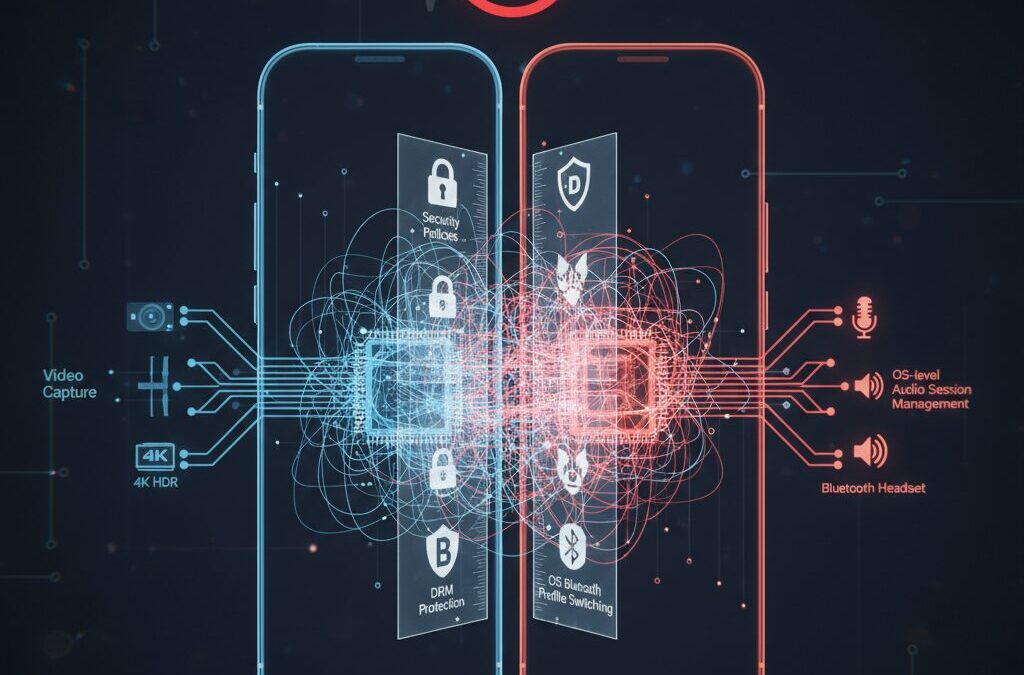
You press record, capture a perfect gameplay moment or an important video call, and then realize the audio is completely missing. It feels like a simple bug, but in reality it is anything but simple.
In 2026, smartphones can shoot 4K HDR video, stream over 5G, and edit content in Dolby Vision. Yet screen recording with full internal audio still fails in many real-world scenarios. This contradiction confuses even experienced gadget enthusiasts.
The truth is that video capture and audio capture follow entirely different technical paths inside iOS and Android. Security policies, DRM protection, Bluetooth profile switching, and OS-level audio session management all collide behind the scenes.
In this article, you will discover exactly why silent screen recordings happen, how iOS AVAudioSession and Android’s AudioPlaybackCapture API shape what is possible, what changes Android 16 brings with concurrent capture, and where legal boundaries come into play. By the end, you will understand not only how to fix the issue, but why it exists in the first place.
- The Technical Paradox of Silent Screen Recording
- Inside iOS: How AVAudioSession Controls Every Sound
- ReplayKit Explained: In-App Audio vs Microphone Audio
- Why Discord or Zoom Break Your Recording on iPhone
- Bluetooth Profiles (A2DP vs HFP) and the Sudden Drop in Audio Quality
- Android Before and After AudioPlaybackCapture API
- Android 16 and Concurrent Capture: A Major Shift for Creators
- DRM, FLAG_SECURE, and Why Netflix Turns Your Recording Black
- HDCP and External Capture Cards: What Actually Happens
- Legal Boundaries: Private Use, DRM Circumvention, and Streaming Risks
- Case Studies: Zoom, Teams, Discord, and Mobile Games
- Pro-Level Workarounds: scrcpy, ADB Audio, and Capture Hardware
- The Future of Mobile Audio Capture: Auracast and AI Voice Isolation
- 参考文献
The Technical Paradox of Silent Screen Recording
At first glance, recording your smartphone screen seems trivial. What you see should be captured as video, and what you hear should be saved as audio. Yet in reality, users frequently end up with perfectly sharp footage and complete silence.
This contradiction exists because video capture and audio capture are governed by fundamentally different technical and legal architectures. The screen is a visual surface. Sound, however, is a protected, routed, and often encrypted data stream.
Understanding this paradox requires looking beneath the user interface and into the OS kernel, audio frameworks, and digital rights systems that quietly decide what is recordable.
Why Video Is Easy — and Audio Is Not
| Layer | Video Capture | Audio Capture |
|---|---|---|
| Source | GPU frame buffer | Mixed multi-source stream |
| Access Model | Framebuffer copy | Session-controlled routing |
| Security Impact | Low | High (privacy & DRM) |
Video frames are rendered by the GPU and temporarily stored in a frame buffer. Screen recording frameworks simply duplicate those frames before they are sent to the display.
Audio behaves differently. System sounds, app media, microphone input, call audio, and notifications are mixed in real time by the OS audio engine. Capturing that stream means intercepting it before it reaches the DAC.
That interception point is exactly where privacy policy, security enforcement, and copyright protection collide.
Apple’s AVAudioSession documentation explains that apps must declare explicit audio categories, and certain categories—such as PlayAndRecord used in VoIP—alter routing behavior system-wide. When that happens, screen recording frameworks may receive silence by design.
Similarly, Android’s AudioPlaybackCapture API only permits capture of specific usage types such as media or games. Voice communication streams are excluded at the API level, as documented by Android Developers.
This is not a bug. It is architectural intent.
The Three Forces Behind Silent Recordings
1. Privacy Protection
Operating systems are designed to prevent accidental or malicious recording of calls and microphone data. If an app activates a communication session, the system may isolate or mute recordable output streams.
2. DRM Enforcement
Streaming platforms use protected media paths and hardware-backed decryption. When DRM flags are active, audio streams may be replaced with null data for screen recorders.
3. Hardware Constraints
Bluetooth profile switching (A2DP to HFP) during microphone activation can downgrade or reroute audio in ways that affect recording pipelines.
From the user’s perspective, silence feels like failure. From the system’s perspective, silence is often compliance.
The paradox, therefore, is not technical incompetence but intentional separation. Modern mobile operating systems treat sound not as output, but as controlled data.
And once you recognize that distinction, silent screen recordings stop being mysterious—and start revealing how tightly guarded digital audio truly is.
Inside iOS: How AVAudioSession Controls Every Sound
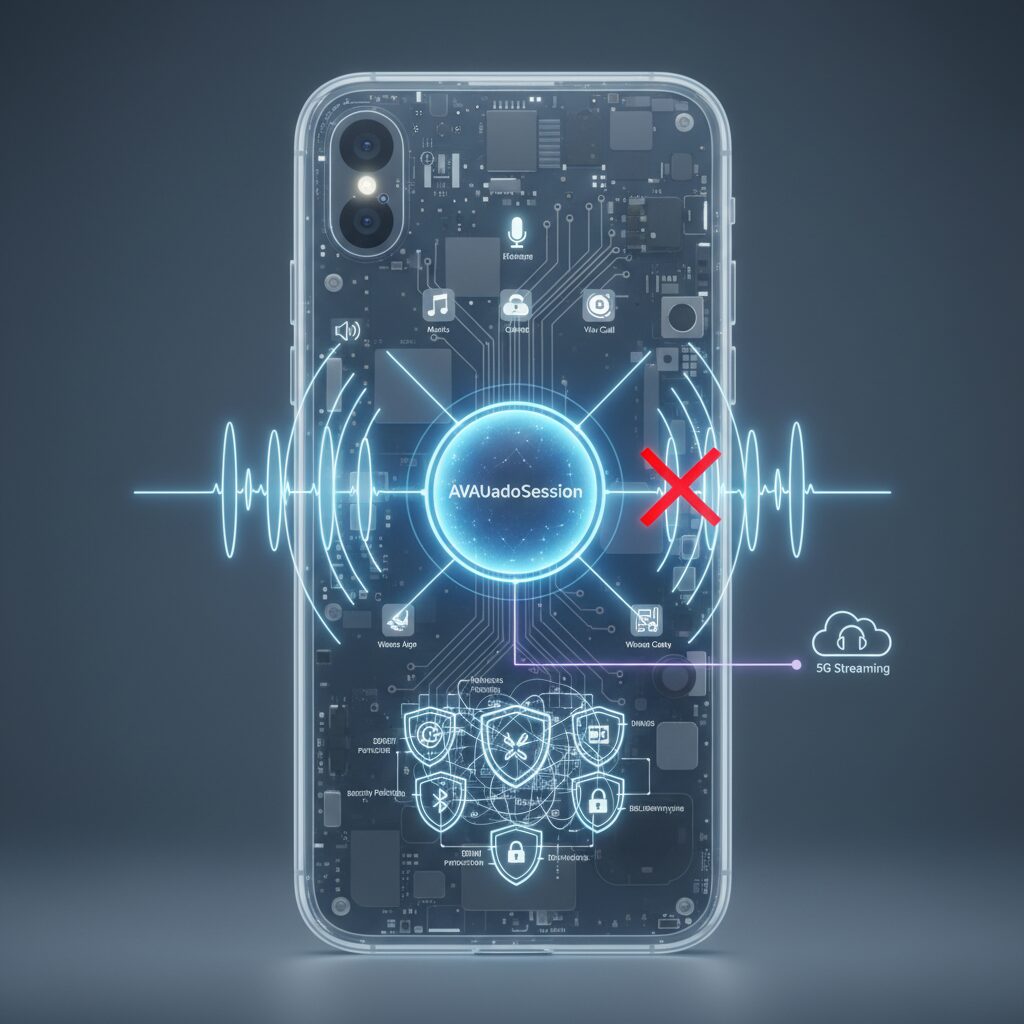
At the core of iOS audio behavior lies AVAudioSession, a system-wide controller that determines who can play, who can record, and how every sound is routed. Unlike video capture, which can copy pixels from a frame buffer, audio must pass through tightly managed hardware paths. Apple’s developer documentation explains that every app must interact with audio hardware exclusively through AVAudioSession, which operates as a singleton. This design prevents chaos, but it also explains why screen recordings sometimes lose sound.
Because AVAudioSession is shared across the entire system, apps effectively compete for control. When one app activates its session with a specific category, it can change routing, enable signal processing, or suppress other audio streams. The system daemon managing audio reallocates resources instantly, prioritizing declared intent over user expectation.
The impact becomes clearer when you examine session categories.
| Category | Primary Purpose | Effect on Screen Recording |
|---|---|---|
| Ambient | Games, sound effects | Mixes with other audio, minimal disruption |
| Playback | Music, video streaming | May duck other audio, stable output path |
| PlayAndRecord | VoIP, voice chat | Alters routing, may isolate system audio |
| MultiRoute | External audio interfaces | Specialized routing behavior |
The most disruptive category is PlayAndRecord. When activated by apps such as Zoom or Discord, the system shifts into a bidirectional communication mode. According to discussions in Apple’s developer forums and Zoom’s developer community, this can trigger AVAudioSession interruption events that affect screen sharing and recording audio streams. This is not a bug but an intentional privacy safeguard.
In this mode, iOS enables echo cancellation, noise suppression, and voice processing optimized for conversation. To protect call participants, the operating system may prevent ReplayKit from accessing the system audio bus that carries decoded app sound. As a result, a game being recorded can suddenly become silent the moment a voice call begins.
ReplayKit itself distinguishes between two audio sources: in-app audio and microphone input. When the microphone toggle is off in Control Center, ReplayKit attempts to capture only the digital output stream from the active app. This path delivers the highest theoretical fidelity because it avoids acoustic re-recording.
However, if AVAudioSession routing changes or if an app declares restrictions for privacy reasons, the in-app stream can be replaced with silent buffers. When the microphone toggle is turned on, ReplayKit adds microphone capture to the recording. Many users interpret this as a fix, but what actually happens is acoustic loopback: the speaker output is re-captured through air vibration.
This workaround sacrifices audio purity for reliability. Room noise, touch sounds, and environmental reflections degrade clarity. Furthermore, if Bluetooth headphones are connected, enabling the microphone often forces a switch from the high-quality A2DP profile to the lower-bandwidth HFP profile. Because HFP is optimized for telephony, it reduces audio to narrowband mono, dramatically lowering perceived quality.
Sampling rate mismatches add another layer of complexity. System playback commonly runs at 44.1 kHz or 48 kHz, while Bluetooth HFP or certain microphone paths may operate at 16 kHz or lower. Real-time resampling and synchronization must occur before muxing audio into a video container. Community reports during the iOS 14 and 15 cycles described glitches and duplicated sound when these pipelines fell out of sync, likely due to buffer underruns during live mixing.
Recent iOS versions further tighten privacy enforcement. If another foreground app with microphone privileges becomes active, AVAudioSession can trigger an interruption that halts or suspends the recording’s audio stream. Apple’s platform security philosophy consistently favors preventing unintended background capture over maintaining uninterrupted recording.
Understanding AVAudioSession reframes the “no sound” problem. It is not random failure but the predictable outcome of a priority-based arbitration system. Every sound on iOS flows through a controlled pathway, negotiated in real time between competing intents. When recording succeeds, it does so because the session configuration aligns perfectly. When it fails, it is usually because privacy, routing logic, or declared app behavior rightfully took precedence.
For power users and developers alike, mastering AVAudioSession means thinking less about “why is there no sound?” and more about “which session category is currently in control?” That shift in perspective reveals how deeply Apple has embedded security, consistency, and user protection into the very fabric of mobile audio.
ReplayKit Explained: In-App Audio vs Microphone Audio
ReplayKit separates audio capture into two fundamentally different sources: in-app audio and microphone audio. Although they may sound similar to users, they are processed through distinct system paths with different permissions and limitations.
According to Apple Developer Documentation, ReplayKit captures media as separate buffers for video and audio, and audio itself can originate either from the app’s playback stream or from the device’s microphone input.
Understanding this distinction is the key to solving most “no sound” screen recording issues on iOS.
| Source | Technical Path | Typical Use Case | Common Limitation |
|---|---|---|---|
| In-App Audio | Digital stream via AVAudioSession | Game sound, media playback | Blocked by DRM or PlayAndRecord mode |
| Microphone Audio | Analog input via device mic | Commentary, ambient sound | Noise, Bluetooth quality drop |
In-app audio refers to the digital audio stream generated by the running application itself. When you record gameplay, this is the background music, sound effects, and system playback routed through AVAudioSession.
Because it is captured digitally before reaching the speaker, it theoretically offers perfect quality with no environmental noise. However, if the app uses AVAudioSessionCategoryPlayAndRecord or applies DRM protection, the system may replace that stream with silence.
This behavior is intentional. Apple’s privacy design prevents accidental recording of protected or communication-related audio, especially VoIP streams.
Microphone audio, by contrast, captures sound from the physical mic. When you enable the microphone toggle in Control Center, ReplayKit mixes this input into the recording.
This allows live commentary, but it also introduces acoustic variables. Speaker output can be re-recorded through the air, resulting in room echo, touch noise, and reduced fidelity.
Many users mistakenly rely on the microphone to “recover” missing in-app audio, but this only captures speaker playback, not the original digital stream.
Bluetooth adds another layer of complexity. If the microphone is enabled while using wireless earbuds, iOS may switch from A2DP (high-quality stereo playback) to HFP (hands-free profile), significantly reducing audio bandwidth.
As documented in Apple support discussions, this profile switch can cause recordings to sound like narrowband phone calls. This is not a bug but a limitation of Bluetooth’s bidirectional audio mode.
From a creator’s perspective, the strategic choice is clear. If you need clean game audio, prioritize in-app capture with the microphone disabled. If commentary is essential, consider a wired setup to avoid Bluetooth degradation.
By clearly distinguishing between these two audio paths, you gain precise control over recording outcomes instead of relying on trial and error.
Why Discord or Zoom Break Your Recording on iPhone
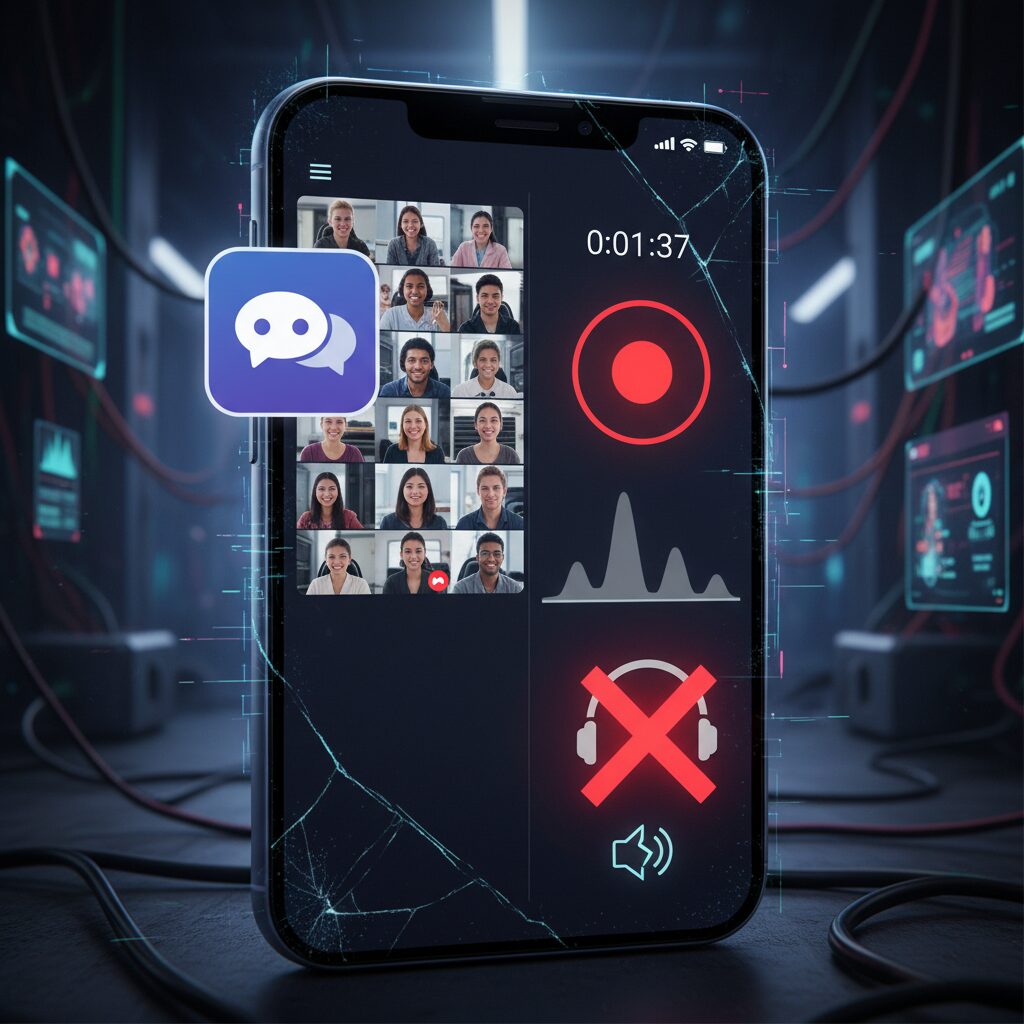
When you start a call on Discord or Zoom and suddenly your iPhone screen recording goes silent, it is not a random glitch. It happens because the app changes how iOS manages audio at a system level.
According to Apple’s developer documentation, every app must use AVAudioSession to access the microphone and speaker. The moment a VoIP app starts a call, it typically switches to the PlayAndRecord category.
This category is designed for two-way communication, not content capture. That design decision is the root cause of your missing audio.
| Audio Session Category | Primary Purpose | Impact on Screen Recording |
|---|---|---|
| Playback | Music / Video | System audio usually recordable |
| Ambient | Games / Effects | Can mix with other sounds |
| PlayAndRecord | Calls / Voice Chat | System audio routing changes or is blocked |
When PlayAndRecord becomes active, iOS prioritizes echo cancellation, noise suppression, and voice clarity. To achieve this, the system reroutes audio streams internally.
ReplayKit, which powers iPhone screen recording, no longer receives the same system audio bus it had before the call began. In some cases, it receives silence instead.
This behavior aligns with Apple’s privacy-first architecture. Preventing unintended call recording is a deliberate safeguard, not a bug.
Zoom’s developer forum discussions show that manipulating AVAudioSession during screen sharing can even cause audio streams to drop entirely. That confirms the interaction is structural, not app-specific.
Discord behaves similarly because it must access the microphone continuously and apply acoustic echo cancellation. Once that pipeline activates, system-level mixing changes.
The result is what gamers often describe as “my game audio disappears the second I join voice chat.”
If a call app is using the microphone, iOS assumes voice communication takes priority over recordable system playback.
Another hidden factor is Bluetooth. When you enable the microphone while using AirPods, iOS may switch from the high-quality A2DP profile to the lower-bandwidth HFP profile.
HFP supports two-way audio but reduces fidelity and can affect what ReplayKit captures. This is a hardware-level limitation of Bluetooth, not something an app can override.
So even if audio is recorded, it may sound compressed or “telephone-like.”
It is also important to understand what cannot be recorded by design. On both iOS and Android, VoIP audio streams are treated differently from media playback streams.
As Android’s official AudioPlaybackCapture documentation explains, voice communication usage is excluded from capture APIs. iOS follows a comparable privacy principle.
Call audio is intentionally isolated from general system capture paths.
In short, Discord and Zoom do not “break” your recording accidentally. They trigger a higher-priority communication mode inside the operating system.
Once that mode is active, the audio architecture changes in ways that screen recording frameworks cannot fully access.
Understanding this system-level priority shift helps you see the issue not as a malfunction, but as a privacy-driven design tradeoff.
Bluetooth Profiles (A2DP vs HFP) and the Sudden Drop in Audio Quality
Have you ever noticed that the moment you enable the microphone during screen recording, your crystal-clear game audio suddenly sounds like a phone call from 2005? In most cases, the culprit is not the recorder itself but the Bluetooth profile that your device silently switches behind the scenes.
Bluetooth audio is governed by “profiles,” each designed for a specific purpose. When screen recording intersects with microphone input, your smartphone often changes profiles automatically, and that is where the dramatic drop in audio quality begins.
A2DP vs HFP: Different Purposes, Different Limits
| Profile | Primary Use | Audio Characteristics | Direction |
|---|---|---|---|
| A2DP | Music / Media Playback | High-quality stereo | One-way (phone → headset) |
| HFP | Calls / Voice Chat | Narrowband or wideband mono | Two-way (phone ⇄ headset) |
A2DP (Advanced Audio Distribution Profile) is optimized for high-bitrate stereo playback. This is the profile used when you listen to music on Spotify or watch videos. In contrast, HFP (Hands-Free Profile) is engineered for bidirectional voice communication. Because it must handle both microphone input and speaker output simultaneously, it operates under much tighter bandwidth constraints.
According to the Bluetooth SIG documentation, classic HFP connections prioritize reliability and low latency for speech over fidelity. As a result, audio is typically transmitted in mono and at significantly reduced bandwidth compared to A2DP. That technical compromise is exactly what you hear as “tinny” or “compressed” sound.
On iOS, this behavior is closely tied to AVAudioSession. When an app requests simultaneous playback and recording—such as when you toggle the microphone in ReplayKit—the system activates a PlayAndRecord category. At that moment, if Bluetooth headphones are connected, iOS may force the connection into HFP mode to enable mic input.
The same principle applies on Android. When a recording app accesses the microphone, the audio policy manager may renegotiate the Bluetooth profile. The result is immediate: stereo collapses into mono, dynamic range narrows, and overall fidelity drops.
This is not a bug. It is a physical and protocol-level limitation. Bluetooth Classic does not have enough bandwidth in HFP mode to maintain high-quality stereo output while simultaneously carrying microphone data. The system must choose, and it chooses bidirectional communication.
For gamers and content creators, the effect can be jarring. You start recording a rhythm game with pristine audio, enable commentary, and suddenly both what you hear and what gets recorded sound degraded. The recording faithfully captures the lower-quality HFP stream because that is now the active audio path.
If you want to preserve full-quality internal audio, avoiding Bluetooth microphones is often the simplest solution. Using the device’s built-in mic while keeping Bluetooth disconnected, or switching to wired headphones, prevents the forced profile downgrade. In that configuration, A2DP is never invoked—or Bluetooth is bypassed entirely—so media playback remains in its highest available quality.
Understanding this profile switch transforms a “mysterious” audio issue into a predictable system behavior. Once you recognize that the sudden drop in quality coincides exactly with the activation of two-way audio, the pattern becomes clear—and controllable.
Android Before and After AudioPlaybackCapture API
Before Android 10, capturing internal audio during screen recording was essentially impossible without root access. As discussed widely in Android developer communities and reflected in Google’s own platform policies at the time, the OS deliberately exposed no public API to access system playback streams. Developers were forced into workarounds such as analog loopback cables or privileged system modifications.
This design was not accidental. Google prioritized user privacy and call security, meaning that playback streams—especially VoIP and communication audio—were isolated at the framework and HAL levels. As a result, screen recording apps could capture video frames via MediaProjection, but audio remained silent unless recorded externally through the microphone.
The turning point came with Android 10 and the introduction of the AudioPlaybackCapture API. For the first time, Google officially enabled apps to capture other apps’ playback audio in a controlled and permission-based manner.
| Android Version | Internal Audio Capture | Root Required |
|---|---|---|
| Android 9 and earlier | Not supported | Yes |
| Android 10+ | Supported via API | No |
According to the official Android Developers documentation, AudioPlaybackCapture works in conjunction with the MediaProjection API and enforces strict constraints. First, only audio categorized as USAGE_MEDIA, USAGE_GAME, or USAGE_UNKNOWN can be captured. Second, developers can explicitly opt out by setting android:allowAudioPlaybackCapture=”false” in their manifest. This opt-out mechanism quickly became standard for DRM-protected and streaming apps.
Importantly, communication audio categorized as USAGE_VOICE_COMMUNICATION remains excluded. As confirmed in Android’s media platform documentation and long-standing community discussions, VoIP call audio cannot be captured through this API. This explains why Discord, LINE calls, or other communication apps often result in partial silence in recordings even on modern devices.
The “after” era therefore represents controlled openness rather than total freedom. Internal game audio recording became seamless for creators, yet privacy-sensitive streams remain sandboxed. This architecture reflects Google’s balancing act: empowering content creation while preventing covert surveillance or call interception.
In practical terms, if you are recording gameplay on Android 10 or later and the sound is missing, the cause is rarely a bug. It is usually one of three structural reasons: the source app opted out, the audio usage category is restricted, or the user denied MediaProjection permission.
The AudioPlaybackCapture API did not remove limitations—it formalized them. Understanding this distinction is essential for advanced users and developers who want predictable, high-quality screen recording results on modern Android devices.
Android 16 and Concurrent Capture: A Major Shift for Creators
Android 16 marks a turning point for mobile creators who have long struggled with audio limitations during screen recording.
For years, Android allowed internal audio capture through the AudioPlaybackCapture API introduced in Android 10, but microphone access remained largely exclusive. If Discord or another VoIP app was using the mic, your screen recorder was effectively locked out.
Android 16 changes this dynamic by formally supporting concurrent capture at the platform level.
Key shift: Multiple apps can access the microphone simultaneously under defined conditions, enabling true multi-source recording without root or manufacturer-specific hacks.
According to the Android Open Source Project documentation and the Android 16 Compatibility Definition Document, devices launching with API level 36 must support specific concurrent audio capture scenarios. This includes controlled multi-client microphone access for eligible apps.
Previously, Android’s audio HAL enforced near-exclusive mic ownership. The moment a communication app activated USAGE_VOICE_COMMUNICATION, other apps received silence or errors.
With concurrent capture, that architectural bottleneck is relaxed under clearly defined policy rules.
| Capability | Android 15 and earlier | Android 16 |
|---|---|---|
| Internal game audio capture | Supported (API-based, opt-out possible) | Supported |
| VoIP mic + screen recorder mic | Generally blocked | Supported under concurrent rules |
| Real-time audio mixing control | Limited UI control | Enhanced via new recorder UI |
For creators, this is more than a technical update. It enables realistic mobile workflows that previously required a PC, capture card, or manufacturer-specific features such as Samsung’s Sound Assistant.
Imagine streaming a competitive mobile match while talking to teammates on Discord and recording commentary locally. Under Android 15, one of those audio streams typically failed.
Under Android 16, the system can mix game playback audio, VoIP output, and shared microphone input into a unified recording pipeline.
Equally important is the evolution of the screen recording interface itself. Industry reporting on Android 16 previews indicates a shift toward a floating toolbar with clearer audio source controls and visual level indicators.
This reduces one of the biggest creator pain points: recording an entire session only to discover that the mic was muted or system audio was missing.
Visual feedback during capture transforms reliability from guesswork into measurable confirmation.
It is important to note that Android’s privacy model remains intact. The AudioPlaybackCapture API still respects developer opt-out flags, and protected content such as DRM streams remains excluded from capture.
Concurrent capture does not override USAGE-based restrictions or DRM enforcement. Instead, it modernizes legitimate creative workflows within Android’s security framework.
This balance between flexibility and protection reflects Google’s broader platform philosophy: empower creators without weakening privacy boundaries.
For mobile-first content creators, Android 16 effectively narrows the gap between smartphone and desktop production environments.
What once required external routing, USB debugging tools, or brand-specific firmware workarounds is becoming part of the standard OS experience.
Android is no longer just allowing screen recording. It is architecting it for creators.
DRM, FLAG_SECURE, and Why Netflix Turns Your Recording Black
If you have ever tried to screen record Netflix and ended up with a black screen and silent audio, it is not a bug. It is a deliberate, multi-layered protection system built on DRM and OS-level security flags.
What looks like a simple “black screen” is actually the result of hardware-enforced content protection. Modern streaming apps do not just block recording at the app layer. They rely on deep integration with the operating system and chipset.
According to Google’s Android documentation and Widevine architecture design, premium streams are decrypted inside a Trusted Execution Environment (TEE). This secure zone prevents other processes—including screen recorders—from accessing raw video or audio frames.
| Layer | Technology | What It Blocks |
|---|---|---|
| App Layer | FLAG_SECURE | Screenshots & screen recording |
| OS/Compositor | SurfaceFlinger handling | Framebuffer read access |
| Hardware | Widevine L1 / FairPlay | Access to decrypted media |
| Output | HDCP | External capture via HDMI |
On Android, developers can enable WindowManager.LayoutParams.FLAG_SECURE. When this flag is active, the system compositor (SurfaceFlinger) refuses to provide real pixel data to screen capture services. Instead, it returns a blank frame. The display still shows video to your eyes, but the recording pipeline receives nothing.
This happens below the application layer, which means no ordinary recording app can override it. Even if you grant every permission, the OS enforces the restriction.
Video is only half the story. Audio is protected through what is often called a protected media path. With Widevine on Android or FairPlay on iOS, decrypted audio samples travel through a secure pipeline directly to the DAC. They never enter the standard mixer path available to third-party capture APIs.
That is why sometimes you see a black screen and hear silence at the same time. The system is blocking both the framebuffer and the audio buffer.
External recording does not always solve the problem either. When you connect a phone to an HDMI capture card, HDCP authentication occurs. If the receiving device does not present valid encryption keys, the stream is denied or downgraded. As discussed in industry forums and hardware documentation, this is part of the High-bandwidth Digital Content Protection standard.
Netflix turns your recording black because the entire rendering and playback chain is marked as protected from the moment decryption occurs. The restriction is architectural, not cosmetic.
From a platform perspective, this design balances two forces: user functionality and copyright enforcement. Streaming providers require hardware-backed DRM to license 4K and HDR content. Without it, studios would not allow distribution.
Understanding this mechanism helps you avoid wasted troubleshooting. If the content is DRM-protected and FLAG_SECURE is enabled, the blackout is working exactly as intended.
HDCP and External Capture Cards: What Actually Happens
When you connect your smartphone to an external capture card via HDMI, it may feel like you are bypassing all the OS-level audio restrictions discussed earlier. In reality, a different layer of protection immediately takes over: HDCP, or High-bandwidth Digital Content Protection.
HDCP operates at the digital transmission level, not inside the app or OS audio session. It encrypts the audio and video signal traveling over HDMI, and the source device will only send a full-quality stream if the receiving device successfully authenticates itself.
If that authentication fails, the signal is downgraded or completely blocked before your capture card ever sees usable data.
| Stage | What Happens | User Experience |
|---|---|---|
| Handshake | Source and receiver exchange HDCP keys | Normal image if valid |
| Authentication failure | Encryption not approved | Black screen or muted audio |
| Content restriction | App flags stream as protected | Playback stops or resolution drops |
According to documentation from content protection vendors and industry analysis cited by PCWorld, streaming apps such as Netflix or Disney+ typically enforce HDCP when outputting over HDMI. Even if your capture card technically supports HDMI input, it may not be licensed to record protected streams.
In that case, your monitor might display the video correctly while the capture preview on your PC shows a black frame. This happens because the smartphone is allowed to send decrypted pixels only to a verified display path, not to a recording endpoint.
The critical point is that HDCP protection is evaluated dynamically per content session, not per device.
For example, your home screen or a mobile game without DRM usually passes through a capture card without issue. The moment you open a protected streaming app, the OS switches to a protected media pipeline. On Android, this often works in tandem with secure surfaces and protected buffers managed by the graphics compositor. On iOS, FairPlay integrates with the display output path in a comparable way.
Audio follows the same rule. Modern implementations use a protected media path, meaning decrypted audio samples are routed directly to the hardware output stage. The capture card never receives raw PCM data if the session is flagged as protected.
This is why you may observe a particularly confusing scenario: the image disappears and the audio meter on your capture software stays flat, even though sound is clearly coming from your TV speakers.
It is also important to understand that a capture card itself does not “break” HDCP. Licensed hardware is designed to respect the protocol. Devices that intentionally strip HDCP signals fall into a legally sensitive category because they interfere with technological protection measures.
From a technical standpoint, nothing is “wrong” with your setup when protected content refuses to record. The handshake succeeded for viewing but failed for recording rights.
External capture does not override DRM; it simply shifts enforcement from the OS sandbox to the HDMI encryption layer.
For gamers and creators, this distinction matters. Gameplay footage typically works because it is not wrapped in HDCP, while commercial streaming content almost always is. Understanding this boundary helps you diagnose black screens quickly and avoid misattributing the issue to cables, drivers, or capture software.
In short, what actually happens is not a glitch but a deliberate cryptographic decision made in milliseconds between devices. Once you see HDCP as a handshake gatekeeper rather than a random blocker, the behavior of external capture cards becomes far more predictable.
Legal Boundaries: Private Use, DRM Circumvention, and Streaming Risks
When screen recording fails to capture audio, the root cause is often not technical but legal. Modern mobile operating systems are intentionally designed to respect copyright law, privacy regulations, and platform policies. Understanding where private use ends and legal risk begins is essential for anyone serious about digital content.
Recording for yourself is not the same as bypassing protection. That distinction defines the legal boundary in most jurisdictions.
Private Use vs. Copyright Infringement
Under Japan’s Copyright Law Article 30, reproduction for private use within a limited personal scope is generally permitted. According to the Copyright Research and Information Center (CRIC), this covers copying content for personal viewing at home. Recording your own gameplay for later review typically falls within this scope.
However, the exception is narrow. Once content leaves the “private sphere”—for example, uploading a recorded clip to YouTube—the act may implicate the right of public transmission. Game publishers often issue distribution guidelines, but those function as conditional licenses rather than blanket permission.
| Action | Private Use? | Legal Risk |
|---|---|---|
| Recording personal gameplay | Often yes | Low (if not shared) |
| Uploading recorded stream | No | Depends on license/guidelines |
| Recording DRM-protected stream | No (if bypass involved) | High |
DRM Circumvention: The Critical Line
The most important boundary is the prohibition against circumventing technological protection measures. Japanese law, similar to anti-circumvention rules in the U.S. DMCA framework, makes it unlawful to bypass DRM even for private purposes.
This means using software to remove Widevine protection, stripping HDCP signals, or employing DRM removal tools to capture Netflix or Prime Video streams may constitute a violation—even if the file is never shared.
The illegality stems from defeating the protection itself, not from what you do afterward.
By contrast, purely analog recording—such as filming a screen with another camera—does not technically “circumvent” encryption, though it remains constrained by distribution rules. The quality is poor, but the legal classification differs because no digital protection was broken.
Streaming, Downloading, and Permanent Copies
Another subtle risk lies in the distinction between streaming and saving. Temporary buffering for playback is legally tolerated under provisions for transient copies. However, creating a permanent MP4 file through screen capture may be treated as reproduction.
Since amendments to Japanese copyright law strengthened penalties for knowingly downloading infringing content, capturing illegally uploaded streams can expose users to criminal liability. Even if no traditional “download button” was pressed, the end result—a saved file—can meet the legal definition of reproduction.
Enterprise and Privacy Constraints
Legal boundaries also extend beyond copyright. Enterprise-managed devices may prohibit screen recording entirely under mobile device management policies. Apple’s device management documentation and Samsung Knox policies show that organizations can technically disable capture functions to prevent data leakage.
Recording confidential meetings without consent may violate contractual duties or privacy regulations, even if no copyright issue exists. In corporate environments, policy breaches can have consequences independent of criminal law.
For gadget enthusiasts and creators, the takeaway is clear: technical capability does not equal legal permission. Before troubleshooting silent audio, it is worth asking whether the silence is a deliberate safeguard. In many cases, it is.
Case Studies: Zoom, Teams, Discord, and Mobile Games
When audio disappears during screen recording, the problem often becomes most visible in real-world apps such as Zoom, Microsoft Teams, Discord, and mobile games. Each category activates different audio policies at the OS level, and understanding those differences is the fastest way to diagnose silent recordings.
Zoom and Microsoft Teams: Enterprise-Grade Audio Isolation
Zoom and Teams are designed around privacy and compliance. According to Apple’s AVAudioSession documentation, VoIP apps typically use the PlayAndRecord category, which prioritizes bidirectional communication and echo cancellation. When this mode is active, the system may reroute or isolate the system audio bus, preventing ReplayKit or Android’s playback capture API from accessing the remote participant’s voice.
| App | Typical Audio Mode | Recording Impact |
|---|---|---|
| Zoom | PlayAndRecord (VoIP) | Remote voice often excluded from local screen recording |
| Teams | PlayAndRecord + policy controls | Audio blocked or recording restricted by MDM |
Zoom’s developer forum discussions confirm that manipulating AVAudioSession during screen sharing can drop or interrupt audio streams. This is not a bug but a privacy safeguard. Microsoft also documents strict limits and enterprise controls in Teams, and in managed environments, administrators can disable screen recording entirely through device management policies.
From a marketing and compliance perspective, this design protects confidential business conversations. For gadget enthusiasts, however, it explains why the other party’s voice vanishes even though you can hear it clearly through your speakers.
Discord: Gamer Frustration and Microphone Contention
Discord presents a different pattern. On Android versions prior to concurrent capture support, the microphone input is effectively exclusive. If Discord occupies the mic for voice chat, the screen recorder may receive silence. Android’s official documentation on AudioPlaybackCapture clarifies that voice communication usage is excluded from capture for privacy reasons.
This leads to a common scenario: game audio is recorded, but teammates’ voices are missing. On some Samsung Galaxy devices, Knox-based policies and tools like Sound Assistant allow more flexible routing, partially mitigating this limitation. With Android 16 introducing concurrent microphone access requirements in its Compatibility Definition Document, simultaneous capture of mic input is becoming technically feasible under defined conditions.
The key constraint is not the recording app itself, but the OS-level audio policy that classifies voice communication as protected usage.
Mobile Games: Internal Audio vs. Real-Time Performance
Mobile games typically use USAGE_GAME or USAGE_MEDIA, which are eligible for playback capture under Android 10 and later. That is why internal audio recording works smoothly for many titles. However, problems emerge when voice chat is embedded inside the game or when Bluetooth headsets switch from A2DP to HFP mode after enabling the microphone.
| Scenario | Technical Trigger | Result |
|---|---|---|
| Game only | USAGE_GAME | Internal audio captured normally |
| Game + in-game voice chat | Voice communication usage | Voice excluded from recording |
| Game + Bluetooth mic | Switch to HFP profile | Mono, reduced audio quality |
Apple Support community reports during iOS 14 and 15 cycles also describe glitches when mixing microphone input and game audio, likely related to sample rate mismatches and real-time resampling overhead. Competitive rhythm game players are especially sensitive to these artifacts because even minor latency shifts can affect timing accuracy.
Across these case studies, one pattern remains consistent: when communication features are activated, the operating system elevates privacy and stability over recordability. Recognizing which audio category an app uses—media, game, or voice communication—provides a practical framework for predicting whether your screen recording will contain full sound or frustrating silence.
Pro-Level Workarounds: scrcpy, ADB Audio, and Capture Hardware
When OS-level screen recording hits hard limits, professionals turn to external pipelines. Instead of fighting AVAudioSession conflicts or Android’s usage restrictions, you bypass them entirely by moving capture outside the mobile sandbox.
Three methods stand out in 2025–2026: scrcpy over ADB, USB audio duplication, and dedicated HDMI capture hardware. Each solves a different bottleneck.
| Method | Best For | Key Advantage | Main Limitation |
|---|---|---|---|
| scrcpy (ADB) | Android gameplay recording | Low-latency digital audio over USB | No VoIP capture (usage restrictions) |
| ADB Audio Duplication | Simultaneous phone + PC monitoring | Parallel output without quality loss | Android 13+ recommended |
| Capture Card (HDMI) | High-end streaming setups | Zero encoding load on phone | HDCP blocks protected apps |
Scrcpy, developed by Genymobile and widely trusted in the Android developer community, mirrors screen and audio via ADB without installing an app on the device. According to its official documentation, Android 11+ enables audio forwarding, and newer builds support audio duplication so sound plays on both phone and PC simultaneously.
This eliminates Bluetooth latency, avoids microphone loopback noise, and keeps the signal fully digital. For rhythm games or competitive titles, that precision matters.
A typical command such as scrcpy --audio-source=playback --audio-dup --record file.mp4 creates a synchronized video file directly on your PC. Because the encoding happens on the computer, thermal throttling on the phone is significantly reduced.
However, Android’s AudioPlaybackCapture API still enforces usage boundaries. VoIP audio categorized under USAGE_VOICE_COMMUNICATION remains excluded by design, as confirmed in Android’s developer documentation. Scrcpy respects that framework, so it is not a loophole tool—it is a clean implementation of supported pathways.
For creators seeking maximum stability, HDMI capture cards from brands like Elgato or AVerMedia provide the most production-grade workflow. The phone outputs video and audio through a USB-C or Lightning-to-HDMI adapter, and the PC handles recording or live streaming.
Because the smartphone is no longer encoding internally, frame drops and audio desync are dramatically reduced. This mirrors console streaming architecture rather than mobile-native recording.
Be aware that HDCP encryption will block protected streaming apps. As documented in discussions within professional video engineering communities, this blackout behavior is hardware-enforced, not a software bug.
Ultimately, pro-level capture is about rerouting the signal chain rather than overriding OS policy. By shifting from sandboxed software recording to externalized digital transport, you gain stability, audio fidelity, and workflow flexibility that standard screen recorders simply cannot deliver.
If you treat your smartphone like a source device—not the recorder itself—you unlock studio-grade results.
The Future of Mobile Audio Capture: Auracast and AI Voice Isolation
The next frontier of mobile audio capture is not just about fixing silent recordings. It is about redesigning how sound is distributed, isolated, and shared at the protocol and silicon level.
Two technologies stand at the center of this shift: Bluetooth Auracast under the LE Audio standard, and AI-driven voice isolation powered by on-device NPUs.
Together, they point toward a future where recording, monitoring, and mixing audio on a smartphone becomes as flexible as a desktop studio.
Auracast and the End of One-to-One Audio
Traditional Bluetooth Classic audio relies on one-to-one connections. A smartphone streams audio to a single headset using A2DP, and when a microphone is required, it often falls back to HFP with severe bandwidth limitations.
According to the Bluetooth SIG, Auracast introduces broadcast audio under LE Audio, enabling one-to-many transmission from a single source device. This architectural change is profound for creators.
Instead of switching profiles and degrading quality, devices can theoretically transmit synchronized, high-efficiency LC3 streams to multiple receivers simultaneously.
| Feature | Bluetooth Classic | LE Audio (Auracast) |
|---|---|---|
| Connection Model | One-to-one | One-to-many broadcast |
| Codec | SBC / AAC | LC3 (high efficiency) |
| Use Case | Private listening | Shared synchronized audio |
In a future implementation, a smartphone could act as an Auracast transmitter, sending one stream to the user’s earbuds while simultaneously broadcasting a parallel stream to a recording workstation or secondary device.
This would eliminate the analog loopback hacks and profile switching issues that currently plague mobile screen recording with Bluetooth audio.
Because LE Audio is designed for lower latency and better power efficiency, the monitoring delay that frustrates rhythm gamers and live commentators may also shrink significantly.
AI Voice Isolation as a Real-Time Audio Engineer
Wireless transmission alone does not solve environmental noise. This is where AI-based voice isolation becomes transformative.
Apple introduced Voice Isolation for calls in iOS 15, applying machine learning models to separate speech from background noise in real time. While originally limited to communication scenarios, the same signal-processing logic can extend to recording pipelines.
With modern NPUs embedded in mobile SoCs, speech enhancement, noise suppression, and source separation can now run locally without cloud processing.
On Android, evolving audio frameworks and concurrent capture capabilities create the technical foundation for similar AI-assisted mixing. Real-time separation of game audio, voice chat, and ambient sound is no longer computationally unrealistic.
Instead of recording a single mixed waveform, future APIs may allow semantic tagging of audio layers: system playback, communication streams, and isolated microphone speech.
This would dramatically simplify post-production, especially for mobile streamers who currently rely on external PCs for multitrack control.
As Bluetooth standards evolve and AI accelerators grow more powerful, smartphones are positioned to become autonomous audio hubs.
What once required capture cards, mixers, and desktop software may soon happen invisibly inside the handset.
For creators who care about precision, latency, and clarity, the future of mobile audio capture is not incremental improvement. It is structural transformation.
参考文献
- Apple Developer Documentation:AVAudioSession
- Android Developers:Capture video and audio playback
- Android Open Source Project:Concurrent capture – Audio
- Android Authority:Google is preparing big screen recording upgrades for Android tablets and PCs
- PCWorld:How to Screen Record Protected Videos Without Black Screen
- Bluetooth SIG:Auracast™ Broadcast Audio Media Kit
- Genymobile GitHub:scrcpy – audio documentation