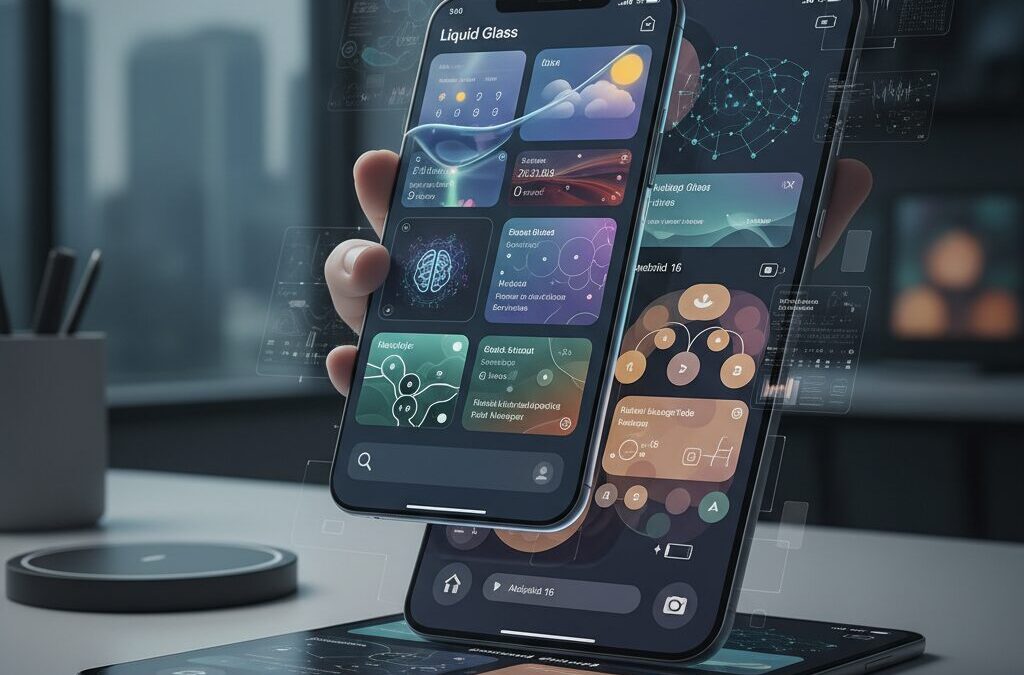
Your home screen is no longer just a grid of apps. In 2026, it has become a live dashboard powered by real-time rendering, AI agents, and deeply personalized design systems across iOS 26, Android 16, macOS, and Windows.
Apple’s Liquid Glass and Google’s Material 3 Expressive are redefining how digital objects look and behave, while research in cognitive science reveals that widget density, color contrast, and visual hierarchy directly affect mental fatigue and task performance.
At the same time, AI-powered widgets such as contextual assistants and natural-language task managers are transforming from passive displays into proactive partners. However, this evolution also raises serious questions about battery drain, GPU load, and information overload.
In this article, you will discover how the 2026 widget ecosystem is reshaping productivity and self-expression, what neuroscience says about optimal layout design, and how to build a smarter, faster, and more energy-efficient digital environment across mobile and desktop platforms.
- The 2026 Interface Shift: Why Widgets Became the Center of the OS Experience
- Apple’s Liquid Glass in iOS 26: Optical Realism, Dynamic Rendering, and GPU Trade-offs
- Android 16 and Material 3 Expressive: Precision Control, Camera-Level Widgets, and Performance Optimization
- Cognitive Ergonomics: How Widget Density Impacts Mental Load and Decision Fatigue
- Color Science and Dark Mode: Evidence-Based UI Choices That Improve Search Speed
- Asynchronous Loading and Perceived Speed: Engineering Widgets for Lower Cognitive Stress
- AI Agent Widgets: From Static Panels to Context-Aware Productivity Assistants
- Cross-Platform Ecosystems: iOS, Android, macOS, and the Windows 11 Divide
- Desktop Power Customization: macOS Menu Bar Tools and the Rise of Rainmeter on Windows
- Battery Drain Explained: GPU Rendering, Wake Locks, and Real-World Mitigation Strategies
- Aesthetic Customization and Social Widgets: From Personal Branding to Private Sharing
- Looking Ahead to 2027: Spatial Computing and the Future of Ambient Widgets
- 参考文献
The 2026 Interface Shift: Why Widgets Became the Center of the OS Experience
In 2026, widgets are no longer shortcuts sitting quietly on the edge of the home screen. They have become the operating system’s primary interface layer. With the release of iOS 26 and Android 16, the center of gravity has clearly shifted from launching apps to interacting with information directly.
This is not a cosmetic update. It is a structural redesign of how we use computers. Apple’s introduction of the Liquid Glass design language and Google’s evolution of Material 3 Expressive both reposition widgets as dynamic, context-aware surfaces rather than static panels.
According to Apple’s newsroom briefing on its new software design, Liquid Glass behaves like a real optical material, dynamically adapting to content and light. That means widgets are visually and functionally integrated into the system layer itself, not floating above it as separate components.
From App-Centric to Widget-Centric
| Era | Primary Interaction | User Behavior |
|---|---|---|
| 2015–2022 | App Launching | Open app → Find information |
| 2023–2025 | Hybrid Model | Widgets preview → Open app for action |
| 2026– | Widget-First | Act directly on widget surface |
Android 16 demonstrates this shift clearly. With expanded Camera2 API access at the widget level, users can adjust exposure or white balance directly from a home screen widget. This is not a shortcut. It is functional execution without entering the full application.
At the same time, Android 16 QPR3 introduced precise grid-based resizing controls. By allowing plus and minus adjustments instead of vague drag gestures, Google effectively turned layout control into a first-class OS capability.
The home screen is no longer a launchpad. It is a live dashboard.
Desktop platforms reflect the same transformation. As reported by Windows-focused analysis on Windows Central, macOS widgets have gained legitimacy by living directly on the desktop and synchronizing with iPhone data without requiring duplicate installations. Information now flows across devices through widgets as shared surfaces.
This shift is also cognitive. Research on dashboard design and cognitive load, including work highlighted in neuroscience-informed UX discussions, shows that well-structured visual hierarchies reduce mental effort. Widgets, when optimized, minimize the need to context-switch between apps.
The 2026 interface shift is about reducing friction between intent and action. Widgets compress the distance between seeing, deciding, and doing.
What makes 2026 different is integration. Widgets are tied into AI agents, system rendering engines, and cross-device continuity frameworks. They are persistent, adaptive, and increasingly predictive.
For gadget enthusiasts and power users, this means the OS experience is no longer defined by app ecosystems alone. It is defined by how intelligently and efficiently widgets surface the right information at the right moment.
In short, the center of the operating system has moved. And it now lives directly on your home screen.
Apple’s Liquid Glass in iOS 26: Optical Realism, Dynamic Rendering, and GPU Trade-offs
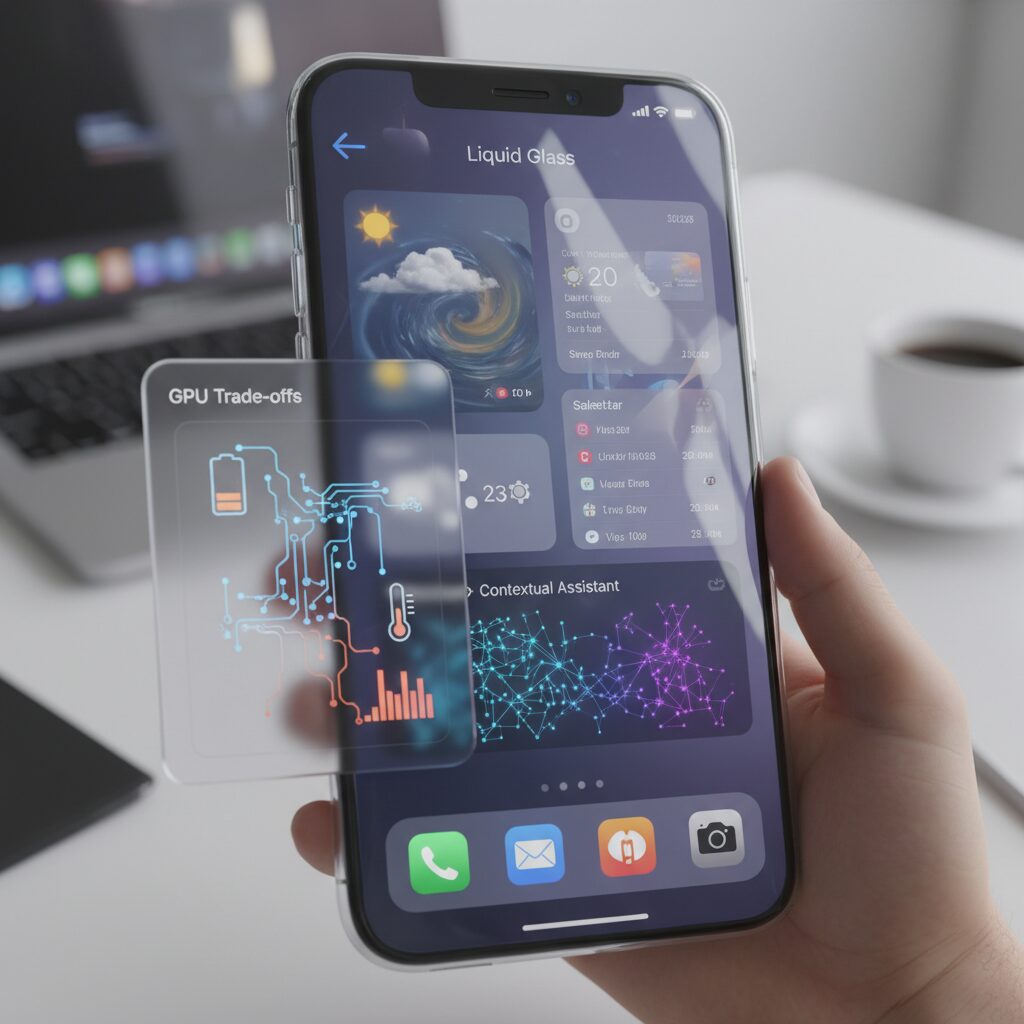
With iOS 26, Apple introduces Liquid Glass, its most radical visual overhaul since the flat design shift of iOS 7. Rather than treating UI layers as flat, semi-transparent panels, Apple reimagines them as optically reactive materials that behave like real glass under light.
According to Apple’s newsroom announcement, this new design language adapts to content and context, dynamically responding to brightness, color, and motion. MacRumors describes it as a material that “behaves like glass in the real world,” transforming based on surrounding elements.
The result is not just aesthetic refinement, but a shift toward optical realism powered by real-time rendering.
Optical Simulation vs. Traditional Blur
| Element | Traditional Blur (Pre‑iOS 26) | Liquid Glass (iOS 26) |
|---|---|---|
| Transparency | Static Gaussian blur | Dynamic refraction + reflection |
| Light Behavior | No light source awareness | Highlights shift with environment |
| Depth Perception | Layered illusion | Lens-like distortion effects |
Unlike the frosted-glass blur introduced years ago, Liquid Glass simulates refraction and reflection in real time. Widgets and Control Center panels subtly bend background wallpaper like a lens, while highlights move depending on ambient brightness.
This “lensing” effect creates depth cues that guide visual hierarchy. Floating navigation planes appear suspended above content, reinforcing spatial separation without hard borders.
However, realism comes at a computational price.
Because these effects rely heavily on GPU acceleration, rendering is continuous rather than static. Early user tests reported on Reddit indicate that prolonged home screen usage increases battery drain, particularly on devices with high transparency and parallax enabled.
In practical terms, every scroll or gesture triggers recalculation of light distortion and highlight positioning. This transforms the home screen into a constantly composited scene rather than a flat canvas.
The interface is no longer drawn—it is rendered.
This shift introduces measurable GPU trade-offs. Reports from community battery tests suggest that enabling motion effects and high-transparency widgets amplifies power consumption compared to static layouts. Apple addresses this through Accessibility settings such as “Reduce Motion” and transparency adjustments.
These toggles effectively dial down optical complexity, reducing real-time compositing demands. Users prioritizing endurance over visual fidelity can regain efficiency without abandoning the overall design system.
The tension between beauty and performance becomes a conscious choice rather than a hidden cost.
There is also a usability dimension. Beta feedback highlighted legibility issues under bright sunlight, particularly with complex wallpapers behind translucent panels. When background contrast fluctuates, text clarity may momentarily suffer.
Apple mitigates this through adaptive contrast tuning, but the debate continues: how far should realism go before clarity is compromised?
Liquid Glass ultimately signals Apple’s long-term ambition—bringing physical metaphors back into software, but powered by modern GPUs. It represents a future where UI materials behave like matter, yet demand the energy budget of a small rendering engine.
Android 16 and Material 3 Expressive: Precision Control, Camera-Level Widgets, and Performance Optimization
Android 16 refines Google’s design philosophy through Material 3 Expressive, but its real breakthrough lies in how deeply widgets are integrated into system-level control. Rather than treating widgets as decorative shortcuts, Android now positions them as precision interfaces for power users who demand granular authority over their devices.
According to coverage comparing Android 16 with its competitors, Google has focused on functional integration and performance discipline rather than purely visual spectacle. This shift is especially visible in three areas: precision resizing, camera-level control, and runtime optimization.
Precision Resizing: Grid-Level Accuracy for Layout Perfection
With Android 16 QPR3, widget resizing has evolved beyond intuitive but imprecise drag gestures. A new plus and minus control allows users to adjust widget dimensions in strict grid increments, enabling pixel-consistent alignment across the home screen.
This matters more than it sounds. For users who build information-dense dashboards, even a one-cell misalignment increases visual noise and cognitive friction. Research on dashboard design from UXPin emphasizes that spatial consistency directly improves scan efficiency and reduces cognitive load.
| Feature | Before Android 16 | Android 16 QPR3 |
|---|---|---|
| Resize Method | Freeform drag | Grid-based +/- controls |
| Accuracy | Visually approximate | Precise cell-level control |
| Layout Consistency | Dependent on touch input | System-aligned symmetry |
This seemingly small UI change fundamentally upgrades Android’s home screen from casual customization to professional-grade layout management.
Camera-Level Widgets: From Shortcut to Control Surface
The expansion of the Camera2 API in Android 16 marks a structural shift in widget capability. Third-party camera widgets can now access parameters such as ISO sensitivity, exposure compensation, and white balance directly from the home screen.
Instead of launching a full camera app, users can preview and adjust settings within the widget layer itself. This transforms widgets into lightweight control panels, especially valuable for creators who need rapid shooting adjustments.
In practical terms, this reduces interaction steps and context switching. For mobile photographers, shaving even a few seconds off exposure adjustments can mean capturing moments that would otherwise be lost.
Performance Optimization: ART and Background Discipline
Android 16 also updates the Android Runtime (ART), improving app launch speed and animation smoothness while tightening background execution policies. Reports highlighted in Android-focused analysis note measurable improvements in responsiveness alongside stricter resource governance.
This optimization directly impacts widgets, which often rely on background refresh cycles. Poorly managed widgets have historically triggered excessive wake locks, contributing to significant System UI battery drain as documented in Android user forums.
By refining background task control and runtime efficiency, Android 16 reduces the hidden cost of persistent widgets without limiting their functionality.
The combined effect of precision controls, deeper hardware access, and runtime optimization signals a mature ecosystem. Material 3 Expressive is not merely aesthetic evolution; it is a framework that balances expressive design with disciplined system performance.
For gadget enthusiasts who view their home screen as both a productivity cockpit and a creative canvas, Android 16 delivers something rare: freedom without chaos, power without instability, and customization grounded in engineering rigor.
Cognitive Ergonomics: How Widget Density Impacts Mental Load and Decision Fatigue
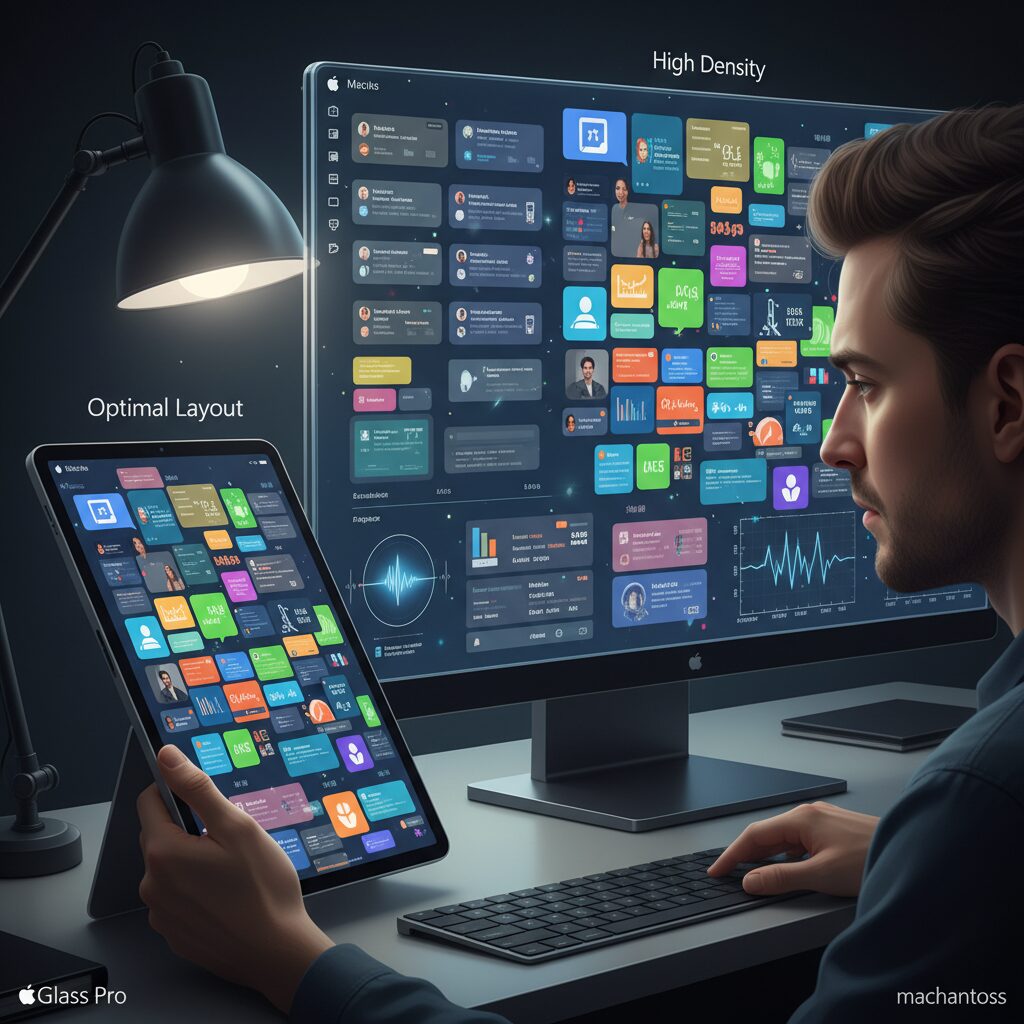
As widget ecosystems mature in 2026, the real bottleneck is no longer screen size or processing power. It is the human brain. Cognitive ergonomics asks a simple but powerful question: how much information can you process before performance drops?
Research on dashboard design and neuroscience provides a clear warning. High widget density directly increases mental load, slows decision-making, and accelerates decision fatigue.
Physiological Signals of Overload
Studies referenced in recent cognitive cost analyses of data visualization show that when users face cluttered, unstructured interfaces, their pupils dilate. According to neuroscience research discussed in The Cognitive Cost of Dashboard Design, pupil dilation correlates with increased metabolic demand in the brain.
In practical terms, a crowded home screen forces continuous micro-decoding: reading labels, distinguishing colors, filtering relevance. Each micro-decision consumes working memory.
Over time, this leads to cognitive fatigue similar to what clinical informatics researchers describe in high-density electronic dashboards, where excessive indicators impair rather than improve insight.
| Widget Density | Cognitive Effect | Behavioral Outcome |
|---|---|---|
| Low (3–5 key widgets) | Manageable load | Faster recognition, decisive action |
| Moderate (6–8 mixed signals) | Rising working memory strain | Slower prioritization |
| High (9+ competing widgets) | Overload, pupil dilation response | Decision delay, avoidance behavior |
The Disappearance of the “Aha” Moment
The purpose of widgets is immediacy. You glance, you understand, you act. However, cognitive load theory explains that working memory has strict limits.
When too many widgets compete for attention, your brain shifts from insight generation to noise filtering. The “Aha” moment disappears because cognitive resources are spent on navigation rather than comprehension.
This effect is subtle but measurable. Reaction time increases, task switching becomes more frequent, and users hesitate longer before interacting.
Decision Fatigue in Everyday Use
Decision fatigue is not limited to executive boardrooms. Every time you unlock your device and see weather, stocks, messages, calendar alerts, fitness rings, and AI suggestions simultaneously, you are forced into rapid prioritization.
Even ignoring a widget requires cognitive effort. Neuroscience shows that suppression and selective attention both consume mental energy.
By the afternoon, the cost accumulates. You may find yourself postponing minor tasks—not because they are difficult, but because your cognitive budget is depleted.
Reducing widget density is not minimalism for aesthetics. It is an energy management strategy for your brain.
Design Implications for Power Users
Effective cognitive ergonomics prioritizes hierarchy over abundance. Research on dashboard efficiency emphasizes clear visual grouping and prioritized metrics rather than equal visual weight.
Translating this into widget design means promoting one primary decision surface and demoting secondary data to stacked or secondary screens.
The goal is not fewer capabilities. It is fewer simultaneous cognitive demands. When density aligns with human processing limits, devices feel calmer, faster, and surprisingly more powerful.
Color Science and Dark Mode: Evidence-Based UI Choices That Improve Search Speed
Color is not decoration. In high-density widget environments, it directly affects how fast you can locate information and act on it. Recent cognitive science research shows that search speed is tightly linked to contrast, luminance balance, and background color choices.
According to a 2025 experimental study published in Applied Sciences (MDPI), icon color combinations significantly influence task performance under varying cognitive load. Participants working under high mental load responded faster and more accurately when interfaces used high-contrast schemes, particularly white text on black backgrounds.
The performance differences become more pronounced as complexity increases. When users are scanning multiple widgets—weather, calendar, system stats, AI summaries—their working memory is already taxed. Under these conditions, suboptimal color pairings amplify delay.
| Color Combination | Performance Under High Load | Design Implication |
|---|---|---|
| White on Black | Fastest, highest accuracy | Ideal for dense dashboards |
| White on Blue | Performance decline | Avoid for critical widgets |
| Yellow on Red | Moderate effectiveness | Use selectively for alerts |
The underperformance of white-on-blue combinations under high load is particularly important. Blue is widely used in system UI and notification badges. However, when layered across multiple widgets, it can reduce perceptual clarity and slow visual discrimination.
Neuroscience research on dashboard design further supports this. As discussed in cognitive load analyses published by UX researchers and neuroscience commentators, cluttered visual fields increase pupil dilation, a marker of higher metabolic effort in the brain. Poor color contrast compounds this cost.
In practical terms, color choice either shortens or lengthens your visual search path. Dark mode reduces background luminance, allowing bright elements to pop with less interference. This enhances figure-ground separation, which is critical when scanning stacked or resizable widgets.
Importantly, dark mode is not universally superior in every context. In bright outdoor environments, insufficient contrast or excessive transparency—such as heavy glass effects—can undermine readability. However, when paired with strong typographic contrast and reduced translucency, dark mode consistently supports faster scanning.
For power users running multi-widget layouts, the evidence suggests three priorities: maximize luminance contrast, minimize competing accent colors, and reserve saturated hues for genuinely urgent signals. These principles reduce cognitive friction and improve micro-efficiency throughout the day.
Search speed may seem like a minor metric, but multiplied across hundreds of daily glances, the gains become meaningful. Evidence-based color science turns your interface from a stylistic canvas into a performance tool.
Asynchronous Loading and Perceived Speed: Engineering Widgets for Lower Cognitive Stress
Perceived speed is not defined only by milliseconds but by how the brain interprets waiting. In widget-heavy environments, synchronous loading forces users to confront a blank or frozen state, amplifying cognitive stress. By contrast, asynchronous loading distributes information over time, allowing the mind to process in manageable chunks.
Research on dashboard design, including analyses published by UXPin and neuroscience-focused commentary on data visualization, shows that cognitive overload increases when multiple data points compete simultaneously for attention. When every widget refreshes at once, the user experiences a micro-burst of visual noise. This spike in simultaneous change elevates cognitive load even if total load time remains identical.
Asynchronous strategies mitigate this by sequencing updates. Instead of blocking the interface until weather, calendar, stocks, and AI summaries all resolve, each component renders independently as soon as its data is ready. The user can begin scanning the calendar while market data continues fetching in the background.
| Loading Strategy | Initial Visibility | Cognitive Impact |
|---|---|---|
| Synchronous | All content after full load | High spike in attention demand |
| Asynchronous | Partial, progressive rendering | Distributed, lower perceived stress |
The difference is psychological as much as technical. Studies on cognitive load theory indicate that working memory is easily saturated when too many elements change at once. Progressive disclosure, a principle echoed in effective dashboard research, aligns with how humans naturally parse information. When widgets fade in sequentially, the brain treats each as a discrete event rather than a chaotic burst.
Lazy loading further refines this approach. Non-critical widgets, such as secondary analytics or extended forecasts, can defer network requests until the user scrolls or interacts. This reduces unnecessary wake cycles and avoids the “everything at once” refresh pattern that Android community reports have linked to System UI battery spikes.
Engineering for lower cognitive stress means optimizing for perceptual flow, not just raw performance metrics. Skeleton placeholders, subtle shimmer effects, and predictable animation timing create continuity. Even when total load time is unchanged, users report smoother experiences because attention is never abruptly blocked.
In AI-driven widgets, asynchronous pipelines become even more critical. Context-aware summaries may depend on multiple APIs. Rendering the structural frame first, then injecting summarized insights once inference completes, preserves responsiveness. The user remains oriented instead of waiting for an opaque computation to finish.
Ultimately, asynchronous loading transforms widgets from static mini-apps into adaptive information streams. By sequencing data retrieval, minimizing simultaneous motion, and prioritizing above-the-fold content, designers reduce cognitive friction. The result is not merely faster software, but a calmer, more cognitively ergonomic interface that respects the limits of human attention.
AI Agent Widgets: From Static Panels to Context-Aware Productivity Assistants
Widgets are no longer static panels that simply display information. In 2026, they are evolving into context-aware AI agents that actively interpret your data and suggest next actions.
According to productivity trend reports and developer discussions throughout 2025–2026, the core shift is clear: from passive visibility to proactive assistance. Instead of showing raw data, AI agent widgets now synthesize, prioritize, and surface what truly matters in the moment.
This transformation is redefining the home screen as a lightweight decision engine rather than a dashboard.
From Display to Decision Support
Traditional widgets focused on exposure. Calendar widgets showed events. Task widgets listed to-dos. Weather widgets displayed forecasts. The cognitive burden of interpretation remained with the user.
Recent cognitive research on dashboard design suggests that excessive raw data increases mental processing cost and delays insight. AI agent widgets reduce that cost by pre-processing information before it reaches your eyes.
The widget becomes the filter, not just the frame.
| Generation | Primary Function | User Effort |
|---|---|---|
| Static Widget | Display isolated data | Interpret & decide manually |
| Smart Widget | Aggregate multiple sources | Review summarized info |
| AI Agent Widget | Understand context & suggest action | Approve or refine suggestion |
Context Awareness in Action
Apps like Hero Assistant on iOS demonstrate this clearly. Instead of showing separate entries from calendar, tasks, and email, the widget extracts relationships—such as a project deadline next week—and visualizes a unified timeline. You do not search for relevance; relevance finds you.
On Android, Taskai leverages natural language processing to transform spoken instructions into structured plans. Its widget does not present a full task list. It displays only the immediate required action, such as a medication reminder at the correct time, then disappears after completion.
Minimal surface, maximum precision.
Generative AI as a Front-End Layer
AI search assistants such as Perplexity or Copilot increasingly expose summarized answers directly within widgets. Instead of launching a browser, you receive concise, source-aware responses on the home screen.
This shift aligns with broader AI/BI platform developments noted in enterprise ecosystems, where AI pre-aggregates insights before human review. The same principle now applies at the personal productivity level.
The home screen becomes a micro-briefing environment.
Why This Matters for Power Users
For gadget enthusiasts and productivity-focused users, the benefit is not novelty but efficiency. Every app switch avoided saves cognitive bandwidth. Every pre-filtered insight shortens decision latency.
As discussions in productivity communities throughout 2026 indicate, users increasingly prefer tools that remove interface friction rather than add customization complexity.
The ultimate productivity upgrade is not more information. It is smarter presentation at the exact right moment.
Cross-Platform Ecosystems: iOS, Android, macOS, and the Windows 11 Divide
The battle of ecosystems in 2026 is no longer about hardware specs alone. It is about how seamlessly your widgets, data, and workflows travel across iOS, Android, macOS, and Windows 11. For gadget enthusiasts, this cross-platform reality determines whether your digital life feels unified or fragmented.
According to Windows Central, macOS widgets are increasingly seen as “winning” because of their deep integration, while Windows 11 continues to struggle with direction and identity. That contrast highlights a broader divide in ecosystem philosophy.
Ecosystem Integration at a Glance
| Platform | Mobile–Desktop Continuity | Widget Philosophy |
|---|---|---|
| Apple (iOS + macOS) | Native, device-to-device sync | Design-unified, tightly controlled |
| Android | Flexible, OEM-dependent | Highly customizable, open |
| Windows 11 | Limited native mobile tie-in | Board-based, MSN-centric |
Apple’s advantage lies in vertical integration. With iOS 26 and macOS Tahoe, iPhone widgets can appear on a Mac desktop without installing the same app locally. The Mac leverages the nearby iPhone’s data and processing, creating a near-continuous workflow between devices. This is not just convenience; it reduces duplication and cognitive switching costs.
For users deeply embedded in Apple’s ecosystem, the experience feels ambient. A calendar widget updated on iPhone reflects instantly on Mac, maintaining visual consistency through the Liquid Glass design language. The psychological effect is subtle but powerful: one system, multiple screens.
Android tells a different story. Its strength is freedom. Through launchers like Nova or tools like KWGT, users can redesign the entire home interface. Android 16’s improved widget resizing controls further empower precision layout. However, cross-device continuity depends heavily on manufacturer layers and Google services, leading to variability.
This flexibility is empowering but fragmented. A Samsung user, a Pixel user, and a Xiaomi user may experience widgets differently. Design language alignment under Material 3 Expressive helps, yet third-party inconsistencies remain a reality.
Then there is Windows 11. Microsoft’s widget board remains separated from the traditional desktop metaphor. As reported by Neowin and community discussions, customization improvements are ongoing, but many power users still turn to Rainmeter or Widget Launcher for true desktop-level control.
The absence of a strong mobile–Windows widget bridge creates a visible divide. While Apple users glide between phone and laptop, Windows users often operate in parallel silos. This does not mean Windows lacks power; rather, its ecosystem cohesion lags behind.
For marketing and productivity strategy, ecosystem lock-in is becoming a feature, not a flaw. The tighter the integration, the harder it is to leave. Apple capitalizes on this with seamless continuity. Android competes with openness and customization depth. Windows attempts to modernize without alienating its legacy base.
For gadget enthusiasts, the key question is simple: do you value seamless continuity or radical flexibility? Your answer determines which side of the 2026 platform divide you stand on.
Desktop Power Customization: macOS Menu Bar Tools and the Rise of Rainmeter on Windows
Desktop customization in 2026 is no longer about flashy wallpapers alone. It is about turning idle screen space into low-friction intelligence surfaces that reduce cognitive load while preserving aesthetic control.
On macOS, this philosophy has crystallized around the menu bar. On Windows, it has sparked a grassroots resurgence of tools like Rainmeter as users demand deeper ownership of their desktops.
macOS Menu Bar: Micro-Widgets With Purpose
The macOS menu bar functions as a persistent, glanceable dashboard. Unlike full desktop widgets, menu bar tools occupy minimal visual real estate while remaining constantly accessible.
According to coverage by OSXDaily and long-term productivity workflows shared by power users, utilities such as Stats and Monit have become staples for real-time system visibility without workspace intrusion.
| Tool | Primary Function | Customization Depth |
|---|---|---|
| Stats | CPU, GPU, memory, sensors | High (modular metrics, visual tuning) |
| Monit | System overview + widget mode | Moderate (clean UI presets) |
| Bartender | Menu bar organization | High (auto-hide, triggers, grouping) |
Stats, being open source, is particularly valued among developers and creators because it adapts quickly to Apple Silicon changes. It transforms the menu bar into a live telemetry strip without requiring a separate dashboard.
Bartender addresses a subtler issue: cognitive clutter. Research in dashboard design, such as principles discussed by UXPin, emphasizes prioritization and hierarchy. Hiding rarely used icons until needed directly aligns with those findings.
This restraint becomes even more important under Apple’s Liquid Glass design language. With increased translucency and GPU-rendered effects, keeping persistent overlays lightweight helps maintain both performance and clarity.
Windows and the Return of Rainmeter
Windows 11’s widget board continues to divide users. As reported by Windows-focused publications, the emphasis on curated news feeds and limited desktop placement has left power users wanting more structural control.
That vacuum explains the sustained relevance of Rainmeter. Rather than operating inside a fixed panel, Rainmeter allows full desktop-layer customization through community-created “skins.”
Its strengths are threefold. First, unlimited layout freedom: system monitors, clocks, launchers, and media visualizers can be positioned anywhere. Second, practical telemetry for gamers and creators who need real-time CPU, GPU, and network data. Third, a vibrant ecosystem on platforms like DeviantArt where thousands of skins are shared and iterated.
Unlike Apple’s curated approach, Rainmeter reflects a modular philosophy. Users assemble their own interface logic. This mirrors broader trends in productivity tooling, where customization depth often correlates with engagement among technical audiences.
However, freedom requires discipline. As cognitive load research suggests, excessive visual elements increase processing cost. Advanced users increasingly adopt minimalist Rainmeter builds: monochrome metrics, low refresh intervals, and sparse layouts that deliver insight without distraction.
In practice, macOS menu bar tools represent refined micro-control, while Rainmeter embodies expressive macro-control. Both signal the same shift: desktop environments are becoming intentional information architectures rather than static backdrops.
Battery Drain Explained: GPU Rendering, Wake Locks, and Real-World Mitigation Strategies
Battery drain is not caused by widgets simply “existing” on your screen. It is driven by how often they wake the system and how intensively they are rendered. In 2026’s integrated widget environments, two technical factors matter most: GPU rendering load and wake locks.
Understanding these mechanisms allows you to optimize battery life without sacrificing functionality. Let’s break down what is actually happening under the hood.
GPU Rendering: The Hidden Cost of Visual Sophistication
With iOS 26’s Liquid Glass design language, real-time refraction, blur, and dynamic light simulation are handled by the GPU. According to Apple’s own design overview and multiple early user tests on Reddit, these effects continuously re-render when parallax, motion, or layered transparency is active.
This means the home screen is no longer a static canvas. It becomes a composited scene. The more translucent widgets and motion effects you stack, the more GPU cycles are consumed.
| Widget Type | GPU Load | Battery Impact |
|---|---|---|
| Static calendar/photo | Low | Minimal |
| Transparent Liquid Glass panel | High | Noticeable over time |
| Parallax + animation heavy layout | Very High | Accelerated drain |
Even on high-end devices, prolonged home screen interaction increases power draw because the GPU remains active instead of idling. Reducing motion effects and transparency in Accessibility settings directly lowers compositing complexity.
Wake Locks: The Silent Battery Killer on Android
On Android 16, the more serious issue often lies in wake locks. A wake lock prevents the CPU from entering deep sleep. Weather, stock, or news widgets that refresh frequently may trigger repeated background updates.
In Android Central forum reports, users observed System UI consuming over 50% of daily battery usage. After removing problematic widgets, usage dropped to near 2%. This dramatic shift highlights how misbehaving background refresh cycles can dominate power consumption.
If your phone drains overnight, wake locks are usually the culprit—not screen rendering.
Real-World Mitigation Strategies
Practical mitigation is surprisingly straightforward when guided by system behavior rather than guesswork.
First, extend refresh intervals wherever possible. Moving from real-time updates to 30-minute or hourly sync dramatically reduces wake events. Second, disable background refresh for non-essential widgets. Third, prefer Wi-Fi-only updates for data-heavy feeds.
On iOS, remember that post-update indexing may temporarily increase background activity for 48–72 hours, as noted in Apple Support Community discussions. This is transient and not necessarily widget-related.
Finally, treat your home screen as a performance budget. Every animated layer, every polling system monitor, every real-time feed consumes measurable energy. By prioritizing static or low-frequency widgets for daily use, you preserve both battery longevity and thermal stability without compromising the integrated widget experience.
Battery optimization in 2026 is no longer about deleting widgets—it is about configuring them intelligently.
Aesthetic Customization and Social Widgets: From Personal Branding to Private Sharing
In 2026, widgets are no longer just functional shortcuts. They have become digital canvases for personal branding and intimate communication, especially among users who care deeply about aesthetics and identity.
In Japan in particular, customization culture has evolved beyond efficiency. According to App Store ranking analyses reported by App-Liv, decoration-focused widget apps consistently dominate lifestyle categories, signaling that visual coherence and emotional resonance matter as much as raw utility.
This shift transforms the home screen into a curated self-portrait—part mood board, part social signal.
From Functional Layout to Identity Design
Apps such as iScreen, WidgetClub, and Photowidget allow users to synchronize wallpapers, icons, and widgets into a single thematic worldview. Rather than mixing default system styles, users now adopt cohesive themes like Y2K, cyberpunk, pastel minimalism, or traditional Japanese aesthetics.
The psychological impact is not trivial. Research on visual hierarchy and cognitive load suggests that coherent design reduces perceptual friction, making interaction feel smoother and more satisfying. A unified theme is not only beautiful—it lowers micro-stress during daily device use.
Especially under design languages like Apple’s Liquid Glass, transparency and depth effects amplify this aesthetic layer, turning widgets into floating design elements that blend with wallpaper and light.
| App Type | Primary Value | User Motivation |
|---|---|---|
| iScreen | Dynamic visuals, shaped photo widgets | Showcasing “oshi” (favorite idol/character) |
| WidgetClub | Theme-based full customization | Instant aesthetic transformation |
| Photowidget | Personal photo display | Emotional attachment and nostalgia |
What makes this ecosystem powerful is speed. Users can shift their entire home screen mood in minutes, aligning it with seasons, fandom trends, or even emotional states.
The Rise of Private Social Widgets
Parallel to public-facing branding, another trend is emerging: hyper-private sharing through widgets. Locket Widget exemplifies this movement.
Instead of broadcasting to hundreds of followers, Locket pushes real-time photos directly onto a trusted person’s home screen. The interaction is ambient and subtle. There is no algorithmic feed, no public metrics—just presence.
In 2026 updates, the addition of handwritten notes and mood statuses deepens this intimacy. The widget becomes a lightweight emotional channel, always visible but never intrusive.
This reflects a broader behavioral shift. As major social platforms grow noisier, users increasingly value controlled, small-circle communication. A widget pinned to the home screen feels more personal than a notification buried in an app.
Generative AI further expands aesthetic possibilities. Tools like Picsart AI and Lensa AI enable users to create stylized portraits or fantasy-inspired backgrounds, which are then embedded into rotating photo widgets. The result is a continuously evolving digital interior.
This evolution echoes Japan’s long-standing keitai customization culture, where phone straps, wallpapers, and themes were forms of identity expression. The difference is that AI now personalizes content dynamically rather than statically.
Ultimately, aesthetic customization and social widgets converge into a new layer of everyday computing—one where the home screen is not merely accessed, but curated, inhabited, and emotionally lived in.
Looking Ahead to 2027: Spatial Computing and the Future of Ambient Widgets
By 2027, widgets will no longer be confined to flat rectangles on a 2D home screen. They are steadily evolving into spatial, context-aware layers that live around us rather than inside a single device.
The rise of spatial computing, led by devices such as Apple Vision Pro and advanced mixed reality headsets, is redefining what a “widget” means. Instead of tapping a tile, users will glance at floating information panels anchored to physical space, and interact through gaze, gesture, or voice.
This shift transforms widgets from interface components into environmental information nodes.
From Screen-Based Widgets to Spatial Anchors
In 2026, we already see early signs of this transition. Apple’s unified design language across iOS, macOS, and visionOS suggests a future where interface elements adapt fluidly between flat and spatial contexts, as described in Apple’s newsroom briefings.
Material 3 Expressive on Android similarly emphasizes adaptive surfaces and responsive layouts. When extended into XR environments, these surfaces can become floating, resizable panels that follow the user’s workflow.
| 2026 Widget Model | Projected 2027 Spatial Model |
|---|---|
| 2D grid on home screen | 3D anchored panels in physical space |
| Touch-based interaction | Gaze, gesture, and voice interaction |
| App-specific data view | Context-fused, cross-app intelligence |
Imagine a productivity dashboard hovering above your physical desk, automatically resizing when you focus on a task. Or a system monitor subtly attached to the corner of your field of view, visible only when CPU load spikes.
These are not speculative fantasies but logical extensions of today’s cross-device widget frameworks and AI-driven agents.
Ambient Computing: Information That “Breathes”
Ambient computing pushes this concept further. Instead of demanding attention, widgets will surface information only when cognitively appropriate.
Research on cognitive load and dashboard design shows that excessive simultaneous data increases mental fatigue and even correlates with physiological stress markers such as pupil dilation. In a spatial future, systems can respond dynamically by fading nonessential panels and highlighting only actionable insights.
The interface will adapt to human cognition in real time.
For example, a spatial calendar widget might remain translucent during deep work, becoming opaque only when a meeting approaches. A health widget could gently expand in the evening to summarize daily activity, then disappear.
This behavior aligns with asynchronous loading principles already discussed in UX research, but extended into three-dimensional, persistent environments.
The Convergence of AI Agents and Spatial UI
Generative AI agents will act as orchestrators of these ambient widgets. Instead of manually placing multiple panels, users may define intent: “Create a focused work environment.”
The system could then arrange a task timeline to the left, mute notifications, and surface only high-priority communications. Microsoft’s AI/BI roadmap and the broader industry shift toward AI copilots indicate that proactive, summarized outputs will replace raw data streams.
Widgets will become dynamic decisions, not static displays.
By 2027, the competitive frontier will not be visual polish alone. It will be how seamlessly a platform integrates spatial awareness, cognitive ergonomics, and AI-driven anticipation.
For gadget enthusiasts and power users, this means thinking beyond icon packs and grid alignment. The real question becomes: how do you design your personal information space?
The future of ambient widgets is not about adding more panels. It is about making technology dissolve into the background—visible only when it truly matters.
参考文献
- MacRumors:iOS 26: Everything We Know
- Apple Newsroom:Apple introduces a delightful and elegant new software design
- Android Headlines:Android 16 QPR3 Makes Resizing Your Widgets So Much Easier
- UXPin:Effective Dashboard Design Principles for 2025
- MDPI Applied Sciences:The Effect of Icon Color Combinations in Information Interfaces on Task Performance under Varying Levels of Cognitive Load
- Windows Central:Why macOS widgets are winning while Windows 11 lags behind
- Android Central Forums:Widgets Equal Major Battery Drain