How many screenshots are sitting on your smartphone right now, quietly piling up in your camera roll?
For gadget enthusiasts, screenshots are more than images. They are saved tweets, product specs, crypto charts, UI inspirations, receipts, QR codes, and half-finished ideas waiting to be processed.
Yet most of them are never revisited, turning powerful devices into digital junk drawers.
Recent surveys show that a majority of users consider themselves digital hoarders, keeping files “just in case” while rarely organizing them. This habit is not laziness. It is a cognitive shortcut in an era where information moves faster than our brains can process.
The result is decision fatigue, cluttered galleries, and hidden privacy risks.
In 2025–2026, however, the landscape is changing dramatically. iOS 18–19, Android 16, Apple Intelligence, Private Space, and multimodal AI models like GPT-4o are redefining what a screenshot can be.
With the right automation workflows, screenshots can evolve from static images into searchable, structured knowledge—your own AI-powered second brain.
This article explores the psychology behind digital hoarding, the latest OS-level innovations, advanced automation with Shortcuts and Tasker, AI-powered semantic classification, and the privacy trade-offs you must understand.
If you care about productivity, privacy, and the future of human–AI collaboration, this guide will change how you think about the simple act of taking a screenshot.
- Screenshots as Cognitive Extensions: Why We Externalize Memory to Our Phones
- The Psychology of Digital Hoarding: Just-in-Case Thinking, Decision Fatigue, and Emotional Attachment
- By the Numbers: Statistics Revealing the Scale of Screenshot Clutter
- iOS 18–19 Evolution: AI-Powered Utilities, Clean Up, and Context-Aware Photo Organization
- Android 16 Quality-of-Life Fixes: Smarter Scrolling Screenshots, HDR Support, and Private Space
- From Image to Data: Automating Screenshot Workflows with iOS Shortcuts and Notion API
- Android Automation Stack: Tasker, MacroDroid, and n8n for Advanced Users
- Notion vs. Obsidian: Choosing the Right Destination for Your Screenshot Knowledge Base
- Multimodal AI Revolution: GPT-4o Vision and Semantic Screenshot Classification
- The Rise of Screenshot Second Brain Apps and Intelligent Auto-Deletion
- Privacy, On-Device AI, and Cloud Risk: Lessons from Apple Intelligence and Microsoft Recall
- Security Boundaries on Android: Private Space, FLAG_SECURE, and Advanced Protection Mode
- From Digital Detox to Digital Mastery: A 3-Level Strategy for Screenshot Control in 2026
- 参考文献
Screenshots as Cognitive Extensions: Why We Externalize Memory to Our Phones
Taking a screenshot is no longer a trivial gesture. It is a cognitive strategy. In 2026, the simple press of two buttons functions as a way to offload memory from the brain to the device in your hand.
Where previous generations externalized memory into notebooks and sticky notes, we now outsource it to camera rolls. A recipe, a payment confirmation, a flight QR code, a heated group chat message. We capture first and think later.
This behavior is not laziness. It is adaptation. The volume and velocity of digital information exceed what biological memory can comfortably process, so we compensate by building what is effectively a pocket-sized external memory system.
Researchers describe a related phenomenon as “digital hoarding.” According to Wikipedia’s overview of the concept, it refers to the excessive accumulation of digital materials that can lead to stress and disorganization. Screenshots are one of the most frictionless forms of that accumulation.
A 2025 UK survey reported that 69% of respondents considered themselves at least somewhat digital hoarders, and 34% admitted they had screenshots saved “just in case” that they never revisited. The intention is future utility. The reality is deferred cognition.
The psychology behind this is remarkably consistent.
| Cognitive Trigger | What Happens | Result |
|---|---|---|
| Just-in-case mentality | Fear of losing potentially useful info | Over-capture |
| Decision fatigue | Avoid evaluating importance now | Postponed processing |
| Emotional attachment | Link to identity or memory | Reluctance to delete |
Zoho’s analysis of file hoarding psychology explains that low storage costs reduce the perceived penalty of saving. Deleting feels risky. Keeping feels safe. So we default to keeping.
But what are we really storing? Not images. We are storing unfinished decisions.
Every screenshot represents suspended cognitive work. When you capture a delivery tracking page, you are not preserving pixels. You are preserving a future reminder. When you save a tweet thread, you are bookmarking an idea you do not want to process yet.
Screenshots function as placeholders for attention. They are promises to your future self.
From a cognitive science perspective, this resembles distributed cognition: the idea that thinking is not confined to the brain but extends into tools and environments. Your smartphone becomes a secondary hippocampus, indexing fragments of your lived digital experience.
The problem emerges when indexing fails. Without structure, retrieval becomes costly. Studies discussed in Taylor & Francis publications on digital hoarding suggest that excessive digital clutter correlates with stress and reduced productivity. The external memory becomes noise rather than support.
In other words, externalizing memory only works if the external system is navigable.
There is also a subtle shift in how we value memory itself. When capture is effortless, selectivity declines. In the analog era, writing something down required effort, which naturally filtered importance. Screenshots eliminate that filter.
Zero-friction capture creates infinite backlog.
Yet this is not inherently negative. Offloading cognitive load can free working memory for higher-level reasoning. By storing raw inputs externally, we can focus on synthesis rather than recall.
The key insight is this: screenshots are not digital clutter by design. They are cognitive extensions by intention. The tension lies between those two states.
If we recognize screenshots as components of an externalized memory architecture rather than random images, we begin to see them differently. They are signals of what we deemed important in the moment.
The question is no longer why we take so many screenshots. The deeper question is how we transform this external memory from a passive archive into an active cognitive system that truly augments our thinking.
The Psychology of Digital Hoarding: Just-in-Case Thinking, Decision Fatigue, and Emotional Attachment
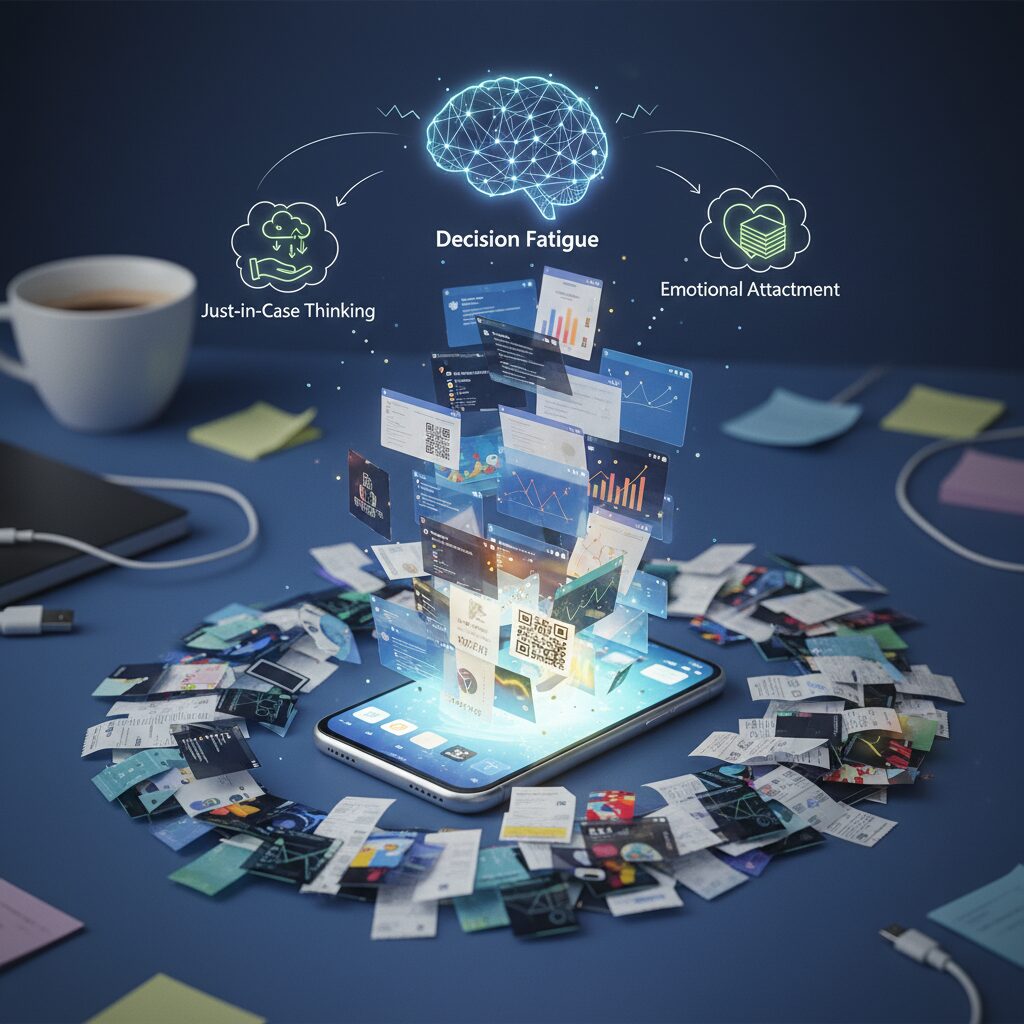
Before we optimize workflows or deploy AI, we need to confront a deeper question: why do we keep so many screenshots in the first place? The answer is not technical. It is psychological. Digital hoarding is increasingly recognized as a subtype of hoarding behavior, defined by researchers as the excessive accumulation of digital materials that leads to stress and disorganization.
Unlike physical clutter, digital clutter is invisible. Storage feels infinite, deletion feels risky, and the emotional cost of “just keeping it” appears close to zero. That illusion is what makes screenshot hoarding so persistent.
One of the strongest drivers is what researchers describe as the just-in-case mentality. When we capture a recipe, a payment confirmation, or a social media thread, we are not preserving the present. We are protecting a hypothetical future where that information might become critical.
According to 2025 digital declutter research in the UK, 69% of respondents consider themselves digital hoarders, and 34% admit they have screenshots saved “just in case” that they have never reviewed. The fear of future regret outweighs the minimal storage cost.
This creates an asymmetry: deleting feels irreversible, while saving feels reversible. Psychologically, we overvalue optionality.
The second mechanism is decision fatigue avoidance. Evaluating whether a screenshot is truly important requires cognitive effort. In high-information environments, the brain defaults to postponement. Saving becomes a way of outsourcing judgment to our future selves.
As behavioral research on decision fatigue suggests, repeated micro-decisions drain willpower. When scrolling through dozens of posts or documents, tapping “delete” demands more cognitive energy than tapping “save.” Over time, this compounds into thousands of unresolved micro-commitments.
| Psychological Driver | Internal Narrative | Behavioral Outcome |
|---|---|---|
| Just-in-case thinking | “I might need this later.” | Chronic over-saving |
| Decision fatigue | “I’ll sort it out another time.” | Deferred organization |
| Emotional attachment | “This memory matters.” | Deletion resistance |
The third factor is emotional attachment. Screenshots of conversations, achievements in games, or meaningful posts are not perceived as files. They are perceived as extensions of identity.
Research published via Taylor & Francis on digital hoarding behavior suggests that emotional significance increases perceived value, even when practical utility is low. In other words, we keep not because we need, but because we feel.
Generational data reinforces this. Among Gen Z respondents in 2025 surveys, 44% reported keeping outdated digital files. For digital natives, deleting a screenshot can feel like erasing proof of experience. The file becomes a surrogate for memory.
Yet there is a hidden cost. Studies indicate excessive digital accumulation correlates with stress and reduced productivity. The clutter may be intangible, but the cognitive load is real. Searching through hundreds of nearly identical screenshots creates friction that quietly drains focus.
Digital hoarding is not a storage problem. It is an unmade-decision problem.
Every screenshot represents a postponed judgment: act, archive, or discard. When thousands accumulate, they form a backlog of unresolved intent. The device becomes less a tool and more a reminder of unfinished cognitive business.
Understanding these psychological drivers is essential. Without addressing just-in-case thinking, decision fatigue, and emotional attachment, no automation or AI system will fully solve the behavior. Technology can assist, but the root dynamic lives in how we relate to uncertainty, effort, and memory itself.
By the Numbers: Statistics Revealing the Scale of Screenshot Clutter
If you feel like your camera roll is drowning in screenshots, you are not alone. The numbers show that screenshot clutter is no longer a minor annoyance but a measurable behavioral trend. Multiple 2025 studies reveal that digital hoarding has become mainstream rather than exceptional.
According to a 2025 survey cited by Compare and Recycle, 69% of people in the UK consider themselves at least somewhat digital hoarders. This self-awareness is striking. It means the majority already recognize that their devices store more data than they can realistically manage.
The same research highlights a generational shift. Among Gen Z respondents, 44% admit they keep outdated digital files they no longer need. Screenshots—quick to capture and rarely reviewed—are a primary contributor to that accumulation.
| Metric (2025) | Percentage | Implication |
|---|---|---|
| People identifying as digital hoarders (UK) | 69% | Clutter is perceived as normal |
| Gen Z keeping outdated files | 44% | Younger users accumulate faster |
| Saved screenshots never revisited | 34% | “Just in case” dominates behavior |
Perhaps the most revealing figure is this: 34% of respondents admit they have screenshots saved “just in case” that they have never looked at again. This is not archiving for future value. It is deferred decision-making at scale.
Wikipedia defines digital hoarding as the accumulation of excessive digital materials that leads to stress or disorganization. Academic work published via Taylor & Francis further connects excessive file accumulation with measurable productivity loss and anxiety. When screenshots pile up, the cognitive burden rises—even if storage space does not run out.
Organization habits are equally telling. Only 16% of people report organizing their digital files within a few days. Meanwhile, 18% leave files untouched for months or longer. In practical terms, that means a large portion of screenshots become permanent background noise inside the gallery.
The business impact is not theoretical. Research on digital data overload shows that time spent searching for misplaced files compounds into significant productivity loss. Even a few minutes repeatedly spent hunting for “that one screenshot” scales into hours over a year.
What makes screenshot clutter uniquely explosive is its frictionless capture cost. There is no typing, no naming, no categorizing—just a button press. When the input cost approaches zero, accumulation accelerates. The statistics above reflect that structural imbalance.
Screenshot clutter is not a storage problem. It is a behavioral pattern backed by data: high capture frequency, low review rate, and minimal deletion.
For gadget enthusiasts and power users, these numbers signal something important. The issue is not whether screenshots are useful—they clearly are. The issue is scale. When more than two-thirds of users identify with digital hoarding tendencies, screenshot chaos stops being a personal failure and becomes a systemic design challenge.
The data paints a clear picture: we capture far more than we process. And until processing catches up, the clutter will continue to grow.
iOS 18–19 Evolution: AI-Powered Utilities, Clean Up, and Context-Aware Photo Organization
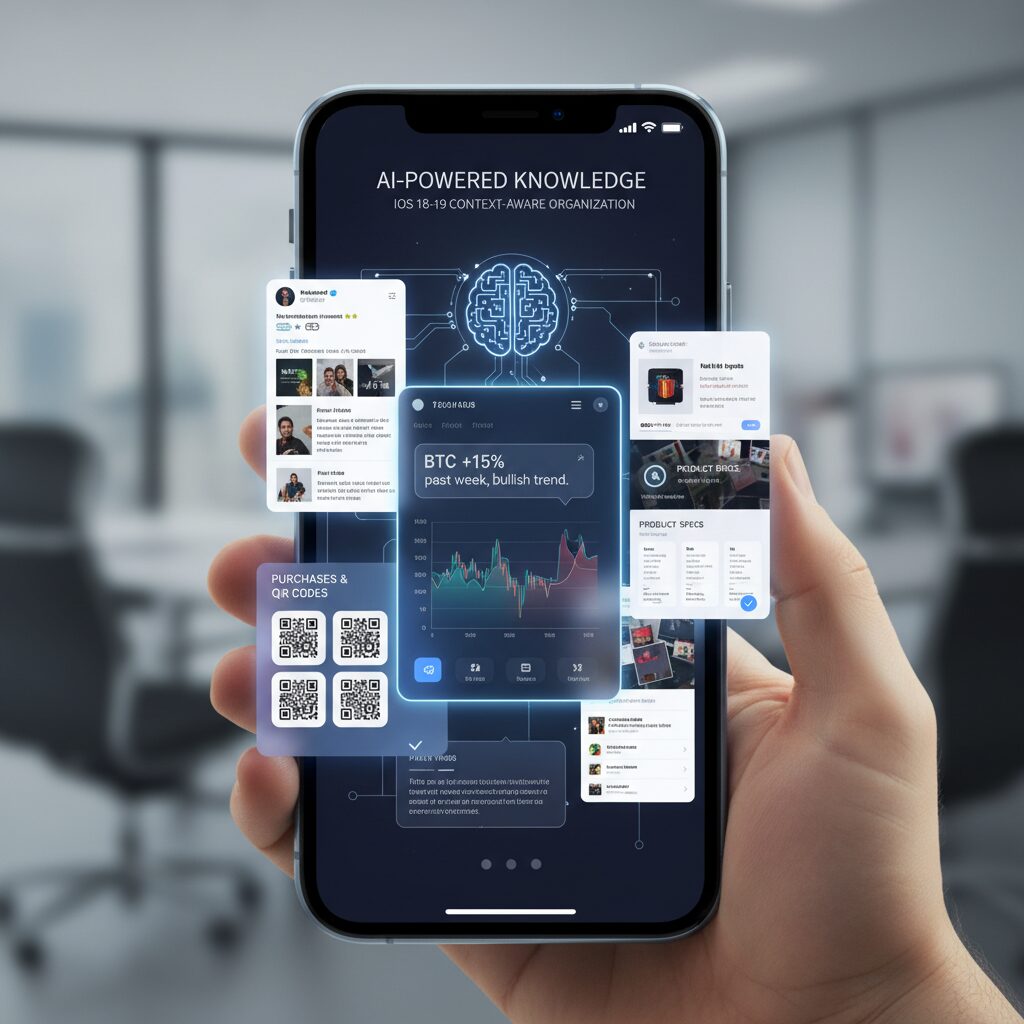
With iOS 18 and the anticipated evolution toward iOS 19, Apple is redefining how screenshots live inside the Photos app. Instead of being treated as disposable image files, screenshots are increasingly analyzed, categorized, and surfaced based on context. This shift matters because, as research on digital hoarding shows, most saved images are never revisited—yet they continue to consume cognitive and storage resources.
The core transformation is semantic understanding at the OS level. Photos no longer relies solely on timestamps. It uses on-device intelligence to identify what a screenshot actually contains and places it into meaningful collections.
AI-Driven Utilities in Photos
| Feature | What It Detects | User Benefit |
|---|---|---|
| Utilities Categories | Receipts, QR codes, documents, handwriting | Separates “task” images from memories |
| Screenshot Filter | All screenshots or hide them | Cleaner photo browsing |
| Duplicate Detection | Similar or identical images | Quick decluttering |
According to Apple Support documentation, Utilities collections automatically group items like receipts and QR codes. For heavy screenshot users, this creates a functional boundary between inspiration, evidence, and temporary information. You no longer scroll past maps and payment confirmations to find vacation photos.
The filtering tools introduced in iOS 18 further reduce friction. You can instantly view only screenshots—or exclude them entirely—restoring clarity to large libraries without manual album management.
“Clean Up” and On‑Device Intelligence
The Clean Up feature, powered by Apple Intelligence, extends screenshots beyond raw capture. It allows removal of unwanted UI elements, fingers, or visual clutter directly within Photos. This is especially useful when sharing reference material or building presentations from captured screens.
Crucially, Apple emphasizes on-device processing for many intelligence features. As outlined in Apple’s privacy documentation, much of the analysis happens locally, reducing exposure of sensitive screenshot data.
Toward Context-Aware Interaction in iOS 19
Leaks reported by outlets such as 9to5Mac and Mashable suggest that iOS 19 may adopt more visionOS-inspired interface elements. If floating or less intrusive preview interactions become standard, screenshot workflows could feel less disruptive. Capturing, editing, and dismissing temporary images may become faster and more ephemeral.
This evolution signals a broader design philosophy: screenshots are not permanent artifacts by default. They are context-bound data points. By combining intelligent categorization, duplicate awareness, and contextual editing, iOS is gradually transforming the screenshot from digital clutter into structured, actionable information.
For gadget enthusiasts who capture everything, this shift represents more than convenience. It is the foundation of a smarter, context-aware photo system that understands not just when you saved something—but why.
Android 16 Quality-of-Life Fixes: Smarter Scrolling Screenshots, HDR Support, and Private Space
Android 16 focuses on practical refinements that quietly transform how you capture and manage information. Instead of flashy redesigns, Google improves the everyday friction points that power users have complained about for years. The result is a set of quality-of-life upgrades that make screenshots cleaner, more accurate, and more private.
Smarter Scrolling Screenshots
One of the most meaningful changes involves scrolling screenshots. Previously, when you captured a long webpage or chat thread, Android saved both the original short screenshot and the stitched long version. This structural quirk created duplicate clutter and contributed directly to digital hoarding.
According to reporting from Android-focused media such as Android Headlines and PhoneArena, Android 16 changes this behavior. Once the extended capture is generated, the original temporary screenshot is automatically removed, leaving only the final intended image.
| Feature | Before Android 16 | Android 16 |
|---|---|---|
| Scrolling Capture Output | Short + Long image saved | Only final long image saved |
| Manual Cleanup | Required | Not required |
| Storage Impact | Duplicate files accumulate | Reduced redundancy |
This may sound minor, but in high-volume workflows—developers capturing documentation, researchers saving long threads, journalists archiving web sources—the accumulated duplicates can number in the hundreds. Android 16 eliminates friction at the source instead of asking users to clean up later.
Improved HDR Screenshot Support
Another underappreciated improvement is enhanced HDR screenshot handling. Previously, capturing HDR video frames or high-dynamic-range game scenes often resulted in dull or washed-out SDR conversions. The technical issue stemmed from tone mapping limitations during screenshot processing.
Android 16 strengthens OS-level HDR support, as reflected in Android Open Source Project release notes. This enables more accurate tone mapping so that captured images better match what you actually see on screen. For creators, reviewers, and mobile gamers, this matters significantly.
Color fidelity is no longer sacrificed at the moment of capture. When you document a display’s brightness range or a cinematic HDR scene, the screenshot now preserves highlight detail and contrast more faithfully. For gadget enthusiasts who evaluate panels and graphics performance, this is a serious upgrade rather than a cosmetic tweak.
Private Space: Structural Privacy Control
Android’s Private Space, introduced in Android 15 and strengthened in 16, addresses a different but equally important dimension: separation. Instead of merely hiding apps, Private Space creates an isolated profile environment within the device.
According to official Android documentation, apps and data inside Private Space remain hidden from the main profile. Notifications are suppressed, and content does not surface in the primary app drawer or gallery. This directly impacts screenshot management.
If you capture sensitive banking data, confidential work messages, or personal identification screens within Private Space, those screenshots remain compartmentalized. They do not mix with everyday photos, nor do they accidentally appear during gallery browsing or sharing flows.
This architectural isolation is more robust than simple app locking. It reduces the risk of accidental exposure and supports clearer mental boundaries between professional and personal contexts. In an era where smartphones function as both office and diary, that separation is not optional—it is essential.
Taken together, smarter scrolling logic, accurate HDR preservation, and sandboxed Private Space redefine screenshot management from a passive storage action into a more intentional system. Android 16 does not just let you capture more—it helps you capture better and store smarter.
From Image to Data: Automating Screenshot Workflows with iOS Shortcuts and Notion API
Screenshots only become powerful when they move beyond static images and turn into structured data. By combining iOS Shortcuts with the Notion API, you can build a pipeline that converts every meaningful capture into a searchable asset inside your second brain.
The goal is simple: capture once, process automatically, and never manually retype information again.
Apple’s Live Text framework enables on-device OCR directly inside Shortcuts, which means text extraction can occur without sending images to external servers. According to Apple’s documentation on on-device intelligence, this reduces privacy exposure while maintaining high recognition accuracy for multilingual content.
Core Workflow Architecture
| Step | Tool | Purpose |
|---|---|---|
| Trigger | Back Tap / Action Button / Share Sheet | Launch automation instantly |
| Processing | Live Text (OCR) | Extract structured text |
| Transfer | Notion API | Create database entry |
| Cleanup | Shortcuts action | Delete or archive original image |
This architecture minimizes cognitive friction. Instead of “saving for later,” the system immediately converts information into a database row with properties such as date, tags, and category.
The screenshot stops being a file and starts being a record.
For example, when capturing a receipt for expense tracking, the shortcut can extract merchant name, total amount, and date using pattern matching. These values are mapped directly to corresponding Notion database properties, similar to workflows demonstrated by advanced Shortcuts users and Notion API practitioners.
One practical limitation is image handling in the Notion API. While external image URLs are easy to embed, direct binary uploads may require intermediate hosting. Many power users therefore adopt a text-first strategy: prioritize extracted text, store the image in cloud storage, and attach the public link inside Notion.
This approach keeps databases lightweight while preserving evidence when necessary.
Data clarity matters more than image retention.
For idea capture, the Share Sheet method works particularly well. Instead of full automation, you intentionally choose “Add to Notion,” allowing quick tag assignment before submission. This balances automation with human judgment and prevents database pollution.
According to productivity experts advocating second-brain methodologies, frictionless capture is critical—but so is selective intake. Automation should reduce effort, not eliminate discernment.
When implemented thoughtfully, this workflow transforms your camera roll from a digital dumping ground into a structured knowledge engine that compounds in value over time.
Once configured, the entire process takes seconds. You press a button, the data flows into Notion, and the original image disappears. What remains is searchable, filterable intelligence—ready when you need it.
That is how screenshots evolve from clutter into cognitive infrastructure.
Automation is not about saving time. It is about preserving attention.
Android Automation Stack: Tasker, MacroDroid, and n8n for Advanced Users
For advanced Android users, screenshot automation does not stop at built-in gallery sorting. It becomes a programmable pipeline. By combining Tasker, MacroDroid, and n8n, you can transform every screenshot into structured, searchable knowledge without manual friction.
This stack shifts screenshots from passive image files to event-driven data triggers. Instead of asking “Where did I save that?”, your system decides where it belongs the moment it is created.
Tool Roles in an Advanced Automation Stack
| Tool | Primary Strength | Best Use Case |
|---|---|---|
| Tasker | Deep system-level control | Conditional file routing and complex logic |
| MacroDroid | Accessible rule-based automation | Quick screenshot triggers and folder sorting |
| n8n | Server-side workflow orchestration | AI processing and cloud integrations |
Tasker remains the most powerful option for users who want granular control. Because it can monitor file system changes, it detects new files in the Screenshots directory instantly. You can define rules such as: if the foreground app was Instagram, move the file to /Pictures/Inspiration. If the app was your banking app, relocate it to an encrypted folder.
This level of contextual branching is difficult to replicate with simpler tools. It allows screenshots to be sorted based on intent, not just timestamp.
MacroDroid offers a lighter alternative with faster setup. For users who want practical automation without scripting complexity, it can trigger on “Screenshot Taken” and immediately rename, tag, or move the file. You can also configure time-based cleanup rules, such as auto-deleting screenshots older than 30 days unless moved to a protected directory.
This reduces digital hoarding by embedding expiration logic directly into your workflow.
Extending Android with n8n
The real leap happens when Android connects to n8n. As documented in n8n’s integration examples, screenshots can be sent via webhook to a self-hosted or VPS-based automation server. From there, heavy processing happens off-device.
For example, when a screenshot is uploaded, n8n can call the GPT-4o Vision API to extract structured data, convert the image into JSON, and push the result into Notion. AWS Builder case studies report classification accuracy above 88% for general images when combining OCR with multimodal models, demonstrating that AI-based sorting now rivals manual tagging.
Because processing occurs server-side, your phone avoids battery drain from intensive image analysis. At the same time, you retain architectural control: self-hosted n8n keeps the workflow transparent and auditable.
Tasker handles local logic, MacroDroid simplifies routine triggers, and n8n manages AI-powered enrichment and cross-platform sync.
This modular design mirrors modern DevOps thinking. Each tool does one job well. Android becomes not just a device that captures information, but a programmable edge node in your personal knowledge infrastructure.
When configured properly, screenshots no longer accumulate. They flow.
Notion vs. Obsidian: Choosing the Right Destination for Your Screenshot Knowledge Base
When building a screenshot-driven knowledge base, the real question is not which app is more popular, but what kind of thinking system you want to construct. Notion and Obsidian represent two fundamentally different destinations for your captured images: one optimized for structured databases in the cloud, the other for deeply linked, local-first knowledge graphs.
| Aspect | Notion | Obsidian |
|---|---|---|
| Architecture | Cloud-based, API-first | Local-first Markdown vault |
| Best for | Structured data & collaboration | Networked thinking & Zettelkasten |
| Automation | Strong API & integrations | Plugin-driven flexibility |
| Privacy Control | Depends on cloud setup | Full local storage by default |
If your screenshots behave like records—receipts, tracking numbers, UI references, saved tweets—Notion feels natural. Its database properties allow you to store OCR text, dates, tags, and status fields in a structured way. As demonstrated in multiple Apple Shortcuts and Notion API workflows shared by power users, screenshots can be automatically parsed and appended to a database within seconds. This transforms raw images into queryable assets.
Notion excels when screenshots need metadata and relational context. For example, a receipt screenshot can populate Date, Amount, and Vendor fields automatically, enabling filtered expense views later. In collaborative environments, this structured clarity becomes even more powerful.
Obsidian, by contrast, shines when screenshots are thinking catalysts rather than records. Because it is Markdown-based and local-first, it encourages linking ideas rather than filling fields. A screenshot of a design pattern, code snippet, or research graph can sit inside a note that connects to dozens of related concepts through backlinks.
According to Obsidian’s official documentation, its strength lies in “sharpening your thinking” through networked notes rather than database schemas. With plugins such as image managers or mobile quick-capture workflows discussed in the Obsidian community forum, screenshots can be instantly embedded into daily notes and linked into a broader knowledge graph.
Choose Notion if your screenshots are data. Choose Obsidian if your screenshots are ideas.
Privacy considerations may also influence your decision. Notion operates primarily in the cloud, which enables seamless syncing and API integrations but requires trust in external infrastructure. Obsidian stores files locally by default, giving you tighter control—especially relevant if your screenshots include sensitive information.
Ultimately, your destination should align with your cognitive workflow. If you think in dashboards, filters, and structured pipelines, Notion will feel like a control center. If you think in associations, backlinks, and evolving insight webs, Obsidian will feel like a digital mind map. Your screenshot knowledge base becomes powerful not because of where you store it, but because the tool matches the way you process information.
Multimodal AI Revolution: GPT-4o Vision and Semantic Screenshot Classification
The true breakthrough of the multimodal AI era is not just better OCR, but semantic understanding of screenshots. With GPT-4o Vision, images are no longer treated as flat pixel grids. They are interpreted as structured information with intent, hierarchy, and contextual meaning.
Traditional OCR extracts text. Multimodal models interpret layout, relationships, and purpose. According to OpenAI’s GPT-4o API documentation and multiple developer case studies, the model can simultaneously reason over text, UI components, icons, and visual cues, enabling classification that goes far beyond keyword detection.
| Capability | Traditional OCR | GPT-4o Vision |
|---|---|---|
| Text extraction | Yes | Yes |
| Layout understanding | Limited | Yes |
| Context inference | No | Yes |
| Semantic tagging | Rule-based | Meaning-based |
This difference transforms screenshot classification. For example, a payment confirmation screen is not merely recognized as text containing numbers. GPT-4o Vision can interpret it as a “completed transaction,” extract merchant name and amount, and label it as an expense record candidate.
In a published developer experiment building an AI-powered screenshot organizer, combining multimodal reasoning with structured output reduced manual sorting time from days to hours. The system classified code snippets, UI mockups, and receipts with high reliability by generating JSON metadata directly from images.
Consider three common smartphone screenshots:
A Twitter thread debating AI regulation, a flight boarding pass, and a meme image. OCR treats them all as text containers. GPT-4o Vision distinguishes discussion context, travel metadata, and humor intent respectively. It can assign tags such as “policy debate,” “travel itinerary,” or “entertainment,” making retrieval dramatically more intuitive.
Research on multimodal models shows that joint vision-language embeddings enable similarity clustering across formats. That means a photographed whiteboard note and a typed Notion page discussing the same topic can be grouped together. This is where semantic screenshot classification becomes foundational to a true second-brain architecture.
Another practical advantage is intelligent renaming. Instead of storing files as Screenshot_2026-03-05.png, the system can generate names like “AWS_Billing_March_Invoice” or “React_Login_UI_Reference.” Structured naming alone reduces cognitive load when browsing folders.
Developers integrating GPT-4o through Python pipelines or mobile automation flows typically follow a three-step process: send image to API, request structured JSON output, and store both original image and semantic metadata. Because the model supports multimodal reasoning natively, no separate computer vision classifier is required.
The strategic impact is clear: screenshots evolve from passive archives into indexed knowledge objects. Once every image carries machine-readable meaning, downstream automation becomes possible. Expired QR codes can be flagged. Duplicate UI inspirations can be clustered. Financial records can be exported to accounting tools.
This revolution is not about prettier galleries. It is about converting visual memory fragments into searchable, interoperable data. GPT-4o Vision marks the inflection point where screenshot management shifts from storage optimization to semantic intelligence.
The Rise of Screenshot Second Brain Apps and Intelligent Auto-Deletion
In 2025–2026, screenshots are no longer treated as passive image files but as raw cognitive inputs. The idea of a “Screenshot Second Brain” has emerged from power-user communities and is now shaping mainstream app design. Instead of manually sorting hundreds of captures, users rely on AI to interpret, classify, and decide what deserves long-term memory.
Reddit discussions around so‑called Screenshot Second Brain apps show strong demand for automation that goes beyond folders. Users want screenshots to behave like tasks, reminders, or knowledge snippets. This shift reflects a deeper change: screenshots are being reframed as unfinished thoughts waiting for processing.
From Capture to Cognition
| Stage | Traditional Flow | Second Brain Flow |
|---|---|---|
| Capture | Saved to gallery | Instant semantic analysis |
| Storage | Chronological feed | Context-based grouping |
| Cleanup | Manual deletion | Expiry-aware auto-deletion |
The technological backbone of this transformation is multimodal AI. Models such as GPT-4o Vision can interpret both text and visual structure, enabling automatic tagging like “receipt,” “tracking number,” or “OTP.” According to AWS Builder case studies, hybrid OCR and vision pipelines have reached classification accuracy above 88% for general screenshots and even higher for structured content like code.
This semantic understanding unlocks intelligent auto-deletion. Instead of asking users to decide what to keep, apps detect contextual expiration. A delivery tracking screenshot marked “Delivered” can be flagged as obsolete. A one-time password capture can be recognized as short-lived. The system moves from storing everything to understanding relevance over time.
Research on digital hoarding, including analyses cited by Taylor & Francis and behavioral studies summarized by Zoho, shows that decision fatigue is a core driver of accumulation. By shifting micro-decisions to AI—while keeping humans in final control—these apps directly address that cognitive bottleneck.
Japanese apps such as PicMemo and Cleanup demonstrate how localized markets are adopting similar logic: automatic grouping of receipts, duplicate detection, and cleanup suggestions. The key innovation is not storage efficiency but mental relief. Users report feeling less overwhelmed when their gallery behaves like a dynamic inbox rather than a stagnant archive.
What makes the trend especially powerful is the integration of time as metadata. Screenshots are increasingly treated as expiring assets. If an image represents a transient state, the system assumes impermanence by default. This design philosophy contrasts sharply with earlier cloud-era thinking, where infinite storage was the solution to everything.
The rise of Screenshot Second Brain apps signals a broader evolution in personal knowledge management. Instead of asking users to organize more, these systems ask them to think less about organization at all. Capture becomes frictionless, interpretation becomes automatic, and deletion becomes intelligent rather than emotional.
In a world where 69% of surveyed users identify as digital hoarders, according to 2025 UK research, this shift from passive accumulation to active cognitive filtering may redefine how we externalize memory on smartphones.
Privacy, On-Device AI, and Cloud Risk: Lessons from Apple Intelligence and Microsoft Recall
As screenshot automation becomes more intelligent, privacy shifts from a secondary concern to a central design principle. Screenshots often contain bank balances, private chats, location data, one-time passwords, and confidential work materials. When AI is introduced into the workflow, the key question is no longer “Can it organize this?” but “Where is this data processed, and who can access it?”
Apple Intelligence and Microsoft’s Recall feature offer two contrasting case studies in how platform vendors approach this dilemma. Both aim to make digital memory searchable and contextual. Yet the architectural decisions behind them reveal very different risk profiles.
On-Device AI vs Cloud Processing
| Processing Model | Where Data Lives | Primary Risk |
|---|---|---|
| On-device AI | Local hardware only | Device compromise |
| Private cloud compute | Isolated vendor servers | Trust in infrastructure |
| Public cloud API | External servers | Data reuse or leakage |
Apple positions Apple Intelligence as primarily on-device. According to Apple’s official privacy documentation, many requests are processed locally, and when more computational power is required, they are routed to Private Cloud Compute, a system designed so that data is not stored and cannot be accessed by Apple itself. Security researchers have been invited to inspect the architecture, which Apple describes as setting “a new standard” for AI privacy.
This design matters deeply for screenshot automation. If semantic indexing, duplicate detection, or Clean Up processing happens entirely on the device, the attack surface is dramatically reduced. No external transmission means no third-party model training exposure.
Microsoft Recall, by contrast, illustrates how powerful features can trigger backlash. Recall was designed to capture frequent snapshots of a user’s screen and make them searchable through AI. Privacy advocates and security experts quickly raised concerns that a single malware infection could expose a comprehensive visual history of a user’s activity. As reported by major outlets and examined by the UK’s Information Commissioner’s Office, Microsoft ultimately delayed the rollout following intense scrutiny.
The lesson is not that searchable memory is inherently dangerous. Rather, it demonstrates that persistent visual logging amplifies risk if storage, encryption, and user control are insufficiently transparent. A screenshot database is effectively a behavioral archive.
Cloud-based APIs add another layer of complexity. When users send screenshots to external AI services for tagging or summarization, those images leave the device. IBM has highlighted the broader concern of data exfiltration and secondary model training in the age of generative AI. Even when enterprise APIs promise not to use data for training, configuration errors or unclear terms can create unintended exposure.
For gadget enthusiasts building automated “second brain” systems, the practical implications are clear. On-device AI offers the strongest baseline protection. Private cloud models require trust but can be acceptable for high-value processing. Public cloud APIs should be reserved for non-sensitive material unless strict contractual guarantees are in place.
Ultimately, privacy architecture determines whether screenshot automation feels empowering or invasive. The more our devices remember, the more carefully we must design what they are allowed to forget.
Security Boundaries on Android: Private Space, FLAG_SECURE, and Advanced Protection Mode
As screenshots increasingly function as an external memory system, the question is no longer only how to organize them, but how to contain them. Security boundaries on Android define where sensitive visual data can exist, who can access it, and whether it can be captured at all. Private Space, FLAG_SECURE, and Advanced Protection Mode form a layered defense model that directly impacts how screenshots behave.
Private Space: Isolated by Design
Introduced in Android 15 and further strengthened in Android 16, Private Space creates a separate, sandboxed environment within the same device. According to Android Help documentation, apps installed inside this space are hidden from the main profile and operate independently.
| Feature | Main Profile | Private Space |
|---|---|---|
| App visibility | Visible in launcher | Hidden when locked |
| Screenshot storage | Default gallery access | Isolated from main gallery |
| Cloud sync behavior | Standard sync rules | Separated context |
This separation matters for screenshots containing banking data, OTP codes, or confidential chats. When captured inside Private Space, those images do not surface in the primary gallery view. This prevents accidental exposure during photo sharing or gallery browsing. For users building a “second brain,” it introduces contextual compartmentalization: knowledge screenshots in the main space, sensitive proof-of-identity captures in isolation.
FLAG_SECURE: When Apps Forbid Capture
Android’s FLAG_SECURE parameter allows developers to block screenshots and screen recording at the system level. Streaming apps, financial services, and encrypted messaging tools frequently enable it. When active, the OS returns a blank or black image instead of screen content.
From a security engineering standpoint, this protects copyrighted material and prevents credential leakage. However, it also creates friction for power users who want archival control. Community discussions show attempts to bypass this restriction, but doing so weakens device security and increases malware risk. Removing FLAG_SECURE protections effectively lowers the guardrails that protect your most sensitive sessions.
Advanced Protection Mode: Raising the Floor
Google’s Advanced Protection Mode on Android extends safeguards for high-risk users such as journalists or activists. As reported by security researchers and highlighted by organizations like the EFF, this mode tightens restrictions on sideloading and risky app behaviors.
In practical terms, it reduces the attack surface for screenshot-harvesting malware. If malicious software cannot be easily installed or granted elevated privileges, it cannot silently capture or extract stored screenshots. The boundary shifts from reactive cleanup to proactive prevention.
Together, these three mechanisms redefine screenshots not as casual image files but as protected data artifacts. Private Space isolates, FLAG_SECURE restricts capture, and Advanced Protection hardens the environment itself. For gadget enthusiasts optimizing automation workflows, understanding these boundaries is essential—because the smarter your screenshot system becomes, the more valuable and sensitive its contents inevitably are.
From Digital Detox to Digital Mastery: A 3-Level Strategy for Screenshot Control in 2026
Most people begin with digital detox. They delete hundreds of screenshots in frustration, promise to “be more careful,” and then repeat the cycle a week later. In 2026, that approach is no longer enough. What you need is a structured path from passive accumulation to intentional control.
Digital mastery is not about deleting more. It is about designing a system where screenshots flow, expire, or transform automatically. Below is a practical three-level strategy grounded in current OS capabilities, automation tools, and AI workflows.
Level 1: Defensive Organization — Use the OS as Your Filter
At the first level, you rely on what iOS 18/19 and Android 16 already provide. Apple’s Photos app now auto-groups screenshots into Utilities categories such as receipts and QR codes, while Android 16 eliminates duplicate scrolling screenshots by automatically deleting the original short capture.
| Level | Goal | Main Tools |
|---|---|---|
| Level 1 | Reduce clutter | iOS Utilities, Clean Up, Android auto-delete, Private Space |
| Level 2 | Convert to knowledge | Shortcuts, Tasker, Notion, Obsidian |
| Level 3 | Redesign behavior | AI tagging, expiration mindset, minimal capture rules |
Research on digital hoarding shows that 69% of people identify as data hoarders, and many never revisit saved files. This means Level 1 is about damage control. You schedule weekly duplicate reviews, use Private Space for sensitive captures, and let on-device AI suggest deletions. It is maintenance, not transformation.
Level 2: Offensive Structuring — Turn Images into Data
The real shift begins when screenshots stop living in your camera roll. Using iOS Shortcuts or Android automation tools, you extract text via OCR and send it directly into structured databases like Notion.
Instead of “Screenshot_2026-03-05.png,” you store searchable text, dates, and categories. According to developer case studies using multimodal models such as GPT-4o Vision, hybrid OCR-plus-classification systems can exceed 88% accuracy in general image categorization. That level of precision makes automation trustworthy enough for daily use.
At this stage, screenshots become raw input for your second brain. The image is no longer the asset. The structured metadata is.
Level 3: Cognitive Redesign — Master the Capture Reflex
The final level is psychological. Studies on digital hoarding highlight the “just-in-case” mentality and decision fatigue as core drivers of accumulation. Mastery requires interrupting that reflex.
You introduce expiration logic. Delivery tracking screenshots are deleted once marked completed. OTP captures are erased within minutes. Design inspiration is auto-tagged or discarded. AI can assist, but the principle is intentional capture.
This is where digital detox evolves into digital sovereignty. You no longer react to information overload. You predefine what deserves memory.
In 2026, screenshot control is not a cleaning habit. It is a layered system: OS-level filtration, workflow automation, and cognitive discipline working together. When these three levels align, your device stops being a graveyard of forgotten images and becomes an extension of your thinking process.
参考文献
- Wikipedia:Digital hoarding
- Compare and Recycle:Digital Declutter Statistics 2025: 69% of Brits Are Hoarding Their Data
- Apple Support:Use Apple Intelligence in Photos on iPhone
- Android Open Source Project:Android 16 Release Notes
- Android Help:Hide sensitive apps with private space
- AWS Builder:Building an AI-Powered Screenshot Organizer: How Kiro Turned Days into Hours
- IBM:Exploring privacy issues in the age of AI