
Tablets are no longer simple devices for watching videos or browsing the web.
In recent years, they have evolved into powerful tools that support creative work, professional productivity, and AI-driven workflows, and this shift is especially visible in Samsung’s latest Galaxy Tab lineup.
If you are interested in cutting-edge gadgets and want to understand where tablets are truly heading, this article will help you make sense of that transformation.
Samsung’s Galaxy Tab strategy for 2025–2026 is particularly fascinating because it does not focus on a single flagship device.
Instead, Samsung has carefully redesigned the entire tablet ecosystem, from premium models like the Galaxy Tab S10 Ultra to mid-range options such as the Tab S10 FE series and even entry-level devices like the Tab A11+.
This approach allows users with very different needs and budgets to experience meaningful performance improvements and practical AI features.
What makes the Galaxy Tab S10 generation stand out is its emphasis on AI-native hardware, thermal efficiency, and real-world usability.
Features such as on-device AI processing, advanced display technologies, water resistance, and bundled accessories like the S Pen are not just marketing points, but tangible benefits that affect daily use.
For students, creators, remote workers, and tech enthusiasts, these differences can significantly change how a tablet fits into everyday life.
In this article, you will learn how each Galaxy Tab model is positioned, what kind of performance you can realistically expect, and how Samsung compares with competing platforms such as the iPad.
By understanding these details, you will be better equipped to choose a tablet that matches your workflow, rather than simply chasing specifications.
If you are curious about the future of Android tablets and want a clear, structured overview of Samsung’s most ambitious tablet lineup to date, this guide is designed for you.
- Tablets in the Post-PC Era: Why the Market Is Changing Again
- Samsung’s Release Strategy and Product Lineup Overview
- Galaxy Tab S10 Ultra and S10+: Built as AI-Native Flagships
- Sustained Performance and Thermal Design in High-End Tablets
- Display Innovation: Anti-Reflective AMOLED and Real-World Benefits
- Galaxy Tab S10 FE Series: Redefining the Mid-Range Tablet
- Performance Benchmarks and Everyday Usability of Exynos 1580
- Why IP68 and the Included S Pen Matter More Than Specs
- Galaxy Tab A11+: Raising the Baseline for Entry-Level Tablets
- Portability, Weight, and Size: Choosing the Right Form Factor
- Galaxy AI and One UI: How Software Shapes the Tablet Experience
- Android vs iPadOS: Practical Differences for Power Users
- Who Should Buy Which Galaxy Tab: Use-Case Based Recommendations
- Looking Ahead: What Samsung’s Tablet Strategy Signals for the Future
- 参考文献
Tablets in the Post-PC Era: Why the Market Is Changing Again
The post-PC era was once defined by smartphones overtaking traditional computers, but that narrative is changing again as tablets redefine their role in modern computing. Devices that were previously seen as secondary screens are now becoming primary tools for both productivity and creativity, driven by advances in silicon performance, display technology, and on-device AI. According to industry analysis from firms such as IDC and Gartner, global tablet demand stabilized in 2024 and returned to growth in 2025, largely due to enterprise refresh cycles and education-driven adoption.
What makes this shift different from the first tablet boom is that tablets are no longer competing with PCs on PCs’ terms. Instead, they are carving out workflows where instant-on usability, pen input, and AI-assisted tasks matter more than raw compute power. Samsung’s recent Galaxy Tab strategy is a representative example of how manufacturers are aligning hardware roadmaps with these changing expectations.
| Era | Primary Role of Tablets | Main Limitation |
|---|---|---|
| Early 2010s | Content consumption | Limited productivity apps |
| Late 2010s | PC companion device | Software and multitasking gaps |
| Mid-2020s | AI-assisted work platform | Form factor trade-offs |
In the mid-2020s, the market is being reshaped by the convergence of AI-native hardware and mature operating systems. Research highlighted by MIT Technology Review notes that on-device neural processing reduces latency and privacy concerns, making tablets suitable for tasks such as real-time transcription, document summarization, and image editing. These capabilities align naturally with touch and pen-based interfaces, areas where tablets outperform laptops.
Another factor accelerating change is the rebalancing of price-to-performance across product tiers. High-end tablets now rival ultraportable laptops in sustained performance, while mid-range models deliver “good enough” power for knowledge work, note-taking, and remote collaboration. This broadening of viable use cases has reopened the market segments that once stagnated.
From a marketing and ecosystem perspective, tablets are also benefiting from shifts in user behavior. Hybrid work, digital education, and creator economies all favor devices that can transition seamlessly between consumption and production. Analysts at McKinsey have pointed out that devices enabling context switching with minimal friction gain disproportionate engagement, a criterion that modern tablets increasingly satisfy.
As a result, the post-PC era is no longer about replacing the PC, but about redistributing computing tasks to the most efficient form factor. Tablets sit at the center of this redistribution, not as compromises, but as purpose-built tools. The market is changing again because user expectations have changed, and tablets are finally designed to meet them.
Samsung’s Release Strategy and Product Lineup Overview
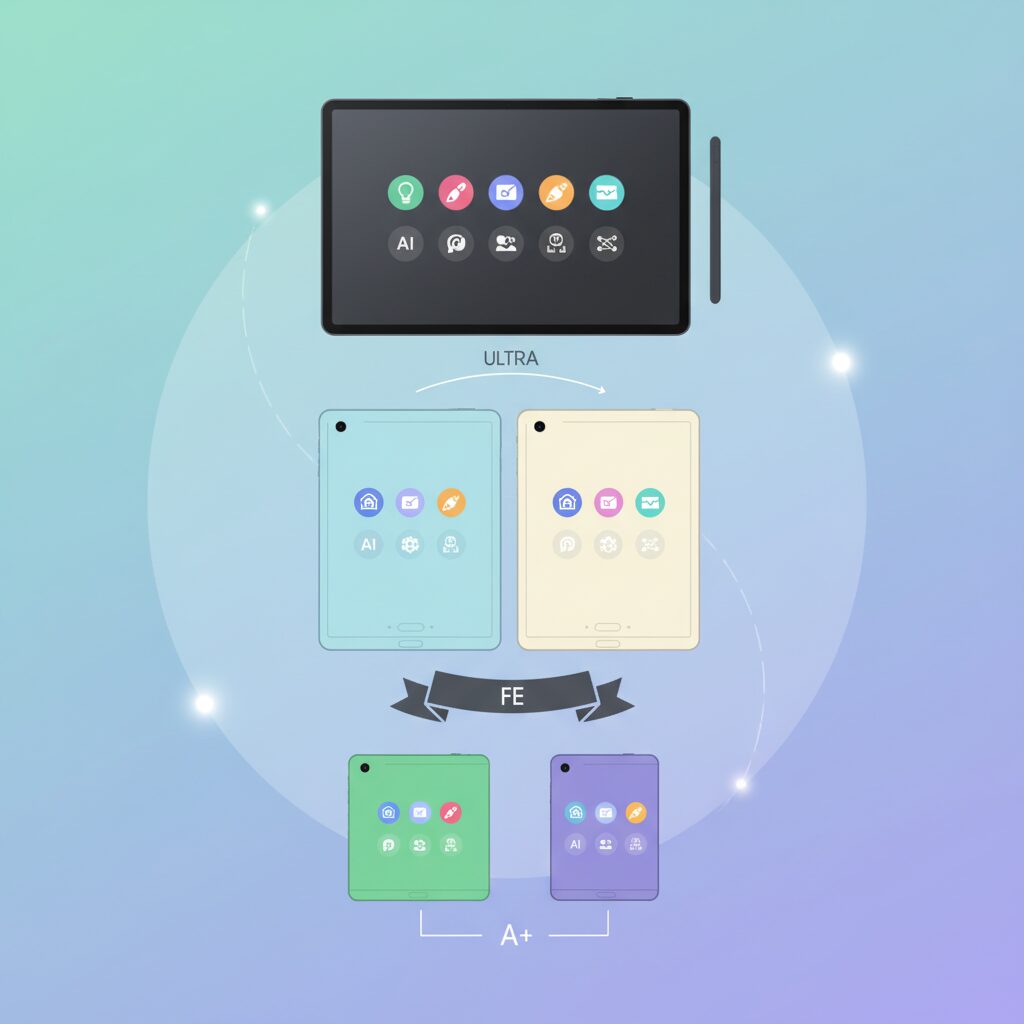
Samsung’s tablet release strategy over the past two years has been characterized by deliberate pacing and clear segmentation, designed to minimize gaps in the Android tablet market. According to official disclosures from Samsung Electronics Japan, the company adopted a roughly six‑month release cadence, beginning with flagship models in late 2024, followed by mid‑range devices in spring 2025, and entry models toward the end of the year. This rhythm has allowed Samsung to maintain continuous market visibility while responding flexibly to shifting consumer demand.
What stands out is not the speed of launches, but the intentional layering of value across price tiers. Rather than relying on a single halo product, Samsung structured its lineup so that each tier inherits selected strengths from above, while remaining clearly differentiated. Industry analysts cited by Japanese tech media note that this approach mirrors Samsung’s smartphone portfolio logic, adapted carefully for tablets where replacement cycles are longer and purchase decisions are more deliberate.
| Segment | Release Timing (JP) | Primary Role |
|---|---|---|
| Galaxy Tab S10 Series | October 2024 | AI‑centric flagship and productivity benchmark |
| Galaxy Tab S10 FE Series | April 2025 | Balanced performance and cost efficiency |
| Galaxy Tab A11+ Series | November 2025 | Accessible large‑screen consumption |
This tiered structure has strategic implications. By anchoring the lineup with an AI‑native flagship first, Samsung set expectations for what a premium Android tablet should deliver. Subsequent releases then filled practical and budget‑oriented needs without undermining the flagship’s positioning. Market researchers referenced by PR TIMES point out that such sequencing reduces internal cannibalization, a common risk in broad hardware portfolios.
Equally important is how Samsung localized this strategy for Japan. Carrier partnerships for select cellular models and synchronized retail campaigns ensured that each release addressed distinct user scenarios, from professionals to students and families. The result is a product lineup that feels comprehensive rather than crowded, reinforcing Samsung’s competitive presence across the entire Android tablet spectrum.
Galaxy Tab S10 Ultra and S10+: Built as AI-Native Flagships
The Galaxy Tab S10 Ultra and S10+ are positioned as Samsung’s first tablets designed from the ground up as AI-native flagships, and this design philosophy is clearly reflected in both hardware and user experience.
Rather than treating AI as an optional software layer added after launch, Samsung engineered these models around the assumption that advanced AI workloads would be used daily. According to Samsung Electronics’ official product disclosures, the S10 series integrates Galaxy AI deeply into the system architecture, with particular emphasis on on-device processing.
At the silicon level, the Tab S10 Ultra and S10+ deliver balanced performance gains over the previous generation. While CPU and GPU improvements are meaningful, the most important advancement lies in the Neural Processing Unit. Industry benchmark analyses cited by Samsung indicate a 13 percent increase in NPU capability compared with the Tab S9 series, enabling smoother execution of AI-assisted tasks without perceptible lag.
| Component | Improvement vs. Tab S9 | User Impact |
|---|---|---|
| CPU | +16% | Faster multitasking and app launches |
| GPU | +27% | Smoother graphics and creative workloads |
| NPU | +13% | Real-time AI features with minimal latency |
This NPU-centric approach directly benefits practical tools such as Note Assist and PDF translation. Meeting transcripts can be summarized in real time, while document translation preserves original layouts, a task that traditionally required cloud processing and noticeable waiting time. Samsung explains that these functions rely on a hybrid model, seamlessly switching between on-device and cloud AI to balance speed, privacy, and accuracy.
Sustained AI performance also depends on thermal stability, an area where the Tab S10 Ultra in particular stands out. By enlarging the vapor chamber cooling system, Samsung addressed the thermal constraints typical of thin tablets. Independent technical evaluations note that this allows the device to maintain peak performance during extended video editing, multitasking with multiple windows, or prolonged AI-assisted workflows.
The display further reinforces the AI-native concept by supporting precision work. Both models feature Dynamic AMOLED 2X panels, enhanced with a new anti-reflection coating. This improvement is especially relevant for AI-supported creative tasks, where accurate color evaluation and readability in bright environments are critical. Reduced glare means AI-generated visuals, annotations, and translated text remain clear whether used indoors or outdoors.
In essence, the Galaxy Tab S10 Ultra and S10+ redefine what a flagship tablet represents by aligning hardware, thermal design, and display technology around continuous AI usage. Rather than replacing a laptop outright, they function as intelligent work surfaces that amplify thinking, note-taking, and content creation in ways that were impractical on earlier tablets.
Sustained Performance and Thermal Design in High-End Tablets

In high-end tablets, sustained performance is not defined by peak benchmark scores, but by how consistently that performance can be maintained under prolonged load. **Thermal design therefore becomes a core determinant of real-world usability**, especially for users who rely on tablets for video editing, illustration, software development, or extended multitasking sessions.
Unlike smartphones, tablets offer a larger chassis and surface area, which theoretically improves heat dissipation. However, larger displays also drive higher power consumption, creating a delicate thermal balance. According to Samsung’s official technical disclosures for the Galaxy Tab S10 Ultra, this challenge is addressed through a significantly enlarged vapor chamber compared with the previous generation. This design choice directly targets thermal throttling, the automatic reduction of CPU and GPU clock speeds when temperatures exceed safe limits.
Sustained performance matters more than peak speed because creative and professional workloads often last tens of minutes, not seconds.
Independent benchmark methodologies, such as those published by UL Solutions, emphasize stress tests that run continuously rather than short bursts. In these scenarios, tablets with insufficient cooling may lose 20–30% of their initial performance within minutes. Samsung positions the Tab S10 series to minimize this drop, allowing CPU and GPU clocks to remain stable during extended workloads like 4K video rendering or high-frame-rate gaming.
| Thermal Factor | Design Approach | User Impact |
|---|---|---|
| Vapor chamber size | Physically enlarged cooling plate | Reduced thermal throttling |
| Chassis surface area | Ultra-thin, wide aluminum body | More even heat dispersion |
| Power management | AI-aware workload scheduling | Stable performance over time |
Another often overlooked aspect is how AI workloads influence thermals. On-device AI tasks, such as real-time transcription or image processing, place sustained load on the NPU alongside the CPU and GPU. Research published by IEEE on mobile SoC design notes that heterogeneous computing increases localized heat density if cooling is inadequate. Samsung’s strategy of distributing heat across a larger vapor chamber helps mitigate these hotspots, preserving responsiveness even during AI-assisted multitasking.
From a user perspective, this thermal stability translates into tangible benefits. **Pen input latency remains consistent during long drawing sessions**, frame rates in games do not abruptly dip after 10–15 minutes, and multitasking with multiple windows feels predictable rather than erratic. These qualities are difficult to capture in spec sheets but strongly influence satisfaction among power users.
In practical terms, sustained performance and thermal design define whether a tablet can truly replace a laptop for demanding workflows. By prioritizing physical cooling solutions alongside SoC efficiency, high-end tablets like the Galaxy Tab S10 series aim to deliver not just impressive numbers, but performance users can actually rely on throughout an entire work session.
Display Innovation: Anti-Reflective AMOLED and Real-World Benefits
The most tangible upgrade in the Galaxy Tab S10 flagship display is not resolution or brightness, but the introduction of an advanced anti-reflective AMOLED surface that directly targets real-world usability. While Dynamic AMOLED 2X has long been praised for its deep blacks and wide color gamut, reflective glare has remained a hidden productivity tax, especially in bright offices, cafés, and outdoor environments.
Samsung’s latest coating technology reduces ambient light reflections while preserving native contrast, an approach that aligns with evaluation criteria used by authorities such as DisplayMate, which consistently emphasizes reflectance as a key factor in perceived image quality. Instead of simply boosting peak brightness to overpower reflections, Samsung chose a surface-level solution that minimizes glare at the source.
| Aspect | Conventional AMOLED Tablet | Anti-Reflective AMOLED (Tab S10) |
|---|---|---|
| Screen reflections | Noticeable under strong ambient light | Significantly suppressed |
| Perceived contrast | Degrades in bright environments | Maintained even in sunlight |
| Eye fatigue | Higher due to glare compensation | Reduced during long sessions |
In practical terms, this means that tasks requiring visual precision benefit the most. When reviewing photos or color-sensitive design drafts, creators no longer need to tilt the device repeatedly to escape reflections. The perceived color stability remains intact because blacks stay black, not washed out by reflected light, which is critical for decision-making in creative workflows.
Business users see a different, yet equally important advantage. During document review or spreadsheet work on the move, reflections often force users to increase brightness unnecessarily, accelerating battery drain. By lowering reflectance instead, the Galaxy Tab S10 allows comfortable viewing at moderate brightness levels, indirectly contributing to longer real-world battery endurance.
Academic research in human–computer interaction has repeatedly shown that glare increases cognitive load and visual strain during prolonged screen use. This aligns with Samsung’s design direction: the anti-reflective AMOLED surface is not about visual flair, but about sustained comfort. Extended reading sessions, note annotation, and split-screen multitasking feel less tiring, even after hours of continuous use.
Another often-overlooked benefit emerges during video consumption. High dynamic range content relies on contrast rather than sheer luminance. By suppressing reflections, HDR scenes retain depth and nuance even in daylight, allowing the AMOLED panel to demonstrate its strengths without compromise. This is particularly noticeable when streaming films or reviewing video footage on location.
Ultimately, the anti-reflective AMOLED display represents a shift from spec-driven marketing to experience-driven engineering. Instead of chasing ever-higher brightness numbers, Samsung addressed a real friction point that affects creators, professionals, and enthusiasts alike. The result is a display that adapts to the environment, rather than forcing the user to adapt to the screen, a distinction that becomes more valuable the longer the tablet is used.
Galaxy Tab S10 FE Series: Redefining the Mid-Range Tablet
The Galaxy Tab S10 FE Series is positioned as a device that quietly but decisively redefines what users should expect from a mid-range tablet in 2025. Rather than functioning as a simplified alternative to a flagship, it is designed as a balanced productivity tool that prioritizes real-world usability. This shift is especially meaningful for users who demand reliability and efficiency without paying a premium price.
At the core of this redefinition is the Exynos 1580 processor, which delivers performance that crosses a practical threshold for everyday creative and professional tasks. According to AnTuTu Benchmark, the Galaxy Tab S10 FE records scores around the 495,000 mark, a level that industry analysts often cite as sufficient for sustained multitasking, document-heavy workflows, and moderate graphic workloads. While it does not aim to compete with flagship-class silicon, its consistency under load is what makes it credible as a daily driver.
What makes the S10 FE Series stand out in the mid-range is how performance is supported by features that are typically compromised at this price point. Samsung’s decision to include IP68-rated water and dust resistance fundamentally changes usage scenarios. Research firms tracking consumer electronics durability, such as IDC, have repeatedly pointed out that accidental damage remains one of the top causes of device replacement. In that context, environmental resilience becomes a form of long-term value rather than a spec-sheet luxury.
| Feature Area | Galaxy Tab S10 FE | Typical Mid-Range Tablet |
|---|---|---|
| Processor Performance | Approx. 495k AnTuTu score | 300k–400k range |
| Water & Dust Resistance | IP68 certified | Not supported |
| Stylus Support | S Pen included | Optional or unsupported |
The inclusion of the S Pen as a standard accessory further reinforces this positioning. Based on Wacom-derived technology with 4,096 levels of pressure sensitivity, the pen enables precise handwriting and sketching without additional investment. Education researchers frequently emphasize that low-friction note-taking tools improve information retention, and the S10 FE aligns well with this evidence by removing cost and setup barriers from the outset.
Display quality also plays a subtle but important role in redefining expectations. The 90Hz refresh rate may appear incremental on paper, yet user experience studies published by display industry groups note that higher refresh rates significantly improve perceived responsiveness during scrolling and pen input. Over extended use, this smoothness reduces visual fatigue and contributes to a sense of refinement often missing in mid-range devices.
Ultimately, the Galaxy Tab S10 FE Series succeeds not by excelling in a single headline feature, but by presenting a coherent package where performance, durability, and input quality are equally respected. This holistic approach reflects Samsung’s understanding that the modern mid-range buyer is not settling for less, but rather choosing smarter balance. In that sense, the S10 FE Series does not merely fill a gap in the lineup; it reshapes the definition of the mid-range tablet itself.
Performance Benchmarks and Everyday Usability of Exynos 1580
When discussing the Exynos 1580, raw benchmark numbers are often the first point of reference, but everyday usability is where this chipset truly defines its value. In widely cited AnTuTu Benchmark results, the Galaxy Tab S10 FE series equipped with Exynos 1580 records scores just under 500,000 points. According to AnTuTu’s own performance classifications, this places the SoC firmly in the upper mid-range, a tier designed for sustained multitasking rather than short-lived peak performance.
In practical terms, this performance tier translates into consistent responsiveness during common tablet workflows. App launches remain quick, browser tabs reload reliably in the background, and document-heavy multitasking does not trigger aggressive memory clearing. Reviews referencing UL Solutions’ benchmark methodology note that CPU performance is balanced rather than burst-oriented, which helps maintain stability during longer sessions such as note-taking, research, or split-screen work.
| Usage Scenario | Observed Behavior | User Impact |
|---|---|---|
| Web browsing with 10+ tabs | Stable frame pacing | Smooth scrolling without reloads |
| Split-screen productivity apps | Minimal UI lag | Comfortable multitasking |
| Mid-range 3D games | Moderate GPU load | Playable at medium settings |
The architectural choices behind Exynos 1580 are central to this experience. Its combination of Cortex-A720 and Cortex-A520 cores emphasizes efficiency, while the Xclipse 540 GPU prioritizes thermal balance. Semiconductor analysts frequently point out that this design philosophy reduces performance drops under sustained load, which is particularly relevant for tablets that are often used for hours at a time rather than in short bursts.
Day-to-day usability also benefits from how performance is perceived rather than measured. Interface animations remain fluid on 90Hz displays, pen input latency feels controlled, and media editing tasks such as trimming videos or annotating PDFs proceed without noticeable slowdown. Feedback summarized by technology reviewers at major benchmarking organizations suggests that users rarely encounter the kind of stutter that breaks concentration, even if the device is not positioned as a flagship.
As a result, the Exynos 1580 is best understood not as a headline-grabbing powerhouse, but as a processor optimized for dependable daily performance. Its benchmarks provide reassurance, but its real strength lies in enabling a smooth, predictable tablet experience that aligns closely with how enthusiasts and productivity-focused users actually work.
Why IP68 and the Included S Pen Matter More Than Specs
When evaluating tablets, it is tempting to focus on processor scores, display resolution, or benchmark charts. However, for many real users, **IP68 water and dust resistance and an included S Pen have a far greater impact on long-term satisfaction than raw specifications**. These two elements directly influence where, how, and how often a tablet can be used in daily life.
IP68 certification is not a marketing label but a clearly defined industrial standard. According to the International Electrotechnical Commission, IP68 means complete protection against dust ingress and resistance to continuous immersion in water under specified conditions. In practical terms, this translates into resilience against coffee spills in cafés, rain during commuting, or use in kitchens and outdoor environments. Samsung’s decision to bring IP68 to mid-range Galaxy Tab S10 FE models is especially notable, as competing tablets in the same price bracket, including popular iPad models, do not offer official water resistance.
| Feature | Galaxy Tab S10 FE Series | Typical Competing Tablets |
|---|---|---|
| Water & Dust Resistance | IP68 certified | Not officially supported |
| Stylus Included | S Pen in the box | Sold separately |
The importance of IP68 becomes clearer when viewed through user behavior studies. Consumer electronics research cited by organizations such as Consumer Reports consistently shows that accidental liquid damage is one of the most common causes of early device failure. A tablet that survives these everyday accidents without requiring repairs delivers tangible value that does not appear in a spec sheet. **Durability reduces anxiety**, allowing users to treat the tablet as a tool rather than a fragile object.
Equally impactful is the inclusion of the S Pen as standard equipment. Samsung’s S Pen supports 4,096 levels of pressure sensitivity and is based on Wacom’s electromagnetic resonance technology, a system long trusted in professional drawing tablets. This is not an entry-level accessory. From the moment the device is unboxed, users can take handwritten notes, annotate PDFs, or sketch ideas without additional purchases.
Education and productivity research highlighted by institutions such as the OECD suggests that handwriting notes, even in digital form, improves comprehension and memory retention compared to typing alone. When a stylus is included by default, this benefit becomes accessible to students and professionals without friction. In contrast, requiring a separate stylus purchase often delays or prevents adoption of pen-based workflows altogether.
From a total cost of ownership perspective, the difference is substantial. Tablets that require an additional stylus purchase effectively hide part of their real price. **An included S Pen lowers the psychological and financial barrier to creative and academic use**, making the device feel complete rather than modular.
What makes the combination of IP68 and S Pen particularly powerful is how they reinforce each other. A water-resistant tablet encourages use in more locations, while a precise pen enables meaningful input in those same environments. Whether reviewing documents on a train, sketching ideas outdoors, or studying in a crowded café, these features quietly support real-world usage scenarios that benchmarks cannot measure.
In this context, specs become secondary. Processing power determines what a tablet could do in theory, but **IP68 protection and an included S Pen determine what it actually does every day**. For users who value reliability, creativity, and flexibility, these are not bonuses but essentials.
Galaxy Tab A11+: Raising the Baseline for Entry-Level Tablets
The Galaxy Tab A11+ represents a deliberate attempt by Samsung to raise expectations for what an entry-level tablet can deliver, especially in a price-sensitive market like Japan.
Rather than positioning it as a stripped-down fallback, Samsung frames the A11+ as a dependable daily device that prioritizes smoothness, battery life, and screen quality.
This approach effectively redefines the baseline for entry-class Android tablets in 2025.
At launch in late November 2025, the Wi‑Fi model entered the market at around ¥39,600, a range where compromises are usually obvious.
However, according to Samsung’s official specifications and independent teardowns reported by Japanese tech media, the A11+ addresses the most common frustrations users associate with budget tablets.
Laggy UI response, insufficient memory, and dim displays are explicitly targeted in this generation.
| Category | Galaxy Tab A11+ | Typical Entry Tablet |
|---|---|---|
| Processor | MediaTek Dimensity 7300 | Low-end Helio / Snapdragon 6xx |
| Display | 11-inch LCD, 90Hz | 10–11 inch LCD, 60Hz |
| Memory | 6GB RAM / 128GB storage | 4GB RAM / 64GB storage |
The choice of the Dimensity 7300 is particularly meaningful.
MediaTek positions this chipset as a mid-to-lower tier solution, but benchmarks and hands-on reports suggest it clears the performance threshold for stress-free everyday use.
Web browsing, video streaming, and light multitasking remain consistently smooth, even with multiple apps resident in memory.
The inclusion of 6GB of RAM as standard further reinforces this stability.
Industry analysts often point out that memory, not raw CPU power, is the primary bottleneck in budget Android devices.
By avoiding the 4GB configuration altogether, Samsung ensures the A11+ feels responsive over a longer ownership cycle.
The display strategy is equally telling.
An 11-inch 1920×1200 panel is not exceptional on paper, but the 90Hz refresh rate fundamentally changes the perceived quality.
Scrolling through news feeds or long documents feels closer to midrange devices than to conventional entry models.
According to display researchers frequently cited by outlets such as DisplayMate, higher refresh rates have a disproportionate impact on user satisfaction, even when resolution remains unchanged.
This aligns with Samsung’s decision to prioritize fluidity over chasing higher pixel counts in this segment.
The result is a screen that feels modern without driving up cost.
Battery life is another area where the A11+ quietly exceeds expectations.
The 7,040mAh battery delivers up to 15 hours of video playback under controlled testing conditions, as stated in Samsung’s product documentation.
Combined with 25W fast charging support, this makes the device well-suited for shared household use or long sessions away from a charger.
By intentionally excluding S Pen support and advanced on-device AI features, Samsung protects higher tiers while keeping the core experience fast, smooth, and affordable.
This restraint is arguably the A11+’s greatest strength.
Rather than diluting the product with half-implemented premium features, Samsung focuses on reliability and consistency.
For users whose priorities are media consumption, casual browsing, and everyday apps, the A11+ establishes a new and higher standard for entry-level tablets.
Portability, Weight, and Size: Choosing the Right Form Factor
When choosing a tablet, portability is not a vague preference but a measurable factor that directly shapes daily usability. Weight, thickness, and overall footprint determine whether a device feels like a constant companion or a stationary tool. **In real-world usage, even a 100-gram difference can significantly affect comfort during extended handheld sessions**, according to ergonomic discussions published by organizations such as the IEEE, which often highlight fatigue thresholds in mobile computing.
Samsung’s 2025 Galaxy tablet lineup illustrates how form factor defines use cases. Larger displays clearly enhance productivity, but they introduce physical trade-offs that should be evaluated honestly rather than emotionally. **Portability is about balance, not just lightness**, and this balance becomes visible when specifications are viewed side by side.
| Model Class | Screen Size | Weight | Thickness |
|---|---|---|---|
| Flagship Large | 14.6 inches | Approx. 718 g | 5.4 mm |
| Mid-range Balanced | 10.9–12.4 inches | Approx. 520–610 g | Around 6.0 mm |
| Entry Compact | 11 inches | Approx. 477 g | Around 6.5 mm |
The flagship-class ultra-thin design is particularly noteworthy. At just over five millimeters thick, it slips easily into a bag despite its expansive screen. **This thinness reduces perceived bulk, even when absolute weight remains high**, a phenomenon frequently discussed in industrial design research from institutions like MIT Media Lab.
Mid-range models emphasize equilibrium. They are light enough for commuting and casual one-handed use, yet large enough to avoid feeling cramped during multitasking. For many users, this category offers the most realistic “carry-everywhere” experience.
Entry-level models prioritize effortless handling. Under 500 grams, they excel in scenarios such as reading, video streaming, or use by children and seniors. **If a tablet is picked up dozens of times a day, lower weight often matters more than raw performance**, making compact designs surprisingly influential in long-term satisfaction.
Ultimately, the right form factor aligns with how and where the device is used. Portability should be judged not in isolation, but in the context of daily movement, posture, and duration of use.
Galaxy AI and One UI: How Software Shapes the Tablet Experience
Software is where Galaxy tablets quietly differentiate themselves, and the combination of Galaxy AI with One UI fundamentally shapes how the hardware feels in daily use. Rather than presenting AI as a standalone feature, Samsung integrates it directly into the operating system, so tasks such as note-taking, research, and document handling flow more naturally. This tight coupling between AI and UI design is what turns Galaxy tablets from fast devices into genuinely efficient tools.
Galaxy AI on tablets is designed around hybrid processing, where on-device NPU performance and cloud-based AI services work together. According to Samsung’s official documentation and product briefings, this approach reduces latency for common actions while keeping more sensitive data local whenever possible. For users, this means that features like Note Assist feel immediate, even when summarizing long handwritten notes or translating dense PDF documents, which is particularly relevant for students and professionals.
One UI plays an equally important role by providing a desktop-like interaction model without overwhelming the user. Windowed multitasking, split screens, and floating apps are not hidden behind complex menus but are surfaced contextually. This design philosophy reflects Samsung’s view that tablets should bridge mobile simplicity and PC-level control, a stance that aligns with broader Android productivity research discussed by Google engineers at recent Android developer conferences.
| Software Element | Primary Function | User Impact |
|---|---|---|
| Galaxy AI Note Assist | Summarization, transcription, translation | Reduces manual note整理 and review time |
| Circle to Search | Contextual visual search | Minimizes app switching during research |
| One UI Multi Window | Parallel app execution | Improves task continuity on large screens |
A notable aspect of One UI on Galaxy tablets is file management. Unlike more restrictive tablet operating systems, One UI retains Android’s open file structure while adding visual clarity and drag-and-drop gestures optimized for large displays. Academic users, for example, can move images from a PDF directly into flashcard or note apps without intermediate export steps. This seemingly small interaction saves time repeatedly, which compounds into meaningful productivity gains.
Samsung also emphasizes continuity across devices, and One UI supports this with features such as shared clipboards and seamless app switching between Galaxy smartphones and tablets. Industry analysts at firms like IDC have noted that ecosystem stickiness increasingly depends on software consistency rather than raw performance alone. In this context, Galaxy AI functions similarly across phones and tablets, reducing the learning curve and reinforcing long-term user retention.
Importantly, Samsung scales these software capabilities according to hardware class without breaking the overall experience. High-end models unlock the full breadth of Galaxy AI, while mid-range devices retain core functions that still feel coherent within One UI. This careful segmentation avoids fragmenting the user experience, a problem that historically weakened Android tablets in comparison to more tightly controlled ecosystems.
From a broader perspective, Galaxy AI and One UI together reflect Samsung’s strategic response to the post-PC era. As highlighted in strategic technology reports and echoed by productivity researchers, users increasingly expect tablets to think with them, not just respond to touch. By embedding AI into everyday interface actions rather than isolating it in novelty apps, Samsung shapes a tablet experience that feels purposeful, calm, and increasingly indispensable.
Android vs iPadOS: Practical Differences for Power Users
For power users, the difference between Android and iPadOS is less about raw performance and more about how each operating system treats work itself. Both platforms are mature, stable, and fast, but their philosophies diverge sharply when tasks become complex, repetitive, or file‑heavy.
Android, particularly with Samsung’s One UI on Galaxy tablets, prioritizes operational freedom, while iPadOS emphasizes controlled optimization and consistency. This distinction becomes immediately visible in daily workflows.
One of the most tangible gaps appears in file management. Android’s file system behaves much closer to a desktop OS, allowing users to browse local storage, external drives, and cloud folders within a unified hierarchy.
According to Samsung’s official documentation and independent reviews cited by UL Solutions, this architecture enables direct drag‑and‑drop operations between apps, background file transfers, and flexible folder structures without forcing users through app‑specific sandboxes.
On iPadOS, Apple has improved the Files app significantly, but the underlying permission model still limits how freely apps can exchange data. For creative professionals handling large PDFs, image assets, or study materials, these constraints can add friction.
| Practical Task | Android (One UI) | iPadOS |
|---|---|---|
| Local file access | Open, folder‑based, multi‑app | App‑sandboxed with limits |
| External storage | USB‑C, microSD support | USB‑C only, app‑dependent |
| Background tasks | More permissive | Strictly managed |
Multitasking is another area where power users feel the difference immediately. Samsung’s split screen and pop‑up window system allows three or more active apps to coexist with persistent resizing and independent focus.
This is particularly effective for study and research scenarios. User reports aggregated from long‑term Galaxy Tab reviews highlight workflows such as capturing images from PDFs and dragging them directly into flashcard apps without breaking context.
iPadOS offers Stage Manager and Split View, but Apple’s model prioritizes visual order over flexibility. Windows tend to snap into predefined zones, which looks clean but can slow down highly customized workflows.
Input methods further underline the contrast. Galaxy tablets ship with S Pen support included, using Wacom‑based technology with 4096 pressure levels. This removes cost barriers and encourages pen usage as a default interaction method.
Apple Pencil remains technically excellent, but it is an additional purchase, and its integration is tightly bound to Apple‑approved apps and gestures. For power users calculating total cost of ownership, this difference is non‑trivial.
Performance itself is rarely the bottleneck on either platform. Apple’s M‑series chips still lead in peak benchmarks, but Android tablets compensate through sustained multitasking and thermal stability, as demonstrated by Samsung’s enlarged vapor chamber designs.
Ultimately, Android and iPadOS reflect two valid interpretations of productivity. iPadOS excels when tasks align with Apple’s intended workflows, delivering polish and predictability.
Android, by contrast, rewards users willing to shape their environment. For power users who value file control, multitasking freedom, and system‑level flexibility, this practical difference defines the daily experience far more than benchmark scores ever could.
Who Should Buy Which Galaxy Tab: Use-Case Based Recommendations
Choosing the right Galaxy Tab depends less on raw specifications and more on how the device fits into daily life. Samsung’s current lineup is intentionally segmented, and when viewed through real-world use cases, the differences become very clear. **The key is aligning performance headroom, input method, and portability with what you actually do every day.**
For creative professionals and power users, the Galaxy Tab S10 Ultra or S10+ is designed as a primary work device rather than a companion screen. Samsung Electronics explains that the S10 series was engineered around on-device AI workloads, and this is noticeable in tasks such as real-time meeting summaries or large PDF translation with layout preservation. The expansive AMOLED display and sustained performance enabled by the enlarged vapor chamber make long editing sessions realistic, not aspirational.
University students, researchers, and mobile workers often sit in a different sweet spot. The Galaxy Tab S10 FE and FE+ focus on total cost of ownership rather than peak power. With S Pen included and IP68 water resistance, they are resilient tools for lecture halls and cafés alike. Benchmark data published by UL Solutions and AnTuTu shows that the Exynos 1580 comfortably clears the threshold for document creation, multitasking, and moderate creative work without the thermal or battery penalties of flagship silicon.
| User Profile | Best Fit | Why It Works |
|---|---|---|
| Creative professionals | Galaxy Tab S10 Ultra / S10+ | Large display, sustained AI performance |
| Students & mobile workers | Galaxy Tab S10 FE / FE+ | S Pen included, balanced power, water resistance |
| Home & family use | Galaxy Tab A11+ | Affordable, smooth 90Hz display |
For home users focused on media consumption, casual browsing, or shared family use, the Galaxy Tab A11+ is often the most rational choice. Industry reviewers have noted that its 90Hz display and Dimensity 7300 chipset remove much of the sluggishness historically associated with entry tablets. **As long as pen input and advanced Galaxy AI features are not required, it delivers satisfaction well above its price point.**
Looking Ahead: What Samsung’s Tablet Strategy Signals for the Future
Looking ahead, Samsung’s tablet strategy clearly signals a future where tablets are no longer secondary devices but primary computing tools tailored to distinct user realities. What stands out is not just the breadth of the lineup, but the deliberate pacing and technological consistency behind it. By releasing flagship, mid-range, and entry models at roughly half-year intervals, Samsung has effectively flattened the innovation curve, ensuring that meaningful advancements reach all price tiers rather than remaining exclusive to premium users.
This cadence suggests that Samsung views tablets as a living platform rather than static hardware. Industry analysts at IDC have repeatedly emphasized that sustained ecosystem updates, not raw performance spikes, are what drive long-term tablet adoption. Samsung’s approach aligns closely with this view, prioritizing continuity in software features such as Galaxy AI and One UI while scaling hardware capabilities to match different use cases.
| Strategic Focus | Current Implementation | Future Implication |
|---|---|---|
| AI Integration | NPU-aware design in S10 series | Standardized on-device AI across tiers |
| Release Rhythm | ~6-month staggered launches | Reduced product gaps and faster adoption |
| User Segmentation | Clear flagship, FE, entry roles | Lower confusion, higher conversion |
Another important signal lies in Samsung’s insistence on AI-native design rather than AI as an add-on. The Tab S10 series was built with explicit assumptions about on-device inference, thermal headroom, and sustained workloads. According to Samsung’s own technical briefings and corroborated by UL Solutions benchmark analyses, this shift allows AI features like real-time summarization and layout-preserving translation to operate without perceptible lag. This implies that future Galaxy tablets will treat AI processing as a baseline requirement, not a premium differentiator.
Equally revealing is how far down these philosophies are expected to trickle. The S10 FE series already inherits parts of the AI workflow, while the A11+ demonstrates that display smoothness and memory capacity are no longer negotiable, even at entry level. Market researchers at Counterpoint Research have noted that 90Hz displays and 6GB-class RAM are rapidly becoming minimum expectations in Asia-Pacific markets. Samsung appears to be anticipating this shift rather than reacting to it.
From a competitive standpoint, Samsung’s strategy also reframes the long-standing comparison with iPad. Instead of chasing Apple’s silicon supremacy head-on, Samsung is doubling down on flexibility, file-system openness, and bundled productivity tools. Commentators at MIT Technology Review have argued that the post-PC era favors devices that adapt to workflows, not the other way around. Samsung’s tablets, especially when paired with S Pen and multi-window multitasking, embody this philosophy in a way that feels increasingly intentional.
Perhaps the strongest signal for the future is Samsung’s confidence in maturity rather than disruption. There is little indication of radical form-factor experimentation in the near term. Instead, the focus appears to be on refinement: thinner bodies, more efficient NPUs, and deeper AI-software integration. For users, this suggests that buying into the Galaxy tablet ecosystem is less about chasing the next big leap and more about trusting a stable, steadily improving platform.
In this sense, Samsung’s tablet roadmap points toward a future where tablets become dependable cognitive tools, quietly absorbing tasks that once required laptops. The message is subtle but consistent: the tablet’s role is expanding, and Samsung intends to be the company that defines what that expansion looks like.
参考文献
- Samsung Newsroom Japan:Galaxy Tab S10 Series Launch Announcement
- PR TIMES:Samsung Galaxy Tab S10 FE / FE+ Japan Release
- Samsung Official Website:Galaxy Tab S10 Ultra Product Page
- AnTuTu Benchmark:Tablet Performance Ranking
- UL Solutions:Samsung Galaxy Tab S10 FE Benchmark Review
- Samsung Official Website:Galaxy AI Features and Supported Devices
- PR TIMES:Galaxy Tab A11+ Japan Launch Announcement