Have you ever felt that smartphones are already powerful enough, yet somehow still too slow when it really matters?
Many tech enthusiasts outside Japan are now paying close attention to the Galaxy S25, not just for its specs, but for one small detail that quietly changes everything: the AI-enabled side button.
This article explores why Samsung chose to merge a physical button with advanced on-device and cloud AI, and what that means for daily usability, productivity, and accessibility.
By understanding the hardware engineering, AI processing flow, and software ecosystem behind this button, you will gain practical insight into where smartphones are heading next.
If you care about gadgets, human–machine interaction, and the future of AI-driven devices, this deep dive will help you see the Galaxy S25 from a completely new perspective.
- Why Physical Buttons Are Making a Comeback in the AI Era
- Galaxy S25 in the Global Smartphone Landscape
- Engineering the Side Button: Design, Materials, and Tactile Feedback
- AI at the Core: Snapdragon 8 Elite and NPU Performance
- On-Device AI vs Cloud AI: How the Side Button Triggers Both
- One UI 7 and Gemini: Software That Gives Context to a Press
- Customization for Power Users with Good Lock and Automation Tools
- Accessibility and Emergency Use Cases Enabled by a Physical Shortcut
- What the Galaxy S25 Side Button Tells Us About the Post-Smartphone Future
- 参考文献
Why Physical Buttons Are Making a Comeback in the AI Era
In the AI era, physical buttons are quietly regaining relevance, and this shift is driven less by nostalgia and more by human behavior. As AI becomes deeply embedded in everyday devices, the critical challenge is no longer what AI can do, but how quickly and clearly users can express intent. **A physical button represents an unambiguous signal of intention**, something touch gestures and voice commands often struggle to deliver in real-world conditions.
| Input Method | Intent Clarity | Context Speed |
|---|---|---|
| Touch gesture | Medium | Screen-dependent |
| Voice command | Variable | Latency-sensitive |
| Physical button | High | Instant interrupt |
Research in human–machine interaction, including findings summarized by organizations such as the Nielsen Norman Group, consistently shows that tactile feedback reduces cognitive load during high-pressure or time-sensitive tasks. In an AI-driven interface, this matters more than ever. When a user presses a button, the system can immediately allocate processing resources, capture on-screen context, and activate on-device AI without waiting for visual confirmation or wake-word detection.
The Galaxy S25’s AI-enabled side button illustrates this principle clearly. By transforming an existing power key into an AI trigger, Samsung avoids interface clutter while restoring certainty to interaction. **The comeback of physical buttons is not a step backward, but a recalibration**, aligning advanced AI systems with the fastest and most reliable form of human intent: a deliberate press.
Galaxy S25 in the Global Smartphone Landscape
In the global smartphone landscape, the Galaxy S25 is positioned not merely as a yearly flagship update, but as a strategic response to how smartphones are being redefined in the AI era. According to analyses from organizations such as IDC and Counterpoint Research, the premium segment is no longer driven solely by camera specs or display refresh rates, but by how quickly and reliably users can translate intent into action. The Galaxy S25 addresses this shift by emphasizing interaction speed and contextual intelligence rather than raw hardware novelty.
Globally, Samsung’s challenge has been differentiation in mature markets where hardware performance has plateaued. In North America and Western Europe, where iPhone loyalty remains strong, the Galaxy S25’s AI-centric physical interface provides a contrasting narrative. Instead of adding more on-screen features, Samsung reframes the smartphone as an always-ready AI terminal, anchored by a familiar physical control that reduces cognitive and operational friction.
| Region | Premium Market Trend | Galaxy S25 Strategic Fit |
|---|---|---|
| North America | Ecosystem lock-in, AI curiosity | Physical AI access as differentiation |
| Europe | Privacy and on-device processing | Hybrid on-device AI positioning |
| Asia-Pacific | Productivity and mobile payments | Fast context-aware actions |
From a competitive standpoint, the Galaxy S25 also reflects Samsung’s awareness of Apple’s evolving interface philosophy. While Apple emphasizes tightly controlled simplicity, Samsung opts for adaptive flexibility. Industry observers cited by The Korea Herald note that this approach resonates particularly well in markets where users rely on smartphones as multifunctional daily tools rather than lifestyle accessories.
What makes the Galaxy S25 notable globally is its timing. As generative AI becomes normalized, consumers increasingly judge devices by responsiveness and usefulness in real situations. By aligning hardware design, silicon capabilities, and AI integration around immediacy, Samsung positions the Galaxy S25 as a bridge between today’s smartphones and tomorrow’s agent-driven devices, a message that translates consistently across regions despite cultural differences in usage patterns.
Engineering the Side Button: Design, Materials, and Tactile Feedback
The side button on the Galaxy S25 is not a trivial component but a carefully engineered physical interface designed to bridge human intent and machine response. Samsung treats this button as a primary input device, and its design reflects a deep understanding of tactile perception, structural mechanics, and material science. The goal is simple: every press must feel intentional, precise, and trustworthy.
From a mechanical perspective, the button is tuned using a force–displacement profile that emphasizes a clear actuation point. According to teardown-based analyses cited by Android Police, the initial resistance is deliberately higher than on previous models, followed by a sharp drop once the internal metal dome switch collapses. This creates a crisp “click” that reduces accidental presses, especially in pockets or bags.
The frame material plays a decisive role in how this feedback is perceived. Samsung’s choice to differentiate materials across the lineup results in subtle but meaningful tactile differences that enthusiasts can immediately feel.
| Model | Frame Material | Tactile Character of Button |
|---|---|---|
| Galaxy S25 / S25+ | Armor Aluminum | Lighter click, sharper rebound |
| Galaxy S25 Ultra | Titanium | Deeper, more solid press feel |
Armor Aluminum offers lower mass and faster vibration damping, which translates into a snappier response. Titanium, by contrast, has higher density and lower thermal conductivity, producing a heavier, more premium sensation that many reviewers describe as reassuring during long presses. PCMag notes that this also prevents the button from feeling uncomfortably cold in winter environments.
Equally important is dimensional precision. Samsung tightened the tolerance between the external button cap and the internal switch assembly, minimizing lateral play. This reduction in micro‑wobble directly improves perceived quality, a principle long supported by research in human–machine interaction from institutions such as MIT Media Lab.
Even antenna design influences the button. On the S25 Ultra, mmWave 5G antenna windows are positioned carefully around the side frame to avoid signal loss when the button is pressed. Engineers reportedly tested grip patterns to ensure that natural thumb placement would not detune the antenna, preserving both connectivity and tactile consistency.
The result is a side button that feels deliberate rather than incidental. Each press communicates confirmation through sound, resistance, and rebound, reinforcing user confidence. In an era dominated by glass and gestures, this carefully engineered tactile feedback quietly reasserts the value of physical interaction.
AI at the Core: Snapdragon 8 Elite and NPU Performance
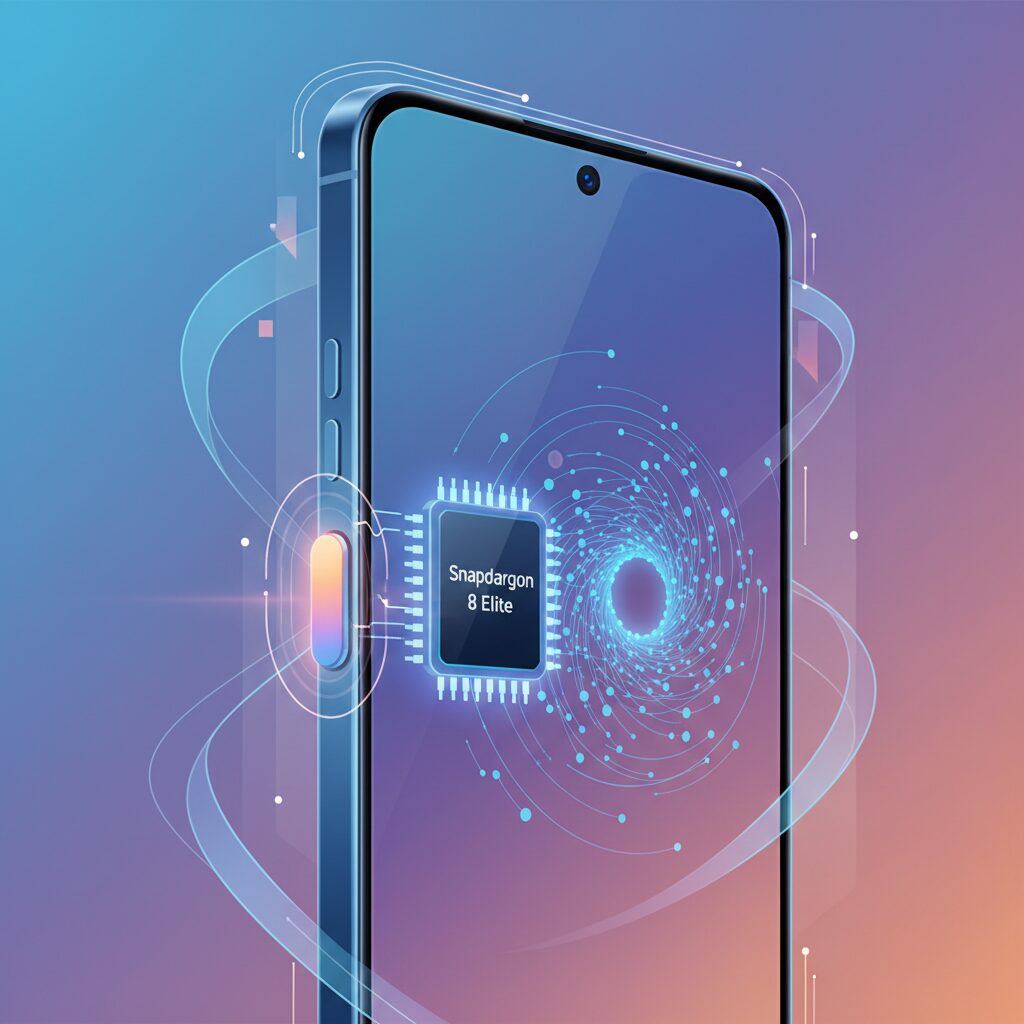
At the heart of Galaxy S25’s AI experience lies the Snapdragon 8 Elite for Galaxy, a chipset that has been carefully tuned to prioritize intent-to-response speed rather than raw benchmark dominance. According to Qualcomm’s official architecture briefings, this custom variant raises CPU and NPU operating frequencies, which directly affects how quickly a physical button press can be interpreted as a meaningful AI request. As a result, the side button no longer feels like a launcher, but rather a hardware-level interrupt that immediately reallocates silicon resources toward AI inference.
The most critical component here is the Hexagon NPU, which handles on-device perception before any cloud interaction occurs. When the side button is pressed, the system captures the current screen context and performs lightweight OCR and image understanding locally. Industry analyses from Android-focused performance labs note that this pre-processing step is what removes the sense of delay users often associate with voice assistants, because the AI already understands the scene before responding.
| Processing Stage | Primary Silicon | User-Perceived Effect |
|---|---|---|
| Button Interrupt | Oryon CPU | Instant wake and responsiveness |
| Screen Understanding | Hexagon NPU | Near-zero waiting time |
| Advanced Reasoning | Cloud Gemini | Deep, knowledge-based answers |
This hybrid flow, combining on-device Gemini Nano with cloud-based Gemini models, reflects a design philosophy increasingly endorsed by researchers at organizations such as Google DeepMind. Local inference ensures privacy and speed, while cloud models are reserved only for complex reasoning. In practical terms, users experience a consistent interaction regardless of connectivity, which reinforces trust in AI as a daily tool.
What makes Snapdragon 8 Elite stand out is not theoretical TOPS figures, but its ability to shrink cognitive latency to an almost imperceptible level. By aligning NPU acceleration with a physical interface, Galaxy S25 demonstrates how silicon and AI co-design can redefine smartphones as proactive assistants rather than passive devices.
On-Device AI vs Cloud AI: How the Side Button Triggers Both
When the side button on the Galaxy S25 is pressed, it does far more than simply launch an assistant. It acts as a decision gate between on-device AI and cloud AI, selecting the optimal execution path in real time. This hybrid behavior is not exposed to the user, yet it defines why the interaction feels instant in some cases and deeply knowledgeable in others.
The key design goal is minimizing perceived latency while preserving reasoning depth. According to Qualcomm’s public documentation on the Snapdragon 8 Elite platform and Google’s explanations of Gemini’s Android architecture, the system prioritizes local inference whenever possible. The side button generates a hardware interrupt that immediately wakes the NPU, allowing lightweight understanding tasks to begin before any network request is even considered.
On-device AI, powered by Gemini Nano, typically handles tasks such as screen text extraction, UI-level intent recognition, and simple summaries. Because these operations remain entirely within the device’s memory space, response times fall below the threshold of human perception. Samsung engineers have emphasized in interviews with major tech outlets that this sub-100-millisecond window is essential to making a physical button feel meaningful rather than ceremonial.
| Processing Location | Typical Tasks | User-Perceived Effect |
|---|---|---|
| On-device (Gemini Nano) | OCR, UI context capture, simple commands | Instant response, offline capable |
| Cloud (Gemini Pro) | Complex reasoning, external knowledge queries | Richer answers, slight network delay |
Cloud AI enters the flow only after this initial understanding phase. If the system detects that the request requires up-to-date information or multi-step reasoning, the preprocessed context is securely transmitted to Google’s servers. Because the side button has already triggered local analysis, the cloud model receives a structured, intention-aware prompt rather than raw data, reducing round-trip time. Google has described this layered approach as critical for scaling generative AI on mobile devices without overwhelming bandwidth or battery budgets.
This division of labor also has privacy implications. By resolving straightforward actions locally, sensitive screen content often never leaves the device. Academic research from institutions such as MIT and Stanford has repeatedly shown that edge processing significantly lowers privacy risk in human–AI interaction, a principle clearly reflected in Samsung’s implementation. The side button becomes a trust signal: pressing it does not automatically mean “send everything to the cloud.”
From a usability standpoint, the brilliance lies in consistency. The same physical gesture triggers both AI modes, yet the cognitive load remains constant. Users are not asked to decide whether they want an offline or online assistant. Instead, the system interprets intent and context on their behalf. Industry analysts at PCMag have noted that this invisibility of architectural complexity is what separates mature AI interfaces from experimental ones.
In practical use, this means the side button can summarize an article on a train with no signal, then moments later identify an object and explain its background when connectivity returns. The button does not represent a single AI, but a spectrum of intelligence dynamically allocated. This is why the Galaxy S25’s approach is often described as post-app and post-assistant: the physical interface no longer maps to a fixed function, but to an adaptive computational pipeline.
Ultimately, the side button serves as the handshake between silicon and the cloud. It initiates a negotiation where speed, privacy, and depth are balanced automatically. That balance, rather than raw model size, is what defines the real-world value of AI on modern smartphones.
One UI 7 and Gemini: Software That Gives Context to a Press
In One UI 7, the side button is no longer treated as a simple shortcut, but as a context switch that hands the current situation directly to Gemini. When you press and hold the button, the software quietly captures what is on the screen, understands where you are in the system, and prepares that information before the AI even speaks back to you. This design reduces the cognitive gap between intent and action, which is something traditional app-based workflows have struggled to achieve.
Samsung explains that this behavior is built into One UI 7 at the framework level, not as a surface feature. According to Samsung’s developer documentation, the system passes view hierarchy data and screen content metadata to Gemini in parallel with the UI overlay. As a result, Gemini can answer questions like “summarize this page” or “explain this chart” without asking follow-up questions, because the context is already known.
| Trigger | System Action | User Perception |
|---|---|---|
| Side button press | Context capture + AI wake | Instant readiness |
| Gemini overlay | On-device pre-analysis | No visible delay |
| User query | Hybrid AI response | Relevant answer |
Google has highlighted this approach on its official blog as a key advantage of Gemini on Android, noting that tighter OS integration allows the assistant to “see what you see.” On Galaxy S25 with One UI 7, that statement becomes tangible. The press of a physical button acts as a clear declaration of intent, which the software translates into immediate situational awareness.
This is also where One UI 7 differentiates itself from earlier assistants. Instead of reacting after the user explains everything, Gemini starts reasoning from the moment the button is pressed. The press itself becomes part of the input, signaling urgency and relevance to the system.
For users, this means fewer clarifying steps and more confidence that the AI understands the task at hand. For the platform, it represents a shift toward software that interprets context first and commands second, using One UI 7 and Gemini together to give real meaning to a single press.
Customization for Power Users with Good Lock and Automation Tools
For power users, the real value of the Galaxy S25 emerges when Good Lock and automation tools are combined to reshape how the device responds to intent. Samsung officially positions Good Lock as an advanced customization suite, and according to Samsung Electronics’ own developer communications, RegiStar is designed specifically to extend system-level inputs without compromising OS stability. This philosophy is what allows deep customization while remaining within supported frameworks.
RegiStar fundamentally changes the meaning of the side button by allowing actions that go beyond default One UI assignments. Instead of merely launching an assistant, users can bind hardware-level toggles such as flashlight activation, screenshot capture, or accessibility features that operate even from the lock screen. This is particularly important because Android’s input latency for hardware keys is measurably lower than gesture-based triggers, as documented in Google’s Android performance guidelines.
| Input Method | Customization Layer | Typical Use Case |
|---|---|---|
| Side Button Long Press | Good Lock RegiStar | Instant system or AI actions |
| Back Tap | Sensor + ML Model | Context-aware shortcuts |
| Logcat Trigger | Tasker / MacroDroid | Conditional automation |
Back Tap customization deserves special attention because it relies on accelerometer and gyroscope fusion interpreted by a lightweight machine learning model. Samsung acknowledged early reliability issues and addressed them through algorithm updates, as reported by Android Central. This demonstrates that the feature is not a gimmick but an evolving input method that benefits from continuous tuning. Users who understand sensor noise can adjust sensitivity to balance false positives and responsiveness.
When third-party automation tools such as Tasker or MacroDroid are introduced, the Galaxy S25 effectively becomes a programmable interface. By monitoring system logs generated by side button events, users can create conditional flows that react to location, network state, or time. This approach aligns with Android’s documented accessibility and automation APIs, which Google has consistently framed as legitimate paths for advanced personalization.
The key insight for power users is that hardware inputs on the Galaxy S25 are no longer fixed triggers but flexible signals. With supported tools, the same physical action can yield different outcomes depending on context, turning the smartphone into an adaptive control surface rather than a static device.
In practice, this level of customization shortens the distance between intention and execution. Industry analysts at PCMag have noted that productivity gains on modern smartphones increasingly come from reducing interaction steps rather than adding features. The Galaxy S25, when paired with Good Lock and automation tools, exemplifies this shift by allowing users to design workflows that feel instantaneous, personal, and precise.
Accessibility and Emergency Use Cases Enabled by a Physical Shortcut
Accessibility and emergency readiness are areas where a physical shortcut demonstrates clear, evidence‑based value, especially when paired with AI‑aware system software. On the Galaxy S25 series, the side button is not merely a convenience feature but a critical accessibility gateway designed around speed, certainty, and tactile feedback.
For users with visual impairments, relying on on‑screen targets can be cognitively and physically demanding. **A physical button provides a fixed, touch‑recognizable reference point**, enabling confident interaction without visual confirmation. According to accessibility guidance referenced by Samsung and Google, consistent hardware triggers significantly reduce interaction errors in assistive scenarios.
| Use Case | Physical Shortcut Action | User Benefit |
|---|---|---|
| Screen reader | Button combination to toggle TalkBack | Immediate audio feedback without visual search |
| Hearing assistance | Shortcut to Live Transcription | Real‑time conversation support |
| Low vision support | Magnifier via hardware shortcut | Instant text enlargement using camera |
These shortcuts operate at the system level, which means they remain available even when the device is locked or under cognitive stress. This design aligns with inclusive design principles promoted by organizations such as the World Wide Web Consortium, emphasizing reliability over visual complexity.
The Galaxy S25 supports an emergency SOS function triggered by rapidly pressing the side button multiple times. This action can automatically contact predefined emergency numbers, share real‑time location data, and display medical information. **Because the trigger is mechanical, it remains usable in darkness, inside pockets, or when fine motor control is impaired**, scenarios commonly cited in emergency response research.
Equally important is error prevention. Samsung incorporates a visible countdown and cancellation window to reduce false alarms, balancing urgency with responsibility. This approach reflects best practices in human‑machine interaction, where accidental activation must be minimized without adding complexity.
In this context, the physical shortcut evolves into a trust mechanism. It reassures users that, regardless of circumstances, there is always a direct, reliable path to assistance and accessibility support.
What the Galaxy S25 Side Button Tells Us About the Post-Smartphone Future
The Galaxy S25’s side button may look like a minor hardware detail, but it quietly signals a profound shift toward a post-smartphone future. What Samsung has done is not simply add another shortcut. It has redefined the physical button as a boundary between human intention and machine agency, and this boundary is becoming increasingly important as AI grows more autonomous.
For more than a decade, smartphones have trained users to think in terms of apps and screens. You unlock, tap an icon, navigate menus, and repeat. The S25 side button interrupts this habit. **A single press now expresses intent directly, without forcing the user to think about which app should handle it.** This mirrors what human–computer interaction researchers have long argued: that reducing cognitive steps is as important as improving raw performance.
According to principles discussed in academic HCI literature and echoed by organizations such as the ACM, physical controls act as “commitment devices.” Pressing a button is a deliberate act, not an accidental brush. Samsung’s choice to anchor AI access to a physical press suggests an understanding that, in an AI-driven future, users will demand clearer moments of control rather than fewer controls altogether.
| Interface paradigm | User action | Cognitive load |
|---|---|---|
| App-centric smartphone | Unlock → find app → tap | High |
| Voice-first assistant | Speak wake word → command | Medium |
| Galaxy S25 side button | Press → express intent | Low |
This design also hints at what comes after smartphones. If future devices rely more on ambient AI, wearables, or spatial computing, there will still be moments when users want certainty. **The side button becomes a prototype for a universal “intent trigger” that could exist beyond phones**, whether on glasses, rings, or other yet-unnamed devices. The action is portable, even if the screen disappears.
Importantly, Samsung avoids the trap of forcing AI behavior. The side button does not decide for the user; it waits. Experts in responsible AI design, including voices frequently cited by institutions like MIT Technology Review, stress that user trust depends on clear initiation and clear stopping points. A physical button provides both. You press to begin, and you release to remain in control.
In that sense, the Galaxy S25 side button is less about convenience and more about philosophy. **It acknowledges that as interfaces become invisible, the need for intentional interaction becomes more visible.** Rather than signaling the end of smartphones overnight, it shows a transition phase where hardware, software, and AI coexist, each compensating for the weaknesses of the others.
Seen this way, the side button is not nostalgic. It is forward-looking. It suggests that the post-smartphone future will not abandon physical interaction, but will elevate it to mark the moments that truly matter: when a human decides to hand over a task to an intelligent agent.
参考文献
- Android Police:Samsung Galaxy S25 review: A small phone without any big ideas
- PCMag:The Shockingly Thin Samsung Galaxy S25 Edge Feels Great to Hold, But There’s a Drawback
- The Korea Herald:Samsung speeds up Galaxy S25 launch in Japan, Apple stronghold
- Google Blog:New Gemini app features coming to Android devices
- Samsung Support:Customize the side button or Bixby button on your Galaxy phone
- Android Central:Samsung’s latest Good Lock update fixes Back Tap unreliability