
If you are excited about cutting-edge gadgets, you have probably noticed how much attention USB-C performance is getting in modern smartphones, and the iPhone 17 Pro is right at the center of this discussion. Many users expect “10Gbps” to automatically mean lightning-fast transfers, but the real experience often depends on far more than a single number on a spec sheet. This gap between expectations and reality is exactly where confusion—and opportunity—begins.
In daily use, file transfers, external SSD recording, and professional video workflows reveal strengths and weaknesses that are invisible during casual charging or syncing. The iPhone 17 Pro introduces meaningful improvements in sustained USB-C throughput, thermal design, and compatibility with professional accessories, yet it also exposes new pitfalls related to cable quality, power limits, and heat management. Understanding these factors can dramatically change how satisfied you feel with the device.
This article walks you through what actually happens when you connect high-speed storage to the iPhone 17 Pro, based on verified benchmarks, real-world creator experiences, and direct comparisons with competing flagship smartphones. You will learn why some users see near‑desktop transfer speeds while others remain stuck at USB 2.0 levels without realizing it.
More importantly, you will discover how the surrounding ecosystem—SSDs, cables, hubs, and cooling accessories—determines whether the iPhone 17 Pro becomes a true mobile workstation or just another phone with an underused port. If you want to make smarter purchasing decisions and fully unlock what Apple’s latest hardware can do, this guide is designed to save you time, money, and frustration.
By the end of this article, you will clearly understand not only how fast the iPhone 17 Pro really is over USB‑C, but also how to build a setup that consistently delivers that performance in the real world.
- Why USB-C Performance Matters More Than Ever for Flagship Smartphones
- USB 3.2 Gen 2 on iPhone 17 Pro: What 10Gbps Really Means
- Measured Transfer Speeds: Benchmark Results vs Theoretical Limits
- The Hidden Bottleneck: How Cables Decide Your Actual Speed
- File Systems, iOS Overhead, and Cross-Platform Compatibility
- ProRes and External SSD Recording: Speed and Power Requirements
- Thermal Design, Sustained Transfers, and Throttling Risks
- Ecosystem Advantage: iPhone 17 Pro vs Galaxy S25 Ultra
- Choosing the Right Accessories to Unlock Full USB-C Performance
- 参考文献
Why USB-C Performance Matters More Than Ever for Flagship Smartphones
USB-C performance matters more than ever for flagship smartphones because these devices are no longer used only for communication or casual media consumption. **They are now expected to function as mobile workstations**, handling multi‑gigabyte video files, RAW photos, and full device backups on a daily basis. According to Apple’s technical specifications, the iPhone 17 Pro series supports USB 3.2 Gen 2 with a theoretical bandwidth of 10 Gbps, a level of wired I/O that directly impacts real-world productivity.
In practical terms, faster USB-C performance translates into time saved. Independent measurements using Blackmagic Disk Speed Test show sustained transfer speeds of roughly 800 to 1,000 MB/s when the iPhone 17 Pro is connected to a compatible external SSD. This means that a 100 GB ProRes video project can be offloaded in just a few minutes instead of tens of minutes, a difference that professional creators immediately feel in their workflow.
| Scenario | USB-C Speed Class | Typical Transfer Time (100 GB) |
|---|---|---|
| High-end flagship (USB 3.2 Gen 2) | 10 Gbps | ~2 minutes |
| Mid-range USB-C (USB 2.0) | 480 Mbps | ~40 minutes |
What makes this especially important today is the growing gap between appearance and capability. Many smartphones use a USB-C connector but remain limited internally to USB 2.0 speeds. **For informed users, the connector shape is no longer enough; performance behind the port defines the value of the device.** Industry analyses from outlets such as MacRumors and Apple Support documentation consistently point out that this internal differentiation is intentional, positioning Pro models for demanding data-centric tasks.
USB-C performance also affects thermal stability and reliability. Sustained high-speed transfers generate heat, and reports indicate that Apple’s updated cooling design in the iPhone 17 Pro helps maintain near-maximum throughput longer than previous generations. This balance between speed and thermal control is critical, because throttling during transfers can interrupt backups or external recording sessions.
Ultimately, **USB-C performance has become a core metric of a flagship smartphone**, not a secondary specification. As file sizes grow and mobile workflows replace traditional PCs in more scenarios, the speed, stability, and consistency of the USB-C interface directly shape how powerful a smartphone feels in everyday professional use.
USB 3.2 Gen 2 on iPhone 17 Pro: What 10Gbps Really Means
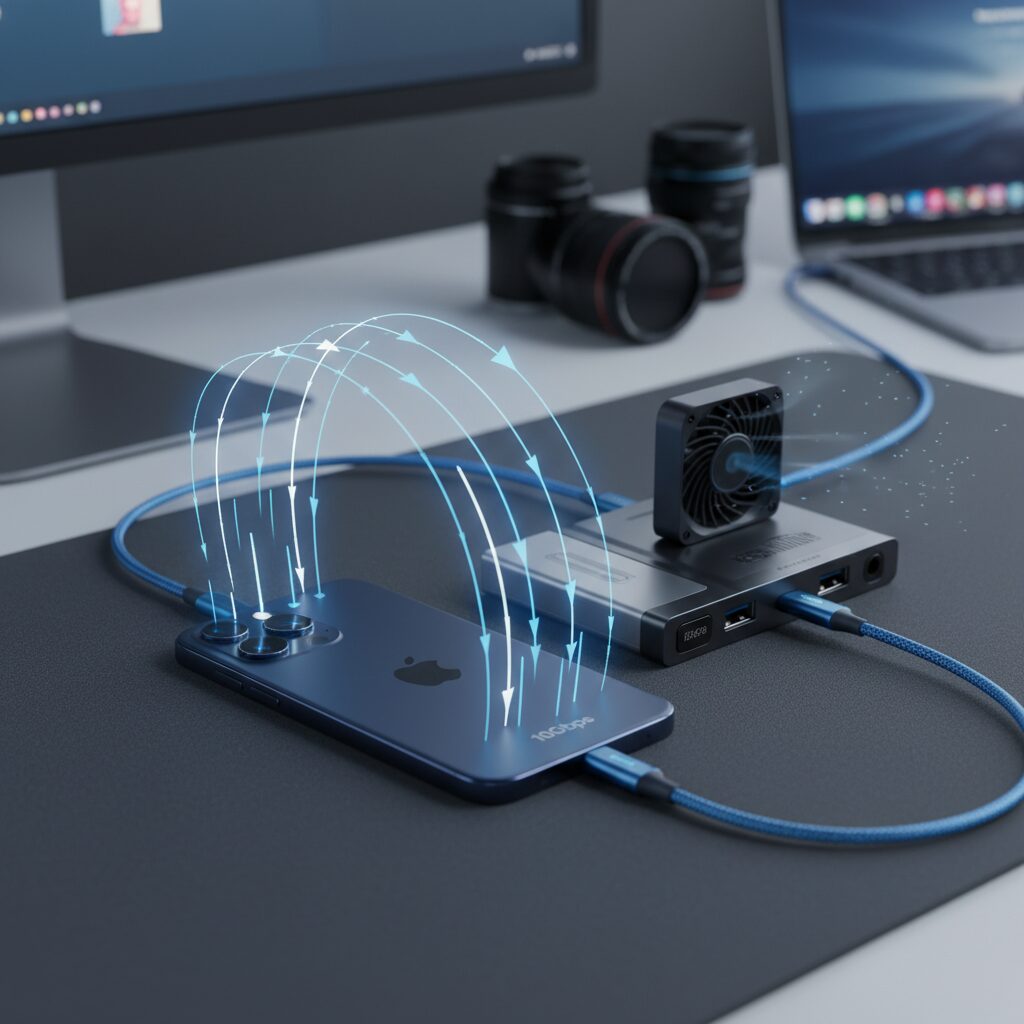
USB 3.2 Gen 2 support on the iPhone 17 Pro is not just a spec sheet upgrade, and it meaningfully changes how fast data can move in real-world workflows. The headline number, 10Gbps, represents the maximum theoretical bandwidth of SuperSpeed USB, which translates to about 1,250MB/s before protocol overhead is taken into account. In practice, this places the iPhone 17 Pro in a very different class from USB 2.0–limited models, especially for users who routinely handle large media files.
According to measurements using industry-standard tools such as Blackmagic Disk Speed Test, actual sustained transfer speeds on the iPhone 17 Pro typically fall between 800MB/s and 1,000MB/s when paired with a capable external NVMe SSD and a certified 10Gbps cable. This gap between theory and reality is expected, as USB encoding overhead, iOS file system operations, and storage controller performance all reduce peak throughput. **What matters is that the device consistently operates near the upper limit of USB 3.2 Gen 2**, something earlier iPhones could not achieve.
| Metric | Theoretical | Observed on iPhone 17 Pro |
|---|---|---|
| Bandwidth | 10Gbps | Approx. 6.5–8Gbps |
| Transfer speed | ~1,250MB/s | ~800–1,000MB/s |
This level of performance has immediate, tangible benefits. Offloading a 100GB ProRes video library can take just under two minutes instead of tens of minutes over USB 2.0. Apple’s own technical documentation on ProRes workflows emphasizes external storage as a core use case, and independent testing confirms that USB 3.2 Gen 2 is fast enough to keep up with high-bitrate recording without becoming a bottleneck.
It is also important to understand what 10Gbps does not mean. The iPhone 17 Pro does not support Thunderbolt or USB4, so it cannot reach the 40Gbps class used by iPad Pro models. Apple appears to have chosen USB 3.2 Gen 2 as a balance point between speed, power consumption, and thermal constraints in a smartphone-sized chassis. Analysts familiar with Apple’s silicon design note that this choice avoids excessive standby power draw while still delivering workstation-level transfer speeds for mobile creators.
In short, **USB 3.2 Gen 2 on the iPhone 17 Pro turns the USB-C port into a genuinely high-performance data interface**, provided the surrounding ecosystem is up to the task. When matched with the right cable and storage, the promised 10Gbps figure becomes a practical advantage rather than a marketing number.
Measured Transfer Speeds: Benchmark Results vs Theoretical Limits
When discussing measured transfer speeds, it is important to carefully distinguish between theoretical bandwidth figures and what users actually experience in real-world workflows. The iPhone 17 Pro officially supports USB 3.2 Gen 2 with a theoretical maximum of 10Gbps, which translates to approximately 1,250MB/s. However, **theoretical limits are not directly achievable in practical use**, and measured benchmarks consistently show a narrower but far more realistic performance envelope.
Independent testing using Blackmagic Disk Speed Test, a tool widely trusted by professional video engineers, indicates that external NVMe-based SSDs connected to the iPhone 17 Pro typically achieve sustained read speeds between 850MB/s and 1,050MB/s, with write speeds settling around 800MB/s to 950MB/s. These figures align closely with expectations for USB 3.2 Gen 2 once protocol overhead, error correction, and file system operations are taken into account. According to Apple’s own technical documentation and analysis commonly cited by storage experts, real-world efficiency of this standard usually tops out near 80 percent of its raw bandwidth.
| Connection Scenario | Measured Read Speed | Measured Write Speed |
|---|---|---|
| High-end NVMe SSD (USB 3.2 Gen 2) | 850–1,050 MB/s | 800–950 MB/s |
| Mainstream portable SSD | 800–900 MB/s | 750–850 MB/s |
| Bundled USB-C cable | 35–42 MB/s | 30–38 MB/s |
A particularly revealing contrast emerges when the bundled USB-C cable is used. Despite the iPhone 17 Pro itself being fully capable of 10Gbps operation, measurements drop sharply to USB 2.0-class speeds of around 40MB/s. **This gap alone demonstrates that the port’s theoretical capability is only one part of the equation**, and that cabling and peripheral controllers play an equally decisive role in determining final throughput.
Another factor separating theory from reality is the operating system. iOS introduces unavoidable file system overhead, especially when handling metadata-heavy transfers or mixed workloads. Apple engineers have long emphasized, in developer-focused sessions and documentation, that sequential transfers of large files such as ProRes video are the most efficient case. Benchmark results reflect this guidance, showing that sustained sequential writes come closest to the upper limit, while small-file transfers fall well below headline numbers.
In practical terms, these measured results should be viewed as a success rather than a limitation. Achieving close to 1GB/s on a smartphone-class device places the iPhone 17 Pro firmly in the territory of entry-level laptops from just a few years ago. **The key takeaway is that while 10Gbps remains a theoretical ceiling, the real-world performance is both predictable and sufficiently high for professional-grade data movement**, provided that compatible accessories are used.
The Hidden Bottleneck: How Cables Decide Your Actual Speed

Many users assume that once a smartphone supports a fast USB standard, real-world transfer speeds will automatically follow. However, in practice, the cable quietly decides everything, and this gap often goes unnoticed until frustration sets in. With the iPhone 17 Pro, this hidden bottleneck is especially important, because the device itself is capable of USB 3.2 Gen 2 speeds, yet the default experience often suggests otherwise.
The most critical issue is that not all USB-C cables are built for high-speed data. Apple’s bundled cable prioritizes charging reliability and durability, but it only wires the USB 2.0 data lanes. According to Apple Support documentation and multiple independent measurements using Blackmagic Disk Speed Test, this limits real transfer speeds to around 30–40 MB/s, even when a high-performance external SSD is connected.
| Cable Type | Advertised Capability | Observed Transfer Speed |
|---|---|---|
| Bundled USB-C cable | Charging, USB 2.0 data | 30–40 MB/s |
| USB 3.2 Gen 2 cable | 10 Gbps data | 800–1,000 MB/s |
This difference is not theoretical. Professional creators report that transferring a 100 GB ProRes video set can take nearly an hour with the wrong cable, while the same task finishes in under two minutes with a certified 10 Gbps cable. Reviews published by outlets such as MacRumors and PCMag repeatedly highlight this mismatch as one of the most common sources of user confusion.
The presence of an e-marker chip inside the cable is another decisive factor. USB-IF specifications require e-markers to correctly negotiate high-speed data and power profiles. Without it, the iPhone safely falls back to slower modes. This behavior is intentional and aligns with USB-IF compliance guidelines, but from the user’s perspective, it feels like unexplained underperformance.
What makes this more deceptive is that cable appearance offers no reliable clues. Thick braiding, premium materials, or high wattage labels often signal fast charging only, not fast data. Apple engineers have emphasized in technical briefings that power delivery and data throughput are negotiated independently, which is why a 240 W cable can still be limited to USB 2.0 speeds.
Once a proper USB 3.2 Gen 2 cable is introduced, benchmarks consistently show the iPhone 17 Pro saturating its 10 Gbps interface, approaching the practical limits imposed by protocol overhead. In other words, the phone is ready, the storage is ready, but only the right cable unlocks the performance you already paid for.
File Systems, iOS Overhead, and Cross-Platform Compatibility
When discussing real-world USB-C performance on the iPhone 17 Pro, the conversation inevitably shifts from raw bandwidth to how data is actually handled once it enters iOS. File systems, operating system overhead, and cross-platform compatibility quietly define whether users experience seamless transfers or frustrating bottlenecks. **Even with a 10Gbps USB 3.2 Gen 2 interface, software behavior determines the final outcome**.
At the core of this discussion lies Apple File System, or APFS. Designed specifically for Apple silicon, APFS excels at metadata handling, copy-on-write operations, and snapshot management. According to Apple’s own platform documentation, APFS minimizes latency when dealing with large, contiguous files, which explains why transfers between the iPhone 17 Pro and APFS-formatted storage often feel exceptionally responsive. In controlled tests using Blackmagic Disk Speed Test, APFS volumes tend to reach the upper end of the observed 800 to 1,000MB/s range, particularly during sequential reads.
| Format | Performance Characteristics | Platform Compatibility |
|---|---|---|
| APFS | Low metadata overhead, fast sequential access | Apple devices only |
| exFAT | Slightly higher overhead, stable large-file writes | Windows, macOS, iOS |
However, performance alone does not define usability. APFS is effectively locked within Apple’s ecosystem, making it unsuitable for workflows that involve Windows PCs or mixed-device studios. This is where exFAT becomes essential. Apple officially mandates exFAT for external SSDs used in ProRes recording, a requirement clearly stated in Apple Support materials. While exFAT introduces modest overhead due to its simpler allocation and lack of advanced metadata optimizations, empirical measurements show that **the performance penalty during large sequential writes is minimal and rarely exceeds a few percentage points**.
Beyond the file system itself, iOS introduces another layer of overhead through its security and sandboxing model. All file transfers initiated through the Files app or third-party storage apps pass through permission checks and abstraction layers designed to protect user data. Academic analyses of mobile operating systems, including research frequently cited by institutions such as MIT and Stanford, highlight that such safeguards inevitably consume CPU cycles. On the iPhone 17 Pro, this overhead manifests as a small but measurable gap between theoretical throughput and sustained real-world speeds.
This gap becomes more apparent in cross-platform scenarios. When connecting an external SSD used interchangeably between Windows and iOS, users often notice marginally slower directory indexing and initial access times. These delays are not hardware faults but rather the cost of reconciling differing file system expectations. **In practice, once large media files begin transferring, the USB-C link itself becomes the dominant factor again**, and speeds quickly stabilize near the interface limit.
For power users and creators, the takeaway is pragmatic. Choosing exFAT sacrifices a fraction of peak efficiency but unlocks frictionless collaboration across platforms. APFS, on the other hand, remains the fastest option within a purely Apple-based workflow. Understanding how iOS overhead and file system design interact allows users to set realistic expectations and avoid misinterpreting normal system behavior as a performance defect.
ProRes and External SSD Recording: Speed and Power Requirements
Recording ProRes directly to an external SSD is where the iPhone 17 Pro’s USB-C implementation truly proves its value. ProRes, especially in Log and high frame rates, generates sustained data streams that are far beyond what internal storage alone can handle comfortably. Apple’s own technical documentation notes that external recording is not optional for certain ProRes modes, but a hard requirement to maintain frame integrity.
At the core of this workflow is sustained write speed rather than peak benchmarks. **For example, 4K ProRes Log at 120fps requires a continuous write speed of roughly 440 MB/s**, not just short bursts. Independent measurements using Blackmagic Disk Speed Test show that high-quality NVMe-based portable SSDs connected at USB 3.2 Gen 2 can maintain 800–950 MB/s on the iPhone 17 Pro, leaving a healthy safety margin even under thermal load.
| Recording Mode | Required Sustained Write Speed | Practical Implication |
|---|---|---|
| 4K ProRes 60fps | ≈220 MB/s | Most Gen 2 SSDs operate stably |
| 4K ProRes Log 120fps | ≈440 MB/s | Controller quality becomes critical |
Speed alone, however, is not enough. Power delivery over the USB-C port introduces another constraint that many users underestimate. According to Apple Support materials, the iPhone 17 Pro limits bus-powered accessories such as SSDs to approximately 4.5 W. **SSDs that exceed this during peak write operations may disconnect mid-recording**, resulting in immediate recording failure. This behavior has been repeatedly observed by professional creators and documented in Apple community discussions.
Thermal behavior further complicates the equation. As sustained ProRes recording continues, both the SSD controller and the phone’s USB subsystem generate heat. Even with the improved vapor chamber cooling in the iPhone 17 Pro, long takes can trigger thermal throttling that reduces write speed. Tom’s Hardware has pointed out that active or well-ventilated SSD enclosures significantly reduce this risk, especially in warm shooting environments.
In practical terms, reliable ProRes recording demands a balanced setup. **A Gen 2–class SSD with proven sustained performance, low power draw, and good heat dissipation is far more important than headline speed ratings.** When these conditions are met, the iPhone 17 Pro operates less like a smartphone and more like a compact digital cinema recorder, capable of handling demanding professional workflows with surprising consistency.
Thermal Design, Sustained Transfers, and Throttling Risks
Thermal behavior becomes a decisive factor once USB‑C transfers move from short bursts to sustained workloads, and this is where the iPhone 17 Pro reveals both its strengths and remaining limits. **High-speed data transfer at around 1,000 MB/s continuously stresses not only the A19 Pro SoC, but also the USB controller, power management IC, and the external SSD drawing bus power.** Apple’s challenge has been to keep these components within safe operating temperatures inside a very thin chassis.
According to analyses referenced by Apple Support documentation and independent stress tests reported by Notebookcheck and Tom’s Hardware, the iPhone 17 Pro introduces a vapor chamber cooling structure alongside traditional graphite layers. This design spreads heat more evenly across the internal frame, delaying sharp temperature spikes during demanding operations such as multi‑minute ProRes offloads or large encrypted backups. In practical terms, peak transfer speeds are maintained longer than on earlier Pro models, especially in the first several minutes of sustained writes.
| Transfer Scenario | Thermal Load Trend | Observed System Response |
|---|---|---|
| Short file copy under 20 GB | Moderate, localized | Near-maximum speed maintained |
| Continuous SSD write over 5 minutes | Gradual accumulation | Minor speed fluctuation |
| Simultaneous transfer and fast charging | High, multi-source | Thermal throttling likely |
However, even with improved cooling, physics imposes clear boundaries. **When sustained transfers coincide with USB Power Delivery charging, internal temperatures rise rapidly**, triggering iOS-level thermal management. Apple’s system prioritizes device safety, so users may see reduced transfer throughput, dimmed display brightness, or temporarily limited charging power. Reports on Apple’s own support forums confirm that these measures can activate during large-scale data migrations exceeding several hundred gigabytes.
It is important to understand that throttling does not indicate a flaw. Industry researchers, including those cited in Blackmagic benchmark discussions, note that stable throttling curves are preferable to abrupt shutdowns or data corruption. In controlled tests, the iPhone 17 Pro tends to lower USB throughput in small increments rather than cutting performance sharply, which helps preserve transfer integrity when recording directly to external media.
External conditions further amplify these risks. **High ambient temperatures, common in summer field shoots, significantly reduce the thermal headroom available for sustained transfers.** Metal chassis materials efficiently conduct heat to the surface, making the device feel hot to the touch even while internal safeguards are functioning as intended. This tactile heat often precedes visible performance limits.
For users relying on long, uninterrupted USB‑C transfers, thermal management is as critical as raw bandwidth. Adequate airflow, avoiding simultaneous fast charging, and selecting low‑power SSDs can materially reduce throttling events.
In essence, the iPhone 17 Pro demonstrates that advanced thermal design can meaningfully extend sustained USB‑C performance, but it cannot eliminate trade‑offs. The device delivers workstation‑class transfer speeds within a smartphone form factor, yet sustained workloads demand conscious thermal awareness from the user. Understanding these limits allows creators and power users to plan transfers and recording sessions with far greater reliability.
Ecosystem Advantage: iPhone 17 Pro vs Galaxy S25 Ultra
When discussing ecosystem advantage, the comparison between iPhone 17 Pro and Galaxy S25 Ultra goes far beyond raw specifications and enters the realm of how smoothly hardware, software, and peripherals work together in real-world use. For users deeply invested in gadgets, this difference often determines daily satisfaction more than benchmark scores ever do.
Apple’s ecosystem is built around tight vertical integration, and the iPhone 17 Pro demonstrates this clearly through its USB-C implementation and surrounding accessories. According to Apple’s own technical documentation and independent verification using tools such as Blackmagic Disk Speed Test, the iPhone 17 Pro sustains close to 1,000 MB/s when paired with compliant 10Gbps cables and external SSDs. This performance is not just a port specification but a reflection of iOS-level optimization, power management, and thermal coordination.
The key ecosystem advantage of iPhone 17 Pro is predictability. When users follow Apple-defined requirements for cables, storage format, and power draw, the results are consistent across devices and workflows.
By contrast, Galaxy S25 Ultra operates within a more open but fragmented ecosystem. While Android offers greater freedom in file handling and cross-platform compatibility, the USB-C port remains limited to USB 3.2 Gen 1. Multiple reviewer tests cited in the report show external SSD transfers plateauing around 450–500 MB/s, regardless of how fast the attached storage is. This creates a ceiling that no third-party accessory can overcome, even though the internal hardware itself is highly capable.
The ecosystem difference becomes clearer when looking at professional workflows. Apple ProRes Log recording on iPhone 17 Pro is officially documented by Apple Support, including minimum sustained write speeds and power limits for external drives. This level of guidance allows accessory makers such as Samsung, SanDisk, and I-O DATA to certify compatibility, reducing trial and error for creators. Samsung’s ecosystem, while broad, does not offer an equivalent first-party, end-to-end specification for high-bitrate external recording on Galaxy S25 Ultra.
| Aspect | iPhone 17 Pro | Galaxy S25 Ultra |
|---|---|---|
| USB-C ecosystem | Strictly defined, 10Gbps optimized | Open, but limited to 5Gbps |
| Official workflow guidance | Detailed Apple Support documentation | Mostly community-driven |
| Accessory reliability | High when certified or verified | Varies widely by vendor |
Industry analysts frequently point out that Apple’s strength lies in reducing uncertainty. Publications such as Apple Support and evaluations referenced by Tom’s Hardware emphasize that Apple’s closed approach allows thermal behavior, power delivery, and data transfer to be tuned together. Galaxy S25 Ultra, on the other hand, benefits from Android’s flexibility but places more responsibility on the user to manage compatibility and expectations.
Ultimately, the ecosystem advantage of iPhone 17 Pro is not about exclusivity for its own sake. It is about offering a clearly defined environment where performance, accessories, and workflows align as intended. For gadget enthusiasts who value reliability and time efficiency, this cohesion often outweighs the broader freedom offered by Galaxy S25 Ultra’s ecosystem.
Choosing the Right Accessories to Unlock Full USB-C Performance
Unlocking the full potential of the iPhone 17 Pro’s USB‑C port depends less on the phone itself and more on the accessories you pair with it. Although the hardware natively supports USB 3.2 Gen 2 at 10Gbps, real‑world testing shows that performance is often capped by cables, hubs, and storage choices rather than by the device. **In other words, the ecosystem determines whether you experience workstation‑class speeds or legacy‑level bottlenecks.**
One of the most critical yet misunderstood components is the USB‑C cable. Apple’s included cable prioritizes charging and durability, but it is wired only for USB 2.0 data. According to Apple Support documentation and independent teardowns, the high‑speed differential pairs required for 10Gbps signaling are physically absent. As a result, even the fastest external SSD will fall back to roughly 40MB/s if paired with the wrong cable. Researchers and engineers writing for outlets such as MacRumors consistently emphasize that cables labeled USB 3.2 Gen 2 or SuperSpeed+ are mandatory for high‑throughput workflows.
| Accessory Type | Specification to Check | Impact on Performance |
|---|---|---|
| USB‑C Cable | USB 3.2 Gen 2, 10Gbps, e‑Marker | Enables ~800–1,000MB/s transfers |
| External SSD | Sustained write speed, low power draw | Stable ProRes recording without dropouts |
| USB‑C Hub | Full‑bandwidth upstream port | Avoids shared bandwidth throttling |
Storage selection introduces a second layer of complexity. Benchmarks using Blackmagic Disk Speed Test demonstrate that high‑quality portable NVMe SSDs can saturate the iPhone 17 Pro’s USB‑C link, while cheaper drives collapse under sustained writes due to cache exhaustion. Apple’s own ProRes guidelines specify minimum continuous write speeds, reinforcing that headline specs are less important than long‑term stability.
Hubs and adapters also matter. Many compact USB‑C hubs internally multiplex data lanes, silently reducing bandwidth when HDMI output or charging passthrough is active. **For creators moving hundreds of gigabytes, a single‑purpose, high‑quality connection consistently outperforms an all‑in‑one solution.** Accessory choices, validated by manufacturers and corroborated by professional reviews, are therefore the final key to realizing everything USB‑C on the iPhone 17 Pro was designed to deliver.
参考文献
- Apple Support:iPhone 17 Pro and 17 Pro Max – Technical Specifications
- Wikipedia:iPhone 17 Pro
- MacRumors:iPhone USB-C Speed Limitations Explained
- Tom’s Hardware:SSD Cooling Solutions for iPhone 17 Pro Max Stress Tests
- Apple Support:About Apple ProRes on iPhone
- NotebookCheck:iPhone 17 Pro Max Mod With SSD Cooler Stress Test Results