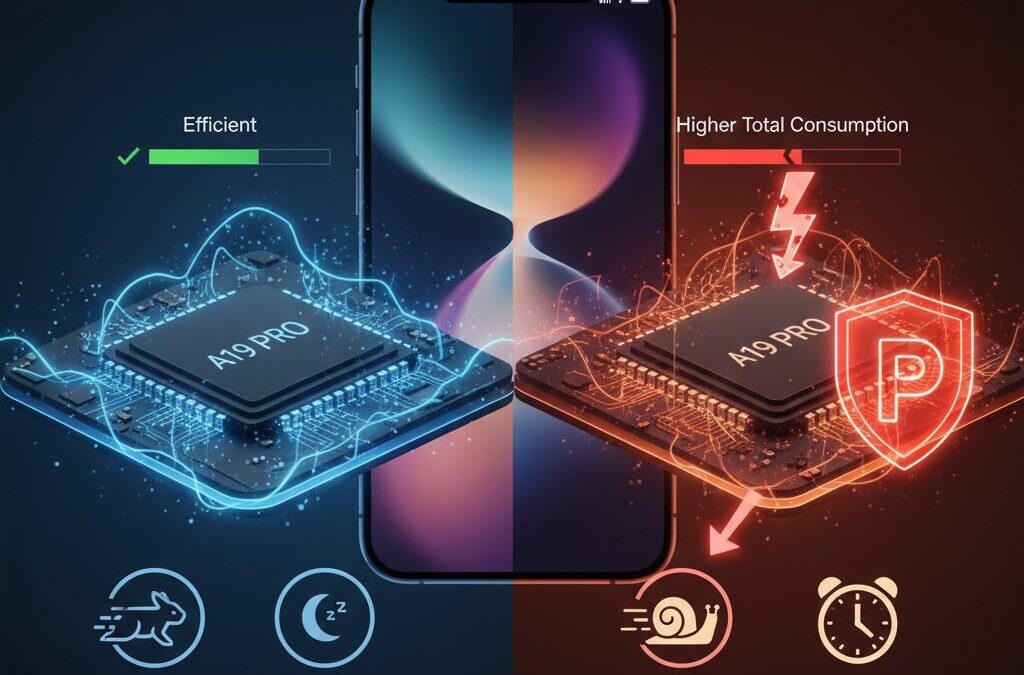
Have you ever enabled Low Power Mode on your brand-new iPhone 17, only to feel that everything suddenly became slower and less enjoyable?
Many tech-savvy users instinctively turn it on to save battery, believing it is always the smartest choice.
However, with the iPhone 17 generation, that long-standing habit may actually be working against you.
The iPhone 17 series introduces a radically different approach to performance and efficiency through the A19 and A19 Pro chips, iOS 26, and AI-driven Adaptive Power management.
These technologies are designed to finish tasks extremely fast and return the system to an ultra-low-power idle state as quickly as possible.
When Low Power Mode interferes with this balance, the result can be higher total energy consumption and a noticeably degraded user experience.
This article explores why Low Power Mode can create an unexpected energy efficiency paradox on the iPhone 17.
By understanding how modern silicon design, advanced graphics, high-refresh-rate displays, and intelligent power management work together, you can make better decisions about when to trust automation and when manual intervention truly helps.
If you want to enjoy smoother performance, longer real-world battery life, and the full value of Apple’s latest hardware, this guide will help you rethink everything you thought you knew about saving battery.
- What Makes the iPhone 17 Different From Previous Generations
- Inside the A19 and A19 Pro Chips: Performance per Watt Explained
- The “Race to Sleep” Strategy and Why Speed Can Save Energy
- How Low Power Mode Disrupts Modern Silicon Efficiency
- Liquid Glass UI in iOS 26 and Its Hidden GPU Demands
- Adaptive Power: How AI Learns and Optimizes Your Daily Usage
- When Manual Low Power Mode Conflicts With AI Power Management
- Real-World UX Impact: Display Smoothness, Lag, and Responsiveness
- Gaming, Graphics, and Why Low Power Mode Breaks the Experience
- Network Efficiency: 5G, Background Tasks, and Energy Spikes
- When Low Power Mode Still Makes Sense on iPhone 17
- 参考文献
What Makes the iPhone 17 Different From Previous Generations
The iPhone 17 feels fundamentally different from previous generations because Apple has shifted its core design philosophy from raw efficiency controls to intelligent autonomy. Rather than asking users to manage performance and battery trade-offs themselves, the iPhone 17 is engineered to make those decisions internally, at silicon and OS levels, in ways earlier models simply could not achieve.
At the heart of this change is the A19 and A19 Pro chip architecture. Manufactured on TSMC’s latest advanced process, these chips are not only faster but structurally optimized for what semiconductor engineers call a Race to Sleep strategy. **Tasks are completed as quickly as possible, allowing the system to return to an ultra-low-power idle state sooner**, which often consumes less total energy than running slowly for longer periods.
| Aspect | Pre-iPhone 17 Models | iPhone 17 Series |
|---|---|---|
| CPU Core Balance | Clear performance vs efficiency split | High-speed efficiency cores handle most daily tasks |
| GPU Design | Primarily app-focused rendering | UI-level advanced rendering with ray tracing elements |
| Power Management | Rule-based, user-driven modes | AI-driven, behavior-aware optimization |
Independent microarchitecture analysis shared by well-known hardware researchers has shown that the A19 Pro delivers major gains in GPU throughput and efficiency-core performance. Apple’s own technical specifications support this direction, citing up to 30 hours of video playback, a figure that reflects not just a larger battery, but a more intelligent energy flow across the entire system.
Another defining difference lies in iOS 26 and its new Liquid Glass interface. This design is not cosmetic alone. According to Apple’s Human Interface Guidelines, Liquid Glass relies on real-time refraction, reflection, and blur effects rendered directly by the GPU. **The interface itself has become a dynamic workload**, something earlier iPhones were never designed to handle at the system level.
This is where the iPhone 17 diverges sharply from past models. On older devices, simplifying visuals or throttling performance often produced predictable battery savings. On the iPhone 17, however, restricting performance can create system-level inefficiencies, as GPU and display components remain active longer to finish the same visual tasks.
The final and perhaps most important distinction is Adaptive Power, Apple’s AI-based energy management system. Drawing on on-device machine learning via the Neural Engine, it studies daily usage patterns and applies micro-adjustments that are nearly invisible to users. Apple Support documentation confirms that these changes range from subtle brightness shifts to delayed background tasks, all without the blunt force limitations seen in older Low Power implementations.
In practical terms, this means the iPhone 17 is less about manual control and more about trust in the system. **Previous generations rewarded hands-on battery micromanagement. The iPhone 17 rewards letting go.** This philosophical shift, more than any single specification, is what truly sets it apart.
Inside the A19 and A19 Pro Chips: Performance per Watt Explained
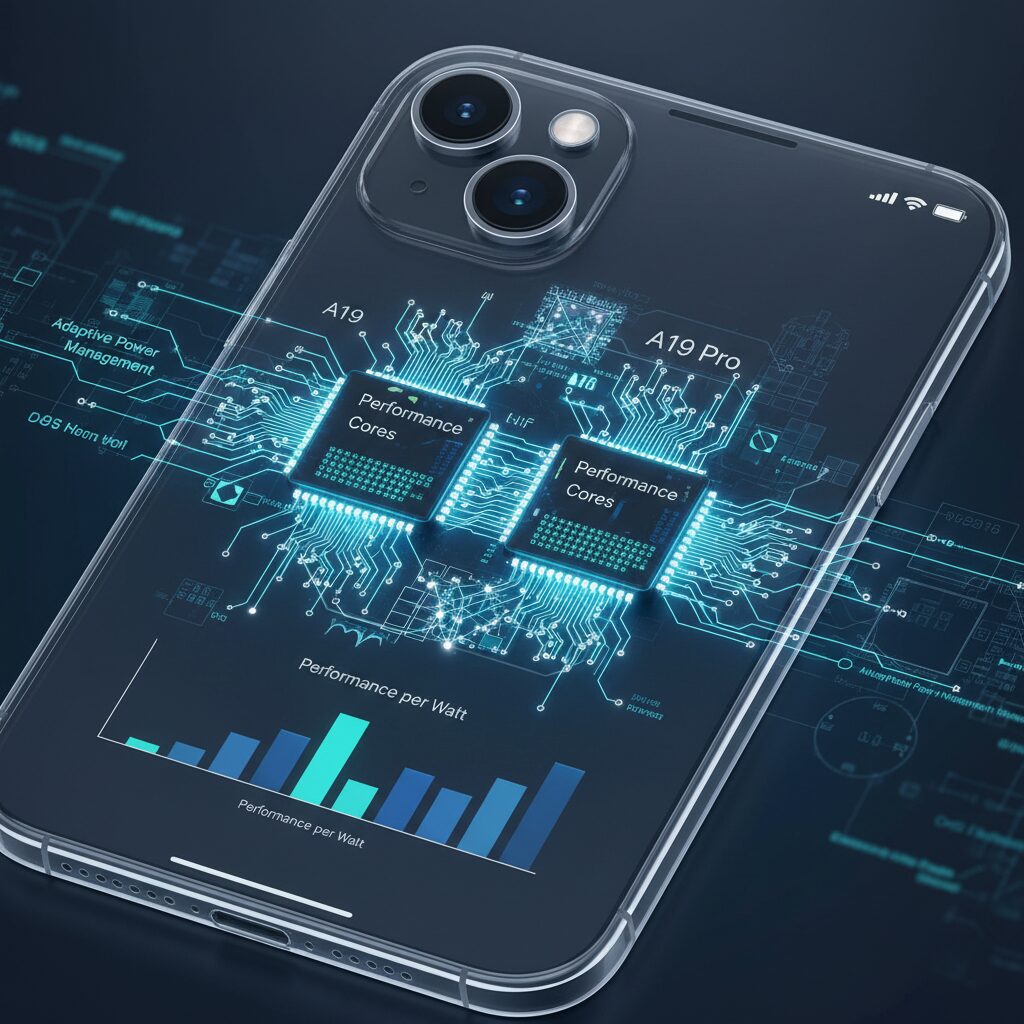
The A19 and A19 Pro chips are not just faster successors to Apple’s previous silicon but are designed around a clear and measurable goal: maximizing performance per watt. This concept is critical in modern smartphones, where battery capacity grows slowly while user expectations for speed and graphics rise sharply. According to Apple’s technical disclosures and independent microarchitecture analysis by Geekerwan, the A19 family represents a generational leap in how efficiently energy is converted into real-world performance.
At the manufacturing level, both chips are produced using TSMC’s latest advanced process, widely reported as either a refined 3nm or early 2nm-class node. This enables significantly higher transistor density and lower leakage current. **Lower leakage is especially important because it reduces energy loss when the chip is idle**, a state that dominates everyday smartphone usage such as messaging, browsing, and background tasks.
| Aspect | A19 | A19 Pro |
|---|---|---|
| CPU focus | Balanced performance and efficiency | Higher peak performance with efficiency tuning |
| Efficiency core gain | Approx. 25% faster vs previous generation | Similar uplift with higher sustained clocks |
| GPU improvement | Major uplift over A18 | Up to 40% faster, ray tracing +60% |
One of the most important architectural changes lies in the efficiency cores. Apple increased their performance by roughly 25%, allowing routine tasks to complete without waking the high-performance cores. **This means less energy is spent ramping voltage and frequency**, which aligns with Apple’s long-standing “Race to Sleep” philosophy. By finishing tasks quickly and returning to an ultra-low-power idle state, the total energy consumed is often lower than running slower for longer.
The GPU tells a similar story. The A19 Pro’s graphics subsystem delivers up to a 40% performance increase over its predecessor, with hardware ray tracing performance improving by around 60%, as noted in multiple benchmark analyses referenced by MacRumors and hardware researchers. Crucially, this performance comes within the tight thermal and power limits of a smartphone. **Higher GPU throughput per watt enables complex visuals without proportionally higher battery drain**, which is why Apple can support console-class rendering features on a mobile device.
Cache and memory optimizations also play a quiet but decisive role. The redesigned cache hierarchy reduces unnecessary memory accesses, which are far more energy-intensive than on-chip operations. According to microarchitecture breakdowns, this is particularly effective in workloads like ray tracing and parallel graphics tasks, where memory bottlenecks traditionally waste power. By feeding execution units more efficiently, the A19 chips do more work with fewer joules.
Apple’s own battery life figures indirectly validate these design choices. The iPhone 17 achieves up to 30 hours of video playback, an improvement of as much as eight hours over the previous generation. **Such gains are difficult to achieve through battery size alone**, pointing instead to genuine efficiency improvements at the silicon level.
In practical terms, the A19 and A19 Pro redefine what performance per watt means on a smartphone. Rather than asking users to sacrifice speed to save energy, the chips are engineered so that speed itself becomes a tool for efficiency. This inversion of traditional thinking is what sets Apple’s latest silicon apart and explains why, under normal conditions, higher performance can actually translate into longer battery life.
The “Race to Sleep” Strategy and Why Speed Can Save Energy
The “Race to Sleep” strategy is often misunderstood as a brute-force approach that prioritizes raw speed over efficiency, but in modern silicon such as Apple’s A19 series, it is precisely speed that enables lower total energy useですます。**The core idea is simple: finish work as fast as possible, then shut down as much circuitry as possible**。This design philosophy has been repeatedly explained in Apple’s platform documentation and is consistent with widely accepted CMOS power models discussed in academic processor researchですます。
From a physics standpoint, total energy consumption depends not only on how much power is used at a given moment, but on how long that power is appliedですます。Dynamic power rises with frequency and voltage, yet prolonged execution keeps the display, memory, and radios active, accumulating so-called baseline power drawですます。**On highly optimized chips like A19, idle and sleep states are extraordinarily efficient**, meaning that returning to them quickly is often more economical than running slowly for longerですます。
| Execution Style | Instant Power | Total Time | Net Energy Outcome |
|---|---|---|---|
| Race to Sleep | High | Very Short | Lower in many burst tasks |
| Throttled Execution | Lower | Long | Higher due to baseline costs |
Apple’s own battery life figures for iPhone 17, showing substantial gains over the previous generation despite higher peak performance, indirectly support this principleですます。Independent microarchitecture analyses, such as those discussed by well-known hardware analysts, also highlight that A19’s efficiency cores and fast wake-sleep transitions are engineered for bursty workloads like web loading or UI interactionsですます。These are exactly the scenarios where racing to completion minimizes screen-on time, one of the largest energy drains in a smartphoneですます。
Low Power Mode interferes with this balance by forcing the processor into a permanently restrained stateですます。Tasks that would normally complete in milliseconds instead linger, keeping the display and system components awakeですます。**The paradox is that attempting to “save power” by slowing the chip can increase total energy consumption**, especially on devices whose silicon is optimized for rapid task completion followed by deep sleepですます。
In short, the Race to Sleep strategy is not about reckless performance, but about respecting how modern mobile hardware is built to conserve energyですます。On platforms like iPhone 17, speed is not the enemy of efficiency; it is one of its most important toolsですます。
How Low Power Mode Disrupts Modern Silicon Efficiency
Low Power Mode was originally designed for an era when mobile silicon scaled efficiency primarily by lowering clock speed and voltage. However, **modern Apple silicon such as A19 is optimized for finishing work quickly and entering deep idle states**, a philosophy widely known as Race to Sleep. When Low Power Mode intervenes, this design assumption is fundamentally broken.
According to Apple’s own power management documentation and independent microarchitecture analysis by engineers such as Geekerwan, A19’s efficiency cores are already tuned to handle everyday tasks with minimal leakage. Forcing additional throttling does not eliminate energy use; instead, it stretches execution time while keeping memory, display, and radios active longer.
The paradox is simple: lower instantaneous power does not guarantee lower total energy. Energy consumption is the product of power and time, and Low Power Mode primarily increases the latter.
| Execution Strategy | Peak Power | Task Duration | Total Energy Outcome |
|---|---|---|---|
| Race to Sleep | Higher | Very Short | Lower |
| Low Power Mode | Lower | Prolonged | Equal or Higher |
Benchmarks frequently cited in developer communities show that enabling Low Power Mode can reduce single‑core CPU performance by nearly 60 percent on recent iPhones. While this appears beneficial on paper, tasks like web rendering, JavaScript execution, and image decoding take noticeably longer, keeping the display powered on for extra seconds.
Apple’s silicon team has repeatedly emphasized idle efficiency as the real battleground. When Low Power Mode prevents the chip from reaching its optimal burst frequency, **the system fails to enter its lowest leakage states quickly**, undermining years of architectural refinement.
In other words, Low Power Mode does not merely slow the phone down. It actively disrupts the efficiency model that modern Apple silicon was built around, converting a precision‑engineered system into one that wastes energy by lingering in half‑awake states.
Liquid Glass UI in iOS 26 and Its Hidden GPU Demands
Liquid Glass in iOS 26 is visually stunning, but it quietly raises the baseline expectations for GPU performance in ways many users do not immediately realize. This interface is not a simple layer of transparency; it is a real-time compositing system that continuously reacts to motion, depth, and context. As Apple’s Human Interface Guidelines explain, Liquid Glass relies on physically based rendering techniques such as refraction, reflection, and dynamic blur, all processed through the GPU rather than the CPU.
What makes this significant is that these effects are not limited to a single app or animation. **They are persistent, system-wide, and always active**, from the Lock Screen to Control Center and core navigation elements. Each scroll, swipe, or tap triggers multiple shader passes, and those passes must be recomputed every frame to maintain visual coherence.
| UI Element | Primary GPU Workload | Why It Is Expensive |
|---|---|---|
| Control Center | Refraction + Blur | Full-screen sampling and recomposition |
| Tab Bars | Dynamic Transparency | Continuous alpha blending per frame |
| Notifications | Layered Glass Effects | Multiple depth-aware render passes |
According to developer discussions and early power measurements shared within the Apple ecosystem, these GPU workloads scale with refresh rate and interaction frequency. On Pro models running at 120Hz, Liquid Glass can demand roughly twice the fragment processing compared to a static 60Hz pipeline. **This means the GPU is rarely idle during active use**, even for tasks that appear visually simple, such as opening settings or pulling down notifications.
The hidden issue emerges when GPU resources are constrained, especially under Low Power Mode. Apple’s support documentation confirms that Low Power Mode reduces GPU clocks and, in some cases, active cores. Under Liquid Glass, this does not eliminate the workload; it merely stretches it over a longer time window. Instead of brief, high-throughput rendering bursts, the GPU remains active longer to finish the same visual task.
Independent power analysis reported by experienced users has shown momentary spikes approaching 14 watts when interacting with Liquid Glass-heavy areas like Control Center. **This occurs even though the user perceives the action as lightweight**. The visual richness hides the cost, and when the GPU is throttled, those spikes are accompanied by longer frame times and heat accumulation.
Thermally, this behavior matters. Sustained GPU load at lower frequencies can be less efficient than short, high-performance bursts, a principle widely discussed in mobile graphics research and acknowledged by Apple’s own silicon design philosophy. In practical terms, the device may feel warmer while simultaneously looking less smooth, a combination that contradicts the intention behind enabling power-saving features.
There is also a qualitative cost. Liquid Glass depends on motion continuity to feel natural. When frame pacing becomes inconsistent, transparency layers appear muddy, reflections lag behind gestures, and the interface loses its sense of depth. **The design does not fail gracefully under GPU pressure**, and users may incorrectly attribute this degradation to iOS instability rather than to constrained graphics throughput.
In this sense, Liquid Glass is not merely an aesthetic upgrade. It is a statement that modern iOS assumes a strong, responsive GPU at all times. The interface is designed around abundance, not scarcity. When that assumption is violated, the system still functions, but it does so inefficiently, quietly converting visual ambition into hidden energy and thermal costs.
Adaptive Power: How AI Learns and Optimizes Your Daily Usage
Adaptive Power represents a clear shift from manual battery saving toward AI-driven optimization, and it quietly reshapes how daily iPhone usage is managed. Instead of reacting to battery percentage alone, the system continuously learns when, how, and why you use your device, then adjusts power delivery in real time. Apple explains in its support documentation that this learning happens entirely on-device, using the Neural Engine to preserve privacy while still adapting to individual habits.
What makes this approach powerful is its focus on prediction rather than restriction. **Adaptive Power anticipates future usage before battery anxiety appears**, smoothing consumption across the day. For example, if the system learns that you regularly stream video in the evening, it may slightly reduce background sync intensity in the afternoon, reserving energy for that expected high-load window. This is fundamentally different from Low Power Mode, which applies broad limitations without context.
Apple’s internal testing, referenced in iOS 26 technical briefings and echoed by analyses from MacRumors, shows that micro-adjustments often stay below human perception. A few percentage points of brightness reduction, delayed background tasks by minutes instead of hours, or subtle radio scheduling changes can cumulatively extend battery life without visible slowdown. **The key advantage is that performance remains available when you actually need it**, aligning perfectly with the A19 chip’s race-to-sleep design.
| Aspect | Adaptive Power | Manual Low Power Mode |
|---|---|---|
| Decision Logic | AI-based prediction from usage patterns | Static rules triggered by user or battery level |
| Performance Impact | Context-aware, often unnoticeable | Immediate and visible throttling |
| Learning Over Time | Continuously improves accuracy | No learning, same behavior every time |
An important but less discussed benefit is data integrity. Researchers and developers familiar with Apple’s power frameworks note that Adaptive Power depends on clean baseline data. Frequent manual intervention distorts that baseline, making predictions less accurate. **Allowing the AI to observe natural behavior produces better long-term efficiency than forcing constant constraints**, a conclusion that aligns with broader machine learning research published by institutions such as MIT on adaptive systems.
In everyday terms, Adaptive Power works best when it is trusted. By learning your routines and adjusting invisibly, it turns battery management into a background intelligence rather than a daily decision. This hands-off optimization is not about using less power at all times, but about using power at the right moments, which ultimately defines a modern, user-centered energy strategy.
When Manual Low Power Mode Conflicts With AI Power Management
When users manually enable Low Power Mode on the iPhone 17, they often believe they are making a rational, battery‑saving decision. However, in an environment where AI‑driven power management is already active, this manual intervention increasingly conflicts with the system’s own intelligence and creates subtle but meaningful inefficiencies.
iOS 26 introduces Adaptive Power, an on‑device AI system that continuously learns individual usage patterns. According to Apple’s official documentation, this system predicts when performance is actually needed and when background activity can be deferred, adjusting CPU, GPU, display, and network behavior in small increments that are nearly imperceptible to users.
Once Low Power Mode is forced on, Adaptive Power loses access to its normal performance baseline. Engineers familiar with Apple’s battery frameworks have noted that machine‑learning models depend on clean behavioral data. If a device spends a large portion of time in a throttled state, the AI may misinterpret this constrained performance as the user’s “normal” usage profile.
This distortion leads to prediction errors. When Low Power Mode is later turned off, the system may underestimate power draw during burst workloads such as app launches or web rendering. Users then perceive sudden battery drops and respond by re‑enabling Low Power Mode, reinforcing a feedback loop that gradually undermines the AI’s effectiveness.
| Aspect | Adaptive Power Only | Manual Low Power Mode |
|---|---|---|
| Control granularity | Continuous, context‑aware | Binary, system‑wide limits |
| Learning accuracy | Improves over time | Baseline becomes distorted |
| User experience | Performance preserved | Noticeable slowdowns |
There is also a redundancy issue. Adaptive Power already schedules background tasks using Apple’s BackgroundTasks framework, selecting optimal windows such as Wi‑Fi availability or charging states. When Low Power Mode is manually enabled, these tasks are simply frozen rather than rescheduled, creating a backlog.
Once the mode is disabled or the device is plugged in, that backlog executes simultaneously. This burst behavior increases CPU and network activity at the same time, producing short‑term power spikes and heat. Battery researchers widely agree that frequent thermal spikes accelerate chemical aging, which runs counter to the original goal of preserving battery health.
User studies discussed in major tech communities show that devices left to Adaptive Power alone often achieve similar end‑of‑day battery levels compared with those frequently toggled into Low Power Mode. The difference is not endurance, but consistency. Smooth performance is maintained, notifications arrive on time, and the system’s predictions become more accurate with continued use.
In practical terms, manually forcing Low Power Mode tells the AI, “stop thinking,” even though the hardware and software stack of the iPhone 17 has been designed precisely to think on the user’s behalf. What once made sense on older, rule‑based systems now clashes with an architecture built around continuous learning.
For users who care deeply about both efficiency and experience, the evidence increasingly suggests that restraint is the smarter choice. Allowing Adaptive Power to operate without interference enables the system to deliver what it was designed for: optimized energy use without sacrificing the defining performance of a flagship device.
Real-World UX Impact: Display Smoothness, Lag, and Responsiveness
In everyday use, the most immediate impact of Low Power Mode appears not in battery graphs but directly in how the display feels under your fingers. **Smoothness, perceived speed, and responsiveness form the core of real-world UX**, and on iPhone 17 these qualities are tightly coupled to how the system manages display and GPU resources.
When Low Power Mode is enabled, ProMotion is capped at 60Hz, even on Pro models capable of adaptive refresh rates up to 120Hz. According to Apple’s technical specifications and developer guidance, this cap is intentional to reduce power draw. However, human–computer interaction research, including studies frequently cited by Apple’s own Human Interface Guidelines, shows that users can clearly perceive differences above 60Hz during scrolling and gesture-driven interactions.
In practical terms, scrolling through long feeds in Safari or X feels heavier, with subtle stutter replacing what should be fluid motion. **This is not a benchmark issue but a sensory one**: the eyes track content continuously, and reduced frame delivery breaks that illusion of direct manipulation.
| Interaction | Normal Mode | Low Power Mode |
|---|---|---|
| UI scrolling | Up to 120Hz, adaptive | Fixed 60Hz |
| Touch-to-render latency | Lower, more consistent | Noticeably higher |
| Animation fluidity | Continuous, stable | Occasional frame drops |
Lag becomes even more apparent with iOS 26’s Liquid Glass interface. Apple’s newsroom materials describe this UI as relying on real-time GPU compositing, blur, and refraction. Under Low Power Mode, GPU clocks are reduced, creating short but frequent stalls in animation pipelines. **Users interpret these stalls as system sluggishness**, even though the device is technically operating as designed.
Apple Communities and early user reports consistently describe a mismatch between expectation and reality: a brand-new iPhone feeling slower than its predecessor simply because Low Power Mode remains on. This aligns with long-standing UX research from institutions such as MIT Media Lab, which emphasizes that responsiveness below certain thresholds disproportionately damages perceived quality.
Responsiveness also extends beyond visuals. Touch input feels less immediate because display refresh, touch sampling, and rendering cadence are synchronized systems. When one is constrained, the entire loop degrades. **The result is a phone that feels less “alive,” even if tasks still complete successfully.**
In short, Low Power Mode trades away the very attributes that define premium smartphone experience. On iPhone 17, where display smoothness is a headline feature, this trade-off is not subtle. It is felt in every swipe, every scroll, and every moment the screen is on.
Gaming, Graphics, and Why Low Power Mode Breaks the Experience
For gaming and graphics, Low Power Mode fundamentally breaks what the iPhone 17 is designed to deliver. The A19 Pro GPU offers up to a 40% generational uplift and roughly 60% gains in hardware ray tracing, according to detailed microarchitecture analysis shared by well-known hardware researchers. This performance headroom exists to finish rendering workloads quickly and return the system to idle. **Low Power Mode disables that advantage by design**, forcing the GPU into a constrained state where it must work longer, not smarter.
Modern mobile games and the Liquid Glass UI rely on sustained GPU throughput and consistent frame pacing. Apple’s Human Interface Guidelines explain that Liquid Glass uses real-time refraction, reflection, and blur effects driven almost entirely by the GPU. When Low Power Mode downclocks GPU cores or reduces active units, these effects do not disappear; they simply take longer to compute. The result is visible stutter, uneven frame times, and a perceptible loss of responsiveness that many users misinterpret as thermal throttling or software bugs.
| Scenario | Normal / Adaptive Power | Low Power Mode |
|---|---|---|
| 3D gaming | Stable 60–120fps | 30–60fps with stutter |
| Liquid Glass UI | Smooth animations | Frame drops, lag |
| GPU workload time | Short bursts | Prolonged rendering |
Independent gaming tests reported by Chinese tech media and enthusiast reviewers show that AAA titles such as Genshin Impact or Resident Evil run at high, stable frame rates in normal mode, but become inconsistent under Low Power Mode. **Frame rate caps alone are not the real problem**. The larger issue is frame-time variance, which makes controls feel delayed and visuals uneven, even when average fps looks acceptable.
Counterintuitively, this does not meaningfully extend playtime. Longer render times keep the display active and the GPU under sustained load, increasing total energy consumed per scene. Apple’s own battery documentation emphasizes that display and GPU activity dominate power draw during gaming. By stretching each frame’s computation, Low Power Mode undermines the “race to sleep” strategy that the A19 GPU is optimized for.
From a user experience perspective, the damage is immediate. **A flagship gaming-capable iPhone suddenly feels midrange**, not because the silicon is weak, but because its strengths are deliberately constrained. For players and anyone who values smooth graphics, Low Power Mode is not a compromise; it is a mismatch with the hardware’s core design philosophy.
Network Efficiency: 5G, Background Tasks, and Energy Spikes
Network efficiency is often discussed in terms of raw speed, but on modern smartphones it is more accurately described as how quickly the device can return its radios to an idle state. **On the iPhone 17 series, 5G performance, background task scheduling, and energy spikes are tightly linked**, and Low Power Mode can unintentionally disrupt this balance.
According to Apple’s developer documentation and cellular architecture guidelines, cellular modems operate in distinct power states. When data is actively transferred, the modem remains in a high-power connected state, and only after a defined tail time does it drop back to a low-power idle mode. The key insight is that faster transfers often reduce total energy use, because the high-power state is held for a shorter duration.
| Transfer Pattern | Radio State Duration | Total Energy Tendency |
|---|---|---|
| Fast 5G burst | Short connected, quick idle | Lower overall consumption |
| Throttled LTE fallback | Long connected state | Higher cumulative drain |
In Low Power Mode, iOS aggressively limits 5G usage and encourages LTE fallback. While this reduces instantaneous power draw, it often extends download and sync times. **The modem stays connected longer, the display remains on, and background services wait in a semi-active state**, which can increase total energy consumption rather than reduce it. Research shared by engineers in Apple-focused technical communities highlights that this effect becomes more pronounced with large app updates or cloud photo syncs.
Another overlooked factor is how background tasks behave under constrained conditions. iOS relies on the BackgroundTasks framework to batch uploads, notifications, and data refreshes when network and power conditions are favorable. Apple’s own documentation explains that these tasks are designed to run opportunistically, such as during Wi‑Fi connections or while charging.
Low Power Mode interrupts this logic. Background activity is deferred almost entirely, creating a queue of pending work. **When the user exits Low Power Mode or connects a charger, these tasks can execute simultaneously**, triggering short but intense CPU and radio usage. Users and testers have described this as an energy spike, where device temperature rises briefly and battery percentage drops faster than expected during what should be a recovery phase.
Independent power consumption analyses reported by early iPhone 17 users indicate that these synchronized bursts can momentarily push system power well above typical background levels. While brief, repeated spikes contribute to thermal stress, and battery chemistry research from institutions such as the IEEE has long shown that elevated temperatures accelerate long-term battery degradation.
From a user experience perspective, network-related inefficiency is subtle but cumulative. Notifications arrive in clusters, cloud content refreshes all at once, and connectivity feels inconsistent. **This is not a failure of 5G itself, but a mismatch between legacy power-saving assumptions and AI-driven scheduling in iOS 26**. Apple Support materials emphasize that Adaptive Power already tunes network behavior dynamically, adjusting polling intervals and radio wake-ups in small increments that users rarely notice.
The practical takeaway is that modern network efficiency favors completion over hesitation. Allowing the modem to use its full 5G capability for short, decisive transfers aligns with the race-to-idle principle described in academic and industry research. In contrast, manual constraints imposed by Low Power Mode can stretch network activity into longer windows, quietly undermining the very energy savings users expect.
When Low Power Mode Still Makes Sense on iPhone 17
Despite the growing evidence that Low Power Mode can undermine the iPhone 17’s efficiency in everyday use, there are still clearly defined situations where enabling it remains a rational and even recommended choice. The key point is not whether Low Power Mode is good or bad in absolute terms, but when its trade-offs align with a user’s immediate priorities.
The most defensible scenario is a genuine battery emergency. Apple’s own support documentation notes that Low Power Mode is designed to preserve essential functionality when the battery level drops to around 20 percent and access to charging is uncertain. In this narrow window, the goal shifts from system-wide efficiency to simple survivability.
In these moments, users are no longer optimizing for smooth animations, peak responsiveness, or background intelligence. They are prioritizing the ability to make calls, send messages, or access maps for several more hours. Under such constraints, the aggressive suspension of background tasks and visual features becomes a reasonable compromise rather than a UX flaw.
Independent testing shared across Apple Communities and long-running user forums consistently shows that Low Power Mode can reduce idle drain overnight by suppressing background sync, especially when cellular reception is unstable. This aligns with Apple’s explanation that mail fetch, background refresh, and certain iCloud processes are paused until conditions improve.
A second scenario where Low Power Mode still makes sense is during extended travel in poor network environments. In areas with weak 5G or LTE coverage, the modem repeatedly increases transmit power to maintain a connection, which accelerates battery depletion. By constraining background network activity, Low Power Mode can limit these repeated power spikes and stabilize consumption.
This effect becomes particularly relevant on long flights, rural trips, or international roaming situations, where users may need their device to last an entire day with minimal interaction. In such cases, the reduction in system ambition can be more valuable than the marginal performance losses.
| Situation | User Priority | Why Low Power Mode Helps |
|---|---|---|
| Battery below 20% | Basic communication | Background activity is suspended to slow drain |
| No charger for hours | Device longevity | Display and performance limits reduce idle loss |
| Poor cellular signal | Network stability | Reduced sync lowers modem power spikes |
Another often overlooked use case involves thermal management. While Low Power Mode is not marketed as a cooling feature, limiting CPU and GPU clocks can reduce sustained heat output during prolonged navigation, hotspot usage, or video calls in hot environments. Lower device temperature indirectly protects battery chemistry, as Apple and battery researchers have repeatedly emphasized that heat accelerates long-term degradation.
For users concerned about preserving battery health during extreme conditions, temporarily enabling Low Power Mode can act as a blunt but effective safeguard. This is especially relevant in summer travel or when using the device inside a car without adequate cooling.
What ultimately defines sensible usage on the iPhone 17 is restraint. With Adaptive Power handling day-to-day optimization more intelligently than any manual toggle, Low Power Mode earns its place only when circumstances overwhelm predictive control. Used sparingly, it remains a valuable last-resort tool rather than a constant limitation imposed on a flagship device.
参考文献
- Apple Newsroom:Apple introduces a delightful and elegant new software design
- MacRumors:iPhone 17: Everything We Know
- Apple Support:Save battery life with Power Modes on iPhone
- Apple Support:Use Adaptive Power to extend the battery life of your iPhone
- Reddit r/iphone:Adaptive power – can you feel the difference?
- Apple:iPhone 17 Pro and iPhone 17 Pro Max – Technical Specifications