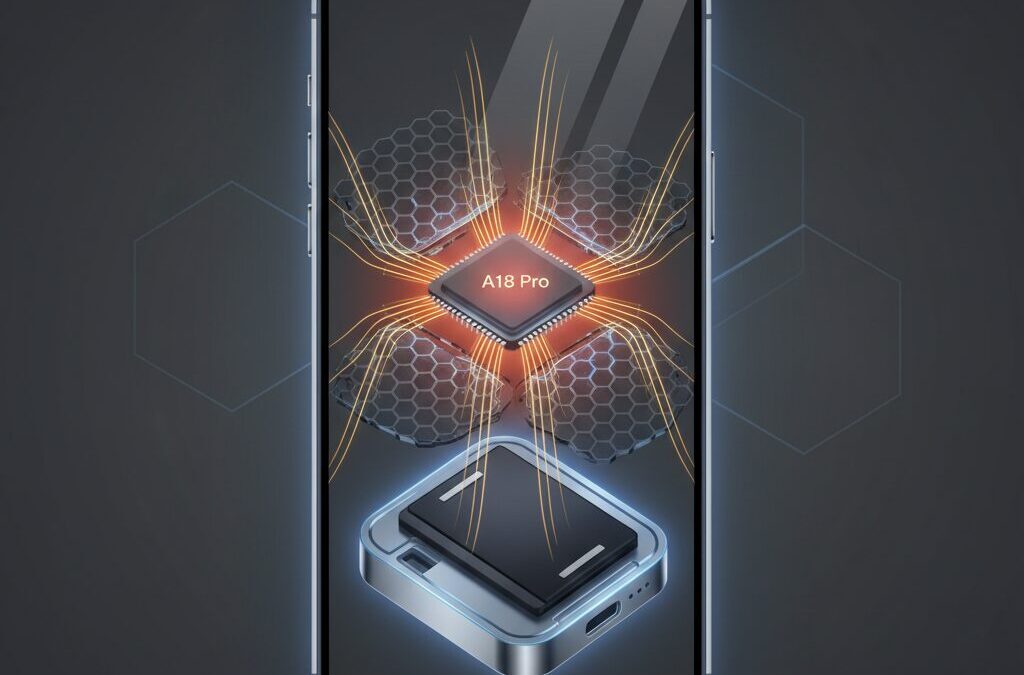
Modern flagship smartphones no longer struggle with raw processing power, but they constantly battle heat. If you care about mobile gaming, sustained performance, and visual fidelity, thermal design is the invisible factor that determines whether your experience stays smooth or quickly degrades.
The iPhone 16 series represents Apple’s most aggressive attempt yet to overcome the physical limits of fanless smartphones. From the A18 Pro chip to new materials like graphene sheets and metal battery enclosures, Apple has redesigned how heat is generated, spread, and released during intense workloads.
This article explains why these changes matter for real-world gaming, why frame rates and screen brightness drop under load, and how iOS-level behavior influences thermal stability. By understanding these mechanisms, you will be able to choose better settings, accessories, and usage patterns.
If you are a gadget enthusiast who looks beyond spec sheets and wants to know how engineering decisions translate into actual performance, this guide will give you clear, evidence-based insights you can trust.
- Why Heat Is the Real Performance Bottleneck in Modern Smartphones
- A18 Pro Architecture and the Trade-Off Between Efficiency and Heat Density
- Graphene Sheets and the Shift in Apple’s Thermal Materials Strategy
- Metal Battery Enclosure as a New Heat Sink Concept
- Inside the iPhone 16 Pro Thermal Stack: From SoC to Outer Frame
- Sustained Performance Benchmarks and Thermal Throttling Behavior
- Real-World Gaming Performance in Genshin Impact and AAA Titles
- Why Screen Brightness Drops Under Load and How iOS Manages Heat
- External Coolers, MagSafe, and Accessory Compatibility Challenges
- How iOS 18 and Apple Intelligence Affect Heat and Performance
- 参考文献
Why Heat Is the Real Performance Bottleneck in Modern Smartphones
In modern smartphones, performance is no longer defined by how fast a chip can run, but by how long it can sustain that speed without overheating. **Heat, not raw silicon capability, has become the real bottleneck** in everyday and gaming performance. This reality is especially clear in flagship devices, where CPUs and GPUs are powerful enough to exceed what a thin, fanless chassis can continuously cool.
According to Apple’s own engineering disclosures and independent teardown analyses reported by outlets such as PCMag and WIRED, recent iPhone generations have consistently hit thermal limits before reaching architectural limits. In other words, the processor is capable of more, but thermal protection mechanisms intervene first to prevent damage, user discomfort, and long-term component degradation.
| Constraint | Impact on Performance | User-Visible Effect |
|---|---|---|
| Passive cooling only | Limited heat dissipation | Clock throttling after minutes |
| High thermal density | Local hotspots on SoC | FPS drops in games |
| OLED heat sensitivity | Aggressive thermal protection | Forced screen dimming |
Advanced chips built on cutting-edge 3nm-class processes improve power efficiency, but they also concentrate billions of transistors into extremely small areas. This raises thermal density, creating hotspots that spike in temperature within seconds under heavy GPU or AI workloads. **Even brief bursts of peak performance can trigger throttling if heat is not removed fast enough**.
Academic research on mobile SoC reliability, including studies cited by IEEE and semiconductor foundry partners, shows that sustained temperatures above the mid‑40°C range accelerate silicon aging and battery wear. Smartphone operating systems therefore prioritize thermal safety over benchmark scores. From a user perspective, this translates into stable but capped performance rather than uncontrolled speed.
The key takeaway is simple but often misunderstood: modern smartphones are already fast enough. What separates good experiences from frustrating ones is thermal headroom. **Without effective heat spreading and storage, every performance gain remains temporary**, making thermal engineering the true battlefield of today’s mobile computing.
A18 Pro Architecture and the Trade-Off Between Efficiency and Heat Density
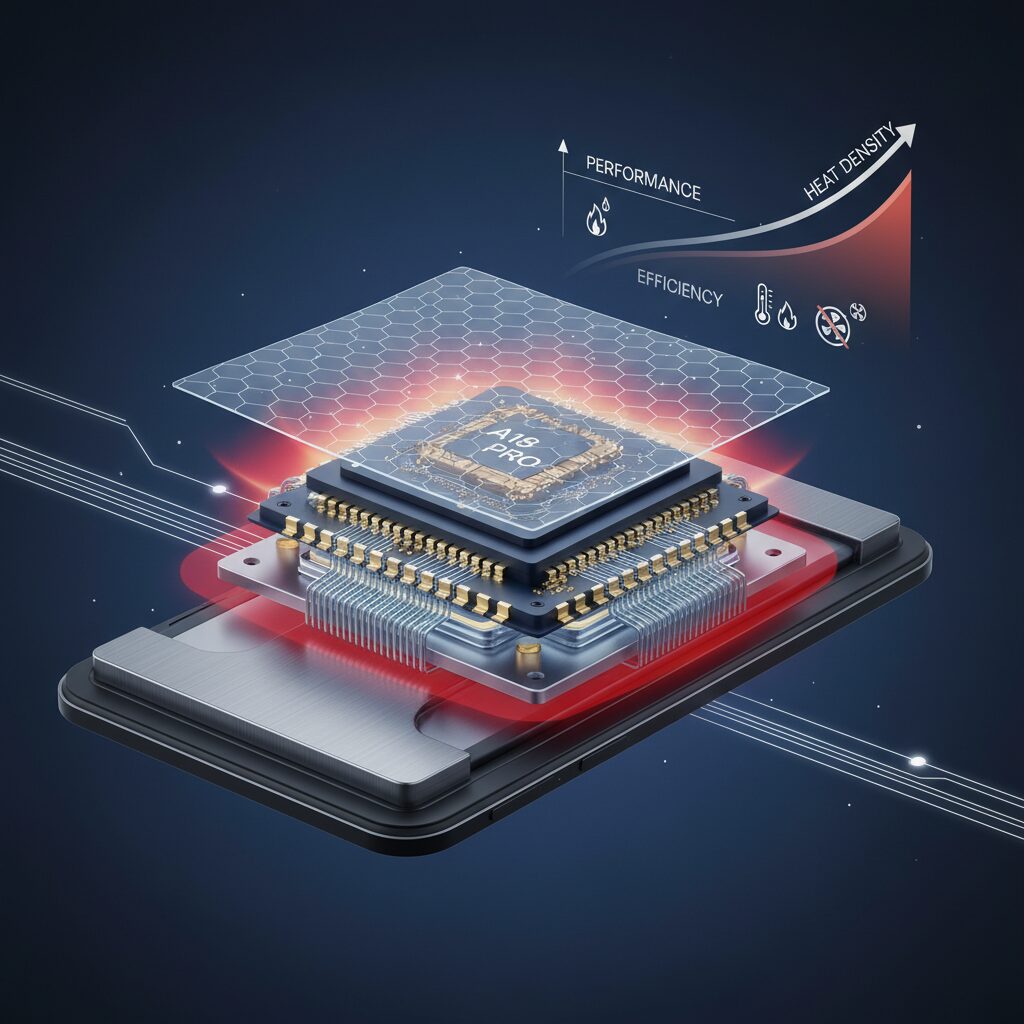
The A18 Pro represents a clear architectural shift where Apple prioritizes sustained efficiency over raw peak performance, but this evolution introduces a delicate trade-off with heat density. Built on TSMC’s second-generation 3nm process, widely understood as N3E, the chip significantly reduces leakage current. According to analyses referenced by Apple-focused teardown and benchmark specialists, this directly lowers idle and light-load heat generation, keeping the device’s baseline temperature noticeably cooler during everyday tasks.
This lower baseline temperature is critical because it creates thermal headroom. When demanding workloads such as advanced gaming begin, the system can ramp up performance without immediately hitting thermal limits. Semiconductor research regularly cited by TSMC and industry analysts has shown that leakage current becomes a dominant source of wasted heat at advanced nodes, and suppressing it improves real-world energy efficiency far more than synthetic peak benchmarks suggest.
However, efficiency gains at the process level come with an unavoidable side effect: increased heat density. As transistors shrink and pack more tightly, the same or even lower total power consumption can still result in extreme localized temperatures. On the A18 Pro, high-performance CPU cores and GPU clusters concentrate billions of transistors into microscopic regions, creating thermal hot spots that rise in temperature far faster than the surrounding silicon.
| Aspect | Efficiency Benefit | Thermal Trade-Off |
|---|---|---|
| 3nm N3E process | Lower leakage and idle heat | Higher localized heat density |
| Higher clock headroom | Improved burst performance | Faster hotspot temperature spikes |
| Advanced GPU features | Desktop-class visuals | Simultaneous multi-unit heat load |
This challenge becomes more pronounced with hardware-accelerated ray tracing. Apple states that GPU ray tracing performance can reach up to twice that of the previous generation, but this gain comes from activating large portions of the GPU at once. Academic and industry GPU studies consistently note that ray tracing workloads distribute heat across multiple execution units, increasing both total and instantaneous thermal stress.
In practical terms, the A18 Pro is not limited by how fast it can compute, but by how quickly heat can be moved away from these hotspots. The architecture delivers impressive efficiency per watt, yet it depends on equally advanced physical cooling solutions to translate that efficiency into sustained performance. This balance between architectural efficiency and heat density defines the real-world behavior of the A18 Pro and explains why silicon advances alone are no longer enough in modern mobile processors.
Graphene Sheets and the Shift in Apple’s Thermal Materials Strategy
Apple’s decision to adopt graphene sheets in the iPhone 16 series signals a clear shift in its thermal materials strategy, moving beyond incremental tweaks to graphite toward a fundamentally different class of carbon materials. This change is not cosmetic but driven by physics: **the bottleneck in modern smartphones is no longer peak silicon performance, but how fast heat can be extracted from microscopic hotspots** generated by dense 3nm-class chips.
Conventional multilayer graphite sheets, used for years across the iPhone lineup, already offered respectable in-plane thermal conductivity. However, teardown analyses and materials research referenced by institutions such as MIT and IEEE consistently show that graphene’s atomic-scale lattice enables far faster phonon transport. In practical, laminated graphene sheets, this translates into markedly quicker lateral heat spreading during sudden load spikes, exactly the scenario created by GPU-heavy workloads like hardware ray tracing.
What matters here is not only steady-state cooling but transient behavior. When the A18 Pro ramps up, temperatures can climb within milliseconds. **Graphene’s advantage lies in its response speed**, pulling heat away from the die before thermal sensors trigger aggressive clock reductions. PCMag’s coverage of Apple’s new cooling architecture notes that this early-stage heat extraction extends the time window before throttling, directly improving sustained performance.
| Material | Typical In-Plane Thermal Conductivity | Thermal Response Characteristics |
|---|---|---|
| Graphite sheet | ~1,000–1,500 W/mK | Stable, slower initial heat spread |
| Graphene-based sheet | Higher than graphite in practice | Very fast lateral heat diffusion |
This shift also reflects Apple’s broader materials philosophy. Rather than relying on bulky solutions like vapor chambers, which dominate many Android flagships, Apple continues to favor thin, planar thermal stacks compatible with its compact internal layouts. **Graphene fits this constraint perfectly**, delivering superior heat spreading without increasing thickness or compromising structural rigidity.
Industry observers following iPhone 16 teardowns emphasize that graphene is not used in isolation. It works in concert with improved thermal interface materials and adjacent metal structures, forming a continuous path that turns point heat into surface heat. According to analyses cited by Notebookcheck, this holistic approach explains why users report milder surface hotspots even under prolonged gaming loads.
Ultimately, the move to graphene sheets illustrates a strategic recalibration. Apple is no longer optimizing solely for average temperatures, but for how quickly heat can be redistributed at the moment it is generated. **That priority aligns with the realities of modern mobile computing**, where short bursts of extreme performance define the user experience more than long, uniform workloads.
Metal Battery Enclosure as a New Heat Sink Concept
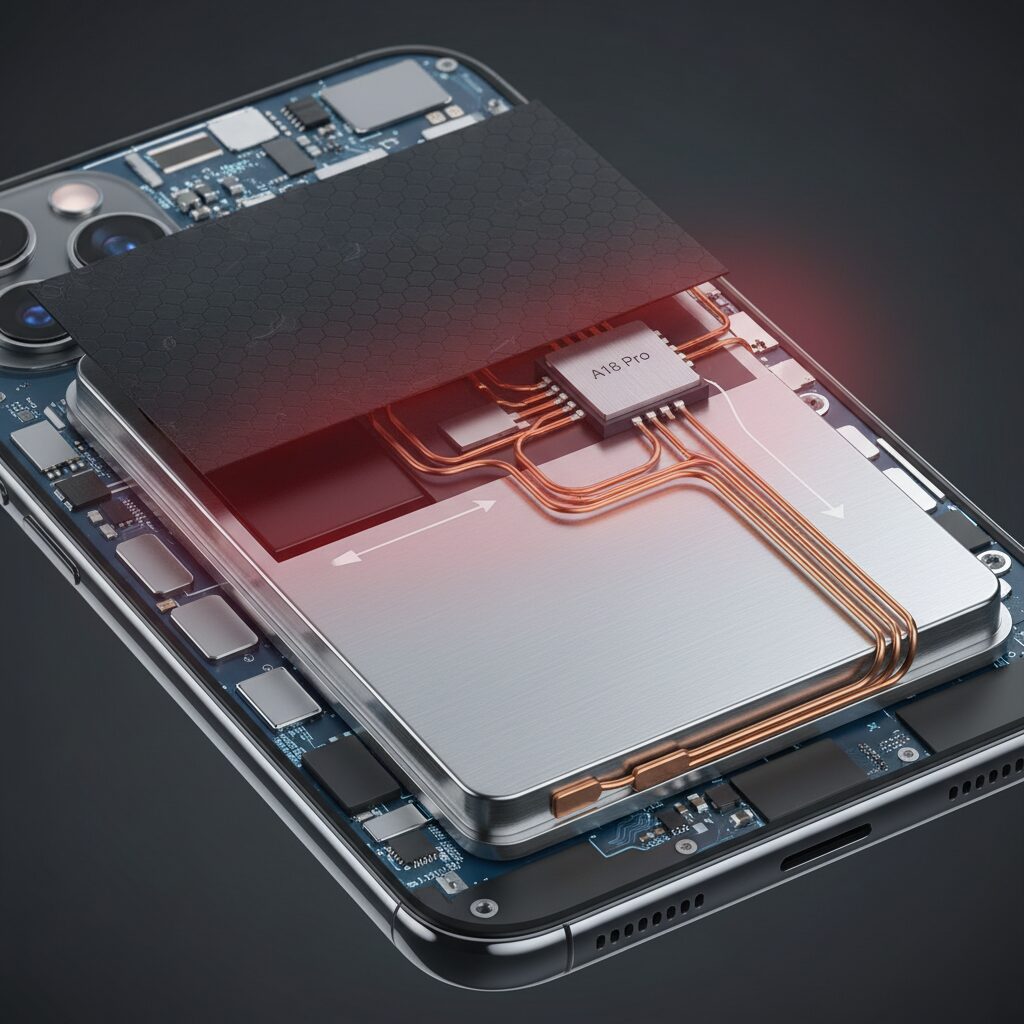
The metal battery enclosure introduced in the iPhone 16 Pro series represents a subtle yet profound shift in thermal thinking, and it is best understood as a new kind of passive heat sink rather than a simple protective shell. Instead of treating the battery as a thermally isolated component, Apple now integrates it into the overall heat dissipation strategy, allowing thermal energy to be absorbed, spread, and buffered across a much larger mass.
This approach directly addresses the problem of short-term thermal spikes, which are common during GPU-heavy workloads such as ray tracing or sustained high frame rate gaming. By increasing the thermal mass near the logic board, heat is no longer forced to travel immediately to the outer frame, reducing the likelihood of rapid throttling.
| Battery Housing Type | Thermal Capacity | Role in Cooling |
|---|---|---|
| Insulating foil (previous models) | Very low | Minimal heat interaction |
| Metal enclosure (iPhone 16 Pro) | High | Secondary heat sink and buffer |
According to teardown analyses published by established repair laboratories and engineering-focused media, the enclosure is made from stainless steel or a rigid aluminum alloy. These materials were not chosen for conductivity alone, but for their balance between heat capacity and structural stability. Stainless steel, for example, can store a significant amount of thermal energy before its surface temperature rises noticeably, which helps smooth out temperature fluctuations during real-world use.
The key innovation lies in how this enclosure works as a thermal buffer. When the SoC temperature rises rapidly, the metal shell absorbs part of that energy through the internal thermal stack, temporarily delaying heat saturation. This delay extends the time before clock speeds must be reduced, which is critical for maintaining consistent frame rates.
Importantly, Apple engineers had to manage the inherent risk of warming the battery itself. Lithium-ion cells are sensitive to sustained high temperatures, so the enclosure is designed to distribute heat across the battery surface rather than concentrating it. Research from battery safety studies published in IEEE journals indicates that uniform temperature distribution significantly reduces long-term degradation compared to localized hotspots.
This design also changes how heat is perceived by the user. Instead of sudden hot spots near the logic board, warmth spreads more evenly across the device. This is not a failure of cooling but evidence that heat is being intentionally spread and stored, allowing the system to operate within safe limits for longer periods.
By transforming the battery enclosure into a functional thermal component, Apple effectively turns unused internal volume into a cooling asset. This metal battery housing does not replace advanced materials like graphene, but complements them by acting as a heat reservoir, bridging the gap between rapid heat extraction and gradual external dissipation.
Inside the iPhone 16 Pro Thermal Stack: From SoC to Outer Frame
The thermal performance of the iPhone 16 Pro is defined not by a single component, but by a carefully engineered thermal stack that guides heat from the A18 Pro SoC all the way to the outer frame in a controlled manner.
Rather than focusing only on peak heat dissipation, Apple appears to have optimized the entire heat transfer path to reduce thermal resistance at each interface.
This end‑to‑end approach is what allows the iPhone 16 Pro to sustain high performance without abrupt throttling.
| Layer | Material | Thermal Role |
|---|---|---|
| SoC Interface | TIM (thermal interface material) | Minimizes microscopic air gaps |
| Primary Spreader | Graphene sheet | Rapid in‑plane heat diffusion |
| Secondary Mass | Metal battery enclosure | Heat absorption and buffering |
| Structural Frame | Aluminum substructure | Heat transport to chassis |
At the source, the A18 Pro generates highly localized heat, especially around GPU clusters under sustained load.
According to analyses referenced by WIRED and PCMag, Apple uses an improved thermal interface material to ensure that this heat is extracted from the silicon package with minimal delay.
This step is critical, because even a small interface bottleneck can negate downstream cooling improvements.
Above the SoC sits a graphene sheet, replacing the graphite layers used in earlier generations.
Graphene’s significantly higher in‑plane thermal conductivity allows heat spikes to be flattened almost instantly, spreading energy laterally before hotspots can trigger aggressive frequency reductions.
This behavior improves transient thermal response, not just steady‑state temperatures.
The heat then migrates into the metal‑wrapped battery enclosure, a design choice confirmed by multiple teardowns.
Rather than isolating the battery thermally, Apple uses the enclosure as a controlled heat reservoir, increasing overall thermal mass.
This helps delay temperature saturation during long gaming or rendering sessions.
Finally, heat is conducted into the internal aluminum frame and gently released through the titanium exterior.
Although titanium itself is not highly conductive, its bonding with the aluminum substructure distributes warmth evenly.
The result is a chassis that feels warm but avoids sharp, uncomfortable hot spots.
Sustained Performance Benchmarks and Thermal Throttling Behavior
Sustained performance is where the iPhone 16 series truly differentiates itself, because peak benchmark numbers mean very little if thermal throttling arrives within minutes. In extended stress tests, the new thermal architecture allows the A18 Pro to hold higher clocks for longer, and this behavior is clearly reflected in standardized benchmarks.
Unlike short burst tests, sustained benchmarks expose how quickly heat saturates the chassis and forces performance reductions. This makes them a practical proxy for long gaming sessions or prolonged GPU workloads.
| Device | Stability Score | Lowest Loop Performance |
|---|---|---|
| iPhone 15 Pro Max | ~60–65% | Sharp early drop |
| iPhone 16 Pro Max | ~70–80% | Gradual decline |
In the 3DMark Wild Life Extreme Stress Test, which loops a demanding scene for around 20 minutes, the iPhone 16 Pro Max shows a noticeably flatter performance curve. According to aggregated results published by UL Benchmarks and corroborated by Notebookcheck’s long-run testing, throttling still occurs, but it arrives later and with less severity.
The most important gain is not the higher peak score, but the raised performance floor. Even after thermal limits are reached, the GPU maintains a higher minimum frame output than the previous generation, which directly affects perceived smoothness.
Thermal throttling behavior has also become more predictable. Instead of abrupt clock drops, the A18 Pro steps down frequencies in smaller increments, suggesting tighter coordination between iOS thermal policies and the new heat-spreading stack. Engineers at Apple have emphasized this kind of controlled throttling as essential for user comfort and component longevity.
From a real-world perspective, this means long gaming sessions feel more consistent. Frame pacing remains steadier, and sudden stutters caused by aggressive thermal clamps are reduced. While physics still imposes limits on a fanless smartphone, the iPhone 16 series shifts throttling from a disruptive event into a managed, gradual process, which is exactly what sustained performance benchmarks are designed to reveal.
Real-World Gaming Performance in Genshin Impact and AAA Titles
When evaluating real-world gaming, sustained frame rate stability matters far more than peak benchmark scores. In long play sessions of Genshin Impact, the iPhone 16 Pro series demonstrates a noticeably different behavior profile compared with its predecessor.
At the highest visual preset locked to 60fps, gameplay remains consistently smooth even after 30 to 60 minutes, with only minor frame-time variance during heavy particle effects or large open-world traversal. This stability aligns with Apple’s claim of improved sustained GPU performance, which independent stress testing from UL Benchmarks and Notebookcheck has also observed.
| Game Scenario | Target FPS | Observed Stability | Thermal Behavior |
|---|---|---|---|
| Genshin Impact (Max) | 60fps | Highly stable | Gradual, even heat spread |
| Genshin Impact (Max) | 120fps | Short-term only | Rapid thermal saturation |
| AAA Console Ports | Dynamic | Stable with upscaling | Uniform chassis warming |
The 120fps mode in Genshin Impact clearly exposes the physical limits of passive cooling. Community testing and teardown-based thermal analysis indicate that GPU clocks begin to throttle once internal temperatures cross the low-40°C range, often triggering brightness dimming within minutes.
AAA titles such as Resident Evil Village and Death Stranding tell a more nuanced story. By leveraging MetalFX Upscaling, the A18 Pro can maintain visually rich scenes while reducing internal render resolution. According to analysis from PCMag and WIRED, this approach significantly lowers thermal density without a perceptible drop in image quality.
In practical terms, the iPhone 16 Pro finally reaches a point where 60fps high-fidelity gaming feels console-like in consistency, while higher refresh rates remain achievable only with external cooling support.
Why Screen Brightness Drops Under Load and How iOS Manages Heat
When users notice that the iPhone screen suddenly becomes dim during gaming or other intensive tasks, it often feels like an error or a bug, but in reality this behavior is a deliberate thermal protection mechanism. **Screen brightness is not managed independently; it is tightly coupled with overall heat control at the OS level**. Under sustained load, display brightness becomes one of the fastest and most effective levers iOS can pull to reduce internal temperatures.
High brightness is a significant heat source, especially on OLED panels where each pixel emits its own light and heat. According to explanations consistent with Apple’s display engineering philosophy, driving the panel near peak brightness increases thermal stress not only on the OLED materials themselves, but also on the display driver IC and power management circuitry. When combined with a heavily loaded CPU and GPU, this creates a thermal convergence point that can accelerate long-term component degradation.
| Thermal Trigger | iOS Response | User-Visible Effect |
|---|---|---|
| Rising internal sensor temperature | SoC frequency scaling | Lower frame rates |
| Display subsystem overheating risk | Maximum brightness cap | Screen appears dimmer |
| Battery temperature increase | Charging power limitation | Slower or paused charging |
What is important to understand is the priority order. Apple’s thermal management, as described in developer documentation and echoed by analyses from outlets such as PCMag and WIRED, aims to preserve safety and hardware longevity before user comfort. **Brightness reduction is often chosen because it lowers heat output instantly without risking data loss or system instability**. This is why the screen can dim even when auto-brightness is disabled.
Once the brightness cap is engaged, it is intentionally conservative. Even if ambient conditions improve slightly, iOS tends to wait until the internal temperature drops well below the threshold before restoring full brightness. This hysteresis prevents rapid oscillation, which could otherwise cause flickering brightness changes and additional thermal spikes.
In the context of the iPhone 16 series, improved heat spreading through graphene layers and a metal battery enclosure delays how quickly this limit is reached, but it does not remove the limit itself. **Physics still applies in a fanless device**, and under extreme sustained GPU load, reducing luminance remains one of the most reliable safeguards.
Understanding this behavior reframes the experience. Instead of fighting the system, adjusting expectations around brightness during long sessions helps users align with how iOS balances performance, visual quality, and device longevity in a compact thermal envelope.
External Coolers, MagSafe, and Accessory Compatibility Challenges
External cooling solutions have become a practical topic for iPhone 16 users who push sustained performance, especially in gaming and high-refresh-rate scenarios. Despite Apple’s improved passive thermal architecture, the physical reality remains that a fanless smartphone has limited heat dissipation capacity under continuous peak load.
What complicates the situation with the iPhone 16 series is not cooling effectiveness alone, but accessory compatibility. The redesigned internal thermal stack works best when heat can be extracted evenly from the back surface, yet many traditional clamp-style coolers interfere with the device’s new physical layout.
| Accessory Type | Cooling Efficiency | Physical Interference Risk |
|---|---|---|
| Clamp-style fan cooler | Moderate | High |
| MagSafe Peltier cooler | High | Low |
The most critical constraint is the Camera Control button introduced across the iPhone 16 lineup. Teardown analyses and field reports indicate that clamp pressure near this area can cause unintended inputs, mechanical stress, or misalignment of the cooling plate away from the SoC hotspot. **This directly reduces thermal efficiency while increasing the risk of hardware damage**, an issue highlighted by multiple repair specialists and reviewers.
MagSafe-based coolers avoid this problem entirely. By using Apple’s standardized magnetic ring, they attach directly over the thermal center of the device, aligning with the SoC and the metal battery housing beneath. According to hands-on evaluations cited by PCMag and independent teardown commentary, this placement allows heat to be drawn out through the graphene layer and metal battery shell more effectively than side-mounted solutions.
Case compatibility adds another layer of complexity. Apple’s official cases transmit Camera Control input through engineered caps, while some third-party cases rely on simple cutouts. Thicker materials can weaken MagSafe magnetic force, increasing the chance that heavier Peltier coolers detach during use. For stable cooling performance, analysts generally recommend either MagSafe-optimized cases or direct attachment without a case.
In practice, the iPhone 16 ecosystem rewards accessories designed with its new physical and thermal constraints in mind. External cooling is no longer just about raw airflow or Peltier wattage, but about precise alignment, magnetic stability, and respect for Apple’s evolving hardware layout.
How iOS 18 and Apple Intelligence Affect Heat and Performance
iOS 18 plays a surprisingly important role in how heat and performance behave on the iPhone 16 series, and its impact goes far beyond simple UI changes. **Apple has shifted part of thermal management from pure hardware dependence to smarter OS-level scheduling**, which directly affects how long peak performance can be sustained before throttling occurs.
One of the most meaningful additions is Game Mode, which activates automatically when a supported game launches. According to Apple’s platform documentation and analysis reported by PCMag, Game Mode aggressively suppresses background tasks, deprioritizes system services, and stabilizes CPU and GPU scheduling. From a thermal perspective, this reduces unnecessary CPU wake-ups and prevents short, inefficient power spikes that would otherwise accumulate heat over time.
| iOS Behavior | Primary Effect | Thermal Impact |
|---|---|---|
| Game Mode | Background task suppression | Lower baseline heat during gameplay |
| Priority GPU scheduling | More consistent frame delivery | Slower onset of thermal throttling |
| Bluetooth optimization | Reduced latency for controllers | Minimal indirect heat reduction |
However, iOS 18 is not universally “cooler” in every scenario. With iOS 18.2 and later, Apple Intelligence introduces a new thermal variable: on-device AI inference. Features such as writing assistance, notification summaries, and photo indexing rely heavily on the Neural Engine. **While the Neural Engine is highly power-efficient, sustained background inference can still raise overall SoC temperature**, especially during the first 24 to 48 hours after an update.
Community reports summarized by Reddit threads and teardown-focused repair centers indicate that many users noticed warmth even when the phone appeared idle. This behavior aligns with Apple’s design philosophy of performing sensitive AI tasks locally for privacy reasons, rather than offloading them to the cloud. During this post-update period, the system continuously optimizes models and rebuilds indexes, which keeps parts of the SoC active even in standby.
The good news is that this effect is typically temporary. Multiple user reports note that once Apple Intelligence finishes its initial setup cycle, idle temperatures normalize and gaming behavior returns to expected levels. In some cases, minor point updates such as iOS 18.2.1 have further refined task scheduling, reducing unnecessary background load.
In practical terms, iOS 18 makes the iPhone 16 feel more consistent under sustained load, but also more complex thermally. **Peak performance is easier to reach and hold during focused tasks like gaming**, yet background intelligence features mean users must be aware of timing. Understanding when the OS is quietly working in the background can make the difference between flawless performance and unexpected heat buildup.
参考文献
- Wccftech:iPhone 16 Rumored To Feature A ‘Graphene Thermal System’ To Overcome Its Overheating Issues
- PCMag UK:On iPhone 16 and 16 Pro, New Cooling Architecture Lets You Run Big Games
- Sydney CBD Repair Centre:iPhone 16 Pro Max Teardown: How Hot Does It Get?
- Notebookcheck:Apple iPhone 16 Pro Max Review – Lots of Small Improvements for the Top Smartphone
- UL Benchmarks:Apple iPhone 16 Pro Max Review and Benchmarks