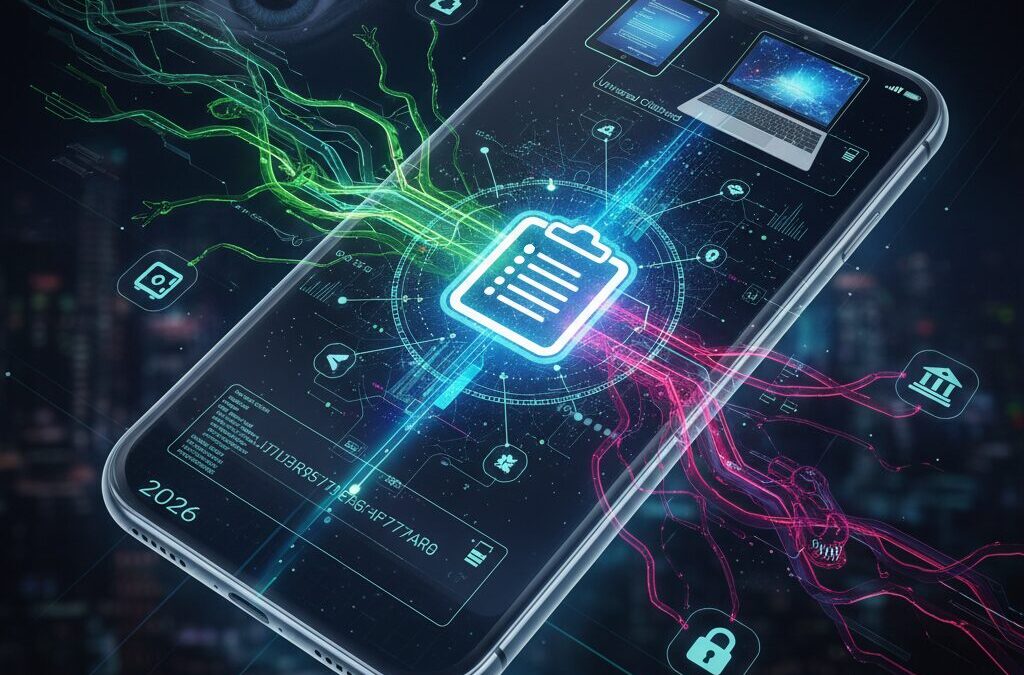
Your smartphone is no longer just a communication tool; it has become the control center for your identity, finances, and daily decisions.
Every copied password, verification code, crypto wallet address, or confidential message briefly passes through the clipboard, a feature most users never think twice about.
In 2026, this invisible moment of convenience has turned into one of the most aggressively targeted attack surfaces in mobile security.
Recent real-world incidents show that attackers no longer need your tap or consent, as zero-click exploits hidden in images or messages can silently activate spyware that monitors clipboard activity.
At the same time, operating systems are evolving, with Android 17 preparing to introduce a Universal Clipboard that seamlessly syncs copied data across phones and PCs.
While this promises unmatched productivity, it also raises critical questions about how securely sensitive data travels between devices.
Security researchers from companies like Palo Alto Networks, Trend Micro, and Google have confirmed that modern malware increasingly focuses on clipboard data because it delivers high-value information with minimal effort.
AI-driven info-stealers can now detect user behavior patterns, access the clipboard at precise moments, and even replace cryptocurrency addresses in real time without raising suspicion.
For gadget enthusiasts and tech-savvy readers, understanding these risks is no longer optional, as clipboard leaks can lead directly to financial loss, account takeovers, or corporate data breaches.
This article explains how clipboard threats have evolved, how Android and iOS differ in their security philosophies, and what cutting-edge defenses are emerging in 2026.
By the end, you will clearly understand where the real dangers lie and how modern mobile security strategies are adapting to protect the most overlooked feature on your device.
- Why the Clipboard Has Become the Most Valuable Target on Smartphones
- The Rise of Universal Clipboard and Cross-Device Data Syncing
- Inside Android 17: How Universal Clipboard Is Technically Implemented
- Android vs. iOS Clipboard Security Philosophies in 2026
- Zero-Click Exploits and Spyware That Steal Clipboard Data Silently
- Case Study: LANDFALL Spyware and Image-Based Clipboard Theft
- AI-Driven Info-Stealers and the Industrialization of Cybercrime
- Clipboard Attacks on Cryptocurrency and Digital Payments
- Global Data Breach Statistics and What They Reveal About Mobile Risk
- Next-Generation Clipboard Defense: Virtual Workspaces and AI Monitoring
- Practical Clipboard Protection Strategies Every User Should Know in 2026
- 参考文献
Why the Clipboard Has Become the Most Valuable Target on Smartphones
On modern smartphones, the clipboard has quietly transformed from a convenience feature into one of the most lucrative targets for cyber attackers. This shift is not accidental. In 2026, smartphones function as what security researchers often describe as a digital organ, storing identity, finances, and daily behavior in a single device. **The clipboard sits at the exact intersection of these data flows**, briefly holding information that is far more sensitive than what is usually stored at rest.
Passwords copied from password managers, one-time authentication codes, cryptocurrency wallet addresses, private business messages, and even fragments of confidential documents routinely pass through the clipboard. According to analyses referenced by Palo Alto Networks Unit 42 and Google’s Android security bulletins, attackers increasingly favor transient data because it is both high value and poorly monitored. **Stealing data while it is “in motion” often bypasses encryption and app-level protections entirely.**
Unlike stored files, clipboard content is assumed to be temporary and harmless. This assumption is precisely what attackers exploit. Trend Micro has warned that the industrialization of cybercrime has pushed criminals to optimize for efficiency, and clipboard monitoring malware fits this model perfectly. A single successful interception can yield credentials that unlock email, cloud storage, corporate VPNs, or financial services without triggering traditional intrusion alerts.
The growing adoption of cross-device features has further increased the clipboard’s appeal. When copied text can seamlessly move between a smartphone and a PC, the attack surface expands beyond one operating system. Google’s planned Universal Clipboard in Android 17, for example, mirrors a convenience long available in Apple’s ecosystem. Security analysts note that while encryption is applied in transit, **any weakness on either endpoint can expose everything that passes through the clipboard**, turning synchronization into a force multiplier for attackers.
| Data Type | Why Attackers Want It | Typical Impact |
|---|---|---|
| Passwords and passcodes | Immediate account takeover | Email, cloud, and social accounts compromised |
| 2FA or OTP tokens | Bypasses multi-factor protection | Unauthorized logins without alerts |
| Crypto wallet addresses | Direct, irreversible asset theft | Funds sent to attacker-controlled wallets |
Real-world incidents underline how valuable this target has become. Unit 42’s investigation into the LANDFALL Android spyware revealed clipboard surveillance embedded directly into a zero-click attack chain. Victims did not need to install an app or tap a link; merely receiving a crafted image was enough to give attackers access to everything copied on the device. **This demonstrates that even strict operating system clipboard restrictions can be rendered ineffective when lower-level components are compromised.**
Research cited by IBM and Recorded Future also shows that credential theft remains a leading cause of large-scale breaches. In many cases, the first domino is a password or token briefly copied to the clipboard during routine work. From an attacker’s perspective, targeting the clipboard means targeting the moment when users themselves lower their guard, trusting the system to handle sensitive data safely.
Ultimately, the clipboard has become the most valuable target on smartphones because it reflects how people actually use their devices. It captures intent in real time: logging in, authorizing payments, sharing access, or moving assets. **For attackers seeking maximum payoff with minimal effort, no other component offers such a concentrated view of a user’s digital life.**
The Rise of Universal Clipboard and Cross-Device Data Syncing

The idea of a universal clipboard has rapidly shifted from a niche convenience to a core expectation among power users and gadget enthusiasts. As smartphones, tablets, and PCs increasingly function as a single workflow, the ability to copy content on one device and paste it instantly on another feels almost indispensable. This rise is not driven by novelty, but by a structural change in how people work, communicate, and manage sensitive information across screens.
Industry analysts at Google and Apple have repeatedly emphasized that cross-device continuity directly increases user productivity, particularly in mixed-device environments. For example, internal usability studies cited by Android-focused analysts show that reducing context switching between devices can save several minutes per task, which compounds significantly over a workday. **The universal clipboard effectively becomes a digital bridge, eliminating friction between devices that were once siloed.**
| Aspect | Traditional Clipboard | Universal Clipboard |
|---|---|---|
| Scope | Single device only | Multiple authenticated devices |
| Primary Use | Short text transfer | Cross-device workflows |
| Risk Surface | Local exposure | Expanded sync-based exposure |
Apple’s Universal Clipboard, introduced earlier through its Continuity framework, demonstrated how tightly integrated hardware and software could make clipboard syncing feel invisible. According to Apple’s security documentation, clipboard data is encrypted and tied to device-level authentication, reinforcing user trust. This success set a benchmark that the wider industry could not ignore.
Google’s move toward a standardized universal clipboard in Android reflects the same market pressure. Researchers following Android 17’s development note that clipboard syncing is deliberately limited to text data, a design choice that balances convenience with restraint. **This restraint highlights a critical insight: the rise of universal clipboard technology is as much about control as it is about speed.**
From a marketing and ecosystem perspective, universal clipboard features also increase platform stickiness. When data flows effortlessly between a phone, a laptop, and a tablet, users are statistically less likely to switch ecosystems. Analysts from major consulting firms have pointed out that such cross-device features rank among the top reasons users remain loyal to a platform, even more than raw hardware specifications.
In this sense, the universal clipboard is no longer just a tool. It functions as an invisible infrastructure layer that supports modern digital life. **Its rise signals a future where devices fade into the background, and the data itself becomes the true interface**, quietly moving wherever the user needs it to be.
Inside Android 17: How Universal Clipboard Is Technically Implemented
Inside Android 17, the Universal Clipboard is not a simple feature toggle but a carefully layered system designed to balance convenience and systemic risk, and this architectural intent becomes clear when looking at how Google has implemented it at the framework level.
At the core, Android 17 introduces a new system-facing component tentatively identified in development builds as UniversalClipboardManager, located under the android.companion.datatransfer.continuity namespace. According to analysis reported by Android Authority, this placement is significant because it ties clipboard synchronization directly to Android’s existing Companion Device and Continuity infrastructure rather than exposing it as a general-purpose API.
The most critical design decision is that clipboard changes are not broadcast system-wide. They are intercepted by privileged system services before any cross-device transfer logic is triggered.
The monitoring role is handled by tightly controlled system applications such as Pixel System Service, which operate with elevated permissions like READ_CLIPBOARD_IN_BACKGROUND. Google has historically restricted this permission because background clipboard access has been a common abuse vector, and Android 17 preserves that philosophy by limiting it to first-party components only.
| Layer | Primary Role | Security Rationale |
|---|---|---|
| Monitoring | Detect clipboard changes | Prevent third-party background access |
| Filtering | Restrict data types | Reduce accidental sync of sensitive media |
| Transfer | Encrypt and relay data | Ensure authenticated, device-bound delivery |
The filtering layer is especially noteworthy. Current implementations observed in pre-release code suggest that synchronization is limited primarily to plain text. Images, videos, and complex file formats are excluded, which may appear restrictive but effectively acts as a built-in privacy guardrail. Mishaal Rahman and other Android platform analysts have pointed out that this constraint significantly lowers the blast radius of accidental leaks.
Once filtered, clipboard updates are handed off to Google Play Services, specifically a Continuity module responsible for cross-device communication. This module handles device authentication and encrypted transport, leveraging the same trust model used for features like nearby device pairing. The clipboard data never travels in clear text between devices, and only endpoints already associated with the user’s Google account are eligible recipients.
From a technical perspective, this architecture reflects lessons learned from years of clipboard-related vulnerabilities. Security researchers, including teams at Palo Alto Networks Unit 42, have repeatedly shown that clipboard monitoring becomes dangerous when implemented at the app layer. Android 17’s Universal Clipboard instead centralizes responsibility at the OS level, where behavior can be audited, patched, and governed consistently.
That said, experts also caution that the Android side is only half of the equation. While the mobile implementation is tightly sandboxed, the receiving endpoint, particularly Windows PCs, must implement clipboard listeners with equal rigor. Any weakness there could undermine the otherwise conservative design choices made in Android 17.
Technically, Universal Clipboard in Android 17 is less about copying text across screens and more about redefining who is allowed to observe and move that text. In that sense, it represents a structural shift rather than a cosmetic feature, and its true success will depend on whether this layered model remains intact as the ecosystem expands.
Android vs. iOS Clipboard Security Philosophies in 2026

By 2026, clipboard security has become a clear expression of each platform’s core philosophy, and the contrast between Android and iOS is more pronounced than ever. Both ecosystems recognize the clipboard as a high‑value attack surface, yet they approach its protection from fundamentally different assumptions about control, openness, and user trust.
Apple’s iOS clipboard model continues to be built around tight vertical integration. **The assumption is that strong hardware-backed trust reduces the need for granular user intervention.** Universal Clipboard on iOS relies on end‑to‑end encryption tied to the Secure Enclave and device-bound keys, meaning copied data is encrypted before leaving memory and remains opaque even to Apple itself. According to Apple’s publicly stated security architecture, clipboard data shared across devices expires quickly and is never persisted in a readable form on intermediate servers.
This design reflects a philosophy of minimizing exposure by limiting who can see or touch clipboard data at all. Since iOS 16, visual indicators have alerted users when apps access the clipboard, and by 2026 this behavior is deeply ingrained. Combined with App Store review controls and a historically low malware infiltration rate reported by independent industry analyses, iOS treats the clipboard as something apps should rarely access, and only briefly.
| Aspect | Android (2026) | iOS (2026) |
|---|---|---|
| Core philosophy | Controlled openness with transparency | Strict isolation through integration |
| Clipboard sync | Universal Clipboard via system services | Universal Clipboard via Secure Enclave |
| User visibility | System prompts and permission layers | Access indicators and automatic limits |
Android, by contrast, treats clipboard security as a policy problem rather than a purely architectural one. **Google’s stance assumes diversity of hardware, vendors, and use cases, requiring flexible but enforceable rules.** Historically, Android restricted clipboard access to foreground apps and default input methods. With Android 17 and the planned Universal Clipboard, that boundary expands carefully, supported by dedicated system services and narrowly scoped permissions such as background clipboard read access.
Security researchers analyzing early Android 17 implementations note that clipboard synchronization is filtered by data type and mediated through Google Play Services, rather than left to third‑party apps. This reflects Google’s belief that official, inspectable system components are safer than unofficial workarounds, a view echoed by analysts like Mishaal Rahman. At the same time, experts warn that the weakest link may not be Android itself, but companion platforms such as Windows, where clipboard listeners can be implemented with inconsistent security guarantees.
The philosophical difference becomes critical in threat scenarios. Apple prioritizes reducing the blast radius of a compromise by design, while Android prioritizes rapid patching and behavioral monitoring through Google Play System Updates. Reports from firms like Palo Alto Networks and Recorded Future show that real‑world clipboard theft often occurs after a deeper system breach, suggesting that Android’s layered defenses are effective only when devices remain fully patched.
For gadget enthusiasts, this means choosing between predictability and adaptability. iOS offers a narrower, highly controlled clipboard environment that sacrifices flexibility for consistency. Android offers a broader, more transparent model that rewards informed users who keep their devices updated. **Clipboard security, once invisible, has become a defining trait of each ecosystem’s identity.**
Zero-Click Exploits and Spyware That Steal Clipboard Data Silently
Zero-click exploits have fundamentally changed how clipboard data is stolen on modern smartphones, and in 2026 this threat has reached a level where user awareness alone is no longer sufficient. Unlike traditional attacks that require tapping a link or installing an app, zero-click spyware executes code the moment malicious content is received. **The clipboard becomes an especially attractive target because it quietly aggregates passwords, one-time tokens, and crypto wallet addresses in plain text**, often without the user realizing how long that data persists.
Security researchers have repeatedly warned that clipboard theft rarely appears as an isolated technique. According to Palo Alto Networks Unit 42, advanced spyware increasingly chains zero-day vulnerabilities in media processing libraries with background clipboard monitoring. In these cases, the operating system’s permission model is bypassed entirely, meaning that even strict clipboard access controls at the app level offer no protection once the lower layers are compromised.
A defining example is the LANDFALL spyware campaign uncovered by Unit 42. By exploiting a zero-day flaw in Samsung’s image decoding library, attackers were able to trigger remote code execution simply by delivering a crafted image file. **No tap, no preview, and no visible warning were required.** Once active, the spyware silently hooked into system processes and began harvesting clipboard contents in real time, including copied passwords and authentication codes.
This attack pattern illustrates why zero-click exploits are uniquely dangerous for clipboard security. The clipboard is designed for speed and convenience, not persistence or auditing. When spyware gains system-level execution, clipboard reads blend into normal OS behavior and evade detection by conventional mobile antivirus tools.
| Attack Characteristic | Zero-Click Spyware | Conventional Malware |
|---|---|---|
| User interaction | None required | Install or tap required |
| Clipboard access | System-level, silent | App-level, permission-based |
| Detection difficulty | Very high | Moderate |
Google’s own Android security bulletins reinforce this concern. In late 2025, the company acknowledged actively exploited framework vulnerabilities that allowed local processes to access restricted system data, including clipboard histories. Researchers from Recorded Future note that once such flaws are weaponized, attackers no longer need to masquerade as keyboard apps or request suspicious permissions, making behavioral detection far more difficult.
The situation is further aggravated by the industrialization of spyware development. Trend Micro has reported that modern info-stealers now use AI to time clipboard access so it coincides with legitimate user activity. **By reading clipboard data only when the screen is active or the user is typing, spyware minimizes anomalies that security software might flag.** This adaptive behavior marks a clear shift from noisy data scraping to precision theft.
For users, the most unsettling aspect is the absence of any clear signal that something has gone wrong. There is no phishing message, no fake login screen, and no visible permission prompt. Clipboard data simply leaks in the background, often within seconds of being copied. As cryptographic keys and one-time passwords increasingly flow through the clipboard, zero-click spyware turns a feature designed for productivity into a silent exfiltration channel.
Leading analysts, including those cited by Unit 42 and Google’s Android security team, emphasize that defending against this class of attack requires more than cautious behavior. **Regular security patching, rapid vendor response to zero-days, and system-level monitoring of abnormal clipboard access patterns are now critical requirements**, not optional best practices. In the zero-click era, the clipboard is no longer a passive buffer but a high-value asset under constant, invisible surveillance.
Case Study: LANDFALL Spyware and Image-Based Clipboard Theft
The LANDFALL spyware case represents a decisive shift in how clipboard theft is executed on modern Android devices, especially through image-based attack vectors. Discovered by Palo Alto Networks’ Unit 42, LANDFALL abused a zero-day vulnerability in Samsung’s image processing library libimagecodec.quram.so, tracked as CVE-2025-21042. **What makes this case especially alarming is that the clipboard was not the initial target, but a downstream casualty of a deeper, lower-layer compromise**.
The infection chain required no user interaction. A crafted DNG image, delivered via common messaging apps, triggered remote code execution the moment it was parsed by the system. According to Unit 42’s technical analysis, malicious shared object files were loaded in the background before the image was even rendered on screen. **At that point, OS-level clipboard protections became irrelevant**, because the attacker was already operating below the application sandbox.
One distinctive feature of LANDFALL was its clipboard monitoring module. Once persistence was established, the spyware continuously observed clipboard changes and exfiltrated high-value data such as passwords, authentication tokens, and cryptocurrency addresses. Security researchers noted that this occurred silently, without triggering Android’s clipboard access notifications that users had come to rely on since Android 12. This demonstrates a critical lesson: **clipboard security is only as strong as the weakest native library beneath it**.
| Aspect | LANDFALL Characteristics | Security Implication |
|---|---|---|
| Attack Vector | Malicious DNG image | Bypasses user awareness entirely |
| Privilege Level | Native library execution | Overrides OS clipboard restrictions |
| Data Target | Real-time clipboard contents | Immediate leakage of credentials |
Timeline analysis shows that LANDFALL had been active since mid-2024, with multiple variants deployed until early 2025. Samsung issued a patch in April 2025, but during the peak window, millions of devices were theoretically exposed. Unit 42 emphasized that the spyware’s commercial-grade quality suggested a customer base beyond opportunistic criminals, pointing instead to surveillance-as-a-service operators.
From a defensive standpoint, this case reframes how image handling should be viewed. Traditionally considered low-risk compared to executable files, images have become stealth delivery mechanisms. **The clipboard, acting as a convergence point for credentials and financial data, turns such exploits into high-impact attacks**. Google’s own security advisories later echoed this concern, warning that media parsing vulnerabilities can cascade into full data exposure.
For gadget enthusiasts and power users, the takeaway is not simply to distrust images, but to recognize that convenience features depend on invisible layers of code. LANDFALL proves that even if a user never copies sensitive data intentionally, the clipboard can still be harvested once the system’s visual pipeline is compromised. This case now serves as a reference point in academic and industry discussions on why media libraries deserve the same scrutiny as network-facing components.
AI-Driven Info-Stealers and the Industrialization of Cybercrime
By 2026, cybercrime is no longer a collection of isolated attacks but an industrialized system driven by AI-powered automation. In this environment, info-stealers have evolved into highly specialized tools that focus on extracting maximum value from minimal access, and the smartphone clipboard has become one of their most profitable targets. **What makes this shift dangerous is not just scale, but efficiency**.
According to Trend Micro’s threat outlook, attackers are now using generative AI and agent-based frameworks to automate the entire kill chain, from reconnaissance to data exfiltration. This means that once malware lands on a device, it can independently decide what data is valuable, when to steal it, and how to avoid detection. Clipboard data, which frequently contains passwords, one-time tokens, and crypto addresses, fits perfectly into this model.
ANY.RUN’s sandbox analysis of 2025 malware activity shows a sharp rise in info-stealer families that explicitly monitor clipboard behavior. These malware strains are no longer passive listeners. **They actively analyze context**, such as foreground app usage or typing patterns, to blend into legitimate system activity.
| Malware family | Growth trend | Clipboard-related capability |
|---|---|---|
| Lumma | Rapid expansion from 2024 to 2025 | Focused on clipboard, browser, and crypto wallet data |
| XWorm | Became a top-detected threat | Real-time clipboard monitoring via RAT functions |
| AsyncRAT | Detection numbers doubled | Masquerades as legitimate input services |
A defining feature of this new generation is behavioral mimicry. AI models embedded in malware observe how real users copy and paste text, then replicate those timing patterns. **Clipboard access is triggered only when the user is actively interacting with the screen**, making OS-level anomaly detection far less effective. Security researchers have pointed out that this tactic dramatically reduces the noise that traditional endpoint monitoring relies on.
The industrialization aspect becomes even clearer when looking at polymorphic design. Modern info-stealers rewrite portions of their own code every few minutes using AI-assisted obfuscation. As a result, signature-based antivirus tools struggle to identify the same malware twice. Recorded Future’s vulnerability analysis highlights that this adaptability aligns perfectly with the accelerating pace of newly disclosed CVEs, which attackers can weaponize almost immediately.
One of the most financially damaging applications of AI-driven info-stealers remains clipboard-focused crypto theft. So-called Clipper malware has existed for years, but its methods have matured. Instead of blindly replacing wallet addresses, AI systems now generate lookalike addresses that match the first and last characters of the victim’s copied string. **Even vigilant users who visually check addresses can be deceived**, because the substitution is statistically optimized to avoid suspicion.
Security analysts cited by SentinelOne note that while cryptojacking is declining in some regions, direct theft via clipboard manipulation is increasing because it delivers immediate, irreversible profit. This shift illustrates how cybercrime economics shape technical evolution: the clipboard is exploited not because it is flashy, but because it is reliable.
From an industry perspective, this marks a turning point. IBM’s data breach research consistently shows that credentials remain the most valuable stolen asset, and clipboard data often represents the first exposure point. Once copied secrets are harvested, they become fuel for lateral movement, ransomware deployment, or long-term espionage.
In this sense, AI-driven info-stealers are not just malware but components of a production line. They collect, classify, and forward data at machine speed, feeding underground markets with fresh credentials and tokens. Understanding this industrial logic is essential, because defending the clipboard in 2026 is no longer about blocking access once, but about disrupting an automated economy built on stolen information.
Clipboard Attacks on Cryptocurrency and Digital Payments
Clipboard attacks have become one of the most effective ways to steal cryptocurrency and digital payment assets in 2026, precisely because they exploit user trust rather than software bugs alone. When users copy a wallet address, a payment token, or a one-time authorization string, they rarely expect that invisible background processes may instantly intercept or modify that data before it is pasted. **For attackers, the clipboard represents a high-value, low-friction attack surface directly linked to irreversible financial transactions.**
Security researchers at Palo Alto Networks Unit 42 and other major threat intelligence teams have repeatedly confirmed that modern Clipper malware no longer relies on crude address replacement. Instead, it uses contextual awareness and pattern recognition to target blockchain addresses, IBAN-like identifiers, and QR-derived payment strings with near-perfect timing. This evolution explains why cryptocurrency losses attributed to clipboard manipulation continue even as phishing awareness improves across user communities.
| Attack Vector | Clipboard Target | Financial Impact |
|---|---|---|
| Classic Clipper Malware | Wallet addresses | Direct, irreversible asset transfer |
| AI-assisted Clipper | Lookalike addresses | Higher success due to visual deception |
| Payment Token Interception | Temporary authorization strings | Unauthorized payments or account takeover |
According to analyses summarized by SentinelOne and Recorded Future, attackers increasingly use AI to generate wallet addresses that match the first and last characters of the victim’s copied address in real time. This technique dramatically reduces user suspicion, even among experienced crypto holders who visually verify pasted strings. **Because blockchain transactions cannot be reversed, a single successful clipboard substitution often means permanent loss.**
Digital payment platforms are also affected, although the mechanisms differ slightly. Clipboard attacks may target payment request URLs, deep links, or temporary tokens used by mobile wallets. Once intercepted, these values can be reused or redirected before expiration. IBM’s Cost of a Data Breach research highlights that credential and token misuse remains one of the fastest paths from endpoint compromise to financial damage, especially when combined with mobile malware capable of background clipboard monitoring.
What makes clipboard attacks particularly dangerous is their compatibility with zero-click infection chains. As documented in high-profile Android spyware cases, malicious code can gain clipboard visibility without obvious user interaction, bypassing traditional permission expectations. **Even well-designed OS-level restrictions become ineffective once attackers operate below the application layer**, a concern echoed by multiple mobile security analysts.
From a defensive perspective, the cryptocurrency industry increasingly discourages manual copy-and-paste workflows. Hardware wallets, address whitelisting, and QR-code-based confirmation steps are gaining traction because they minimize clipboard exposure altogether. Payment providers similarly promote in-app authorization flows that never place sensitive strings into the system clipboard.
Ultimately, clipboard attacks succeed not because users are careless, but because modern digital finance depends on transient data exchanges that were never designed for hostile environments. In 2026, understanding clipboard risk is no longer optional for crypto and digital payment users; it is a prerequisite for protecting assets in an ecosystem where a single pasted string can determine financial survival.
Global Data Breach Statistics and What They Reveal About Mobile Risk
Global data breach statistics provide a sobering lens through which mobile risk can be understood in 2026. According to analyses by IBM and Cybersecurity Ventures, the overall number of reported breaches continues to rise year over year, while the financial and operational impact per incident remains consistently high. What deserves particular attention is that smartphones are no longer peripheral to these incidents. They are increasingly positioned at the very beginning of the attack chain, quietly amplifying damage through stolen credentials and copied secrets.
One of the clearest patterns in recent global data is the shrinking gap between desktop-initiated and mobile-initiated breaches. Security researchers note that attackers frequently use mobile malware, phishing messages, or zero-click exploits to harvest authentication data, which is later reused to penetrate corporate systems. This trend explains why mobile endpoints now appear prominently in post-incident forensic reports, even when the final breach occurs on cloud or on‑premise infrastructure.
| Indicator | Global Trend | What It Implies for Mobile Risk |
|---|---|---|
| Average breach cost | Stays in the multi‑million‑dollar range | Stolen mobile credentials scale damage rapidly |
| Time to detect | Often several months | Mobile spyware can persist unnoticed |
| Initial access vector | Credentials and exploits dominate | Clipboard and OTP theft play a key role |
Industry-wide studies from organizations such as Recorded Future and BitSight further reveal that vulnerabilities are being disclosed at an unprecedented pace, with new CVEs emerging multiple times per hour. A significant portion of these flaws can be exploited without prior authentication. From a mobile perspective, this means that a single unpatched device can expose copied passwords, session tokens, or wallet addresses long before traditional defenses raise an alert.
Another insight hidden in global statistics is the indirect role of mobile devices in large-scale incidents. Financial services, manufacturing, and technology firms remain the most targeted sectors, yet investigators frequently trace the first compromised credential back to an employee’s smartphone. A password briefly stored in a clipboard or an authentication code intercepted by spyware can become the first domino in a breach affecting millions of users.
Experts quoted by Trend Micro emphasize that cybercrime has entered an industrialized phase, where automation and AI reduce the cost of exploiting mobile weaknesses at scale. This reality reshapes how statistics should be read. Rising breach counts are not only about more attacks, but about more efficient abuse of everyday mobile behaviors. Global data therefore reveals a clear message: mobile risk is no longer a secondary concern, but a core driver of modern data breaches, and ignoring it means misreading the true source of today’s security failures.
Next-Generation Clipboard Defense: Virtual Workspaces and AI Monitoring
As clipboard attacks become more automated and stealthy in 2026, defensive thinking is shifting away from simple permission controls toward architectural redesign. The most promising direction is the combination of virtual workspaces and AI-driven behavioral monitoring, which treats the clipboard not as a feature to guard, but as a high-risk data corridor that must be continuously supervised.
Virtual workspaces on smartphones create logically separated environments where sensitive data exists only within a controlled execution space. According to mobile security vendors such as Symmetrium, enterprise-grade implementations rely on ephemeral memory rather than persistent storage, ensuring that copied data never settles into the device’s global clipboard. **This fundamentally changes the attack surface**, because even a fully compromised personal app layer cannot observe or intercept clipboard events generated inside the workspace.
| Defense Layer | Clipboard Behavior | Security Impact |
|---|---|---|
| Standard OS | Shared across apps with restrictions | Vulnerable to zero-day bypasses |
| Virtual Workspace | Isolated, policy-enforced copying | Prevents lateral data leakage |
| AI-Monitored Layer | Context-aware, anomaly-based access | Detects stealthy malware behavior |
Clipboard policies inside these workspaces are enforced at the system level, not by user choice. Copying from a secure document into consumer messaging apps, browsers, or cloud storage is silently blocked, and screenshots or screen recording are disabled by default. This approach is increasingly favored in BYOD environments in Japan, where privacy concerns make intrusive device-wide monitoring impractical. **Isolation achieves security without surveillance**, a balance traditional DLP tools struggle to maintain.
AI monitoring adds a second, adaptive defense layer. Modern mobile security solutions train models on a user’s normal copy-and-paste rhythm, data size, and app context. Research summarized by Trend Micro indicates that AI-powered malware now mimics human timing to evade static rules, which is why anomaly detection has become essential. When a background process accesses the clipboard in bursts, or reads data types the user rarely copies, the AI can terminate the process within milliseconds.
This capability is particularly effective against industrialized infostealers such as Lumma or AsyncRAT, which ANY.RUN reports have doubled their detection volume year over year. These threats often avoid triggering OS warnings by synchronizing clipboard access with legitimate user actions. **Behavioral deviation, not signature matching, is what exposes them**, and this is where AI consistently outperforms conventional antivirus engines.
Looking ahead, analysts such as Mishaal Rahman have noted that OS-level features like universal clipboards will only remain viable if paired with transparent monitoring and strict compartmentalization. Virtual workspaces and AI do not eliminate risk, but they change the economics of attack. Stealing clipboard data now requires compromising multiple isolated layers while remaining behaviorally invisible, a threshold that significantly reduces the success rate of large-scale, automated attacks.
Practical Clipboard Protection Strategies Every User Should Know in 2026
In 2026, clipboard protection is no longer a niche concern for security professionals but a daily necessity for every smartphone user. As multiple studies by Google and Palo Alto Networks indicate, the clipboard has effectively become a high‑value transit point for passwords, one‑time authentication codes, and even cryptocurrency addresses. Protecting it now requires a combination of OS features, app choices, and user habits, rather than reliance on a single setting.
At the operating system level, users are strongly advised to verify that automatic clipboard expiration is enabled. Android has progressively shortened default retention times since Android 13, and security researchers note that reducing the lifetime of copied data significantly lowers exposure to background spyware. According to analyses referenced in Google’s Android security bulletins, many real‑world leaks occur minutes or hours after copying, not instantly.
Application selection also plays a critical role. Password managers that support passkeys or in‑app autofill remove the need to copy sensitive strings at all. IBM’s recent breach cost analysis emphasizes that credential theft remains a leading initial access vector, and eliminating clipboard usage for authentication dramatically reduces that risk surface for individuals as well.
The following table summarizes practical, user‑controlled strategies and their real‑world impact, based on guidance from Google and independent security researchers.
| Strategy | How it works | Risk reduction effect |
|---|---|---|
| Auto‑clear clipboard | Deletes copied data after a short time window | Limits exposure to delayed spyware access |
| Passkeys and autofill | Avoids copying credentials altogether | Removes clipboard as an attack vector |
| Patch updates | Closes OS and framework vulnerabilities | Prevents silent clipboard monitoring |
Another often overlooked measure is notification hygiene. Security analysts cited by Trend Micro have pointed out that authentication codes displayed in lock‑screen previews can be harvested by malicious apps with notification access. Disabling previews for messaging and authentication apps therefore complements clipboard protection by reducing alternative leakage paths.
For advanced users, especially those handling financial or business‑critical data, AI‑assisted security tools are becoming practical. These tools learn normal copy‑and‑paste behavior and intervene when abnormal clipboard access patterns appear. Research summarized by Recorded Future shows that such behavioral detection is increasingly effective against polymorphic malware that evades signature‑based defenses.
Ultimately, practical clipboard protection in 2026 is about minimizing how often sensitive data touches the clipboard and how long it stays there. By combining built‑in OS controls, modern authentication methods, and disciplined update practices, users can substantially reduce risk without sacrificing everyday convenience.
参考文献
- DEV Community:The Top 10 Most Critical Mobile Phone Security Threats in 2025
- Android Authority:Android 17 may add a ‘Universal Clipboard’ for Android PCs
- Palo Alto Networks Unit 42:LANDFALL: New Commercial-Grade Android Spyware
- Trend Micro Newsroom:Trend Micro Predicts 2026 as the Year Cybercrime Becomes Fully Industrialized
- ANY.RUN:Malware Trends Overview Report: 2025
- SentinelOne:Key Cyber Security Statistics for 2026