
Have you ever felt uneasy checking your phone in a crowded train, an open office, or a café full of strangers?
In 2026, notifications are no longer a simple convenience but a potential privacy risk that can expose personal messages, authentication codes, and even fragments of your digital life to unintended eyes.
As smartphones have become more intelligent, so have the threats surrounding them, from shoulder surfing and visual hacking to AI-driven scams and notification overload that quietly erodes focus and mental health.
At the same time, mobile operating systems have entered a new era of privacy-first design.
Android 16 and iOS 19 now use AI, contextual awareness, and on-device processing to decide not just what to show, but when, where, and to whom information should be visible.
Beyond software, camera-based eye-gaze detection and smart sensors are adding a physical layer of defense, automatically hiding sensitive content the moment another person looks at your screen.
This article explores how notification privacy has fundamentally shifted in 2026, combining OS evolution, AI vision technology, security threats, and real user behavior.
By the end, you will understand why hiding notifications is no longer a setting, but a core strategy for protecting privacy, productivity, and peace of mind in a hyper-connected world.
- Why Notifications Became a Privacy Battlefield in 2026
- Android 16 and the Rise of Context-Aware Notification Control
- Auto-Hiding, Compact Shelves, and AI Summaries on Android
- iOS 19 and Apple’s Stealth-First Approach to Notifications
- On-Device AI and Secure Notification Filtering in iOS
- AI Eye-Gaze Detection and the End of Shoulder Surfing
- Notification Privacy as a Defense Against Scams and 2FA Attacks
- Mental Health, Focus, and the Psychology of Turning Notifications Off
- How UX Design and Regulation Are Shaping the Future of Notifications
- 参考文献
Why Notifications Became a Privacy Battlefield in 2026
In 2026, mobile notifications have quietly become one of the most contested frontlines in digital privacy, and this shift has not happened by accident. Notifications are no longer passive alerts but highly concentrated fragments of personal data that surface at the most vulnerable moment: the locked screen. **What appears for just a few seconds can reveal relationships, routines, financial activity, and even security credentials** to anyone nearby.
This transformation is driven by a collision of social behavior, technological density, and user psychology. In crowded environments such as trains, offices, and shared living spaces, smartphones are constantly exposed to unintended viewers. Researchers and security professionals increasingly describe this risk as visual hacking, a threat that does not rely on malware or network attacks but on simple human proximity.
According to data published by JIPDEC, **70.6% of Japanese users report resistance to sharing personal information online**, marking the highest level on record. This heightened sensitivity does not stop at web forms or cloud storage. The same concern now extends to what appears on the lock screen, where message previews, authentication codes, and calendar details can be exposed instantly.
Notifications have also become a psychological pressure point. Studies cited by Amazon Japan show that users receive an average of around 40 notifications per day, with younger users exceeding 50. Importantly, nearly 60% feel that most of these alerts are unnecessary. This overload creates a paradox: notifications are meant to inform, yet their constant presence increases stress and encourages users to glance at their devices in public, precisely when privacy risks are highest.
| Factor | Why It Matters | Privacy Impact |
|---|---|---|
| Lock screen visibility | Notifications appear without authentication | Personal data exposed to bystanders |
| Notification volume | Frequent alerts encourage constant checking | More exposure opportunities in public spaces |
| Content richness | Messages now include names, locations, codes | Higher risk from a single glance |
Security experts have repeatedly warned that lock screen notifications are now part of the attack surface. The IPA has highlighted cases where one-time passwords for two-factor authentication were intercepted simply by shoulder surfing. In these scenarios, strong passwords and encrypted services fail because **the weakest link is the notification preview itself**.
There is also a cultural dimension. In Japan, where digital manners and consideration for others are emphasized, suppressing notifications has become a social norm rather than a technical tweak. Users increasingly view notification control as a form of self-discipline and respect, aligning privacy protection with mental well-being.
For these reasons, notifications in 2026 sit at the intersection of usability, security, and social trust. They represent the smallest unit of information leakage and, at the same time, the most frequent. This is why operating systems, regulators, and users now treat notifications not as background noise, but as a battlefield where privacy is either defended—or quietly lost.
Android 16 and the Rise of Context-Aware Notification Control
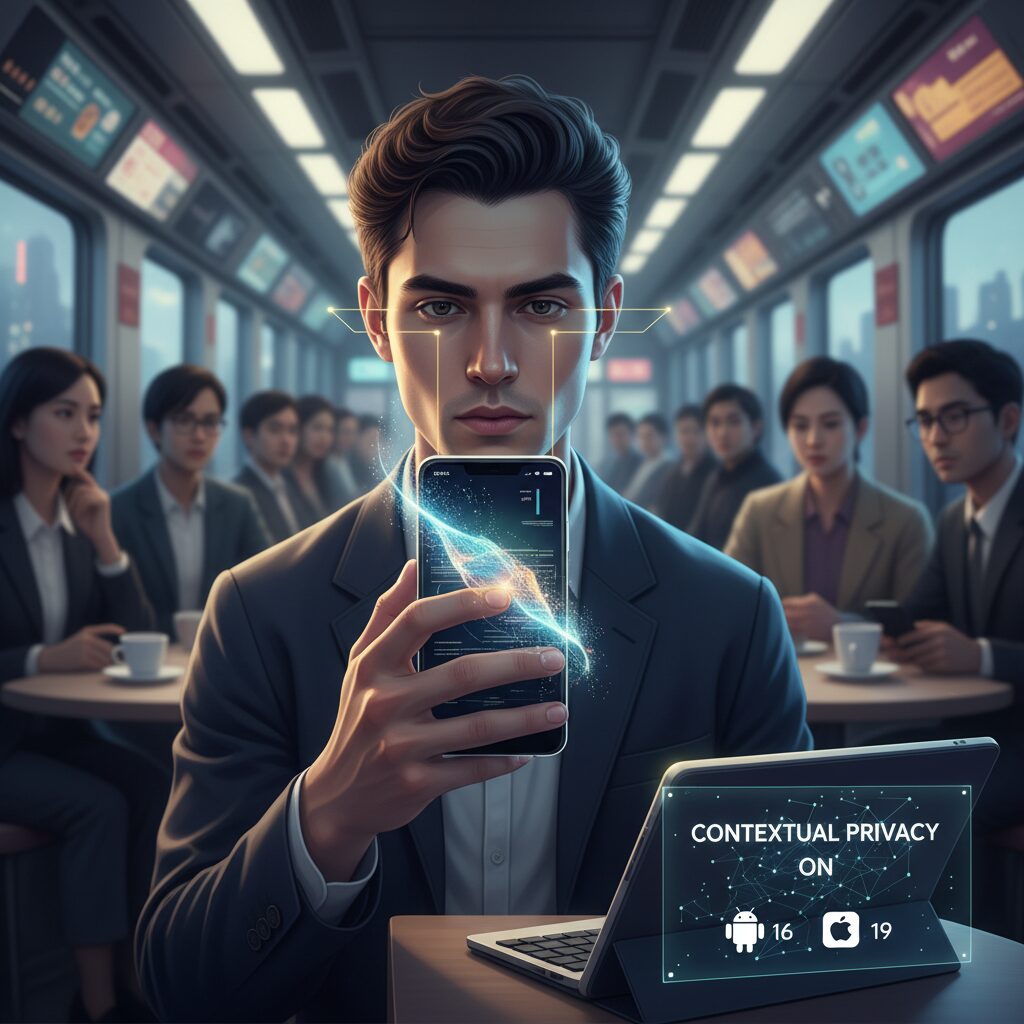
With Android 16, Google clearly shifts notifications from a static list into a context-aware control layer that actively protects privacy and attention. Instead of assuming that more visibility equals better usability, the OS now treats every notification as situational information that should appear only when it is truly relevant and safe to show.
This change directly responds to notification overload and physical shoulder surfing, both of which have intensified in recent years. According to Japanese consumer privacy surveys cited by JIPDEC, over 70% of users now feel resistance toward exposing personal information, a mindset that naturally extends to lock screen visibility. Android 16 is designed with this psychological background in mind.
A core feature illustrating this philosophy is automatic hiding of seen notifications. Once a user has opened or meaningfully interacted with a notification, Android 16 removes it from the lock screen without manual dismissal. This prevents past conversations, purchases, or movements from lingering as visible clues to anyone nearby.
Complementing this is the compact notification shelf. Instead of large cards, notifications collapse into a small pill-shaped area beneath the clock. From a distance, the screen reveals almost nothing, while intentional interaction still allows quick access. This subtle UI decision significantly reduces accidental data exposure in public spaces.
| Feature | Context Awareness | Privacy Impact |
|---|---|---|
| Hide Seen Notifications | Tracks user interaction state | Eliminates residual behavioral traces |
| Compact Notification Shelf | Adapts visibility to viewing distance | Reduces shoulder-surfing risk |
| Notification Cooldown | Detects rapid notification bursts | Limits audible and visual leakage |
Notification Cooldown further extends context awareness into time and behavior. When messages arrive in rapid succession, the system automatically lowers visual prominence and sound intensity. This not only reduces stress but also avoids broadcasting a user’s ongoing activity to the surrounding environment.
Another notable evolution is AI-powered notification summaries. Rather than showing full message bodies on the lock screen, Android 16 uses on-device intelligence to extract only essential meaning. Names, locations, and sensitive keywords are less likely to appear in plain sight, while users can still grasp urgency at a glance.
Google’s own design commentary and independent analyses by Lifewire emphasize that these features are not isolated tricks. They form a unified system where visibility, timing, and content depth adjust dynamically. The result is a lock screen that communicates intent without revealing unnecessary detail.
For gadget enthusiasts, Android 16 represents a quiet but profound evolution. Notification control is no longer about toggling on or off; it is about letting the OS understand context, environment, and human psychology, then acting politely and discreetly on the user’s behalf.
Auto-Hiding, Compact Shelves, and AI Summaries on Android
On Android in 2026, notification design is no longer about showing more information faster, but about showing less, at the right moment, in the safest possible way. Android 16 embodies this shift through three tightly connected ideas: auto-hiding behavior, compact visual hierarchy, and AI-driven summaries that deliberately trade detail for discretion.
The most visible change is the automatic hiding of seen notifications. Once a message or alert has been viewed, it quietly disappears from the lock screen without requiring manual dismissal. According to coverage by technology analysts at How-To Geek, this addresses a long-standing privacy flaw where old notifications unintentionally revealed past actions to anyone glancing at the device. The lock screen now represents only unresolved, current information, reducing both visual clutter and privacy exposure.
Equally important is the compact notification shelf. Instead of stacking large cards, Android 16 collapses notifications into a small pill-shaped area beneath the clock. This design choice physically limits how much text can be read from a distance, which is particularly relevant in crowded public spaces. Google’s UI researchers have emphasized that shrinking the surface area of sensitive text is often more effective than adding warning dialogs or extra confirmation steps.
| Feature | Primary Function | Privacy Impact |
|---|---|---|
| Auto-hide seen notifications | Removes viewed alerts automatically | Prevents exposure of past activity |
| Compact notification shelf | Condenses alerts into a small visual zone | Reduces shoulder-surfing readability |
| AI notification summaries | Condenses message content | Hides names, locations, and keywords |
The third pillar, AI notification summaries, is where Android’s approach becomes especially strategic. Instead of displaying full message previews, on-device AI extracts only the essential intent. Lifewire notes that this significantly lowers the chance that sensitive names or locations appear on the lock screen, while still allowing users to judge urgency at a glance. Because the processing happens locally, the privacy benefit is achieved without expanding the data footprint.
Together, these features reshape how users cognitively interact with notifications. Rather than scanning long lists, users respond to a minimal, context-aware interface that surfaces only what truly matters. The result is a lock screen that behaves less like a bulletin board and more like a privacy filter, aligning Android with the growing expectation that discretion should be the default, not an advanced setting.
iOS 19 and Apple’s Stealth-First Approach to Notifications
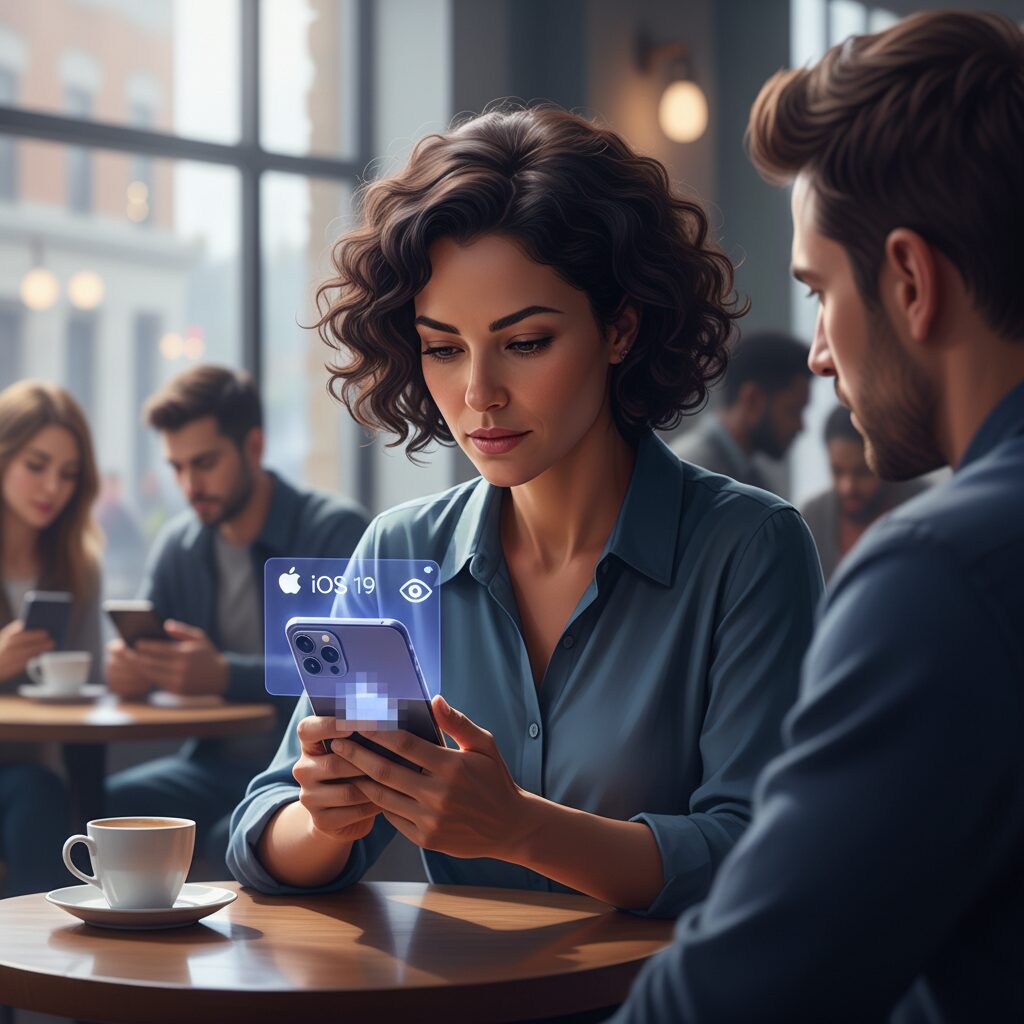
With iOS 19, Apple takes a markedly different path in notification design, prioritizing what can best be described as a stealth-first philosophy. Rather than simply minimizing notifications, the system is designed to make sensitive information effectively invisible until identity is confirmed. This approach reflects Apple’s long-standing emphasis on privacy by default, now applied with far greater precision to the lock screen.
The centerpiece is Stealth Mode, which goes beyond hiding notification previews. Apps placed under Stealth Mode disappear from the Home Screen, App Library, Spotlight, and Siri suggestions, and their notifications are reduced to a neutral indicator such as “one new notification.” According to comparisons published by mobile OS analysts, this design ensures that even the app’s identity remains concealed until Face ID authentication occurs, dramatically reducing the risk of shoulder surfing in crowded environments.
| Aspect | Conventional Notifications | iOS 19 Stealth Notifications |
|---|---|---|
| App visibility | App name shown on lock screen | App identity hidden until Face ID |
| Content preview | Partial text displayed | Generic label only |
| Data processing | Often cloud-assisted | On-device only |
Equally important is Apple’s insistence on on-device processing. Message filtering and notification classification are handled locally by Apple Intelligence, meaning that message content never needs to be analyzed in the cloud. Security researchers frequently cited by Apple have noted that this architecture sharply limits secondary data exposure, especially for authentication codes or personal identifiers that often appear in notification previews.
Secure Folders extend this logic further by isolating not just photos or notes, but also their associated notification histories. Even if a device is temporarily handed to someone else, fragments of past alerts do not surface. In markets such as Japan, where surveys show privacy anxiety at record highs, this invisible-by-design behavior aligns closely with user psychology.
Ultimately, iOS 19 treats notifications not as alerts competing for attention, but as private prompts revealed only at the exact moment of trust. This quiet, almost unseen layer of protection illustrates how Apple is redefining convenience as something that works best when it stays out of sight.
On-Device AI and Secure Notification Filtering in iOS
In 2026, Apple’s approach to notification privacy in iOS has reached a turning point through the deep integration of on-device AI and secure filtering mechanisms. Unlike cloud-dependent models, **Apple Intelligence processes notification content directly on the device**, ensuring that sensitive data never leaves the user’s iPhone. According to Apple’s publicly stated privacy architecture, this design minimizes data exposure while still enabling advanced contextual understanding, a balance that has become increasingly important as notification-based attacks and accidental information leaks rise.
At the core of this system is AI-driven semantic analysis that runs locally on Apple Silicon. Messages, alerts, and system notifications are evaluated in real time to determine what should be shown, summarized, delayed, or completely hidden. **Because the analysis happens on-device, even Apple itself cannot see the raw notification content**, a point repeatedly emphasized by Apple and independent security researchers reviewing iOS privacy models.
Secure notification filtering in iOS goes beyond simple sender-based rules. The system evaluates intent and risk signals, such as whether a message resembles phishing or contains one-time authentication codes. Security experts, including those cited by the IPA in Japan, have warned that lock screen previews are a major vector for shoulder surfing attacks. iOS addresses this by defaulting sensitive notifications to a minimal state until Face ID authentication confirms the rightful owner.
| Function | On-Device AI Role | Privacy Impact |
|---|---|---|
| Message Filtering | Classifies unknown or risky senders locally | Reduces exposure to spam and scams |
| Notification Summaries | Generates semantic summaries without cloud access | Hides names, places, and keywords |
| Lock Screen Protection | Controls preview detail based on authentication | Prevents physical shoulder hacking |
Another defining feature is how iOS combines on-device AI with biometric context. When Face ID detects that the authenticated user is not actively viewing the screen, notification details remain obscured. **This subtle interaction design directly addresses real-world scenarios such as crowded trains or shared office spaces**, which are particularly relevant in markets like Japan where physical proximity is unavoidable.
Research into user psychology supports this design choice. Studies referenced by cognitive science researchers show that even brief, unintended exposure to personal messages can increase stress and reduce trust in a device. By ensuring that notification clarity scales dynamically with user presence and authentication, iOS reduces both privacy risk and cognitive load, reinforcing digital well-being without requiring constant manual settings adjustments.
Ultimately, on-device AI and secure notification filtering in iOS represent a shift from static privacy controls to adaptive, context-aware protection. **Notifications are no longer treated as neutral data packets, but as sensitive extensions of personal identity**, managed intelligently and discreetly by the device itself. This philosophy sets a high bar for mobile privacy in 2026 and redefines what users can reasonably expect from a modern operating system.
AI Eye-Gaze Detection and the End of Shoulder Surfing
AI-powered eye-gaze detection has fundamentally changed how devices defend against shoulder surfing, and by 2026 this shift is no longer experimental but practical. Modern systems analyze gaze direction using standard front-facing cameras, allowing smartphones and PCs to understand not only whether someone is present, but whether that person is actually looking at the screen. **This distinction is critical, because privacy risk emerges from attention, not proximity.**
According to research trends highlighted by security-focused institutions and computer vision scholars, passive 3D eye models can now estimate gaze vectors with high reliability even under real-world conditions such as glasses, masks, or mixed lighting. Unlike earlier infrared-based trackers, these models run entirely on-device, aligning with the privacy-by-design principles emphasized by organizations such as Apple and Google. The result is a system that protects the user without continuously recording or transmitting facial data.
| Detection Condition | System Response | Privacy Impact |
|---|---|---|
| Single authorized gaze | Normal notification display | Full usability retained |
| Multiple gazes detected | Content dimmed or blurred | Visual data exposure minimized |
| Unauthorized sustained gaze | Screen masked or locked | Shoulder surfing effectively blocked |
Enterprise solutions such as AI-based visual hacking prevention tools have demonstrated how effective this approach can be in crowded environments like trains or open offices. When an extra gaze lingers for more than a predefined threshold, notifications containing authentication codes or sensitive messages are automatically concealed. **This makes shoulder surfing a transient inconvenience rather than a systemic vulnerability.**
Security experts frequently note that two-factor authentication is undermined if one-time passwords appear on a lock screen. Eye-gaze detection closes this gap by adding a physical-world check to digital security. Studies cited by national cybersecurity agencies show that many real-world breaches still rely on human observation rather than malware. By addressing that vector directly, gaze-aware systems introduce a new defensive layer that passwords alone cannot provide.
From a user psychology perspective, this technology also reduces cognitive stress. Knowing that the device reacts instantly to unwanted eyes allows users to interact more naturally in public spaces. **In effect, AI gaze detection turns privacy from a manual setting into an ambient, adaptive behavior**, marking a decisive step toward the true end of shoulder surfing.
Notification Privacy as a Defense Against Scams and 2FA Attacks
In 2026, notification privacy is no longer a matter of convenience but a frontline defense against scams and two-factor authentication attacks. **Lock screen previews have become one of the most exploited attack surfaces**, because they expose time-sensitive information at the exact moment when users are least guarded. Security researchers and regulators increasingly emphasize that hiding notification content is as critical as choosing a strong password.
The most visible risk involves one-time passwords used in SMS-based or app-based 2FA. According to guidance from national cybersecurity agencies and incident analyses published by organizations such as IPA, attackers do not always need malware or phishing websites. In crowded trains, cafes, or offices, a brief glance at a lock screen can be enough to capture a valid code and hijack an account within seconds.
Several major financial fraud cases reported in 2025 revealed a common pattern: victims had enabled two-factor authentication, yet left notification previews fully visible. The authentication system itself worked as designed, but the notification layer silently undermined it. This gap has pushed OS vendors to treat notification privacy as part of core security architecture rather than a cosmetic option.
| Attack vector | What is exposed | Why notifications matter |
|---|---|---|
| Shoulder surfing | SMS or app-based 2FA codes | Codes appear briefly but are immediately usable |
| AI-driven scam messages | Urgent call-to-action text | Previews trigger panic before rational judgment |
| Lost or borrowed device | Account context and sender identity | Partial information enables social engineering |
Scam techniques have also evolved dramatically. Industry reports from companies such as McAfee describe how agentic AI systems now generate highly personalized scam notifications that look indistinguishable from legitimate alerts. **The danger lies not only in malicious links, but in the psychological pressure created by lock screen wording like “urgent security issue” or “account access blocked.”** Even cautious users are more likely to tap first and think later.
To counter this, modern operating systems introduced aggressive notification filtering. Android 16’s anti-scam safeguards analyze message patterns in real time and can suppress or neutralize suspicious notifications before they reach the lock screen. Apple’s on-device intelligence similarly limits unknown senders and replaces detailed previews with generic placeholders until biometric authentication is completed.
This shift reflects a broader security consensus. Experts increasingly argue that authentication is not a single step but a chain, and notifications are one of its weakest links. By minimizing what is shown before identity is verified, OS-level notification privacy reduces both technical exploits and human error.
Ultimately, notification privacy works as a passive defense. Users do not need to recognize a scam or react correctly under stress. The system simply withholds sensitive context until the device is unlocked by the rightful owner. In an era where scams exploit speed, emotion, and visibility, that delay alone often makes the difference between a blocked attack and a compromised account.
Mental Health, Focus, and the Psychology of Turning Notifications Off
Turning notifications off is no longer a simple preference setting but a deliberate psychological strategy to protect mental health and sustained focus. In 2026, cognitive science and user behavior research increasingly frame notifications as micro stressors that fragment attention even when they are not consciously checked.
Studies summarized by cognitive psychologists at institutions such as the University of California system show that a single notification interruption can trigger a chain reaction of task switching, elevating cortisol levels and prolonging mental fatigue. **On average, it takes more than 23 minutes to regain deep focus after an interruption**, which means that even brief notification previews carry a hidden cognitive cost.
What makes modern notifications uniquely taxing is not only their frequency but their anticipatory effect. Neuroscientists describe this as “continuous partial attention,” a state where the brain remains on alert for incoming signals. According to behavioral research cited in mental health reviews, the mere possibility of a notification activates reward circuits associated with dopamine, creating a loop similar to variable reward mechanisms.
From a psychological perspective, disabling notifications functions as a boundary-setting behavior. Clinical psychologists often compare it to closing an office door during concentrated work. The act signals safety to the brain, allowing it to shift from a vigilant mode to a task-oriented mode. **This transition is critical for creative thinking, memory consolidation, and emotional regulation.**
| Notification State | Typical Cognitive Effect | Mental Health Implication |
|---|---|---|
| Always On | Frequent attention shifts | Elevated stress and fatigue |
| Selective Filtering | Reduced interruptions | Improved emotional balance |
| Fully Off | Sustained deep focus | Lower anxiety, higher clarity |
Research on digital well-being among younger users further reinforces this effect. Surveys referenced by global insurers and mental health organizations indicate that a significant portion of Gen Z users feel social pressure to respond instantly. **When notifications are silenced, reported anxiety levels drop measurably, and users describe a regained sense of autonomy over their time.**
Importantly, turning notifications off does not equate to social withdrawal. Psychologists emphasize that intentional disengagement differs from avoidance. When users choose specific windows to check messages, the brain interprets communication as controlled and predictable, reducing emotional load. This pattern aligns with evidence-based techniques used in cognitive behavioral therapy to manage overstimulation.
There is also a growing body of evidence linking notification reduction to better sleep quality. Sleep researchers note that evening notifications, even without screen interaction, can delay melatonin release by maintaining cognitive arousal. **Users who disable non-essential notifications before bedtime consistently report faster sleep onset and fewer nighttime awakenings.**
In this context, turning notifications off becomes a form of mental hygiene. It reflects a shift from reactive technology use to intentional interaction design shaped by human psychology. As leading mental health researchers argue, protecting attention is not about rejecting technology, but about aligning it with the brain’s natural rhythms.
How UX Design and Regulation Are Shaping the Future of Notifications
In 2026, the future of notifications is no longer defined solely by technological capability, but by the tight coupling of UX design principles and regulatory pressure. **Notifications are now treated as regulated user touchpoints**, not neutral UI elements, and this shift is reshaping how operating systems and app designers think about attention, consent, and privacy.
From a UX perspective, leading platforms have embraced the idea that less visibility can create more trust. Research cited by the Nielsen Norman Group has long shown that users perceive systems as more respectful when information disclosure feels proportional and intentional. This thinking is now embedded at the OS level, where notification previews are minimized by default, expanded only through deliberate user action, and framed as contextual cues rather than content dumps.
Regulation has accelerated this UX evolution. The EU AI Act, which enters full enforcement in August 2026, requires transparency and explicit user consent for AI systems that process biometric or behavioral data. As a result, notification features such as gaze-aware hiding or AI-generated summaries must clearly explain when and how data is processed, often favoring on-device computation to avoid regulatory risk.
| Design Aspect | Pre-2023 Approach | 2026 Standard |
|---|---|---|
| Notification preview | Full text by default | Minimal, expandable on intent |
| AI involvement | Opaque, cloud-based | On-device, disclosed to users |
| User control | Buried in settings | Contextual, moment-based prompts |
This regulatory climate has also pushed designers away from manipulative dark patterns. According to data referenced by the European Commission during AI Act deliberations, interfaces that nudge users into enabling intrusive notifications are increasingly viewed as non-compliant. **Good UX in 2026 is legally aligned UX**, where clarity, restraint, and reversibility are not just best practices but compliance requirements.
Ultimately, UX design and regulation are converging on the same conclusion: notifications must respect human attention as a limited resource. By enforcing transparency and encouraging minimalist design, lawmakers and designers together are shaping a future where notifications inform without intruding, and where user trust becomes the primary metric of success.
参考文献
- How-To Geek:Android 16 Could Automatically Hide Viewed Notifications on Your Lock Screen
- Lifewire:Android 16 Features Worth Knowing
- ScrumLaunch:iOS 19 vs. Android 16 – Mobile OS Comparison
- Help Net Security:What if your face could say “don’t record me”? Researchers think it’s possible
- McAfee Blog:This Year in Scams: A 2025 Retrospective, and a Look Ahead at 2026
- The Guardian:Children limiting own smartphone use to manage mental health, survey finds