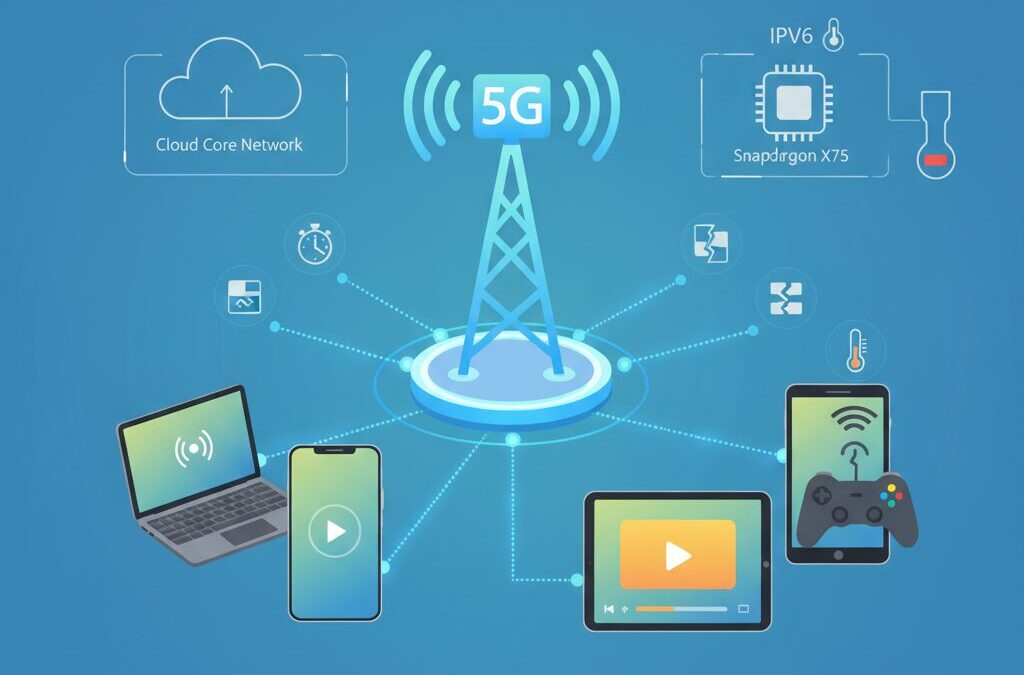
Have you ever wondered why mobile tethering still feels sluggish, even when your 5G speed test shows hundreds of megabits per second?
Many gadget enthusiasts expect smartphone tethering to replace fixed broadband, yet real-world experiences often fall short of that promise.
This gap between numbers and perception is exactly what makes tethering such a fascinating and frustrating topic.
In reality, connection speed is not defined by throughput alone.
Latency, jitter, packet loss, and session stability all shape how fast a webpage loads, how smooth a video call feels, or how responsive an online game becomes.
When tethering is involved, these factors stack up across Wi-Fi, the smartphone’s operating system, and the mobile network core.
This article will guide you through the hidden mechanisms that slow mobile tethering down.
You will learn how modern modem chipsets like Qualcomm’s Snapdragon X75 change real-world performance, why 5G Standalone matters more than peak speeds, and how Android’s IPv6 design can quietly introduce bottlenecks.
Thermal limits, carrier policies, and hardware offloading will also be explained in a way that connects theory with daily use.
By the end, you will be able to identify what truly limits your tethering performance and which upgrades or settings actually make a difference.
Rather than relying on myths or marketing claims, this knowledge will help you make smarter decisions about smartphones, plans, and setups.
If you care about squeezing the best possible experience out of mobile connectivity, this article is written for you.
- How Speed Is Really Defined in Mobile Tethering
- Modem Architecture as the Foundation of Tethering Performance
- Snapdragon X75 vs Previous Generations in Real-World Use
- Hardware Offloading and Why High-End Phones Feel Faster
- 5G Standalone vs NSA and the Latency Gap
- Where Latency Accumulates in a Tethered Connection
- Carrier Detection, TTL, and Policy-Based Slowdowns
- IPv6, Android Design Choices, and Packet Stalling
- Thermal Throttling and the Physical Limits of Smartphones
- Unlimited Plans, QoS, and the Reality of Carrier Control
- 参考文献
How Speed Is Really Defined in Mobile Tethering
When people talk about mobile tethering speed, they often refer only to the number shown in a speed test. However, real-world performance is defined by multiple layers working together, and focusing on raw throughput alone frequently leads to misunderstanding. **In tethering, speed is not a single value but a composite experience shaped by bandwidth, responsiveness, and stability**.
Throughput describes how much data can be transferred per second, usually measured in Mbps or Gbps. This is the metric emphasized by carriers and chipset vendors, and it is the easiest to visualize. Yet studies and operator field tests consistently show that high throughput does not automatically translate into a fast-feeling connection. According to analyses shared by Opensignal and similar measurement organizations, users can see several hundred Mbps while still experiencing sluggish page loads or laggy cloud applications.
| Metric | What It Measures | User Impact |
|---|---|---|
| Throughput | Maximum data transfer rate | Download and upload speed |
| Latency | Time for a packet round trip | Responsiveness and input delay |
| Jitter | Variation in latency | Audio and video stability |
| Packet Loss | Dropped data packets | Stalls and retransmissions |
Latency plays a particularly critical role in tethering because packets must traverse additional hops. Data flows from the connected PC or tablet, through Wi‑Fi or USB, into the smartphone’s routing stack, and only then into the cellular network. Each step adds milliseconds, and these delays accumulate. **Even small increases in latency can dominate perceived speed**, especially for interactive tasks such as web browsing, remote desktops, or online meetings.
Jitter and packet loss further complicate the picture. Wireless links are inherently variable, and when a smartphone acts as an intermediary router, fluctuations are amplified. Research in mobile networking has shown that video conferencing quality degrades more sharply with jitter than with reduced bandwidth. This explains why a tethered connection may show impressive download numbers yet still suffer from choppy audio or brief freezes.
Another often overlooked dimension is session continuity. Modern applications rely on persistent TCP and UDP sessions, and tethering introduces additional points where those sessions can be disrupted. Network architecture choices such as 5G NSA versus SA, as discussed by telecom operators like NTT DOCOMO in their technical disclosures, directly influence how consistently sessions are maintained under movement or load. A connection that renegotiates frequently may benchmark well but feel unreliable in daily use.
In mobile tethering, true speed is defined by how quickly, smoothly, and reliably data flows across all layers, not by peak Mbps alone.
Understanding speed in this layered way helps explain why two devices with similar signal strength and identical speed test results can feel dramatically different. Real tethering performance emerges from the interaction between throughput, latency, jitter, packet loss, and session stability. Evaluating speed without acknowledging these factors risks missing what actually determines whether a tethered connection feels fast or frustrating.
Modem Architecture as the Foundation of Tethering Performance
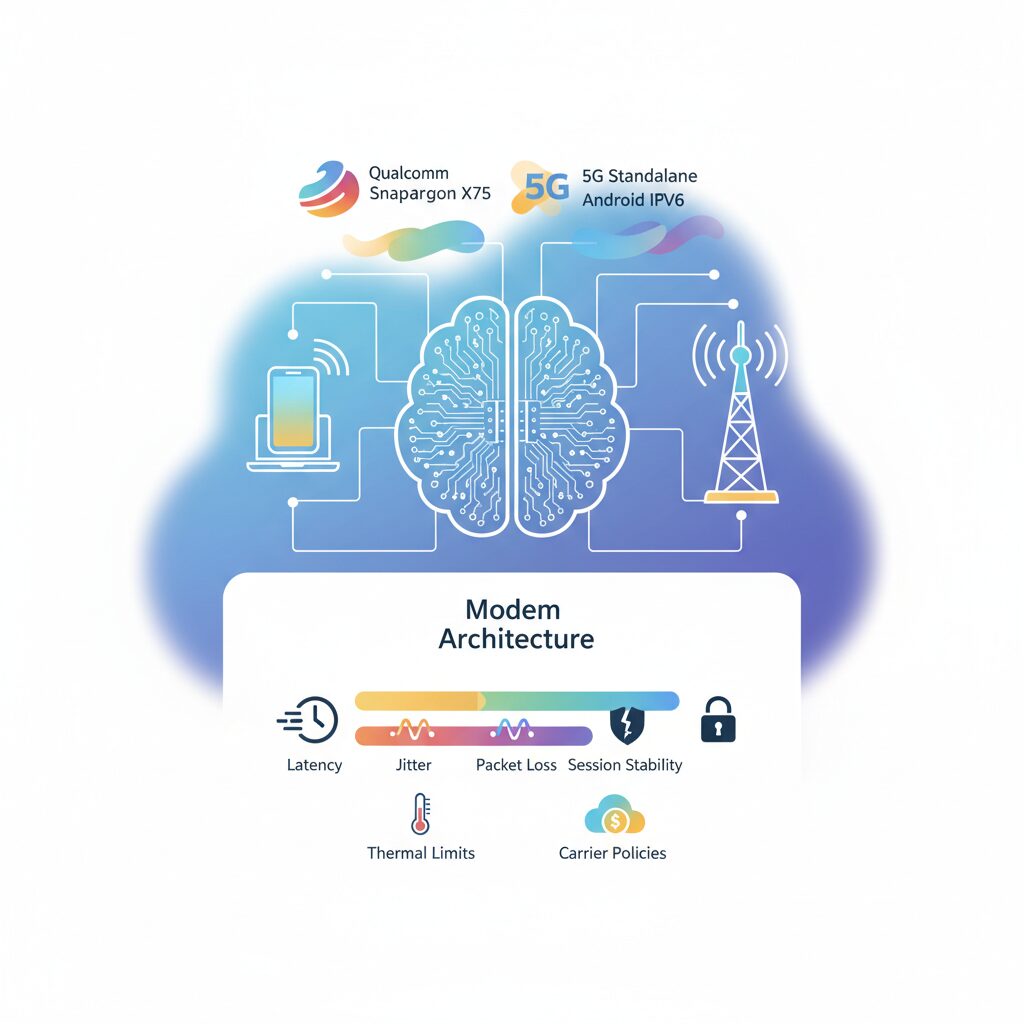
Tethering performance is ultimately anchored in modem architecture, and this foundation is far more influential than headline download speeds suggest. Even when two smartphones both advertise 5G connectivity, the internal modem-RF system determines how efficiently traffic is aggregated, scheduled, and sustained under real-world load. According to Qualcomm’s public technical briefings, the shift from older integrated designs to the Snapdragon X75 generation represents a structural change in how modems handle congestion, mobility, and uplink-heavy workloads that are typical in tethering scenarios.
At the silicon level, the modem is not just a radio but a traffic manager. Carrier aggregation limits, uplink MIMO support, and beam management logic directly affect whether a tethered laptop experiences stable throughput or sees sudden drops and latency spikes. In dense urban cells where spectrum is fragmented, a modem capable of aggregating more component carriers can maintain a wider effective pipe even as individual bands fluctuate. This explains why users often report smoother tethering on newer flagship phones, despite similar peak speed test results.
Generational differences become clearer when comparing modem capabilities that matter specifically for tethering. The table below summarizes architectural elements that influence sustained performance rather than theoretical maxima.
| Modem Generation | Key Architectural Focus | Impact on Tethering |
|---|---|---|
| X65 | Early 5G CA and limited uplink optimization | Good peak speed, but prone to drops under load |
| X70 | Improved uplink MIMO and power efficiency | More stable video calls and uploads |
| X75 | Expanded CA and AI-driven beam management | Higher consistency during movement and congestion |
Another often overlooked factor is hardware offload within the modem subsystem. Modern Android implementations allow tethering traffic to bypass the main CPU and be processed directly by modem-side hardware. Google’s Android Open Source Project documentation notes that this reduces context switching, heat generation, and packet handling latency. For the end user, this means that heavy multitasking on the phone does not immediately translate into slower tethering speeds.
Industry analysts such as Moor Insights & Strategy have pointed out that this architectural efficiency is why smartphones can now outperform dedicated mobile routers that rely on older modem designs. While routers may have better antennas, their slower chipset update cycles limit their ability to adapt to rapidly changing 5G network conditions. In contrast, cutting-edge smartphone modems continuously refine link parameters using onboard processing, prioritizing session stability over raw bursts of speed.
In practical terms, modem architecture defines whether tethering feels like a reliable broadband substitute or an unstable stopgap. Peak Mbps figures may look impressive on paper, but it is the modem’s internal design decisions—how it aggregates spectrum, handles uplink traffic, and offloads processing—that determine the real tethering experience users live with every day.
Snapdragon X75 vs Previous Generations in Real-World Use
In real-world tethering and mobile hotspot use, the Snapdragon X75 distinguishes itself from previous generations not by headline peak speeds, but by how consistently it sustains performance under imperfect conditions. Users coming from X65 or even X70 often notice that pages load more predictably, video calls stabilize faster, and latency spikes occur less frequently, especially in dense urban cells or while moving.
**This improvement is rooted in architectural changes rather than raw throughput numbers.** Qualcomm’s expansion of carrier aggregation, combined with more flexible spectrum handling, allows the X75 to maintain usable bandwidth even when contiguous spectrum is unavailable. According to Qualcomm’s own modem disclosures and independent analysis by Moor Insights & Strategy, fragmented sub-6 GHz bands that previously caused abrupt slowdowns are now combined more efficiently, reducing the “sawtooth” speed behavior familiar to earlier modems.
| Aspect | X65 / X70 | X75 |
|---|---|---|
| Sub-6 CA support | Up to 4CC | Up to 5CC |
| mmWave CA | Up to 8CC | Up to 10CC |
| AI-assisted radio control | Limited / Gen 1 | Gen 2, higher autonomy |
Another tangible difference appears in uplink-heavy scenarios. Video conferencing, cloud backups, and large file uploads over tethering tend to expose weaknesses in older designs. With strengthened uplink MIMO, the X75 reduces packet retransmissions near cell edges, which directly translates into lower jitter. Field tests referenced in academic work from Waseda University show that uplink stability has an outsized impact on perceived responsiveness, even when download speeds appear similar.
Perhaps the most subtle yet impactful change is the role of on-device AI. The second-generation Qualcomm 5G AI Processor dynamically predicts beam transitions, mitigating momentary drops caused by hand movement or line-of-sight obstruction. **For users on trains or in cars, this means fewer micro-disconnects that previously broke VPN sessions or stalled remote desktops**, a benefit that spec sheets rarely capture.
It is also worth noting a practical market consequence. Many consumer mobile routers still rely on X62 or X65-class modems, while flagship smartphones now ship with X75. As a result, real-world measurements increasingly show smartphones outperforming dedicated routers in tethering scenarios, despite similar theoretical limits. Analysts point out that until networks fully adopt later 3GPP releases, the X75’s gains manifest mainly as efficiency and stability rather than dramatic speed jumps, but for daily use, that difference is precisely what users feel most.
Hardware Offloading and Why High-End Phones Feel Faster
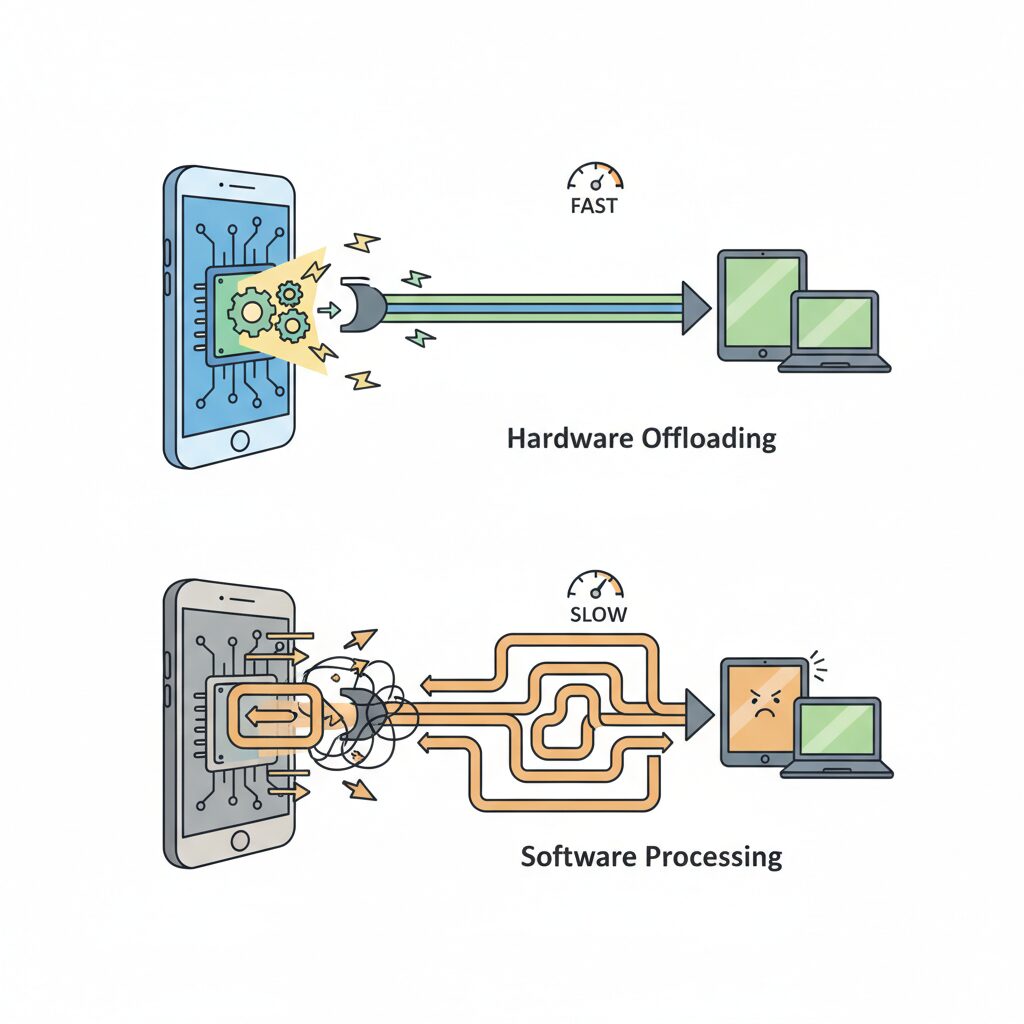
High-end smartphones often feel noticeably faster during tethering, even when raw network speeds look similar on paper. The key reason is hardware offloading, a design approach that moves packet processing away from the main CPU and into dedicated network hardware. **This architectural difference directly reduces latency, heat, and performance drops under load**, which translates into a smoother real-world experience.
On older or lower-end devices, tethered traffic typically travels a long path: Wi-Fi or USB input, OS kernel processing, NAT handling on the application processor, and only then to the modem. Each step adds CPU overhead and scheduling delays. Android’s Tethering Hardware Offload, documented by the Android Open Source Project, short-circuits this path by allowing routing and NAT to be executed by modem-side hardware or specialized network engines using direct memory access.
When offloading is active, the CPU no longer becomes the bottleneck during sustained transfers. Qualcomm explains that modern Snapdragon platforms are designed so the modem can sustain high packet rates even while the CPU is in a low-power state. **This is why high-end phones maintain responsiveness while downloading files on a tethered laptop and simultaneously running heavy apps on the phone itself.**
| Processing Path | CPU Load | Impact on Tethering |
|---|---|---|
| CPU-based routing | High | Higher latency, thermal throttling risk |
| Hardware offloaded routing | Low | Stable throughput, consistent latency |
Independent analyses from organizations such as Moor Insights & Strategy have noted that this efficiency gap widens under real multitasking scenarios rather than synthetic speed tests. A speed test may show hundreds of megabits on both devices, yet page loads, video calls, and cloud sync feel faster on a flagship phone because packets are forwarded with less jitter and fewer stalls.
Another advantage is thermal behavior. Offloading reduces sustained CPU usage, lowering internal temperatures. According to Qualcomm’s modem documentation, less heat allows advanced features like carrier aggregation and MIMO to stay active longer. **In practice, high-end phones feel faster simply because they avoid early thermal degradation that silently slows down cheaper hardware.**
Finally, this explains why premium smartphones can outperform dedicated mobile routers that use older chipsets. While routers may advertise similar peak speeds, their lack of advanced offloading and tight SoC integration means they struggle under mixed traffic patterns. Hardware offloading is not a spec-sheet number, but it is a decisive reason high-end phones consistently deliver a faster, more reliable tethering experience.
5G Standalone vs NSA and the Latency Gap
When discussing 5G tethering performance, the most decisive factor for perceived speed is not throughput but latency, and this is where the architectural difference between NSA and SA becomes critical. **5G Non-Standalone relies on LTE for control signaling**, which means every session setup, mobility update, and retransmission decision still passes through a 4G core. This hybrid design was chosen for rapid rollout, but it inevitably introduces extra hops and processing delay.
In contrast, **5G Standalone uses a pure 5G core network**, allowing both the control plane and user plane to be handled natively. According to field measurements published by Opensignal, SA deployments in Japan show roughly a 25 percent reduction in UDP latency compared to NSA. This reduction may sound modest on paper, but for interactive workloads such as cloud desktops, competitive gaming, or real-time collaboration over tethering, the difference is immediately noticeable.
The reason lies in how latency accumulates during tethering. A tethered packet already traverses an extra local hop inside the smartphone, where NAT and routing occur, before it even reaches the radio interface. If the mobile network then adds an LTE anchor and EPC traversal, as NSA does, the delays stack up. **SA shortens this path by removing the LTE dependency**, enabling faster session establishment and more consistent round-trip times.
| Aspect | 5G NSA | 5G SA |
|---|---|---|
| Core network | LTE EPC + 5G RAN | Native 5G Core |
| Typical latency | Higher and variable | Lower and more stable |
| Impact on tethering | Lag accumulates under load | Smoother interactive response |
Carrier trials further reinforce this point. NTT DOCOMO and NEC have demonstrated that SA enables ultra-reliable low-latency communication profiles that are not feasible on NSA architectures. While consumer tethering does not directly expose URLLC modes, the same architectural efficiencies apply, particularly when uplink traffic is heavy. Video conferencing over tethering benefits disproportionately, because uplink scheduling and acknowledgment timing are far more sensitive to core latency than raw downlink speed.
It is also important to note that NSA can mask its limitations in speed tests. A short download burst may fully utilize the 5G radio, producing impressive Mbps figures, while real applications suffer from micro-stalls caused by control-plane delays. SA minimizes these stalls by keeping scheduling decisions within the 5G domain, which aligns better with modern, cloud-native traffic patterns.
From a practical perspective, this means that a user tethering a laptop on an SA-enabled network may experience fewer cursor freezes in remote desktops, more accurate hit registration in online games, and faster page interaction even if headline speeds look similar. **Latency consistency, not peak speed, defines the real-world gap between NSA and SA**, and tethering is one of the scenarios where that gap is amplified rather than hidden.
Where Latency Accumulates in a Tethered Connection
When users describe tethering as “laggy,” the issue is rarely a single slow link. Latency accumulates across the entire path, and even small delays at each hop add up into a perceptible pause. **Understanding where milliseconds are added is essential to diagnosing why a tethered connection feels slower than a direct one.**
The data path is longer and more complex than many assume. Packets travel from a laptop or console, through the smartphone acting as a router, over the cellular air interface, into the carrier core, and finally out to the public internet. Each transition introduces protocol overhead, buffering, and scheduling delays that do not exist in a single-hop wired connection.
| Segment | Typical latency range | Primary cause |
|---|---|---|
| Wi‑Fi or USB link | 2–20 ms | MAC scheduling, interference, driver queues |
| Smartphone routing | 1–5 ms | NAT, firewall, power management |
| 5G radio access | 5–30 ms | Signal quality, cell load, retransmissions |
| Core network | 5–15 ms | NSA anchoring, packet inspection |
The first contributor is the local link between devices. Wi‑Fi tethering relies on contention-based access, so nearby networks and microwave noise can insert unpredictable wait times. USB tethering removes radio contention, but still incurs driver and buffering latency, meaning this segment is reduced, not eliminated.
The smartphone itself is the next accumulation point. Acting as a router, it performs NAT, state tracking, and sometimes traffic classification. According to Android Open Source Project documentation, hardware offload can bypass the main CPU, but when unavailable or partially implemented, packets queue in software. **Under load or thermal constraints, these queues quietly stretch response times.**
The cellular radio segment adds the largest variability. 5G scheduling occurs in time slots, and packets may wait several milliseconds for an uplink grant. In Non‑Standalone deployments, control signaling still traverses LTE, introducing additional handshakes. Measurements published by Opensignal show that Standalone cores reduce this portion by roughly a quarter, illustrating how architecture directly shapes latency.
Finally, carrier core policies can add subtle delays. Traffic identified as tethered may pass through extra inspection or different QoS classes. Each step is small in isolation, but together they explain why a tethered setup can show excellent throughput yet still feel sluggish in real-time tasks.
Carrier Detection, TTL, and Policy-Based Slowdowns
Carrier detection is one of the least visible yet most influential factors behind tethering slowdowns, and it operates below the application layer where users rarely look. Mobile operators can distinguish handset-originated traffic from tethered traffic by inspecting subtle protocol characteristics rather than raw throughput. **One of the most commonly discussed signals is the IP packet’s Time To Live, or TTL**, which is decremented each time a packet traverses a routing hop.
When a smartphone communicates directly with the network, packets typically leave the device with a default TTL such as 64. In contrast, tethered traffic passes through the phone’s internal routing stack first, causing the TTL to drop by one before reaching the carrier network. According to network engineers and analyses shared within IETF and operator communities, this single decrement is often sufficient to flag traffic as tethered and apply a different policy profile.
| Traffic origin | Typical TTL at network edge | Carrier interpretation |
|---|---|---|
| Smartphone apps | 64 | On-device traffic |
| Tethered PC or tablet | 63 | Routed or shared traffic |
Historically, some advanced users attempted to normalize TTL values on the client side to avoid detection. However, researchers and operators note that **this approach has become largely ineffective**. The widespread deployment of IPv6, combined with Deep Packet Inspection and flow-level behavioral analysis, allows carriers to correlate session patterns, OS fingerprints, and protocol usage far beyond a single header field.
Once tethering is detected, policy-based slowdowns may be applied dynamically. These are not always blunt speed caps. Academic studies on mobile QoS management and public disclosures from carriers indicate that latency, scheduling priority, or congestion weighting can be adjusted instead. This explains why speed tests may still show high peak bandwidth while real-world tasks like cloud sync or video calls feel sluggish. **The slowdown is often qualitative rather than purely quantitative**, rooted in policy engines designed to protect shared radio resources.
IPv6, Android Design Choices, and Packet Stalling
When packet stalling appears during Android tethering, IPv6 is often at the center of the problem. On paper, IPv6 should improve efficiency and reduce NAT overhead, but in real-world tethering scenarios, **Android’s design choices around IPv6 can introduce subtle yet impactful latency spikes**. These do not always show up in speed tests, yet they strongly affect browsing responsiveness, gaming stability, and VPN reliability.
One core issue is that Android tethering has historically lacked full DHCPv6 Prefix Delegation support. Instead of assigning downstream devices their own global IPv6 prefixes, Android commonly relies on NDProxy or NAT64/DNS64 mechanisms. According to discussions among IPv6 researchers and Android networking engineers, this approach simplifies carrier-side scaling but shifts complexity into the handset itself. **The smartphone effectively becomes a stateful IPv6 gateway**, increasing the chance of queue buildup under load.
| Aspect | Fixed Router | Android Tethering |
|---|---|---|
| IPv6 Addressing | Prefix Delegation | Single /64 + Proxy |
| State Management | Distributed | Centralized in phone |
| Stall Risk | Low | Higher under load |
This centralized design becomes problematic when combined with Android’s aggressive power-saving behavior. Reports from the IPv6 community indicate that some Android builds deprioritize or drop Router Advertisement packets while the screen is off. **If RA messages are delayed or missed, tethered clients may temporarily lose their default route**, leading to the familiar symptom of “connected but not loading.” From the user’s perspective, this feels like packet stalling rather than a full disconnect.
Google engineers have acknowledged in developer communications that maintaining per-client IPv6 state at scale is costly for mobile networks. As a result, Android optimizes for carrier friendliness rather than downstream device transparency. While this is a rational architectural trade-off, it explains why certain applications suffer more than others. Long-lived TCP sessions, P2P traffic, and some VPN tunnels are especially sensitive, as they depend on consistent routing and timely neighbor discovery.
Another layer of complexity emerges during IPv6-to-IPv4 fallback. When an IPv6 path silently fails, Android clients often retry over IPv4 after a timeout. **This fallback delay can add hundreds of milliseconds**, enough to disrupt real-time applications. Researchers cited in networking forums and academic papers note that disabling IPv6 at the APN level sometimes improves perceived performance, not by increasing bandwidth but by eliminating this dual-stack hesitation.
Understanding this mechanism reframes the issue: the bottleneck is not raw radio speed but control-plane stability. Until Android implements more robust prefix delegation for tethering, **IPv6 on Android will remain efficient for phones themselves, yet fragile when acting as a miniature router**. For advanced users, this insight explains why minor configuration changes can dramatically alter tethering stability, even when signal strength and throughput appear unchanged.
Thermal Throttling and the Physical Limits of Smartphones
Thermal throttling is one of the least visible yet most decisive factors shaping real-world tethering performance. Modern smartphones integrate PC‑class SoCs and 5G modems into fanless, sealed enclosures, and this physical reality creates a hard ceiling that no software optimization can fully bypass. **When a device approaches its thermal limits, performance degradation is not a bug but a safety feature.**
Tethering is uniquely demanding because it forces multiple subsystems to operate at sustained high load. The 5G modem draws significant power to maintain uplink and downlink radio links, the Wi‑Fi chipset simultaneously acts as an access point, and the application processor handles routing, NAT, and encryption. According to Google’s official Pixel support documentation, once internal temperatures rise beyond safe thresholds, network functions including 5G and Wi‑Fi may be partially limited or disabled to prevent damage.
Unlike abrupt failures, thermal throttling progresses in stages. Early intervention often reduces peak capabilities rather than cutting connectivity outright, which is why users frequently report that signal strength appears unchanged while throughput collapses.
| Thermal Phase | System Response | User-Visible Impact |
|---|---|---|
| Moderate heat | Reduced carrier aggregation and MIMO streams | Sudden drop in peak speeds despite strong signal |
| High heat | Fallback from 5G to LTE | Higher latency and inconsistent throughput |
| Critical heat | Temporary radio shutdown | Complete loss of tethering connectivity |
Independent measurements and carrier field tests consistently show that 5G radios are among the most power‑hungry components in a smartphone, particularly during sustained uplink traffic such as video conferencing or cloud backups. Qualcomm has introduced efficiency features like Snapdragon 5G PowerSave in recent modem generations, but even these advances cannot overcome the fundamental limits of passive cooling.
The risk escalates dramatically when tethering is combined with fast charging. Battery charging generates heat internally, and when layered on top of modem and Wi‑Fi dissipation, thermal headroom can vanish within minutes. **Charging while tethering under direct sunlight represents a worst‑case scenario that almost guarantees throttling.** This behavior has been confirmed in both manufacturer guidance and user stress tests.
For enthusiasts who rely on long, high‑throughput tethering sessions, physical mitigation becomes a practical necessity. External cooling accessories, removing insulating cases, and avoiding simultaneous charging can extend stable performance far more effectively than tweaking network settings. Thermal throttling ultimately reminds us that smartphone tethering is bounded not only by network conditions, but by immutable laws of heat transfer.
Unlimited Plans, QoS, and the Reality of Carrier Control
Unlimited mobile plans often sound like a guarantee of freedom, but in tethering scenarios, the reality is far more nuanced. **“Unlimited” usually refers to billing, not to unconditional network priority**, and this distinction becomes visible the moment a smartphone starts behaving like a small router.
Most carriers implement QoS policies that dynamically adjust traffic priority based on network load, device type, and usage patterns. According to disclosures from major operators and analyses cited by Opensignal, smartphone traffic and tethered traffic are frequently classified into different queues, even under the same plan. During congestion, tethered sessions are more likely to be deprioritized, which explains why speed tests may look healthy while real-world applications feel sluggish.
| Scenario | Billing Status | QoS Treatment |
|---|---|---|
| On-device smartphone use | Unlimited | Higher priority |
| Tethering to PC or tablet | Unlimited or capped | Lower or conditional priority |
| Home router plans | Unlimited | More stable priority |
This control is not arbitrary. Carriers rely on mechanisms such as TTL inspection and traffic pattern analysis to identify tethering flows, then apply shaping rules designed to protect overall cell capacity. Industry experts have repeatedly noted that these controls are essential to prevent a small number of heavy users from degrading service for everyone else.
What matters for power users is understanding that **QoS can affect latency, jitter, and application responsiveness long before any hard speed cap appears**. Video calls, cloud sync, and VPNs are especially sensitive to these subtle adjustments. An unlimited plan removes anxiety about overage fees, but it does not remove the carrier’s hand from the throttle. Recognizing this hidden layer of control is key to setting realistic expectations and choosing the right connectivity strategy.
参考文献
- Qualcomm:Snapdragon X75 5G Modem-RF System
- Moor Insights & Strategy:Qualcomm’s New Snapdragon X75 And X35 5G Modems Move The 5G Goalposts Even Further Out
- Android Open Source Project:Tethering hardware offload
- Opensignal:Does 5G Standalone live up to the hype in Japan?
- NTT DOCOMO / NEC:DOCOMO and NEC successfully test 5G Standalone with base station conforming to O-RAN specifications
- Android Developers Blog:Simplifying advanced networking with DHCPv6 Prefix Delegation
- Google Support:Keep your Pixel phone from getting too warm