Have you ever wished you could record your smartphone screen, edit it instantly, and publish a polished video within minutes? In 2026, that workflow is no longer a dream but a daily reality for creators, professionals, and everyday users.
With next-generation 3nm chips like Snapdragon 8 Elite Gen 5 and Apple’s A19 Pro, smartphones now rival traditional computers in video processing power. Real-time AI editing, on-device privacy protection, and advanced codecs such as VVC are transforming how we capture and share digital experiences.
In this article, you will discover how mobile screen recording has evolved into a powerful content production engine, how AI copilots are reshaping editing workflows, and why privacy, compression efficiency, and user behavior data matter more than ever. If you care about gadgets, performance benchmarks, and the future of creative technology, this deep dive will give you a clear competitive edge.
- Why 2026 Is a Turning Point for Mobile Screen Recording and AI Editing
- Snapdragon 8 Elite Gen 5 vs Apple A19 Pro: Benchmark Data and Real-World Editing Performance
- 4K Transcoding Speed Tests: What 22 Seconds vs 47 Seconds Really Means for Creators
- Thermal Design and Sustained Performance: Vapor Chambers, Throttling, and Long Editing Sessions
- Android 16 Screen Recording Upgrades: Partial Capture and Advanced Protection Mode
- iOS 19 and Apple Intelligence: On-Device AI Masking and Sensitive Content Detection
- CapCut 2026 and the Rise of the Language User Interface in AI Video Editing
- From Autocut to AI Voiceover: How Editing Time Shrinks to Under Five Minutes
- Professional Mobile Workflows: DaVinci Resolve for iPad, Apple Log, and AI Noise Isolation
- VVC (H.266) vs AV1 vs HEVC: Compression Efficiency, Licensing, and 4K/8K Realities
- User Behavior Data: Short-Form Video Consumption, Commerce, and Posting Habits
- Education and Enterprise Impact: Microlearning, Knowledge Retention, and AI-Driven Performance Gains
- Human Presence in the Age of AI: Why 87% Still Prefer Real People On Screen
- 参考文献
Why 2026 Is a Turning Point for Mobile Screen Recording and AI Editing
In 2026, mobile screen recording and AI editing have moved from being convenient features to becoming the core infrastructure of digital expression.
Smartphones are no longer just capturing screens; they are interpreting, optimizing, and protecting what we record in real time.
This year marks a structural shift where hardware performance, on-device AI, and privacy architecture converge at once.
The turning point begins at the silicon level. Flagship chips such as Qualcomm’s Snapdragon 8 Elite Gen 5 and Apple’s A19 Pro, both built on advanced 3nm processes, now deliver desktop-class compute power in a handheld device.
According to benchmark analyses reported by Tom’s Guide, Snapdragon leads in multi-core performance, while Apple maintains an edge in single-core responsiveness.
This difference directly affects how screen recordings are processed, previewed, and exported in real time.
| Chip | Strength | Impact on Screen Recording |
|---|---|---|
| Snapdragon 8 Elite Gen 5 | High multi-core & GPU throughput | Smoother parallel AI processing and multitasking |
| Apple A19 Pro | Industry-leading single-core efficiency | Faster UI response and rapid 4K export |
Export speed has become a defining metric. In 4K transcoding tests using Adobe Premiere Rush, A19 Pro reportedly completed tasks in nearly half the time of comparable Snapdragon reference devices.
This level of optimization signals that recording and editing are no longer separate steps.
They are part of a continuous, near-instant workflow.
Operating systems have evolved just as dramatically. Android 16 introduces partial screen recording and AI-based notification masking, automatically hiding OTP codes or banking alerts during capture.
Meanwhile, iOS 19 integrates Apple Intelligence to detect sensitive content on-device and apply real-time blurring.
Screen recording in 2026 is privacy-aware by design, not by afterthought.
Editing has also crossed a psychological threshold. AI tools such as CapCut’s 2026 generation now support language-based commands, auto-highlight extraction, and instant subtitle generation across more than 20 languages.
What once required manual timeline trimming can now be executed through a single prompt.
This dramatically lowers the barrier between idea and publication.
The codec landscape reinforces this transition. VVC (H.266) promises roughly 50% better compression than HEVC, according to technical reviews from Vodlix and Tipard, although hardware encoding support remains uneven.
As a result, HEVC and AV1 still dominate practical mobile workflows in 2026.
The key shift is not just compression efficiency, but the expectation that 4K recording is standard, not premium.
User behavior confirms the transformation. ICT Research Institute projects that 79% of Japan’s internet users will be active on SNS platforms by the end of 2026.
Separate surveys show that 32.2% of users have purchased products after watching short videos.
Screen recordings demonstrating real usage have become persuasive commercial assets.
Education and business adoption further underline the moment. TechSmith reports that 83% of learners prefer video over text-based instruction.
Research cited by Research.com indicates a 14% improvement in procedural knowledge retention when video-based simulation is used.
Mobile screen recording is no longer casual sharing; it is institutional infrastructure.
When silicon power, AI copilots, privacy automation, and behavioral demand align in the same year, inflection points occur.
2026 represents that alignment.
Mobile screen recording has evolved from a utility feature into a primary language of communication, commerce, and learning.
Snapdragon 8 Elite Gen 5 vs Apple A19 Pro: Benchmark Data and Real-World Editing Performance
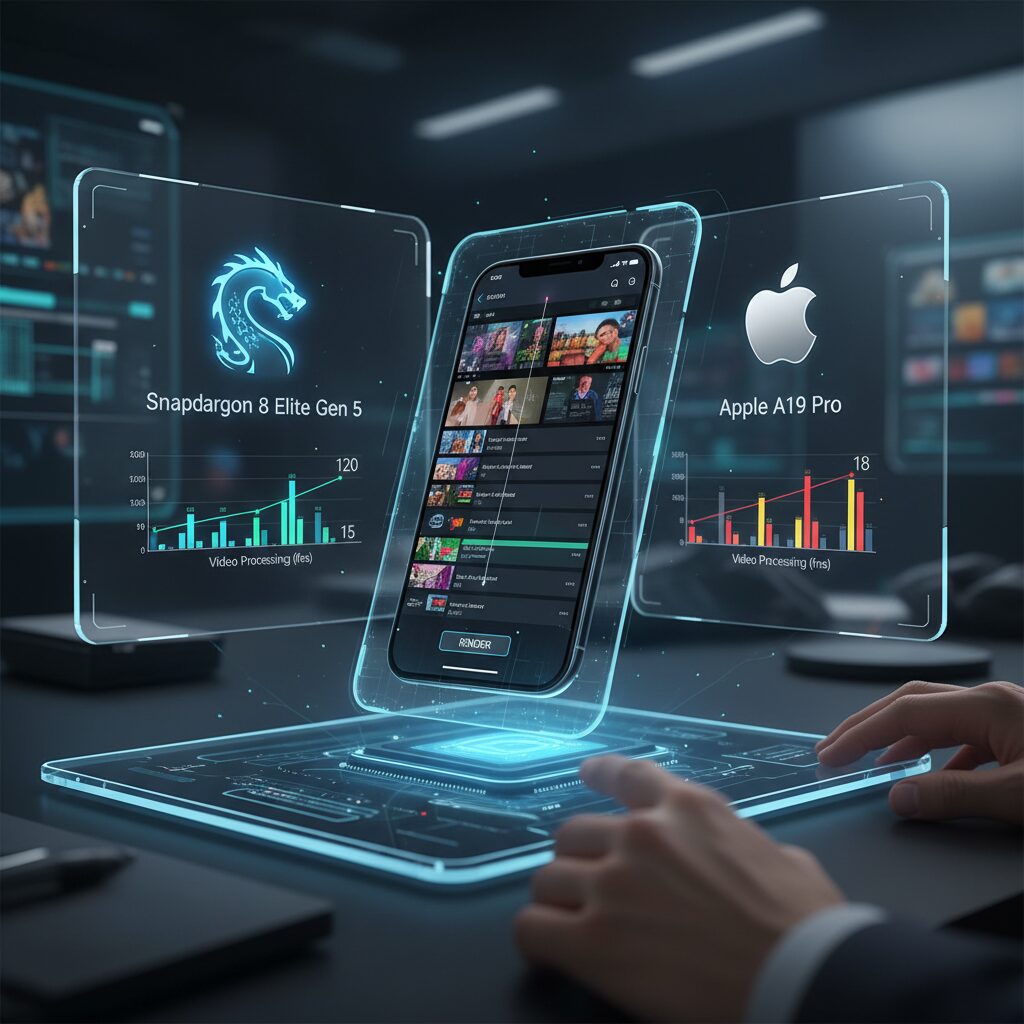
The performance gap between Snapdragon 8 Elite Gen 5 and Apple A19 Pro becomes most visible when you move from synthetic scores to actual editing timelines.
According to benchmark data reported by Tom’s Guide, Snapdragon 8 Elite Gen 5 records a Geekbench 6 multi-core score of 12,208, clearly ahead of the A19 Pro’s 9,968. In contrast, Apple maintains a slight edge in single-core performance, scoring 3,871 versus Snapdragon’s 3,832.
This architectural difference directly shapes how each chip behaves during screen recording and AI-assisted editing.
| Metric | Snapdragon 8 Elite Gen 5 | Apple A19 Pro |
|---|---|---|
| Geekbench 6 Single-Core | 3,832 | 3,871 |
| Geekbench 6 Multi-Core | 12,208 | 9,968 |
| 3DMark Solar Bay | 55.31 fps | 46.63 fps |
Snapdragon’s strength lies in parallel workloads. When applying AI upscaling, background noise reduction, and multi-layer transitions simultaneously, its higher multi-core throughput keeps preview rendering smoother under heavy multitasking.
This is particularly relevant for creators stacking multiple 4K screen recordings with real-time AI filters.
Apple, however, demonstrates a different kind of efficiency in real-world export scenarios.
In Adobe Premiere Rush 4K transcoding tests cited in the same benchmark coverage, the iPhone 17 Pro Max with A19 Pro completed export in 22 seconds, compared to 47 seconds on a Snapdragon 8 Elite Gen 5 reference device.
That nearly 2× difference highlights Apple’s vertical hardware–software optimization. The dedicated media engine and tight iOS integration significantly accelerate encoding tasks.
For creators who record and immediately publish, this time saving compounds across daily workflows.
Thermal sustainability also matters more than peak scores.
Reports indicate Apple reduced thermal throttling by up to 40% in the iPhone 17 Pro series through an improved vapor chamber design. During extended 4K/120fps editing sessions, this translates into fewer dropped frames and more stable timeline scrubbing.
Meanwhile, Snapdragon’s Adreno GPU shows roughly a 19% advantage in ray-tracing-related graphics benchmarks, which benefits GPU-accelerated effects and AI masking overlays.
Ultimately, benchmark leadership does not automatically equal faster publishing.
Editing performance in 2026 depends on how compute cores, GPU acceleration, and hardware encoders interact with the operating system. In that interplay, Snapdragon 8 Elite Gen 5 excels at distributed computational workloads, while Apple A19 Pro turns optimization into tangible minutes saved per project.
For serious mobile editors, understanding this distinction is more important than chasing a single headline score.
4K Transcoding Speed Tests: What 22 Seconds vs 47 Seconds Really Means for Creators
When a 4K video finishes transcoding in 22 seconds instead of 47 seconds, the difference may look small on paper. In reality, that 25‑second gap fundamentally changes how you create, iterate, and publish.
According to benchmark testing with Adobe Premiere Rush, the iPhone 17 Pro Max powered by A19 Pro completed a 4K transcode in 0:22, while a Snapdragon 8 Elite Gen 5 reference device took 0:47. A Galaxy S25 Ultra recorded 0:52, and Tensor G5 devices extended to 2:19.
| Device | Chip | 4K Transcode Time |
|---|---|---|
| iPhone 17 Pro Max | A19 Pro | 0:22 |
| Reference Device | Snapdragon 8 Elite Gen 5 | 0:47 |
| Galaxy S25 Ultra | Snapdragon 8 Elite | 0:52 |
| Pixel 10 Pro XL | Tensor G5 | 2:19 |
A 2× speed advantage does not just save time. It reshapes your creative rhythm. If you export ten short 4K clips for social platforms, 22 seconds per file totals under four minutes. At 47 seconds, you wait nearly eight minutes. Over a week of daily uploads, that compounds into hours of passive waiting.
Tom’s Guide benchmarking highlights that while Snapdragon leads in multi‑core raw power, Apple’s tight hardware–software integration dramatically optimizes specific media pipelines. Transcoding relies heavily on dedicated hardware encoders and OS-level acceleration, not just CPU scores.
For creators working in trend-driven ecosystems such as short-form video commerce—where, according to Japanese market research, 32.2% of users have purchased products after watching short videos—speed directly influences revenue timing. Publishing 5–10 minutes earlier during a viral spike can materially impact reach.
The difference is also psychological. When exports complete in 22 seconds, you stay in flow. You tweak color, adjust captions, test alternate thumbnails, and re-export without friction. At 47 seconds, iteration feels heavier. At 2 minutes plus, experimentation often stops altogether.
Thermal stability further amplifies this gap. Apple’s improved vapor chamber design reportedly reduces throttling by up to 40% compared to previous generations. Sustained 4K editing sessions therefore maintain closer-to-peak export speeds, whereas thermal drops can stretch nominal times in real workflows.
In practical terms, 22 seconds means near-instant social publishing, agile A/B testing, and faster client turnaround. Forty-seven seconds means acceptable but noticeable delay. Two minutes or more shifts the workflow from “real-time creation” to “batch processing.”
For serious creators, those seconds are not technical trivia. They define whether your smartphone behaves like a creative instrument—or like a device that makes you wait.
Thermal Design and Sustained Performance: Vapor Chambers, Throttling, and Long Editing Sessions

When you record your screen in 4K/120fps and immediately jump into AI-assisted editing, thermal design becomes the invisible factor that determines whether your workflow feels professional or frustrating. In 2026 flagship devices, sustained performance is no longer about peak benchmark scores, but about how long the SoC can hold them without aggressive throttling.
The Snapdragon 8 Elite Gen 5 leads in multi-core throughput, while Apple’s A19 Pro remains highly optimized for responsiveness. However, during long editing sessions—such as color grading a 20-minute screen tutorial or exporting multiple short clips in sequence—heat accumulation dictates real-world speed.
Apple addressed this directly in the iPhone 17 Pro series by introducing a more advanced vapor chamber cooling system, reportedly reducing thermal throttling by up to 40% compared to the previous generation. This matters when applying AI noise reduction, real-time subtitles, and background rendering simultaneously.
| Factor | Impact on Long Editing | User Experience Result |
|---|---|---|
| Vapor chamber size & efficiency | Improved heat dissipation | Stable frame rate during preview |
| Thermal throttling control | Maintains CPU/GPU clocks longer | Consistent export times |
| Hardware encoder optimization | Lower sustained power draw | Reduced device overheating |
According to benchmark analyses referenced by Tom’s Guide, Snapdragon 8 Elite Gen 5 demonstrates superior multi-core results. Yet in export-heavy workflows—such as transcoding 4K footage in Adobe Premiere Rush—the A19 Pro completes tasks in significantly shorter times, indicating tight integration between hardware encoders and the OS layer.
This efficiency directly reduces thermal buildup. Encoding that finishes in 22 seconds instead of 47 seconds does not just save time; it shortens the duration of peak thermal load, lowering the probability of throttling during batch exports.
Vapor chambers play a crucial role here. Unlike traditional graphite sheets, vapor chambers spread heat evenly across a wider surface area using phase-change cooling. The result is fewer hot spots near the SoC, which helps maintain GPU stability during timeline scrubbing and AI effect previews.
Thermal behavior also differs depending on codec choice. VVC (H.266), as documented by industry analyses such as Vodlix, demands significantly higher computational load during encoding compared to HEVC. On mobile devices without full hardware acceleration, this can trigger throttling faster during extended exports.
For creators running 30–60 minute editing sessions, three patterns typically reveal thermal limits: preview frame drops after 10–15 minutes, slower AI subtitle rendering, and gradually increasing export times in consecutive renders. These are classic symptoms of clock reduction under sustained heat.
In practical terms, a well-designed thermal system enables creative flow. You can apply AI noise isolation, color LUTs, and multi-layer overlays without watching performance degrade over time.
Ultimately, the 2026 flagship landscape shows a clear shift: manufacturers are no longer optimizing solely for synthetic peak scores. They are engineering for sustained creative workloads—where vapor chambers, intelligent power management, and encoder efficiency collectively determine whether your device remains a tool for production or becomes a bottleneck mid-session.
Android 16 Screen Recording Upgrades: Partial Capture and Advanced Protection Mode
Android 16 takes screen recording beyond simple full-display capture and turns it into a precision tool. The headline feature is Partial Screen Recording, which lets you select a single app as the recording target instead of broadcasting your entire screen.
This directly addresses a long-standing problem: accidental exposure of notifications, status bar details, or background apps. According to reporting by Android Authority and Nokiapoweruser, Android 16 enables system-level app isolation during recording, automatically excluding the status and navigation bars when you choose an app-specific capture.
This means you can demonstrate a banking workflow, a game strategy, or an app tutorial without risking unrelated pop-ups leaking into the final video.
| Feature | What It Does | User Benefit |
|---|---|---|
| Partial Screen Recording | Records only the selected app window | Prevents accidental notification exposure |
| AI Notification Redaction | Automatically hides OTPs and sensitive alerts | Protects financial and login data |
| Advanced Protection Mode | Blocks recording in high-risk scenarios | Enterprise-grade security control |
Even more impactful is Android 16’s AI-driven sensitive notification concealment. As highlighted by Android Police, one-time passwords, banking alerts, and other high-risk notifications can be automatically masked during recording. This happens at the system layer, not just visually, which reduces the risk of frame-by-frame data extraction.
The real game changer, however, is Advanced Protection Mode. Inspired by high-priority security recommendations discussed in Google’s Issue Tracker, this mode can forcibly disable screen recording and external display output when users interact with banking apps or change critical system settings.
Instead of relying on user awareness, Android 16 enforces protection when risk is detected.
For enterprise users and creators handling confidential dashboards, this matters enormously. Imagine recording an internal analytics presentation in a public café. Android 16 introduces contextual privacy logic that can apply stricter hiding rules depending on environment signals and app sensitivity.
This reflects a broader industry shift: screen recording is no longer just a content tool but a compliance-sensitive operation. As mobile devices become productivity hubs, operating systems must balance frictionless capture with data governance.
For power users, the takeaway is clear. Android 16 doesn’t simply upgrade recording resolution or frame rate. It redesigns the trust model of screen capture itself, giving you surgical control over what is seen—and just as importantly—what is never recorded.
iOS 19 and Apple Intelligence: On-Device AI Masking and Sensitive Content Detection
With iOS 19, Apple has redefined screen recording as an intelligent, privacy-aware process powered by Apple Intelligence. Instead of simply capturing everything displayed, the system now analyzes on-screen content in real time and applies protective measures automatically. This shift responds directly to growing concerns about accidental data exposure during recordings shared on social media, in business settings, or in educational content.
According to Apple Support documentation, Apple Intelligence processes sensitive content detection entirely on-device. This design ensures that screen data used for classification and masking is never uploaded to external servers. All analysis happens locally on the iPhone, reinforcing Apple’s long-standing privacy architecture centered on hardware-level security and tight OS integration.
Core Capabilities in iOS 19 Screen Recording
| Feature | Function | Privacy Impact |
|---|---|---|
| On-Device AI Masking | Automatically blurs personal data such as OTPs and account details | No cloud transmission of analyzed data |
| Sensitive Content Warning | Detects explicit or private imagery during recording | Applies blur or pauses recording in real time |
| Transparency Reporting | Shows how Apple Intelligence handled screen data | User-verifiable AI behavior |
The expanded “Sensitive Content Warning” system plays a particularly important role. Originally designed to protect users from unexpected explicit images, it now extends to screen recording workflows. When potentially inappropriate or private imagery appears, the system can blur the content within the recorded file or temporarily halt capture. This intervention happens instantly, without noticeable lag, thanks to the processing power of the A19 Pro and Apple’s Neural Engine optimizations.
For creators, this means fewer post-production headaches. Instead of manually scrubbing through timelines to censor a bank notification or private message preview, masking is embedded at the OS layer. The result is cleaner raw footage and a reduced risk of compliance violations, particularly in professional or enterprise environments.
Transparency is another differentiator. Within Privacy & Security settings, users can review how Apple Intelligence interacts with on-screen data. This aligns with Apple’s broader public stance that AI systems should be explainable and user-controllable, a philosophy repeatedly emphasized in official platform guidance.
Importantly, iOS 19 does not rely on server-side moderation for screen recordings. Unlike cloud-dependent AI pipelines, the recording remains private by default. For gadget enthusiasts and power users who frequently share tutorials, financial walkthroughs, or productivity demos, this architecture balances convenience with strong data governance.
In 2026, intelligent masking is no longer an optional editing trick. With iOS 19, it becomes a foundational layer of the operating system itself, quietly protecting users while preserving the immediacy of “record and share” workflows.
CapCut 2026 and the Rise of the Language User Interface in AI Video Editing
In 2026, CapCut does not simply add more AI features. It fundamentally changes how creators interact with video editing through the rise of the Language User Interface (LUI). Instead of tapping buttons and navigating complex timelines, users now communicate with the editor in natural language.
This shift from graphical controls to conversational commands represents one of the most significant UX evolutions in mobile creativity. For gadget enthusiasts and power users, this is not about convenience alone. It is about compressing the distance between idea and output to nearly zero.
According to CapCut’s official 2026 overview of its AI tools, the platform integrates prompt-based control directly into the editing workflow. Users can type instructions such as “extract the most exciting 30 seconds and add dynamic captions” and the system performs multi-step operations automatically.
| Traditional UI | Language UI (LUI) |
|---|---|
| Manual timeline trimming | “Cut to the best highlights” |
| Manual subtitle placement | “Generate animated captions in English and Japanese” |
| Beat matching by hand | “Sync cuts to this music” |
The practical impact is measurable. CapCut’s AI-driven Autocut 2.0 identifies highlight moments in long gameplay or tutorial recordings and repurposes them into short-form clips. In the social media economy where speed determines visibility, reducing editing time from hours to minutes directly translates into competitive advantage.
What makes LUI especially powerful in 2026 is multimodal integration. CapCut’s AI Video Maker 2.0 allows users to combine text prompts, recorded screen footage, and AI-generated assets on what it describes as an infinite canvas. This is no longer linear editing. It is structured content orchestration driven by language.
High-precision automatic captioning further strengthens this paradigm. As highlighted in CapCut’s AI caption resources, speech recognition generates real-time subtitles across more than 20 languages, and AI voiceover adapts to regional accents. A single prompt can localize a screen-recorded tutorial for global distribution.
This model aligns with broader AI interface trends observed across software ecosystems. Industry analysts increasingly point to conversational control as the next abstraction layer beyond touch UI. In video editing, where complexity traditionally discouraged casual creators, LUI lowers cognitive load dramatically.
Importantly, LUI does not eliminate manual control. Advanced users can still fine-tune cuts, transitions, and color adjustments. However, the default workflow begins with intent expressed in words, not mechanical adjustments of clips.
For creators who record mobile screens for tutorials, reviews, or product demos, this means the editing process now mirrors human thinking: define the goal, describe the tone, specify the audience. The AI handles sequencing, pacing, and formatting. CapCut 2026 turns video editing from a technical task into a strategic communication act.
The rise of the Language User Interface signals a deeper transformation. Editing software is no longer just a toolset. It is becoming a collaborative AI partner that understands context, purpose, and narrative structure. In 2026, speaking to your editor is not futuristic. It is the new default.
From Autocut to AI Voiceover: How Editing Time Shrinks to Under Five Minutes
In 2026, the journey from tapping “Stop Recording” to publishing a polished video has compressed to an almost shocking speed. What once required manual trimming, subtitle syncing, and voice recording now unfolds in a tightly integrated AI pipeline. The entire editing cycle can shrink to under five minutes when autocut, captioning, and AI voiceover operate as a single workflow rather than separate tasks.
The transformation begins with Autocut 2.0. Instead of scrubbing through a 20-minute screen recording, AI analyzes scene changes, voice intensity, and on-screen interactions to extract highlight segments automatically. According to CapCut’s 2026 product documentation, this process identifies engagement peaks and generates ready-to-post short clips within seconds, dramatically reducing cognitive load for creators.
| Step | Traditional Workflow | AI-Driven Workflow (2026) |
|---|---|---|
| Clip Selection | Manual scrubbing and trimming | Autocut highlight extraction |
| Subtitles | Manual typing and syncing | Real-time AI caption generation |
| Voiceover | Separate recording session | AI voice synthesis in target language |
| Music Sync | Frame-by-frame beat matching | Automatic beat alignment |
Once highlights are extracted, AI caption generators transcribe speech with high accuracy and instantly format subtitles for vertical or horizontal layouts. CapCut’s AI caption tools support multilingual output and can adapt tone and phrasing to regional audiences. This is particularly powerful in light of TechSmith’s 2026 video statistics, which report that 83% of people prefer learning through video over text. Clear captions are no longer optional; they are a performance multiplier.
The next compression point is AI voiceover. Instead of re-recording narration in a quiet room, creators can generate natural-sounding voice tracks directly from scripts. Some tools even localize accent and pacing to match the target market. For creators targeting Japan at night-time peak viewing hours or global short-form platforms, this means one screen recording can become multiple localized assets in minutes.
Importantly, this speed does not automatically sacrifice quality. With next-generation SoCs like Snapdragon 8 Elite Gen 5 and Apple A19 Pro, real-time processing of transcription, noise isolation, and preview rendering happens on-device. The result is near-instant export, especially when hardware-accelerated encoders are optimized at the OS level.
For gadget enthusiasts and power users, the implication is clear. Editing is no longer a linear, time-consuming craft but a parallel, AI-assisted collaboration. You record once, describe your intent in natural language, and the system assembles structure, sound, and subtitles almost instantly. In 2026, the real competitive advantage is not who edits faster by hand, but who leverages AI orchestration to publish while others are still trimming their first clip.
Professional Mobile Workflows: DaVinci Resolve for iPad, Apple Log, and AI Noise Isolation
For creators who demand uncompromising quality, mobile workflows in 2026 have reached a level that would have been unthinkable just a few years ago. With DaVinci Resolve for iPad, Apple Log recording, and AI-powered noise isolation, your smartphone is no longer a secondary device. It becomes a legitimate production node inside a professional post-production pipeline.
The key shift lies in log-based capture. Apple Log, available on recent Pro models, preserves wider dynamic range and flatter tonal data compared to standard HDR profiles. According to professional workflow analyses published in 2026, Apple Log combined with ProRes enables significantly greater flexibility in highlight recovery and skin-tone grading during post-production.
Core Components of a Professional Mobile Workflow
| Stage | Tool | Professional Benefit |
|---|---|---|
| Capture | Apple Log (ProRes) | Maximum dynamic range and grading latitude |
| Edit | DaVinci Resolve for iPad | Desktop-class color science and proxy workflow |
| Audio Cleanup | AI Voice Isolation | Removal of ambient noise in real time |
DaVinci Resolve for iPad is not a simplified companion app. It integrates the same color management principles found in the desktop version, including advanced grading controls and LUT handling. Editors can import Apple Log footage directly from external SSD storage via USB-C and begin working immediately, without transcoding delays.
This matters because mobile creators increasingly shoot in uncontrolled environments. Cafés, co-working spaces, and outdoor events introduce unpredictable lighting and background noise. Log capture protects the image, and AI noise isolation protects the narrative.
AI-based voice isolation, now embedded in several professional-grade tools, analyzes speech patterns and separates them from constant-frequency background sounds such as HVAC systems or crowd ambience. As demonstrated by leading mobile editing platforms in 2026, machine learning models can suppress environmental noise while preserving vocal clarity without introducing metallic artifacts common in older filters.
Another critical advantage is workflow continuity. Rough cuts and primary color correction can be completed on the iPad using proxy media for speed. The same project file can then move to desktop Resolve for final grading using full-resolution ProRes files and advanced color management pipelines. This eliminates redundant export-import cycles that previously slowed down mobile-first creators.
In 2026, professional mobile production is no longer about convenience. It is about efficiency without compromise. By combining Apple Log’s tonal depth, DaVinci Resolve’s industry-standard color science, and AI-driven noise isolation, you can execute a field-to-finish workflow that rivals traditional studio setups while remaining entirely portable.
VVC (H.266) vs AV1 vs HEVC: Compression Efficiency, Licensing, and 4K/8K Realities
When choosing a codec in 2026, you are no longer just comparing file sizes. You are deciding between compression efficiency, licensing risk, hardware support, and real-world 4K/8K feasibility. VVC (H.266), AV1, and HEVC (H.265) each represent a different philosophy in that trade-off.
| Codec | Compression vs H.264 | Licensing Model | Typical 2026 Usage |
|---|---|---|---|
| HEVC (H.265) | ~50% bitrate reduction | Royalty-based | 4K recording, Apple ecosystem |
| AV1 | ~65% reduction | Royalty-free | YouTube, web streaming, SNS |
| VVC (H.266) | ~75% reduction | Royalty-based | 8K, VR, high-end broadcast |
VVC delivers the highest theoretical compression efficiency. According to technical overviews from Vodlix and Tipard, VVC targets around 50% bitrate savings over HEVC while maintaining equivalent visual quality. In practice, that means an 8K stream that required 40 Mbps with HEVC could approach 20 Mbps under VVC—at least under controlled encoding conditions.
However, compression efficiency alone does not determine market dominance. Encoding complexity is significantly higher with VVC, and industry analysis such as The Broadcast Bridge notes that real-time mobile encoding remains computationally demanding. For smartphone screen recording, where battery life and thermals matter, this is a non-trivial constraint.
HEVC, by contrast, is mature and deeply integrated into hardware pipelines. Apple continues to rely on HEVC for 4K recording and Apple Log workflows, largely because hardware encoders are highly optimized. In real-world 4K capture and export, stability often outweighs theoretical gains.
AV1 occupies a strategically different position. As Brightcove and other streaming-focused analyses explain, AV1’s royalty-free model has accelerated adoption across browsers and major platforms. YouTube and many social platforms prioritize AV1 for delivery because it reduces bandwidth costs without introducing licensing uncertainty.
This licensing dimension is critical. HEVC and VVC both involve patent pools and royalty structures, which historically slowed HEVC’s universal adoption. Some analysts, including commentary cited by FlatpanelsHD, have even questioned whether VVC risks limited deployment due to similar complexities. AV1’s open model removes that barrier, making it attractive for large-scale web distribution.
From a 4K/8K reality standpoint, the picture is nuanced. For 4K screen recordings on flagship smartphones, HEVC and AV1 currently provide the best balance between hardware acceleration and manageable file sizes. For 8K broadcast, immersive VR, or long-term archival where storage efficiency is paramount, VVC’s compression advantage becomes compelling—provided dedicated hardware support is available.
The decisive factor in 2026 is not just efficiency, but ecosystem alignment. If your workflow centers on browser delivery and global reach, AV1 is strategically safe. If you prioritize controlled device-to-device workflows with optimized hardware, HEVC remains dependable. If you aim for cutting-edge 8K or bandwidth-critical distribution and can afford higher computational cost, VVC represents the forward-looking bet.
In short, the codec battle is less about which standard wins outright and more about which one fits your performance envelope, licensing tolerance, and resolution ambitions.
User Behavior Data: Short-Form Video Consumption, Commerce, and Posting Habits
Understanding how users actually watch, shop, and post short-form videos in 2026 is essential for anyone creating screen-recorded or AI-edited content. The data shows that behavior is not random. It follows clear patterns shaped by mobile habits, platform design, and trust in visual information.
According to ICT Research Institute, the number of SNS users in Japan is projected to reach 85.5 million by the end of 2026, representing roughly 79% of all internet users. This scale means short-form video is no longer a niche format. It is a default communication layer inside everyday digital life.
Viewing timing data reveals when attention peaks. A survey cited by Netshop Forum shows that 48.4% of users watch short videos before going to bed, while 44.7% watch during breaks. These are fragmented, low-commitment time slots. Creators who rely on screen recordings and AI-edited highlights must therefore deliver clarity within seconds, not minutes.
Platform satisfaction also provides insight into engagement depth. TikTok records a satisfaction score of 86.5, while YouTube reaches 85.6 according to ICT Research. High satisfaction correlates with habitual usage, which increases algorithmic exposure for well-optimized short clips.
| Platform | Usage Rate (Japan) | Satisfaction Score |
|---|---|---|
| YouTube | 65.4% | 85.6 |
| TikTok | 20.6% | 86.5 |
| 23.1% | N/A |
Commerce behavior adds another layer. 32.2% of Japanese users report having purchased a product after watching a short video. The impact is not superficial scrolling. It translates into measurable transactions. Men show a slightly higher purchase rate at 34.8% compared to 29.4% for women.
The decision trigger is highly visual. 46.7% state that the product’s appearance is the key factor influencing purchase. This explains why authentic screen recordings, unfiltered demonstrations, and real UI walkthroughs outperform overly polished ads. Users interpret raw operational footage as proof rather than promotion.
However, posting behavior tells a different story. Research by MMD Lab indicates that only about 3% of users actively upload short videos across major platforms. The majority remain consumers, not creators. This imbalance creates opportunity. High-quality, AI-assisted editing tools lower barriers, but psychological hesitation still limits supply.
Genre preferences further shape optimization strategies. Men gravitate toward sports (32.2%), music (30.5%), and news (26.9%), while women prefer pets (39.6%), cooking (38.7%), and celebrities (33.7%). Screen-recorded tutorials, gameplay clips, recipe walkthroughs, and reaction-style breakdowns align directly with these interests.
The 2026 short-form ecosystem is defined by three forces: passive mass consumption, selective but high-impact commerce, and a small yet powerful creator minority. For gadget enthusiasts and tech-savvy users, this means mastering rapid editing workflows is not just about efficiency. It is about capturing attention in micro-moments and converting trust into action.
In this environment, data literacy becomes as important as creative skill. Understanding when users watch, why they buy, and why most do not post allows creators to design content that fits real behavioral patterns rather than assumptions.
Education and Enterprise Impact: Microlearning, Knowledge Retention, and AI-Driven Performance Gains
In 2026, screen recording on mobile devices is no longer just a productivity hack. It has become a core infrastructure for education and enterprise performance. When combined with AI-driven editing and analytics, it transforms how knowledge is delivered, reinforced, and measured.
The convergence of microlearning, behavioral data, and on-device AI is redefining measurable learning outcomes. This shift is especially visible in EdTech platforms and corporate training environments that rely on short, actionable video modules.
Why Microlearning Outperforms Traditional Instruction
According to TechSmith’s 2026 video statistics, 83% of learners prefer video over text-based instructions. This preference is not superficial. Research summarized by Research.com shows that learners exposed to video-based simulation training score 14% higher in procedural knowledge compared to lecture-only formats.
Microlearning—typically 1 to 6 minutes per module—aligns with cognitive science principles such as spaced repetition and the forgetting curve identified by Hermann Ebbinghaus. Short, focused screen-recorded demonstrations reduce cognitive overload and improve long-term retention.
| Learning Format | Typical Length | Measured Impact |
|---|---|---|
| Lecture-based | 30–60 min | Lower procedural retention |
| Video simulation | 5–15 min | +14% procedural knowledge score |
| Microlearning module | 1–6 min | Higher repetition & retention efficiency |
In practice, a 3-minute screen recording explaining a CRM workflow or coding technique can be replayed exactly at the point of need. This just-in-time accessibility significantly increases applied knowledge transfer.
AI-Driven Feedback Loops and Performance Gains
The real breakthrough in 2026 is not just video delivery, but AI-powered performance analysis. Faculty Focus reports that AI-enhanced instructional systems have demonstrated test score improvements of up to 62% when adaptive feedback mechanisms are integrated.
When employees submit screen-recorded task simulations, AI systems can analyze cursor movement, workflow order, hesitation points, and error frequency. Instead of generic feedback, learners receive targeted micro-corrections within seconds.
This transforms training from static content consumption into a continuous optimization loop.
In enterprise environments, this has measurable ROI implications. Onboarding programs that once required multi-day workshops are now broken into micro-modules, each tracked for completion time, replay frequency, and error reduction. Managers gain dashboards showing skill acquisition velocity rather than mere attendance.
Equally important is human presence. TechSmith’s data indicates that 87% of viewers prefer real human presenters over fully AI-generated avatars. Therefore, the highest-performing training assets combine authentic screen recordings with AI-enhanced clarity—such as automatic captioning, noise reduction, and personalized summaries.
For gadget enthusiasts and tech-forward organizations, the implication is clear. Mobile screen recording paired with AI analytics does not merely document knowledge. It quantifies understanding, accelerates mastery, and directly links learning activity to performance outcomes.
Education and enterprise training in 2026 are no longer about delivering information. They are about engineering measurable cognitive and operational gains through intelligent, data-driven microlearning systems.
Human Presence in the Age of AI: Why 87% Still Prefer Real People On Screen
AI avatars have become astonishingly realistic in 2026. They can replicate facial expressions, synthesize natural speech, and even adapt tone in real time. Yet, according to TechSmith’s 2026 Video Statistics, 87% of viewers still prefer watching real people over fully AI-generated presenters. This gap is not a technical failure. It is a human one.
The data reveals a paradox. While 83% of users say they prefer video over text for learning, the same audience draws a clear line when it comes to who delivers that message. Viewers may appreciate AI assistance, but they continue to seek authenticity, subtle imperfection, and emotional nuance that comes from a living person on screen.
| Viewer Preference (2026) | Percentage | Source |
|---|---|---|
| Prefer video over text/audio | 83% | TechSmith |
| Prefer real humans over AI avatars | 87% | TechSmith |
Why does this preference persist despite rapid generative AI progress? Behavioral research suggests that trust is built through micro-signals: slight pauses, spontaneous gestures, subtle breathing patterns, and unscripted reactions. These elements signal cognitive presence. Even when AI mimics them, audiences often detect the difference subconsciously.
In educational contexts, this becomes even more pronounced. Research cited by Research.com shows that screen-recorded simulation training improves procedural knowledge scores by 14% compared to lecture-only formats. However, effectiveness increases further when learners see the instructor’s face alongside the screen capture. The human anchor enhances credibility and perceived accountability.
Faculty Focus reports that AI-powered tutoring systems can boost test scores by up to 62% when personalization is applied. Still, these systems are most effective when combined with human-led explanation. AI optimizes feedback. Humans provide meaning. That division of labor reflects how audiences naturally process authority and empathy.
For gadget enthusiasts and creators, this insight has practical consequences. A simple face-cam overlay during a mobile screen recording dramatically increases watch time and completion rates in training and product demos. Noise removal, auto-captioning, and color correction can be AI-driven. But the voice and face should remain real.
Even in short-form commerce, where 32.2% of Japanese users report purchasing after watching short videos, authenticity influences conversion. Viewers respond more strongly to real reactions during product walkthroughs than to polished synthetic hosts. Minor imperfections signal honesty.
As AI editing becomes frictionless, the scarcity shifts from production skill to personal credibility. Anyone can generate a flawless avatar. Not everyone can project lived experience. In the age of automated content, human presence becomes a premium signal.
The screen may be digital, the workflow AI-assisted, and the codec ultra-efficient. Yet what audiences ultimately seek is connection. And connection, even in 2026, still feels unmistakably human.
参考文献
- Tom’s Guide:I benchmarked the Snapdragon 8 Elite Gen 5 — the iPhone 17 Pro has already met its match
- Android Police:4 Android 16 privacy features you should activate right now
- Apple Support:About Sensitive Content Warning on Apple devices
- CapCut:Most Intuitive AI Video Software in 2026: 7 Best Tools for Creators
- Vodlix:H.266 Codec: What is Versatile Video Coding (VVC)?
- PR TIMES (ICT Research Institute):2024 SNS Usage Trends Survey
- TechSmith:2026 Video Statistics: Key Viewer Insights