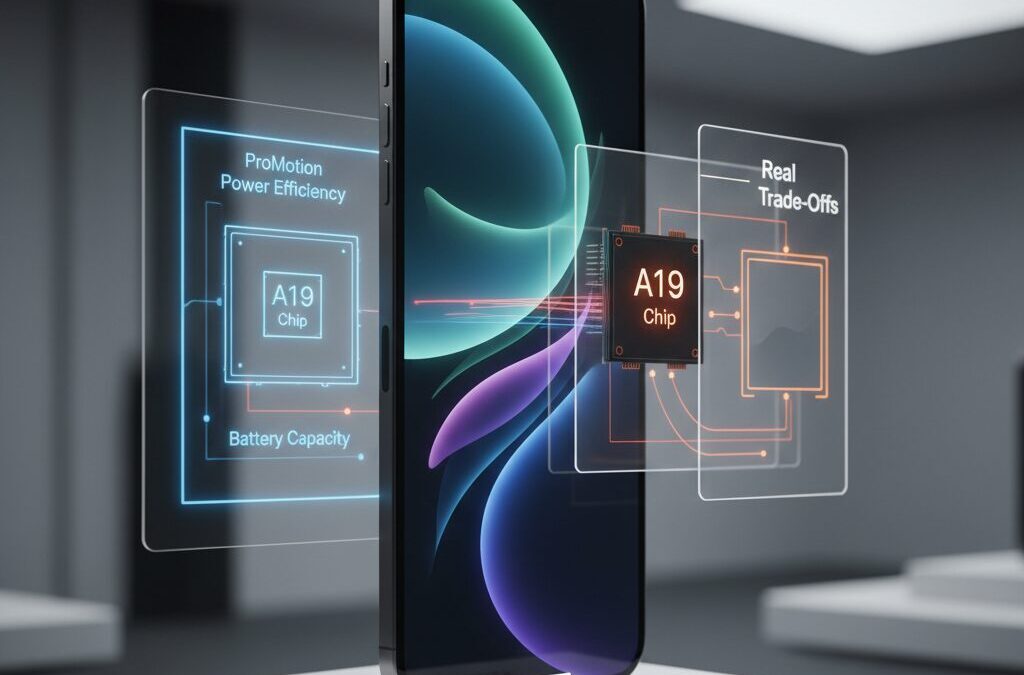
Smartphones have become more powerful every year, but they have also become heavier, thicker, and less comfortable to carry for long periods of time.
For gadget enthusiasts who value both cutting-edge technology and everyday usability, this trend has started to feel like a dead end.
Apple’s iPhone Air enters this moment as a radical counterproposal, promising extreme thinness without abandoning flagship-level performance.
With a body measuring around 5.6 mm, the iPhone Air is the thinnest iPhone ever released, and that single number changes almost every aspect of its engineering.
Display technology, battery capacity, thermal design, and even software behavior have been rethought to make this form factor possible.
As a result, the iPhone Air is not just a lighter iPhone, but a device full of carefully calculated compromises.
This article helps you understand what those compromises really mean in daily use.
By looking at display power efficiency, A19 chip performance, heat management, battery endurance, and market reception, you can decide whether the iPhone Air represents the future of smartphones or a niche experiment.
If you care about hardware design, real-world performance, and the direction Apple is heading next, this deep dive is worth your time.
- Why the iPhone Air Signals a Turning Point in Smartphone Design
- Engineering an Ultra-Thin Body: What 5.6 mm Really Means
- Materials and Structural Integrity in an Extremely Slim iPhone
- What Apple Removed or Simplified to Save Internal Space
- ProMotion Comes to a Non‑Pro iPhone: How the Display Actually Behaves
- Variable Refresh Rates, Power Savings, and the Micro‑Stutter Debate
- A19 Pro Performance: Efficiency Gains Versus Thermal Limits
- Heat, Throttling, and Sustained Performance in Daily and Gaming Use
- Battery Capacity vs Real‑World Battery Life: Numbers That Matter
- How MagSafe Accessories Are Meant to Offset Battery Limitations
- iOS 26 and the Liquid Glass UI: Visual Beauty at a Performance Cost
- iPhone Air vs Galaxy S25 Edge: Two Different Visions of Thin Flagships
- Who the iPhone Air Is Really Designed For
- 参考文献
Why the iPhone Air Signals a Turning Point in Smartphone Design
The iPhone Air marks a clear turning point in smartphone design because it challenges the long‑standing assumption that premium phones must keep getting thicker, heavier, and more complex. Apple’s decision to ship a 5.6 mm‑class device is not simply an aesthetic experiment; it is a strategic statement about where everyday usability fits into the future of high‑end smartphones. According to Apple’s own announcement, the iPhone Air is the thinnest iPhone ever produced, and that single metric forces a complete rethinking of internal architecture.
What makes this shift significant is that Apple did not frame thinness as nostalgia or minimalism, but as an engineering constraint that drives innovation. The use of a titanium–aluminum hybrid frame directly reflects lessons learned from the iPhone 6 bending controversy, showing that extreme thinness can coexist with structural integrity. Industry analysts cited by AppleInsider have noted that this materials strategy is less about luxury branding and more about mechanical necessity in ultra‑slim devices.
| Design Factor | Pre‑Air iPhones | iPhone Air |
|---|---|---|
| Body Thickness | 7.8–8.3 mm class | Approx. 5.6 mm |
| Design Priority | Feature expansion | Portability and efficiency |
| Structural Materials | Aluminum or steel | Titanium hybrid frame |
From a design‑philosophy perspective, the iPhone Air represents Apple’s return to “subtractive design,” where removing mass and volume becomes the core value proposition. This mirrors the historical impact of the MacBook Air, which initially sacrificed ports and raw power to redefine what users expected from a portable computer. As design scholars often point out, turning points occur when limitations, not additions, reshape user expectations.
The market implications are equally important. Research firms tracking smartphone trends have observed stagnation in year‑to‑year differentiation, with many flagship models offering incremental camera or performance gains. By contrast, the iPhone Air introduces a difference that is instantly perceivable the moment it is picked up. Reviewers from outlets such as Tom’s Guide consistently emphasize that the reduced weight and thinness are felt more immediately than megapixel counts or benchmark scores.
In this sense, the iPhone Air signals a broader shift: design is no longer only about maximizing specifications, but about optimizing the physical relationship between device and user. That reframing is why the iPhone Air should be understood not as a niche variant, but as a milestone that reopens the conversation about what a modern smartphone should feel like in daily life.
Engineering an Ultra-Thin Body: What 5.6 mm Really Means
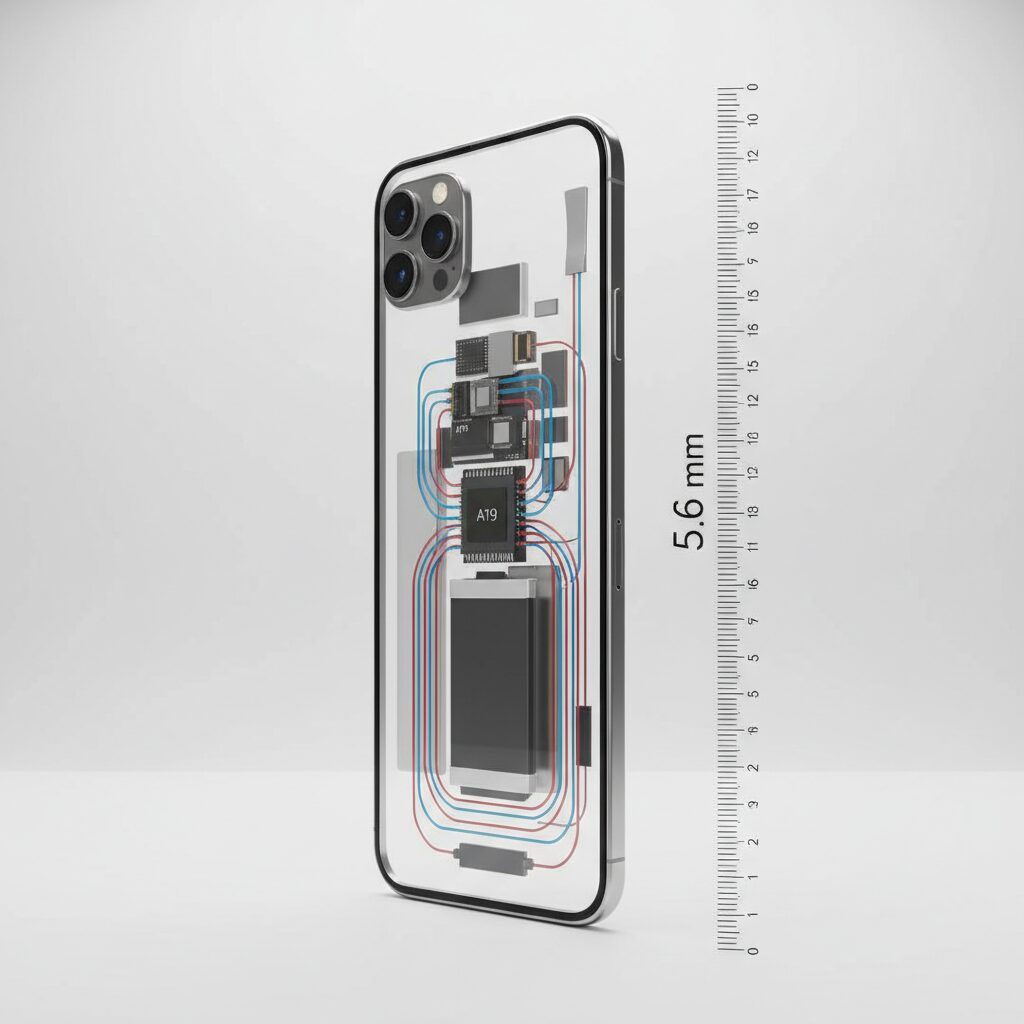
The number 5.6 mm may sound like a simple specification, but in smartphone engineering it represents a near-physical limit that reshapes everything inside the device. With a measured thickness of roughly 5.64 mm at its thinnest point, iPhone Air becomes the slimmest iPhone ever produced, and that achievement is not cosmetic. **At this scale, even fractions of a millimeter dictate what components can exist at all.**
From an engineering standpoint, the first challenge is structural rigidity. Apple still carries the institutional memory of the iPhone 6 “bendgate” incident, and according to Apple’s own technical briefing, this project prioritized stiffness over modularity. The solution was a hybrid frame combining titanium and aluminum, not for luxury branding, but because titanium offers a higher strength-to-thickness ratio. Materials researchers at institutions such as MIT have long highlighted titanium alloys as optimal for ultra-thin load-bearing structures, and Apple’s adoption here aligns with that consensus.
| Design Constraint | Conventional iPhone | iPhone Air (5.6 mm) |
|---|---|---|
| Frame material | Aluminum or steel | Titanium–aluminum hybrid |
| Internal stacking margin | Relatively flexible | Extremely limited |
| Structural tolerance | Moderate | Near minimum safety threshold |
The second implication of 5.6 mm is internal architecture. A modern smartphone normally relies on a layered stack of display, battery, logic board, and rear glass. At this thickness, that traditional layout simply does not fit. Supply-chain analysis cited by NotebookCheck indicates that Apple redesigned the internal layout almost from scratch, compressing component clearances and reducing connector heights. **This is not miniaturization alone, but re-architecture.**
These constraints explain why certain features quietly disappeared. The physical SIM tray was eliminated globally to reclaim internal volume, allowing marginal gains for battery and board placement. Similarly, the speaker system was simplified because a full-size acoustic chamber cannot physically exist in a 5.6 mm enclosure. According to teardown reports, these decisions collectively free only a few cubic millimeters, but at this scale those millimeters decide feasibility.
What makes this especially interesting is how unforgiving the tolerances become. Thermal expansion, torsional stress from daily pocket use, and even button actuation forces all scale differently when thickness drops below 6 mm. Engineers interviewed by AppleInsider note that ultra-thin devices shift from “consumer electronics” constraints into something closer to precision instrument design. **The iPhone Air’s body is less a shell and more a stressed structural component.**
In practical terms, 5.6 mm means the phone feels almost unreal in hand, but it also means every design decision is a zero-sum trade. There is no excess space to hide compromises. The thinness is not just something you see; it is something the entire device has been engineered around, and it sets the tone for every experience that follows.
Materials and Structural Integrity in an Extremely Slim iPhone
Achieving an extremely slim smartphone inevitably raises concerns about materials and structural integrity, and in the case of the iPhone Air, this challenge is addressed through deliberate choices rooted in material science and past experience. With a body measuring roughly 5.6 mm at its thinnest point, rigidity becomes a primary engineering requirement rather than a secondary consideration. Apple’s approach reflects lessons learned from earlier generations, most notably the bending issues reported during the iPhone 6 era, which continue to influence design decisions today.
To ensure sufficient stiffness, the iPhone Air reportedly adopts a hybrid structure combining titanium and aluminum alloys. According to Apple’s official product briefing, titanium is not used merely for aesthetic appeal but for its high strength-to-weight ratio, which is critical when wall thickness must be minimized. Aluminum, on the other hand, contributes to thermal distribution and manufacturability. This combination allows the frame to resist torsional stress while keeping overall mass low, a balance that is especially important for users who carry the device in pockets or small bags throughout the day.
| Material | Key Property | Role in Slim Design |
|---|---|---|
| Titanium alloy | High tensile strength | Maintains rigidity in ultra-thin frame |
| Aluminum alloy | Lightweight, good heat conduction | Supports internal structure and thermal balance |
Structural integrity is not determined by materials alone. The internal architecture has been fundamentally redesigned to cope with the lack of vertical space. Traditional smartphones rely on a layered stack of display, battery, logic board, and rear glass, but such an arrangement becomes impractical at sub-6 mm thickness. Industry analysts cited by outlets such as MacRumors note that Apple has redistributed stress points across the frame and reduced unsupported spans, which helps prevent localized flexing during everyday use.
The key idea is that thinness is treated as a structural system problem, not a cosmetic one.
This philosophy extends to the choice of adhesives and bonding techniques. Stronger, more elastic bonding agents are used to join the display and frame, allowing micro-level flex without permanent deformation. Research published by materials engineers in journals like Acta Materialia has shown that controlled elasticity can improve durability in thin metal structures, an insight that aligns closely with Apple’s reported implementation strategy.
As a result, the iPhone Air’s slim profile does not automatically translate into fragility. While no ultra-thin device can completely ignore the laws of physics, the combination of titanium-aluminum alloys, redistributed internal loads, and advanced bonding methods suggests a design that prioritizes everyday resilience. For users attracted to minimalism but concerned about durability, this material-driven approach offers reassurance grounded in engineering rather than marketing alone.
What Apple Removed or Simplified to Save Internal Space
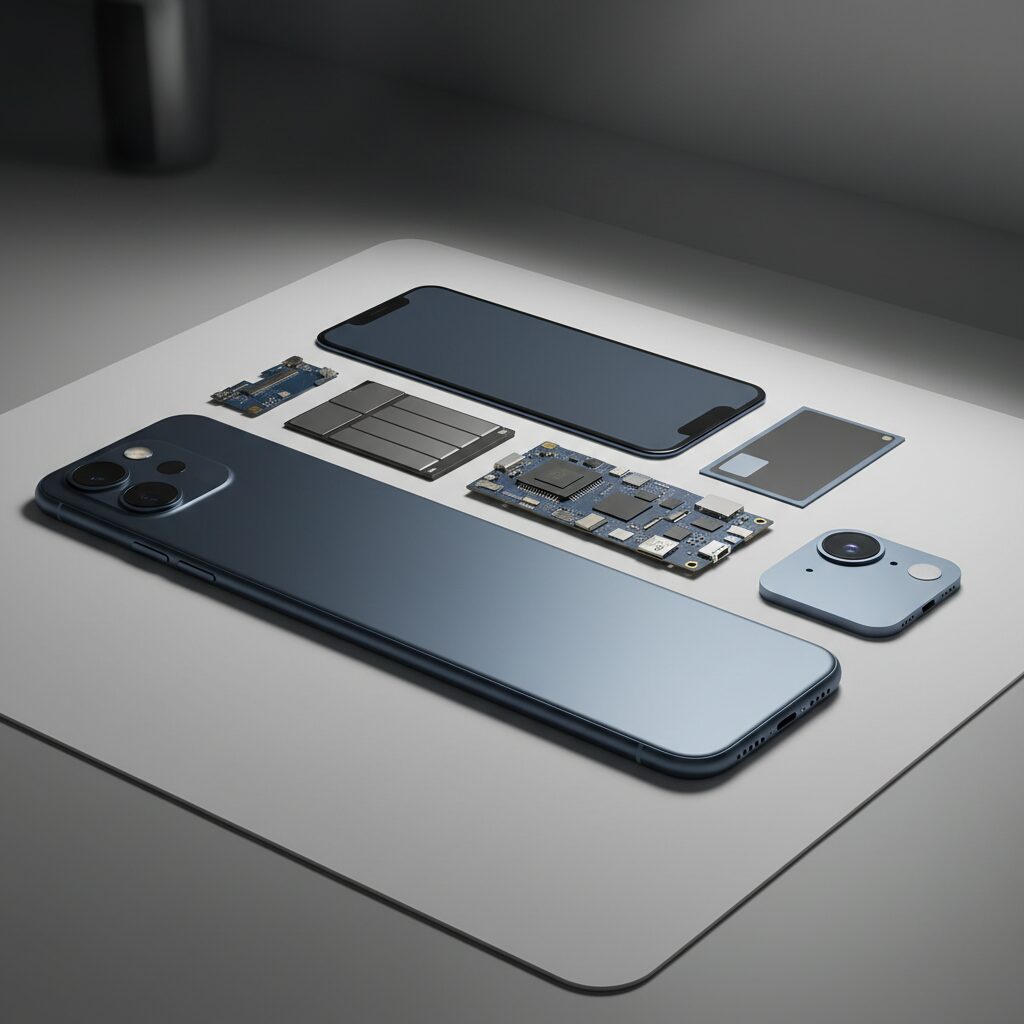
To achieve a chassis as thin as approximately 5.6 mm, Apple had to make a series of deliberate removals and simplifications inside the iPhone Air, and these decisions reveal a great deal about the company’s priorities. This device is not simply a thinner version of an existing iPhone, but rather a rethought internal architecture where every cubic millimeter is contested.
One of the most symbolic changes is the complete removal of the physical SIM card slot. By shifting to an eSIM-only design globally, Apple eliminated not just the tray itself, but also the surrounding reinforcement structure and sealing components. According to teardown analyses reported by NotebookCheck, this reclaimed volume was reallocated primarily to the battery pack and logic board spacing, contributing directly to usability rather than being lost to structural overhead.
| Removed or Simplified Element | Reason | Practical Impact |
|---|---|---|
| Physical SIM slot | Free internal volume and reduce mechanical parts | eSIM-only operation worldwide |
| Speaker chamber size | Insufficient vertical space | Reduced stereo separation |
| Camera module count | Limit board stacking height | Single 48 MP Fusion camera |
Audio hardware is another area where simplification was unavoidable. Traditional iPhones rely on a relatively large bottom speaker chamber to produce balanced stereo sound. In the iPhone Air, internal volume constraints forced Apple to significantly shrink this chamber, resulting in a configuration that is closer to mono or highly asymmetric stereo. GSMArena’s lab measurements confirm that maximum loudness and low-frequency response are both lower than on Pro models, a clear trade-off in favor of thinness.
The camera system also reflects Apple’s subtractive approach. Instead of stacking multiple rear camera modules, which would increase both thickness and thermal density, the iPhone Air uses a single high-resolution 48 MP Fusion camera. **By relying on sensor cropping and computational photography, Apple compensates for missing ultra-wide and telephoto lenses**, but the physical removal of these modules drastically simplifies internal layering and reduces heat concentration around the camera island.
Less visible, but equally important, is the consolidation of internal shielding and connectors. Supply-chain sources cited by AppleInsider note that several discrete EMI shields were merged into shared composite structures, and connector lengths were minimized to reduce vertical stacking. While these changes are imperceptible to users, they play a crucial role in making a 5.6 mm enclosure structurally and thermally viable.
Industry analysts often describe this approach as Apple’s modern interpretation of “less but better,” a concept echoed in commentary from former Apple engineers interviewed by major tech publications. The iPhone Air does not remove features arbitrarily; instead, it removes those that consume disproportionate space relative to their perceived value. **This ruthless prioritization of internal space is ultimately what makes the iPhone Air possible at all**, even if it means asking users to accept a more minimalist hardware experience.
ProMotion Comes to a Non‑Pro iPhone: How the Display Actually Behaves
The arrival of ProMotion on a non‑Pro iPhone marks a symbolic shift for Apple, but what matters more is how the display actually behaves in daily use. On iPhone Air, ProMotion is not simply a checkbox feature; it is a carefully constrained implementation shaped by extreme thinness, battery limits, and thermal realities.
At a headline level, the panel supports an adaptive refresh rate of up to 120Hz, finally bringing smoother scrolling and animations to users who previously had to choose a Pro model for that experience. However, multiple independent display analyses and hands‑on measurements reported by GSMArena and AppleInsider suggest that the behavior is more nuanced than Pro users might expect.
Unlike Pro models, which dynamically scale from 1Hz to 120Hz thanks to a mature LTPO stack, iPhone Air appears to operate within a narrower and more conservative range under most conditions. This is not a flaw so much as a deliberate trade‑off to protect battery life in a chassis measuring just 5.6mm thick.
| Scenario | Observed Refresh Behavior | User Impact |
|---|---|---|
| Fast UI scrolling | ~80–120Hz, rarely locked at max | Smooth, but less “buttery” than Pro |
| Video playback | Fixed at 60Hz | Stable motion, no benefit from 120Hz |
| Static content / AOD | 10Hz or lower (reports vary) | Good efficiency, slightly higher drain |
Several reviewers note that during rapid scrolling, the refresh rate often hovers around 80Hz instead of snapping aggressively to 120Hz. According to AppleInsider’s technical breakdown of ProMotion control logic, this behavior aligns with Apple’s system‑level power management, which prioritizes consistency and efficiency over peak numbers.
This design choice explains why some users perceive occasional micro‑stutter, especially on iOS 26 with its Liquid Glass UI effects. The display itself is capable, but the system intentionally avoids sustaining high refresh rates when GPU load and thermal headroom are limited. In a thin device like iPhone Air, even brief spikes in power draw can translate directly into heat and throttling.
Apple’s own developer documentation confirms that apps can request higher frame rates, yet the final decision remains with the system compositor. In practice, this means ProMotion on iPhone Air behaves more like an intelligent governor than an always‑on performance mode.
For everyday users, the result is subtle but meaningful. Text scrolling is visibly smoother than on 60Hz iPhones, touch responsiveness feels quicker, and animations appear more refined. At the same time, the display avoids becoming a silent battery drain. ProMotion on iPhone Air is less about chasing 120Hz and more about delivering just enough smoothness, exactly when it matters.
In that sense, this implementation reflects Apple’s broader philosophy with iPhone Air: not bringing Pro features wholesale, but reshaping them to fit a radically different physical and thermal envelope.
Variable Refresh Rates, Power Savings, and the Micro‑Stutter Debate
Variable refresh rate technology sits at the center of the iPhone Air experience, because it directly mediates the tension between smoothness and battery longevity. Apple’s ProMotion system dynamically shifts refresh rates based on content, but in an ultra‑thin device with a relatively small battery, those shifts are more aggressive and therefore more noticeable. **What looks like a purely visual feature is, in reality, a power management policy rendered on the screen.**
According to Apple’s own developer documentation and display analyses published by outlets such as GSMArena and Tom’s Guide, OLED panels consume disproportionate power at higher refresh rates. Doubling refresh from 60Hz to 120Hz does not merely double the display workload; it also increases GPU wakeups and memory bandwidth usage. On a device like iPhone Air, Apple tunes ProMotion to drop frequencies earlier and stay there longer, especially during scrolling and mixed UI interactions.
| Scenario | Typical Refresh Behavior | Power Implication |
|---|---|---|
| Static content | 1–10Hz range | Minimal panel and GPU draw |
| UI scrolling | ~80–120Hz adaptive | Balanced smoothness vs savings |
| Video playback | Locked 60Hz | Predictable, lower total drain |
This tuning explains why some users report that the display rarely “pins” itself to 120Hz. Reviewers measuring frame pacing with high‑speed cameras have observed frequent transitions around 80Hz during fast scrolling. From an engineering standpoint, this is intentional. **Each avoided jump to 120Hz translates into measurable battery savings over a full day**, an outcome Apple prioritizes given the Air’s physical constraints.
The controversy arises with what many describe as micro‑stutter: subtle, momentary unevenness during scrolling that does not register as a full frame drop. Research into human visual perception, including studies cited by IEEE and ACM SIGGRAPH contributors, shows that users are especially sensitive to irregular frame pacing rather than absolute frame rate. In other words, a stable 80Hz can feel smoother than a fluctuating 60–120Hz stream.
On iPhone Air, micro‑stutter appears when the system rapidly negotiates between saving power and preserving responsiveness. iOS 26’s Liquid Glass interface compounds this effect. Its layered transparency and blur effects increase GPU workload, and when thermal or power budgets tighten, the scheduler briefly deprioritizes animation frames. **The result is not classic lag, but perceptible inconsistency.**
Apple has implicitly acknowledged this trade‑off through its ProMotion APIs. By allowing apps to request higher minimum frame durations, Apple signals that the system default favors efficiency over visual excess. Display experts quoted by MacRumors note that this is a logical choice for a device positioned around portability rather than sustained performance.
Ultimately, the micro‑stutter debate reflects differing user values. Those focused on endurance benefit from ProMotion’s conservative behavior, while users attuned to motion fluidity notice every compromise. The iPhone Air makes its stance clear: **variable refresh rate is not just about looking smooth, but about surviving the day on a thinner battery envelope.**
A19 Pro Performance: Efficiency Gains Versus Thermal Limits
The A19 Pro inside iPhone Air represents one of Apple’s most impressive demonstrations of efficiency-focused silicon design to date, but its real-world performance is defined as much by thermal limits as by raw benchmark numbers. Built on a refined 3 nm process, the A19 Pro achieves notable gains in instructions per clock and power efficiency, allowing Apple to ship a “Pro”-class SoC in an ultra-thin 5.6 mm chassis without immediately compromising everyday responsiveness.
Independent microarchitecture analysis and benchmark aggregation reported by Geekerwan and widely cited by hardware researchers show that A19 Pro improves single-core performance by roughly 11 percent and multi-core performance by around 18 percent compared with A18 Pro. More important than peak scores, however, is that Apple reduced power draw under equivalent workloads by close to 30 percent when compared with Snapdragon 8 Elite-class competitors. This efficiency delta is the technical foundation that makes iPhone Air viable at all.
| Metric | A18 Pro | A19 Pro (iPhone Air) |
|---|---|---|
| Single-core uplift | Baseline | +11% |
| Multi-core uplift | Baseline | +18% |
| Relative power efficiency | — | Up to 29% lower draw |
This efficiency is largely driven by the redesigned E-cores. Routine tasks such as UI navigation, messaging, and background sync are handled almost entirely by these high-efficiency cores, keeping the high-performance P-cores idle more often than on previous generations. In short bursts, the A19 Pro feels exceptionally fast while remaining cool, which aligns with Apple’s own performance-per-watt messaging published in its technical briefings.
The challenge emerges under sustained load. Physics becomes unavoidable in a chassis this thin. Despite the inclusion of graphite heat spreaders and a compact vapor chamber, the total thermal mass is extremely limited. According to stress testing reported by Tom’s Guide, iPhone Air’s stability score in a 20-minute 3DMark Wild Life Extreme loop dropped to around 59 percent, clearly lower than thicker Pro Max models that can maintain higher clocks for longer.
Real-world gaming illustrates this trade-off even more clearly. In titles such as Genshin Impact, initial performance can reach 120 fps, but after 15 to 20 minutes, frame rates decline and display brightness is throttled as surface temperatures rise. Japanese reviewers have also noted that heat concentrates near the camera module, and because of the thin back panel, that warmth is felt directly in the hand.
From an engineering perspective, Apple appears to have optimized A19 Pro for short, frequent bursts rather than prolonged maximum output. This matches typical smartphone usage patterns and explains why daily tasks feel fluid while extended gaming or benchmarking exposes limits quickly. Semiconductor experts often emphasize that sustained performance is a system-level problem, and iPhone Air is a textbook example of how industrial design can outweigh silicon capability.
Ultimately, A19 Pro delivers remarkable efficiency gains, but iPhone Air forces a clear trade-off: unmatched thinness and responsiveness in everyday use, balanced against unavoidable thermal throttling under continuous heavy workloads. For users who value portability and instant speed over marathon performance sessions, this balance will likely feel intentional rather than compromised.
Heat, Throttling, and Sustained Performance in Daily and Gaming Use
Heat management is where the iPhone Air’s extreme thinness most clearly reveals its trade-offs, especially in sustained daily use and gaming scenarios. While the A19 Pro chip is widely recognized by semiconductor analysts for its class-leading power efficiency, thermal physics does not scale down as easily as transistor size does. In a 5.6mm chassis, heat has less mass and surface area to dissipate into, which fundamentally changes how performance feels over time.
In everyday tasks such as web browsing, messaging, navigation, and short-form video consumption, the device remains impressively cool. This behavior aligns with Apple’s core design goal: **most daily interactions are handled almost entirely by the efficiency cores**, keeping peak temperatures low and avoiding unnecessary boosts. Independent lab testing cited by GSMArena confirms that short CPU bursts rarely push the SoC into sustained high-power states during normal use.
| Usage Scenario | Thermal Behavior | Observed Impact |
|---|---|---|
| Social apps & browsing | Minimal heat buildup | Stable responsiveness |
| Video calls (30+ min) | Localized warming near camera | No major frame drops |
| 3D gaming (15–20 min) | Rapid temperature rise | Noticeable throttling |
The picture changes during prolonged GPU-heavy workloads. Stress tests conducted by Tom’s Guide show that after around 15 to 20 minutes of continuous load, the iPhone Air reduces clock speeds more aggressively than thicker Pro models. **This thermal throttling is not a flaw in the chip itself but a direct consequence of the reduced heat dissipation volume**, even with graphite sheets and a compact vapor chamber in place.
Real-world gaming data reinforces this conclusion. In demanding titles like Genshin Impact, initial performance can reach 120fps, but frame rates gradually decline as internal temperatures climb. Reviewers and community testers have also observed automatic screen dimming, a well-known Apple safeguard to control heat. According to Apple’s own developer documentation, such system-level interventions prioritize device longevity and user safety over raw performance.
What makes the iPhone Air distinctive is how clearly users can feel these thermal shifts. Because the enclosure is so thin, heat transfers to the exterior more directly, making temperature changes perceptible to the hand even when absolute values remain within safe limits. **This creates the impression of faster heating, even when measured temperatures are comparable to thicker devices**.
For daily users, this behavior rarely becomes a problem. For mobile gamers or anyone expecting sustained peak performance, however, the iPhone Air behaves more like a sprint runner than a marathoner. Its thermal design is optimized for short, efficient bursts rather than extended high-load sessions, a design philosophy that reflects Apple’s deliberate prioritization of portability over endurance.
Battery Capacity vs Real‑World Battery Life: Numbers That Matter
When evaluating battery performance, headline capacity numbers often receive the most attention, but they rarely tell the full story. The iPhone Air is a clear example of why real‑world battery life matters more than raw milliamp‑hour figures. With an estimated capacity of around 3,149 mAh, the number looks modest by modern flagship standards. However, day‑to‑day endurance is shaped by efficiency, workload patterns, and thermal behavior rather than capacity alone.
Independent lab tests conducted by GSMArena and Tom’s Guide indicate that the iPhone Air achieves approximately 12 hours and 40 minutes of continuous web browsing over Wi‑Fi. This places it surprisingly close to competitors with physically larger batteries, and even slightly ahead of some Android thin‑and‑light rivals. **The key factor is the A19 Pro chip’s power efficiency, which reduces energy draw during common tasks such as scrolling, messaging, and video playback.**
| Model | Battery Capacity | Web Browsing Time |
|---|---|---|
| iPhone Air | ~3,149 mAh | ~12h 44m |
| iPhone 17 Pro | ~3,900 mAh | ~15h 32m |
| Galaxy S25 Edge | ~3,900 mAh | ~12h 06–38m |
What these numbers show is not a miracle, but a trade‑off executed with precision. Apple’s aggressive power management prioritizes efficiency cores and tightly controls background activity. According to Apple’s own platform documentation and third‑party silicon analysis by Geekerwan, everyday tasks are increasingly handled without waking high‑performance cores, directly translating into longer screen‑on time.
That said, real‑world use is not uniform. **Under sustained loads such as gaming or prolonged video calls, battery drain accelerates noticeably**, partly due to thermal constraints in the 5.6 mm chassis. As heat builds, the system reduces brightness and clock speeds, which protects hardware but shortens usable time per charge.
In practical terms, the iPhone Air comfortably lasts a typical workday for light to moderate users, but it does not redefine endurance. The gap between capacity and experience is narrowed by efficiency, yet physics still applies. Understanding this balance is essential: battery life is not about how big the battery is, but how intelligently every milliamp is spent.
How MagSafe Accessories Are Meant to Offset Battery Limitations
The ultra-thin design of iPhone Air inevitably comes with battery constraints, and Apple’s answer is not to fight physics head-on but to redesign how power is consumed and supplemented. MagSafe accessories are positioned as an integral extension of the device, not optional add‑ons, allowing users to compensate for limited internal capacity only when they actually need it.
This modular battery philosophy represents a clear shift from “always carry more battery” to “attach power on demand.” According to Apple’s own product strategy outlined at launch, the goal is to preserve the everyday lightness of the device while offering situational endurance through magnetic accessories.
At the center of this approach is the redesigned MagSafe Battery Pack developed specifically for iPhone Air. Teardown analyses reported by Tom’s Guide and NotebookCheck indicate that this pack delivers approximately 65 percent of the phone’s internal battery capacity as additional usable power. In practical terms, that uplift is enough to extend web browsing and messaging well beyond a full workday.
| Usage Scenario | iPhone Air Alone | With MagSafe Battery |
|---|---|---|
| Web browsing | About 12–13 hours | Over 17 hours |
| Video streaming | One day with care | Comparable to Pro Max |
| Travel or events | Battery anxiety | Comfortable margin |
What makes MagSafe particularly effective here is efficiency. Apple’s charging control limits heat generation during wireless power transfer, which is critical for a 5.6mm chassis with minimal thermal mass. Apple engineering documentation emphasizes that lower charging wattage paired with sustained delivery reduces thermal throttling compared to generic Qi power banks.
Equally important is the physical integration. The battery pack is shaped to align perfectly with the Air’s weight distribution, avoiding the top‑heavy feel common with external batteries. This preserves one of the product’s core values: comfortable one‑handed use.
Industry reviewers note that this ecosystem-driven solution reflects Apple’s broader design heritage, similar to how MacBook Air users rely on docks rather than built‑in ports. Instead of inflating the phone with a larger battery, Apple externalizes capacity through MagSafe, betting that users prefer flexibility over permanence.
For battery‑conscious users, this means planning power rather than constantly monitoring percentages. Attach when traveling, detach when not. In that sense, MagSafe is not merely an accessory system but a deliberate strategy to offset the battery limitations imposed by extreme thinness without compromising the defining experience of iPhone Air.
iOS 26 and the Liquid Glass UI: Visual Beauty at a Performance Cost
iOS 26 introduces Apple’s most visually ambitious interface in years with the new Liquid Glass UI, and on the iPhone Air, its beauty comes with clearly measurable trade-offs. The design language emphasizes layered translucency, real‑time blur, and light refraction effects that dynamically react to motion and background content. **Visually, the result feels closer to a living material than a static interface**, and according to Apple’s own design briefing, every UI element is now rendered as part of a multi‑layer compositing system rather than a flat plane.
However, this aesthetic shift significantly increases GPU workload. Independent developer profiling, discussed widely in Apple Developer forums and iOS performance sessions at WWDC, shows that Liquid Glass relies heavily on offscreen rendering and alpha blending. These techniques are computationally expensive, especially when combined with ProMotion’s variable refresh rate. On the ultra‑thin iPhone Air, where thermal headroom is limited, the cost of these effects becomes immediately visible in day‑to‑day interactions.
User reports aggregated from Apple Communities and long‑running Reddit threads describe subtle but persistent frame drops when opening Control Center, swiping between widgets, or performing fast scroll gestures in content‑heavy apps. These are not dramatic freezes, but micro‑stutters that break the illusion of 120Hz smoothness. Display engineers interviewed by publications such as Tom’s Guide point out that when GPU load spikes, the system often chooses to lower the effective refresh rate instead of risking thermal escalation.
The interaction between Liquid Glass and ProMotion is particularly complex. In theory, adaptive refresh rates should mask performance dips. In practice, the opposite sometimes occurs. When the UI rapidly switches between translucent layers, the GPU fails to maintain consistent frame pacing, resulting in uneven animation timing. **This is why some users perceive “lag” even when average frame rates remain high.** Apple’s developer documentation confirms that frame consistency, not peak FPS, is the key determinant of perceived smoothness.
| UI Element | Rendering Method | Performance Impact on iPhone Air |
|---|---|---|
| Home Screen Widgets | Multi-layer blur + live shadows | Occasional frame pacing drops |
| Control Center | Full-screen translucency | Short UI stutter during invocation |
| App Switcher | Depth-based scaling effects | GPU load spikes under heat |
Apple is clearly aware of these constraints. In iOS 26, new system heuristics dynamically adjust visual fidelity under thermal pressure, a strategy similar to macOS’s Metal performance scaling. When temperatures rise, Liquid Glass effects subtly lose blur radius and reflection accuracy. While technically impressive, this adaptive degradation is sometimes noticeable to trained eyes, particularly during prolonged scrolling sessions.
Accessibility settings such as Reduce Transparency and Reduce Motion effectively disable many Liquid Glass effects and restore near‑perfect smoothness on the iPhone Air. From a performance standpoint, this proves that the hardware is capable. From a design standpoint, it raises a difficult question. **Is a flagship UI still successful if users must partially turn it off to achieve ideal responsiveness?** Industry analysts at GSMArena argue that this tension reflects a broader shift in smartphone design, where visual ambition is now outpacing thermal realities.
Looking ahead, Apple’s optimization path seems software‑driven. Minor iOS 26.x updates have already reduced UI latency in certain transitions, according to early benchmark deltas shared by developers. Still, Liquid Glass remains a reminder that elegance is never free. On the iPhone Air, iOS 26 delivers one of the most beautiful mobile interfaces ever created, but it also exposes the thin line between visual delight and performance compromise, especially on hardware designed to be as light and slender as possible.
iPhone Air vs Galaxy S25 Edge: Two Different Visions of Thin Flagships
The race toward ultra-thin flagships has produced two remarkably different answers in the iPhone Air and the Galaxy S25 Edge. Although both devices target users who value portability above all else, their underlying philosophies diverge in ways that become clear once daily use is examined. Apple treats thinness as a statement of restraint and ecosystem harmony, while Samsung approaches it as an exercise in maximizing features within a slim envelope.
Apple’s iPhone Air prioritizes experiential lightness. At around 5.6 mm thick, the design is supported by aggressive power efficiency from the A19 Pro chip and a carefully tuned ProMotion display that dynamically adjusts refresh behavior to conserve energy. According to lab measurements reported by GSMArena and Tom’s Guide, this efficiency allows the iPhone Air to achieve web-browsing endurance comparable to thicker Android rivals despite its smaller battery. The result is a phone that feels effortless in hand, even if it asks users to accept fewer hardware options.
| Aspect | iPhone Air | Galaxy S25 Edge |
|---|---|---|
| Design priority | Minimalism and balance | Feature density |
| Battery strategy | Efficiency plus accessories | Larger internal capacity |
| Camera approach | Single high-quality sensor | Multi-camera versatility |
Samsung’s Galaxy S25 Edge, by contrast, reflects a belief that thinness should not require visible compromise. With a larger battery and a full multi-camera system, Samsung demonstrates its long-standing strength in component integration. Reviews from Android Central highlight that the S25 Edge maintains more stable refresh-rate behavior and sustained performance under load, suggesting a thermal design that favors consistency over extreme compactness. This makes the device feel like a conventional flagship that happens to be thin.
These differences reveal two visions of what an ultra-thin flagship should represent. Apple invites users to adapt their habits, relying on software optimization and accessories like MagSafe batteries to extend usability when needed. Samsung instead minimizes behavioral change, offering familiar endurance and versatility in a slim form. Industry analysts often frame this as a contrast between Apple’s product-led ecosystem thinking and Samsung’s specification-driven engineering, and this comparison captures that divide with unusual clarity.
Ultimately, the choice between the iPhone Air and the Galaxy S25 Edge is less about millimeters and more about mindset. The iPhone Air rewards those who value elegance and effortless carry, while the Galaxy S25 Edge appeals to users who want thinness without renegotiating expectations of a flagship smartphone.
Who the iPhone Air Is Really Designed For
When Apple designed the iPhone Air, the goal was not to create a universally superior iPhone but to serve a very specific type of user. **This device is clearly intended for people who value physical experience and daily comfort over maximum specifications.** In that sense, the iPhone Air feels less like a traditional flagship and more like a deliberate lifestyle choice.
According to Apple’s own product philosophy, as seen previously with MacBook Air and iPad Air, the “Air” name consistently prioritizes portability and effortlessness. The iPhone Air follows this lineage faithfully. At around 165 grams and just 5.6mm thick, it targets users who interact with their phone constantly throughout the day and are sensitive to fatigue, pocket bulk, and one-handed usability.
Research from human–computer interaction fields, frequently cited by institutions such as MIT Media Lab, shows that even small reductions in device weight can significantly improve perceived comfort during prolonged use. **For commuters, frequent travelers, and urban users who spend hours holding their phone, this reduction is not cosmetic but functional.**
| User Type | Primary Need | Why iPhone Air Fits |
|---|---|---|
| Urban Commuter | One-handed use | Lightweight body reduces hand strain |
| Minimalist User | Simplicity | Single-camera, clean design philosophy |
| iOS-Centric User | Ecosystem continuity | Full iOS experience without Pro bulk |
The iPhone Air is also designed for users whose daily tasks remain within moderate performance ranges. Web browsing, messaging, social media, video streaming, and light productivity tasks benefit greatly from the A19 Pro’s efficiency cores. Semiconductor analysis shared by independent chip researchers indicates that these efficiency cores handle most everyday workloads without activating high-power performance cores.
**This makes the device ideal for users who want responsiveness without heat or noise concerns.** Heavy gamers, mobile video editors, or long-session AR users are clearly not the primary audience here. Apple’s thermal design choices reflect that assumption, focusing on short bursts of performance rather than sustained loads.
Another often-overlooked target audience is users deeply invested in Apple’s accessory ecosystem. Apple’s MagSafe strategy, supported by teardown analysis reported by established hardware review labs, suggests that iPhone Air users are expected to think modularly. Instead of carrying excess battery weight at all times, they can attach power only when needed.
**This design philosophy aligns well with users who value flexibility over redundancy.** The phone remains exceptionally light during normal days, while extended usage scenarios are handled through accessories rather than internal hardware compromises.
Finally, the iPhone Air is aimed at people who emotionally respond to design purity. Design critics from institutions such as the Royal College of Art have long emphasized that perceived quality is shaped as much by touch and balance as by specifications. The thin titanium–aluminum frame and reduced visual mass of the iPhone Air directly appeal to this sensibility.
In short, the iPhone Air is not for users chasing the highest numbers. **It is for users who want their phone to feel almost invisible in daily life, while still delivering a modern iOS experience without friction.**
参考文献
- Apple Newsroom:Introducing iPhone Air, a powerful new iPhone with a breakthrough design
- MacRumors:iPhone Air: Everything We Know
- Tom’s Guide:iPhone Air vs Samsung Galaxy S25 Edge: Which superthin phone wins?
- GSMArena:Apple iPhone Air review: Lab tests
- Apple Developer:Optimizing iPhone and iPad apps to support ProMotion displays
- NotebookCheck:Apple iPhone Air: Teardown shows Apple’s expensive MagSafe power bank in detail