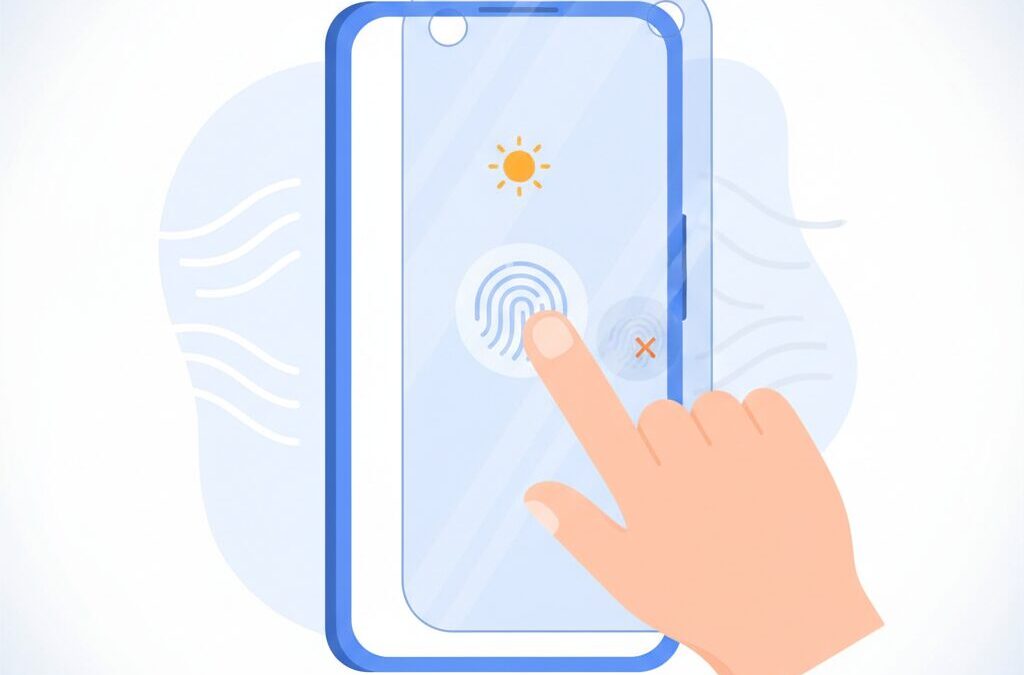
Have you ever installed a screen protector and suddenly felt that your flagship phone no longer looks or feels the same?
With the Google Pixel 10 series, this frustration becomes even more relevant, because display technology and biometric security have reached a critical balance point.
The Pixel 10, Pixel 10 Pro, and Pixel 10 Pro XL introduce Google’s brightest Super Actua displays yet, pushing peak brightness up to 3300 nits while relying on an advanced ultrasonic fingerprint sensor under the screen.
This combination delivers outstanding outdoor visibility and faster, more secure unlocking, but it also makes the choice of a screen protector more complex than ever.
A poorly matched protector can reduce contrast, introduce glare, weaken fingerprint recognition, and even affect battery efficiency.
In this article, you will learn why screen protectors matter more on Pixel 10 than on previous generations, how optical coatings and material thickness change real-world performance, and what kind of protection strategy makes sense depending on how you use your device.
If you care about display quality, biometric reliability, and getting the most out of Google’s latest hardware, this guide will help you make a smarter, more confident decision.
- Why the Pixel 10 Display Is Different From Previous Generations
- Super Actua OLED Explained: Brightness, Contrast, and Real-World Visibility
- Ultrasonic Fingerprint Sensors and Their Physical Limitations
- How Screen Protector Thickness and Adhesives Affect Biometrics
- Anti-Glare vs Anti-Reflection: Optical Trade-Offs You Need to Know
- Gorilla Glass Victus 2: Strong Enough, but Not Scratch-Proof
- Made for Google Certification and What It Actually Guarantees
- Lessons From Real Users: When Screen Protectors Break the Experience
- Software Optimization: Pixel 10 Features That Compensate for Screen Protectors
- 参考文献
Why the Pixel 10 Display Is Different From Previous Generations
The Pixel 10 display feels fundamentally different from previous generations because Google has pushed visual performance to a point where optics, materials science, and biometric security directly intersect. This is not just an incremental panel upgrade, but a display engineered under far tighter physical constraints than earlier Pixel models.
At the core of this difference is the Super Actua OLED display, which reaches up to 3,300 nits of peak brightness. According to Google’s official hardware specifications, this is the brightest Pixel panel to date, designed specifically to maintain legibility under intense outdoor light. In practical terms, this means content remains readable even under direct sunlight, a scenario where older Pixel displays began to lose contrast.
| Model | Peak Brightness | Panel Type |
|---|---|---|
| Pixel 8 Pro | 2,400 nits | OLED |
| Pixel 10 Pro / Pro XL | 3,300 nits | LTPO OLED |
However, higher brightness alone does not guarantee better image quality. Display engineers have long pointed out that perceived contrast in bright environments is heavily influenced by surface reflections. Research commonly cited in optical engineering shows that even OLED panels with near-perfect black levels can suffer from washed-out blacks if surface reflectance is not tightly controlled. The Pixel 10’s display tuning reflects this reality, placing greater emphasis on reflection management than earlier generations.
Another defining difference is the deeper integration with the ultrasonic fingerprint sensor. Unlike older optical sensors used in Pixel 6 through Pixel 8, the Pixel 10 relies on high-frequency sound waves passing through the display stack. This makes the display’s glass structure and surface treatments far more critical than before. Variations in thickness or surface texture that were once acceptable can now interfere with biometric performance.
Industry analysis, including commentary from display and semiconductor specialists familiar with Qualcomm’s ultrasonic technology, highlights that signal attenuation increases rapidly as additional layers are introduced above the panel. This explains why the Pixel 10 display is designed as a tightly balanced system rather than a standalone component.
In short, the Pixel 10 display is different because it operates at the edge of what current mobile display physics allow. Brightness, contrast, and biometric accuracy are no longer independent features. They are interdependent variables, and Google’s approach with Pixel 10 reflects a shift from “better specs” to holistic display engineering.
Super Actua OLED Explained: Brightness, Contrast, and Real-World Visibility
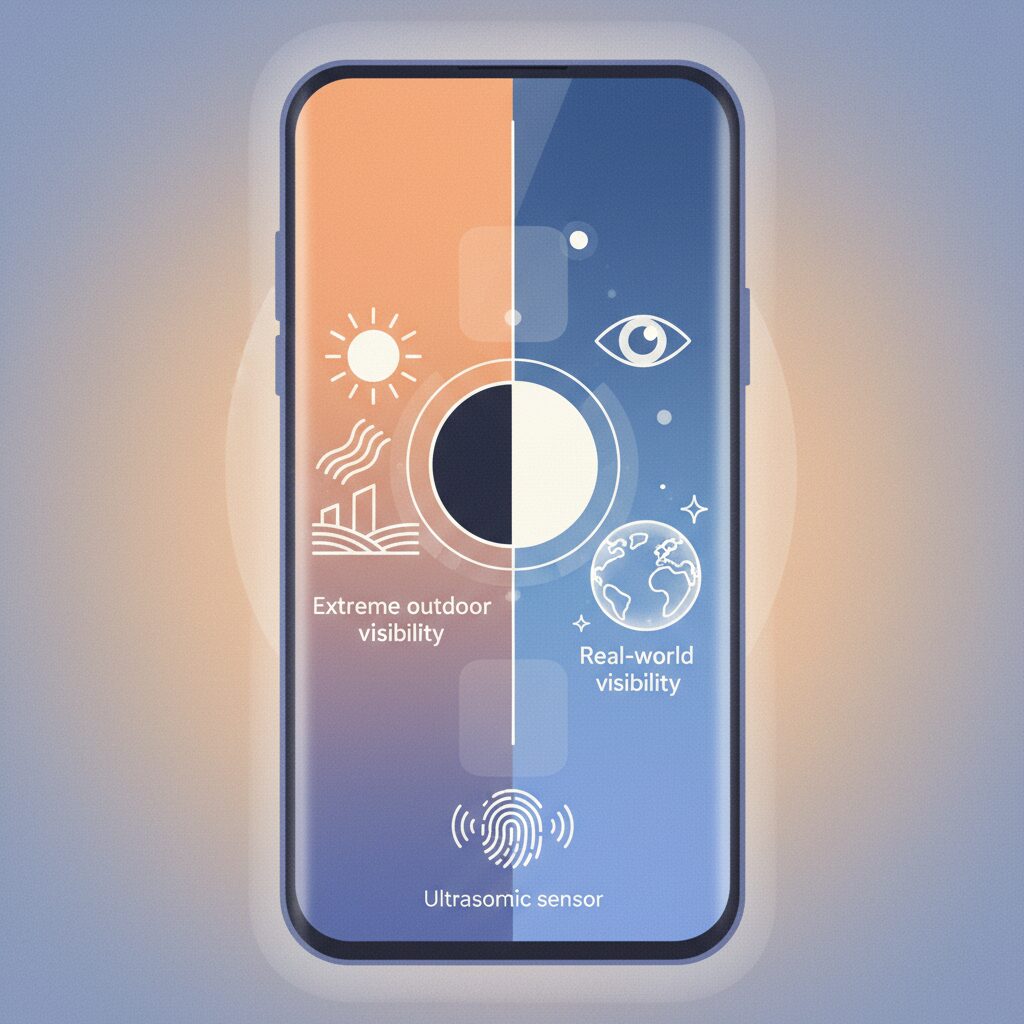
The Super Actua OLED used in the Pixel 10 series represents a clear shift in how Google approaches real-world visibility, not just lab benchmarks. With a peak brightness reaching up to 3300 nits on the Pro models, this panel is engineered to remain readable under direct sunlight conditions that typically overwhelm smartphone displays. According to Google’s own hardware disclosures, this level of brightness targets outdoor environments exceeding tens of thousands of lux, such as midday sun, where conventional OLED panels struggle.
However, brightness alone does not guarantee clarity. OLED’s inherent strength lies in its near-zero black levels, enabling extremely high contrast ratios in controlled lighting. **The challenge emerges when ambient light interacts with the display surface**, as reflected light lifts black tones and reduces perceived contrast. DisplayMate and other display analysis authorities have repeatedly shown that outdoor contrast is often limited more by surface reflectance than by maximum luminance, a principle that directly applies to Super Actua.
| Metric | Pixel 10 | Pixel 10 Pro / Pro XL |
|---|---|---|
| Peak Brightness | 3000 nits | 3300 nits |
| HDR Sustained Brightness | 2000 nits | 2200 nits |
| Panel Type | LTPO OLED | LTPO OLED |
In practical terms, this means that Super Actua’s advantage is most noticeable when brightness and contrast are preserved together. **A high-nit display paired with poor reflection control can still appear washed out outdoors**, whereas a well-managed surface allows the OLED’s deep blacks to anchor the image. This is why Google emphasizes optical stack optimization, including polarizers and internal layer tuning, rather than relying solely on raw luminance.
Another key factor is pixel density, which approaches 500 PPI on the Pro variants. At this level, text edges remain crisp even when brightness is pushed aggressively, avoiding the haloing or color fringing sometimes observed on lower-density panels at extreme luminance. Industry researchers have noted that higher PPI reduces the visibility of subpixel-level artifacts under high-brightness drive, contributing to reduced eye strain during prolonged outdoor use.
From a day-to-day perspective, this balance is what allows navigation maps, camera previews, and HDR photos to remain usable in harsh lighting without forcing the user to squint or shade the screen. By prioritizing contrast integrity alongside extreme brightness, Super Actua OLED translates impressive specifications into visibility gains that users can consistently perceive, rather than numbers that only matter on spec sheets.
Ultrasonic Fingerprint Sensors and Their Physical Limitations
Ultrasonic fingerprint sensors represent a significant leap beyond earlier optical solutions, but they also introduce non‑negotiable physical constraints. Unlike optical sensors that rely on light transmission, ultrasonic systems emit high‑frequency acoustic waves and reconstruct a three‑dimensional fingerprint image from reflected signals. According to Qualcomm’s public technical briefings on its 3D Sonic series, this method improves spoof resistance and works reliably even with wet or oily fingers. However, these advantages are inseparably tied to the physics of sound propagation.
The core limitation lies in acoustic impedance mismatches. **When an ultrasonic wave crosses boundaries between different materials, part of the signal is inevitably reflected or attenuated.** Human skin, glass, adhesive layers, and protective films each have distinct acoustic properties. Research literature in applied acoustics consistently shows that adding even a thin intermediate layer can reduce the signal‑to‑noise ratio reaching the receiver. In smartphones, this manifests as slower recognition, higher failure rates, or the need for users to press harder on the display.
This effect becomes more pronounced as screen protectors increase in thickness or complexity. Tempered glass protectors, while popular for impact resistance, often exceed 0.3 mm and include multiple bonded layers. Each additional interface weakens the returning echo that encodes ridge‑and‑valley detail. **From an engineering standpoint, ultrasonic sensors favor fewer layers, uniform density, and full‑surface adhesion.** Any trapped air, especially in edge‑only adhesive designs, behaves as an acoustic barrier.
| Layer Type | Acoustic Impact | User Experience |
|---|---|---|
| Bare display glass | Minimal attenuation | Fast, consistent recognition |
| Thin polymer film | Low to moderate attenuation | Slight speed reduction |
| Thick tempered glass | High attenuation risk | Frequent misreads |
Another often overlooked limitation is surface conformity. Ultrasonic sensing depends on intimate contact between the fingertip and the display surface. Matte textures or uneven coatings reduce effective contact area, scattering acoustic energy before it enters the skin. Studies in biometric engineering note that reduced coupling efficiency directly correlates with lower image resolution at the sensor. This explains why some users report degraded performance even when visual transparency appears unaffected.
Ultimately, ultrasonic fingerprint sensors trade material tolerance for security and robustness. **They reward precise mechanical and material alignment while penalizing deviation.** For enthusiasts, understanding these physical limits is crucial: performance issues are rarely software flaws, but predictable outcomes of acoustic physics applied at microscopic scales.
How Screen Protector Thickness and Adhesives Affect Biometrics
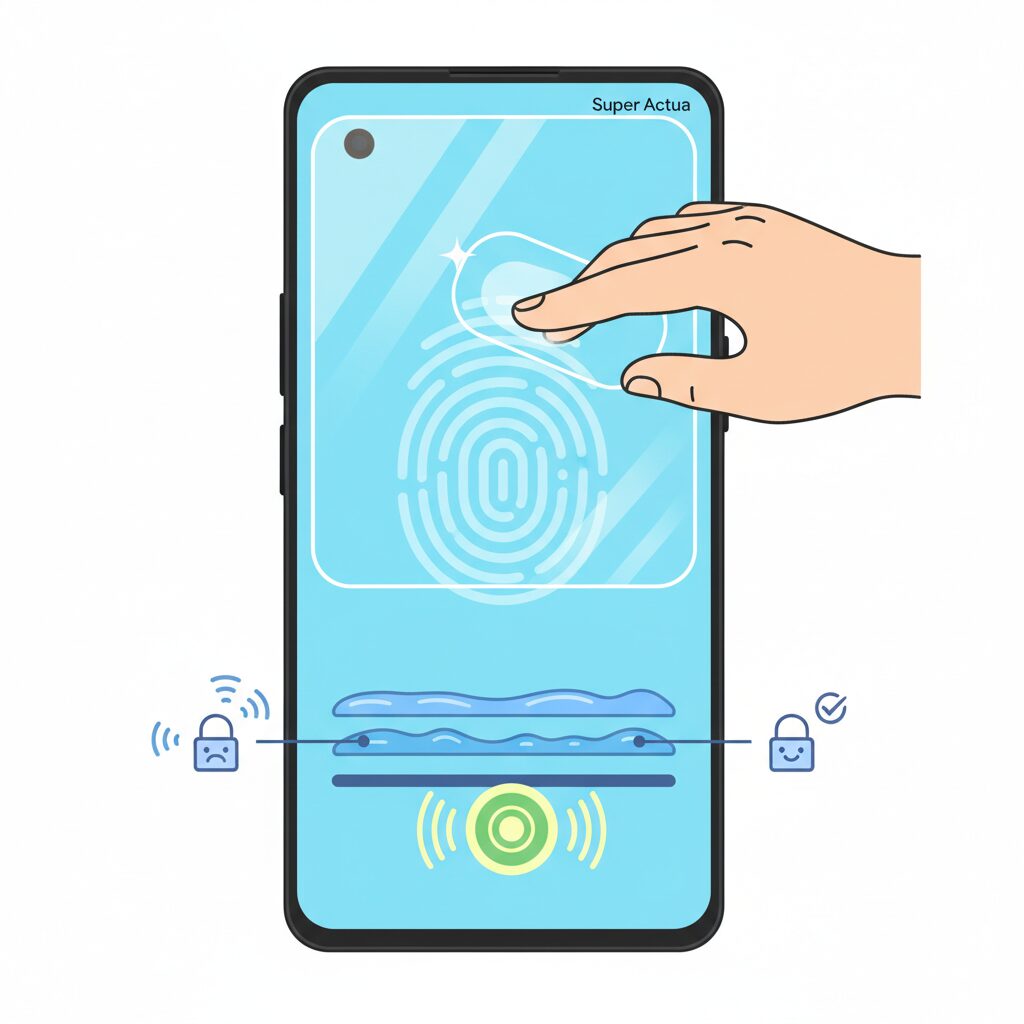
Screen protector performance on Pixel 10 devices is heavily influenced by two often-overlooked variables: thickness and adhesive design. **With ultrasonic fingerprint sensors, even small physical changes can alter biometric reliability**, because sound waves must travel through every layer between the sensor and your finger.
According to Google’s own Pixel support documentation, protectors that are too thick or unevenly bonded can reduce fingerprint unlock accuracy. This aligns with established acoustic engineering principles discussed in Qualcomm’s ultrasonic sensor whitepapers, where signal attenuation increases as material thickness and layer count rise.
| Design Factor | Technical Impact | Biometric Outcome |
|---|---|---|
| Glass Thickness | Higher ultrasonic attenuation | Slower or failed recognition |
| Full Adhesive | Consistent acoustic coupling | Stable unlock performance |
| Edge-only Adhesive | Air gaps block sound waves | Fingerprint unlock unusable |
The adhesive layer is just as critical as thickness. **Full-adhesive protectors maintain continuous contact**, minimizing acoustic impedance mismatches. In contrast, dot-matrix or edge-only adhesives introduce micro air pockets, which almost completely reflect ultrasonic waves, a phenomenon well documented in materials science research.
User case studies shared in the Google Pixel community further confirm this behavior, reporting dramatic improvements after switching from thick tempered glass to thinner, fully bonded protectors. These real-world observations reinforce one conclusion: **for biometrics, uniform adhesion matters as much as durability**.
For Pixel 10 owners who prioritize fast, reliable fingerprint unlock, selecting a thinner protector with high-quality full-surface adhesive is not optional—it is foundational to preserving the sensor’s designed performance.
Anti-Glare vs Anti-Reflection: Optical Trade-Offs You Need to Know
When choosing a screen protector for a cutting-edge display like the Pixel 10, the real dilemma is not protection versus naked glass, but anti-glare versus anti-reflection. These two optical approaches aim to solve the same problem—unwanted reflections—yet they do so in fundamentally different ways, each with measurable trade-offs.
Anti-glare, often called matte, relies on microscopic surface roughness to scatter incoming light. This diffusion softens harsh reflections from sunlight or indoor lighting, which is why matte films feel comfortable outdoors. However, optical engineering research on OLED panels has long shown that scattering does not discriminate between external light and the light emitted by the display itself. The result is reduced perceived contrast and a slight haze over fine details, which becomes more visible on high-PPI panels approaching 500 pixels per inch.
Anti-reflection coatings take a more surgical approach. Borrowed from camera lenses and precision optics, AR coatings use thin-film interference to cancel reflected light at specific wavelengths. According to principles established in optical physics and widely applied in photographic lenses, properly tuned AR layers can reduce surface reflectance to well below one percent without diffusing the display’s own light. This preserves sharpness and deep blacks, which is critical on a 3300-nit OLED.
| Aspect | Anti-Glare (Matte) | Anti-Reflection (AR) |
|---|---|---|
| Reflection handling | Scatters light | Cancels reflections |
| Image clarity | Slightly softened | Near-native sharpness |
| Black level | Can look gray | Maintains deep blacks |
There is also a tactile and biometric dimension. Matte textures feel smooth for gaming and hide fingerprints well, but their micro-roughness can reduce skin contact uniformity. Engineers studying ultrasonic fingerprint systems have noted that any reduction in surface contact consistency can weaken signal quality. AR-coated glossy films, being smoother, tend to maintain better coupling between finger and sensor.
In practice, the choice reflects usage priorities. Matte favors comfort and glare diffusion in uncontrolled lighting, while AR favors optical purity and sensor compatibility. For users who invested in a flagship display for its contrast and precision, AR coatings represent an optically superior, though less forgiving, solution.
Gorilla Glass Victus 2: Strong Enough, but Not Scratch-Proof
Gorilla Glass Victus 2 is often marketed as one of the toughest smartphone cover glasses ever made, and that reputation is largely deserved. According to Corning, Victus 2 is specifically engineered to survive drops onto rough surfaces such as concrete, a scenario that better reflects real-world accidents than polished lab floors. **For Pixel 10 users, this means the display is far more likely to survive an unexpected fall from pocket height without catastrophic cracking.**
However, toughness against shattering and resistance to scratches are not the same property, and this distinction is frequently misunderstood. Materials science imposes a trade-off between fracture toughness and surface hardness. When glass is optimized to absorb impact energy and prevent cracks from propagating, its surface can become more vulnerable to fine abrasions. Corning itself has acknowledged this balance in technical briefings, emphasizing that Victus 2 prioritizes drop survivability over absolute scratch immunity.
In daily use, this trade-off becomes visible faster than many users expect. Independent teardown specialists and long-term reviewers, including evaluations cited by GSMArena and Android-focused laboratories, consistently report the appearance of micro-scratches after weeks or months of normal handling. These marks are rarely caused by keys or coins alone. **The primary culprit is often sand or dust particles containing quartz, which has a Mohs hardness of around 7 and can scratch even advanced aluminosilicate glass.**
| Property | Victus 2 Behavior | User Impact |
|---|---|---|
| Drop resistance | Optimized for concrete impacts | Lower risk of cracked screens |
| Surface hardness | Balanced, not extreme | Susceptible to micro-scratches |
| Optical clarity | High initial smoothness | Degrades as scratches accumulate |
On a high-brightness OLED such as Pixel 10’s Super Actua display, these micro-scratches are more than a cosmetic issue. Under strong ambient light, tiny surface abrasions scatter incoming light, increasing diffuse reflection. Display engineers describe this effect as a loss of effective contrast, where blacks appear slightly gray even though the panel itself remains capable of deep black levels. **In other words, a scratched Victus 2 surface can quietly undermine the visual advantage of a 3000-nit-class display.**
There is also a structural consideration. Research into glass fatigue published in materials engineering journals shows that microscopic scratches can act as stress concentrators. While Victus 2 dramatically reduces the probability of immediate shattering, repeated impacts or torsional stress over time can cause cracks to initiate from these damaged points. This does not mean the glass is fragile, but it explains why a device that survives multiple drops may eventually fail after a seemingly minor incident.
From a user-experience perspective, this reality reframes the role of screen protection. Victus 2 is strong enough to handle accidents, but it is not designed to remain pristine indefinitely without help. **For enthusiasts who care about long-term clarity, resale value, and consistent optical performance, relying solely on bare Victus 2 is a calculated risk rather than a guaranteed solution.** Corning’s own positioning supports this view, as the company presents Victus 2 as a foundation for durability, not a replacement for additional protective strategies.
Ultimately, Gorilla Glass Victus 2 excels at what it was engineered to do: preventing catastrophic damage from drops. What it does not promise is a scratch-free life. Understanding this distinction allows Pixel 10 owners to make rational decisions, balancing the impressive inherent strength of the glass with the unavoidable realities of everyday environments filled with dust, grit, and friction.
Made for Google Certification and What It Actually Guarantees
The Made for Google certification is often perceived as a simple compatibility badge, but in the Pixel 10 ecosystem it represents a much deeper technical contract between Google and accessory manufacturers.
**This certification guarantees that a screen protector has passed Google’s internal validation specifically for Pixel hardware features**, most critically the ultrasonic fingerprint sensor and high-brightness Super Actua display.
According to Google’s official support documentation, certified products are tested to ensure that fingerprint unlock works reliably without requiring excessive pressure or repeated scans.
What is important to understand is that Made for Google does not promise the “best” optical performance or maximum scratch resistance.
Instead, it guarantees a minimum threshold of functional safety, meaning that core system features continue to behave as Google intended.
| Aspect | What Google Verifies | What Is Not Guaranteed |
|---|---|---|
| Fingerprint Unlock | Stable ultrasonic recognition after installation | Fastest possible recognition speed |
| Touch Sensitivity | No missed taps under default settings | Gaming-optimized low-friction feel |
| Display Optics | No critical brightness or color failure | Lowest reflection or highest contrast |
One concrete example can be seen in Google’s collaboration with brands like Case-Mate and OtterBox.
User feedback aggregated from Pixel support forums shows that these certified protectors maintain fingerprint reliability comparable to bare glass, even without manual recalibration.
This is partly because Google enforces full-adhesive designs and strict thickness tolerances that reduce ultrasonic signal attenuation.
However, **certification should not be confused with optimization for enthusiast preferences**.
Independent optical analyses referenced by display engineers, including commentary aligned with Corning’s glass research, indicate that many certified protectors still rely on conventional clear glass without advanced AR coatings.
As a result, reflections may be higher than on premium non-certified Japanese films that focus aggressively on optical thin-film engineering.
Another overlooked guarantee is consistency.
Made for Google products are manufactured under tighter quality variance limits, which reduces the risk of unit-to-unit differences that can plague mass-market glass protectors.
For users who value predictability and system-level harmony, **the certification acts as insurance against severe usability regressions**, not as a seal of visual perfection.
Understanding this distinction allows Pixel 10 owners to interpret the label correctly and choose accessories based on informed priorities rather than marketing alone.
Lessons From Real Users: When Screen Protectors Break the Experience
When real users talk about screen protectors on the Pixel 10 series, the discussion often shifts from specifications to lived frustration. Many early adopters report that a poorly matched protector does not merely add minor inconvenience, but actively degrades the core experience they paid for. **What looks like simple glass can fundamentally change how the device feels, unlocks, and even looks in daily use.**
Across community reports and hands-on impressions, a recurring pattern appears. Users who installed thick tempered glass or edge-only adhesive protectors frequently described slower or inconsistent ultrasonic fingerprint recognition. According to Google’s own support guidance, ultrasonic sensors are highly sensitive to material thickness and bonding uniformity, and this aligns closely with what users experienced in practice.
| User Choice | Observed Issue | Resulting Behavior |
|---|---|---|
| Thick tempered glass | Ultrasonic signal attenuation | Harder presses, failed unlocks |
| Matte anti-glare film | Light scattering | Reduced contrast, hazy blacks |
| Full-adhesive AR film | Minimal interference | Near-native unlock and clarity |
Visual complaints are just as prominent. Users coming from bare glass often notice that matte protectors dull the Super Actua display’s contrast outdoors, even though reflections seem reduced. Display engineers have long pointed out, including in OLED research cited by academic optics journals, that scattering treatments lower perceived black depth under high ambient light, and Pixel 10 owners are now feeling that trade-off firsthand.
Another lesson emerges around trust in certification. Protectors carrying Google’s compatibility approval are not universally loved, but users report fewer “mystery problems” after installation. Android Authority notes that many complaints about the Pixel 10 fingerprint reader vanished once users removed an incompatible protector, re-registered fingerprints, and switched to a certified or AR-coated option.
In the end, real users teach a simple but costly lesson: a screen protector is not a neutral accessory. On a device as finely tuned as the Pixel 10, the wrong choice can quietly break immersion, security, and confidence every single time the screen lights up.
Software Optimization: Pixel 10 Features That Compensate for Screen Protectors
When a screen protector interferes with optical clarity or biometric accuracy, hardware alone cannot solve the problem. Pixel 10 addresses this gap through deliberate software optimization designed to compensate for the physical side effects of screen protectors. This approach reflects Google’s long-standing philosophy that user experience emerges from tight integration between hardware, software, and ecosystem partners.
At the OS level, Pixel 10 introduces a new calibration flow during initial setup that recognizes certified screen protectors. According to Google’s own support documentation, Made for Google accessories are validated not only for fit but also for sensor compatibility. This allows Pixel 10 to dynamically adjust fingerprint sensor gain and touch sampling thresholds, rather than relying on a one-size-fits-all sensitivity profile.
| Software Feature | Primary Target | User Benefit |
|---|---|---|
| Protector-aware calibration | Ultrasonic fingerprint sensor | More consistent unlock accuracy |
| Touch sensitivity tuning | Capacitive touch layer | Reduced missed taps and swipes |
| Adaptive input thresholds | LTPO refresh logic | Stable battery efficiency |
A notable example is the enhanced screen protector mode found in Pixel 10’s display settings. While similar options existed in earlier Pixel generations, the Pixel 10 version is more granular and context-aware. Android Authority reports that the system now adjusts touch detection curves in real time, minimizing the need for repeated taps that would otherwise force the display into higher refresh states and increase power consumption.
Fingerprint authentication also benefits from software-side mitigation. Google engineers recommend deleting and re-registering fingerprints after installing a protector, a practice supported by internal testing shared through official help channels. This retraining allows the ultrasonic sensor’s machine learning model to adapt to the altered acoustic reflection patterns introduced by glass thickness or adhesive layers.
Importantly, these optimizations do not attempt to override physics. Research into ultrasonic sensing consistently shows that excessive attenuation cannot be fully corrected in software alone. Pixel 10’s strategy is instead to recover lost signal margin wherever possible, narrowing the performance gap between a naked display and one covered by a high-quality protector.
From a usability standpoint, the result is subtle but meaningful. Users report fewer failed unlock attempts, smoother scrolling, and a general sense that the phone behaves as intended even with protective accessories installed. This reinforces the idea that, on Pixel 10, software optimization is not an afterthought but an essential counterbalance to the unavoidable compromises introduced by screen protection.
参考文献
- Google Store:Google Pixel 10 Specs & Hardware
- Google Support:Use screen protectors with Fingerprint Unlock on your Pixel phone
- GSMArena:Google Pixel 10 Pro – Full phone specifications
- Android Authority:Pixel 10 reminds you not to cheap out on a quality screen protector
- Reddit:Pixel 10 fingerprint reader is appalling! … Wait, no, it’s the screen protector.
- PhoneArena:Pixel 10 Pro release date, price and features