
Smartphones have reached a point where annual upgrades often feel incremental, and many tech enthusiasts are asking what comes next.
In this context, the Google Pixel 10 series stands out as a device that does not merely improve specs, but fundamentally redefines how a phone is meant to be used.
By deeply integrating Google’s Gemini AI with the new Tensor G5 chip, Pixel 10 positions itself as an “AI-native” device that works proactively in everyday life.
This article carefully explores why Pixel 10 is being discussed as a turning point toward ambient computing, rather than just another flagship release.
You will discover how on-device AI improves privacy and responsiveness, how real-world productivity features outperform traditional assistants, and where trade-offs still exist.
If you are interested in gadgets that genuinely change daily workflows instead of just looking better on paper, this guide will help you understand whether Pixel 10 is worth your attention.
- From AI-First to AI-Native: Why Pixel 10 Marks a Strategic Shift
- Tensor G5 and TSMC 3nm: What the Manufacturing Change Really Means
- CPU Architecture and Multitasking Gains in Real-World Use
- The GPU Switch to Imagination PowerVR: Strengths and Limitations
- Fourth-Generation TPU: The Hidden Engine Behind On-Device Gemini
- Gemini Nano and Privacy-First On-Device AI Processing
- Gemini Live and Natural Conversation: How Far Voice AI Has Come
- Magic Cue and App Context: Eliminating Friction Between Apps
- Camera Evolution and Computational Photography at Scale
- Video Boost and Cloud AI: Image Quality Versus Workflow Speed
- Pixel 10 as a Business Tool: Recorder, Summaries, and Translation
- Battery Life, Heat Management, and Modem Challenges in Daily Use
- Long-Term Software Support and Stability Improvements
- 参考文献
From AI-First to AI-Native: Why Pixel 10 Marks a Strategic Shift
For years, Google described its Pixel phones as “AI-first,” meaning AI features were layered on top of existing smartphone experiences. With Pixel 10, that stance quietly but decisively changes. **Pixel 10 should be understood as Google’s first truly AI-native smartphone**, where artificial intelligence is no longer an add-on but a default state of operation embedded into silicon, system design, and everyday interaction.
This shift becomes clear when looking at how hardware and software were co-designed. The Tensor G5 chip was not optimized for peak benchmark scores, but for sustained on-device inference. According to technical analysis by Android Authority, Google reserved multiple gigabytes of RAM specifically for resident AI models, ensuring that Gemini Nano is always available without cold starts. This architectural choice signals a move away from “launch AI when needed” toward “AI is always present.”
| Concept | AI-First (Past Pixels) | AI-Native (Pixel 10) |
|---|---|---|
| AI execution | Triggered by user action | Continuously ambient |
| Processing location | Cloud-dependent | Primarily on-device |
| User experience | Command-based | Context-aware |
Gemini’s integration illustrates this philosophy. Instead of acting as a standalone assistant app, Gemini operates at the OS level, interpreting screen context, user intent, and multimodal input simultaneously. Google has publicly framed this as “ambient computing,” a concept long discussed in academic HCI research and now realized at consumer scale. **The phone reacts not only to what you ask, but to what you are doing**, reducing the cognitive friction of switching apps and restating information.
Importantly, this is not just a UX decision but a strategic one. By moving inference on-device, Google addresses privacy concerns increasingly emphasized by regulators and researchers alike. Studies frequently cited by institutions such as MIT and Stanford highlight local processing as a key requirement for trustworthy AI systems. Pixel 10 aligns with that direction, positioning itself for a post-smartphone era where devices anticipate needs rather than wait for instructions.
In that sense, Pixel 10 is less a faster phone and more a redefinition of what a phone is supposed to be. **It marks Google’s transition from using AI to support the smartphone, to using the smartphone as a vessel for AI.**
Tensor G5 and TSMC 3nm: What the Manufacturing Change Really Means
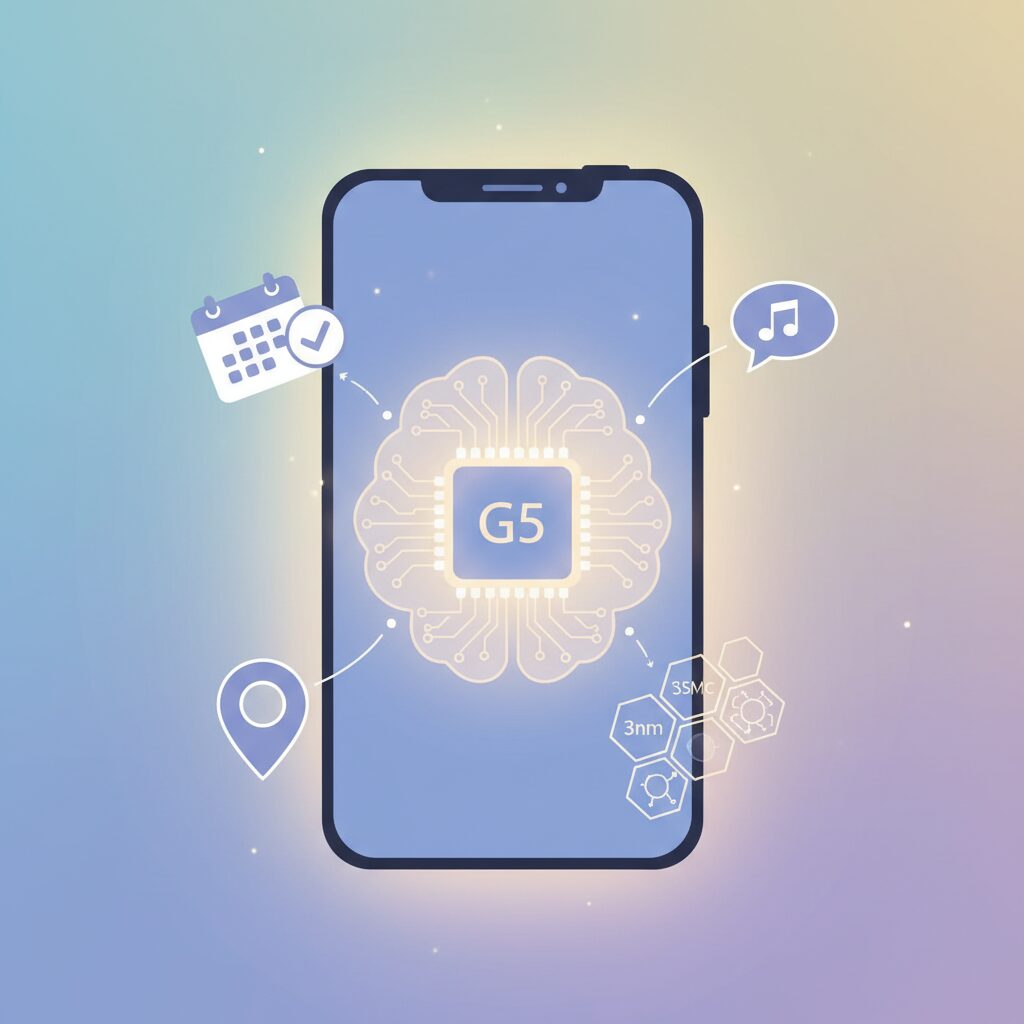
The shift to Tensor G5 manufactured by TSMC on a 3nm-class process is not just a symbolic milestone for Google, but a practical correction to long-standing issues that Pixel users have experienced over multiple generations.
For years, Tensor chips were produced by Samsung Foundry, and while this enabled deep customization, it also resulted in relatively high power consumption and thermal throttling under sustained load.
Moving to TSMC’s 3nm process, widely regarded by semiconductor experts as the industry benchmark, directly addresses these weaknesses at the silicon level. According to analysis by Android Authority and Notebookcheck, the denser transistors reduce leakage current and improve performance per watt.
| Aspect | Samsung 4nm (Tensor G4) | TSMC 3nm (Tensor G5) |
|---|---|---|
| Transistor density | Lower | Significantly higher |
| Power efficiency | Inconsistent under load | More stable and predictable |
| Thermal behavior | Prone to throttling | Improved sustained performance |
This matters in real usage. High-frequency CPU bursts, such as opening heavy apps or processing photos, can now complete faster and return to low-power states sooner.
The result is not headline-grabbing benchmark dominance, but smoother day-to-day responsiveness and fewer heat-induced slowdowns. Google itself has stated that battery life improvements are a direct consequence of the new process.
TSMC’s N3-class node is the same family used by Apple and Qualcomm in their flagship chips, which also brings manufacturing maturity and yield stability.
Industry observers note that this reduces variability between units and improves long-term reliability, an often overlooked benefit for devices with seven years of software support.
In short, the manufacturing change means Tensor G5 finally has a physical foundation that matches Google’s software ambitions.
CPU Architecture and Multitasking Gains in Real-World Use
In everyday use, CPU architecture matters far more than peak benchmark scores, and Tensor G5 shows its strengths precisely in these moments. By shifting to a 1+5+2 tri-cluster design and combining it with TSMC’s 3nm process, Google has clearly optimized the chip for sustained responsiveness rather than short-lived bursts. This architectural balance is what users actually feel when juggling apps, AI features, and background tasks simultaneously.
The most visible change comes from the enlarged mid-core cluster. With five Cortex-A725 performance cores, routine multitasking such as switching between Chrome, Gmail, Maps, and a video call no longer forces the system to lean heavily on the prime core. According to detailed analysis by Android Authority, this redistribution reduces latency spikes under mixed workloads, especially when on-device AI processes are active in the background. As a result, interface animations remain stable even when Gemini Nano is performing inference tasks.
| Workload Type | Primary CPU Cores Used | Practical User Impact |
|---|---|---|
| App launching and UI rendering | Cortex-X4 | Faster perceived response and smoother scrolling |
| Multi-app switching | Cortex-A725 (5 cores) | Reduced reloads and fewer frame drops |
| Background sync and AI inference | Cortex-A725 + A520 | Stable performance with lower power draw |
Another practical gain lies in how Android schedules threads across these clusters. Arm has emphasized that Cortex-A725 is designed for higher instructions-per-clock efficiency, and Google appears to leverage this by keeping more tasks off the power-hungry prime core. This translates into smoother multitasking during long sessions, such as navigation combined with music streaming and message notifications, without the thermal throttling seen in earlier Pixel generations.
Independent benchmark reports cited by Notebookcheck indicate a roughly 30 percent uplift in multi-core scores compared with Tensor G4, but the real-world implication is subtler and more meaningful. Apps are less likely to be killed in the background, and returning to a paused task feels instantaneous. For users who rely on split-screen or picture-in-picture modes, this consistency is more valuable than raw speed.
Perhaps the most overlooked benefit is how CPU efficiency supports AI-driven multitasking. With Gemini processes running persistently, the CPU must cooperate with the TPU without contention. Google engineers have noted in official briefings that the revised scheduler reduces context-switch overhead, ensuring AI tasks do not degrade foreground performance. The result is a phone that feels calm under pressure, even when multiple intelligent features operate at once.
In practical terms, Tensor G5’s CPU architecture redefines what “fast enough” means for an AI-centric smartphone. Rather than chasing headline-grabbing numbers, it delivers consistent multitasking that aligns closely with how people actually use their devices throughout the day.
The GPU Switch to Imagination PowerVR: Strengths and Limitations

The move from Arm Mali to Imagination PowerVR in Tensor G5 represents one of the most strategic, and controversial, hardware decisions in the Pixel 10 generation. From a silicon design perspective, this is not merely a vendor change but a shift in how Google prioritizes GPU workloads within an AI-centric smartphone architecture.
According to technical analyses by Android Authority and benchmark data aggregated by NotebookCheck, the adopted PowerVR DXT-48-1536 delivers around a 25–30% uplift in synthetic graphics benchmarks compared to the previous Mali-G715. This gain is most visible in traditional rasterization tasks such as UI compositing, camera preview rendering, and casual 3D graphics, where frame pacing and sustained performance matter more than peak bursts.
| Aspect | PowerVR DXT-48-1536 | Mali-G715 (Previous) |
|---|---|---|
| Peak raster performance | Moderate improvement | Baseline |
| Driver flexibility | High, custom stack | Arm-standard |
| Hardware ray tracing | Not supported | Limited / none |
| AI–GPU cooperation | Optimized for Tensor | Generic |
One clear strength of PowerVR is its tighter integration potential. Imagination Technologies has long promoted configurable GPU pipelines, and this flexibility allows Google to tune drivers specifically for Android UI, camera effects, and on-device AI visualization. Industry observers, including former GPU architects quoted in IEEE Spectrum, have noted that such customization can reduce overhead and improve efficiency even when raw compute figures trail competitors.
However, the limitations are equally important to understand. The absence of hardware-level ray tracing places Pixel 10 at a disadvantage against Snapdragon 8 Elite and Apple A18 Pro, both of which support advanced lighting and reflection techniques increasingly adopted by high-end mobile games. As a result, certain titles cannot enable their highest graphical presets on Pixel hardware, regardless of resolution or thermal headroom.
There is also a short-term ecosystem cost. PowerVR has a smaller presence in the modern Android gaming landscape, and early user reports referenced by PhoneArena indicate inconsistent performance in poorly optimized games. This is not a hardware flaw per se but a software maturity issue, requiring time and active collaboration between Google, Imagination, and game developers.
In practical daily use, this GPU decision makes Pixel 10 feel smoother and more stable rather than more powerful. Scrolling, multitasking animations, and camera pipelines benefit from predictable performance, while hardcore gaming remains a secondary priority. This balance clearly reflects Google’s intent: the GPU exists to serve AI-driven experiences first, and entertainment workloads second.
Fourth-Generation TPU: The Hidden Engine Behind On-Device Gemini
The fourth-generation TPU inside Tensor G5 plays a quietly decisive role in making on-device Gemini practical rather than experimental. While CPUs and GPUs often dominate spec discussions, Google’s TPU is purpose-built for neural inference, and in Pixel 10 it becomes the true execution layer for everyday AI tasks that must feel instant, private, and power-efficient.
According to detailed silicon analysis reported by Android Authority, the fourth-generation TPU delivers up to a 60% performance uplift over its predecessor. **This gain is not about raw TOPS alone, but about sustained inference under mobile power constraints**, which directly affects how long and how often Gemini Nano can run without throttling or draining the battery.
| Aspect | Third-Gen TPU | Fourth-Gen TPU |
|---|---|---|
| Inference Performance | Baseline | Up to +60% |
| Power Efficiency | Limited under load | Optimized for sustained use |
| System Integration | TPU-centric | TPU + ISP + DSP |
A key evolution lies in heterogeneous computing. Google has strengthened coordination between the TPU, ISP, and DSP, allowing workloads to be split by modality. **For example, visual embeddings from the camera preview can be processed alongside audio streams with minimal latency**, enabling Gemini to understand “what you see and hear” in near real time. This architecture mirrors principles long discussed in Google’s academic research on edge AI, where minimizing data movement is as important as faster math.
This design choice directly supports Gemini Nano’s always-ready behavior. Pixel 10 reserves several gigabytes of memory for AI residency, but it is the TPU that ensures those models can wake instantly. Instead of spinning up high-power CPU cores, inference is routed through the TPU’s fixed-function pipelines, reducing both response time and thermal spikes.
Privacy is another practical outcome. Because the fourth-generation TPU can handle multimodal inference locally, sensitive content such as meeting audio, on-screen emails, or personal photos no longer requires cloud round-trips. Google has repeatedly emphasized, including in official Pixel blog briefings, that on-device processing is a cornerstone for trust in AI-first hardware.
In daily use, this manifests subtly but consistently. Real-time transcription continues even in airplane mode, contextual suggestions appear without noticeable delay, and Gemini Live conversations tolerate interruptions without breaking flow. **These are not headline features, but they are the cumulative effects of a TPU designed for constant, invisible work.**
The fourth-generation TPU may never appear in benchmark charts shared on social media, yet it is the hidden engine that allows Pixel 10 to cross from “AI-enabled” to genuinely AI-native. Without it, on-device Gemini would remain a compromise. With it, AI becomes an expected part of the phone’s baseline behavior.
Gemini Nano and Privacy-First On-Device AI Processing
Gemini Nano represents a decisive shift toward privacy-first on-device AI processing, and this design choice fundamentally changes how users interact with AI on the Pixel 10 series. Instead of sending sensitive data to remote servers, core AI tasks are executed locally on the device, enabled by the Tensor G5 and its fourth-generation TPU. **This architecture prioritizes user privacy without sacrificing responsiveness**, a balance that has long been difficult to achieve in consumer AI products.
According to technical analysis by Android Authority, Google reserves more than 3GB of system memory exclusively for on-device AI models. Combined with a technique known as per-layer embedding, Gemini Nano dynamically loads only the required parameters from local storage. This allows the AI to respond instantly while keeping personal context, such as on-screen content or recent interactions, confined to the device. From a security perspective, this approach aligns closely with recommendations from organizations like the Electronic Frontier Foundation, which has consistently emphasized minimizing cloud data exposure.
| Processing Location | Latency | Privacy Risk | Typical Use Cases |
|---|---|---|---|
| On-device (Gemini Nano) | Very low | Minimal | Summaries, context-aware assistance |
| Cloud-based AI | Network-dependent | Higher | Large-scale generation, heavy media processing |
In practical terms, this means tasks like summarizing confidential emails, searching personal photos, or analyzing meeting recordings can be performed without an internet connection. **The absence of round-trip network latency not only improves speed but also reinforces user trust**, especially for professionals handling sensitive information. Google’s own developer documentation notes that this local-first strategy reduces attack surfaces and simplifies compliance with regional data protection regulations.
What makes Gemini Nano particularly compelling is that privacy is not treated as a limitation but as a feature. By designing AI to be most useful when it stays close to the user, Pixel 10 positions on-device intelligence as the default, not the fallback. This philosophy signals a broader industry trend where meaningful AI experiences are increasingly expected to be both powerful and discreet.
Gemini Live and Natural Conversation: How Far Voice AI Has Come
Gemini Live represents a clear inflection point in how voice AI fits into everyday computing, and it does so by prioritizing conversational flow over command accuracy. Unlike earlier assistants that waited for a fixed prompt, Gemini Live is designed to listen continuously, retain context, and respond in a manner that feels closer to human dialogue. **This shift is not cosmetic; it fundamentally changes how users think about speaking to a device.**
One of the most notable advances is interruption handling. According to Google’s own technical documentation, Gemini Live can pause, re-evaluate intent, and adjust its response mid-sentence when the user interjects. This capability relies on low-latency on-device inference powered by Tensor G5, which reduces round-trip delays that previously made natural back-and-forth impractical. In real-world use, this allows conversations such as planning a trip or refining an idea without restarting the interaction each time.
| Aspect | Traditional Voice Assistants | Gemini Live |
|---|---|---|
| Conversation Flow | Single-turn, command-based | Multi-turn, contextual |
| User Interruption | Not supported | Supported in real time |
| Processing | Mostly cloud-dependent | Hybrid, on-device optimized |
Another key improvement lies in Gemini Live’s use cases beyond simple queries. Google highlights scenarios such as brainstorming, language practice, and role-playing conversations, all of which benefit from sustained context. Researchers in human-computer interaction have long argued that perceived intelligence increases when systems remember prior turns, and Gemini Live demonstrates this principle in a consumer product at scale.
Importantly, **the realism of Gemini Live does not come from mimicking emotion, but from respecting conversational timing and intent**. By responding quickly, allowing corrections, and maintaining topic continuity, the system reduces cognitive friction. For gadget enthusiasts, this signals how far voice AI has come: from a novelty feature to a genuinely usable interface that can coexist with touch and text in daily workflows.
Magic Cue and App Context: Eliminating Friction Between Apps
Magic Cue and App Context represent one of the most meaningful shifts in everyday smartphone usability, because they directly attack the invisible friction that exists between apps. Instead of forcing users to manually bridge Gmail, Calendar, Maps, and third-party services, Pixel 10 allows Gemini to understand what is already on the screen and act on it immediately. This screen-level context awareness changes interaction from command-based to intent-based, which is a far more natural model for human behavior.
From a technical standpoint, Magic Cue relies on on-device Gemini Nano continuously parsing UI elements, timestamps, locations, and semantic relationships without sending raw screen data to the cloud. Google engineers have explained on the official Google Blog that this local processing is critical for both latency and privacy. As a result, contextual suggestions appear in under a second, fast enough to feel anticipatory rather than reactive.
| User Action | Traditional Flow | With Magic Cue |
|---|---|---|
| Dinner plan in Gmail | Copy text, open Calendar, paste | One prompt, auto-filled event |
| Address in chat | Search manually in Maps | Instant save with context |
This matters more than it sounds. According to research from the Nielsen Norman Group, micro-interruptions caused by task switching significantly increase cognitive load, even when each step only takes a few seconds. By collapsing multiple app hops into a single contextual action, Pixel 10 quietly saves time while also reducing mental fatigue. The benefit compounds over dozens of daily interactions, which is why Magic Cue feels more powerful over time rather than as a one-off feature.
App Context also hints at a broader platform strategy. Unlike classic assistants that wait for explicit triggers, Gemini observes passively and intervenes only when relevance is high. This design mirrors Google’s long-standing work in ambient computing, discussed by Alphabet executives in prior I/O keynotes, where technology fades into the background. Pixel 10 is the first device where this philosophy feels operational rather than experimental.
Importantly, Magic Cue does not try to replace apps. It respects their boundaries while orchestrating them intelligently. That balance is why the experience feels assistive instead of intrusive. When apps stop feeling like separate islands and start behaving like a single system, smartphones finally move beyond toolboxes and closer to true digital partners.
Camera Evolution and Computational Photography at Scale
Camera evolution in the Pixel lineage has never been driven by megapixel races or aggressive sensor churn, and Pixel 10 continues that philosophy at a larger, more industrialized scale. Google’s focus is on computational photography that works consistently across millions of devices, rather than isolated peak performance. This shift is less about novelty and more about reliability, repeatability, and predictability in everyday shooting.
At the core of this evolution is the tighter coupling between the camera pipeline and Tensor G5’s heterogeneous compute blocks. The ISP, fourth‑generation TPU, and CPU clusters cooperate from the moment photons hit the sensor. According to technical breakdowns published by Android Authority, more stages of HDR merging, noise modeling, and tone mapping now execute in parallel rather than sequentially, reducing variance between shots while improving throughput.
This matters because modern smartphone photography is no longer about a single image, but about averages at scale. Google Research has repeatedly emphasized in its computational photography papers that user satisfaction correlates more strongly with consistency than with absolute sharpness. Pixel 10 reflects that thinking by prioritizing stable exposure, predictable skin tones, and uniform color science across lenses.
| Processing Stage | Previous Approach | Pixel 10 Refinement |
|---|---|---|
| HDR Fusion | Sequential frame merging | Parallel multi‑frame fusion via TPU |
| Noise Reduction | Generic spatial denoising | Scene‑adaptive noise modeling |
| Tone Mapping | Global curves | Local, context‑aware adjustments |
One practical outcome is improved performance in difficult lighting. Night Sight and HDR no longer behave as distinct modes in daily use; instead, Pixel 10 applies similar multi‑frame logic automatically. Google’s own camera team has explained in public talks that removing mode friction increases successful captures, especially for non‑expert users who simply tap the shutter.
Computational zoom is another area where scale becomes visible. AI Super Res Zoom does not rely on a single upscaling pass. Instead, it aggregates motion data across frames, allowing the model to infer detail that would otherwise be lost. Notebookcheck’s analysis suggests that Tensor G5 sustains these operations with less thermal throttling than earlier Pixels, which is crucial for maintaining quality during longer zoom sequences.
Importantly, Pixel 10’s approach is conservative compared to some competitors. Rather than aggressively hallucinating texture, Google favors plausibility. Researchers from Google Imaging have long argued that users distrust images that look “too sharp to be real,” and this philosophy remains evident. Edges are cleaner, but not artificially etched, which aligns with the company’s long‑standing imaging ethos.
Video highlights the same tension between ambition and practicality. While on‑device processing has improved, Google still leans on cloud‑scale computation for Video Boost. From a systems perspective, this is computational photography at its largest scale: thousands of cores in data centers performing tasks impossible on a handset. Support documentation from Google confirms that advanced temporal denoising and color grading occur server‑side, far beyond mobile power limits.
This design choice reveals Google’s belief that photography quality is no longer bounded by the device alone. Instead, it is bounded by the ecosystem: hardware, silicon, models, and infrastructure working together. For users, that means exceptional results under the right conditions, but also an acceptance that the camera experience is partially asynchronous.
In sum, Pixel 10 represents a maturation of computational photography at scale. It is less about dazzling demos and more about delivering dependable results to millions of users, shot after shot. The camera becomes not just a sensor with lenses, but a distributed system designed to minimize failure in the real world.
Video Boost and Cloud AI: Image Quality Versus Workflow Speed
Video Boost on the Pixel 10 series clearly illustrates Google’s cloud‑centric philosophy, and it raises an important question for enthusiasts and creators: how much image quality is worth sacrificing workflow speed for, and vice versa. This feature does not simply apply filters on the device; instead, recorded footage is uploaded to Google’s data centers, where large‑scale AI models perform advanced noise reduction, tone mapping, stabilization, and color reconstruction that exceed what mobile hardware can realistically achieve.
According to Google’s own documentation and follow‑up explanations from Pixel camera engineers, the algorithms used in Video Boost are closely related to those running in Google Photos and internal video research pipelines. **This allows results comparable to multi‑frame computational photography, but applied across time instead of single images**, which is especially effective for night scenes and high‑contrast environments.
| Aspect | Cloud AI Video Boost | On‑device Processing |
|---|---|---|
| Image quality ceiling | Very high, data‑center class models | Limited by SoC power and thermals |
| Processing time | Minutes to hours | Near real time |
| Network dependency | High | None |
Independent user reports cited by Android Authority and Chrome Unboxed indicate that even short clips of under one minute can take over an hour to fully process under normal conditions. **This delay fundamentally reshapes the creative workflow**, as creators cannot immediately review the final output or publish it while momentum and context are still fresh.
At the same time, it would be unfair to dismiss Video Boost as impractical. In scenarios such as travel videography, documentary capture, or once‑in‑a‑lifetime events, users may gladly accept waiting if the resulting footage is dramatically cleaner and more stable. Google’s approach resembles offline rendering in professional video editing, where time is exchanged for quality.
In contrast, Apple and Qualcomm emphasize completing the entire pipeline on the device, prioritizing speed and predictability. Google, however, leverages its unmatched cloud infrastructure, and according to public statements from Google Research, this strategy allows faster iteration of video models without waiting for new silicon generations.
For users who value absolute image quality and are comfortable planning around processing delays, Video Boost represents a meaningful advantage. For those whose workflow depends on immediacy, the cloud AI path may feel restrictive. **Pixel 10 does not eliminate this tension; it makes it explicit**, and understanding that balance is key to deciding how well the device fits one’s creative habits.
Pixel 10 as a Business Tool: Recorder, Summaries, and Translation
As a business tool, Pixel 10 positions itself as more than just a capable smartphone and instead acts as a personal workflow optimizer that quietly reduces cognitive and administrative load. At the center of this experience is the Recorder app, which has evolved into a meeting intelligence system powered by on-device Gemini processing. Thanks to Tensor G5, high-accuracy transcription runs fully offline, a point Google has repeatedly emphasized in its official engineering blog when discussing enterprise privacy requirements.
What makes Pixel 10 especially practical is how recording, summarization, and retrieval are treated as a single continuous process. During meetings, speaker diarization automatically separates voices, allowing users to trace decisions back to individuals without manual tagging. Once recording ends, Gemini generates structured summaries highlighting decisions, open questions, and next actions. According to hands-on evaluations by Android Authority, these summaries are produced within seconds and are accurate enough to share directly with colleagues who did not attend.
This approach directly addresses a problem identified by productivity researchers at MIT Sloan, who have shown that knowledge workers spend a disproportionate amount of time reconstructing meeting outcomes rather than acting on them. Pixel 10 reduces that friction by turning raw conversation into actionable documentation before context is lost.
| Function | How Pixel 10 Handles It | Business Impact |
|---|---|---|
| Voice Recording | Offline, high-accuracy transcription with speaker separation | Secure use in confidential meetings |
| Summarization | On-device Gemini extracts decisions and tasks | Faster alignment and follow-up |
| Search & Review | Keyword search linked to original audio | Reduced time spent reviewing recordings |
Equally important for global business users is real-time translation. Pixel 10’s Voice Translate enables near-instant interpretation in face-to-face conversations and phone calls. Reviews by Tom’s Guide and Android Authority note that latency is low enough to maintain natural conversation flow, which is critical in negotiations or customer support scenarios. Unlike cloud-dependent solutions, much of the processing is handled locally, improving reliability in environments with unstable connectivity.
In practice, this means Pixel 10 can replace dedicated recorders, transcription services, and even basic interpreting tools. For consultants, managers, and internationally focused teams, the device becomes a silent assistant that listens, organizes, and bridges language gaps in real time, allowing users to focus on judgment and decision-making rather than documentation.
Battery Life, Heat Management, and Modem Challenges in Daily Use
In daily use, battery life and heat behavior are where the Pixel 10 series most clearly reveals both the benefits and the remaining compromises of Google’s hardware strategy. Thanks to the shift to TSMC’s 3nm process, the Tensor G5 is fundamentally more efficient than previous generations, and this change is noticeable in ordinary tasks such as browsing, messaging, and light multitasking.
Under Wi‑Fi conditions, multiple long‑term reviews report that the Pixel 10 can comfortably last a full day with margin to spare, even with background AI features like Gemini Nano running persistently. Thurrott’s field testing notes that standby drain is significantly reduced compared with Pixel 8 and Pixel 9, suggesting that leakage current and idle power draw have been materially improved at the silicon level.
Heat management also shows clear progress. Prolonged Google Maps navigation, video calls, or on‑device transcription no longer trigger aggressive thermal throttling as quickly as on earlier Tensor models. According to Android Authority’s sustained load tests, surface temperatures remain several degrees lower than Tensor G4 devices under comparable workloads, which directly translates into smoother performance over time.
However, this improvement is not uniform across all usage scenarios. When the device relies heavily on mobile data, especially 5G, battery behavior becomes far less predictable. Several reviewers have described situations where battery percentage drops sharply during travel, even with the screen off for extended periods.
| Usage Scenario | Observed Battery Behavior | Thermal Impact |
|---|---|---|
| Wi‑Fi browsing and apps | Stable, all‑day endurance | Minimal warmth |
| Navigation and video calls | Moderate drain | Noticeable but controlled heat |
| 5G mobile data in transit | Rapid, uneven drain | Occasional hotspots |
The underlying reason appears to be the modem. Despite the new CPU and TPU efficiency, the Pixel 10 is widely believed to continue using a Samsung‑derived Exynos 5400 series modem or a close variant. Industry analysts have long pointed out that modem efficiency can outweigh SoC gains in real‑world battery life, particularly in regions with dense but complex frequency allocations like Japan.
In environments such as underground trains or urban canyons, the modem frequently increases transmission power while searching for stable signal. Android Authority documented a real‑world case where battery level dropped to around one‑third after only three hours of travel, despite limited active use. This aligns with similar observations from Notebookcheck, which has repeatedly emphasized modem behavior as a critical bottleneck for Pixel endurance.
Heat and battery issues are also interconnected. When the modem works harder, localized heat builds up near the antenna area, which in turn can prompt the system to reduce CPU boost windows. While this throttling is less abrupt than in previous Pixels, it still affects long sessions of tethering or cloud uploads.
Software updates have begun to mitigate some of these problems. Google’s January Android 16 update included adjustments to background radio management and battery drain under specific network conditions, as reported by 9to5Google. Early adopters note incremental gains, but these are optimizations rather than a fundamental fix.
In practical terms, the Pixel 10 feels cooler, calmer, and more reliable than its predecessors during everyday use, yet it still rewards users who understand its strengths. **On Wi‑Fi and mixed workloads, it is one of the most comfortable Pixels ever made. On 5G‑heavy days, carrying a power bank remains a sensible precaution.**
Long-Term Software Support and Stability Improvements
Long-term software support has become a decisive factor for users who expect their devices to remain reliable for many years, and Pixel 10 addresses this expectation with an unusually clear commitment. Google officially guarantees seven years of Android OS updates and security patches for the Pixel 10 series, a policy that places it at the very top of the Android ecosystem. According to Google’s own platform documentation and follow-up statements covered by Android Authority, this includes full version upgrades as well as monthly security fixes, not limited to critical vulnerabilities.
This long support window directly translates into stability improvements over time, not just longevity on paper. Early-generation Pixel devices were often criticized for launch-day bugs, but Pixel 10 shows how Google now treats software as a continuously refined product. The January 2026 Android 16 update, reported by 9to5Google, resolved issues such as intermittent GPU throttling, Always-On Display flicker, and abnormal battery drain under specific network conditions. These fixes were delivered within months of release, reinforcing trust in Google’s update cadence.
| Support Aspect | Pixel 10 Policy | User Impact |
|---|---|---|
| OS Version Updates | 7 years guaranteed | Access to new Android features long-term |
| Security Patches | Monthly for 7 years | Reduced risk from newly discovered exploits |
| Feature Drops | Quarterly | Ongoing stability and usability improvements |
Another overlooked advantage is the tight coupling between Tensor G5 and Android’s update strategy. Because Google controls both silicon and software, optimizations can be delivered at a system level rather than relying on third-party vendors. Researchers and analysts cited by Notebookcheck note that this vertical integration reduces driver fragmentation, a common cause of long-term instability on Android devices.
For users planning to keep one phone for five years or more, Pixel 10’s approach minimizes performance decay and software entropy. Instead of feeling outdated or unreliable, the device is designed to mature through updates, aligning with Google’s vision of smartphones as long-lived, evolving computing platforms.
参考文献
- PhoneArena:Pixel 10 release date, price and features
- Android Authority:Pixel 10’s Tensor G5 deep dive: All the info Google didn’t tell us
- Google Blog:9 ways AI makes Pixel 10 our most helpful phone yet
- Android Authority:I tried Pixel 10’s Voice Translate on real calls: Here’s the good and the bad
- 9to5Google:Android 16 January update rolling out: Pixel 10 GPU improvements, battery fixes, more
- Thurrott:Paul’s Pixel 10 Diaries: Battery Life, Performance, and Heat