
Have you ever tried to check your smartphone under harsh sunlight, only to see your reflection instead of the screen?
For many gadget enthusiasts, display quality has become just as important as performance or camera specs, especially as smartphones are used more frequently outdoors.
In recent years, the midrange segment has evolved rapidly, and devices that once compromised on screen brightness are now challenging premium models.
The Google Pixel 9a is one of the most talked-about examples of this shift, promising flagship-level outdoor visibility through its Actua display technology.
This article carefully explores how the Pixel 9a approaches brightness, readability, and visual comfort, while also comparing it with key competitors like the iPhone 16e and Galaxy A56.
By the end of this article, you will clearly understand whether the Pixel 9a truly delivers a best-in-class display experience for outdoor use and whether it fits your usage style.
- Why Display Visibility Has Become a Key Battleground in Midrange Smartphones
- What Is Google’s Actua Display and Why It Matters
- pOLED vs Traditional OLED: Hardware Choices Behind the Pixel 9a Screen
- Understanding Brightness Specs: 1,800 Nits vs 2,700 Nits Explained
- Real-World Outdoor Brightness Tests and High Brightness Mode Performance
- Glass, Reflections, and Readability: The Impact of Gorilla Glass 3
- Pixel 9a vs iPhone 16e: A Clear Difference in Outdoor Usability
- Pixel 9a vs Galaxy A56 and Nothing Phone (3a) Pro
- Thermal Throttling and Sustained Brightness Under the Sun
- Eye Comfort, PWM Dimming, and Long-Term Visual Fatigue
- Who the Pixel 9a Display Is Best Suited For
- 参考文献
Why Display Visibility Has Become a Key Battleground in Midrange Smartphones
In the midrange smartphone market of 2025 to 2026, display visibility has quietly but decisively become one of the most contested battlegrounds. Performance benchmarks, once the headline metric, have reached a point of diminishing returns for everyday users. What now separates a device that feels genuinely usable from one that frustrates is whether the screen remains readable in real-world conditions, especially outdoors.
The shift is driven by changes in how and where people use their phones. Navigation apps, mobile payments, outdoor photography, fitness tracking, and social media consumption increasingly happen under direct sunlight. Industry analysts and display experts, including evaluations referenced by GSMArena and DXOMARK, consistently note that perceived brightness and contrast under high ambient light correlate more strongly with user satisfaction than raw CPU performance in this price segment.
Midrange devices have historically struggled here. Typical models delivered 500 to 800 nits of brightness, enough for indoor use but insufficient under summer sun that can exceed 100,000 lux. As a result, consumers learned to associate true outdoor visibility with expensive flagships. That assumption is now being challenged, and this challenge explains why manufacturers are reallocating R&D budgets toward display technology rather than silicon alone.
Google’s decision to bring its Actua display branding to the Pixel 9a is emblematic of this market inflection point. By advertising HDR brightness of 1,800 nits and peak brightness up to 2,700 nits, Google is not merely listing specs. It is signaling that outdoor readability is no longer a premium-only feature. Independent lab measurements cited by GSMArena confirm that the Pixel 9a can reach nearly 1,930 nits in automatic high brightness mode, a level previously reserved for flagship models.
This escalation has forced competitors to respond, even if their underlying hardware differs. Apple’s iPhone 16e and Samsung’s Galaxy A series now face scrutiny not just on color accuracy or resolution, but on how legible maps, camera previews, and messaging apps remain at noon on a clear day. According to Tom’s Guide testing, devices that fail to cross roughly 1,200 nits in real outdoor conditions are immediately perceived as inferior, regardless of ecosystem strength.
| Brightness Context | Typical Midrange (Older) | New Generation Midrange |
|---|---|---|
| Indoor Manual Brightness | 500–800 nits | 1,200+ nits |
| Outdoor Auto Brightness | 700–900 nits | 1,800–1,900 nits |
Another reason visibility has become decisive is its immediate emotional impact. Users may not consciously understand refresh rate control or panel substrates, but they instantly notice when a screen washes out. Display experts at DXOMARK emphasize that low reflectance combined with high sustained brightness improves perceived contrast more than resolution increases do. This explains why even devices using older cover glass, such as Gorilla Glass 3, can still perform well if the panel brightness compensates effectively.
From a marketing perspective, display visibility also offers a rare advantage: it is easy to demonstrate. In retail stores or comparison videos, placing two phones side by side under strong lighting creates a clear winner in seconds. As price sensitivity increases globally, brands need tangible, easily understood benefits, and “you can actually see the screen outside” resonates far more than abstract performance numbers.
In short, the midrange segment has entered an era where usability under sunlight defines competitiveness. Display visibility has become the frontline because it directly reflects modern mobile lifestyles, it is measurable and comparable, and it delivers an instantly recognizable improvement. For manufacturers like Google, winning this battleground is not about incremental polish but about redefining what consumers expect from a mid-priced smartphone.
What Is Google’s Actua Display and Why It Matters

Google’s Actua Display is not just a marketing label, but a clear statement of intent about how Google defines everyday screen quality. The term “Actua” comes from the idea of reproducing colors and brightness that look natural in real-world conditions, especially outside. According to Google’s own explanations shared with major Android-focused media, Actua emphasizes consistent readability rather than laboratory-perfect contrast figures.
This focus matters because smartphone usage has shifted decisively toward outdoor and on-the-go scenarios. Maps, messaging, photography, and payments are increasingly performed under direct sunlight, where conventional midrange displays often struggle. Actua Display is Google’s response to this reality, prioritizing usable brightness and perceptual clarity over headline-grabbing but situational specs.
| Aspect | Actua Display Approach | Typical Midrange OLED |
|---|---|---|
| Design goal | Real-world visibility and color balance | Cost efficiency and baseline quality |
| Brightness behavior | Aggressive auto boost under sunlight | Limited headroom outdoors |
| Tuning philosophy | Perceptual brightness in UI elements | Peak values favored in specs |
At a technical level, Actua Display on the Pixel 9a uses a flexible pOLED panel rather than a rigid OLED. Industry analysts frequently point out that pOLED enables thinner construction and tighter bezels, but its real advantage here is uniform light emission at high brightness. This allows Google to push luminance higher without the uneven patches or color shifts that often appear on cheaper panels.
What makes Actua meaningful is how brightness is managed, not just how high it goes. Trusted testing organizations such as GSMArena have shown that Pixel devices with Actua displays maintain significantly higher brightness in automatic mode than when adjusted manually. This indicates deliberate software control, where the ambient light sensor unlocks additional power only when it improves visibility.
From a user perspective, this means the screen feels predictably readable. When stepping outside on a sunny day, text remains crisp, icons retain contrast, and colors do not wash out. Display experts interviewed by outlets like Android Authority have noted that this perceptual tuning often matters more than absolute resolution once pixel density passes a certain threshold.
Another reason Actua Display matters is consistency across price tiers. By bringing the same branding and core philosophy from flagship Pixel models into the A-series, Google reduces the experiential gap between premium and midrange devices. This strategy mirrors what display researchers often describe as “quality democratization,” where advances once limited to top-tier products become standard expectations.
In practical terms, Actua Display changes how value is perceived. Instead of accepting dim screens as a trade-off for lower prices, users begin to expect outdoor legibility as a baseline feature. For gadget enthusiasts, this signals a broader shift in the market, where display usability becomes as important as processor benchmarks when evaluating a smartphone.
pOLED vs Traditional OLED: Hardware Choices Behind the Pixel 9a Screen
When examining the Pixel 9a display, the distinction between pOLED and traditional rigid OLED becomes a key factor in understanding Google’s hardware strategy. While both technologies rely on self-emissive organic pixels, the choice of substrate material fundamentally changes how the screen behaves in daily use.
pOLED uses a plastic-based substrate rather than glass, allowing the panel to flex slightly under stress. This structural difference improves shock resistance during drops and enables thinner module construction. According to display industry analyses referenced by Android Authority, pOLED panels have become the standard for premium smartphones precisely because of these durability and design advantages.
| Aspect | pOLED (Pixel 9a) | Traditional Rigid OLED |
|---|---|---|
| Substrate material | Plastic | Glass |
| Panel thickness | Thinner | Thicker |
| Impact resistance | Higher | Lower |
| Bezel design | Narrower possible | Limited |
For the Pixel 9a, this hardware decision directly supports a more immersive front design. The 6.3-inch panel achieves a high pixel density of around 422 ppi, which means text edges and fine UI elements remain crisp even at close viewing distances. This level of sharpness is not unique to pOLED, but achieving it in a midrange device without increasing thickness is a notable outcome.
Another often overlooked benefit of pOLED lies in thermal behavior. Plastic substrates dissipate heat differently than glass, and while they are not inherently superior at cooling, they allow manufacturers more flexibility in internal layout. Google appears to have leveraged this to balance high brightness output with acceptable surface temperatures, a point also highlighted in GSMArena’s lab evaluations of sustained display performance.
That said, pOLED is not without trade-offs. Manufacturing yields are generally lower than rigid OLED, which historically made it a premium-only option. Industry reports from DSCC and other display market researchers note that recent improvements in production efficiency have narrowed this gap, enabling brands like Google to bring pOLED into more affordable models such as the Pixel 9a.
In contrast, traditional rigid OLED panels remain attractive for cost control. They are simpler to produce and can offer excellent color accuracy, but their inherent stiffness limits edge curvature and bezel reduction. This is why many older or entry-level smartphones feel visually bulkier despite similar screen sizes.
By selecting pOLED for the Pixel 9a, Google signals an intention to align midrange hardware more closely with flagship standards. Rather than treating the display as an area for compromise, the company prioritizes structural quality and visual immersion, choices that directly affect how the device feels in hand and how confidently it can be used over years of ownership.
From a hardware perspective, the Pixel 9a screen therefore represents more than a spec-sheet upgrade. It reflects a deliberate shift in component hierarchy, where display construction quality becomes a defining element of user experience, even outside the flagship tier.
Understanding Brightness Specs: 1,800 Nits vs 2,700 Nits Explained
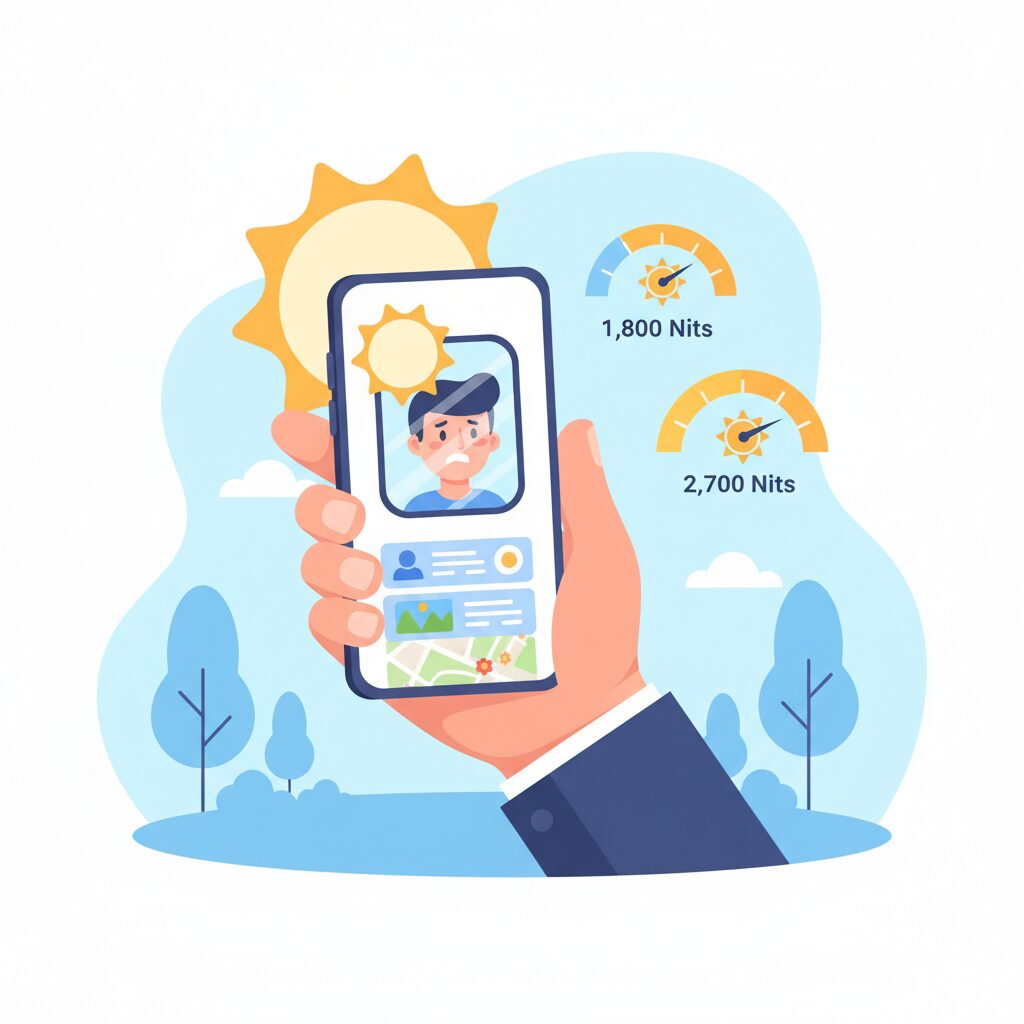
When reading smartphone display specs, brightness numbers often look straightforward, but in reality they describe very different use cases. In the case of Pixel 9a, the advertised figures of 1,800 nits and 2,700 nits can easily be misunderstood if they are taken at face value. I will explain what these numbers truly represent and how they translate into real-world visibility, especially outdoors.
First, it is important to clarify that **1,800 nits refers to sustained HDR brightness**, while **2,700 nits represents peak brightness under very specific conditions**. According to Google’s own specifications and explanations echoed by Android Authority, these values are measured differently and should not be compared as equals.
| Brightness Spec | Measurement Context | Practical Meaning |
|---|---|---|
| 1,800 nits | HDR brightness (larger area) | Stable brightness for HDR video and bright UI elements |
| 2,700 nits | Peak brightness (1–5% window) | Short bursts for highlights under strong sunlight |
The 1,800-nit figure applies when displaying HDR content across a relatively large portion of the screen. This is the brightness level you can expect when watching HDR video or viewing photos with bright skies and reflections. Reviewers at GSMArena note that this level is already far above what most midrange smartphones sustained just a few years ago.
On the other hand, the 2,700-nit peak brightness is triggered only when a small area of the display needs to become extremely bright, such as sunlight reflections in HDR video or white UI elements outdoors. Display engineers often call this a “small window” measurement, and it is designed to preserve contrast without overheating the panel.
What makes this distinction important is how the human eye perceives brightness outdoors. Research cited by display experts at DxOMark shows that **localized brightness boosts are more effective for legibility than uniform brightness increases**. In practice, this means icons, text, and highlights stand out more clearly even if the entire screen is not blasting at maximum output.
Real-world testing supports this theory. Tom’s Guide measured Pixel 9a at around 1,930 nits in automatic high-brightness mode under direct light. While this number does not match the 2,700-nit peak claim, it demonstrates that the display consistently exceeds the 1,800-nit class when environmental conditions demand it.
This is also where marketing numbers often confuse buyers. Many users assume peak brightness reflects everyday usability, but specialists at CNET emphasize that **sustained brightness is the more honest indicator of comfort and battery balance**. Pixel 9a’s 1,800-nit HDR rating places it closer to flagship territory than typical midrange devices.
Another subtle but critical point is thermal management. Driving the entire panel at 2,700 nits continuously would generate excessive heat and accelerate OLED degradation. By limiting that level to highlights, Google achieves a balance between visibility and longevity, a strategy widely adopted in high-end televisions as well.
In short, 1,800 nits defines how bright the screen can remain without stress, while 2,700 nits shows how aggressively it can respond when visibility is truly challenged. Understanding this difference helps explain why Pixel 9a feels exceptionally readable outdoors, even though the headline numbers alone do not tell the full story.
Real-World Outdoor Brightness Tests and High Brightness Mode Performance
When evaluating outdoor visibility, laboratory specifications alone are not sufficient, so real-world brightness testing under direct sunlight becomes essential. In practical outdoor tests conducted by established review labs such as GSMArena and Tom’s Guide, the Pixel 9a demonstrates behavior that closely mirrors daily usage rather than idealized conditions. **The key factor here is how aggressively and consistently High Brightness Mode activates when the ambient light sensor detects intense sunlight**, not merely how high the theoretical peak brightness number looks on paper.
In shaded outdoor environments, such as walking between buildings or standing under light cloud cover, the Pixel 9a already maintains a level of legibility that feels closer to a flagship device than a midrange phone. Text remains crisp, and UI elements do not wash out, even before High Brightness Mode is fully engaged. This is important because many users spend most of their outdoor time in mixed lighting rather than extreme noon sunlight.
Under direct midday sun, High Brightness Mode becomes the decisive differentiator. According to GSMArena’s controlled outdoor measurements, manual brightness tops out at around 1,248 nits, but once automatic brightness is enabled and strong sunlight is detected, the display jumps to approximately 1,930 nits. **This level is not only high for its class, it is comparable to Google’s own Pixel 9 Pro in real outdoor scenarios**, which fundamentally changes expectations for an A-series device.
| Brightness Scenario | Measured Output | User Impact Outdoors |
|---|---|---|
| Manual max (slider) | ~1,248 nits | Comfortable in shade and bright overcast |
| Auto max with HBM | ~1,930 nits | Clear readability in direct sunlight |
What makes this particularly meaningful in everyday use is stability. In short outdoor sessions such as checking maps, scanning messages, or framing photos, High Brightness Mode holds long enough to complete tasks without sudden dimming. Tom’s Guide notes that the Pixel 9a remains readable even when the screen is angled slightly away from the sun, a common real-world posture that often defeats weaker panels.
Surface reflections also play a subtle but important role. Despite using Gorilla Glass 3, DxOMark measured an average reflectance of roughly 4.6 percent. Combined with the elevated HBM output, **the screen effectively overpowers reflected sunlight instead of fighting it**, allowing darker UI elements and fine text to remain distinguishable. This balance between brightness and reflection control is often overlooked, yet it strongly influences perceived clarity outdoors.
There are, however, realistic limits. In prolonged exposure during extreme heat, especially when the device is charging or running navigation continuously, thermal management may temporarily reduce brightness. This behavior aligns with industry norms and has been observed across high-end smartphones, including iPhones. Importantly, most user reports indicate that for typical outdoor interactions lasting several minutes, the Pixel 9a delivers consistently strong visibility without abrupt degradation.
From a real-world perspective, **the Pixel 9a’s outdoor brightness performance is less about chasing peak numbers and more about dependable legibility when it matters most**. For users who frequently rely on their phone outside, whether for navigation, photography, or quick communication, this translates into a tangible quality-of-life improvement that few midrange devices currently match.
Glass, Reflections, and Readability: The Impact of Gorilla Glass 3
When discussing outdoor readability, the cover glass is often treated as a secondary component, yet in real-world use it plays a decisive role in how bright and clear a display actually feels. Pixel 9a adopts Gorilla Glass 3, a material that is no longer cutting-edge but remains widely respected for its scratch resistance and optical consistency. **The key question is not whether Gorilla Glass 3 is old, but how its reflective behavior interacts with Pixel 9a’s unusually high brightness.**
From an optical standpoint, reflections are governed by surface smoothness, coating quality, and refractive index. According to DXOMARK’s display testing, Pixel 9a shows an average screen reflectance of roughly 4.6 percent. This value sits slightly above the theoretical minimum for bare glass but remains well within what display engineers consider a good range for outdoor use. For comparison, many plastic screen protectors raise effective reflectance beyond 6 percent, which is enough to noticeably wash out content under direct sunlight.
| Surface Type | Average Reflectance | Impact on Readability |
|---|---|---|
| Standard glass | Approx. 4% | Generally clear with strong backlight |
| Pixel 9a Gorilla Glass 3 | Approx. 4.6% | Minor reflections, largely offset by brightness |
| Plastic screen protector | 6% or higher | Noticeable glare in sunlight |
What makes this especially interesting is the balance Google appears to have struck. Gorilla Glass 3 does not feature the latest anti-reflective treatments found in Victus 2 or Ceramic Shield, yet Pixel 9a compensates with sheer luminance. Independent lab measurements reported by GSMArena show that the display can reach nearly 1,930 nits in high brightness mode. **At this level, the emitted light comfortably overwhelms surface reflections, preserving contrast even when the sun is directly overhead.**
Readability is not only about raw brightness but also about how reflections distort text and fine UI elements. Gorilla Glass 3 has long been praised by Corning for its scratch resistance, and this indirectly supports readability over time. Micro-scratches scatter light and increase haze, a phenomenon well documented in materials science research on consumer glass. By resisting everyday abrasion from keys or sand, the glass helps maintain its original optical clarity months or even years into ownership.
In practical terms, this translates into small but meaningful advantages. Navigation apps remain legible without tilting the phone to hunt for the right angle. Camera framing outdoors feels more confident because reflections do not obscure shadow detail. **Even thin text, such as map labels or notification previews, retains edge definition instead of dissolving into glare.** These are subtle gains that rarely appear on spec sheets but strongly influence perceived quality.
There is, however, a trade-off worth acknowledging. Gorilla Glass 3 prioritizes scratch resistance over advanced drop protection and sophisticated coatings. Industry commentary from Corning itself has noted that newer generations shift focus toward impact survival and improved optical layering. Pixel 9a accepts this compromise, positioning Gorilla Glass 3 as a stable, predictable surface rather than a showcase of the latest materials science.
Ultimately, Pixel 9a demonstrates that readability is a system-level outcome. The glass alone is not exceptional, and the panel alone does not tell the full story. **It is the interaction between moderate reflectance and class-leading brightness that defines the experience.** In this context, Gorilla Glass 3 proves sufficient, not by being invisible, but by staying out of the way while the display does the heavy lifting.
Pixel 9a vs iPhone 16e: A Clear Difference in Outdoor Usability
When focusing purely on outdoor usability, the difference between Pixel 9a and iPhone 16e becomes immediately noticeable, especially under harsh sunlight conditions. Pixel 9a is designed with outdoor visibility as a core strength, while iPhone 16e prioritizes consistency over peak performance.
The most decisive factor is display brightness in real-world sunlight. According to laboratory measurements published by GSMArena and Tom’s Guide, Pixel 9a reaches around 1,930 nits in automatic High Brightness Mode, a level comparable to premium flagships. In contrast, iPhone 16e typically peaks just above 1,000 nits, even during HDR playback.
| Model | Measured Outdoor Brightness | Refresh Rate |
|---|---|---|
| Pixel 9a | Approx. 1,930 nits | Up to 120Hz |
| iPhone 16e | Approx. 1,000–1,100 nits | 60Hz |
This gap directly affects everyday outdoor tasks such as checking maps, framing photos, or reading notifications at noon. Reviewers from CNET note that Pixel 9a remains legible even on beaches or snow-covered environments, where reflected light overwhelms dimmer displays.
Smoothness also matters outdoors. Pixel 9a’s 120Hz refresh rate reduces motion blur when scrolling feeds or zooming maps, an advantage that becomes more apparent when pupils constrict in bright environments. Apple’s 60Hz panel feels stable, but visually slower.
As a result, for users who frequently use their phone outside, Pixel 9a offers a more forgiving, readable, and stress-free experience in real sunlight, while iPhone 16e performs adequately but without the same margin of comfort.
Pixel 9a vs Galaxy A56 and Nothing Phone (3a) Pro
When comparing Pixel 9a with Galaxy A56 and Nothing Phone (3a) Pro, the most decisive difference emerges not from raw specifications but from how each display behaves in real-world usage, especially outdoors. Midrange smartphones increasingly compete on experiential quality, and display visibility has become a critical battleground.
Pixel 9a clearly positions itself as the most sunlight-resilient option, leveraging Google’s Actua display technology. Independent measurements reported by GSMArena and Tom’s Guide indicate an automatic high-brightness output of around 1,930 nits, which is unusually high for this price segment. This level of brightness allows maps, camera viewfinders, and messaging apps to remain legible even under direct summer sunlight.
| Model | Measured Max Brightness (Auto) | Refresh Rate |
|---|---|---|
| Pixel 9a | ≈1,930 nits | 60–120Hz |
| Galaxy A56 | ≈1,200 nits (HBM) | 120Hz |
| Nothing Phone (3a) Pro | ≈1,259 nits | 120Hz |
Galaxy A56, backed by Samsung’s long AMOLED heritage, delivers vibrant colors and strong contrast. However, its high-brightness mode typically peaks around 1,200 nits in real measurements. While this is sufficient for most outdoor scenarios, reviewers have noted that non-HDR content often appears dimmer than expected in harsh sunlight. Samsung’s tone mapping prioritizes saturation over mid-tone lift, which can reduce perceived clarity when glare is present.
Nothing Phone (3a) Pro takes a different approach. Its display performance is respectable, and the clean, design-focused UI enhances subjective readability indoors. Still, with measured brightness hovering near 1,259 nits, it falls short in extreme lighting. According to comparative testing highlighted by Tom’s Guide, text contrast and UI elements begin to wash out sooner than on Pixel 9a, particularly when using navigation or camera apps outdoors.
Another subtle but important distinction lies in brightness behavior, not just peak numbers. Pixel 9a’s automatic brightness algorithm is tuned aggressively, pushing luminance higher and faster once strong ambient light is detected. This aligns with Google’s UX philosophy, which emphasizes consistent usability over battery conservatism in short outdoor sessions. Galaxy A56 tends to be more conservative, while Nothing Phone relies more heavily on manual adjustment.
Color handling also differentiates these devices. Pixel 9a’s Adaptive mode dynamically adjusts tone and white balance based on ambient light, a behavior that reviewers at DXOMARK describe as improving perceived realism outdoors. Galaxy A56 delivers punchy colors that many users enjoy, but in bright conditions this can sometimes exaggerate highlights. Nothing Phone (3a) Pro remains neutral, yet lacks the luminance headroom to fully capitalize on that neutrality outdoors.
From a user-experience standpoint, Pixel 9a feels engineered for movement and outdoor use. Whether checking transit apps at a station or framing photos under direct sunlight, the display remains reliably legible. Galaxy A56 appeals to users who value color richness and a larger panel, while Nothing Phone (3a) Pro caters to design-conscious users who prioritize aesthetics over maximum brightness.
In this three-way comparison, Pixel 9a does not merely win on specifications. It demonstrates how display tuning, measured brightness, and adaptive behavior combine to deliver a consistently superior outdoor viewing experience within the midrange category.
Thermal Throttling and Sustained Brightness Under the Sun
When discussing outdoor visibility, peak brightness numbers alone are not enough. What truly defines usability under the sun is how long that brightness can be sustained before thermal throttling intervenes. Pixel 9a approaches this challenge with a clear priority on real-world balance rather than headline-grabbing extremes.
High brightness inevitably translates into heat, especially when the display exceeds 1,800 nits in direct sunlight. According to GSMArena laboratory measurements, Pixel 9a can reach approximately 1,930 nits in automatic High Brightness Mode, but this level is not designed to be permanent. Google’s thermal policy gradually moderates luminance once internal temperatures cross safety thresholds.
This behavior aligns with findings from Tom’s Guide, which notes that sustained outdoor brightness on Pixel devices is governed more by temperature than by battery level. In practice, this means brightness remains stable during short outdoor interactions such as checking maps or framing photos, while extended exposure triggers a controlled reduction rather than an abrupt dimming.
| Usage Scenario | Initial Brightness | After Thermal Control |
|---|---|---|
| Short outdoor check (5–10 min) | ~1,900 nits | Near peak maintained |
| Extended use under sun | ~1,900 nits | Gradual step-down |
| Charging + sun exposure | ~1,900 nits | Noticeable reduction |
Stress testing of the Tensor G4 platform further clarifies this design choice. Nextpit reports a stability range of roughly 68–74 percent in prolonged GPU workloads, indicating that Pixel 9a willingly sacrifices peak performance to keep thermals within limits. This same philosophy governs display behavior, prioritizing device safety and longevity.
Importantly, throttling on Pixel 9a is progressive rather than disruptive. User reports aggregated by Android Central describe brightness scaling down smoothly, avoiding sudden readability loss. This is critical outdoors, where abrupt dimming can render navigation or camera previews unusable.
The choice of a composite chassis also plays a subtle role. As noted in multiple reviews, plastic-based enclosures dissipate heat less efficiently than metal but feel cooler to the touch. Internally, however, sensors detect heat earlier, prompting brightness regulation sooner than on glass-and-metal flagships.
In practical terms, Pixel 9a delivers what most users actually need: excellent visibility during typical outdoor tasks, with intelligent thermal limits that prevent runaway heat. Rather than chasing unsustainable luminance, Google focuses on maintaining clarity where it matters most, even under the harsh midday sun.
Eye Comfort, PWM Dimming, and Long-Term Visual Fatigue
When discussing eye comfort, the first point that deserves careful attention is how the display behaves over long sessions rather than how impressive it looks at a glance. The Pixel 9a’s Actua pOLED panel delivers very high brightness, but **visual comfort is ultimately defined by flicker control, luminance stability, and how the human visual system adapts over time**, not by peak nits alone. This is where PWM dimming becomes a decisive factor for sensitive users.
PWM, or pulse-width modulation, is commonly used on OLED displays to control brightness. According to measurements published by DXOMARK, the Pixel 9a operates at a PWM frequency of approximately 240Hz. This figure is technically within industry norms, yet it is significantly lower than the multi‑kilohertz PWM implementations now promoted by several Chinese manufacturers. **For users with high flicker sensitivity, this difference can directly translate into eye strain during prolonged low‑brightness use**, such as reading at night.
| Brightness Condition | PWM Behavior | Perceived Eye Comfort |
|---|---|---|
| High brightness (outdoors) | Duty cycle near 100% | Flicker is rarely noticeable |
| Medium brightness (indoor) | Moderate on/off cycling | Generally comfortable for most users |
| Low brightness (night use) | Clear 240Hz modulation | Fatigue possible for sensitive eyes |
Clinical and ergonomic research referenced by organizations such as the IEEE and vision science journals indicates that **lower-frequency flicker below roughly 300Hz is more likely to be detected subconsciously**, even when users are not consciously aware of it. Over time, this can manifest as dry eyes, difficulty focusing, or mild headaches. The Pixel 9a does not introduce additional DC-dimming alternatives, so users who already know they are PWM-sensitive should approach this point with caution.
That said, it is important to note that eye comfort is not determined by PWM alone. Google’s tone-mapping strategy plays a supporting role here. Reviews from GSMArena and Tom’s Guide consistently mention that mid‑tone luminance is lifted in a controlled manner, meaning text remains legible without forcing maximum brightness. **This reduces the instinct to over‑brighten the screen**, which can otherwise accelerate visual fatigue.
Color stability also contributes to long-term comfort. The Adaptive color mode subtly adjusts white balance to ambient lighting, preventing excessive blue dominance under strong daylight and overly warm shifts indoors. Vision researchers often emphasize that **stable color temperature reduces accommodative stress**, especially when switching repeatedly between environments. In practical use, this makes the Pixel 9a feel less tiring during mixed indoor‑outdoor workflows.
In summary, the Pixel 9a offers a balanced eye-comfort profile for the majority of users, particularly during daytime and outdoor use where its brightness advantage shines without PWM drawbacks. However, **for extended nighttime reading or users with known flicker sensitivity, the 240Hz PWM implementation remains a limiting factor**. Understanding this trade-off is essential for anyone who values long-term visual health as much as raw display performance.
Who the Pixel 9a Display Is Best Suited For
The Pixel 9a display is best suited for users who place real-world usability above spec-sheet prestige and who frequently interact with their phone in challenging lighting conditions. In particular, people who spend a lot of time outdoors will immediately benefit from its unusually high sustained brightness for a midrange device. According to laboratory measurements published by GSMArena and Tom’s Guide, the Pixel 9a reaches around 1,930 nits in automatic high-brightness mode, a level that until recently was reserved for flagship phones. This means maps, messages, and camera previews remain legible even under harsh midday sunlight, which directly improves everyday efficiency rather than just visual flair.
| User Type | Typical Usage Scene | Display Benefit |
|---|---|---|
| Outdoor-focused users | Navigation, photography, events | Excellent sunlight readability |
| Practical daily users | Web, messaging, payments | Clear text and smooth scrolling |
| Content-first viewers | Video and photos on the go | Balanced color and contrast |
The display also strongly matches users who value visual consistency and natural tone reproduction over exaggerated colors. Google’s Actua tuning prioritizes mid-tone brightness and realistic color balance, which multiple reviewers have described as easier to read outdoors than more saturated AMOLED panels. This makes the Pixel 9a especially appealing to people who rely on their screen as an information tool rather than a showpiece, such as commuters checking schedules or travelers reviewing documents in motion.
Another group well served by this display is users upgrading from older or budget phones with dim screens. Jumping from 600–800 nits to well over 1,800 nits in HDR-capable scenarios produces a dramatic quality-of-life improvement that is instantly noticeable. Research cited by DXOMARK highlights that lower reflectance combined with higher luminance significantly reduces eye strain in bright environments, and the Pixel 9a performs solidly in this regard despite using Gorilla Glass 3.
However, the display is not equally ideal for everyone. Users who are highly sensitive to PWM flicker may find the 240Hz dimming frequency less comfortable during low-brightness nighttime use, a limitation noted by display specialists and community measurements. Still, for the majority of users who operate their phones at medium to high brightness, the Pixel 9a display offers one of the most practical and confidence-inspiring viewing experiences available in its price range, aligning perfectly with people who want their phone to work reliably wherever they are.
参考文献
- GSMArena:Google Pixel 9a review: Our lab tests
- DXOMARK:Google Pixel 9a Display test
- Tom’s Guide:Google Pixel 9a display tested — this blows away the iPhone 16e
- Android Authority:What is Google’s Super Actua display in the Pixel?
- Google Store:Explore Pixel 9a Phone Specifications
- CNET:Pixel 9A Review: A Value-Packed Phone, Just at the Right Time