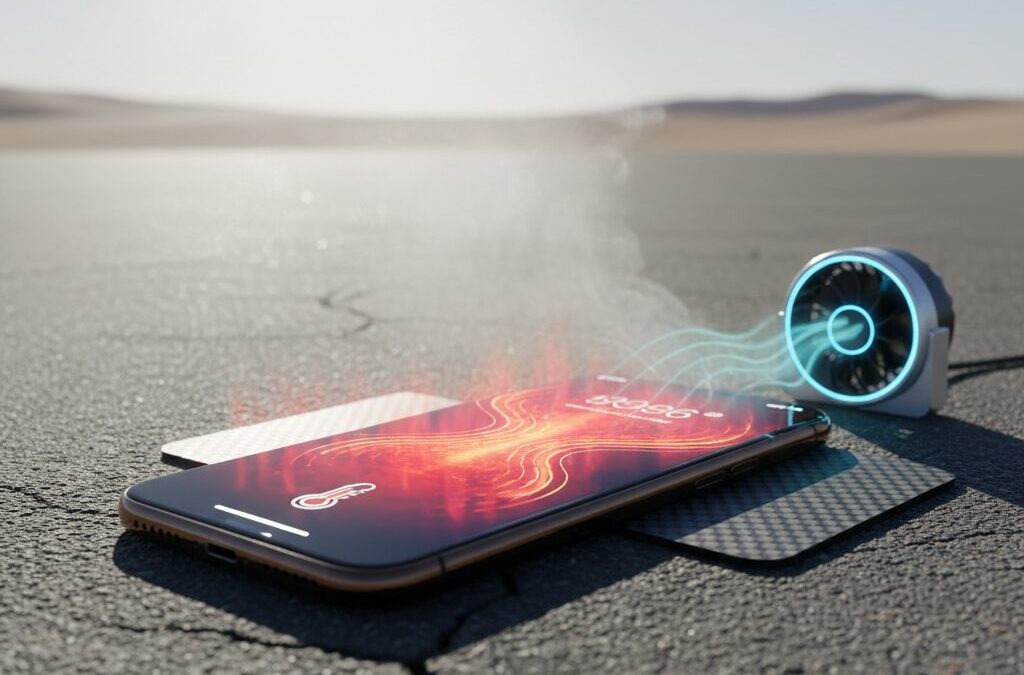
Have you ever felt your iPhone become uncomfortably hot during gaming, video recording, or simply using it outdoors in summer?
Many gadget enthusiasts experience sudden screen dimming, laggy performance, or charging pauses, and wonder whether something is wrong with their device.
This article explains why iPhones generate heat from a scientific and engineering perspective, and how that heat directly affects performance, battery lifespan, and long-term reliability.
You will learn how modern chips like Apple’s A‑series approach the so‑called thermal wall, why software updates can dramatically change heat behavior, and how battery chemistry silently degrades under high temperatures.
We will also explore the latest hardware trends such as rumored graphene-based thermal systems, compare active and passive cooling accessories with real-world data, and clarify which popular cooling myths are actually dangerous.
By reading to the end, you will gain practical, evidence-based strategies to keep your iPhone fast, safe, and healthy during extreme summer conditions, while making smarter decisions about usage, settings, and accessories.
- The Thermal Wall: Why Smartphone Performance Is Limited by Heat
- How iPhone Chips Generate Heat Under Heavy Workloads
- Passive Cooling Design and the Reality of Fanless Smartphones
- Thermal Throttling Explained: What iOS Does When Temperatures Rise
- Battery Chemistry Under Heat: Why High Temperatures Cause Permanent Damage
- Fast Charging, 5G, and Display Brightness as Hidden Heat Sources
- New Hardware Trends: Graphene Cooling and Battery Design Changes
- Software Optimization Lessons from iOS Updates and Real User Reports
- Active vs Passive Cooling Accessories: Engineering Pros and Cons
- Field Survival Tips for Extreme Outdoor Events and Summer Travel
- Why Refrigerators and Ice Packs Can Destroy Your iPhone
- 参考文献
The Thermal Wall: Why Smartphone Performance Is Limited by Heat
Modern smartphones deliver astonishing performance, yet they constantly collide with a fundamental physical limit known as the thermal wall. As semiconductor processes shrink to 3 nm, chips like Apple’s A17 Pro pack tens of billions of transistors into a tiny area, dramatically increasing heat density. **Performance is no longer constrained by raw computing power, but by how quickly heat can be removed without damaging components**.
From a thermodynamics perspective, nearly all electrical energy consumed by a smartphone SoC eventually becomes heat. During heavy tasks such as high-end 3D gaming, 4K video recording, or sustained 5G communication, power draw can spike into the multi-watt range. In a fanless, sealed device designed for water resistance and thinness, that heat has only passive paths to escape, mainly through conduction to the frame and radiation to the air.
| Factor | Impact on Heat | User-Visible Effect |
|---|---|---|
| Advanced SoC node | Higher heat density | Faster throttling |
| Fanless design | Limited heat removal | Warm surface temperature |
| High ambient temperature | Reduced cooling gradient | Brightness and speed limits |
Apple defines the recommended operating range for iPhone as 0–35°C, but summer conditions frequently exceed this threshold. According to Apple’s own technical documentation, once internal sensors detect rising temperatures, the system prioritizes survival over speed. **Thermal throttling is not a flaw; it is an intentional safeguard against irreversible damage**.
Research in semiconductor engineering consistently shows that sustained high temperatures accelerate material stress and reduce long-term reliability. This is why even the most powerful smartphone cannot maintain peak performance indefinitely. The thermal wall quietly dictates how fast, and how long, your phone can truly run.
How iPhone Chips Generate Heat Under Heavy Workloads
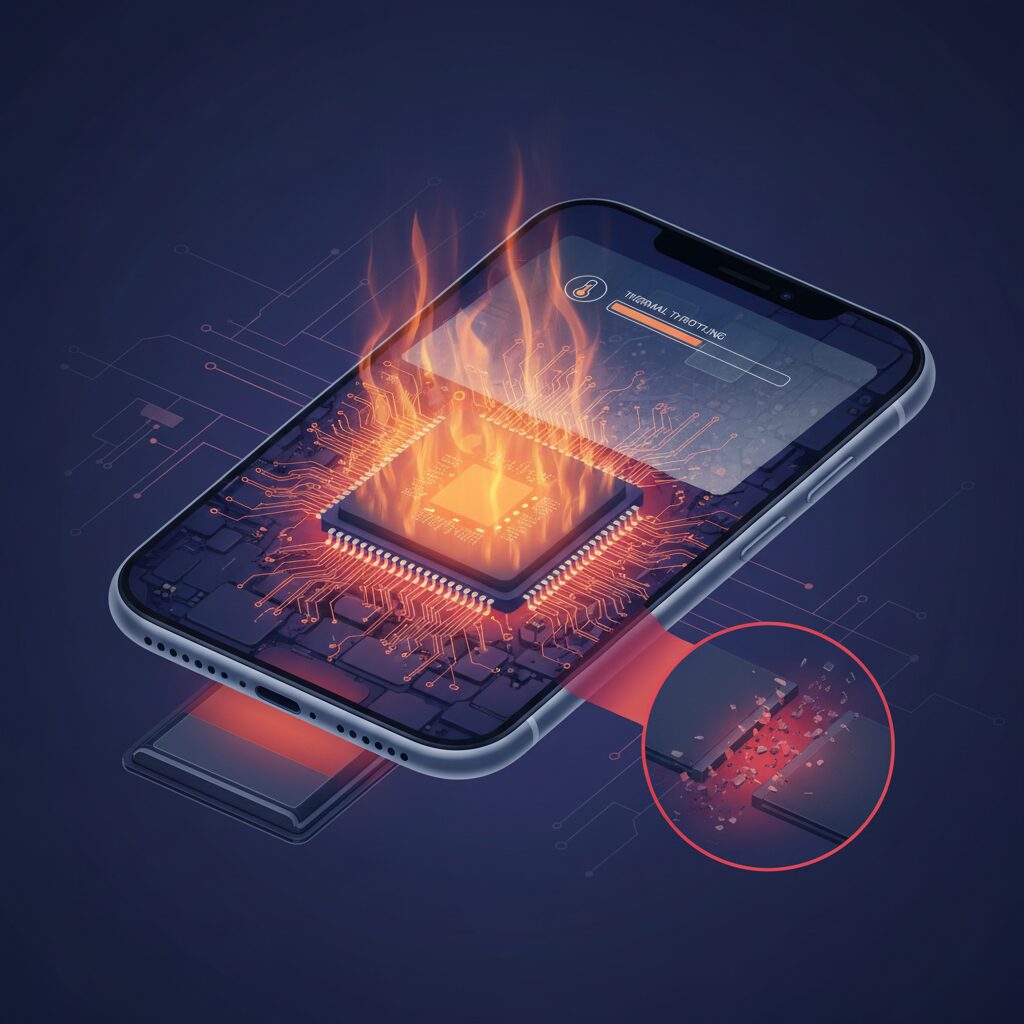
When an iPhone is pushed under heavy workloads, heat generation is not a side effect but a direct consequence of how modern chips operate. Apple’s A‑series SoCs, such as the A17 Pro built on a 3‑nanometer process, integrate tens of billions of transistors into a tiny silicon area. **Every time these transistors switch states, electrical energy that is not converted into computation becomes heat**, a phenomenon well explained by Joule heating in semiconductor physics.
Under light tasks like messaging or web browsing, most processing is handled by efficiency cores designed to minimize power draw. However, demanding scenarios such as high‑end 3D gaming, 4K ProRes video recording, or sustained 5G data transfer activate performance cores and the GPU simultaneously. According to Apple’s own platform documentation and analyses by semiconductor researchers, power consumption can spike from a few watts to well over ten watts in short bursts. In a fanless smartphone enclosure, almost all of that energy ultimately manifests as heat.
The following table helps clarify how different workloads translate into thermal stress at the chip level.
| Workload Type | Main Chip Units Active | Relative Heat Output |
|---|---|---|
| Social media, messaging | Efficiency CPU cores | Low |
| 3D gaming | Performance CPU + GPU | Very high |
| 4K video recording | CPU, GPU, ISP, memory | High |
| 5G data transmission | Modem + CPU | Medium to high |
Another critical factor is transistor density. As fabrication processes shrink, more transistors are packed into the same surface area. Academic studies frequently refer to this as increasing heat density rather than absolute heat. **Even if a newer chip is more energy‑efficient per operation, the heat becomes concentrated in smaller regions**, creating localized hot spots directly above the CPU or GPU clusters.
Unlike laptops, iPhones rely entirely on passive cooling. Heat must travel from the silicon die through the package, logic board, graphite sheets, and finally to the aluminum or glass enclosure. This process depends on conduction and natural convection only. According to Apple Support documentation, the warmth users feel on the back of an iPhone is evidence that internal heat is being successfully moved outward, not that the device is malfunctioning.
Problems arise when heat is generated faster than it can be dissipated. External conditions such as high ambient temperatures or direct sunlight reduce the temperature gradient needed for efficient heat transfer. In these cases, the internal chip temperature rises rapidly. Semiconductor engineers often point out that junction temperatures approaching 45–50 degrees Celsius are enough to trigger protective mechanisms in mobile SoCs.
To prevent physical damage, iOS continuously monitors thermal sensors distributed across the logic board. Once predefined thresholds are reached, the system initiates thermal throttling by lowering clock speeds and limiting power delivery. **From a chip design perspective, this is a survival mechanism rather than a performance flaw**, ensuring that the silicon remains within safe operating limits defined by Apple and by industry standards.
Understanding how and why iPhone chips generate heat under heavy workloads makes it clear that overheating is not caused by a single app or feature. It is the natural result of desktop‑class performance being compressed into a pocket‑sized, sealed device. The real challenge lies not in eliminating heat, which physics does not allow, but in managing it intelligently.
Passive Cooling Design and the Reality of Fanless Smartphones
Modern smartphones are often described as marvels of engineering, yet their thermal design is defined as much by what they lack as by what they include. **Passive cooling is not a choice but a constraint**, born from the demand for thinness, water resistance, and silent operation. Unlike laptops or gaming consoles, smartphones deliberately avoid fans, accepting the physical limits of conduction, natural convection, and radiation as their only paths for heat dissipation.
In a fanless smartphone, heat generated by the SoC does not disappear; it must be redistributed. Apple’s iPhone architecture is a representative example. According to Apple’s technical documentation, heat flows from the chip through the logic board, graphite sheets, and finally into the metal frame and glass surfaces. **The warmth users feel on the back or sides is evidence that passive cooling is working**, not failing. If the surface remained cool, internal temperatures would rise to destructive levels.
| Cooling Element | Primary Role | Physical Limitation |
|---|---|---|
| Graphite sheets | Rapid lateral heat spreading | No active heat removal |
| Metal frame | Heat storage and radiation | Depends on ambient temperature |
| Glass back | Radiative heat release | Low thermal conductivity |
This design reality explains why fanless smartphones face a hard ceiling in sustained performance. Semiconductor research repeatedly shows that as process nodes shrink, heat density rises even when efficiency improves. Studies cited by IEEE and major semiconductor conferences note that **thermal density, not raw power draw, is now the dominant limiter** in mobile SoCs. In practical terms, short bursts of high performance are feasible, but maintaining them without active airflow is not.
Apple’s thermal management strategy reflects this reality. iOS continuously monitors multiple temperature sensors and prioritizes spreading heat rather than expelling it. When ambient temperatures approach or exceed 35°C, as Apple specifies in its operating guidelines, the effectiveness of passive cooling drops sharply. Natural convection relies on a temperature difference between the device surface and the surrounding air. **When the air itself is hot, the heat gradient collapses**, and the system must fall back on throttling.
Industry comparisons underline how universal this limitation is. Even Android devices marketed for gaming, including those with large vapor chambers, remain fundamentally passive systems unless paired with external clip-on fans. Academic evaluations of vapor chamber efficiency show improvements of surface temperature uniformity by several degrees Celsius, but no elimination of throttling under sustained load. The absence of forced airflow means equilibrium is reached quickly.
Recent material innovations, such as graphene-enhanced heat spreaders rumored for future iPhone generations, are often misunderstood as solutions to overheating. Graphene’s exceptional thermal conductivity, documented in materials science journals, excels at moving heat sideways at remarkable speed. **What it does not do is remove heat from the system**. Without airflow, even perfect heat spreading ultimately saturates the chassis.
This is the fundamental reality of fanless smartphones. Passive cooling is an elegant compromise that enables slim, sealed designs and long-term durability. At the same time, it enforces strict boundaries on sustained workloads, especially in hot climates. Understanding this trade-off reframes overheating not as a defect, but as a predictable outcome of physics meeting industrial design.
Thermal Throttling Explained: What iOS Does When Temperatures Rise
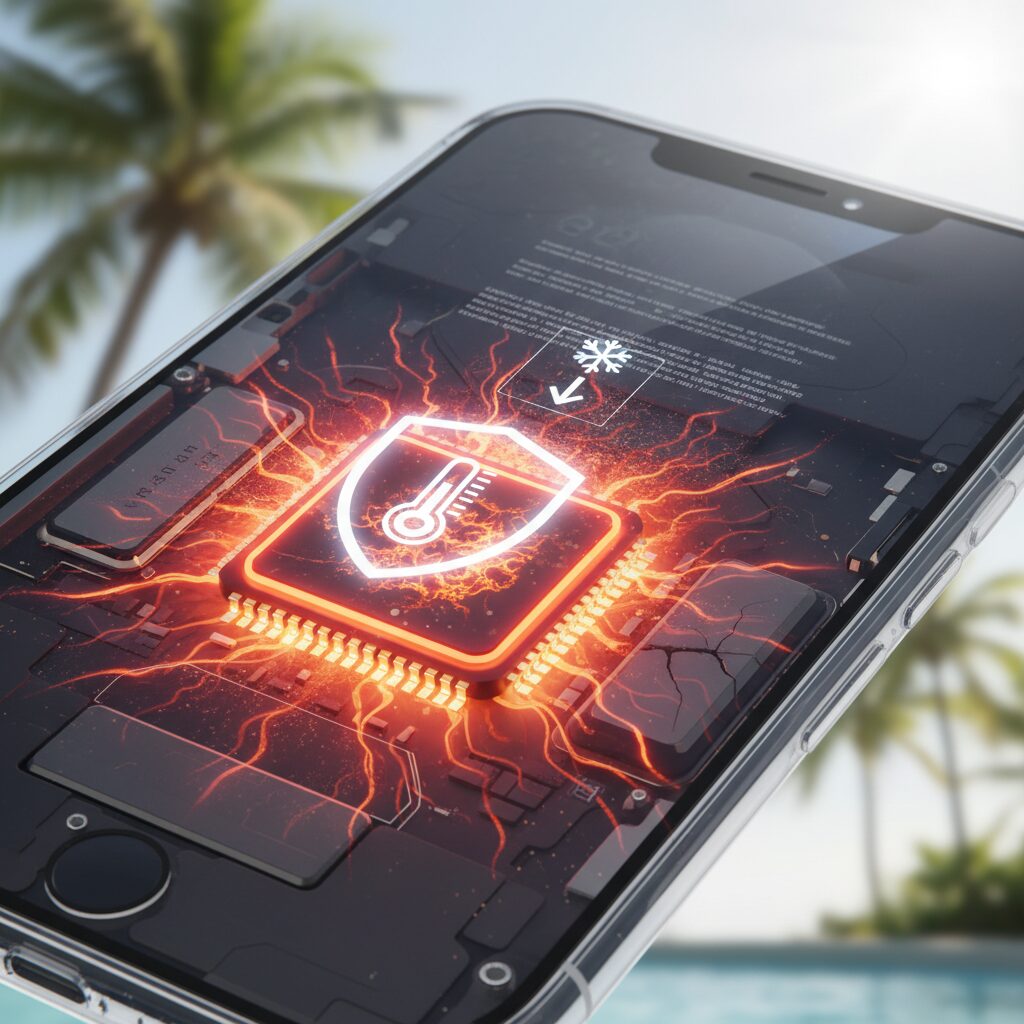
When an iPhone begins to feel unusually warm, what users are experiencing is not a failure but a carefully orchestrated survival mechanism built into iOS. This mechanism is known as thermal throttling, and it represents Apple’s last line of defense against permanent hardware damage caused by excessive heat. Understanding how this process works makes sudden slowdowns or disabled features far easier to accept.
According to Apple’s official documentation, iPhones are designed to operate optimally between 0°C and 35°C. Once internal temperatures approach critical thresholds, iOS actively intervenes. **Thermal throttling is not a single switch, but a multi-stage response that escalates as temperatures rise**, prioritizing physical safety over user experience.
| Thermal Stage | System Response | User-Visible Impact |
|---|---|---|
| Mild Heat | Display brightness capped | Screen appears dimmer than usual |
| Moderate Heat | Charging paused, CPU clocks reduced | Slower app response, charging stops |
| Severe Heat | Wireless output limited, camera features disabled | Weak signal, flash unavailable |
| Critical Heat | System shutdown | iPhone displays temperature warning |
At the core of this process is a background service often referred to by engineers as the thermal monitoring daemon. This system continuously reads data from multiple temperature sensors placed near the SoC, battery, and logic board. **The key point is that iOS reacts to internal component temperatures, not just the surface heat you can feel with your hand.**
The first visible action is almost always display dimming. The OLED or LCD backlight is one of the largest secondary heat sources in the device, and reducing brightness provides an immediate reduction in thermal input. Many users mistake this behavior for an ambient light sensor bug, but in reality it is a deliberate thermal decision.
If heat continues to build, iOS next targets power flow. Charging is suspended because lithium-ion charging is itself a heat-generating chemical reaction. Battery researchers, including those cited in Panasonic’s cell durability studies, consistently note that high-temperature charging dramatically accelerates degradation. By halting charging, iOS protects both short-term stability and long-term battery health.
The most noticeable stage for performance-focused users is CPU and GPU clock reduction. This is the classic form of thermal throttling discussed in semiconductor engineering literature. Lower clock speeds mean fewer transistor switches per second, which directly reduces Joule heating. **Frame rate drops in games or lag during camera processing are the unavoidable side effects of this protection.**
Wireless components are also throttled in high-heat scenarios. 5G modems, especially under poor signal conditions, can draw significant power. iOS may reduce transmission strength or data throughput to prevent the modem from becoming an additional heat hotspot. This explains why connectivity sometimes feels unreliable precisely when a device is hottest.
Camera systems are another frequent casualty. Advanced computational photography relies heavily on the image signal processor and neural engines, both of which contribute to thermal load. Apple notes that features like flash or complex HDR pipelines may be disabled temporarily. This behavior is often misinterpreted as a camera malfunction, but it is actually a thermal safeguard.
In extreme cases, when all mitigation steps fail and temperatures continue to rise, iOS performs a forced shutdown. The familiar temperature warning screen appears, instructing the user to let the device cool down. Engineers widely agree that this final measure is essential, as prolonged operation beyond safe junction temperatures can permanently degrade silicon and battery materials.
From a user perspective, the most important insight is predictability. Thermal throttling follows a logical progression, not random behavior. High ambient temperatures, direct sunlight, sustained gaming, 4K video recording, and charging at the same time all stack thermal load. When several of these conditions overlap, throttling becomes inevitable.
Seen through this lens, iOS thermal behavior reflects a conservative design philosophy. Apple consistently favors long-term device reliability over short bursts of peak performance. **Recognizing throttling as a protective reflex rather than a flaw allows users to adapt their usage and avoid critical moments when performance suddenly matters most.**
Battery Chemistry Under Heat: Why High Temperatures Cause Permanent Damage
When a smartphone overheats, the most serious and irreversible consequences occur inside the lithium-ion battery. Unlike temporary performance throttling, **chemical degradation caused by heat permanently reduces battery capacity and safety**. This damage is rooted in fundamental electrochemical laws that no software update can undo.
According to battery research widely cited by Panasonic and academic electrochemistry journals, lithium-ion cells follow the Arrhenius equation, meaning reaction rates accelerate exponentially as temperature rises. In practical terms, every sustained increase in operating temperature speeds up unwanted side reactions inside the cell, even when the device appears to function normally.
| Battery Temperature | Relative Degradation Speed | Impact on Long-Term Health |
|---|---|---|
| ~25–27°C | Baseline | Designed cycle life is preserved |
| 30–35°C | ~1.2× faster | Noticeable capacity fade over time |
| 40–45°C | ~2× faster | Cycle life reduced by nearly half |
High temperatures primarily accelerate the growth of the SEI, or Solid Electrolyte Interphase, on the anode surface. This layer is essential for battery stability, but excessive heat causes it to thicken and reform repeatedly. As confirmed by industrial battery testing data, **each regeneration of the SEI permanently consumes active lithium**, reducing the amount available for charging.
The result is a gradual but unavoidable rise in internal resistance. Users experience this as faster battery drain, sudden percentage drops, and increased heat generation during charging. Because higher resistance creates more Joule heat, the battery enters a self-reinforcing loop where heat causes damage, and damage causes even more heat.
Charging behavior under heat further worsens the situation. Studies on lithium-ion cells show that combining elevated temperature with high charging current dramatically increases electrode stress. This is why device manufacturers, including Apple, suspend charging above certain thermal thresholds. The goal is not convenience but preventing accelerated chemical breakdown.
In extreme cases, electrolyte decomposition at high temperatures generates gas byproducts such as carbon dioxide and hydrocarbons. In compact pouch cells used in smartphones, this can lead to swelling. Industry teardown analyses have shown that swollen batteries are not sudden failures but the final stage of long-term thermal abuse.
From a chemical perspective, heat damage differs fundamentally from CPU overheating. Performance can recover when temperatures fall, but **battery chemistry remembers every degree of excess heat**. This is why sustained exposure to summer conditions has a disproportionate impact on device lifespan, even if the phone never shuts down or displays a warning.
Fast Charging, 5G, and Display Brightness as Hidden Heat Sources
When people think about smartphone heat, they often blame heavy apps or gaming. However, **fast charging, 5G connectivity, and extreme display brightness quietly generate substantial heat**, even during everyday use. These factors tend to overlap in summer conditions, making thermal stress harder to notice until performance suddenly drops.
Fast charging is a prime example. From a physics standpoint, higher charging wattage means higher current flowing into the lithium‑ion battery, and that current inevitably produces resistive heat. Battery researchers such as those cited by Panasonic and Apple’s own technical guidance agree that charging above normal thermal equilibrium accelerates internal chemical reactions. **This is why iOS may slow or pause charging when temperatures rise**, especially under direct sunlight or inside a warm room.
The impact becomes clearer when charging and usage occur simultaneously. Power drawn by the SoC adds heat while the battery is already warming due to charging reactions. Apple documentation notes that this combined load can push internal temperatures beyond the recommended operating range, triggering thermal protection long before the battery reaches full capacity.
| Function | Main Heat Source | Thermal Risk Profile |
|---|---|---|
| Fast Charging | Battery chemistry and charging circuit | Rapid temperature rise during high wattage input |
| 5G Communication | Modem RF amplification | Heat spikes in weak signal areas |
| High Display Brightness | OLED pixels and power controller | Sustained surface heating outdoors |
5G is another underestimated contributor. According to mobile network engineering analyses referenced by Apple and major carriers, 5G modems dynamically adjust transmission power. **In areas with unstable reception, the modem works harder to maintain throughput**, consuming more energy and producing additional heat. This is why phones often feel warmer in crowded stations or outdoor events, even without heavy app usage.
Display brightness adds a third layer of thermal load. OLED panels are efficient at low to medium brightness, but at peak outdoor levels, each pixel draws significantly more power. Apple explains that the display is one of the largest power consumers after the SoC, and sustained maximum brightness effectively turns the front of the device into a large heat emitter.
When fast charging, 5G transmission, and maximum brightness occur together, heat accumulation becomes nonlinear rather than additive. This synergy explains sudden throttling during seemingly light tasks such as navigation or social media browsing on hot days.
Understanding these hidden heat sources helps explain why iPhones may overheat during routine activities. By recognizing how these systems interact, users can better predict thermal behavior and avoid unnecessary stress on both performance and battery health.
New Hardware Trends: Graphene Cooling and Battery Design Changes
Recent smartphone hardware development shows a clear shift from chasing peak performance to sustaining it under thermal constraints. In this context, **graphene-based cooling systems and redesigned battery enclosures have emerged as two of the most influential trends** shaping next-generation devices.
Graphene attracts attention because its intrinsic thermal conductivity, theoretically reaching 3,000–5,000 W/m·K, far exceeds that of copper at around 400 W/m·K. According to analyses frequently cited by materials scientists at institutions such as MIT and publications like Nature Materials, this property allows heat to spread laterally at exceptional speed. For smartphones, this means localized hot spots around the SoC can be diffused across the chassis more evenly, delaying thermal throttling without increasing fanless noise or thickness.
This trend becomes particularly relevant as chips fabricated on 3 nm processes generate higher heat density. Rather than removing heat faster, graphene sheets function by **flattening temperature gradients**, which reduces sudden spikes that trigger protective performance limits. Industry reports referenced by MacRumors and HardwareZone indicate that Apple is exploring this approach precisely to improve sustained workloads such as gaming and 4K video recording.
| Material | Approx. Thermal Conductivity | Role in Smartphones |
|---|---|---|
| Copper | ~400 W/m·K | Traditional heat spreader |
| Graphite Sheet | ~700–1,500 W/m·K | Lightweight passive cooling |
| Graphene | 3,000–5,000 W/m·K | Advanced hotspot diffusion |
In parallel, battery design is also evolving. Leaked component images and supply-chain reporting suggest a move toward **metal-shelled battery packs**, a concept already proven in the Apple Watch. From a thermal engineering perspective, enclosing the battery in metal improves heat conduction away from electrochemical cells, which are highly sensitive to elevated temperatures. Research summarized by Panasonic and other battery manufacturers consistently shows that operating near 45°C can halve lithium-ion cycle life.
The metal shell serves two purposes at once. Thermally, it acts as a heat spreader that reduces localized battery heating during fast charging. Mechanically, it increases structural rigidity, lowering the risk of swelling caused by gas generation during degradation. **This dual benefit directly links cooling performance with long-term battery health**, a connection often overlooked by consumers.
Taken together, graphene cooling and battery enclosure redesign signal a broader hardware philosophy change. Instead of boosting benchmarks for short bursts, manufacturers increasingly prioritize stability, safety, and endurance. For users, this translates into devices that remain responsive longer under stress, especially in hot environments where traditional designs reach their limits quickly.
Software Optimization Lessons from iOS Updates and Real User Reports
Software optimization has proven to be one of the most decisive factors in controlling iPhone heat, and recent iOS updates offer concrete lessons that should not be overlooked. In particular, the overheating reports surrounding the iPhone 15 Pro at launch demonstrated that even state-of-the-art hardware can suffer if software behavior is inefficient. From a practical perspective, these incidents highlight how operating system updates directly influence thermal behavior through power scheduling, background task control, and API efficiency.
One of the clearest examples is the release of iOS 17.0.3, which Apple positioned as a targeted fix rather than a broad performance downgrade. According to Apple’s own support documentation and subsequent developer briefings, the update focused on correcting runaway background processes and inefficient resource calls rather than reducing CPU or GPU clocks globally. This distinction is critical, because it shows that thermal stability can be improved without sacrificing benchmark performance.
| Aspect | Before Update | After iOS 17.0.3 |
|---|---|---|
| Surface temperature during social media use | Noticeably hot within minutes | Warm but stable over time |
| Benchmark performance | High but inconsistent | High and largely unchanged |
| Background CPU usage | Spikes from certain apps | Smoother and more predictable |
Real user reports collected from large communities such as Reddit further reinforce this interpretation. Many users observed that apps like Instagram or Uber were major heat triggers prior to the update, even during passive scrolling. After both iOS and app-level updates were applied, users consistently reported lower device temperatures during identical usage patterns. While anecdotal, the sheer volume and consistency of these reports provide valuable qualitative evidence.
From a software engineering standpoint, the key lesson here is that inefficient loops, excessive sensor polling, and poorly optimized networking calls can translate directly into heat. **Thermal issues are not always a function of raw performance demand, but of how often and how wastefully system resources are awakened.** This aligns with Apple’s long-standing emphasis on energy-aware APIs and aggressive task coalescing in iOS.
Another important insight comes from observing what Apple did not do. There was no widespread reduction in peak performance figures, which suggests that the company avoided blunt-force throttling. Instead, it appears that task prioritization and background execution rules were refined. According to Apple’s public platform guidance, background tasks that exceed expected execution windows are now more likely to be suspended, reducing sustained heat buildup.
For users, this leads to a simple but often underestimated conclusion. Keeping both iOS and third-party apps fully up to date is not merely about new features or security. It is a thermal management strategy. Older apps that are not aligned with the latest power management frameworks can unknowingly generate excess heat, especially in high ambient temperatures.
Finally, these lessons suggest a broader trend in Apple’s optimization philosophy. As hardware approaches physical thermal limits, software efficiency becomes the primary lever for maintaining sustained performance. User reports after iOS updates act as an early warning system, revealing real-world thermal stress that laboratory tests may miss. By paying attention to these signals, both Apple and advanced users can better anticipate and mitigate overheating before it becomes a chronic issue.
Active vs Passive Cooling Accessories: Engineering Pros and Cons
Cooling accessories for smartphones fall broadly into active and passive designs, and the engineering trade‑offs between them are more nuanced than marketing slogans suggest. **Active cooling aims to move heat aggressively**, while **passive cooling focuses on spreading and releasing heat more evenly**. Understanding this distinction is essential when choosing the right tool for high‑load summer usage.
Active cooling accessories typically rely on forced convection or thermoelectric effects. Fan‑based clip coolers increase the heat transfer coefficient by pushing air across the phone’s rear surface, a method consistent with basic heat transfer theory taught in mechanical engineering. More advanced models integrate Peltier elements, which actively pump heat away from the device when electric current is applied.
According to analyses referenced by semiconductor cooling researchers and teardown communities often cited by Apple‑focused media, high‑end Peltier coolers can reduce surface temperatures by more than 10°C under sustained gaming loads. **This directly delays thermal throttling**, allowing the SoC to maintain higher clock speeds for longer periods.
However, the same physics introduces risks. Peltier devices can overcool localized areas, and in humid environments this creates a condensation hazard. Studies on consumer electronics reliability, echoed by repair professionals and telecom operators, warn that moisture formed by rapid cooling can lead to corrosion or short circuits. This is why recent premium coolers adopt sensor‑driven power modulation rather than fixed maximum output.
Passive cooling accessories take a fundamentally different approach. Graphite sheets, metal plates, or thermally conductive cases do not lower temperatures below ambient. Instead, they **increase effective surface area and improve heat spreading**, reducing hot spots near the SoC and battery. Apple’s own thermal design philosophy, as seen in official support documentation, relies heavily on this principle.
Independent thermal measurements using infrared cameras, similar to methods employed in academic heat dissipation studies, show that passive heat spreaders can reduce peak temperature gradients by several degrees. While the average temperature may remain similar, the absence of extreme hot spots improves user comfort and battery longevity, an effect consistent with lithium‑ion degradation research published by major battery manufacturers.
| Aspect | Active Cooling Accessories | Passive Cooling Accessories |
|---|---|---|
| Cooling mechanism | Forced air or thermoelectric heat pumping | Heat spreading and natural convection |
| Temperature reduction | Large and immediate under load | Moderate but stable |
| Risks | Condensation, power consumption | Minimal, limited cooling capacity |
From an engineering standpoint, **active cooling excels in short‑term performance retention**, making it ideal for gaming or 4K video recording in extreme heat. Passive cooling, by contrast, aligns with long‑term device health, smoothing thermal behavior without introducing new failure modes.
The optimal choice depends on usage context rather than raw cooling power. Engineers designing mobile devices increasingly combine both philosophies internally, but as external accessories, users must decide whether they value peak performance or systemic safety more. This trade‑off, grounded firmly in thermodynamics rather than trends, defines the real pros and cons of active versus passive cooling.
Field Survival Tips for Extreme Outdoor Events and Summer Travel
Extreme outdoor events and summer travel push smartphones into environments far beyond everyday use, and **heat, humidity, and unstable networks combine into a worst‑case scenario**. In these field conditions, survival is less about raw performance and more about managing risk minute by minute. According to Apple’s official environmental guidelines, iPhones are designed for operation up to 35°C, yet music festivals, desert roads, and tropical cities routinely exceed this limit, forcing users to adopt defensive strategies rather than reactive fixes.
One of the most overlooked principles is that **your surroundings matter more than your workload**. Direct sunlight can raise surface temperatures faster than intensive apps ever could. Field tests cited by automotive and mobile safety researchers show that devices exposed on dashboards or picnic tables can exceed 45°C within minutes. For this reason, shade becomes a primary resource. Simply moving the device into indirect light or airflow often delays thermal throttling more effectively than closing apps.
| Field Condition | Main Thermal Risk | Practical Countermeasure |
|---|---|---|
| Direct sunlight | Rapid surface overheating | Use shade, bag storage, or body shadow |
| Crowded venues | Network power spikes | Temporary airplane mode |
| High humidity | Condensation risk | Avoid rapid cooling methods |
Battery preservation becomes critical during long days away from power outlets. Research on lithium‑ion chemistry, including Panasonic’s cycle‑life experiments, demonstrates that **every rise toward 40–45°C accelerates irreversible battery aging**. In the field, this means charging strategy matters as much as remaining capacity. Charging while navigating, filming, and streaming simultaneously stacks heat sources and should be avoided whenever possible.
Experienced outdoor photographers and festival staff often follow a simple rule: **separate charging time from usage time**. Charging is safest when the phone is idle, in shade, and preferably with the case removed to improve passive heat dissipation. Apple’s own thermal protection logic may pause charging automatically, but relying on that safeguard still exposes the battery to elevated temperatures before intervention occurs.
Connectivity management is another survival skill. At large events or border crossings, networks become congested, prompting the modem to boost transmission power. According to analyses referenced by Apple engineers and telecom researchers, this behavior significantly increases heat output. Switching briefly to airplane mode during waiting periods not only reduces temperature but also preserves battery life for moments when connectivity is essential.
Human cooling directly supports device cooling. Lowering your own skin temperature through hydration, airflow, or neck coolers reduces heat transfer from your hands to the phone, effectively turning your grip into a passive heat sink.
Summer travel adds another layer of risk: vehicles. Independent tests reported by automotive safety organizations show parked car interiors can exceed 70°C in a short time. **Leaving a phone in a car is not a convenience risk but a hardware‑destruction scenario**, with documented cases of battery swelling and permanent damage. Even brief stops require carrying the device with you.
Finally, emergency cooling myths must be avoided. Sudden temperature drops, such as placing a hot phone near ice packs or refrigerated spaces, introduce condensation hazards. Studies on condensation physics explain that moisture forms inside sealed devices when warm, humid air cools rapidly. This internal moisture can corrode circuits long after the phone appears to recover.
In extreme outdoor environments, survival depends on anticipation rather than reaction. **Shade before shutdown, airflow before charging, and moderation before maximum performance** keep devices operational when conditions are harsh. These habits, grounded in thermodynamics and battery science, ensure that your phone remains a reliable tool instead of a liability throughout summer travel and outdoor events.
Why Refrigerators and Ice Packs Can Destroy Your iPhone
When an iPhone overheats, many people instinctively reach for a refrigerator or an ice pack, believing that rapid cooling will protect the device. This approach feels logical, but from a physics and materials science perspective, it is one of the most dangerous things you can do. **Sudden exposure to extreme cold can cause internal damage that is far more serious than temporary overheating**.
The core problem is condensation. According to basic thermodynamics explained by industrial standards bodies such as CKD, warm air can hold more moisture than cold air. An iPhone that has been used outdoors in summer is filled internally with warm, humid air. When it is suddenly placed in a refrigerator at around 4°C, the temperature of internal components drops rapidly, pushing the air past its dew point. The excess moisture immediately turns into liquid water inside the device.
| Cooling Method | Temperature Change | Primary Risk |
|---|---|---|
| Refrigerator | Rapid drop to ~4°C | Internal condensation and corrosion |
| Ice pack | Localized near 0°C | Condensation and uneven thermal stress |
| Room-temperature airflow | Gradual cooling | Minimal risk |
This internal condensation is particularly dangerous because **water forms directly on logic boards, connectors, and chip solder joints**, areas that users cannot see or dry. Apple’s IP68 water resistance only protects against water entering from outside; it does not prevent moisture already inside the phone from condensing. Repair technicians consistently report corrosion damage in phones that were “cooled” this way, even when no external water exposure occurred.
Once moisture is present, a chain reaction can begin. Electrical short circuits may occur if microscopic water droplets bridge circuit paths. Even worse, under power, electrochemical migration can develop, where metal ions slowly move and form conductive dendrites. According to failure analyses cited by smartphone repair organizations, this process can permanently short components days or weeks after the initial condensation event, making the damage hard to trace.
Ice packs introduce an additional hazard: uneven cooling. When only part of the phone is chilled, materials contract at different rates. Glass, aluminum, copper traces, and adhesive seals all respond differently to temperature changes. **This thermal mismatch can weaken seals, stress solder joints, and degrade waterproof gaskets**, reducing long-term durability. Engineers routinely warn that rapid, localized cooling is far harsher than uniform heat exposure.
Battery chemistry is also affected. Lithium-ion cells are designed to operate within a narrow temperature range defined by Apple as 0°C to 35°C. Sudden cooling can temporarily reduce ion mobility, increasing internal resistance. If the phone is then powered on or charged before temperatures normalize, localized heating inside the battery may occur, accelerating degradation rather than preventing it.
By contrast, controlled experiments referenced by KDDI and professional repair labs show that **gentle cooling with airflow at room temperature is the safest and most effective method**. Fans remove heat gradually, avoiding condensation while allowing internal temperatures to stabilize naturally. Removing thick cases and stopping charging achieves meaningful temperature reductions without introducing new risks.
In short, refrigerators and ice packs feel like emergency solutions, but they ignore the realities of humidity, materials science, and battery chemistry. **Rapid cold is not the opposite of dangerous heat; it is a different kind of stress entirely**. Understanding this distinction is critical for anyone who wants to protect an iPhone’s performance and lifespan during extreme summer conditions.
参考文献
- Apple Support:If your iPhone or iPad gets too hot or too cold
- MacRumors:iPhone 16 Rumored to Feature New Thermal Design
- HardwareZone Singapore:Apple reportedly working on new thermal design for iPhone 16 to reduce overheating
- Chargie:Battery Degradation: Impact of Temperature and Charging Rates on Lithium-Ion Cell
- Large Battery:Lithium Batteries Discharging at High and Low Temperatures
- KDDI Time & Space:How to safely cool down an overheating smartphone