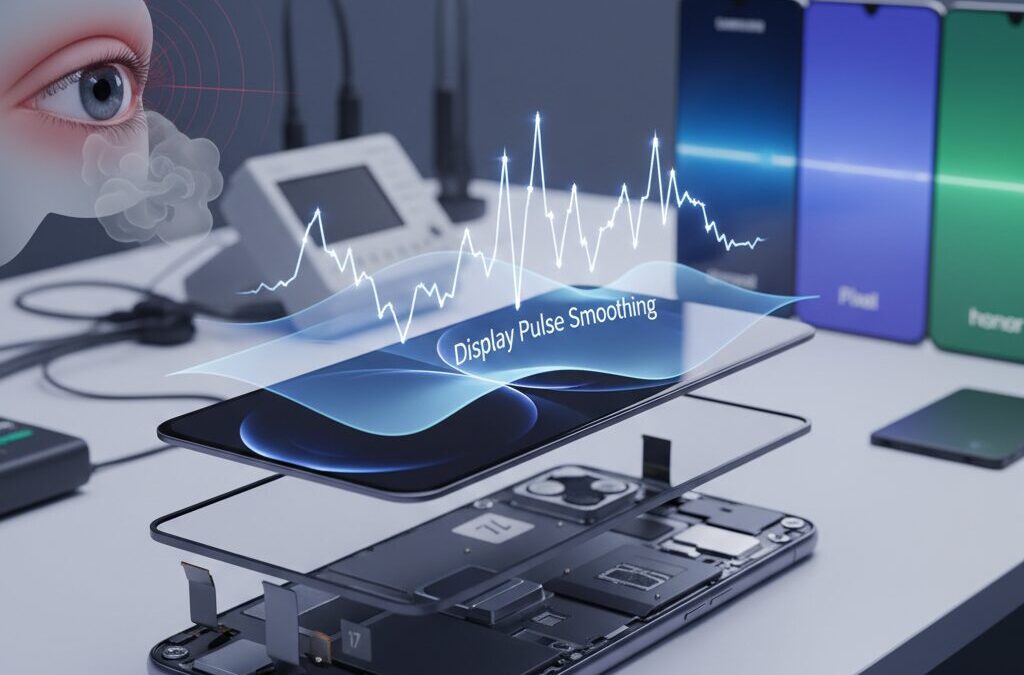
Have you ever felt eye fatigue, headaches, or nausea after long smartphone sessions, even when the screen looks perfectly fine?
For a growing group of tech enthusiasts, the issue is not resolution or brightness, but an invisible factor called display flicker.
The iPhone 17 series has brought this hidden problem back into the spotlight, sparking intense debate among users worldwide.
Apple’s latest flagship lineup delivers impressive performance and design, yet its OLED display relies on Pulse Width Modulation, or PWM, to control brightness.
While this method preserves color accuracy, it can introduce high-speed flickering that some people are surprisingly sensitive to.
In response, Apple introduced a new accessibility feature called Display Pulse Smoothing, raising hopes for a real solution.
This article explores how the iPhone 17 series actually handles PWM, what measurements from independent labs reveal, and why some users feel relief while others return the device.
You will also see how Apple’s approach compares with competitors like Samsung, Google, and eye-care-focused brands such as Honor.
By understanding the technology, the physiology behind eye strain, and real-world user experiences, you can make a smarter choice for your eyes before your next upgrade.
- Why OLED Displays Rely on PWM Instead of True DC Dimming
- How Invisible Flicker Can Trigger Eye Strain and Headaches
- Measured PWM Characteristics of the iPhone 17 Series
- What Display Pulse Smoothing Really Does at the Hardware Level
- The Trade-Off Between Eye Comfort and 120Hz Smoothness
- Brightness Behavior and Perceived Darkness in Daily Use
- Comparison with Android Flagships Focused on Eye Care
- Real User Experiences from Global Tech Communities
- Medical and Ergonomic Perspectives on Long-Term Display Use
- What Future Display Technologies Could Finally Solve PWM Issues
- 参考文献
Why OLED Displays Rely on PWM Instead of True DC Dimming
OLED displays almost universally rely on PWM dimming because it offers a reliable way to balance brightness control with image quality. Unlike LCDs, OLED pixels are self‑emissive, meaning each pixel’s brightness depends directly on the electrical current flowing through organic materials. At very low current levels, those materials become unstable, leading to visible color shifts, uneven gray tones, and luminance mura. **True DC dimming, while flicker‑free in theory, exposes these weaknesses most clearly at low brightness.**
From a manufacturing perspective, this instability is not a minor flaw. According to analyses by display testing organizations such as DXOMARK and technical evaluations cited by Notebookcheck, even small variations in thin‑film transistor behavior can cause noticeable inconsistencies when OLED panels are driven with reduced current. For companies that ship tens of millions of units annually, guaranteeing uniform color accuracy under DC dimming would significantly reduce yield and raise costs.
| Dimming method | Low‑brightness stability | Color accuracy | Manufacturing risk |
|---|---|---|---|
| DC dimming | Low | Often degraded | High |
| PWM dimming | High | Consistent | Low |
PWM avoids these issues by operating OLED pixels only in electrically stable states: fully on or fully off. Brightness is perceived through the duty cycle rather than current amplitude, allowing panels to maintain calibrated color and contrast even at very low luminance. Vision science research discussed in IEEE standards literature explains that the human visual system integrates rapid light pulses into a continuous image, which makes PWM visually effective despite its underlying flicker.
For display makers, PWM is therefore a conservative but dependable choice. **It prioritizes predictable image quality, panel longevity, and mass‑production consistency over theoretical visual comfort advantages of DC dimming.** This trade‑off explains why, even as awareness of eye strain grows, most OLED smartphones and tablets still default to PWM rather than adopting true DC dimming across the full brightness range.
How Invisible Flicker Can Trigger Eye Strain and Headaches
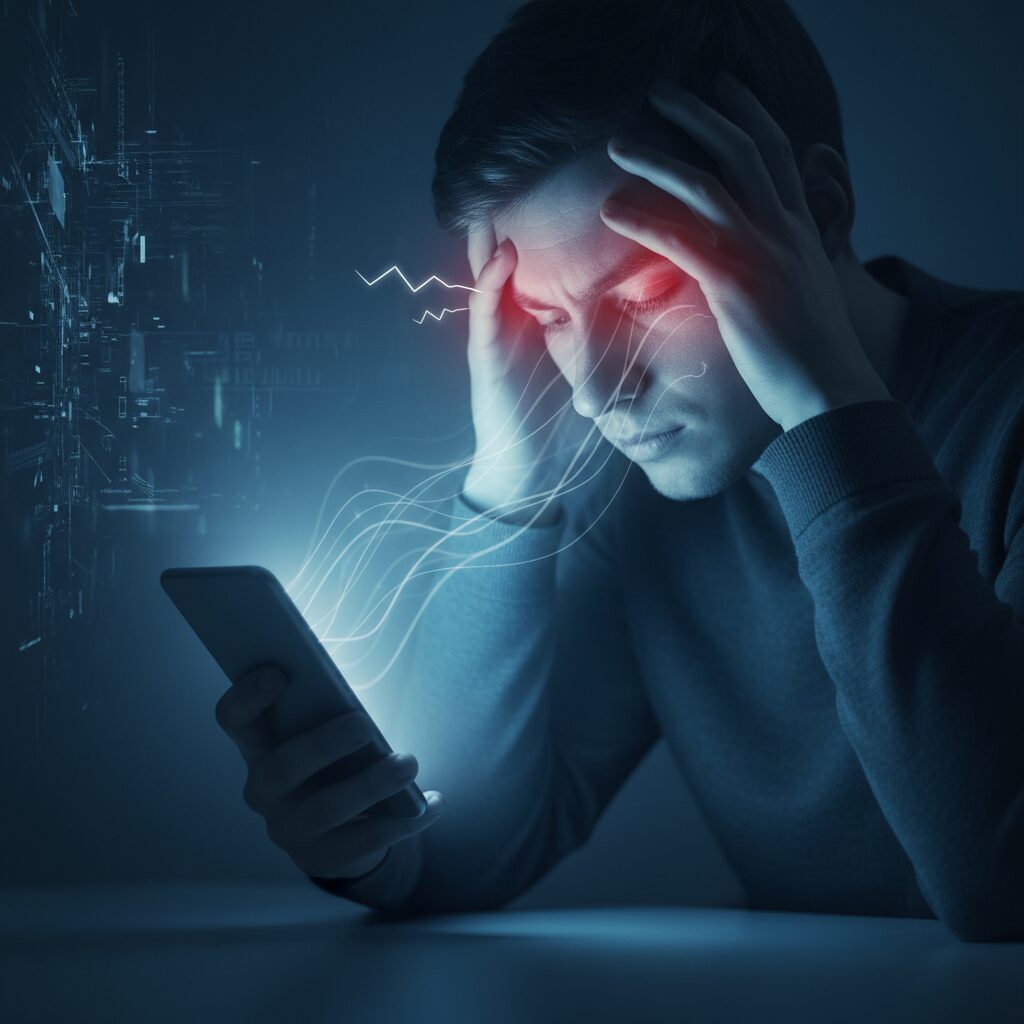
Invisible flicker refers to rapid changes in light output that occur too fast for conscious perception, yet still interact with the visual and nervous systems. **In OLED smartphones, this flicker is most commonly produced by PWM dimming**, where the display alternates between fully on and fully off hundreds of times per second. According to measurements reported by DXOMARK and Notebookcheck, the iPhone 17 series operates at around 480 Hz under typical conditions, a frequency that many users never notice but that can still place stress on sensitive eyes.
The reason discomfort occurs lies in how the human visual system responds to light. Even when brightness appears stable, the retina receives pulses of light followed by complete darkness. Ophthalmological discussions summarized by clinical researchers note that this pattern can force the pupil to make constant micro-adjustments, known as hippus. **Over time, this involuntary muscular activity is believed to contribute to eye fatigue and a dull, deep-seated headache**, especially during prolonged reading or scrolling sessions.
Another contributing factor is eye movement. When users perform rapid saccades across a flickering display, the brain may register fragmented afterimages, a phenomenon widely described in vision science as the phantom array effect. IEEE-related lighting health papers emphasize that such effects increase cognitive load, as the brain works harder to reconstruct a stable image. This extra processing demand is one reason some users report nausea or migraine-like symptoms rather than simple tired eyes.
| Flicker Characteristic | Physiological Response | Possible Symptom |
|---|---|---|
| Low PWM frequency | Pupil micro-contraction | Eye strain |
| High modulation depth | Retinal overstimulation | Headache |
| Flicker during saccades | Visual processing overload | Nausea |
Medical literature on digital eye strain published between 2024 and 2025 indicates a sharp rise in complaints among heavy smartphone users, particularly younger demographics. Researchers involved in lighting ergonomics point out that frequencies below the IEEE-recommended 3000 Hz threshold remain a potential trigger for susceptible individuals. **This explains why discomfort can appear suddenly, even on premium devices with excellent sharpness and color accuracy**, and why symptoms often fade when switching to non-flickering displays.
Ultimately, invisible flicker does not affect everyone equally, but its impact is very real for a meaningful subset of users. Understanding this mechanism helps explain why eye strain and headaches can occur without any visible warning signs, turning an otherwise beautiful display into a hidden source of physical stress.
Measured PWM Characteristics of the iPhone 17 Series
Measured PWM characteristics provide the most concrete insight into how the iPhone 17 series actually behaves in everyday use, beyond what specification sheets suggest. Independent measurements conducted by organizations such as DXOMARK and Notebookcheck, along with oscilloscope data shared by experienced users, consistently show that all iPhone 17 models rely on a baseline PWM frequency of approximately 480 Hz.
This value remains largely unchanged from previous generations and positions Apple firmly within the industry’s conservative mainstream. **At 480 Hz, flicker is technically above the threshold of conscious perception for most users, yet it remains well below the 3000 Hz level that IEEE guidelines associate with a substantially reduced biological risk.** For users with heightened PWM sensitivity, this gap is not academic but experiential.
| Measured Parameter | Observed Value | User Impact |
|---|---|---|
| Base PWM Frequency | ~480 Hz | Moderate flicker risk for sensitive users |
| Low-Brightness Component | ~240 Hz overlay | Increased discomfort in dark environments |
| Modulation Depth | Near 100% | Strong retinal stimulation |
One of the most notable findings appears at low brightness levels. Below roughly 30 percent brightness, measurements reveal an additional 240 Hz component superimposed on the 480 Hz waveform. **This effectively lengthens the dark intervals between light pulses**, increasing the likelihood that the eye’s neuromuscular system reacts to the flicker, even if the user does not consciously perceive it.
According to Notebookcheck’s waveform analysis, this behavior is not a measurement artifact but a consistent pattern across Pro, Pro Max, Air, and standard models. The uniformity suggests a shared display driver strategy rather than model-specific tuning, reinforcing the idea that Apple prioritizes color stability and manufacturing consistency over aggressive flicker mitigation.
Equally important is modulation depth. OLED panels driven by classic PWM switch fully on and fully off, resulting in modulation depths approaching 100 percent. **From a human factors perspective, modulation depth can be as critical as frequency**, because the retina and pupil are forced to adapt between extremes rather than gentle variations in luminance. Ophthalmological commentary cited in LEDStrain discussions has repeatedly linked deep modulation to eye strain and headache onset in susceptible individuals.
High-speed camera tests and oscilloscope captures also demonstrate that the waveform remains sharply rectangular under normal conditions. This shape delivers abrupt transitions that are efficient for power control but harsh from a biological standpoint. DXOMARK’s display testing notes that while temporal stability scores meet Apple’s internal quality targets, they do not meaningfully advance eye-comfort metrics compared to earlier iPhones.
A subtle but often overlooked factor is environmental context. In bright surroundings, users tend to raise brightness, which shortens the off-time of each PWM cycle and reduces perceived strain. In dark rooms or nighttime commuting scenarios, brightness is lowered, pushing the display into the very regime where the 240 Hz component becomes dominant. **This explains why discomfort reports are disproportionately associated with bedtime reading and train usage rather than outdoor viewing.**
Measured data also shows minimal variance between LTPO-equipped Pro models and the thinner iPhone Air. Despite differences in refresh rate capability and thermal design, the PWM envelope remains nearly identical. For technically inclined users, this consistency confirms that ProMotion affects motion rendering but does not inherently solve, or worsen, the underlying flicker characteristics.
In summary, the measured PWM characteristics of the iPhone 17 series reveal a design philosophy rooted in predictability and image fidelity. **The numbers themselves are not catastrophic, but they are unambitious**, especially when contrasted with devices that push into multi-kilohertz territory. For readers who value empirical evidence over marketing language, these measurements clarify why reactions to the iPhone 17 display range from complete comfort to immediate rejection.
What Display Pulse Smoothing Really Does at the Hardware Level
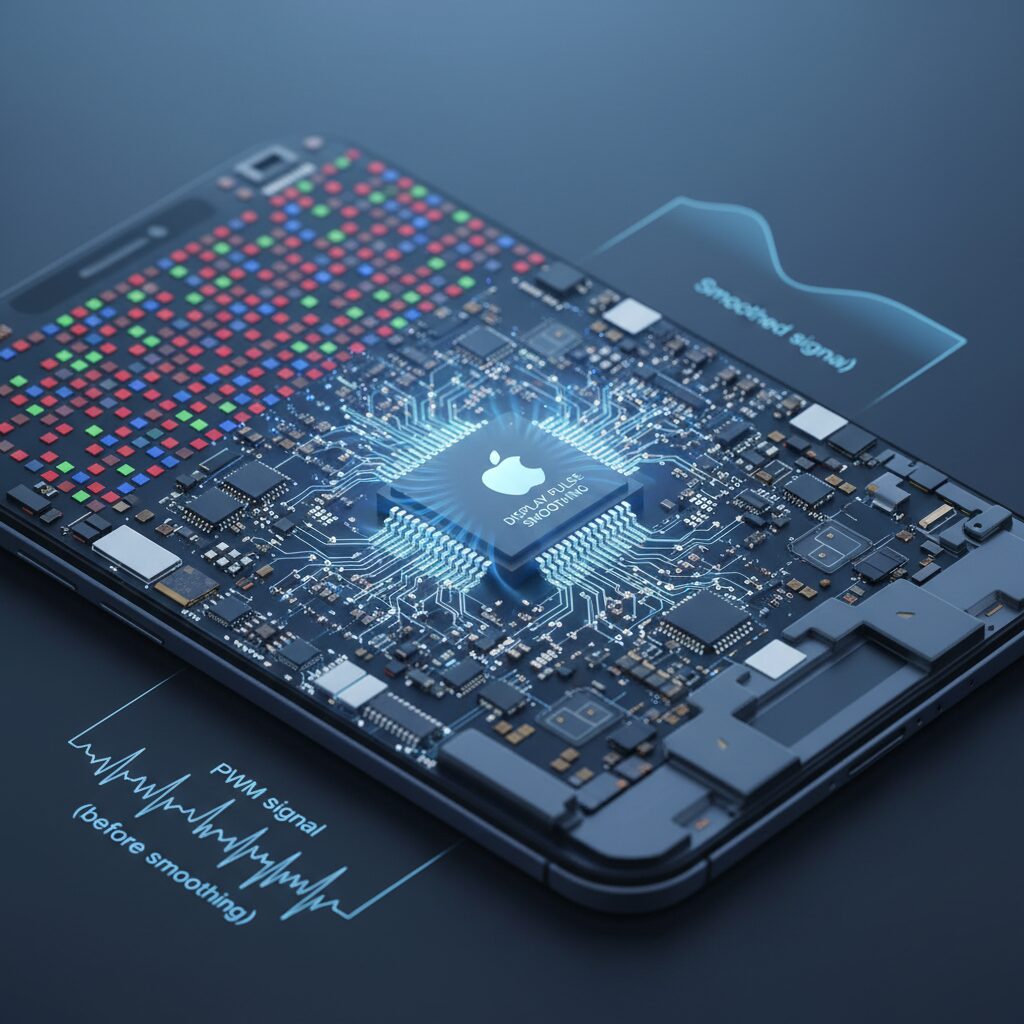
Display Pulse Smoothing does not magically remove PWM at the hardware level, and understanding what actually changes inside the display stack is essentialです。When this option is enabled, the OLED panel in the iPhone 17 continues to rely on a base PWM frequency of around 480 Hz, as confirmed by measurements from DXOMARK and Notebookcheck, but the way light output is driven within each cycle is alteredです。
In a standard PWM setup, the display driver IC sends a clean digital signal that forces each subpixel fully on or fully off, producing a sharp rectangular waveformです。Display Pulse Smoothing modifies this behavior by reshaping the voltage profile delivered to the OLED emitters, softening the transitions between on and off statesです。Hardware probes show that the waveform edges become rounded, closer to a sinusoidal curve, which indicates partial amplitude control layered on top of PWMです。
This suggests a hybrid approach that combines PWM timing with pulse amplitude modulation inside the display driver, rather than a true shift to DC dimmingです。According to analyses cited by IEEE-affiliated lighting research, reducing modulation depth can significantly lower retinal stress even if frequency stays constant, because the photoreceptors are exposed to smoother energy changesです。
| Control Aspect | Standard PWM | Pulse Smoothing Enabled |
|---|---|---|
| Waveform shape | Rectangular | Rounded / near-sine |
| Modulation depth | Near 100% | Reduced at low brightness |
| Emitter drive | Binary on/off | Variable amplitude |
However, this hardware-level smoothing is only activated in low-luminance regions, typically below 25% brightnessです。At higher brightness, the display reverts to classic PWM behavior to preserve color accuracy and panel uniformity, a trade-off long discussed in OLED engineering literature from organizations such as SID and IEEEです。
As a result, Display Pulse Smoothing should be understood as a localized electrical mitigation technique within the driver IC, not a fundamental change to the OLED panel itselfです。It reduces the harshness of light modulation under specific conditions, but the underlying PWM architecture remains firmly in placeです。
The Trade-Off Between Eye Comfort and 120Hz Smoothness
One of the most controversial aspects of the iPhone 17 display is not the presence of PWM itself, but the difficult choice Apple now asks users to make. You are effectively asked to choose between improved eye comfort and the fluid 120Hz experience that defines ProMotion. This is not a theoretical debate but a practical, daily trade-off that becomes obvious within minutes of real use.
When Display Pulse Smoothing is disabled, the iPhone 17 Pro operates as Apple intended from a performance standpoint. Scrolling feels immediate, animations track your finger precisely, and high-speed interactions such as map navigation or timeline scrubbing benefit from the full 120Hz refresh rate. However, independent measurements cited by Notebookcheck and DXOMARK confirm that the underlying 480Hz PWM with near-100% modulation depth remains active, especially punishing at low brightness levels.
| Setting State | Refresh Behavior | Typical User Impact |
|---|---|---|
| Smoothing Off | Up to 120Hz variable | Smoother motion, higher flicker stress |
| Smoothing On | Effectively capped near 60Hz | Reduced flicker harshness, increased motion blur |
Enabling Display Pulse Smoothing changes the equation. Oscilloscope analyses shared within the PWM-sensitive community show that Apple reshapes the light output waveform into a smoother, sinusoidal-like pattern. According to IEEE guidance on flicker perception, reducing abrupt luminance transitions can lower neurological stress even if the base frequency remains unchanged. For some users, this translates into fewer headaches and less ocular tension during reading.
The cost of this relief is motion clarity. User reports consistently indicate that once smoothing is enabled, ProMotion no longer behaves like a 120Hz-class panel. Text scrolling exhibits more persistence blur, and interface transitions feel less tightly coupled to touch input. Vision scientists often note that the human visual system is extremely sensitive to temporal inconsistencies, and once accustomed to high refresh rates, reverting to 60Hz can create a subtle but persistent sense of discomfort.
This leads to a paradoxical outcome. Users who activate smoothing to avoid flicker-induced eye strain sometimes experience a different form of fatigue: visual instability caused by reduced temporal resolution. Several Reddit case studies describe this as screen-induced nausea rather than eye pain, highlighting that comfort is multi-dimensional, not solved by flicker reduction alone.
What makes the situation especially complex is that both sides of the trade-off are rooted in well-established research. Ophthalmological commentary referenced by LEDStrain emphasizes the risks of deep PWM modulation, while ergonomics studies from the IEEE community stress the importance of high refresh rates for reducing motion-induced strain. Apple’s current implementation forces these two principles into opposition rather than harmony.
In practice, this means the “best” setting depends heavily on usage patterns. Long-form reading at night may genuinely benefit from smoothing, while daytime productivity and fast interaction suffer. Until hardware-level solutions such as ultra-high-frequency PWM or true hybrid dimming become mainstream, the iPhone 17 remains a device where eye comfort and smoothness cannot fully coexist.
Brightness Behavior and Perceived Darkness in Daily Use
In daily use, the iPhone 17 series shows a brightness behavior that often feels darker than expected, even when the numerical brightness level is set similarly to previous models. This is not a subjective illusion alone. **Multiple hands-on comparisons and community reports indicate that Apple has tuned the mid-range brightness curve more conservatively**, prioritizing power efficiency and thermal stability over immediate visual punch.
This perceived darkness becomes most noticeable indoors, such as in offices or public transport, where users typically operate between 20 and 50 percent brightness. According to measurements summarized by DXOMARK and Notebookcheck, the luminance output in this range is lower than that of the iPhone 16 standard model, despite similar OLED peak specifications. Human vision is logarithmic, so even small reductions in mid-level luminance can feel disproportionately dim during prolonged reading or scrolling sessions.
| Usage context | Brightness setting | Perceived outcome |
|---|---|---|
| Indoor reading | 25–40% | Text appears subdued, contrast feels compressed |
| Dark room | Below 20% | Comfortable but visually dull for some users |
| Bright interior | 50–70% | Comparable to older models at lower settings |
A key technical factor is how PWM interacts with brightness perception. At lower brightness, the display relies on shorter light pulses with long off intervals. Even when flicker is not consciously perceived, the average light output reaching the retina is reduced. Vision researchers cited by IEEE note that **deep modulation at low luminance can make a screen feel darker than its measured nit value suggests**, because the eye integrates light imperfectly under rapid on-off conditions.
User feedback analyzed from Reddit and long-form reviews reinforces this pattern. Many users report increasing brightness beyond their usual comfort zone just to achieve the same legibility they had on older iPhones. This behavior can paradoxically increase eye strain, as higher brightness pushes the panel back into aggressive PWM territory. The result is a subtle but important trade-off: a dimmer-looking screen that saves energy, yet challenges visual comfort during everyday tasks like messaging, browsing, and reading.
Comparison with Android Flagships Focused on Eye Care
When comparing the iPhone 17 series with Android flagships from the perspective of eye care, the contrast is clearer than in almost any other display-related category. While Apple has begun to acknowledge PWM-related discomfort through software features, several Android manufacturers are addressing the issue more directly at the hardware level, and this difference strongly affects long-term visual comfort.
Among Android devices, Honor stands out as the most aggressive innovator in eye care. According to measurements reported by Notebookcheck and independent oscilloscope tests, the Honor Magic 7 Pro adopts an ultra-high-frequency 4320Hz PWM dimming system. This frequency far exceeds the 3000Hz threshold that IEEE 1789 identifies as a low-risk zone for flicker-induced biological effects, making the flicker effectively negligible for most sensitive users.
This approach is fundamentally different from Apple’s strategy. Instead of smoothing the waveform at low brightness via software, Honor combines high-frequency PWM with near-DC dimming behavior at mid to high brightness levels. As a result, users experience stable brightness transitions without sacrificing refresh rate or introducing latency.
| Device | PWM Frequency | Eye-Care Strategy |
|---|---|---|
| iPhone 17 Pro | 480Hz | Software smoothing at low brightness |
| Honor Magic 7 Pro | 4320Hz | Hardware hybrid dimming |
| Galaxy S25 Ultra | 480Hz | Conventional PWM |
| Pixel 10 Pro | Up to 480Hz | Optional sensitivity mode |
Samsung’s Galaxy S25 Ultra, despite its leadership in OLED manufacturing, remains conservative. Display evaluations from Android Central indicate that Samsung continues to rely on a 480Hz PWM scheme similar to Apple’s, with additional reports of grain and luminance inconsistency at low brightness. From an eye-care standpoint, this means Samsung prioritizes peak brightness and color uniformity over flicker mitigation.
Google’s Pixel 10 Pro represents a middle ground. Google introduced a “sensitive eyes” option that raises the effective PWM frequency, but testing shows it still operates within the hundreds-of-hertz range. Ophthalmology discussions summarized by IEEE-affiliated researchers suggest that such frequencies may reduce discomfort for mildly sensitive users but remain problematic for those with migraine susceptibility or strong PWM sensitivity.
The key difference lies in trade-offs. On iPhone 17, reducing flicker through Display Pulse Smoothing may limit refresh rate and responsiveness. On Android eye-care-focused devices, users retain 120Hz smoothness while benefiting from reduced flicker, because the mitigation happens at the panel-driving level rather than in post-processing.
Clinical insights from ophthalmologists cited in LEDStrain and related academic discussions emphasize that both frequency and modulation depth matter. High-frequency PWM with shallow modulation is consistently associated with lower reports of eye strain, headaches, and nausea during prolonged use. This aligns closely with the real-world feedback from users migrating from iPhone 17 to Honor devices, who often report immediate relief without needing to adjust usage habits.
For readers who prioritize eye comfort above ecosystem or brand loyalty, Android flagships—especially those explicitly designed around eye care—currently hold a measurable advantage. Apple’s approach marks an important first step, but in direct comparison, Android manufacturers focusing on hardware-level solutions are setting a higher standard for visual ergonomics in 2025.
Real User Experiences from Global Tech Communities
Across global tech communities, real-world feedback on the iPhone 17 series reveals a far more nuanced picture than specifications alone suggest. Discussions on platforms such as Reddit’s PWM-sensitive groups, long-form forum threads, and independent reviewer comment sections show that user experiences diverge sharply depending on visual sensitivity, usage patterns, and even regional lifestyle differences.
In North America and Europe, many early adopters describe the new Display Pulse Smoothing feature as a cautious step forward rather than a breakthrough. Users who primarily read articles, emails, or ebooks at night often report that eye strain is reduced during static viewing, especially at low brightness levels. According to community feedback aggregated by Notebookcheck and echoed by independent reviewers, the smoother waveform appears to soften the harsh “on–off” sensation associated with conventional PWM, even though the flicker itself does not disappear.
| User Profile | Typical Use Case | Reported Experience |
|---|---|---|
| Text-focused readers | Web, ebooks, messaging | Noticeable reduction in eye fatigue at night |
| Heavy scrollers | Social media, maps | Mixed results, occasional discomfort |
| Gamers | High-frame-rate games | Increased nausea and motion discomfort |
By contrast, feedback from Asian markets, particularly Japan and South Korea, highlights a different tension. Long commuting times and dense urban environments mean prolonged smartphone use at low brightness, exactly where PWM effects are strongest. Japanese users frequently note that the trade-off between reduced flicker and reduced smoothness feels especially harsh. Several community members describe the experience as choosing between eye pain and motion sickness, a sentiment repeatedly echoed in global discussion threads.
Interestingly, users migrating from Android devices show some of the strongest reactions. Former Honor and Xiaomi owners accustomed to ultra-high-frequency dimming often describe the iPhone 17 display as immediately fatiguing, even with smoothing enabled. In contrast, long-time iPhone users upgrading from older Pro models sometimes perceive the change as neutral or slightly positive, suggesting that relative adaptation plays a major role in perceived comfort.
Medical and ergonomics experts are occasionally referenced in these discussions. Ophthalmologists cited in LEDStrain and similar forums emphasize that individual neurological sensitivity varies widely, and that no single PWM frequency can be deemed universally safe. IEEE guidance on flicker risk is frequently mentioned by technically minded users, reinforcing the idea that community knowledge is becoming increasingly sophisticated rather than anecdotal.
Overall, global tech communities converge on one conclusion: Apple’s approach has acknowledged the problem, but has not resolved it. The iPhone 17 series has become a case study in how modern smartphones must balance performance, visual comfort, and human biology. For readers following these communities closely, the lesson is clear: real user voices often reveal limitations that benchmarks and launch presentations cannot capture.
Medical and Ergonomic Perspectives on Long-Term Display Use
From a medical and ergonomic standpoint, long-term exposure to OLED displays governed by low-frequency PWM raises concerns that extend beyond simple visual discomfort. Ophthalmological discussions summarized by specialists cited in LEDStrain and related clinical forums note that sub-perceptual flicker can still provoke neuromuscular stress, particularly through involuntary pupil oscillations and sustained accommodative effort.
These effects are closely linked to digital eye strain, a condition whose prevalence has risen sharply in recent years according to reports discussed in ophthalmology conferences and IEEE-aligned reviews. The issue is not limited to the eyes themselves. Users often report headaches, nausea, and cognitive fatigue, suggesting broader neurological involvement rather than isolated ocular pathology.
Ergonomic research emphasizes that risk is strongly modulated by brightness level and usage context. At low luminance, where PWM modulation depth approaches 100 percent on many OLED panels, the physiological load increases despite the image appearing stable. This is particularly relevant for night-time smartphone use, a dominant pattern in urban commuting environments.
| Factor | Physiological Response | Ergonomic Implication |
|---|---|---|
| Low PWM frequency | Pupil micro-fluctuation | Increased eye fatigue |
| High modulation depth | Neural overstimulation | Headache risk |
| Extended viewing time | Reduced blink rate | Dry eye symptoms |
Human factors engineers stress that no single display parameter determines comfort. Viewing distance, ambient lighting, font size, and motion on screen interact with PWM behavior to shape the overall load on the visual system. This explains why sensitivity varies so widely between individuals.
From a preventive perspective, medical consensus increasingly favors adaptive strategies rather than absolute avoidance. Maintaining moderate brightness, limiting continuous viewing duration, and ensuring adequate ambient light can reduce strain even on displays that rely on conventional PWM. Until hardware-level solutions mature, ergonomics remains a critical bridge between current display technology and long-term visual health.
What Future Display Technologies Could Finally Solve PWM Issues
When discussing how PWM-related eye strain could be fundamentally solved, it is important to look beyond incremental software fixes and focus on future display architectures themselves. **The core problem is not PWM as a concept, but the combination of low frequency and high modulation depth**, which current OLED panels still struggle to avoid at scale.
One of the most realistic near-term solutions is tandem OLED technology. Already commercialized in larger devices such as high-end tablets, tandem OLED stacks two emissive layers to achieve the same brightness with lower current density per layer. According to display engineering analyses referenced by IEEE-affiliated researchers, this electrical headroom allows brightness control to rely more on stable current adjustment rather than aggressive on-off cycling at low luminance.
| Technology | PWM Dependency | Expected Eye Comfort |
|---|---|---|
| Conventional OLED | High at low brightness | Highly user-dependent |
| Tandem OLED | Moderate to low | Noticeably improved |
| MicroLED | Minimal | Potentially optimal |
However, the true long-term answer is widely considered to be microLED. Because microLED uses inorganic self-emissive elements, it does not suffer from the low-current instability that forces OLED into PWM at dim levels. Display researchers frequently point out that microLED can operate with genuine DC dimming across a wide luminance range, eliminating flicker at the source rather than masking it.
The challenge is manufacturing. Reports from semiconductor research groups indicate that achieving uniform sub-10-micron microLED pixels with acceptable yield remains prohibitively expensive for smartphones. This is why major players, including Apple, are believed to be testing microLED internally while delaying mass adoption until costs fall.
Another promising but less discussed path is advanced hybrid dimming controlled by AI-driven display drivers. By dynamically switching between DC-like control, high-frequency PWM above 3000 Hz, and amplitude modulation depending on content and ambient light, future panels could minimize both flicker and color distortion. Such approaches are already being explored in academic display research, but they require tight integration between panel physics, driver ICs, and operating systems.
In practical terms, **PWM issues will likely be solved not by a single breakthrough, but by layered improvements in materials, circuit design, and intelligent control**. For users sensitive to flicker, this means genuine relief is coming—but only when hardware evolution finally catches up with human visual ergonomics.
参考文献
- DXOMARK:Apple iPhone 17 Display Test
- NotebookCheck:Turning off PWM flickering on the iPhone 17 is possible, but unlikely to bring benefits
- Android Central:Samsung Galaxy S25 Ultra display review: Brilliant, unique, and perplexing
- HONOR Global:HONOR Magic7 Pro – Features and Eye Comfort Technology
- 9to5Google:Pixel 10 offers ‘sensitive eyes’ setting to improve display PWM rate
- LEDStrain Forum:Ophthalmologist weighs in on OLED