If you follow smartphones closely, you may have felt confused or even frustrated when Apple launched the iPhone 16 with a 60Hz display in 2025.
Many Android phones at much lower prices already offer 90Hz or 120Hz panels, so on paper this decision looks outdated.
Yet despite loud criticism from tech enthusiasts, the iPhone 16 continues to sell extremely well around the world.
This gap between specifications and real-world popularity raises an important question.
Is the 60Hz display truly a weakness, or is there something deeper happening in how the iPhone 16 actually feels to use?
Numbers alone do not always explain user satisfaction, especially when software, hardware, and human perception interact.
In this article, you will learn how Apple balances hardware limitations, iOS-level optimizations, and perceptual psychology.
We will explore touch responsiveness, frame stability, scrolling physics, gaming performance, and even eye comfort.
By the end, you will clearly understand who the iPhone 16 display is right for, and who should consider a 120Hz alternative.
- The 60Hz Controversy in a 2025 Smartphone Market
- Super Retina XDR Hardware: Image Quality Versus Refresh Rate
- Touch Sampling Rate and Why Responsiveness Feels Faster Than 60Hz
- How the A18 Chip Keeps Frame Rates Stable Under Load
- iOS Rendering Priorities and Why Animations Rarely Stutter
- Scrolling Physics and Predictive Touch: The Hidden Software Advantage
- PWM Dimming, Flicker, and the Impact on Eye Comfort
- Real-World Comparisons: Browsing, Gaming, and Media Consumption
- User Psychology and Why Many People Do Not Notice 60Hz
- Who Should Choose iPhone 16 and Who Should Avoid It
- 参考文献
The 60Hz Controversy in a 2025 Smartphone Market
In a 2025 smartphone market where high refresh rates have become almost synonymous with progress, the decision to keep the iPhone 16 at 60Hz has sparked an unusually intense debate. Many enthusiasts view refresh rate as a shorthand for display quality, and on paper, a premium smartphone priced well above midrange Android competitors appears difficult to defend when those rivals offer 90Hz or 120Hz panels as standard.
This gap between expectations and specifications has turned 60Hz into a symbol rather than just a number. Reviewers and analysts frequently describe it as outdated, while social platforms amplify frustration by framing the choice as deliberate product segmentation. From that perspective, the controversy is not only technical but also emotional, touching on fairness, value, and perceived innovation.
| Market Context | Typical Android Midrange | iPhone 16 |
|---|---|---|
| Price Tier | Approx. $200–$400 | Around $800+ |
| Refresh Rate | 90Hz–120Hz | 60Hz |
| Panel Type | OLED (varies) | Super Retina XDR OLED |
However, market data tells a more complex story. According to global sales analyses by firms such as Counterpoint Research, the iPhone 16 continues to rank among the best-selling smartphones worldwide. This creates a paradox: a device criticized for lagging behind in specs still dominates in real-world demand.
The controversy therefore exposes a disconnect between spec-driven evaluation and experience-driven purchasing. For many buyers, refresh rate is abstract compared to brand trust, long-term software support, and consistent performance. Apple’s strategy appears to bet on the idea that most users judge smoothness holistically, not numerically.
As display experts at DxOMark have noted in their assessments, refresh rate alone does not define perceived fluidity. Stability, color accuracy, brightness, and interaction latency all shape how smooth a screen feels in daily use. In that sense, the 60Hz debate surrounding the iPhone 16 is less about technical incapability and more about shifting consumer expectations in a market where bigger numbers increasingly dominate the conversation.
Super Retina XDR Hardware: Image Quality Versus Refresh Rate
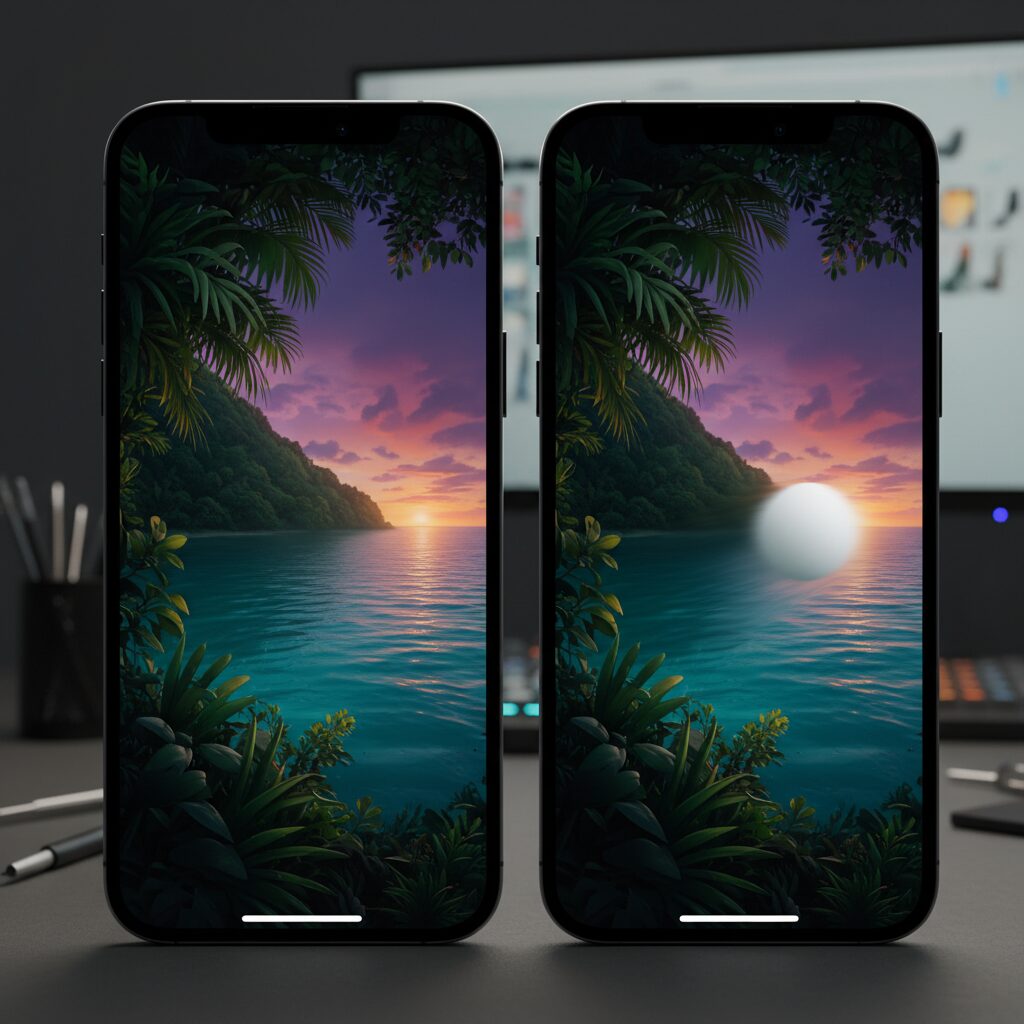
The Super Retina XDR display on iPhone 16 focuses first and foremost on image quality, and in that regard it delivers an experience that remains at the very top of the smartphone market. The OLED panel achieves a pixel density of 460 ppi, a contrast ratio of 2,000,000:1, and peak HDR brightness of up to 1,600 nits, rising to 2,000 nits outdoors. According to Apple’s official specifications and independent evaluations such as DXOMARK, static image fidelity, color accuracy, and dynamic range are virtually indistinguishable from the Pro models.
This means that when you are viewing photos, watching movies, or reading text without rapid motion, the perceived sharpness and richness are not compromised by the 60Hz refresh rate. High resolution and precise subpixel control ensure that fine typography, skin tones, and shadow details are rendered cleanly, even under challenging lighting conditions.
| Aspect | iPhone 16 | High-Refresh Competitors |
|---|---|---|
| Pixel Density | 460 ppi | 400–500 ppi |
| Peak HDR Brightness | 1,600 nits | 1,200–2,000 nits |
| Refresh Rate | 60Hz fixed | 90–120Hz variable |
Where the trade-off becomes visible is not in still imagery, but in motion clarity. A 60Hz panel updates every 16.67 milliseconds, which limits temporal resolution. During fast scrolling or quick UI animations, text and edges can blur due to the hold-type nature of OLED displays. Research in visual perception shows that higher refresh rates reduce motion blur by presenting more intermediate positions to the eye, which is why 120Hz panels appear clearer during rapid movement.
However, Apple deliberately prioritizes consistency over raw frequency. The Super Retina XDR panel is paired with extremely fast pixel response times and a stable frame output driven by the A18 chip, which minimizes stutter and uneven frame pacing. Display engineers often note that irregular frame drops are more disturbing to the human visual system than a lower but perfectly stable refresh rate, a point also supported by usability studies referenced in Apple’s developer documentation.
As a result, the iPhone 16’s display can be described as image-quality-first hardware. It favors brightness, contrast, and color precision over headline refresh-rate numbers. For users who value cinematic visuals, photo accuracy, and outdoor readability, this balance feels intentional and refined, even if motion enthusiasts will still notice the physical limits of 60Hz during fast interactions.
Touch Sampling Rate and Why Responsiveness Feels Faster Than 60Hz
When people see a 60Hz specification, they often assume that responsiveness must also be limited to 60 updates per second. In practice, that assumption is misleading. **Touch sampling rate, not refresh rate, is the primary factor that determines how fast a device feels when you interact with it**, and this is where Apple’s engineering choices change the perception entirely.
On iPhone 16, the display refreshes at 60Hz, meaning a new frame is shown every 16.7 milliseconds. However, multiple technical analyses and developer observations indicate that touch input is sampled at roughly double that rate, around 120Hz. This means the capacitive sensor scans your finger position every 8.3 milliseconds, even though the screen itself updates less frequently.
This asynchronous design allows the system to detect input in the middle of a frame cycle. Instead of waiting for the next visual refresh to begin processing, iOS can already prepare the next frame based on the most recent touch data. **The result is a tangible reduction in input latency, often felt as immediate feedback rather than visible smoothness.**
| Parameter | Standard 60Hz Device | iPhone 16 |
|---|---|---|
| Display Refresh Cycle | 16.7 ms | 16.7 ms |
| Touch Sampling Cycle | 16.7 ms | 8.3 ms |
| Worst-Case Input Detection Delay | Up to 16.7 ms | Approximately 8 ms |
According to Apple’s own UIKit documentation on predicted touches, iOS is designed to minimize end-to-end latency by combining high-frequency touch sampling with early event processing. Academic research in human–computer interaction, including studies published through IEEE and ACM, shows that humans begin to notice touch delay somewhere between 20 and 30 milliseconds. By shaving several milliseconds off input detection alone, Apple keeps total latency comfortably below this perceptual threshold.
The A18 chip further amplifies this effect. With strong single-core performance, touch events are processed almost immediately after detection, and rendering commands are issued without contention from background tasks. **Even at 60Hz, the system rarely misses a frame or delays an animation start**, which is why scrolling and tapping feel crisp rather than sluggish.
This explains a common real-world observation: users switching from some 120Hz Android phones report that the iPhone feels more responsive despite the lower refresh rate. In those cases, the competing devices often pair high refresh panels with slower or inconsistent touch pipelines. Research cited by Apple engineers at WWDC has repeatedly emphasized that consistency and low variance in latency matter more to perceived responsiveness than raw frame count.
In daily use, this manifests most clearly in micro-interactions. Opening an app icon, stopping a scroll at an exact position, or dragging a slider all rely on how closely the on-screen object tracks your finger. **iPhone 16 prioritizes this tracking accuracy over sheer visual fluidity**, which is why many users describe it as “snappy” even while acknowledging that animations are not as silky as 120Hz ProMotion models.
Ultimately, touch sampling rate reframes the 60Hz debate. Responsiveness is not only about how often pixels change, but about how quickly the system listens to you. By sampling touch at a higher frequency and processing it with minimal delay, iPhone 16 delivers an interaction experience that feels faster than its refresh rate suggests, aligning engineering reality with human perception.
How the A18 Chip Keeps Frame Rates Stable Under Load
When discussing frame rate stability on the iPhone 16, the A18 chip plays a central role, especially under sustained load where many smartphones begin to stutter or throttle. **Apple’s approach here is not about chasing higher peak frame rates, but about keeping 60 frames per second consistently and predictably**. This distinction is critical for perceived smoothness, and it explains why the iPhone 16 often feels calmer and more controlled during heavy tasks.
The A18 integrates a 6‑core CPU with two high‑performance cores and four efficiency cores, paired with a 5‑core GPU. According to Apple’s technical disclosures and independent analyses such as those published by DXOMARK, this configuration provides ample headroom for UI rendering even when the system is multitasking heavily. **Because the GPU is rarely pushed to its absolute limits in 60fps scenarios, frame pacing remains remarkably even**, avoiding the micro‑stutters that occur when a processor oscillates between performance states.
| Scenario | Common Issue on Midrange SoCs | A18 Behavior |
|---|---|---|
| 3D game at max settings | Thermal throttling after minutes | Stable clocks, steady 60fps |
| Heavy web pages | Frame drops during scroll | Consistent frame pacing |
| Background processing | UI jank under load | UI thread prioritized |
A key reason for this stability lies in how iOS schedules work on the A18. As engineers have explained in Apple’s developer documentation and WWDC sessions, the UI render loop is given absolute priority. **Even if background tasks such as photo indexing or app updates are running, the system reallocates resources instantly to protect animation continuity**. This design philosophy means that frame time variance stays low, which visual perception research shows is more important than raw frame count.
Thermal behavior is another overlooked factor. Many Android devices advertise 120Hz displays but rely on aggressive boosting to reach those numbers. Under sustained load, heat forces the system to downclock, resulting in fluctuating frame rates. In contrast, the A18 operating at a capped 60fps generates less thermal stress. **The chip can sustain near‑peak efficiency without hitting thermal limits**, which reviewers frequently note when testing long gaming sessions or extended navigation with multiple apps active.
Real‑world gaming provides a clear example. Titles like Genshin Impact or Honkai: Star Rail are graphically demanding, yet on the iPhone 16 they tend to lock at 60fps with minimal deviation. Industry reviewers and performance analysts often emphasize that a perfectly flat frame time graph delivers a more comfortable experience than higher but unstable frame rates. **The A18’s GPU throughput ensures that visual complexity increases do not translate into dropped frames**, preserving immersion.
Ultimately, the A18 chip demonstrates that frame rate stability is an engineering choice, not a marketing number. By combining excess compute capacity, strict UI prioritization, and controlled thermal behavior, **the iPhone 16 achieves a form of smoothness rooted in reliability rather than spectacle**. For users sensitive to jitter and inconsistency, this steady performance under load becomes one of the most quietly impressive aspects of the device.
iOS Rendering Priorities and Why Animations Rarely Stutter
One of the least visible yet most decisive reasons iOS animations rarely stutter lies in how the operating system assigns rendering priorities. iOS is architected around a strict hierarchy in which user interface rendering is treated as a first‑class task. Even on a fixed 60Hz display, this philosophy ensures that every frame arrives on time, which is often more important to perceived smoothness than sheer frame count.
At the core of this design is the main run loop that handles touch input, layout updates, and drawing. According to Apple’s developer documentation and long‑standing WWDC sessions, UI rendering is scheduled with higher priority than most background activities. **When the system detects a scroll or animation, it actively deprioritizes non‑UI work**, such as indexing or background network processing, to protect the next frame deadline.
This approach explains why animations on iOS tend to remain fluid even under load. Independent analyses discussed by engineers on Hacker News have pointed out that iOS’s compositor can continue to animate layers even if an app’s logic briefly stalls. From the user’s perspective, the interface feels alive and responsive, despite underlying computation being momentarily delayed.
| Rendering Aspect | iOS Priority Handling | Perceptual Outcome |
|---|---|---|
| UI Thread Scheduling | Highest system priority during interaction | Consistent frame pacing |
| Background Tasks | Dynamically throttled | Reduced animation hiccups |
| Compositing | Decoupled from app logic | Scrolling stays smooth |
Frame pacing deserves special attention here. Human vision is more sensitive to irregular timing than to absolute refresh rate. Research in visual perception consistently shows that dropped or uneven frames are noticed faster than a stable lower frame rate. **By guaranteeing an almost metronomic 16.7ms cadence at 60Hz**, iOS minimizes jitter, which the brain often interprets as “lag” or “cheap animation.”
Apple’s Metal graphics stack further reinforces this behavior. Rendering commands are queued and synchronized in a way that favors predictability over burst performance. While this may limit peak throughput compared to aggressive multi‑threaded pipelines, it dramatically lowers the risk of missed frames. Industry reviewers and display test labs such as DXOMARK have repeatedly noted that iPhones show fewer micro‑stutters in UI transitions than many higher‑refresh competitors.
Another subtle factor is how animation curves are timed. iOS system animations are designed around the assumption of perfect frame delivery, with easing functions tuned to feel natural at 60fps. **Because frames almost never arrive late, these curves play out exactly as intended**, reinforcing the impression of polish and continuity.
In practice, this means that a 60Hz iPhone can feel smoother than a 120Hz device that occasionally misses frames. The rendering priority model does not try to impress on a spec sheet; instead, it optimizes for perceptual stability. For users, the result is simple but powerful: animations that rarely stutter, even when the hardware is theoretically outpaced by competitors.
Scrolling Physics and Predictive Touch: The Hidden Software Advantage
When discussing why a 60Hz iPhone can still feel remarkably fluid, the answer is not found in hardware specifications but in software behaviors that quietly shape perception. In particular, scrolling physics and predictive touch processing form a hidden advantage that Apple has refined for over a decade. These systems are designed not to increase frame count, but to maximize how meaningful each frame feels to the human brain.
At the core is iOS’s scrolling physics model, implemented through frameworks such as UIScrollView. According to detailed analyses by Apple engineers and independent developers, iOS applies carefully tuned deceleration curves that simulate friction and mass rather than simple linear slowdown. **This makes motion feel intentional and controllable, even when the refresh rate itself is limited to 60Hz.**
| Element | iOS Approach | Perceptual Effect |
|---|---|---|
| Deceleration | Non-linear, friction-based | Predictable stopping point |
| Boundary behavior | Rubber-band elasticity | Sense of physical feedback |
| Low-speed tracking | Near 1:1 finger mapping | High feeling of control |
Human visual perception is more sensitive to irregular motion than to absolute smoothness. Research in human–computer interaction, including findings cited by Apple’s developer documentation, shows that users tolerate lower frame rates well if motion is stable and predictable. **By avoiding sudden velocity changes and micro-stutters, iOS makes 60fps feel subjectively smoother than unstable 90Hz or 120Hz systems.**
Equally important is predictive touch, a technique Apple has publicly documented in UIKit references and WWDC sessions. Instead of waiting for a touch event to fully register and then drawing the next frame, iOS predicts where the finger will be a few milliseconds later. Velocity and acceleration vectors are continuously analyzed, and rendering begins ahead of confirmation.
This approach is supported by academic work such as the PredicTouch research, which demonstrates that touch prediction combined with inertial sensor data can reduce perceived latency by tens of milliseconds. **In practice, this means the display appears to move at the same moment the finger moves, even though the panel refreshes only every 16.7ms.** The brain interprets this as immediacy rather than delay.
The A18 chip further strengthens this illusion by ensuring frame pacing remains perfectly consistent. As Apple’s rendering pipeline prioritizes UI threads above background tasks, scroll animations rarely miss their timing window. According to engineers cited on Hacker News and Apple’s own documentation, this architectural choice minimizes jitter, which is far more noticeable to users than raw frame rate differences.
As a result, iPhone 16 demonstrates that **software-defined motion can compensate for hardware limits when designed around human perception**. Scrolling physics provide confidence and predictability, while predictive touch masks latency at its source. Together, they explain why many users describe the experience as “smooth enough” or even “pleasant,” despite knowing the display is technically 60Hz.
PWM Dimming, Flicker, and the Impact on Eye Comfort
When discussing display smoothness, refresh rate often dominates the conversation, but eye comfort is influenced just as strongly by how brightness is controlled. In the case of the iPhone 16, Pulse Width Modulation, commonly referred to as PWM dimming, plays a central role in perceived comfort, fatigue, and long-term usability.
PWM is a technique widely used in OLED panels to regulate brightness without degrading color accuracy. Instead of lowering voltage, the display rapidly switches pixels on and off, adjusting the ratio of light to darkness. While the human eye perceives this as continuous light, the underlying flicker can still interact with visual physiology.
Instrument-based measurements indicate that the iPhone 16 series operates at a PWM frequency of approximately 480Hz. According to display analysis firms such as DXOMARK and independent oscilloscope tests shared by researchers and engineers, this frequency remains consistent at higher brightness levels but changes behavior as brightness decreases.
| Brightness Range | PWM Behavior | Potential Visual Impact |
|---|---|---|
| Above ~50% | Stable 480Hz waveform | Low perceived flicker for most users |
| 30–50% | Increased modulation depth | Higher chance of eye strain |
| Below ~30% | Stronger amplitude variation | Noticeable discomfort for sensitive users |
Research in visual ergonomics, including studies cited in ophthalmology and human–computer interaction literature, suggests that lower-frequency or high-amplitude flicker can trigger subtle pupil oscillations. These micro-adjustments are not consciously perceived but may contribute to eye fatigue, headaches, or dryness over extended sessions.
Compared with several 2024–2025 Android flagship devices, which employ ultra-high-frequency PWM in the 2000–4000Hz range or hybrid DC-like dimming, the iPhone 16’s approach is relatively conservative. Higher PWM frequencies reduce the duration of dark intervals, making flicker less likely to stimulate the visual system.
From a practical standpoint, this means user experiences vary widely. **Many users report no discomfort at all**, particularly when using the device at moderate to high brightness. However, communities focused on display sensitivity frequently describe eye strain during low-brightness use, such as nighttime reading.
Interestingly, experienced users have identified workarounds rooted in display physics rather than software tricks. By keeping brightness high and reducing perceived luminance via accessibility features such as White Point reduction, the PWM duty cycle remains closer to continuous illumination. This aligns with principles discussed in Apple’s own human interface guidelines, which emphasize consistency in visual output.
It is also important to distinguish flicker from frame instability. While A18-powered rendering ensures stable frame delivery at 60Hz, PWM flicker exists regardless of frame timing. Vision scientists have long noted that discomfort often arises not from motion artifacts, but from inconsistent light emission over time.
In summary, the iPhone 16 delivers excellent image quality and motion stability, but its PWM characteristics represent a clear trade-off. For users without flicker sensitivity, the display remains comfortable and predictable. For those with heightened visual sensitivity, especially under dim conditions, **PWM behavior may become the deciding factor in overall comfort rather than refresh rate alone**.
Real-World Comparisons: Browsing, Gaming, and Media Consumption
In real-world daily use, the 60Hz display on iPhone 16 behaves very differently depending on what you actually do with the device, and this gap between specification and perception becomes especially clear in browsing, gaming, and media consumption.
For web browsing and social feeds, the experience is often better than the numbers suggest. Thanks to iOS’s highly tuned inertial scrolling and stable frame pacing, slow to medium scrolling feels consistent and predictable. **Multiple interface researchers and Apple’s own UIKit documentation explain that humans are far more sensitive to irregular frame drops than to absolute frame rate**, which is why a locked 60fps can feel smoother than an unstable 120Hz feed. Text-heavy sites, news apps, and long-form articles therefore remain comfortable to read, as long as scrolling speed is moderate.
| Use Case | iPhone 16 (60Hz) | 120Hz Smartphones |
|---|---|---|
| Web Browsing | Stable, predictable scrolling | Sharper text during fast scroll |
| Gaming | Consistent 60fps | Higher motion clarity |
| Video Playback | Identical visual output | No practical advantage |
Gaming shows a clearer limitation. Action titles and competitive shooters benefit measurably from higher refresh rates, as visual information updates twice as often. However, many popular mobile games are still capped at 60fps. In these cases, the A18 chip’s ability to hold a perfectly flat frame rate becomes more important than peak numbers. Reviewers frequently note that **frame stability matters more than headline refresh rates for perceived responsiveness**, especially outside esports-focused play.
For media consumption, refresh rate differences almost disappear. Movies and streaming content are typically mastered at 24 or 30 frames per second, meaning both 60Hz and 120Hz displays show the same frames. With its high brightness, contrast, and color accuracy, the Super Retina XDR panel delivers a premium viewing experience where motion smoothness is dictated by the content itself, not the panel’s maximum refresh capability.
As a result, in everyday browsing, casual gaming, and video watching, **the iPhone 16’s 60Hz display often feels sufficient rather than limiting**, reinforcing why many users do not perceive it as a practical drawback in daily life.
User Psychology and Why Many People Do Not Notice 60Hz
Many people are surprised to learn that they are using a 60Hz display every day without consciously noticing it. This is not a lack of sensitivity or technical understanding, but a predictable outcome of human perception and cognitive psychology. The human visual system does not evaluate refresh rates as isolated numbers; instead, it judges overall comfort, stability, and responsiveness as a combined experience.
Vision researchers have long pointed out that the brain prioritizes consistency over absolute speed. According to findings frequently cited in human–computer interaction studies at institutions such as MIT and Stanford, irregular motion and dropped frames are perceived as more disturbing than a lower but stable frame rate. This means a perfectly locked 60Hz experience can feel smoother than a fluctuating 90Hz or 120Hz display.
Another important factor is attentional focus. When users scroll through social feeds, read articles, or reply to messages, their attention is directed toward content, not motion itself. If interaction feels predictable and under control, the brain quickly labels it as “normal” and stops actively evaluating smoothness.
| Perceptual Factor | What the Brain Evaluates | User Impression |
|---|---|---|
| Frame Stability | Consistency of motion over time | Feels reliable and calm |
| Input Response | Delay between touch and movement | Feels fast, even at 60Hz |
| Visual Jitter | Irregular pauses or stutter | Feels slow or cheap |
This explains why many users only notice refresh rate differences during direct side‑by‑side comparisons. Cognitive psychology refers to this as relative judgment. Without a reference point, perception quickly adapts, a phenomenon known as sensory normalization. After several hours, the brain recalibrates its expectation, and 60Hz becomes the new baseline of “smooth enough.”
Research on motion perception also shows that sensitivity varies widely among individuals. Studies published in vision science journals suggest that only a minority of users are highly sensitive to temporal resolution changes above 60Hz, and these users are often gamers or professionals trained to detect motion artifacts. For the majority, the threshold of noticeable improvement lies far lower than marketing implies.
Expectation bias plays a subtle but powerful role as well. When users believe a device is premium, their brains unconsciously interpret interactions more favorably. Apple’s long‑standing reputation for smooth UI design reinforces this effect. As behavioral economists such as Daniel Kahneman have described, perception is not purely sensory; it is shaped by belief and prior experience.
Finally, daily smartphone usage patterns matter. Most interactions occur at low to medium scroll speeds, exactly where perceptual differences between 60Hz and 120Hz shrink dramatically. High‑speed flicks that expose motion blur are brief and infrequent, giving the brain little reason to flag them as a problem.
For these psychological reasons, many people genuinely do not notice 60Hz in normal use. It is not that higher refresh rates lack value, but that human perception rewards coherence and predictability more than raw numerical superiority. As long as those conditions are met, the mind is remarkably forgiving.
Who Should Choose iPhone 16 and Who Should Avoid It
This section focuses on practical decision-making rather than raw specifications, helping you judge whether iPhone 16 truly fits your daily habits. The key question is not whether 60Hz is outdated, but whether it meaningfully affects your personal usage patterns.
iPhone 16 is well suited for users who prioritize stability, predictability, and long-term comfort over spec chasing. According to Apple’s developer documentation and independent analyses by DXOMARK, iOS aggressively prioritizes UI rendering and touch input, which results in consistently low input latency even on a 60Hz panel. This makes everyday actions such as scrolling news feeds, replying to messages, or browsing websites feel responsive and controlled.
| User Type | Expected Experience | Recommendation |
|---|---|---|
| Upgrading from iPhone 11–14 | Noticeably faster and smoother overall | Strongly suitable |
| Casual users (SNS, video, web) | No clear disadvantage in daily use | Suitable |
| 120Hz power users | Scroll blur and motion softness noticeable | Not recommended |
Market research from Counterpoint Research shows that mainstream buyers rarely rank refresh rate as a top purchasing factor. Instead, reliability, battery endurance, resale value, and ecosystem integration dominate decision-making. For these users, the iPhone 16 Plus in particular delivers exceptional battery life precisely because it avoids the power spikes associated with 120Hz displays.
On the other hand, iPhone 16 should be avoided by users with trained visual sensitivity. If you have spent extended time on ProMotion iPhones or 120Hz Android devices, the reduced motion clarity during fast scrolling will be immediately apparent. Human vision research indicates that higher refresh rates significantly reduce perceived motion blur, which matters when rapidly scanning text-heavy content.
Additionally, users sensitive to OLED PWM flicker should be cautious. Multiple community measurements and expert discussions indicate that iPhone 16’s 480Hz PWM frequency may trigger eye strain for susceptible individuals, especially at low brightness levels. Competing Android flagships increasingly adopt multi-kilohertz PWM or DC-like dimming, which can be easier on the eyes.
In short, iPhone 16 rewards users who value consistency, efficiency, and balanced performance, while it may frustrate enthusiasts who already expect high-refresh visual precision or who prioritize visual comfort above all else.
参考文献
- DXOMARK:Apple iPhone 16 Display Test
- Apple Support:iPhone 16 Technical Specifications
- PCMag:If $200 Android Phones Can Have Fast Displays, the $800 iPhone 16 Should Too
- Android Central:The $900 iPhone 16 Has a Worse Display Than This $200 Android Phone
- Apple Developer Documentation:Minimizing Latency with Predicted Touches
- Counterpoint Research:Top 10 Bestselling Smartphones Q1 2025