
Mobile devices are no longer just communication tools. In 2026, they have evolved into secure, AI-powered personal digital workplaces that redefine how professionals balance productivity and privacy.
At the center of this transformation is Android 16 and its dramatically enhanced Work Profile. With deep system-level changes, real-time intrusion logging, adaptive app architecture, and AI integration through Gemini, Android is reshaping enterprise mobility from the inside out.
If you are passionate about cutting-edge gadgets, enterprise security, or the future of work, this article will help you understand how Android 16 sets a new benchmark. From zero-trust architecture and 5G slicing to digital forensics challenges and generational work-life expectations, you will discover why Work Profile has become one of the most strategically important features in the global mobile ecosystem.
- Why Android 16 Marks a Paradigm Shift for Enterprise Mobility in 2026
- Inside the New Android Runtime (ART): Performance Gains and Compatibility Trade-Offs
- Work Profile 2.0: Modern Setup, QR Provisioning, and Zero-Touch Enrollment 2.0
- Intrusion Logs and Real-Time Audit Trails: A New Standard for Endpoint Transparency
- Identity Check and Advanced Protection: Dynamic Biometrics in a Zero-Trust World
- Adaptive Apps, Large Screens, and Foldables: Multitasking Beyond 600dp
- Gemini in the Work Profile: Context-Aware AI for Real-Time Productivity
- 5G Network Slicing and AMAPI: Guaranteeing Performance at the Connectivity Layer
- Digital Forensics vs Encryption: The Legal and Technical Tension Around Work Profiles
- Work-Life Balance by Design: What 3,000-User Research Reveals About Psychological Detachment
- Android 16 vs iOS 19: Hardware Flexibility, Customization, and Enterprise Control
- Best Practices for IT Administrators: Managed Google Play, AAB, and Secure Remote Support
- The Expanding Device Ecosystem: From Smartphones to Industrial and Specialized Hardware
- What Comes Next: The Evolution of Digital Identity Boundaries Toward 2027
- 参考文献
Why Android 16 Marks a Paradigm Shift for Enterprise Mobility in 2026
Enterprise mobility in 2026 is no longer about simply issuing smartphones to employees. It is about creating a secure, intelligent, and adaptive digital workspace that lives inside a single device. Android 16 represents a decisive turning point in this evolution, especially through the maturation of Work Profile as a core architectural pillar rather than an optional management feature.
According to Google’s Android Enterprise documentation and 2025 feature updates, Work Profile in Android 16 is deeply integrated at the system level, benefiting from a renewed Android Runtime (ART) architecture and API level 36 enhancements. This shift improves performance isolation, strengthens encryption boundaries, and enables more granular policy enforcement inside the work container.
Android 16 transforms Work Profile from a logical separation tool into a real-time, policy-driven security boundary aligned with zero-trust architecture.
The paradigm shift becomes clearer when viewed across three dimensions: runtime architecture, adaptive application behavior, and dynamic security enforcement.
| Dimension | Pre-Android 16 | Android 16 |
|---|---|---|
| Runtime Isolation | Container-level separation | Enhanced ART-level performance and stability isolation |
| App Adaptability | Device-dependent UI behavior | Adaptive apps across foldables, tablets, desktop modes |
| Security Enforcement | Static policy controls | Identity-aware, context-sensitive access controls |
One of the most strategic changes is the introduction of Identity Check. When users operate outside trusted zones such as corporate offices or predefined safe locations, biometric re-authentication is required before accessing sensitive work data. This dynamic verification model directly supports zero-trust principles, where trust is continuously evaluated rather than assumed.
In parallel, the addition of intrusion log management in early 2026 system updates enables administrators to trace when, how, and by whom work data was accessed. This level of audit granularity elevates Android 16 devices into compliance-ready endpoints, aligning with increasingly strict regulatory and governance frameworks.
The adaptive app framework further strengthens enterprise mobility. On devices wider than 600dp, work apps can freely resize in multi-window environments, enabling advanced multitasking scenarios such as running enterprise dashboards alongside communication tools. This flexibility supports hybrid work patterns without compromising the logical separation between personal and professional spaces.
Industry research reinforces the significance of this transformation. A Google-commissioned study involving 3,000 respondents reports that 81% of Work Profile users are satisfied managing both work and personal life on a single device, compared with 71% of non-users. Academic findings published in PMC also indicate that unmanaged after-hours smartphone use contributes to work-life conflict and burnout risk. Android 16 addresses this structurally by allowing users to toggle Work Profile off, effectively shutting down work notifications outside business hours.
From a strategic standpoint, Android 16 aligns device-level controls with broader enterprise trends: 5G network slicing for application prioritization, AI-assisted workflows through Gemini integration, and automated provisioning via Zero-Touch 2.0. Each of these capabilities extends Work Profile beyond device management into operational optimization.
Compared with competing platforms that emphasize tightly controlled ecosystems, Android 16 distinguishes itself through hardware diversity, OEMConfig extensibility, and deep API exposure. As noted in industry comparisons of iOS and Android enterprise platforms, this openness allows organizations in logistics, healthcare, and manufacturing to tailor endpoints precisely to operational realities.
Android 16 marks a paradigm shift because it redefines the smartphone as a policy-enforced, AI-enhanced, and context-aware enterprise node. It integrates security, productivity, compliance, and employee well-being into a single coherent framework. In 2026, that convergence is not incremental improvement; it is a structural transformation of enterprise mobility itself.
Inside the New Android Runtime (ART): Performance Gains and Compatibility Trade-Offs
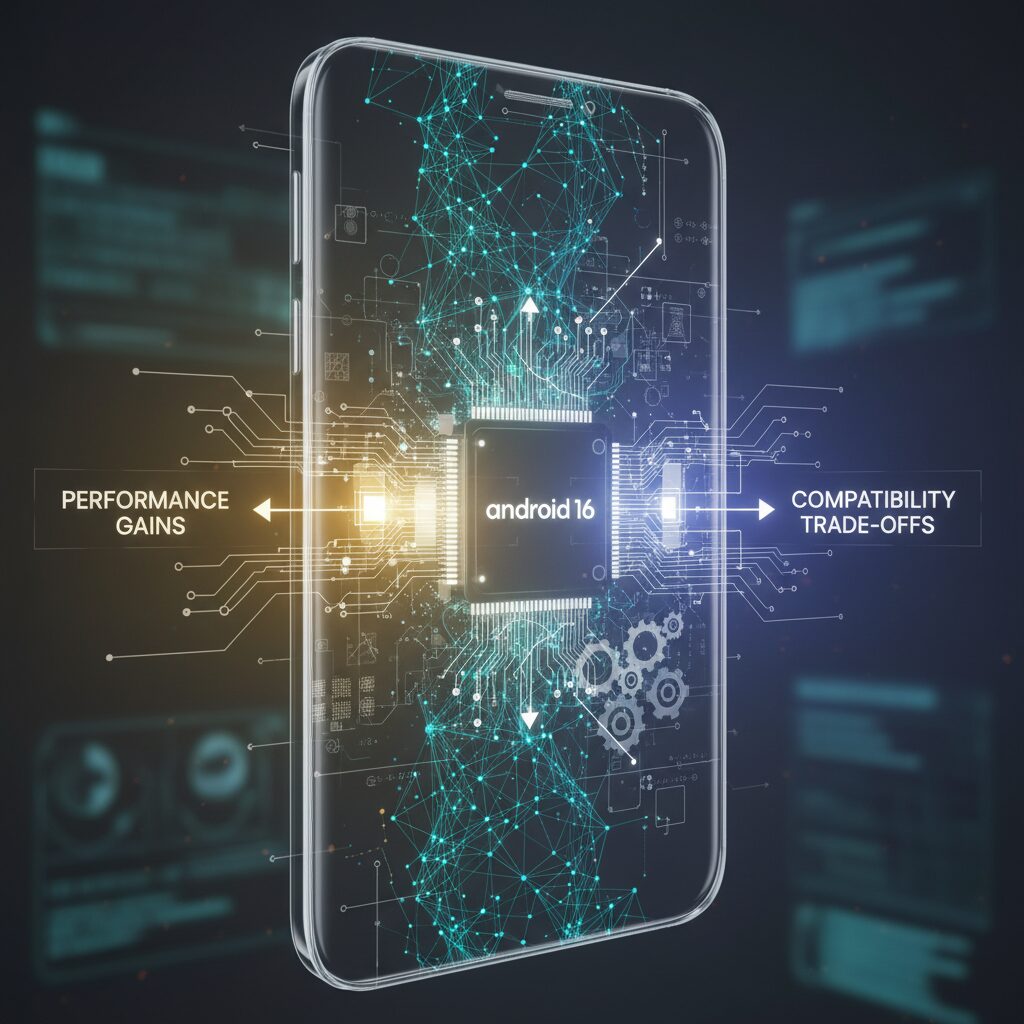
Android 16 introduces a fundamental overhaul of the Android Runtime (ART), the core engine responsible for executing apps. This is not a cosmetic update. By redesigning ART’s internal architecture, Google has targeted measurable gains in execution efficiency, startup speed, and runtime stability, particularly in enterprise environments where multiple managed apps run simultaneously inside a work profile.
According to early coverage of the Android 16 beta cycle, ART has been refined to better support adaptive apps and dynamic window resizing, especially on devices exceeding 600dp in width. This matters because large-screen devices—foldables, tablets, and desktop modes—place heavier demands on memory management and just-in-time compilation. The updated runtime optimizes how bytecode is compiled and reused, reducing redundant processing when users switch between personal and work-profile apps.
| Area | Previous ART | Android 16 ART |
|---|---|---|
| App Startup | Standard JIT/AOT balance | Improved compilation reuse and caching |
| Large Screens | Basic resize handling | Optimized for adaptive, multi-window apps |
| Security Hooks | Conventional runtime checks | Enhanced monitoring integration |
In practical terms, users experience faster app launches within the work profile, smoother multitasking, and more consistent background behavior. For example, running a spreadsheet in resizable window mode while keeping a personal messaging app active no longer triggers the micro-stutters that older runtime builds occasionally produced on memory-constrained devices.
However, performance gains do not come without trade-offs. Applications that rely on legacy ART modules or outdated libraries may face compatibility issues under the new runtime structure. Some older enterprise apps were tightly coupled to prior ART behaviors, particularly around bytecode optimization assumptions and hidden APIs. With Android 16 targeting API level 36, stricter enforcement reduces tolerance for deprecated calls.
Enterprise mobility experts have noted that while this tightening strengthens platform integrity, it requires IT teams to validate mission-critical apps before large-scale rollout. The shift is consistent with Google’s broader Android Enterprise roadmap, which emphasizes forward compatibility and security hardening over indefinite legacy support.
There is also a security dimension to the new ART. Enhanced integration with monitoring systems—such as intrusion logging introduced in recent system updates—means runtime-level anomalies can be surfaced more effectively. This deeper observability aligns with zero-trust endpoint strategies, where runtime behavior becomes part of the device’s trust signal.
From a developer perspective, the message is clear: modernization is no longer optional. Adaptive UI design, updated SDK targets, and compliance with current ART expectations are prerequisites for optimal performance. Organizations that proactively refactor their apps gain not only speed improvements but also stronger resilience against runtime-level exploits.
Ultimately, Android 16’s ART evolution reflects a calculated balance. Google has chosen measurable performance efficiency and tighter security guarantees over blanket backward compatibility. For gadget enthusiasts and enterprise technologists alike, this signals a maturing platform—one that prioritizes sustainable performance architecture, even if it demands short-term adaptation.
Work Profile 2.0: Modern Setup, QR Provisioning, and Zero-Touch Enrollment 2.0
Work Profile 2.0 in the Android 16 generation redefines how enterprise devices are deployed and managed. It is no longer just about separating personal and work apps. It is about automated trust establishment from the very first boot, combining QR provisioning, Zero-Touch Enrollment 2.0, and hardware-backed security into a seamless pipeline.
For gadget enthusiasts and IT strategists alike, the biggest shift is modernization of setup. Devices can now be provisioned in minutes without complex staging rooms or manual configuration. According to Android Enterprise documentation, the enrollment flow has been streamlined to reduce user friction while strengthening policy enforcement at the system level.
Modern Setup Flow in Android 16
| Stage | User Action | System Behavior |
|---|---|---|
| Initial Boot | Connect to network | Enrollment check triggered automatically |
| QR Scan | Scan encrypted QR code | Secure provisioning payload downloaded |
| Profile Creation | Authentication | Encrypted work container generated |
QR provisioning has evolved significantly. Instead of embedding only basic configuration, encrypted QR codes can now include Wi-Fi credentials, management endpoints, and policy directives. This eliminates manual SSID input and reduces configuration errors, especially in large-scale deployments such as education or retail.
Zero-Touch Enrollment 2.0 takes this even further. Introduced as an evolution of the original zero-touch framework, it enables devices purchased from authorized resellers to auto-enroll the moment they connect to the internet. There is no need for IT staff to physically handle each unit.
Compared to earlier implementations, Zero-Touch 2.0 strengthens reliability and security. Industry briefings in 2025 highlighted improved retry logic for unstable network environments and mandatory hardware-backed keystore enforcement. This means enrollment credentials are anchored to secure hardware, dramatically reducing spoofing risks.
Another key improvement is expanded audit visibility. Administrators can now monitor provisioning events in greater detail, aligning with zero-trust principles. Each enrollment attempt, policy push, and configuration update can be logged and reviewed in near real time, supporting compliance requirements in regulated industries.
From a user perspective, the experience feels almost invisible. Open the box, power on the device, connect to Wi-Fi, and the work profile materializes automatically. Managed Google Play apps are installed silently in the background. Within minutes, the device is production-ready.
What makes Work Profile 2.0 compelling in 2026 is not just automation but policy precision at scale. Organizations can define differentiated enrollment templates for frontline workers, executives, or contractors. Each template enforces specific restrictions, authentication standards, and app sets without additional user steps.
This convergence of QR provisioning and Zero-Touch 2.0 transforms deployment from a logistical bottleneck into a strategic advantage. Enterprises can ship devices directly to employees’ homes, enabling remote onboarding while maintaining strict security boundaries. For modern mobility strategies, this is not incremental progress. It is a structural upgrade in how trust is established and sustained across thousands of endpoints.
Intrusion Logs and Real-Time Audit Trails: A New Standard for Endpoint Transparency
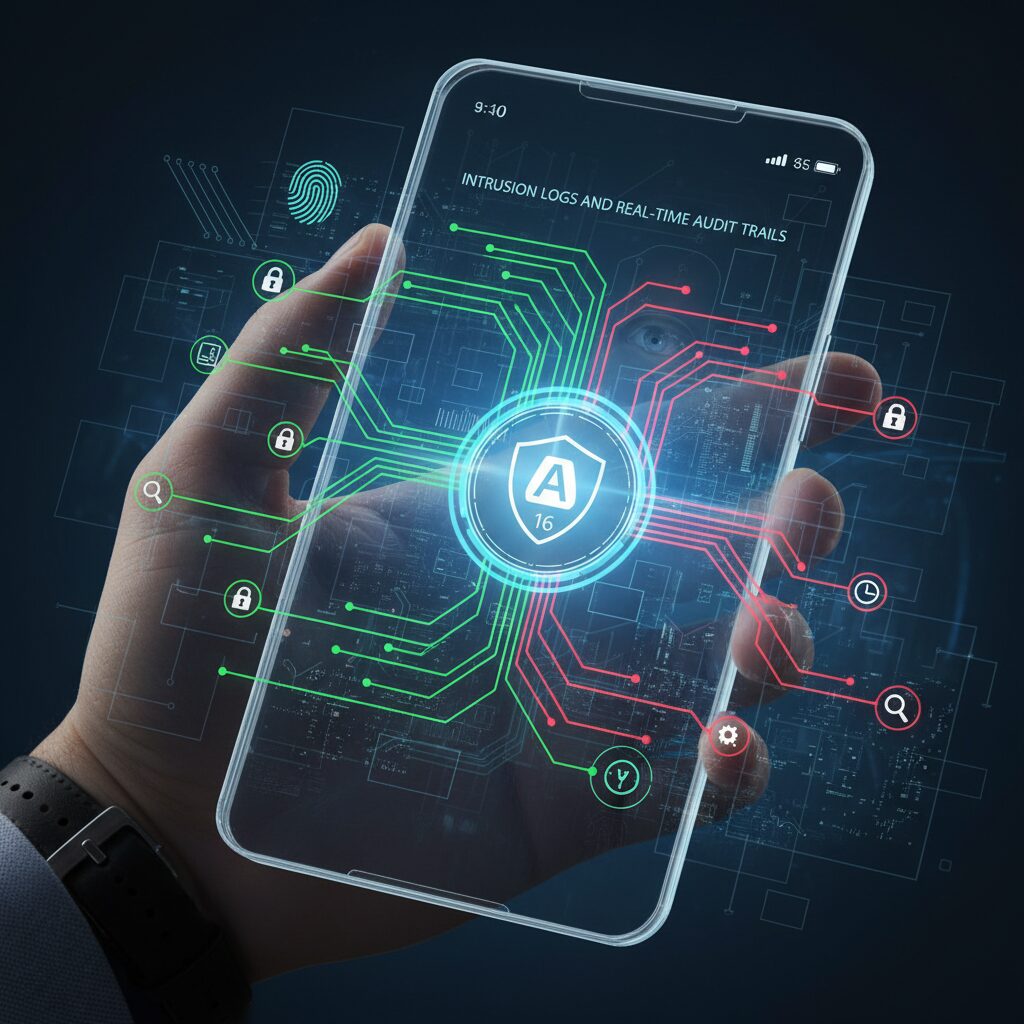
In 2026, endpoint security is no longer defined solely by encryption or sandboxing. What truly differentiates modern enterprise mobility is visibility. Android 16 introduces intrusion logs and real-time audit trails within the work profile, establishing a new benchmark for endpoint transparency without compromising user privacy.
According to the January 2026 Google system update brief, Android 16 adds dedicated intrusion log management capabilities designed specifically for enterprise environments. These logs allow administrators to monitor suspicious or unauthorized behavior inside the work profile with far greater granularity than before.
This shift transforms the work profile from a passive container into an actively monitored security boundary.
What Intrusion Logs Capture
| Category | Examples of Recorded Events | Administrative Value |
|---|---|---|
| Authentication | Failed biometric attempts, abnormal PIN retries | Detect credential abuse patterns |
| Application Behavior | Unauthorized app launches, policy violations | Enforce compliance in real time |
| Data Access | Access to sensitive enterprise files | Trace who accessed what and when |
Unlike traditional mobile logging systems that aggregate device-level events, Android 16 isolates audit trails at the profile level. This means personal apps remain outside administrative visibility, while work data interactions are precisely recorded.
The key innovation is contextual logging. Administrators do not merely see that an event occurred; they can understand the sequence, timing, and policy state surrounding it. For example, if Identity Check requires biometric re-authentication outside trusted zones, repeated failures are now traceable in structured logs.
This aligns closely with zero-trust principles, where continuous verification replaces one-time authentication.
Enterprise mobility management platforms leveraging Android Enterprise APIs can ingest these logs instantly. According to Android Enterprise feature updates released in 2025, real-time monitoring capabilities were expanded to support deeper event telemetry, allowing IT teams to trigger automated actions such as temporary profile lockdown or forced re-authentication.
This automation significantly reduces mean time to detect and respond, a metric heavily emphasized in modern cybersecurity frameworks.
From a compliance perspective, detailed audit trails also simplify regulatory alignment.
Many industries, including finance and healthcare, require demonstrable access tracking. The ability to document exactly when corporate data was accessed, modified, or transferred strengthens evidentiary integrity. At the same time, profile-level isolation prevents overreach into employees’ personal activities, addressing long-standing privacy concerns in BYOD deployments.
Research in Android digital forensics highlights how encryption and profile separation complicate unauthorized data extraction. Intrusion logs complement this by ensuring that even if physical compromise is attempted, abnormal behavior leaves a traceable footprint.
Security is no longer just about blocking threats—it is about proving what happened.
For gadget enthusiasts and enterprise technologists alike, this represents a philosophical shift. Smartphones are evolving into auditable endpoints comparable to corporate laptops and servers. Transparency, once considered intrusive in mobile environments, is now implemented with surgical precision inside defined digital boundaries.
As organizations scale hybrid work models, the demand for trustworthy, inspectable endpoints continues to grow. Android 16’s intrusion logs and real-time audit trails demonstrate that mobility and accountability can coexist, setting a new operational standard for endpoint transparency.
Identity Check and Advanced Protection: Dynamic Biometrics in a Zero-Trust World
Zero-trust architecture assumes that no device, user, or session should be trusted by default. In this model, authentication is not a one-time gate but a continuous process. Android 16 operationalizes this philosophy inside the work profile through Identity Check and Advanced Protection, transforming biometric authentication into a dynamic security control rather than a simple unlock mechanism.
Identity Check introduces contextual re-authentication based on location trust signals. When a user moves outside a designated trusted zone such as home or corporate office, access to sensitive work profile data triggers biometric verification again, even if the device is already unlocked. According to Android Enterprise feature updates published in 2025, this mechanism is designed to mitigate risks such as PIN shoulder surfing and device snatching in an unlocked state.
This shift reflects a broader zero-trust principle emphasized by enterprise security frameworks: verify explicitly and continuously. Instead of assuming legitimacy after initial login, the system reevaluates identity in real time, combining location awareness with fingerprint or facial authentication.
| Scenario | Traditional Auth | Identity Check (Android 16) |
|---|---|---|
| Device unlocked at office | No additional prompt | No additional prompt |
| Device unlocked in public space | No additional prompt | Biometric re-auth required |
| Accessing sensitive work data | Depends on app policy | System-level biometric enforcement |
The result is a security posture that adapts to risk context. For gadget enthusiasts and IT architects alike, this is where biometrics evolve from convenience features into adaptive trust anchors embedded at the OS layer.
Advanced Protection complements this by hardening the entire work profile environment with a single policy activation. Enterprise documentation notes that once enabled, phishing protection is strengthened through automatic filtering of malicious URLs and messages, USB data transfer can be physically restricted, and sideloading from unapproved sources is blocked. Google Play Protect simultaneously performs real-time behavioral analysis on installed apps.
From a forensic and compliance perspective, this layered defense significantly increases resistance to unauthorized extraction. Academic research on Android forensics published on ResearchGate has already highlighted how hardware-backed keystores and strong encryption complicate traditional data extraction methods. When combined with context-aware biometric enforcement, the attack surface narrows even further.
What makes this evolution particularly compelling is its balance. The system does not burden users with constant prompts in trusted environments, preserving usability. Yet the moment contextual risk increases, authentication intensity scales automatically. This adaptive calibration embodies the essence of zero-trust: minimal friction under low risk, maximum verification under uncertainty.
For enterprises deploying Android 16 work profiles, Identity Check and Advanced Protection are not incremental upgrades. They represent a structural redefinition of endpoint trust, where biometrics are continuously evaluated signals within a living security model rather than static credentials checked once at login.
Adaptive Apps, Large Screens, and Foldables: Multitasking Beyond 600dp
Android 16 introduces a decisive shift toward adaptive apps designed to fluidly scale beyond the 600dp width threshold. On tablets, foldables, and desktop modes, work profile apps are no longer constrained to fixed layouts. Instead, they dynamically recompose their UI to match the available space, enabling true multitasking rather than enlarged phone views.
According to early Android 16 documentation reported by PC Watch, devices exceeding 600dp in width now support freely resizable windows within the work profile. This means enterprise apps such as spreadsheets, dashboards, and CRM tools can operate in parallel with personal apps, each occupying custom-sized windows without layout degradation.
Beyond 600dp, Android shifts from “single-task expansion” to “multi-window productivity.”
The practical implications are significant. On a foldable device like the Galaxy Z Fold series, users can open a work email client on one side while simultaneously referencing a live spreadsheet and a ProgressStyle notification panel. Unlike earlier Android generations, UI breakpoints automatically adapt typography, navigation rails, and pane structures to larger canvases.
| Device Type | Screen Width | Multitasking Capability |
|---|---|---|
| Smartphone (standard) | <600dp | Single app dominant, split-screen optional |
| Tablet / Foldable (unfolded) | >600dp | Resizable windows, multi-pane layouts |
| Desktop Mode | Variable, large canvas | Freeform windowing with work profile isolation |
For enterprise IT teams, this evolution reduces the need for separate device categories. A single foldable can now function as a phone during transit and as a near-tablet workstation on-site. Android Enterprise updates confirm that work profile isolation remains intact even in freeform window mode, preserving encryption boundaries while expanding usability.
Large-screen optimization also improves collaboration. With Gemini integrated at the system level, users can analyze documents in one pane while receiving AI-suggested summaries in another. This layered workflow mirrors desktop productivity environments, yet maintains the secure separation required by corporate compliance frameworks.
Importantly, adaptive apps are not merely stretched layouts. They respond contextually to orientation shifts, hinge angles on foldables, and keyboard attachments. This ensures that when a device transitions from folded to unfolded, active work profile sessions persist seamlessly without re-authentication friction.
As hardware diversity expands across Pixel tablets, Galaxy Fold devices, and enterprise-grade rugged tablets, Android 16’s adaptive architecture ensures that screen size no longer dictates productivity limits. Instead, the 600dp breakpoint becomes the gateway to a fully modular, multitasking workspace within a secure enterprise boundary.
Gemini in the Work Profile: Context-Aware AI for Real-Time Productivity
Gemini in the Work Profile transforms Android 16 from a secure container into a truly context-aware productivity engine. Instead of acting as a generic assistant, Gemini operates strictly within the encrypted boundaries of the work profile, analyzing business emails, calendars, documents, and enterprise apps without crossing into personal data.
This architectural separation is critical. According to Android Enterprise documentation, work and personal data are protected by distinct encryption keys, and Gemini respects that boundary. The result is AI-driven assistance that is both deeply integrated and policy-compliant.
How Context Awareness Elevates Daily Work
Gemini continuously interprets signals from work apps to surface timely suggestions. If a meeting invitation includes an attached proposal, Gemini can summarize the document, extract action items, and draft a reply inside the work Gmail app. When used with Google Docs in a managed Workspace environment, it can convert raw meeting notes into structured project briefs within seconds.
Google introduced Gemini Live camera sharing at Android I/O 2025, enabling real-time visual collaboration. In field operations, staff can stream live footage to remote experts while Gemini highlights anomalies or retrieves relevant manuals. This blends AI inference with enterprise mobility in a way that reduces resolution time and minimizes communication overhead.
| Scenario | Traditional Workflow | With Gemini in Work Profile |
|---|---|---|
| Meeting follow-up | Manual note整理 and email drafting | Auto-summary and contextual reply draft |
| Field troubleshooting | Phone call + manual document search | Live video + AI-guided document surfacing |
| Project updates | Status report compiled from multiple apps | Cross-app synthesis inside work container |
What makes this especially powerful is its awareness of enterprise controls. If Advanced Protection or Identity Check is active, Gemini’s access remains subject to biometric re-authentication when outside trusted zones. AI convenience does not override zero-trust principles; it operates within them.
Research cited by Google indicates that employees value clear separation between work and personal life, with 81% of work profile users reporting higher satisfaction. Gemini amplifies this benefit by keeping productivity gains confined to the work profile. When “Work mode” is turned off, Gemini’s business context disappears with it, preserving psychological detachment after hours.
For IT administrators, this design reduces shadow IT risks. Because Gemini leverages Managed Google Play–distributed apps and Android Management API policies, prompts and generated outputs remain auditable within enterprise governance frameworks. The AI becomes an extension of the managed environment rather than an uncontrolled external service.
In practical terms, Gemini in the work profile represents a shift from reactive task execution to anticipatory assistance. By interpreting calendar intent, document semantics, and live environmental input in real time, it enables professionals to focus on decisions rather than data gathering. Productivity is no longer about faster typing, but smarter context recognition inside a secure digital boundary.
5G Network Slicing and AMAPI: Guaranteeing Performance at the Connectivity Layer
In 2026, performance is no longer defined only by device speed or app optimization. It is increasingly determined at the connectivity layer. With the rapid expansion of Japan’s enterprise 5G market—projected by IDC to reach ¥1.0841 trillion with a CAGR of 54.3%—network quality has become a strategic asset rather than a background utility.
Android 16 responds to this shift by enabling 5G network slicing integration through AMAPI (Android Management API). This allows IT administrators to assign specific work-profile applications to dedicated network slices, ensuring predictable latency, bandwidth, and reliability for mission-critical workloads.
Traditionally, even secure work apps competed with personal traffic on the same mobile network. Video streaming or large personal downloads could indirectly affect enterprise performance. With 5G slicing, traffic generated inside the work profile can be logically separated and prioritized at the carrier level.
| Use Case | Network Requirement | Slice Benefit |
|---|---|---|
| AR design visualization (construction) | Ultra-low latency | Stable real-time rendering |
| Remote medical diagnostics | High reliability | Reduced packet loss |
| Live logistics tracking | Consistent bandwidth | Accurate progress updates |
Through AMAPI policy configuration, administrators can define which managed apps within the work profile are eligible for a dedicated slice. This does not require user intervention. Once provisioned—often via Zero-Touch enrollment—the device automatically enforces connectivity rules tied to enterprise identity and compliance posture.
According to Android Enterprise feature updates published in 2025, AMAPI has evolved to support increasingly granular policy control, aligning connectivity management with zero-trust principles. That means network access is not assumed; it is continuously validated based on device state, user authentication, and management compliance.
This integration becomes particularly powerful when combined with Identity Check and Advanced Protection modes. Even if a device is outside a trusted zone, sensitive traffic can still flow through a secured slice—while access to the application itself remains biometrically gated. Connectivity assurance and identity assurance work together rather than independently.
From a marketing and operational perspective, this capability redefines BYOD viability. Enterprises can confidently allow personal devices while guaranteeing that corporate applications receive carrier-grade priority treatment. Performance becomes measurable and contractually aligned with SLAs, rather than left to unpredictable congestion.
For industries where milliseconds translate into safety, revenue, or regulatory compliance, this matters profoundly. A remote inspection session that does not stutter, a diagnostic image that uploads without delay, or a field engineer’s AR overlay that remains synchronized can directly impact outcomes.
5G slicing via AMAPI elevates the work profile from a secure container to a performance-assured digital workspace. In doing so, Android 16 extends enterprise control beyond the device itself and into the fabric of the network—where modern productivity is increasingly decided.
Digital Forensics vs Encryption: The Legal and Technical Tension Around Work Profiles
As Android 16 strengthens work profiles with hardware-backed encryption and stricter bootloader controls, a structural tension emerges between digital forensics and data protection. What protects enterprises and employees from breaches also makes lawful evidence extraction significantly more complex.
According to research published on ResearchGate regarding Android forensic challenges, traditional techniques such as JTAG debugging and Chip-Off analysis have become increasingly ineffective against modern full-disk and file-based encryption. When a work profile is enabled, the device does not merely separate apps visually; it isolates data cryptographically using distinct encryption keys.
Even if investigators gain physical access to a device, decrypting a specific work profile without proper credentials is often technically unfeasible under current Android security architecture.
The technical friction can be summarized as follows.
| Security Layer | Enterprise Benefit | Forensic Impact |
|---|---|---|
| File-based encryption | Separate keys for personal and work data | Profile-level decryption required |
| Bootloader lock | Prevents system tampering | Blocks low-level memory extraction |
| Factory Reset Protection (FRP) | Stops unauthorized resets | Limits post-reset acquisition |
| Hardware-backed keystore | Key isolation in secure hardware | Keys cannot be exported |
Academic analyses of Android forensic workflows note that investigators increasingly rely on logical acquisition methods rather than physical extraction. However, in a work profile scenario, logical access is governed by enterprise policy. If the profile is remotely wiped or disabled by IT administrators, recoverable artifacts may disappear instantly.
This creates a legal gray zone. Enterprises are obligated to protect employee privacy and confidential corporate data, especially under strict data protection frameworks. At the same time, courts may issue lawful requests for evidence. The technical architecture of Android 16 does not provide a simple “backdoor” mechanism, reflecting Google’s public stance on encryption integrity.
Researchers have proposed alternative approaches, such as analyzing firmware update protocols or recreating device states within controlled emulation environments like Genymotion. Yet as recent forensic studies emphasize, modern runtime protections and real-time threat detection significantly reduce the feasibility of such reconstruction techniques.
The tension therefore is not merely technical but philosophical. Work profiles embody the zero-trust principle: access must be continuously authenticated and cryptographically enforced. From a cybersecurity perspective, weakening this model for investigative convenience would undermine enterprise resilience.
For IT leaders and compliance officers, the practical implication is clear. Incident response planning must assume that encrypted work profiles are resistant to post-incident deep extraction. Proactive logging, secure cloud backups, and clearly defined legal escalation procedures become more important than reactive device-level forensics.
In the Android 16 era, encryption is not an obstacle added on top of the system. It is the system. And that reality forces regulators, enterprises, and forensic specialists to renegotiate the balance between lawful access and uncompromising digital security.
Work-Life Balance by Design: What 3,000-User Research Reveals About Psychological Detachment
Designing work-life balance is no longer a cultural slogan but a system-level decision. With Android 16’s work profile, psychological detachment from work is engineered directly into the device experience, and large-scale research now quantifies its impact.
According to a joint study by IDC and Qualtrics surveying 3,000 users, employees using work profiles report significantly higher satisfaction when managing both personal and professional life on a single device. The difference is not marginal but structural.
| Metric | Work Profile Users | Non-Users |
|---|---|---|
| Device management satisfaction | 81% | 71% |
| Awareness company can access work data | 63% | 39% |
| Ability to block after-hours notifications | High | Low |
The 10-point satisfaction gap reflects more than convenience. It reflects perceived control. When users know exactly which data belongs to the organization and which remains private, cognitive friction decreases.
A 2025 scoping review published on PMC examining work-related smartphone use during off-job hours found that constant connectivity inhibits psychological detachment and increases the risk of burnout. In other words, the inability to mentally “switch off” sustains stress responses beyond working hours.
The work profile’s physical on/off toggle functions as a behavioral boundary cue. When employees disable the work profile after hours, notifications, background sync, and enterprise apps are paused. This deliberate act reinforces mental separation, supporting recovery processes essential for long-term performance.
Interestingly, the IDC data shows that 63% of work profile users are aware that their company can access corporate data, compared to 39% among non-users. Rather than increasing anxiety, transparency appears to build trust. Clear technical separation reduces ambiguity about surveillance and ownership.
Generational trends strengthen this interpretation. HR industry analyses in 2025 report that Gen Z and Millennials prioritize defined digital boundaries and evaluate employers partly on their respect for off-hours autonomy. A system that structurally enforces separation aligns with these expectations.
Psychological detachment is not achieved by policy alone; it requires frictionless execution. Manual discipline—ignoring emails or muting chats—relies on willpower. Automated profile suspension reduces decision fatigue and prevents habitual checking behaviors triggered by mixed notifications.
For gadget-savvy professionals, this represents a shift from “productivity at all times” to “performance with recovery cycles.” By embedding detachment into OS-level architecture, Android 16 reframes work-life balance as a design problem, not a personal weakness.
In practice, the most effective deployments combine scheduled work profile shutdowns, notification grouping, and explicit corporate communication norms. When technical boundaries and organizational culture reinforce each other, detachment becomes sustainable rather than symbolic.
The 3,000-user dataset makes one conclusion difficult to ignore: users who can clearly demarcate work and personal domains on the same device report higher satisfaction and better balance. In the era of AI-driven mobility, well-being is no longer accidental—it is architected.
Android 16 vs iOS 19: Hardware Flexibility, Customization, and Enterprise Control
When comparing Android 16 and iOS 19 in 2026, the real battleground is no longer raw performance. It is about how flexibly each platform adapts to different hardware environments, how deeply it can be customized, and how precisely IT administrators can control devices at scale.
For enterprises and power users, these three factors directly determine total cost of ownership, deployment speed, and long-term operational resilience.
Android 16 prioritizes hardware diversity and granular enterprise control, while iOS 19 emphasizes vertical integration and uniformity.
Hardware Flexibility
| Category | Android 16 | iOS 19 |
|---|---|---|
| Device Range | Multi-OEM: Pixel, Galaxy, Xperia, rugged devices | Apple-only: iPhone, iPad |
| Form Factors | Foldables, tablets, desktop mode, rugged scanners | Standardized slabs and tablets |
| Price Spectrum | Entry-level to premium | Premium-centric |
Android 16 runs across a broad ecosystem, from affordable business phones to foldables and industrial-grade devices. According to enterprise-focused analyses such as Revolve Communications, this diversity enables organizations to align hardware selection with specific operational contexts rather than brand constraints.
Logistics firms, for example, often rely on ruggedized Android devices integrated with OEMConfig extensions from manufacturers like Samsung or Zebra. iOS 19, in contrast, operates within Apple’s tightly controlled hardware lineup. While this ensures consistency, it limits specialization in sectors requiring barcode scanners, detachable batteries, or hardened chassis.
Customization Depth
Android 16 allows deep UI and policy-level customization through OEMConfig, managed configurations, and adaptive app frameworks. Enterprises can enforce launcher replacements, restrict system features, and tailor user experiences to job roles. This flexibility becomes critical in field service or manufacturing environments where distraction-free interfaces improve safety and efficiency.
iOS 19 maintains Apple’s strict Human Interface Guidelines. While this guarantees visual cohesion and predictable UX, customization is intentionally constrained. User Enrollment enhances privacy separation, but system-level behavior remains largely standardized.
For organizations pursuing digital differentiation, Android’s openness enables closer alignment between device behavior and business workflow.
Enterprise Control and Deployment
Android Zero-Touch Enrollment, enhanced in recent enterprise updates, supports automated provisioning across multiple manufacturers. Devices can be configured the moment they power on, integrating directly with Android Management API policies.
Apple Business Manager provides a similarly streamlined experience, but within a single-vendor ecosystem. According to Deel’s MDM platform comparisons, Android’s multi-OEM compatibility offers broader procurement flexibility, particularly for global enterprises balancing regional supply chains.
Granular policy enforcement is another differentiator. Android 16 supports detailed restrictions at the work profile level, including app distribution via Managed Google Play, USB data transfer controls, and hardware-backed keystore enforcement. These controls can vary by device type and risk profile.
iOS 19 focuses on strong sandboxing and privacy-first isolation. Its approach is highly secure but less adaptable to edge-case industrial scenarios that demand hardware-specific integrations.
In essence, Android 16 empowers enterprises to design around operational diversity, while iOS 19 optimizes for controlled consistency. The strategic choice depends on whether an organization values ecosystem breadth and configurability, or tightly integrated uniform experience.
Best Practices for IT Administrators: Managed Google Play, AAB, and Secure Remote Support
For IT administrators in 2026, operational excellence in Android Enterprise depends on three pillars: Managed Google Play governance, optimized Android App Bundle deployment, and secure remote support. Each of these directly impacts security posture, network efficiency, and end‑user satisfaction.
When properly configured, these elements reduce deployment friction while strengthening zero‑trust enforcement at the endpoint.
Managed Google Play: Controlled Distribution at Scale
Managed Google Play has evolved into a fully enterprise‑grade app distribution layer. According to Google’s Android Enterprise updates, private apps now fully support Android App Bundle (AAB), enabling dynamic delivery and device‑specific optimization.
This means administrators can publish internal apps without exposing them to the public Play Store, while maintaining version control and policy enforcement across work profiles.
| Capability | Operational Impact | Security Benefit |
|---|---|---|
| Private AAB Support | Smaller, device‑optimized installs | Reduced attack surface from unused code |
| Approval Workflows | Granular app whitelisting | Prevents shadow IT |
| Policy-Based Updates | Staggered rollouts | Minimizes disruption risk |
Best practice is to combine Managed Google Play approvals with Play Protect enforcement and strict blocking of sideloading within the work profile. This layered control ensures that only vetted binaries enter the enterprise environment.
Android App Bundle Strategy: Performance and Bandwidth Optimization
Large organizations deploying thousands of devices benefit significantly from AAB’s modular architecture. Because AAB delivers only the resources required for a specific device configuration, it reduces download size and installation failure rates.
Industry guidance from Android Enterprise partners highlights measurable improvements in deployment reliability when migrating legacy APK pipelines to AAB‑based publishing.
For bandwidth‑constrained environments such as field operations or retail networks, optimized bundles translate directly into faster onboarding and lower infrastructure strain.
Administrators should also align AAB releases with staged rollouts through Android Management API policies. Testing updates on a pilot device group before global deployment helps prevent compatibility issues—particularly important in the Android 16 generation, where ART changes may affect older dependencies.
Secure Remote Support: Privacy-Respecting Troubleshooting
Modern UEM platforms integrate Android Enterprise APIs to enable secure remote view capabilities restricted to the work profile. This separation is critical: IT teams can inspect enterprise app behavior without accessing personal data.
As documented by enterprise mobility providers, remote diagnostics now extend beyond screen sharing to include battery health metrics, thermal statistics, and policy compliance states in real time.
This shift transforms support from reactive troubleshooting to predictive device lifecycle management.
To maintain compliance and employee trust, administrators should clearly communicate when remote sessions are initiated and log all access events. Combining audit logs with Android 16’s enhanced monitoring capabilities strengthens accountability while aligning with zero‑trust principles.
By integrating disciplined app governance, modular deployment architecture, and privacy‑aware remote diagnostics, IT administrators can operate Android 16 work profiles as resilient, scalable digital workspaces. The result is a secure mobility framework that balances control, efficiency, and user confidence.
The Expanding Device Ecosystem: From Smartphones to Industrial and Specialized Hardware
The Android 16 generation no longer limits work profiles to smartphones. The device ecosystem is rapidly expanding, transforming the concept of a “personal digital workplace” into something that spans rugged handhelds, foldables, tablets, wearables, and even industrial endpoints.
According to Android Enterprise updates in 2025 and 2026, the platform’s flexibility across manufacturers has become a decisive advantage. The same work profile architecture now operates consistently across consumer-grade devices and purpose-built industrial hardware.
Device Categories in the Expanding Ecosystem
| Category | Typical Use Case | Enterprise Value |
|---|---|---|
| Foldables & Tablets | Multitasking, field documentation | Adaptive apps, resizable work windows |
| Rugged Devices (Zebra, Honeywell) | Logistics, warehouses | OEMConfig + hardened security |
| Wearables & Smart Glasses | Remote assistance, AR workflows | Hands-free secure profile access |
| Vehicle-embedded Android | Fleet management | Profile-based driver authentication |
Foldable smartphones and large-screen tablets particularly benefit from Android 16’s adaptive app framework. Apps inside the work profile dynamically adjust beyond 600dp widths, enabling desktop-like workflows in the field. This matters for construction supervisors reviewing AR blueprints over dedicated 5G network slices, a market IDC projects to surpass ¥1 trillion in Japan’s enterprise 5G sector.
In logistics and manufacturing, rugged Android devices from vendors such as Zebra and Honeywell integrate with OEMConfig extensions. These allow granular hardware-level controls—barcode scanners, thermal sensors, programmable buttons—while maintaining the encrypted isolation of work data. This convergence of hardware customization and profile-level encryption is something iOS-based ecosystems struggle to replicate at scale.
Wearables and smart glasses represent the next frontier. With Gemini-powered contextual assistance and secure biometric re-authentication through Identity Check, frontline workers can access sensitive dashboards without exposing full device data. Real-time camera sharing via Gemini Live enables experts to guide on-site technicians while the work profile enforces strict data boundaries.
Vehicle-embedded Android systems are also evolving. Fleet drivers can authenticate into a dedicated work profile within an in-car Android environment, separating corporate logistics data from personal infotainment usage. This approach aligns with zero-trust endpoint strategies emphasized in recent Android Enterprise guidance.
Academic research on Android forensics highlights how profile-based encryption complicates unauthorized data extraction. When applied to industrial and embedded devices, this layered protection becomes even more critical, especially in sectors handling regulated data.
The expanding ecosystem signals a structural shift: work profiles are no longer a smartphone feature but a cross-device identity layer. From pocket-sized foldables to warehouse scanners and AR headsets, Android 16 enables a unified, policy-driven workspace that travels with the user—securely, contextually, and at enterprise scale.
What Comes Next: The Evolution of Digital Identity Boundaries Toward 2027
As we move toward 2027, digital identity is no longer defined by a single login or device. It is increasingly shaped by dynamic boundaries that shift based on context, location, risk level, and user intent. Android 16’s work profile architecture signals a broader transition: identity is becoming situational, adaptive, and continuously verified.
The introduction of features such as Identity Check demonstrates this shift clearly. Rather than trusting a one-time unlock, the system reevaluates biometric authentication when a user leaves trusted zones. According to Android Enterprise feature updates, this contextual reauthentication reduces the risk of shoulder surfing and device snatching in unlocked states. In practice, this means your digital identity in 2027 will not be static. It will respond to where you are and what you are trying to access.
This evolution aligns with zero-trust principles that many enterprises are adopting globally. As industry analyses from 42Gears and Hexnode note, endpoint devices are now treated as active trust anchors rather than passive terminals. The work profile becomes a programmable boundary, capable of enforcing encryption, USB restrictions, and real-time app scanning without compromising personal data.
| 2024 Model | 2027 Direction | Impact |
|---|---|---|
| Single device unlock | Context-aware reauthentication | Reduced lateral attack risk |
| Static MDM policies | API-driven adaptive controls | Granular boundary enforcement |
| Network-agnostic access | 5G slice allocation via AMAPI | Performance-tiered identity zones |
Another defining shift is the convergence of connectivity and identity. IDC projects Japan’s corporate 5G market to exceed one trillion yen by 2026, reflecting how network slicing is becoming business-critical. When Android Management API enables dedicated 5G slices for specific work apps, identity boundaries extend beyond software containers into the network layer itself. In other words, your professional identity may soon determine not just what data you see, but the bandwidth and latency you are granted.
Artificial intelligence further accelerates this transformation. With Gemini integrated at the system level, the device interprets context across emails, schedules, and documents within the work profile. This does not merely automate tasks. It creates a feedback loop where identity, behavior, and system intelligence continuously inform one another. By 2027, digital boundaries will likely adjust in real time based on anomaly detection and predictive intent modeling.
Legal and forensic research adds another dimension. Studies published on ResearchGate highlight how modern Android encryption and profile-level key separation complicate traditional extraction methods. As protection strengthens, the debate between privacy rights and lawful access intensifies. The boundary is no longer just technical. It is jurisprudential and societal.
Perhaps most importantly, user expectations are evolving. Surveys referenced by Google show that employees value clear separation between personal and professional domains, with higher satisfaction among work profile users. Younger generations, in particular, prioritize explicit digital boundaries. By 2027, organizations that fail to offer structured identity segmentation may struggle with talent retention.
The trajectory toward 2027 suggests expansion beyond smartphones. As Android extends into wearables, in-vehicle systems, and industrial endpoints, identity containers will follow users across environments. Switching from personal to professional mode may become as seamless as changing focus in augmented reality glasses or activating a secure driving workspace in a vehicle dashboard.
The evolution ahead is not about tighter control alone. It is about precision. Boundaries will become programmable, measurable, and context-sensitive. For enterprises and tech-forward users alike, understanding this shift now means staying ahead of a future where identity is fluid, protected, and intelligently orchestrated across every connected surface.
参考文献
- Android Enterprise Help:Android の仕事用プロファイルとは – Android Enterprise ヘルプ
- Google Blog:Research shows work profile brings satisfaction and balance
- 42Gears:What’s New in Android Enterprise 2025 | IT Guide
- Hexnode Blog:Google Android Enterprise: Feature Updates for 2025
- PMC (PubMed Central):Work-related smartphone use during off-job hours and work-life conflict: A scoping review
- ResearchGate:Digital forensics and analysis for Android devices
- IDC (via IT Leaders/Impress):2026年の国内法人向け5G市場は1兆841億円、2021~2026年まで年平均54.3%成長 IDC
- Revolve Communications:iOS or Android – What Businesses Should Consider