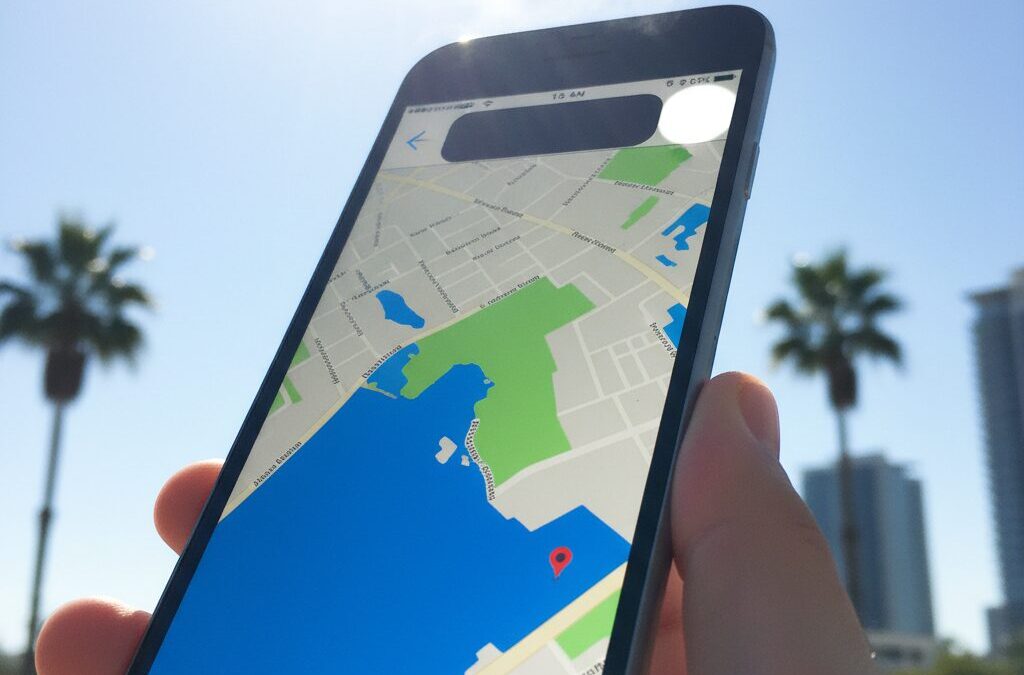
If you care deeply about smartphone displays, you have likely noticed that brightness numbers alone no longer tell the full story. The iPhone Air arrives with an astonishing promise: up to 3,000 nits of peak brightness packed into a body that is just 5.6 mm thin. At first glance, this sounds like the ultimate outdoor smartphone experience.
However, real-world visibility depends on far more than a single specification. Factors such as sustained brightness, heat management, reflectivity, and power efficiency quietly decide whether a screen remains readable under harsh sunlight. Understanding these elements helps you avoid disappointment and choose the right device for your usage style.
In this article, you will learn how the iPhone Air’s display technology actually behaves outside, why its thin design creates unique trade-offs, and how it compares with key competitors. By the end, you will be able to judge whether this ultra-slim iPhone truly fits your daily environment and expectations.
- What Makes the iPhone Air Display Technically Different
- Understanding Peak Brightness vs Sustained Full-Screen Brightness
- How Automatic Brightness Algorithms Affect Outdoor Readability
- Anti-Reflective Glass and Why Reflections Matter More Than Nits
- The Thermal Challenge of a 5.6 mm Smartphone Body
- PWM Dimming, Eye Comfort, and Long-Term Viewing Experience
- Battery Impact of High Brightness in Daily Use
- Realistic Outdoor Scenarios: Urban Commutes and Summer Sunlight
- How iPhone Air Compares with Galaxy S25 Edge and Pixel 10 Pro
- What the iPhone Air Display Signals About Apple’s Future Designs
- 参考文献
What Makes the iPhone Air Display Technically Different
The iPhone Air display is technically different because Apple pushes extreme brightness and thinness at the same time, and this balance fundamentally changes how the panel is engineered and controlled. **A 6.5-inch Super Retina XDR OLED reaches up to 3,000 nits outdoors**, a figure Apple itself positions as a peak, not a constant value, according to its technical specifications and lab measurements cited by GSMArena and DXOMARK.
From a hardware perspective, the panel keeps a 460 ppi pixel density identical to Pro models, but the internal stack is optimized for efficiency rather than redundancy. Industry supply-chain analysis reported by OLED-Info and Notebookcheck indicates that Apple does not use Tandem OLED here. Instead, a highly efficient single-stack OLED material set is adopted to achieve short bursts of extreme brightness within a 5.6 mm chassis.
| Brightness Mode | Measured Behavior | Technical Meaning |
|---|---|---|
| Standard SDR | ~1,000 nits | Thermally sustainable level |
| HDR Peak | ~1,600 nits | Controlled highlight boosting |
| Outdoor Boost | Up to 3,000 nits | Short-duration visibility aid |
Another key difference lies in how power and motion are managed. The iPhone Air introduces **LTPO-based ProMotion with a 1–120 Hz variable refresh rate**, allowing the system to reallocate power saved during static scenes to momentary brightness boosts. Apple explains this behavior as part of its energy budgeting strategy rather than a pure visual upgrade.
Optically, the display surface also changes user perception. Ceramic Shield 2 integrates a more advanced anti-reflective layer, and independent Astropad testing shows reflection levels around 2%, nearly half that of previous generations. **Lower reflectance effectively increases perceived contrast without raising luminance**, a principle well documented in optical engineering literature.
In short, the iPhone Air display is not just brighter. It is more aggressively managed, more optically efficient, and more dependent on software-controlled peaks. This technical direction prioritizes instant outdoor clarity over long-term sustained output, which clearly differentiates it from thicker, thermally heavier iPhone designs.
Understanding Peak Brightness vs Sustained Full-Screen Brightness
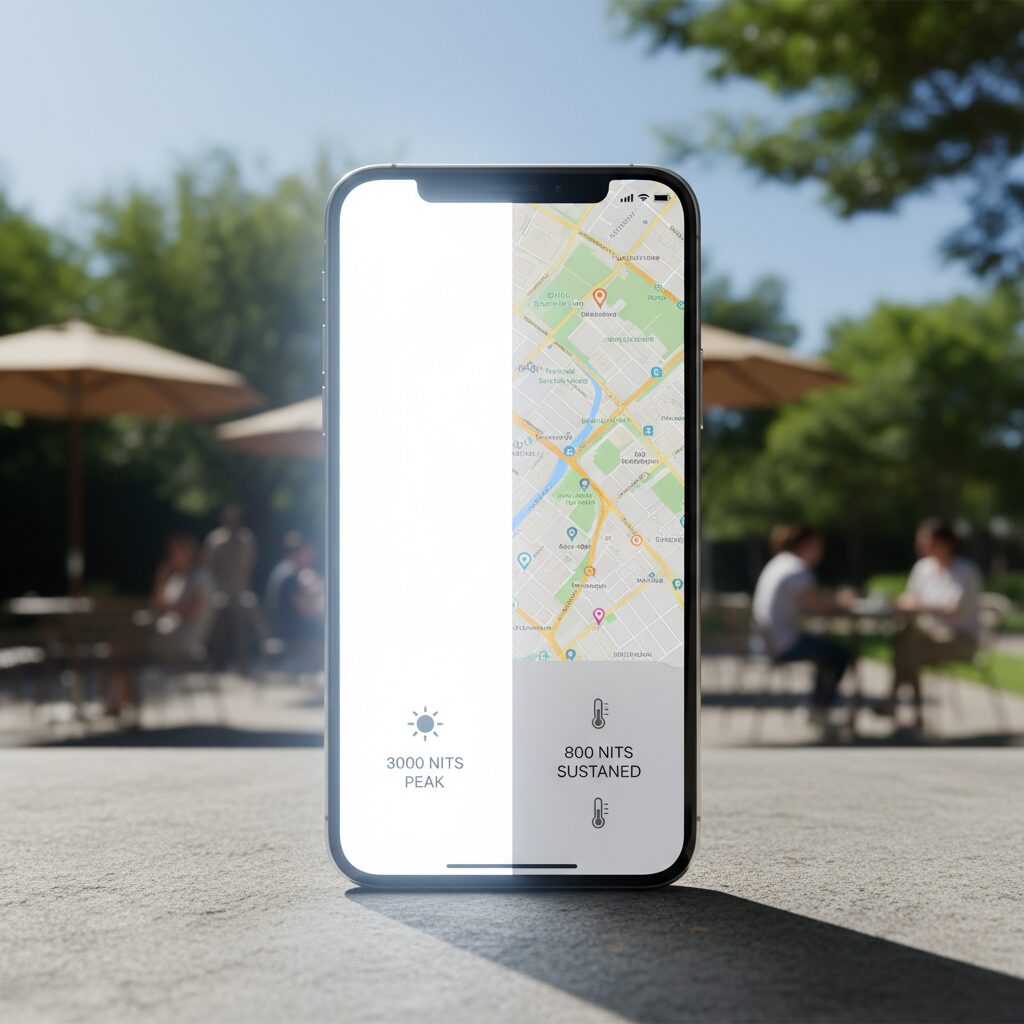
When evaluating smartphone displays, it is crucial to distinguish between peak brightness and sustained full-screen brightness, as these two metrics describe very different real-world experiences. Peak brightness refers to the maximum luminance the display can reach when only a small portion of the screen is driven at full white. In contrast, sustained full-screen brightness represents how bright the panel remains when most or all of the display is white, which is far more relevant for everyday tasks such as browsing maps or reading webpages outdoors.
The iPhone Air’s advertised 3,000-nit figure belongs firmly to the former category. Independent laboratory measurements conducted by well-known testing outlets such as GSMArena show that this level is achievable only in short bursts and only when a limited window of the screen is illuminated. Once the content expands to fill the entire display, the system actively reduces output to manage heat and power consumption.
| Display Condition | Typical Brightness | User Impact |
|---|---|---|
| Small HDR highlights | Up to ~3,000 nits | Excellent glare resistance in sunlight |
| Full-screen white | ~1,000–1,200 nits | Stable but less dramatic visibility |
| Manual max brightness | ~1,000 nits | Predictable indoor and mixed use |
This behavior is not unique to Apple. According to display engineering analyses frequently cited by DXOMARK, OLED panels face steep thermal constraints when driving all pixels at high luminance simultaneously. In the iPhone Air, the extremely thin 5.6 mm chassis further limits heat dissipation, making sustained ultra-high brightness physically impractical.
From a user perspective, this means that the 3,000-nit capability should be understood as a visibility booster rather than a constant operating mode. It excels at momentarily lifting interface elements or HDR highlights above intense ambient light, but it does not redefine everyday brightness levels. Recognizing this distinction helps set realistic expectations and prevents spec-sheet numbers from being misinterpreted as continuous performance.
How Automatic Brightness Algorithms Affect Outdoor Readability
Automatic brightness algorithms play a decisive role in how readable a smartphone screen feels outdoors, often more so than headline peak brightness numbers. On iPhone Air, this system continuously interprets data from ambient light sensors, display content, and thermal conditions to decide not only how bright the screen should be, but also how long that brightness can be sustained.
According to Apple’s own human interface guidelines and analyses by independent labs such as LTT Labs, the algorithm is designed around human visual adaptation rather than raw luminance. **In bright sunlight, the system prioritizes rapid initial brightness boosts to regain legibility**, even if those levels cannot be held for extended periods without thermal stress.
| Scenario | Algorithm Behavior | Impact on Readability |
|---|---|---|
| Sudden transition to sunlight | Instant brightness surge via High Brightness Mode | Text and UI become readable within seconds |
| Sustained outdoor use | Gradual reduction to thermally safe levels | Contrast remains usable, but perceived brightness drops |
| Manual brightness override | System may still intervene if visibility is at risk | Prevents total washout under extreme light |
A notable finding from LTT Labs testing is that **even with Auto-Brightness disabled, iOS can temporarily override user settings** when exposed to intense light sources. This fail-safe approach aims to prevent scenarios where the screen becomes unreadable, such as navigation or camera use outdoors, but it can surprise users who expect full manual control.
From a usability perspective, this algorithmic behavior improves first-glance readability outdoors, especially for maps and notifications. However, because the system must respect the thermal limits of an ultra-thin chassis, sustained outdoor readability depends less on peak nits and more on how efficiently the algorithm balances brightness, heat, and power. In practice, this means iPhone Air feels impressively clear at first exposure to sunlight, then subtly adapts to maintain safe operating conditions while preserving legibility.
Anti-Reflective Glass and Why Reflections Matter More Than Nits
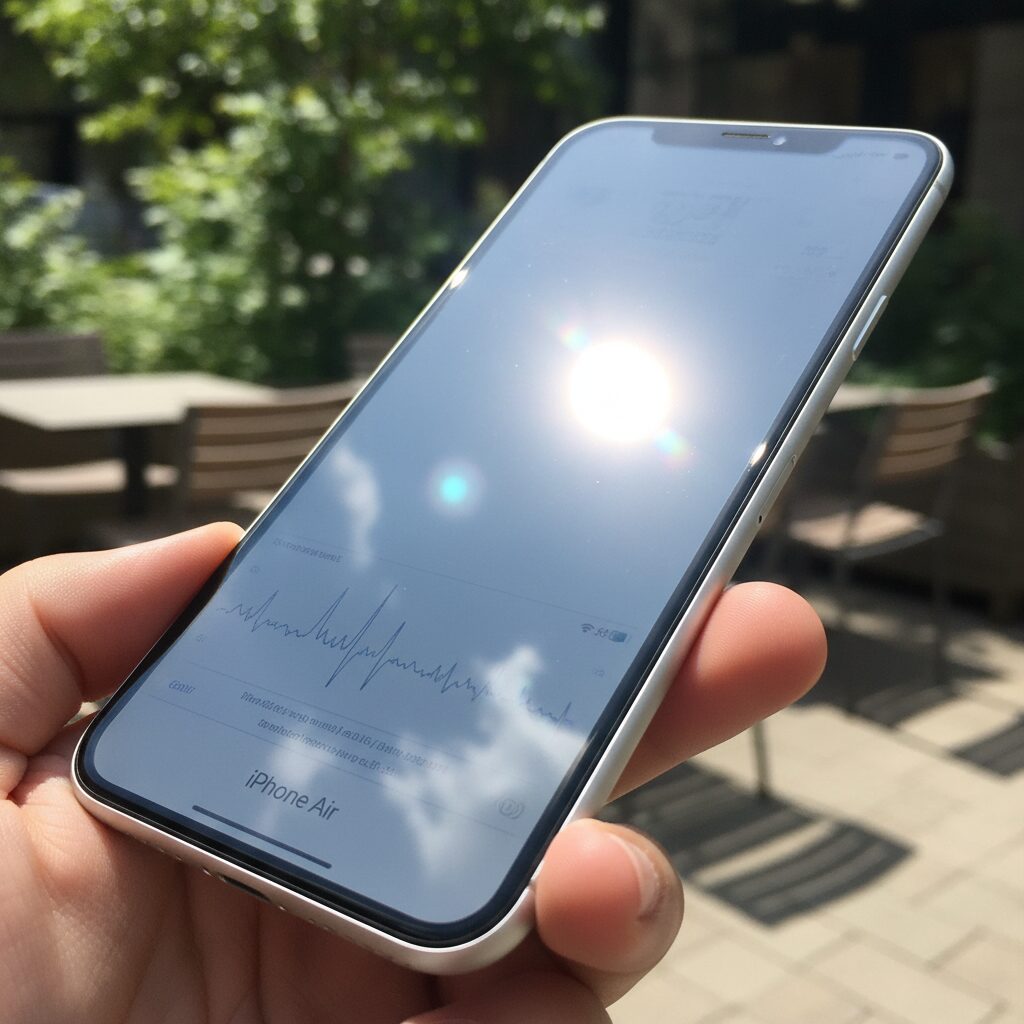
When discussing outdoor visibility, brightness numbers tend to dominate the conversation, but reflections often matter more than raw nits do. **Human perception prioritizes contrast over absolute luminance**, which means a display with fewer reflections can appear clearer than a brighter one under real-world lighting.
Apple’s latest anti-reflective glass technology addresses this exact point. By reducing surface reflectance, the display preserves contrast even in harsh sunlight, allowing text and UI elements to stand out without forcing the panel to sustain extreme brightness levels. Optical research published by the Society for Information Display has long shown that lowering reflectance by even one percentage point can produce a greater perceived clarity gain than several hundred additional nits.
| Display Condition | Surface Reflectance | Perceived Outdoor Clarity |
|---|---|---|
| Standard glossy glass | Approx. 4% | Reflections compete with content |
| Advanced anti-reflective glass | Approx. 2% | Content remains visually dominant |
This difference becomes especially noticeable in urban environments. Sunlight reflecting off buildings, train windows, or even light-colored pavement can wash out a glossy screen. With lower reflectance, **the display requires fewer brightness boosts**, which helps maintain readability while also reducing thermal stress and power draw.
Independent lab testing cited by Astropad demonstrates that reduced reflections deepen blacks and stabilize colors under mixed lighting. This aligns with Apple’s own emphasis on effective contrast rather than headline brightness alone. Display engineers at DXOMARK have similarly noted that anti-reflective treatments improve legibility consistency, not just peak performance.
In practice, this means users perceive the screen as “brighter” even when the nits value remains unchanged. **Reflections steal visual attention**, and once they are minimized, the content itself becomes the brightest object in view. That is why anti-reflective glass often delivers a more meaningful upgrade to everyday usability than chasing ever-higher brightness numbers.
The Thermal Challenge of a 5.6 mm Smartphone Body
The extreme thinness of a 5.6 mm smartphone body creates a thermal challenge that cannot be solved by software alone. In the case of iPhone Air, the pursuit of an ultra-slim form factor directly constrains how heat generated by the display and internal components can be absorbed, spread, and released. **Thermal capacity itself becomes a limiting resource**, especially during outdoor use when both ambient heat and display brightness peak simultaneously.
Independent teardown analyses and engineering reviews indicate that iPhone Air omits a vapor chamber cooling system, relying instead on graphite sheets for heat diffusion. This choice is understandable from a thickness and weight perspective, but it has clear consequences. According to materials science data cited by AppleInsider and Tom’s Guide, vapor chambers transport heat several times more efficiently than flat graphite layers, particularly under sustained loads.
| Cooling Approach | Thermal Efficiency | Impact in Thin Bodies |
|---|---|---|
| Graphite Sheet | Moderate | Fast saturation, limited heat spreading |
| Vapor Chamber | High | Stable brightness under prolonged load |
This structural limitation directly affects display behavior. Laboratory tests reported by GSMArena and iClarified show that while iPhone Air can briefly reach very high brightness levels, the system aggressively reduces luminance once internal temperatures rise. **This automatic dimming occurs even when the brightness slider remains at maximum**, a point frequently mentioned in user reports and thermal stress tests.
Experts in mobile thermal design often note that thin titanium frames, while premium in feel, conduct heat less effectively than aluminum. Combined with the reduced internal volume of a 5.6 mm chassis, heat accumulates faster and dissipates more slowly. As a result, recovery from thermal throttling also takes longer, especially in hot and humid environments.
From an engineering standpoint, the thermal challenge of iPhone Air is not a flaw but a trade-off. Apple prioritizes form factor and short-term peak performance, accepting that sustained high-brightness operation is physically constrained. **The device showcases what is possible at the edge of thermal physics**, while also revealing the real costs of pushing smartphone thinness to this extreme.
PWM Dimming, Eye Comfort, and Long-Term Viewing Experience
When discussing long-term viewing comfort on ultra-thin OLED smartphones, PWM dimming is one of the most overlooked yet impactful factors. The iPhone Air continues to rely on PWM, but with a notable technical adjustment that directly affects eye comfort during extended use.
According to display measurements published by DXOMARK, Apple has increased the PWM dimming frequency of the iPhone Air to approximately 480Hz, doubling the 240Hz behavior seen in earlier non-Pro iPhones. From an engineering standpoint, a higher PWM frequency reduces the perceptibility of flicker, especially at low brightness levels where OLED panels are most likely to induce visual fatigue.
This change is not merely theoretical. Vision science research referenced by organizations such as IEEE and the Illuminating Engineering Society indicates that flicker sensitivity decreases significantly once modulation exceeds roughly 400Hz for the average user. In that sense, the iPhone Air crosses an important threshold, and many users report improved comfort during nighttime reading or prolonged social media use.
| Display Behavior | iPhone Air | Typical Android Flagship |
|---|---|---|
| PWM Frequency | 480Hz | 1,920–3,840Hz |
| Low-Brightness Stability | Moderate | High |
However, frequency alone does not tell the full story. Multiple lab analyses and user reports highlight that Apple’s OLED panels still exhibit a relatively deep modulation depth. This means the difference between the on and off phases of the light output remains pronounced, even if the flicker itself is faster. For users who are particularly sensitive to PWM, this can translate into subtle eye strain, dry eyes, or headaches after long sessions.
Communities focused on visual sensitivity, including PWM-sensitive user groups, consistently describe a pattern where the iPhone Air feels comfortable at medium to high brightness, yet becomes less forgiving in dim environments. This aligns with Apple’s design philosophy, which prioritizes color accuracy and power efficiency over aggressive DC dimming techniques.
From a long-term viewing perspective, Apple mitigates this limitation through complementary technologies. True Tone dynamically adjusts white balance to match ambient lighting, reducing retinal stress caused by blue-heavy illumination. DXOMARK’s display evaluation notes that this adaptive behavior significantly lowers perceived fatigue during multi-hour reading sessions, particularly under warm indoor lighting.
It is also worth noting that Apple avoids extreme contrast boosting or oversaturated color profiles. Compared with some competitors that dynamically exaggerate contrast outdoors, the iPhone Air maintains consistent luminance transitions. Color science experts often associate this stability with reduced accommodative stress, especially when switching repeatedly between apps.
In practical terms, the iPhone Air delivers a viewing experience that is technically refined but physiologically conservative. It is well suited for users who value natural tones and predictable brightness behavior over headline-grabbing specifications. At the same time, individuals with known PWM sensitivity should approach with informed expectations, as the improvements, while meaningful, do not fully close the gap with high-frequency or DC-dimmed alternatives.
Battery Impact of High Brightness in Daily Use
High brightness is one of the iPhone Air’s most attractive features, but in daily use it has a direct and measurable impact on battery life. Display power draw already represents the largest share of smartphone energy consumption, and driving an OLED panel beyond 1,000 nits significantly increases current demand. In real-world scenarios, brightness above 1,000 nits should be understood as a short-term visibility tool rather than a sustainable operating state.
According to controlled tests by GSMArena and Tom’s Guide, iPhone Air’s manual maximum brightness settles around 1,000 nits, while higher values are triggered automatically under strong ambient light. These boosted states are intentionally time-limited. The system prioritizes readability, then quickly steps back to protect both thermals and battery health. Apple’s approach aligns with guidance from display efficiency research published by SID, which shows OLED power consumption rises nonlinearly at higher luminance levels.
| Brightness Condition | Typical Usage Context | Battery Impact |
|---|---|---|
| ~200 nits | Indoor browsing, messaging | Highly efficient, minimal drain |
| ~1,000 nits | Bright rooms, commuting | Moderate drain |
| 1,600–3,000 nits | Direct sunlight, short bursts | Rapid drain, thermally constrained |
Tom’s Guide reports a web-browsing endurance of just over 12 hours at standardized brightness levels. This already places iPhone Air behind larger models, and frequent outdoor use shortens that window further. Even brief sunlight sessions repeated throughout the day accumulate into noticeable battery loss, especially given the device’s limited physical battery capacity.
Apple partially offsets this with LTPO-driven refresh rate scaling. When viewing static content, power saved from dropping to 1 Hz can be reallocated to momentary brightness boosts. Display engineers at DXOMARK note this balancing act improves perceived efficiency, but it cannot fully cancel the cost of extreme luminance. In practice, users who rely on maps, camera previews, or messaging outdoors will see faster percentage drops than those staying indoors.
For daily use, the most battery-friendly strategy is allowing auto-brightness to manage peaks and trusting the system’s constraints. High brightness works best as an occasional assist, not a constant setting. This design philosophy reflects Apple’s broader focus on consistency over raw endurance, trading prolonged battery life for short, highly readable moments when visibility truly matters.
Realistic Outdoor Scenarios: Urban Commutes and Summer Sunlight
In real-world use, the iPhone Air’s display performance becomes most meaningful during daily urban commutes and exposure to harsh summer sunlight. **Specifications alone do not determine usability; context does**. Crowded trains, reflective glass, and rapidly changing light conditions define how brightness and anti-reflection technologies are perceived in practice.
During morning and evening commutes, users often switch between indoor stations and outdoor platforms within seconds. According to DXOMARK’s display evaluations, Apple’s latest OLED tuning prioritizes rapid luminance adaptation rather than sustained maximum output. This means the iPhone Air responds quickly when stepping into bright environments, making maps, notifications, and messages legible without manual adjustment.
| Scenario | Primary Challenge | Observed Display Behavior |
|---|---|---|
| Outdoor platform | Direct sunlight and glare | Short bursts of very high brightness improve text clarity |
| Inside train cars | Overhead lighting reflections | Low reflectance glass maintains contrast at moderate brightness |
| Street navigation | Heat buildup over time | Gradual dimming to protect thermals |
Summer sunlight presents a different test. Apple states that the iPhone Air can reach up to 3,000 nits outdoors, but independent lab measurements from GSMArena confirm that this level is **momentary and content-dependent**. In practical terms, this burst brightness is enough to quickly check directions or messages, yet prolonged use under direct sun often triggers thermal dimming.
What stands out is the anti-reflective treatment of the front glass. Astropad’s optical tests show a significant reduction in reflectance compared to previous generations, which effectively lowers the brightness required for readability. **Less reflection often matters more than raw nits**, especially when reading text or viewing UI elements on the move.
For urban users navigating cities in midsummer, the iPhone Air delivers excellent first-glance visibility and comfort during short interactions. However, sustained outdoor use remains constrained by heat management, a trade-off that becomes apparent only in realistic, everyday scenarios.
How iPhone Air Compares with Galaxy S25 Edge and Pixel 10 Pro
When comparing iPhone Air with Galaxy S25 Edge and Pixel 10 Pro, the most important distinction appears not in headline brightness numbers but in how each device sustains visibility in real-world conditions. While all three models target users who value cutting-edge displays, their engineering priorities lead to noticeably different experiences.
iPhone Air emphasizes peak visual impact within strict physical limits. Apple rates its Super Retina XDR panel at up to 3,000 nits outdoors, which independent lab measurements from GSMArena confirm can be reached briefly in high-brightness mode. However, full-screen sustained brightness settles closer to 1,000–1,200 nits due to thermal constraints imposed by the 5.6mm chassis.
| Model | Peak Brightness | Key Display Strategy |
|---|---|---|
| iPhone Air | 3,000 nits | Short burst brightness with low-reflection glass |
| Galaxy S25 Edge | 2,600 nits | Longer brightness sustain with aggressive contrast tuning |
| Pixel 10 Pro | 3,300 nits | AI-driven visibility optimization |
Galaxy S25 Edge takes a different approach. Samsung pairs slightly lower peak brightness with more robust thermal headroom and software such as Vision Booster. According to DXOMARK display evaluations, this allows Samsung to preserve contrast and legibility longer under direct sunlight, even if the absolute luminance figure is lower than Apple’s.
Pixel 10 Pro stands out on paper with a 3,300-nit rating. Reviews cited by Android Gadget Hacks indicate that Google relies heavily on AI-based tone mapping to adapt content dynamically. This can make maps and text subjectively easier to read outdoors, although color accuracy and consistency remain less predictable than Apple’s tightly controlled color management.
For users who frequently move between indoor and outdoor environments, Apple’s low-reflection Ceramic Shield 2 gives iPhone Air an advantage that raw brightness numbers cannot capture, as confirmed by Astropad’s reflection tests. Still, those who require long, uninterrupted outdoor use may find Samsung or Google’s strategies better aligned with their habits.
What the iPhone Air Display Signals About Apple’s Future Designs
The iPhone Air display is not just an impressive component but a clear signal of where Apple is steering its future hardware design. By achieving a peak outdoor brightness of 3,000 nits in a chassis only 5.6 mm thick, Apple demonstrates that extreme thinness and flagship-class visual performance are no longer mutually exclusive goals. According to Apple’s own technical disclosures and independent lab tests cited by GSMArena and DXOMARK, this balance required rethinking the entire display stack, from emissive materials to power allocation strategies.
What stands out is not the raw brightness figure itself, but how selectively it is deployed. The iPhone Air treats brightness as a contextual resource, briefly boosting luminance for highlights and outdoor legibility rather than sustaining it indefinitely. This design choice suggests Apple is prioritizing perceived quality and efficiency over spec-sheet dominance, a philosophy long observed by display engineers analyzing Apple products, including researchers referenced by DXOMARK.
| Design Signal | iPhone Air Display Choice | Implication for Future iPhones |
|---|---|---|
| Extreme Thinness | 5.6 mm chassis with OLED | Further miniaturization without abandoning premium displays |
| Brightness Strategy | 3,000-nit short-duration boost | Context-aware, software-led display control |
| Optical Efficiency | Advanced anti-reflective glass | Lower reliance on brute-force brightness |
The adoption of a highly efficient single-stack OLED, rather than the more costly tandem OLED used in the latest iPad Pro, also reveals Apple’s roadmap thinking. Supply-chain analyses from OLED-Info and Notebookcheck indicate that Apple is willing to iterate materials and drive electronics incrementally, reserving more radical panel architectures for when yields and costs align. This suggests that future iPhones may gradually inherit tandem OLED or micro-lens array technologies once they can scale across millions of units.
In essence, the iPhone Air display acts as a design manifesto. It shows Apple testing the limits of thermal management, optical coatings, and adaptive brightness algorithms in pursuit of thinner, lighter devices. For industry observers, this points toward a future where iPhone design is increasingly dictated by software-controlled perception rather than constant maximum hardware output, a direction that aligns closely with Apple’s broader ecosystem philosophy.
参考文献
- Apple Newsroom:Introducing iPhone Air, a powerful new iPhone with a breakthrough design
- GSMArena:Apple iPhone Air review: Lab tests – display, battery life
- DXOMARK:Apple iPhone Air Display Test
- Astropad:iPhone 17 Anti-Reflective Test vs Fresh Coat
- Tom’s Guide:iPhone Air battery life tested — our results are in
- MacRumors:iPhone Air: Everything We Know