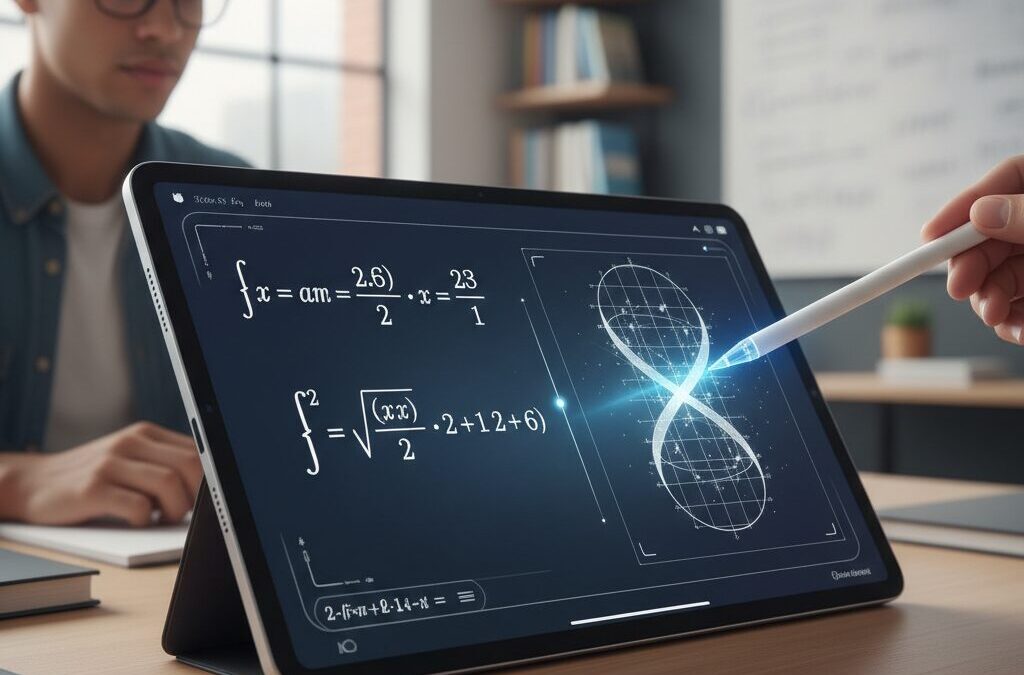
If you are passionate about gadgets and curious about how tablets are transforming real intellectual work, the 2026 iPad ecosystem will surprise you. Handwritten math on iPad is no longer just digital ink. It has evolved into an intelligent, interactive environment that calculates, visualizes, and even teaches in real time.
With iPadOS bringing system-level Math Notes, dynamic 2D and 3D graph generation, and Smart Script handwriting refinement, the experience now blends the cognitive benefits of writing by hand with the computational power of AI. Powered by the A19 chip and enhanced Apple Pencil Pro sensors, complex equations, matrices, and LaTeX conversions happen instantly and seamlessly.
At the same time, education systems are adopting iPads at scale, researchers are publishing evidence on handwriting’s impact on memory and learning, and AI-driven apps like Goodnotes and Nebo are redefining study workflows. In this article, you will explore how hardware, software, education policy, and cognitive science converge to create a new era of “dynamic mathematics” on iPad in 2026.
- From Digital Ink to Intelligent Math: The Evolution of iPadOS Math Notes
- Dynamic 2D and 3D Graphing Directly from Handwritten Equations
- Smart Script and Low-Latency Design: Refining the Writing Experience
- A19 Chip Performance Gains and Real-Time AI Processing
- Apple Pencil Pro: Haptics, Gyroscope Control, and Precision Hover
- Goodnotes 6 AI for Math: Step-by-Step Solving and Concept-Guided Learning
- MyScript Nebo and Professional LaTeX Workflows
- AI OCR and Scanning: Turning Paper Math into Searchable Data
- Education at Scale: iPad Adoption and Classroom Transformation
- Cognitive Science Evidence: Why Handwriting Boosts Mathematical Understanding
- Accessibility and Early Detection: Digital Handwriting Analytics in Learning Disabilities
- Accessories That Matter: Paperlike Films and Custom Pencil Tips
- Expert Perspectives and the Future of AI-Assisted Mathematical Thinking
- 参考文献
From Digital Ink to Intelligent Math: The Evolution of iPadOS Math Notes
In 2026, handwritten math on iPad is no longer just a way to digitize ink. It has evolved into an intelligent, system-level experience that actively interprets, calculates, and visualizes what you write. Since the debut of Math Notes in iPadOS 18, Apple has steadily transformed mathematical handwriting from static input into a dynamic computational layer embedded directly in the operating system.
When you write an equation and add an equals sign, the system instantly recognizes your handwriting and returns the result in a style that mirrors your own script. According to Apple’s official feature documentation, this process happens natively within the Notes app, without requiring third-party tools. The result feels less like using a calculator and more like collaborating with an invisible mathematical assistant.
The key shift is that math is now context-aware, persistent, and interactive. Your calculations are automatically organized into dedicated folders, making past work searchable and reusable. Variables can be defined once and referenced later, enabling physics-style workflows such as defining constants and reapplying them across multiple equations.
| Generation | Core Capability | User Experience |
|---|---|---|
| Early iPadOS | Handwriting recognition | Static conversion to text |
| iPadOS 18 | Math Notes introduction | Instant equation solving |
| iPadOS 19/26 | Dynamic graphs & variable reuse | Interactive mathematical workspace |
One of the most transformative upgrades is dynamic graph generation. By writing an equation and performing a simple gesture, you can insert a live 2D graph directly into your note. Modify a coefficient by hand, and the curve reshapes in real time. With the latest system versions reportedly supporting 3D graph rendering for three-variable equations, advanced visualization is now accessible without specialized software.
This evolution reflects a deeper integration between digital ink and computation. Instead of switching between apps, copying expressions, or retyping formulas, everything happens in one continuous flow. As noted by coverage from MacRumors and other technology analysts, Apple’s strategy centers on embedding intelligence at the OS level rather than isolating it inside standalone apps.
Equally important is refinement in handwriting processing. Smart Script subtly adjusts spacing, alignment, and legibility while preserving your personal style. Scratch-to-delete gestures and space insertion allow you to edit equations naturally, eliminating the friction that once made digital math feel rigid.
Digital ink has shifted from passive capture to active reasoning. The iPad now understands structure, relationships, and intent—not just strokes.
This transition marks a philosophical change in tablet computing. The iPad is no longer just a surface for writing mathematics; it participates in the thinking process. For gadget enthusiasts and math power users alike, the journey from digital ink to intelligent math represents one of the most meaningful evolutions in the iPadOS ecosystem.
Dynamic 2D and 3D Graphing Directly from Handwritten Equations
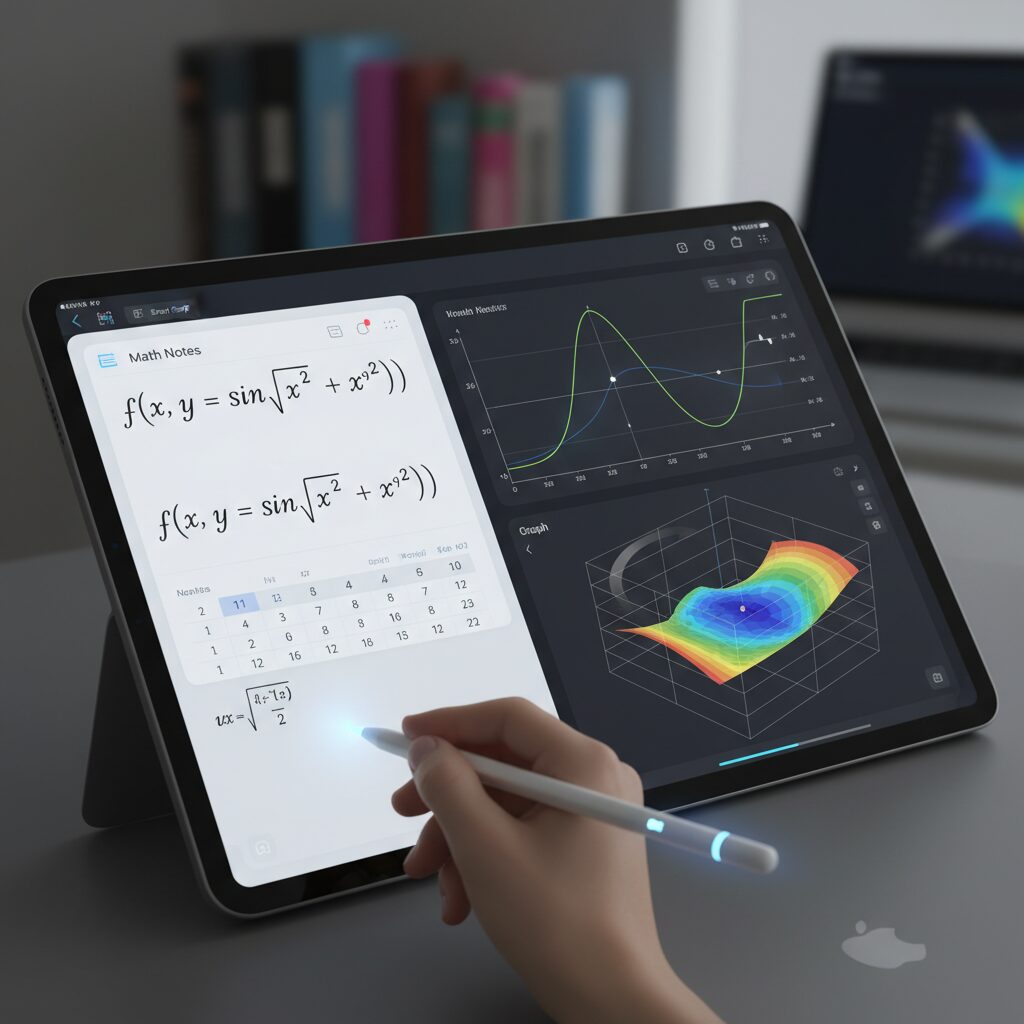
One of the most transformative capabilities in the 2026 iPad ecosystem is the ability to generate dynamic 2D and 3D graphs directly from handwritten equations. You no longer need to switch to a separate graphing tool or manually input formulas. Instead, you write an equation naturally with Apple Pencil, and the system interprets it in real time.
With Math Notes integrated at the OS level since iPadOS 18 and further expanded in later versions, writing an equation followed by a simple gesture instantly produces an interactive graph inside your note. This is not a static image. When you modify coefficients or variables by hand, the graph updates immediately, preserving the flow of mathematical thinking.
In 2D graphing, the system supports multiple functions plotted on the same coordinate plane. Grid lines, quadrant labels, zoom, and pan are fully interactive. This allows you to explore relationships such as intersections, asymptotic behavior, or slope changes without leaving your handwritten workspace.
| Feature | 2D Graph | 3D Graph |
|---|---|---|
| Input Method | Handwritten equation | Three-variable handwritten equation |
| Interactivity | Zoom, pan, multi-function overlay | Rotate, zoom, spatial inspection |
| Real-Time Update | Yes | Yes |
The leap to 3D graphing in the latest OS generation is especially significant for advanced learners. By simply writing a function of three variables, you can render a manipulable 3D surface. You rotate it with touch gestures, inspect curvature, and visually grasp how parameter shifts reshape the surface. Abstract multivariable calculus becomes spatially tangible.
According to coverage by MacRumors on upcoming iPadOS enhancements, Apple has focused on making these visualizations deeply integrated rather than app-dependent. This system-level approach reduces latency and ensures that even complex surfaces render smoothly, supported by modern chips such as the A19 with enhanced GPU architecture.
The real power emerges when variables are defined and reused. For example, if you assign a parameter earlier in your note and later adjust its value, every linked graph responds instantly. This creates a living mathematical document, where equations, variables, and visualizations remain synchronized.
For students exploring function transformations, this means writing y = a(x − h)^2 + k and physically changing “a” to see vertical stretching occur in real time. For engineers modeling spatial relationships, it means iterating design equations while observing 3D surfaces morph dynamically. The friction between idea and visualization is dramatically reduced.
Ultimately, dynamic 2D and 3D graphing directly from handwritten equations transforms the iPad from a digital notebook into an interactive mathematical laboratory. You think with your hand, and the system responds visually—instantly, precisely, and intuitively.
Smart Script and Low-Latency Design: Refining the Writing Experience
Smart Script is one of the most transformative elements of the 2026 iPad handwriting ecosystem, especially for mathematical writing. Rather than simply converting handwriting into static text, it continuously analyzes your unique writing style and subtly refines spacing, alignment, and stroke balance in real time. The result is notes that remain unmistakably yours, yet visibly cleaner and more structured.
This balance between authenticity and precision is what elevates the writing experience. According to Apple’s iPadOS feature documentation, Smart Script adjusts letter size and spacing dynamically without forcing a rigid font replacement. For math-heavy users, that means fractions, subscripts, and integral signs remain visually coherent even during fast-paced writing.
Low-latency design is the invisible engine that makes this refinement feel natural. Modern iPad models equipped with the A19 chip benefit from enhanced CPU and Neural Engine performance, enabling simultaneous handwriting recognition and mathematical parsing. Instead of processing ink after a delay, the system predicts stroke trajectories and renders them almost instantaneously.
| Component | Role in Writing Experience | User Impact |
|---|---|---|
| Smart Script | Real-time handwriting refinement | Cleaner, more legible equations |
| Predictive Touch | Stroke anticipation | Reduced perceived lag |
| Neural Engine | On-device recognition | Instant math interpretation |
Apple’s support materials also highlight gesture-based editing such as Scratch to Delete and Insert Space. These are not cosmetic additions. In mathematical contexts, being able to erase a misplaced exponent with a quick scribble or insert space between tightly written variables prevents cognitive interruption. The fewer micro-frictions you encounter, the longer you stay in analytical flow.
Low latency is not only about speed but about psychological continuity. Research in human–computer interaction consistently shows that response times under roughly 10 milliseconds feel immediate to users. By combining predictive touch algorithms with hardware-level optimization, the iPad minimizes the gap between intention and visible ink.
Apple Pencil Pro further reinforces this loop through haptic feedback. When switching tools or confirming input, subtle tactile responses reduce the need for visual verification. Reviews from experienced users note that this physical confirmation restores a sense of “tool presence” often missing from digital writing.
Importantly, Smart Script does not overwrite mathematical intent. If you intentionally vary symbol size for emphasis or structure, the system preserves hierarchy rather than flattening everything into uniformity. This is crucial for advanced notation, where visual structure conveys meaning.
The integration of refinement and immediacy creates a writing environment where digital ink behaves less like software and more like an extension of thought. You are not waiting for the device to catch up. You are thinking, writing, correcting, and restructuring in one continuous motion.
That seamless loop—intention, stroke, recognition, feedback—is what truly refines the writing experience in 2026.
A19 Chip Performance Gains and Real-Time AI Processing
The leap to the A19 chip in the 2026 iPad lineup fundamentally changes how handwritten math is processed in real time. According to Macworld, the A19 delivers roughly a 50% CPU performance improvement over the A16 generation, while maintaining a 6-core configuration with a redesigned architecture. This is not just a benchmark win. It directly impacts how fluidly complex equations, OCR, and AI-assisted calculations run in the background.
What matters most for math-heavy workflows is the strengthened Neural Engine and expanded 8GB RAM configuration. With more memory headroom, the system can simultaneously interpret handwriting, convert it into structured mathematical expressions, and compute results without stutter. This enables true real-time AI processing rather than delayed, cloud-dependent feedback.
| Component | A16 | A19 |
|---|---|---|
| CPU Performance | Baseline | ~50% Faster |
| RAM | 4–6GB | 8GB |
| Neural Processing | Standard | Enhanced for AI workloads |
| Wireless | Wi‑Fi 6 | Wi‑Fi 7 |
In practical terms, this performance headroom allows simultaneous tasks that previously felt constrained. For example, when writing a multi-variable equation, the system can perform handwriting recognition, symbolic parsing, variable substitution, and dynamic graph preparation at once. The computation no longer interrupts the writing flow. As Apple’s feature documentation notes, system-level math processing is deeply integrated into iPadOS, meaning these tasks are not isolated app tricks but OS-optimized routines.
The GPU redesign also plays a quiet but critical role. Dynamic 2D and 3D graph rendering derived from handwritten formulas depends on rapid redraw cycles. With the A19’s improved graphics pipeline, updating a parameter inside an equation instantly reshapes the visual output. The experience feels computationally invisible, even when handling higher-order or multi-variable functions.
Another overlooked factor is network performance. The integration of Wi‑Fi 7 and updated wireless architecture reduces latency for hybrid AI workflows that combine on-device inference with cloud-based symbolic engines. When apps such as Goodnotes rely on powerful back-end solvers while still performing local preprocessing, the handoff is nearly seamless.
Ultimately, the A19 transforms the iPad from a reactive note-taking device into a predictive mathematical engine. Real-time OCR, LaTeX conversion, full-text equation search, and background algebraic computation can now operate concurrently. For power users dealing with dense mathematical notebooks, the difference is not incremental—it is structural, redefining what “instant feedback” truly means in a tablet environment.
Apple Pencil Pro: Haptics, Gyroscope Control, and Precision Hover
Apple Pencil Pro is not just an incremental upgrade. It fundamentally changes how mathematical thinking flows from your hand to the iPad. By integrating haptics, a gyroscope, and precision hover detection, it transforms digital ink into a responsive, almost instrument-like experience.
The key innovation is sensory feedback that closes the loop between intention and execution. Instead of passively writing on glass, you now feel subtle confirmation through touch and motion awareness.
Core Interaction Technologies
| Feature | Technology | Practical Impact |
|---|---|---|
| Haptic Feedback | Built-in vibration engine | Tactile confirmation for squeeze and double tap |
| Barrel Roll | Integrated gyroscope | Precise rotational control of pen tools |
| Precision Hover | Proximity detection | Preview of stroke position before contact |
The haptic engine delivers subtle vibrations when you squeeze the barrel or double tap to switch tools. According to Apple’s official technical specifications, this feedback is designed to confirm input without forcing users to visually check menus. In dense mathematical notation, where attention must stay on symbols and spatial alignment, this tactile confirmation reduces cognitive interruption.
That small vibration matters more than it sounds. When confirming a tool change before inserting a correction or redefining a variable, the physical cue preserves mental momentum. Reviewers on platforms such as Kakaku.com consistently highlight this “click-like” sensation as one of the most practical improvements for long writing sessions.
The built-in gyroscope enables Barrel Roll, detecting the rotation of the pen itself. Instead of selecting stroke orientation from a menu, you physically rotate the pencil. This is especially powerful when adjusting line weight in diagrams, vectors, or geometric constructions. Rotational nuance becomes embodied, not abstract.
For technical diagrams accompanying equations, this rotation control supports consistent arrowheads, parallel lines, and structured shading. The gesture feels analog, yet it is digitally precise.
Precision Hover completes the triad. By sensing the pencil tip before it touches the display, the system previews exactly where ink will land. For subscripts, superscripts, and tightly spaced integrals, this reduces placement errors dramatically. Apple’s support documentation emphasizes hover as a way to “preview your mark,” and in practice it minimizes correction cycles.
In advanced notation, spatial accuracy is not cosmetic—it is semantic. A misplaced exponent changes meaning entirely. Hover acts as a preventive layer rather than a corrective one.
What makes Apple Pencil Pro compelling is not any single feature, but the integration of sensory, motion, and positional data. The device does not merely capture strokes; it interprets pressure, orientation, and proximity in real time. This convergence elevates handwriting from simple input to a calibrated interaction system.
For users deeply engaged in technical writing or mathematical workflows, that difference is immediately tangible. The pencil stops feeling like a stylus and starts behaving like a precision instrument.
Goodnotes 6 AI for Math: Step-by-Step Solving and Concept-Guided Learning
Goodnotes 6 takes a fundamentally different approach to math AI. Instead of acting as a simple answer engine, AI for Math is designed to externalize your thinking process and guide it step by step, closely aligning with how effective math learning actually works.
At the core of this system are two complementary modes: Solve and Teach Me. Both rely on handwritten input, preserving the cognitive benefits of digital ink while adding computational intelligence in the background.
Core AI for Math Modes
| Mode | Primary Function | Learning Impact |
|---|---|---|
| Solve | Step-by-step solution breakdown | Clarifies procedural logic |
| Teach Me | Concept-first guidance with hints | Strengthens conceptual understanding |
In Solve mode, you write a handwritten equation directly in your notebook, and the AI returns a structured, step-by-step explanation. Goodnotes integrates the computational reliability of the Wolfram|Alpha engine with a large language model backend, which means the calculations are mathematically rigorous while the explanations remain readable and logically sequenced.
This combination matters. Pure symbolic engines excel at correctness but often lack pedagogical clarity. Large language models can explain reasoning but may struggle with computational precision. By merging both layers, Goodnotes reduces hallucination risk while preserving explanatory depth, an approach the company has detailed in its own product documentation.
For example, when solving a system of linear equations or differentiating a polynomial, the output does not jump straight to the final answer. Instead, each algebraic transformation is shown explicitly. This mirrors the way instructors grade written work, reinforcing not just “what” the answer is, but “why” each transformation is valid.
Teach Me mode goes even further. Rather than presenting a solution, it introduces the underlying concept first—such as the rules of matrix multiplication or the chain rule in calculus—and then provides progressive hints. You are nudged toward the next step instead of being handed the conclusion.
Educational research summarized by Research.com and supported by neuroscience discussions in MDPI publications suggests that learning is strengthened when students actively reconstruct information rather than passively receive it. Teach Me operationalizes that insight directly within your notebook environment.
Matrix Math Support is another notable advancement. You can handwrite matrices, assign them to variables, and perform addition, multiplication, or substitution. For students tackling linear algebra, this eliminates the friction of switching between calculator apps and handwritten derivations.
Importantly, the interaction remains fluid. You stay inside your handwritten page, maintaining spatial reasoning and diagrammatic context. The AI works in the background, augmenting rather than replacing your cognitive workflow.
Community feedback initially pointed out inconsistencies in complex LaTeX or vector notation recognition. However, post-2025 updates have significantly improved recognition accuracy, particularly for university-level calculus and matrix operations, according to user reports and update notes from Goodnotes.
For gadget enthusiasts and serious learners alike, the real breakthrough is not automation but alignment. Goodnotes 6 AI for Math respects the structure of mathematical thinking while enhancing it with computational depth. It transforms the iPad from a passive digital notebook into a responsive mathematical reasoning partner.
MyScript Nebo and Professional LaTeX Workflows
For researchers and engineers, handwriting is only the first step. The real challenge is integrating intuitive ink input into rigorous LaTeX-based publishing pipelines without breaking formatting or slowing productivity. This is where MyScript Nebo distinguishes itself in 2026.
Nebo’s core strength lies in its structural recognition engine. Rather than treating equations as flat images, it parses mathematical syntax hierarchically—fractions, matrices, superscripts, integrals—preserving semantic relationships before converting them into clean digital math or LaTeX code.
Nebo converts handwritten equations into editable LaTeX while maintaining structural fidelity, making it suitable for academic and technical publishing workflows.
According to comparative app analyses published in Japanese productivity reviews, Nebo continues to be regarded as an industry benchmark for handwriting-to-text accuracy, particularly in mixed math-and-diagram environments. This reputation is reinforced by its ability to export not just equations, but entire structured documents.
| Workflow Stage | Nebo Capability | Professional Benefit |
|---|---|---|
| Handwritten Input | Real-time math recognition | Natural drafting without keyboard interruption |
| Equation Conversion | LaTeX code generation | Direct insertion into academic papers |
| Document Export | Structured text + math output | Seamless migration to Overleaf or TeX editors |
In practice, this means you can draft derivations during a meeting or on a flight, circle the expressions with the lasso tool, and instantly obtain LaTeX-ready code. Complex integrals, summations with limits, and multi-line aligned equations are translated into properly nested syntax rather than approximate visual replicas.
This structural awareness is critical. As LaTeX documentation from academic publishers emphasizes, even minor bracket misplacements can break compilation. Nebo reduces this friction by generating syntactically coherent code that typically requires only light refinement rather than full rewriting.
Another professional advantage is bidirectional editability. After conversion, the equation becomes a manipulable object inside the note. You can modify variables or coefficients and re-export updated LaTeX without re-entering the entire expression. This iterative loop mirrors how researchers actually refine proofs and models.
Compared with general-purpose OCR tools, Nebo’s math engine is purpose-built. Generic AI OCR solutions may recognize characters, but they often flatten two-dimensional notation into linear text. Nebo instead preserves spatial logic—essential for matrices, piecewise functions, and tensor notation.
For collaborative environments, this precision translates into time savings. Engineers preparing technical documentation, PhD candidates drafting dissertations, or analysts building quantitative reports can move from whiteboard-style thinking to publication-grade formatting within minutes.
The result is a hybrid workflow: think freely by hand, publish rigorously in LaTeX. In 2026, that bridge between intuition and formal typesetting is no longer experimental—it is operational, reliable, and increasingly indispensable for serious mathematical work.
AI OCR and Scanning: Turning Paper Math into Searchable Data
AI-powered OCR has moved far beyond simple character recognition and now understands the structure of mathematical notation. When you scan a page filled with handwritten equations using an iPad camera or import a PDF into a supported app, the system does not just detect symbols. It analyzes spatial relationships such as superscripts, subscripts, fractions, matrices, and integral limits, turning static ink into structured, searchable data.
According to recent comparisons of AI-OCR platforms in Japan, tools like DX Suite and SmartRead are highly rated for handling non-standard layouts and handwritten content. This matters for math-heavy documents, where formulas often break conventional text flow. Instead of flattening everything into plain text, modern OCR engines preserve semantic hierarchy, enabling reliable indexing and retrieval.
| Capability | Traditional OCR | AI Math OCR (2026) |
|---|---|---|
| Handwritten equations | Low accuracy | High structural recognition |
| Fractions & integrals | Linearized text only | Maintains 2D layout |
| Searchability | Keyword-based | Symbol- and variable-aware |
The practical impact is significant. Imagine digitizing years of paper notebooks from calculus or physics classes. Once scanned, variables such as E, v, or specific integral expressions become searchable entities. You can type part of an equation and instantly retrieve every occurrence across thousands of pages. This transforms handwritten math from a static archive into a living database.
Some advanced note apps also convert recognized formulas directly into LaTeX, the global standard for mathematical typesetting. By lassoing a scanned equation, users can generate editable LaTeX code, refine it, and export it into academic papers or research documents. As Goodnotes explains in its AI for Math documentation, the combination of OCR and symbolic reasoning enables both recognition and computational validation, reducing transcription errors.
Importantly, this evolution is not limited to clean digital ink. Even photographed worksheets with uneven lighting or skewed angles can be corrected using perspective adjustment and neural network–based enhancement before recognition. Japanese AI-OCR evaluations highlight that modern engines are increasingly robust against messy handwriting and mixed layouts, which is common in real-world math notes.
Paper is no longer the endpoint of thinking. With AI OCR, every handwritten equation becomes indexable, editable, and computationally actionable data.
For gadget enthusiasts, the real breakthrough is integration. On-device processing powered by modern chips allows quick preview recognition, while cloud-based engines can perform deeper structural parsing when needed. The result is a seamless workflow: capture, recognize, verify, search, and reuse. Instead of rewriting formulas to share or publish them, you elevate your original handwriting into structured digital assets without losing context.
In 2026, AI OCR for math is not just about convenience. It is about bridging analog intuition and digital intelligence, ensuring that every scribbled derivation has the potential to become searchable knowledge.
Education at Scale: iPad Adoption and Classroom Transformation
Large-scale iPad adoption in education has moved beyond pilot programs and entered a phase of structural transformation. In Japan, the second phase of the GIGA School Initiative has accelerated device renewal cycles, pushing tablets deeper into daily classroom workflows.
According to MM Research Institute, domestic tablet shipments reached 3.71 million units in the first half of fiscal 2025, a 22.8% year-over-year increase, with iPad holding a 61.7% share. This scale is not incremental change; it represents systemic infrastructure redesign.
Municipal case studies illustrate this clearly. In Hirakata City, iPads are positioned not as IT assets but as everyday stationery, equivalent to notebooks and pencils. Teacher training and shared lesson design have ensured that Apple Pencil-based handwriting is embedded into mathematics instruction as a thinking tool rather than a presentation device.
Kyoto City’s public elementary and junior high schools have similarly integrated iPad into creative and collaborative learning models. Reports highlight the use of digital textbooks combined with handwritten input to support self-paced mathematics study, allowing students to progress according to individual mastery levels.
| Indicator | FY2025 H1 | Impact on Classrooms |
|---|---|---|
| Tablet Shipments | 3.71 million units | Full-grade level deployment |
| iPad Market Share | 61.7% | Standardized app ecosystems |
| Market Rank | 16 consecutive terms No.1 | Long-term procurement stability |
At scale, transformation happens in subtle but measurable ways. First, formative assessment becomes continuous. Because handwritten mathematical processes are saved digitally, teachers can review not only final answers but intermediate reasoning steps, enabling more precise feedback loops.
Second, collaboration becomes artifact-based rather than verbal-only. Students can project evolving equations, dynamically modify variables, and visually compare problem-solving strategies in real time. This shifts classroom discourse from passive listening to shared analytical construction.
Third, accessibility improves. Digital ink systems allow resizing, reorganizing, and archiving handwritten work, which supports students who require differentiated pacing. Research cited by educational analysts suggests that handwritten input preserves cognitive processing depth compared to verbatim typing, reinforcing retention while maintaining digital flexibility.
The real transformation is not paper-to-screen substitution but workflow rearchitecture. Lesson planning now assumes instant graph generation, searchable notes, and multimodal input. Teachers design activities around iteration and visualization rather than static worksheets.
Importantly, infrastructure scale also standardizes support systems. With a dominant platform, professional development materials, app compatibility, and classroom management tools align more efficiently. This reduces fragmentation and lowers the barrier for pedagogical experimentation.
Education at scale ultimately depends on reliability and repeatability. The current adoption wave demonstrates that iPad ecosystems have crossed that threshold in many districts. What began as device distribution has evolved into classroom transformation driven by integrated hardware, operating system capabilities, and pedagogical redesign.
Cognitive Science Evidence: Why Handwriting Boosts Mathematical Understanding
Why does handwriting—especially on a device like the iPad—improve mathematical understanding compared to typing? Recent findings in cognitive science provide a compelling answer. Research summarized by Research.com and neuroscience studies published in MDPI indicate that handwriting activates broader neural networks than typing, particularly areas linked to memory consolidation, motor planning, and conceptual integration.
When students write equations by hand, they do not simply record symbols. They physically construct meaning through movement. This sensorimotor engagement appears to strengthen encoding pathways in the brain, leading to deeper comprehension rather than superficial transcription.
According to educational research comparing digital typing and longhand note-taking, typists tend to transcribe information verbatim. In mathematics, this can mean copying formulas without internalizing their structure. Handwriters, by contrast, must slow down, reorganize steps, and decide how to spatially arrange expressions. That act of restructuring supports schema formation, which is essential in algebra and calculus.
Mathematics relies heavily on spatial relationships. Superscripts, subscripts, fractions, matrices, and integrals require two-dimensional layout awareness. Neuroscience research on handwriting shows stronger activation in regions associated with visuospatial processing when learners form symbols manually. This spatial encoding is particularly valuable when dealing with multi-step derivations or geometric reasoning.
| Aspect | Typing | Handwriting |
|---|---|---|
| Information Processing | Often verbatim capture | Forces summarization and restructuring |
| Neural Activation | Language-dominant networks | Motor + visual + memory integration |
| Math Layout Handling | Linear input | Spatially flexible expression building |
In mathematics education, this difference becomes critical. When solving an equation by hand on an iPad, learners physically isolate terms, draw arrows, circle errors, and annotate transformations. Each micro-action reinforces procedural memory. Over time, these embodied interactions help automate foundational skills, freeing cognitive resources for higher-order reasoning.
Emerging research on digital handwriting analysis adds another layer. Studies examining pen pressure, stroke timing, and trajectory data suggest that fine motor engagement correlates with cognitive effort. When students actively construct symbols rather than select them from a keyboard, they demonstrate stronger retention and transfer performance in follow-up assessments.
Importantly, digital handwriting on devices like the iPad preserves these cognitive benefits while adding searchability and revision flexibility. Learners can rearrange steps, insert corrections, and visually compare multiple solution paths without losing the embodied learning effect. This hybrid model combines motor-based encoding with digital efficiency.
Mathematical understanding is not just symbolic—it is embodied. By engaging the hand, the eye, and the brain simultaneously, handwriting creates richer neural representations of abstract concepts. For math-intensive learners, this cognitive synergy explains why writing equations manually—even on a digital surface—remains a powerful tool for deep comprehension.
Accessibility and Early Detection: Digital Handwriting Analytics in Learning Disabilities
Digital handwriting on the iPad is no longer just a tool for productivity or creativity. It is increasingly becoming a powerful instrument for accessibility and early detection of learning disabilities, especially in writing-related challenges such as dysgraphia and dyslexia.
Unlike paper, the Apple Pencil and iPad capture far more than visible ink. Every stroke contains metadata: pressure levels, tilt angles, stroke duration, velocity, and even micro-pauses between letters. This invisible layer of data transforms handwriting into analyzable behavioral signals.
According to research published on ResearchGate in studies focused on identifying learning disabilities through digital handwriting analysis, AI models can distinguish patterns associated with dysgraphia by analyzing stroke dynamics rather than just final letter shape. One framework, SAU-Net, reportedly achieved up to 99% classification accuracy when trained on structured handwriting datasets.
The key variables analyzed typically include the following behavioral dimensions.
| Parameter | What It Measures | Why It Matters |
|---|---|---|
| Stroke Duration | Time to complete letters or symbols | Detects processing delays |
| Pen Pressure | Force applied to screen | Reveals motor control instability |
| In-Air Time | Pauses between strokes | Signals planning difficulty |
| Trajectory Smoothness | Consistency of motion | Indicates graphomotor skill level |
For young learners, especially in early elementary stages, graphomotor skills form the foundation of academic fluency. Studies referenced in digital handwriting research suggest that interactive tablet-based writing exercises can both assess and improve these skills simultaneously. This dual function — diagnostic and developmental — is particularly valuable in school environments.
In practical terms, an iPad used during math or writing exercises can passively collect structured handwriting data over time. Instead of relying solely on subjective teacher observation, educators can review objective indicators such as irregular pressure variance or unusually long stroke planning intervals.
Early detection does not mean labeling; it means earlier support. When patterns consistent with dysgraphia appear, interventions such as targeted motor training, scaffolded writing exercises, or adjusted input methods can be introduced before academic confidence declines.
Importantly, this approach aligns with findings in cognitive neuroscience published by MDPI, which highlight that handwriting engages complex neural circuits linking motor planning, language processing, and memory encoding. When those circuits function atypically, the deviation becomes measurable through digital signals.
Accessibility also extends beyond diagnosis. For learners already identified with writing challenges, digital handwriting environments allow adjustable line spacing, zoomed writing areas, undo gestures, and structured math alignment. These features reduce cognitive overload while preserving the cognitive benefits of longhand writing.
In mathematics education, where spatial alignment and symbol precision are critical, real-time stroke correction and editable ink provide scaffolding without replacing student agency. The student still writes, but the system quietly supports motor execution.
As GIGA School initiatives expand device deployment across Japan, the scale of anonymized handwriting datasets increases. With appropriate privacy safeguards, aggregated analysis could contribute to earlier screening protocols at population level while keeping individual data secure.
The future of accessibility lies in subtle assistance rather than visible intervention. Digital handwriting analytics on the iPad exemplifies this shift — turning everyday note-taking into a continuous, low-friction pathway for identifying learning needs and supporting every student’s cognitive development.
Accessories That Matter: Paperlike Films and Custom Pencil Tips
When optimizing your iPad for handwritten mathematics, accessories are not mere add‑ons. They directly shape friction, precision, fatigue, and ultimately cognitive flow. In 2026, paperlike films and custom Pencil tips have evolved into highly specialized tools that meaningfully influence writing performance.
The key variable is controlled resistance. Too little friction and fine subscripts drift. Too much and long calculation sessions become tiring. The right balance enhances micro‑accuracy without interrupting thought.
Paperlike Films: Engineering Friction
According to 2026 comparison reviews in the Japanese gadget market, detachable paperlike films have become mainstream. Products using magnetic or nano‑suction attachment allow users to switch between crystal‑clear display quality and high‑friction writing surfaces depending on context.
| Category | Example Brand | Core Advantage |
|---|---|---|
| Removable Type | ESR | Attach over glass, cost‑efficient flexibility |
| High Friction | Nakabayashi | Pencil‑on‑paper resistance for dense calculations |
| Surface Variants | Elecom | “Kent” smooth vs. “High‑quality paper” textured |
Elecom’s surface variants illustrate how subtle texture engineering changes writing dynamics. The “Kent paper” type provides smoother glide, similar to ballpoint pen flow, while the “high‑quality paper” texture increases drag, preferred by users who frequently write integrals, matrices, and tightly spaced expressions.
For mathematics-heavy workflows, slightly higher resistance improves control when placing limits, radicals, or superscripts. Over long sessions, this reduces correction strokes and micro‑adjustments.
Custom Pencil Tips: Micro‑Tuning the Contact Point
Beyond surface texture, replacing the Apple Pencil tip significantly alters tactile feedback. Third‑party options such as “pencil tips pro,” highlighted in Japanese product reviews, modify silicone hardness to change grip, sound, and rebound.
“Firm” tips create a subtle stickiness against textured films, improving placement accuracy for vertices or subscripts. “Smooth” tips reduce drag and suit fast lecture summarization or brainstorming.
Crucially, some film manufacturers report up to 50% reduction in nib wear through surface treatment refinements. This matters for students performing daily equation drills, where tip degradation subtly affects consistency over time.
The interaction between film texture and tip hardness determines writing latency perception. Even with low system latency enabled by predictive touch technologies in iPadOS, excessive slipperiness can psychologically amplify delay because the stroke feels less anchored.
Optimizing accessories is therefore about aligning tactile physics with cognitive rhythm. When resistance, stability, and durability are tuned correctly, the iPad becomes less of a glass surface and more of a responsive mathematical workspace.
For power users, the ideal setup is rarely default. It is engineered.
Expert Perspectives and the Future of AI-Assisted Mathematical Thinking
As AI-assisted handwriting on the iPad reaches maturity in 2026, expert discussions are shifting from “Can it recognize math?” to “How does it reshape mathematical thinking itself?” This transition marks a profound change. The focus is no longer accuracy alone, but cognition, pedagogy, and long-term intellectual development.
According to analyses published on Research.com and MDPI, handwriting activates broader neural networks related to memory consolidation and conceptual processing compared to verbatim typing. When AI augments handwriting instead of replacing it, experts argue that we are witnessing the emergence of a new cognitive workflow: human intuition supported by machine verification.
The future of AI in mathematics is not automation of answers, but amplification of reasoning.
Educational technologists observing tools like Goodnotes’ Teach Me mode emphasize guided problem solving over solution dumping. By offering hints, step decomposition, and conceptual prompts, AI systems increasingly resemble adaptive tutors rather than computational shortcuts. This design philosophy directly addresses concerns raised by educators who fear overreliance on instant answers.
The distinction becomes clearer when we compare emerging paradigms.
| Approach | Primary Function | Cognitive Impact |
|---|---|---|
| Answer-First AI | Immediate solution output | Risk of passive learning |
| Guided AI Tutoring | Stepwise hints and concept prompts | Active reasoning reinforcement |
| Dynamic Visualization | Real-time graph interaction | Improved spatial intuition |
Researchers studying digital handwriting analytics, including work referenced on ResearchGate, suggest that AI systems capable of analyzing stroke timing, pressure, and revision patterns may soon detect conceptual hesitation in addition to motor difficulty. In mathematics, hesitation often signals uncertainty in understanding. Future systems could flag these moments and suggest targeted review materials.
Hardware evolution also shapes expert forecasts. With A19-class neural processing and low-latency Apple Pencil Pro input, real-time symbolic parsing no longer interrupts thought flow. Analysts describe this as “frictionless formalization,” where informal handwritten reasoning seamlessly transforms into structured, computable expressions.
Looking ahead, specialists predict three major developments. First, deeper multimodal fusion where handwritten equations, spoken reasoning, and graph manipulation converge into a unified workspace. Second, stronger privacy-preserving on-device AI to protect sensitive educational data. Third, culturally adaptive recognition models capable of handling mixed notation systems, including vertical Japanese text combined with symbolic math.
Ultimately, experts agree that the decisive factor will not be model size or processing speed, but pedagogical alignment. AI that respects the learner’s cognitive process will define the next decade of mathematical tools. Rather than replacing struggle, the most promising systems will structure it, scaffold it, and make it visible—transforming the iPad from a digital notebook into a collaborative reasoning partner.
参考文献
- MacRumors:iPadOS 26: Everything We Know
- Macworld:2026 iPad with A19 chip: Release date, specs, price, and design rumours
- Goodnotes Support:Goodnotes AI for Math
- Research.com:Digital Notes vs Paper Notes for 2026: Benefits of Taking Notes by Hand
- ResearchGate:Identifying Learning Disability Through Digital Handwriting Analysis
- MM Research Institute:GIGA School replacement demand drives tablet shipment growth