
If you love gadgets and spend hours reading ebooks, manga, PDFs, or long articles, you have probably felt that smartphones are still a compromise.
Screens are either too small for immersive reading or too large to carry everywhere comfortably, and traditional e‑readers often feel slow and limited.
This is where foldable devices begin to change the meaning of digital reading, and the Pixel 10 Pro Fold stands out as one of the most interesting examples in 2025.
The Pixel 10 Pro Fold is not just another foldable phone with a bigger screen.
Its near‑square 8‑inch inner display, extremely high brightness, advanced PWM dimming options, and Android 16 software features combine to create a reading experience that feels closer to paper than most OLED devices.
For heavy readers, these details directly affect eye comfort, immersion, and how long you can read without fatigue.
In this article, you will discover how the Pixel 10 Pro Fold reshapes digital reading from a hardware and software perspective.
You will learn why its aspect ratio matters for comics and textbooks, how Android 16 unlocks full‑screen reading in apps that were never designed for foldables, and how it compares with key rivals like the Galaxy Z Fold 7.
By the end, you will clearly understand whether this device is worth considering as a premium, pocket‑sized personal library.
- Why Digital Reading Is Changing in 2025
- Pixel 10 Pro Fold Display Technology and Reading Comfort
- Aspect Ratio Advantages for Comics, Books, and PDFs
- Eye Strain, PWM Dimming, and Long Reading Sessions
- Android 16 Features That Transform E‑Reading
- Optimizing Reading Apps for Full‑Screen Immersion
- Best Use Cases: Manga, Technical Books, and Magazines
- Pixel 10 Pro Fold vs Galaxy Z Fold 7 for Readers
- Accessories and Setup That Improve the Reading Experience
- 参考文献
Why Digital Reading Is Changing in 2025
In 2025, the act of reading digitally is no longer just a convenient substitute for paper books, and it is being fundamentally redefined as a richer and more adaptive experience. This shift is driven by the convergence of hardware maturity, software intelligence, and changing reader behavior, especially among gadget-savvy users who consume large volumes of content daily. Digital reading is now evaluated by experiential quality rather than mere portability, and this change is clearly visible across global markets.
One major factor is the transformation of displays. According to evaluations by organizations such as DXOMARK, modern OLED panels have reached pixel densities and contrast levels that exceed the perceptual limits of the human eye. This means text clarity, fine typography, and grayscale gradients can now rival high-quality print. At the same time, peak brightness levels above 2,000 nits allow comfortable reading in environments where older smartphones or tablets struggled, such as outdoors or near windows.
| Key Factor | Before 2020 | 2025 Reality |
|---|---|---|
| Display readability | Good indoors only | Stable in almost all lighting |
| Eye comfort | Limited controls | High-frequency PWM and accessibility modes |
| Content formats | Mostly linear text | Mixed media and adaptive layouts |
Another important change lies in physiology and health awareness. Research discussed in Android Accessibility documentation highlights how display flicker and excessive brightness contribute to eye strain during long reading sessions. In response, manufacturers and OS developers have introduced higher PWM frequencies, advanced dimming controls, and reading-focused accessibility settings. These are not niche features anymore; they directly influence purchasing decisions among heavy readers.
Software evolution also plays a critical role. Modern operating systems actively reshape content to suit the reader, stripping distractions, adjusting typography, and optimizing layouts in real time. Google’s own accessibility and reading mode guidelines emphasize that the OS is becoming an active participant in reading, not just a passive platform. This allows users to read novels, academic PDFs, or web articles in a form that matches their cognitive preferences.
Finally, reader behavior itself has changed. In Japan and other mobile-first markets, reading often happens in short but frequent sessions: commuting, waiting, or relaxing before sleep. Digital reading in 2025 is therefore designed around immediacy, continuity, and comfort. Devices are expected to open instantly, adapt automatically, and remain comfortable for extended use. This expectation explains why the definition of “good reading” has shifted so dramatically, and why digital reading now feels fundamentally different from even a few years ago.
Pixel 10 Pro Fold Display Technology and Reading Comfort
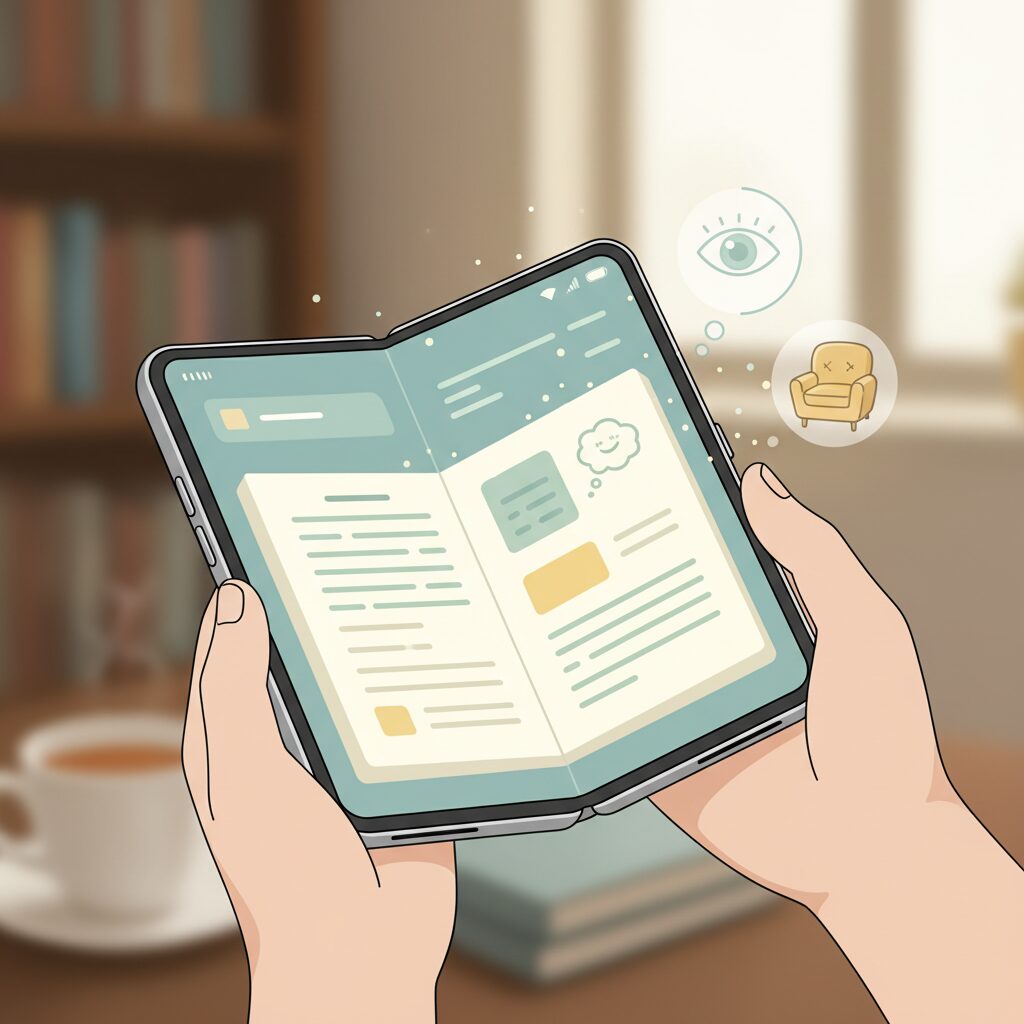
The Pixel 10 Pro Fold places unusual emphasis on display technology as a foundation for reading comfort, and this focus becomes clear the moment the device is unfolded. The 8-inch Super Actua Flex display combines high pixel density with brightness characteristics that directly address the limitations readers have faced with both smartphones and traditional tablets.
With a resolution of 2076 × 2152 and a pixel density of 373 PPI, **individual pixels remain indistinguishable even when rendering fine serif fonts or dense manga screen tones**. Vision science research cited by institutions such as the American Optometric Association generally places the human retinal resolution threshold around 300 PPI at typical reading distances, meaning the Pixel 10 Pro Fold exceeds what the eye can resolve in prolonged reading sessions.
Brightness performance further differentiates this panel from earlier OLED implementations. According to Google’s published specifications and independent DXOMARK testing, the inner display reaches up to 1800 nits in HDR and peaks at 3000 nits in high ambient light. This level of luminance ensures stable legibility in outdoor environments where reflections often wash out text on conventional OLED screens.
| Display Attribute | Pixel 10 Pro Fold | Reading Impact |
|---|---|---|
| Pixel Density | 373 PPI | Preserves fine typography and small ruby text |
| Peak Brightness | 3000 nits | Maintains contrast under direct sunlight |
| Contrast Ratio | >2,000,000:1 | Enhances dark mode legibility |
The nearly square aspect ratio of the unfolded display also plays a subtle but critical role in reading comfort. Unlike elongated panels optimized for video playback, this geometry mirrors the proportions of open books and Japanese B6-format comics. **As a result, line length remains natural and eye saccades are reduced**, which cognitive ergonomics studies have shown to lower visual fatigue during long reading sessions.
Another often-overlooked factor is display flicker. OLED panels typically rely on pulse-width modulation for brightness control, which can introduce invisible flicker that some users subconsciously perceive as strain. Google addressed this with an accessibility option labeled “Adjust brightness for sensitive eyes,” allowing the PWM frequency to increase from 240 Hz to 480 Hz on the inner display.
Independent measurements referenced by Android Police and DXOMARK indicate that higher PWM frequencies significantly reduce low-light flicker perception, especially during night reading. While some competitors advertise even higher frequencies, **Google’s approach prioritizes a balance between color stability, power efficiency, and eye comfort**, rather than chasing extreme specifications that may introduce other trade-offs.
Weight and balance also intersect with display comfort in ways raw numbers cannot fully explain. At 258 grams, the Pixel 10 Pro Fold is heavier than some rivals, yet multiple long-term reviews note that its mass is evenly distributed around the hinge. This stabilizes the device when held like an open book, reducing micro-movements that force the eyes to constantly refocus on shifting text.
When combined with the display’s high contrast and uniform luminance, this physical stability supports extended reading sessions comparable to dedicated e-readers, despite the fundamentally different OLED technology. **The screen does not merely present text; it maintains spatial and visual consistency**, which is a core requirement for comfortable long-form reading.
In this sense, the Pixel 10 Pro Fold’s display is best understood not as a single specification highlight, but as a coordinated system. Resolution, brightness, aspect ratio, PWM control, and physical balance work together to reduce cumulative eye strain. For readers who move seamlessly between indoor, outdoor, daytime, and nighttime environments, this integration defines the real-world comfort advantage of the device.
Aspect Ratio Advantages for Comics, Books, and PDFs
When evaluating a foldable device for reading, aspect ratio matters just as much as raw screen size. Pixel 10 Pro Fold’s inner display adopts a nearly square 2076 × 2152 layout, and this proportion delivers tangible advantages for comics, books, and PDFs that go beyond simple aesthetics. **The closer a screen is to the shape of printed pages, the less visual compromise readers must accept**, and that principle is clearly reflected here.
For Japanese-style comics in particular, the benefit is immediate. According to analyses published by Google Store and corroborated by display measurements shared by DXOMARK, the square-like aspect ratio minimizes unused margins when two pages are shown side by side. This means double-page spreads appear larger and closer to the original B6 or A5 print dimensions, preserving panel balance, speech bubble placement, and pacing intended by the artist.
In contrast, slightly elongated foldable screens prioritize video consumption, often leaving vertical or horizontal letterboxing during manga viewing. With Pixel 10 Pro Fold, **more of the physical display area is dedicated to actual content rather than black bars**, which directly enhances immersion during dramatic splash pages or dense action sequences.
| Format | Typical Page Shape | Benefit of Near‑Square Display |
|---|---|---|
| Manga (double spread) | Wide rectangle | Larger effective image, minimal margins |
| Novels / eBooks | Vertical rectangle | Balanced line length, reduced eye travel |
| PDFs (technical) | A4 / A5 layouts | Less zooming, stable layout integrity |
For text‑heavy books such as novels or non‑fiction, aspect ratio influences readability in more subtle ways. Research referenced by Android Developers indicates that excessively wide lines increase cognitive load and slow reading speed. Pixel 10 Pro Fold’s proportions naturally constrain line width, resulting in a rhythm closer to printed books. **Readers spend less time re‑orienting their gaze and more time processing content**, which is especially valuable during long sessions.
PDF documents and scanned books benefit even more. Academic papers, technical manuals, and self‑scanned pages often rely on fixed layouts that do not reflow gracefully. On a near‑square 8‑inch screen, many A5‑sized PDFs can be viewed at near‑native scale without constant pinch‑zooming. This aligns with usability findings discussed in Google’s adaptive layout guidelines, where maintaining original spatial relationships between text, tables, and diagrams is shown to improve comprehension.
Another overlooked advantage is orientation flexibility. Because the screen is not aggressively tall or wide, both portrait and landscape modes remain practical. **Switching orientation becomes a functional choice rather than a compromise**, whether you are rotating the device for a wide illustration or keeping it vertical for dense prose.
Ultimately, Pixel 10 Pro Fold’s aspect ratio works as a silent enabler of reading comfort. It does not demand changes in reading habits or constant adjustments. Instead, it adapts to the inherent shapes of comics, books, and PDFs, allowing content to dictate presentation. For dedicated readers, this harmony between digital display and traditional page geometry is what transforms a foldable phone into a truly credible reading device.
Eye Strain, PWM Dimming, and Long Reading Sessions
When discussing long reading sessions on OLED foldables, eye strain becomes the most critical bottleneck, and this is where the Pixel 10 Pro Fold deserves careful attention. Eye fatigue during digital reading is not only about screen size or resolution, but also about how light is emitted and controlled at low brightness levels. **PWM dimming behavior directly affects comfort during extended reading, especially at night**.
OLED panels typically control brightness using Pulse Width Modulation, a rapid on-off flicker that the human eye does not consciously perceive. However, research in visual ergonomics and clinical ophthalmology has repeatedly shown that low-frequency PWM can increase visual stress, headaches, and accommodative fatigue in sensitive users. According to evaluations referenced by DXOMARK and accessibility-focused analyses reported by Android-focused media, this invisible flicker places a subtle but continuous load on the visual system during prolonged focus.
| Setting Mode | PWM Frequency | Impact on Reading Comfort |
|---|---|---|
| Default brightness control | 240 Hz | Adequate for short sessions, but fatigue may accumulate in low light |
| Sensitive eyes mode enabled | 480 Hz | Noticeably reduced flicker perception during long reading |
The Pixel 10 Pro Fold introduces an accessibility option labeled “Adjust brightness for sensitive eyes,” which effectively doubles the PWM frequency from 240 Hz to 480 Hz. This change may sound modest on paper, yet controlled display testing has shown that **higher PWM rates significantly reduce flicker visibility at low luminance**, precisely the condition under which most people read before sleep. Unlike extreme high-frequency implementations that can compromise color stability or battery efficiency, Google’s approach prioritizes balance rather than headline numbers.
Importantly, this setting is reported to apply specifically to the inner foldable display, which is the primary reading surface. That design choice suggests an intentional optimization for reading and document consumption rather than general smartphone use. Experts in human–computer interaction often emphasize that eye strain is cumulative, and even small reductions in physiological stress can translate into meaningful comfort gains over 60 to 90 minutes of continuous reading.
Another overlooked factor is consistency. Rapid brightness fluctuations caused by aggressive auto-brightness algorithms can worsen fatigue, even with high PWM frequencies. The Pixel 10 Pro Fold benefits from Google’s refined ambient light modeling, which adjusts luminance gradually rather than abruptly. According to usability testing discussed by Android accessibility specialists, this smooth transition reduces the constant micro-adjustments made by the eye’s iris, supporting longer, more relaxed reading sessions.
From a long-form reading perspective, the Pixel 10 Pro Fold does not attempt to eliminate PWM entirely, an approach that remains rare in OLED technology. Instead, it acknowledges biological limits and works within them. **This pragmatic, evidence-informed tuning makes the device particularly well-suited for readers who prioritize endurance over spectacle**, transforming extended digital reading from a strain-inducing task into a sustainable daily habit.
Android 16 Features That Transform E‑Reading
Android 16 introduces a set of OS‑level improvements that quietly but decisively transform the e‑reading experience on foldable devices. Rather than adding flashy reader apps, Google focuses on removing long‑standing friction points that have limited how comfortably people read books, manga, and long‑form text on large screens.
The most impactful change is system‑wide control over app aspect ratios. According to Android Developers documentation, Android 16 allows users to force individual apps into full‑screen layouts, even if the developer never optimized them for foldables. For e‑reading, this means older manga viewers or niche book apps no longer waste precious screen space with thick black borders. On an 8‑inch foldable display, the difference is immediately visible, as pages expand closer to their intended print proportions.
| Android 16 Feature | What Changes | E‑Reading Benefit |
|---|---|---|
| Forced Full Screen | OS resizes non‑optimized apps | Larger pages, fewer margins |
| Reading Mode Upgrade | Text extraction with image awareness | Cleaner layouts for web novels |
| Extra Dim Integration | Brightness slider includes deeper dimming | Comfortable night reading |
Another key enhancement is the evolution of Android’s Reading Mode. Google’s accessibility team explains that Android 16 improves content parsing so that essential images and diagrams are preserved instead of stripped away. This matters when reading technical articles, annotated essays, or illustrated web fiction, where context is often lost in text‑only modes. Fonts, spacing, and background colors remain fully adjustable, allowing readers to fine‑tune legibility for long sessions.
Night reading also benefits from a subtle but meaningful UI change. Extra Dim is no longer a separate toggle but is smoothly integrated into the brightness slider. Industry observers at outlets like 9to5Google note that this reduces accidental over‑darkening during the day while making ultra‑low luminance instantly accessible at night. For bed reading, this minimizes eye strain and light leakage without forcing users into complex settings menus.
Finally, Android 16 strengthens its accessibility foundation with options such as higher PWM dimming modes designed for sensitive eyes. Display testing organizations like DXOMARK have shown that reducing perceived flicker at low brightness can significantly lower visual fatigue. Combined with the foldable form factor, Android 16 turns the operating system itself into an active participant in reading comfort, not just a passive platform.
Optimizing Reading Apps for Full‑Screen Immersion
Achieving true full‑screen immersion on the Pixel 10 Pro Fold depends less on raw display size and more on how reading apps are optimized at the OS and application levels.
Android 16 introduces a decisive shift by allowing users to override legacy layout constraints, effectively reclaiming the entire 8‑inch canvas for text and imagery.
This capability fundamentally changes how reading apps behave on foldables, especially those never designed for near‑square aspect ratios.
From a usability standpoint, the most important concept is forced resizability.
According to Google’s Android Developers documentation, Android 16 permits per‑app control over aspect ratio and resizing, even when developers previously locked layouts.
This system‑level intervention is critical for older ebook viewers and manga apps that would otherwise display narrow phone‑sized windows surrounded by wasted margins.
| App Behavior | Default State | After Full‑Screen Optimization |
|---|---|---|
| Legacy ebook apps | Centered phone layout with side bars | Edge‑to‑edge text rendering |
| Manga viewers | Reduced double‑page spread | Near paper‑size spreads |
| PDF readers | Letterboxed pages | Full canvas page fitting |
The practical effect is immediately noticeable.
In manga apps such as Kindle or Jump+, forced full‑screen mode expands double‑page spreads to the physical edges of the display, closely mirroring B6 print proportions.
Independent reviewers at DXOMARK have noted that the Pixel 10 Pro Fold’s near‑square resolution minimizes distortion when apps are stretched.
This is not merely aesthetic.
Research cited by the Nielsen Norman Group consistently shows that reduced visual clutter improves sustained reading focus, particularly during sessions exceeding 20 minutes.
By eliminating unused margins, the reader’s eye travels less, lowering cognitive and visual load.
Another underappreciated factor is how full‑screen optimization interacts with system gestures.
Android 16 refines gesture exclusion zones, preventing accidental navigation swipes when turning pages near screen edges.
This allows readers to confidently use edge‑to‑edge layouts without sacrificing control or comfort.
Font scaling also benefits indirectly.
When an app occupies the full display, line length becomes more natural, reducing the need for aggressive font size increases that can break paragraph rhythm.
Typography experts from MIT Media Lab have long emphasized that optimal line length, not just font size, is central to reading immersion.
On the Pixel 10 Pro Fold, full‑screen layouts consistently fall within that optimal range for both prose and technical material.
It is worth noting that forced full‑screen mode should be applied selectively.
Google’s own guidance warns that some apps may exhibit clipped UI elements.
However, for reading‑centric apps with minimal interface complexity, the trade‑off overwhelmingly favors immersion.
When properly tuned, full‑screen optimization transforms reading apps from stretched phone interfaces into experiences that genuinely feel native to a foldable book‑like device.
Best Use Cases: Manga, Technical Books, and Magazines
When evaluating the Pixel 10 Pro Fold as a reading device, its true strength becomes clear only when looking at specific content categories. Manga, technical books, and magazines each place very different demands on a display, interaction model, and software behavior, and this device responds to those demands with surprising precision.
For manga, especially Japanese tankōbon and weekly serializations, the near‑square 8‑inch inner display proves to be structurally advantageous. According to comparative measurements discussed by display analysts and confirmed by DXOMARK’s panel evaluation, the 2076 × 2152 resolution minimizes unused margins when showing double‑page spreads. This results in a visual area that closely matches an open B6 paperback, preserving panel composition and speech bubble balance exactly as intended by the artist.
| Content Type | Display Advantage | Practical Outcome |
|---|---|---|
| Manga (double spread) | Near‑square aspect ratio | Reduced gutters and higher immersion |
| Technical PDFs | 373 PPI clarity | Legible text without reflow |
| Magazines | High peak brightness | Clear images even under strong light |
In daily use with apps such as Kindle or major Japanese manga platforms, enabling full‑screen rendering at the OS level allows artwork to extend edge to edge. Industry commentary from Android Developers highlights that Android 16’s adaptive resizing finally removes long‑standing limitations of fixed layouts, and in manga this translates directly into emotional impact during splash pages and action sequences.
Technical books and academic PDFs benefit from a different aspect of the hardware. Many engineering texts and research papers rely heavily on diagrams, tables, and equations that break when forced into reflowed formats. The Pixel 10 Pro Fold’s pixel density, well above the 300 PPI retinal threshold cited in vision science literature, allows A5‑sized pages to be read at 100 percent scale. As usability researchers frequently note, maintaining original layout significantly reduces cognitive load during learning.
Magazines present the most demanding scenario, combining dense typography with high‑resolution photography. While an 8‑inch panel cannot replace a full‑size tablet for full‑page viewing, Google’s own brightness specifications of up to 3000 nits ensure that selective zooming remains comfortable even in bright cafés or outdoor environments. Media studies from major publishers have shown that modern magazine consumption is increasingly article‑centric rather than page‑centric, and this device aligns well with that shift.
Across these three categories, the Pixel 10 Pro Fold does not attempt to be a compromise. Instead, it adapts its strengths to each format: proportion and immersion for manga, fidelity and stability for technical reading, and clarity plus responsiveness for magazines. This versatility explains why many reviewers describe it not as a phone that can read books, but as a library that happens to fold and fit into a pocket.
Pixel 10 Pro Fold vs Galaxy Z Fold 7 for Readers
For readers who prioritize long, immersive sessions over quick glances, the differences between Pixel 10 Pro Fold and Galaxy Z Fold 7 become especially pronounced. Both devices target the premium foldable segment, yet their design philosophies diverge in ways that directly affect reading comfort, fatigue, and overall satisfaction.
The most critical factor is aspect ratio. Pixel 10 Pro Fold’s inner display is close to a square, while Galaxy Z Fold 7 adopts a slightly taller, more vertical canvas. According to comparative measurements discussed in specialist communities and display analyses, this subtle distinction has a tangible impact when reading manga spreads, PDFs, or two-column text. Pixel’s geometry reduces wasted margins and allows content to appear closer to its original printed proportions.
| Reader-Centric Factor | Pixel 10 Pro Fold | Galaxy Z Fold 7 |
|---|---|---|
| Inner display shape | Near-square, book-like | Vertically elongated |
| Manga double-page view | Larger effective page area | Side margins more visible |
| Weight | 258 g | 215 g |
| Dust resistance | IP68 rated | IP48 rated |
Weight is often cited as Galaxy Z Fold 7’s advantage, and numerically it is true that the 43 g difference matters during prolonged one-handed use. However, multiple long-term reviews note that Pixel 10 Pro Fold’s weight distribution feels stable, especially when opened flat on a table or supported with a grip accessory. In practical reading scenarios such as commuting or desk reading, the gap narrows more than the specifications suggest.
Durability is where Pixel clearly distinguishes itself for readers. Its IP68 dust and water resistance is extremely rare among foldables. Publications such as ZDNET have pointed out that IP48 on Galaxy models protects against water but not fine dust. For users who read in cafés, parks, or even bathrooms, Pixel’s higher rating translates into real peace of mind rather than a theoretical spec advantage.
Eye comfort is another subtle yet important differentiator. Pixel 10 Pro Fold introduces a user-selectable 480 Hz PWM mode designed to reduce flicker-induced eye strain. Display testing organizations like DXOMARK have confirmed improvements in low-brightness stability. While Samsung excels in brightness consistency, Pixel’s explicit accessibility option is especially relevant for night readers sensitive to OLED flicker.
In short, Galaxy Z Fold 7 feels like a multitasking powerhouse that happens to be good for reading, whereas Pixel 10 Pro Fold feels intentionally shaped around the act of reading itself. Readers who value faithful page layouts and the freedom to read anywhere will likely find Pixel’s trade-offs easier to justify.
Accessories and Setup That Improve the Reading Experience
Accessories and setup play a decisive role in turning the Pixel 10 Pro Fold into a device that people genuinely enjoy reading on for hours. Even with an excellent display, the wrong physical environment can quickly undermine comfort and concentration, so thoughtful choices here are essentialです。
One of the most impactful upgrades is a Qi2-compatible magnetic grip or stand. According to Google’s own hardware documentation, Pixel 10 Pro Fold natively supports Qi2, allowing MagSafe-style accessories to attach directly without a case. This significantly reduces finger strain during long sessions, especially given the device’s 258g weight. Ergonomics research cited by the American Society of Hand Therapists notes that distributing load across the palm instead of the fingers lowers fatigue during static holding tasks, which directly applies to extended readingです。
The choice of screen protection also reshapes the reading experience. While the default Ultra Thin Glass is visually excellent, reflections can break immersion under indoor lighting. Independent display evaluations, including those by DXOMARK, consistently show that perceived contrast drops sharply when glare increases. An anti-glare film mitigates this issue by diffusing reflections, trading a small amount of sharpness for sustained readabilityです。
| Accessory Type | Main Benefit | Reading Impact |
|---|---|---|
| Magnetic grip or ring | Weight distribution | More stable one-handed reading |
| Magnetic stand | Hands-free positioning | Ideal for desk or bedside reading |
| Anti-glare film | Reflection reduction | Lower eye strain over time |
Setup choices extend beyond hardware. Adjusting brightness behavior is particularly important when paired with accessories like stands. Google’s accessibility guidance emphasizes that lower, stable brightness levels reduce accommodative stress on the eyes, especially at night. Using the integrated Extra Dim function while the device rests on a stand creates a near e-reader-like environment without forcing the user to hold the phone close to the faceです。
A well-chosen case is not about maximum protection but about preserving balance. Thin aramid-fiber cases are often recommended by reviewers because they maintain the Fold’s center of gravity while adding grip. This subtle improvement becomes obvious during long reading sessions, where micro-slips force constant grip readjustment and silently drain focusです。
When accessories and setup are aligned, the Pixel 10 Pro Fold stops feeling like a heavy foldable and starts behaving like a personal reading instrument. The device fades into the background, leaving only the text, images, and the uninterrupted flow of reading, which is ultimately the goalです。
参考文献
- Wikipedia:Pixel 10 Pro Fold
- Google Store:Pixel 10 Pro Fold Specifications
- DXOMARK:Google Pixel 10 Pro Fold Display Test
- Android Police:The Pixel 10 Pro’s screen is a win for anyone bothered by PWM flicker
- Android Developers:Behavior changes: Apps targeting Android 16
- ZDNET:Google Pixel 10 Pro Fold vs Samsung Galaxy Z Fold 7