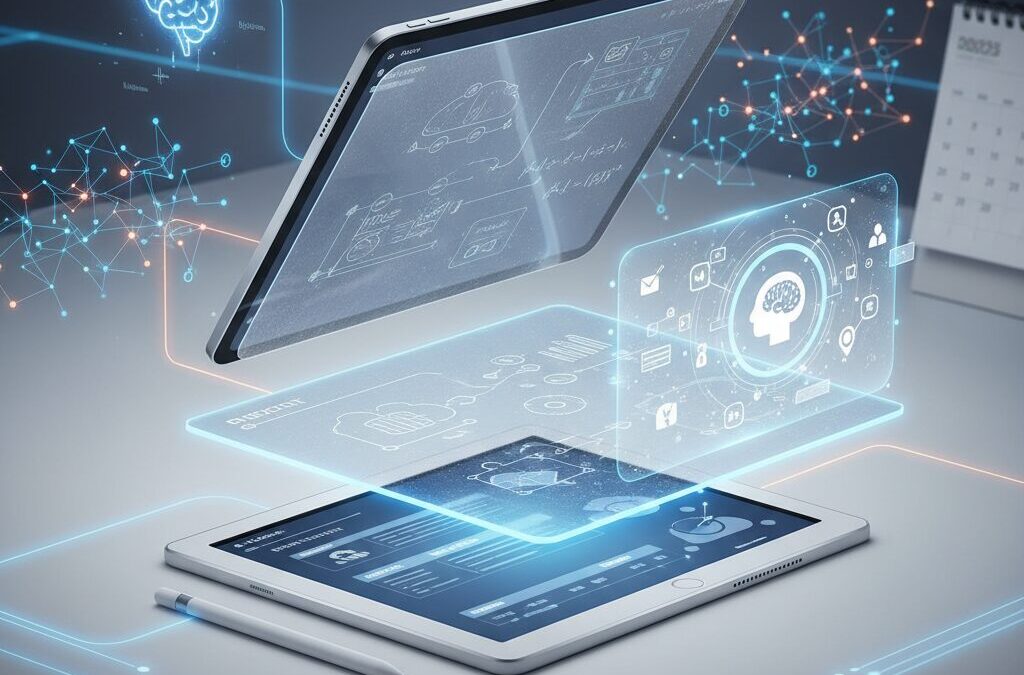
Have you ever wondered whether typing, handwriting, or AI-assisted note-taking actually makes you smarter and more productive? In 2025, the debate is no longer about digital versus paper. It is about how technology can enhance the way your brain learns, remembers, and creates.
Neuroscience research shows that handwriting activates broader neural networks than typing, strengthening memory formation and cognitive processing. At the same time, tablets powered by advanced chips and AI copilots can now summarize meetings, generate structured reports, and connect scattered ideas across apps in seconds.
From iPad Pro and Galaxy Tab to Supernote and BOOX, the ecosystem has evolved into a sophisticated fusion of tactile engineering, E‑Ink innovation, and generative AI integration. In this article, you will discover the science behind handwriting, the real differences between LCD and E‑Ink devices, the impact of paperlike films, and how to choose the perfect setup for your workflow in 2025–2026.
- Why Handwriting Still Matters in the Age of AI
- Neuroscience Evidence: Brain Connectivity, Memory Encoding, and Sensory-Motor Activation
- From Paper to Glass: The Evolution of Digital Writing Surfaces
- iPad Pro and Air in 2025: Performance, Latency, and Ecosystem Strength
- The Rise of E‑Ink Devices: Supernote Nomad and BOOX as Focus Machines
- Samsung Galaxy Tab and EMR Stylus Technology Explained
- Paperlike Films vs Display Clarity: The Friction Trade-Off
- AI-Powered Note Apps: Microsoft OneNote with Copilot
- GoodNotes 6 and Notability: AI for Students and Creators
- Android Note Apps and Cost-Performance Alternatives
- Use-Case Based Setup Guide: Students, Creators, and Business Professionals
- The Future of Digital Note-Taking: Context-Aware AI and Haptic Feedback
- 参考文献
Why Handwriting Still Matters in the Age of AI
In an era where AI can summarize meetings, generate reports, and even draft code in seconds, it may seem logical to abandon handwriting altogether. However, neuroscience and real-world product evolution suggest the opposite is happening. Rather than disappearing, handwriting is being redefined as a high-value cognitive interface between humans and machines.
Research from the Norwegian University of Science and Technology (NTNU) provides a compelling explanation. In EEG experiments comparing typing and handwriting, participants who wrote by hand showed significantly broader neural activation, particularly in regions associated with motor control and visual-spatial processing. This increased “electrical connectivity” between brain regions is closely linked to memory formation and deeper learning.
Handwriting activates complex sensory-motor networks that typing does not fully engage, strengthening encoding and long-term retention.
The mechanism behind this advantage lies in what researchers call the sensory-motor process. When you write, your brain integrates tactile resistance from the pen, micro-adjustments of finger muscles, and real-time visual feedback of letter formation. Each character requires a unique movement pattern. Typing, by contrast, relies on repetitive keystrokes with minimal variation.
This difference matters more in the age of AI, not less. When AI automates surface-level information processing, the human advantage shifts toward interpretation, synthesis, and creative reasoning. Handwriting supports exactly those deeper cognitive processes by slowing thinking just enough to force active engagement.
The educational field has already responded to this evidence. California reinstated mandatory cursive instruction in elementary schools, reflecting growing concern that over-digitization may erode foundational writing skills. Policymakers are not rejecting technology; they are acknowledging that cognitive development still depends on embodied writing experiences.
| Input Method | Motor Complexity | Neural Engagement | Learning Impact |
|---|---|---|---|
| Typing | Repetitive key presses | Localized activation | Efficient capture, shallow encoding |
| Handwriting | Unique micro-movements per letter | Broad network connectivity | Stronger memory formation |
For gadget enthusiasts, this insight reframes the entire digital note-taking ecosystem. The recent push toward paper-like screens, reduced latency styluses, and textured display surfaces is not nostalgia. It is an engineering response to biological reality. Manufacturers are investing heavily in recreating tactile resistance because friction and micro-feedback are cognitively meaningful, not merely aesthetic.
There is also a strategic productivity dimension. AI excels at speed and scale. Humans excel at contextual judgment and creative synthesis. Handwriting becomes the cognitive throttle that prevents passive consumption and promotes active processing. When you write meeting notes manually, you filter, compress, and reinterpret information instead of transcribing it verbatim.
In short, handwriting persists because it complements AI rather than competes with it. AI extends our external processing power. Handwriting strengthens our internal processing capacity. In the most advanced digital ecosystems of 2025 and beyond, the future is not keyboard versus pen. It is intelligent systems built around the neurological advantages of writing by hand.
Neuroscience Evidence: Brain Connectivity, Memory Encoding, and Sensory-Motor Activation
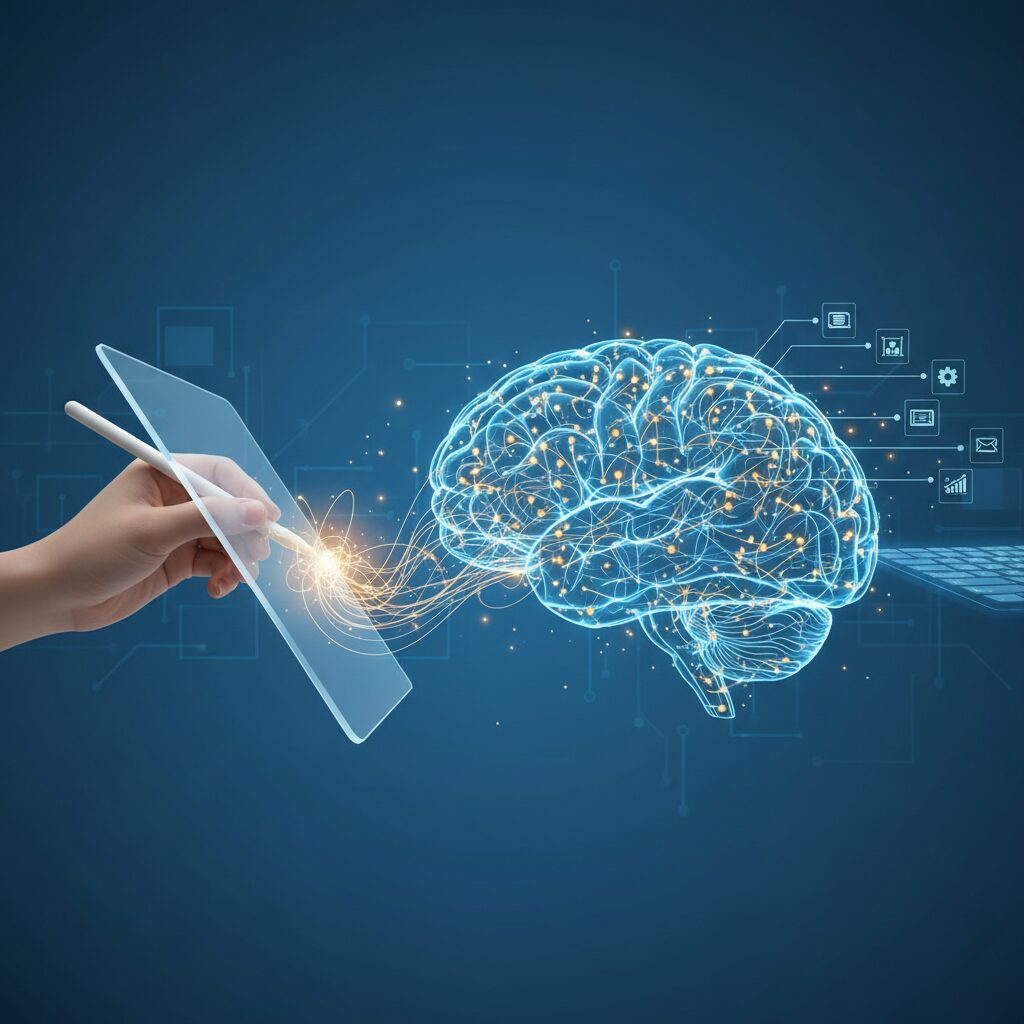
Why does handwriting still matter in an era dominated by AI and voice input? The answer lies in how our brains physically wire information. According to research conducted by the Norwegian University of Science and Technology (NTNU), EEG measurements comparing handwriting and typing revealed significantly stronger and more widespread neural activation during handwriting tasks.
Handwriting increases electrical connectivity between brain regions responsible for motor control and visual-spatial processing. This connectivity is not cosmetic. It directly supports memory encoding and long-term retention, especially when learners are processing new or complex information.
The difference is structural. Typing relies on repetitive, uniform keystrokes. Handwriting requires continuous micro-adjustments of fingers, wrist, and visual feedback, engaging distributed neural networks simultaneously.
| Input Method | Motor Complexity | Brain Connectivity | Memory Encoding Impact |
|---|---|---|---|
| Typing | Repetitive, uniform | Localized activation | Shallower encoding |
| Handwriting | Variable, fine motor | Widespread network engagement | Stronger encoding |
This enhanced connectivity reflects what neuroscientists describe as a sensory-motor integration loop. When you write by hand, tactile feedback from the pen tip, proprioceptive signals from finger movement, and visual recognition of letter formation synchronize in real time.
This sensory-motor process acts as a cognitive amplifier. The brain does not simply record information; it reconstructs it through embodied action. Each stroke becomes both a motor act and a semantic commitment.
Researchers involved in the NTNU study interpret this as evidence that handwriting activates networks essential for learning readiness. In other words, the act of forming letters primes the brain for deeper processing.
Handwriting is not slower typing. It is a fundamentally different neural event. The increased electrical connectivity observed during handwriting correlates with improved integration of new knowledge into existing memory frameworks.
This mechanism becomes particularly relevant when considering complex writing systems such as Japanese kanji. Characters require precise stroke order and spatial balance, demanding heightened visual-spatial coordination. The motor memory formed through repeated handwriting reinforces recognition and recall.
In contrast, typing a character selection from predictive text minimizes motor variability. The cognitive load shifts from generation to selection, reducing the depth of encoding.
Educational policy shifts reflect this understanding. California’s reinstatement of mandatory cursive instruction for elementary students demonstrates institutional recognition that motor-based writing contributes to cognitive development.
For gadget-focused users evaluating tablets and stylus systems, this neuroscience insight changes the conversation. Latency reduction, pressure sensitivity, and tactile surface engineering are not merely luxury specifications.
They determine whether digital handwriting can preserve the sensory-motor activation necessary for strong memory encoding. If the delay between pen movement and visual feedback increases, or if the surface lacks sufficient resistance, the feedback loop weakens.
Ultimately, brain connectivity is the invisible benchmark. The closer a digital writing system approximates natural sensory-motor integration, the more effectively it supports learning, ideation, and long-term knowledge retention.
From Paper to Glass: The Evolution of Digital Writing Surfaces
For thousands of years, writing meant friction between ink and fiber. Clay tablets, papyrus, parchment, and eventually mass-produced paper shaped not only how we recorded information, but how we thought. In the mid-2020s, however, we are witnessing a once-in-a-millennium shift: from pulp and ink to pixels and glass.
Yet this transition is not a simple replacement of paper with screens. It is an advanced fusion phase, where digital technology attempts to faithfully reproduce — and even enhance — the embodied experience of analog writing.
According to recent neuroscience research from the Norwegian University of Science and Technology, handwriting activates broader and more complex neural networks than typing, strengthening electrical connectivity between regions responsible for motor control and spatial processing. This evidence has directly influenced how digital writing surfaces are being designed today.
| Era | Surface | Cognitive & Physical Traits |
|---|---|---|
| Paper Age | Fiber-based sheets | Tactile friction, high sensory-motor feedback |
| Early Tablet Era | Smooth glass | Low resistance, minimal tactile feedback |
| Fusion Phase (2025–) | Engineered glass + films | Simulated friction, optimized latency, hybrid cognition |
The earliest tablets prioritized display clarity and processing power. Writing on bare glass felt fast but slippery, often described as “skating” rather than writing. For users in stationery-sensitive markets such as Japan, where subtle differences in paper texture and pen feedback matter deeply, this sensation felt like compromise.
The turning point came when hardware engineers began treating the screen not merely as a display, but as a writing surface. Technologies such as high refresh-rate panels reduced pen latency to near-imperceptible levels, allowing strokes to appear almost instantly under the stylus tip. This minimized the cognitive dissonance between intention and visual output.
At the same time, material science entered the conversation. Instead of simply roughening glass to increase friction, newer approaches introduced elastic surface layers that allow the pen tip to slightly sink into the screen. This shift from “surface abrasion” to “controlled micro-deformation” fundamentally changed the tactile narrative of digital writing.
E-Ink devices pushed the evolution further by redefining what a digital surface should prioritize. Rather than maximizing color vibrancy, they optimized reflectivity and eye comfort. By mimicking the way paper reflects ambient light instead of emitting it, these devices reduced visual fatigue during prolonged note-taking sessions.
Interestingly, educational policy has echoed this technological shift. California reinstated cursive instruction in elementary curricula, reflecting broader concerns about losing handwriting skills in a fully digital world. The implication is clear: even in a screen-dominated era, the act of writing by hand remains neurologically valuable.
What makes the current moment unique is that glass no longer tries to replace paper outright. It tries to become paper — while remaining computationally powerful. A modern writing surface can simultaneously provide tactile resistance, infinite undo, cloud synchronization, and AI-assisted organization.
The evolution from paper to glass is therefore not a story of substitution, but of augmentation. We are moving toward writing surfaces that respect the brain’s sensory-motor needs while embedding them in a networked, intelligent ecosystem.
In practical terms, this means that choosing a device today is no longer about digital versus analog. It is about selecting the type of engineered surface that best aligns with how your brain encodes information. The future of writing is not less physical — it is physically informed, digitally empowered, and cognitively optimized.
iPad Pro and Air in 2025: Performance, Latency, and Ecosystem Strength
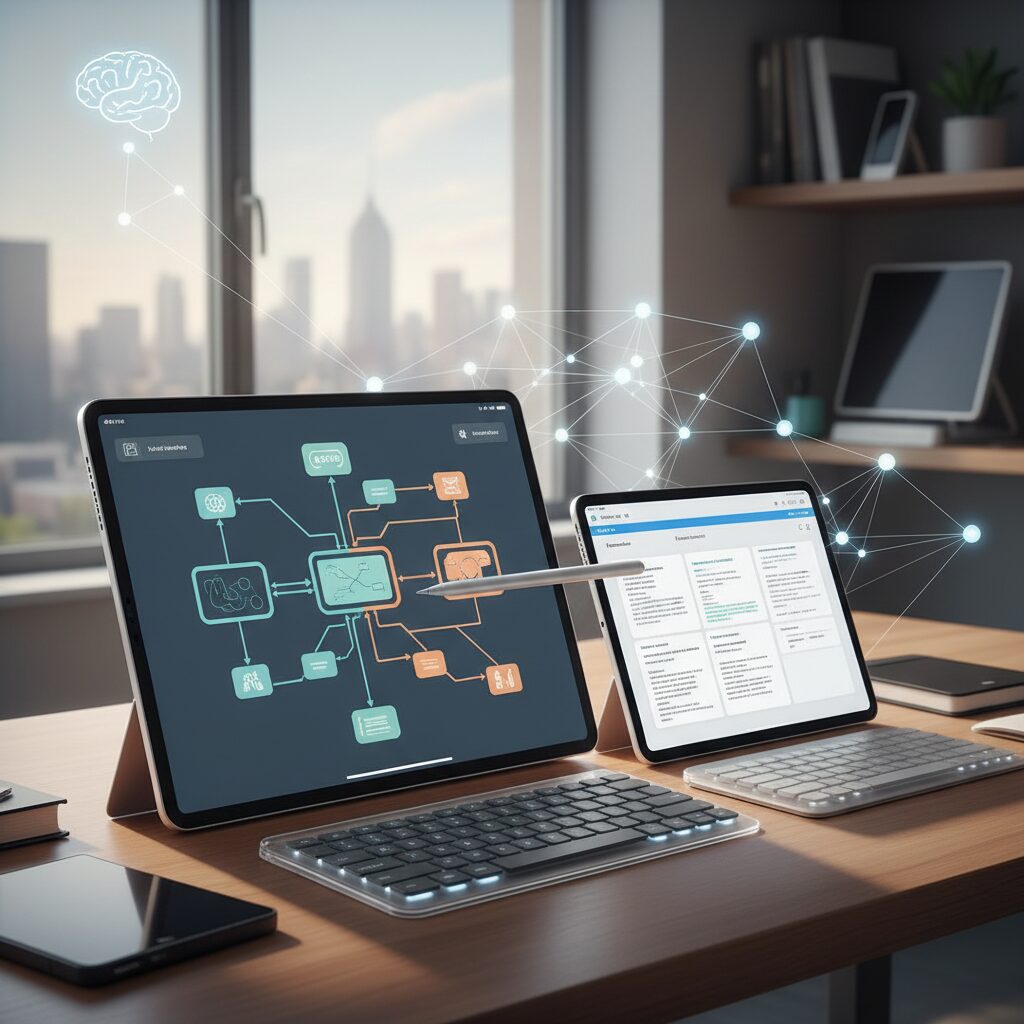
In 2025, iPad Pro and iPad Air stand at the center of the premium digital note‑taking ecosystem. What differentiates them is no longer basic functionality, but the fine balance between raw performance, perceived latency, and the strength of Apple’s tightly integrated platform.
The key advantage is responsiveness that feels cognitively invisible. With M‑series chips and ProMotion technology delivering refresh rates up to 120Hz, the gap between Apple Pencil input and on‑screen ink has been reduced to just a few milliseconds. This matters more than specs alone suggest. As research from NTNU highlights, handwriting activates complex neural networks linked to learning and memory formation. If latency interrupts that sensory‑motor loop, the cognitive benefit diminishes. On iPad Pro and Air, the writing experience remains fluid enough to preserve that loop.
| Model | Chip Class | Display Refresh Rate | Target User Profile |
|---|---|---|---|
| iPad Pro (2025) | M‑series (higher tier) | Up to 120Hz (ProMotion) | Creators, heavy multitaskers |
| iPad Air (2025) | M‑series (balanced) | Up to 120Hz | Students, professionals |
Performance is not only about speed in benchmarks. It is about sustaining split‑view workflows, handling large PDF libraries, and running AI‑enhanced note apps without stutter. GoodNotes 6’s AI handwriting recognition and Notability’s audio transcription features rely on real‑time processing. On M‑class iPads, recognition, search indexing, and document export happen almost instantly, reinforcing a sense of cognitive continuity rather than technical friction.
Latency is also psychological. When paired with Apple Pencil Pro, pressure sensitivity and tilt detection respond with precision that mimics traditional writing instruments. Although glass remains inherently smoother than paper, the combination of hardware sampling rate and display refresh reduces visible lag to the point where the brain interprets the action as direct manipulation. This aligns with the sensory‑motor theory discussed in neuroscience literature: seamless feedback enhances encoding and retention.
The ecosystem strength of iPad, however, may be its most decisive advantage. According to Microsoft’s 2025 updates to Microsoft 365 Copilot, cross‑platform AI integration is accelerating across devices. Yet on iPad, Apple’s ecosystem offers a different kind of integration: iCloud sync, Files, AirDrop, and deep app optimization ensure that notes move frictionlessly between iPhone, Mac, and iPad. For users embedded in Apple’s environment, this continuity reduces administrative overhead and keeps attention focused on thinking rather than file management.
App maturity further amplifies this advantage. GoodNotes and Notability are optimized specifically for iPad hardware, often introducing features that take advantage of Apple Pencil APIs ahead of other platforms. Audio‑synchronized notes, AI‑assisted summaries, and robust handwriting search transform the device from a digital notebook into a structured knowledge base.
Ultimately, iPad Pro emphasizes headroom and creative scale, while iPad Air delivers nearly identical experiential fluidity at a more accessible tier. Both benefit from the same ecosystem gravity: high‑quality accessories, stable OS updates, and a developer community deeply invested in the platform.
For gadget enthusiasts who care about milliseconds, neural engagement, and long‑term platform viability, the 2025 iPad lineup represents not just powerful tablets, but highly refined cognitive tools.
The Rise of E‑Ink Devices: Supernote Nomad and BOOX as Focus Machines
In recent years, E‑Ink devices have moved from niche e-readers to serious productivity tools. For users who care deeply about focus, the rise of devices like Supernote Nomad and BOOX represents a structural shift in digital note-taking. Instead of competing with tablets on raw performance, they compete on something more fundamental: cognitive clarity.
According to research from the Norwegian University of Science and Technology, handwriting activates broader neural networks than typing, strengthening connections related to memory and learning. E‑Ink devices amplify this effect by removing digital noise. They are not trying to be everything—they are trying to help you think.
Why E‑Ink Feels Different
| Feature | E‑Ink Devices | LCD/OLED Tablets |
|---|---|---|
| Display | Reflective, paper-like | Backlit, emissive |
| Battery Life | Often weeks | Hours to days |
| Notifications | Minimal or limited | App-heavy ecosystem |
| Primary Strength | Deep focus | Versatility |
The absence of a constantly glowing screen reduces visual fatigue during long writing sessions. Because E‑Ink reflects ambient light rather than emitting it, the experience is closer to reading paper. For writers, researchers, and planners, this difference becomes noticeable after hours of use.
Supernote Nomad stands out with its FeelWrite 2 surface technology. Instead of relying solely on roughness for friction, it introduces slight elasticity, allowing the pen tip to sink subtly into the surface. This creates a controlled resistance similar to writing on thick, high-quality paper. Reviews in 2024 highlighted how this approach redefined expectations for digital writing feel.
BOOX, by contrast, positions itself as a more flexible E‑Ink platform. Many BOOX models run Android, allowing access to multiple note-taking and reading apps while maintaining the visual comfort of electronic paper. This hybrid strategy appeals to users who want focus but still require ecosystem flexibility.
The real innovation is not technological excess—it is intentional limitation. By reducing app switching, social media alerts, and background processes, these devices create an environment aligned with what productivity experts call “deep work.” The hardware itself enforces boundaries.
Battery endurance reinforces this philosophy. With usage measured in weeks rather than hours, the device fades into the background of daily life. You do not plan your thinking around charging cycles. You simply open it and write.
For gadget enthusiasts, the appeal goes beyond minimalism. It represents a counter-movement within digital culture: instead of accelerating multitasking, E‑Ink devices optimize single-task immersion. In an age dominated by AI integrations and real-time connectivity, Supernote Nomad and BOOX prove that sometimes the most advanced focus machine is the one that deliberately does less.
Samsung Galaxy Tab and EMR Stylus Technology Explained
Samsung’s Galaxy Tab series stands out in the digital note‑taking ecosystem because of one core technology: EMR (Electro-Magnetic Resonance) stylus input. Rather than treating the pen as a peripheral accessory, Samsung integrates EMR at the display layer itself, creating a writing experience that is fundamentally different from battery‑dependent stylus systems.
In Galaxy Tab S series devices, the S Pen is powered by Wacom’s EMR technology. This means the display generates an electromagnetic field that energizes the pen internally. As a result, the S Pen does not require charging for basic writing and drawing, which eliminates downtime and reduces long‑term battery degradation concerns.
For users who rely on their tablet as a primary thinking tool, this design decision has major workflow implications.
| Feature | EMR (Galaxy Tab) | Battery-Based Stylus |
|---|---|---|
| Power Source | Display-powered (no charging) | Internal rechargeable battery |
| Initial Activation Force | Very low | Moderate |
| Maintenance | Minimal | Battery wear over time |
| Pen Weight | Lighter | Heavier due to battery |
One of EMR’s most praised characteristics is its extremely low initial activation force. The pen begins registering input with minimal pressure the moment it touches the screen. This matters more than spec sheets suggest. According to research from NTNU highlighted in recent neuroscience discussions, fine motor engagement enhances neural connectivity during handwriting. A stylus that responds to subtle pressure variations better supports this sensory‑motor feedback loop.
For languages that depend heavily on stroke order and pressure nuance—such as Japanese kanji—this sensitivity improves precision in “tome,” “hane,” and “harai” movements. Many artists and note‑takers report that EMR feels closer to traditional pencil control compared to systems that require slightly firmer contact.
Latency performance in recent Galaxy Tab S models is also highly optimized. Combined with high refresh rate AMOLED displays, pen tracking appears visually synchronized with the nib. The psychological effect is critical: when visual lag becomes imperceptible, the brain accepts the digital ink as an extension of the hand.
Another technical advantage of EMR is hover detection. Because the screen senses the pen before physical contact, users can preview cursor position and access air‑command shortcuts. This supports precision annotation workflows, especially in PDF review and design sketching environments.
Importantly, EMR pens are cross‑compatible within the Wacom ecosystem. Many Galaxy Tab users adopt third‑party EMR pens, including models with different grip ergonomics or nib textures. This flexibility turns the tablet into a customizable writing platform rather than a closed accessory system.
In the broader evolution of digital note‑taking, Samsung’s approach represents a mature convergence of hardware engineering and cognitive ergonomics. Instead of focusing solely on AI augmentation or software features, EMR technology reinforces the physical act of writing itself. For users who believe thinking begins at the tip of the pen, this distinction is decisive.
Paperlike Films vs Display Clarity: The Friction Trade-Off
Paperlike films promise a simple upgrade: more friction, more control, more “paper-like” writing. However, that added friction always comes at a cost. The core dilemma is optical physics. When you introduce micro-textures to glass, you inevitably scatter light, which reduces contrast and perceived sharpness.
In other words, the better your stylus feels, the less pristine your display may look. For gadget enthusiasts who invested in high-resolution panels such as iPad Pro’s Retina display, this trade-off is not trivial.
The decision is not about right or wrong, but about whether you prioritize tactile precision or visual fidelity.
| Factor | High-Friction Film | Low-Friction / No Film |
|---|---|---|
| Stylus Control | Stronger resistance, slower strokes | Smoother glide, faster motion |
| Display Sharpness | Visible grain, slight blur | Maximum clarity and contrast |
| Color Accuracy | Minor desaturation possible | Original panel performance |
Independent product comparisons in 2024–2025 consistently show that stronger “paper-like” textures create a noticeable sparkle or rainbow noise effect, especially on white backgrounds. This is not a defect but a byproduct of diffused reflection. The same surface roughness that increases friction also disrupts pixel-level clarity.
For handwriting-heavy users, this friction enhances motor control. Research from NTNU demonstrates that fine motor engagement strengthens neural connectivity during writing tasks. If friction improves stroke precision and slows the hand slightly, it may indirectly support deeper cognitive processing.
Yet for users who split their time between note-taking and media consumption, clarity matters. HDR video, detailed design work, or color grading benefit from untouched glass. Even subtle light diffusion can reduce perceived depth and vibrancy.
There is also a durability dimension. Higher-friction films accelerate stylus tip wear due to increased mechanical resistance. Over time, micro-abrasion can further alter optical transparency, compounding the clarity trade-off.
Friction enhances control, but clarity preserves immersion. The more texture you add, the more you shift your device from a display-first tool to a writing-first instrument.
Ultimately, this trade-off reflects a broader design philosophy. Are you optimizing your tablet as a digital notebook, or as a premium visual canvas? Paperlike films do not simply modify surface feel. They redefine the functional identity of your device.
AI-Powered Note Apps: Microsoft OneNote with Copilot
Microsoft OneNote with Copilot is redefining what a note-taking app can be in 2025. It is no longer just a digital notebook but an intelligent layer built into the Microsoft 365 ecosystem, designed to transform scattered notes into structured, actionable knowledge.
With the October 2025 updates to Microsoft 365 Copilot, Microsoft significantly strengthened Copilot’s integration across Office apps, including OneNote. According to the official Microsoft blog, Copilot now operates with deeper context awareness and improved task-specific assistance, marking a shift from reactive AI to workflow-level orchestration.
The most impactful evolution is persistent context handling. Earlier AI chat tools often lost conversation memory between sessions, but Copilot Chat now retains conversational history and understands the broader notebook environment. This means you can ask it to generate a proposal outline based on last month’s meeting notes, and it will scan relevant OneNote pages to synthesize a coherent draft.
This cross-page reasoning dramatically reduces manual searching. For professionals managing multiple projects, it transforms OneNote from a passive archive into an active thinking partner.
Core Copilot Capabilities Inside OneNote
| Function | What It Does | Practical Impact |
|---|---|---|
| Contextual Summarization | Summarizes selected notes or entire sections | Speeds up review of long meeting logs |
| Draft Generation | Creates proposals, reports, or plans from notes | Reduces preparation time for client deliverables |
| Cross-App Integration | Pulls data from Outlook and Teams | Unifies communication and documentation |
One particularly powerful scenario is meeting preparation. From an Outlook calendar event, Copilot can reference related OneNote pages and generate a briefing document in advance. After the meeting, Teams recordings and handwritten or typed notes can be synthesized into summaries with identified action items.
This end-to-end automation shortens the gap between information capture and execution. Instead of manually extracting tasks, users receive structured outputs ready for delegation.
Security and governance are also central to Microsoft’s strategy. Copilot operates within enterprise-grade compliance frameworks, allowing administrators to control access and data handling. For organizations where data protection is non-negotiable, this enterprise alignment is a decisive advantage over standalone AI tools.
Another strategic strength lies in knowledge continuity. Because OneNote notebooks can span years of accumulated insight, Copilot effectively becomes an interpreter of institutional memory. When prompted correctly, it surfaces patterns and connections that would otherwise remain buried across dozens of pages.
In a market increasingly saturated with AI-enhanced note apps, OneNote with Copilot stands out not by novelty, but by integration depth. It does not merely add AI features on top of note-taking. It embeds intelligence directly into the workflows professionals already rely on every day.
For gadget enthusiasts and productivity-driven users, this signals a critical shift. The competitive edge is no longer handwriting smoothness or interface minimalism alone. It is the ability of an AI system to understand context, connect fragmented data, and convert raw notes into strategic output in real time.
As AI-powered note apps evolve, OneNote with Copilot represents the enterprise-grade benchmark, where digital note-taking becomes operational intelligence rather than simple record-keeping.
GoodNotes 6 and Notability: AI for Students and Creators
For students and creators, GoodNotes 6 and Notability are no longer just digital notebooks. They are evolving into AI-powered learning and thinking platforms that amplify the cognitive benefits of handwriting while reducing the friction of review and organization.
Neuroscience research from the Norwegian University of Science and Technology shows that handwriting activates broader neural networks than typing, particularly between regions responsible for motor control and spatial processing. This makes the combination of stylus input and intelligent software especially powerful for knowledge retention and creative exploration.
Handwriting stimulates the brain. AI structures and accelerates the output. The synergy between these two forces defines the competitive edge of GoodNotes 6 and Notability.
GoodNotes 6 focuses heavily on AI-enhanced handwriting recognition and academic workflows. Its AI engine learns individual writing styles, enabling more accurate search and text conversion over time. For students dealing with dense lecture notes, this means handwritten content becomes fully searchable without sacrificing the cognitive advantages of manual writing.
In addition, GoodNotes integrates AI-assisted math recognition and study tools. Handwritten equations can be interpreted and processed digitally, which is particularly useful in STEM fields. The built-in flashcard system supports spaced review, aligning with evidence-based learning principles widely discussed in cognitive psychology literature.
| Feature | GoodNotes 6 | Notability |
|---|---|---|
| AI Handwriting Recognition | Adaptive to user style | Searchable notes with transcription |
| Audio Integration | Limited | Advanced audio sync & transcription |
| Learning Tools | Flashcards, math recognition | Lecture replay & summary support |
Notability takes a different but equally compelling direction. Its signature feature, synchronized audio recording and note replay, has evolved with AI-driven transcription and summarization. During a one-hour lecture, users can record audio while writing key points. Later, tapping on a word replays the exact moment it was spoken.
With AI transcription layered on top, students can extract summaries or search spoken content instantly. This dramatically shortens review time and reduces the cognitive load associated with re-listening to entire recordings. For creators conducting interviews or brainstorming sessions, this feature transforms raw conversations into structured material within minutes.
According to recent app ecosystem analyses in 2024–2025 rankings, AI-assisted note apps are increasingly evaluated not just by writing feel but by how efficiently they convert unstructured input into reusable knowledge. In this context, GoodNotes 6 excels in structured study environments, while Notability shines in dynamic, audio-rich settings.
For creators, the implications are significant. Sketches, fragmented ideas, and partial sentences can now be reorganized, searched, and refined with AI support. The notebook becomes an evolving workspace rather than a static archive.
The real innovation is not replacing handwriting with AI, but enhancing handwritten thought with intelligent post-processing. In both GoodNotes 6 and Notability, AI acts as a silent editor, indexer, and study partner—allowing students to retain deeply and creators to iterate faster without losing the tactile essence of writing by hand.
Android Note Apps and Cost-Performance Alternatives
For Android users, note-taking is no longer a compromise. In 2025–2026, the ecosystem has matured into a diverse landscape where flagship experiences and cost-performance alternatives coexist, giving power users far more strategic choices.
According to recent rankings of recommended note apps in Japan, demand is clearly segmented: some users prioritize deep S Pen integration and AI features, while others focus on PDF annotation, lightweight performance, and zero subscription cost. This diversity is Android’s greatest strength.
Core Android Note Apps in 2026
| App | Primary Strength | Best For |
|---|---|---|
| Samsung Notes | Native S Pen optimization, low latency | Galaxy users, handwriting-first workflows |
| Microsoft OneNote | Cross-device sync + Copilot AI | Business & enterprise users |
| PDFelement | Advanced PDF editing & annotation | Document-heavy professionals |
| Free/Buy-once apps | No subscription cost | Students & budget-focused users |
Samsung Notes remains the most technically optimized handwriting experience on Android. Its deep integration with Wacom EMR technology enables extremely low initial activation force, which is particularly valuable for users writing complex characters or making fine diagram annotations.
Because the app is tightly integrated with Galaxy hardware, latency and palm rejection are tuned at the system level. For users already invested in the Galaxy ecosystem, this creates a frictionless workflow that third-party apps often struggle to match.
Microsoft OneNote, on the other hand, differentiates itself through ecosystem power rather than handwriting feel. With the 2025 Microsoft 365 Copilot updates, AI-assisted summarization, meeting preparation, and cross-note context understanding significantly improve productivity.
For professionals who need searchable archives and team collaboration, Android becomes a serious enterprise-grade note platform. The value lies less in ink texture and more in intelligent knowledge management.
Meanwhile, cost-performance alternatives are gaining traction. App ranking data highlights strong interest in free or buy-once note apps, especially among students and casual users who want handwriting and PDF markup without recurring fees.
Subscription fatigue is real. Many Android users deliberately choose lightweight apps that focus on core functions: fast handwriting input, simple folder management, and stable export to PDF.
PDF-focused tools like PDFelement also represent an important alternative path. Instead of acting as traditional notebooks, they function as annotation workstations. For lawyers, consultants, and researchers who live inside documents, this approach often delivers higher ROI than classic notebook-style apps.
Rather than rewriting notes, users directly mark, sign, reorganize, and export professional documents. This reduces redundancy and accelerates real-world workflows.
In practical terms, Android in 2026 supports three clear strategies: hardware-optimized handwriting, AI-powered productivity, and budget-efficient utility. The key is not choosing the “best” app universally, but aligning cost structure and feature depth with your actual workload.
For gadget enthusiasts, this modularity is what makes Android uniquely powerful in the digital note ecosystem.
Use-Case Based Setup Guide: Students, Creators, and Business Professionals
Choosing the right digital note-taking setup depends less on specs and more on your daily cognitive demands. According to research from the Norwegian University of Science and Technology, handwriting activates broader neural networks than typing, strengthening memory encoding and conceptual understanding. Your device should therefore align with how you think, learn, and execute.
Students and Academic Researchers
For students, the priority is retention and structured review. Because sensory-motor processes enhance learning efficiency, a low-latency stylus experience is critical. An iPad Air or iPad Pro paired with Apple Pencil Pro delivers near-imperceptible delay, which helps maintain natural handwriting rhythm.
GoodNotes 6 is particularly suitable for academic workflows. Its AI-powered handwriting recognition and flashcard system support spaced repetition, which cognitive psychology has consistently shown to improve long-term recall. The split-view function also allows simultaneous PDF reading and note annotation, reducing context-switching fatigue.
| Component | Recommended Choice | Why It Matters |
|---|---|---|
| Device | iPad Air / Pro | Low latency + multitasking |
| Stylus | Apple Pencil Pro | Precision and pressure control |
| App | GoodNotes 6 | AI review + handwriting search |
A Kent-paper type screen film offers moderate friction without excessive nib wear, balancing comfort and cost for long study sessions.
Creators and Writers
Creative professionals benefit from depth over speed. Distraction-free environments improve ideation quality, especially during deep work sessions. E-Ink devices such as Supernote Nomad or BOOX Note Air models reduce visual strain and eliminate notification noise.
Supernote’s FeelWrite 2 surface uses elastic resistance rather than rough abrasion, creating a subtle “pen sink” sensation that mimics premium paper. This tactile feedback supports flow state writing by preserving the sensory loop essential to cognitive engagement.
If your goal is original thinking, prioritize friction, focus, and visual calm over raw processing power.
Standard built-in note apps are often sufficient here, as additional software layers may reintroduce distraction.
Business Professionals
Executives and managers require speed, searchability, and cross-platform integration. Surface Pro or Galaxy Tab S series devices provide both pen input and full desktop-class productivity.
Microsoft notes in its 2025 Copilot update that persistent context awareness allows AI to reference prior meeting notes across sessions. In practical terms, this means a handwritten meeting summary in OneNote can immediately inform proposal drafts or task extraction. Integration with Outlook and Teams streamlines pre-meeting preparation and post-meeting documentation.
A detachable paper-like film works well in business settings, allowing smooth presentations when visual clarity is essential and added friction during note capture.
Students optimize for memory, creators for immersion, and professionals for execution velocity. Selecting hardware, accessories, and software around that single priority ensures your digital notebook becomes a cognitive amplifier rather than just another screen.
The Future of Digital Note-Taking: Context-Aware AI and Haptic Feedback
Digital note-taking is entering a new phase where artificial intelligence and tactile engineering no longer evolve separately but converge into a single, context-aware experience.
What used to be a passive canvas is becoming an intelligent surface that understands why you write, not just what you write.
The future is not about replacing handwriting—it is about augmenting human cognition in real time.
From Reactive AI to Context-Aware Intelligence
Current integrations such as Microsoft 365 Copilot already demonstrate how AI can analyze notes across pages, meetings, and documents to generate structured outputs. According to Microsoft’s official updates, Copilot can persist session context and reference prior materials when drafting proposals or summarizing meetings.
The next leap is contextual anticipation. Instead of waiting for commands, AI systems are expected to infer intent from patterns in handwriting, timing, and related documents.
For example, writing “project delay” in a notebook connected to enterprise data could trigger background analysis of related meeting notes and task lists, surfacing possible causes without explicit prompts.
| Stage | AI Role | User Effort |
|---|---|---|
| Reactive | Responds to typed commands | High |
| Context-Aware | Understands note history and intent | Moderate |
| Anticipatory | Suggests insights proactively | Low |
This shift aligns with cognitive research showing that handwriting activates broader neural networks than typing, as demonstrated in EEG studies from the Norwegian University of Science and Technology. If handwriting stimulates deeper encoding, then pairing it with contextual AI could multiply its cognitive impact.
Haptic Feedback Beyond Paper-Like Films
Until now, tactile realism has depended largely on physical surface treatments such as paper-like films or E-Ink textures. Products like Supernote’s FeelWrite 2 demonstrate how surface elasticity can simulate resistance and friction.
However, the next frontier lies in dynamic haptics. Instead of static texture, displays and styluses may generate micro-vibrations or localized resistance only when the pen moves.
This approach eliminates the trade-off between display clarity and writing feel.
Major hardware manufacturers have explored haptic research in stylus and display systems, aiming to replicate sensations such as pencil drag or paper grain through controlled vibration patterns. In practical terms, a single glass screen could simulate multiple surfaces:
| Simulated Surface | Haptic Characteristic | Use Case |
|---|---|---|
| Rough Paper | High-frequency vibration | Sketching |
| Smooth Notebook | Low resistance pulse | Lecture notes |
| Ballpoint on Cardstock | Elastic micro-feedback | Signature writing |
Such adaptive feedback would restore the sensory-motor loop identified in neuroscience research as critical for learning. Instead of relying on permanent screen coatings, users could toggle tactile modes depending on task.
The Convergence: Cognitive Amplification
When context-aware AI and programmable haptics intersect, digital note-taking becomes an active cognitive partner.
You write an idea. The surface feels like textured paper. The AI recognizes thematic patterns from past notes and suggests related references. The system remains invisible, yet continuously supportive.
The future of digital note-taking is not about digitizing paper—it is about engineering a thinking environment that responds to both your mind and your fingertips.
In this emerging ecosystem, intelligence operates in the background while touch anchors the experience in the body. The result is a workflow where cognition, context, and sensation merge seamlessly, redefining what it means to “take notes” in the AI era.
参考文献
- Gizmodo Japan:Study Suggests Handwriting Is Better for Learning Than Typing
- YouTube:ELECOM Paperlike Film (Premium Paper Type) vs Real Paper Comparison
- Zenbutsu:Supernote Nomad Review After One Month of Use
- Wondershare PDFelement:10 Best Note-Taking Apps: Free, Handwriting, and PDF Annotation
- App-Liv:10 Recommended Handwriting Memo Apps by Use Case
- Windows Blog:What’s New in Microsoft 365 Copilot | October 2025