
How fast can humans really type on a smartphone, and what ultimately limits that speed? In an era where messaging, coding, note-taking, and even business negotiations happen on a 6-inch screen, text entry speed has become the true bandwidth between your thoughts and the digital world.
Average mobile typing hovers around 36 words per minute, while speech recognition can exceed 150 WPM under ideal conditions. Meanwhile, competitive typists break records with optimized layouts, and researchers have already demonstrated brain-computer interfaces reaching 78 WPM. The gap between thought and output is shrinking faster than most gadget enthusiasts realize.
In this article, you will explore the ergonomics of flick input and alternative layouts, the measurable limits of WPM and bits per second, the explosive impact of AI-powered prediction, the return of physical keyboards, and the astonishing progress of Neuralink and academic BCI labs. If you care about performance, productivity, and the future of human–computer interaction, this deep dive will completely change how you think about typing.
- Why Text Entry Speed Defines Modern Human–Computer Interaction
- From Physical QWERTY to Touchscreens: The Ergonomic Shift
- Flick Input and Optimized Layouts: Learning Curves and Muscle Memory Effects
- Understanding WPM, CPM, and Bits per Second: How Speed Is Measured
- Mobile vs Desktop vs Handwriting: What the Data Really Shows
- Speech Recognition at 150 WPM: Speed Champion with Practical Constraints
- AI-Powered IMEs: Context Prediction, Error Correction, and Keystroke Compression
- Eye Tracking and Multimodal Input: Reducing Finger Travel with Gaze
- Hardware Comebacks: Physical iPhone Keyboards and Tactile Feedback
- Friction, Gaming Accessories, and Micro-Optimizations for Elite Speed
- Competitive Typing, World Records, and Algorithm-Driven Keyboards Like Fleksy
- The 10 Bits per Second Bottleneck: Neuroscience of Human Output Limits
- Neuralink, Stanford, UCSF: The Race Toward Thought-to-Text Interfaces
- What Gadget Enthusiasts Should Do Today to Maximize Input Performance
- 参考文献
Why Text Entry Speed Defines Modern Human–Computer Interaction
In modern human–computer interaction, text entry speed is no longer a minor usability metric. It functions as the effective bandwidth between human thought and the digital world. As smartphones have become our most intimate computing devices, tasks once performed on full-size keyboards—email, coding reviews, long-form messaging—now depend on how fast we can translate cognition into characters.
According to widely accepted definitions summarized by Wikipedia, typing speed is measured in WPM (words per minute), where one word equals five keystrokes. This seemingly simple metric determines how fluidly we participate in digital life. When input lags behind thought, friction emerges. When it keeps pace, interaction feels invisible.
Empirical research underscores this point. A large-scale study by researchers at Aalto University and the University of Cambridge reported that average mobile typing speed reached 36.2 WPM, approaching traditional desktop performance. Meanwhile, University of Washington research comparing speech and keyboard input found speech recognition achieving around 153 WPM in English—nearly three times faster than touch typing on smartphones. The gap illustrates how modality directly shapes communicative throughput.
The constraints are not merely mechanical but biological. Research from the California Institute of Technology’s Meister Laboratory argues that human behavioral output operates at roughly 10 bits per second. While our sensory systems process massive streams of information, our outward communication channel is comparatively narrow. Typing speed, therefore, is a bottleneck imposed both by interface design and by neural limitations.
| Modality | Typical Speed | Implication |
|---|---|---|
| Mobile Touch Typing | ~36 WPM | Baseline digital communication |
| Physical Keyboard (PC) | 43–80 WPM | Professional productivity standard |
| Speech Recognition | ~153 WPM (English) | Near-natural conversation speed |
These differences are not abstract. They influence workplace efficiency, learning velocity, and even social presence. A professional who types at 70 WPM can draft twice as much text in the same time as someone at 35 WPM. Over months and years, that delta compounds into thousands of additional messages, documents, and decisions.
Competitive environments make this visible. Guinness World Records has recognized brain–computer interface systems achieving up to 78 WPM, rivaling skilled typists. When such systems approach or surpass average mobile speeds, they challenge the very definition of “input.”
Modern HCI is fundamentally a race against latency between intention and inscription. Whether through optimized keyboards, predictive AI, or neural interfaces, every innovation seeks to compress that gap. In an era where communication is constant and global, text entry speed is not a technical footnote. It is the core variable that defines how seamlessly humans and computers truly interact.
From Physical QWERTY to Touchscreens: The Ergonomic Shift
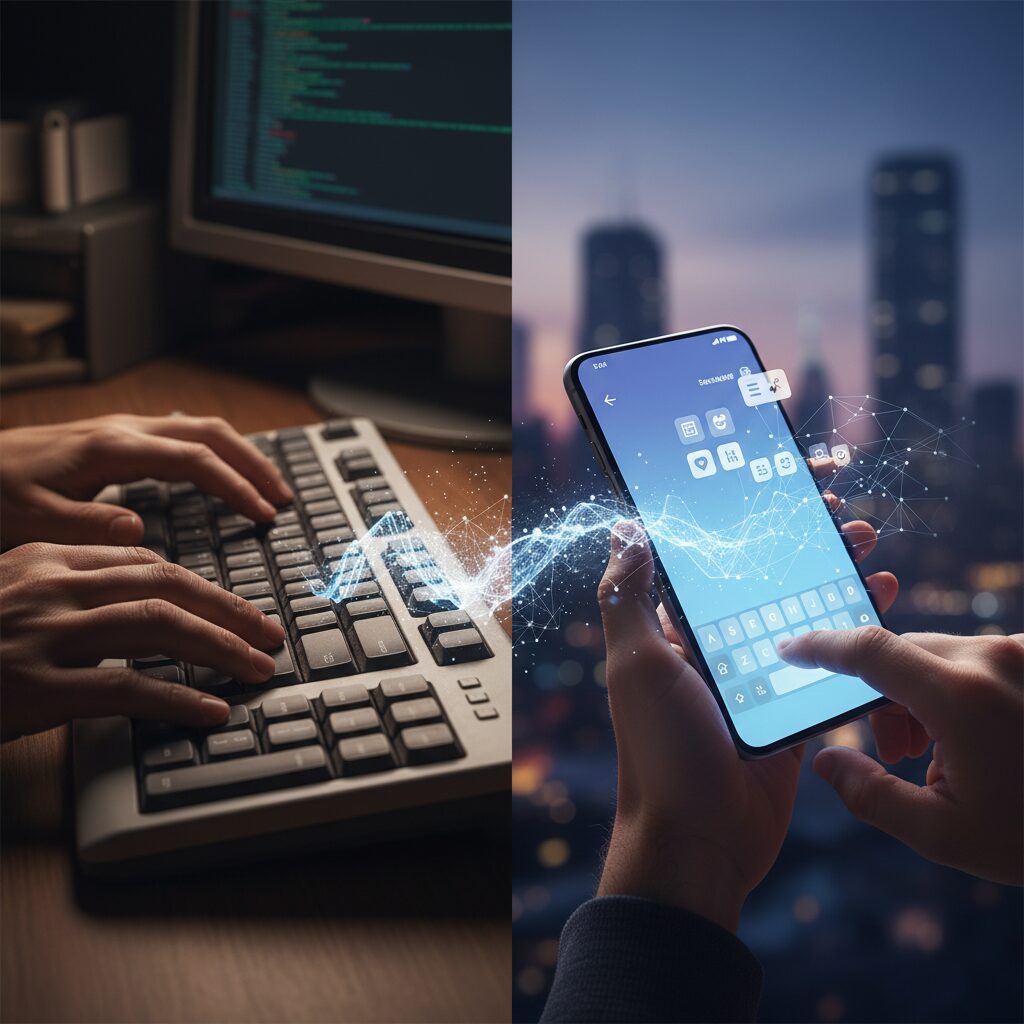
The transition from physical QWERTY keyboards to glass touchscreens represents one of the most radical ergonomic shifts in modern computing. What changed was not just the device form factor, but the entire relationship between fingers, eyes, and cognition.
With devices like the BlackBerry, users relied on raised keys, clear tactile boundaries, and mechanical feedback. Each keystroke delivered confirmation through resistance and click sensation, enabling true touch typing without constant visual monitoring.
Touchscreens removed friction—both literally and cognitively—but also eliminated physical certainty. This trade-off reshaped typing behavior at a fundamental level.
| Aspect | Physical QWERTY | Touchscreen Keyboard |
|---|---|---|
| Tactile feedback | Mechanical key travel and click | Flat glass, vibration only |
| Visual dependency | Low (touch typing possible) | High (frequent visual confirmation) |
| Error source | Motor slips | Fat finger, occlusion, mistaps |
Research in Human-Computer Interaction consistently shows that tactile cues reduce cognitive load. When users can feel key boundaries, the brain offloads spatial targeting to muscle memory. On glass, however, spatial certainty must be reconstructed visually each time.
This is where the so-called “Fat Finger Problem” emerged. In portrait orientation, shrinking QWERTY layouts compress key width to the point where thumb pads overlap multiple targets. As noted in evaluations of alternative layouts such as Google’s Godan keyboard, expanding key size directly reduces mistaps and stabilizes performance.
The ergonomic shift is therefore not just about speed, but about error distribution and attentional cost.
Studies comparing onscreen text entry methods indicate that learning curves differ dramatically. Flick-based systems optimized for touch surfaces show rapid early gains—some experiments report improvements of nearly 60% within days—suggesting that swipe gestures align more naturally with thumb biomechanics than miniature QWERTY tapping.
In contrast, mobile QWERTY often plateaus quickly, likely because it inherits a desktop-era layout that was never designed for thumbs on glass. The keyboard was optimized for ten fingers hovering over staggered rows, not two thumbs anchored to a narrow slab.
Touchscreens forced a re-optimization of human motor patterns. The device no longer adapts to the hand; the hand must adapt to the screen.
Another overlooked factor is posture. Physical keyboards promote wrist extension and bilateral hand symmetry. Smartphones, by contrast, encourage asymmetric grip and thumb-dominant input. This alters joint angles, muscle activation patterns, and long-term fatigue profiles.
Ergonomic research on mobile usage has shown correlations between screen size, thumb reach zones, and typing efficiency. Larger displays increase visual clarity but expand thumb travel distance, creating a new speed–comfort trade-off.
Even haptic feedback systems on modern smartphones attempt to simulate key clicks, yet vibration cannot replicate the spatial guidance of sculpted keycaps. The absence of edges means users must continuously recalibrate finger placement.
The shift also changed the allocation of cognitive resources. With physical keys, users could devote attention almost entirely to language generation. With touchscreens, part of that attention is diverted to motor accuracy and visual confirmation.
This subtle redistribution affects not only typing speed but perceived fluency. Many users report that ideas feel “slower” on glass, even if measured WPM remains competitive.
The ergonomic evolution from physical QWERTY to touchscreens is ultimately a story of sensory subtraction and software compensation. As hardware flattened, intelligence had to migrate upward—into algorithms, prediction models, and adaptive layouts—to restore what tactile ergonomics once provided natively.
Flick Input and Optimized Layouts: Learning Curves and Muscle Memory Effects
Flick input and optimized layouts such as Godan are not simply alternative key arrangements. They are systems designed to reshape how your brain and fingers cooperate. The real performance gap emerges not on day one, but through the learning curve and the formation of stable muscle memory.
In human–computer interaction research, learning curves are typically measured over repeated sessions. A comparative study on onscreen text entry reported that flick-style input showed a dramatic 59% speed improvement by the second day of use. This sharp early gain indicates rapid motor adaptation, as users internalize directional gestures rather than discrete key presses.
By contrast, traditional QWERTY layouts on touchscreens exhibited far smaller gains over the same period. Because many users already carry over habits from physical keyboards, their performance tends to plateau quickly. What feels “familiar” is not always what scales best on glass.
| Input Method | Early Learning Effect | Plateau Behavior |
|---|---|---|
| Flick (12-key) | ~59% speed increase by Day 2 | Gradual slowdown after rapid motor adaptation |
| Touch QWERTY | Limited short-term gain | Early plateau due to transfer of prior habits |
The key mechanism behind flick input’s acceleration is chunking. Instead of targeting small adjacent keys, users perform directional strokes from a stable anchor point. Over time, these strokes become pre-programmed motor sequences. Neuroscience research on motor learning consistently shows that repeated directional gestures consolidate into procedural memory, reducing cognitive load.
Optimized layouts such as Godan approach the problem differently. By enlarging key targets and reorganizing consonant–vowel logic vertically, they reduce spatial ambiguity. According to reviews from ケータイ Watch, one practical benefit is lower mis-tap frequency, especially for edge-positioned keys. Fewer corrections mean more consistent words per minute, even if peak speed does not spike immediately.
Consistency is often more valuable than raw burst speed. Lower variance in typing performance allows users to enter a rhythm state, where prediction and motor execution synchronize.
Demographic data also reinforce the muscle memory hypothesis. Surveys reported by ITmedia Mobile show that nearly half of young female users and 43% of students primarily use flick input. For digital natives, flick is not an adaptation—it is their first motor language on smartphones. Early exposure dramatically shapes long-term ceiling performance.
However, every input method eventually reaches a plateau. HCI studies demonstrate that after the initial rapid improvement phase, gains become incremental. This plateau reflects biomechanical limits and diminishing neural plasticity for that specific gesture set. Breaking through often requires deliberate retraining rather than passive daily use.
For advanced users aiming to push beyond average mobile speeds, structured repetition matters. Practicing without visual confirmation strengthens proprioceptive mapping between thumb position and character output. Over time, the screen transforms from a visual keyboard into a spatial memory grid.
Ultimately, flick input and optimized layouts succeed when they minimize cognitive translation. The faster your brain converts linguistic intent into a stored motor pattern, the closer you approach your personal throughput ceiling. The learning curve is steep at first, but once muscle memory locks in, performance becomes automatic, stable, and remarkably efficient.
Understanding WPM, CPM, and Bits per Second: How Speed Is Measured

When discussing text entry performance, three metrics dominate the conversation: WPM (Words Per Minute), CPM (Characters Per Minute), and bits per second (bps). Each represents a different layer of “speed,” from human-readable language output to raw information throughput.
Understanding how they are defined is essential because the same physical performance can look very different depending on the unit used. Without that context, comparisons between keyboards, speech input, and even brain-computer interfaces become misleading.
Core Measurement Units
| Metric | Definition | Primary Use Case |
|---|---|---|
| WPM | 1 word = 5 keystrokes (incl. spaces) | English typing benchmarks |
| CPM | Characters entered per minute | Japanese and multilingual input |
| Bits per second | Information transmitted per second | BCI and signal-level analysis |
WPM is the most widely cited metric. According to the conventional definition summarized in academic and industry references, one word equals five keystrokes including spaces. This standardization allows fair comparison across texts of different vocabulary lengths. For example, 60 WPM corresponds to 300 keystrokes per minute.
CPM becomes especially important in languages like Japanese, where character-based systems do not map cleanly to five-letter English words. Studies on Japanese mobile typing behavior show CPM provides a more direct reflection of actual output volume, particularly when kana or converted kanji are involved.
The difference between WPM and CPM is not linguistic trivia; it directly affects perceived performance leadership across regions and input methods.
At a deeper level, bits per second measures something more fundamental: the amount of information successfully transmitted. In brain-computer interface research, performance is often reported in bps because neural signals are decoded as probabilistic information streams rather than discrete keystrokes.
Research from the Meister Laboratory at Caltech suggests that human behavioral output operates around 10 bits per second, highlighting a striking bottleneck between rich internal cognition and external expression. This explains why even dramatic improvements in interface hardware yield incremental real-world gains.
For example, a Neuralink participant reportedly achieved around 8–9.5 bps in cursor-control tasks. While that may appear small numerically, it approaches typical human-computer interaction bandwidth when translated into functional control speed.
Converting between them requires assumptions. If 1 word equals 5 characters and each character carries a certain number of bits depending on encoding and language entropy, then WPM can be approximated into bps—but only roughly. Speech input reaching 150 WPM reflects high linguistic output, yet the underlying information density differs from neural signal decoding.
For gadget enthusiasts and performance-driven users, the key insight is this: speed is not just how fast your fingers move—it is how efficiently your system converts intention into information. Choosing the right metric ensures you evaluate that efficiency accurately.
Mobile vs Desktop vs Handwriting: What the Data Really Shows
How different are mobile keyboards, desktop setups, and handwriting when you look strictly at the numbers? The gap is smaller—and in some cases larger—than intuition suggests.
According to aggregated data summarized by Wikipedia and multiple HCI studies, average desktop typing speeds range from 43 to 80 WPM for proficient users. By contrast, large-scale mobile studies report an average of 36.2 WPM with an uncorrected error rate of 2.3%, while handwriting among Japanese college students averages around 31 WPM in transcription tasks.
The surprise is not that desktop is faster, but that modern mobile input has narrowed the gap to within roughly 10 WPM of many real-world desktop users.
| Input Method | Average Speed | Key Characteristics |
|---|---|---|
| Desktop (Physical Keyboard) | 43–80 WPM | Full tactile feedback, two-handed typing |
| Mobile (Touch Keyboard) | 36.2 WPM | 2.3% uncorrected error rate, thumb-dominant |
| Handwriting (Pen & Paper) | ~31 WPM | Motor precision, no predictive assistance |
Desktop keyboards benefit from physical key travel and haptic confirmation, which reduce visual dependency and cognitive load. This allows skilled typists to offload much of the process to muscle memory. The upper range of 80 WPM reflects trained or professional users rather than the general population.
Mobile typing, however, has evolved dramatically. Research comparing touchscreen input shows that predictive models and error correction compensate for the lack of tactile feedback. Spatial models infer intended keys even when taps are imprecise, effectively trading physical accuracy for algorithmic intelligence.
This software compensation is why mobile performance approaches desktop levels despite inferior ergonomics.
Handwriting presents a different bottleneck. Unlike keyboards, handwriting requires continuous fine motor control and letter shaping. A study measuring Japanese university students found average transcription speeds around 31 WPM, notably slower than both desktop and mobile typing. There is no predictive engine, no auto-correction, and no shortcut compression of common phrases.
From an information bandwidth perspective, the contrast becomes sharper. The Meister Lab at Caltech has argued that human output throughput is constrained to roughly 10 bits per second. Whether you type or write, you are ultimately limited by how quickly intention converts into motor execution.
Desktop keyboards optimize motor execution through parallel finger use. Mobile keyboards optimize it through probabilistic prediction. Handwriting relies almost entirely on neuromuscular precision.
Another overlooked dimension is error management. University of Washington research comparing speech and keyboard input found that modern systems can achieve lower error rates at higher speeds when predictive models are strong. While that study focused on speech versus keyboard, the implication extends to mobile: algorithmic correction changes the speed–accuracy tradeoff.
In practical terms, desktop maximizes raw mechanical throughput, mobile maximizes AI-assisted efficiency, and handwriting maximizes control but sacrifices speed.
For gadget enthusiasts, the key insight is this: the performance hierarchy is no longer dictated purely by hardware. The narrowing gap between desktop and mobile demonstrates that computation—language models, spatial correction, personalization—now plays as large a role as physical key switches.
The data does not show the death of desktop dominance. But it clearly shows that input speed is no longer a simple story of bigger keyboards winning. It is a story of how ergonomics, algorithms, and human motor limits intersect in measurable, surprisingly competitive ways.
Speech Recognition at 150 WPM: Speed Champion with Practical Constraints
When it comes to raw text entry speed, nothing currently rivals speech recognition. In a landmark study by the University of Washington comparing speech and keyboard input on smartphones, participants achieved an average of 153 words per minute in English using a Deep Speech 2–based system. This was nearly three times faster than touchscreen typing under the same conditions.
Even more striking, the study reported lower uncorrected error rates for speech than for keyboard input. In controlled environments, modern speech recognition engines are not just faster, but statistically more accurate as well. From a pure bandwidth perspective, speech is the undisputed speed champion of mobile text entry.
| Input Method | Average Speed (WPM) | Error Trend |
|---|---|---|
| Touchscreen Keyboard | ~36 | Higher uncorrected error rate |
| Speech Recognition | ~153 (English) | Lower uncorrected error rate |
However, this 150 WPM performance exists under practical constraints that cannot be ignored. The experimental setup assumed relatively quiet surroundings, clear articulation, and stable network or processing conditions. In everyday life, cafés, trains, shared offices, and public spaces introduce background noise and social friction that dramatically reduce usability.
Privacy is the first major constraint. Dictating sensitive emails, business strategies, or personal messages aloud is often socially or professionally unacceptable. Unlike finger-based input, speech externalizes cognition into the environment, exposing content before it is finalized.
The second constraint is contextual appropriateness. Speech works best for long-form, continuous text such as drafting notes or brainstorming. It performs less elegantly for short, precise edits, password entry, code snippets, or multilingual switching. The cognitive overhead of correcting misrecognized proper nouns or technical terms can offset the initial speed advantage.
There is also a physiological ceiling to sustained speech. Speaking at 150 WPM continuously is cognitively and vocally demanding. Unlike typing, which distributes load across fine motor control, dictation relies on respiratory control, articulation clarity, and verbal fluency. Fatigue becomes a real performance limiter during extended sessions.
Latency further shapes perceived speed. While recognition models process speech rapidly, users often pause subconsciously to monitor transcription accuracy. These micro-pauses, absent from laboratory metrics, reduce effective real-world throughput.
For gadget enthusiasts seeking maximum productivity, the key insight is not to treat speech as a universal replacement for touch input. Instead, it functions as a high-bandwidth burst channel. When conditions allow—private room, long-form drafting, minimal noise—it delivers unmatched throughput.
In contrast, constrained or socially sensitive contexts favor silent modalities. The true advantage of 150 WPM speech recognition lies in strategic deployment rather than constant use. Speed, in this case, is abundant. Practicality is the real bottleneck.
AI-Powered IMEs: Context Prediction, Error Correction, and Keystroke Compression
When finger speed reaches its physiological ceiling, software takes over. Modern AI-powered IMEs no longer simply map keystrokes to dictionary entries. They model context, intention, and probability in real time, effectively compressing what you need to type into what the system can confidently predict.
The core shift is from “typing every character” to “authoring with probabilistic assistance.” This is where context prediction, error correction, and keystroke compression converge into measurable gains in text entry rate.
Context Prediction as Bandwidth Amplifier
Contemporary engines such as ATOK and Gboard integrate language models that rank candidates based not only on preceding characters but also on usage history and situational patterns. According to ATOK’s 2025 feature documentation, its personalized core dynamically adjusts conversion strength based on individual input tendencies, effectively reordering candidates to match habitual phrasing.
This means that typing a single character like “a” can surface full phrases such as “arigatou gozaimashita” or “ashita,” depending on temporal and contextual signals. In practical terms, one keystroke can expand into a multi-word output. The user’s cognitive load shifts from construction to selection.
Prediction quality directly translates into keystroke compression ratio—the number of characters produced per physical tap.
| Mechanism | What It Analyzes | User Benefit |
|---|---|---|
| Contextual Language Model | Previous words, syntax patterns | Higher candidate accuracy |
| Personalization Engine | Individual usage history | Fewer manual corrections |
| Dynamic Ranking | Time/location tendencies | Faster phrase completion |
Error Correction as Speed Multiplier
Error correction is not merely cosmetic; it is strategic. Research in mobile text entry consistently shows that uncorrected error rates hover around a few percent in average smartphone use. Modern IMEs counter this with integrated spatial and linguistic models.
For example, when a user types “thsnks,” the system evaluates both keyboard geometry and language probability to infer “thanks.” This fusion of touch-offset modeling and statistical language modeling allows users to prioritize speed over precision. The IME absorbs inaccuracy.
As demonstrated in systems like Fleksy, which earned recognition for record-setting typing speeds, aggressive autocorrection enables near “eyes-free” tapping. The faster you type, the more valuable intelligent correction becomes.
Keystroke Compression and Effective WPM
Traditional WPM measures assume a fixed relationship between keystrokes and output. AI-driven IMEs disrupt this assumption. If five taps generate a full sentence through predictive selection, the effective characters-per-tap ratio increases dramatically.
From a human–computer interaction perspective, this is a form of bandwidth expansion. While Caltech research has suggested that human output throughput is constrained to around 10 bits per second, predictive systems effectively raise the semantic output per motor action.
You are no longer transmitting letters—you are transmitting intent.
The competitive edge for power users lies in calibration. The more consistently you accept predictions and allow the model to learn, the more aggressive and accurate the suggestions become. Over time, your IME evolves into a personalized compression engine, converting partial signals into fully formed language.
In this paradigm, mastery is not about faster fingers. It is about trusting, tuning, and strategically leveraging AI to minimize friction between thought and text.
Eye Tracking and Multimodal Input: Reducing Finger Travel with Gaze
As finger-based input approaches its ergonomic limits, eye tracking emerges as a compelling complementary channel rather than a replacement. The core idea is simple yet powerful: let your eyes handle targeting, and your fingers handle confirmation. By shifting part of the selection workload to gaze, we can meaningfully reduce finger travel distance, hesitation, and micro-corrections.
In mobile text entry, much of the latency does not come from typing itself but from navigating candidate lists, moving thumbs across the screen, and visually reacquiring small targets. Research on gaze-based interfaces for handheld devices, including work supported by the Japan Society for the Promotion of Science, has demonstrated that eye glances can be detected with over 90% classification accuracy using camera-based image analysis such as OpenCV. This level of reliability makes gaze viable for lightweight selection tasks.
Reducing finger travel is not about typing faster per tap; it is about eliminating unnecessary motion between taps.
Consider the interaction cost of predictive text. Modern IMEs such as Gboard or ATOK already compress keystrokes through AI-driven prediction. However, selecting a suggestion still requires a lateral thumb movement. If gaze pre-selects the most probable candidate based on where you are looking, the thumb only needs to perform a minimal confirm gesture.
| Interaction Step | Touch-Only Input | Gaze + Touch Hybrid |
|---|---|---|
| Candidate search | Visual scan + thumb shift | Visual scan only |
| Target acquisition | Thumb repositioning | Gaze fixation |
| Confirmation | Tap on small target | Short confirm tap |
The difference may seem subtle, but over hundreds of interactions per day, the cumulative reduction in thumb displacement is significant. From a human–computer interaction perspective, this directly impacts movement time as described in classic pointing models, while preserving the cognitive familiarity of touch input.
Importantly, gaze should not be used for continuous typing. The Caltech study on human output bandwidth suggests that our behavioral output channel operates at roughly 10 bits per second. Adding a second modality does not magically increase cognitive throughput, but it redistributes physical effort across channels. Eyes are already engaged in reading the screen; leveraging them for selection adds near-zero additional motor cost.
Early mobile gaze systems focus on discrete “eye glance” detection rather than sustained fixation. This design choice avoids the so-called “Midas touch” problem, where everything you look at gets unintentionally activated. In a well-designed multimodal system, gaze highlights and pre-selects, while touch commits. This division of labor maintains intentionality.
For power users who rely heavily on predictive IMEs, the most promising near-term application is candidate ranking refinement. If the system detects that your gaze lingers on the second or third suggestion, it can adapt future ranking in real time. Over time, this creates a feedback loop between visual attention and language modeling.
The ultimate benefit is ergonomic sustainability. Thumb fatigue, especially in one-handed use, is a real constraint in extended messaging, coding, or document editing sessions. By shortening travel arcs and minimizing edge-of-screen reaches, gaze-assisted input reduces strain without demanding a full paradigm shift like voice or BCI.
In practice, eye tracking in smartphones will likely begin as a background enhancement rather than a headline feature. Yet for users obsessed with speed and efficiency, even shaving tens of milliseconds from each selection compounds into a perceptible acceleration. Multimodal input does not replace the finger—it makes every movement count.
Hardware Comebacks: Physical iPhone Keyboards and Tactile Feedback
In an era dominated by glass slabs and predictive AI, a surprising trend is emerging among power users: the return of physical keyboards for the iPhone. This movement is not driven by nostalgia alone. It is a response to a measurable limitation of touchscreens—lack of tactile boundaries.
Human–Computer Interaction research has long shown that physical feedback reduces visual dependency. When you can feel key edges and actuation points, you no longer need to constantly verify finger placement. That shift frees cognitive resources and stabilizes typing rhythm.
The 2024 release of the “Clicks” keyboard case for iPhone exemplifies this hardware comeback. As reported by ITmedia, Clicks integrates a full QWERTY keyboard into a case form factor, allowing the on-screen keyboard to disappear and reclaim display space. The result is not just more screen real estate, but a fundamentally different interaction model.
With Clicks, users rely on mechanical key travel and click sensation to confirm input. This tactile confirmation shortens the feedback loop between intention and action. Instead of waiting for a visual pop-up animation, the finger feels completion instantly.
From an ergonomic standpoint, this matters. Studies in text entry consistently emphasize error rate and correction cost as key components of effective speed. A stable tactile reference reduces micro-adjustments and accidental presses, particularly during prolonged typing sessions.
| Input Method | Tactile Boundary | Visual Dependency |
|---|---|---|
| Software Keyboard | None (flat glass) | High |
| Haptic-only Feedback | Simulated vibration | Medium |
| Physical Keyboard Case | Mechanical key edges | Low |
Another overlooked advantage is posture stability. On pure touchscreens, users often hover and adjust finger angles to avoid mistaps. Physical keys provide spatial anchors, encouraging consistent thumb placement and reducing fatigue over long writing sessions.
However, hardware keyboards are not a universal solution. They primarily benefit Roman-alphabet typists and those comfortable with QWERTY muscle memory. For Japanese flick-input users, the efficiency equation differs, and a physical QWERTY attachment may introduce extra keystrokes.
Beyond keyboards, tactile enhancement can also mean friction control. In competitive mobile gaming, conductive finger sleeves are widely used to maintain consistent glide across glass. By stabilizing friction coefficients, they prevent micro-stutters during rapid swipes. Applied to text entry, this translates into smoother gesture input and fewer unintended stops.
It is important to distinguish between haptic vibration and true mechanical tactility. Haptic engines simulate confirmation after contact. Mechanical keys define space before contact completes. This temporal difference—pre-contact guidance versus post-contact confirmation—subtly changes typing confidence.
As smartphones have evolved toward seamless minimalism, they have sacrificed one sensory channel: touch texture. The resurgence of physical keyboard accessories suggests that advanced users value multimodal feedback more than aesthetic purity.
In high-focus environments such as commuting, field reporting, or live event coverage, being able to type without staring at the screen is a competitive advantage. Physical keyboards make that possible in ways flat glass cannot fully replicate.
The comeback of hardware input is not a rejection of software intelligence. Rather, it reflects a growing recognition that speed is not determined by algorithms alone. When tactile certainty meets predictive software, input becomes both faster and cognitively lighter.
Friction, Gaming Accessories, and Micro-Optimizations for Elite Speed
When you have already optimized your layout and prediction engine, the remaining gains come from something deceptively simple: friction. In high-speed flick input, even microscopic resistance between fingertip and glass translates into timing variability. For elite users chasing stability above 40–50 WPM, consistency matters more than raw peak speed.
Research in human–computer interaction consistently shows that motor performance degrades when tactile feedback is unstable. On a smartphone, humidity, skin oil, and temperature subtly change the coefficient of friction. That variability disrupts muscle memory, especially in rapid directional flicks where distance control must be precise.
Gaming accessories—originally designed for mobile FPS and rhythm games—directly address this issue. Conductive gaming finger sleeves use specialized fibers to maintain a stable, low-friction contact surface. Review demonstrations in competitive mobile gaming communities show smoother glide and reduced sticking during rapid swipes, particularly under sweaty conditions.
From a performance standpoint, the impact can be framed in three dimensions.
| Factor | Without Control | With Finger Sleeve |
|---|---|---|
| Surface Friction | Variable (humidity dependent) | More stable |
| Swipe Distance Accuracy | Drift under sweat | More repeatable |
| Error Recovery Time | Frequent micro-corrections | Reduced interruptions |
For flick-based kana input, where a single misdirection changes the character entirely, reducing micro-slips directly lowers uncorrected error rates. Even a small drop in correction frequency compounds over hundreds of characters.
Micro-optimizations extend beyond accessories. Screen protectors with matte finishes alter glide characteristics. Some competitive users deliberately tune touch sensitivity settings and disable unnecessary haptic effects to minimize latency. Each adjustment may save only milliseconds, but at scale, milliseconds accumulate into measurable throughput gains.
There is also a cognitive dimension. According to motor control research summarized in HCI literature, stable tactile conditions strengthen motor chunking. When the finger reliably travels the same distance for the same output, the brain shifts from visual supervision to automated execution. This transition is essential for “eyes-free” flicking at high speed.
In short, gaming accessories are not gimmicks for typists pursuing elite performance. They are friction management tools. Once you approach the upper limits of finger-based input—well below the 150 WPM possible with speech input reported by the University of Washington—hardware consistency becomes the differentiator.
Elite speed is built on controlled surfaces, predictable glide, and minimized correction loops. When the interface stops fighting your skin, your muscle memory finally scales.
Competitive Typing, World Records, and Algorithm-Driven Keyboards Like Fleksy
Competitive typing has evolved from a niche hobby into a measurable battleground where human skill and algorithmic assistance collide.
In events such as the REALFORCE TYPING CHAMPIONSHIP 2024, the victory of a Kana-input user over dominant Romaji typists demonstrated a simple but powerful principle: fewer keystrokes translate into higher theoretical speed ceilings.
Because Kana requires one stroke per character instead of two in Romaji, the mechanical workload is reduced, creating a structural advantage that becomes decisive at elite levels.
World Records and Measured Limits
At the global level, Guinness World Records has documented the fastest smartphone typing performances using the Fleksy keyboard.
Fleksy gained recognition for enabling record-breaking speeds by aggressively correcting imprecise taps through predictive algorithms rather than demanding pixel-perfect accuracy from the user.
This reflects a shift in competitive philosophy: speed is no longer purely biological, but computationally amplified.
| Category | Recorded Speed | Method |
|---|---|---|
| Average mobile typing | 36.2 WPM | Touch keyboard |
| Fleksy (Guinness record) | World-record level | Algorithm-driven autocorrection |
| BCI (UCSF, 2023) | 78 WPM | Neural signal decoding |
According to Guinness World Records, the fastest smartphone text entry achievements relied on Fleksy’s predictive engine, not conventional QWERTY tapping accuracy.
Earlier coverage by ITmedia and GIGAZINE highlighted how Fleksy collaborated with KDDI Research to localize Japanese input, underscoring that algorithmic correction works across languages.
The implication is profound: the keyboard that tolerates error best often wins the speed race.
Algorithm-Driven Keyboards as Performance Multipliers
Traditional typing competitions rewarded precision and muscle memory.
Algorithm-driven keyboards like Fleksy invert that equation by allowing users to type approximately, trusting the language model to reconstruct intent.
This approach reduces cognitive load because users focus on rhythm instead of micro-accuracy.
Research in HCI consistently shows that error-tolerant systems increase throughput by minimizing correction overhead.
When a mistyped sequence such as “thsnks” is automatically corrected to “thanks,” the effective WPM increases without improving motor skill.
The competition therefore shifts from finger dexterity to synergy between human prediction and machine inference.
In practical terms, competitive typists train differently depending on the tool.
With strict keyboards, they refine keystroke economy and timing.
With Fleksy-like systems, they optimize tap cadence and trust probabilistic correction, almost treating the keyboard as a cooperative AI teammate.
This hybridization of sport and software suggests that future records will depend less on raw biomechanics and more on adaptive algorithms.
As predictive models grow more context-aware, competitive typing may increasingly resemble an e-sport powered by language models, where mastering the algorithm becomes as critical as mastering the keys.
The 10 Bits per Second Bottleneck: Neuroscience of Human Output Limits
Even if software becomes perfect and hardware frictionless, a deeper constraint remains. Neuroscience suggests that human output itself is fundamentally bandwidth-limited. This is often described as the “10 bits per second” bottleneck.
According to research from the Meister Laboratory at Caltech, the rate at which humans convert internal thoughts into external actions—speech, typing, gestures—averages roughly 10 bits per second. In contrast, our sensory systems process vastly more: visual pathways alone transmit information at rates millions of times higher.
This asymmetry explains a familiar frustration. You can think faster than you can speak. You can imagine complex structures instantly, yet typing them out feels painfully slow. The bottleneck is not your keyboard. It is the motor system translating cognition into sequenced physical output.
| Function | Approximate Throughput | Implication |
|---|---|---|
| Sensory processing (vision) | Extremely high (orders of magnitude above output) | Rich internal models |
| Speech production | ~150 WPM equivalent | Fastest natural output |
| Manual typing | ~30–80 WPM | Motor constrained |
| General behavioral output | ~10 bits/s | Neural bottleneck |
The 10 bits/s estimate does not mean every action is fixed at that number. Rather, it reflects an average ceiling on how quickly meaningful, goal-directed information can be serialized into action. Writing requires selecting words, sequencing letters, and executing coordinated finger movements. Each step passes through neural circuits with finite firing rates and noise constraints.
From an information-theoretic perspective, this resembles a compression problem. Your brain holds a high-dimensional internal state. To communicate it, you must compress it into linear symbols—text or speech—before transmission. That compression pipeline is slow and lossy.
This insight reframes the race for faster input methods. When mobile typing averages around 36 WPM and voice input exceeds 150 WPM in controlled studies from the University of Washington, the gap is not purely technological. Speech leverages evolutionarily optimized vocal motor pathways. Fingers, in contrast, were never selected for symbolic serialization at extreme speed.
Brain–Computer Interfaces appear to challenge this ceiling. Yet even recent Guinness-recognized BCI records around 78 WPM rely on decoding imagined handwriting or speech-related neural patterns. They are not bypassing cognition. They are tapping into motor representations upstream of muscle activation.
In other words, BCI does not eliminate the bottleneck—it relocates it. The limiting factor remains how quickly the brain can generate stable, distinguishable patterns representing linguistic units.
This has profound implications for gadget enthusiasts chasing ultimate throughput. After a certain point, optimizing key travel distance, haptic feedback, or predictive algorithms yields diminishing returns. The constraint shifts from interface latency to neural serialization speed.
The practical takeaway is counterintuitive. To increase effective output, you must reduce required output. Predictive text, AI-assisted completion, and contextual inference work because they shrink the number of bits you need to consciously emit. They compress intention before it hits the 10-bit-per-second channel.
Understanding this neuroscience reframes performance not as a matter of finger agility alone, but as bandwidth management. The future of input is not merely faster tapping. It is smarter compression around a fundamentally human limit.
Neuralink, Stanford, UCSF: The Race Toward Thought-to-Text Interfaces
The race toward thought-to-text interfaces is no longer science fiction. Neuralink, Stanford University, and UCSF are each pursuing Brain-Computer Interface technologies that aim to convert neural activity directly into digital text, effectively bypassing fingers, voice, and screens.
What makes this competition extraordinary is not only the ambition, but the measurable progress in communication speed. According to Guinness World Records, the fastest communication speed using a BCI has already reached 78 words per minute, a figure that rivals skilled human typists.
This means brain-driven text entry is no longer slower than conventional mobile typing—it can already exceed average smartphone performance.
| Institution | Approach | Reported Speed | Key Milestone |
|---|---|---|---|
| Stanford | Mental handwriting decoding | ~90 characters/min (~18 WPM) | 94% accuracy in imagined writing |
| UCSF | Neural speech decoding | 78 WPM | Near-conversational speed output |
| Neuralink | Cursor control (bps) | 8.0–9.51 bits/s | Approaching mouse-level throughput |
Stanford’s 2021 breakthrough, reported by Stanford Medicine, demonstrated that a participant could imagine handwriting letters, which were then decoded by AI into on-screen text with approximately 94% accuracy. Rather than decoding abstract language directly, the system translated the neural signature of motor intention, essentially reading the brain’s “writing motion.”
UCSF advanced this concept further by decoding neural signals associated with speech production. In 2023, their system achieved 78 WPM, approaching natural conversation rates. Deep learning models played a central role, mapping high-dimensional cortical activity into structured linguistic output.
Neuralink, meanwhile, focuses on high-bandwidth neural implants designed for long-term use. In public updates to its PRIME study, the company reported sustained cursor-control performance between 8.0 and 9.51 bits per second. While expressed differently from WPM, this throughput approaches the information rate of conventional mouse control.
These efforts are constrained by what Caltech researchers describe as the brain’s behavioral output bottleneck—roughly 10 bits per second for voluntary action. BCI systems are not just improving devices; they are attempting to overcome a biological bandwidth ceiling.
Importantly, all three initiatives currently target patients with severe paralysis. Yet the technical implications extend beyond assistive communication. If neural decoding continues to scale in accuracy and speed, the distinction between thinking and typing may gradually collapse.
The competitive dynamic between academic labs and private industry accelerates innovation. Stanford and UCSF emphasize algorithmic decoding precision and clinical validation, while Neuralink invests heavily in hardware miniaturization and scalable implantation. Together, they are redefining what “text entry” even means.
For technology enthusiasts, this race signals a paradigm shift. The future interface may not be faster thumbs or smarter keyboards, but a direct neural channel where ideas appear as text at the speed the cortex can sustain.
What Gadget Enthusiasts Should Do Today to Maximize Input Performance
If you care about squeezing every last bit of performance out of your gadgets, today is the day to treat text input as a measurable, optimizable system.
According to international standards summarized by Wikipedia, WPM is calculated as five keystrokes per word. That means every unnecessary tap, correction, or hesitation directly reduces your effective bandwidth.
Your goal is not just to type faster, but to reduce total cognitive and physical friction per character.
The first action you can take today is to benchmark yourself under controlled conditions. Use a fixed 1-minute test in your primary language and record three metrics: raw WPM, corrected WPM, and error rate.
Research from the University of Washington comparing speech and keyboard input shows that error rates matter as much as speed. High raw speed with frequent corrections lowers real throughput.
Track your baseline before changing anything.
| Metric | What to Measure | Why It Matters |
|---|---|---|
| Raw WPM | Total output per minute | Indicates motor speed ceiling |
| Error Rate | Uncorrected + corrected errors | Reflects precision stability |
| Keystrokes per Word | Total taps ÷ words | Shows efficiency of method |
Next, deliberately stress-test your current input method. If you use QWERTY on mobile, try a focused 7-day experiment with flick or Godan layouts. HCI research comparing onscreen methods shows flick-style systems can exhibit steep early learning gains, sometimes exceeding 50% improvement within days.
This is not about preference. It is about measurable adaptation curves.
Commit to one method long enough to reach muscle-memory formation.
Third, tune your software layer aggressively. Modern IMEs like Gboard and ATOK use contextual AI models to predict entire phrases, not just words. The 2025 ATOK updates emphasize personalized context weighting and faster dictionary retrieval.
Today, clean your user dictionary, register frequently used technical terms, and enable advanced prediction modes.
Every correctly predicted phrase collapses multiple keystrokes into one tap.
Fourth, optimize the physical interface. If friction varies because of sweat or humidity, consider low-friction conductive finger sleeves commonly used in mobile esports. Stable glide reduces micro-corrections during rapid flick gestures.
If you are a heavy romanization user, experiment with a physical keyboard attachment like Clicks for iPhone to restore tactile boundaries.
Tactile feedback reduces visual dependency, freeing cognitive resources for composition.
Fifth, adopt modality switching as a performance strategy. University of Washington research found speech input reaching over 150 WPM in English under controlled conditions, nearly three times typical mobile typing speeds.
Use voice for drafting in private environments and manual input for editing and sensitive contexts.
This hybrid workflow immediately expands your effective communication bandwidth.
Finally, train deliberately. Use rhythm-based typing platforms to build flow consistency. Competitive data from events like REALFORCE TYPING CHAMPIONSHIP demonstrates that reduced keystrokes per character can outperform traditional dominance patterns.
Short daily high-intensity sessions improve neuromotor precision more effectively than casual long typing.
Measure, experiment, adapt, and repeat. Input performance is not fixed. It is engineered.
参考文献
- University of Washington:Comparing Speech and Keyboard Text Entry for Short Messages in Two Languages on Touchscreen Phones
- Guinness World Records:Fastest communication speed using a Brain-Computer Interface
- Stanford Medicine:Software turns ‘mental handwriting’ into on-screen words, sentences
- Neuralink:PRIME Study Progress Update — User Experience
- Wikipedia:Words per minute
- ITmedia Mobile:Physical keyboard-equipped iPhone case ‘Clicks’ review
- Caltech Meister Laboratory:The unbearable slowness of being: Why do we live at 10 bits/s?