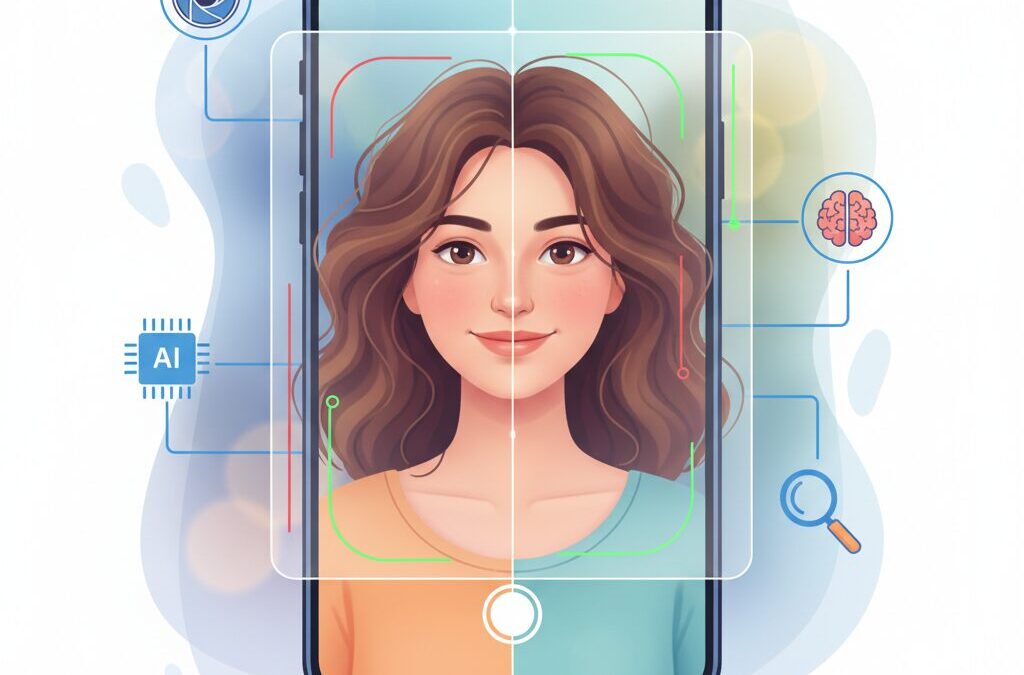
Have you ever taken a portrait photo with a flagship smartphone and felt that something looked slightly off, even though everything seemed technically perfect?
Many gadget enthusiasts outside Japan share this quiet frustration, especially those who care deeply about camera performance, image quality, and realism.
In 2026, smartphone portrait mode has reached an astonishing level of technical sophistication, yet complaints about “fake blur,” awkward edges, and unnatural depth continue to grow among advanced users.
This article explores why that happens, not from a superficial viewpoint, but by digging into how computational photography actually works inside modern smartphones.
You will learn how AI-generated depth maps differ fundamentally from optical blur, why hair and transparent objects remain a nightmare for algorithms, and how flagship devices like iPhone, Pixel, Galaxy, and Xperia approach the problem differently.
We will also look at cutting-edge computer vision research presented at top academic conferences, revealing technologies that are likely to shape the next generation of smartphone cameras.
Beyond hardware and software, this article highlights real-world shooting techniques and professional editing workflows that dramatically reduce unnatural results today.
If you want to understand what your smartphone camera is really doing, how to get more natural portraits right now, and where mobile photography is heading next, this deep dive will give you practical and technical insights worth your time.
- Computational Photography and the Rise of the Uncanny Valley
- Optical Blur vs Computational Blur: Why Roll-Off Matters
- How Depth Maps Are Created — And Where They Fail
- Edge Detection Errors: Halo Effects and Cutout Artifacts
- Flagship Comparison: iPhone, Pixel, Galaxy, and Xperia Portrait Processing
- What Academic Research Says About Fixing Unnatural Portraits
- Cultural Shifts Toward Natural-Looking Photos in Modern Photography
- Shooting Techniques That Help AI Get Depth Right
- Editing Portrait Depth Maps Like a Professional
- 参考文献
Computational Photography and the Rise of the Uncanny Valley
Computational photography has reached a level where smartphones can convincingly imitate optical depth of field, and this achievement deserves recognition. At the same time, **this very success has pushed portrait modes into an uncanny valley**, where images look almost real yet subtly wrong. I will explain this tension by focusing on how human perception reacts when algorithmic images approach, but do not fully reach, optical truth.
In traditional photography, blur emerges from physics: lens diameter, focal length, and subject distance interact continuously. By contrast, portrait modes rely on depth estimation and segmentation, then apply synthetic blur. According to evaluations published by DXOMARK and Google Research, modern systems are highly accurate at a coarse level, but still struggle at fine spatial transitions such as hair strands or semi-transparent edges. **When the simulation becomes “too good,” small errors stand out more strongly than obvious ones**, triggering discomfort rather than admiration.
| Aspect | Optical Photography | Computational Portrait Mode |
|---|---|---|
| Depth transition | Continuous, physics-based | Estimated, discretized |
| Error perception | Natural variation | Uncanny artifacts |
This phenomenon mirrors the uncanny valley described in robotics and CG research, where near-human realism amplifies perceived flaws. Computer vision scholars at CVPR have noted that as depth maps gain resolution, perceptual tolerance decreases rather than increases. **Users do not judge portrait photos as “algorithmically impressive,” but as “photographic or not.”** This psychological threshold explains why recent flagship phones can provoke stronger criticism despite measurable technical improvements.
Understanding this dynamic is essential at the very beginning of the discussion. The issue is not that computational photography has failed, but that it has succeeded enough to be judged by stricter, human-centered standards. In 2026, the rise of the uncanny valley in smartphone portraits is therefore less a technical collapse than a perceptual one, shaped by how closely algorithms dare to imitate reality.
Optical Blur vs Computational Blur: Why Roll-Off Matters
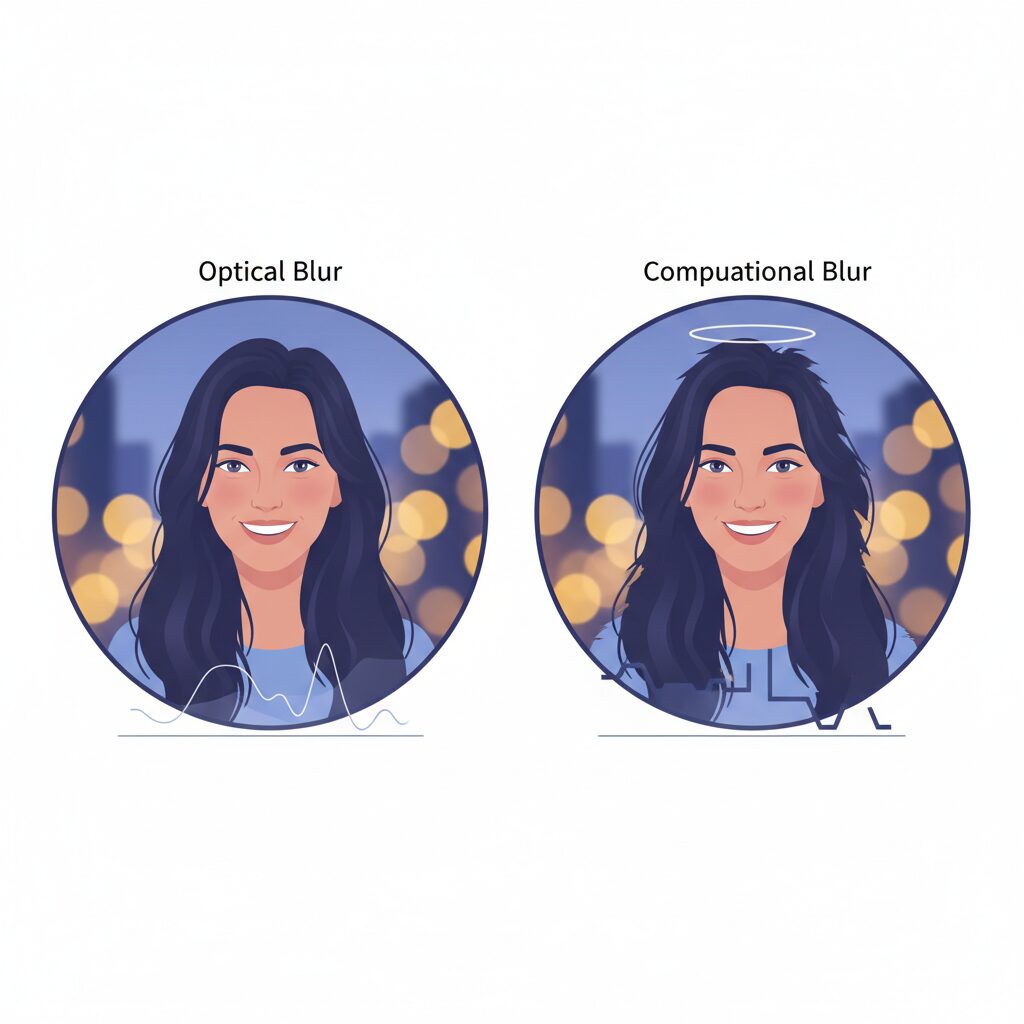
When discussing smartphone portrait modes, the core difference between optical blur and computational blur lies in how depth transitions are rendered. Optical blur is governed by physical laws: aperture size, focal length, and subject distance interact continuously. As a result, the blur increases gradually as objects move away from the focal plane.
This gradual transition is known as roll-off, and it is one of the strongest cues our visual system uses to perceive natural depth. According to analyses published by DXOMARK, viewers consistently rate images with smoother roll-off as more realistic, even when overall blur strength is identical.
In contrast, computational blur relies on estimated depth maps. These maps discretize space into steps, not a true continuum, which makes reproducing roll-off fundamentally difficult. Even with advanced AI, the camera is guessing depth rather than measuring it directly.
| Aspect | Optical Blur | Computational Blur |
|---|---|---|
| Depth transition | Continuous and physical | Estimated and quantized |
| Roll-off behavior | Smooth, distance-based | Often abrupt or uneven |
| Failure patterns | Predictable lens traits | Cutout and halo artifacts |
The visual problem emerges most clearly around faces. With a fast portrait lens, focus may be locked on the eye, while ears and shoulders gently dissolve into blur. Smartphones, however, often keep the entire head unnaturally sharp.
This produces the so-called cardboard cutout effect, where the subject looks pasted onto a blurred background. Stanford’s computational photography research has shown that humans are particularly sensitive to this error because faces are objects we subconsciously analyze in three dimensions.
Another critical issue is that roll-off is not linear. In optical systems, blur accelerates with distance due to circle-of-confusion growth. Many portrait algorithms still apply blur uniformly per depth band, which flattens spatial perception.
Recent flagship devices attempt to mitigate this by using LiDAR or stereo disparity, but these systems still operate at much lower resolution than the image sensor itself. As Apple’s own developer documentation acknowledges, fine structures such as hair or eyeglasses often fall between depth samples.
The missing depth information forces the ISP to interpolate, and interpolation is where unnatural roll-off is born. The blur jumps too quickly, or stalls unexpectedly, breaking the illusion of real optics.
Academic research presented at CVPR 2025 reinforces this point. Studies comparing synthetic depth-of-field to true optical reference images found that roll-off accuracy mattered more to perceived realism than blur shape or strength.
For enthusiasts, this explains why even modest optical blur from a smaller sensor can look better than aggressive computational blur. The eye forgives limited blur, but it rejects incorrect depth transitions.
Until smartphones can generate dense, continuous depth maps, computational blur will remain an approximation. Understanding roll-off helps users recognize why some portrait photos feel natural while others feel subtly wrong.
How Depth Maps Are Created — And Where They Fail
Depth maps sit at the very heart of smartphone portrait mode, and understanding how they are created is the fastest way to see why images sometimes feel subtly wrong. A depth map is a grayscale representation in which each pixel encodes an estimated distance from the camera. **Brighter values mean closer, darker values mean farther**, and this invisible map later drives how much synthetic blur is applied.
Modern smartphones usually generate depth maps through a hybrid of three approaches. Stereo disparity analyzes the shift between two viewpoints, LiDAR or ToF measures physical distance with infrared light, and monocular AI models infer depth from visual context. According to Google Research, combining these signals improves robustness, but it never eliminates uncertainty, because each method observes the scene in a fundamentally different way.
| Method | How depth is obtained | Typical failure point |
|---|---|---|
| Stereo disparity | Pixel shift between viewpoints | Low accuracy at long distances |
| LiDAR / ToF | Infrared round‑trip time | Very coarse spatial resolution |
| Monocular AI | Learned visual cues | Confusion with reflections or glass |
The real problem appears at object boundaries. Hair, fingers, and semi‑transparent materials occupy multiple depths at once, but depth maps usually assign only a single value per pixel. **This forced simplification produces halos, cut‑out edges, and abrupt blur transitions**, effects frequently highlighted in DXOMARK’s computational bokeh evaluations.
LiDAR adds another limitation. Even in recent iPhone Pro models, the depth sensor samples the scene with only tens of thousands of points. When this sparse data is upscaled to match a 48‑megapixel image, fine structures simply do not exist in the original measurement. Apple and others rely on RGB inference to fill the gaps, which explains why hair tips often look rounded or erased.
Academic work presented at CVPR and WACV 2025 confirms that these failures are structural, not tuning mistakes. Researchers show that single‑layer depth representations cannot faithfully reproduce continuous depth gradients. **Until depth maps evolve beyond one value per pixel, portrait mode will always risk slipping into that uncanny zone where the photo looks almost real, but not quite.**
Edge Detection Errors: Halo Effects and Cutout Artifacts

Edge detection errors sit at the core of why smartphone portrait mode can suddenly look fake, even when the depth blur itself feels convincing. Among these errors, halo effects and cutout artifacts are the most visually distracting because they appear exactly where the human eye is most sensitive: along the boundary between subject and background.
When edge detection fails, the image stops behaving like a photograph and starts resembling a collage. This problem has become more noticeable in recent years as overall image quality has improved and users have grown more discerning.
The halo effect typically emerges from under-masking at the subject’s outline. In practical terms, this means background colors bleed into the edge of the subject instead of being fully separated. According to DXOMARK’s computational bokeh evaluations, even high-scoring devices still show faint halos around hair, shoulders, and ears in high-contrast scenes. These halos create a glowing rim that makes the subject appear artificially pasted onto the background.
Cutout artifacts, on the other hand, are caused by over-masking. Here, the algorithm becomes too aggressive and removes pixels that actually belong to the subject. Hair volume looks reduced, glasses lose their thin frames, and fabric edges turn unnaturally straight. The result is a “cardboard cutout” look that destroys depth perception.
| Error type | Main cause | Visual consequence |
|---|---|---|
| Halo effect | Under-masking at edges | Glowing outline, subject floats |
| Cutout artifact | Over-masking at edges | Missing hair, jagged contours |
From a technical standpoint, edge detection is difficult because edge pixels are rarely pure. Hair strands, motion blur, and shallow depth-of-field naturally mix foreground and background colors within a single pixel. Computer vision researchers at Stanford have long pointed out that these mixed pixels violate the binary assumptions of classic segmentation models. Modern neural networks improve the situation, but they still rely on probabilistic guesses rather than true physical measurements.
LiDAR-equipped phones illustrate this limitation clearly. While LiDAR provides accurate distance data for large surfaces, its sparse point cloud struggles with fine structures like hair. Apple’s own developer documentation acknowledges that LiDAR depth maps must be heavily upsampled using RGB data, which increases the risk of edge errors. This explains why users often report halos or missing hair tips in portrait shots, especially against bright backgrounds.
Machine-learning-only approaches, such as those emphasized by Google, can sometimes produce cleaner hair edges thanks to massive training datasets. However, as noted in DXOMARK and academic reviews, these models may introduce shimmering or aliasing along edges when confidence is low. In both cases, the core issue is uncertainty at the boundary.
Understanding halo effects and cutout artifacts helps explain why portrait mode can feel “almost right” yet deeply unsettling. The closer algorithms get to realism, the more obvious these tiny edge mistakes become, reinforcing the idea that edge detection is not a minor detail but the final gatekeeper of photographic credibility.
Flagship Comparison: iPhone, Pixel, Galaxy, and Xperia Portrait Processing
When comparing flagship portrait processing across iPhone, Pixel, Galaxy, and Xperia, the differences are not merely about image quality but about philosophy. Each brand defines “natural” portraits differently, and that definition is deeply reflected in how depth, skin, and background separation are handled in real-world shooting.
Apple’s iPhone takes a spatially conservative approach, prioritizing depth accuracy and consistency. By combining LiDAR with RGB data, iPhone portraits tend to maintain stable subject-background separation, especially indoors or at night. According to evaluations by DXOMARK, this stability reduces outright failures, but it can also result in firmer bokeh edges and occasional hair masking issues, where fine strands appear simplified.
Google’s Pixel series stands at the opposite end, relying heavily on AI inference. Pixel portrait processing emphasizes people over space, and this shows most clearly in skin tone reproduction. Google Research has repeatedly highlighted how Real Tone training improves perceived realism across diverse complexions, and in practice, Pixel portraits often look emotionally natural even when depth maps are imperfect.
| Brand | Portrait Priority | Typical Strength |
|---|---|---|
| iPhone | Depth stability | Low-light consistency |
| Pixel | Subject realism | Skin tone accuracy |
| Galaxy | Visual impact | High-detail output |
| Xperia | Optical fidelity | Natural lens blur |
Samsung Galaxy portrait processing is best described as corrective and expressive. With extremely high-resolution sensors, Galaxy devices gather surplus detail and then refine it through AI. Samsung’s own documentation and third-party testing suggest that missing edges or depth errors are often repaired post-capture using generative techniques, producing visually striking results that favor vibrancy over restraint.
This strength can also become a weakness. Many reviewers, including GSMArena, have noted that Galaxy portraits may appear overly smooth, particularly in facial textures. While this appeals to users who want polished images straight from the camera, it can introduce a synthetic look that photography enthusiasts quickly notice.
Sony’s Xperia line takes a radically different stance. Rather than simulating depth aggressively, Xperia leans on optical zoom and longer focal lengths to create real background blur. As Sony engineers have explained in interviews, this reduces dependence on AI segmentation altogether. The result is portraits that may look less dramatic but avoid the cutout effect entirely.
The trade-off is adaptability. Without heavy computational assistance, Xperia portraits can struggle in extreme lighting, where other phones reconstruct highlights and shadows through multi-frame HDR. In these cases, Xperia images feel closer to traditional camera output, which some users perceive as authentic and others as unforgiving.
What becomes clear in this flagship comparison is that no single device produces universally superior portraits. Apple optimizes for reliability, Google for human realism, Samsung for visual correction, and Sony for optical truth. According to consensus among professional reviewers and academic research in computational photography, perceived “naturalness” is less about eliminating artifacts and more about aligning processing with user expectations.
For enthusiasts, this means portrait quality should be judged not only by sharpness or blur intensity, but by how convincingly the image preserves depth continuity, skin texture, and spatial context. In that sense, flagship portrait processing has matured into a question of taste and intent rather than raw technical dominance.
What Academic Research Says About Fixing Unnatural Portraits
Academic research offers some of the most concrete answers to why smartphone portrait photos still feel unnatural and, more importantly, how that problem can be fixed. In recent years, leading computer vision conferences such as CVPR and WACV have shifted from simply improving depth accuracy to addressing perceptual realism, asking whether an image looks optically plausible to the human eye rather than mathematically correct.
One major consensus in the literature is that **binary separation between subject and background is the root cause of the “cutout” look**. Studies reviewed by the IEEE Computer Vision Foundation explain that traditional portrait modes rely on hard masks, which cannot represent semi-transparent structures such as hair, eyelashes, or fabric edges. This simplification directly leads to halo artifacts and abrupt blur transitions that viewers subconsciously recognize as fake.
| Research Focus | Traditional Approach | Academic Proposal |
|---|---|---|
| Depth representation | Single depth map | Multi-layer depth volumes |
| Hair and fine edges | Binary masks | Alpha matting at strand level |
| Blur synthesis | Uniform Gaussian blur | Optics-inspired variable kernels |
At WACV 2025, researchers proposed a Multi-plane Image approach for portrait rendering, demonstrating that images reconstructed from dozens of semi-transparent depth layers produced significantly higher realism scores in user studies. According to the paper, participants preferred these results over conventional portrait modes in more than 70 percent of side-by-side comparisons, especially when evaluating hair edges and background transitions.
Another breakthrough highlighted at CVPR 2025 is camera-agnostic depth estimation. Guo et al. showed that depth models trained to ignore lens-specific distortions can maintain consistent depth gradients across wide-angle and telephoto shots. **This directly addresses the unnatural blur roll-off that appears near the edges of smartphone portraits**, a flaw long criticized in expert camera reviews.
Importantly, academic researchers are no longer optimizing for peak sharpness alone. Psychophysical experiments cited in these papers indicate that viewers tolerate small depth errors if blur changes smoothly across space. Conversely, even accurate depth maps feel wrong when blur intensity jumps abruptly. This finding explains why some technically precise portrait modes still look artificial in real-world use.
From a practical standpoint, these studies suggest that future improvements will come less from bigger sensors and more from better spatial modeling. **The shift toward layered depth representations and optics-aware blur synthesis marks a fundamental change in how portrait photos are computed**, bringing smartphone imagery closer to the behavior of real lenses rather than digital cutouts.
In short, academic research makes it clear that fixing unnatural portraits is not about hiding errors but about embracing visual complexity. By modeling depth as a continuous, semi-transparent structure instead of a flat mask, researchers are laying the groundwork for portrait modes that feel natural not because they are perfect, but because they align with how humans perceive depth and blur in the real world.
Cultural Shifts Toward Natural-Looking Photos in Modern Photography
In modern photography, a clear cultural shift toward natural-looking photos has been accelerating, especially among users who are highly sensitive to visual authenticity. This change is not driven by technology alone but by evolving values around trust, self-image, and realism in digital media. **Photos that look “too perfect” are increasingly perceived as artificial, dated, or even deceptive**, and this perception strongly influences how portrait modes on smartphones are evaluated today.
One major factor behind this shift is the saturation of heavily processed imagery on social platforms over the past decade. Researchers in visual perception, including studies cited by institutions such as MIT Media Lab, have shown that repeated exposure to hyper-edited faces recalibrates user expectations, eventually triggering discomfort when images cross a subtle realism threshold. This aligns with what photography critics often describe as a computational uncanny valley, where near-real images feel less acceptable than clearly stylized ones.
| Era | Dominant Aesthetic | User Perception |
|---|---|---|
| 2010s | Heavy blur and skin smoothing | Impressive and aspirational |
| Early 2020s | Balanced enhancement | Socially acceptable |
| Mid-2020s | Texture-preserving realism | Trustworthy and modern |
From a cultural standpoint, this movement is closely tied to changing attitudes toward identity and representation. Google’s Real Tone initiative, initially developed to address biased skin tone rendering, has been frequently referenced by imaging experts as evidence that accuracy itself can be a form of aesthetic value. **Faithful reproduction of skin texture, fine hair detail, and subtle lighting cues is now interpreted as respect for the subject**, rather than a lack of technical sophistication.
Professional photographers have echoed this sentiment in interviews with publications such as DPReview and British Journal of Photography, noting that clients increasingly request images that look “untouched” even when advanced post-processing is involved. The paradox is intentional: the more invisible the processing, the higher the perceived quality. Smartphone photography inherits this expectation, making any visible segmentation error or aggressive blur immediately stand out.
This cultural reorientation also explains why default camera settings are under scrutiny. Manufacturers that prioritize vivid colors and aggressive smoothing risk being labeled as outdated, while those offering restrained, neutral rendering are often praised by enthusiasts. **Natural-looking photos are no longer a niche preference but a cultural baseline**, shaped by collective visual literacy and a growing demand for authenticity in everyday images.
Shooting Techniques That Help AI Get Depth Right
Even with state-of-the-art depth estimation, AI can only work with the visual clues it is given. **Shooting technique remains the single most powerful way to help portrait mode produce natural depth**. This is not a matter of personal taste but of aligning real-world geometry with how depth algorithms interpret scenes.
According to evaluations by DXOMARK and Google Research, depth errors spike when physical distance cues are weak or visually ambiguous. In other words, many “AI mistakes” are triggered before the shutter is pressed.
| Shooting factor | AI depth behavior | Typical artifact |
|---|---|---|
| Background too close | Depth gradient collapses | Cardboard cutout effect |
| Wide-angle lens | Depth compression fails | Uneven blur roll-off |
| Low light | Edge confidence drops | Halo and hair masking errors |
The first technique is securing real depth separation. **Maintaining at least 1.5 to 2 meters between the subject and the background dramatically improves depth map stability**. LiDAR-based systems benefit from clearer distance sampling, while monocular AI models gain stronger contextual cues. Stanford’s computational photography research shows that shallow simulated bokeh becomes perceptually convincing only when the depth gradient is continuous, not binary.
Lens choice is the second critical factor. Shooting portraits with a short telephoto equivalent, typically 70–120mm or 3x–5x on modern smartphones, reduces perspective distortion and simplifies background geometry. Austin Mann’s field tests with recent iPhone Pro models demonstrate that telephoto portraits produce smoother blur transitions even before computational blur is applied.
Lighting plays a deeper role than many users expect. **Depth estimation confidence is directly tied to signal-to-noise ratio**. In dim scenes, edge detectors struggle, especially around hair, eyelashes, and semi-transparent objects. Apple’s own ISP documentation and CVPR papers confirm that noise forces AI models to rely on priors, increasing the risk of over-masking or halo artifacts.
Background discipline is another overlooked technique. Highly repetitive textures such as fences, blinds, or foliage confuse stereo matching and segmentation networks. Choosing backgrounds with large tonal regions, walls, sky, or distant urban scenery reduces correspondence errors. Google’s Pixel depth research repeatedly shows lower failure rates in scenes with low-frequency background detail.
Subject posture also matters. Turning the body slightly rather than facing the camera head-on introduces depth variation across shoulders, face, and torso. **This micro-parallax helps AI infer a three-dimensional shape instead of a flat silhouette**. Professional portrait photographers intuitively use this technique, and computational models benefit for the same geometric reasons.
Finally, restraint is a shooting technique in itself. Overly strong blur settings exaggerate small depth errors into visible artifacts. DXOMARK’s bokeh studies indicate that moderate blur levels preserve spatial coherence better than aggressive background suppression, especially on hair and accessories.
In practice, helping AI “get depth right” means treating it like a collaborator rather than a miracle worker. By providing clear distance, clean light, disciplined backgrounds, and favorable geometry, photographers allow computational systems to operate within their strengths. **The result is not just fewer artifacts, but portraits that feel spatially believable, even to trained eyes**.
Editing Portrait Depth Maps Like a Professional
Editing portrait depth maps like a professional requires understanding that you are not simply adjusting blur strength, but correcting a three-dimensional interpretation of the scene. **Modern portrait modes rely on AI-generated depth maps, and even small errors in these maps directly translate into visual “fake” cues** such as cardboard cutout effects or harsh focus transitions.
Professional retouchers approach depth editing as spatial correction. According to Adobe’s official documentation and demonstrations by professional photographers, the first step is always to visualize the depth map itself. In Lightroom Mobile’s Lens Blur feature, the depth visualization reveals misclassified areas, such as background elements marked as in-focus or transparent objects treated as solid subjects.
| Editing Step | What Is Adjusted | Professional Intention |
|---|---|---|
| Depth visualization | AI depth heatmap | Identify spatial errors |
| Manual depth painting | Focus / blur regions | Restore physical realism |
| Focus range tuning | Transition width | Smooth roll-off |
Once errors are identified, professionals manually paint focus or blur into the map instead of increasing global blur. **Expanding the focus range slightly often produces a more optical-looking roll-off**, reducing the abrupt transitions that AI-generated portraits frequently suffer from.
Specialized tools such as Focos on iOS go a step further by allowing depth maps to be manipulated in a pseudo-3D space. This enables subtle reshaping of facial depth and background distance, a technique commonly used by commercial retouchers to avoid flat, synthetic separation. Research presented at WACV 2025 supports this layered depth approach, showing that multi-plane depth correction significantly improves perceived realism.
Ultimately, professional depth map editing is about restraint. By correcting spatial mistakes rather than exaggerating blur, editors achieve portraits that feel natural, dimensional, and convincingly photographic.
参考文献
- DXOMARK:Evaluating computational bokeh: How we test smartphone portrait modes
- Google Research:Learning to Predict Depth on the Pixel Phones
- CVF Open Access:Robust Portrait Image Matting and Depth-of-Field Synthesis via Multiplane Images
- Yuliang Guo:Depth Any Camera: Zero-Shot Metric Depth Estimation from Any Camera
- GSMArena:Sony Xperia 1 VII Camera Review
- Adobe Help Center:Edit photos in Lightroom for mobile