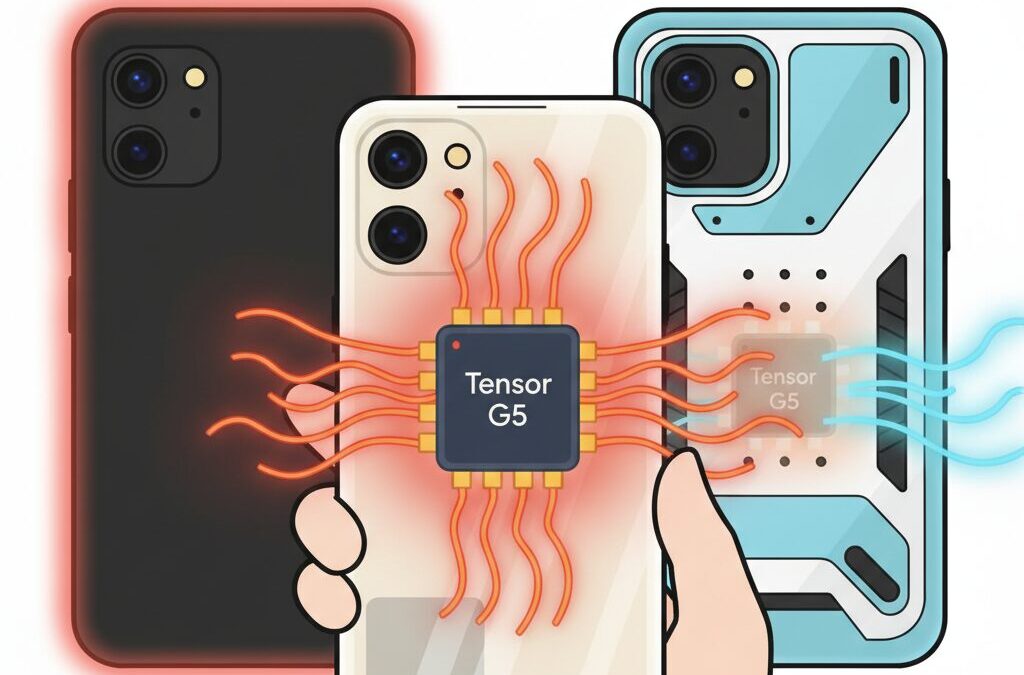
Have you ever noticed that the most powerful smartphones often feel the warmest in your hand?
If you are excited about cutting-edge AI features, sustained gaming performance, and long-term device reliability, the Google Pixel 10 series is a fascinating—and complex—device to understand.
Powered by the new Tensor G5 chip, Pixel 10, Pixel 10 Pro, and Pixel 10 Pro XL aim to deliver stable performance over long periods rather than short performance bursts.
This design choice creates a unique thermal profile where the phone may not throttle aggressively, but instead stays warm for extended sessions.
For gadget enthusiasts, this raises important questions about comfort, battery longevity, and accessory choices.
In this article, you will learn how Tensor G5 manages heat, why traditional cases may actually worsen thermal conditions, and how cooling-focused cases and accessories can protect both performance and battery health.
By understanding the science behind Pixel 10’s heat behavior and the real-world implications, you can make smarter decisions that help your device perform better and last longer.
- The Rise of AI Smartphones and the Hidden Cost of Heat
- Tensor G5 Overview: What Makes Pixel 10 Thermally Different
- Benchmark Stability vs Peak Performance: What the Data Shows
- Why Minimal Throttling Leads to Sustained Surface Heat
- Battery Health and Heat: Google’s New Protection Strategy
- How Heat Accelerates Lithium-Ion Battery Degradation
- Cooling Case Technologies Explained: Graphite, PCM, and Ventilation
- Comparing Cooling Case Options Available on the Japanese Market
- Active Cooling with MagSafe Accessories and the Camera Bar Challenge
- Regional Considerations: Climate, NFC Payments, and Daily Use in Japan
- Choosing the Right Cooling Strategy Based on Your Usage Style
- 参考文献
The Rise of AI Smartphones and the Hidden Cost of Heat
AI smartphones have rapidly evolved from feature-driven devices into always-on computing platforms that continuously analyze images, voices, locations, and behavior. In 2025, this shift became especially clear with the arrival of Google’s Pixel 10 series, which fully embodies an AI-first philosophy. Tasks such as real-time photo enhancement, on-device language processing, call screening, and generative assistance no longer occur sporadically but run persistently in the background. This constant intelligence comes with an often-overlooked cost: heat.
Unlike earlier smartphones that only spiked in temperature during gaming or video recording, modern AI-centric phones generate thermal load in a far more sustained manner. The Tensor G5 in the Pixel 10 series illustrates this new reality well. Built on a cutting-edge TSMC process node and optimized for machine learning workloads, it is widely praised for its efficiency gains over previous Tensor chips. However, efficiency does not mean the absence of heat. Instead, it means heat is produced more evenly and over longer periods, fundamentally changing how smartphones feel and behave in daily use.
According to performance stress tests reported by established review outlets such as GSMArena and Notebookcheck, the Pixel 10 Pro XL demonstrates unusually high performance stability under sustained load. GPU stress tests show that performance drops are minimal compared with many Snapdragon-based competitors, which rely more aggressively on thermal throttling. This stability is excellent for smooth user experiences, but it also means the chip continues producing heat instead of dialing itself back.
To clarify this trade-off, the thermal behavior of recent flagship devices can be summarized as follows.
| Thermal Strategy | Typical Behavior | User Experience |
|---|---|---|
| Aggressive throttling | Performance drops quickly as temperature rises | Cooler surface, but visible slowdowns |
| Balanced throttling | Moderate performance reduction over time | Occasional warmth, minor slowdowns |
| Sustained performance focus | Minimal throttling, continuous heat output | Smooth operation, warm chassis |
The Pixel 10 series clearly aligns with the third approach. Reviewers note that during extended camera use, navigation with AI-enhanced maps, or prolonged social media scrolling, the device can feel warm to the touch even when no single app appears demanding. GSMArena describes the exterior temperature as “pretty high” under sustained workloads, emphasizing that the warmth is not a defect but a consequence of design choices.
This marks a conceptual shift in smartphone thermal design. In previous generations, heat was treated as an enemy to be suppressed internally by lowering clock speeds. In AI smartphones, heat is instead managed spatially. Google appears to rely more on the chassis itself acting as a heat spreader, allowing energy to dissipate across the frame and back panel. The phone becomes a passive heat sink. As a result, users feel more heat directly, even though internal components may remain within safe operating limits.
The hidden cost emerges when this constant warmth intersects with real-world usage habits. AI features encourage people to keep screens on longer, cameras active, and background processes running continuously. Over time, this sustained thermal exposure affects not just comfort but also long-term component health. Battery chemistry, in particular, is sensitive to prolonged elevated temperatures, a fact well documented in lithium-ion research published across electronics and materials science journals.
What makes AI smartphones unique is that users may not realize when they are stressing the system. There is no obvious signal like a heavy 3D game. Instead, it is the accumulation of small AI-driven tasks such as live photo sorting, transcription, and on-device recommendations. Heat becomes ambient rather than dramatic. This subtlety is why many early Pixel 10 users report that the device feels warm “most of the time,” rather than hot only in extreme scenarios.
From a market perspective, this trend extends far beyond Google. Apple, Qualcomm, and MediaTek have all publicly emphasized on-device AI processing in their roadmaps, according to statements made at industry events and developer conferences. Analysts at firms like IDC and Counterpoint Research consistently note that keeping AI workloads on-device improves privacy and responsiveness, but shifts thermal responsibility from data centers to consumers’ hands.
In practical terms, the rise of AI smartphones forces a reevaluation of what “good thermals” actually mean. A phone that never feels hot may simply be sacrificing sustained performance. Conversely, a phone that feels warm may be operating exactly as intended. The discomfort is the price paid for immediacy, privacy, and continuous intelligence. Understanding this trade-off is essential for enthusiasts who want to extract the full value of AI-driven hardware without misinterpreting heat as failure.
As AI becomes a default layer of the smartphone experience rather than an optional feature, heat management quietly transforms from an engineering footnote into a core aspect of user experience. The Pixel 10 series makes this reality impossible to ignore, serving as an early example of how tomorrow’s smartphones will feel, quite literally, in our hands.
Tensor G5 Overview: What Makes Pixel 10 Thermally Different

The Tensor G5 marks a fundamental shift in how Google approaches thermal behavior in the Pixel 10 series, and the difference is not simply about running cooler. Instead, it is about how heat is generated, sustained, and intentionally managed across the entire device. Compared with previous Tensor generations, G5 is designed to prioritize performance stability over short-lived peak output, and this choice directly shapes its thermal profile.
Independent stress tests conducted by outlets such as GSMArena and Notebookcheck highlight this change clearly. In prolonged GPU workloads like the 3DMark Wild Life Extreme Stress Test, Pixel 10 Pro XL maintains around 95 percent performance stability over 20 minutes. **This level of consistency is unusually high for a passively cooled smartphone** and signals that aggressive thermal throttling has largely been engineered out.
Tensor G5 does not avoid heat by slowing down. It manages heat by sustaining output and dispersing energy through the chassis instead of cutting performance.
This design philosophy creates a thermal experience that feels very different in daily use. Earlier Tensor chips often showed sharp temperature spikes followed by noticeable slowdowns. With G5, temperatures rise more gradually but remain elevated for longer periods. Reviewers have noted that the device can feel warm, or even hot to the touch, during extended workloads, yet frame rates and responsiveness remain stable.
| Aspect | Previous Tensor (G3/G4) | Tensor G5 |
|---|---|---|
| Performance under load | Drops quickly due to throttling | Maintains near-constant output |
| Heat pattern | Short spikes, faster cooldown | Lower spikes, longer heat retention |
| User perception | Inconsistent performance | Consistent but warmer chassis |
From a thermal engineering perspective, this behavior suggests that Google is deliberately using the phone’s body as an extended heat sink. By spreading thermal energy across a larger surface area, Tensor G5 can continue operating at stable clocks without crossing internal temperature limits. GSMArena’s review describes the back and frame becoming “pretty high” in temperature, reinforcing the idea that external warmth is an expected outcome rather than a flaw.
This is what makes Pixel 10 thermally different from many Snapdragon-based competitors. Devices tuned for peak benchmarks often throttle aggressively, resulting in cooler surfaces but inconsistent performance. Pixel 10, by contrast, accepts sustained surface heat as the cost of smooth, uninterrupted operation. **For users, the key takeaway is that warmth equals stability, not inefficiency.**
Understanding this distinction is essential because it reframes how thermal comfort, performance expectations, and even accessory choices should be evaluated. Tensor G5’s thermal behavior is not about eliminating heat, but about controlling where it goes and how long it stays, redefining what “efficient” performance feels like in an AI-focused smartphone.
Benchmark Stability vs Peak Performance: What the Data Shows
When evaluating modern smartphones, benchmark charts often emphasize peak scores, but this approach can be misleading for real-world usage. What matters more for users who game, shoot video, or rely on AI workloads is how consistently that performance can be sustained over time. In this respect, the Tensor G5 inside the Pixel 10 series presents a very different profile from its competitors.
Stress tests such as 3DMark Wild Life Extreme are designed to reveal this difference. According to data published by Notebookcheck and corroborated by GSMArena, the Pixel 10 Pro XL maintains an unusually high level of performance stability under prolonged GPU load. **Its stability score reaches 95.1%, meaning almost no meaningful performance drop over a 20-minute looped test**.
| Device | SoC | Stability | Observed Behavior |
|---|---|---|---|
| Pixel 10 Pro XL | Tensor G5 | 95.1% | Minimal throttling |
| Galaxy S25 Ultra | Snapdragon 8 Elite | 59.4% | Aggressive throttling |
| iPhone 16 Pro Max | A18 Pro | 65.5% | Noticeable thermal drop |
This contrast highlights a key trade-off. Devices tuned for peak performance surge to very high scores initially, but then reduce clock speeds sharply once thermal limits are reached. The Snapdragon 8 Elite, for example, often settles at around 60% of its initial output. **Tensor G5 instead prioritizes consistency, sustaining near-maximum output without dramatic throttling**.
However, this stability is not free. GSMArena notes that during extended benchmarks, the Pixel 10’s chassis becomes hot to the touch and cools down slowly afterward. From a thermal engineering perspective, this suggests that Google is deliberately allowing heat to flow into the frame and back panel rather than cutting performance. Academic discussions on mobile thermal management describe this as using the enclosure as a distributed heat sink, which aligns with these observations.
For users, the implication is subtle but important. Benchmark peak numbers may look less impressive on paper, yet everyday performance feels smoother because frame rates and processing speeds do not fluctuate. **The data shows that the Pixel 10 trades short-lived bursts for sustained output**, a design choice that favors stability but increases surface temperature. Understanding this balance is essential when interpreting benchmark results beyond headline scores.
Why Minimal Throttling Leads to Sustained Surface Heat

One of the most counterintuitive aspects of the Pixel 10 series is that its impressive resistance to thermal throttling actually contributes to higher sustained surface temperatures. This behavior is not a flaw but a direct consequence of Tensor G5’s thermal control philosophy, which prioritizes performance consistency over aggressive clock reduction.
In conventional smartphones, rising internal temperatures trigger rapid frequency scaling, reducing power consumption and allowing the chassis to cool down. Tensor G5 behaves differently. According to long-duration stress tests reported by GSMArena and Notebookcheck, the chip maintains near-peak clocks for extended periods, with GPU stability exceeding 95 percent. **This means heat generation continues steadily instead of dropping in cycles**, and that energy must go somewhere.
Google’s solution is to spread that heat across the entire device. The aluminum frame, internal graphite layers, and rear glass effectively act as a unified heat sink. As a result, users experience a phone that feels warm or even hot for a long time, rather than briefly overheating and then cooling down.
| Thermal Strategy | Performance Impact | Surface Temperature Trend |
|---|---|---|
| Aggressive throttling | Noticeable frame drops | Short spikes, quick cooldown |
| Minimal throttling (Pixel 10) | Stable sustained performance | Moderately high, long-lasting heat |
This sustained warmth has been noted in multiple reviews, with phrases such as “hot to the touch” appearing even outside peak gaming scenarios. Importantly, experts emphasize that **lower throttling shifts thermal stress from silicon to the user-facing surfaces**. From an engineering standpoint, this is efficient. From a user comfort standpoint, it can feel surprising.
Academic work on mobile thermal design, including studies frequently cited by IEEE-affiliated researchers, supports this trade-off. Maintaining stable clocks reduces micro-level thermal cycling inside the chip, which can improve computational reliability, but it inevitably raises the average enclosure temperature. Pixel 10 exemplifies this principle in real-world use.
Understanding this mechanism is crucial. The phone is not failing to cool itself; it is deliberately choosing to stay warm so that performance does not collapse. **Minimal throttling leads to sustained surface heat because energy output remains constant**, and the chassis faithfully does its job of releasing that energy over time.
Battery Health and Heat: Google’s New Protection Strategy
Battery health has quietly become one of the most sensitive points in the Pixel 10 generation, and heat is the trigger that connects everythingです。Google is no longer treating battery degradation as a distant, inevitable problem but as a real-time risk that must be actively managed, even if that management changes how the device behaves for usersです。
At the center of this approach is Battery Health Assistance, a system-level protection feature that is now forcibly enabled on the Pixel 10 seriesです。According to reports from Android-focused analysts and long-term testing observed by Notebookcheck and Android Authority, this feature intervenes when the battery is exposed to sustained stress, particularly elevated temperature combined with high voltage statesです。
The key change is not its existence, but its aggressivenessです。 Earlier Pixel models allowed users to opt out or rarely triggered intervention, whereas Pixel 10 devices appear to begin protective adjustments far earlier in their lifecycleです。
| Condition | System Response | User Impact |
|---|---|---|
| Rising battery temperature | Reduced charging speed | Longer time to full charge |
| Repeated heat exposure | Lower maximum charge voltage | Perceived capacity loss |
| Early cycle count risk | Permanent protection state | Slower charging becomes normal |
What makes heat especially problematic on the Pixel 10 is the thermal behavior of the Tensor G5です。As performance remains stable instead of throttling, the device continues to radiate heat through the chassis for extended periodsです。This means the battery is more frequently sitting in a warm environment, even during everyday tasks such as navigation, photography, or AI-assisted background processingです。
Battery research from institutions frequently cited by the IEEE and major battery manufacturers agrees on one pointです。Lithium-ion cells degrade fastest when they are held at high voltage while exceeding roughly 40 degrees Celsiusです。In this state, chemical side reactions accelerate, permanently reducing capacity and internal resistanceです。
Google’s strict software intervention can be seen as an admission that this risk is structurally presentです。 Instead of relying solely on hardware margins, the system actively sacrifices short-term convenience to preserve long-term safety and compliance with durability targetsです。
For users, this explains why some Pixel 10 owners report slower charging or reduced endurance surprisingly early in ownershipです。The battery itself may not be defective, but the software has decided that protecting it is more important than maintaining original charging performanceです。
From a thermal strategy perspective, this shifts responsibility outwardです。If external heat is reduced through better dissipation, lower surface insulation, or avoiding heat-trapping accessories, the system has fewer reasons to interveneです。In practical terms, managing heat is no longer about comfort alone; it directly determines how often the battery protection logic steps inです。
On the Pixel 10, battery health is governed less by age and more by temperature historyです。 Understanding this relationship is essential for anyone who wants to keep charging speed and usable capacity stable over years rather than monthsです。
How Heat Accelerates Lithium-Ion Battery Degradation
Heat is widely recognized as the single most influential factor accelerating lithium‑ion battery degradation, and this relationship is not merely theoretical but well established through decades of electrochemical research.
According to findings frequently cited in the Journal of Power Sources and by battery researchers at institutions such as MIT, battery aging follows an Arrhenius‑type behavior, meaning that chemical reaction rates increase exponentially as temperature rises.
In practical terms, every sustained increase of about 10°C roughly doubles the rate of battery degradation, even if the battery is not being actively cycled.
The core mechanism behind this damage is the accelerated growth of the solid electrolyte interphase, commonly called the SEI layer.
While the SEI is essential for normal operation, excessive heat causes it to thicken unevenly, consuming active lithium and increasing internal resistance.
Researchers at Argonne National Laboratory have demonstrated that cells stored at 40°C can lose more than twice the usable capacity over the same time period compared to those stored at 25°C.
| Battery Temperature | Dominant Degradation Effect | Long‑Term Impact |
|---|---|---|
| 25°C | Normal SEI stabilization | Gradual, predictable aging |
| 35°C | Accelerated SEI growth | Noticeable capacity loss |
| 45°C+ | Electrolyte decomposition | Rapid, irreversible damage |
Another heat‑driven failure mode involves electrolyte oxidation at the cathode, which becomes increasingly aggressive at elevated temperatures.
This process releases gas and further raises cell impedance, explaining why overheated smartphones often feel warm even under light workloads months later.
Experts from Battery University have long emphasized that high temperature combined with high state of charge is particularly destructive, a condition commonly encountered during fast charging or gaming while plugged in.
In modern smartphones, sustained surface warmth may feel harmless, but internally it signals that the battery is operating in a regime where parasitic reactions dominate.
Over time, this leads not only to reduced capacity but also to voltage instability, which forces software‑level protection systems to intervene more aggressively.
From a user perspective, this explains why devices exposed to frequent heat show earlier throttling, slower charging, and shorter usable lifespans, even when total charge cycles appear low.
Managing heat is therefore not about comfort alone; it is a direct intervention into the chemical clock that governs lithium‑ion battery aging.
Cooling Case Technologies Explained: Graphite, PCM, and Ventilation
When choosing a cooling-focused case for the Pixel 10 series, it is important to understand that not all cooling technologies work in the same way. Graphite sheets, phase change materials, and ventilation-oriented designs each address heat from a different physical angle, and their effectiveness varies depending on how Tensor G5 generates and releases heat during sustained workloads.
Graphite-based cooling cases are currently regarded as the most balanced and reliable solution for modern flagship smartphones. According to analyses by Notebookcheck and GSMArena, Tensor G5 maintains high performance stability by continuously emitting heat to the chassis rather than aggressively throttling. Graphite sheets, which have extremely high in-plane thermal conductivity, spread this concentrated heat across a wider surface area. This makes it easier for the phone’s back and frame to release heat into the surrounding air through natural convection.
| Technology | Primary Function | Best Use Scenario |
|---|---|---|
| Graphite sheets | Heat spreading | Long gaming sessions, video recording |
| PCM | Heat absorption | Short bursts of heavy load |
| Ventilation | Heat release | Daily use, hot environments |
Phase change material, often abbreviated as PCM, works on a very different principle. Research published in journals cited by MDPI and Electronics Cooling explains that PCM absorbs latent heat when it changes from solid to liquid. In practical terms, this means it can suppress sudden temperature spikes, such as launching an app or recording a short clip. However, once the material fully melts, it temporarily loses its cooling ability. In sustained scenarios like extended gaming or 4K video capture, PCM can even behave like insulation until it cools down and solidifies again.
This limitation becomes more pronounced in warmer climates. Studies referenced on ResearchGate note that at higher ambient temperatures, PCM takes significantly longer to reset. For users in regions with hot summers, relying solely on PCM-based cases may therefore provide inconsistent results, especially with a chip like Tensor G5 that produces steady heat rather than short bursts.
Ventilation-focused designs take a simpler but often underestimated approach. By incorporating openings, mesh patterns, or extremely thin materials, these cases minimize thermal resistance between the phone’s surface and the air. GSMArena reviewers have repeatedly observed that Pixel devices feel warmer to the touch because the chassis is actively used as a heat sink. Ventilated or minimalist cases embrace this design philosophy instead of fighting it, allowing heat to escape quickly rather than trapping it inside thick layers of TPU or silicone.
In essence, graphite spreads heat, PCM absorbs it temporarily, and ventilation releases it. Understanding these differences helps users align case technology with real-world usage patterns. For the Pixel 10 series, where sustained thermal output is part of the intended design, cooling effectiveness is less about marketing claims and more about how faithfully a case supports the physics of heat transfer.
Comparing Cooling Case Options Available on the Japanese Market
When comparing cooling-oriented smartphone cases available on the Japanese market, it is important to focus not on marketing labels but on the actual thermal mechanisms used and how realistically they fit Japanese usage conditions. For the Pixel 10 series, which is designed to radiate heat continuously rather than throttle aggressively, the case effectively becomes part of the cooling system.
In Japan, cooling cases can be broadly compared by how they handle sustained heat, not short bursts. This distinction is critical given Tensor G5’s unusually high performance stability, as reported by Notebookcheck and GSMArena.
| Category | Thermal Principle | Representative Brands in Japan |
|---|---|---|
| Heat-spreading cases | Graphite or thermal sheet diffusion | Spigen, Elecom |
| PCM-based cases | Latent heat absorption | Limited, niche imports |
| Ultra-thin cases | Minimizing thermal resistance | Thinborne |
Heat-spreading cases dominate Japanese retail channels because they offer predictable results under long gaming sessions, video recording, and summer outdoor use. Spigen’s Cryo Armor and Elecom’s hybrid cooling models rely on graphite sheets to disperse hot spots across a wider surface area, which aligns well with Google’s chassis-as-heatsink philosophy.
By contrast, PCM cases appear scientifically attractive but are less practical in Japan’s hot and humid climate. Academic studies published via MDPI and Electronics Cooling note that PCM materials saturate under prolonged heat, after which they may trap heat rather than release it. This limitation makes them risky for sustained workloads common among power users.
Ultra-thin aramid cases occupy a unique position. They do not actively cool the device, but by avoiding insulation entirely, they allow external airflow or MagSafe-compatible coolers to work efficiently. For Japanese users who value both thermal performance and accessory compatibility, this minimalist approach can outperform thicker “cooling” cases in real-world conditions.
Active Cooling with MagSafe Accessories and the Camera Bar Challenge
Active cooling has become the most effective way to manage the sustained heat output of the Pixel 10 series, especially when combined with MagSafe-compatible accessories. External fan coolers using Peltier elements can actively pull heat away from the chassis, something passive cases simply cannot achieve during long gaming sessions or extended 4K video recording.
Independent thermal testing by Notebookcheck and GSMArena indicates that maintaining lower surface temperatures directly correlates with reduced thermal stress on both the SoC and the battery. This makes active cooling particularly attractive for Tensor G5, which is designed to sustain performance rather than throttle aggressively.
| Cooling Method | Heat Reduction Potential | Primary Limitation |
|---|---|---|
| Passive cooling case | Low to moderate | Limited under sustained load |
| MagSafe active cooler | High | Physical fit and alignment |
The main obstacle is the Pixel’s distinctive camera bar. As reviewers at Thurrott have pointed out, the enlarged visor design reduces the flat surface area on the back of the device. When a MagSafe cooler overlaps this raised section, even slightly, an air gap forms, dramatically reducing thermal transfer efficiency.
This is not a minor issue. Peltier-based coolers rely on direct contact to function properly. If the magnetic attachment is offset or tilted due to camera bar interference, cooling performance can drop to the point where the accessory consumes power without delivering meaningful benefits.
Accessory makers such as Torras and Ringke have previously adjusted MagSafe ring positioning to mitigate similar problems, and early Pixel-focused designs are expected to follow this approach. Until then, users should prioritize compact-diameter coolers or cases that subtly level the rear surface without adding excessive thermal insulation.
In practice, active cooling remains the most reliable solution for heat-sensitive Pixel 10 workloads, but only when the mechanical design respects the unique geometry of Google’s camera bar.
Regional Considerations: Climate, NFC Payments, and Daily Use in Japan
When evaluating the Pixel 10 series for everyday use in Japan, regional factors play a far more important role than many global reviews suggest. **Climate conditions, the ubiquity of NFC-based payments, and daily commuting habits directly influence how thermal design choices translate into real-world comfort and reliability**. This is especially true for Tensor G5, which is designed to sustain performance by continuously releasing heat through the chassis.
Japan’s climate is defined not only by high summer temperatures but also by persistently high humidity. According to the Japan Meteorological Agency, major urban areas such as Tokyo and Osaka regularly experience summer days exceeding 33°C with humidity levels above 70%. In such conditions, passive heat dissipation becomes less effective because warm, moisture-heavy air reduces the temperature gradient needed for efficient cooling. As a result, Pixel 10 devices can feel noticeably warmer during prolonged navigation, video recording, or mobile gaming outdoors.
Another uniquely Japanese consideration is NFC usage. Services like Suica, PASMO, and iD are not optional conveniences but essential daily tools. Google’s Pixel lineup places the FeliCa antenna near the upper-central portion of the back panel, an area that often overlaps with MagSafe-compatible rings or metal cooling plates. Industry guidance from accessory makers such as Spigen and Elecom indicates that certified MagSafe-compatible cases are tested to avoid interference, but unofficial metal plates or thick magnetic coolers can reduce read reliability at ticket gates.
| Usage Scenario | Regional Risk Factor | Practical Impact |
|---|---|---|
| Summer commuting | High heat and humidity | Chassis remains warm in pocket or hand |
| NFC transit payments | Magnet or metal interference | Gate read errors or delayed response |
| Daily navigation and messaging | Sustained background load | Gradual heat buildup without throttling |
Daily use patterns in Japan further amplify these effects. Long train commutes encourage one-handed operation, frequent screen-on time, and constant network switching between underground stations and surface lines. Reviews from GSMArena note that Pixel 10 devices can take longer to cool down once warmed, which means that a morning commute can influence device temperature well into midday use. **This sustained warmth is not a defect but a consequence of Tensor G5’s stability-oriented thermal philosophy**.
From a practical standpoint, this makes case selection and accessory restraint especially important in Japan. Slim, thermally transparent cases tend to work better than thick shock-absorbing designs, not because they actively cool the phone, but because they avoid trapping heat during routine tasks like mobile payments or map checks. When these regional realities are taken into account, the Pixel 10’s thermal behavior aligns more closely with daily life in Japan, rather than laboratory benchmarks alone.
Choosing the Right Cooling Strategy Based on Your Usage Style
When choosing a cooling strategy for the Pixel 10 series, it is important to start from how you actually use your device rather than from raw specifications alone. Tensor G5 is designed to sustain performance with minimal throttling, and according to reviews by GSMArena and Notebookcheck, this stability comes with continuous heat output that spreads across the chassis. Because of this, the optimal cooling approach differs greatly depending on whether heat is generated in short bursts or over long sessions.
If your usage consists of short, intermittent tasks such as messaging, navigation, photography, and casual app switching, passive heat spreading is usually sufficient. In these scenarios, heat spikes are brief, and research on phase change materials published in Electronics Cooling shows that short-term thermal absorption can effectively smooth temperature peaks. A well-designed heat-spreading case helps distribute warmth across the back panel, reducing localized hot spots without adding bulk.
| Usage pattern | Heat behavior | Recommended approach |
|---|---|---|
| Light daily use | Short heat bursts | Passive heat-spreading case |
| Media & multitasking | Gradual heat buildup | Enhanced passive cooling |
| Gaming & long sessions | Continuous heat output | Active cooling support |
For users who regularly stream video, edit photos, or multitask for extended periods, heat accumulation becomes more relevant than peak temperature. Studies on lithium-ion battery degradation consistently point out that sustained exposure above roughly 40°C accelerates chemical aging. In this case, a cooling strategy that prioritizes heat diffusion over insulation is advisable, as it helps lower the average internal temperature and may delay the activation of Google’s battery protection mechanisms.
Heavy users such as gamers or long-duration camera users should consider active cooling. Stress tests like 3DMark Wild Life Extreme demonstrate that Tensor G5 maintains over 95% performance stability, meaning heat generation does not taper off naturally. External fan-based coolers can remove heat directly from the chassis, which academic PCM studies note is the most effective way to handle sustained thermal loads once passive materials become saturated.
Ultimately, the right cooling strategy is a balance between convenience, protection, and thermal efficiency. By matching your case and accessories to your real-world usage style, you can maintain performance comfort while also protecting long-term battery health.
参考文献
- Notebookcheck:Google Pixel 10 Pro XL and Tensor G5 deliver class-leading stability in GPU test
- GSMArena:Google Pixel 10 review: Software and performance
- Android Authority / Slashdot:Will Google’s ‘Battery Health Assistant’ Throttle Your Pixel 10’s Battery?
- ResearchGate:Experimental studies on the use of a phase change material for cooling mobile phones
- Google Store:Pixelsnap Case for Pixel 10, Pixel 10 Pro or Pixel 10 Pro XL
- Thurrott:Google Pixel 10 Pro XL Review