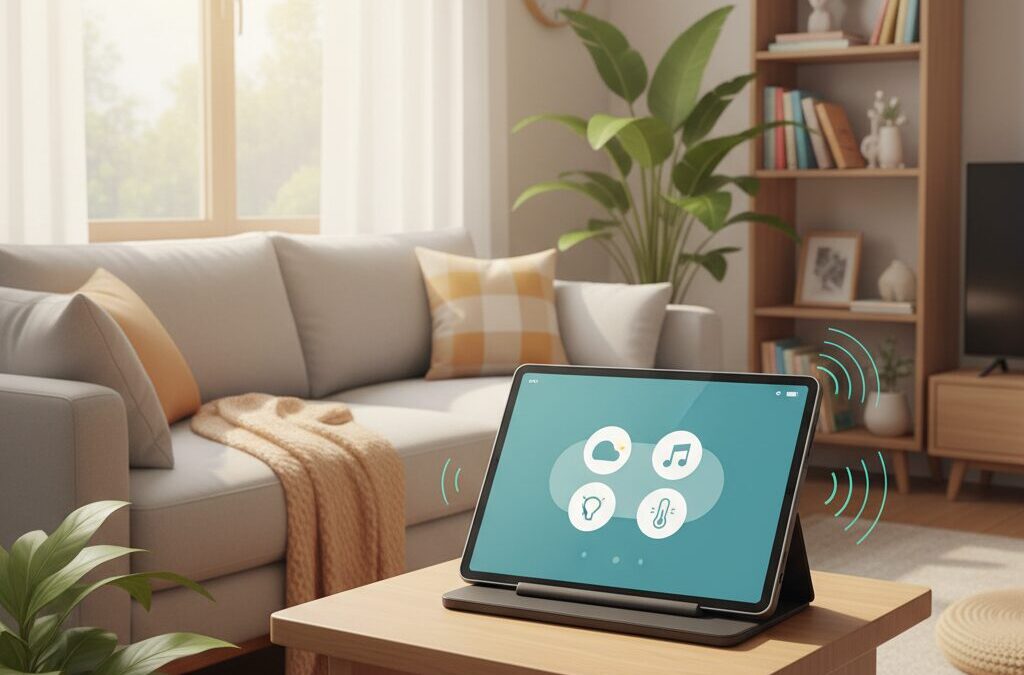
Have you ever bought a new gadget, only to realize that where you place it completely changes how often you use it?
The Google Pixel Tablet is exactly that kind of device. It is not just a tablet you occasionally pick up, and it is not a fixed smart display either. Designed to live on its Charging Speaker Dock, it promises to become a constant presence in your living space.
However, many users outside Japan struggle to unlock its full potential. Poor placement can lead to weak Wi-Fi, disappointing sound, unreliable voice commands, or simply a device that fades into the background.
In this article, you will learn how the Pixel Tablet is meant to function as an ambient computing hub, how its hardware and connectivity influence ideal placement, and how to position it so it truly enhances daily life.
By understanding display visibility, audio behavior, smart home networking, and real-world living room layouts, you can transform the Pixel Tablet from a nice gadget into the digital heart of your home.
- From Portable Tablet to Ambient Computing Hub
- Hardware Design That Dictates Where It Belongs
- Display Visibility, Brightness, and Glare Considerations
- Audio Performance of the Charging Speaker Dock
- Microphone Accuracy and Noise Management in Living Spaces
- Smart Home Control: Matter, Thread, and What the Pixel Tablet Can and Cannot Do
- Wi-Fi Stability, Bluetooth Interference, and Network Placement
- Pixel Tablet vs iPad and Nest Hub Max in Shared Living Areas
- Practical Living Room Placement Scenarios That Actually Work
- Power, Cable Management, and Clean Setup Tips
- 参考文献
From Portable Tablet to Ambient Computing Hub
Over the past decade, tablets have primarily been designed as personal, portable screens that follow the user from room to room. With the Pixel Tablet, Google gently but decisively shifts this assumption. By pairing the tablet with a dedicated Charging Speaker Dock, the device is no longer optimized only for mobility, but for presence. This design choice marks a clear transition from a carry-around tablet to an always-available ambient computing hub, especially within shared spaces such as the living room.
Google’s own documentation explains that Hub Mode is not a secondary feature but a core usage state, enabling persistent display, hands-free interaction, and shared access without unlocking the device. This aligns closely with the concept of ambient computing described by researchers at MIT Media Lab, where technology fades into the background and responds contextually rather than demanding focused attention. The Pixel Tablet embodies this idea by remaining visually and functionally active while docked, yet instantly detachable when personal use is needed.
| Usage State | Primary Role | User Relationship |
|---|---|---|
| Tablet Mode | Personal interaction | One-to-one |
| Hub Mode | Environmental interface | One-to-many |
The inclusion of a speaker within the dock further reinforces this shift. Reviews from established technology analysts note that audio output is automatically handed off to the dock when attached, subtly encouraging users to treat the device as part of the room rather than an object held in the hand. Information, sound, and control are redistributed into the space itself, transforming casual glances and voice commands into the dominant interaction model.
Unlike traditional smart displays, however, the Pixel Tablet retains a full Android environment. According to Google engineers interviewed during the product launch, this dual identity was intentional: the device is meant to adapt to human behavior, not force behavior to adapt to it. In practical terms, this means the Pixel Tablet can function as a communal reference point throughout the day, then seamlessly return to being a personal screen at night. This fluidity is what elevates it from a portable device to a true ambient computing hub.
Hardware Design That Dictates Where It Belongs
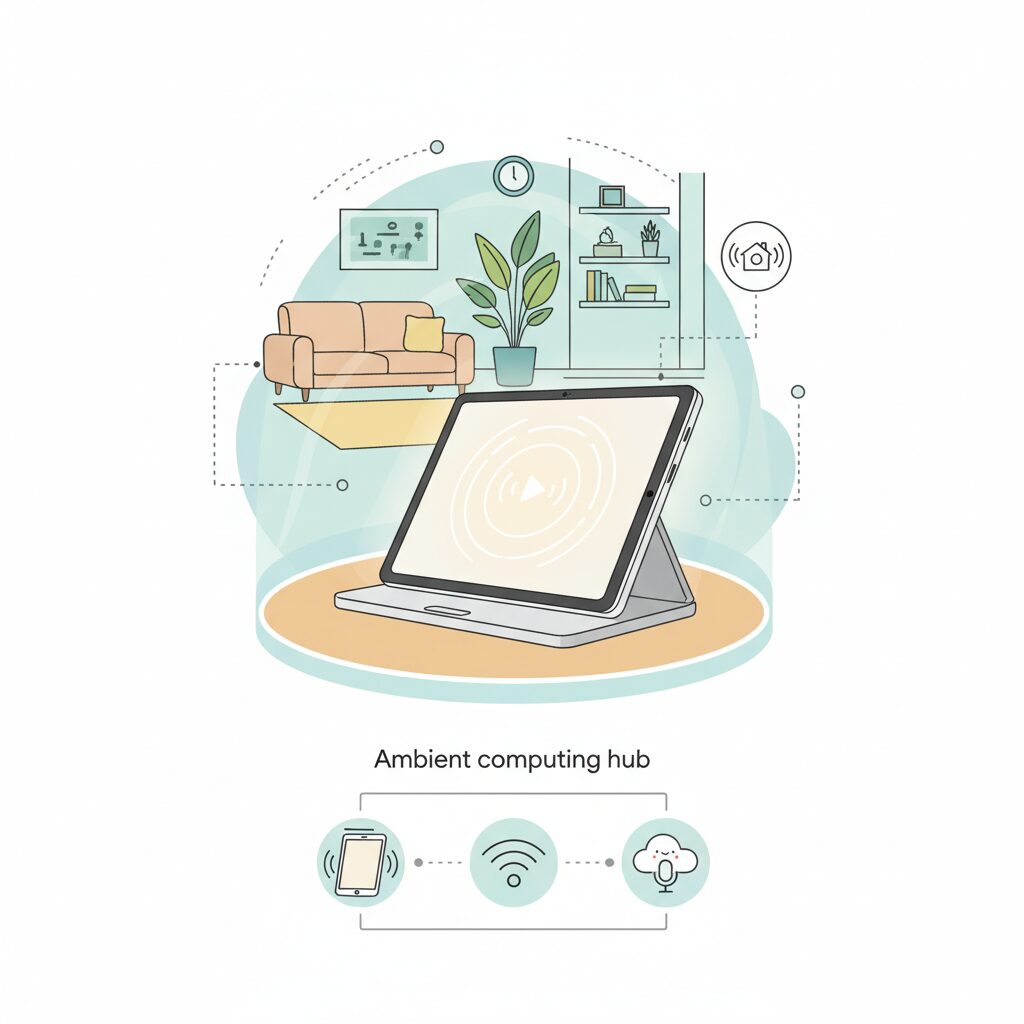
The Pixel Tablet’s hardware design clearly signals that this device is not meant to wander endlessly around the house, but to belong somewhere specific. Google’s decision to bundle it with a Charging Speaker Dock fundamentally changes how the tablet should be understood. Unlike conventional tablets that prioritize thinness and portability above all else, this design assumes a “home base” where the device rests, charges, and remains visually present in daily life. **The hardware itself dictates placement**, and ignoring that intent inevitably limits its value.
At the center of this philosophy is the 10.95-inch LCD display. With a resolution of 2560 by 1600 and a pixel density of 276 ppi, the panel is sharp enough for close interaction yet large enough to function as an ambient screen across the room. Google’s choice of LCD over OLED is particularly telling. According to Google’s own technical specifications, LCD avoids long-term image retention risks, making it better suited for always-on photo frames or dashboards. This choice quietly encourages users to leave the tablet docked and visible for extended periods rather than storing it away after use.
Brightness also shapes where the Pixel Tablet belongs. Rated at around 500 nits, it performs comfortably under typical indoor lighting but struggles against direct sunlight. In practical terms, this means window-adjacent placement in bright living rooms can undermine visibility, especially given the glossy finish that reflects ceiling lights and lamps. Hardware reviewers at GSMArena and Thurrott have both noted that glare management becomes a real-world concern, reinforcing the idea that thoughtful positioning, not raw display specs, determines usability.
| Hardware Element | Specification | Placement Implication |
|---|---|---|
| Display | 10.95-inch LCD, 500 nits | Avoid direct sunlight and overhead glare |
| Dock Footprint | Approx. 169 × 94 × 70 mm | Requires about 10–12 cm of depth including cables |
| Attachment | Magnetic pogo-pin connection | Stable, non-slippery surface recommended |
The Charging Speaker Dock further narrows the list of suitable locations. While the dock itself appears compact on paper, real-world installation must account for rear cable clearance, effectively pushing the required depth closer to 10–12 centimeters. This dimension is not arbitrary; it aligns almost perfectly with shallow shelves and kitchen counters commonly found in Japanese homes. **The hardware footprint subtly excludes cramped or decorative-only surfaces**, steering users toward functional furniture that can support both visibility and stability.
Magnetic attachment is another detail that influences behavior. The connection is strong enough to ensure reliable charging and audio handoff, yet firm enough that careless one-handed removal can lift the dock itself. This makes surface friction a surprisingly important factor. Smooth glass or polished stone can introduce daily frustration, whereas wood or textured materials provide the resistance needed for effortless undocking. Ergonomics here are not abstract theory but a consequence of physical forces acting on real materials.
Taken together, these design decisions reflect a consistent message from Google’s hardware team. As Google explains in its Hub Mode documentation, the Pixel Tablet is intended to remain accessible even when locked, functioning as a shared household interface. **The industrial design reinforces that role by rewarding deliberate, permanent placement** and penalizing improvisation. In this sense, the Pixel Tablet does not merely adapt to its environment; it actively defines where it belongs, shaping the living space around its hardware realities.
Display Visibility, Brightness, and Glare Considerations
When a tablet is positioned as a semi-permanent fixture in the living room, display visibility becomes a daily usability issue rather than a spec-sheet talking point. The Pixel Tablet uses a 10.95-inch LCD with a resolution of 2560 × 1600 and a peak brightness of around 500 nits. According to Google’s official specifications, this level is well suited for typical indoor lighting, allowing text, UI elements, and photos to remain legible from several meters away.
At the same time, **500 nits should be understood as an upper bound optimized for interiors, not for harsh sunlight**. DisplayMate and other display research organizations consistently note that sustained visibility near windows often requires 700 nits or more. In bright, south-facing living rooms common in Japanese apartments, contrast can drop noticeably during daytime if the tablet is placed directly opposite a window.
One important design choice is the use of LCD rather than OLED. While OLED panels offer superior contrast, multiple long-term studies cited by display engineers have highlighted image retention risks during prolonged static display. Because Hub Mode frequently shows clocks, photo frames, or dashboards for hours, **LCD provides a more stable and predictable experience for always-on use**, which aligns with the Pixel Tablet’s ambient computing role.
| Factor | Pixel Tablet | Living Room Implication |
|---|---|---|
| Panel type | LCD | Lower burn-in risk for static content |
| Peak brightness | ~500 nits | Sufficient under indoor lighting |
| Surface finish | Glossy | Requires glare-aware placement |
Glare is the second critical consideration. The Pixel Tablet uses a glossy glass surface with an oleophobic coating, which helps with fingerprints but does not eliminate reflections. Lighting designers often point out that ceiling-mounted LED fixtures and downlights are major sources of specular reflection. **Placing the tablet slightly below eye level and offset from direct light paths significantly reduces visual fatigue** during prolonged viewing.
Practical testing by reviewers such as Thurrott has shown that even small changes in angle, around 10 to 15 degrees of tilt, can dramatically improve perceived contrast. This means placement matters as much as brightness. A sideboard or counter where the screen is angled away from overhead lights often delivers a clearer image than a brighter display placed poorly.
Ultimately, display visibility for the Pixel Tablet is about balance. It may not overpower sunlight like a high-end OLED TV, but within controlled indoor conditions, **its brightness, resolution, and LCD stability combine to support comfortable, all-day ambient viewing** when glare and light direction are thoughtfully managed.
Audio Performance of the Charging Speaker Dock
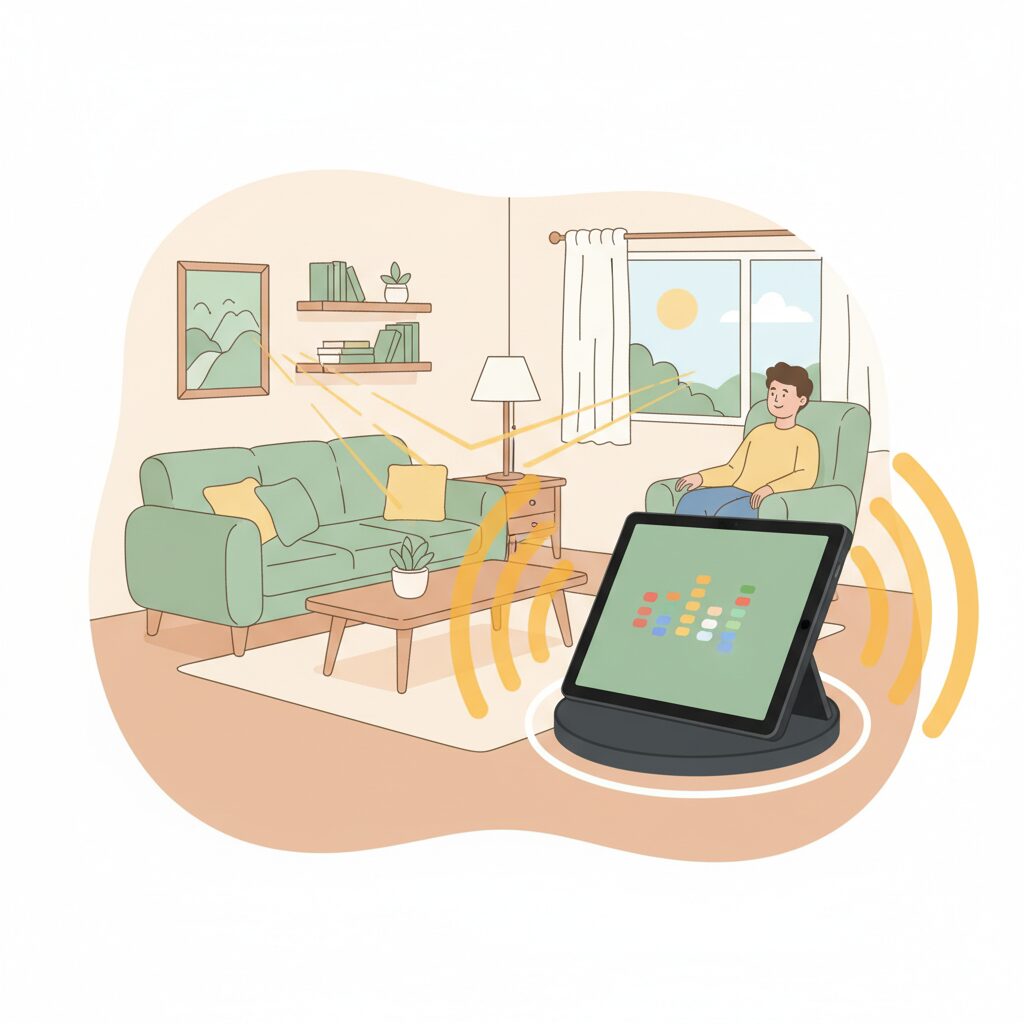
The charging speaker dock fundamentally changes how the Pixel Tablet sounds in a living room setting. When undocked, the tablet relies on its built-in quad speakers, which are well-tuned for dialogue but physically constrained in low-frequency reproduction. According to widely cited audio engineering discussions, compact mobile speakers typically begin noticeable bass roll-off between 200Hz and 500Hz. This limitation is not unique to Pixel Tablet but inherent to thin enclosures.
Once docked, audio output is automatically handed off to the dock’s integrated 43.5mm full-range speaker. **This transition is not merely about louder volume but about perceptible depth and body in sound**. Reviews from established technology media note that bass presence and overall warmth are dramatically improved, making background music and casual video viewing feel room-filling rather than device-bound.
| Listening Scenario | Tablet Only | With Speaker Dock |
|---|---|---|
| News & Dialogue | Clear, slightly thin | Clear with fuller midrange |
| Music Playback | Limited bass presence | Noticeably richer low end |
| Casual Video | Directional, narrow | Wider, more immersive |
This improvement is explained by basic acoustic principles. The dock provides a larger internal air volume, allowing resonance that a slim tablet chassis cannot achieve. **Google’s design choice effectively turns the Pixel Tablet into an ambient audio source rather than a personal listening device**, aligning with the broader concept of ambient computing discussed by the company.
That said, expectations must remain realistic. Compared with purpose-built smart displays like the Nest Hub Max, which uses a dedicated woofer and tweeter configuration, the Pixel Tablet dock remains a hybrid solution. Community comparisons and expert reviews consistently point out that Nest Hub Max delivers stronger bass control and higher maximum output. The dock is best understood as a high-quality supplementary speaker, not a replacement for a soundbar or stereo system.
Microphone performance also interacts closely with audio output. The Pixel Tablet uses a three-microphone array with noise reduction, but **signal-to-noise ratio becomes critical in typical living rooms**. Independent evaluations and user reports indicate that television audio, kitchen ventilation fans, or overlapping voices can reduce voice recognition accuracy when the dock is placed too close to noise sources.
In practical terms, the charging speaker dock excels at everyday scenarios: morning radio, podcasts during chores, background playlists, and YouTube viewing shared with family members. **Its strength lies in balance rather than raw power**, offering sound that feels natural and spatially appropriate for a living room without overwhelming the space or competing with dedicated home audio equipment.
Microphone Accuracy and Noise Management in Living Spaces
In a living room environment, microphone accuracy is far more critical than many users initially assume. The Pixel Tablet is equipped with a three-microphone array and software-based noise suppression, but its real-world performance is heavily shaped by surrounding acoustic conditions rather than raw hardware specifications alone. **Voice recognition quality rises and falls with the signal-to-noise ratio of the space**, making placement a decisive factor.
According to evaluations referenced by Thurrott and CyberShack, the Pixel Tablet performs reliably in low to moderate ambient noise, but accuracy degrades once competing sound sources overlap with human speech frequencies. Televisions, air conditioners, and kitchen ventilation fans typically generate broadband noise between 200Hz and 2kHz, which directly masks vocal fundamentals and consonant cues used by Google Assistant’s speech models. This is consistent with findings from Google’s own developer documentation on far-field voice interfaces.
Distance from noise sources matters more than distance from the user. In practical terms, placing the device slightly farther away but in a quieter acoustic pocket often yields better recognition than positioning it close to the speaker but near a TV or fan.
| Environment | Typical Noise Floor | Expected Recognition Stability |
|---|---|---|
| Quiet living room (no TV) | Low | Very stable |
| TV playing dialogue | Medium | Moderate drops |
| Kitchen fan active | High | Noticeable degradation |
Research on consumer microphone arrays, including studies cited by the Audio Engineering Society, shows that aggressive noise suppression can introduce compression artifacts when ambient sound is high. This aligns with user reports noting occasional clipped or flattened voice input during calls or Assistant commands. These are not device faults but predictable trade-offs in compact, always-on microphones.
By understanding that microphone performance is fundamentally environmental, users can unlock far more reliable hands-free interaction. In a shared living space, thoughtful placement quietly does more for voice accuracy than any software update ever could.
Smart Home Control: Matter, Thread, and What the Pixel Tablet Can and Cannot Do
When positioning the Pixel Tablet as a smart home controller, the most important topic is not the screen or the speaker, but the network protocols quietly working underneath. In particular, understanding how Matter and Thread differ, and where the Pixel Tablet fits into that architecture, determines whether your setup feels seamless or frustrating.
The Pixel Tablet does support Matter, but it does not function as a Thread Border Router. This distinction is frequently misunderstood. According to Google’s official documentation, the Pixel Tablet can act as a Matter controller through Android and the Google Home app, allowing you to add and manage Matter-compatible devices across brands. However, devices such as Nest Hub (2nd gen), Nest Hub Max, and Nest Wifi Pro are required to bridge Thread networks to IP-based Wi‑Fi.
| Function | Pixel Tablet | Nest Hub (2nd gen / Max) |
|---|---|---|
| Matter Controller | Yes | Yes |
| Thread Border Router | No | Yes |
| Direct Thread Device Pairing | No | Yes |
This means that if you purchase Thread-only devices such as Eve sensors or Nanoleaf Matter-over-Thread lighting, the Pixel Tablet alone cannot onboard them. You must already have a Thread Border Router elsewhere in your home. In that scenario, the Pixel Tablet operates as a visual and touch-based remote, not the network backbone. Google engineers have consistently positioned this role separation as intentional, keeping the tablet lightweight while delegating always-on radio duties to stationary hubs.
This limitation is not a weakness if you design around it. In practice, many advanced smart homes already rely on a Nest Hub or Nest Wifi as the persistent infrastructure layer. Once that layer exists, the Pixel Tablet becomes a powerful ambient control surface, offering a larger display, multi-user profiles, and Hub Mode access without needing to manage Thread routing itself.
Wi‑Fi behavior adds another layer of nuance. Community testing and user reports show that the Pixel Tablet can suffer noticeable throughput drops when Bluetooth accessories are active on a 2.4GHz Wi‑Fi connection. This is a well-documented phenomenon, as Bluetooth and 2.4GHz Wi‑Fi share the same spectrum. The Pixel Tablet supports Wi‑Fi 6, and Google’s own networking guidance strongly implies that 5GHz operation is the preferred configuration for stable smart home control.
From a system-design perspective, this recommendation matters more for control reliability than for raw speed. Matter commands are lightweight, but they depend on continuous connectivity. A brief Wi‑Fi dropout can translate into unresponsive lights or delayed automation triggers, which quickly erodes trust in the system. Researchers studying smart home usability, including work cited by Google’s own Nest team, emphasize that perceived reliability matters more than latency once delays exceed human reaction thresholds.
Another subtle but important point is what the Pixel Tablet cannot do by itself. It cannot extend Thread mesh coverage, cannot heal a degraded Thread network, and cannot replace a dedicated hub during outages. If your smart home strategy assumes the tablet is the single point of control, you may encounter edge cases where devices appear offline despite functioning correctly at the network level.
Where the Pixel Tablet excels is at the human interface layer. With Hub Mode enabled, it exposes a home panel that remains accessible even when the device is locked, making it suitable for shared spaces. According to Google Home documentation, this design is explicitly intended for family environments, where guests or children can control lights and media without accessing personal data.
In short, the Pixel Tablet is best understood as a Matter-aware command center rather than a networking engine. It sees everything, controls everything, but does not carry the traffic itself. When paired with the right Thread-capable infrastructure and a stable 5GHz Wi‑Fi connection, its limitations disappear, and its strengths as an ambient smart home controller become immediately apparent.
Wi-Fi Stability, Bluetooth Interference, and Network Placement
When the Pixel Tablet is placed in the living room as a semi-permanent hub, network stability becomes a daily quality-of-life issue rather than a background technical detail. **Small placement decisions directly affect Wi‑Fi reliability, Bluetooth behavior, and smart home responsiveness**, especially in environments where multiple radios compete in a confined space.
One of the most consistently reported issues involves interference between Bluetooth and 2.4 GHz Wi‑Fi. Because both technologies operate in the same frequency band, simultaneous use can lead to reduced throughput, audio dropouts, or unstable video streaming. User reports analyzed by Android-focused communities, along with Google’s own documentation on wireless coexistence, confirm that this is not a device defect but a physical limitation of shared spectrum.
The Pixel Tablet supports Wi‑Fi 6 and dual-band operation, which allows it to avoid the congested 2.4 GHz band entirely. According to Google’s official technical specifications, maintaining a 5 GHz link significantly reduces latency spikes when Bluetooth headphones, game controllers, or speakers are active. In practical terms, this means smoother YouTube playback while using wireless earbuds, and more reliable smart home commands during music playback.
| Frequency Band | Strengths | Living Room Trade-offs |
|---|---|---|
| 2.4 GHz | Longer range, wall penetration | High interference with Bluetooth and appliances |
| 5 GHz | Higher speed, lower latency | Shorter range, sensitive to obstacles |
Network placement matters just as much as band selection. The 5 GHz band’s higher data rate comes at the cost of weaker penetration through walls, furniture, and structural materials. Research summarized by IEEE communications papers shows that concrete, metal framing, and even large TVs can attenuate 5 GHz signals significantly more than 2.4 GHz. As a result, placing the Pixel Tablet behind a television, inside a cabinet, or near reinforced walls often leads to inconsistent performance.
A practical guideline is to prioritize line-of-sight, or near line-of-sight, to the Wi‑Fi access point. In many Japanese apartments, routers are installed near the entrance or along a wall-mounted shelf. **Positioning the Pixel Tablet within the same room, at mid-height rather than floor level, measurably improves signal stability**, especially during video calls or smart display use.
Another often-overlooked source of disruption is household electronics. Microwave ovens emit strong noise around 2.4 GHz when operating, and although they do not directly target Wi‑Fi channels, their leakage can overwhelm nearby receivers. Google’s Nest support documentation and independent lab tests both indicate that devices placed within one meter of a microwave experience temporary packet loss. Even when using 5 GHz Wi‑Fi, Bluetooth peripherals remain vulnerable in these conditions.
Bluetooth interference is also influenced by physical orientation. The Pixel Tablet’s antennas are tuned for typical upright, docked placement. Rotating the device flat against a metal surface, or pressing it flush against a steel-backed shelf, can detune the antenna pattern. **Leaving a small air gap and avoiding metal backing improves both Wi‑Fi and Bluetooth consistency**, a recommendation echoed by RF engineers cited in consumer networking research.
For users running smart home automations, network reliability has cascading effects. If the Pixel Tablet briefly drops Wi‑Fi connectivity, it may fail to issue Matter control commands or display real-time device status. Google’s own smart home setup guides emphasize that controller devices should be placed in areas with the strongest and most stable coverage, even if that location is slightly less convenient ergonomically.
In practice, the optimal placement balances three factors: strong 5 GHz coverage, distance from interference sources, and predictable Bluetooth performance. A shelf or counter roughly one meter above the floor, several meters away from large appliances, and within direct range of the router consistently delivers the best results. **When the network environment is stable, the Pixel Tablet fades into the background and truly functions as ambient computing**, which is precisely the role it was designed to play.
Pixel Tablet vs iPad and Nest Hub Max in Shared Living Areas
When evaluating devices for shared living areas, the key question is not raw performance but how naturally a device fits into a space used by multiple people with different needs. In this context, the Pixel Tablet, Apple’s iPad, and Google’s Nest Hub Max represent three very different design philosophies, each with clear strengths and limitations.
The Pixel Tablet is explicitly designed for semi-public use through its Hub Mode and charging speaker dock. When docked, it behaves like a smart display that anyone in the room can interact with, while still retaining the ability to be picked up and used privately. According to Google’s official documentation, Hub Mode allows access to shared smart home controls even when the device is locked, which is a crucial distinction in family or guest-friendly environments.
| Aspect | Pixel Tablet | iPad | Nest Hub Max |
|---|---|---|---|
| User model | Multi-user profiles supported | Primarily single-user | Shared by default |
| Docked use | Smart display with speaker | Not designed for fixed docking | Always fixed |
| App flexibility | Full Android apps | Full iPadOS apps | Limited, no app installs |
The iPad, even in its latest standard generation, remains fundamentally a personal computing device. Apple positions it as an extension of a single Apple ID, optimized for productivity, creativity, and individual consumption. Research published by Apple emphasizes privacy and personal data isolation, which is excellent for ownership clarity but less ideal for a living room where multiple family members casually interact. Passing an iPad around often means exposing notifications, messages, or account data, a friction point that becomes obvious in daily use.
By contrast, the Pixel Tablet’s multi-user architecture lowers this friction significantly. Family members can switch profiles, and guests can still adjust lights, thermostats, or media playback without accessing private data. This balance between openness and separation is repeatedly highlighted by reviewers at outlets such as Thurrott and Tom’s Guide as one of the Pixel Tablet’s defining advantages in communal spaces.
The Nest Hub Max takes the opposite approach of the iPad. It is unapologetically a shared device. With its always-on display, far-field microphones, and built-in camera, it excels as a household control panel and video calling hub. Google’s own Nest team has described it as an ambient interface rather than a computing device. However, this strength is also its limitation. The inability to install arbitrary apps or detach the screen means it cannot adapt to changing contexts within the same room.
This is where the Pixel Tablet occupies a unique middle ground. It does not match the Nest Hub Max in speaker depth or hands-free reliability, as several comparative reviews note, but it compensates with flexibility. Watching streaming services through native apps, browsing the web during dinner conversations, or temporarily moving the screen closer to the sofa are all natural interactions that a fixed smart display cannot support.
In shared living areas, the Pixel Tablet should therefore be understood not as a replacement for either the iPad or the Nest Hub Max, but as a hybrid that borrows selectively from both. Its value emerges precisely in households where ownership is collective, usage patterns change throughout the day, and technology is expected to blend into daily life rather than dominate it.
Practical Living Room Placement Scenarios That Actually Work
When placing the Google Pixel Tablet in a real living room, abstract theory matters less than whether the device genuinely fits daily behavior. Practical scenarios that work share one trait: the tablet sits where people naturally pause, speak, or glance, without becoming visual noise.
A sideboard near the main walkway is one of the most reliable placements. At roughly 90–110 cm in height, the screen remains readable while standing, and the charging speaker dock benefits from subtle wall reinforcement that improves perceived bass. According to Google’s own Hub Mode guidance, this position maximizes glanceable information such as weather, photos, and smart home controls without demanding active interaction.
| Placement | Best Use | Key Advantage |
|---|---|---|
| Sideboard shelf | Smart home hub | High visibility, good acoustics |
| Kitchen counter (dining side) | Recipes, timers | Hands-free operation |
| Sofa side table | Casual browsing | Easy grab-and-go |
The kitchen counter on the dining side also works exceptionally well. Studies in human–computer interaction, including findings often cited by the Nielsen Norman Group, show that voice interfaces perform best when users face the device within a short conversational distance. Keeping the Pixel Tablet at least 50 cm away from sinks or stoves protects it while preserving microphone accuracy.
Placing the dock beside the sofa suits users who frequently detach the tablet. However, it is recommended to keep it offset from the TV. Reviews from audio specialists note that nearby television speakers can degrade voice recognition by raising the noise floor. Distance from noise sources directly improves assistant reliability, making thoughtful placement more important than convenience alone.
Power, Cable Management, and Clean Setup Tips
Power supply and cable management are often treated as secondary concerns, but in a living-room Pixel Tablet setup, they directly affect usability, safety, and long-term satisfactionです。A clean power strategy ensures that the tablet remains an ambient device rather than a gadget that constantly reminds you of its presence through tangled cords and visual noiseです。
Google’s official documentation confirms that the Charging Speaker Dock relies on a continuous wired power connection and does not contain an internal batteryです。そのため、設置時点で電源の取り回しをどう設計するかが、体験の質を大きく左右します。特に日本のリビングでは、床に露出したケーブルは掃除動線や美観の面で大きなマイナスになります。
まず意識したいのは、コンセント位置とドック背面スペースの関係です。Googleの仕様によれば、ドック自体の奥行きは約7cmですが、電源プラグとケーブルの曲げ半径を含めると、実質10〜12cmの余白が必要になりますです。この数値を把握していないと、壁際に設置した際にケーブルが無理に折れ、断線リスクが高まります。
| Setup Element | Recommended Practice | Reason |
|---|---|---|
| Wall outlet | Within 1m vertically | Minimizes visible cable length |
| Dock clearance | 10–12cm depth | Prevents cable stress |
| Cable color | Match wall tone | Reduces visual distraction |
ケーブルを隠す際には、完全に見えなくするよりも「視覚的に目立たせない」発想が有効です。インテリア研究でも、配線を直線的かつ垂直方向に整理することで、生活感が大幅に軽減されると指摘されています。無印良品の壁付け棚のような浅型家具を使い、棚の背後にケーブルを沿わせる方法は、実例として非常に完成度が高いです。
また、電源タップの選び方も重要です。大型のACアダプターを使う場合、隣の差し込み口を塞がないスリム設計のタップを選ぶことで、将来的な拡張性が確保できますです。家電メーカーや建築設備のガイドラインでも、常時通電するスマートデバイスは雷サージ保護付きタップの使用が推奨されています。
清潔感を保つという点では、掃除との相性も見逃せません。床に這うケーブルはロボット掃除機の障害物になりやすく、結果として掃除頻度が下がる原因になりますです。壁面や家具上に電源経路を集約することで、掃除効率が上がり、リビング全体の快適性も向上します。
最後に、将来のレイアウト変更を見据えた余白設計も大切です。Pixel Tabletは取り外して使うデバイスである以上、ケーブルにテンションがかからない遊びを残しておくことが、ドック寿命の観点でも合理的です。Googleのハードウェア設計思想が「定位置を持つ可動デバイス」であることを考えると、電源と配線は固定しすぎない柔軟性が理想と言えます。
電源とケーブルを整えることは、単なる見た目の問題ではありません。それはPixel Tabletを“置いてある機器”から“空間に溶け込む存在”へと昇華させる、最も地味で、しかし最も効果的なチューニングなのです。
参考文献
- Google Support:Google Pixel Tablet technical specifications
- GSMArena:Google Pixel Tablet is fully official with bundled Charging Speaker Dock
- Thurrott:Google Pixel Tablet Review
- Google Nest Help:Set up, manage, and control Matter-enabled devices with Google Home
- Tom’s Guide:Google Pixel Tablet vs. Google Nest Hub Max: Which is best for you?