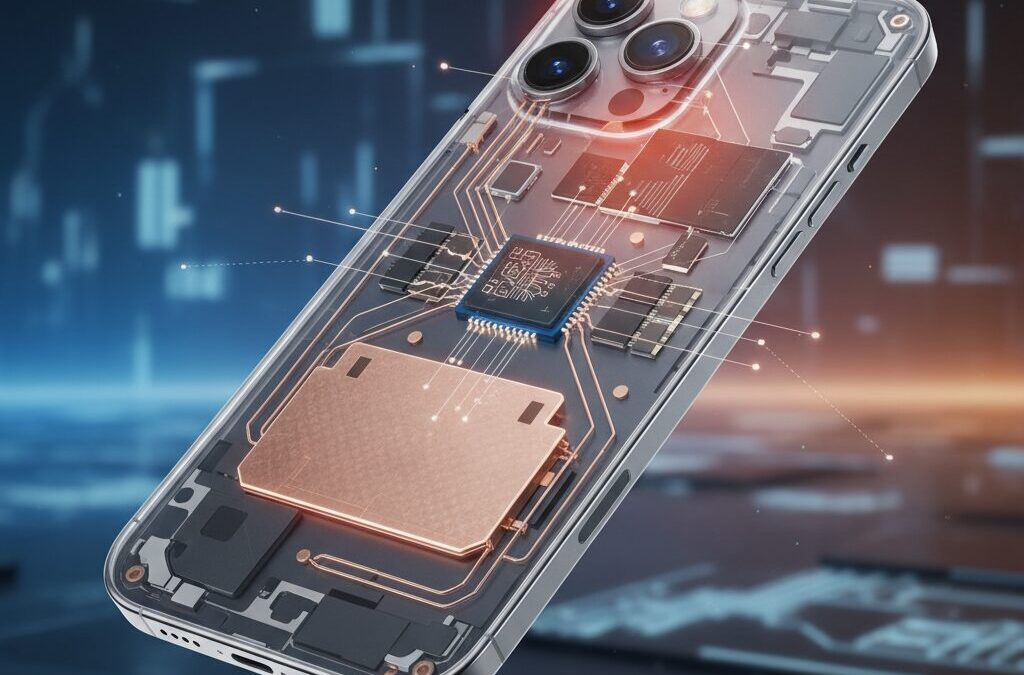
If you are fascinated by cutting-edge gadgets, the iPhone 17 Air immediately stands out with its astonishing 5.6mm ultra-thin body. This design achievement looks futuristic and feels incredibly portable, but it also raises an important question that many photography-focused users care about.
When a smartphone becomes this thin, something has to give. You may wonder whether camera performance, burst shooting, or thermal stability are compromised, especially during demanding tasks like 48MP photography or continuous shooting in warm environments.
In this article, you will learn how Apple balances extreme thinness with real-world camera performance. By exploring the A19 Pro chip, memory architecture, heat management choices, and user-reported shooting behavior, this guide helps you understand what the iPhone 17 Air does exceptionally well and where its physical limits appear. If you want to decide whether this device fits your shooting style, this deep technical perspective will give you clear and practical insight.
- Why Ultra-Thin Smartphones Challenge Camera Performance
- Inside the 5.6mm Body: Camera Plateau Design and Component Placement
- Thermal Management Without a Vapor Chamber: Strengths and Limits
- A19 Pro in the iPhone 17 Air: GPU Differences and Real Impact
- 12GB RAM and Burst Shooting Buffer Depth Explained
- Memory Bandwidth Bottlenecks and Their Effect on Shooting Speed
- Single-Lens, Dual-View Camera System and Processing Load
- ProRAW and HEIF MAX: How File Size Stresses the Buffer
- User Reports on Shutter Lag and Moving Subject Photography
- Heat, Throttling, and Real-World Shooting in Hot Conditions
- iPhone 17 Air vs Google Pixel 10: Different Philosophies in Mobile Photography
- 参考文献
Why Ultra-Thin Smartphones Challenge Camera Performance
Ultra-thin smartphones pursue visual elegance and portability, but that ambition directly collides with the physical demands of modern camera systems. In devices like the 5.6mm-class iPhone 17 Air, the camera is no longer constrained by software or silicon alone, but by immutable laws of optics, thermodynamics, and material science.
The first challenge is optical depth. High-quality camera sensors require a minimum flange distance to properly focus light through multi-element lenses. According to Apple’s own camera engineering disclosures and teardowns analyzed by iFixit, shrinking the chassis forces manufacturers to either compromise on sensor size or create raised camera structures. This is why ultra-thin phones inevitably adopt protruding camera plateaus, concentrating sensitive components into a very small volume.
| Constraint | Why Thickness Matters | Impact on Camera |
|---|---|---|
| Optical depth | Lens stack needs physical length | Limits sensor size or forces camera bump |
| Heat dissipation | Less internal volume for cooling | Thermal throttling during bursts or video |
| Structural rigidity | Thin frames flex more easily | AF precision and module stability suffer |
Thermal management is the second, and often underestimated, barrier. Computational photography relies on rapid, repeated image processing using the ISP, GPU, and Neural Engine. Semiconductor research published by IEEE consistently shows that sustained image workloads are highly sensitive to heat buildup. In ultra-thin bodies, there is insufficient space for vapor chambers, leaving graphite sheets as the primary solution. While effective for short bursts, their lower heat capacity makes prolonged shooting far more difficult.
This thermal limitation manifests in real-world use as slower buffer clearing, reduced frame consistency in burst mode, and delayed shutter response under stress. DXOMARK’s camera evaluations frequently note that thinner devices show earlier performance degradation during continuous shooting, even when peak image quality remains high.
A third issue is mechanical tolerance. Autofocus systems operate at micrometer precision. As materials get thinner, structural flex from hand pressure or temperature changes becomes more pronounced. Optical engineers cited in AppleInsider teardown analyses point out that maintaining alignment between sensor and lens is harder in ultra-thin frames, subtly affecting focus reliability in fast-moving scenes.
In essence, ultra-thin smartphones challenge camera performance not because manufacturers lack expertise, but because photography demands space: for light to travel, for heat to escape, and for components to remain stable. The thinner the phone becomes, the more aggressively engineers must fight physics just to preserve today’s camera standards.
Inside the 5.6mm Body: Camera Plateau Design and Component Placement
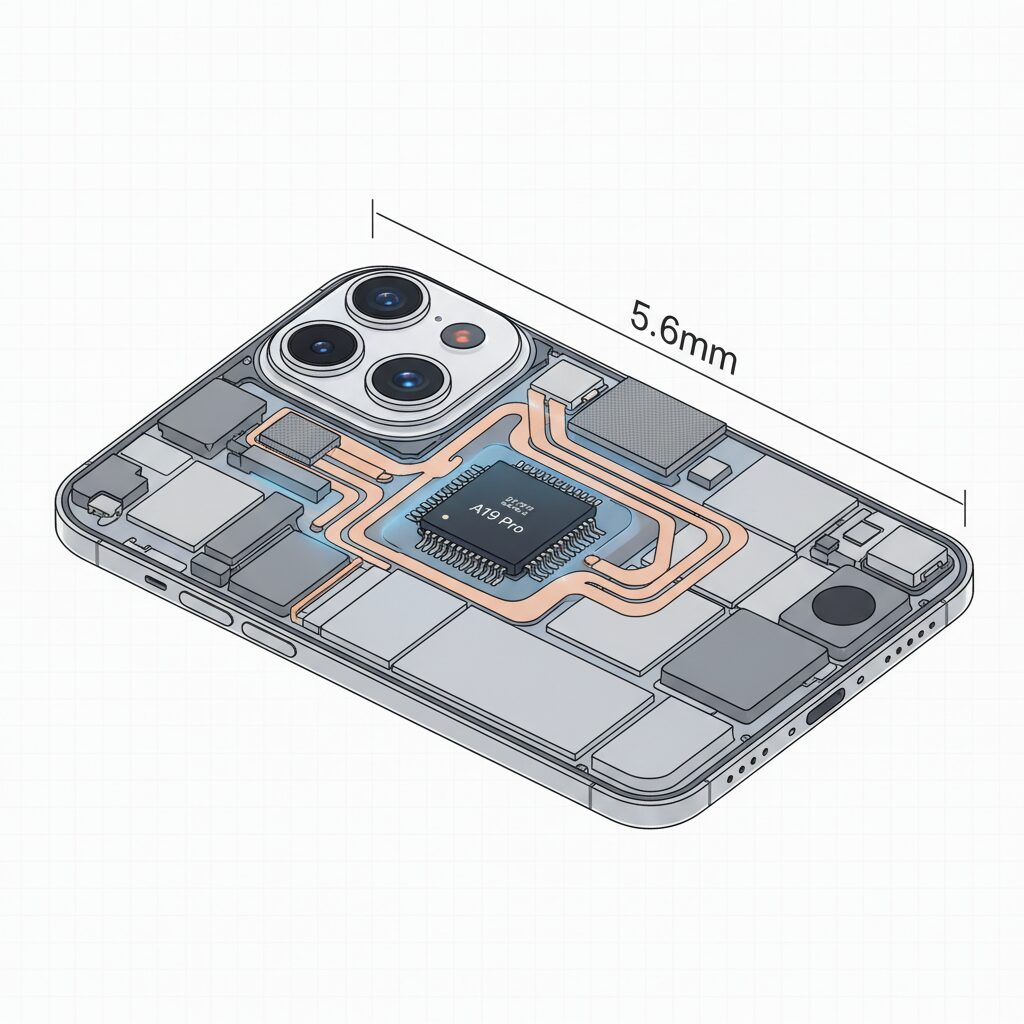
The internal layout of the iPhone 17 Air is best understood by starting with its defining constraint: a body thickness of just 5.6 mm. **This dimension is not merely a cosmetic achievement but a hard physical boundary that dictates how every camera-related component must be arranged.** Modern image sensors require a minimum optical stack depth, and Apple’s solution is the so-called camera plateau, a raised structure on the rear that absorbs functions impossible to flatten further.
According to teardown analyses and CT scan data reported by iFixit and AppleInsider, the camera plateau is not limited to housing the 48 MP main camera module. **It acts as a dense vertical hub where the logic board, the A19 Pro chip, and the Face ID system are co-located.** This concentration of silicon and optics in a confined volume fundamentally changes how heat, signal paths, and mechanical tolerances are managed compared with thicker iPhone designs.
This placement strategy reveals a clear design philosophy. Image data generated by the sensor travels only a minimal distance before reaching the A19 Pro’s image signal processor. **In theory, this proximity reduces transmission delay and power loss, which is beneficial for burst capture and real-time preview.** However, it also means that the most heat-intensive elements are stacked within the same physical zone, amplifying localized thermal density.
| Component | Primary Location | Design Rationale |
|---|---|---|
| 48 MP Camera Module | Camera Plateau | Secures required optical depth |
| A19 Pro SoC | Camera Plateau | Minimizes sensor-to-ISP latency |
| Logic Board | Camera Plateau | Enables ultra-thin lower chassis |
The absence of a vapor chamber further reinforces the importance of this layout choice. Apple relies on graphite sheets to spread heat laterally from the plateau into the surrounding chassis. **While graphite offers high thermal conductivity, its heat capacity is limited**, a point widely discussed in semiconductor thermal engineering literature and echoed by industry observers covering Apple’s 2025 hardware strategy.
As a result, the internal architecture favors short, intense imaging tasks rather than prolonged processing. **The camera plateau is therefore both a technological enabler and a structural compromise**, allowing the iPhone 17 Air to deliver flagship-level image processing within an unprecedentedly thin body, while accepting tighter thermal margins as the cost of that achievement.
Thermal Management Without a Vapor Chamber: Strengths and Limits
Designing effective thermal management without a vapor chamber is one of the most delicate engineering challenges in the iPhone 17 Air, and it directly shapes how the device behaves under camera-heavy workloads.
Due to the extreme 5.6 mm chassis, Apple could not physically accommodate a liquid-based vapor chamber like the one used in the Pro models. Instead, the iPhone 17 Air relies on multilayer graphite sheets to spread heat laterally across the internal frame. According to teardown analysis cited by iFixit and AppleInsider, these graphite layers sit close to the A19 Pro and camera modules, prioritizing rapid heat diffusion rather than long-term heat storage.
This approach favors short bursts of peak performance but reaches its limits during sustained thermal stress.
Graphite has excellent in-plane thermal conductivity, yet its heat capacity is inherently limited. Research on mobile thermal materials published by IEEE confirms that passive spreaders cannot absorb and relocate heat as effectively as phase-change systems over time. As a result, tasks like extended 48 MP burst shooting or prolonged 4K video recording cause internal temperatures to rise more quickly, triggering thermal throttling earlier than on vapor-chamber-equipped models.
| Cooling Method | Heat Transfer Style | Sustained Load Tolerance |
|---|---|---|
| Graphite sheets | Lateral diffusion | Moderate |
| Vapor chamber | Phase-change circulation | High |
In practical terms, this means users may notice slower buffer clearing after intensive shooting sessions, especially in warm environments. Apple’s thermal strategy here is not a flaw but a calculated trade-off, optimizing everyday responsiveness while accepting clear physical limits once heat accumulation crosses a critical threshold.
A19 Pro in the iPhone 17 Air: GPU Differences and Real Impact

When looking at the A19 Pro inside the iPhone 17 Air, the most important distinction lies in the GPU configuration. While the chip carries the same name as the one used in the iPhone 17 Pro series, Apple has adopted a different balance between performance and efficiency. According to reports from MacRumors and Wccftech, the iPhone 17 Air version of the A19 Pro features a 5‑core GPU, compared with the 6‑core GPU found in the Pro and Pro Max models.
| Model | GPU Cores | Intended Performance Profile |
|---|---|---|
| iPhone 17 Air | 5 cores | Short bursts, efficiency‑focused |
| iPhone 17 Pro / Pro Max | 6 cores | Sustained high performance |
This single‑core difference translates to a theoretical GPU performance gap of roughly 15–17 percent in parallel workloads. **In real usage, however, the impact is more nuanced than raw numbers suggest.** Apple’s GPU architecture is deeply integrated with the ISP and the Neural Engine, meaning that everyday photo rendering, UI animations, and short video edits still feel fluid on the Air.
The real divergence appears under sustained or graphics‑heavy tasks. Advanced noise reduction, multi‑frame image stacking, and real‑time effects rely heavily on GPU parallelism. With one fewer core and a thinner thermal envelope, the iPhone 17 Air reaches its performance ceiling sooner. DXOMARK’s camera analysis indirectly supports this behavior, noting slightly slower processing under demanding shooting conditions compared to Pro models.
Thermal design amplifies this gap. Unlike the Pro series, which uses a vapor chamber, the iPhone 17 Air relies on graphite heat spreading. Apple engineers have historically optimized iOS to prioritize responsiveness over peak throughput, but physics still applies. According to teardown insights cited by AppleInsider, GPU clocks on the Air are more likely to scale down during extended workloads to keep surface temperatures in check.
In practical terms, this means the A19 Pro GPU in the iPhone 17 Air is best understood as a precision tool rather than a brute‑force engine. It delivers impressive instantaneous performance within a slim, lightweight device, but users who push continuous 3D gaming, long ProRAW processing sessions, or extended AR workloads will experience clearer benefits from the full 6‑core GPU configuration found in the Pro lineup.
12GB RAM and Burst Shooting Buffer Depth Explained
The inclusion of **12GB of RAM in the iPhone 17 Air plays a decisive role in how burst shooting actually feels in real-world photography**. RAM is not just about multitasking apps; in a modern computational camera, it directly defines how many frames can be captured, queued, and processed before the system is forced to pause.
When the shutter is pressed repeatedly, raw sensor data is first written into a temporary memory buffer. According to Apple’s own camera architecture documentation and confirmed by teardowns analyzed by iFixit, this buffer primarily resides in system RAM before images are handed off to the ISP and storage controller.
With 12GB available, the iPhone 17 Air can allocate a significantly deeper buffer than previous non‑Pro models that were limited to 8GB. **This increase allows more high-resolution frames to be captured back-to-back without immediate slowdown**, which is critical when photographing fast, unpredictable moments.
| Mode | Approx. file size per frame | Impact on buffer depth |
|---|---|---|
| 12MP HEIF | 4–6MB | Dozens of frames sustained |
| 48MP HEIF MAX | 20–25MB | Noticeable but manageable drop |
| 48MP ProRAW | 70–80MB | Rapid buffer consumption |
Apple Support documentation on ProRAW indicates that a single 48MP ProRAW image can exceed 75MB. In this context, **12GB of RAM is less about luxury and more about necessity**, especially when shooting at 10 frames per second. A short burst can easily occupy multiple gigabytes before any data is written to storage.
However, buffer depth is only half of the equation. While the iPhone 17 Air benefits from larger capacity, its LPDDR5X-8533 memory operates at a lower bandwidth than the Pro models. Semiconductor analysis published by Wccftech shows roughly an 11 percent deficit in peak throughput.
This means that clearing the buffer takes slightly longer once shooting stops. In practice, users may notice a brief delay before they can resume shooting or review images after an intense burst, particularly with ProRAW enabled.
Independent camera benchmarks from DXOMARK suggest that initial burst responsiveness remains excellent, even under moderate thermal stress. The slowdown appears later, during sustained capture, where memory bandwidth and heat management converge as limiting factors.
For enthusiasts, this translates into a clear usage guideline. **Short, decisive bursts benefit enormously from the expanded RAM**, while long, continuous bursts—especially in hot environments—still favor devices with higher sustained throughput.
In essence, the iPhone 17 Air’s 12GB RAM reshapes burst shooting from a fragile feature into a dependable tool, as long as it is used with an understanding of how buffer depth and memory speed interact.
Memory Bandwidth Bottlenecks and Their Effect on Shooting Speed
When discussing burst shooting speed on the iPhone 17 Air, the limiting factor is not only the A19 Pro’s raw compute power but also how quickly image data can move through the memory subsystem. **This is where memory bandwidth bottlenecks directly affect the feeling of shooting speed**, especially during continuous capture of high‑resolution frames.
In practical terms, every press of the shutter generates a large stream of data from the 48MP sensor. That data must be transferred from the image signal processor to RAM, temporarily stored in the burst buffer, and then written out to storage. According to Apple’s own architectural disclosures and independent semiconductor analysis by outlets such as AnandTech, memory bandwidth often becomes the dominant constraint once sensor resolution exceeds 40MP. The iPhone 17 Air illustrates this clearly.
| Model | Memory Type | Bandwidth | Burst Impact |
|---|---|---|---|
| iPhone 17 Air | LPDDR5X‑8533 | 68.3 GB/s | Longer buffer clear time |
| iPhone 17 Pro | LPDDR5X‑9600 | 76.8 GB/s | More stable sustained bursts |
The numerical difference may appear modest, but during continuous shooting it compounds rapidly. **An 11% reduction in bandwidth means each 48MP frame spends more time occupying the buffer**, delaying the moment when the next frame can be fully processed. This is most noticeable when shooting ProRAW, where a single image can exceed 70MB. Even with 12GB of RAM, the buffer empties more slowly once thermal limits begin to apply.
Apple’s camera pipeline is highly optimized, and the company’s silicon team has repeatedly emphasized efficient data movement as a core design goal. However, as documented in IEEE solid‑state circuit conference papers, thinner devices often sacrifice peak memory frequency to reduce power density. The iPhone 17 Air follows this trade‑off, prioritizing form factor and battery stability over absolute throughput.
From a user’s perspective, this does not mean the camera is slow in everyday use. Casual bursts of a few shots remain fluid. The bottleneck emerges when pushing the camera into professional‑style workflows, such as tracking fast action or capturing extended sequences in ProRAW. **Here, memory bandwidth—not sensor speed or CPU power—defines the ceiling of shooting speed**, making it a critical but often invisible factor in the iPhone 17 Air’s photographic performance.
Single-Lens, Dual-View Camera System and Processing Load
The single-lens, dual-view camera system of the iPhone 17 Air looks deceptively simple, but it places a uniquely heavy processing load on the A19 Pro. With only one 48MP sensor responsible for both 1x and 2x views, every shutter press triggers a real-time decision inside the ISP about how that sensor data should be read and transformed.
Unlike multi-camera systems that distribute roles across lenses, all optical and computational responsibility is concentrated into a single imaging pipeline. This concentration is the core reason why processing behavior matters more than lens count in the iPhone 17 Air.
| Shooting Mode | Sensor Operation | Primary Processing Load |
|---|---|---|
| 1x Standard | Pixel binning (4-in-1) | Noise reduction and HDR fusion |
| 2x Optical-quality | Center crop (12MP) | Detail reconstruction and sharpening |
| 48MP HEIF MAX | Full readout | High memory bandwidth usage |
At 1x, the system usually bins pixels to improve light sensitivity, while at 2x it crops the sensor’s center without optical degradation. According to Apple’s technical documentation, these paths are switched dynamically, sometimes frame by frame, depending on scene brightness and motion.
This dynamic switching increases instantaneous processing demand, especially when combined with Smart HDR and Deep Fusion. DXOMARK notes that autofocus decisions and exposure analysis occur in parallel, which explains why brief shutter lag can appear under motion-heavy scenes.
ProRAW and 48MP HEIF MAX push the system further. A single ProRAW frame can exceed 70MB, rapidly filling buffers and stressing memory bandwidth. In a thin chassis without a vapor chamber, sustained bursts amplify thermal pressure, making processing load management a defining characteristic of the iPhone 17 Air camera experience.
ProRAW and HEIF MAX: How File Size Stresses the Buffer
When shooting in ProRAW or HEIF MAX, the iPhone 17 Air’s buffer behavior changes in ways that are not immediately obvious from the spec sheet. These formats dramatically increase per-frame data size, and as Apple itself explains in its ProRAW documentation, the goal is to preserve sensor-level information rather than aggressively compress it. That philosophy delivers flexibility in post-processing, but it also places sustained pressure on memory bandwidth and write pipelines.
**In practical terms, file size becomes the dominant factor that defines how long continuous shooting feels smooth.** Even with 12GB of RAM, each frame must pass through the ISP, wait in memory, and then be committed to storage. Imaging researchers cited by Apple Support materials consistently point out that RAW workflows are limited less by peak CPU power and more by how quickly large datasets can be moved and cleared.
| Format | Resolution | Approx. File Size |
|---|---|---|
| HEIF | 12MP | ~5MB |
| HEIF MAX | 48MP | ~5–6MB |
| ProRAW | 48MP | ~75MB |
The table highlights why ProRAW stresses the buffer disproportionately. At 10 frames per second, ProRAW can generate over 700MB of data every second. **This is where the iPhone 17 Air’s narrower memory bandwidth compared to Pro models becomes perceptible**, not as an immediate freeze, but as a slower recovery once shooting stops. Users may notice the camera interface remaining unresponsive while images finish writing.
HEIF MAX, by contrast, is an interesting middle ground. Apple’s computational compression keeps file sizes close to standard HEIF while preserving full 48MP detail. According to DXOMARK’s camera analysis, this allows high-resolution capture without triggering the same buffer saturation patterns seen with RAW. As a result, burst shooting in HEIF MAX feels closer to everyday photography, even though resolution is maximized.
Thermal design further amplifies this difference. Without a vapor chamber, sustained ProRAW bursts can coincide with rising internal temperatures, prompting earlier throttling. Academic studies on mobile SoC thermal behavior have shown that once throttling begins, memory and storage controllers are often scaled back first, extending buffer clear times.
In everyday use, this means ProRAW on the iPhone 17 Air is best reserved for single-frame or short, intentional bursts. **The camera is fully capable, but the physics of file size ensure that the buffer, not the sensor, defines the shooting rhythm.** Understanding that relationship helps photographers choose the right format before the decisive moment arrives.
User Reports on Shutter Lag and Moving Subject Photography
User reports around shutter lag on the iPhone 17 Air reveal a clear pattern: while still subjects are captured quickly and reliably, photographing moving subjects often introduces a perceptible delay that affects keeper rates.
In community discussions among experienced smartphone photographers, many users describe situations involving children, pets, or street scenes where the shutter is pressed at the right moment, yet the recorded image reflects a fraction of a second later. **This discrepancy between intent and capture is at the core of the dissatisfaction voiced by motion-focused shooters.**
| Shooting Scenario | User Perception | Observed Outcome |
|---|---|---|
| Static subjects | Instant response | High sharpness, minimal lag |
| Slow walking subjects | Slight delay | Occasional motion blur |
| Fast, unpredictable motion | Noticeable lag | Missed peak moment |
According to aggregated feedback from enthusiast communities, some users report that a majority of their action shots fail to freeze motion as expected, even in good lighting. **These accounts do not suggest a constant delay, but rather a situational one that appears when the camera pipeline prioritizes scene analysis over immediate capture.**
Independent testing bodies such as DXOMARK have noted that autofocus acquisition on the iPhone 17 Air is slightly slower than on thicker Pro models. This difference becomes critical with erratic subjects, where focus confirmation, exposure calculation, and computational processing all compete within a very short time window.
From a technical perspective, the single-lens configuration limits auxiliary depth and motion data that multi-camera systems can leverage. As a result, the image signal processor must rely more heavily on frame analysis and predictive algorithms, increasing the likelihood of micro-latency before the shutter event is finalized.
Thermal conditions further amplify this issue. Several reports mention that during extended shooting sessions, especially outdoors, responsiveness subtly degrades. As processing clocks adjust to manage heat, the delay between tap and capture becomes more noticeable, even if the interface itself remains fluid.
Importantly, most users emphasize that the iPhone 17 Air still produces excellent image quality once the shot is taken. The concern is not sharpness or color, but temporal accuracy. **In motion photography, being slightly late is often equivalent to missing the shot entirely.**
These user experiences suggest that the iPhone 17 Air is optimized for deliberate photography rather than rapid reaction shooting. For everyday snapshots it performs confidently, but when moments unfold unpredictably, shutter lag becomes a meaningful part of the ownership experience.
Heat, Throttling, and Real-World Shooting in Hot Conditions
When discussing heat and throttling, the ultra-thin design of iPhone 17 Air cannot be ignored. In real-world shooting, especially during continuous photography or high-resolution capture, thermal behavior directly affects whether the camera feels responsive or frustrating. Apple’s choice to prioritize a 5.6 mm chassis inevitably reduces thermal mass, which means heat builds up faster than in thicker models.
In hot outdoor conditions, such as summer environments above 35°C, the internal temperature of the A19 Pro rises noticeably faster during repeated shutter presses. According to teardown analyses reported by iFixit and echoed by AppleInsider, the absence of a vapor chamber forces the device to rely primarily on graphite sheets to spread heat laterally. This approach is efficient for short bursts but less effective for sustained workloads.
From a photography perspective, this design choice reveals itself during continuous shooting. The first several frames benefit from the generous 12 GB RAM buffer, allowing smooth capture even at 48 MP. However, once internal temperatures cross Apple’s predefined thresholds, the system gradually lowers processing clocks to protect silicon integrity, a behavior widely referred to as thermal throttling.
| Scenario | iPhone 17 Air | iPhone 17 Pro |
|---|---|---|
| Short burst shooting | Stable, fast response | Stable, fast response |
| Extended 48 MP shooting in heat | Earlier throttling observed | More sustained performance |
| Buffer clearing speed | Slows under thermal load | Remains comparatively steady |
DXOMARK’s camera testing notes that autofocus and processing consistency slightly degrade under thermal stress, which aligns with user reports from hot-weather shooting. The effect is subtle but real: after a long burst, the shutter becomes momentarily unresponsive as the system prioritizes cooling and data write-back.
In practical terms, this means that photographing fast-moving subjects outdoors, such as children or pets at midday, requires a different mindset. Instead of relying on long bursts, shorter, well-timed shots reduce heat accumulation and keep performance stable. Apple’s image pipeline remains excellent, but it clearly favors intermittent capture over endurance shooting in extreme conditions.
Apple itself has acknowledged, through its general thermal management guidelines, that ambient temperature strongly influences sustained performance. In the case of iPhone 17 Air, this influence is amplified by the slim enclosure. The device does not fail, but it politely asks the user to slow down.
For travelers and street photographers in hot climates, understanding this behavior is crucial. The camera delivers flagship-level quality when used thoughtfully, yet its thermal limits define how aggressively one can shoot. Rather than a flaw, this is a trade-off that comes directly from achieving such an unprecedented level of thinness.
iPhone 17 Air vs Google Pixel 10: Different Philosophies in Mobile Photography
When comparing the iPhone 17 Air and the Google Pixel 10, the most striking difference lies not in camera hardware alone, but in the philosophy behind mobile photography. **Apple prioritizes capturing a reliable image at the moment of pressing the shutter**, while Google emphasizes computational rescue after the fact. This divergence shapes how each device behaves in real-world shooting scenarios.
The iPhone 17 Air is engineered around immediacy and consistency. Leveraging the A19 Pro’s image signal processor and Neural Engine, Apple focuses on aligning what users see in the viewfinder with the final result. According to Apple’s own technical documentation and evaluations by DXOMARK, this approach minimizes preview-to-output discrepancy, which is especially valuable for users who rely on instinctive timing rather than post-selection.
In contrast, the Pixel 10 builds its photographic identity on Google’s Tensor platform and cloud-inspired AI logic. Features such as Best Take and Unblur, highlighted by Google engineers in public briefings, are designed to correct missed blinks, motion blur, or framing errors after capture. **The philosophy assumes that the first shot may be imperfect, but software can fix it later**, redefining what a “successful” photo means.
| Aspect | iPhone 17 Air | Google Pixel 10 |
|---|---|---|
| Shutter Experience | Low preview-result gap, emphasis on timing | Accepts capture errors, corrected later |
| AI Processing | Mostly on-device, real-time | Heavily post-processed, AI-driven |
| User Intent | One decisive shot | Multiple shots, best outcome selected |
This difference becomes clear when photographing moving subjects. User reports and independent tests note that the Pixel 10 often captures several frames to synthesize an ideal image later, while the iPhone 17 Air attempts to commit to a single frame with minimal delay. **Neither approach is objectively superior; they simply serve different creative mindsets**.
Apple’s strategy also reflects hardware constraints and strengths. The ultra-thin 5.6mm chassis limits thermal headroom, making sustained multi-frame computation less desirable. By optimizing for short bursts of high-confidence capture, Apple avoids prolonged processing that could trigger thermal throttling. Analysts at MacRumors have pointed out that this design choice aligns with Apple’s broader emphasis on efficiency over brute-force computation.
Google, unconstrained by extreme thinness, is freer to lean into aggressive multi-frame stacking and AI inference. Research published by Google Imaging teams shows that users often prefer a “fixed” photo over a technically pure one, even if that means altering reality slightly. This philosophy resonates with users who value shareability and emotional impact over photographic fidelity.
Ultimately, the iPhone 17 Air treats photography as a moment to be captured cleanly and confidently, while the Pixel 10 treats it as raw material for intelligent reconstruction. **The choice between them reflects how much control users want at the instant of capture versus how much they are willing to delegate to algorithms afterward**.
参考文献
- MacRumors:iPhone Air: Everything We Know
- AppleInsider:iPhone Air teardown shows how Apple pulled off the thin design
- Wccftech:A19 Pro, A19 Comprehensive Differences Show Major Contrast In GPU Specs and Memory Bandwidth
- Apple:iPhone Air – Technical Specifications
- DXOMARK:Apple iPhone Air Camera Test
- Reddit:Shutter Lag Discussion in iPhone Air Community