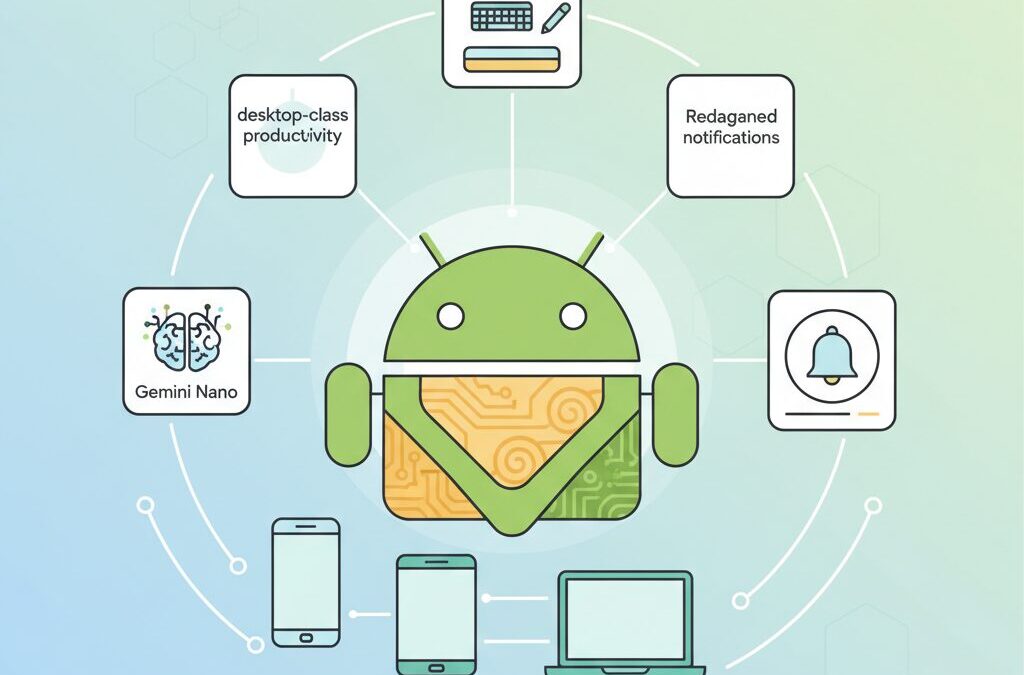
If you closely follow smartphones, tablets, and emerging mobile technologies, Android 16 is not just another annual update for you.
With its earlier-than-usual release, deep on-device AI integration, and a serious push toward desktop-class productivity, Android 16 signals a clear change in how Google envisions the future of mobile computing.
This article helps you understand why Android 16 matters beyond new features, and how it reshapes everyday user experiences, developer strategies, and even competition with iOS.
You will discover how redesigned notifications reduce daily friction, how desktop windowing challenges traditional PCs, and how Gemini Nano brings advanced AI directly onto your device without relying on the cloud.
We also explore real-world impacts, including hardware requirements, security architecture, and regional adaptations that influence how Android evolves across different markets.
By the end of this article, you will gain a clear, practical perspective on whether Android 16 represents a true turning point—and what it means for gadget enthusiasts who want to stay ahead of the curve.
- Why Android 16 Represents a Strategic Turning Point for Mobile OS Evolution
- A Faster Release Cycle: How the Q2 Major Update Changes the Android Ecosystem
- Redefining Notifications: Cooldown Controls and Progress-Centric Experiences
- Material 3 Expressive: How Design, Motion, and Haptics Shape Daily Interaction
- Desktop Windowing Comes of Age: Android’s Direct Challenge to Traditional PCs
- On-Device AI with Gemini Nano: Practical Benefits and Hardware Realities
- Security at the OS Core: Advanced Protection and Privacy by Design
- Health, Audio, and Connectivity: Why Android 16 Expands Beyond Smartphones
- Android 16 vs iOS: Where Customization, Productivity, and AI Truly Differ
- 参考文献
Why Android 16 Represents a Strategic Turning Point for Mobile OS Evolution
Android 16 marks a clear strategic inflection point rather than a routine generational update, and this shift is best understood through Google’s deliberate restructuring of how a mobile OS evolves in a mature market. With the official release in June 2025, Google abandoned the long‑standing late‑summer cadence, signaling a move toward tighter synchronization between software, hardware launches, and developer readiness. According to Google’s Android Developers Blog, this change was designed to reduce ecosystem friction and accelerate real‑world adoption, especially as innovation cycles shorten in the AI era.
The most consequential move lies in the redefinition of the release and API model. Android 16 introduces a two‑phase SDK strategy that separates behavior‑changing APIs from additive features, fundamentally altering how developers plan, test, and ship apps. This structure improves predictability while allowing Google to inject new capabilities, particularly AI‑driven ones, without destabilizing existing applications.
| Release Phase | Timing | Strategic Role |
|---|---|---|
| Major API Release | Q2 | Behavior changes and compatibility baseline |
| Feature Expansion | Q4 | New APIs without breaking existing apps |
Another strategic signal is the deep integration of on‑device AI into the OS core. Gemini Nano is not positioned as a standalone feature but as infrastructure, enabling system‑level intelligence such as summarization and contextual assistance without cloud dependency. Google has emphasized that this architecture responds to growing privacy expectations while maintaining performance, a stance echoed in analyses by Google DeepMind researchers.
Android 16 therefore represents a shift from feature accumulation to platform governance. By redesigning release timing, API stability, and intelligence at the OS level, Google positions Android not merely as a smartphone OS, but as a long‑term computing foundation adaptable to phones, foldables, tablets, and emerging form factors.
A Faster Release Cycle: How the Q2 Major Update Changes the Android Ecosystem
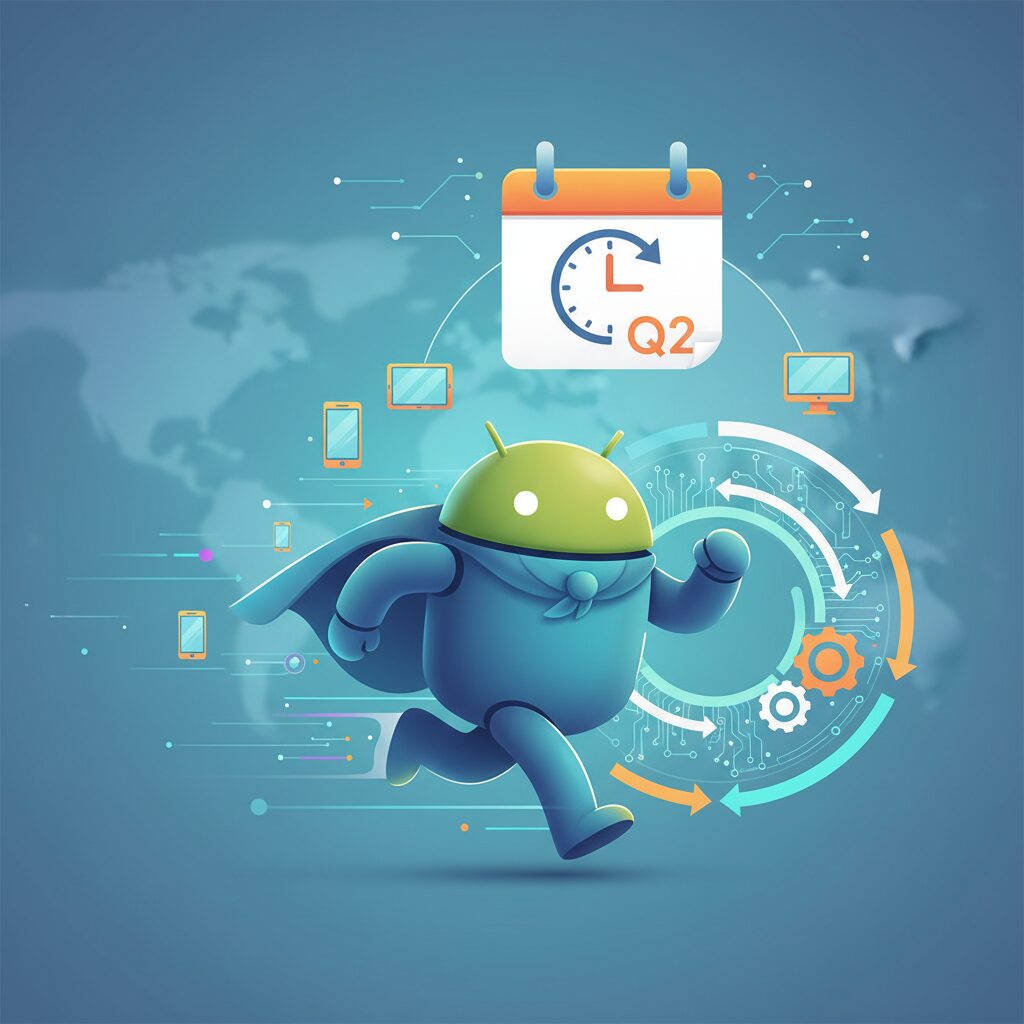
The shift to a faster, Q2-centered release cycle with Android 16 fundamentally changes how the Android ecosystem moves, reacts, and competes. For more than a decade, major Android versions typically arrived in late summer or early fall, closely tied to Pixel launches and leaving OEMs and developers racing against the calendar. By delivering Android 16 as a full major release in June 2025, Google effectively rewired that rhythm, prioritizing ecosystem-wide synchronization over tradition.
This earlier timing shortens the gap between platform innovation and real-world hardware availability. According to the Android Developers Blog, the goal is not simply speed, but alignment: aligning OS readiness with flagship device launches across multiple manufacturers, not just Google’s own Pixel line. As a result, OEMs such as Samsung, Sony, and Sharp gained earlier access to stable APIs, allowing Android 16-based devices to ship closer to launch day with fewer compromises.
| Aspect | Previous Cycle | Android 16 Q2 Cycle |
|---|---|---|
| Major release timing | Q3–Q4 | Q2 |
| OEM prep window | Compressed | Extended |
| API stability | Late summer | Early spring |
The faster cadence also introduces a more predictable development environment through a dual-SDK model. Android 16 is the only 2025 update that introduces behavior-changing APIs, while a later Q4 feature drop adds new capabilities without breaking existing apps. Google engineers have emphasized that this separation reduces risk for developers, who can focus compatibility testing into a single, clearly defined window rather than bracing for surprises throughout the year.
For app developers, predictability translates directly into lower cost and faster innovation. Research shared at Google I/O and reinforced by documentation on developer.android.com highlights that earlier platform stability enables teams to adopt new APIs weeks or months sooner. This is especially relevant for AI-related features, where timing can define competitive advantage in crowded app categories.
From the OEM perspective, the accelerated cycle is both an opportunity and a stress test. While companies like Samsung publicly welcomed the earlier release as a way to streamline One UI integration, early builds revealed the pressure placed on region-specific features. In Japan, for example, the compressed customization timeline contributed to initial FeliCa-related instability, underscoring that speed amplifies both efficiency and risk when local requirements are complex.
Industry analysts quoted by outlets such as ZDNET and Google’s own platform blog frame this move as a strategic response to intensifying competition with iOS. Apple’s tightly controlled annual schedule has long given it an advantage in polish and coordination. By moving Android’s major update to Q2, Google gains more room to iterate, patch, and refine before the peak hardware sales season, rather than after it.
Ultimately, the faster release cycle repositions Android as a continuously evolving platform rather than a once-a-year event. Instead of a single, high-pressure launch moment, Android 16 establishes a rolling model where the ecosystem can absorb change earlier, respond faster, and deliver mature experiences by the time devices reach consumers’ hands.
Redefining Notifications: Cooldown Controls and Progress-Centric Experiences
In Android 16, notifications are no longer treated as simple interruptions but as experiences that respect human attention. The redesign focuses on reducing cognitive overload while preserving informational value, a balance that has been a long‑standing challenge in mobile UX research. According to Google’s Android Developers Blog, excessive notification alerts are one of the primary reasons users disable notifications entirely, which ultimately harms both usability and app engagement.
The introduction of Notification Cooldown represents a system‑level acknowledgment that not all alerts deserve equal urgency. When multiple notifications arrive in rapid succession from the same app, Android 16 dynamically lowers alert volume and vibration intensity. This happens automatically, without silencing the notifications themselves, allowing users to stay informed without being audibly overwhelmed.
This approach aligns closely with findings from human–computer interaction studies at institutions such as MIT Media Lab, which have shown that repetitive auditory stimuli significantly reduce task focus and increase stress. Rather than forcing users to manually configure complex notification rules, Android 16 applies adaptive moderation that fades into the background.
| Scenario | Before Android 16 | With Cooldown Enabled |
|---|---|---|
| Group chat bursts | Constant sound and vibration | Gradually softened alerts |
| Social media reactions | Repeated interruptions | Notifications remain visible but quieter |
While early builds revealed edge‑case bugs, as reported by ZDNET and confirmed by community feedback, Google’s stance has been clear: attention is a finite resource. The system now actively protects it, rather than assuming users will self‑manage perfectly.
Equally transformative is the shift toward Progress‑centric Notifications. Instead of fragmented alerts that force users to open apps repeatedly, Android 16 introduces notifications designed around start‑to‑end journeys. Ride‑hailing, food delivery, and travel updates are displayed as evolving states, visually communicating where the user currently stands.
This progress‑first philosophy reduces what UX experts call “context switching cost.” By seeing progress at a glance on the lock screen or notification shade, users remain oriented without breaking focus. Google Developers describe this as prioritizing user‑initiated flows, ensuring that notifications support tasks rather than disrupt them.
Industry observers have noted parallels with Apple’s Live Activities, yet Android’s implementation emphasizes developer flexibility. Through Notification.ProgressStyle, apps define milestones and transitions, resulting in notifications that feel less like alerts and more like dashboards.
From a marketing and engagement perspective, this redesign is significant. When notifications communicate progress instead of urgency, trust increases. Users are less likely to disable alerts wholesale, which benefits service‑driven apps relying on timely updates. Research published by Google’s UX teams consistently shows that clarity and predictability outperform sheer frequency.
Android 16 ultimately reframes notifications as companions rather than distractions. Cooldown controls quiet the noise, while progress‑centric experiences replace fragmentation with narrative. For gadget enthusiasts who value both control and elegance, this evolution marks one of the most thoughtful refinements in Android’s notification history.
Material 3 Expressive: How Design, Motion, and Haptics Shape Daily Interaction

Material 3 Expressive in Android 16 is not a cosmetic refresh but a deliberate attempt to reshape how daily interactions feel, respond, and emotionally resonate with users. Google positions this evolution as a response to years of UX research indicating that clarity alone is no longer sufficient; interfaces must communicate state, intention, and feedback in ways the human brain intuitively understands. According to Google’s Android design team, motion and tactile feedback now play a central role in reducing cognitive load during frequent micro-interactions.
The most visible change appears in motion design, where transitions are no longer purely functional but explanatory. When a panel expands, collapses, or hands control to another surface, the animation clearly shows where the content comes from and where it goes. Research referenced by Google Design highlights that spatially consistent motion can improve task comprehension and reduce mis-taps, especially in one-handed use scenarios common on large smartphones.
| Design Element | Previous Approach | Material 3 Expressive |
|---|---|---|
| UI Motion | Minimal, decorative | State-explanatory, spatial |
| Haptics | Binary vibration | Context-aware, granular |
| Visual Language | Neutral consistency | Bold, expressive emphasis |
Haptics are where Material 3 Expressive quietly transforms everyday use. The new Haptic Sliders introduce finely stepped tactile feedback that mirrors physical controls such as audio mixers or camera dials. This design is grounded in human–computer interaction studies showing that multi-level haptic cues improve precision and confidence, particularly when users adjust settings without looking at the screen.
Visual expressiveness also serves accessibility and speed. Dual-tone icons improve contrast recognition, addressing long-standing criticism of themed icons becoming indistinguishable. Combined with larger touch targets and shape-driven hierarchy, users can parse interfaces faster at a glance, a benefit echoed by usability experts cited in Android Developers documentation.
Ultimately, Material 3 Expressive succeeds because design, motion, and haptics operate as a single system. Each swipe, tap, and adjustment now delivers visual and physical confirmation that reinforces user intent. Rather than demanding attention, the interface fades into a natural extension of the hand, redefining what “intuitive” interaction means in everyday Android use.
Desktop Windowing Comes of Age: Android’s Direct Challenge to Traditional PCs
Android 16 marks a clear turning point where desktop windowing finally feels mature enough to be taken seriously as a PC alternative. What was once a hidden developer option has evolved into a practical, user-facing environment that closely resembles the workflows long associated with Windows and macOS. According to Google’s Android Developers Blog, the goal is not to replace traditional PCs outright, but to let mobile hardware scale naturally into larger screens without friction.
The most striking change is how naturally multiple windows now behave. Apps can be freely resized, snapped to screen edges, and layered without the awkward constraints seen in earlier Android experiments. When a smartphone or tablet is connected to an external display, the experience no longer feels like simple screen mirroring. Instead, it becomes a true desktop session, complete with a persistent taskbar and independent app instances.
| Aspect | Android 16 Desktop Windowing | Traditional PC OS |
|---|---|---|
| Window control | Resizable, snap-to-edge, multi-instance | Fully mature |
| Hardware dependency | Smartphone or tablet-based | Dedicated PC hardware |
| Setup complexity | Single cable or wireless display | Fixed workstation |
Industry observers have noted that this approach directly challenges long-standing assumptions about productivity computing. Analysts cited by Android Open Source Project documentation emphasize that modern mobile SoCs already rival entry-level laptop CPUs in raw performance. Android 16 leverages this reality by reducing software barriers rather than chasing higher clock speeds.
Another important step forward is consistency. Because desktop windowing is now part of the core OS, manufacturers no longer need proprietary layers to enable it. This is why comparisons with Samsung DeX are inevitable. Early hands-on reports suggest that Android 16 delivers a similar foundation, but with broader device availability and fewer ecosystem lock-ins.
In practical terms, Android is no longer asking users to choose between mobile convenience and desktop productivity. With Android 16, it politely invites them to use the same device for both, simply by changing the screen in front of them. This quiet confidence, rather than flashy features, is what makes desktop windowing truly come of age.
On-Device AI with Gemini Nano: Practical Benefits and Hardware Realities
On-device AI with Gemini Nano in Android 16 is not designed as a flashy headline feature, but as a quiet, constantly working layer that changes how a smartphone feels in daily use. Because Gemini Nano is integrated into the OS core via AICore, tasks such as notification summarization, smart replies, and context-aware suggestions are processed locally, without sending data to the cloud. According to Google’s Android Developers Blog, this architectural decision reduces latency to milliseconds and enables AI features to function even in airplane mode or poor connectivity environments.
The most immediate practical benefit is responsiveness. When summarizing a long message thread or generating an inline reply, Gemini Nano operates directly on-device, avoiding round-trip delays to remote servers. In internal benchmarks shared by Google DeepMind, local inference for short-text generation completes significantly faster than cloud-based requests under mobile network conditions. For users, this translates into AI that feels instant rather than interruptive.
Another key advantage is privacy. Because personal messages, images, and contextual signals never leave the device, sensitive data remains within the secure hardware boundary. Security researchers referenced in Google’s security blog have repeatedly pointed out that on-device processing drastically reduces exposure to data interception and server-side breaches. This makes features like message drafting or photo-based suggestions more acceptable in professional and regulated environments.
| Aspect | On-Device Gemini Nano | Cloud-Based AI |
|---|---|---|
| Latency | Near-instant, local inference | Network-dependent delays |
| Privacy | Data stays on device | Data transmitted to servers |
| Offline Use | Available | Unavailable |
However, these benefits come with clear hardware realities. Gemini Nano is lightweight compared to cloud-scale models, but it still requires substantial memory bandwidth and a capable NPU. Google engineers have indicated that devices with at least 12GB of RAM and modern neural accelerators deliver consistently stable performance. On mid-range hardware, AI tasks may be limited to simpler text operations or executed less frequently to preserve battery life.
Battery impact is another practical consideration. While local processing avoids radio usage, sustained AI inference can stress the SoC. Android 16 mitigates this through intelligent scheduling, running Gemini Nano tasks during low-power states or batching requests. Early Pixel 9 series measurements reported by Android Authority show no significant daily battery regression, but older or thermally constrained devices may experience throttling under heavy AI workloads.
In real-world scenarios, the value of on-device AI is not about replacing cloud intelligence, but about complementing it. Quick summaries, smart edits, and contextual nudges feel natural because they happen instantly and privately. Gemini Nano does not try to be everything; it focuses on what benefits most from being local. This balance between capability and hardware constraint defines Android 16’s AI strategy, grounding ambitious AI promises in the physical limits of mobile devices.
Security at the OS Core: Advanced Protection and Privacy by Design
Security in Android 16 is no longer treated as a collection of optional features but as a fundamental property of the operating system itself. Google describes this shift as protection built directly into the OS core, and the most visible expression of that philosophy is the OS-level integration of Advanced Protection Mode. **This is a decisive move from reactive security toward proactive, default-deny defense**, designed for an era of highly targeted and well-funded attacks.
Advanced Protection Mode, previously limited to Google account settings, is now enforced system-wide. According to Google’s security engineering team, this change was driven by real-world incident analysis showing that account security alone is insufficient when device-level exploits are involved. Once enabled, the device aggressively reduces its attack surface, prioritizing integrity over convenience.
| Protection Layer | OS-Level Behavior | Security Impact |
|---|---|---|
| App Installation | Sideloading fully blocked | Prevents zero-day malware delivery |
| USB Interface | Data access disabled when locked | Mitigates juice jacking attacks |
| Memory Safety | ARM MTE auto-enabled | Stops memory corruption exploits |
One of the most technically significant additions is automatic activation of ARM Memory Tagging Extension on supported hardware. Research published by Google’s Project Zero has shown that memory safety issues account for the majority of severe Android vulnerabilities, and MTE directly targets this class of attacks at the hardware level. **This makes entire exploit chains dramatically harder to weaponize**, even if a bug exists.
Privacy protections also advance through the expanded SDK Runtime. By isolating third-party SDKs in sandboxed processes, Android 16 prevents advertising or analytics components from inheriting full app privileges. Security researchers have long warned about SDK overreach, and Google’s own analysis confirms this as a major vector for data leakage. With SDK Runtime, the OS itself becomes the privacy boundary, not developer goodwill.
Looking ahead, Google has confirmed the rollout of encrypted intrusion logging for forensic analysis. This feature acknowledges a hard truth in modern security: prevention alone is not enough. **Android 16 is designed not only to resist attacks, but to make them observable, attributable, and ultimately defensible.**
Health, Audio, and Connectivity: Why Android 16 Expands Beyond Smartphones
Android 16 makes it clear that the platform is no longer designed only around smartphones, and this shift becomes especially visible in health, audio, and connectivity features. These areas quietly redefine Android as a daily-life infrastructure, extending its role into healthcare systems, public spaces, and assistive technologies. **The OS is positioning itself as something people rely on beyond screens and apps**, and this intention is backed by concrete technical changes.
In health, Android 16 significantly upgrades Health Connect from a fitness-data hub into a foundation for personal health records. By supporting the FHIR international standard for medical data exchange, Android devices can now handle vaccination records, lab results, prescriptions, and allergy information in a structured and interoperable way. According to Android Developers documentation, this allows medical institutions and consumer health apps to share data without proprietary formats, reducing fragmentation that has long plagued digital healthcare.
| Data Type | Handled via Health Connect | User Control Level |
|---|---|---|
| Vaccination records | FHIR-compatible medical data | Item-level permission |
| Lab test results | Standardized numerical records | Read-only or shareable |
| Fitness and sleep | Existing health metrics | App-by-app control |
This matters because medical data is highly sensitive. Android 16 introduces fine-grained permissions that let users decide exactly which app can access which category of medical information. **This level of control aligns with guidance from healthcare IT standards bodies**, and it lowers the psychological barrier to storing medical records on a personal device. Practical use cases are already emerging, such as combining hospital lab data with Fitbit activity logs to provide context-aware health insights.
Audio is another domain where Android 16 expands beyond personal devices into shared environments. Full support for Bluetooth LE Audio and Auracast enables one-to-many audio broadcasting. Instead of pairing a phone to a single headset, users can tune into nearby audio streams in airports, gyms, museums, or conferences. Google explains that Auracast is designed to replace dedicated audio guide hardware, allowing people to use their own phones and earbuds.
The accessibility implications are particularly important. Auracast can transmit audio directly to compatible hearing aids, reducing background noise and improving clarity. **Hearing-access research has long shown that direct audio feeds improve comprehension**, and Android 16 brings this capability to mainstream consumer devices. For supported phones like recent Pixel and Galaxy models, even the smartphone’s microphone can act as a portable assistive listening system.
Connectivity improvements tie these experiences together. Android 16 integrates Auracast discovery into system settings, using interfaces similar to Wi‑Fi selection or QR code scanning. This design choice reduces friction and signals that public audio streams are meant to be as normal as connecting to a network. According to Google’s platform team, this approach anticipates environments where digital connectivity is ambient rather than device-centric.
**Taken together, health data integration, broadcast audio, and smarter connectivity show why Android 16 moves beyond the smartphone mindset.** The OS increasingly acts as a bridge between personal devices and public or institutional systems, quietly embedding Android into everyday infrastructure. For gadget enthusiasts, this evolution may feel less flashy than UI changes, but it represents one of the most meaningful expansions of Android’s role to date.
Android 16 vs iOS: Where Customization, Productivity, and AI Truly Differ
When comparing Android 16 and iOS, the differences in customization, productivity, and AI integration become especially clear, and this contrast defines how each platform serves power users. Android 16 continues to emphasize user control, while iOS prioritizes consistency and predictability. According to Google’s official Android Developers Blog, this philosophical gap has widened rather than narrowed in the latest generation.
Customization remains Android’s most visible advantage. With Material 3 Expressive, users can adjust color systems, icon styles, haptics, and even lock screen layouts at a system-wide level. iOS has expanded home screen freedom since iOS 18, but Apple still restricts launchers and deep UI theming, which limits how far personalization can go.
| Aspect | Android 16 | iOS |
|---|---|---|
| UI Customization | System-wide theming, launcher freedom | Limited layout and color options |
| Productivity | Desktop windowing, flexible multitasking | App-focused multitasking |
| On-device AI | Gemini Nano deeply integrated | Selective, app-level AI features |
Productivity tells a similar story. Android 16’s desktop windowing allows multi-window workflows that feel closer to a PC, especially on external displays. Industry analysts at ZDNET note that iOS still lacks an equivalent experience on iPhone, relying instead on app-by-app optimizations.
AI integration may be the most meaningful divergence. Android 16 embeds Gemini Nano at the OS core, enabling offline summarization, image generation, and contextual assistance without sending data to the cloud. Apple’s approach remains more conservative, focusing on tightly scoped AI features. This makes Android 16 feel experimental and empowering, while iOS feels refined but intentionally restrained.
参考文献
- Android Developers Blog:Android 16 is here
- Wikipedia:Android 16
- ZDNET:This Android 16 feature solved my biggest problem with phone notifications
- Droid Life:Android 16’s Secret Desktop Mode is Looking Slick Here
- Google Blog:LE Audio Auracast support expands to more Android devices
- Android Police:Health Connect is adding support for medical records in Android 16