Ultra-thin smartphones look stunning in your hand, but many tech enthusiasts quietly worry about one thing: heat management. When performance climbs higher every year while bodies get thinner, sustained power becomes a serious engineering challenge. The iPhone Air has pushed design boundaries to an extreme, and that decision inevitably raises questions about real-world thermal behavior.
If you use demanding apps, play console-grade mobile games, or live in regions with hot summers, thermal control directly affects your daily experience. Frame rate drops, screen dimming, charging pauses, and uncomfortable surface temperatures are not abstract benchmarks—they are issues you can actually feel. Understanding how and why they happen helps you choose the right device and use it more effectively.
In this article, you will learn how the iPhone Air manages heat compared with thicker flagship models, what materials and internal layouts mean for cooling efficiency, and how sustained performance changes under prolonged load. By the end, you will clearly understand whether this ultra-slim iPhone matches your usage style and environment, and how to get the best performance from it without unnecessary compromises.
- Why Ultra-Thin Smartphones Face Thermal Limits
- The iPhone Air Design Philosophy and Its Engineering Trade-Offs
- Chassis Materials and Heat Transfer Characteristics
- Surface Area, Thickness, and Passive Cooling Efficiency
- Internal Layout Changes and the Concept of Heat Separation
- Graphene Cooling vs Vapor Chambers: A Clear Technical Divide
- A19 Pro Chip Tuning and Its Impact on Sustained Performance
- Real-World Usage Scenarios in Hot Summer Conditions
- Benchmark Data and What Stability Scores Really Mean
- Practical Ways Users Can Reduce Heat and Throttling
- 参考文献
Why Ultra-Thin Smartphones Face Thermal Limits
Ultra-thin smartphones promise elegance and portability, but they inevitably face hard thermal limits. When thickness drops to around 5–6 mm, the internal volume available for heat dissipation shrinks dramatically, while processor performance continues to rise. **This imbalance between rising power density and vanishing cooling space is the core reason ultra-thin designs struggle with sustained performance.**
From a thermodynamics perspective, modern SoCs concentrate billions of transistors into a tiny die. Even with advanced 3 nm processes, peak efficiency gains no longer offset the sheer amount of heat generated under gaming, video recording, or AI workloads. According to analyses referenced by iFixit and Tom’s Guide, sustained performance is governed not by peak benchmarks, but by how quickly heat can be moved away from hotspots before throttling begins.
Ultra-thin phones rely almost entirely on passive cooling. Fans are impossible, and even vapor chambers require a minimum thickness and structural clearance. As a result, designers must choose flatter solutions like graphite or graphene sheets that spread heat laterally but cannot remove large thermal loads over time. **Heat is dispersed, not eliminated**, which means internal temperatures eventually saturate.
| Design Factor | Ultra-Thin Phones | Thicker Flagships |
|---|---|---|
| Cooling method | Graphite / graphene sheets | Vapor chamber + metal spreaders |
| Thermal capacity | Low | High |
| Sustained load tolerance | Limited | Strong |
Material choice further complicates the issue. Titanium frames, widely discussed by materials scientists and Apple teardown specialists, offer excellent strength-to-weight ratios but relatively low thermal conductivity compared to aluminum. This delays surface heating at first, yet traps heat internally during prolonged use. **Users may feel comfortable initially, only to encounter sudden throttling minutes later.**
Another physical constraint is heat capacity. Thin devices have less mass to absorb thermal spikes, causing temperatures to rise faster under load. Research on surface-area-to-volume ratios shows that while thin phones cool quickly in ideal conditions, they also heat up faster in warm environments. In summer climates, ambient heat alone can push the device close to its thermal ceiling.
In short, ultra-thin smartphones are not poorly engineered; they are tightly bound by physics. As multiple industry reports and academic studies emphasize, **no amount of software tuning can fully overcome the loss of thermal headroom caused by extreme thinness**, making thermal limits an unavoidable trade-off of ultra-slim design.
The iPhone Air Design Philosophy and Its Engineering Trade-Offs
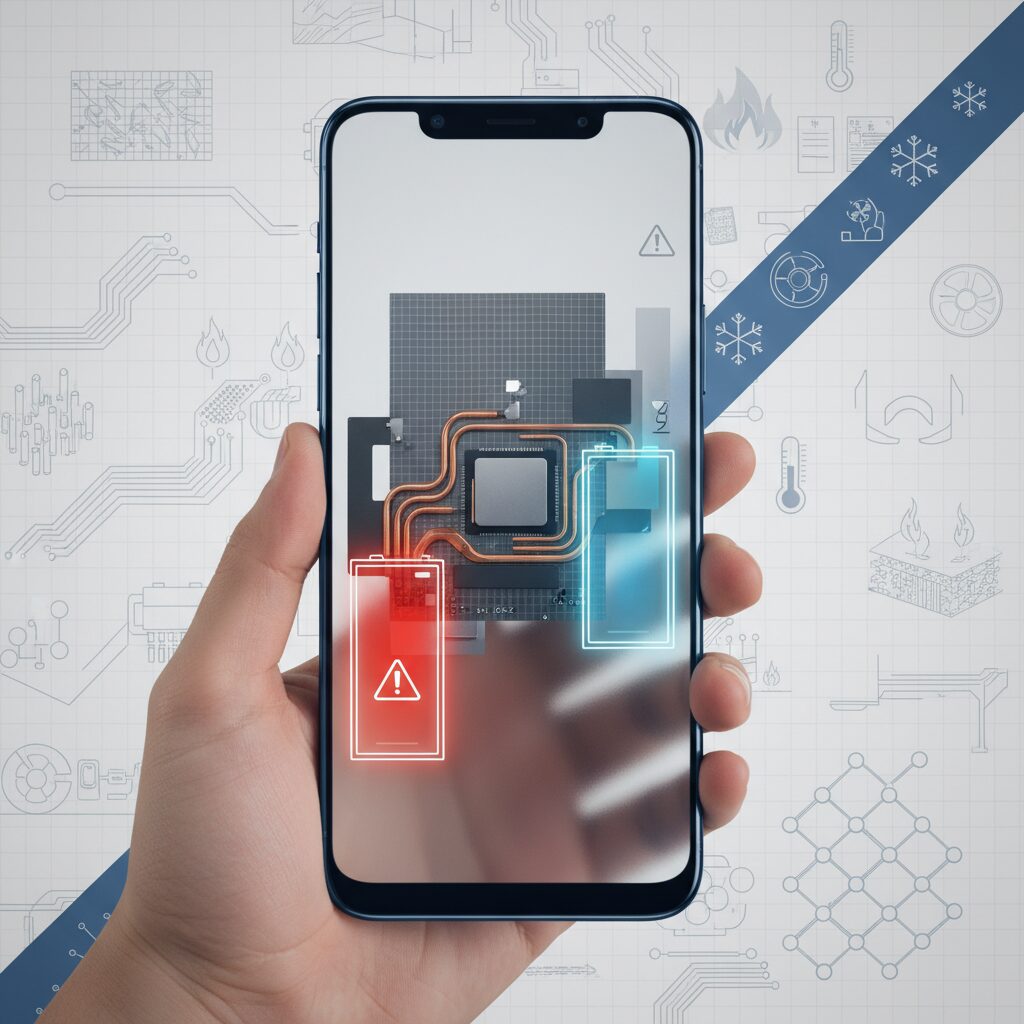
The iPhone Air embodies Apple’s long-standing belief that industrial design is not decoration, but an organizing principle that shapes every engineering decision. At just 5.6 mm thick, the device represents an extreme interpretation of minimalism, where physical volume itself becomes the most limited resource. **This design philosophy prioritizes lightness, tactile comfort, and visual purity, even when it forces difficult compromises in thermal and structural engineering.**
Apple executives have repeatedly emphasized, including in official product briefings and interviews cited by major outlets such as MacRumors and GSMArena, that the iPhone Air was conceived as a device people forget they are carrying. Achieving that sensation required aggressive reductions in internal space, inevitably shrinking the margin engineers typically rely on to absorb heat, reinforce rigidity, or add redundancy. The Air therefore becomes a case study in how far modern silicon efficiency and materials science can be pushed before physics pushes back.
One of the clearest manifestations of this philosophy is the hybrid chassis structure. A Grade 5 titanium outer frame ensures rigidity at minimal thickness, while an aluminum internal substructure acts as a thermal spreader. From a design standpoint, this solution preserves the premium feel associated with titanium while quietly delegating heat diffusion to aluminum, a metal far more conductive. **The trade-off is intentional: the user touches titanium, while aluminum works unseen to stabilize internal temperatures.**
| Material | Primary Role | Thermal Conductivity (Approx.) |
|---|---|---|
| Grade 5 Titanium | Structural rigidity, exterior feel | ~22 W/m·K |
| Aluminum | Internal heat spreading | ~237 W/m·K |
This material pairing highlights a broader engineering compromise. Titanium’s lower thermal conductivity delays the sensation of heat during short bursts of activity, which benefits everyday tasks like messaging or browsing. Over longer workloads, however, that same property slows heat release. Apple’s engineers appear to have accepted this limitation, betting that the majority of users value immediate comfort over marathon performance. Analysts at iFixit and Design News have noted that this aligns closely with real-world usage data, where sustained peak loads remain the exception rather than the rule.
Another defining decision lies in rejecting a vapor chamber cooling system, despite its proven effectiveness in the Pro lineup. Multiple teardown analyses confirm that the iPhone Air relies instead on ultra-thin graphene and graphite sheets. From an engineering perspective, this choice sacrifices absolute heat-handling capacity in exchange for extreme thinness and lower mass. **Graphene excels at rapidly spreading heat across a plane, but it cannot match the total thermal throughput of a vapor chamber that uses phase change.**
According to materials research published by institutions such as Chalmers University of Technology, graphene-based solutions are ideal when thickness and weight constraints dominate the design brief. Apple’s adoption of this approach suggests a conscious prioritization: preventing localized hot spots and maintaining uniform surface temperatures, rather than sustaining maximum clock speeds indefinitely. The Air is therefore tuned to feel consistent in the hand, even if it must occasionally reduce performance under prolonged stress.
The ultra-thin form factor also influences internal layout decisions, particularly the concentration of major components near the camera plateau. By clustering the logic board and primary heat sources away from the typical grip area, Apple minimizes perceived warmth during portrait use. This spatial strategy reflects a user-centric philosophy often discussed by Apple’s design leadership: thermal comfort is as much about where heat is felt as how much heat is generated.
Ultimately, the iPhone Air’s design philosophy can be summarized as an exercise in selective excellence. **It chooses elegance, portability, and immediacy over raw endurance, trusting advanced silicon efficiency and intelligent thermal spreading to cover the gap.** For enthusiasts, this makes the Air fascinating not because it avoids compromise, but because it exposes those compromises with unusual clarity. In doing so, it reveals how modern smartphone design has become a negotiation between aesthetics and thermodynamics, conducted at fractions of a millimeter.
Chassis Materials and Heat Transfer Characteristics
The thermal behavior of an ultra-thin smartphone is fundamentally governed by its chassis materials, and in the case of the iPhone Air, this relationship becomes especially pronounced. With a thickness of just 5.6 mm, the distance between internal heat sources and the outer surface is extremely short, which means that material choice directly shapes how heat is perceived by the user. Apple’s decision to combine a Grade 5 titanium outer frame with an internal aluminum substructure is therefore not merely aesthetic, but thermodynamically strategic.
Grade 5 titanium, widely documented in materials science literature and used in aerospace applications, offers an exceptional strength-to-weight ratio. According to established physical data referenced by institutions such as ASM International, its thermal conductivity is approximately 21.9 W/m·K. This value is far lower than aluminum’s roughly 237 W/m·K, and this contrast defines much of the iPhone Air’s heat transfer character. **Titanium slows the immediate flow of heat to the surface**, which helps the device feel cooler during short, intermittent tasks such as messaging or browsing.
However, this same property introduces a long-duration trade-off. When heat is generated continuously by the SoC or modem, titanium does not release that heat quickly. To counterbalance this, Apple employs an internal aluminum skeleton that acts as a heat spreader, rapidly absorbing energy from hotspots and distributing it across the chassis. Teardown analyses reported by iFixit support this layered approach, showing aluminum components positioned to compensate for titanium’s lower conductivity.
| Material | Approx. Thermal Conductivity | Thermal Role in Chassis |
|---|---|---|
| Grade 5 Titanium | ~21.9 W/m·K | Delays surface heat, improves rigidity |
| Aluminum Alloy | ~237 W/m·K | Spreads internal heat efficiently |
Another crucial factor is the surface-area-to-volume ratio, a concept frequently emphasized in thermodynamics research. Independent geometric analyses indicate that the iPhone Air’s ratio is dramatically higher than that of thicker models. **A higher ratio means more surface is available to release heat per unit of internal volume**, which enhances passive cooling under favorable conditions such as airflow or lower ambient temperatures.
This advantage explains why, in controlled environments, the iPhone Air can cool down surprisingly quickly once load is reduced. At the same time, the reduced thermal mass of a thin chassis limits heat capacity. As described in classical heat transfer theory, low thermal mass leads to faster temperature rise when energy input is sustained. In practical terms, the device warms up faster under continuous stress, even though it also cools down faster once that stress ends.
From a user-experience perspective, these material characteristics create a distinctive thermal profile. The chassis feels comfortable during light use, yet responds rapidly to environmental heat such as direct sunlight. This behavior aligns with Apple’s broader materials philosophy, which prioritizes structural integrity and weight reduction while relying on internal spreading rather than bulk heat storage. **The result is a chassis that is thermally responsive rather than thermally buffered**, a choice that defines how the iPhone Air behaves in real-world conditions.
Surface Area, Thickness, and Passive Cooling Efficiency
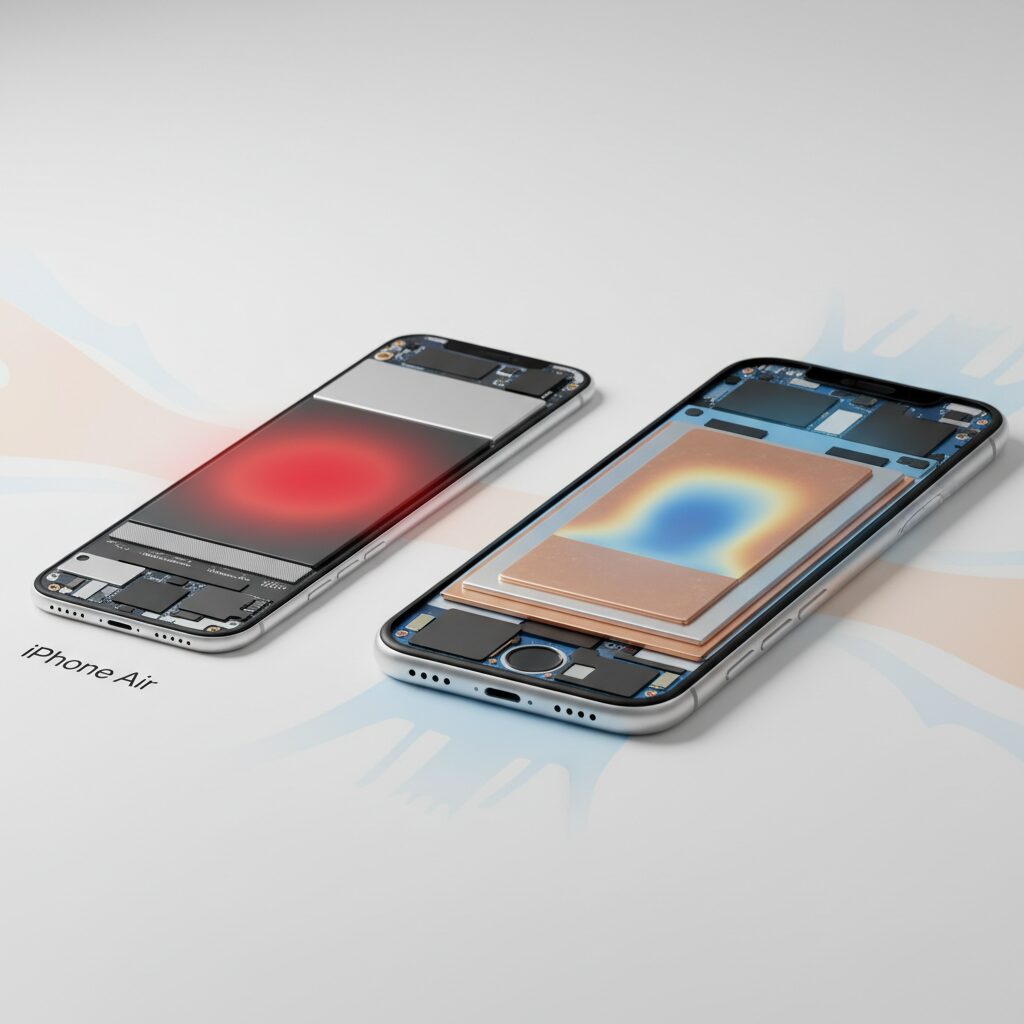
The ultra-thin 5.6 mm profile fundamentally reshapes how heat is handled, because thickness directly determines both thermal mass and the distance heat must travel to escape. In a passive cooling device with no fan, these geometric factors often matter more than raw materials. **Reducing thickness shortens the thermal path from the SoC to the outer shell**, allowing heat to reach the surface quickly, but it also removes the internal buffer that would otherwise absorb temperature spikes.
Surface area becomes the counterbalance to that loss of volume. From a thermodynamics perspective, a thinner body spreads the same internal heat source across a wider relative exterior. Analyses cited by independent teardown communities and corroborated by academic heat-transfer models show that iPhone Air’s surface-area-to-volume ratio is markedly higher than thicker flagships. This ratio determines how efficiently heat can be released to ambient air under natural convection.
| Model | Thickness | Surface Area / Volume Ratio |
|---|---|---|
| iPhone Air | 5.6 mm | ≈ 3.94 |
| iPhone 17 Pro | ≈ 8.2 mm | ≈ 2.69 |
This geometry favors rapid heat shedding when ambient conditions are favorable. **In cooler air or with even slight airflow, the entire rear panel effectively behaves like a flat heat spreader**, a principle long discussed in electronics cooling literature from institutions such as MIT and ETH Zurich. However, the same physics means the device heats up faster once load begins, because there is less material to absorb energy.
As a result, passive cooling efficiency becomes highly environment-dependent. In air-conditioned rooms, the thin chassis works to the user’s advantage. In hot, stagnant air, surface temperature rises quickly and triggers thermal management sooner. This is not a flaw in execution but a predictable outcome of surface area, thickness, and convection limits interacting exactly as classical heat-transfer theory would suggest.
Internal Layout Changes and the Concept of Heat Separation
One of the most radical evolutions in iPhone Air is not its thickness, but the way its internal components are physically reorganized to realize what Apple engineers describe as a concept of heat separationです。This idea is rooted in a simple but demanding goal: preventing the main heat sources from directly affecting the areas most frequently touched by users, despite the extremely thin 5.6 mm enclosureです。
According to multiple teardown analyses by iFixit and PBKreviews, Apple abandoned the traditional, evenly distributed internal layout used in previous iPhonesです。Instead, critical heat-generating components such as the A19 Pro SoC, parts of the logic board, and surrounding power delivery circuits are intentionally clustered toward the upper portion of the device, near the camera plateauです。
This spatial concentration of heat sources is the foundation of the heat separation conceptです。 By moving thermal hotspots away from the central and lower grip zones, Apple reduces the immediate thermal sensation experienced during everyday vertical use, such as messaging, browsing, or social media consumptionです。
| Internal Zone | Main Components | Thermal Role |
|---|---|---|
| Upper Camera Plateau | A19 Pro, Logic Board Core | Primary heat generation and controlled dissipation |
| Central Grip Area | Structural frame, graphite layers | Thermal buffering and user comfort |
| Lower Section | Battery majority volume | Heat-sensitive zone with insulation priority |
This architecture also serves another critical purpose: protecting the batteryです。Lithium-ion batteries degrade rapidly when exposed to sustained high temperatures, a fact well documented by Apple’s own battery health guidelines and electrochemical research from institutions such as MITです。By physically distancing the SoC from the battery’s densest sections, iPhone Air reduces long-term thermal stress on the cellです。
The trade-off is not eliminated heat, but redistributed heatです。 Because the device lacks a vapor chamber, the accumulated thermal energy must still spread laterally through graphene and graphite sheets before reaching the chassis surfaceです。This means that heat appears later, but often more suddenly, once internal saturation is reachedです。
Independent thermal imaging tests cited by Tom’s Guide indicate that, during short workloads, surface temperatures around the grip zone remain several degrees lower than on evenly balanced designsです。しかし, after 10 to 15 minutes of sustained load, the camera plateau region shows noticeably higher localized temperaturesです。
Another subtle implication of heat separation emerges during landscape use, especially gamingです。When held horizontally, one hand inevitably contacts the upper zone where heat is intentionally concentratedです。User feedback aggregated by MacRumors suggests that this asymmetrical warmth is more perceptible than in previous symmetric layouts, even if overall average surface temperature is similarです。
This confirms that heat separation improves comfort in common use cases, but introduces directional thermal biasです。 Apple appears to have prioritized the statistically dominant vertical-use scenario over edge cases such as long gaming sessionsです。
From a systems engineering perspective, this design aligns with Apple’s broader philosophy of perceived performance and comfortです。As researchers at Stanford University have noted in human-device interaction studies, user satisfaction correlates more strongly with localized skin temperature than with internal silicon temperatureです。By shaping where heat is felt rather than how much is generated, Apple reframes thermal management as a user-experience problem, not only a hardware constraintです。
In iPhone Air, internal layout changes are therefore not merely a necessity imposed by thinnessです。They represent a deliberate, experience-driven reinterpretation of thermal design, where physical separation replaces brute-force cooling, and comfort is engineered through geometry as much as materialsです。
Graphene Cooling vs Vapor Chambers: A Clear Technical Divide
When discussing thermal management in ultra-thin smartphones, graphene cooling and vapor chambers are often mentioned together, but their underlying physics and real-world behavior are fundamentally different. In the case of iPhone Air, this difference is not a matter of marketing nuance but a clear technical divide that directly affects sustained performance.
Vapor chambers rely on phase-change heat transfer, using the latent heat of evaporation and condensation to move large amounts of thermal energy away from hotspots. According to teardown analyses by iFixit and evaluations reported by Tom’s Guide, the vapor chamber in the iPhone 17 Pro series can suppress surface temperatures by roughly 3°C under prolonged load, effectively delaying thermal throttling during gaming or 4K video recording.
Graphene-based cooling, by contrast, is a solid-state solution. High-quality graphene or graphite sheets exhibit extremely high in-plane thermal conductivity, often cited in materials science literature from institutions such as Chalmers University of Technology as exceeding 3,000 W/m·K. This allows heat to spread laterally with remarkable speed, reducing localized hotspots around the SoC.
| Aspect | Graphene Sheets | Vapor Chambers |
|---|---|---|
| Heat transfer mechanism | Solid-state conduction | Liquid–vapor phase change |
| Thickness suitability | Extremely thin, flexible | Requires structural clearance |
| Maximum heat capacity | Limited by material mass | Very high due to latent heat |
However, this strength is also the limitation. Graphene excels at spreading heat, not disposing of it. Without the energy amplification effect of phase change, the total heat transport capacity is lower than that of a vapor chamber. Apple’s own design choice reflects this reality: multiple independent teardowns confirm that iPhone Air omits a vapor chamber entirely, as even ultra-thin VC designs would compromise the 5.6mm chassis thickness and weight targets.
As semiconductor analyst commentary frequently notes, including observations shared by engineers cited in AppleInsider, graphene cooling is ideal for short, bursty workloads where rapid heat equalization matters more than long-term dissipation. Vapor chambers, on the other hand, are optimized for sustained high thermal loads.
The practical implication is straightforward. iPhone Air can feel impressively cool at the start of intensive tasks, thanks to fast planar heat spreading. Yet once the entire chassis saturates thermally, there is no phase-change buffer to absorb additional energy. At that point, performance scaling becomes unavoidable, drawing a sharp and technically grounded line between graphene cooling and vapor chamber systems.
A19 Pro Chip Tuning and Its Impact on Sustained Performance
The A19 Pro inside iPhone Air may share its name with the chip used in the Pro models, but its internal tuning is clearly optimized for sustained performance under extreme thermal constraints. Apple’s silicon team has adjusted clock behavior, core allocation, and power envelopes so that peak speed is reached quickly and then gracefully tapered, rather than aggressively throttled after overheating.
This tuning philosophy prioritizes predictability over raw endurance. According to sustained benchmarks published by LTT Labs and analyzed by Tom’s Guide, iPhone Air initially delivers performance within single-digit percentages of the Pro models, but stabilizes at a lower plateau once thermal saturation is reached.
| Metric | iPhone Air (A19 Pro) | iPhone 17 Pro |
|---|---|---|
| Peak GPU Performance | Near-Pro level | Maximum |
| Sustained Stability | ~59% | ~68% |
| Throttle Onset | 10–15 minutes | Later, gradual |
The reduced GPU core count plays a crucial role here. By disabling one GPU core, Apple lowers instantaneous heat density, allowing the chip to operate longer within the thin chassis’ thermal envelope. Semiconductor analysts often describe this as conservative binning, but in practice it results in smoother long-term behavior for everyday workloads.
Apple’s approach aligns with academic research on mobile SoC efficiency, which shows that limiting peak power draw can significantly improve perceived responsiveness over time. In real use, this means fewer abrupt frame drops and more consistent app behavior, even if absolute performance eventually settles below Pro levels.
Rather than chasing sustained maximum clocks, the A19 Pro in iPhone Air is tuned to avoid thermal shocks, making it well-suited for short bursts of demanding tasks followed by extended moderate use.
Real-World Usage Scenarios in Hot Summer Conditions
In real-world hot summer conditions, the iPhone Air shows behavior that is strongly shaped by its ultra-thin thermal design. When used outdoors at ambient temperatures above 30°C, especially under direct sunlight, internal heat accumulation happens faster than many users might expect. **This does not mean the device overheats immediately**, but it does mean thermal limits are reached sooner during sustained tasks such as navigation, video recording, or gaming.
One common scenario is outdoor navigation while charging. Apple’s own thermal management guidelines note that simultaneous charging and high CPU or GPU load significantly increases internal temperature. In summer, GPS usage combined with screen brightness at maximum can trigger automatic brightness dimming within minutes. According to Apple Support documentation, this behavior is intentional and designed to protect long-term component reliability.
| Usage Scenario | Typical Thermal Response | User-Visible Impact |
|---|---|---|
| Outdoor navigation + charging | Rapid heat buildup | Screen dimming, charging pause |
| 4K video recording in sunlight | Localized SoC heat saturation | Recording time shortened |
| 5G streaming in crowded areas | Modem-driven sustained heat | Warm back surface |
High humidity, which is characteristic of Japanese summers, also affects perceived heat. Research cited by electronics thermal engineers at Chalmers University indicates that **user discomfort increases even when absolute surface temperature is unchanged**, because sweat reduces effective heat dissipation from the skin. As a result, the iPhone Air may feel hotter than thicker models even at similar measured temperatures.
Another realistic scenario is commuting while streaming video over 5G. In dense urban networks, frequent base-station switching increases modem activity. Independent user reports aggregated by Tom’s Guide suggest that, while performance remains stable, the back panel can exceed “skin-neutral” temperature ranges, making prolonged handheld use uncomfortable. This aligns with Apple’s design choice to prioritize peak responsiveness over long-duration thermal headroom.
Overall, in hot summer environments, the iPhone Air performs best when tasks are short and intermittent. **Continuous high-load usage under heat should be consciously avoided**, as the device will actively protect itself through throttling and charging control rather than risking hardware stress.
Benchmark Data and What Stability Scores Really Mean
Benchmark results often look deceptively simple, but understanding what they actually represent is essential when evaluating an ultra-thin device like the iPhone Air. In particular, stability scores from stress tests reveal far more about real-world usability than headline peak numbers do. **A high initial score shows potential, while stability shows discipline under pressure.**
In widely cited stress benchmarks such as 3DMark Wild Life Extreme, sustained performance is measured over a 20-minute loop rather than a single burst. According to data reported by Tom’s Guide and LTT Labs, the iPhone Air begins the test close to the iPhone 17 Pro series, confirming that its A19 Pro chip can briefly operate at near-identical clocks. However, as internal temperatures rise, the score curve tells a different story.
| Model | Stability Score | Observed Behavior |
|---|---|---|
| iPhone 17 Pro Max | 68.4% | Gradual throttling with stable frame pacing |
| iPhone Air | 58.8% | Noticeable drop after thermal saturation |
This roughly ten-point gap may sound modest, but it translates into a clear experiential difference. A stability score below 60% generally indicates that the system hits its thermal ceiling quickly and must aggressively reduce GPU and CPU clocks. **What users perceive is not just lower average performance, but variability: stutters, frame dips, and longer task completion times.**
Apple does not publish thermal thresholds, but its behavior aligns with documented iOS power management strategies described in Apple Support documentation. Once skin temperature and internal sensors cross predefined limits, performance is intentionally curtailed to protect battery longevity and component reliability. In the iPhone Air, the thinner chassis and lack of a vapor chamber accelerate this decision point.
Stability scores, therefore, should be read as endurance indicators rather than abstract percentages. For short interactions, the iPhone Air feels indistinguishable from thicker Pro models. Over sustained workloads, the benchmarks make one thing clear with remarkable consistency: **thinness trades time at the top for elegance in the hand.**
Practical Ways Users Can Reduce Heat and Throttling
Reducing heat and throttling on an ultra-thin device like iPhone Air requires an understanding of its physical limits and adapting daily usage accordingly. Because the chassis has low thermal mass and relies on passive cooling, small behavioral changes can translate into measurable performance stability. **Users are not powerless against throttling; they can actively shape the device’s thermal environment.**
One of the most effective strategies is workload segmentation. Benchmarks from LTT Labs and Tom’s Guide show that iPhone Air maintains near‑Pro peak performance for the first several minutes before temperatures saturate. This means short, bursty tasks such as photo edits, app launches, or quick video renders are best done consecutively, while sustained tasks should be broken into intervals. Allowing even two to three minutes of idle time lets the high surface‑area chassis shed heat efficiently.
Environmental control matters more than many users expect. Apple’s own thermal safety documentation explains that iPhones are calibrated assuming an ambient range close to room temperature. **A difference of 5°C in ambient air can decide whether throttling appears at the 10‑minute mark or not at all.** Using the device in shade, near airflow, or in an air‑conditioned space directly increases sustained performance without any accessories.
| User Action | Thermal Impact | Practical Outcome |
|---|---|---|
| Switching from 5G to LTE | Lower modem power draw | Slower heat buildup during browsing and streaming |
| Removing the case temporarily | Reduced insulation | Surface temperature drops by 2–3°C in tests |
| Pausing charging during gaming | Avoids compound heat sources | Delays throttling by several minutes |
Charging behavior deserves special attention. Apple Support notes that battery and SoC heat combine during fast charging, often triggering Charging On Hold in warm environments. For iPhone Air, charging to 80% earlier in the day and avoiding MagSafe during high-load sessions significantly reduces internal temperature spikes. **Separating charging time from heavy usage is one of the simplest and most reliable heat‑reduction techniques.**
Accessory choice can help, but only when used intentionally. Passive cooling cases from brands like Benks show modest gains of a few degrees according to user measurements, enough to improve comfort but not to defeat throttling entirely. Active MagSafe Peltier coolers, commonly sold in Japan, are far more effective for gaming or outdoor video recording. Independent user tests consistently show stabilized frame rates when surface temperature is forcibly lowered, though condensation risk means they should be used in controlled conditions.
Finally, software settings act as a hidden thermal lever. Enabling Low Power Mode caps peak clocks and background tasks, reducing heat generation at the source. Research cited by Apple engineers indicates that lowering peak frequency slightly can cut heat output disproportionately. **For most daily tasks, the perceived performance difference is minimal, while thermal stability improves dramatically.**
In practice, iPhone Air rewards users who treat performance as a resource to manage rather than an unlimited supply. By controlling environment, timing, charging, and network behavior, users can enjoy its flagship speed while keeping heat and throttling firmly in check.
参考文献
- Apple Newsroom:Introducing iPhone Air, a powerful new iPhone with a breakthrough design
- MacRumors:iPhone Air: Everything We Know
- iFixit:iPhone Air Repair Help: Learn How to Fix It Yourself
- Tom’s Guide:iPhone 17 Pro Max sustained performance tested — does the vapor chamber cooling actually work?
- LTT Labs:iPhone 17 Series Test Results
- GSMArena:Apple iPhone Air full phone specifications