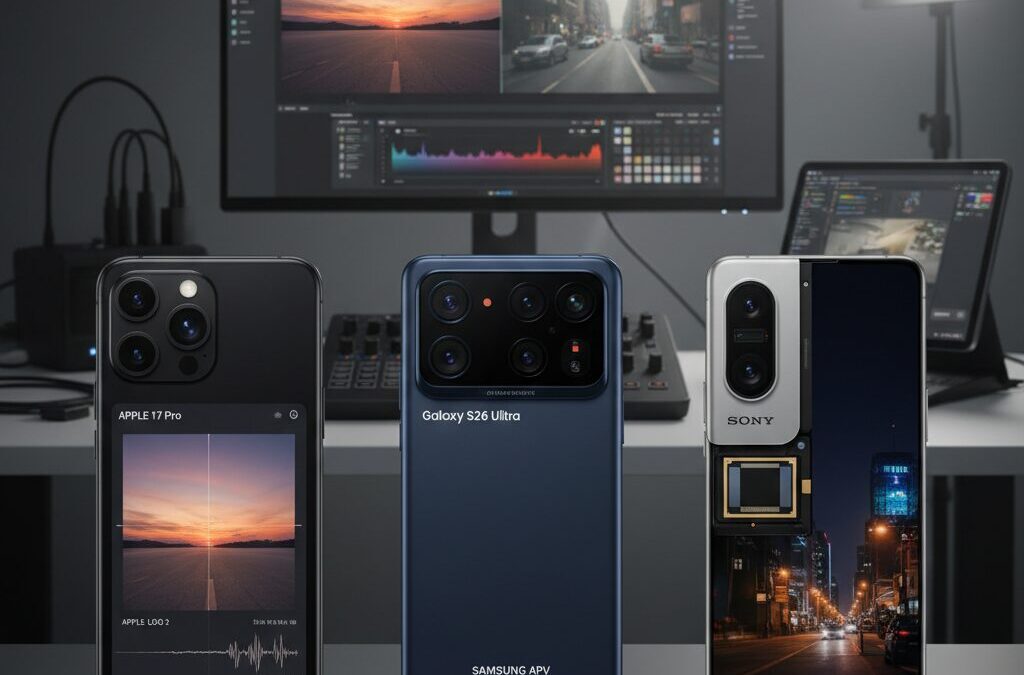
Smartphone cameras are no longer just convenient tools for casual shooting. In 2026, they have become serious creative instruments capable of capturing Log video with dynamic range and color depth that rival dedicated cinema cameras.
With Apple Log 2 on the iPhone 17 Pro, Samsung’s 12-bit APV codec on the Galaxy S26 series, and Sony’s LYTIA sensor pushing up to 17 stops of dynamic range in the Xperia 1 VII, mobile filmmaking has entered a new technical era.
If you care about image quality, grading flexibility, storage efficiency, or professional workflows, this guide will help you understand what truly matters. You will learn how these technologies work, how they differ, and how to build a practical end-to-end workflow from capture to color grading using tools like Blackmagic Camera 3.0 and LumaFusion.
- Why Log Video Matters: From Rec.709 Limits to Logarithmic Encoding
- The Science Behind Log Curves: Human Vision, Dynamic Range, and Bit Depth
- Apple Log 2 on iPhone 17 Pro: Apple Wide Gamut and the Power of A19 Pro
- Thermal Engineering and Sustained 4K 120fps: Vapor Chamber Design Explained
- Samsung Galaxy S26 Ultra and the APV Codec: 12-Bit, 4:4:4, and 20% Better Efficiency
- Sony Xperia 1 VII and LYTIA 901: 17 Stops of Dynamic Range with HF-HDR
- Blackmagic Camera 3.0: Open Gate Recording, LUT Preview, and Cloud Collaboration
- Mobile Color Grading in 2026: LumaFusion, External SSD Editing, and ACES Workflows
- The Rise of Mobile-First Video Markets: Streaming Growth and Creator Demand
- Essential Accessories for Log Shooting: External SSDs, ND Filters, and Monitoring Tools
- A Practical End-to-End Log Workflow: From Capture to HDR Delivery
- 参考文献
Why Log Video Matters: From Rec.709 Limits to Logarithmic Encoding
To understand why Log video matters, you first need to confront the limits of traditional Rec.709. Rec.709 was designed as a display standard for HDTV, not as a capture format for maximum image flexibility. Its relatively narrow dynamic range assumes that what you record is already close to what you will display.
In high-contrast scenes, this assumption quickly breaks down. Bright skies clip into pure white, while shadows collapse into featureless black. As multiple industry explanations point out, once highlight or shadow detail is clipped in Rec.709, it cannot be recovered in post-production.
This is the core limitation: Rec.709 prioritizes immediate visual punch over data preservation.
| Aspect | Rec.709 | Log Encoding |
|---|---|---|
| Design Purpose | Display standard | Capture & grading flexibility |
| Dynamic Range Handling | Limited | Maximized from sensor |
| Highlight/Shadow Recovery | Minimal | Significantly higher |
| Post-Production Latitude | Restricted | Extensive |
Logarithmic encoding takes a fundamentally different approach. Image sensors capture light in a linear fashion: double the light, double the signal. Human vision, however, does not perceive brightness linearly. As explained in technical overviews from manufacturers such as Samsung, our eyes respond more logarithmically, being more sensitive to changes in darker tones than in brighter ones.
Log video bridges this gap. It mathematically compresses linear sensor data into a logarithmic curve before recording. Instead of allocating most code values to midtones and highlights as Rec.709 does, Log redistributes tonal information more efficiently across the entire range.
The result is not a “washed-out” image by mistake, but a deliberate preservation of highlight and shadow detail.
This is why Log footage initially looks flat and low-contrast. Contrast and saturation are intentionally reduced to prevent clipping. According to professional colorists and workflow documentation from leading camera brands, this flatness represents headroom—data reserved for creative decisions later in grading.
In practical terms, consider a sunset scene with a bright sky and a subject in shadow. In Rec.709, you must choose: expose for the sky or the subject. With Log, you can retain both, then rebalance exposure and color in post without severe banding or artifacting.
Modern smartphones in 2026 amplify this advantage. With 12-bit recording, wide color gamuts, and dynamic range figures approaching or exceeding 17 stops in some sensor implementations, Log profiles now preserve far more tonal nuance than legacy 8-bit Rec.709 workflows ever could. This expanded latitude dramatically reduces posterization and color breakup during aggressive grading.
In essence, Rec.709 asks you to commit early. Log invites you to decide later. For creators who demand cinematic control, brand-consistent color, or seamless integration with professional cameras, that difference is not incremental—it is transformative.
The Science Behind Log Curves: Human Vision, Dynamic Range, and Bit Depth
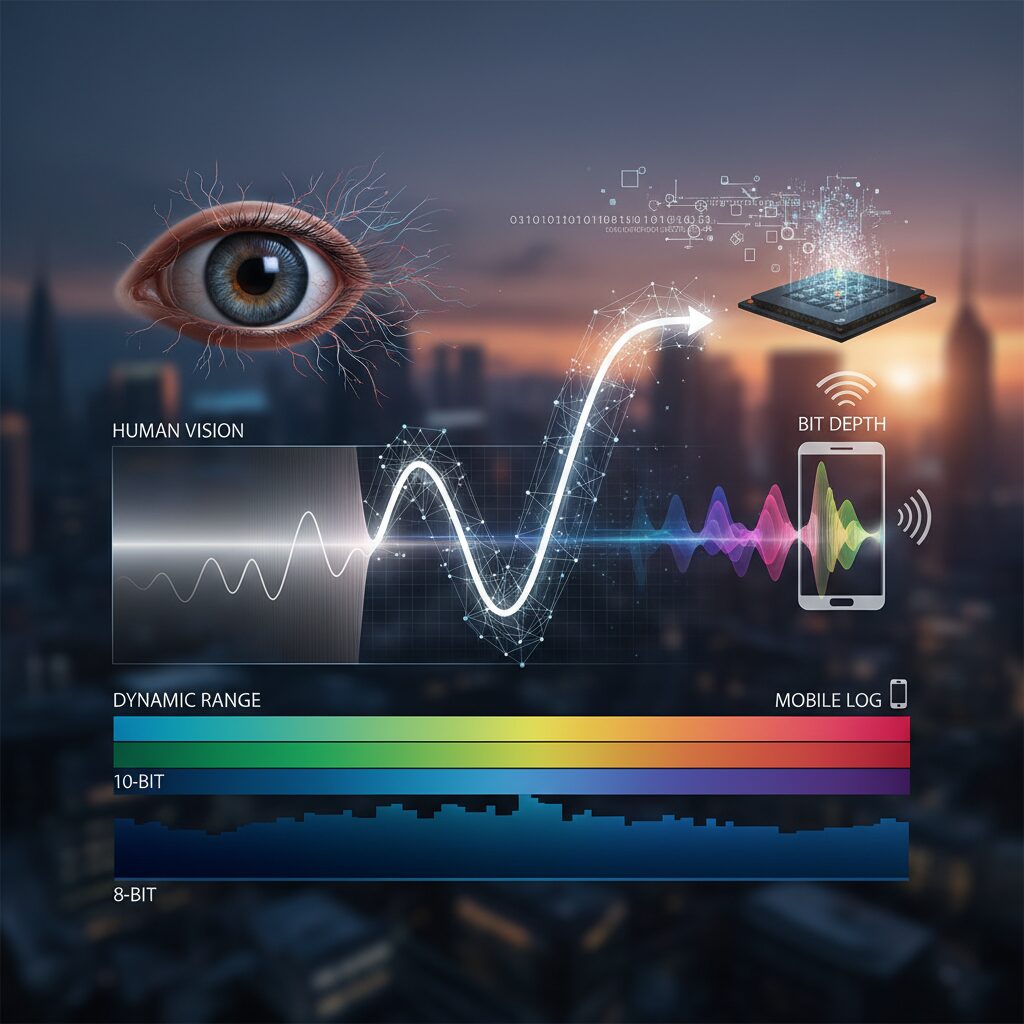
To truly understand Log recording, we need to start with how humans actually see light. The physical world behaves in a linear way: if the amount of light doubles, the energy doubles. However, our eyes do not perceive brightness linearly. According to vision science research referenced by Samsung’s developer documentation, human perception follows a logarithmic response, meaning we are far more sensitive to changes in dark tones than in bright highlights.
This perceptual gap is the core reason Log curves exist. A camera sensor captures light in a linear fashion, but if that linear data were mapped directly to a standard display space like Rec.709, much of the highlight and shadow information would be clipped. Log encoding compresses highlights and redistributes tonal data in a way that better matches human visual sensitivity.
Consider the relationship between light intensity and perception:
| Aspect | Linear Response | Logarithmic Response |
|---|---|---|
| Light Increase | 2× light = 2× signal | 2× light ≈ smaller perceived jump |
| Shadow Detail | Fewer code values | More code values allocated |
| Highlight Handling | Clips quickly | Compressed, preserved |
This tonal redistribution directly affects dynamic range. Dynamic range, often measured in “stops,” describes how many doublings of light a sensor can capture from darkest shadow to brightest highlight. Modern mobile sensors, such as Sony’s LYTIA series, are reported to exceed 100 dB, roughly equivalent to about 17 stops. Without Log encoding, much of that range would be unusable in practical video workflows.
Bit depth is the second critical factor. A 10-bit file can represent over one billion color variations, while 12-bit expands that to tens of billions. As noted in Samsung’s APV codec specifications, higher bit depth dramatically reduces banding in gradients such as skies or studio backdrops. Log curves and high bit depth work together: Log preserves the tonal range, and bit depth ensures those tones are recorded smoothly.
If you apply a logarithmic curve to low bit-depth footage, you stretch limited data and expose artifacts. But when 12-bit capture is combined with Log, the camera retains subtle transitions in skin tones and shadow roll-off, even after heavy grading. This is why professional workflows prioritize both Log gamma and sufficient color precision.
In essence, Log is not about making footage look flat. It is about mathematically encoding light in a way that aligns sensor physics with human biology. By bridging linear capture and logarithmic perception, Log recording transforms raw photons into flexible digital negatives that withstand creative manipulation without breaking apart.
Apple Log 2 on iPhone 17 Pro: Apple Wide Gamut and the Power of A19 Pro
Apple Log 2 on iPhone 17 Pro is not a minor refinement. It is a structural evolution that tightly integrates color science and silicon, redefining what mobile log capture can achieve in real-world production.
At the center of this shift is the move from Rec.2020 to Apple Wide Gamut. According to detailed technical analysis by Gamut, the gamma curve itself remains unchanged from the original Apple Log, meaning middle gray placement and dynamic range allocation are preserved.
What changes dramatically is color volume. By adopting Apple Wide Gamut, Apple Log 2 significantly improves the handling of highly saturated blues, reds, and magentas, reducing clipping in neon-lit night scenes and intensely vivid natural landscapes.
| Profile | Color Space | Gamma Curve |
|---|---|---|
| Apple Log | Rec.2020 | Unchanged |
| Apple Log 2 | Apple Wide Gamut | Same as Apple Log |
This design choice is strategic. By keeping the gamma consistent while expanding the color space, Apple enables existing exposure practices to remain valid, while unlocking greater flexibility in grading. Skin tones retain their subtle roll-off, yet surrounding environmental hues can be pushed further without breaking apart.
Colorists have noted that Apple Log 2 footage demonstrates stronger “color elasticity.” In practice, this means you can shift white balance creatively or reshape saturation curves without introducing unnatural banding or chroma artifacts, provided you use LUTs built specifically for Apple Wide Gamut.
Applying older Rec.2020 LUTs directly will distort color relationships, so a dedicated workflow is essential. This is not a limitation but a signal that Apple Log 2 is designed for precision-driven pipelines rather than backward compatibility shortcuts.
Powering this system is the A19 Pro chip. Built on a 3nm process and featuring a 6-core CPU and 16-core Neural Engine, as detailed in Apple’s official technical specifications, it sustains demanding tasks such as 4K 120fps recording and ProRes capture without thermal throttling.
The inclusion of a vapor chamber cooling system inside the aluminum unibody is particularly important. Sustained log recording at high bitrates generates significant heat, and thermal instability has historically been the weak point of mobile filmmaking.
With A19 Pro and enhanced thermal management working together, the iPhone 17 Pro maintains stable performance during extended takes. This stability directly impacts creative confidence: fewer dropped frames, fewer unexpected shutdowns, and consistent color processing throughout long sessions.
In practical terms, Apple Log 2 on iPhone 17 Pro is a color pipeline engineered from sensor readout to silicon acceleration. It preserves dynamic range through a proven gamma structure, expands chromatic possibility through Apple Wide Gamut, and relies on A19 Pro to deliver sustained, professional-grade reliability.
For creators who demand both cinematic flexibility and production stability, this combination represents a decisive step forward in mobile log imaging.
Thermal Engineering and Sustained 4K 120fps: Vapor Chamber Design Explained
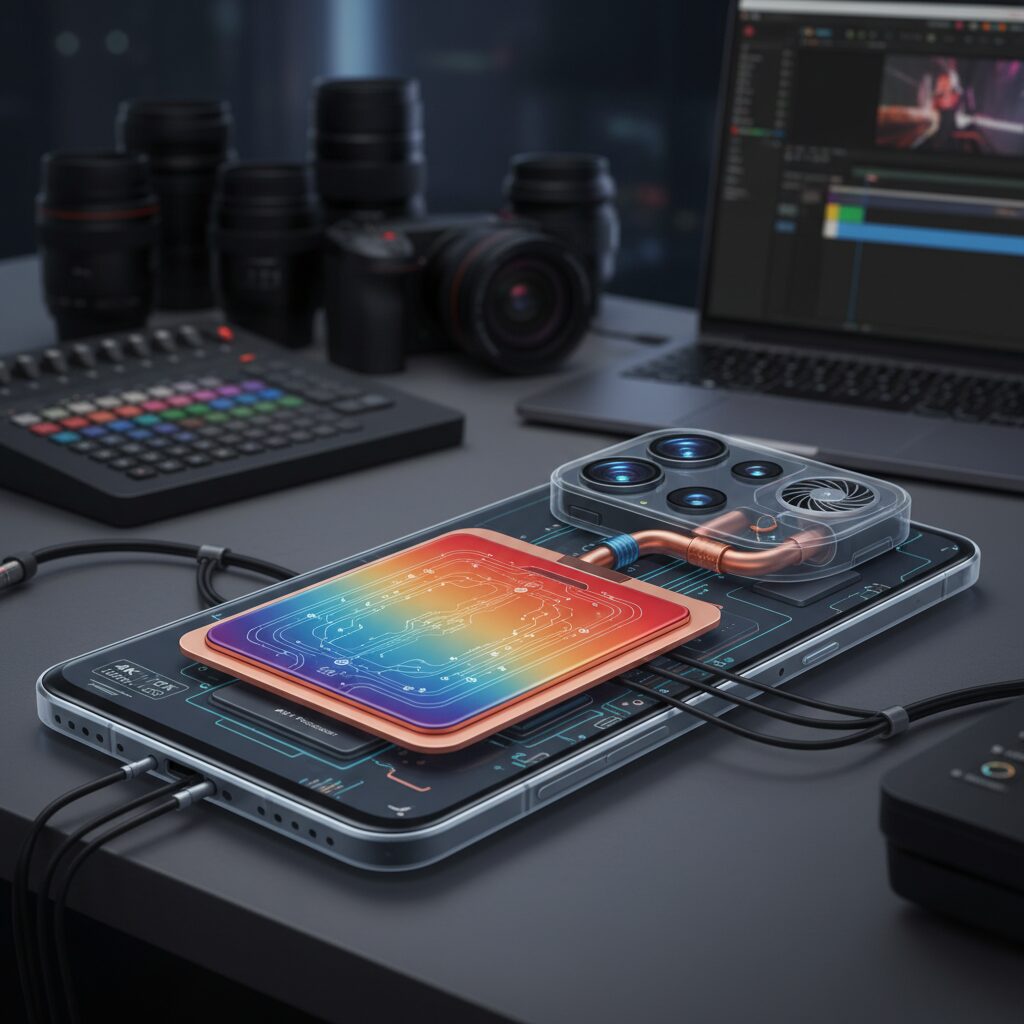
Sustained 4K 120fps recording is not simply a matter of processing power. It is fundamentally a thermal challenge. When devices such as the iPhone 17 Pro capture ProRes in Apple Log 2 at 4K 120fps, the A19 Pro’s CPU, GPU, Neural Engine, and image signal processor operate at high load for extended periods, generating concentrated heat inside an extremely compact chassis.
According to Apple’s official technical disclosures, the iPhone 17 Pro integrates a vapor chamber cooling system within a laser-welded aluminum unibody. This marks a structural shift from conventional graphite sheet diffusion toward a phase-change–based heat management approach designed specifically for sustained professional video workloads.
A vapor chamber works by leveraging the physics of evaporation and condensation. Inside a sealed, flat metal chamber lies a small amount of working fluid. When the SoC heats one section of the chamber, the fluid vaporizes, spreads rapidly across the cavity, and condenses on cooler surfaces. The condensed liquid then returns via capillary action, repeating the cycle.
This phase-change loop distributes heat more evenly than simple conduction. Research in electronics cooling, widely cited in thermal engineering literature, shows that vapor chambers can significantly reduce localized hotspots compared to solid heat spreaders of similar thickness. In a smartphone form factor, that difference directly translates into stable clock speeds.
| Cooling Method | Heat Distribution | Sustained 4K 120fps Suitability |
|---|---|---|
| Graphite Sheet | Primarily conductive, localized spread | Limited under prolonged high bitrate load |
| Vapor Chamber | Phase-change, wide-area uniform diffusion | Optimized for extended high-performance recording |
In practical terms, sustained 4K 120fps Log capture means encoding massive data streams continuously, especially when writing ProRes to external SSD via USB‑C. The encoder, memory controller, and storage interface all contribute to thermal buildup. A vapor chamber helps prevent one component from becoming a bottleneck due to overheating.
This thermal stability is critical for professionals shooting events, interviews, or long takes. Frame drops during a key moment are not acceptable in commercial production. By maintaining consistent silicon temperatures, the device can avoid aggressive frequency scaling and preserve image processing quality, including noise reduction and color precision.
Importantly, thermal engineering also affects battery efficiency. When chips overheat, they consume more power per unit of work due to inefficiencies and throttling cycles. A well-designed vapor chamber reduces these oscillations, enabling smoother performance curves during extended recording sessions.
For creators demanding cinema-grade motion at 120fps, the vapor chamber is not a marketing detail. It is the invisible infrastructure that makes sustained high-frame-rate Log recording realistically usable in the field.
As smartphones approach the thermal envelopes of compact cinema cameras, intelligent heat management becomes the defining factor between short bursts of performance and truly professional reliability. In that context, vapor chamber design is the engineering foundation behind dependable 4K 120fps workflows.
Samsung Galaxy S26 Ultra and the APV Codec: 12-Bit, 4:4:4, and 20% Better Efficiency
Samsung is positioning the Galaxy S26 Ultra as a serious pro video tool with the introduction of the APV (Advanced Professional Video) codec. Rather than simply increasing resolution, Samsung focuses on color precision, chroma fidelity, and storage efficiency. According to early reports from Android-focused industry coverage, APV is designed to rival Apple ProRes head-on while optimizing for the Android ecosystem.
The headline specifications are 12-bit color depth, 4:4:4 chroma sampling, and up to 20% better storage efficiency compared to ProRes. For creators who regularly shoot Log, these numbers are not marketing fluff but workflow-changing upgrades.
| Feature | APV (Galaxy S26 Ultra) | Typical HEVC (10-bit) |
|---|---|---|
| Color Depth | 12-bit (up to 68.7 billion colors) | 10-bit (approx. 1.07 billion colors) |
| Chroma Sampling | 4:4:4 supported | Usually 4:2:0 or 4:2:2 |
| Efficiency | ~20% smaller than ProRes | Higher compression, less edit-friendly |
The jump from 10-bit to 12-bit recording is especially meaningful in Log workflows. With 12-bit depth, the codec can theoretically encode around 68.7 billion colors, dramatically reducing banding in gradients such as skies or studio backdrops. In practical grading scenarios, this means smoother roll-offs in highlights and more resilient shadow recovery.
Chroma subsampling is equally critical. By supporting 4:4:4, APV preserves full chroma resolution alongside luminance. This is a major advantage for green screen compositing, product shoots with fine color edges, or heavy secondary color corrections. As professional cinematography references often note, color data is what breaks first under aggressive grading, and APV directly addresses that weakness.
Efficiency is the third pillar. Reports indicate APV achieves approximately 20% better storage efficiency than ProRes while maintaining perceptually lossless quality. For creators shooting 4K 120fps or even 8K 30fps, this reduction translates into longer recording times and lower storage costs without sacrificing post-production latitude.
Under the hood, APV employs frame tiling for parallel processing. By dividing each frame into sub-sections, the Galaxy S26 Ultra can encode and decode high-resolution video with lower latency and improved power management. In real-world terms, this helps maintain sustained performance during extended high-bitrate Log sessions.
For serious mobile filmmakers, the combination of deep color precision, uncompromised chroma data, and measurable storage gains makes the Galaxy S26 Ultra’s APV implementation one of the most technically ambitious codec upgrades in the Android space to date.
Sony Xperia 1 VII and LYTIA 901: 17 Stops of Dynamic Range with HF-HDR
Sony Xperia 1 VII pushes smartphone cinematography forward by combining the new LYTIA 901 sensor with advanced HF-HDR processing. Rather than relying primarily on heavy computational tricks, Sony focuses on extracting maximum performance from the sensor itself, delivering a claimed dynamic range of up to 17 stops in video.
According to industry coverage of Sony’s latest mobile sensor developments, this performance is achieved through a stacked CMOS architecture and Hybrid Frame-HDR technology. The result is a system designed to preserve highlight and shadow detail simultaneously, even in extreme backlit conditions.
LYTIA 901 + HF-HDR at a Glance
| Component | Specification | Impact on Video |
|---|---|---|
| Sensor Size | 1/1.12-inch stacked CMOS | Improved light gathering |
| Resolution | Approx. 200MP effective | High-detail oversampled 4K |
| Dynamic Range | Over 100 dB (~17 stops) | Extended highlight/shadow retention |
| HDR Method | Hybrid Frame-HDR | Dual gain + blended exposure data |
HF-HDR works by capturing high-gain data for shadows and low-gain data for highlights within the same frame, then blending additional short-exposure information. This multi-layered readout enables the sensor to exceed 100 dB of dynamic range, which translates to roughly 17 stops in cinematography terms. This level of latitude dramatically reduces highlight clipping in skies, neon lights, and reflective surfaces while preserving texture in deep shadows.
In practical shooting scenarios, such as a subject standing against a sunset, conventional smartphone sensors often force a compromise: expose for the face and lose the sky, or preserve the sky and crush the subject. With LYTIA 901 and HF-HDR, Xperia 1 VII retains gradation in both zones, offering footage that responds far more flexibly to S-Log grading.
This sensor-level dynamic range also benefits Log workflows. When paired with Sony’s S-Log profile, the extended latitude provides more headroom for colorists to push exposure and contrast in post-production without introducing banding or abrupt tonal breaks. As discussed in professional imaging analyses, maintaining linear light integrity before logarithmic compression is essential for robust grading performance, and HF-HDR strengthens that foundation.
Another key advantage lies in motion consistency. Because HF-HDR integrates exposure data within tightly controlled frame timing, it avoids the ghosting artifacts sometimes associated with multi-frame HDR stacking. For filmmakers capturing fast action or handheld footage, this stability ensures that expanded dynamic range does not come at the cost of motion fidelity.
Ultimately, Xperia 1 VII’s combination of LYTIA 901 and HF-HDR represents a sensor-first philosophy. By expanding physical dynamic range to around 17 stops before Log encoding even begins, Sony delivers footage that behaves more like dedicated cinema cameras, giving creators greater confidence when shooting high-contrast scenes in uncontrolled environments.
Blackmagic Camera 3.0: Open Gate Recording, LUT Preview, and Cloud Collaboration
Blackmagic Camera 3.0 fundamentally transforms smartphones into cinema-grade production tools. Rather than relying on simplified mobile UI layers, it replaces them with a DaVinci Resolve–inspired interface that prioritizes precision, metadata integrity, and professional monitoring. According to Blackmagic Design’s official documentation, the app is engineered to mirror the company’s cinema camera philosophy, bringing consistent color management and workflow continuity from capture to post.
The most significant breakthrough is Open Gate recording. Instead of cropping the sensor to a fixed aspect ratio during video capture, Open Gate utilizes the full sensor area. This means creators can reframe vertically for TikTok, extract 2.39:1 cinematic crops, or maintain 16:9 for YouTube—all from a single master file, with minimal resolution loss.
| Feature | Production Benefit | Creative Impact |
|---|---|---|
| Open Gate Recording | Full-sensor capture | Flexible reframing in post |
| LUT Preview | Real-time look simulation | Accurate lighting decisions on set |
| Cloud Sync | Instant media upload | Remote editing collaboration |
The LUT Preview function further bridges the gap between acquisition and grading. Log footage—whether Apple Log 2 or Samsung Log/APV workflows—typically appears flat and desaturated. With preview LUTs applied in real time, cinematographers can evaluate contrast, skin tone roll-off, and highlight behavior while still preserving untouched Log data for grading. As reported by Newsshooter in its coverage of version 3.0, the expanded monitoring tools, including full-screen histograms, allow exposure decisions to be made with far greater confidence than standard camera apps.
This dramatically reduces guesswork on set. Lighting ratios, practical highlights, and even wardrobe color separation can be assessed in context, preventing costly corrections in post-production.
Cloud Collaboration elevates the workflow even further. Blackmagic Camera 3.0 integrates directly with Blackmagic Cloud, enabling clips to upload as they are recorded. An editor using DaVinci Resolve in another city—or another continent—can begin assembling and grading footage almost immediately. This approach reflects the broader industry shift toward distributed production models, particularly in fast-paced commercial and social content environments.
Equally impactful is the remote multi-device control capability. A single master device can trigger recording, adjust settings, and input metadata across multiple smartphones. For small crews producing multi-angle interviews or live sessions, this ensures synchronized takes and consistent exposure settings without additional crew overhead.
In practical terms, this means creators can shoot in Open Gate Log, preview the intended cinematic look via LUT, and deliver footage into a cloud-based Resolve timeline within minutes. The result is a tightly integrated ecosystem where capture, monitoring, collaboration, and finishing operate as a unified system rather than isolated steps.
For serious gadget enthusiasts and mobile filmmakers, this marks a decisive shift. Smartphones are no longer constrained by consumer-first limitations. With Open Gate flexibility, LUT-aware monitoring, and real-time cloud synchronization, Blackmagic Camera 3.0 positions mobile devices as legitimate nodes in a global professional production network.
Mobile Color Grading in 2026: LumaFusion, External SSD Editing, and ACES Workflows
By 2026, mobile color grading is no longer a compromise but a deliberate creative choice. With Apple Log 2, Samsung APV Log, and S-Log from Xperia devices feeding 10-bit and 12-bit pipelines, smartphones now generate files that demand serious post-production discipline rather than quick filters.
What has changed most dramatically is not just capture quality, but the maturity of on-device finishing. LumaFusion has evolved into a true color environment, capable of handling Apple Log and Samsung’s APV codec natively, while preserving wide-gamut information during grading.
LumaFusion and High-Bit-Depth Processing
According to LumaTouch and coverage by Videomaker, recent versions of LumaFusion strengthened 10-bit processing across compatible iOS devices and expanded support for professional log formats. This matters because aggressive contrast or saturation adjustments on Log footage easily reveal banding if the pipeline is limited to 8-bit.
With Apple Log 2 using Apple Wide Gamut and Samsung APV supporting up to 12-bit color depth, proper internal processing is essential. LumaFusion allows creators to apply technical LUTs, creative LUTs, and secondary corrections while maintaining tonal smoothness in skies and skin gradients.
| Feature | LumaFusion Capability (2026) | Practical Impact |
|---|---|---|
| Log Support | Apple Log / APV Log | Accurate deLog conversion |
| Bit Depth Handling | 10-bit pipeline support | Reduced banding during grading |
| LUT Workflow | Custom LUT import | Consistent brand look |
| External Drive Editing | Direct timeline editing | No internal storage bottleneck |
The most transformative feature for professionals is external SSD editing over USB-C. As documented by LumaTouch, creators can now edit directly from external drives without copying massive ProRes or APV files into internal storage. For 4K 120fps projects, which can easily exceed hundreds of gigabytes, this eliminates both duplication time and storage anxiety.
This shift effectively turns the smartphone into a processing head, while high-speed SSDs function as modular media pools. Combined with 20Gbps-class connections on flagship devices, playback and scrubbing remain responsive even with high-bitrate Log footage.
ACES and Color-Managed Mobile Workflows
Serious color grading in 2026 increasingly relies on ACES (Academy Color Encoding System), the same framework used in high-end cinema pipelines. ACES standardizes how input device transforms map camera-specific Log footage into a scene-referred linear space before output transforms target Rec.709 or HDR displays.
When Apple Log 2 footage is interpreted with the correct input transform rather than a generic LUT, highlight roll-off and color separation behave more predictably. This is especially critical for mixed-camera projects where smartphone footage must intercut with dedicated cinema cameras.
Even when final grading is completed in DaVinci Resolve, starting with a color-managed mindset inside LumaFusion reduces correction intensity later. Exposure normalization, white balance alignment, and controlled contrast curves applied early preserve latitude for advanced secondary adjustments.
The result is clear: mobile color grading in 2026 is not about emulating cinema aesthetics. It is about operating within the same color science principles—wide gamut capture, high bit depth processing, external media management, and ACES-aligned transforms—directly from a device that fits in your pocket.
The Rise of Mobile-First Video Markets: Streaming Growth and Creator Demand
The center of gravity in the video industry has decisively shifted to smartphones. In Japan, the video streaming market reached approximately 6.67 billion USD in 2025 and is projected to grow at an annual rate of about 7.22% from 2026 onward, according to recent market research. This expansion is fundamentally mobile-driven, with YouTube, TikTok, and Instagram designed primarily for vertical, on-the-go consumption.
What makes this shift structurally important is not just audience growth, but budget allocation. More than 83% of digital ad spending is now directed toward mobile placements, and over 80% of Japanese marketers report that video content is effective for their campaigns. In other words, mobile is no longer a secondary screen; it is the primary battlefield for brand visibility and conversion.
This mobile-first ecosystem directly fuels demand for higher production quality. As competition intensifies inside algorithm-driven feeds, subtle differences in color grading, highlight retention, and skin tone accuracy become decisive engagement factors rather than aesthetic luxuries.
| Indicator (Japan, 2026) | Figure | Implication |
|---|---|---|
| Streaming market size (2025) | ~$6.67B | Stable long-term growth base |
| Projected annual growth | ~7.22% | Expanding creator opportunity |
| Mobile ad budget share | 83%+ | Mobile-first content priority |
Creator behavior reflects this reality. Statistics show that 73% of companies utilize explanatory or educational videos, while 69% actively produce videos for social media posts. These formats are predominantly consumed on smartphones, often in vertical orientation and under short attention spans. As a result, creators must optimize for clarity, color impact, and immediate visual credibility within the first few seconds.
At the same time, the rise of generative AI has introduced new tension. A large-scale survey reported that around 90% of creators feel threatened by AI’s rapid advancement. Yet this pressure has paradoxically increased demand for authentic, high-fidelity capture. Mobile-first markets reward realism that feels grounded in actual light and texture, something Log-based workflows preserve exceptionally well.
Another structural driver is the shortening of production cycles. Brands expect rapid turnaround while maintaining cinematic quality. Because smartphones integrate capture, editing, and distribution in a single device ecosystem, they enable what can be described as a closed-loop mobile workflow. Footage is shot in Log, graded on-device, and uploaded directly to streaming platforms optimized for mobile HDR or SDR playback.
According to social media marketing statistics for 2026, 63% of marketers plan to increase their video production budgets. This upward investment trend, combined with mobile-dominant consumption, creates a powerful incentive for creators to master advanced capture techniques. High dynamic range preservation and wide color gamut workflows are no longer niche skills; they are competitive advantages inside crowded feeds.
In essence, the rise of mobile-first video markets has transformed smartphones into strategic production hubs. As audience expectations rise alongside streaming growth, creator demand is no longer about simply producing more videos. It is about producing visually distinctive, technically robust content that survives compression, stands out on OLED displays, and builds trust in an era saturated with synthetic media.
Mobile-first streaming growth is not just expanding the market; it is redefining the technical baseline required to compete within it.
This convergence of market expansion, advertising concentration, and authenticity-driven differentiation ensures that mobile video quality will continue to escalate. For creators operating in 2026 and beyond, the question is no longer whether to prioritize mobile. It is how deeply they can optimize for it.
Essential Accessories for Log Shooting: External SSDs, ND Filters, and Monitoring Tools
High-bitrate Log recording such as ProRes 4K 120fps on iPhone 17 Pro or 12-bit APV on Galaxy S26 Ultra pushes smartphones beyond their internal storage and thermal limits. To maintain reliability on set, three accessories become mission-critical: external SSDs, ND filters, and professional monitoring tools.
External SSDs: Sustained Performance Without Dropped Frames
According to Apple’s technical specifications, iPhone 17 Pro supports direct recording to external drives over USB-C, including high-bandwidth ProRes formats. When paired with 20Gbps-capable connections, creators can offload massive data streams in real time instead of filling internal storage within minutes.
Samsung’s APV workflow follows the same philosophy, enabling direct external recording across multiple shooting modes. This is not just about capacity; it is about stability during long takes, interviews, or live events where thermal throttling or storage bottlenecks would be unacceptable.
| Accessory | Key Benefit | Workflow Impact |
|---|---|---|
| External SSD (USB-C) | Sustained high-bitrate write speeds | No dropped frames, longer recording time |
| Aluminum SSD enclosure | Passive heat dissipation | Reduced thermal shutdown risk |
A slim, magnet-mounted SSD attached to a rig keeps the center of gravity balanced on a gimbal while enabling hundreds of gigabytes of continuous Log capture. For documentary or commercial shooters, this transforms a phone into a practical A-camera rather than a backup device.
ND Filters: Preserving the Cinematic 180° Shutter Rule
Log recording maximizes dynamic range, but exposure discipline becomes stricter. When shooting 24fps, maintaining a shutter speed around 1/48 sec preserves natural motion blur. In bright daylight, this is impossible without reducing incoming light.
High-quality variable ND filters—now available with magnetic or case-based mounting systems—allow rapid adjustment without altering ISO or shutter speed. This ensures consistent motion rendering while protecting highlights from clipping, a critical factor when exploiting wide dynamic range profiles.
ND filters are not aesthetic add-ons; they are exposure control instruments that protect highlight latitude in Log footage.
Monitoring Tools: Exposure You Can Trust
Because Log footage appears flat and low-contrast, judging exposure by eye is unreliable. Blackmagic Camera 3.0 integrates waveform, histogram, zebra, and false color tools directly on smartphones, mirroring professional cinema monitors.
Industry best practice recommends exposing to protect highlights while maximizing sensor data—often referred to as ETTR (Expose To The Right). False color makes skin tones and highlight thresholds immediately visible, dramatically reducing guesswork in high-contrast scenes.
When combined with preview LUTs, creators can evaluate both technical exposure and creative intent simultaneously. This dual-layer monitoring—technical accuracy plus creative preview—is what separates casual Log usage from a professional-grade workflow.
In 2026, the difference between average smartphone Log footage and cinema-ready results is rarely the sensor alone. It is the disciplined integration of fast external storage, controlled light through ND filtration, and objective exposure monitoring that unlocks the full mathematical potential of Log capture.
A Practical End-to-End Log Workflow: From Capture to HDR Delivery
A practical end-to-end Log workflow in 2026 begins long before you press record. It starts with choosing the right profile and codec based on delivery goals. If your target is HDR on YouTube or a Rec.2100 platform, selecting Apple Log 2 (Apple Wide Gamut) or Samsung’s 12-bit APV Log ensures you retain maximum dynamic range and color information from the sensor.
The key principle is simple: protect highlights at capture, preserve metadata in post, and transform color spaces deliberately for delivery. According to Apple’s technical documentation, Apple Log 2 maintains the same gamma structure as its predecessor but expands color handling through Apple Wide Gamut, which directly affects how you manage LUTs and color transforms downstream.
| Stage | Primary Setting | Technical Focus |
|---|---|---|
| Capture | Log + 10/12-bit codec | Maximize dynamic range, avoid clipping |
| Ingest | External SSD / Cloud sync | Preserve original bit depth |
| Color Management | IDT / CST to Rec.2100 | Accurate color space transform |
| Delivery | HDR export (PQ/HLG) | Platform-optimized encoding |
During capture, use monitoring tools such as histogram, false color, or zebra to expose to the right without exceeding highlight thresholds. Sony’s mobile sensor documentation highlights that modern stacked sensors can exceed 100dB dynamic range, but clipped highlights remain unrecoverable. Therefore, highlight discipline matters more than shadow noise in Log acquisition.
Recording to an external SSD via USB-C at up to 20Gbps, as supported on recent flagship devices, stabilizes high-bitrate formats like ProRes 4K 120fps or APV 12-bit. This not only prevents dropped frames but also keeps internal storage free for system stability. Cloud synchronization through Blackmagic Cloud further enables parallel editing workflows while maintaining original files.
In post-production, avoid applying generic Rec.709 LUTs directly to Apple Log 2 or APV Log footage. Experts analyzing Apple Log 2 emphasize that mismatched color space assumptions distort saturation, especially in high-chroma regions like neon reds or deep blues. Instead, apply the correct Input Device Transform or Color Space Transform before creative grading.
When targeting HDR delivery, convert Log to Rec.2100 (PQ or HLG) within a managed color pipeline such as ACES or DaVinci Resolve’s color-managed workflow. This ensures mathematical consistency between sensor data and display output. Accurate color science, not stylistic LUT stacking, defines professional HDR results.
Finally, export with platform-aware settings. HDR uploads require correct metadata tagging and sufficient bitrate to avoid banding, particularly when leveraging 12-bit acquisition. Archive the original Log master separately from the graded timeline, as future display standards may extract even more value from today’s high-bit-depth footage.
A disciplined workflow—from controlled exposure and robust recording media to scientifically managed color transforms—turns smartphone Log capture into true HDR cinema delivery.
参考文献
- Apple Newsroom:Apple unveils iPhone 17 Pro and iPhone 17 Pro Max, the most powerful and advanced Pro models ever
- Apple:iPhone 17 Pro and 17 Pro Max – Technical Specifications
- Beebom:Samsung Galaxy S26 Tipped to Rival iPhone ProRes with New APV Video Codec
- Android Authority:The Galaxy S26 could thrash the iPhone 17 Pro with new video recording features
- Sony Semiconductor Solutions:Sony’s New Mobile Sensor Brings 8K Video And 17 Stops Of Dynamic Range
- Blackmagic Design:Blackmagic Camera
- SamMobile:Popular video editor gains Samsung’s APV codec ahead of Galaxy S26 launch