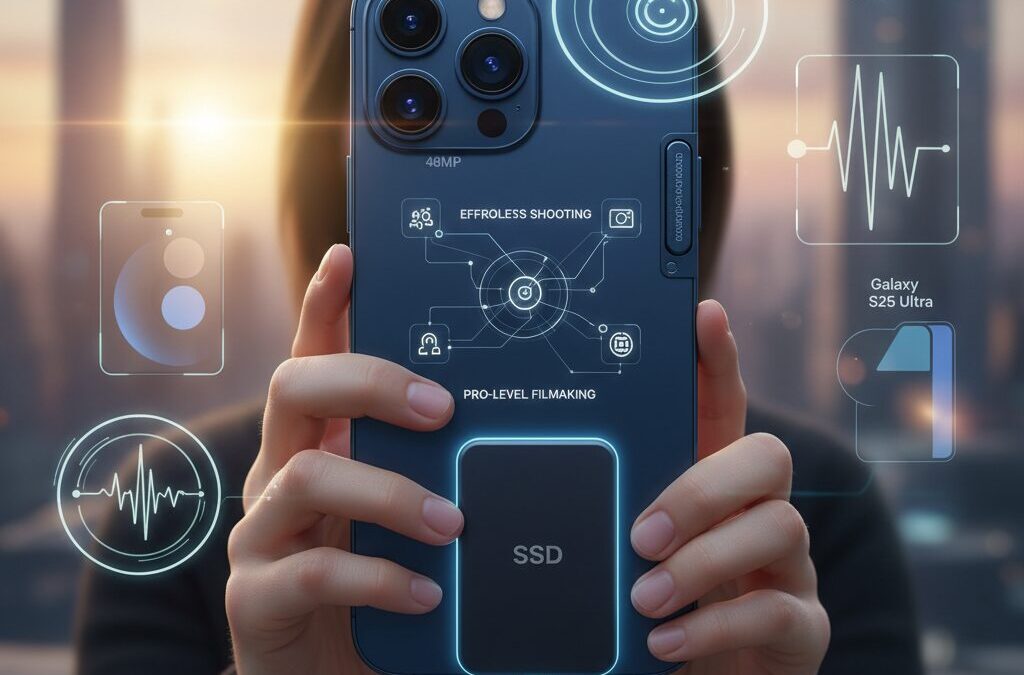
Smartphones are no longer just tools for casual clips, and many gadget enthusiasts now expect their phones to handle serious video work with minimal effort.
With the iPhone 17 series, Apple pushes this idea further by redefining what “easy to use” really means for mobile videography, especially for creators who demand reliable, high-quality results.
In this article, we take a close look at how the iPhone 17 lineup, particularly the Pro models, balances simplicity and professional performance in real-world video shooting.
Ease of use here does not only mean simple controls, but also how smoothly users can achieve the footage they imagine without complex setups or deep technical knowledge.
Powered by the A19 Pro chip, a new 48MP triple camera system, and the controversial Camera Control button, Apple introduces both powerful upgrades and new learning curves.
At the same time, features like advanced stabilization, AI-driven audio processing, and external SSD workflows raise important questions about who truly benefits from these capabilities.
By exploring hardware design, camera optics, software intelligence, data management, and comparisons with rivals like Google Pixel 10 and Galaxy S25 Ultra, this article helps you understand where the iPhone 17 stands.
If you are interested in mobile filmmaking, vlogging, or simply want the most capable video phone available, you will gain practical insights before deciding which model fits your needs.
- Redefining Ease of Use in Mobile Videography
- A19 Pro Chip and Thermal Design for Long Video Sessions
- Why Vapor Chamber Cooling Matters for Creators
- The 48MP Triple Camera System and Consistent Image Quality
- Front Camera Upgrades and the Rise of High-Quality Vlogging
- Camera Control Button: Faster Shooting or New Friction
- AI-Powered Video Assistance: Stabilization, Audio, and Cleanup
- ProRes, Apple Log, and the Reality of Massive File Sizes
- MagSafe SSDs and the New Mobile Video Workflow
- How iPhone 17 Pro Compares With Pixel 10 and Galaxy S25 Ultra
- Who Should Choose Each iPhone 17 Model for Video
- 参考文献
Redefining Ease of Use in Mobile Videography
In mobile videography, ease of use has long been equated with simplicity: fewer buttons, automatic settings, and minimal user intervention. With the iPhone 17 series, Apple reframes this idea in a more nuanced way. Ease of use is no longer about doing less, but about achieving intended results with less friction. This shift matters deeply to users who expect professional-grade video without the cognitive load traditionally associated with dedicated cameras.
Apple itself describes this experience as the ability to capture high-quality video “as intended,” without complex setups or specialized knowledge. This definition aligns closely with research in human–computer interaction published by institutions such as MIT Media Lab, which emphasizes that perceived usability improves when systems anticipate user intent rather than requiring explicit control. In practice, the iPhone 17 series embodies this philosophy through a tight integration of silicon, software, and interface design.
| Aspect of Ease | Traditional Smartphones | iPhone 17 Approach |
|---|---|---|
| User intent | Manually expressed | Inferred in real time |
| Image consistency | Varies by lens | Uniform across cameras |
| Error tolerance | Low | High, AI-assisted |
At the core of this experience is the A19 Pro chip, whose advances in on-device AI processing directly affect usability during video capture. Real-time semantic rendering allows the system to distinguish subjects from backgrounds while recording, adjusting exposure and color dynamically without visible lag, even at demanding settings like 4K at 60 frames per second. According to Apple’s technical documentation, this processing happens entirely on device, which preserves immediacy and reliability in situations where network access is limited.
This computational headroom translates into confidence. Users no longer need to pause and check whether focus or exposure is correct, because the system continuously self-corrects. The reduction of micro-decisions during shooting is itself a form of ease, freeing attention for composition and storytelling. Camera reviewers at publications such as PCMag have noted that this consistency makes it harder to “miss” a usable shot, even under changing light conditions.
Another subtle but important redefinition of ease lies in continuity. By equalizing video quality across all rear lenses, Apple removes the psychological barrier of choosing the “right” camera before recording. Switching perspectives becomes a creative decision rather than a technical risk. In this sense, the iPhone 17 does not simplify videography by limiting options, but by ensuring that every option is dependable.
Ultimately, the ease of use presented here is experiential rather than instructional. Users are not taught how to manage complexity; complexity is absorbed by the system itself. This approach reflects Apple’s long-standing design ethos, cited frequently by usability scholars, that the best tools disappear in use. In mobile videography, the iPhone 17 series represents a clear step toward that ideal.
A19 Pro Chip and Thermal Design for Long Video Sessions

For creators who routinely record long-form video, raw processing power alone is never enough. What truly determines whether a smartphone can survive extended 4K or ProRes sessions is the balance between silicon design and thermal management. In this regard, the A19 Pro chip in the iPhone 17 Pro series represents a clear shift toward sustained performance rather than short-lived bursts.
Manufactured on TSMC’s third-generation 3nm process (N3P), the A19 Pro integrates a 6-core CPU and a 6-core GPU, but the architectural highlight lies in how video-related AI tasks are distributed. Apple’s design places neural accelerators directly within each GPU core, reducing reliance on a single Neural Engine and lowering internal data movement during recording.
This approach has direct consequences for long video sessions. According to Apple’s technical disclosures and analysis by outlets such as PCMag, real-time semantic rendering, including subject-background separation and exposure optimization, now runs at 4K/60fps without the frame drops that previously appeared after several minutes of continuous capture.
| Aspect | A18 Pro (Prev.) | A19 Pro |
|---|---|---|
| Process Node | 3nm (N3) | 3nm (N3P) |
| GPU AI Integration | Limited | Per-core accelerators |
| High-load Video Stability | Moderate throttling | Significantly reduced |
Equally important is what happens to heat once that performance is unleashed. The iPhone 17 Pro and Pro Max introduce a vapor chamber cooling system embedded into the aluminum unibody, supplementing the traditional graphite sheets. Vapor chambers are widely used in gaming laptops and professional cameras, and their role is to spread localized heat rapidly across a larger surface area.
Independent teardown analyses and thermal stress tests reported by MacRumors indicate a noticeable reduction in thermal throttling during extended ProRes recording. In practical terms, this means fewer sudden brightness drops, fewer forced pauses, and more predictable battery drain curves when filming outdoors or under studio lighting.
The benefit is not purely technical but psychological. Long-time mobile videographers often describe heat warnings as a constant source of anxiety. By lowering the frequency of such interruptions, the A19 Pro and its thermal design allow creators to focus on framing and storytelling instead of monitoring temperature indicators.
It is also worth noting the contrast within the same generation. While the iPhone 17 Air shares the A19 family name, its ultra-thin chassis leaves little room for advanced cooling hardware. As a result, extended recording scenarios remain the domain of the Pro models, where the synergy between chip architecture and vapor chamber cooling is fully realized.
In summary, the A19 Pro chip is best understood not as a headline-grabbing speed upgrade, but as an enabler of endurance. By aligning GPU-level AI acceleration with professional-grade thermal engineering, Apple has quietly addressed one of the biggest barriers to long video sessions on smartphones, making continuous, high-quality recording a realistic expectation rather than a gamble.
Why Vapor Chamber Cooling Matters for Creators
For creators who rely on smartphones as serious video tools, thermal management is not a background spec but a deciding factor that directly shapes what can and cannot be captured. **Vapor chamber cooling matters because sustained performance is the difference between finishing a take and watching the camera shut itself down** due to heat. This is especially true for modern mobile video workflows that push high bitrates, high frame rates, and complex real-time processing.
According to Apple’s own technical disclosures and subsequent analyses by professional reviewers, the iPhone 17 Pro series adopts a vapor chamber cooling system integrated into the aluminum unibody, complementing traditional graphite sheets. This design allows heat generated by the A19 Pro chip to spread quickly across a wider internal surface area, rather than accumulating at a single hotspot near the processor.
From a creator’s perspective, this translates into predictability. Shooting 4K at 60fps, recording ProRes, or applying real-time computational video features places continuous stress on the SoC. **Without effective heat dissipation, even the most powerful chip is forced to throttle**, lowering frame stability, dimming the display, or stopping recording altogether.
| Aspect | Conventional Cooling | Vapor Chamber Cooling |
|---|---|---|
| Heat dispersion | Localized around the chip | Distributed across the chassis |
| Thermal throttling | Occurs relatively quickly | Significantly delayed |
| Long takes | Higher risk of interruption | More stable and reliable |
Industry observers such as DXOMARK and long-form reviewers at PCMag have repeatedly emphasized that video reliability is not only about image quality but about endurance. **Creators filming interviews, events, or outdoor scenes under direct sunlight benefit disproportionately from vapor chamber cooling**, because these scenarios combine environmental heat with sustained processing loads.
Another often overlooked benefit is consistency in color and exposure. When thermal limits are reached, mobile devices may adjust performance in subtle ways that affect real-time semantic rendering and HDR calculations. By keeping the A19 Pro operating within an optimal thermal envelope, the vapor chamber helps ensure that footage captured at the beginning and end of a long session matches more closely, reducing correction work in post-production.
This distinction becomes clearer when comparing models within the same generation. Devices without vapor chamber cooling, optimized for thinness or lightness, may deliver excellent short clips but require more conscious management during extended shoots. **The Pro models, by contrast, are engineered for creative stamina**, aligning with workflows where stopping to cool down is not an option.
In practical terms, vapor chamber cooling reduces the cognitive load on creators. Instead of monitoring temperature warnings or limiting recording formats, users can focus on framing, storytelling, and timing. That reduction in friction is why vapor chamber cooling has become a meaningful feature for creators, even though it rarely appears in headline specs.
The 48MP Triple Camera System and Consistent Image Quality
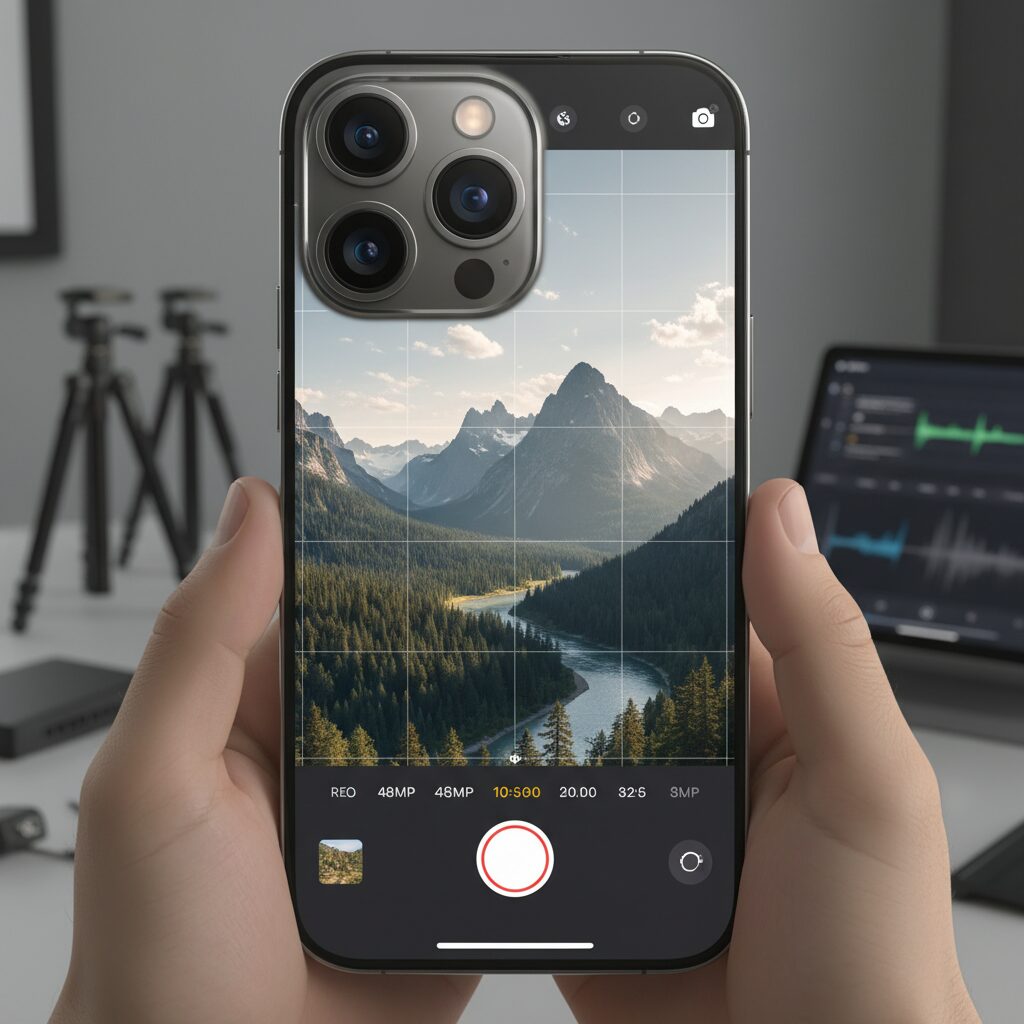
The move to a fully unified 48MP triple camera system marks one of the most meaningful changes in the iPhone 17 Pro’s imaging philosophy. Rather than chasing headline-grabbing specs on a single lens, Apple has focused on consistency, ensuring that wide, ultra-wide, and telephoto footage looks coherent when used together in real-world shooting. This approach directly benefits users who frequently switch focal lengths during video recording, such as vloggers, documentarians, and mobile filmmakers.
According to Apple’s technical documentation, all three rear cameras now share the same 48MP baseline resolution, enabling similar levels of detail, dynamic range, and color depth across lenses. This eliminates a long-standing issue in smartphone videography where footage would visibly degrade when moving away from the main camera. As a result, transitions between perspectives feel intentional rather than distracting.
| Lens | Equivalent Focal Length | Key Imaging Advantage |
|---|---|---|
| Wide (Fusion) | 24–26mm | High light intake and stable baseline color |
| Ultra Wide | 13mm | High-resolution macro and flexible cropping |
| Telephoto | 120mm (5×) | Reduced quality loss at extended zoom ranges |
The practical impact of this uniform resolution becomes clear in post-production. Editors can now cut between wide establishing shots, ultra-wide environmental footage, and tight telephoto details without compensating for mismatched sharpness or color profiles. This significantly reduces grading time and preserves creative intent, especially when working under tight deadlines.
Independent evaluations back up this design choice. DXOMARK’s video testing highlights the iPhone 17 Pro’s improved exposure stability and color consistency across lenses, noting that lens switching during recording shows fewer tonal jumps than previous generations. This aligns with Apple’s own emphasis on computational video pipelines that treat the camera array as a single system rather than isolated modules.
The ultra-wide camera deserves special attention. Its jump from 12MP to 48MP is not merely numerical. In practical terms, it allows creators to shoot wide for safety and reframe later while maintaining 4K clarity. This flexibility is especially valuable for handheld shooting, where recomposing on the fly can introduce shake or missed moments. By capturing more data upfront, the camera system quietly absorbs user error.
On the telephoto end, the 48MP sensor paired with the tetraprism design improves digital zoom behavior during video. While optical limits remain, fine textures such as fabric, signage, or facial features hold together better when zooming beyond the native 5× range. Reviewers from outlets like PCMag have pointed out that this makes stage performances and sports clips more usable without external lenses.
Equally important is color science. Apple’s consistent sensor resolution allows its A19 Pro-driven processing to apply uniform tone mapping and white balance logic. The result is footage that feels shot on one camera, not three. For users building narratives rather than isolated clips, this subtle coherence greatly enhances perceived quality.
In everyday use, the 48MP triple camera system shifts the shooting mindset. Users no longer have to remember which lens is “safe” for video. Whether capturing a wide cityscape, an intimate portrait, or a distant subject, the expectation of reliable image quality remains intact. That reliability, more than raw resolution, is what makes this system quietly transformative.
Front Camera Upgrades and the Rise of High-Quality Vlogging
The front camera upgrades in the iPhone 17 series significantly reshape how high-quality vlogging is approached, especially for creators who rely on a single, self-facing device. Apple’s move from a 12MP to an 18MP TrueDepth camera, combined with an ƒ/1.9 aperture, directly addresses two long-standing pain points in mobile vlogging: resolution headroom and low-light consistency.
According to DXOMARK, the iPhone 17 Pro’s front camera achieved a selfie score of 154, ranking first globally, with particular praise for video exposure stability and natural skin-tone rendering. This is not a marginal gain. Higher resolution allows creators to crop vertical or horizontal frames from the same clip without visibly degrading 4K output, which is critical for multi-platform publishing.
| Feature | Previous Generation | iPhone 17 Series |
|---|---|---|
| Front camera resolution | 12MP | 18MP |
| Aperture | ƒ/2.2 | ƒ/1.9 |
| DXOMARK selfie score | Below 150 | 154 (No.1) |
A key but often overlooked change is the adoption of a square sensor. This design enables lossless reframing regardless of whether the phone is held vertically or horizontally. For solo vloggers, this removes the need to commit to a single orientation during recording, reducing reshoots and editing friction.
Center Stage further elevates usability by maintaining accurate subject tracking at the hardware level. When walking, gesturing, or changing distance from the camera, the frame dynamically adjusts, keeping the face centered without abrupt digital zoom artifacts. Apple’s own technical documentation notes that this tracking now operates with lower latency, which directly benefits continuous talking-head shots.
The result is a front camera that behaves less like a secondary lens and more like a dedicated vlogging module. For creators prioritizing speed, consistency, and professional-looking self-shot footage, these upgrades meaningfully narrow the gap between smartphones and entry-level dedicated cameras.
Camera Control Button: Faster Shooting or New Friction
The Camera Control Button introduced and refined in the iPhone 17 series is one of those features that clearly aims to make shooting faster, yet paradoxically can introduce new friction depending on how it is used. Apple positions this physical control as a way to bridge smartphones and dedicated cameras, allowing users to keep their eyes on the scene rather than the screen, and this intention is easy to understand when you actually start shooting.
From a hardware perspective, the button is not a simple mechanical switch. It combines pressure sensitivity and capacitive touch under a sapphire crystal surface, enabling multiple layers of input such as clicks, light presses, and swipes. According to Apple’s own documentation and analysis by MacRumors, this design is meant to replicate the half-press focus and tactile feedback familiar to DSLR and mirrorless users, while remaining compact enough for a smartphone form factor.
| Interaction | Assigned Function | Impact on Shooting Speed |
|---|---|---|
| Single click | Instant camera launch / start recording | Very high, especially for spontaneous shots |
| Light press | Focus and exposure lock | High for controlled compositions |
| Swipe gesture | Zoom or exposure adjustment | Moderate, depends on user familiarity |
In ideal conditions, the Camera Control Button genuinely reduces time-to-shot. Reviewers at PCMag and CNET point out that being able to launch the camera and start recording without touching the display can shave critical seconds off reaction time, which matters when filming fleeting moments or documentary-style footage. For creators who often shoot one-handed, such as vloggers walking through a city, this can feel liberating.
However, user feedback collected by Tom’s Guide and DXOMARK-adjacent community discussions highlights a different side of the story. The need to apply physical pressure, even if minimal, can introduce micro-shake at the exact moment recording begins. This issue becomes more pronounced at longer focal lengths or when shooting one-handed on larger models like the Pro Max, where balance is already delicate.
Another layer of friction comes from sensitivity and ergonomics. Swipe gestures on a narrow surface demand precision, and early adopters in Japan have noted that certain third-party cases interfere with finger placement. Smartish and other accessory makers have acknowledged this, recommending deeper cutouts, which indirectly confirms that the button’s usability is closely tied to peripheral choices rather than the phone alone.
That said, Apple has clearly responded on the software side. With iOS 26, users can fine-tune sensitivity and disable specific behaviors, effectively tailoring the Camera Control Button to their shooting style. CNET reports that many initially frustrated users changed their stance after these adjustments, suggesting that the perceived friction is not entirely inherent, but partially configurable.
In quiet environments, especially in the Japanese market where shutter sound behavior is culturally and legally sensitive, the subtle haptic feedback of the Camera Control Button becomes an unexpected advantage. Apple Support notes that video start and stop sounds often follow system volume rules, and the tactile click allows users to confirm recording status without audible cues. This creates a discreet yet confident shooting experience that touch-only controls struggle to match.
Ultimately, the Camera Control Button is neither a universal upgrade nor a clear misstep. It accelerates shooting for users willing to adapt, while adding friction for those who expect instant intuitiveness. As with many pro-oriented tools Apple introduces, its true value emerges only after customization and practice, transforming from an obstacle into a genuine extension of the user’s intent.
AI-Powered Video Assistance: Stabilization, Audio, and Cleanup
AI-powered video assistance in the iPhone 17 series is designed to quietly eliminate the most common causes of failure in mobile video recording: shaky footage, unusable audio, and distracting visual noise. Rather than asking users to master complex settings, Apple’s approach relies on continuous, on-device machine learning to correct problems as they occur, or immediately after capture.
Stabilization is the foundation of this system. The second-generation sensor-shift optical stabilization works in tandem with AI-driven motion analysis to distinguish intentional camera movement from unwanted shake. According to Apple’s technical documentation and DXOMARK’s video testing, this hybrid approach preserves natural motion while reducing micro-jitter, even at 4K/60fps. For creators who film while walking or panning, the result is footage that looks planned rather than accidental.
| Assistance Area | AI Role | User Benefit |
|---|---|---|
| Stabilization | Motion prediction and correction | Smoother handheld footage |
| Audio | Voice and noise separation | Clear dialogue without extra gear |
| Cleanup | Object recognition and removal | Faster post-production |
Audio is treated with the same philosophy. The Audio Mix feature uses machine learning models trained on speech and environmental sounds to rebalance tracks after recording. Independent reviewers, including CNET, note that this reduces reliance on external microphones for vlogs and interviews, especially in unpredictable outdoor environments.
Cleanup completes the loop by addressing visual distractions. With Apple Intelligence integrated into the Photos app, unwanted objects or people can be identified and removed with a single tap. What once required desktop software and manual masking can now be done moments after shooting, turning mobile video into a far more forgiving creative process.
ProRes, Apple Log, and the Reality of Massive File Sizes
ProRes and Apple Log dramatically expand what the iPhone 17 Pro can deliver in post-production, but they also expose a reality that many users underestimate: professional codecs come with professional-scale data. The jump in image flexibility is real, but so is the jump in storage pressure. This tension sits at the heart of Apple’s video strategy.
Apple ProRes has long been positioned as a visually lossless editing codec, trusted across broadcast and film pipelines. According to Apple’s own ProRes white papers, the format prioritizes low compression and minimal generation loss, which is why editors value it. Apple Log further extends this by preserving highlight and shadow detail in a flat gamma curve, giving colorists more latitude than standard HDR or SDR profiles.
The cost of this freedom becomes obvious the moment recording starts. Independent workflow analyses and creator tests consistently show that 4K/60p ProRes 422 HQ can consume multiple gigabytes per minute, while ProRes RAW pushes that even further depending on scene complexity. A single short shoot can quietly rival the total storage of an entire day of HEVC footage.
| Format | Image Flexibility | Approx. 4K/60p Data Rate | Practical Impact |
|---|---|---|---|
| HEVC (H.265) | Limited | Hundreds of MB per minute | Easy internal storage |
| ProRes 422 HQ | High | Several GB per minute | Active storage management |
| ProRes RAW | Maximum | 10 GB or more per minute | External SSD essential |
Color scientists interviewed by organizations such as SMPTE often emphasize that log footage is only valuable if it survives the entire pipeline intact. On the iPhone 17 Pro, this means thinking about storage before composition. Recording Apple Log without a data plan is like shooting cinema lenses without lens caps. The quality exists, but only if protected.
Apple’s support for direct recording to external SSDs via USB-C is therefore not a luxury feature but a structural necessity. It aligns the iPhone with established camera workflows, where media offload is part of the shoot itself. While this adds physical complexity, it also removes ambiguity: footage is edit-ready the moment the cable moves from phone to workstation.
The takeaway is not that ProRes and Apple Log are impractical, but that they redefine “convenience.” Convenience shifts from minimal setup to predictable results. For creators who value grading headroom and consistency over storage simplicity, massive files are not a drawback but an expected, manageable trade-off.
MagSafe SSDs and the New Mobile Video Workflow
MagSafe-compatible external SSDs have quietly become one of the most important pieces in the modern mobile video workflow, especially for users pushing the iPhone 17 Pro series beyond casual shooting. As Apple has expanded support for ProRes 422 HQ and Apple Log 2, storage is no longer a background concern but a central design constraint that directly shapes how, where, and how long you can shoot.
The core shift is simple: internal storage is no longer the primary recording destination for serious video work. Apple’s own technical specifications make it clear that high-bitrate formats are designed with external storage in mind, and this has accelerated the adoption of MagSafe-mounted SSDs as a practical, repeatable solution rather than a niche accessory.
| Recording Format | Approx. 4K/60p Data per Minute | Practical Storage Strategy |
|---|---|---|
| HEVC (H.265) | ~400 MB | Internal storage is sufficient |
| ProRes 422 HQ | ~12 GB | Internal + external recommended |
| ProRes RAW | ~20 GB or more | External SSD effectively required |
According to Apple and independent testing by professional reviewers, sustained ProRes recording stresses not only storage capacity but also write speed stability. This is where MagSafe SSDs such as Lexar’s ES5 Magnetic Portable SSD or Aiffro’s P10 stand out. Their design prioritizes short, high-bandwidth USB‑C connections and physical stability, both of which reduce dropped frames during long takes.
The physical integration matters more than it may seem. A MagSafe-mounted SSD sits flush against the back of the phone, keeping cable length minimal and center of gravity predictable. In real-world handheld shooting, this improves balance compared to dangling cable solutions, and it reduces accidental disconnections, a failure mode frequently reported by early mobile filmmakers before magnetic designs became common.
This workflow aligns closely with Apple’s broader ecosystem strategy. As noted by professional reviewers at outlets like PCMag and DXOMARK, the iPhone’s strength is not just image quality but consistency and predictability. A MagSafe SSD extends that philosophy into data management, turning the phone into a modular camera head rather than a self-contained device.
There is, however, a philosophical trade-off. The moment an SSD and cable become mandatory, the idea of “just a phone” disappears. Yet for many creators, this is a reasonable exchange. The new definition of convenience is not minimal gear, but minimal friction. Fewer failed takes, no storage anxiety, and a faster path to post-production ultimately save more time than they cost.
In practice, MagSafe SSDs have normalized a new baseline: iPhone plus storage as a single unit. For mobile videographers, documentary shooters, and even broadcast professionals using the iPhone 17 Pro as a B‑camera, this setup represents a mature, production-ready workflow that finally bridges the gap between smartphone ease and professional reliability.
How iPhone 17 Pro Compares With Pixel 10 and Galaxy S25 Ultra
When comparing the iPhone 17 Pro with the Google Pixel 10 and Samsung Galaxy S25 Ultra, the most meaningful differences emerge not from headline specs, but from how each device approaches real-world video creation. **All three are undeniably powerful, yet their philosophies around usability, immediacy, and professional workflows diverge in ways that directly affect daily shooting experiences.**
The iPhone 17 Pro places its emphasis on on-device consistency and predictability. Powered by the A19 Pro chip, video processing such as color mapping, stabilization, and semantic rendering happens in real time. According to Apple’s technical documentation and DxOMark’s video testing, this results in highly stable exposure transitions and uniform color science across lenses, which is particularly noticeable when switching focal lengths mid-recording.
By contrast, Google Pixel 10 leans heavily on cloud-assisted processing. Features like Video Boost and Night Sight Video often produce brighter footage in extremely low light, a point highlighted by comparative reviews from TechRadar. However, this advantage comes at the cost of immediacy, as footage may require post-upload processing before final results are available, which can interrupt fast-paced workflows.
| Model | Video Processing Approach | Key Strength |
|---|---|---|
| iPhone 17 Pro | Fully on-device (A19 Pro) | Immediate, consistent output |
| Pixel 10 | Hybrid with cloud processing | Low-light enhancement |
| Galaxy S25 Ultra | On-device with heavy user control | Extreme zoom versatility |
The Galaxy S25 Ultra stands apart through hardware reach. Its long-range optical zoom, reportedly extending to 10x or beyond through sensor cropping, enables shots that neither the iPhone nor Pixel can physically replicate. In scenarios such as stage performances or wildlife recording, this capability translates into a different kind of ease, reducing the need to move closer to the subject.
That said, usability tells a more nuanced story. Reviewers and creators often note that Samsung’s camera interface offers deep manual control but demands more setup to achieve repeatable results. **The iPhone 17 Pro’s strength lies in delivering cinematic-looking footage with minimal adjustment**, aided by Apple Log 2 and ProRes options that integrate cleanly into established editing pipelines like Final Cut Pro.
DxOMark’s evaluation reinforces this distinction. While the iPhone 17 Pro does not always top charts in still photography, its video sub-scores for stabilization, exposure accuracy, and color consistency remain among the highest in the industry. This balance explains why many professionals continue to treat the iPhone as a benchmark rather than a specialist tool.
In practical terms, the comparison reveals that the iPhone 17 Pro favors creators who value reliability and speed, the Pixel 10 rewards patience with AI-enhanced results, and the Galaxy S25 Ultra excels when optical reach defines success. **Choosing between them ultimately depends less on raw capability and more on which definition of “ease” best matches the user’s shooting style.**
Who Should Choose Each iPhone 17 Model for Video
Choosing the right iPhone 17 model for video depends less on headline specs and more on how you actually shoot, edit, and share footage on a daily basis. Apple itself positions the lineup as a spectrum from frictionless capture to production-ready filmmaking, and that framing is useful when deciding which model fits your workflow best.
The standard iPhone 17 is best suited for users who want reliable, high-quality video without thinking about settings. With solid 4K recording, strong computational stabilization, and consistent color science, it works well for family videos, travel clips, and casual social media content. According to Apple’s technical specifications, the non‑Pro A19 chip still handles real-time HDR and exposure balancing smoothly, making it ideal for people who value simplicity over control.
The iPhone 17 Air appeals to a different kind of video user. Its strength lies in physical lightness rather than endurance. At roughly 5.5 mm thin, it is easy to carry as a daily Vlog camera, especially for short, spontaneous recordings. However, as noted by multiple thermal analyses, the lack of a vapor chamber means long 4K sessions can be limited by heat, so it is better for short-form creators than for extended shoots.
| Model | Best For | Video Style Fit |
|---|---|---|
| iPhone 17 | Everyday users | Family, travel, SNS |
| iPhone 17 Air | Light Vloggers | Short, mobile clips |
| iPhone 17 Pro | Content creators | YouTube, reviews |
| iPhone 17 Pro Max | Professionals | Production, client work |
The iPhone 17 Pro is the most balanced choice for serious video creators. Three 48MP cameras, Apple Log 2, and ProRes support provide flexibility without forcing a full cinema workflow. DXOMARK’s video testing highlights its consistency in exposure and color, which is critical for creators who publish frequently and need predictable results.
Finally, the iPhone 17 Pro Max is designed for users who treat video as production rather than content. Its larger battery, superior thermal stability, and external SSD workflows support long takes and ProRes recording. Industry reviewers often describe it as a compact cinema tool rather than a phone, making it the right choice for filmmakers who value reliability over portability.
参考文献
- Apple Newsroom:Apple unveils iPhone 17 Pro and iPhone 17 Pro Max
- Apple:iPhone 17 Pro and iPhone 17 Pro Max – Technical Specifications
- DXOMARK:Apple iPhone 17 Pro Camera Test
- MacRumors:iPhone Camera Control: Everything You Need to Know
- PCMag:Living With the iPhone 17 Pro: The Camera Is a Game Changer
- TechRadar:iPhone 17 Pro vs Pixel 10 Pro vs Galaxy S25 Ultra Camera Comparison