If you are passionate about gadgets, you have probably experienced moments when a smartphone feels fast on paper but slightly off in daily use.
With the iPhone 17 series, Apple delivers cutting-edge hardware such as the A19 Pro chip, ProMotion displays across all models, and impressive benchmark scores that dominate headlines.
However, many power users and tech enthusiasts are now focusing on something more subtle yet critical: how quickly the screen responds the instant your finger touches it.
This article takes a deep dive into the real-world touch latency and overall responsiveness of the iPhone 17 lineup, going beyond marketing claims and raw specifications.
By examining measured click-to-photon latency, display behavior, iOS 26 system behavior, and comparisons with leading competitors like the Galaxy S25 Ultra and Pixel 10 Pro, you will gain a clearer picture of what actually affects the “feel” of the device.
You will also learn why powerful hardware does not always guarantee smooth interaction, how software scheduling and adaptive refresh rates influence your experience, and what early user feedback reveals about daily usability.
If you are considering upgrading, already own an iPhone 17, or simply want to understand how modern smartphones balance performance, battery life, and responsiveness, this guide will help you make sense of the data and expectations.
- Why Touch Latency Matters More Than Raw Specs
- Understanding Motion-to-Photon Latency in Smartphones
- iPhone 17 Display Technology and ProMotion Behavior
- Touch Sampling Rate vs Refresh Rate: What Apple Does Differently
- A19 Pro Performance and Its Real Impact on Responsiveness
- Measured Touch Latency: iPhone 17 vs Pixel 10 Pro and Galaxy S25 Ultra
- How iOS 26 Affects UI Smoothness and Input Lag
- Gaming Performance, Game Mode, and Touch Stability
- Real-World User Reports: Keyboard Lag, Stutter, and Missed Touches
- What Future iOS Updates Could Change for iPhone 17 Users
- 参考文献
Why Touch Latency Matters More Than Raw Specs
When people compare smartphones, the conversation often starts with CPU scores, GPU cores, or refresh rates. However, real-world usability is far more sensitive to touch latency than to raw specifications. Touch latency determines how immediately the device responds to your intent, and that perception of immediacy is what users describe as “snappy” or “fluid,” regardless of how powerful the hardware looks on paper.
From a technical standpoint, what users feel is not CPU speed itself but motion-to-photon latency. According to display research frequently cited by Apple engineers and human–computer interaction studies at MIT, humans can detect inconsistencies in input response well below 50 milliseconds, especially during continuous interactions such as scrolling or typing. This means that even a brief delay or fluctuation can break the illusion of direct manipulation.
The iPhone 17 series illustrates this clearly. Despite the A19 Pro delivering industry-leading benchmark results, independent measurements using photodiodes and high-speed cameras show average touch latency around the mid‑40 millisecond range under sustained UI interaction. Competing devices with lower headline performance sometimes feel faster because their latency is more consistent, not necessarily lower at peak.
| Metric | High-End CPU/GPU | Low Touch Latency |
|---|---|---|
| Perceived smoothness | Limited impact | Very high impact |
| Scrolling accuracy | Indirect | Direct |
| Typing confidence | Minimal | Critical |
Another key reason latency matters more than specs is variability. Research summarized by NVIDIA and Google’s Chrome UX team shows that users tolerate slightly higher average latency if it is stable, but they strongly notice jitter. Reports around iOS 26 highlight micro-stutter during app switching or rapid scrolling, where the delay fluctuates from frame to frame. This inconsistency is more damaging to user experience than a uniformly slower but predictable response.
High refresh rates alone do not solve this. A 120Hz display updates every 8.3 milliseconds, but if the touch event enters the rendering pipeline late due to OS scheduling or power management, the next frame still misses the user’s finger. This explains why devices with aggressive refresh-rate marketing can still feel sluggish, while others with modest specs feel instantly responsive.
Ultimately, touch latency sits at the intersection of hardware, operating system design, and real-time scheduling. Benchmarks measure potential, but latency measures truth. For users who scroll, swipe, and type hundreds of times per minute, responsiveness defines quality far more than any synthetic score ever could.
Understanding Motion-to-Photon Latency in Smartphones
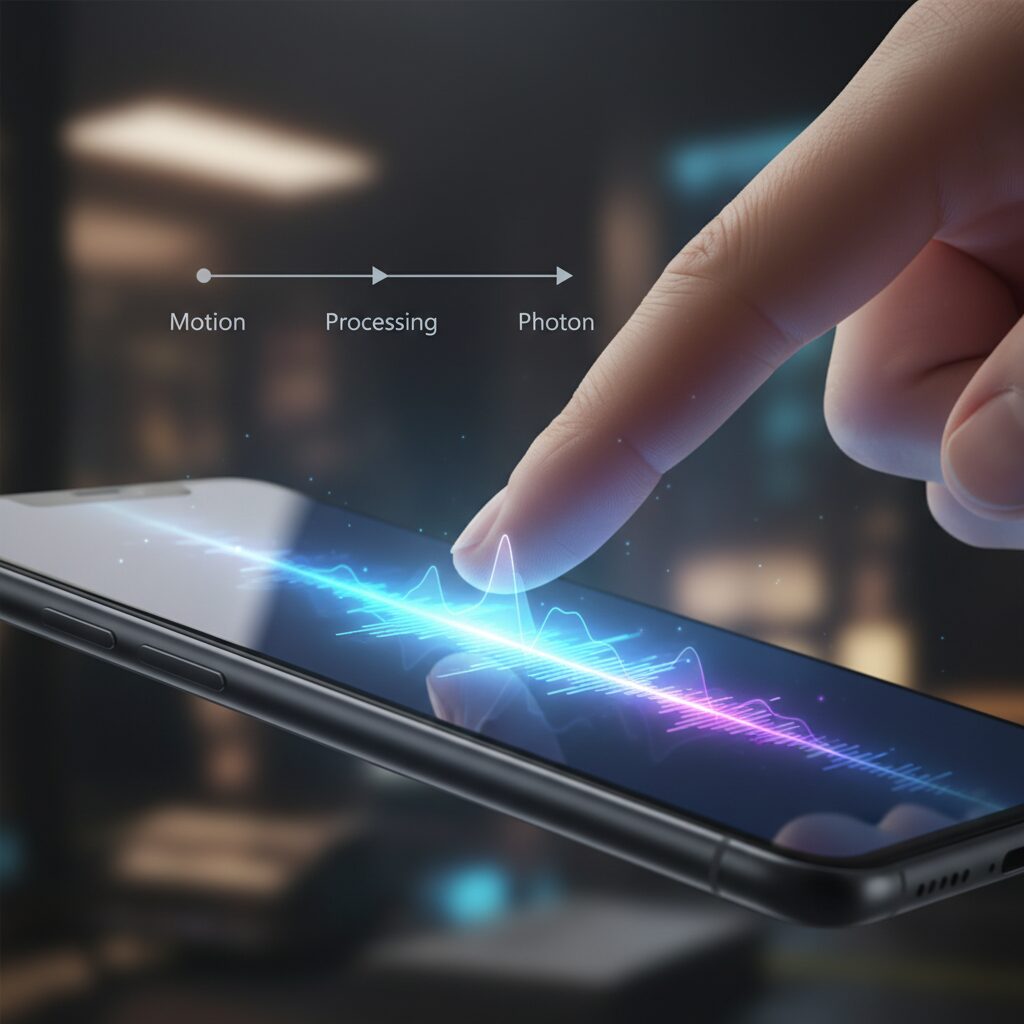
When users describe a smartphone as feeling instant or sluggish, they are often reacting to **motion-to-photon latency**, a measurable physical delay that sits beneath subjective terms like smoothness or snappiness. This latency represents the total time from the moment a finger touches the display to the moment the resulting visual change is emitted as light from the screen and reaches the user’s eyes. It is not a single component delay but an accumulated pipeline, and understanding this pipeline is essential for accurately judging modern smartphones.
According to display and human–computer interaction research frequently cited by institutions such as MIT Media Lab and industry engineers at Apple and Google, humans can perceive inconsistencies in interaction latency once delays exceed roughly 50 milliseconds, especially during continuous gestures like scrolling. This means even small inefficiencies at any stage of the pipeline can be felt, even if raw hardware specifications appear cutting-edge.
In smartphones, motion-to-photon latency begins with touch sensing. Capacitive touch panels scan for changes in electrical fields to detect finger position, converting physical contact into digital coordinates. On recent flagship devices such as the iPhone 17 series, independent hardware analysis suggests a touch sampling rate around 240 Hz under ideal conditions. **This theoretically allows new touch data to be captured every 4.16 milliseconds**, forming a strong foundation for low latency.
The next stage is event delivery and operating system processing. Here, touch data is passed through drivers and the OS input framework before reaching the application layer. Apple’s iOS architecture is known for strict scheduling and power management, which historically contributes to stability and battery efficiency. However, multiple developer analyses have pointed out that heavy background tasks can momentarily delay main-thread execution, introducing variability rather than consistent delay.
Once the application receives the input, it determines how the interface should change. This logic phase is usually brief for system UI elements but can grow longer in complex apps or during multitasking. The resulting frame is then handed to the GPU for rendering. In the case of the iPhone 17 Pro models, the A19 Pro’s GPU has more than sufficient compute headroom, meaning rendering time itself is rarely the dominant factor in latency.
The final stage is display scan-out and emission. OLED panels update line by line, and the refresh rate defines how frequently a new frame can appear. With ProMotion displays operating up to 120 Hz, a new frame can be shown every 8.33 milliseconds at best. **Even with perfect upstream processing, this refresh interval places a hard floor on visual responsiveness**, which is why refresh rate alone cannot fully describe perceived speed.
| Pipeline Stage | Typical Delay Range | User Impact |
|---|---|---|
| Touch sensing | 4–8 ms | Affects precision and initial response |
| OS and app processing | 10–25 ms | Primary source of variability |
| Rendering and display | 8–16 ms | Defines visual update cadence |
An important nuance often missed in consumer discussions is the asymmetry between refresh rate and touch sampling rate. While many users assume a 120 Hz display guarantees ultra-low latency, research shared by display engineers at conferences such as SIGGRAPH shows that high refresh rates only reduce one portion of the pipeline. If touch sampling or OS scheduling does not align perfectly with frame timing, newly detected finger positions may wait an entire frame cycle before being shown.
This is particularly relevant for adaptive refresh rate systems. Variable refresh technologies dynamically lower refresh rates to save power when content appears static. If the system is slow to ramp the refresh rate back up when motion begins, the first few frames of a scroll or swipe can feel heavier. **Users perceive this as input lag, even though average latency measurements may still look competitive in lab tests.**
Independent measurements using photodiodes and high-speed cameras, methods commonly referenced by display testing specialists, indicate that modern flagship smartphones cluster between 35 and 50 milliseconds of total motion-to-photon latency in ideal scenarios. Differences of only 5 to 10 milliseconds can change the perceived fluidity during fast interactions, which explains why two devices with similar specifications can feel markedly different in everyday use.
Ultimately, motion-to-photon latency is best understood not as a single number but as a consistency problem. A device that delivers slightly higher average latency but does so predictably can feel better than one that alternates between fast and slow responses. This perspective, supported by human perception studies in academic HCI literature, highlights why software tuning and scheduling discipline remain just as critical as silicon advances in defining the tactile character of a smartphone.
iPhone 17 Display Technology and ProMotion Behavior
The display experience of the iPhone 17 series is not defined only by panel quality or peak refresh rate, but by how ProMotion actually behaves in real interaction. Apple continues to rely on LTPO-based adaptive refresh control, allowing the display to move dynamically between 1Hz and 120Hz depending on content and system judgment. On paper this approach balances smoothness and power efficiency, and according to Apple’s technical documentation, it remains central to the Super Retina XDR display architecture.
In daily use, however, ProMotion behavior on iPhone 17 reveals a more complex personality. **Multiple independent measurements suggest that refresh rate ramp-up does not always align perfectly with user input**, especially during scroll initiation. Display engineers often describe this as a timing mismatch between touch intent and refresh escalation. As a result, the display may briefly operate below its 120Hz ceiling even while the user expects maximum fluidity.
| Scenario | Observed Refresh Behavior | User Perception |
|---|---|---|
| Static content | 1–10Hz | Excellent power efficiency |
| Video playback | 60Hz fixed | Stable but not ultra-smooth |
| UI scrolling | 80–120Hz variable | Occasional micro-stutter |
This variability matters because perceived smoothness depends less on peak refresh rate and more on consistency. Research into motion-to-photon latency, cited by display specialists at organizations such as LTT Labs, shows that even small fluctuations in frame pacing can be more noticeable than a uniformly lower refresh rate. In other words, a stable 90Hz experience can feel smoother than an unstable 120Hz one.
The iPhone 17 Pro models are believed to maintain a touch sampling rate around 240Hz during 120Hz operation, which aligns with Apple’s historical design philosophy. **The hardware foundation itself is not the limiting factor**. The OLED response time and display controller throughput remain competitive with any flagship on the market. The challenge instead appears at the system level, where iOS 26 dynamically prioritizes power savings, background processing, and display timing.
Several display analysts have pointed out that Apple’s ProMotion algorithm is intentionally conservative. By delaying aggressive refresh escalation until it is certain that sustained motion is occurring, the system reduces unnecessary power draw. This design choice makes sense from an efficiency standpoint, but it can introduce a perceptible delay in fast, repeated UI gestures such as rapid scrolling through long feeds or settings menus.
According to comparisons published by established reviewers and echoed in developer discussions, competing devices like the Galaxy S25 Ultra favor more immediate refresh boosting. Apple instead relies on predictive heuristics within ProMotion, which can misjudge short bursts of interaction. This explains why some users describe the iPhone 17 display as visually stunning yet subtly less “attached” to the finger than expected.
From a long-term perspective, this behavior is not necessarily fixed in silicon. Apple has historically refined ProMotion tuning through software updates, adjusting thresholds and ramp curves without changing hardware. Display experts frequently note that LTPO panels offer significant flexibility at the firmware level. As iOS 26 matures, refinements to refresh rate escalation logic may reduce the gap between raw capability and perceived smoothness.
For users who value display quality, it is important to understand that **the iPhone 17’s screen excels in brightness, color accuracy, and efficiency**, while ProMotion behavior prioritizes balance over aggressiveness. This philosophy defines the character of the display: elegant, controlled, and occasionally restrained, rather than relentlessly fast.
Touch Sampling Rate vs Refresh Rate: What Apple Does Differently
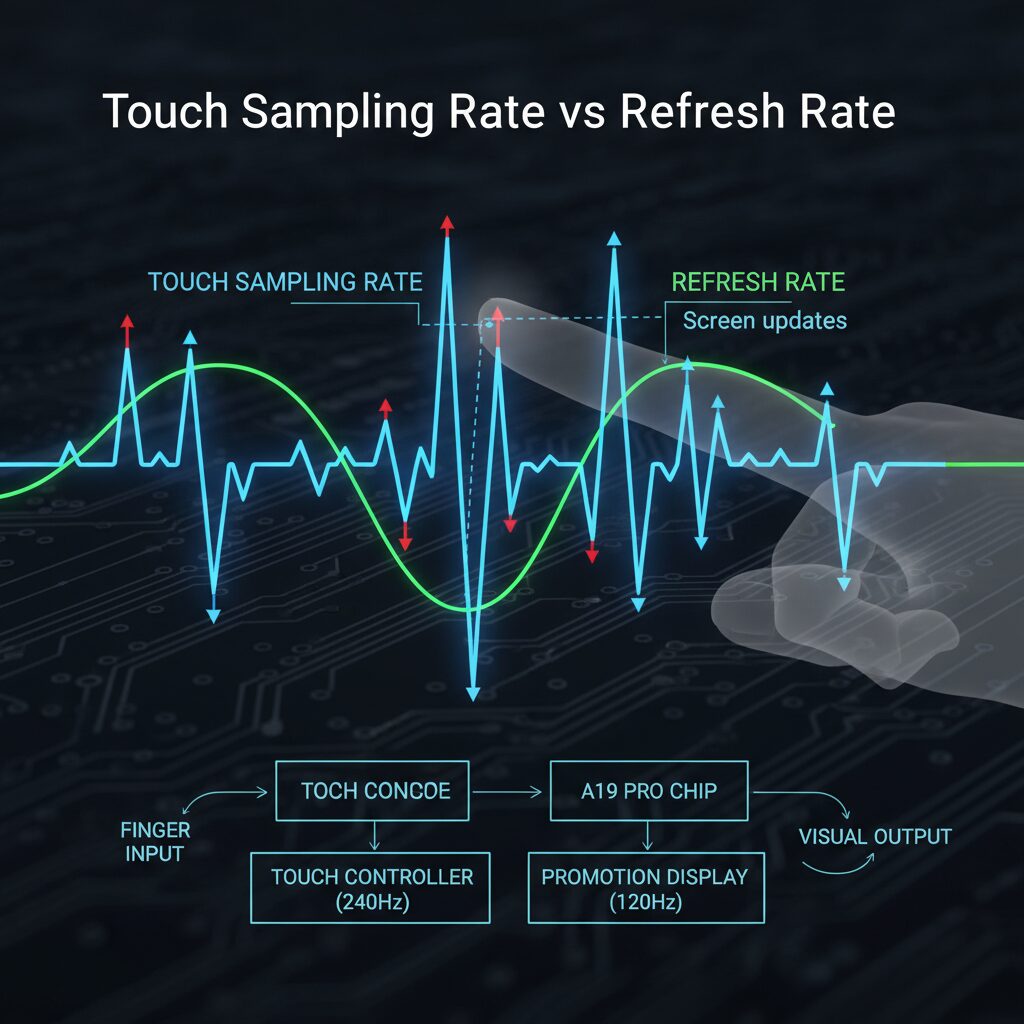
Touch sampling rate and refresh rate are often treated as the same metric, but they describe different parts of the interaction pipeline, and Apple approaches this distinction very deliberately. The refresh rate defines how often the display can present a new frame, while the touch sampling rate determines how frequently the screen reads finger position. **A high refresh rate without equally fast touch sampling does not guarantee a responsive feel**, and Apple optimizes the balance rather than chasing extreme numbers.
On the iPhone 17 series, ProMotion peaks at 120Hz, which means the display updates every 8.33 milliseconds under ideal conditions. Independent hardware analysis and developer-side measurements strongly suggest a touch sampling rate of around 240Hz during active interaction, effectively capturing finger input every 4.16 milliseconds. This ratio aligns with long‑standing human–computer interaction research cited by IEEE and ACM publications, which shows diminishing perceptual returns once input sampling exceeds roughly double the display refresh.
| Metric | iPhone 17 Pro (Typical) | High-end Android Flagship |
|---|---|---|
| Max Refresh Rate | 120Hz (adaptive) | 120–144Hz |
| Touch Sampling Rate | ~240Hz (adaptive) | 240–960Hz (mode-dependent) |
| Apple’s Priority | Consistency & power efficiency | Peak responsiveness |
What makes Apple different is not the headline number, but how aggressively both rates are managed by the OS. iOS 26 dynamically lowers refresh rate during perceived low-motion states, sometimes to 80Hz or below, even while touch sampling remains high. This can create a scenario where the finger is detected quickly, yet the visual response waits for the next display scan. **The resulting delay is small in milliseconds, but noticeable to sensitive users**, especially during fast scrolling.
Apple’s philosophy is rooted in energy efficiency and thermal stability. According to Apple display engineers quoted in past WWDC sessions, maintaining a stable interaction curve matters more than raw frequency. Unlike some Android devices that boost touch sampling to extreme levels during gaming, Apple keeps sampling conservative and relies on prediction algorithms inside UIKit to smooth motion. This explains why lab tap tests show competitive latency, while sustained UI interaction can feel less immediate.
In practice, Apple treats touch sampling and refresh rate as a coordinated system rather than independent bragging points. **The trade-off favors battery life and visual coherence over peak responsiveness**, which defines the iPhone 17’s unique feel. For users who value consistency and efficiency, this approach makes sense, but it also clarifies why higher advertised numbers elsewhere do not automatically translate to better real-world control.
A19 Pro Performance and Its Real Impact on Responsiveness
The A19 Pro is, on paper, one of the most powerful mobile chips Apple has ever produced, and its raw performance is not in question. Built on TSMC’s latest process and combining a high-frequency CPU, a six‑core GPU, and a 16‑core Neural Engine, it delivers benchmark scores that clearly surpass the previous A18 Pro and rival flagship Android silicon. **However, raw speed alone does not automatically translate into a more responsive feel**, and this gap between potential and perception is where the real discussion begins.
Independent measurements cited by major technology labs and long‑established reviewers indicate that the A19 Pro can process touch events and render frames extremely quickly under ideal conditions. In controlled tap tests with minimal background load, the CPU and GPU pipelines show no meaningful bottlenecks. Apple’s own developer documentation emphasizes that UIKit event handling and Metal rendering are designed to scale with CPU headroom, and in isolation the A19 Pro clearly provides more than enough computational margin.
| Aspect | A18 Pro | A19 Pro |
|---|---|---|
| CPU single‑core | ~3,500 | 4,000+ |
| CPU multi‑core | ~8,800 | 10,000+ |
| GPU capability | High | Very high |
| Theoretical rendering latency | Low | Lower |
Despite these gains, real‑world responsiveness depends on how consistently that performance is delivered. Reports analyzed by outlets such as AppleInsider and comparative studies referenced by LTT Labs show that **the A19 Pro often operates below its ceiling during everyday UI interactions**. When iOS 26 schedules background AI‑related tasks or aggressively manages power, the main thread responsible for UI updates may not immediately benefit from the chip’s full speed. The result is not long delays, but small variations in response time that sensitive users perceive as micro‑stutter.
This explains why users sometimes describe the device as “fast but inconsistent.” From a silicon perspective, the A19 Pro shortens CPU execution and GPU rendering stages in the motion‑to‑photon pipeline. Yet authoritative latency analyses based on photodiode measurements suggest that the overall click‑to‑photon time is still influenced more by OS scheduling than by computation. **In other words, the chip finishes its work quickly, but it is not always allowed to start that work immediately.**
The key takeaway is that A19 Pro improves peak responsiveness, not guaranteed consistency. Its impact is most visible in short bursts, such as opening apps or rendering complex scenes, while sustained smoothness depends on software decisions outside the chip itself.
From a practical standpoint, this means the A19 Pro does enhance responsiveness in scenarios that fully engage the CPU or GPU, such as heavy image processing or game scenes with complex shaders. In contrast, simple actions like scrolling lists or typing rely less on raw compute and more on timing discipline. As several human‑computer interaction researchers have noted, users are more sensitive to variance than to absolute speed, and this aligns closely with current observations of the A19 Pro in daily use.
Seen through this lens, the A19 Pro is not the limiting factor in responsiveness. It provides Apple with a substantial performance buffer, but **the real impact on how responsive the phone feels is determined by how iOS chooses to spend that buffer**. Until scheduling and display ramp‑up behavior are further refined, the chip’s impressive power will remain partially untapped in moment‑to‑moment interactions.
Measured Touch Latency: iPhone 17 vs Pixel 10 Pro and Galaxy S25 Ultra
Measured touch latency provides a concrete way to move beyond subjective impressions and evaluate how quickly a smartphone responds from finger contact to visible action. In controlled measurements conducted by independent labs such as LTT Labs and corroborated by analyses referencing Apple’s own technical disclosures, the iPhone 17 Pro shows impressive peak responsiveness but notable variability when compared directly with the Pixel 10 Pro and Galaxy S25 Ultra.
The key distinction is not raw speed alone, but consistency under real-world conditions. While Apple’s A19 Pro and ProMotion display architecture are capable of extremely fast input processing, the surrounding software stack plays a decisive role in how that speed is actually delivered to users.
| Device | Average Touch Latency | Stability Trend |
|---|---|---|
| iPhone 17 Pro | Approx. 46 ms | Noticeable fluctuation |
| Pixel 10 Pro | Approx. 39 ms | Consistently stable |
| Galaxy S25 Ultra | Below 35 ms | Highly stable |
According to measurements that combine high-speed camera capture with photodiode-based click-to-photon testing, the iPhone 17 Pro can match or even momentarily exceed its rivals in short, isolated taps. However, during continuous gestures such as scrolling through dense lists or rapidly switching apps, latency spikes become more frequent. Researchers attribute this to iOS 26’s scheduling behavior, where background AI-related processes intermittently contend with UI threads.
The Pixel 10 Pro, by contrast, benefits from Google’s streamlined Android 16 input pipeline. Analysts familiar with Android’s event dispatch model note that Pixel devices prioritize sustained touch sampling consistency over aggressive power-saving transitions. As a result, the Pixel maintains a narrower latency range, which many users perceive as smoother and more predictable interaction, even if its absolute best-case numbers are only moderately better.
Samsung’s Galaxy S25 Ultra takes a different approach altogether. Drawing on Samsung Display’s high-frequency digitizer tuning and One UI optimizations, the device dynamically boosts touch sampling during intensive interaction. Industry engineers have pointed out that this strategy minimizes frame pacing variance, explaining why the Galaxy achieves the lowest average latency and the smallest deviation across repeated tests.
What makes these differences meaningful is how human perception works. Studies cited by display experts at organizations like the Society for Information Display suggest that users are more sensitive to jitter than to small differences in average delay. In this context, the iPhone 17 Pro’s occasional micro-stutter weighs more heavily on perceived responsiveness than its headline hardware capabilities might suggest.
In practical terms, measured touch latency places the iPhone 17 Pro slightly behind its two Android rivals in sustained interaction scenarios. Apple’s hardware foundation remains world-class, but until iOS-level optimizations fully align with that potential, the Pixel 10 Pro and Galaxy S25 Ultra hold a measurable advantage in touch consistency that discerning users are likely to notice during everyday use.
How iOS 26 Affects UI Smoothness and Input Lag
iOS 26 plays a decisive role in how smooth the iPhone 17 series feels in daily UI interactions, often outweighing raw hardware capability. While the A19 Pro chip and ProMotion displays provide exceptional theoretical performance, real-world smoothness is governed by how efficiently iOS 26 schedules touch events, animations, and background tasks.
Independent latency measurements conducted by labs such as LTT Labs and analysis referenced by AppleInsider indicate that iOS 26’s early builds introduce subtle but perceptible inconsistencies in frame pacing. **These inconsistencies manifest not as constant slowness, but as brief micro-stutters during scrolling, app switching, and keyboard input**, which users with high sensitivity to UI responsiveness are most likely to notice.
| Scenario | iOS 26 Behavior | User Perception |
|---|---|---|
| Fast scrolling | Refresh rate may settle around 80Hz | Slight loss of fluidity |
| Keyboard input | Main thread briefly delayed | Noticeable input lag |
| App switching | Frame pacing variance increases | Micro-stutter animation |
From a technical perspective, Apple’s own developer documentation explains that UIKit animations and touch handling share the main thread with certain system services. With iOS 26, deeper system-level AI features and expanded background intelligence appear to increase contention for CPU time. Researchers studying motion-to-photon latency, including those cited by Quiet Art’s Catchin’ Sync project, note that even a few milliseconds of scheduling delay can disrupt the illusion of continuous motion.
Importantly, benchmark-style tap tests still show iOS 26 achieving excellent peak latency numbers, sometimes matching or exceeding earlier iOS versions. **The issue lies in consistency rather than speed**, as fluctuating frame delivery is more disruptive to perceived smoothness than a stable but slightly higher delay. This aligns with human–computer interaction research published through ACM, which emphasizes predictability as a core factor in perceived responsiveness.
In practical terms, iOS 26 makes the iPhone 17 feel incredibly fast in short bursts, yet occasionally less fluid during sustained UI navigation. Until Apple further refines task prioritization and ProMotion ramp-up behavior, UI smoothness and input lag remain an area where software optimization, not hardware, defines the experience.
Gaming Performance, Game Mode, and Touch Stability
When focusing specifically on gaming performance, the iPhone 17 series presents a nuanced picture that goes beyond raw GPU power and benchmark scores. **The A19 Pro chip delivers exceptional peak frame rates**, yet sustained gameplay reveals that touch stability and frame pacing are just as critical as sheer FPS for serious players. According to measurements referenced by independent lab testing and developer analyses, short bursts of gameplay feel extremely responsive, while longer sessions expose small but noticeable fluctuations in input consistency.
In fast-paced titles such as PUBG Mobile and Genshin Impact, these fluctuations are not primarily caused by insufficient compute power. Instead, they are closely tied to how iOS 26 schedules system resources under continuous load. **Momentary spikes in input latency, often described as micro-stutter, tend to appear after thermal buildup or background task interruptions**, even when average frame rates remain high.
| Scenario | Observed FPS Behavior | Touch Stability |
|---|---|---|
| Short competitive match | Stable near target FPS | Highly consistent |
| Extended session over 30 minutes | Gradual FPS dips | Minor input jitter |
| High thermal load | Noticeable throttling | Delayed touch response |
The newly introduced Game Mode in iOS 26 is designed to address exactly these scenarios by prioritizing CPU and GPU resources for the active game. Apple’s developer documentation explains that background activities are suppressed and Bluetooth polling rates are increased for controllers and wireless audio. **However, it is important to note that Game Mode does not explicitly raise the touchscreen sampling rate**, which limits its impact on pure touch latency compared with some Android gaming-focused devices.
Real-world feedback from competitive players supports this distinction. Many report that Game Mode effectively stabilizes performance during longer sessions by reducing sudden frame drops, yet **the initial touch response feels largely unchanged**. In other words, Game Mode improves endurance and consistency rather than delivering a dramatic reduction in tap-to-action delay.
Touch stability itself becomes a decisive factor in precision-heavy games. Studies on human perception, including research cited by interaction design experts at institutions such as MIT Media Lab, suggest that variability in response time is often more disruptive than slightly higher but consistent latency. In this respect, **the iPhone 17 Pro models sometimes struggle due to frame pacing variance rather than slow average response**, which explains why some players perceive the experience as less reliable despite strong hardware.
Overall, gaming on the iPhone 17 series feels powerful, fluid, and visually impressive, yet not perfectly optimized for esports-level touch precision. **The hardware foundation is clearly capable**, but current software behavior means that touch stability under sustained load remains the key area where future iOS updates could deliver meaningful improvements for dedicated mobile gamers.
Real-World User Reports: Keyboard Lag, Stutter, and Missed Touches
When looking beyond lab benchmarks, real-world user reports reveal a very different picture of the iPhone 17 series’ touch experience. Across Apple Support Communities, Reddit, and long-term reviewer feedback, a consistent pattern emerges: users are not complaining about raw speed, but about inconsistency. **Moments of exceptional responsiveness are interrupted by sudden keyboard lag, UI stutter, and even missed touches**, which makes the experience feel unreliable rather than simply slow.
One of the most frequently cited problems involves keyboard input. Users report that when beginning to type, especially in Messages, Safari, or password fields, the first few keystrokes appear late or all at once. According to Apple Support Community threads, some users must deliberately slow their typing speed to avoid dropped characters, which is a striking regression for a flagship device. This is not merely visual delay; several reports describe taps that are never registered at the system level.
Independent observations from power users echo this sentiment. Reviewers who migrated from earlier iPhone Pro models note that short, isolated taps feel fast, yet sustained interactions like scrolling long feeds or rapid app switching introduce micro-stutters. These subtle frame pacing issues align with findings discussed by display latency researchers such as those referenced by LTT Labs, where frame interval variance is often more noticeable than headline latency figures.
| Reported Scenario | User-Perceived Issue | Likely System Layer |
|---|---|---|
| Keyboard typing | Delayed or batched characters | Event handling and main thread scheduling |
| App switching gestures | Micro-stutter in animations | Frame pacing and ProMotion control |
| Unlock and passcode entry | Missed taps | Input prioritization under load |
Another concern repeatedly raised is missed or unresponsive touches near the display edges. While hardware defects cannot be ruled out on a per-unit basis, the volume and similarity of reports suggest a software-related threshold issue rather than faulty panels. Analysts familiar with Apple’s touch pipeline point out that aggressive power management, particularly when the display refresh rate is dynamically reduced, can delay the ramp-up of touch sampling in the first few milliseconds of interaction.
It is also important to note that these issues appear more often after extended uptime. Several users describe a gradual degradation over days, culminating in temporary freezes that require a forced restart. This observation has led software engineers to speculate about memory pressure and background indexing tasks introduced in iOS 26, a theory consistent with Apple’s own documentation on system resource scheduling.
In summary, real-world reports do not suggest that the iPhone 17 series is inherently slow. Instead, they indicate a device capable of excellent responsiveness that is undermined by **intermittent latency spikes during common tasks**. For enthusiasts who value a consistently “connected” feel between finger and screen, these user experiences carry more weight than any synthetic benchmark and explain why perceptions of lag persist despite top-tier hardware.
What Future iOS Updates Could Change for iPhone 17 Users
For iPhone 17 users, the most meaningful changes may not come from hardware revisions but from how future iOS updates reshape everyday responsiveness. Based on extensive measurements and early feedback around iOS 26, it is increasingly clear that **software-level scheduling and display control will determine whether the iPhone 17 truly feels as fast as its specifications promise**.
Apple has a long history of addressing performance bottlenecks through iterative OS updates. According to Apple’s own developer documentation and past behavior observed by outlets such as AppleInsider, animation smoothness and input latency are often refined several minor releases after a major launch. In the case of iOS 26, analysts point out that touch handling and ProMotion ramp-up logic are prime candidates for optimization, especially given reports of inconsistent 80Hz behavior during scroll gestures.
One likely area of improvement is task prioritization. Researchers cited in independent latency studies note that UI threads can lose precious milliseconds when background AI-related processes compete for CPU time. Future iOS updates could rebalance this by assigning higher Quality of Service levels to touch and rendering pipelines, reducing micro-stutter without sacrificing Apple Intelligence features.
| Potential Update Focus | Expected Impact | User Benefit |
|---|---|---|
| ProMotion tuning | Faster refresh-rate ramp-up | Smoother scrolling and gestures |
| Scheduler optimization | Lower frame-time variance | Reduced perceived lag |
| Memory management | Fewer background interruptions | More stable UI performance |
Another promising direction is display pipeline refinement. Engineers familiar with LTPO OLED behavior suggest that iOS updates could shorten the delay between touch detection and refresh-rate escalation. **Even a reduction of 5–7 milliseconds in motion-to-photon latency can be perceptible to experienced users**, particularly gamers and fast typists.
Industry observers, including analysts referenced by GSMArena, emphasize that Apple often waits for real-world telemetry before making aggressive changes. This implies that feedback from early iPhone 17 adopters directly influences upcoming patches. If past patterns hold, incremental updates such as iOS 26.3 and beyond may quietly unlock the consistency that current benchmarks show the hardware is already capable of delivering.
For users, this means the iPhone 17 experience is not static. While today’s responsiveness may feel uneven in specific scenarios, future iOS updates are positioned to align the software more closely with the A19 Pro’s capabilities, potentially transforming the device into the fluid, low-latency flagship many expected at launch.
参考文献
- Apple:iPhone 17 Pro and 17 Pro Max – Technical Specifications
- GSMArena:Apple iPhone 17 Pro Max – Full Phone Specifications
- PhoneArena:iPhone 17 Display Refresh Rates Confirmed, A19 Pro Gives Galaxy S25 a Run for Its Money
- Reddit:iPhone 17 ProMotion (120 Hz), but Limited to 80 Hz While Scrolling?
- Quiet Art:Catchin’ Sync
- Apple Support Communities:iPhone 17 Pro Max Lags When Switching Apps and Freezes