
In 2026, our digital lives are heavier than ever. 8K video files, AI-generated assets, smart home logs, virtual machines, and years of personal projects easily push individuals and small teams into multi‑terabyte territory. As data gravity increases, so does the risk of irreversible loss.
Ransomware has evolved into an automated industry, targeting not only enterprises but also creators, developers, and home lab enthusiasts. According to Japan’s IPA “Information Security 10 Major Threats 2025,” ransomware remains one of the top organizational threats, while data breach incidents among listed companies reached a record 189 cases in 2024, with over 60% caused by malware infections and unauthorized access.
In this article, you will learn how modern backup philosophy has shifted from the classic 3‑2‑1 rule to the fortified 3‑2‑1‑1‑0 model. We will explore immutable storage, 30TB‑class HAMR hard drives, LTO‑10 tape, Synology and QNAP ecosystems, container‑aware backups, cloud cost optimization, and automated monitoring. By the end, you will understand how to design a resilient, self‑healing backup architecture that works silently in the background—and never leaves your data to chance.
- Why Data Gravity Is Redefining Personal Backup in 2026
- From 3-2-1 to 3-2-1-1-0: The Evolution of Modern Backup Strategy
- Immutability Explained: WORM, Object Lock, and the Last Line of Defense
- The Real Threat Landscape: Ransomware Statistics and Data Breach Trends
- 30TB and Beyond: HAMR Hard Drives and the Physics of High-Density Storage
- LTO-10 Tape and the Return of the Air Gap
- NAS as the Command Center: Synology Btrfs, Immutable Snapshots, and Active Backup
- QNAP QuTS hero, ZFS Integrity, and WORM-Enabled Shared Folders
- Protecting Docker and Virtual Environments: Application-Aware Backup Strategies
- Restic vs Borg vs Kopia: Deduplication Performance and Encryption by Default
- Optimizing macOS and Windows Backups: Time Machine over SMB and VSS-Based Imaging
- Cloud Object Storage Economics: Wasabi, Backblaze B2, S3 Glacier, and Egress Fees
- Automation and Monitoring: Dead Man’s Switch, Health Checks, and Recovery Testing
- 参考文献
Why Data Gravity Is Redefining Personal Backup in 2026
In 2026, personal backup is no longer a matter of convenience. It is a direct response to Data Gravity—the phenomenon where growing volumes of data attract more services, dependencies, and risk around them.
What began as a few gigabytes of photos has evolved into terabytes of 8K ProRes video, AI-generated assets, virtual machine images, and smart home logs. As our data expands, it becomes harder to move, harder to duplicate, and more dangerous to lose.
According to the LTO Program roadmap, a single LTO-10 cartridge now supports 40TB natively. At the same time, Seagate’s Exos Mozaic 3+ 30TB HAMR drives have entered the market. These numbers were once enterprise-only. Today, they define serious home labs and creator workflows.
| Era | Typical Personal Data Volume | Backup Complexity |
|---|---|---|
| 2015 | 100GB–1TB | External HDD copy |
| 2020 | 1–5TB | NAS + cloud sync |
| 2026 | 10–100TB+ | Immutable, automated, multi-tier |
Data Gravity changes behavior. The larger your dataset becomes, the less feasible “manual copy once a month” feels. Transfer times stretch into days. RAID rebuilds take dozens of hours. Cloud egress fees become financially meaningful.
More importantly, gravity increases interconnection. Your NAS hosts Docker containers. Those containers store databases. Those databases sync to cloud object storage with Object Lock enabled. The ecosystem becomes layered and stateful.
Information theory reminds us that entropy always increases. Unverified storage silently decays through bit rot. Human memory fails. Credentials expire. According to Tokyo Shoko Research, incidents involving unauthorized access and malware have overtaken simple human error in corporate data loss cases. This signals a structural shift: loss is no longer accidental—it is adversarial.
For individuals and SOHO operators, this means backups must assume compromise. If ransomware can encrypt production data, it will attempt to encrypt connected backups. If credentials are stolen, deletion commands will be issued.
Data Gravity therefore demands architectural thinking. You do not “back up files.” You design systems that replicate, isolate, verify, and refuse deletion. Immutable snapshots in Btrfs or ZFS, WORM-enabled S3 Object Lock, and physically disconnected LTO cartridges are no longer enterprise luxuries. They are logical responses to mass.
There is also a psychological dimension. The more creative work you produce—code repositories, AI training datasets, media libraries—the more your identity intertwines with your storage. Loss is no longer about inconvenience. It is about erasure of accumulated effort.
In this gravity field, automation becomes survival. Systems must schedule snapshots hourly, test restorations automatically, and alert you if silence replaces expected backup signals. A backup that depends on motivation will eventually fail.
Data Gravity is redefining personal backup because scale has crossed a threshold. When personal data approaches tens of terabytes, it behaves like infrastructure. And infrastructure demands immutability, segmentation, and zero-trust design.
In 2026, the question is no longer whether you have a backup. It is whether your backup architecture is strong enough to withstand the weight of your own digital universe.
From 3-2-1 to 3-2-1-1-0: The Evolution of Modern Backup Strategy
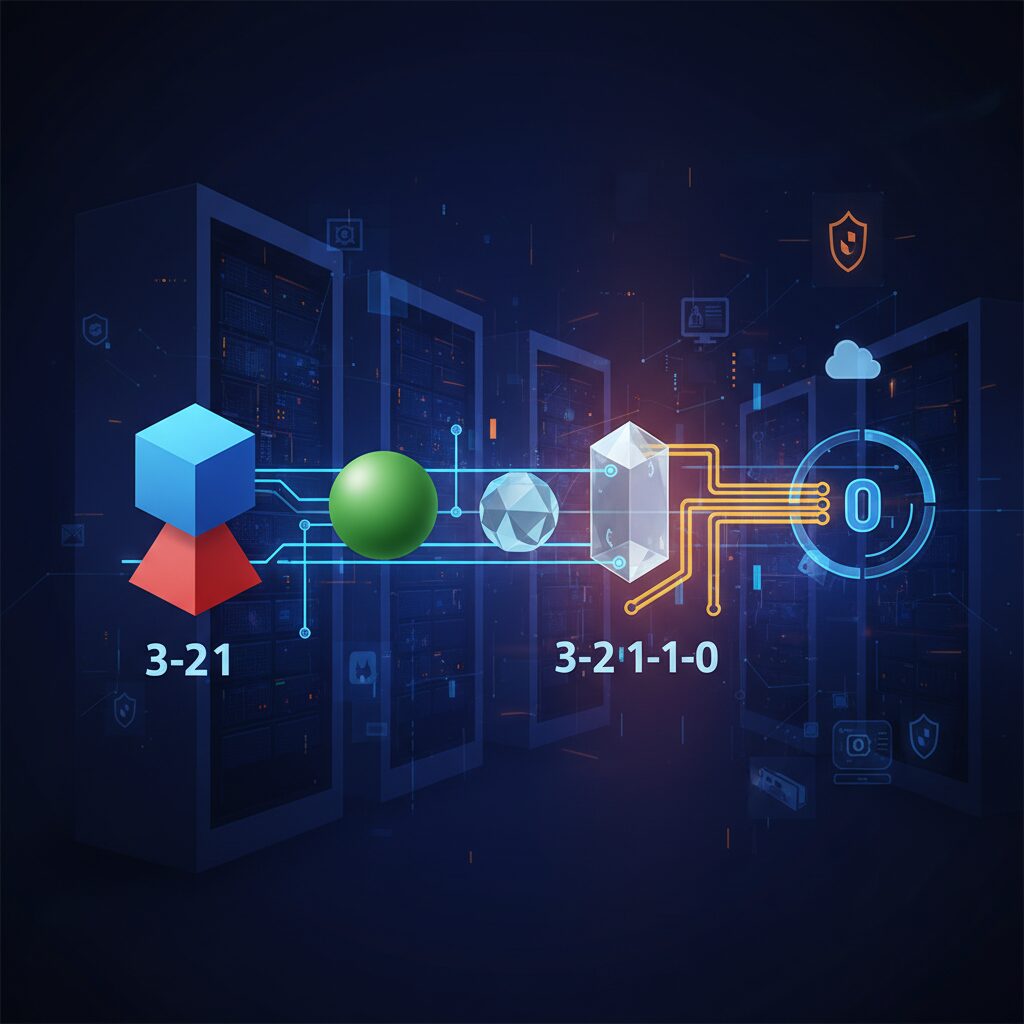
The classic 3-2-1 rule has long been considered the gold standard of backup design. Originally popularized by photographer Peter Krogh, it recommends three copies of data, stored on two different media types, with one copy kept offsite. This framework effectively reduces single points of failure and remains a solid foundation even in 2026.
However, the threat model has fundamentally changed. Modern attacks do not merely destroy hardware; they encrypt or delete data logically. If ransomware gains administrative access and your backup repository is writable, multiple copies can be compromised simultaneously. In such scenarios, 3-2-1 alone is no longer sufficient.
The extended 3-2-1-1-0 model introduces two critical additions: one immutable or offline copy, and zero backup errors verified through testing. Security agencies such as the U.S. Cybersecurity and Infrastructure Security Agency (CISA) have highlighted the importance of immutable storage as a countermeasure against ransomware-driven data destruction.
| Model | Core Focus | Primary Risk Addressed |
|---|---|---|
| 3-2-1 | Redundancy | Hardware failure, local disaster |
| 3-2-1-1-0 | Redundancy + Immutability + Verification | Ransomware, admin compromise, silent corruption |
The additional “1” represents an offline or immutable copy. Offline typically means air-gapped storage such as disconnected external drives or LTO tape. Immutable means the data cannot be modified or deleted during a defined retention period, even by an administrator. Technologies such as Amazon S3 Object Lock and Synology Immutable Snapshots enforce WORM semantics at the storage layer, rejecting deletion commands outright.
This architectural enforcement is crucial because human trust is no longer a valid security boundary. If credentials are stolen, policy-based immutability still stands. That is the difference between a recoverable incident and irreversible loss.
The final “0” is often misunderstood. It stands for zero errors, achieved through automated verification and restore testing. A backup that has never been tested is merely a hypothesis. Enterprise systems increasingly automate recovery validation by mounting backup images or verifying checksums to ensure integrity. Without verification, silent corruption or incomplete jobs may remain unnoticed for months.
In practical terms, 3-2-1-1-0 transforms backup from a storage strategy into a resilience strategy. It assumes breach, assumes operator error, and assumes hardware decay. Instead of relying on discipline, it relies on enforced controls and automated validation.
For gadget enthusiasts and home lab builders, this evolution is not overkill. As personal datasets now reach tens of terabytes—8K video libraries, AI-generated assets, full-system images—the cost of loss rivals that of small businesses. Designing with 3-2-1-1-0 means building a system that survives not just disk crashes, but compromised credentials and silent failures.
The journey from 3-2-1 to 3-2-1-1-0 reflects a broader philosophical change: backup is no longer about copying data. It is about guaranteeing recoverability under adversarial conditions.
Immutability Explained: WORM, Object Lock, and the Last Line of Defense
Immutability is not a marketing buzzword. It is a mathematically enforced promise that once data is written, it cannot be altered or deleted for a defined period. In a world where ransomware actively targets backup repositories, this property becomes the last line of defense.
According to guidance referenced by security agencies such as CISA in the context of modern 3-2-1-1-0 strategies, an immutable copy ensures that even if attackers obtain administrative credentials, they cannot silently erase your recovery path. That single constraint changes the entire threat model.
Immutability shifts trust away from human behavior and toward storage-level enforcement.
WORM: Write Once, Read Many
WORM stands for Write Once, Read Many. The concept is simple but powerful: data can be written a single time, and from that moment forward it becomes read-only until a retention period expires. Unlike traditional file permissions, WORM is enforced at the storage or filesystem layer.
In practical terms, even a root or administrator account cannot modify or delete protected data before the retention timer ends. This is fundamentally different from access control lists, which attackers routinely bypass after privilege escalation.
| Feature | Standard File Storage | WORM-Enabled Storage |
|---|---|---|
| Admin Deletion | Allowed | Blocked during retention |
| Ransomware Impact | Files can be encrypted or erased | Protected copies remain intact |
| Retention Control | Manual policy | System-enforced timer |
This is why WORM is widely used in regulated industries and now increasingly adopted in advanced home labs and SOHO environments.
Object Lock: Cloud-Native Immutability
In object storage systems such as Amazon S3, immutability is implemented through Object Lock. When enabled, each object version can be assigned a retention period or legal hold. During that window, deletion requests are rejected at the API level.
QNAP’s Hybrid Backup Sync, for example, allows users to enable S3 Object Lock directly within backup jobs. This means the NAS can push data to a cloud bucket where immutability is enforced independently of the local system.
Even if your NAS is fully compromised, the attacker cannot retroactively unlock objects stored with active retention.
Two common modes exist in S3-compatible systems: Governance mode and Compliance mode. Governance mode allows certain privileged roles to bypass retention under strict controls. Compliance mode does not. In Compliance mode, not even the root account can shorten or remove the retention period. For ransomware defense, Compliance mode represents the true final barrier.
Immutable Snapshots on NAS
Modern NAS platforms extend immutability to snapshot technology. Synology’s immutable snapshots, built on Btrfs Copy-on-Write architecture, allow administrators to define a protection window during which snapshots cannot be deleted.
Because snapshots are metadata-based and near-instantaneous, you can schedule them hourly without duplicating full datasets. When immutability is enabled, those snapshots become resistant to both malware and administrative mistakes.
This matters because ransomware often waits silently before executing. If encryption is triggered on day 0 but discovered on day 5, an immutable 7-day snapshot window provides a clean rollback point.
That distinction is critical. Firewalls, antivirus software, and patch management aim to prevent compromise. Immutable storage assumes compromise will eventually happen and focuses instead on survival.
In the statistics reported by Tokyo Shoko Research, where unauthorized access and malware now account for the majority of major data incidents, the lesson is clear: perimeter defenses fail. Storage-level immutability remains.
For gadget enthusiasts and advanced users, enabling WORM folders, Object Lock policies, or immutable snapshots is not optional hardening. It is the architectural decision that determines whether your backup is merely a copy—or truly the last line of defense.
The Real Threat Landscape: Ransomware Statistics and Data Breach Trends
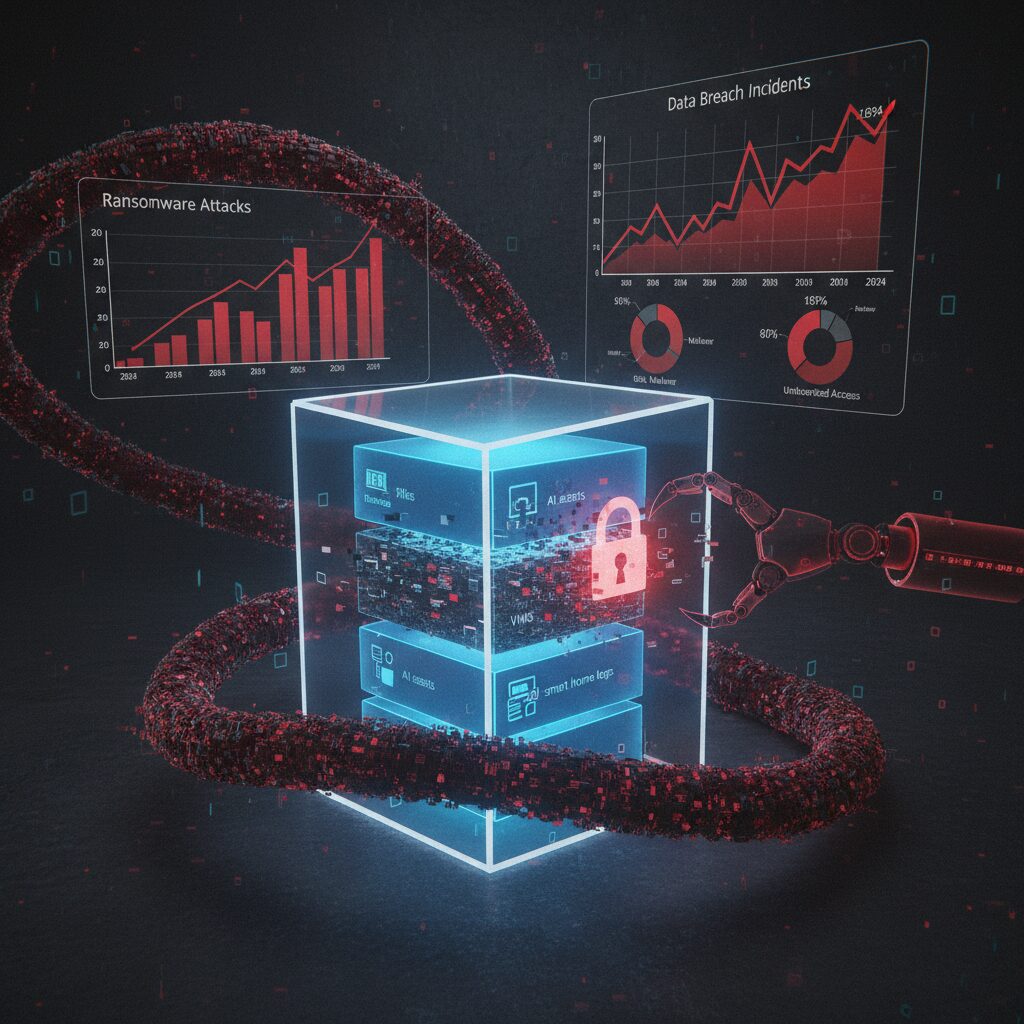
Ransomware is no longer a headline reserved for global enterprises. It has become a statistical certainty in the modern threat landscape. According to IPA’s “Information Security 10 Major Threats 2025,” ransomware continues to rank as the number one threat for organizations in Japan, maintaining its top position for multiple consecutive years. This persistence tells us something critical: the attack model works, and attackers are scaling it efficiently.
The industrialization of Ransomware as a Service has dramatically lowered the barrier to entry. Attack kits are automated, affiliate-driven, and optimized for volume. As a result, targets have shifted from exclusively large corporations to SMEs, SOHO environments, and even individuals operating NAS devices at home. The attack surface has expanded, and the statistics reflect that expansion.
Tokyo Shoko Research reported that in 2024, listed companies and their subsidiaries in Japan experienced 189 cases of personal information leakage or loss, the highest on record. More striking is the cause breakdown. “Virus infection and unauthorized access” accounted for 60.3% of incidents, overtaking traditional causes such as misoperation or physical loss. This marks a structural change in risk.
| Metric (Japan, 2024) | Value | Implication |
|---|---|---|
| Reported data leakage incidents | 189 cases | Record high |
| Incidents caused by malware/unauthorized access | 60.3% | External attacks dominate |
This data suggests that careful operation alone is no longer sufficient. Even if administrators follow best practices, zero-day vulnerabilities in VPN appliances, unpatched firmware in NAS systems, or exposed remote management interfaces can be exploited. The attack path bypasses human vigilance.
For gadget enthusiasts and self-hosted users, this reality has a direct consequence. Home labs, Docker stacks, and consumer NAS devices often run 24/7 with internet exposure for convenience. When ransomware actors scan for vulnerable endpoints, these systems appear indistinguishable from small business infrastructure. Automation works both ways: defenders automate backups, attackers automate exploitation.
Another important trend is psychological monetization. Attackers increasingly rely on double extortion—encrypting data and threatening public disclosure. Even if a dataset has limited market value, its personal or reputational value to the victim becomes leverage. Family photos, proprietary side projects, or customer databases in a SOHO setup are emotionally and financially exploitable assets.
Security agencies such as CISA emphasize the necessity of assuming breach conditions rather than preventing all breaches. This aligns with observed incident data: perimeter defense fails statistically over time. Therefore, resilience metrics—recovery time, integrity verification, and isolation depth—become more meaningful than mere prevention rates.
The threat landscape in 2026 is defined by scale, automation, and asymmetry. Attackers need one exposed service; defenders must secure every layer. The statistical trend lines show that external compromise is not an anomaly but the dominant failure mode. Designing backup and recovery architectures without acknowledging these numbers means designing against yesterday’s risks, not today’s reality.
30TB and Beyond: HAMR Hard Drives and the Physics of High-Density Storage
The leap beyond 30TB hard drives is not merely a matter of stacking more platters; it is a story about confronting the physical limits of magnetism. For more than a decade, areal density gains slowed as traditional perpendicular magnetic recording approached what engineers call the “superparamagnetic limit.” At extremely small bit sizes, thermal energy at room temperature can randomly flip magnetic orientations, making stored data unstable.
HAMR—Heat-Assisted Magnetic Recording—emerged as the industry’s answer to this fundamental physics barrier. Instead of relying solely on stronger magnetic fields, HAMR temporarily heats a microscopic spot on the disk surface during the write process. This reduces the coercivity of the recording medium just long enough for data to be written reliably, then quickly cools it to lock the bit in place.
Seagate’s Exos Mozaic 3+ platform represents the first large-scale commercialization of this concept. According to Seagate and coverage by TechRadar and GIGAZINE, the 30TB Exos model uses ten platters and achieves an areal density of approximately 1.742 terabits per square inch. That density would have been considered aspirational only a few years ago.
| Technology | Recording Assist | Commercial Capacity (2025–2026) | Density Strategy |
|---|---|---|---|
| CMR/PMR | Magnetic field only | Up to ~20TB class | Conventional scaling |
| ePMR + SMR | Energy-assisted magnetic tuning | 26–32TB class | Track overlap optimization |
| HAMR | Laser thermal assist | 30TB and beyond | High-coercivity media + localized heating |
The physics behind HAMR is elegant. By using a nanoscale laser integrated into the write head, the drive briefly heats a tiny region of the disk to several hundred degrees Celsius for less than a nanosecond. This allows the use of higher-coercivity materials that would otherwise be too difficult to magnetize. Once cooled, these materials provide superior long-term stability.
The paradox is that higher temperatures during writing actually result in better data retention after cooling. This counterintuitive principle is what enables capacities to push beyond 30TB without sacrificing reliability.
Western Digital, meanwhile, has taken a more gradual path. As reported by Tom’s Hardware and disclosed in its Investor Day materials, WD continues shipping high-capacity drives using ePMR combined with UltraSMR while preparing its own HAMR transition. Its roadmap outlines 40TB-class HAMR products in the mid-to-late 2020s and even 100TB ambitions toward 2030.
For storage architects and advanced home lab builders, these developments reshape system design decisions. A 30TB drive fundamentally alters RAID math. Instead of deploying eight to ten 12TB or 16TB drives to approach 100TB usable capacity, a five-drive RAID 6 array using 30TB disks can reach roughly 90TB usable with fewer spindles, lower chassis complexity, and reduced power draw.
However, density introduces new trade-offs. As individual drive capacity increases, rebuild times after failure grow proportionally. Reconstructing a 30TB disk in a RAID array can take days depending on workload and controller performance. During this window, the statistical exposure to a second failure rises, making dual-parity RAID 6 or mirrored configurations more prudent than RAID 5.
Another frequently raised concern is durability under repeated thermal stress. Industry testing data released by manufacturers indicates that HAMR drives undergo extensive accelerated lifecycle validation, including millions of write cycles and thermal events. The laser operates at extremely low power and is active only during write operations, which represent a fraction of total drive time in many archival workloads.
From a thermodynamic standpoint, the heated spot is minuscule—measured in nanometers—and dissipates almost instantly into the surrounding platter. This localized heating avoids raising overall disk temperature significantly, meaning system-level cooling requirements remain similar to conventional enterprise HDDs.
Cost per terabyte remains a decisive factor. Historically, each generational jump in areal density has reduced the cost per TB, even if the initial models carry a premium. Early 30TB HAMR drives target enterprise and hyperscale markets, but volume production typically drives broader availability. Analysts cited in industry reporting note that hyperscale data centers serve as proving grounds before technology diffuses into prosumer NAS environments.
The deeper implication is that magnetic recording is far from dead. While SSDs dominate performance-sensitive workloads, the physics of spinning rust continues to evolve in ways that favor massive, cost-efficient cold and warm storage tiers.
Beyond 30TB, research focuses on further increasing areal density through refined media compositions and even more precise near-field transducers. The LTO consortium’s roadmap toward 40TB tape cartridges underscores that magnetic storage—whether on disk or tape—remains scalable when engineering ingenuity is applied to material science.
For technology enthusiasts, HAMR is a reminder that innovation often occurs at the atomic scale. The future of multi-decade data retention may depend less on software abstractions and more on how precisely we can manipulate magnetic domains smaller than a virus.
In that sense, crossing the 30TB threshold is not just a product milestone. It is a demonstration that even in 2026, the laws of physics are not obstacles but design constraints waiting to be engineered around.
LTO-10 Tape and the Return of the Air Gap
LTO-10 represents more than just another generational bump in tape capacity. It signals the strategic return of the air gap as a first-class security architecture in modern backup design.
According to the official LTO Program roadmap, LTO-10 delivers 40TB of native capacity per cartridge, exceeding 100TB with compression. That single specification fundamentally changes how we think about offline protection at scale.
In an era dominated by always-on cloud and networked NAS systems, **physically removable storage once again becomes a security advantage rather than an inconvenience**.
| Generation | Native Capacity | Security Characteristic |
|---|---|---|
| LTO-9 | 18TB | Offline capable, lower density |
| LTO-10 | 40TB | High-density, true air gap at scale |
The jump to 40TB per cartridge means fewer physical units are required to secure tens or hundreds of terabytes. For a 200TB archive, you now need only five cartridges instead of double-digit volumes in earlier generations.
This reduction directly lowers handling complexity, catalog management overhead, and rotation friction. Operational simplicity is a security feature.
Because the tape must be physically inserted into a drive, ransomware cannot encrypt what it cannot reach. This is the purest implementation of segmentation.
Unlike logical immutability such as S3 Object Lock or NAS-level WORM settings, tape-based air gaps do not rely on software enforcement. There is no API to exploit, no admin credential to steal.
Even if an attacker gains domain administrator privileges, compromises hypervisors, and deletes snapshots, a cartridge sitting on a shelf remains untouched.
That asymmetry is precisely why large enterprises and hyperscale environments continue to invest in LTO, as industry analyses consistently highlight.
It is also important to understand the economic dimension. While LTO drives require significant upfront investment, media cost per terabyte remains highly competitive for long-term retention.
For cold archives measured in petabytes, disk arrays incur continuous power, cooling, and hardware refresh cycles. Tape stored offline consumes none of these resources.
Over multi-year retention windows, **total cost of ownership strongly favors tape for deep archival tiers**.
For advanced home labs or SOHO environments, Thunderbolt-compatible LTO drives have lowered the entry barrier. Connected to a Mac Studio or high-performance workstation, they enable professional-grade archival workflows without a data center.
A practical pattern is to combine automated NAS snapshots for short-term recovery with scheduled exports to LTO-10 for monthly or quarterly cold archives.
This hybrid model restores a principle that modern IT briefly forgot: sometimes the most secure network is no network at all.
As ransomware increasingly targets backup servers themselves, the industry’s renewed emphasis on tape reflects a sober realization. Software defenses can fail. Credentials can leak.
But a cartridge locked in a cabinet, electrically disconnected and cryptographically encrypted, represents a boundary that malware cannot cross.
LTO-10 does not compete with cloud or disk. It completes them by reintroducing physics into cybersecurity.
NAS as the Command Center: Synology Btrfs, Immutable Snapshots, and Active Backup
In a modern backup architecture, the NAS is no longer a passive file repository but the operational command center. It orchestrates snapshots, endpoint backups, retention policies, and replication with minimal human intervention. Especially in environments threatened by ransomware, the combination of Synology’s Btrfs, immutable snapshots, and Active Backup for Business creates a layered defensive core that aligns with the 3-2-1-1-0 principle recommended by security authorities such as CISA.
The key is not storage capacity, but controlled state transitions. Synology’s adoption of the Btrfs file system fundamentally changes how data is written, versioned, and verified inside the NAS.
Btrfs and Copy-on-Write: Structural Resilience
Btrfs uses a Copy-on-Write mechanism. When data is modified, it does not overwrite existing blocks. Instead, it writes new blocks and updates metadata pointers only after completion. According to Synology’s technical documentation, this design enables instant snapshots and reduces the risk of corruption during unexpected shutdowns.
| Feature | Function | Security Impact |
|---|---|---|
| Copy-on-Write | Writes new blocks before pointer switch | Prevents in-place corruption |
| Checksums | Metadata and data integrity validation | Detects silent bit rot |
| Snapshots | Pointer-based version capture | Instant rollback capability |
Because snapshots record metadata states rather than duplicating entire datasets, even multi-terabyte volumes can be snapshotted within seconds. This enables hourly or even more frequent restore points without dramatic storage penalties.
Immutable Snapshots: Logical Air Gap
The real breakthrough is immutable snapshot configuration within Synology’s Snapshot Replication package. When immutability is enabled with a defined retention period, snapshots cannot be deleted or altered—even by administrators—until the timer expires. This effectively creates a logical WORM layer inside the NAS.
This mechanism addresses the precise weakness of legacy 3-2-1 designs: writable, always-mounted backups. Immutability transforms the NAS from a secondary target into a hardened vault.
Active Backup for Business: Endpoint Consolidation
Active Backup for Business (ABB) extends the command center role to endpoints and virtual machines. It supports Windows PCs, physical servers, and hypervisors, using block-level incremental backup and global deduplication. As reported in technical reviews by ITmedia, identical system files across multiple Windows devices are stored only once, significantly reducing storage overhead.
More importantly, ABB enables bare-metal recovery. If a workstation fails entirely, it can be restored over the network from a bootable recovery medium. This closes the loop between snapshot protection at the NAS level and full system recovery at the device level.
The strategic advantage emerges when Btrfs snapshots protect ABB repositories. Even if backup data itself becomes targeted, immutable snapshots preserve earlier clean states. The NAS therefore supervises not only production data, but also the integrity of its own backups.
In this architecture, automation replaces trust in human discipline. Scheduled snapshots, enforced retention, deduplicated endpoint backups, and verifiable restore paths operate continuously. The NAS becomes a silent control tower—monitoring data state, preserving history, and ensuring that time can be rewound on demand.
QNAP QuTS hero, ZFS Integrity, and WORM-Enabled Shared Folders
For users who demand enterprise-grade integrity at home or in a SOHO environment, QNAP’s combination of QuTS hero, OpenZFS, and WORM-enabled shared folders represents one of the most technically robust configurations available in 2026.
Unlike conventional NAS setups that rely on traditional EXT4-based storage pools, QuTS hero is built on ZFS, a filesystem originally designed for data centers where silent corruption is unacceptable. This architectural difference changes the entire trust model of your storage.
ZFS Integrity Model in QuTS hero
| Feature | What It Does | Why It Matters |
|---|---|---|
| End-to-end checksums | Verifies data and metadata on every read | Detects silent bit rot automatically |
| Copy-on-write (CoW) | Never overwrites live data blocks | Prevents corruption during power loss |
| RAID-Z | Integrated parity protection | Avoids traditional RAID write-hole issues |
Every block written in ZFS is protected by a checksum. When the block is later read, ZFS recalculates the checksum and compares it to the stored value. If a mismatch is detected and redundancy exists, the system automatically repairs the corrupted block. This mechanism, documented by the OpenZFS community, is fundamentally different from legacy RAID controllers that may propagate corrupted data without detection.
Because ZFS integrates the volume manager and filesystem, integrity verification is not optional or layered on top—it is intrinsic. For backup repositories that must survive for years, this matters more than raw performance benchmarks.
WORM Shared Folders: Enforcing Immutability
QuTS hero extends integrity into the logical layer with WORM-enabled shared folders. Once WORM is activated, files written into the designated folder cannot be modified or deleted until the retention period expires.
QNAP provides two operational modes:
Enterprise Mode allows administrators to delete the shared folder itself, though individual files remain protected during retention. This suits internal governance scenarios.
Compliance Mode goes further—administrators cannot delete the folder or alter retention before expiration. This aligns with strict regulatory or anti-ransomware requirements, where even privileged accounts must be constrained.
This is particularly powerful when paired with Hybrid Backup Sync 3. You can configure HBS jobs to write backups directly into a WORM-designated shared folder, effectively creating an immutable landing zone inside your NAS.
In practice, an hourly backup job targeting a Compliance-mode WORM folder with a 7–30 day retention window creates a rolling shield. Ransomware that encrypts production data—and even attempts to erase backups—will be blocked at the filesystem policy level.
The strategic value here is layered assurance: ZFS protects against corruption and hardware-level faults, while WORM protects against malicious or accidental deletion. Integrity and immutability are enforced by design, not by administrator discipline.
For advanced users architecting a “3-2-1-1-0” strategy, QuTS hero with WORM-enabled shared folders transforms a standard NAS into a policy-enforcing vault—one that assumes compromise will happen and is engineered to survive it.
Protecting Docker and Virtual Environments: Application-Aware Backup Strategies
Modern home labs and SOHO environments increasingly rely on Docker containers and virtualized workloads. However, protecting these “moving castles” requires more than copying files. Stateful applications such as databases cannot be safely backed up with naive volume snapshots alone, especially while they are actively writing data.
When MySQL or PostgreSQL is running, its data directory contains in-flight transactions and write-ahead logs. As multiple technical guides on Docker backup strategies point out, copying /var/lib/mysql during active writes can result in corrupted restores. The issue is not storage failure, but logical inconsistency.
Application-aware backup strategies solve this by coordinating with the workload itself before data is captured.
Why Application Awareness Matters
| Method | Consistency Level | Downtime |
|---|---|---|
| Raw volume copy | Low (risk of corruption) | None |
| Container stop + archive | High | Short |
| Database dump (mysqldump, pg_dump) | Very high | Minimal |
The safest pattern is to trigger a logical dump before backup. Tools like mysqldump or pg_dump generate transaction-consistent snapshots of the database. These dumps are static files, which can then be processed by deduplicating backup engines without risking corruption.
For containerized environments, this can be automated through scheduled jobs or sidecar containers. Community best practices in the self-hosted ecosystem emphasize orchestrating a pre-backup hook that executes the dump command, followed by storage-level protection.
This orchestration layer is what transforms a backup from storage-aware to application-aware.
Modern Tools for Container and Volume Protection
Open-source solutions such as Restic, BorgBackup, and Kopia are widely adopted in 2026 for Docker volume protection. Independent comparisons in 2025 VPS benchmarks report throughput in the 180–250 MB/s range depending on configuration, while achieving substantial deduplication ratios. This makes them particularly efficient for environments where containers share base images and similar data structures.
Restic enforces encryption by default and integrates natively with S3-compatible object storage. BorgBackup is recognized for performance and efficient chunking. Kopia provides both CLI and graphical management, reducing operational friction for advanced home lab operators.
When paired with a Web UI wrapper such as Backrest, scheduled Docker backups can be monitored and versioned without constant command-line interaction.
For virtual machines, the principle is similar. Instead of copying disk images directly, leverage hypervisor-aware snapshots or guest-agent coordination. This ensures file system quiescence before the snapshot is taken, preventing journal corruption inside the VM.
Ultimately, protecting Docker and virtual environments is not about backing up containers themselves—they are ephemeral. The real target is persistent data and configuration state. By aligning backup workflows with application logic, you ensure that restoration is not only possible, but predictable and clean.
In a world where infrastructure is defined as code and services are disposable, application-aware backup is the only strategy that respects how modern systems truly operate.
Restic vs Borg vs Kopia: Deduplication Performance and Encryption by Default
When protecting Docker volumes or home lab datasets, deduplication efficiency and encryption defaults are not minor details but architectural decisions. Restic, BorgBackup, and Kopia all implement content-defined chunking, yet their design philosophies create meaningful differences in performance and security posture.
According to comparative benchmarks published by Onidel Cloud in 2025, throughput and restore behavior vary noticeably under similar VPS conditions. The following overview highlights practical differences relevant to self-hosted environments.
| Tool | Typical Throughput | Encryption by Default | Strength |
|---|---|---|---|
| BorgBackup | 180–220 MB/s | Yes | High dedup ratio, fast local ops |
| Restic | Moderate | Yes (mandatory) | Cloud-native simplicity |
| Kopia | 200–250 MB/s (restore) | Yes | Balanced + GUI |
BorgBackup is often praised for raw efficiency. Its chunking and compression pipeline achieves reported deduplication ratios of 70–85% in environments with repeated system files or VM images. Because it was originally optimized for SSH-based repositories, it performs exceptionally well on fast local disks or LAN targets.
Restic takes a different stance. Written in Go and distributed as a single binary, it enforces encryption automatically and does not allow unencrypted repositories. This “secure-by-default” approach eliminates configuration mistakes, which is critical when backups are pushed to S3-compatible storage such as Wasabi or Backblaze B2.
Kopia blends performance with usability. Benchmarks referenced in 2025 testing show restore speeds reaching 200–250 MB/s under favorable conditions. Its snapshot management and optional GUI reduce operational friction, which matters when verifying recovery integrity rather than just measuring backup speed.
From a CPU utilization perspective, Borg can consume more resources during heavy compression, while Restic’s design trades some peak speed for portability and backend flexibility. In constrained home servers, this balance may influence scheduling decisions.
Ultimately, deduplication performance impacts storage cost, while encryption-by-default impacts survivability under breach scenarios. If your priority is maximum local efficiency, Borg remains formidable. If cloud portability and operational simplicity dominate, Restic excels. If you value restore speed and visual management, Kopia offers a compelling middle ground.
In ransomware-era architectures, encryption is assumed; efficiency and recoverability are the real differentiators.
Optimizing macOS and Windows Backups: Time Machine over SMB and VSS-Based Imaging
Even the most sophisticated NAS or cloud strategy collapses if endpoint backups are unstable.
For gadget enthusiasts running mixed environments, the real optimization challenge lies in macOS Time Machine over SMB and Windows imaging via VSS.
Both are built into the OS, yet both require deliberate tuning to achieve enterprise-grade reliability.
Time Machine over SMB: Making It Truly NAS-Ready
Apple officially supports Time Machine over SMB, but default Samba settings often cause sparsebundle corruption, slow indexing, or stalled backups.
According to the Samba Wiki and multiple NAS vendor guides, proper configuration of the vfs_fruit module is essential for handling macOS metadata correctly.
Without it, extended attributes and resource forks may be mishandled, leading to verification failures.
| Parameter | Purpose | Recommended Setting |
|---|---|---|
| vfs objects | Enable macOS extensions | fruit streams_xattr |
| fruit:time machine | Enable TM compatibility | yes |
| fruit:metadata | Metadata handling | stream |
These parameters ensure that macOS-specific file attributes are preserved natively on the SMB share.
Vendors such as QNAP and Synology also recommend performing the initial backup over wired Ethernet, as Wi-Fi often becomes the bottleneck during multi-terabyte initialization.
The first backup defines long-term stability, so eliminating packet loss and sleep interruptions is critical.
Windows Imaging: Why VSS Changes Everything
On Windows, file-level copy is insufficient for system integrity.
The key technology is Volume Shadow Copy Service (VSS), which creates a consistent point-in-time snapshot even while files are open or locked.
Microsoft designed VSS specifically to coordinate between applications, file systems, and backup tools.
When a VSS-aware agent runs, databases, Outlook PST files, and system registry hives are flushed into a consistent state before imaging begins.
This eliminates the classic “file in use” problem and prevents corrupted restores.
Tools such as Veeam Agent or Synology Active Backup leverage VSS automatically, producing full system images capable of bare-metal recovery.
| Method | Locked Files | Bare-Metal Restore |
|---|---|---|
| File History | Partial | No |
| Legacy Backup | Unstable | Limited |
| VSS-Based Imaging | Full Support | Yes |
Windows’ built-in legacy tools are known to produce recurring errors such as 0x807800C5, as documented by multiple troubleshooting reports.
By contrast, a properly configured VSS-based solution captures the OS, boot loader, drivers, and applications in one coherent image.
This transforms backup from “file copy” into full system time travel.
In mixed macOS and Windows environments, optimization is not about adding more storage.
It is about ensuring protocol-level correctness on macOS and application-aware snapshot integrity on Windows.
When SMB is tuned correctly and VSS imaging is automated, endpoints become as resilient as the NAS or cloud layers behind them.
Cloud Object Storage Economics: Wasabi, Backblaze B2, S3 Glacier, and Egress Fees
When you design an offsite layer for a 3-2-1-1-0 strategy, cloud object storage becomes less about convenience and more about economics. The wrong pricing model can silently double your long-term TCO, especially once restore operations and versioning start to accumulate.
For backup-centric workloads, you should evaluate not only the headline price per terabyte, but also egress fees, minimum retention rules, and retrieval latency. These three variables define whether your cloud copy is practical insurance or an expensive hostage.
| Service | Storage Cost (Approx.) | Egress Policy | Primary Trade-off |
|---|---|---|---|
| Wasabi | ~$6.99/TB/month | No egress fee | 90-day minimum retention |
| Backblaze B2 | ~$6/TB/month | ~$0.01/GB (with free tier) | Low cost, predictable API |
| Amazon S3 Glacier Deep Archive | ~$0.99/TB/month | High retrieval fees | Very slow restore |
Wasabi’s flat pricing with zero egress fees is particularly attractive for active backup scenarios. If you need to perform regular restore tests to achieve the “0 errors” principle, not being penalized for downloads changes behavior. However, the 90-day minimum storage duration means frequent deletions or short-lived test buckets still incur full billing.
Backblaze B2 offers competitive storage pricing and S3-compatible APIs, making it easy to integrate with tools like Restic or QNAP HBS 3. The modest egress charge may appear small, but restoring 5 TB in a disaster scenario translates to roughly $50 in transfer fees. That is manageable, yet it must be factored into your recovery budget.
Amazon S3 Glacier Deep Archive operates on a different axis: extreme cost efficiency for cold data. At around one dollar per terabyte per month, it rivals tape economics. However, retrieval can take hours, and fees for expedited access can exceed the storage savings. For ransomware recovery where time equals business continuity, delayed access can be strategically risky.
Industry analyses comparing Wasabi and Backblaze note that predictable billing models reduce operational friction for small teams. In practice, many advanced users implement tiered policies: hot backups in Wasabi or B2, with lifecycle transitions to colder classes after 30 days. This balances cost control with operational agility.
Ultimately, cloud object storage economics is not about chasing the lowest per-terabyte number. It is about aligning pricing structure with recovery objectives, immutability duration, and verification frequency. When modeled correctly, cloud storage becomes a mathematically defensible extension of your fortress, not a variable liability hidden inside your monthly invoice.
Automation and Monitoring: Dead Man’s Switch, Health Checks, and Recovery Testing
Automation without monitoring is a silent risk. Even the most sophisticated backup stack can fail quietly due to expired credentials, full disks, or broken network routes. What you need is not only scheduled jobs, but a system that actively detects absence. This is where the concept of a Dead Man’s Switch becomes critical.
Instead of sending alerts only when something breaks, a Dead Man’s Switch assumes failure unless proven otherwise. The backup script must report its success within a defined interval. If it does not, the system raises an alert. This inversion of logic is far more reliable than passive logging.
| Model | Trigger Condition | Risk Level |
|---|---|---|
| Success Notification Only | Error occurs | High (silent failure possible) |
| Dead Man’s Switch | No signal received | Low (absence detected) |
Services such as Healthchecks.io and self-hosted Uptime Kuma implement this logic elegantly. Your backup job ends with a simple HTTP ping using curl. If no ping arrives within, for example, 24 hours plus a grace period, you receive an alert via Slack, email, or LINE. This method detects power loss, cron misfires, container crashes, and even DNS failures.
The key insight is that silence must be treated as a critical event. In distributed systems theory, lack of heartbeat equals node failure. Your backup server should be treated no differently than a production cluster.
Monitoring, however, is only half the equation. The other half is health validation. A backup file that exists is not necessarily restorable. Corruption, incomplete uploads, or permission drift can render archives unusable. According to long-standing operational best practices often summarized as “a backup is only real if it can be restored,” verification must be automated.
Modern NAS platforms provide partial solutions. For example, some systems can automatically mount backup images as temporary virtual machines and verify OS boot. This transforms recovery testing from a manual quarterly ritual into a scheduled, repeatable validation cycle.
For file-level backups using tools like Restic or BorgBackup, verification can include scheduled “restore to sandbox” operations. A nightly job can restore a random subset of files to a staging directory and validate checksums. Because these tools use cryptographic hashing internally, checksum mismatches immediately expose repository corruption.
You should also separate three layers of health checks: job execution, repository integrity, and recovery viability. Job execution confirms the task ran. Repository integrity confirms data consistency. Recovery viability confirms actual usability. Each layer detects different failure modes.
Finally, alerts must be actionable. Sending notifications to an email account you rarely check defeats the purpose. Integrating alerts into tools you already monitor daily—such as messaging apps or incident dashboards—dramatically reduces response latency.
Automation is not complete until failure becomes visible and recovery becomes routine. When your system can detect missed executions, validate integrity, and simulate restoration without manual intervention, you approach the “0-error” principle described in modern 3-2-1-1-0 strategy thinking. At that point, backup stops being a task and becomes an autonomous safety mechanism.
参考文献
- NRI Secure:IPA ‘Information Security 10 Major Threats 2025’ Overview
- Tokyo Shoko Research:2024 Data Breach and Loss Incidents Among Listed Companies Reached Record High
- TechRadar:Seagate launches biggest hard drive ever — 30TB Exos Mozaic 3+ HDD
- Ultrium LTO:LTO Program Announces New 40 TB LTO-10 Cartridge Specifications
- Synology:What is an Immutable Snapshot? How Do I Use It?
- QNAP:How to Protect Data from Ransomware with S3 Object Lock in HBS 3
- Onidel Cloud:Restic vs BorgBackup vs Kopia on VPS in 2025