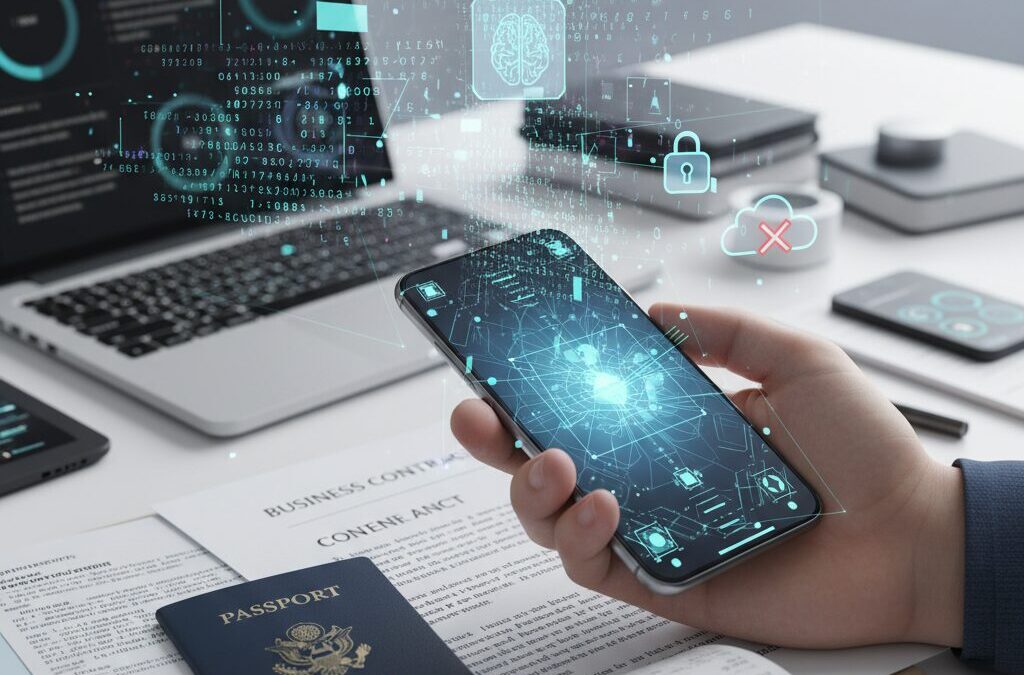
Have you ever wondered whether your smartphone can truly replace a traditional scanner, not just for casual use but for professional-grade document digitization? In 2026, the answer is no longer theoretical. Advances in AI-powered OCR, real-time dewarping, and even LiDAR-based spatial sensing are transforming the way we capture, understand, and manage paper documents.
What used to be a simple photo is now an intelligent data pipeline. Modern scanning apps do far more than convert paper into PDFs. They extract structured data, interpret layouts with Transformer-based models, flatten curved book pages using deep learning, and integrate directly into cloud workflows such as accounting and compliance systems.
At the same time, this evolution raises critical questions about privacy, cloud processing risks, malicious apps, and AI-driven content analysis. In this article, you will explore the full ecosystem of smartphone document scanning—from cutting-edge computational photography and 3D capture to security trade-offs and market forecasts—so you can choose the right tools and stay ahead in the age of intelligent capture.
- From Flatbed Scanners to AI Edge Devices: The Paradigm Shift in Document Digitization
- How Modern OCR Works in 2026: Transformers, Multimodal AI, and Layout Understanding
- The Hard Problem of Handwriting and Complex Scripts: Technical Barriers and Real-World Limitations
- Deep Learning Dewarping: How Apps Like vFlat Reconstruct 3D Page Geometry in Real Time
- On-Device AI vs Cloud OCR: Performance, Latency, and Data Exposure Trade-offs
- LiDAR and Spatial Scanning: Expanding from 2D Documents to 3D Digital Twins
- App Ecosystem Breakdown: vFlat, Adobe Scan, Google Lens, and Microsoft Lens Compared
- Privacy and Data Governance: Content Analysis, AI Training, and User Control
- Security Threats: Malicious Scanner Apps, Data Breaches, and Compliance Risks
- Market Growth and Industry Forecasts: Why Document Scanning Is Still Expanding
- The Rise of Agentic AI: From Simple Scanning to Autonomous Document Workflows
- 参考文献
From Flatbed Scanners to AI Edge Devices: The Paradigm Shift in Document Digitization
For decades, document digitization meant walking to a flatbed scanner, lifting a lid, and waiting for a slow mechanical sweep of light. The workflow was fixed, location-bound, and hardware-centric. Today, that paradigm has shifted dramatically toward AI-powered edge devices—most notably, the smartphones in our pockets.
This is not merely a story of miniaturization. It is a structural shift from passive image capture to intelligent, real-time data transformation at the edge.
In the flatbed era, the scanner’s role was simple: convert paper into pixels. Optical Character Recognition (OCR) was typically performed later on a desktop PC, often with inconsistent accuracy. The output was a static PDF—searchable if you were lucky, but rarely structured or context-aware.
By contrast, modern smartphones integrate high-resolution sensors, neural processing units, and computational photography pipelines into a single device. According to research summarized on ResearchGate and industry analyses in 2025, contemporary OCR systems increasingly rely on deep learning architectures that combine visual recognition with language modeling. This enables not only character detection, but contextual inference—understanding that a number beneath “Total” on an invoice likely represents the payable amount.
The difference can be illustrated clearly:
| Aspect | Flatbed Scanner Era | AI Edge Device Era |
|---|---|---|
| Processing Location | PC or external software | On-device (edge AI) |
| Output Type | Static image/PDF | Structured, searchable data |
| User Workflow | Scan → Transfer → Process | Capture → Instantly analyze |
| Mobility | Fixed office setup | Anywhere, real-time |
One of the most transformative elements of this shift is on-device inference. As discussed in analyses comparing on-device and cloud OCR, processing data locally reduces latency and mitigates privacy risks. With Apple Silicon and Google Tensor chips embedding dedicated neural engines, smartphones can now perform dewarping, noise reduction, layout detection, and text extraction in near real time—without uploading sensitive documents to external servers.
This evolution also redefines what “scanning” means. It is no longer a faithful reproduction of a sheet of paper. Instead, it is an act of intelligent ingestion. Deep learning–based dewarping techniques, such as those explored in recent arXiv research on document rectification, estimate three-dimensional page geometry from two-dimensional images. The result feels less like taking a photo and more like digitally ironing the page flat.
Market data reinforces the magnitude of this transition. The Business Research Company projects that the global document scanning services market will grow from $5.16 billion in 2025 to $8.09 billion by 2030, with a CAGR of 9.1%. Crucially, growth is being driven not just by hardware sales, but by integrated digital workflows—mobile-first capture feeding directly into cloud accounting, legal, or enterprise systems.
The center of gravity has moved from the office machine to the intelligent edge node.
For gadget enthusiasts and technology strategists alike, this paradigm shift signals something deeper than convenience. The smartphone has become a computational gateway between the analog and digital worlds. Equipped with an “eye” (camera) and a “brain” (AI accelerator), it no longer waits for documents to be processed elsewhere. It understands them immediately, transforming paper into actionable data at the moment of capture.
How Modern OCR Works in 2026: Transformers, Multimodal AI, and Layout Understanding

Modern OCR in 2026 is no longer a simple pipeline of image preprocessing and character matching. It is a multimodal AI system that combines vision models, Transformer-based language models, and layout-aware reasoning. According to recent industry analyses such as Photes.io’s OCR trend report, the decisive shift has been the integration of multimodal large language models that understand both what the text says and where it appears on the page.
This fusion of vision and language fundamentally changes what “recognition” means. Instead of converting pixels into isolated characters, today’s OCR systems interpret documents as structured, semantic objects. That is why invoice parsing, contract analysis, and receipt automation have become dramatically more reliable even when formats vary.
From Character Detection to Document Intelligence
Traditional OCR focused on glyph recognition: detect a character, classify it, move to the next. Modern systems use convolutional backbones or vision transformers to extract visual features, then feed them into Transformer decoders that model long-range textual dependencies. Research published on ResearchGate in 2025 highlights how self-supervised pretraining improves robustness in noisy, real-world scans.
This enables context-aware correction. If a blurred word resembles “T0TAL,” the language model infers “TOTAL” from surrounding tokens. The result is not just higher character accuracy, but better field-level extraction.
| Generation | Core Technology | Capability |
|---|---|---|
| Legacy OCR | Pattern matching + CNN | Character-level recognition |
| AI-OCR (2026) | Vision + Transformer LLM | Context-aware, semantic extraction |
Layout Understanding as a First-Class Feature
Document Layout Understanding has become central. Instead of reading top-to-bottom blindly, models analyze spatial relationships: headers, tables, footnotes, side notes, and stamps. As described in multiple 2025 OCR research summaries, systems now jointly encode bounding boxes and token embeddings, allowing them to reason about proximity and hierarchy.
For example, in an invoice, the model learns that a number aligned to the right of the word “Total” likely represents the payable amount. In contracts, clauses grouped under a bold heading inherit semantic context from that heading. This spatial-textual fusion dramatically improves key information extraction from non-standard forms.
Multimodal Reasoning Beyond Text
Multimodal OCR also processes visual cues beyond letters: logos, stamps, signatures, and even handwriting. CNN feature maps capture texture patterns, while Transformers align them with textual tokens. Although handwritten text recognition remains challenging—especially for Japanese vertical writing and ruby annotations, as discussed by users on Reddit—modern architectures significantly outperform earlier rule-based engines.
Importantly, many mobile applications now execute portions of this pipeline on-device. Leveraging neural engines and optimized inference frameworks, they can run Transformer-lite models locally. This reduces latency and improves privacy without sacrificing much accuracy.
In 2026, OCR is not about reading text—it is about understanding documents as structured, multimodal data.
The convergence of Transformers, multimodal pretraining, and layout-aware modeling transforms OCR into a document intelligence layer. For gadget enthusiasts and power users, this means your smartphone no longer just scans pages—it interprets, contextualizes, and prepares them for downstream automation in real time.
The Hard Problem of Handwriting and Complex Scripts: Technical Barriers and Real-World Limitations
Even as AI-powered OCR reaches impressive accuracy on printed Latin text, handwriting and complex scripts remain a stubborn frontier. For gadget enthusiasts who expect near-magic from modern AI, this gap can feel surprising. Yet from a technical perspective, it is entirely predictable.
Handwriting is not a font. It is a behavioral signal. Every stroke encodes speed, pressure, habit, and even mood. Unlike printed characters, handwritten glyphs vary dramatically between individuals and even within the same page. This variability is the core of the so-called “hard problem” in document digitization.
Why Handwriting Breaks OCR Assumptions
Traditional OCR systems were built on segmentation: detect a character, classify it, move to the next. Modern deep learning models improved this by using CNNs and Transformers to infer context, as research trends summarized by Photes.io and recent academic surveys indicate. However, handwriting disrupts three core assumptions simultaneously.
| Technical Layer | Printed Text | Handwritten Text |
|---|---|---|
| Character Shape | Discrete and standardized | Continuous and highly variable |
| Segmentation | Clear boundaries | Overlapping, merged strokes |
| Context Modeling | Grammar-driven correction | Ambiguous without strong priors |
In cursive scripts, characters often connect into a single continuous stroke. The model must first decide where one character ends and another begins. That segmentation problem alone can cascade into recognition errors.
According to research on real-time OCR systems published via ResearchGate, even advanced architectures combining CNN feature extraction with RNN or Transformer-based sequence modeling struggle when stroke discontinuities or irregular baselines appear. These are common in natural handwriting captured by smartphone cameras.
The Japanese Case: A Perfect Storm of Complexity
Complex scripts amplify the challenge. Japanese mixes kanji, hiragana, katakana, Latin characters, and numerals in a single sentence. Each kanji may contain many strokes, and small differences can change meaning entirely.
Community reports discussed on Reddit’s Japanese-learning forums highlight recurring issues: vertical text confusion, misinterpretation of furigana as main text, and layout mixing during magazine scans. These are not edge cases. They expose structural limits in layout parsing and role assignment.
Furigana is particularly difficult because it requires the model to understand semantic hierarchy, not just geometry. The engine must detect that small characters above a kanji are annotations, not part of the primary sentence stream. This demands joint reasoning over size, position, and linguistic probability.
Data Scarcity and Annotation Cost
Another overlooked barrier is training data. Printed fonts can be generated synthetically at scale. Handwriting cannot. High-quality labeled datasets require manual transcription, especially for multi-script languages.
For rare kanji or region-specific writing styles, data imbalance becomes severe. Models trained on common patterns may overfit to dominant stroke styles and fail on atypical samples. This is a classic long-tail distribution problem in machine learning.
For real-world smartphone scanning, this translates into practical limits. Notes from a whiteboard, annotated contracts, or vertically written diary pages may require manual correction even in 2025. The gap is narrowing, but it has not disappeared.
Understanding these constraints helps set realistic expectations. When your scanning app struggles with a hastily scribbled memo or a vertically printed novel with ruby annotations, it is not a simple bug. It reflects one of the deepest technical barriers still facing intelligent document capture today.
Deep Learning Dewarping: How Apps Like vFlat Reconstruct 3D Page Geometry in Real Time

When you photograph an open book with a smartphone, you are not capturing a flat surface. You are capturing a curved 3D object projected onto a 2D sensor. Deep learning–based dewarping solves this geometric mismatch in real time, and apps like vFlat have become a practical showcase of how far this technology has evolved.
Traditional dewarping relied on explicit geometric assumptions. As summarized in comparative studies published by World Scientific, earlier methods modeled pages as simple cylinders or applied polynomial corrections based on detected text lines. These approaches worked for mild curvature, but they often failed when pages were heavily warped, unevenly lit, or physically distorted.
Deep learning changes the problem definition itself. Instead of correcting visible curves heuristically, modern models estimate the underlying 3D surface that produced the distorted image.
| Approach | Core Idea | Limitation |
|---|---|---|
| Rule-based geometric correction | Detect text lines and straighten mathematically | Breaks under complex warping |
| 3D surface estimation (Deep Learning) | Predict depth/mesh and reproject to flat plane | Requires optimized inference for mobile |
Recent research such as “Axis-Aligned Document Dewarping” on arXiv demonstrates how fully convolutional networks can predict a dense 3D grid or unwarping map at the pixel level. In practical terms, the model outputs a transformation field that tells the system how each pixel should move to simulate a perfectly flattened page. This is closer to virtual ironing than simple perspective correction.
vFlat operationalizes this concept on consumer devices. According to the TensorFlow engineering blog, the app uses TensorFlow Lite with GPU delegation to accelerate inference directly on the smartphone. By optimizing the trained model for mobile hardware, VoyagerX achieved real-time performance exceeding 20 frames per second during preview.
This real-time constraint is critical. Dewarping is not a post-processing luxury; it must work instantly while the user is framing the shot. The preview itself becomes geometrically corrected, guiding the user to align the book naturally and reducing capture errors before the shutter is pressed.
From a pipeline perspective, the process can be understood as follows. First, the camera captures RGB input. Second, a neural network estimates the 3D deformation or corresponding 2D flow field. Third, a differentiable remapping operation reconstructs a flat projection. Finally, OCR operates on the corrected image, benefiting from improved character alignment.
The impact on OCR accuracy is substantial. As highlighted in recent OCR research surveys, text recognition models are highly sensitive to baseline distortion. By normalizing curvature before recognition, dewarping effectively simplifies the downstream task, allowing Transformer-based OCR engines to operate on near-ideal inputs.
Another important dimension is privacy and edge computation. Because vFlat performs dewarping inference on-device rather than in the cloud, the 3D reconstruction step does not require uploading raw page images. In the broader context of on-device versus cloud OCR debates, this architecture significantly reduces data exposure risk while preserving responsiveness.
What makes this particularly fascinating for gadget enthusiasts is that we are witnessing a shift from 2D image correction to lightweight 3D reconstruction on edge hardware. Smartphones are no longer just cameras; they are real-time geometric processors. Deep learning dewarping transforms a casually captured curved page into a structurally faithful digital twin within milliseconds, redefining what “scanning” means in the mobile era.
On-Device AI vs Cloud OCR: Performance, Latency, and Data Exposure Trade-offs
When choosing a mobile scanning workflow, the real question is not which app looks better, but where the intelligence runs. On-device AI and cloud-based OCR represent two fundamentally different architectural choices, each with measurable trade-offs in performance, latency, and data exposure.
As PackageX notes in its logistics-focused analysis, cloud OCR benefits from virtually elastic compute resources, while on-device OCR leverages edge processing to eliminate network dependency. This difference becomes critical in real-world scenarios such as warehouse scanning, field inspections, or compliance-driven document capture.
| Dimension | On-Device AI | Cloud OCR |
|---|---|---|
| Latency | Near-instant, no network round trip | Depends on upload & server response time |
| Compute Power | Limited to device NPU/GPU | Scalable server infrastructure |
| Data Exposure | Stays on device | Transmitted & possibly stored remotely |
Latency is the most visible difference. On-device OCR, such as iOS Live Text or optimized TFLite deployments, processes frames locally, enabling real-time overlays without waiting for server acknowledgment. In unstable network environments, cloud OCR may introduce noticeable delays due to upload bandwidth and server queue time.
However, performance is not only about speed. Cloud OCR systems can deploy larger Transformer-based models and multimodal architectures that may exceed the memory constraints of smartphones. Research highlighted on ResearchGate shows that advanced OCR pipelines increasingly rely on heavy neural architectures for layout understanding and contextual correction. These models can benefit from server-grade GPUs.
The trade-off becomes sharper when considering data exposure. According to analyses of OCR privacy risks, including discussions published by Innovation Hub, data handled in cloud environments may reside in buffers, caches, or persistent storage layers. Even with TLS encryption, transmission expands the attack surface compared to purely local inference.
For regulated industries, this is not theoretical. HHS cybersecurity guidance has emphasized that sensitive documents processed externally can introduce compliance exposure if data handling is not tightly controlled. In such contexts, on-device inference acts as a structural privacy safeguard, not just a convenience feature.
That said, cloud OCR enables centralized model updates and continuous improvement without requiring user intervention. Edge models must be optimized and compressed, sometimes sacrificing complexity for efficiency. As mobile NPUs improve, this gap narrows, but it has not disappeared.
Ultimately, the decision is architectural. If your workflow prioritizes instantaneous response and strict data minimization, edge processing provides deterministic control. If your use case demands large-scale document understanding across diverse formats and you operate within a managed compliance framework, cloud OCR offers scalable intelligence.
Performance, latency, and exposure form a triangle—you can optimize two, but rarely all three simultaneously. Understanding this balance allows you to choose a scanning stack aligned with both your technical and governance requirements.
LiDAR and Spatial Scanning: Expanding from 2D Documents to 3D Digital Twins
LiDAR is redefining what “scanning” means on a smartphone. Instead of capturing only flat 2D documents, devices equipped with LiDAR sensors can record spatial depth, enabling the creation of measurable 3D models. This shift expands digitization from paper preservation to full-scale spatial documentation.
Unlike traditional RGB cameras that infer depth indirectly, LiDAR uses a Time of Flight approach. It emits infrared light pulses and measures the return time to calculate precise distance. According to Apple’s developer documentation, this allows devices to generate depth maps in real time, even in low-light environments or on low-texture surfaces.
2D document capture preserves content, while LiDAR-based spatial scanning preserves geometry. This distinction is the foundation of digital twin workflows.
The technical contrast between photogrammetry and LiDAR clarifies why this matters.
| Method | Core Principle | Strength | Limitation |
|---|---|---|---|
| Photogrammetry | Feature matching across multiple images | High texture detail | Struggles with flat or uniform surfaces |
| LiDAR (ToF) | Direct depth measurement via laser pulses | Accurate geometry in real time | Lower texture resolution than RGB |
For gadget enthusiasts, the breakthrough is not just technical accuracy but workflow transformation. Apple’s RoomPlan API, for example, combines LiDAR depth data with camera imagery to automatically generate parametric 3D room models, including walls, openings, and major furniture. Instead of drafting floor plans manually, users can walk through a space once and export a structured 3D representation.
This evolution turns a smartphone into a lightweight architectural scanner. In construction and real estate contexts, spatial scans serve as living records of site conditions. Research published in MDPI comparing smartphone LiDAR applications demonstrates that mobile devices like the iPhone Pro series can produce surprisingly reliable 3D documentation for indoor environments when used within optimal range conditions.
The concept of a digital twin emerges naturally from this capability. A digital twin is not merely a visual replica but a data-rich spatial model that can be measured, annotated, and integrated into BIM or asset management systems. When combined with OCR, spatial coordinates can even be linked to labeled objects, enabling scenarios such as warehouse box identification tied to exact physical positions.
Importantly, LiDAR does not replace high-resolution 2D capture for text-heavy documents. Instead, it augments it. Imagine scanning a mechanical room: the camera captures serial numbers and warning labels, while LiDAR records pipe routing and equipment placement. Together, they create a multidimensional dataset that surpasses traditional documentation methods.
We are witnessing the expansion of scanning from information capture to environment capture. For technology-driven users, this marks a strategic shift. A smartphone is no longer just a portable scanner but a spatial computing node capable of generating structured 3D assets.
As edge processing power increases and AR frameworks mature, real-time meshing, object classification, and semantic labeling will become standard. The boundary between document scanning and spatial scanning continues to dissolve, positioning LiDAR-equipped devices as essential tools in the creation of accessible, mobile digital twins.
App Ecosystem Breakdown: vFlat, Adobe Scan, Google Lens, and Microsoft Lens Compared
Choosing the right scanning app is no longer about basic OCR accuracy. It is about how deeply each app integrates into its broader ecosystem. vFlat, Adobe Scan, Google Lens, and Microsoft Lens all rely on advanced AI, yet their strategic positioning is fundamentally different.
Their strengths become clear when you compare core competencies, AI integration, and ecosystem lock-in.
| App | Core Strength | Ecosystem Advantage |
|---|---|---|
| vFlat | Deep learning-based dewarping | On-device processing focus |
| Adobe Scan | High-quality PDF + AI assistant | Acrobat & Creative Cloud |
| Google Lens | Search-driven OCR & translation | Google Search & Workspace |
| Microsoft Lens | Office document conversion | Microsoft 365 integration |
vFlat positions itself as a specialist. As highlighted by the TensorFlow Blog, its real-time dewarping powered by TFLite GPU acceleration enables smooth book scanning directly on-device. This architecture reduces cloud dependency and appeals strongly to privacy-conscious users. According to its App Store documentation, vFlat emphasizes minimal data collection, reinforcing its image as a focused, utility-first tool rather than a data platform.
Adobe Scan, by contrast, acts as a gateway into the broader PDF economy. Zapier and TechRadar consistently rank it among the top mobile scanning apps because of output quality and workflow flexibility. What differentiates it in 2025 is integration with Acrobat AI Assistant, enabling users to query scanned contracts or reports conversationally. This shifts scanning from digitization to document intelligence. However, Adobe’s content analysis policies, clarified in its official FAQ, require users to understand privacy settings and opt-out mechanisms where necessary.
Google Lens operates on a different axis. It treats scanned text as searchable knowledge rather than archival content. Its power lies in real-time translation, product lookup, and contextual search. Because it is tightly integrated with Google Search infrastructure, it excels at extracting immediate value from visual data. Yet it lacks robust multi-page PDF management or structured document workflows compared to dedicated scanning apps.
Microsoft Lens thrives inside enterprise productivity loops. Its ability to convert photographed tables directly into editable Excel spreadsheets is frequently cited in industry reviews. For organizations already standardized on Microsoft 365, Lens becomes frictionless—files move instantly into OneDrive, Word, or Teams without format conflicts.
For gadget enthusiasts and power users, the strategic question is clear: Are you scanning to archive books, automate workflows, search reality, or feed enterprise collaboration tools? Your answer determines which ecosystem deserves your documents.
Privacy and Data Governance: Content Analysis, AI Training, and User Control
As smartphone scanning becomes deeply integrated with AI-powered workflows, privacy and data governance move from a secondary concern to a core design question. When you scan a receipt, contract, or ID, the image is not just stored as a file. It may be analyzed, indexed, transmitted, and in some cases used to improve machine learning models. Understanding how content analysis and AI training intersect with user control is now essential for power users.
At the center of this issue is content analysis. Many cloud-based OCR and document services automatically analyze uploaded files to extract text, classify document types, and enable search. According to Adobe’s official Content Analysis FAQ, certain personal accounts may have content analysis enabled by default for product improvement, while enterprise and school accounts are generally excluded from such data use. This distinction highlights how account tier directly affects data governance policies.
| Account Type | Content Analysis for Improvement | User Control |
|---|---|---|
| Individual Account | May be enabled by default | Opt-out available in settings |
| Enterprise/School | Generally disabled by default | Admin-level governance |
This opt-out model is critical. If users do not actively review their privacy settings, scanned content could be included in aggregated analysis pipelines. While companies state that data is processed under strict privacy frameworks, the burden of configuration often falls on the user.
The AI training question is even more sensitive. Generative AI systems require vast datasets, and public debate has intensified around whether user-generated content contributes to model refinement. Adobe has publicly stated that it does not train Firefly on customer content stored in Creative Cloud without permission, emphasizing licensed or public-domain data sources. However, product improvement analytics and AI feature enhancement remain separate categories, and users must distinguish between them.
From a governance perspective, regulators increasingly focus on transparency and data minimization. Guidance from health and privacy authorities, such as the U.S. Department of Health and Human Services in its cybersecurity advisories, stresses strict control over sensitive documents processed through OCR systems. When scanned files contain personally identifiable information, compliance obligations escalate dramatically.
On-device processing offers a structural alternative. As discussed in industry analyses comparing on-device and cloud OCR, keeping data local reduces exposure to interception, server-side breaches, and long-term storage risks. When inference happens entirely on the device, the attack surface shrinks significantly because the document never leaves the hardware boundary.
Malicious applications further complicate the landscape. Security research and mobile threat monitoring services have documented cases of apps masquerading as scanners while harvesting contacts, images, or metadata. Official app store presence alone does not guarantee safe data handling. Vetting developers, reviewing permissions, and monitoring unusual network activity are practical governance steps for informed users.
Ultimately, privacy in smartphone scanning is not binary. It is a layered model involving transport encryption, storage architecture, AI training policies, retention rules, and user-configurable controls. The real competitive differentiator in 2026 is not just scan quality, but how transparently a platform explains what happens to your data after the shutter closes.
For gadget enthusiasts and digital power users, the takeaway is strategic: treat every scanned document as structured data entering an ecosystem. Before prioritizing speed or AI convenience, evaluate where processing occurs, whether content analysis can be disabled, how long data is retained, and whether enterprise-grade governance options are available. In an AI-augmented scanning era, user control is no longer optional—it is the defining feature of trust.
Security Threats: Malicious Scanner Apps, Data Breaches, and Compliance Risks
As smartphone scanning becomes embedded in finance, healthcare, and legal workflows, security risks increase in parallel. A scanned receipt is rarely just an image. It often contains names, addresses, bank details, tax IDs, and signatures. When such data flows through third-party apps and cloud APIs, the attack surface expands dramatically.
The core risks cluster around three areas: malicious scanner apps, cloud-side data breaches, and regulatory non-compliance. Each of these can turn a convenient productivity tool into a serious liability.
Malicious Scanner Apps and Hidden Data Harvesting
Not every scanner app in an app store is trustworthy. Security advisories from telecom providers such as NTT West in Japan warn that seemingly harmless utility apps may request excessive permissions, including access to contacts, location, or full photo libraries. In worst cases, Trojanized apps silently exfiltrate scanned documents to remote servers.
These apps often promote themselves as “free unlimited PDF scanners” while monetizing through aggressive data collection. Because scanned documents frequently include invoices, IDs, or contracts, the stolen data is far more sensitive than ordinary photos.
Independent mobile security analysis platforms such as BeVigil evaluate app risk exposure by examining embedded trackers, insecure network calls, and permission overreach. For high-stakes use cases, checking developer credibility and security posture is no longer optional but essential.
Cloud OCR and Data Breach Exposure
Cloud-based OCR engines offer superior scalability and, in many cases, higher recognition accuracy. However, as research on OCR privacy vulnerabilities highlights, data may temporarily reside in buffers, caches, or persistent storage on remote infrastructure. Each layer introduces potential leakage points.
| Risk Vector | Cloud OCR | On-Device OCR |
|---|---|---|
| Data Transmission | Sent over network | Stays on device |
| Server Breach Impact | High if compromised | Not applicable |
| Scalability | Very high | Hardware-limited |
The U.S. Department of Health and Human Services has repeatedly emphasized, in cybersecurity newsletters related to HIPAA enforcement, that improper handling of digitized records can constitute a compliance violation. When scanned medical or financial records are processed via third-party clouds without adequate safeguards, organizations may face regulatory penalties in addition to reputational damage.
Encryption in transit and at rest mitigates risk, but it does not eliminate exposure from insider threats or misconfigured storage buckets. Once data leaves the device, governance complexity increases significantly.
Compliance Risks in Regulated Environments
For businesses operating under GDPR, HIPAA, or Japan’s Electronic Bookkeeping Act, scanner apps are part of the compliance chain. If an app stores documents outside approved jurisdictions, retains them longer than policy allows, or enables unauthorized modification, the entire digital record may become legally vulnerable.
Adobe’s public documentation on content analysis settings demonstrates how even reputable vendors may process user content for product improvement unless users opt out. In enterprise contexts, administrators must actively configure these controls to align with internal data governance rules.
For gadget enthusiasts and power users, the takeaway is clear: evaluate scanner apps not only by image quality or AI features, but by their security architecture, data retention policies, and compliance alignment. In the age of AI-driven document ingestion, security literacy is as critical as technical sophistication.
Market Growth and Industry Forecasts: Why Document Scanning Is Still Expanding
The document scanning market continues to expand, even in an era defined by “paperless” transformation. According to The Business Research Company, the global document scanning services market is projected to grow from approximately $5.16 billion in 2025 to $8.09 billion by 2030, reflecting a CAGR of 9.1%. This sustained growth signals that scanning is no longer a legacy bridge technology but a strategic gateway to digital workflows.
What drives this momentum is not hardware replacement alone, but the structural shift toward intelligent digitization. Healthcare providers accelerating electronic health record adoption, financial institutions modernizing compliance archives, and enterprises adapting to hybrid work environments all require high-volume, high-accuracy conversion of physical documents into searchable data.
Scanning demand grows not despite digitalization, but because of it. Physical documents remain deeply embedded in legal, medical, and governmental processes, and converting them into structured digital assets is a prerequisite for automation and AI integration.
Regional dynamics reinforce this trajectory. North America currently holds a dominant market share, supported by mature enterprise IT infrastructure and regulatory compliance needs. Meanwhile, Asia-Pacific shows the fastest growth rate, driven by rapid SME digitization and expanding cloud adoption across emerging economies.
| Segment | Growth Driver | Impact |
|---|---|---|
| Healthcare | EHR digitization mandates | Large-scale archival scanning |
| Finance | Compliance & audit readiness | Searchable, timestamped records |
| SMEs | Cloud accounting adoption | Mobile-first document capture |
Fortune Business Insights also highlights parallel expansion in the document scanner hardware market, indicating that demand spans both service-based digitization and device-level innovation. This dual growth suggests a hybrid ecosystem where enterprise backfile conversion projects coexist with edge-based smartphone capture.
Another structural catalyst is regulatory modernization. As governments strengthen digital record-keeping requirements and audit traceability standards, organizations must ensure that paper-origin documents are captured with metadata integrity. This compliance pressure transforms scanning from a convenience feature into a risk-management necessity.
From an investment perspective, scanning increasingly sits at the foundation of higher-value AI services. Optical character recognition, automated classification, and generative AI analytics all depend on clean input data. Without accurate digitization, downstream AI systems cannot deliver reliable outcomes. As Adobe’s Digital Trends research emphasizes, enterprises prioritize workflow automation and AI augmentation—both of which require structured document ingestion.
In practical terms, this means the industry’s expansion is less about replacing paper with PDFs and more about enabling intelligent document ecosystems. As long as contracts are signed on paper, receipts are issued physically, and legacy archives exist, the conversion layer will remain indispensable. The growth forecasts reflect this structural reality: document scanning has evolved from a transitional tool into critical digital infrastructure.
The Rise of Agentic AI: From Simple Scanning to Autonomous Document Workflows
The evolution of mobile scanning is no longer a story about better cameras or sharper PDFs. It is about a structural shift from passive digitization to autonomous decision-making. In 2025, scanning has become the front door to intelligent business execution.
What began as simple image capture has matured into AI-driven interpretation. According to Adobe’s Digital Trends Report, organizations are rapidly moving toward systems that do not just process information, but act on it. This is the foundation of Agentic AI in document workflows.
Agentic AI transforms scanning from “capture and store” into “understand and execute.”
Traditional mobile scanning followed a linear model. You photographed a receipt, converted it into a PDF, and manually uploaded it to accounting software. Even with OCR, the user remained responsible for verification, classification, and routing.
Agentic AI introduces autonomy into that chain. Instead of waiting for commands, the system interprets intent, evaluates context, and triggers downstream actions automatically.
| Stage | Traditional Scan | Agentic Workflow |
|---|---|---|
| Capture | Manual photo | Context-aware ingestion |
| Extraction | OCR text recognition | Semantic + layout understanding |
| Action | User uploads file | Auto-routing via API |
| Follow-up | User reminder | AI-generated alerts & tasks |
The technological backbone enabling this shift combines multimodal large language models with document layout intelligence. Research on next-generation OCR systems shows that models now interpret spatial hierarchy, tables, and semantic roles rather than isolated characters. This allows AI to distinguish between a header, a total amount, or a contract clause with contextual precision.
In practical terms, when a smartphone scans a stack of mixed documents, an agentic system can classify invoices, identify payment deadlines, and draft accounting entries automatically. If integrated with platforms such as cloud accounting SaaS, it can generate transaction drafts and request approval in real time.
The defining characteristic is initiative. The system does not merely wait for a user to search or sort. It proactively flags anomalies, detects missing registration numbers for compliance, and suggests next actions.
Edge computing further strengthens this model. With on-device AI acceleration, initial classification and sensitive data detection can occur locally before secure synchronization. This hybrid structure balances autonomy with privacy governance.
Market data reinforces the direction of travel. The global document scanning services market is projected to grow from 5.16 billion dollars in 2025 to 8.09 billion dollars by 2030, according to industry forecasts. Growth is increasingly driven not by hardware sales but by workflow automation services layered on top of digitization.
For gadget enthusiasts and power users, the implication is clear. The competitive edge will not come from megapixels or faster shutter speeds. It will come from ecosystems where scanning triggers structured APIs, compliance checks, and AI reasoning loops.
Agentic AI represents the moment when the camera stops being a passive sensor and becomes an operational node in a distributed decision network. Documents are no longer static files. They become executable data objects inside autonomous digital workflows.
参考文献
- The TensorFlow Blog:How vFlat used the TFLite GPU delegate for real time inference to scan books
- arXiv:Axis-Aligned Document Dewarping
- Apple Developer Documentation:Capturing depth using the LiDAR camera
- Zapier:The best mobile scanning and OCR software in 2025
- Adobe Help Center:Generative AI overview
- PackageX:Optimizing Logistics: On-Device vs. Cloud OCR Benefits
- The Business Research Company:Document Scanning Services Market 2025, Trends And Outlook