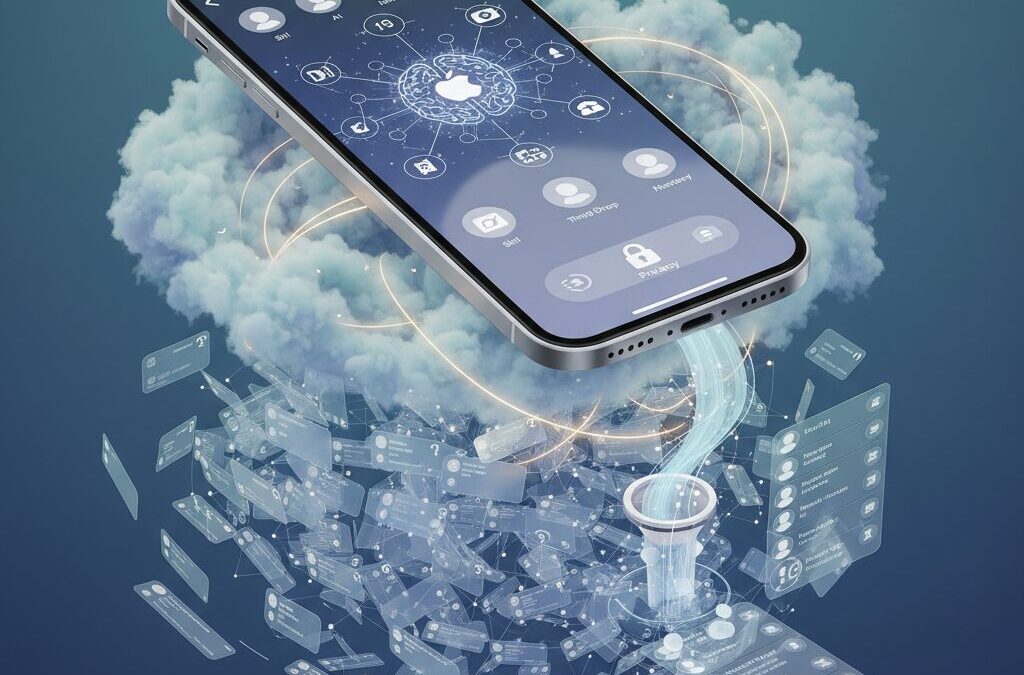
Your iPhone contacts are no longer just a list of phone numbers. In the age of iOS 18, they function as the central hub of your digital identity, powering Siri, Apple Intelligence features, T9 dialing, NameDrop, and even third‑party app integrations.
Yet many users carry thousands of outdated, duplicated, or fragmented entries accumulated over years of cloud sync conflicts between iCloud, Google, and Exchange. This silent “digital clutter” does not just waste storage—it increases cognitive load, slows down search accuracy, and weakens AI performance.
Research on Dunbar’s Number suggests humans can maintain stable social relationships with roughly 150 people, while studies on digital hoarding and information overload show that excess data elevates stress and decision fatigue. By strategically cleaning, structuring, and securing your contacts, you can improve search speed, strengthen privacy, and unlock the full potential of iOS 18’s intelligent features. In this guide, you will learn how to combine psychology, system architecture, and practical tools to build a future‑proof contact management workflow.
- Why Your iPhone Contacts Matter More in the iOS 18 and AI Era
- Dunbar’s Number and the Psychology of Digital Relationship Limits
- Digital Hoarding, Decision Fatigue, and Cognitive Overload Explained
- Inside iOS 18: T9 Dialing, Contact Posters, and Smarter Search
- Selective Contact Sharing in iOS 18: A Major Privacy Upgrade
- iCloud vs Google Contacts vs Exchange: Choosing a Single Source of Truth
- Hidden Sync Conflicts: Field Mapping, Phonetic Names, and Data Loss Risks
- Step-by-Step Cleaning with Built-In iPhone Tools (No Apps Required)
- When to Use Contact Cleaner Apps—and How to Avoid Data Harvesting
- Advanced Automation with Shortcuts and Scriptable for Power Users
- Managing Business Card Apps and Call Identification Without Database Pollution
- AI Scraping, Data Brokers, and How to Protect Your Social Graph
- A 2026 Annual Contact Maintenance Workflow for Long-Term Optimization
- 参考文献
Why Your iPhone Contacts Matter More in the iOS 18 and AI Era
Your iPhone contacts are no longer just a digital phonebook. In the iOS 18 era, they function as the core dataset that powers communication, identity, and increasingly, AI-driven intelligence.
Apple’s own announcement of iOS 18 emphasizes making iPhone “more personal and capable than ever.” That personalization is not abstract. It is built on structured data, and your contacts sit at the center of it.
If your contacts are messy, duplicated, or fragmented across services, your iPhone’s intelligence is fundamentally limited.
Contacts as the Foundation of Apple Intelligence
In iOS 18, features like improved Siri intent recognition, T9 dialing in the Phone app, Contact Posters, and selective contact sharing all rely on clean, structured entries.
For example, when you say “Call Ericsson,” Siri must distinguish between similarly named entries. If phonetic fields are missing or duplicates exist, execution accuracy drops.
According to cognitive overload research published in PubMed Central, excess and poorly structured information increases decision friction. That applies directly to your contact list.
| Contact Quality | AI Performance | User Experience |
|---|---|---|
| Clean, unified, phonetic data | High intent accuracy | Fast, stress-free actions |
| Duplicated or fragmented entries | Ambiguous interpretation | Micro-delays and errors |
The introduction of T9 dialing in iOS 18, as reported by MacRumors, further raises the stakes. Search is now keypad-driven and dependent on correctly stored names.
If phonetic fields are not properly mapped, especially in multilingual environments, intended contacts may not appear at all.
Your contacts have become an interface layer between you and AI.
Beyond Utility: Contacts as a Digital Identity Hub
Contacts now connect FaceTime, messaging apps, Apple Pay transfers, NameDrop, and third-party integrations. They are no longer passive records but active nodes in your digital ecosystem.
Apple Support documentation highlights how NameDrop allows controlled sharing of selected fields. That capability assumes you know what data is stored and how it is structured.
Inconsistent entries undermine not only convenience but also privacy boundaries.
There is also a psychological dimension. British anthropologist Robin Dunbar proposed that humans can maintain stable social relationships with roughly 150 people. Yet many users store thousands of contacts accumulated over decades.
The gap between cognitive capacity and digital accumulation creates friction. When your device constantly surfaces inactive or irrelevant connections, decision fatigue increases.
Research on digital hoarding, discussed by UCLA Health and Simply Psychology, suggests that retaining unnecessary digital data can subtly elevate stress and reduce clarity.
In short, your contact list now influences three critical layers: AI accuracy, privacy control, and cognitive load.
In the iOS 18 and AI era, optimizing contacts is not about deleting numbers. It is about aligning your digital relationship map with how intelligent systems interpret your world.
The cleaner your contact graph, the smarter your iPhone becomes.
Dunbar’s Number and the Psychology of Digital Relationship Limits
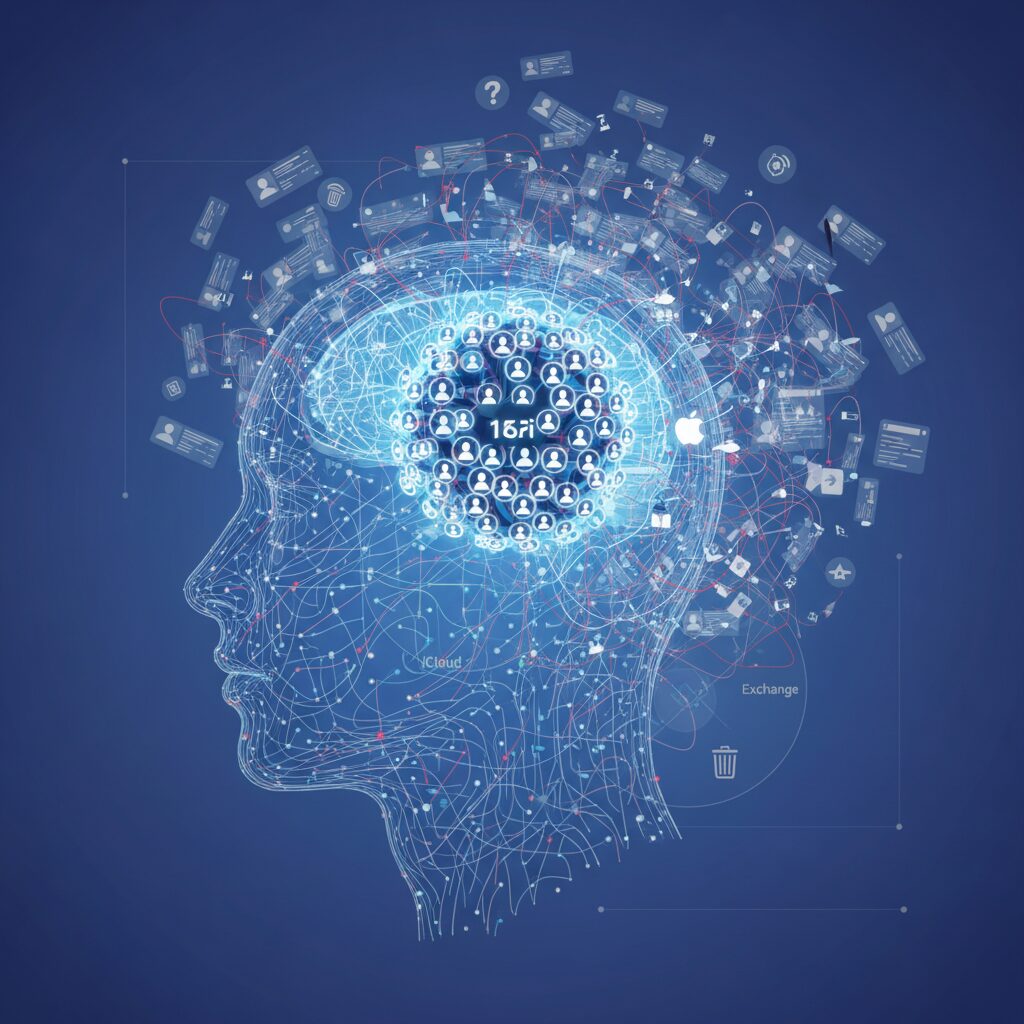
In 1992, British anthropologist Robin Dunbar proposed that humans can maintain stable social relationships with roughly 150 people. This figure, now known as Dunbar’s Number, is grounded in correlations between neocortex size and group size in primates, and has since been widely discussed in both academic and business contexts.
Even in the age of smartphones and social media, this cognitive ceiling has not disappeared. According to analyses summarized by ModelThinkers and other research reviews, while individuals may list hundreds or thousands of contacts, the number of relationships involving regular, meaningful interaction tends to cluster around this 150-person range.
This mismatch between digital capacity and biological limitation creates psychological friction. When your contact list stretches into the thousands, it does not expand your true social bandwidth. Instead, it increases what cognitive scientists describe as information overload, a phenomenon extensively reviewed in research published on PubMed Central.
From a practical standpoint, the structure of human relationships is layered rather than flat. Dunbar himself described concentric circles of intimacy, each with different emotional intensity and maintenance costs.
| Layer | Approximate Size | Relationship Type |
|---|---|---|
| Inner Circle | 5–15 | Family, closest friends |
| Sympathy Group | ~50 | Close friends, trusted peers |
| Active Network | ~150 | Stable social relationships |
Digital contact lists, however, flatten these layers into a single scrollable database. When a CEO, a childhood friend, and a one-time delivery driver occupy the same visual hierarchy, your brain must constantly re-evaluate relational context. That micro-decision process consumes cognitive resources.
Research on cognitive load suggests that excessive options increase decision fatigue. When you search for a name and encounter multiple outdated or low-relevance entries, your working memory is taxed by comparison and verification tasks that should be effortless.
The psychological cost is not storage space, but attention fragmentation. Every redundant or dormant contact becomes a tiny unit of noise competing with meaningful connections.
Importantly, Dunbar’s framework does not argue for ruthless deletion. Instead, it encourages intentional structuring. Archiving rarely used contacts while keeping your active network visible aligns your digital environment with your cognitive architecture.
For gadget enthusiasts who optimize performance metrics, this is the social equivalent of RAM management. You are not limiting your potential network; you are allocating mental bandwidth where it generates the highest relational return.
In an era where technology promises unlimited connectivity, Dunbar’s Number reminds us of a non-negotiable constraint: human attention is finite. Designing your digital contact environment around that constraint is not minimalism for its own sake. It is cognitive ergonomics applied to modern relationships.
Digital Hoarding, Decision Fatigue, and Cognitive Overload Explained
Why is it so hard to delete old contacts? The answer lies in three intertwined psychological mechanisms: digital hoarding, decision fatigue, and cognitive overload. Understanding these concepts changes contact management from a simple cleanup task into a strategic mental optimization process.
Digital hoarding refers to the tendency to accumulate digital data “just in case” it might be useful someday. Unlike physical clutter, digital clutter is invisible, so the psychological cost is delayed but real.
| Concept | Definition | Impact on Contacts |
|---|---|---|
| Digital Hoarding | Difficulty deleting digital items due to anxiety | Keeps outdated or irrelevant contacts |
| Decision Fatigue | Mental exhaustion from repeated choices | Avoids cleanup altogether |
| Cognitive Overload | Too much information to process efficiently | Slower search and communication |
According to UCLA Health, digital hoarding is a modern extension of traditional hoarding behaviors, driven less by space constraints and more by fear of future regret. In contact lists, this often appears as reluctance to delete a number from a decade ago, even when the relationship is clearly inactive.
Decision fatigue, a concept widely studied in behavioral psychology, explains why cleanup rarely happens. Each contact forces a micro-decision: delete, archive, or keep? When hundreds or thousands of such decisions accumulate, the brain conserves energy by postponing action.
This avoidance has measurable consequences. Research published in PubMed Central on information overload shows that excessive data increases mental strain and reduces task efficiency. In practical terms, scrolling through a bloated contact list makes even simple actions—like calling “Alex”—more cognitively demanding.
Cognitive overload occurs when working memory is burdened with too many competing inputs. Seeing multiple duplicate names or incomplete entries forces the brain to resolve ambiguity before acting. These micro-stresses compound over time, subtly degrading the user experience.
There is also a social dimension. Robin Dunbar’s research suggests humans can maintain stable relationships with roughly 150 people. When a contact database holds 1,500 entries, the mismatch between biological capacity and digital scale creates psychological noise. Most entries are dormant, yet they visually imply social obligation.
Understanding these mechanisms reframes contact decluttering as cognitive hygiene. The goal is not minimalism for its own sake, but reducing unnecessary mental friction. When irrelevant entries are removed or archived, search becomes faster, choices become clearer, and communication feels more intentional.
In an AI-integrated environment like iOS 18, clean data also improves system intelligence. But even before considering technology, the psychological benefit is immediate: fewer decisions, less ambiguity, and a lighter mental load every time you reach out to someone.
Inside iOS 18: T9 Dialing, Contact Posters, and Smarter Search
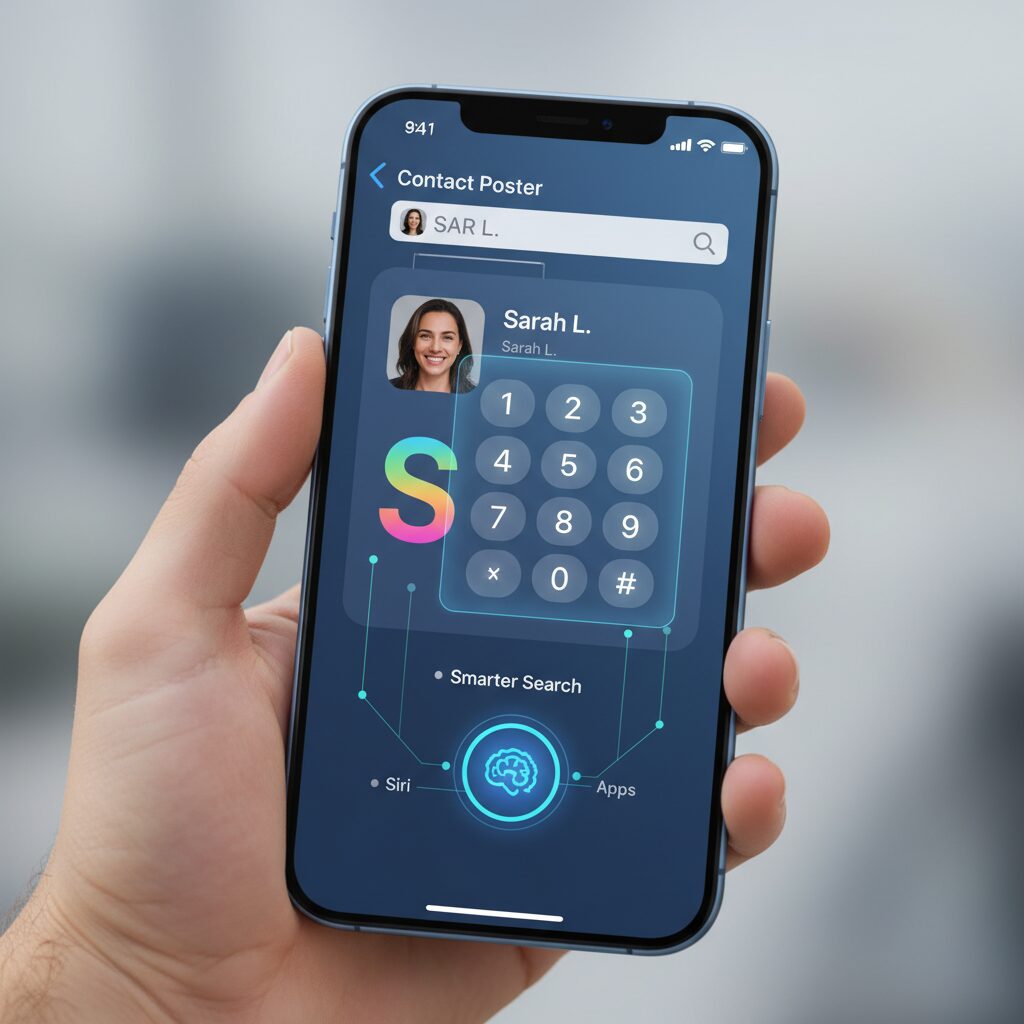
iOS 18 significantly upgrades the Phone and Contacts experience, turning everyday actions like dialing and searching into something faster, smarter, and more expressive. According to Apple’s official release notes and coverage by MacRumors, the Phone app receives one of its most meaningful usability updates in years.
These changes may look subtle at first glance. However, once you start using them daily, you quickly realize how much friction has been removed from core communication flows.
T9 Dialing: Speed Meets Data Precision
The long‑awaited T9 dialing feature finally arrives on iPhone in iOS 18. By tapping numbers on the keypad, you can instantly filter contacts whose names correspond to those numeric mappings.
For example, entering 3‑7‑4‑2 narrows results to names like “Eric.” This eliminates the need to switch tabs or type manually in the search bar.
| Input Method | Before iOS 18 | iOS 18 |
|---|---|---|
| Dial by Name | Open Contacts → Type name | Type numbers on keypad |
| Search Speed | Multi-step | Single flow |
This makes the quality of your contact data more important than ever. T9 relies entirely on correctly stored names and phonetic fields. If spelling is inconsistent or phonetic entries are missing, search accuracy drops immediately.
Especially in multilingual environments, properly configured phonetic names directly impact how well T9 and Siri perform.
Contact Posters: Identity as Interface
Contact Posters, introduced in iOS 17 and refined in iOS 18, transform how you appear on someone else’s screen. You can customize typography, photos, and visual style for outgoing calls.
This shifts contacts from static data cards to dynamic identity assets. Instead of worrying about how others saved your number, you now control the presentation layer.
However, some users reported poster resets after updating, as seen in community discussions. Periodic verification ensures your visual identity remains intact.
NameDrop and Smarter Sharing
NameDrop evolves further in iOS 18 with more granular privacy controls. According to Apple Support documentation, users can now choose exactly which information to share—phone number only, email only, or both.
This selective sharing reduces overexposure of personal data while preserving seamless exchange.
More importantly, iOS 18 introduces selective contact access for third‑party apps. Instead of granting full access to your entire address book, you can now share only specific contacts. This dramatically lowers privacy risk while maintaining app functionality.
For gadget enthusiasts and productivity-focused users, this marks a turning point: your contact database becomes not just searchable, but strategically controlled.
T9 dialing accelerates action, Contact Posters enhance presence, and smarter search plus selective sharing elevate privacy. Together, they redefine the Phone app from a utility into an intelligent communication hub.
In iOS 18, speed, identity, and control finally converge inside your contact list.
Selective Contact Sharing in iOS 18: A Major Privacy Upgrade
With iOS 18, Apple fundamentally changes how apps access your address book. Instead of the traditional all-or-nothing permission model, users can now choose to share only selected contacts with a third-party app. This seemingly small toggle represents one of the most meaningful privacy upgrades in recent iOS history.
Previously, when an app requested access to Contacts, you had just two options: allow full access or deny it entirely. According to coverage and developer analyses following Apple’s announcement, this design often forced users into an uncomfortable trade-off between functionality and privacy. If you wanted to use a messaging or social networking app, you had to expose your entire contact database—including business partners, clients, and sensitive personal connections.
iOS 18 introduces a third path: granular sharing. You can now grant access to specific contacts only, dramatically reducing unnecessary data exposure.
| Permission Model | Before iOS 18 | iOS 18 |
|---|---|---|
| Full Access | Yes | Yes |
| No Access | Yes | Yes |
| Selective Contacts | No | Yes |
This shift aligns with Apple’s broader privacy philosophy, repeatedly emphasized in official announcements: data minimization. The principle is simple—apps should access only the data strictly necessary for their function. By limiting contact sharing to a curated subset, users significantly reduce the risk of large-scale data harvesting.
This matters more than many realize. As legal scholars discussing large-scale data scraping have pointed out, once personal data leaves your device and reaches external servers, control becomes limited. Even if an app’s primary function is benign, backend data practices may involve analytics, syncing, or third-party integrations. Selective sharing reduces the blast radius of potential misuse.
From a practical standpoint, the feature is intuitive. When an app requests contact access, you can choose “Select Contacts” and manually pick individuals from your address book. Later, you can revise that list in Settings under Privacy & Security → Contacts. This dynamic control makes permissions adjustable rather than permanent.
For power users managing hundreds or thousands of entries, this becomes strategically important. Instead of creating separate devices or complex contact groups for different apps, you can maintain a single clean database while controlling exposure at the permission layer. That architectural change simplifies workflow without compromising security.
There is also a social trust dimension. Your contact list does not contain only your data—it contains other people’s private phone numbers and emails. Selective Contact Sharing respects the privacy of everyone in your network, not just yourself. In an era where AI-driven data aggregation and profiling are expanding, limiting unnecessary data transfer is not paranoia—it is responsible digital hygiene.
Ultimately, iOS 18 transforms contact permissions from a binary gate into a precision tool. For users who care deeply about privacy, data sovereignty, and long-term digital integrity, this upgrade alone justifies attention. It reframes your address book not as an open resource for apps, but as a protected vault you control with intent.
iCloud vs Google Contacts vs Exchange: Choosing a Single Source of Truth
When your iPhone pulls contacts from multiple clouds, chaos is almost guaranteed. Duplicates reappear, phonetic names disappear, and edited fields revert without warning. The only sustainable fix is to define a Single Source of Truth—one master database that owns your contacts.
Apple, Google, and Microsoft each offer powerful ecosystems, but their sync logic, field support, and privacy models differ in meaningful ways. Understanding these differences is essential before committing.
| Service | Protocol | Best For | Key Trade-off |
|---|---|---|---|
| iCloud | Apple proprietary | Full iOS feature support | Limited cross-platform depth |
| Google Contacts | CardDAV | Gmail-centric users | Field mapping inconsistencies |
| Exchange / Outlook | ActiveSync | Enterprise environments | Customization constraints |
iCloud is the most technically aligned with iOS. It supports relationship labels for Siri, high-resolution contact photos, custom fields, and phonetic names without translation loss. Apple’s own documentation on iCloud limits confirms structured support for rich metadata, which remains fully intact within the Apple ecosystem.
Google Contacts, while based on the open CardDAV standard, introduces friction. Google Workspace documentation acknowledges sync limitations with iOS, and community reports frequently highlight phonetic name conflicts and label remapping. For users relying on T9 dialing or Siri pronunciation, this inconsistency becomes more than cosmetic—it impacts usability.
Exchange excels in corporate contexts. ActiveSync integrates seamlessly with Global Address Lists and managed devices. However, administrative controls may restrict photo editing or custom metadata, and enterprise overwrites can reverse local edits. In a company-managed environment, Exchange often must remain the authoritative source.
The most common failure is not choosing at all. When iCloud, Google, and Exchange are all enabled with contact sync active, each system competes to overwrite changes, creating the “zombie contact” phenomenon where deleted entries return.
Strategically, three models exist. First, iCloud-only, which maximizes iPhone-native performance and minimizes field loss. Second, enterprise-primary, where Exchange governs work contacts and iCloud stores personal ones, with clear separation. Third, Google-primary, typically for users deeply embedded in Gmail workflows—but this requires accepting structural compromises.
Apple’s iOS 18 privacy model strengthens selective sharing with apps, but it does not solve cross-cloud conflicts. Authority must be decided at the account level. Set the default account for new contacts deliberately, and disable redundant sync toggles to prevent silent duplication.
Ultimately, your source of truth should reflect where you live digitally. If your workflow is Apple-first, iCloud provides the cleanest architecture. If your identity is corporate, Exchange governs. If Gmail is your operational center, Google may remain primary—but only with full awareness of its structural limits.
Clarity eliminates corruption. One master. One authority. No ambiguity.
Hidden Sync Conflicts: Field Mapping, Phonetic Names, and Data Loss Risks
When your iPhone contacts sync across iCloud, Google, and Exchange, everything appears seamless on the surface. However, behind that convenience lies a complex system of field mapping rules that do not always align perfectly.
Hidden sync conflicts often occur not because of visible errors, but because different platforms interpret the same data fields differently. This mismatch can silently degrade your contact database over time.
According to Google Workspace documentation on known iOS sync issues, certain contact fields do not have a strict one‑to‑one correspondence between Google Contacts and iOS. That structural gap is where problems begin.
| Data Field | iOS Behavior | Google / Exchange Behavior |
|---|---|---|
| Custom Phone Labels | Supports fully custom labels | May convert to standard labels |
| Phonetic Name | Dedicated phonetic fields | May not map correctly via CardDAV |
| Relationship (e.g., Mother) | Used by Siri contextually | Often unsupported or simplified |
Custom labels are one of the most overlooked risks. If you assign a number as “Side Business” or “School Emergency,” iOS stores that precisely. During CardDAV synchronization, however, those labels may be downgraded to generic categories like “Other.” The number remains, but the context disappears.
That contextual loss directly impacts automation. Siri relies on structured relationship fields to understand commands such as “Call my mother.” If the relationship metadata is stripped during sync, the assistant cannot resolve the intent correctly.
Phonetic names are even more sensitive, particularly in Japanese environments. Reddit and Apple Support community discussions have repeatedly highlighted cases where phonetic fields fail to persist when syncing with Google.
If phonetic data is lost, T9 dialing and voice recognition accuracy decline significantly. Contacts may fall into the “#” section, breaking alphabetical organization and slowing retrieval during urgent situations.
Image data degradation is another subtle issue. Apple’s own documentation on iCloud limits notes that high‑resolution images are fully supported within iCloud, but external sync services may compress photos. The result is blurred caller ID visuals after round‑trip syncing.
Perhaps the most dangerous scenario is silent overwrite. When two services treat different fields as authoritative, the “last write wins” model applies. A minor edit on one platform can unintentionally erase richer metadata stored elsewhere.
Over months or years, these micro‑conflicts accumulate. Labels flatten. Relationships vanish. Phonetic data disappears. Images compress. The contact technically survives, but its intelligence layer is stripped away.
For users deeply invested in AI features, voice commands, and contextual automation, this hidden data loss undermines the very capabilities that make iOS 18 powerful.
Understanding field mapping is therefore not a technical curiosity. It is a prerequisite for preserving the structural integrity of your digital identity hub.
Step-by-Step Cleaning with Built-In iPhone Tools (No Apps Required)
If you want to clean up your iPhone contacts without risking privacy or installing third-party apps, Apple’s built-in tools are more powerful than most users realize. Since iOS 16 and refined in iOS 18, the Contacts and Phone apps include native duplicate detection, bulk selection, and smarter search. Everything runs locally or via iCloud, which means your data stays inside Apple’s ecosystem.
Before you start, always confirm your iCloud backup is up to date. Go to Settings, tap your Apple ID, select iCloud, then ensure Contacts is enabled. This guarantees you can restore data if you delete something accidentally.
Step 1: Merge Duplicates Automatically
Apple Support explains that iOS automatically detects duplicate contact cards and surfaces them at the top of your contact list. Open the Phone app, tap Contacts, and look for “Duplicates Found.”
Tap View Duplicates to see suggested matches. You can merge individually or choose Merge All. The system intelligently combines phone numbers, emails, notes, and addresses into a single enriched card instead of overwriting data.
| Action | Where to Tap | Result |
|---|---|---|
| Open duplicates | Contacts → Duplicates Found | See matched entries |
| Merge one | Select pair → Merge | Single unified contact |
| Merge all | Top-right → Merge All | Bulk consolidation |
This alone can eliminate hundreds of redundant entries created by multi-account sync conflicts.
Step 2: Bulk Delete with Two-Finger Selection
iOS supports gesture-based multi-selection inside the Contacts list. Place two fingers on the screen and drag downward to select multiple entries quickly. Long-press one selected contact and choose Delete Contacts.
This is especially effective for removing empty entries, such as contacts containing only an email address or no name at all.
Step 3: Fix Phonetic Names for Better Search
T9 dialing in iOS 18 allows you to search contacts directly from the keypad. As MacRumors notes in its coverage of iOS 18’s Phone app updates, this dramatically speeds up calling. However, it relies on accurate name data.
Edit your most frequently contacted people and tap “Add Field” to include phonetic first or last names if needed. This improves Siri accuracy and keypad search precision, particularly for non-Latin names.
Step 4: Remove Unwanted App Access
Go to Settings → Privacy & Security → Contacts. Review which apps have access. With iOS 18’s updated permission model, you can restrict apps to selected contacts instead of granting full access.
Cleaning isn’t just about deleting data. It’s also about reducing unnecessary exposure. Removing unused app permissions prevents future clutter caused by automatic imports.
By combining automatic merging, gesture-based deletion, metadata correction, and privacy review, you can fully optimize your contact database using only built-in tools. No external cleaner, no data scraping risk—just a streamlined, high-performance address book that works seamlessly with Siri, T9 dialing, and the broader Apple ecosystem.
When to Use Contact Cleaner Apps—and How to Avoid Data Harvesting
Contact cleaner apps can be powerful tools, but they are not always necessary. You should consider using one only when your contact database has grown beyond what iOS’s built-in merge and multi-select features can realistically handle.
If you are managing thousands of entries across iCloud, Google, and Exchange, or dealing with fragmented imports from business card apps, a dedicated cleaner can save hours. However, convenience must never come at the cost of privacy.
Apple’s own support documentation makes clear that iOS already detects duplicate contacts and allows bulk deletion. For many users, that is sufficient. Cleaner apps make sense primarily in edge cases.
| Situation | Use a Cleaner App? | Why |
|---|---|---|
| Minor duplicates (under 100) | No | iOS merge tool is enough |
| Mass imports from Google/Exchange | Yes, carefully | Advanced filtering saves time |
| Name-only or empty contacts | Possibly | Batch filtering is faster |
| Security uncertainty | No | High data exposure risk |
The real danger lies in data harvesting. Many “free” cleaner apps monetize by uploading your contact list—effectively your entire social graph—to remote servers. As privacy researchers and legal scholars discussing large-scale data scraping have noted, personal data aggregation is a growing industry, not a theoretical risk.
When an app asks for full contact access, it may collect names, phone numbers, email addresses, birthdays, and notes. That data does not belong solely to you. It belongs to everyone in your address book.
To minimize risk, follow three strict criteria before installing any cleaner app. First, verify that the privacy policy explicitly states on-device processing. Second, prefer paid apps with transparent business models over completely free ones. Third, use iOS 18’s selective contact sharing so the app only accesses a limited subset.
Apple’s updated privacy controls allow you to grant partial contact access instead of full database exposure. This dramatically reduces the attack surface and aligns with modern data minimization principles discussed in data protection law.
Finally, always export a full vCard backup before running bulk operations. Automation is powerful, but deletion is irreversible once synced across iCloud.
Cleaner apps are tools, not solutions. Use them when scale demands it—but protect your network’s privacy as aggressively as you protect your own.
Advanced Automation with Shortcuts and Scriptable for Power Users
For power users, contact management becomes truly transformative when you combine Shortcuts and Scriptable. Instead of manually cleaning or reviewing entries, you design logic-driven workflows that operate on your exact rules.
This approach turns your contact database into a programmable asset rather than a static list. Everything runs locally on your iPhone, minimizing privacy risks while maximizing flexibility.
According to the official Scriptable documentation, developers can access contacts through the Contact API and commit changes programmatically, enabling granular automation beyond what standard apps allow.
| Tool | Best For | Technical Level |
|---|---|---|
| Shortcuts | Rule-based filtering and batch actions | Intermediate |
| Scriptable | Custom logic via JavaScript (CNContactStore access) | Advanced |
With Shortcuts alone, you can already create powerful flows. For example, you can build a routine that finds contacts missing phone numbers, filters by company name, and exports them as vCards for review. You can schedule this shortcut to run quarterly, turning maintenance into a repeatable system instead of a one-time cleanup.
However, the real leap happens when Scriptable enters the equation. By retrieving all containers and looping through Contact objects, you can define compound conditions such as entries with no phone number and no email address, or contacts containing deprecated tags like “retired” in custom fields.
This level of conditional filtering is impossible with standard UI tools. You decide the deletion logic, queue changes, and commit them in a single transaction using persistChanges(), reducing the risk of partial edits.
Always export a full vCard backup before executing automated deletions. Automation amplifies both efficiency and mistakes.
An advanced workflow many engineers adopt looks like this: Shortcuts triggers Scriptable with parameters, Scriptable evaluates and flags target contacts, and the results are returned to Shortcuts for human confirmation before final deletion. This hybrid model balances control and safety.
Because everything runs locally, no third-party server processes your social graph. In an era where data scraping and AI training datasets raise legitimate privacy concerns, this local-first automation strategy aligns with Apple’s privacy architecture and minimizes exposure.
For gadget enthusiasts who enjoy optimizing systems, this is more than cleanup. It is about designing a self-healing contact ecosystem that evolves with your digital life, automatically enforcing the structure and hygiene standards you define.
Managing Business Card Apps and Call Identification Without Database Pollution
Business card apps such as Sansan and Eight are powerful, but careless synchronization can quickly pollute your primary Contacts database. When thousands of one-time exchanges are pushed into iCloud, search precision drops, Siri suggestions become noisy, and T9 dialing loses efficiency. The key is to separate identification from registration.
In the past, full synchronization was often required to display company names on incoming calls. Today, that assumption is outdated. By leveraging iOS CallKit, supported by major business card platforms, you can enable caller ID display without importing every scanned card into your core address book.
| Approach | Data Stored in iPhone Contacts | Caller Identification |
|---|---|---|
| Full Sync | All scanned cards | Yes |
| CallKit Only | None or selected contacts | Yes |
| Manual Export | Chosen individuals only | Yes |
Using CallKit via Settings > Phone > Call Blocking & Identification allows the app to reference its own database when a call arrives. This means your iPhone can display the caller’s company and name even if that person is not stored locally. Your main database stays lean, while identification remains intelligent.
This distinction matters because cognitive overload is real. Research on information overload published in PubMed Central shows that excessive, poorly structured data increases retrieval time and decision fatigue. When your Contacts app contains thousands of low-relevance entries, even simple searches become micro-decisions.
LINE introduces a different but related risk. If “Auto-add friends” is enabled, any temporarily saved number can instantly become a social connection. According to LINE’s official help documentation, this feature links your address book with its friend graph automatically. Disabling auto-add before large-scale contact edits prevents unintended relationship expansion.
For business professionals, a practical workflow is selective promotion. Keep scanned cards inside the business card app by default. Promote only high-frequency contacts—clients you call monthly, partners you message weekly—into iCloud Contacts. This preserves Siri relationship mapping, phonetic accuracy, and T9 efficiency for people who truly matter.
Finally, audit app permissions under Settings > Privacy & Security > Contacts. With iOS 18’s selective sharing model, you can grant limited access rather than full database exposure. Call identification should not require surrendering your entire social graph. A clean core database, combined with intelligent external reference layers, delivers both performance and privacy.
AI Scraping, Data Brokers, and How to Protect Your Social Graph
In the age of generative AI, your contact list is no longer just a utility—it is a map of your relationships. That map, often called a social graph, has immense commercial and analytical value. When AI scraping and data brokerage intersect, your iPhone contacts can indirectly become part of a much larger data economy.
According to the California Law Review, large-scale scraping of publicly accessible data has become a flashpoint between innovation and privacy. AI systems are trained on massive datasets collected from websites, forums, and social platforms. While your private iCloud contacts are not openly scraped, weak app permissions and careless data sharing can create alternative exposure paths.
Data brokers specialize in aggregating fragments—email addresses, phone numbers, company affiliations—and linking them into unified profiles. If even one contact uploads their address book to a poorly vetted app, that dataset may be matched against other databases. Over time, these fragments can reconstruct relationship clusters, professional hierarchies, and behavioral patterns.
Security researchers such as LayerX have warned that AI scraping tools increasingly automate correlation across leaked or semi-public sources. This means that the risk is not only direct exposure, but inferential exposure. A single shared data point can strengthen a machine’s confidence about who you know and how you are connected.
| Risk Vector | How It Happens | Impact on Social Graph |
|---|---|---|
| Free cleaner apps | Full contact upload to external servers | Bulk resale or profiling |
| Over-permissioned social apps | Automatic syncing of entire address book | Network mapping and friend suggestions |
| Public data scraping | AI bots collecting exposed emails or numbers | Cross-database identity linking |
So how do you protect your social graph in practical terms?
First, use iOS 18’s selective contact sharing. Instead of granting full access, choose specific contacts when an app requests permission. Apple’s updated privacy model allows granular control, dramatically reducing unnecessary data exposure.
Second, avoid “free” contact utilities without transparent business models. As discussions in security communities frequently note, zero-cost tools often monetize through data aggregation. A paid app with clear on-device processing is generally safer.
Third, regularly audit permissions in Settings under Privacy & Security. Revoke access from apps you no longer actively use. Even dormant apps can retain previously synced datasets.
Protecting your contacts is not only about your privacy—it is about safeguarding everyone who trusted you with their information. In an AI-driven ecosystem where correlation is power, disciplined permission control and conscious app selection are your strongest defenses.
A 2026 Annual Contact Maintenance Workflow for Long-Term Optimization
A sustainable contact strategy in 2026 is not about one-time cleanup. It is about building a repeatable maintenance workflow that keeps your database lean, accurate, and AI-ready throughout the year.
Research on information overload published in PubMed Central shows that unmanaged digital inputs increase cognitive strain over time. Your contact list is no exception. A structured annual cycle prevents silent data decay.
Consistency matters more than intensity. A 60-minute quarterly review is often more effective than a single exhausting full-day purge.
| Timing | Primary Focus | Expected Outcome |
|---|---|---|
| Quarterly | Merge duplicates, review new entries | Prevent data fragmentation |
| Biannual | Phonetic names & key relationships | Improve Siri & T9 accuracy |
| Annual | Archive dormant contacts | Reduce cognitive load |
Start every year with a verified iCloud backup and an exported vCard archive. Apple Support documentation emphasizes that iCloud preserves full contact metadata, including relationships and custom labels, making it the most stable master source within the Apple ecosystem.
Next, run iOS’s built-in duplicate detection. Since iOS 16, the system can intelligently merge overlapping fields without overwriting critical data. This should be your first optimization step, not deletion.
Merging strengthens records. Deleting weakens history. Preserve context whenever possible.
During your biannual review, focus on your inner network. Dunbar’s research suggests stable social capacity centers around roughly 150 relationships, with 5–15 forming your closest tier. Ensure these contacts have complete phonetic names, accurate labels, and defined relationships for Siri.
This directly improves T9 dialing precision introduced in iOS 18 and enhances Apple Intelligence contextual suggestions.
Incomplete phonetic fields silently degrade AI performance.
The annual phase is emotional as much as technical. Digital hoarding studies highlighted by UCLA Health show that fear of future loss often prevents deletion. Instead of hard deletion, export dormant contacts to encrypted storage and remove them from your primary device.
This preserves optionality without polluting your daily interface.
Your iPhone should reflect active relationships, not historical clutter.
Finally, audit app permissions. iOS 18 allows selective contact sharing with third-party apps rather than full database access. Review which apps truly need ongoing synchronization and downgrade unnecessary full-access permissions.
This step reduces privacy exposure while maintaining functional integrations.
A clean database is not only efficient. It is safer.
By institutionalizing this annual workflow, your contact system evolves from reactive cleanup to proactive optimization. In the AI-integrated iOS era, structured maintenance ensures your digital identity hub remains fast, accurate, and aligned with your real-world network.
参考文献
- Apple Newsroom:iOS 18 is available today, making iPhone more personal and capable than ever
- MacRumors:Five New Features in the iOS 18 Phone App
- Wikipedia:Dunbar’s number
- Wikipedia:Digital hoarding
- PubMed Central (PMC):Dealing with information overload: a comprehensive review
- Apple Support:Get rid of duplicate contacts on iPhone
- Google Workspace Learning Center:Google Sync Known Issues with iOS
- LayerX Security:The Hidden Dangers of AI Scraping