Android tablets are no longer just oversized smartphones for streaming and casual browsing. In Japan, the market is undergoing a structural transformation, driven by education renewals, hybrid work, and a fast-maturing large-screen Android ecosystem.
With the Japanese tablet market valued at USD 6.6 billion in 2024 and projected to grow steadily toward 2033, and global tablet shipments rising 13.1% year-over-year in Q2 2025, the momentum is measurable and sustained. Android is expected to hold over 50% of the global tablet OS share, signaling a decisive shift in platform influence.
From Android 16’s desktop windowing and Samsung’s DeX integration to Wacom EMR-powered Galaxy Tab devices, Linux environments via Termux, and rugged enterprise deployments, the category is being redefined across creative, business, education, and industrial domains. This article explores the data, technologies, and real-world use cases that explain why Android tablets in Japan have become one of the most strategically important segments in the global gadget landscape.
- Japan’s Tablet Market in 2026: Growth Data, Replacement Cycles, and the Rise of Android
- Android 16 and Desktop Windowing: The Shift Toward True PC-Like Multitasking
- Samsung DeX Meets Native Android Desktop Mode: Ecosystem Standardization in Action
- Creator Economy Surge: Galaxy Tab S10 Ultra, Wacom EMR, and Clip Studio Paint Maturity
- Performance Matters: MediaTek Dimensity 9300+ vs Snapdragon in Gaming and Emulation
- Business Productivity in the Real World: Physical Keyboards, IME Optimization, and LINE Multi-Device Support
- Termux and Linux on Android: Tablets as Portable Dev Machines
- Entertainment at Scale: Manga Double-Page Viewing, OLED Panels, and Local Streaming Apps
- Education’s Next Phase: GIGA School Replacement Demand and Lenovo’s Cost-Performance Strategy
- Enterprise and Industrial Deployments: Taxi Signage, POS Systems, and Rugged Japan-Made Tablets
- Who Should Choose an Android Tablet in 2026? Use-Case-Based Recommendations
- 参考文献
Japan’s Tablet Market in 2026: Growth Data, Replacement Cycles, and the Rise of Android
Japan’s tablet market is entering 2026 with clear structural momentum rather than short-term hype. According to IMARC Group, the market reached approximately USD 6.6 billion in 2024 and is projected to grow at a CAGR of 4.1% through 2033, approaching USD 9.8 billion. This steady expansion reflects not only consumer demand but also institutional replacement cycles and ecosystem maturation.
A key driver is replacement demand. IDC reports that global tablet shipments grew 13.1% year-over-year in Q2 2025, supported by refresh cycles and education projects. In Japan, the government-led GIGA School initiative is now entering its large-scale renewal phase, often referred to as “Next GIGA,” creating a predictable wave of device upgrades across municipalities.
The competitive balance between operating systems is also shifting. Coherent Market Insights forecasts Android to account for 51.7% of the tablet market in 2025, signaling majority share. While Apple maintains strong brand dominance in the premium tier, Android’s breadth of OEM partners enables deeper penetration across price segments and specialized use cases.
| Indicator | Latest Data | Implication for 2026 |
|---|---|---|
| Japan market size (2024) | USD 6.6B | Stable, expanding base |
| Forecast CAGR (2025–2033) | 4.1% | Mid-term sustainable growth |
| Android global share (2025F) | 51.7% | Platform-scale advantage |
Another important layer is OS modernization. Statcounter data shows that as of December 2025, Android 16 holds 19.99% share in Japan, with Android 15 at 18.12%. Nearly 40% of devices are running the latest two generations. This relatively rapid adoption curve enhances security compliance and ensures that large-screen optimizations introduced in recent Android versions reach users faster.
Vendor dynamics are evolving as well. IDC places Apple first globally, followed by Samsung and Lenovo, but in Japan the picture is more nuanced. Lenovo and NEC maintain strong positions in education and family segments, while Samsung’s Galaxy Tab S series attracts high-end productivity and creative users. Meanwhile, reports from 9to5Google indicate that Google scaled back its Pixel Tablet 2 plans, suggesting a strategic pivot toward strengthening the Android ecosystem rather than competing aggressively in hardware volume.
In 2026, Japan’s tablet market is defined by ecosystem leverage, OS maturity, and institutional refresh cycles rather than speculative growth. For Android in particular, scale, flexibility, and cross-segment deployment are transforming it from an alternative option into a structural pillar of the market.
Android 16 and Desktop Windowing: The Shift Toward True PC-Like Multitasking
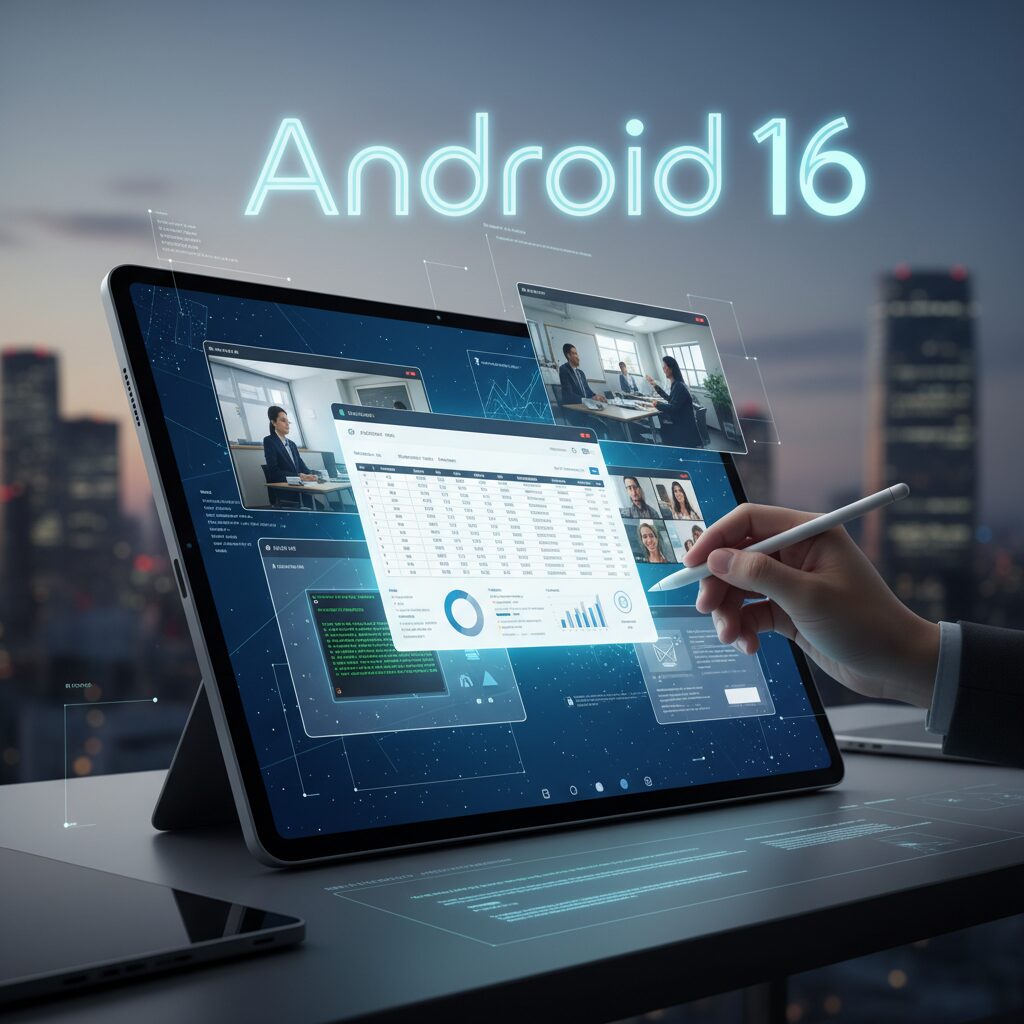
Android 16 marks a decisive turning point for large-screen devices, bringing what Google officially calls “Desktop Windowing” into the core of the OS. Rather than treating tablets as oversized phones, Android now enables a genuinely PC-like multitasking environment designed for keyboards, trackpads, and external displays.
This is not a cosmetic tweak. It fundamentally changes how apps coexist on screen. Instead of fixed split-screen layouts, users can freely resize, overlap, and reposition multiple windows, much like on Windows or macOS.
According to Google’s official Android 16 feature overview and developer documentation, the system now supports flexible window tiling, improved taskbar behavior, and better large-screen APIs that encourage developers to think beyond full-screen mobile paradigms.
| Feature | Before (Traditional Android) | Android 16 Desktop Windowing |
|---|---|---|
| App Layout | Full screen or fixed split view | Freely resizable, overlapping windows |
| Task Switching | Overview screen gesture | Persistent taskbar with overflow |
| Pointer Support | Basic cursor input | Right-click menus, hover states, trackpad gestures |
The persistent taskbar at the bottom of the screen plays a crucial role. Open apps remain visible, and users can instantly switch contexts without leaving their current workflow. The addition of taskbar overflow ensures that even heavy multitaskers working with numerous apps avoid clutter.
External display support has also matured. As highlighted in Google’s developer preview updates for enhanced desktop experiences, Android 16 allows more refined window management on connected monitors, bringing tablet-and-monitor setups closer to lightweight laptop replacements.
Peripheral interaction is another area of dramatic improvement. Android 16 standardizes right-click context menus, scroll-wheel zoom, and precise trackpad gestures. Developers are encouraged to implement hover states, which means UI elements visually respond when the cursor passes over them—an interaction model long expected in desktop environments.
The result is a behavioral shift: tablets are no longer optimized only for touch-first consumption but for pointer-driven productivity.
This transition also reduces fragmentation. By embedding desktop capabilities into the base OS, Google creates a unified foundation that OEMs can extend rather than reinvent. That consistency matters for app developers, who can now target a standardized desktop mode instead of building device-specific workarounds.
Equally important is the psychological effect. When users can float a document editor beside a browser, keep a messaging app partially visible, and drag-resize windows fluidly, the device begins to feel like a workstation rather than a companion screen. That perception shift may be as impactful as the technical upgrade itself.
Android 16 does not simply imitate PCs. It blends touch flexibility with desktop precision, forming a hybrid interaction model that reflects how modern users actually work—sometimes with fingers, sometimes with a cursor, often with both in the same session.
Samsung DeX Meets Native Android Desktop Mode: Ecosystem Standardization in Action
For years, Samsung DeX stood as a powerful but largely proprietary answer to the question: can Android replace a PC? With Android 16, that question shifts from brand-specific innovation to ecosystem-wide standardization.
The integration of Samsung DeX with Android 16’s native Desktop Mode marks a structural turning point for the entire Android large-screen strategy. This is no longer about one OEM experimenting with desktop paradigms. It is about Google and Samsung aligning their visions.
According to Google’s official Android 16 documentation and developer previews, Desktop Windowing is now a core OS capability, enabling freely resizable windows, taskbars, and enhanced mouse interactions across supported devices.
| Aspect | Classic DeX | Android 16 Desktop Mode | One UI 8 (Integrated) |
|---|---|---|---|
| Architecture | Samsung proprietary | Native Android framework | Built on Android base |
| App Compatibility | Optimized per device | Developer-standard APIs | Shared ecosystem support |
| UI Layer | Samsung custom | Stock Android | Samsung refinement |
In practical terms, Samsung’s One UI 8 replaces the classic DeX implementation with a version built directly on top of Android 16’s desktop framework, as widely reported by Android-focused media and confirmed through community analysis.
Early reactions were mixed. Some long-time users noted missing behaviors such as persistent window size memory. PhoneArena and Reddit discussions highlighted these transitional frictions.
However, short-term friction often accompanies long-term architectural gains. What matters strategically is this: developers no longer need to treat DeX as a separate target environment.
By standardizing desktop APIs at the Android level, Google reduces fragmentation. An app optimized for Android Desktop Mode will behave consistently across compliant devices, including Samsung tablets running the new DeX layer.
This shift lowers development overhead and increases the incentive to properly support large screens. According to the Android Developers blog, enhanced window management and connected display support are now part of the official large-screen optimization roadmap.
For power users, the benefit is subtle but profound. Instead of relying on Samsung-specific engineering, the desktop paradigm becomes portable across brands, future-proofing workflows.
Ecosystem standardization transforms DeX from a feature into an infrastructure layer.
Strategically, this move aligns with Google’s broader hardware posture. Reports about the Pixel Tablet 2’s cancellation suggest Google is prioritizing platform enablement over first-party tablet dominance. Strengthening Android’s desktop capability benefits partners like Samsung without direct hardware competition.
This cooperative dynamic is significant in markets such as Japan, where high-end Galaxy Tab devices are widely adopted among creators and professionals. A standardized desktop layer ensures their investments remain compatible with future Android iterations.
It also redefines competitive positioning against iPadOS. Apple’s Stage Manager remains tightly integrated within its own ecosystem. Android’s approach, by contrast, distributes desktop evolution across multiple OEMs under a shared framework.
From a systems perspective, we are witnessing vertical differentiation built atop horizontal standardization. Google provides the core windowing engine. Samsung differentiates through polish, UI refinement, and ecosystem services.
The result is not the disappearance of DeX, but its maturation. It evolves from a proprietary workaround into a sophisticated skin layered on a common Android desktop foundation.
For advanced users tracking the trajectory of Android tablets, this convergence signals something larger than a UI redesign. It signals that desktop-class Android is no longer experimental. It is becoming institutionalized.
Creator Economy Surge: Galaxy Tab S10 Ultra, Wacom EMR, and Clip Studio Paint Maturity
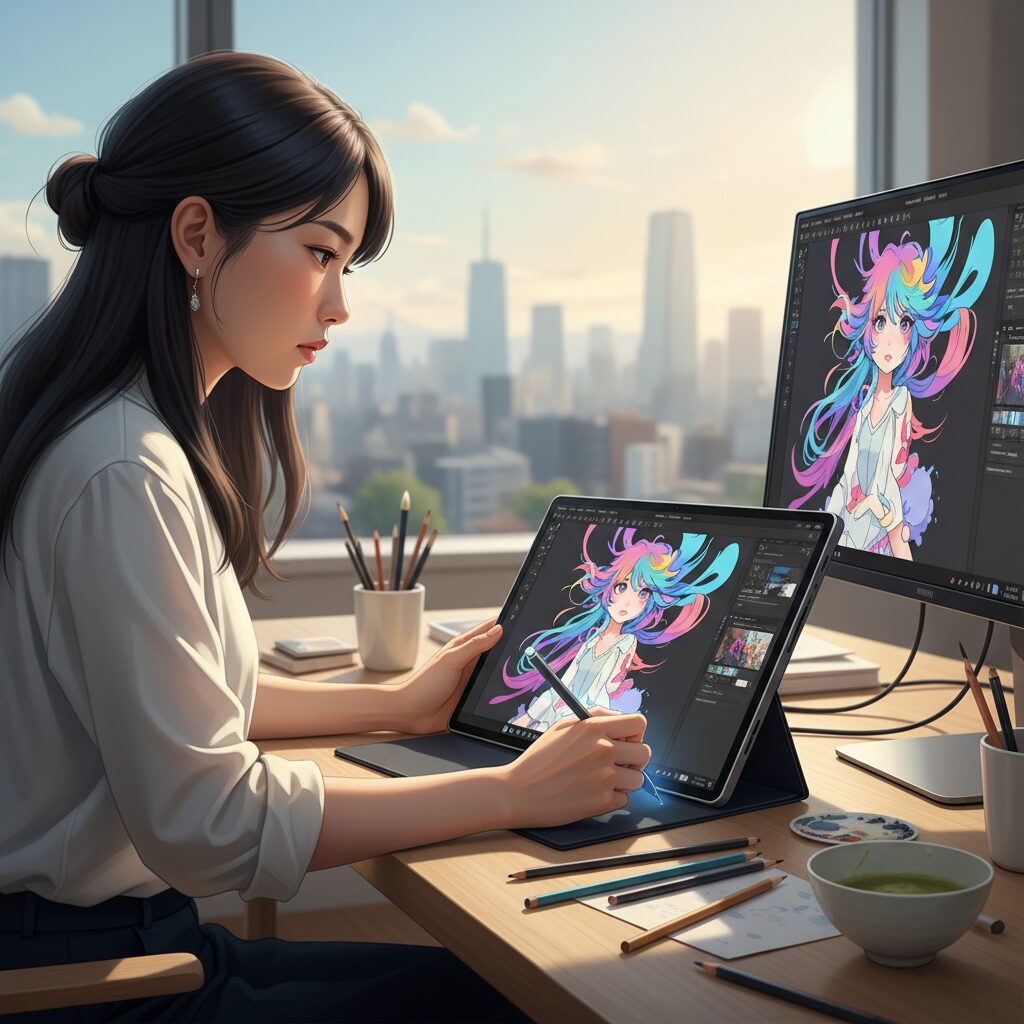
Japan’s creator economy is expanding alongside the tablet market itself. As IMARC Group projects steady growth in Japan’s tablet sector toward 2033, the qualitative shift is even more striking: tablets are no longer secondary screens but primary production tools. In that context, the Galaxy Tab S10 Ultra, Wacom EMR technology, and the maturation of Clip Studio Paint on Android form a powerful triangle for serious creators.
For illustrators, manga artists, and animators, hardware-software synergy matters more than raw specifications. The Galaxy Tab S10 Ultra embodies this shift with its 14.6-inch Dynamic AMOLED 2X display and bundled S Pen based on Wacom EMR technology. According to GSMArena’s published specifications, the device targets the very top of the Android tablet stack, competing not on price but on capability.
| Component | Galaxy Tab S10 Ultra | Creative Impact |
|---|---|---|
| Display | 14.6-inch Dynamic AMOLED 2X | Large canvas close to pen-display size |
| Stylus Tech | Wacom EMR (battery-free) | Consistent, lightweight drawing experience |
| RAM Options | Up to high-capacity configurations | Stable multi-layer workflows |
The Wacom EMR layer is particularly important. Unlike battery-dependent stylus systems, EMR pens require no charging. This eliminates workflow interruptions and reduces stylus weight. More critically, EMR is known for low initial activation force, meaning lines register with extremely light pressure. For manga-style line art—where delicate stroke starts and tapering are essential—this characteristic is not cosmetic but foundational.
Equally significant is software maturity. Clip Studio Paint, widely regarded in Japan as an industry-standard tool for comics and illustration, now delivers near parity between PC and Android versions. Official release notes from recent updates highlight stability improvements and bug fixes, including corrections to vertical text handling—an essential feature for Japanese manga production.
This functional completeness changes the economic equation for creators. With cloud synchronization, artists can sketch on the Tab S10 Ultra during travel and continue refining layers on a desktop workstation without file conversion friction. The device becomes an extension of the studio rather than a companion gadget.
Performance, however, remains hardware-sensitive. Community discussions and user reports indicate that large canvases at 350–600 dpi with numerous layers demand substantial RAM. High-end configurations are therefore not luxury options but practical necessities for professional workloads. When properly configured, brush latency and palm rejection—further refined through Galaxy-specific settings—approach the feel of dedicated pen displays.
In the broader creator economy, this convergence matters. As more independent artists monetize through digital platforms, livestream drawing, and direct-to-fan publishing, mobility becomes revenue-relevant. A large-format Android tablet with mature creative software reduces dependency on fixed studios and enables production anywhere.
The result is not merely competition with other ecosystems, but the normalization of Android as a professional-grade creative platform. For Japan’s illustration and manga community—arguably among the most demanding in the world—that validation signals a structural shift in how creative work is produced in 2026.
Performance Matters: MediaTek Dimensity 9300+ vs Snapdragon in Gaming and Emulation
When it comes to high-end Android tablets in 2026, raw performance is no longer just about benchmark numbers. The real question is how the SoC behaves in demanding gaming scenarios and, more critically for enthusiasts, in Windows emulation. This is where MediaTek’s Dimensity 9300+ and Qualcomm’s Snapdragon platforms begin to diverge in meaningful ways.
Dimensity 9300+, adopted in devices such as the Galaxy Tab S10 Ultra, delivers top-tier CPU and GPU throughput. According to comparative testing reported by Gizmochina, it outperforms Snapdragon 8 Gen 2 in several synthetic workloads, and in real-world Android titles the difference is immediately visible. Games like Genshin Impact and Honkai: Star Rail run at maximum settings with stable frame rates, leveraging the chip’s all-big-core CPU design and powerful Immortalis-class GPU.
The challenge emerges in Windows emulators such as Winlator. These tools rely heavily on GPU driver optimization, and historically the Snapdragon ecosystem has enjoyed a major advantage thanks to custom Adreno drivers like Turnip. Community reports on Reddit and emulator forums consistently show better compatibility and higher frame stability on Snapdragon 8 Gen 2 and 8 Gen 3 devices.
On Dimensity 9300+, Mali/Immortalis GPU drivers are still evolving. While experimental drivers exist, users frequently report graphical glitches, inconsistent shader compilation, or lower-than-expected frame rates. In tests shared by users running DirectX 11 titles such as Final Fantasy XIV through Winlator, frame rates on Dimensity-powered tablets often hover around 30–50fps at 720p, with occasional rendering issues.
| SoC | Native Android Gaming | Winlator / Windows Emulation |
|---|---|---|
| Dimensity 9300+ | Excellent, stable at max settings | Limited by driver maturity |
| Snapdragon 8 Gen 3 | Excellent | Strong compatibility, optimized drivers |
| Snapdragon 8 Gen 2 | Very strong | Highly stable, mature ecosystem |
This creates an unusual inversion in the market. A newer tablet with a more powerful Dimensity chip may outperform Snapdragon devices in Play Store titles, yet lose ground in emulation-heavy use cases. For gamers who stick to native Android ecosystems, this distinction is irrelevant. For power users who treat their tablet as a portable PC substitute, it becomes decisive.
Thermal behavior also matters. In extended gaming sessions, both platforms employ aggressive thermal management. However, Snapdragon-powered tablets often benefit from years of tuning in gaming phones, leading to more predictable sustained performance profiles. Dimensity 9300+ remains extremely fast, but peak performance does not always translate into sustained emulator stability.
The takeaway is simple but crucial: if your priority is AAA Android gaming at the highest visual fidelity, Dimensity 9300+ is a powerhouse. If your ambition extends to Windows emulation, modding communities, and experimental drivers, Snapdragon—particularly 8 Gen 2 with its mature ecosystem—currently offers a more reliable foundation.
Performance, in 2026, is no longer just about silicon strength. It is about ecosystem maturity, driver optimization, and the specific gaming universe you intend to inhabit.
Business Productivity in the Real World: Physical Keyboards, IME Optimization, and LINE Multi-Device Support
For Japanese professionals, productivity on an Android tablet does not begin with window management. It begins with the keyboard.
If physical keyboard support fails, the entire “PC replacement” narrative collapses. Historically, Android was optimized around US layouts, which created friction for JIS (Japanese) keyboards. Symbols such as @ or parentheses often appeared in the wrong positions, breaking typing flow during email drafting or document editing.
According to Google’s official Android Help documentation, Android 15 and 16 significantly expanded manual layout selection under Physical Keyboard settings. Users can now explicitly assign JIS layouts to connected keyboards, reducing mismatches that plagued earlier generations.
| Area | Before Android 15 | Android 15/16 |
|---|---|---|
| JIS Recognition | Often misaligned | Manual layout selection available |
| Symbol Input | Frequent mismatch | Improved consistency |
| Third-party Keyboards | Unstable mapping | Partially improved, not universal |
However, perfection has not yet been achieved. Certain third-party or specialty keyboards still require layout-definition apps such as Extra Keyboard Layouts to force correct mapping.
IME choice also determines whether the experience feels mobile-like or desktop-class. ATOK for Android, although subscription-based, remains favored by power users because it supports PC-style shortcuts and stable physical keyboard behavior. Gboard continues to improve and is free, but advanced shortcut customization remains stronger in ATOK.
In real-world business environments, small input inconsistencies compound into measurable inefficiency. Smooth JIS handling is therefore not a luxury but a baseline requirement.
Communication infrastructure presents another decisive factor. In Japan, LINE is not optional; it is operational infrastructure for many businesses. Previously, LINE enforced a strict one-smartphone-per-account model. That limitation weakened tablet viability.
As confirmed by the LINE Help Center, version 15.3.0 and later allow Android tablets to register as sub-devices. This enables simultaneous login with a primary smartphone account, synchronizing chats and calls seamlessly.
This single policy shift dramatically increases Android tablet credibility in business workflows. Sales teams can respond on larger screens, managers can review attachments comfortably, and remote staff can separate personal phone usage from work communication.
For engineers, productivity extends beyond messaging. Termux transforms an Android tablet into a lightweight Linux workstation without root access. Developers can install Git, run local servers using Python or Node.js, and connect via SSH to remote infrastructure.
Community documentation and GitHub repositories show mature workflows: cloning repositories, pushing commits, and even running code-server builds of VS Code inside a tablet environment. When paired with a physical keyboard, the device functions as a battery-efficient thin client.
The practical reality in 2026 is nuanced. Android tablets can replace laptops for document drafting, communication, code review, SSH maintenance, and cloud-based work. But the experience depends heavily on three variables: correct JIS mapping, a capable IME, and reliable multi-device messaging support.
When those elements align, business productivity on Android tablets feels less like compromise and more like intentional mobility.
Termux and Linux on Android: Tablets as Portable Dev Machines
For developers, an Android tablet in 2026 is no longer just a companion screen. With Termux, it becomes a genuinely portable Linux workstation that fits in a backpack and runs all day on battery.
Termux is a terminal emulator that provides a userland Linux environment on Android without root access. This design is critical because it preserves device security while unlocking powerful command-line workflows.
According to community documentation and developer guides, Termux supports a wide range of packages through its own package manager, making it possible to replicate much of a lightweight Debian-style environment directly on a tablet.
| Capability | How It Works in Termux | Practical Use Case |
|---|---|---|
| Git | pkg install git | Clone, commit, push to GitHub on the go |
| Python / Node.js | Official packages available | Run local servers and scripts |
| OpenSSH | SSH client via openssh | Remote server management |
| Code Server | Browser-based VS Code | Full IDE in tablet browser |
One of the most practical workflows is local web development. By installing Python or Node.js, you can spin up a server on localhost and test applications directly in Chrome on the same device.
This setup turns a tablet into a self-contained dev lab, ideal for travel, commuting, or fieldwork. You can write, test, and deploy code without ever opening a laptop.
SSH access further extends capability. With a physical keyboard attached, the tablet functions as a long-battery thin client, securely connecting to VPS instances or on-premise infrastructure.
Advanced users are pushing boundaries even further. Using Termux:X11 and lightweight desktop environments like XFCE, some developers run graphical Linux apps inside Android, effectively layering a desktop interface on top of a mobile OS.
While performance depends on the tablet’s SoC and RAM, modern high-end Android tablets with 12GB of memory handle code compilation, package management, and browser-based IDEs smoothly. For many scripting, DevOps, and web tasks, this is more than sufficient.
The broader implication is strategic. As Android 16 enhances windowed multitasking and external display support, Termux-based workflows benefit from larger screen real estate and more PC-like input behavior.
For engineers who value portability and flexibility, tablets are evolving into serious edge devices. The combination of Linux tooling, strong battery life, and always-on connectivity makes them uniquely suited for modern distributed development environments.
In 2026, carrying a tablet no longer means sacrificing terminal access. It means carrying Linux in a form factor that is lighter, quieter, and more adaptable than many traditional laptops.
Entertainment at Scale: Manga Double-Page Viewing, OLED Panels, and Local Streaming Apps
For entertainment-focused users, Android tablets in 2026 deliver an experience that feels purpose-built for Japan’s content culture. Large displays, OLED panels, and deep support for local streaming apps combine to create a device that is far more than a passive screen.
Especially for manga and video consumption, screen size and panel quality directly shape immersion. This is where 12- to 14-inch class tablets clearly separate themselves from smaller devices.
Manga Double-Page Viewing: Recreating the Printed Spread
One of the most compelling use cases in Japan is double-page manga viewing in landscape mode. Apps such as Shonen Jump+ and Kindle natively support two-page spreads on large screens, allowing readers to experience dramatic splash pages as originally intended by artists.
On a 14.6-inch device like the Galaxy Tab S10 Ultra, the display area approaches the physical scale of B5-size weekly magazines. This means text remains crisp without zooming, and fine linework in detailed panels is preserved.
For users who digitize their own collections, reader apps such as Mihon support advanced double-page handling, including automatic page pairing and image splitting for scans. This flexibility is particularly valued by collectors managing large local libraries.
| Screen Size | Landscape Double-Page Experience | Best For |
|---|---|---|
| 11-inch | Comfortable, slight scaling | Casual reading, portability |
| 12–14-inch | Near print-size immersion | Weekly magazines, detailed art |
OLED Panels: Contrast That Transforms Content
Panel technology plays an equally important role. Devices equipped with AMOLED or OLED displays, such as Samsung’s Dynamic AMOLED 2X panels, deliver near-infinite contrast ratios and deep blacks. For manga, this enhances ink density and panel separation. For anime and films, it elevates shadow detail and color vibrancy.
According to OLED-Info’s coverage of models like NEC’s LAVIE Tab T14, OLED adoption in tablets has expanded beyond niche flagships. This shift means high dynamic range visuals are no longer confined to premium laptops or TVs.
In dark scenes or night reading, OLED reduces the grayish glow typical of LCD panels, resulting in noticeably higher perceived depth. Combined with quad or even multi-speaker setups—such as JBL-tuned systems in select models—the audiovisual package becomes remarkably self-contained.
Local Streaming Apps: Built for the Japanese Market
Entertainment at scale also depends on software localization. TVer, Japan’s major ad-supported catch-up streaming platform, offers a tablet-optimized interface and supports real-time broadcast streaming. This makes Android tablets viable replacements for small televisions in compact living spaces.
Because Android tablets support expandable storage on many models via microSD, users can download episodes, store large manga libraries, and manage offline viewing more flexibly than on ecosystems without storage expansion.
The result is a device that adapts to Japanese consumption patterns: serialized manga, seasonal anime, live terrestrial broadcasts, and variety programming. When paired with a large OLED display and landscape double-page support, the Android tablet becomes a portable entertainment theater designed for both scale and intimacy.
Education’s Next Phase: GIGA School Replacement Demand and Lenovo’s Cost-Performance Strategy
Japan’s education market is entering a decisive replacement cycle. Devices introduced under the original GIGA School Program around 2020 are now reaching their renewal phase, and this “Next GIGA” wave is becoming one of the most powerful demand drivers in the 2025–2026 tablet market.
According to IDC, global tablet shipments have recently been supported by refresh demand and education projects, and Japan is a textbook example of this structural replacement trend. For municipalities facing tight budgets and rising maintenance costs, device selection is no longer about novelty but about lifecycle efficiency and ecosystem fit.
Chromebooks continue to hold an advantage in keyboard-centric learning and centralized management, while iPads retain strong brand trust and usability. However, Android tablets are re-emerging as a strategic middle ground, especially for budget-conscious local governments.
| Platform | Strength | Primary Appeal in Next GIGA |
|---|---|---|
| Chromebook | Integrated keyboard, easy fleet control | Administrative simplicity |
| iPad | Polished UX, strong app ecosystem | Brand trust and stability |
| Android Tablet | Flexible pricing, hardware diversity | Cost-performance balance |
Lenovo’s strategy exemplifies how Android vendors are positioning themselves in this phase. Models such as the Lenovo Tab K11 emphasize affordability without sacrificing classroom essentials. With support for 4096 levels of pen pressure, compatibility with Google Classroom, and LTE variants for connectivity flexibility, the device aligns closely with Japan’s hybrid and remote learning needs.
Because Android is natively integrated into Google’s ecosystem, schools can deploy Google Workspace for Education and manage fleets through Google’s MDM tools without adopting a separate OS paradigm. This reduces training overhead for teachers already familiar with Google services.
Cost efficiency also extends beyond initial procurement. Android’s broad OEM competition enables municipalities to negotiate pricing at scale, while component modularity and standardized repair channels can lower total cost of ownership over the device lifecycle. In a replacement-driven market, these structural advantages matter more than peak specifications.
Importantly, Lenovo and similar vendors are not merely competing on price. They are framing Android tablets as creative tools rather than passive consumption devices. Stylus support encourages handwriting, illustration, and STEM experimentation, aligning with the Ministry of Education’s emphasis on active learning and digital creativity.
As Next GIGA unfolds, the education segment is becoming a proving ground for Android’s renewed identity in Japan. If vendors successfully combine disciplined pricing, long-term software support, and classroom-ready functionality, Android tablets will not simply fill a budget gap—they will define a sustainable, performance-oriented alternative for the next generation of digital education.
Enterprise and Industrial Deployments: Taxi Signage, POS Systems, and Rugged Japan-Made Tablets
Beyond consumer use, Android tablets in Japan have quietly become mission-critical infrastructure across transportation, retail, and heavy industry. In these environments, flexibility, cost control, and OS-level customization matter more than brand prestige.
According to industry disclosures and vendor announcements, taxi media networks and enterprise mobility projects are increasingly built on Android-based platforms. The reason is simple: Android allows deep system control, kiosk configuration, and hardware-level integration that closed ecosystems struggle to match.
Taxi Signage Platforms: Always-On, Revenue-Generating Screens
In Tokyo, rear-seat taxi displays such as the GROWTH platform and Yazaki’s Y-Tab1 operate on Android-based systems. These tablets are not passive screens. They dynamically stream advertisements, provide route-linked information, and integrate with payment terminals.
| Requirement | Why Android Fits |
|---|---|
| Kiosk mode | Lock device to a single app at boot |
| Remote management | MDM-based content and firmware control |
| Peripheral integration | API linkage with meters and payment systems |
Because these devices operate daily for long hours, fleet-wide remote updates and failure monitoring are essential. Android’s enterprise management framework enables centralized control, reducing maintenance cost per vehicle while maximizing ad uptime.
POS Systems and Retail DX
In retail and food service, Android tablets are increasingly used in POS deployments, particularly where cost efficiency and peripheral compatibility are priorities. Cloud POS providers such as Smaregi support tablet-based operations, enabling real-time inventory and sales synchronization.
USB host support and broad driver compatibility allow Android tablets to connect reliably with barcode scanners, receipt printers, and cash drawers. For small and mid-sized businesses, this reduces the need for proprietary hardware bundles and lowers total ownership cost.
Operationally, Android-based POS setups also allow staged rollouts. Businesses can deploy tablets first, then integrate payment terminals or customer displays later without replacing the entire system.
Rugged Japan-Made Tablets: Built for Harsh Environments
In construction, logistics, and manufacturing, durability outweighs thinness. Japanese manufacturers such as Kyocera provide rugged Android tablets like the DuraSlate series and business-focused KC-T304 models.
These devices comply with MIL-STD durability standards and include features such as glove mode and wet-touch functionality. Field workers can operate them in rain, dust, or while wearing protective gear, something consumer tablets are not designed to handle.
Another critical factor is domestic support. “Japan Made” enterprise devices emphasize local manufacturing oversight and long-term parts availability. For corporations building BCP strategies, predictable lifecycle management is as important as performance.
Across taxis, retail counters, and industrial sites, Android tablets are no longer secondary devices. They function as revenue engines, operational hubs, and data terminals. Their value lies not in entertainment or creativity, but in their ability to be customized, remotely controlled, and hardened for real-world deployment.
Who Should Choose an Android Tablet in 2026? Use-Case-Based Recommendations
Choosing an Android tablet in 2026 is no longer about budget versus premium. It is about matching the device to your exact workflow, creative ambition, or entertainment style. The platform has matured across productivity, education, gaming, and industrial use, and the right choice depends entirely on what you expect from it.
If you are a creator who values pen precision and flexibility, Android is one of the most compelling options available. Devices such as the Galaxy Tab S series use Wacom EMR technology, which does not require charging and supports subtle initial pressure detection. For illustrators and manga artists using Clip Studio Paint, whose Android version now closely mirrors the desktop feature set according to official release notes, this matters in daily production. Large OLED displays up to 14.6 inches also allow near full-size B5 manga layout previews.
If you are a multitasking professional, Android 16 changes the equation. The introduction of enhanced desktop windowing, as outlined by Android Developers, enables resizable app windows, taskbar navigation, and improved mouse support. Combined with improved physical keyboard layout settings in recent Android versions and official LINE sub-device support on tablets, it becomes realistic to manage documents, chat, and video calls from a single lightweight device.
| User Type | Why Android Fits | Key Feature to Prioritize |
|---|---|---|
| Digital Artist | EMR pen, large OLED canvas | 12GB+ RAM, high-resolution display |
| Remote Worker | Desktop mode, multi-window | Keyboard compatibility, external display |
| Mobile Gamer | High-end SoC performance | Chipset choice (Snapdragon vs MediaTek) |
| Student (Next GIGA) | Google Workspace integration | MDM support, pen input |
If you are a performance-focused gamer, chipset selection is critical. MediaTek Dimensity 9300+ delivers extremely strong native Android gaming performance, as benchmark comparisons have shown. However, Snapdragon models remain more compatible with certain emulation environments due to mature GPU driver ecosystems. Your choice should reflect whether you prioritize Play Store titles or experimental PC emulation.
If you are part of the education ecosystem, Android offers a hybrid advantage. Lenovo’s education-focused tablets demonstrate how pen input, Google Classroom compatibility, and centralized device management coexist at competitive cost levels. With Japan’s Next GIGA refresh cycle underway, this balance between creativity and manageability becomes strategically important.
Finally, Android tablets make particular sense for users who value openness: expandable storage via microSD, Linux environments through Termux for developers, and flexible hardware options across price tiers. In 2026, Android is best chosen not as an alternative to something else, but as a deliberate tool aligned with how you create, work, learn, or play.
参考文献
- IMARC Group:Japan Tablet Market Size, Share, Growth Report 2025-2033
- IDC:Product Refreshes and Inventory Pull-In Ahead of Tariffs Led to Growth in Tablet Market by 13.1% in the Second Quarter, according to IDC
- Coherent Market Insights:Tablet Market Trends, Size, Share and Forecast, 2025-2032
- Android Developers Blog:Developer preview: Enhanced Android desktop experiences with connected displays
- 9to5Google:Samsung DeX gets a redesign based on Android 16’s desktop mode [Gallery]
- GSMArena:Samsung Galaxy Tab S10 Ultra – Full tablet specifications
- Kyocera Mobile:DuraSlate Wi-Fi Tablet